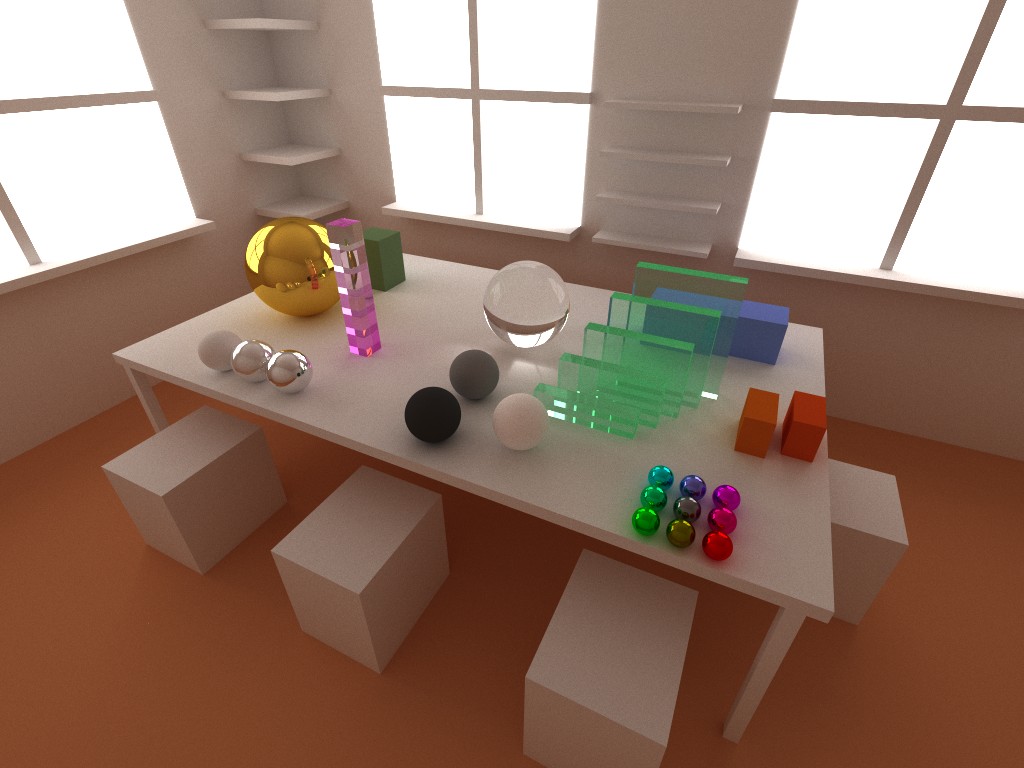
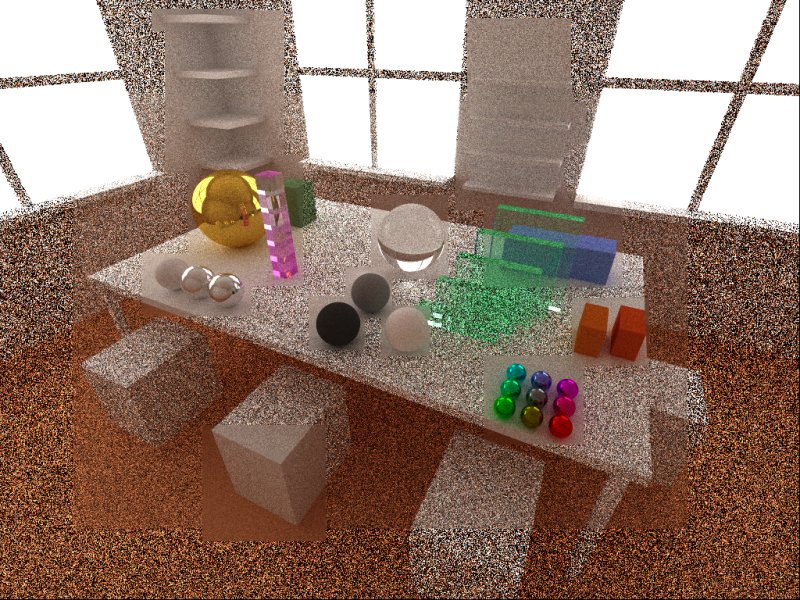
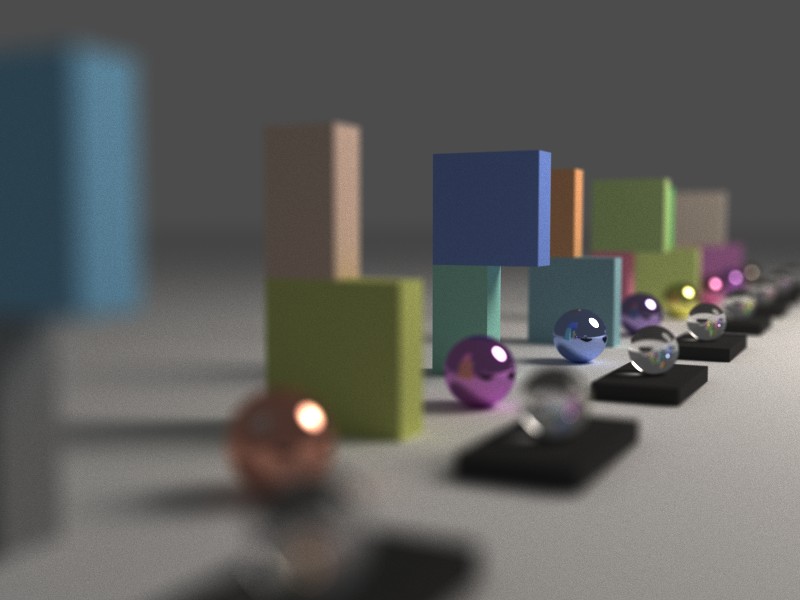
|
|
|
|
|
|
| |
| |
|
|
|
|
| |
| |
|
|
William Tracy wrote:

> One idea I've had is using arbitrary-precision numbers for geometry
> (java.lang.BigDecimal comes to mind--I haven't yet looked into
> equivalent C/C++ libraries). The performance hit would make this stupid
> for Povray, but it opens up interesting ideas for massive scenes (Bill
> Pragnell's renderings of Ringworld gave me the original idea).

Hmm. What kind of "interesting ideas" you mean? Do you have any links to
sample images?

But anyway, go for it! You can't beat the feeling (ok, at least with
pants on...) you get from seeing your first rendering. It is so cool to
create worlds.
Post a reply to this message
|
|
| |
| |
|
|
|
|
| |
| |
|
|
Warp wrote:

>   POV-Ray is a prime example of a raytracer which has bounding box
> hierarchy optimizations: Render a simple scene with 10 spheres in a
> home-made raytracer and with POV-Ray, and the render times may be
> comparable. Render a scene with 100000 spheres with the home-made
> raytracer and POV-Ray and the Sun will probably die before the former
> gets the job done, while POV-Ray doesn't take significantly longer.

Very true. Now I have to check every single object with every single
ray. That is O(N) and that is way too much. I have to study BSP trees at
some point. And whatever other similar methods there are.

>   Btw, for a very good-quality and very fast RNG, you could also try
> this: http://burtleburtle.net/bob/rand/isaacafa.html
>
>   It's horribly ugly C code. I have made a clean C++ implementation if
> you are interested.

Actually I'm interested. I remember reading about Isaac a few years ago
but missed it now. Do you know how it compares to Mersenne Twister
speed-wise? I don't need 100% cryptographic robustness but fast
generation and decent randomness for (say) 1280x1024x10x10000 numbers.
(resolution * rays/pixel * passes). So the cycle must be a lot larger
than that :)

Most likely I'll implement my own class but if you care to show me
yours, that would be appreciated!
Post a reply to this message
|
|
| |
| |
|
|
|
|
| |
| |
|
|
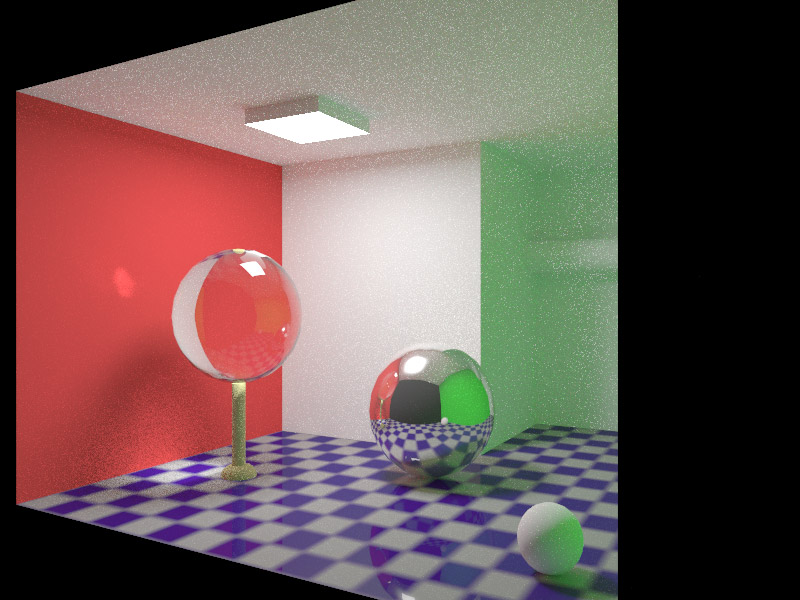
> Your renderer is truly great! How long did you let it run on that image, and how
> many passes/iterations did it do in that time?

I don't remember exact figures but it was about a 8h render with some
2500 passes on one core (C2D@3GHz). Pure Monte Carlo path tracing with
no accelerations or fancy techniques. Just brute force :) (And pure
stupidity :)

You don't have to post the image but it would be interesting to know how
quickly Kerkythea renders the same image with pure path tracing to about
the same noise levels as my image.

> I didn't have your scene data so I just improvised by eye.. attached is a render
> using MLT on PT, that I let run for 1h 20m, in which time it did about 65
> iterations. It isn't an exact match, obviously, since I got the spacing a bit
> wrong, but I can see that our renderers agree on all the right light in all the
> right places!

Actually that is a very good replica of the scene! I'm impressed. And
impressed even more with the similarity of the render! Really, they look
very similar in all respects: the caustics, color bleeding, shadows,
everything. Of course your image has a bit more light but still, very
close. On the other hand, that is to be expected with unbiased
renderers. There should be no room for inaccuracies or interpretation.
MLT and Bi-directional are better (ie. faster) techniques and I'll also
try to implement at least the latter at some point.

> Also in the future if you would like me to run any other comparisons I would be
> happy to oblige. It would be nice if I could use the same geometry as you -
> sphere coordinates and radii, etc. How do you define your scenes?

Thanks. I'll sure ask if I need more similar renders!

At this point I describe the scene purely in the source code. I compile
a new program every time I change the scene. But since my renderer has
2k lines of code it takes a fraction of a second to compile it :) Yes, a
parser would be cool but:

1. I don't know what kind of SDL I want to support/implement.
2. I have never done a parser - besides a simple command line parameter
parse. So this is a bigger learning process :)
Post a reply to this message
|
|
| |
| |
|
|
|
|
| |
| |
|
|
> Oh, and that's a beautiful render.  I love the square caustics on the sphere.
> No tweaking necessary.  Wow.  You should try triangles.  That would open up a
> world of possibilities, but then you'd certainly need some acceleration.  I
> guess that's already been accounted for in 5-1000004.  Sorry.  Keep it up.

Yeah, triangles and BSP acceleration are on the list. And definitely
closer to 5 than to 1000004 :)
Post a reply to this message
|
|
| |
| |
|
|
|
|
| |
| |
|
|
"Zeger Knaepen" <zeg### [at] povplace com> wrote in message
news:47cd94ea$1@news.povray.org...
> "Nicolas Alvarez" <nic### [at] gmailisthebestcom> wrote in message
> news:47cd8bee@news.povray.org...
>> Zeger Knaepen escribió:
>>> "Nicolas Alvarez" <nic### [at] gmailisthebestcom> wrote in
>>> message news:47cd674d$1@news.povray.org...
>>>> Well, it would have problems with backwards compatibility: changing the
>>>> random number generator would make existing scenes look different, as
>>>> if they had changed the seed. So we probably need something like
>>>> global_settings { random_generator 2 }
>>>
>>> ..or just let people use the #version-directive
>>
>> People might still want the old generator for some strange reason :)
>
> yes, and those people can use the #version-directive, I don't see the
> problem?
>
Unless they want the scene to look the same and use new features.
--
-Nekar Xenos- com> wrote in message
news:47cd94ea$1@news.povray.org...
> "Nicolas Alvarez" <nic### [at] gmailisthebestcom> wrote in message
> news:47cd8bee@news.povray.org...
>> Zeger Knaepen escribió:
>>> "Nicolas Alvarez" <nic### [at] gmailisthebestcom> wrote in
>>> message news:47cd674d$1@news.povray.org...
>>>> Well, it would have problems with backwards compatibility: changing the
>>>> random number generator would make existing scenes look different, as
>>>> if they had changed the seed. So we probably need something like
>>>> global_settings { random_generator 2 }
>>>
>>> ..or just let people use the #version-directive
>>
>> People might still want the old generator for some strange reason :)
>
> yes, and those people can use the #version-directive, I don't see the
> problem?
>
Unless they want the scene to look the same and use new features.
--
-Nekar Xenos-
Post a reply to this message
|
|
| |
| |
|
|
|
|
| |
| |
|
|
> Unless they want the scene to look the same and use new features.

#local Version=version;
#local Seed=seed(1);
#local NewRND=rand(Seed);
#version 3.6 #local OldRND=rand(Seed); #version Version

that should do it.  Advantages: no need for new keywords, and the
possibility to use both the old and the new random-number generator in 1
scene. Disadvantages: doesn't look as clean.

cu!
--
#macro G(b,e)b+(e-b)*C/50#end#macro _(b,e,k,l)#local C=0;#while(C<50)
sphere{G(b,e)+3*z.1pigment{rgb G(k,l)}finish{ambient 1}}#local C=C+1;
#end#end _(y-x,y,x,x+y)_(y,-x-y,x+y,y)_(-x-y,-y,y,y+z)_(-y,y,y+z,x+y)
_(0x+y.5+y/2x)_(0x-y.5+y/2x)            // ZK http://www.povplace.com
Post a reply to this message
|
|
| |
| |
|
|
|
|
| |
| |
|
|
Nicolas Alvarez wrote:
> Also, could you please test this one? :)
> http://www.winosi.onlinehome.de/Gallery_t14_01.htm

Yes, it seems the creators of Kerkythea knew about that - they included a scene
file of it in the distribution!

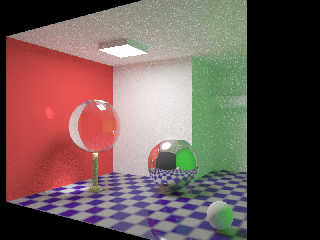
Here it is, rendered at 800x600 using its new network rendering feature on 2
threads on a C2D 2.5GHz and 1 thread on an AMD Athlon XP 2400+ (2.0GHz) for 3
hours and 40 minutes - about 150+150+100 passes in total, using unbiased Path
Tracing. You can see that it is still very noisy, this would not be quite so
noisy with BiPT or MLT.


Now I will try your scene again Severi with just Path Tracing (no MLT). I
already tried it using BiPT overnight (8 hours) and still there was a noisy
black area in the middle of the green glass boxes that was taking a long time
to go away (where they overlap the most).

I'll let you know if it takes more than 3 hours (using the same setup as for the
above WinOSi image) since after 3 hours I'll have to go to bed and leave it to
go for another 7.5 hours!
Post a reply to this message
Attachments:
Download 'illum2_pt_3h_40m.jpg' (110 KB)
Preview of image 'illum2_pt_3h_40m.jpg'
|
|
| |
| |
|
|
|
|
| |
| |
|
|
Severi Salminen wrote:
> You don't have to post the image but it would be interesting to know how
> quickly Kerkythea renders the same image with pure path tracing to about
> the same noise levels as my image.

Rendering now on 3 cores across 2 machines.


> At this point I describe the scene purely in the source code. I compile
> a new program every time I change the scene. But since my renderer has
> 2k lines of code it takes a fraction of a second to compile it :) Yes, a
> parser would be cool but:
>
> 1. I don't know what kind of SDL I want to support/implement.
> 2. I have never done a parser - besides a simple command line parameter
> parse. So this is a bigger learning process :)

I am a software developer by day so chances are I can extract the necessary
information from the section of source code that describes your scenes!

The Kerkythea parser uses XML to store the scene files. It can get pretty
messy.. but it might be a viable alternative (at least in the beginning) for
you? I don't mean the same layout as KT necessarily, but just some kind of XML?
Most languages should have a library for reading/writing XML by now...

As I write this I keep checking the render, even though the first pass is quite
noisy but still not so bad you can't make out the objects very clearly. I don't
know quite how long it will take to reach the same level as your image, my only
fear is that my bedtime might arrive before that time, and that the extra 7.5
hours it gets will take it well past that point.

We will see :)
Post a reply to this message
Attachments:
Download 'kuva11_pt_first_pass.jpg' (26 KB)
Preview of image 'kuva11_pt_first_pass.jpg'
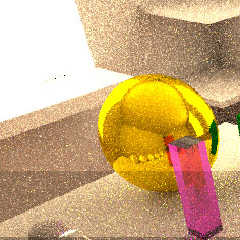
|
|
| |
| |
|
|
|
|
| |
| |
|
|
Severi Salminen wrote:
>>   It's horribly ugly C code. I have made a clean C++ implementation if
>> you are interested.
>
> Actually I'm interested.

http://warp.povusers.org/IsaacRand.zip

  If you want to increase the cryptographical strength of the RNG,
increase the value of RANDSIZL in the IsaacRand.hh file. According to
the author, values between 4 and 8 should be ok. The larger the value,
the (cryptographically) stronger the results (and the larger the cycle),
at the cost of the class taking more memory.
  (One instance of the class requires 4*4 + 4*2*2^RANDSIZL bytes. For
example with RANDSIZL 4 the amount of space required is 144 bytes, while
with RANDSIZL 8 it requires 2064 bytes.)

  According to the author, a value of 4 for RANDSIZL should be enough
for your purposes. You could try 5 or 6, though.

  (Curiously, as I found out recently, increasing this size actually
makes the RNG slightly faster. For instance, increasing RANDSIZL from 4
to 8 makes the RNG approximately 10% faster in my computer.)

> Do you know how it compares to Mersenne Twister speed-wise?

  Unfortunately I don't. However, I believe this RNG to be very fast,
especially taking into account the high quality of the results.

> I don't need 100% cryptographic robustness but fast
> generation and decent randomness for (say) 1280x1024x10x10000 numbers.
> (resolution * rays/pixel * passes). So the cycle must be a lot larger
> than that :)

  Increasing RANDSIZL increases the smallest cycle, but even with 4 I
think it's pretty large.
Post a reply to this message
|
|
| |
| |
|
|
|
|
| |
| |
|
|
Warp wrote:
>   I measured the algorithm (compiled with g++ 4.1.2), and with my
> computer (Pentium4 3.4GHz) it generated 150 million random numbers per
> second.

  Btw, I compared it to the std::rand() provided by gcc (in identical
conditions), and it could only produce about 33 million numbers per
second. This means that the isaac rng is over 4.5 times faster.
Post a reply to this message
|
|
| |
| |
|
|
|
|
| |
| |
|
|
sooperFoX wrote:

> Now I will try your scene again Severi with just Path Tracing (no MLT). I
> already tried it using BiPT overnight (8 hours) and still there was a noisy
> black area in the middle of the green glass boxes that was taking a long time
> to go away (where they overlap the most).


Naive question here, but do any of the existing unbiased renderers out
there have any method that either a) kicks in at a certain point to try
to detect noise and send a disproportionate number of rays into noisier
parts of the image, or b) takes optional user input (even mid-render)
and doing likewise?
Charles
Post a reply to this message
|
|
| |
| |
|
|
|
|
| |
| |
|
|
Warp wrote:

>> Do you know how it compares to Mersenne Twister speed-wise?
>
>   Unfortunately I don't. However, I believe this RNG to be very fast,
> especially taking into account the high quality of the results.

Thanks for the code! Quick test shows that the two RNGs perform almost
identically. So I don't think I have a strong need to change the RNG.
Also the SFMT looks very promising:

http://www.math.sci.hiroshima-u.ac.jp/~m-mat/MT/SFMT/index.html

It should be a lot faster than basic MT which I'm using. But most likely
the random number generation is not a bottleneck anymore.
Post a reply to this message
|
|
| |
| |
|
|
|
|
| |
| |
|
|
Charles C wrote:
> b) takes optional user input (even mid-render) and doing likewise?

  That would be cool. If some part of the image is extra noisy, click
there and the renderer will then send more rays near that point. :)
Post a reply to this message
|
|
| |
| |
|
|
|
|
| |
| |
|
|
Charles C wrote:
> sooperFoX wrote:
>
> > Now I will try your scene again Severi with just Path Tracing (no MLT). I
> > already tried it using BiPT overnight (8 hours) and still there was a noisy
> > black area in the middle of the green glass boxes that was taking a long time
> > to go away (where they overlap the most).
>
>
> Naive question here, but do any of the existing unbiased renderers out
> there have any method that either a) kicks in at a certain point to try
> to detect noise and send a disproportionate number of rays into noisier
> parts of the image, or b) takes optional user input (even mid-render)
> and doing likewise?
> Charles

Yes, MLT (Metropolis Light Transport) spends most of its time doing the
"difficult" areas and is best for interior scenes that are lit mostly by
indirect light. You can set up a room that has only a very tiny crack in the
wall and the light on the other side of the wall, and it will find its way
through. MLT works on top of path tracing or bi-directional path tracing.

It does not take user input at any time, though.

As far as I know, Kerkythea is not the only renderer to support MLT. There is a
Java renderer called SunFlow which does the same, and there may be others.
Post a reply to this message
|
|
| |
| |
|
|
|
|
| |
| |
|
|
"sooperFoX" <bon### [at] gmailcom> wrote:
> Severi Salminen wrote:
> > You don't have to post the image but it would be interesting to know how
> > quickly Kerkythea renders the same image with pure path tracing to about
> > the same noise levels as my image.
>
> Rendering now on 3 cores across 2 machines.

> We will see :)

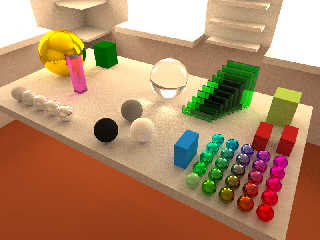
Well, here we are. After rendering for 11 hours we have an interesting result -
the black area did not go away! There is still also some noise left.. Your
renderer wins, Severi!

Unless I have just not set it up right. But I think the defaults specify 100
bounces...

I thought I would post the pic anyway so you can see what I'm talking about..
Post a reply to this message
Attachments:
Download 'kuva11_pt_11h.jpg' (100 KB)
Preview of image 'kuva11_pt_11h.jpg'
|
|
| |
| |
|
|
|
|
| |
| |
|
|
Severi Salminen wrote:
> Thanks for the code! Quick test shows that the two RNGs perform almost
> identically. So I don't think I have a strong need to change the RNG.
> Also the SFMT looks very promising:
>
> http://www.math.sci.hiroshima-u.ac.jp/~m-mat/MT/SFMT/index.html

  That's odd. I tested that and the isaac rng in identical conditions
(and compiled with g++ -O3 -march=prescott), and while the isaac rng was
able to generate 168 million numbers per second (with RANDSIZL=5), that
sfmt was only able to generate 81 million numbers per second. Still
considerably faster than std::rand(), but considerably slower than isaac.

  Maybe I didn't compile or use it right. OTOH, the isaac rng is that
fast without any special compiler fine-tuning, just a straightforward
optimized compilation.

> It should be a lot faster than basic MT which I'm using. But most likely
> the random number generation is not a bottleneck anymore.

  OTOH, using the fastest possible (high-quality) rng doesn't hurt
either. :)
Post a reply to this message
|
|
| |
| |
|
|
|
|
| |
| |
|
|
"sooperFoX" <bon### [at] gmailcom> wrote:
> Nicolas Alvarez wrote:
> > Also, could you please test this one? :)
> > http://www.winosi.onlinehome.de/Gallery_t14_01.htm
>
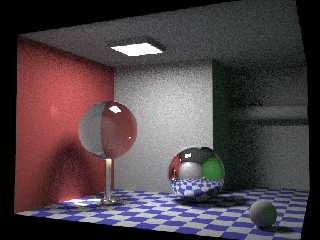
Interesting test scene. There is a PovRay version on the web site.
Here a rendering of 1h on one core of a Q6600 2.4 GHz with my MegaPov Montecarlo
Path tracing patch. Noise is important but there is no spikes.

Fidos
Post a reply to this message
Attachments:
Download 'illum2.jpg' (142 KB)
Preview of image 'illum2.jpg'
|
|
| |
| |
|
|
|
|
| |
| |
|
|
these are much more impressive:

total internal reflection:
http://www.winosi.onlinehome.de/Gallery_t13.htm

and this:
http://www.winosi.onlinehome.de/Gallery_t15.htm
Post a reply to this message
|
|
| |
| |
|
|
|
|
| |
| |
|
|
nemesis escribió:
> these are much more impressive:
>
> total internal reflection:
> http://www.winosi.onlinehome.de/Gallery_t13.htm
>
> and this:
> http://www.winosi.onlinehome.de/Gallery_t15.htm

I posted Gallery_t14_01.htm because it has a dozen rendered images for
comparison, and source available in a dozen formats too.

But in terms of impressiveness, Gallery_t15.htm sure wins :)
Post a reply to this message
|
|
| |
| |
|
|
|
|
| |
| |
|
|
sooperFoX wrote:

> Well, here we are. After rendering for 11 hours we have an interesting result -
> the black area did not go away! There is still also some noise left.. Your
> renderer wins, Severi!

W000t! Where can I get my prize? :-)

Few thoughts:

1. My program has no depth limit at all. Only a probability that a ray
will die/get absorbed when bouncing. So every now and then a ray might
bounce many times. A hard-coded depth limit induces some bias. 100
bouces, however should be enough.

2. What was the actual color value you specified for the green glass?
Maybe the glass is so dark that multiple layers simply don't let enough
light through?

3. My image seems to have less noise on the table and more noise on the
floor. Maybe on average they are on par. Anyway, I rendered one 1
core@3GHz for 8h. But then again, my renderer lacks many important
features which _might_ slow the renderer down when implemented.

4. Even small changes in the scene can alter the noise levels quite a
bit. Especially the light source size has a big impact on noise/time
figures.

So this is not very scientific result. At some point I'll make a better
test scene and post the dimensions. Or anyone else can do it. Maybe in
Pov-SDL so we can compare results from it too. And we can keep this even
remotely on-topic :-)
Post a reply to this message
|
|
| |
| |
|
|
|
|
| |
| |
|
|
Nicolas Alvarez wrote:

>> and this:
>> http://www.winosi.onlinehome.de/Gallery_t15.htm
>
> But in terms of impressiveness, Gallery_t15.htm sure wins :)

True. But in the world of brute force renderers that is not _that_
impressive - quite impressive still. As all sources of light rays are
equal it is no wonder that we see regularly diffuse caustics and other
similar indirect effects. Light is always considered light - no matter
where it came from. This is the basis of all those very realistic images.

The same way I remember the time when 3dMax didn't know how to render
refraction or similar "simple" effects and POV-Ray could do it. After
using POV for quite some time it doesn't feel _that_ impressive :)

Ok, I admit it: it is quite impressive.
Post a reply to this message
|
|
| |
| |
|
|
|
|
| |
| |
|
|
Severi Salminen escribió:
> True. But in the world of brute force renderers that is not _that_
> impressive

You still haven't shown me your renderer do it >:)
Post a reply to this message
|
|
| |
| |
|
|
|
|
| |
| |
|
|
Severi Salminen wrote:
> Hmm. What kind of "interesting ideas" you mean? Do you have any links to
> sample images?

Here's the thread that gave me the idea:
http://news.povray.org/povray.binaries.images/thread/%3Cweb.4360929f30852916731f01d10@news.povray.org%3E/?mtop=10

Currently, there's a cap on how big things can be in Povray. More
importantly, there's a limit on putting big things and little things in
the same scene.

With high-precision geometry, you are free to model entire solar systems
to scale. With arbitrary-precision geometry, you could model entire
galaxies to scale! :-D

--
William Tracy
afi### [at] gmailcom -- wtr### [at] calpolyedu

Now we know everything there is to know about ML, except how to program!
     -- Jeffrey D. Ullman, _Elements of ML Programming_
Post a reply to this message
|
|
| |
| |
|
|
|
|
| |
| |
|
|
William Tracy escribió:
> With high-precision geometry, you are free to model entire solar systems
> to scale. With arbitrary-precision geometry, you could model entire
> galaxies to scale! :-D

And the render time would be similar to flying to another galaxy with
current technology? :)
Post a reply to this message
|
|
| |
| |
|
|
|
|
| |
| |
|
|
Nicolas Alvarez wrote:
> Severi Salminen escribió:
>> True. But in the world of brute force renderers that is not _that_
>> impressive
>
> You still haven't shown me your renderer do it >:)

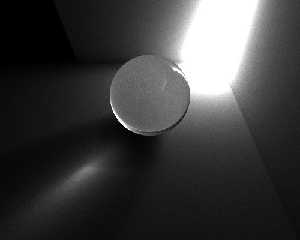
Here you are :) A bit grainy still and a different setup but still shows
indirect caustics - as it should.
Post a reply to this message
Attachments:
Download 'kuva13.jpg' (19 KB)
Preview of image 'kuva13.jpg'
|
|
| |
| |
|
|
|
|
| |
| |
|
|
Severi Salminen wrote:
> W000t! Where can I get my prize? :-)

I haven't rendered it yet :P


> 2. What was the actual color value you specified for the green glass?
> Maybe the glass is so dark that multiple layers simply don't let enough
> light through?

RGB <59, 255, 96> refraction with White 100% reflection also, an IOR of 1.56 and
fresnel falloff.

When I did the MLT/PT render that I posted initially the light passed through no
problems.. since then some setting must have changed. I don't know :)


> 3. My image seems to have less noise on the table and more noise on the
> floor.

That is correct for PT because directly lit surfaces will receive more light and
so smooth out much faster than indirectly lit or occluded (the floor) surfaces.


> So this is not very scientific result. At some point I'll make a better
> test scene and post the dimensions. Or anyone else can do it. Maybe in
> Pov-SDL so we can compare results from it too. And we can keep this even
> remotely on-topic :-)

I wait eagerly both for the chance to do some comparisons with the same data but
also for the time when we can try out your renderer ourselves!

Cheers
Post a reply to this message
|
|
| |
| |
|
|
|
|
| |
| |
|
|
"sooperFoX" wrote:
> When I did the MLT/PT render that I posted initially the light passed through no
> problems.. since then some setting must have changed. I don't know :)

Just had a look in the settings.. MLT goes up to 100 bounces with a stay-alive
probability of 0.7 (the same termination method yours does, but also with a
hard limit), but PT has a default max of 6!!

Taking it to 20 is enough to get the glass to render transparent. :blush:

OK, now you can get back on topic. Sorry.
Post a reply to this message
|
|
| |
| |
|
|
|
|
| |
| |
|
|
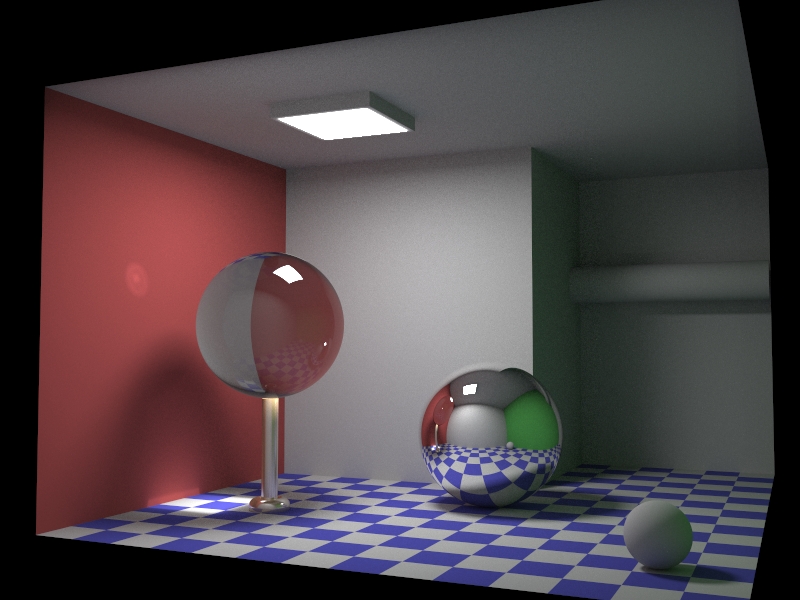
fidos wrote:
> Here a rendering of 1h on one core of a Q6600 2.4 GHz with my MegaPov Montecarlo
> Path tracing patch. Noise is important but there is no spikes.

  I find the almost complete lack of color bleeding from the colored
walls to the white walls/ceiling rather suspicious.

  Don't tell me your patch only reflects brightness, not color?
Post a reply to this message
|
|
| |
| |
|
|
|
|
| |
| |
|
|
Nicolas Alvarez wrote:
> And the render time would be similar to flying to another galaxy with
> current technology? :)

Quite possibly.

I haven't been able to dredge up any material of the performance of
arbitrary-precision numbers versus simple primitives (not that I've
looked very hard yet). I don't know if I'm dealing with something twice
as slow, or a full order of magnitude speed difference, or something
that gets exponentially worse.

But, yeah, it's definitely going to be slow. :-)

--
William Tracy
afi### [at] gmailcom -- wtr### [at] calpolyedu

    It occurred to him that now he was going to be not only the first
man on Mars, but the first detective. He grinned at the thought, and the
last action of the omegendorph set his nerves aglow.
     -- Kim Stanley Robinson, _Red Mars_
Post a reply to this message
|
|
| |
| |
|
|
|
|
| |
| |
|
|
William Tracy escribió:
> I haven't been able to dredge up any material of the performance of
> arbitrary-precision numbers versus simple primitives (not that I've
> looked very hard yet). I don't know if I'm dealing with something twice
> as slow, or a full order of magnitude speed difference, or something
> that gets exponentially worse.

GMP is a very fast arbitrary-size number library. But it's integer only
so I don't think that can help you much :)
Post a reply to this message
|
|
| |
| |
|
|
|
|
| |
| |
|
|
Warp <war### [at] tagpovrayorg> wrote:
> fidos wrote:
> > Here a rendering of 1h on one core of a Q6600 2.4 GHz with my MegaPov Montecarlo
> > Path tracing patch. Noise is important but there is no spikes.
>
>   I find the almost complete lack of color bleeding from the colored
> walls to the white walls/ceiling rather suspicious.
>
>   Don't tell me your patch only reflects brightness, not color?

Strange idea !

I think that the walls aren't bright enough.

Some color blending of the green wall is visible on the small diffuse sphere or
on the wall in the penumbrea.

Fidos
Post a reply to this message
|
|
| |
| |
|
|
|
|
| |
| |
|
|
Warp wrote:

>   I find the almost complete lack of color bleeding from the colored
> walls to the white walls/ceiling rather suspicious.
>
>   Don't tell me your patch only reflects brightness, not color?

"almost complete lack of color bleeding" == "some color bleeding", right?

It is just a little faint. Take your favorite photo editing software and
tune saturation up. You'll see some bleeding in the right places :)
Post a reply to this message
|
|
| |
| |
|
|
|
|
| |
| |
|
|
Severi Salminen wrote:
> It is just a little faint. Take your favorite photo editing software and
> tune saturation up. You'll see some bleeding in the right places :)

  I would expect it to be a bit more visible. Compare eg. to:

http://www.winosi.onlinehome.de/Gallery_t14_10.htm
http://www.winosi.onlinehome.de/Gallery_t14_11.htm
http://www.winosi.onlinehome.de/Gallery_t14_17.htm
Post a reply to this message
|
|
| |
| |
|
|
|
|
| |
| |
|
|
"Warp" <war### [at] tagpovrayorg> wrote in message
news:47d108a8@news.povray.org...
> Severi Salminen wrote:
>> It is just a little faint. Take your favorite photo editing software and
>> tune saturation up. You'll see some bleeding in the right places :)
>
>  I would expect it to be a bit more visible. Compare eg. to:
>
> http://www.winosi.onlinehome.de/Gallery_t14_10.htm
> http://www.winosi.onlinehome.de/Gallery_t14_11.htm
> http://www.winosi.onlinehome.de/Gallery_t14_17.htm

Maybe it would be better to compare with RL ?


--
-Nekar Xenos-
Post a reply to this message
|
|
| |
| |
|
|
|
|
| |
| |
|
|
Nekar Xenos escribió:
> Maybe it would be better to compare with RL ?

Do you have a room with that shape, some red and green paint, and some
spheres? Feel free to send pictures :)
Post a reply to this message
|
|
| |
| |
|
|
|
|
| |
| |
|
|
"fidos" <fid### [at] wanadoofr> wrote:
> "sooperFoX" <bon### [at] gmailcom> wrote:
> > Nicolas Alvarez wrote:
> > > Also, could you please test this one? :)
> > > http://www.winosi.onlinehome.de/Gallery_t14_01.htm
> >
> Interesting test scene. There is a PovRay version on the web site.
> Here a rendering of 1h on one core of a Q6600 2.4 GHz with my MegaPov Montecarlo
> Path tracing patch. Noise is important but there is no spikes.

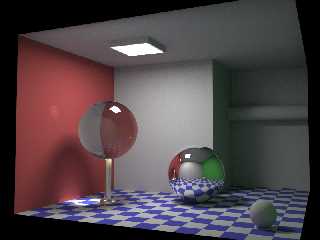
The same scene but in higher resolution and for 10h on 4 cores of a Intel Q6600.

Fidos.
Post a reply to this message
Attachments:
Download 'illum2.01.jpg' (242 KB)
Preview of image 'illum2.01.jpg'
|
|
| |
| |
|
|
|
|
| |
| |
|
|
Nicolas Alvarez wrote:
> Do you have a room with that shape, some red and green paint, and some
> spheres? Feel free to send pictures :)

http://en.wikipedia.org/wiki/Cornell_Box

--
William Tracy
afi### [at] gmailcom -- wtr### [at] calpolyedu

In Fig. 3.18 we define two local variables, four and twenty (no jokes
about blackbirds, please).
     -- Jeffrey D. Ullman, _Elements of ML Programming_
Post a reply to this message
|
|
| |
| |
|
|
|
|
| |
| |
|
|
nemesis <nam### [at] nospamgmailcom> wrote:
> these are much more impressive:
>
> and this:
> http://www.winosi.onlinehome.de/Gallery_t15.htm
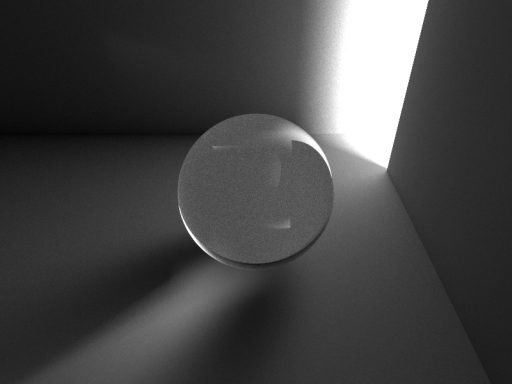
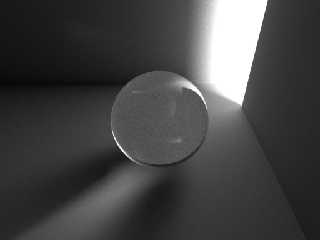
A test of diffuse -> specular light path as in the previous link with MegaPov
montecarlo path tracing.
3h rendering on 4 cores of a Q6600.
Post a reply to this message
Attachments:
Download 'test_06.04.jpg' (75 KB)
Preview of image 'test_06.04.jpg'
|
|
| |
| |
|
|
|
|
| |
| |
|
|
fidos wrote:
> A test of diffuse -> specular light path as in the previous link with MegaPov
> montecarlo path tracing.
> 3h rendering on 4 cores of a Q6600.

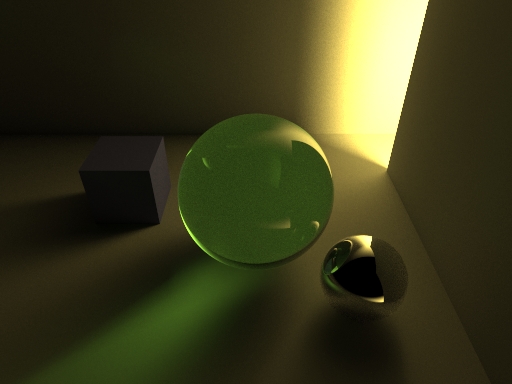
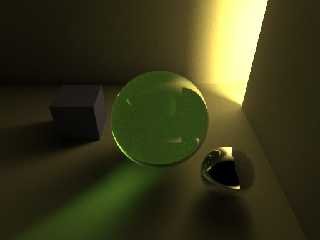
  It would be nice to see this with a bit of color in it. For example
the light could be color just slightly yellowish, and the sphere could
have a slightly greenish tint to it. Could make a cool image.
Post a reply to this message
|
|
| |
| |
|
|
|
|
| |
| |
|
|
Warp <war### [at] tagpovrayorg> wrote:
> fidos wrote:
> > A test of diffuse -> specular light path as in the previous link with MegaPov
> > montecarlo path tracing.
> > 3h rendering on 4 cores of a Q6600.
>
>   It would be nice to see this with a bit of color in it. For example
> the light could be color just slightly yellowish, and the sphere could
> have a slightly greenish tint to it. Could make a cool image.
Here you are ! With the same rendering time (3 h on 4 cores).
Post a reply to this message
Attachments:
Download 'test_07.01.jpg' (92 KB)
Preview of image 'test_07.01.jpg'
|
|
| |
| |
|
|
|
|
| |
| |
|
|
fidos napsal(a):
> Warp <war### [at] tagpovrayorg> wrote:
>> fidos wrote:
>>> A test of diffuse -> specular light path as in the previous link with MegaPov
>>> montecarlo path tracing.
>>> 3h rendering on 4 cores of a Q6600.
>>   It would be nice to see this with a bit of color in it. For example
>> the light could be color just slightly yellowish, and the sphere could
>> have a slightly greenish tint to it. Could make a cool image.
> Here you are ! With the same rendering time (3 h on 4 cores).
>
>
> ------------------------------------------------------------------------
>
It's perfect, I like it!
Post a reply to this message
|
|
| |
| |
|
|
|
|
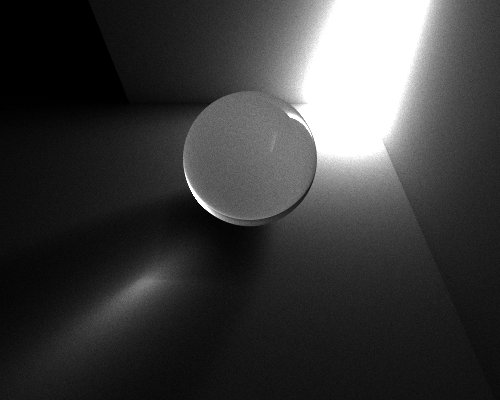
| |
| |
|
|
I had a nasty bug which resulted tens of percents of system time when
doing a 2 thread rendering as opposed to single thread rendering.
(System time means that the CPU cycles are going somewhere else than to
the user process.)

It basically meant that the additional thread (using a Core 2 Duo)
didn't improve the rendering speed at all! And brute force rendering is
supposed to be very easy to make multi threaded.

The reason? The damn random number generator which wasn't thread safe! I
didn't realize that the 2 threads shouldn't access the same RNG. I found
this out after implementing Mersenne Twister and getting segfaults with
2 threads. For some reason the default rand() worked ok, but resulted
the speed loss. Now I give each thread their own RNG and my renderer
scales perfectly by the number of cores. Thread specific RNGs is better
than one shared RNG with mutexes as they slow things considerably down.

You can guess how much I now want the new Intel Q9300 or Q9450 ;-)

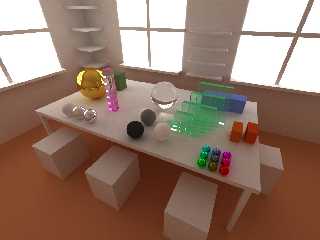
Here is a sample image. Basically identical to previous with some small
additions. This was also about a 8h rendering but bigger image and
almost twice the passes -> less noise.

I've also been cleaning and restructuring the code so that I can start
to implement more features. I also received the book I mentioned about.
It is invaluable source of information.
Post a reply to this message
Attachments:
Download 'kuva14.jpg' (111 KB)
Preview of image 'kuva14.jpg'
|
|
| |
| |
|
|
|
|
| |
| |
|
|
Severi Salminen wrote:

> I've also been cleaning and restructuring the code so that I can start
> to implement more features.

Oh, one feature would be quite useful in test renderings: let the user
select a rectangular area in the image and the renderer starts to render
only that area until told otherwise. That way the user can quickly get
high quality renders from interesting areas. This should be a piece of
cake implementationally.
Post a reply to this message
|
|
| |
| |
|
|
|
|
| |
| |
|
|
Severi Salminen escribió:
> Here is a sample image. Basically identical to previous with some small
> additions. This was also about a 8h rendering but bigger image and
> almost twice the passes -> less noise.

This one has 4:3 ratio -- will work much better for wallpaper.

*changes wallpaper from kuva11 to kuva14*
Post a reply to this message
|
|
| |
| |
|
|
|
|
| |
| |
|
|
> Oh, one feature would be quite useful in test renderings: let the user
> select a rectangular area in the image and the renderer starts to render
> only that area until told otherwise. That way the user can quickly get
> high quality renders from interesting areas. This should be a piece of
> cake implementationally.

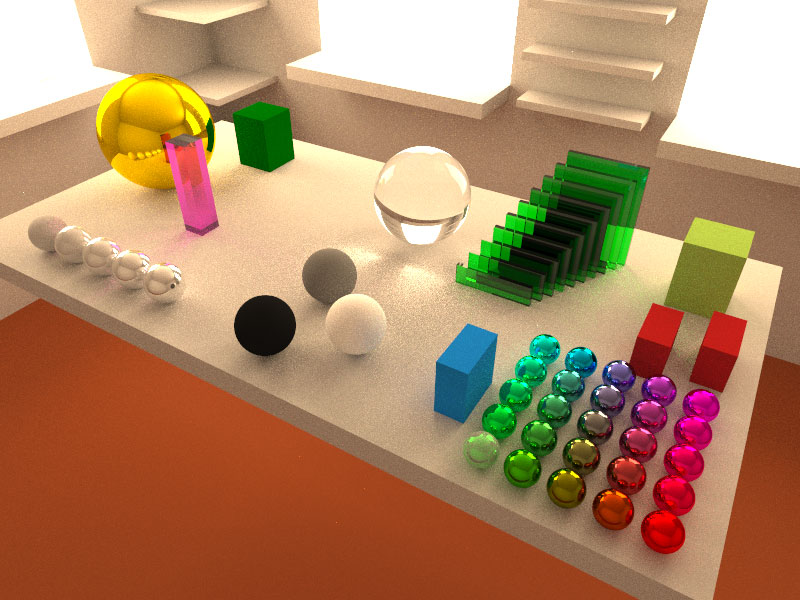
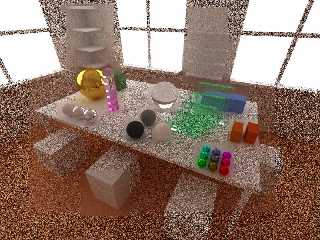
This was a definite keeper. Works quite well in practice. See the image.
(Don't mind the odd noise. Image is scaled so the noise looks odd.)

Now I can select areas of interest and let the program render only that
area.
Post a reply to this message
Attachments:
Download 'kuva15.jpg' (187 KB)
Preview of image 'kuva15.jpg'
|
|
| |
| |
|
|
|
|
| |
| |
|
|
Severi Salminen <sev### [at] NOTTHISsaunalahtifiinvalid> wrote:
> > Oh, one feature would be quite useful in test renderings: let the user
> > select a rectangular area in the image and the renderer starts to render
> > only that area until told otherwise. That way the user can quickly get
> > high quality renders from interesting areas. This should be a piece of
> > cake implementationally.
>
> This was a definite keeper. Works quite well in practice. See the image.
> (Don't mind the odd noise. Image is scaled so the noise looks odd.)
>
> Now I can select areas of interest and let the program render only that
> area.

Fantastic!

Makes me want the QX9650 even more ;) But it's $1200.00 just for the CPU
alone...!! :O


You know that feature you just implemented would be great for when a render is
almost done but there are still 1 or 2 noisy areas (e.g. caustics, or in a dark
corner) and you could concentrate all the power just on that section -
brilliant!

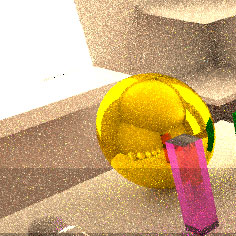
By the way I've been meaning to ask you - where does the interesting striped
reflection in the pink glass box (next to the yellow/gold sphere) come from? I
couldn't replicate that when I tried to recreate your scene last time.

Regards,
sooperFoX
Post a reply to this message
|
|
| |
| |
|
|
|
|
| |
| |
|
|
sooperFoX wrote:
> Fantastic!
>
> Makes me want the QX9650 even more ;) But it's $1200.00 just for the
> CPU alone...!! :O

True. But 9300 and 9450 are quite cheapish already :) I just wonder if
it is stupid to spend 300 euros just because one single program needs
the additional cores...naaah :)

> You know that feature you just implemented would be great for when a
> render is almost done but there are still 1 or 2 noisy areas (e.g.
> caustics, or in a dark corner) and you could concentrate all the
> power just on that section - brilliant!

I think so too. And in the test phase you can just render the
interesting objects without spending time on large uninteresting
surfaces - without the need to alter camera/image size settings. It
would also be easy to assign different areas for different threads. But
even this is usable now.

> By the way I've been meaning to ask you - where does the interesting
> striped reflection in the pink glass box (next to the yellow/gold
> sphere) come from? I couldn't replicate that when I tried to recreate
> your scene last time.

The pink tower is made of 6 smaller boxes which have just a small gap
between them. They also get "pinker" downwards. So it must be total
reflections/refractions the individual pieces cause. (If my code is
calculating them properly...).
Post a reply to this message
|
|
| |
| |
|
|
|
|
| |
| |
|
|
Back again!

I've been refactoring and restructuring the code. It takes time to
figure out what is "the best" program structure. And I'm sure I'll
restructure it many times more later on.

Still missing transformations and acceleration structures - which both
are desperately needed. I also improved the UI code and now it works
perfectly. The UI thread now takes only minimum amount of CPU time and
thus doesn't slow the rendering down at all. And is still responsive enough.

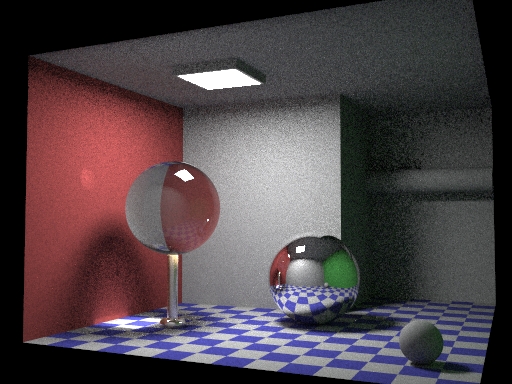
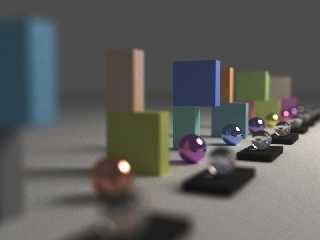
I did implement one cool new feature: Depth of Field. It works just as
in real life (well, I don't model complete multi-element lenses...).
There is a virtual lens and all rays are cast through random points of
it based on aperture size and focal distance. So the result is very
realistic. Now the aperture is a conventional circle but it would be
quite easy to implement other kinds of apertures which look like actual
lens apertures. See the sample image below. (There is another DOF image
on the webpage.) The implementation was, again, very easy with no "side
effects" at all.

I also setup a webpage about this program (it is called "ssRay" at the
moment ;-). All the images are shown there:

http://www.saunalahti.fi/~sevesalm/ssRay.html
Post a reply to this message
Attachments:
Download 'kuva.jpg' (55 KB)
Preview of image 'kuva.jpg'
|
|
| |
| |
|
|
|
|
| |
| |
|
|
Severi Salminen <sev### [at] NOTTHISsaunalahtifiinvalid> wrote:
>
> I also setup a webpage about this program (it is called "ssRay" at the
> moment ;-). All the images are shown there:
>
> http://www.saunalahti.fi/~sevesalm/ssRay.html

Love the evolution!  Very impressive.

 - Ricky
Post a reply to this message
|
|
| |
| |
|
|
|
|
| |
| |
|
|
Severi Salminen wrote:

> I also setup a webpage about this program (it is called "ssRay" at the
> moment ;-). All the images are shown there:
>
> http://www.saunalahti.fi/~sevesalm/ssRay.html

I'd really really really love to see the code... :)

Ray
Post a reply to this message
|
|
| |
| |
|
|
|
|
| |