|
|
|
|
|
|
| |
| |
|
|
|
|
| |
| |
|
|
scott wrote:

> For my sun radius calculation I used the values from wikipeda, distance
> to sun is 1.5e8 and radius of the sun is 6.96e5, dividing those two
> gives the 214.8.

Yes, that is the correct value known since antiquity (the ratio is
simply the sine of the apparent angle that is readily observable). It
was the figuring out the actual distances/ radii that took longer ;)

http://en.wikipedia.org/wiki/Aristarchus_of_Samos

Regarding the Sun at least we rarely see the actual disk as it is lost
in the glare, and this has a larger size. And at sunset when we see it
we perceive it as larger than we would overhead:

Overhead, we tend to assume an object is not so far away (maybe typical
cloud distance). On the horizon an object is perceived to be very far
away. So the same angular size is interpreted as a larger object. This
effect persists even when no objects are available for comparison, so
that often heard explanation is an urban myth.

> IMO it also depends heavily on the angle/focal length of the camera you
> are using, you can easily make the sun or moon look way too big or way
> too small (IRL and in POV).

The thing here is that the angular size of the sun is fixed, but the
angular size of other objects in the scene depends on the distance. And
in a photo or render the distance is not readily apparent, we need to
estimate it from the scale of objects.

As an extreme example suppose you simulate a telescopic view with angle
1 degree on a house on the horizon. Now the image contains a house of
reasonable size with a sun filling half the image behind it, so it looks
way to big. But if we were smarter we would judge scale from the Sun and
conclude the house is either a tiny model or very far away).
Post a reply to this message
|
|
| |
| |
|
|
|
|
| |
| |
|
|
scott <sco### [at] scott com> wrote:
> I've created a macro called SkySim (I'll post it in p.b.s-f once I've
> tidied it up and added comments) that creates a realistic looking sky
> pigment in a sky_sphere based on the sun position and the "haziness" of
> the sky.
These look great, I am struggling with creating a realistic sky colour at the
moment so would look forward to giving this a try.
Sean com> wrote:
> I've created a macro called SkySim (I'll post it in p.b.s-f once I've
> tidied it up and added comments) that creates a realistic looking sky
> pigment in a sky_sphere based on the sun position and the "haziness" of
> the sky.
These look great, I am struggling with creating a realistic sky colour at the
moment so would look forward to giving this a try.
Sean
Post a reply to this message
|
|
| |
| |
|
|
|
|
| |
| |
|
|
Thanks Christian. Very comprehensive.

Thomas
Post a reply to this message
|
|
| |
| |
|
|
|
|
| |
| |
|
|
scott <sco### [at] scottcom> wrote:
> I've created a macro called SkySim (I'll post it in p.b.s-f once I've
> tidied it up and added comments) that creates a realistic looking sky
> pigment in a sky_sphere based on the sun position and the "haziness" of
> the sky.

Very nice. I'll definitely be using this!

Bill
Post a reply to this message
|
|
| |
| |
|
|
|
|
| |
| |
|
|
Thomas de Groot <tho### [at] degrootorg> wrote:
> Question:
>
> For the visible Sun, you give: #local SunRadius = vlength(sp)/214.8;
>
> I seem to remember that Cousin Ricky evaluated the apparent size of the
> Sun as to be twice as much, i.e.: #local SunRadius = vlength(sp)*2/214.8;

He is correct.  The formula you attribute to me is for the /diameter/ of the
Sun, not the radius.  (References to celestial objects tend to give diameters
instead of radii.  Another possibility is that the original conversation was
about area_lights.)
Post a reply to this message
|
|
| |
| |
|
|
|
|
| |
| |
|
|
On 9-6-2013 19:26, Cousin Ricky wrote:
> He is correct.  The formula you attribute to me is for the /diameter/ of the
> Sun, not the radius.  (References to celestial objects tend to give diameters
> instead of radii.  Another possibility is that the original conversation was
> about area_lights.)
>

I stand corrected! The original discussion was /indeed/ about area lights.

I mixed up radius and diameter subsequently.

How little things may wreak havoc in the celestial clockwork ;-)

Thomas
Post a reply to this message
|
|
| |
| |
|
|
|
|
| |
| |
|
|
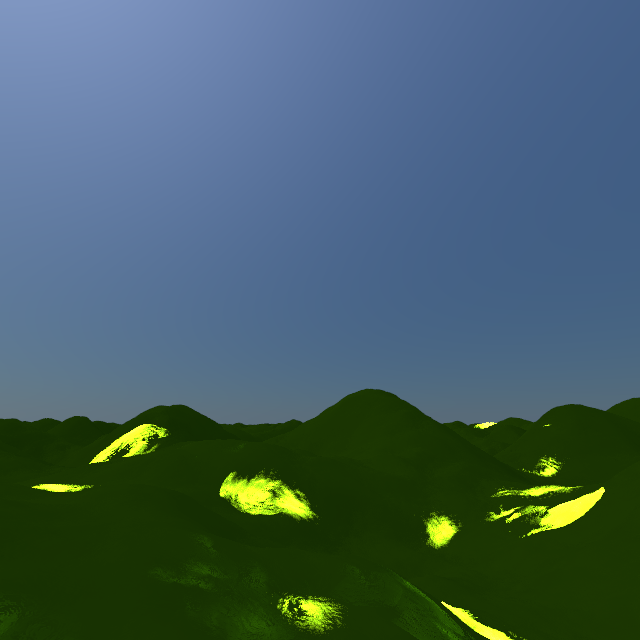
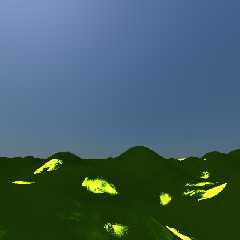
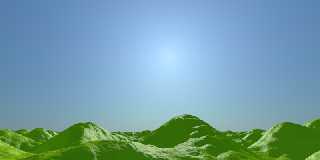
I wonder at your scene settings.

With you test scene, I get the following image. Sun at 12:00 hours. Way
too dark overall.

Using for all my scenes version 3.7RC7, with assumed_gamma=1 and
Display_Gamma=sRGB.

Thomas
Post a reply to this message
Attachments:
Download 'skysimtestground.png' (148 KB)
Preview of image 'skysimtestground.png'
|
|
| |
| |
|
|
|
|
| |
| |
|
|
> I wonder at your scene settings.
>
> With you test scene, I get the following image. Sun at 12:00 hours. Way
> too dark overall.

You can adjust the EXP variable in the test scene to control the
brightness of the sky (it controls how the physical brightness values
calculated are converted to POV units). Try increasing it from 4e-5 to
6e-5 or even higher.

I have no idea what the bright yellow patches on the ground are - I
didn't get those on mine???
Post a reply to this message
|
|
| |
| |
|
|
|
|
| |
| |
|
|
On 17-6-2013 11:34, scott wrote:
> You can adjust the EXP variable in the test scene to control the
> brightness of the sky (it controls how the physical brightness values
> calculated are converted to POV units). Try increasing it from 4e-5 to
> 6e-5 or even higher.

Yes I did that indeed, but somehow the scene never comes close to the
aspect of a regular light and sky_sphere.


> I have no idea what the bright yellow patches on the ground are - I
> didn't get those on mine???

I added radiosity, and they seem to come from that. Without radiosity
the landscape remains totally dark whatever the value for EXP and the
hour of the day.

Thomas
Post a reply to this message
|
|
| |
| |
|
|
|
|
| |
| |
|
|
I think I found the culprit: Your original SunPos() is divided by 1000!

Thomas
Post a reply to this message
|
|
| |
| |
|
|
|
|
| |
| |
|
|
>> You can adjust the EXP variable in the test scene to control the
>> brightness of the sky (it controls how the physical brightness values
>> calculated are converted to POV units). Try increasing it from 4e-5 to
>> 6e-5 or even higher.
>
> Yes I did that indeed, but somehow the scene never comes close to the
> aspect of a regular light and sky_sphere.

It looks like it's because the sun is so bright and so small, the
radiosity algorithm won't pick it up very often. This would explain the
bright yellow patches, they're radiosity samples that just happened to
pick up the sun - most of the samples didn't. I'm not experienced enough
with radiosity to know a way around this (I use mcpov for most renders,
which allows for such small very bright objects ok).

Could you ever get a similar scene with a realistically sized and bright
sun to render with radiosity corerctly? The pigment of the sky_sphere
should only make a very minor difference when a bright sun is in the sky.

> I added radiosity, and they seem to come from that. Without radiosity
> the landscape remains totally dark whatever the value for EXP and the
> hour of the day.

There was a light_source in my demo scene file I posted, that should
illuminate the ground - unless you've uncommented the sun sphere that
happens to be in exactly the same place :-)

 > I think I found the culprit: Your original SunPos() is divided by 1000!

That shouldn't make a difference, because the sun radius is determined
from the distance. The reason I did that is because SunPos.inc returns a
massive distance for the sun vector which causes problems in some
scenes, in reality it only needs to be a few orders of magnitude further
away than everything else in your scene.
Post a reply to this message
|
|
| |
| |
|
|
|
|
| |
| |
|
|
On 17-6-2013 16:21, scott wrote:

> That shouldn't make a difference, because the sun radius is determined
> from the distance. The reason I did that is because SunPos.inc returns a
> massive distance for the sun vector which causes problems in some
> scenes, in reality it only needs to be a few orders of magnitude further
> away than everything else in your scene.
>

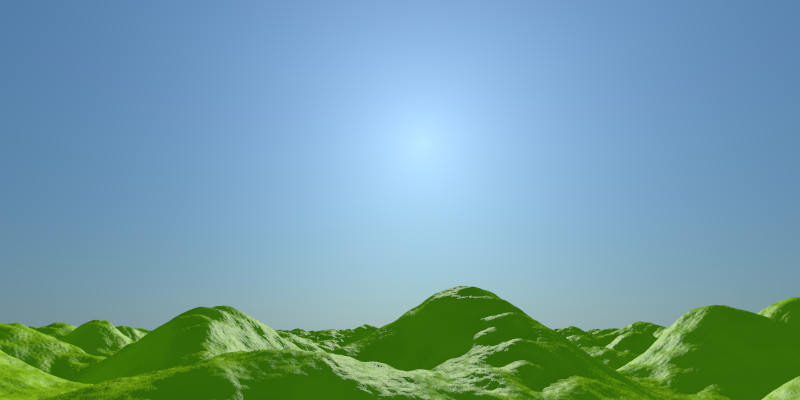
And yet, *that* is exactly the trouble maker. Without, the scene renders
perfectly, like the example (with radiosity added again) shows. Also in
any other of my scenes the results are correct. Exp at 4e-5 again here.

Thomas
Post a reply to this message
Attachments:
Download 'skysimtestground.png' (160 KB)
Preview of image 'skysimtestground.png'
|
|
| |
| |
|
|
|
|
| |
| |
|
|
> I added radiosity, and they seem to come from that. Without radiosity
> the landscape remains totally dark whatever the value for EXP and the
> hour of the day.

Thinking about, you can have light_sources and still use radiosity can't
you? In that case I don't see any benefit to using a sphere for the sun
over using a light_source (even an area_light if you want realistic soft
shadows).

The only reason I left the sphere object in there is because in mcpov
you can't use light_sources, you are forced to model a sun as a very
bright sphere.
Post a reply to this message
|
|
| |
| |
|
|
|
|
| |
| |
|
|
>> That shouldn't make a difference, because the sun radius is determined
>> from the distance. The reason I did that is because SunPos.inc returns a
>> massive distance for the sun vector which causes problems in some
>> scenes, in reality it only needs to be a few orders of magnitude further
>> away than everything else in your scene.
>
> And yet, *that* is exactly the trouble maker. Without, the scene renders
> perfectly, like the example (with radiosity added again) shows. Also in
> any other of my scenes the results are correct. Exp at 4e-5 again here.

If you want to post your two scene files (the one that renders correctly
and the one that has the bright blobs) then I'll take a look and see if
I can figure out what's going on.
Post a reply to this message
|
|
| |
| |
|
|
|
|
| |
| |
|
|
On 17-6-2013 16:45, scott wrote:
> If you want to post your two scene files (the one that renders correctly
> and the one that has the bright blobs) then I'll take a look and see if
> I can figure out what's going on.

It is very simple: the only thing to do is to comment out the /1000 at
the end of the SunPos() declaration in your scene file. You may want to
add the radiosity code (below).

As radiosity I use:

   radiosity {
     pretrace_start 0.08
     pretrace_end   0.004
     count 50, 1000
     nearest_count 10, 5
     error_bound 1
     recursion_limit 2
     low_error_factor .3
     gray_threshold 0.0
     minimum_reuse 0.015
     maximum_reuse 0.1
     brightness 1
     adc_bailout 0.01/2
     normal off
     media off
     always_sample off
     //max_sample 1.0
   }

Note that without the divisor, the sun sphere (when switched on) becomes
invisible somehow.

Thomas
Post a reply to this message
|
|
| |
| |
|
|
|
|
| |
| |
|
|
On 17-6-2013 16:41, scott wrote:

> Thinking about, you can have light_sources and still use radiosity can't
> you? In that case I don't see any benefit to using a sphere for the sun
> over using a light_source (even an area_light if you want realistic soft
> shadows).

Your scene uses a light_source, therefore the visibility switch should
switch on the looks_like code there.

Thomas
Post a reply to this message
|
|
| |
| |
|
|
|
|
| |
| |
|
|
> Note that without the divisor, the sun sphere (when switched on) becomes
> invisible somehow.

It also becomes invisible to the whole radiosity algorithm... Try it
with the sphere commented out - I get exactly the same image with and
without the sphere when the /1000 divisor is deleted.

If you look at sunpos.inc near the bottom you see this line:

    #declare SolarPosition=vrotate(<0,0,1000000000>,<-Al,Az,0>);

That 1000000000 is simply too big - accuracy errors prevent an object at
that distance rendering properly, even directly or from the radiosity code.

Anyway, the splotchiness is because the sun is too small, so the
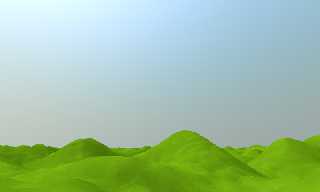
radiosity algorithm doesn't always pick it up. By taking out the /1000
you are effectively removing the sun sphere from the scene so the
splotchiness goes away (along with any radiosity effect from the sun).

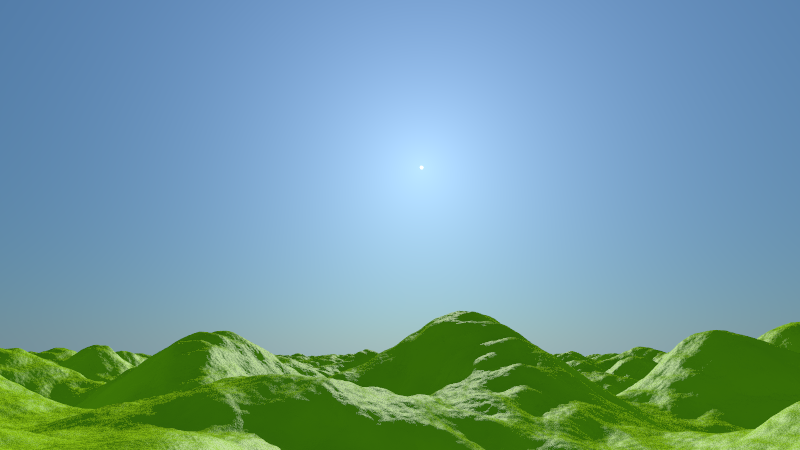
To test this simply make your sun sphere much bigger (and reduce the
emission so the amount of light stays constant), here I made it 50x bigger:

#local SunRadius = vlength(sp)/214.8 * 50;
sphere{ sp,SunRadius pigment{color rgb 1} finish{emission 1.6e9 * EXP /
50/50 }}

That makes it 50 times bigger and it renders fine (no bright splotches)
with your radiosity settings - see attached.

Without upping the count to silly levels I don't know how else to get an
emissive sun of a realistic size to show up with radiosity. You'd be
better off sticking with an area_light IMHO.
Post a reply to this message
Attachments:
Download 'bigsun.png' (145 KB)
Preview of image 'bigsun.png'
|
|
| |
| |
|
|
|
|
| |
| |
|
|
On 17-6-2013 17:10, Thomas de Groot wrote:
> Your scene uses a light_source, therefore the visibility switch should
> switch on the looks_like code there.

Re-reading my own post, I find it totally confusing :-)

What I mean is that instead of a sphere, you could add the looks_like
code to the light_source.

Thomas
Post a reply to this message
|
|
| |
| |
|
|
|
|
| |
| |
|
|
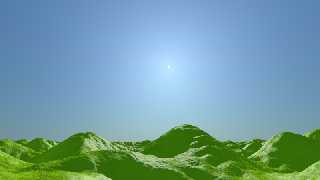
There is a much better solution.

//start code

#local sp = SunPos(2013, 6, 6, 17, 0, 0, 52.206507, 0.12165);

light_source {
   sp
   color rgb <1,1,0.9>*(17334 * EXP)
}

#local SunRadius = vlength(sp/1000)/214.8;
sphere {sp/1000, SunRadius pigment{color rgb 1} finish{emission 1}
no_shadow}

//end code

The scene does not need the *emission* of the *visible* sphere as a
light source. It only needs the light source itself. So, the solution is
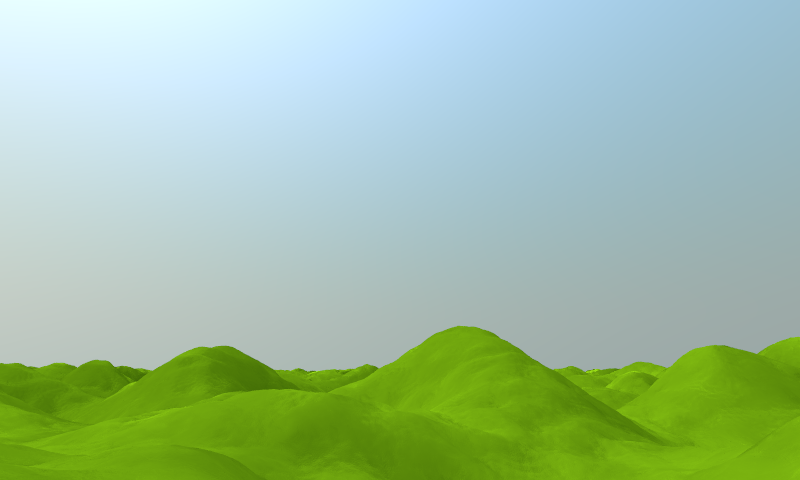
to put the sunlight at the standard SunPos position, and the *visible*
sphere and its radius at sp/1000. In addition, just make emission of the
sphere equal to 1.

See attached image.

Thomas
Post a reply to this message
Attachments:
Download 'skysimtestground.png' (207 KB)
Preview of image 'skysimtestground.png'
|
|
| |
| |
|
|
|
|
| |
| |
|
|
> There is a much better solution.
...
> The scene does not need the *emission* of the *visible* sphere as a
> light source.

As I said before, there isn't any need to try this for radiosity, it
will just cause problems like you experienced. It's only in the code as
it is needed for mcpov (where is works fine).

> It only needs the light source itself. So, the solution is
> to put the sunlight at the standard SunPos position, and the *visible*
> sphere and its radius at sp/1000.

I don't know if there are any accuracy issues related to having a
light_source a very large distance away, I expect it may cause some
shadow artifacts? The length of the vector from SunPos is quite
arbitrary, so in every scene you just need to find the max distance it
works at, then I'd probably divide by 10 or 100 just to be sure you're
not near the accuracy limit.

> In addition, just make emission of the
> sphere equal to 1.

The problem with that is the sun will look unrealistically dim compared
to the sky when visible in any reflections, especially darker low-level
reflections (eg a black car). You could set emission to 0 and ambient to
the original physically correct 1.6e9 * EXP, but I think that would
still influence the radiosity algorithm and give you back the bright
splotches again.

At this point I usually fire up mcpov :-)
Post a reply to this message
|
|
| |
| |
|
|
|
|
| |
| |
|
|
On 18-6-2013 10:52, scott wrote:
>> There is a much better solution.
> ...
>> The scene does not need the *emission* of the *visible* sphere as a
>> light source.
>
> As I said before, there isn't any need to try this for radiosity, it
> will just cause problems like you experienced. It's only in the code as
> it is needed for mcpov (where is works fine).

But mcpov has other problems of its own, as Clipka explained some time ago.

>
>> It only needs the light source itself. So, the solution is
>> to put the sunlight at the standard SunPos position, and the *visible*
>> sphere and its radius at sp/1000.
>
> I don't know if there are any accuracy issues related to having a
> light_source a very large distance away, I expect it may cause some
> shadow artifacts? The length of the vector from SunPos is quite
> arbitrary, so in every scene you just need to find the max distance it
> works at, then I'd probably divide by 10 or 100 just to be sure you're
> not near the accuracy limit.

I have never met any problems or artefacts when using SunPos so, imho,
there is no need to divide.

>
>> In addition, just make emission of the
>> sphere equal to 1.
>
> The problem with that is the sun will look unrealistically dim compared
> to the sky when visible in any reflections, especially darker low-level
> reflections (eg a black car). You could set emission to 0 and ambient to
> the original physically correct 1.6e9 * EXP, but I think that would
> still influence the radiosity algorithm and give you back the bright
> splotches again.

Maybe, but those are special cases needing special solutions.

>
> At this point I usually fire up mcpov :-)

<grin>

Thomas
Post a reply to this message
|
|
| |
| |
|
|
|
|
| |
| |
|
|
> But mcpov has other problems of its own, as Clipka explained some time ago.

The only major one is the diffuse values are out by a factor of 2, I
usually use a macro for setting the finish which outputs either the
vanilla POV syntax (for testing the scene) or the mcpov syntax (for
final render). Incorporating the factor of 2 correction is easy in the
macro.

> I have never met any problems or artefacts when using SunPos so, imho,
> there is no need to divide.

That's just because you never tried to put a sphere at that position
before :-) Also I haven't done a thorough investigation, but the
accuracy issues you run into seem to depend on the size of other objects
in your scene (and maybe the camera setup?). Whilst the /1000 factor for
placing the sphere might work in this particular scene, it may become
invisible again in a different scene (or work fine without the /1000).

I suppose the ultimate solution would be to incorporate the sun in the
sky_sphere pigment at the physically correct brightness (which would
save having to use any arbitrary values for "very far away"), and for
the POV team to implement something similar to the sky importance
sampling in mcpov for the radiosity algorithm (so you don't need a
really high count to reliably pick up the bright sun).

> Maybe, but those are special cases needing special solutions.

I never thought I'd hear a glossy reflective surface being called a
"special case" in a raytracing forum - what next, a checkered plane is
also a special case? :-O

>> At this point I usually fire up mcpov :-)
>
> <grin>

Bring on mcpov merged into POV 3.7 !! If I had the time I'd definitely
give it a shot.
Post a reply to this message
|
|
| |
| |
|
|
|
|
| |
| |
|
|
On 19-6-2013 16:24, scott wrote:
>> I have never met any problems or artefacts when using SunPos so, imho,
>> there is no need to divide.
>
> That's just because you never tried to put a sphere at that position
> before :-) Also I haven't done a thorough investigation, but the
> accuracy issues you run into seem to depend on the size of other objects
> in your scene (and maybe the camera setup?). Whilst the /1000 factor for
> placing the sphere might work in this particular scene, it may become
> invisible again in a different scene (or work fine without the /1000).

Oh yes, I did! ;-) However, I only use SunPos for my main light source.
I hardly use a visible sun.

>
> I suppose the ultimate solution would be to incorporate the sun in the
> sky_sphere pigment at the physically correct brightness (which would
> save having to use any arbitrary values for "very far away"), and for
> the POV team to implement something similar to the sky importance
> sampling in mcpov for the radiosity algorithm (so you don't need a
> really high count to reliably pick up the bright sun).

That would be a good idea.

>
>> Maybe, but those are special cases needing special solutions.
>
> I never thought I'd hear a glossy reflective surface being called a
> "special case" in a raytracing forum - what next, a checkered plane is
> also a special case? :-O

LOL good point. I admit that I was talking from a strictly personal
point of view...


> Bring on mcpov merged into POV 3.7 !! If I had the time I'd definitely
> give it a shot.

I am too happy with 3.7 for the things I do. ;-)

Thomas
Post a reply to this message
|
|
| |
| |
|
|
From: Thomas de Groot
Subject: Re: Sky simulation: what is wrong with this particular code?
Date: 5 Jul 2013 08:36:04
Message: <51d6bdb4@news.povray.org>
|
|
|
| |
| |
|
|
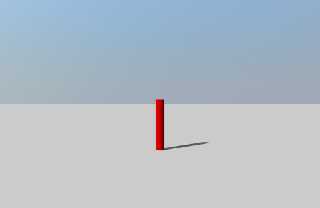
Consider the following scene code:

//start code
#version 3.7;

#include "colors.inc"

global_settings {assumed_gamma 1.0}

camera {
   location  <0, 5, -40>
   sky       y
   up        y
   direction z*1.7
   right     x*image_width/image_height
   angle     70
   look_at   <0, 5, 100>
}

#include "sunpos.inc"
#declare MySun  = SunPos(2012, 3, 5, 13, 10, 0, 31.7625, 25.0888);
#declare EXP = 8e-5;

// SkySim
#include "SkySim.inc"
SkySim( SolarPosition,
      y,
      5,
      EXP
    )

#declare SunColor = rgb 1;

light_source {
   MySun
   color    SunColor*(17334 * EXP)
   //parallel
   //point_at <0, 5, 100>
}


plane {y, -5 pigment {rgb 1}}
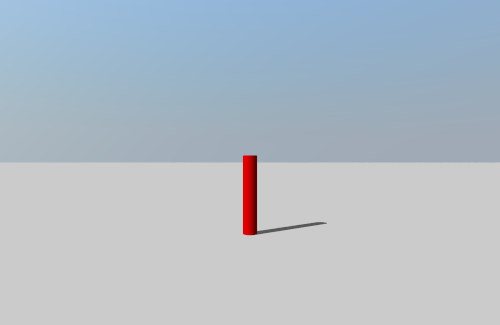
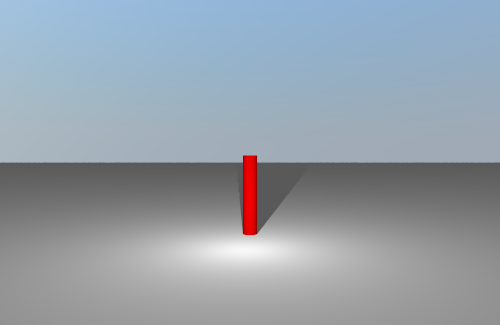
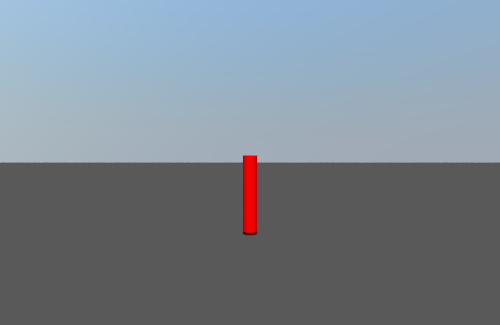
cylinder {<0,-5,10>, <0,6,10>, 1 pigment {rgb <1,0,0>}}

//end code

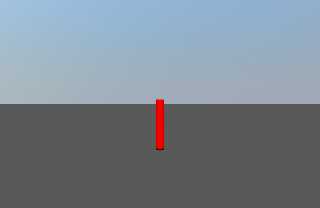
It renders well (see image: SkySim_SolarPosition) also with parallel and
point_at in the light_source uncommented.

Now, switch SolarPosition in the SkySim macro call, by MySun. I get
image SkySim_MySun.

Now, uncomment parrale and point_at in the light_source. I get image
SkySim_MySun parallel.

So, what is wrong here? All goes well in the original test scene.

Thomas
Post a reply to this message
Attachments:
Download 'skysim_solarposition.png' (15 KB)
Download 'skysim_mysun.png' (24 KB)
Download 'skysim_mysun parallel.png' (15 KB)
Preview of image 'skysim_solarposition.png'
Preview of image 'skysim_mysun.png'
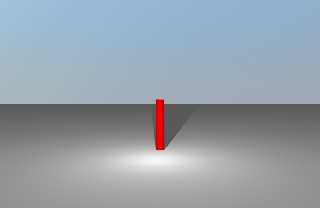
Preview of image 'skysim_mysun parallel.png'
|
|
| |
| |
|
|
From: scott
Subject: Re: Sky simulation: what is wrong with this particular code?
Date: 5 Jul 2013 09:38:01
Message: <51d6cc39$1@news.povray.org>
|
|
|
| |
| |
|
|
On 05/07/2013 13:35, Thomas de Groot wrote:
> Consider the following scene code:
>
> //start code
> #version 3.7;
>
> #include "colors.inc"
>
> global_settings {assumed_gamma 1.0}
>
> camera {
>    location  <0, 5, -40>
>    sky       y
>    up        y
>    direction z*1.7
>    right     x*image_width/image_height
>    angle     70
>    look_at   <0, 5, 100>
> }
>
> #include "sunpos.inc"
> #declare MySun  = SunPos(2012, 3, 5, 13, 10, 0, 31.7625, 25.0888);
> #declare EXP = 8e-5;
>
> // SkySim
> #include "SkySim.inc"
> SkySim( SolarPosition,
>       y,
>       5,
>       EXP
>     )
>
> #declare SunColor = rgb 1;
>
> light_source {
>    MySun
>    color    SunColor*(17334 * EXP)
>    //parallel
>    //point_at <0, 5, 100>
> }
>
>
> plane {y, -5 pigment {rgb 1}}
> cylinder {<0,-5,10>, <0,6,10>, 1 pigment {rgb <1,0,0>}}
>
> //end code
>
> It renders well (see image: SkySim_SolarPosition) also with parallel and
> point_at in the light_source uncommented.
>
> Now, switch SolarPosition in the SkySim macro call, by MySun. I get
> image SkySim_MySun.
>
> Now, uncomment parrale and point_at in the light_source. I get image
> SkySim_MySun parallel.
>
> So, what is wrong here? All goes well in the original test scene.

Hmmm ok, so apparently I misunderstood the POV syntax, this short piece
of code prints X=9 whereas I assumed it would print X=10. Not sure if
this is intended behaviour or not.

// start code

#macro A(B)
#local B = B - 1;
#end

#declare X = 10;
A(X)
#warning concat("X = ",str(X,0,0))

// end code

Will fix the macro and post and update... (it's essentially normalizing
your sun position, which you're then using the place the light source).
Post a reply to this message
|
|
| |
| |
|
|
From: Thomas de Groot
Subject: Re: Sky simulation: what is wrong with this particular code?
Date: 5 Jul 2013 10:07:42
Message: <51d6d32e$1@news.povray.org>
|
|
|
| |
| |
|
|
On 5-7-2013 15:38, scott wrote:

> Will fix the macro and post and update... (it's essentially normalizing
> your sun position, which you're then using the place the light source).
>

Thanks! Glad to be of help (by chance) :-)

Thomas
Post a reply to this message
|
|
| |
| |
|
|
From: Alain
Subject: Re: Sky simulation: what is wrong with this particular code?
Date: 5 Jul 2013 20:17:30
Message: <51d7621a$1@news.povray.org>
|
|
|
| |
| |
|
|
Le 13-07-05 09:38, scott a écrit :
>
>
> Hmmm ok, so apparently I misunderstood the POV syntax, this short piece
> of code prints X=9 whereas I assumed it would print X=10. Not sure if
> this is intended behaviour or not.
>
> // start code
>
> #macro A(B)
> #local B = B - 1;
> #end
>
> #declare X = 10;
> A(X)
> #warning concat("X = ",str(X,0,0))
>
> // end code
>
> Will fix the macro and post and update... (it's essentially normalizing
> your sun position, which you're then using the place the light source).
>

Your code develop as:
#declare X = 10;
#local X = X - 1;
In this contex, #local and #declare are synonims.

So, yes, it works as expected.

There is a difference when #local is used in an include file. In an
include, any #local variables only exist within the include.
Post a reply to this message
|
|
| |
| |
|
|
From: scott
Subject: Re: Sky simulation: what is wrong with this particular code?
Date: 8 Jul 2013 03:54:52
Message: <51da704c$1@news.povray.org>
|
|
|
| |
| |
|
|
> Your code develop as:
> #declare X = 10;
> #local X = X - 1;
> In this contex, #local and #declare are synonims.
>
> So, yes, it works as expected.
>
> There is a difference when #local is used in an include file. In an
> include, any #local variables only exist within the include.

It is in an include, sorry in the above example the macro is in another
file. Try this (two files):

// file1.inc
#macro A(B)
#local B = 5;
#end

// file2.pov
#include "file1.inc"
#declare X = 10;
A(X)
#warning concat("X = ",str(X,0,0))

X comes out as 5, but I would have expected 10.
Post a reply to this message
|
|
| |
| |
|
|
From: scott
Subject: Re: Sky simulation: what is wrong with this particular code?
Date: 8 Jul 2013 08:18:23
Message: <51daae0f@news.povray.org>
|
|
|
| |
| |
|
|
While we're at it this also causes an error (even if the definition for
A is in a different file):

#macro A()
#end
#macro B()
#local A=1;
#end
B()

This one is a bit more serious as it means if any macro in your scene
uses a local variable with the same name as another macro you'll get an
error.
Post a reply to this message
|
|
| |
| |
|
|
|
|
| |
| |
|
|
scott <sco### [at] scottcom> wrote:
> While we're at it this also causes an error (even if the definition for
> A is in a different file):
>
> #macro A()
> #end
> #macro B()
> #local A=1;
> #end
> B()
>
> This one is a bit more serious as it means if any macro in your scene
> uses a local variable with the same name as another macro you'll get an
> error.

This is a known problem, although I do not know that the POV Team perceives it
as a problem.  When I brought it up 5 years ago, I was quoted documentation of
macro names being global in scope, which was just a red herring.  This behavior
breaks the very concept of local variables and makes "black box" modularization
impossible.

You also get an error if you declare a function with an argument that has the
same name as a previously declared variable.

I hope that these (and ALL other cases of scope leakage in POV-Ray) will be
eliminated by version 4.0.
Post a reply to this message
|
|
| |
| |
|
|
From: scott
Subject: Re: Sky simulation: what is wrong with this particular code?
Date: 10 Jul 2013 12:13:34
Message: <51dd882e$1@news.povray.org>
|
|
|
| |
| |
|
|
> This is a known problem, although I do not know that the POV Team perceives it
> as a problem.  When I brought it up 5 years ago, I was quoted documentation of
> macro names being global in scope, which was just a red herring.

The documentation also states that "[#local] temporarily override any
identifiers with the same name." IMO a bit more clarification should be
added there, something along the lines of "...unless the identifier name
is already in use as a macro name, or the #local statement is in a macro
definition and the identifier name matches one of the macro parameter
names.".

> This behavior
> breaks the very concept of local variables and makes "black box" modularization
> impossible.

Exactly, in my relatively simple macro which I doubt very many people
have tried out yet, two people got different namespace clash related
errors with #local's I'd used inside the macro. In future I'll make sure
to make all variable names and parameter names unique (by prefixing with
my name and/or the macro name etc), at which point I might just as well
use #declare!

I can't believe more people haven't come across this "feature" in the
last 5 years.
Post a reply to this message
|
|
| |
| |
|
|
|
|
| |
| |
|
|
Am 09.06.2013 15:12, schrieb Christian Froeschlin:

>> (In fact, why aren't coders posting more patches? Is everyone waiting
>> till 3.7 Final or something?)
>
> actually I seem to recall the license / source code comments did not
> allow the publishing of modified sources for beta versions. Not sure if
> that also holds for release candidates.

The corresponding text is still in all the file headers, so technically
speaking I guess it does.

And yes, I can name at least one person who is holding back various
patches for just that very reason.
Post a reply to this message
|
|
| |
| |
|
|
|
|
| |
| |
|
|
Am 17.07.2013 04:27, schrieb clipka:
> Am 09.06.2013 15:12, schrieb Christian Froeschlin:
>
>>> (In fact, why aren't coders posting more patches? Is everyone waiting
>>> till 3.7 Final or something?)
>>
>> actually I seem to recall the license / source code comments did not
>> allow the publishing of modified sources for beta versions. Not sure if
>> that also holds for release candidates.
>
> The corresponding text is still in all the file headers

(of RC7, that is)
Post a reply to this message
|
|
| |
| |
|
|
|
|
| |
| |
|
|
Am 19.06.2013 16:49, schrieb Thomas de Groot:

>> Bring on mcpov merged into POV 3.7 !! If I had the time I'd definitely
>> give it a shot.
>
> I am too happy with 3.7 for the things I do. ;-)

Believe me, once you get to toy around with blurred reflections you
/will/ want them integrated in 3.7 :-) It's amazing how much more
credibility it brings to textures midway between between dull and shiny
(non-polished metallic surfaces are just the tip of the iceberg in this
regard).

(You /will/ also want a faster computer of course :-P)
Post a reply to this message
|
|
| |
| |
|
|
|
|
| |
| |
|
|
Am 17.06.2013 16:41, schrieb scott:

> The only reason I left the sphere object in there is because in mcpov
> you can't use light_sources, you are forced to model a sun as a very
> bright sphere.

... which is a huge drawback of MCPOV, if I'm asked. The ideal solution
would be to have the best of both worlds.
Post a reply to this message
|
|
| |
| |
|
|
From: clipka
Subject: Re: Sky simulation: what is wrong with this particular code?
Date: 16 Jul 2013 23:03:31
Message: <51e60983$1@news.povray.org>
|
|
|
| |
| |
|
|
Am 10.07.2013 16:43, schrieb Cousin Ricky:
> scott <sco### [at] scottcom> wrote:
>> While we're at it this also causes an error (even if the definition for
>> A is in a different file):
>>
>> #macro A()
>> #end
>> #macro B()
>> #local A=1;
>> #end
>> B()
>>
>> This one is a bit more serious as it means if any macro in your scene
>> uses a local variable with the same name as another macro you'll get an
>> error.
>
> This is a known problem, although I do not know that the POV Team perceives it
> as a problem.  When I brought it up 5 years ago, I was quoted documentation of
> macro names being global in scope, which was just a red herring.  This behavior
> breaks the very concept of local variables and makes "black box" modularization
> impossible.

The current POV-Ray development team (*) does perceive the whole 3.x
generation SDL parser as one big monolithic problem :-P


(* or "dev team" for short; I guess that's what you mean. There did
exist some group of people called the "POV Team", but they were focused
on user support rather than development.)
Post a reply to this message
|
|
| |
| |
|
|
|
|
| |
| |
|
|
On 17-7-2013 4:50, clipka wrote:
> Believe me, once you get to toy around with blurred reflections you
> /will/ want them integrated in 3.7 :-) It's amazing how much more
> credibility it brings to textures midway between between dull and shiny
> (non-polished metallic surfaces are just the tip of the iceberg in this
> regard).

Oh, I do understand that indeed. Let's say that I am not too
demanding... ;-)

>
> (You /will/ also want a faster computer of course :-P)
>
Yeah...

Thomas
Post a reply to this message
|
|
| |
| |
|
|
|
|
| |
| |
|
|
>> The only reason I left the sphere object in there is because in mcpov
>> you can't use light_sources, you are forced to model a sun as a very
>> bright sphere.
>
> ... which is a huge drawback of MCPOV, if I'm asked. The ideal solution
> would be to have the best of both worlds.

Indeed - bring it on! :-)

The other obvious drawback is that you need to run multiple instances of
MCPOV (all started at least 1 second apart as I found out...) to make
good use of modern CPUs, then merge the images afterwards. I've
automated this process but it's still not as good as being able to do it
all in one program and see the results in real time.
Post a reply to this message
|
|
| |
| |
|
|
|
|
| |
| |
|
|
Am 17.07.2013 09:52, schrieb scott:
>>> The only reason I left the sphere object in there is because in mcpov
>>> you can't use light_sources, you are forced to model a sun as a very
>>> bright sphere.
>>
>> ... which is a huge drawback of MCPOV, if I'm asked. The ideal solution
>> would be to have the best of both worlds.
>
> Indeed - bring it on! :-)

Guess what: I probably will :-D
Post a reply to this message
|
|
| |
| |
|
|
|
|
| |
| |
|
|
Thomas de Groot <tho### [at] degrootorg> wrote:
> I think I found the culprit: Your original SunPos() is divided by 1000!
>
> Thomas

What line number is that at? I am having the same issue.


Mike
Post a reply to this message
|
|
| |
| |
|
|
|
|
| |
| |
|
|
On 8-9-2016 8:56, posfan12 wrote:
> Thomas de Groot <tho### [at] degrootorg> wrote:
>> I think I found the culprit: Your original SunPos() is divided by 1000!
>>
>> Thomas
>
> What line number is that at? I am having the same issue.
>
>
> Mike
>

Goodness! That was three years ago! ;-)

Without going over the whole discussion again, I guess it is about:

// uncomment the below lines to have a physical sun in the scene with
realistic brightness
// and size (useful if using mcpov or perhaps radiosity?)
  #local SunRadius = vlength(sp/1000)/214.8;
  sphere{ sp/1000, SunRadius pigment{color rgb 1} finish{emission 1}
no_shadow}

Forgive me, I do not have the info freshly available in my mind anymore...

--
Thomas
Post a reply to this message
|
|
| |
| |
|
|
|
|
| |
| |
|
|
>>> I think I found the culprit: Your original SunPos() is divided by 1000!
>>>
>>> Thomas
>>
>> What line number is that at? I am having the same issue.
>>
>>
>> Mike
>>
>
> Goodness! That was three years ago! ;-)
>
> Without going over the whole discussion again, I guess it is about:
>
> // uncomment the below lines to have a physical sun in the scene with
> realistic brightness
> // and size (useful if using mcpov or perhaps radiosity?)
>  #local SunRadius = vlength(sp/1000)/214.8;
>  sphere{ sp/1000, SunRadius pigment{color rgb 1} finish{emission 1}
> no_shadow}
>
> Forgive me, I do not have the info freshly available in my mind anymore...

IIRC I think the consensus was that the 1000 factor (used on both lines)
should be tweaked to make the sphere seem "far away" in your specific
scene (but not too far away it causes accuracy issues). I think without
the /1000 the sun is just too far away for the maths to cope when
dealing with normal scenes of the order of a few metres.
Post a reply to this message
|
|
| |
| |
|
|
|
|
| |
| |
|
|
On 9/8/2016 3:14 AM, Thomas de Groot wrote:
> On 8-9-2016 8:56, posfan12 wrote:
>> Thomas de Groot <tho### [at] degrootorg> wrote:
>>> I think I found the culprit: Your original SunPos() is divided by 1000!
>>>
>>> Thomas
>>
>> What line number is that at? I am having the same issue.
>>
>>
>> Mike
>>
>
> Goodness! That was three years ago! ;-)
>
> Without going over the whole discussion again, I guess it is about:
>
> // uncomment the below lines to have a physical sun in the scene with
> realistic brightness
> // and size (useful if using mcpov or perhaps radiosity?)
>   #local SunRadius = vlength(sp/1000)/214.8;
>   sphere{ sp/1000, SunRadius pigment{color rgb 1} finish{emission 1}
> no_shadow}
>
> Forgive me, I do not have the info freshly available in my mind anymore...
>


My problem is the darkness of the sky, not the color of the sun sphere.
I don't see how this has any effect.

Further, I made my own sun and did not realize this script does it too.

Mike
Post a reply to this message
|
|
| |
| |
|
|
|
|
| |
| |
|
|
On 9/8/2016 3:54 AM, Mike Horvath wrote:
> My problem is the darkness of the sky, not the color of the sun sphere.
> I don't see how this has any effect.
>
> Further, I made my own sun and did not realize this script does it too.
>
> Mike

The blueness of the sky, rather. The default output is too desaturated IMO.


Mike
Post a reply to this message
|
|
| |
| |
|
|
|
|
| |
| |
|
|
On 9/8/2016 3:14 AM, Thomas de Groot wrote:
> Goodness! That was three years ago! ;-)
>
> Without going over the whole discussion again, I guess it is about:
>
> // uncomment the below lines to have a physical sun in the scene with
> realistic brightness
> // and size (useful if using mcpov or perhaps radiosity?)
>   #local SunRadius = vlength(sp/1000)/214.8;
>   sphere{ sp/1000, SunRadius pigment{color rgb 1} finish{emission 1}
> no_shadow}
>
> Forgive me, I do not have the info freshly available in my mind anymore...
>


Also, I don't have these lines in my copy of SkySim.inc. Which version
are you using?


Mike
Post a reply to this message
|
|
| |
| |
|
|
|
|
| |
| |
|
|
>> My problem is the darkness of the sky, not the color of the sun sphere.
>> I don't see how this has any effect.
>>
>> Further, I made my own sun and did not realize this script does it too.
>>
>> Mike
>
> The blueness of the sky, rather. The default output is too desaturated IMO.

What do you mean by "default output"? You realise that changing the sun
position and the turbidity parameter drastically affects the output?
Post a reply to this message
|
|
| |
| |
|
|
|
|
| |
| |
|
|
On 9/8/2016 5:56 AM, scott wrote:
>>> My problem is the darkness of the sky, not the color of the sun sphere.
>>> I don't see how this has any effect.
>>>
>>> Further, I made my own sun and did not realize this script does it too.
>>>
>>> Mike
>>
>> The blueness of the sky, rather. The default output is too desaturated
>> IMO.
>
> What do you mean by "default output"? You realise that changing the sun
> position and the turbidity parameter drastically affects the output?
>

I mean the settings recommended in the documentation.

My scene is set to POV version 3.6. Could gamma and the srgb keyboard be
an issue?


Mike
Post a reply to this message
|
|
| |
| |
|
|
|
|
| |
| |
|
|
On 8-9-2016 10:04, Mike Horvath wrote:
> On 9/8/2016 3:14 AM, Thomas de Groot wrote:
>> Goodness! That was three years ago! ;-)
>>
>> Without going over the whole discussion again, I guess it is about:
>>
>> // uncomment the below lines to have a physical sun in the scene with
>> realistic brightness
>> // and size (useful if using mcpov or perhaps radiosity?)
>>   #local SunRadius = vlength(sp/1000)/214.8;
>>   sphere{ sp/1000, SunRadius pigment{color rgb 1} finish{emission 1}
>> no_shadow}
>>
>> Forgive me, I do not have the info freshly available in my mind
>> anymore...
>>
>
>
> Also, I don't have these lines in my copy of SkySim.inc. Which version
> are you using?
>
>
> Mike

Not in the .inc file! It appears in the .pov file. Mine is called
SkySimTestGround.pov

--
Thomas
Post a reply to this message
|
|
| |
| |
|
|
|
|
| |
| |
|
|
On 08/09/2016 11:50, Mike Horvath wrote:
> On 9/8/2016 5:56 AM, scott wrote:
>>>> My problem is the darkness of the sky, not the color of the sun sphere.
>>>> I don't see how this has any effect.
>>>>
>>>> Further, I made my own sun and did not realize this script does it too.
>>>>
>>>> Mike
>>>
>>> The blueness of the sky, rather. The default output is too desaturated
>>> IMO.
>>
>> What do you mean by "default output"? You realise that changing the sun
>> position and the turbidity parameter drastically affects the output?
>>
>
> I mean the settings recommended in the documentation.
>
> My scene is set to POV version 3.6. Could gamma and the srgb keyboard be
> an issue?

Does it look ok if you change the version to 3.7?
Post a reply to this message
|
|
| |
| |
|
|
|
|
| |
| |
|
|
On 9/8/2016 8:55 AM, scott wrote:
> On 08/09/2016 11:50, Mike Horvath wrote:
>> I mean the settings recommended in the documentation.
>>
>> My scene is set to POV version 3.6. Could gamma and the srgb keyboard be
>> an issue?
>
> Does it look ok if you change the version to 3.7?
>

I tried to put #version 3.7 everywhere I could. It looks about the same
as without. On second thought it's not that bad. I can live with it.


Mike
Post a reply to this message
|
|
| |
| |
|
|
|
|
| |