|
|
|
|
|
|
| |
| |
|
|
|
|
| |
| |
|
|
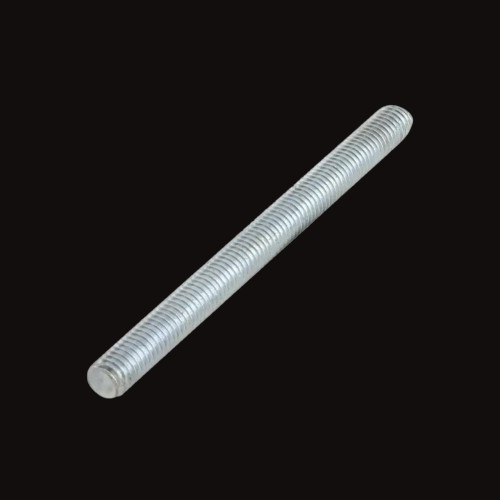
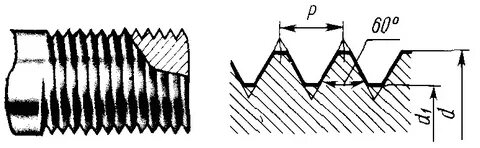
Hi! I am interested in the question: is it possible to create a thread without a
mesh of triangles? We need a smooth surface of the thread in the picture
38400x21600 (4K * 10)
Post a reply to this message
Attachments:
Download 'thread.jpg' (15 KB)
Preview of image 'thread.jpg'
|
|
| |
| |
|
|
|
|
| |
| |
|
|
hi,
"LanuHum" <Lan### [at] yandex ru> wrote:
> Hi! I am interested in the question: is it possible to create a thread without a
> mesh of triangles? We need a smooth surface of the thread in the picture
> 38400x21600 (4K * 10)
S Benge posted a macro which "To model a bolt or auger, you could use
t_coil_solid to cut grooves into a cylinder". hth.
<news.povray.org/povray.binaries.images/thread/%3C4c3fee0a%40news.povray.org%3E/?ttop=446838&toff=2350>
regards, jr. ru> wrote:
> Hi! I am interested in the question: is it possible to create a thread without a
> mesh of triangles? We need a smooth surface of the thread in the picture
> 38400x21600 (4K * 10)
S Benge posted a macro which "To model a bolt or auger, you could use
t_coil_solid to cut grooves into a cylinder". hth.
<news.povray.org/povray.binaries.images/thread/%3C4c3fee0a%40news.povray.org%3E/?ttop=446838&toff=2350>
regards, jr.
Post a reply to this message
|
|
| |
| |
|
|
|
|
| |
| |
|
|
"jr" <cre### [at] gmailcom> wrote:
> hi,
>
> "LanuHum" <Lan### [at] yandexru> wrote:
> > Hi! I am interested in the question: is it possible to create a thread without a
> > mesh of triangles? We need a smooth surface of the thread in the picture
> > 38400x21600 (4K * 10)
>
> S Benge posted a macro which "To model a bolt or auger, you could use
> t_coil_solid to cut grooves into a cylinder". hth.
>
>
<news.povray.org/povray.binaries.images/thread/%3C4c3fee0a%40news.povray.org%3E/?ttop=446838&toff=2350>
>
>
> regards, jr.
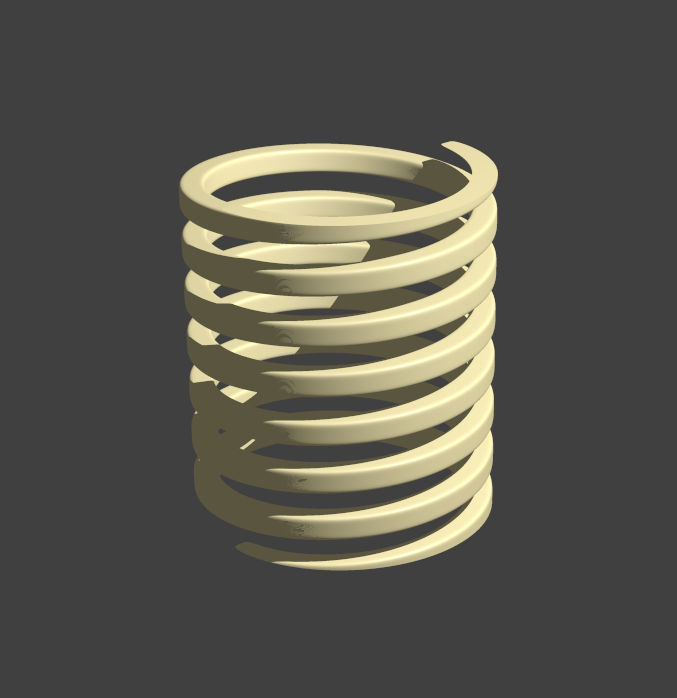
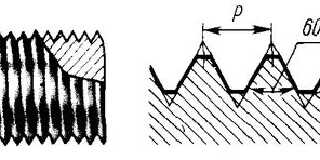
Thank you. I understand macros very poorly, but I can create a spiral from a
sphere_sweep. Then subtract the spiral from the cylinder. But, I want to achieve
a realistic profile.
Post a reply to this message
Attachments:
Download 'i.jpg' (22 KB)
Preview of image 'i.jpg'
|
|
| |
| |
|
|
|
|
| |
| |
|
|
hi,
"LanuHum" <Lan### [at] yandexru> wrote:
> ...
> > S Benge posted a macro ...
> Thank you. I understand macros very poorly, but I can create a spiral from a
> sphere_sweep. Then subtract the spiral from the cylinder.
(I don't even have the maths to do those "from scratch" :-))
> But, I want to achieve a realistic profile.
multiple passes with an increasing (sphere) diameter, from the lowest, smallest,
upwards, is the "crude", naive way I'd try for an approximation. perhaps the
spiral itself can be created/shaped with a useful-to-you profile ?
regards, jr.
Post a reply to this message
|
|
| |
| |
|
|
|
|
| |
| |
|
|
"jr" <cre### [at] gmailcom> wrote:
> hi,
>
> "LanuHum" <Lan### [at] yandexru> wrote:
> > ...
> > > S Benge posted a macro ...
> > Thank you. I understand macros very poorly, but I can create a spiral from a
> > sphere_sweep. Then subtract the spiral from the cylinder.
>
> (I don't even have the maths to do those "from scratch" :-))
>
>
> > But, I want to achieve a realistic profile.
>
> multiple passes with an increasing (sphere) diameter, from the lowest, smallest,
> upwards, is the "crude", naive way I'd try for an approximation. perhaps the
> spiral itself can be created/shaped with a useful-to-you profile ?
>
>
> regards, jr.
Yes. Thanks. I assumed that maybe there is a function.
object Tread = isosurface {
function {bla...bla...bla}}
They told me a long time ago that the mesh is the dark side. But parametric
formulas are good and joyful. However, the developers did not find the formula
for the thread.
Post a reply to this message
|
|
| |
| |
|
|
|
|
| |
| |
|
|
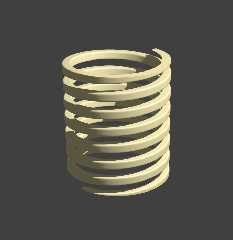
Wow. I found a rectangular thread in the documentation
povray-3.8/scenes/templates/Isosurfaces_by_function_inc/6a_Iso_f_helix1.txt
Post a reply to this message
Attachments:
Download 'scene.png' (101 KB)
Preview of image 'scene.png'
|
|
| |
| |
|
|
|
|
| |
| |
|
|
hi,
"LanuHum" <Lan### [at] yandexru> wrote:
> Wow. I found a rectangular thread in the documentation
nice. as I said, I've no maths, but if that profile can be rotated by 45
degrees..
regards, jr.
Post a reply to this message
|
|
| |
| |
|
|
|
|
| |
| |
|
|
"LanuHum" <Lan### [at] yandexru> wrote:
> Hi! I am interested in the question: is it possible to create a thread without a
> mesh of triangles? We need a smooth surface of the thread in the picture
> 38400x21600 (4K * 10)
https://news.povray.org/5eec257c%241%40news.povray.org
Post a reply to this message
|
|
| |
| |
|
|
|
|
| |
| |
|
|
Le 2026-03-07 à 11:17, jr a écrit :
> hi,
>
> "LanuHum" <Lan### [at] yandexru> wrote:
>> Wow. I found a rectangular thread in the documentation
>
> nice. as I said, I've no maths, but if that profile can be rotated by 45
> degrees..
>
>
> regards, jr.
>
function{
f_helix1(
x,y,z,
1, // number of helixes, (1 = single helix, 2 = double helix
etc.)
22, // period, turns on the length of 2*pi
0.07, // minor radius,
0.80, // major radius,
1, // shape parameter,
0.3, // cross section type, (0.0 to 1.0 = square ... rounded
to circle
// over 2.0 to 3.0 = rounded to diamond and concave
diamond
0 // cross section rotation angle
)
}
The last parameter «cross section rotation angle» is the rotation of the
shape in degree.
The 9th parameter let you change the shape.
Post a reply to this message
|
|
| |
| |
|
|
|
|
| |
| |
|
|
"LanuHum" <Lan### [at] yandexru> wrote:
> Hi! I am interested in the question: is it possible to create a thread without a
> mesh of triangles? We need a smooth surface of the thread in the picture
> 38400x21600 (4K * 10)
Here is a simple idea.
#declare i=0;
#while(i<18 )
cone{0,.5,y*-.5,0 translate < .4,-2> rotate y*360*i translate -y*i*.5
pigment{blue 1}}
cone{0,.5,y*.5,0 translate <.4,-2> rotate y*360*i translate -y*i*.5
pigment{red 1}}
#declare step=.01 ;
#declare i=i+step;
#end translate <0,9,0>}
Post a reply to this message
|
|
| |
| |
|
|
|
|
| |