|
|
|
|
|
|
| |
| |
|
|
|
|
| |
| |
|
|
I'm trying to adapt the following PDF to POV-Ray code for my
planetarium/orrery.

https://ssd.jpl.nasa.gov/txt/aprx_pos_planets.pdf

How do I calculate the modulus -180 <= M <= +180?

Is it equal to this?

	mod(number+180,360)-180


Mike
Post a reply to this message
|
|
| |
| |
|
|
|
|
| |
| |
|
|
Mike Horvath <mik### [at] gmail com> wrote:
> I'm trying to adapt the following PDF to POV-Ray code for my
> planetarium/orrery.
>
> https://ssd.jpl.nasa.gov/txt/aprx_pos_planets.pdf
It was a gigantic PITA
http://news.povray.org/povray.binaries.animations/thread/%3Cweb.5915a4387de46d5ec437ac910%40news.povray.org%3E/?mtop=41
6271
Even more of a PITA was unpacking date codes.
> How do I calculate the modulus -180 <= M <= +180?
I don't know what that means com> wrote:
> I'm trying to adapt the following PDF to POV-Ray code for my
> planetarium/orrery.
>
> https://ssd.jpl.nasa.gov/txt/aprx_pos_planets.pdf
It was a gigantic PITA
http://news.povray.org/povray.binaries.animations/thread/%3Cweb.5915a4387de46d5ec437ac910%40news.povray.org%3E/?mtop=41
6271
Even more of a PITA was unpacking date codes.
> How do I calculate the modulus -180 <= M <= +180?
I don't know what that means
Post a reply to this message
|
|
| |
| |
|
|
|
|
| |
| |
|
|
Le 15/09/2018 à 19:07, Mike Horvath a écrit :
> I'm trying to adapt the following PDF to POV-Ray code for my
> planetarium/orrery.
>
> https://ssd.jpl.nasa.gov/txt/aprx_pos_planets.pdf
>
> How do I calculate the modulus -180 <= M <= +180?
>

180 degrees, really ?
Can't they use a decent measure of angle, in Grades !

> Is it equal to this?
>
>     mod(number+180,360)-180

Probably, as long as number is above -180 at start.

I never understood mod of negative value, and there might be divergent
definitions.

They seem to be using a referential for M to describe a full "circle",
so yes, they want to reduce the range of M to be between -180 and +180.

>
>
> Mike
Post a reply to this message
|
|
| |
| |
|
|
|
|
| |
| |
|
|
On 9/15/2018 2:11 PM, Bald Eagle wrote:
> Mike Horvath <mik### [at] gmailcom> wrote:
>> I'm trying to adapt the following PDF to POV-Ray code for my
>> planetarium/orrery.
>>
>> https://ssd.jpl.nasa.gov/txt/aprx_pos_planets.pdf
>
> It was a gigantic PITA
>
http://news.povray.org/povray.binaries.animations/thread/%3Cweb.5915a4387de46d5ec437ac910%40news.povray.org%3E/?mtop=41
> 6271
>
> Even more of a PITA was unpacking date codes.
>
>

Interesting. It seems I posted in that thread too.


>> How do I calculate the modulus -180 <= M <= +180?
>
> I don't know what that means
>
>
>

Quote:

"Modulos the mean anomaly so that -180 <= M <= +180 ..."


Mike
Post a reply to this message
|
|
| |
| |
|
|
|
|
| |
| |
|
|
Mike Horvath <mik### [at] gmailcom> wrote:

> Interesting. It seems I posted in that thread too.

Yes.   :D


> Quote:
>
> "Modulos the mean anomaly so that -180 <= M <= +180 ..."

5 sec search yielded:
https://lite.qwant.com/?q=""modulus+the+mean+anomaly

https://math.stackexchange.com/questions/1325434/modulus-to-a-range-x-to-x

I do believe that this is typically done with a macro, and occurs in the POV-Ray
source code.

#macro Modulate (_X)
     #while (_X < 180) #local _X = _X+360; #end
     #While (_X > 180) #local _X = _X-360; #end
     _X
#end

type of thing.

Then of course, there's
http://www.povray.org/documentation/view/3.6.2/458/

clamp(V, Min, Max). A function that limits a value to a specific range, if it
goes outside that range it is "clamped" to this range, wrapping around. As the
input increases or decreases outside the given range, the output will repeatedly
sweep through that range, making a "sawtooth" waveform.
Parameters:

V = Input value.
Min = Minimum of output range.
Max = Maximum of output range.


Bill
Post a reply to this message
|
|
| |
| |
|
|
|
|
| |
| |
|
|
Am 15.09.2018 um 22:12 schrieb Bald Eagle:

>> "Modulos the mean anomaly so that -180 <= M <= +180 ..."
...

> I do believe that this is typically done with a macro, and occurs in the POV-Ray
> source code.
>
> #macro Modulate (_X)
>      #while (_X < 180) #local _X = _X+360; #end
>      #While (_X > 180) #local _X = _X-360; #end
>      _X
> #end


That would be way too time-consuming for very large or very small values.


> Then of course, there's
> http://www.povray.org/documentation/view/3.6.2/458/
>
> clamp(V, Min, Max). A function that limits a value to a specific range, if it
> goes outside that range it is "clamped" to this range, wrapping around. As the
> input increases or decreases outside the given range, the output will repeatedly
> sweep through that range, making a "sawtooth" waveform.
> Parameters:

That'll indeed do it:

    #include "math.inc"
    #local Foo = clamp(M,-180,180);


Alternatively:

    #local Foo = mod(M+180,360)-180;
    #if (Foo < -180)
      #local Foo = Foo + 260;
    #end

The post-processing `#if` branch is necessary because mod(X,Y) wraps
positive values into the range [0..Y), but negative values into the
range (-Y..0].

[At least on platforms where converting a floating-point number to an
integer rounds towards 0. That's the case for all contemporary platform
I'm aware of, and is an official prerequisite for compiling POV-Ray, but
the C++ standard would also allow for rounding towards negative infinity
instead.]

`clamp()` effectively does the same, but is implemented as a function,
which probably makes it faster than a macro or "in-line" code.
Post a reply to this message
|
|
| |
| |
|
|
|
|
| |
| |
|
|
On 9/15/2018 4:12 PM, Bald Eagle wrote:
> clamp(V, Min, Max). A function that limits a value to a specific range, if it
> goes outside that range it is "clamped" to this range, wrapping around. As the
> input increases or decreases outside the given range, the output will repeatedly
> sweep through that range, making a "sawtooth" waveform.
> Parameters:
>
> V = Input value.
> Min = Minimum of output range.
> Max = Maximum of output range.
>
>
> Bill
>
>

Clamp works, thanks!


Mike
Post a reply to this message
|
|
| |
| |
|
|
|
|
| |
| |
|
|
https://ssd.jpl.nasa.gov/txt/aprx_pos_planets.pdf

I am a little confused about the "Solution of Kepler's Equation" on Page
2 of this document. Have I implemented it correctly do you think?

	#local Orrery_Temp_EStar						= 180/pi * Orrery_Temp_Eccentricity;
	#local Orrery_Temp_EccentricAnomaly				= Orrery_Temp_MeanAnomaly +
Orrery_Temp_EStar * sind(Orrery_Temp_MeanAnomaly);
	#local Orrery_Temp_EccentricAnomalyTolerance	= 10e-6;
	#local Orrery_Temp_EccentricAnomalyDelta		= 0;
	#while (abs(Orrery_Temp_EccentricAnomalyDelta) >
Orrery_Temp_EccentricAnomalyTolerance)
		#local Orrery_Temp_MeanAnomalyDelta				= Orrery_Temp_MeanAnomaly -
(Orrery_Temp_EccentricAnomaly - Orrery_Temp_EStar *
sind(Orrery_Temp_EccentricAnomaly));
		#local Orrery_Temp_EccentricAnomalyDelta		=
Orrery_Temp_MeanAnomalyDelta/(1 - Orrery_Temp_Eccentricity *
cosd(Orrery_Temp_EccentricAnomaly));
		#local Orrery_Temp_EccentricAnomaly				= Orrery_Temp_EccentricAnomaly
+ Orrery_Temp_EccentricAnomalyDelta;
	#end


Mike
Post a reply to this message
|
|
| |
| |
|
|
|
|
| |
| |
|
|
On 9/16/2018 3:00 PM, Mike Horvath wrote:
> https://ssd.jpl.nasa.gov/txt/aprx_pos_planets.pdf
>
> I am a little confused about the "Solution of Kepler's Equation" on Page
> 2 of this document. Have I implemented it correctly do you think?
>
>      #local Orrery_Temp_EStar                        =
180/pi *
> Orrery_Temp_Eccentricity;
>      #local Orrery_Temp_EccentricAnomaly                =
> Orrery_Temp_MeanAnomaly + Orrery_Temp_EStar *
> sind(Orrery_Temp_MeanAnomaly);
>      #local Orrery_Temp_EccentricAnomalyTolerance    = 10e-6;
>      #local Orrery_Temp_EccentricAnomalyDelta        = 0;
>      #while (abs(Orrery_Temp_EccentricAnomalyDelta) >
> Orrery_Temp_EccentricAnomalyTolerance)
>          #local Orrery_Temp_MeanAnomalyDelta                =
> Orrery_Temp_MeanAnomaly - (Orrery_Temp_EccentricAnomaly -
> Orrery_Temp_EStar * sind(Orrery_Temp_EccentricAnomaly));
>          #local Orrery_Temp_EccentricAnomalyDelta        =
> Orrery_Temp_MeanAnomalyDelta/(1 - Orrery_Temp_Eccentricity *
> cosd(Orrery_Temp_EccentricAnomaly));
>          #local Orrery_Temp_EccentricAnomaly                =
> Orrery_Temp_EccentricAnomaly + Orrery_Temp_EccentricAnomalyDelta;
>      #end
>
>
>
> Mike


I did end up finding a bug in that code, but I also discovered that
there's not a visible difference with the code working or not working.
So the major problems I am having lie elsewhere.

:(

Mike
Post a reply to this message
|
|
| |
| |
|
|
|
|
| |
| |
|
|
I found the bug, and will be uploading a corrected version to the Object
Collection shortly.


Mike
Post a reply to this message
|
|
| |
| |
|
|
|
|
| |
| |
|
|
On 9/15/2018 1:07 PM, Mike Horvath wrote:
> I'm trying to adapt the following PDF to POV-Ray code for my
> planetarium/orrery.
>
> https://ssd.jpl.nasa.gov/txt/aprx_pos_planets.pdf
>

In Step 6 of that PDF, it gives an equation on how to convert between
ecliptic coordinates and J2000 coordinates.

What is the inverse of that equation, and how do I change it into a
series of `rotate` commands instead?

Thanks.


Mike
Post a reply to this message
|
|
| |
| |
|
|
|
|
| |
| |
|
|
On 9/20/2018 8:17 PM, Mike Horvath wrote:
> On 9/15/2018 1:07 PM, Mike Horvath wrote:
>> I'm trying to adapt the following PDF to POV-Ray code for my
>> planetarium/orrery.
>>
>> https://ssd.jpl.nasa.gov/txt/aprx_pos_planets.pdf
>>
>
> In Step 6 of that PDF, it gives an equation on how to convert between
> ecliptic coordinates and J2000 coordinates.
>
> What is the inverse of that equation, and how do I change it into a
> series of `rotate` commands instead?
>
> Thanks.
>
>
>
> Mike

I found the inverse on Wikipedia.

https://en.wikipedia.org/wiki/Ecliptic_coordinate_system#Conversion_between_celestial_coordinate_systems

Still not sure how to replace the equation with a series of `rotate`
commands though.


Mike
Post a reply to this message
|
|
| |
| |
|
|
|
|
| |
| |
|
|
Found a document with a table of values:

https://astropedia.astrogeology.usgs.gov/download/Docs/WGCCRE/WGCCRE2009reprint.pdf

The pertinent variables are alpha, delta and W. What do I do with these
variables? Dunno for sure. This document provides a formula:

https://depositonce.tu-berlin.de/bitstream/11303/6237/4/burmeister_steffi.pdf

I /think/ I need to rotate around the z-axis by W, around the x-axis by
(90-δ), and around the z-axis again by (90+α), in that order. Lastly, an
additional rotation (around the x-axis?) by 23.43928 degrees must be
done to get the body out of the ICRF frame and into the ecliptic frame.

But I still don't know the starting conditions. I.e. before applying the
transformations, should the globe's North Pole point upward? Should the
intersection of the Prime Meridian and Equator lie along the x-axis?
Also, am I wrong, and should I perform the inverse matrix calculations
instead? Either way, I have not gotten results that match what I see in
Celestia for the same Julian Date.


Mike
Post a reply to this message
|
|
| |
| |
|
|
|
|
| |
| |
|
|
Le 25/09/2018 à 07:39, Mike Horvath a écrit :
> Found a document with a table of values:
>
> https://astropedia.astrogeology.usgs.gov/download/Docs/WGCCRE/WGCCRE2009reprint.pdf
>
>
> The pertinent variables are alpha, delta and W. What do I do with these
> variables? Dunno for sure. This document provides a formula:
>
> https://depositonce.tu-berlin.de/bitstream/11303/6237/4/burmeister_steffi.pdf
>

Read start of 1.3, alpha, delta & W are defined there.

>
> I /think/ I need to rotate around the z-axis by W, around the x-axis by
> (90-δ), and around the z-axis again by (90+α), in that order.

W is the "day" part of the planet, adjusting the prime meridian.
Right-handed system, so, yes, W is for z-axis when applied first.
Otherwise, it would be applied along the rotation axis of the planet
once transformed from z by alpha & delta.

Figure 1.3 , page 11

 From the point gamma on ICRF equator, starting sphere, the axis of
rotation of the planet is located at 90°+alpha, for an amount of
90°-delta. (a single tilting of the planet axis, along a single
perpendicular axis)

If I assert +x is gamma at start, +z north, you have to apply a rotation
along v_rotate( y, alpha*z) of 90°-delta, then a rotation of W along the
new pole axis.

You can of course transfer the W part before the other rotation, as it
is simpler to use z.


> Lastly, an
> additional rotation (around the x-axis?) by 23.43928 degrees must be
> done to get the body out of the ICRF frame and into the ecliptic frame.

That's a change of referential, the matrix should be well-known. (i.e. I
have no clue)
I do not know the x,y,z of ICRF(2) compared to the ecliptic plan and the
vernal point.

>
> But I still don't know the starting conditions. I.e. before applying the
> transformations, should the globe's North Pole point upward? Should the
> intersection of the Prime Meridian and Equator lie along the x-axis?

Yes. x2.

> Also, am I wrong, and should I perform the inverse matrix calculations
> instead? Either way, I have not gotten results that match what I see in
> Celestia for the same Julian Date.
>
>
> Mike
Post a reply to this message
|
|
| |
| |
|
|
|
|
| |
| |
|
|
Thanks for taking a look!


> Figure 1.3 , page 11
>
>  From the point gamma on ICRF equator, starting sphere, the axis of
> rotation of the planet is located at 90°+alpha, for an amount of
> 90°-delta. (a single tilting of the planet axis, along a single
> perpendicular axis)
>
> If I assert +x is gamma at start, +z north, you have to apply a rotation
> along v_rotate( y, alpha*z) of 90°-delta, then a rotation of W along the
> new pole axis.
>

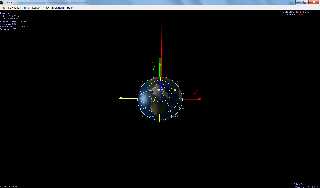
I can't quite understand your steps. Do you want me to do this?

   #declare sphere_coo = vrotate(y, (90+alpha_0) * z);
   #declare sphere_coo = vrotate(sphere_coo, (90-delta_0) * x);

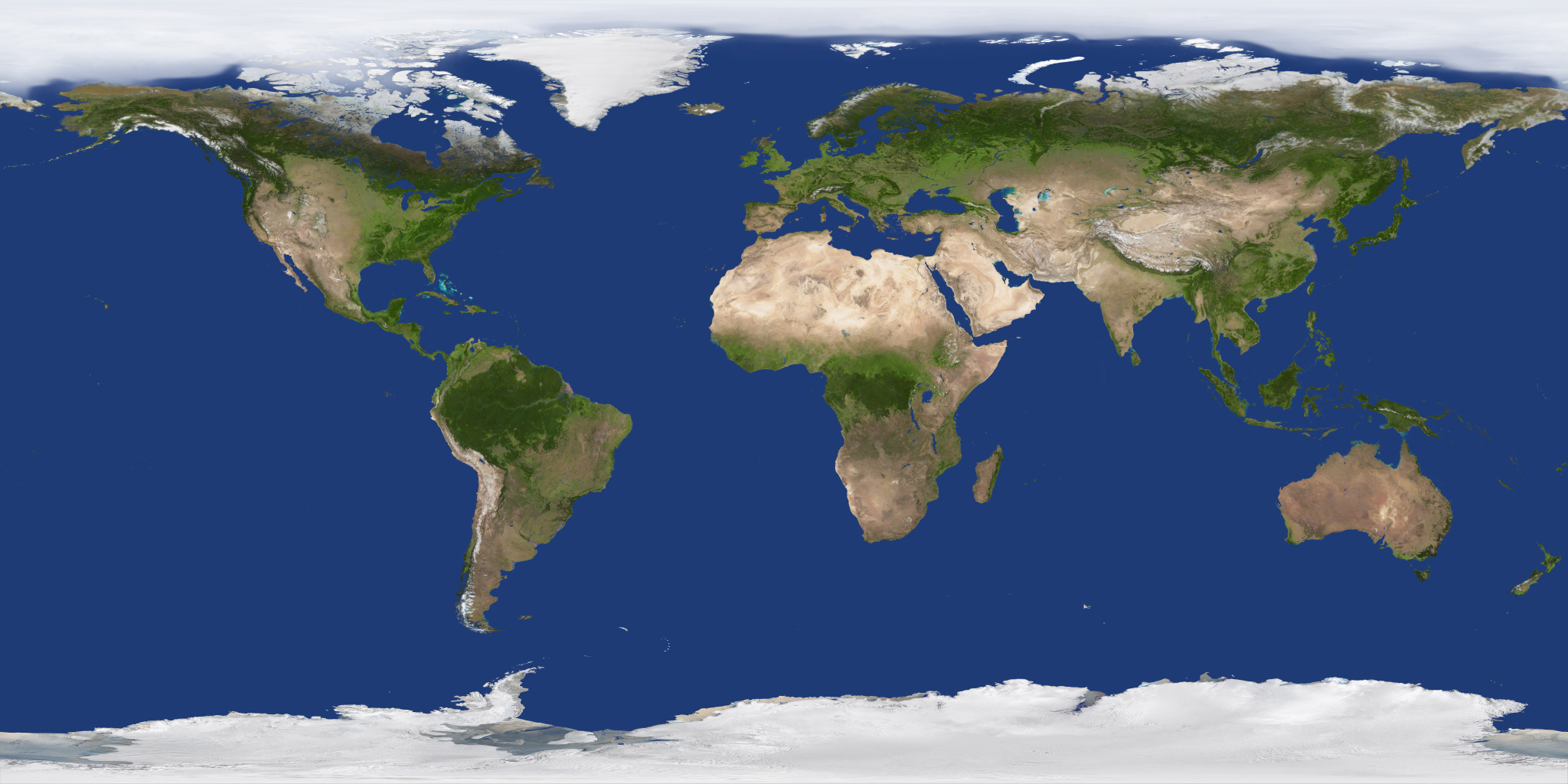
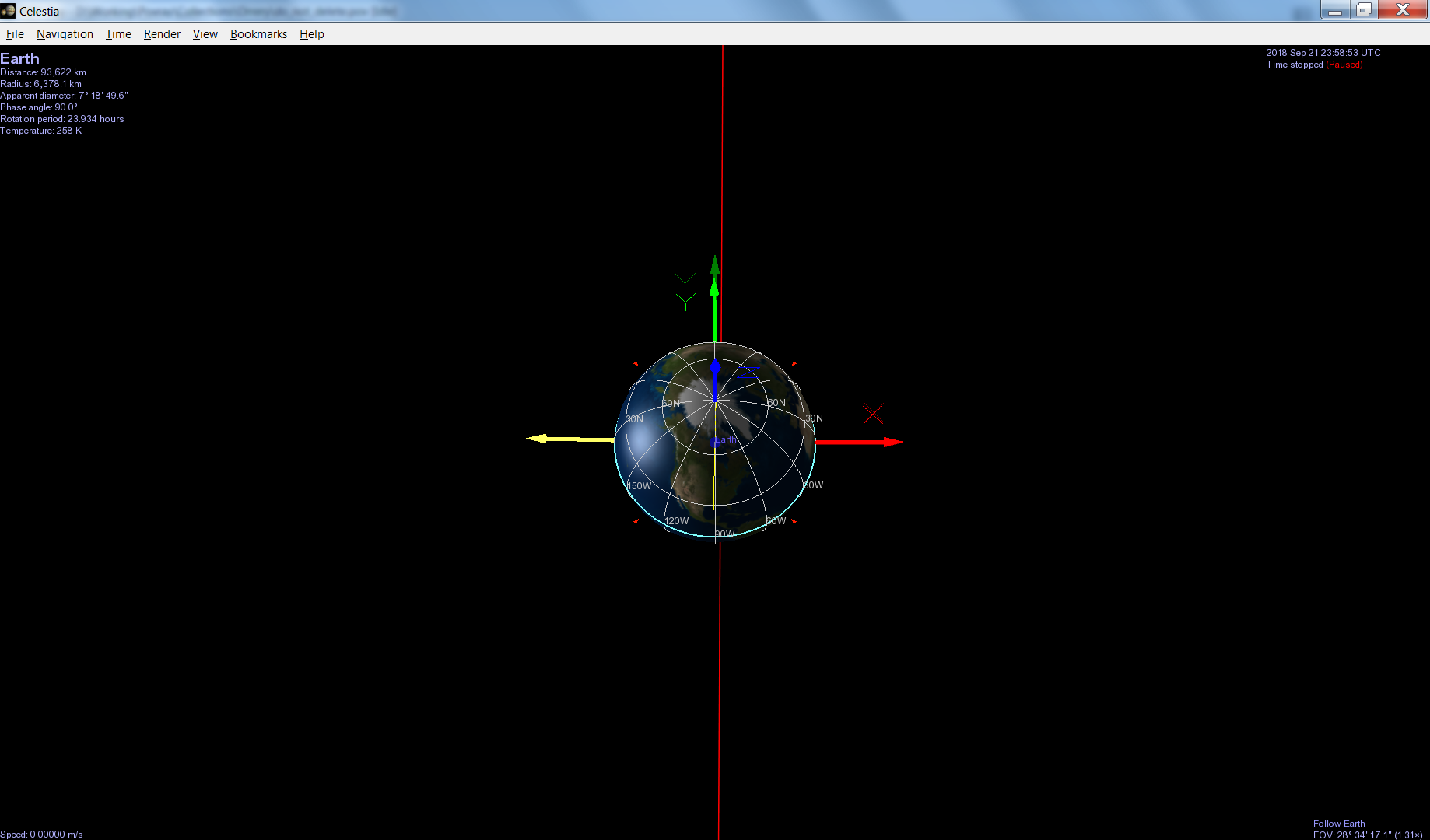
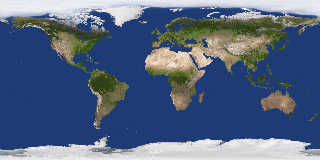
OTOH, I have attached my scene so far if you would please look at it.
The result is not similar to what I see in the program Celestia for the
same Julian day. (I have attached a screenshot of that program as well.)


Mike
Post a reply to this message
Attachments:
Download 'do_not_delete.pov.txt' (5 KB)
Download '2k_earth_daymap.jpg' (453 KB)
Download 'celestia_screenshot_01.png' (130 KB)
Preview of image '2k_earth_daymap.jpg'
Preview of image 'celestia_screenshot_01.png'
|
|
| |
| |
|
|
|
|
| |
| |
|
|
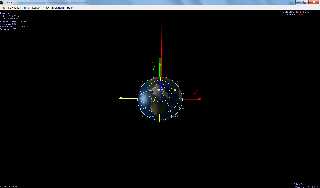
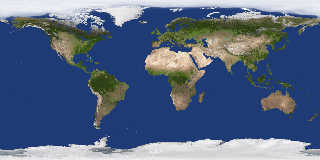
Oops, here are the files once again. (Ignore the previous ones.)


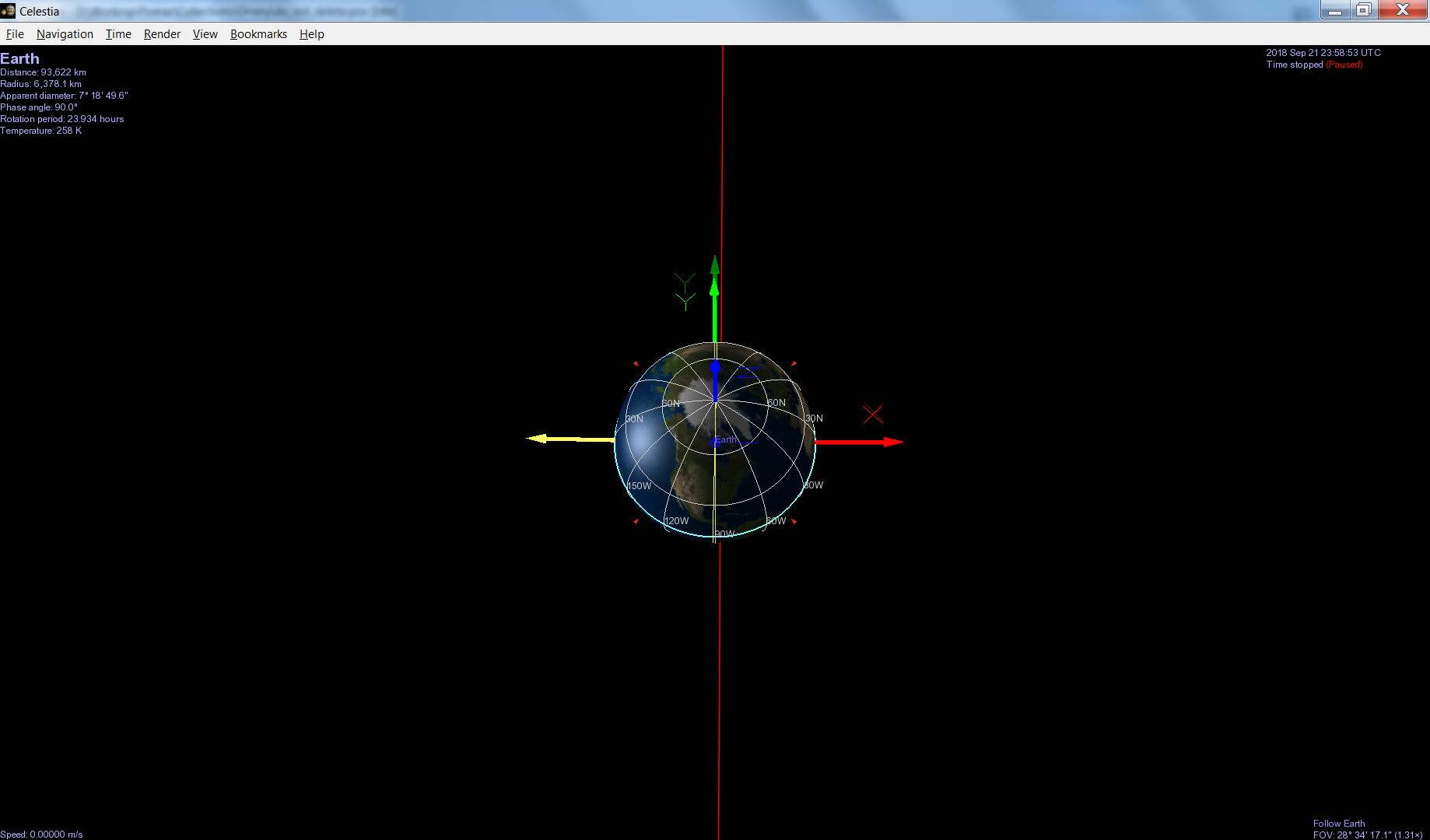
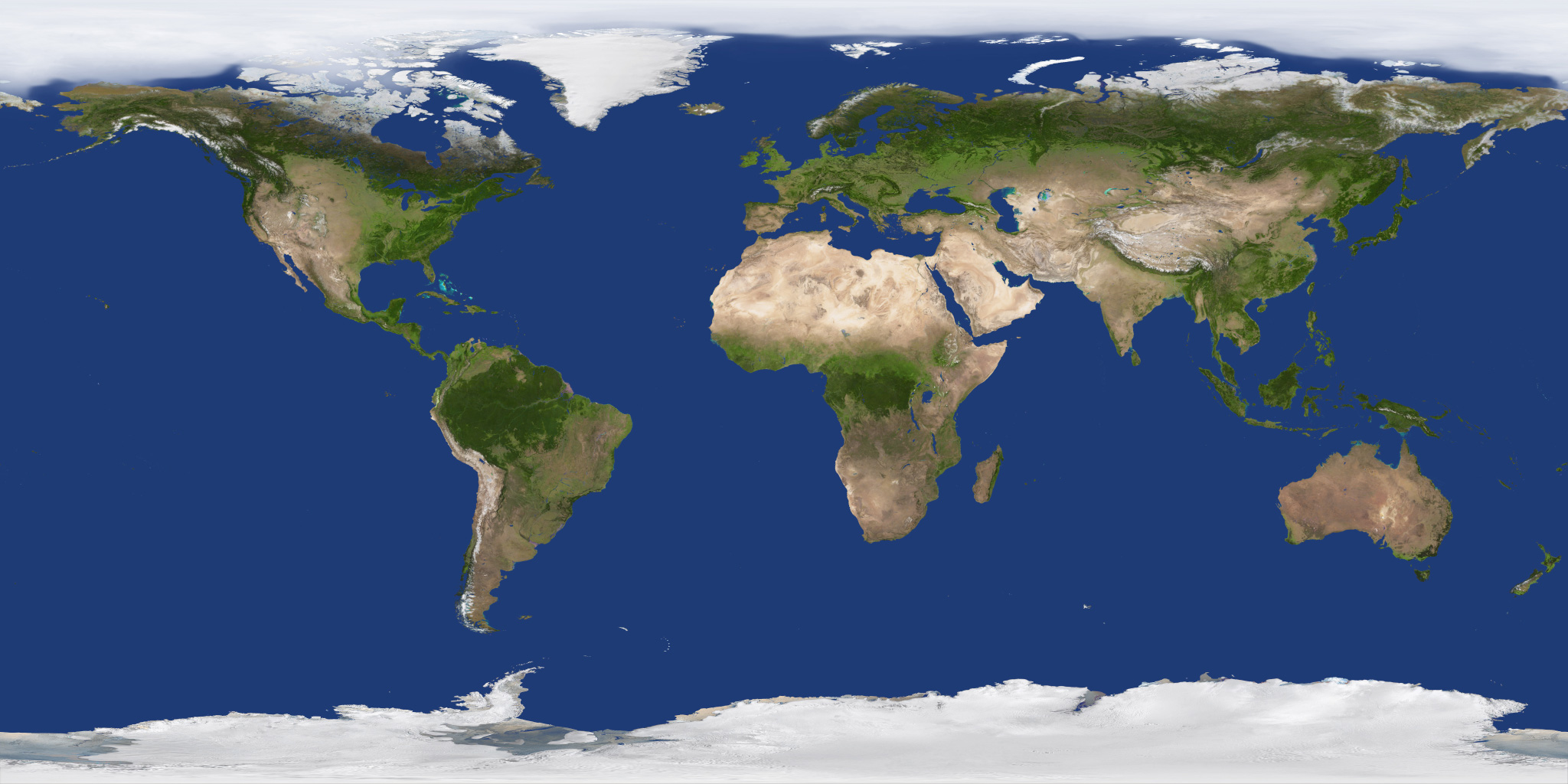
Mike
Post a reply to this message
Attachments:
Download 'celestia_screenshot_01.png' (130 KB)
Download 'do_not_delete.pov.txt' (5 KB)
Download '2k_earth_daymap.jpg' (453 KB)
Preview of image 'celestia_screenshot_01.png'
Preview of image '2k_earth_daymap.jpg'
|
|
| |
| |
|
|
|
|
| |
| |
|
|
Le 26/09/2018 à 08:52, Mike Horvath a écrit :
> Oops, here are the files once again. (Ignore the previous ones.)
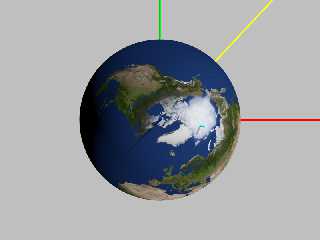
>
>
> Mike

I added the tilting axis (yellow) of the planet and the relevant
transformation.

I do not touch obliquity.

#declare TILT_AXIS = vrotate( x, (90+alpha_0)*z );
/* same as
#declare TILT_AXIS = vrotate( y, alpha_0*z );
*/
#include "transforms.inc"

#declare sphere_trans = transform
{
	rotate z * W
  Axis_Rotate_Trans( TILT_AXIS, 90-delta_0 )
	//rotate x * (90-delta_0)
	//rotate z * (90+alpha_0)
	rotate x * -obliquity
}
Post a reply to this message
Attachments:
Download 'step.png' (163 KB)
Download 'step.pov.txt' (4 KB)
Preview of image 'step.png'
|
|
| |
| |
|
|
|
|
| |
| |
|
|
Thanks again for the help!

A couple of comments:

1. What is the significance of the long yellow cylinder?

2. The render of "step.pov" you posted still does not look like the
Celestia screenshot. The Celestia screenshot in my last post is what the
scene *should* look like, and the scene is off by quite a bit. I'm not
sure what's wrong, either.


Mike
Post a reply to this message
|
|
| |
| |
|
|
|
|
| |
| |
|
|
Am 26.09.2018 um 19:45 schrieb Mike Horvath:

> 1. What is the significance of the long yellow cylinder?

Looks like direction to the sun.
Post a reply to this message
|
|
| |
| |
|
|
|
|
| |
| |
|
|
On 9/26/2018 1:47 PM, clipka wrote:
> Am 26.09.2018 um 19:45 schrieb Mike Horvath:
>
>> 1. What is the significance of the long yellow cylinder?
>
> Looks like direction to the sun.
>

No, on Julian Date 2458383.5 the Sun should be directly along the -x axis.


Mike
Post a reply to this message
|
|
| |
| |
|
|
|
|
| |
| |
|
|
Am 26.09.2018 um 20:15 schrieb Mike Horvath:
> On 9/26/2018 1:47 PM, clipka wrote:
>> Am 26.09.2018 um 19:45 schrieb Mike Horvath:
>>
>>> 1. What is the significance of the long yellow cylinder?
>>
>> Looks like direction to the sun.
>>
>
> No, on Julian Date 2458383.5 the Sun should be directly along the -x axis.

It does match the shadow of the pole pole though (pun intended).
Post a reply to this message
|
|
| |
| |
|
|
|
|
| |
| |
|
|
Le 26/09/2018 à 19:45, Mike Horvath a écrit :
> Thanks again for the help!
>
> A couple of comments:
>
> 1. What is the significance of the long yellow cylinder?

It is the axis around which the planet get rotated by 90-delta degree,
to place its pole axis in space.

>
> 2. The render of "step.pov" you posted still does not look like the
> Celestia screenshot. The Celestia screenshot in my last post is what the
> scene *should* look like, and the scene is off by quite a bit. I'm not
> sure what's wrong, either.

I'm still not sure about your ecliptic correction, can you try to see
what happen when you remove it ?
Also, check your camera parameter, there was a bit of comments and I
might have touched it.

Loonking at the French wikipedia for equatorial coordinate system,

https://fr.wikipedia.org/wiki/Syst%C3%A8me_de_coordonn%C3%A9es_%C3%A9quatoriales

there is a note about converting alpha to latitude/time.

+alpha is to the east.

English version has even an animation:

https://en.wikipedia.org/wiki/Equatorial_coordinate_system

Is the mismatch about the pole ?
Or the placement of continents ?

I'm not sure about the axis of obliquity, especially after the transform
of alpha & delta.


>
>
> Mike
Post a reply to this message
|
|
| |
| |
|
|
|
|
| |
| |
|
|
On 9/26/2018 4:26 PM, Le_Forgeron wrote:
> Le 26/09/2018 à 19:45, Mike Horvath a écrit :
>> Thanks again for the help!
>>
>> A couple of comments:
>>
>> 1. What is the significance of the long yellow cylinder?
>
> It is the axis around which the planet get rotated by 90-delta degree,
> to place its pole axis in space.
>

Okay thanks.

>>
>> 2. The render of "step.pov" you posted still does not look like the
>> Celestia screenshot. The Celestia screenshot in my last post is what the
>> scene *should* look like, and the scene is off by quite a bit. I'm not
>> sure what's wrong, either.
>
> I'm still not sure about your ecliptic correction, can you try to see
> what happen when you remove it ?


Conversions to/from ecliptic coordinates and equatorial coordinates
(ICRF frame) are described here:

https://en.wikipedia.org/wiki/Ecliptic_coordinate_system#Conversion_between_celestial_coordinate_systems

as well as in step #6 here:

https://ssd.jpl.nasa.gov/txt/aprx_pos_planets.pdf

It seems to be a simple rotation around the x axis.


 > Also, check your camera parameter, there was a bit of comments and I
 > might have touched it.
 >

The camera also seems fine, since the red, green and blue poles are all
pointing in the correct directions.


> Loonking at the French wikipedia for equatorial coordinate system,
>
> https://fr.wikipedia.org/wiki/Syst%C3%A8me_de_coordonn%C3%A9es_%C3%A9quatoriales
>
> there is a note about converting alpha to latitude/time.
>
> +alpha is to the east.
>
> English version has even an animation:
>
> https://en.wikipedia.org/wiki/Equatorial_coordinate_system
>
> Is the mismatch about the pole ?
> Or the placement of continents ?
>
> I'm not sure about the axis of obliquity, especially after the transform
> of alpha & delta.

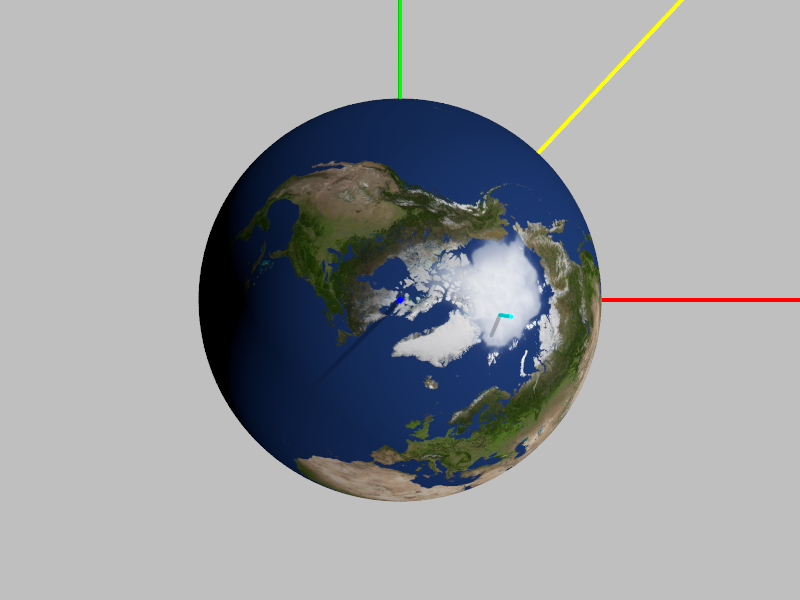
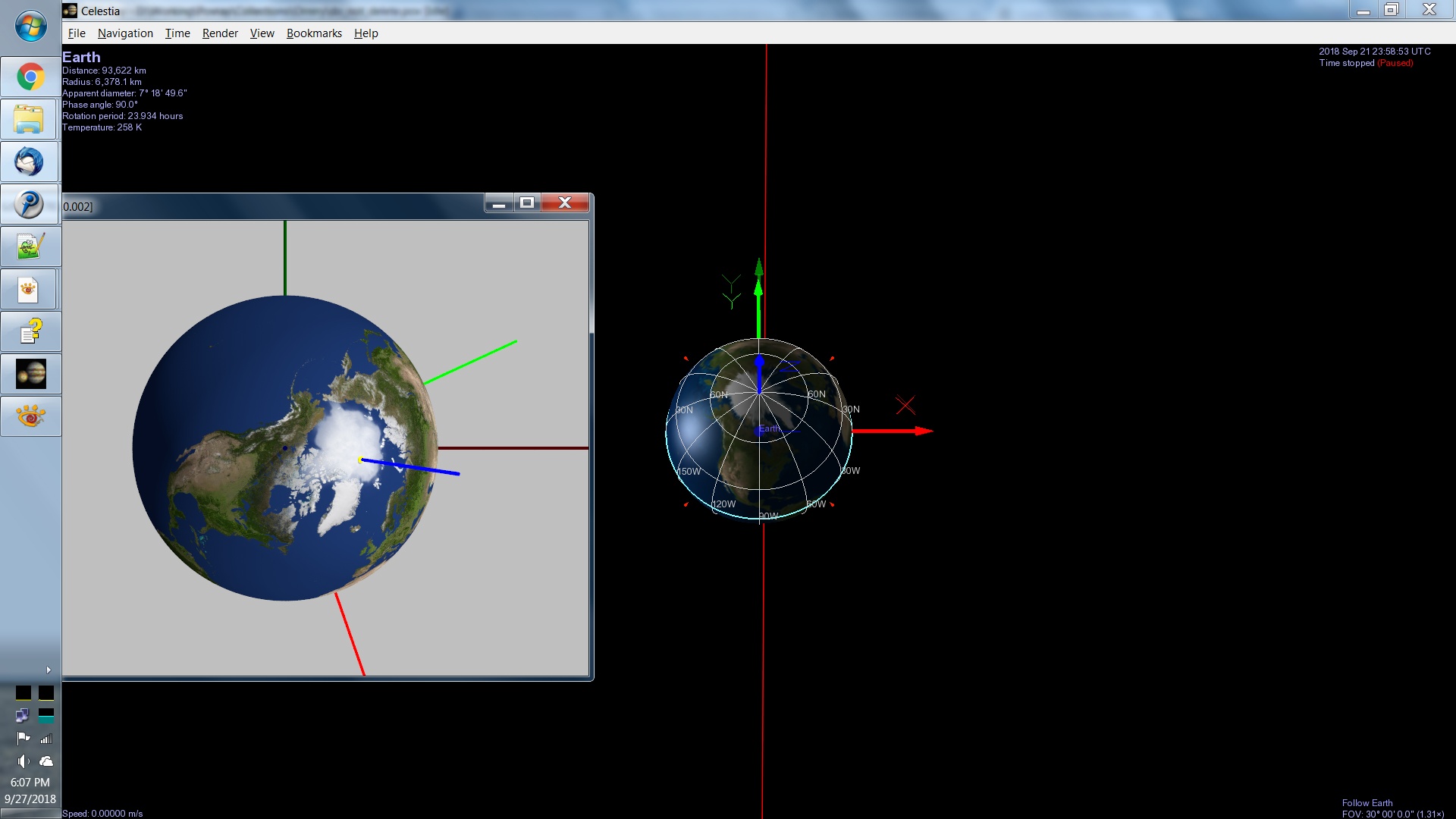
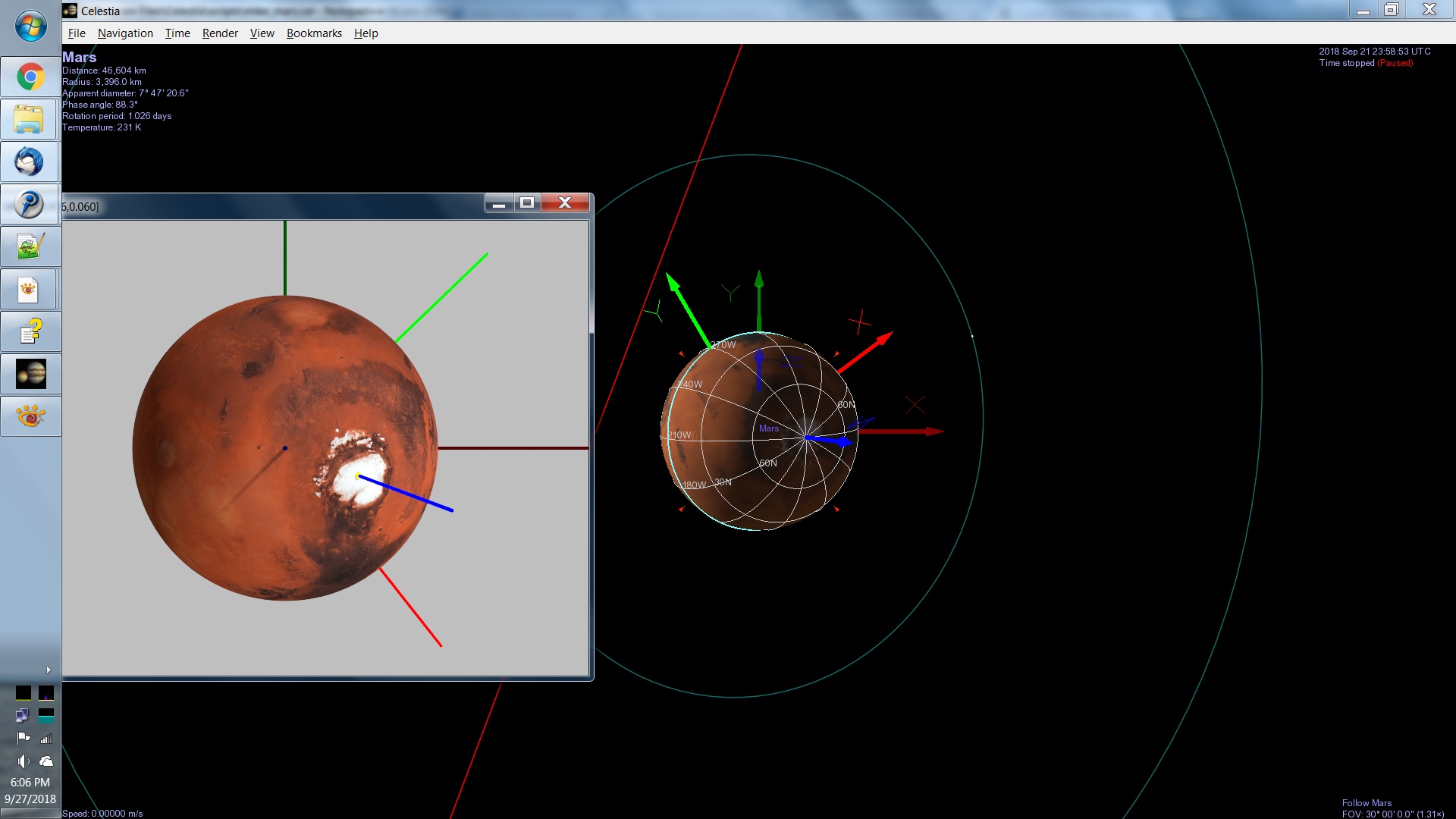
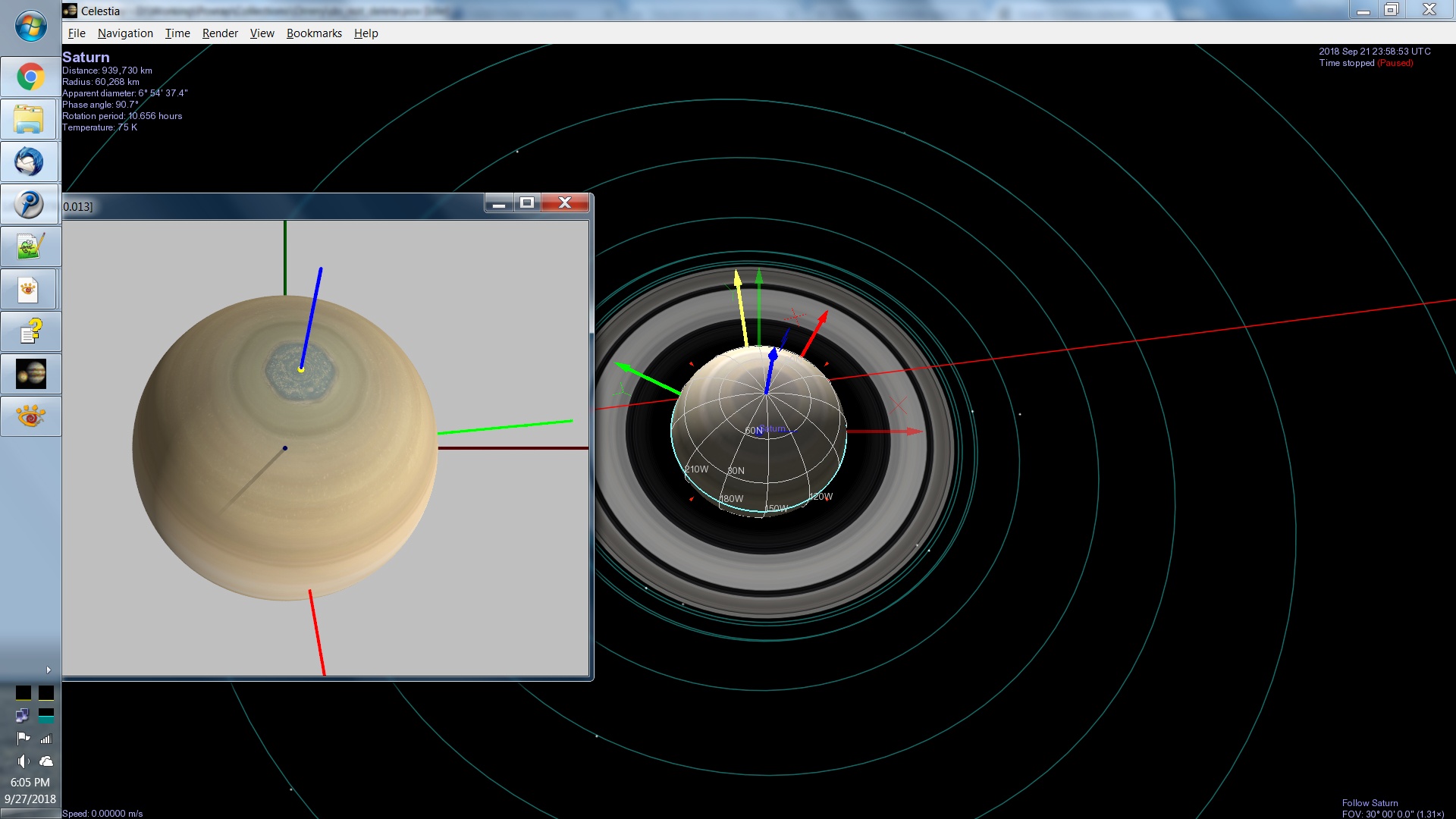
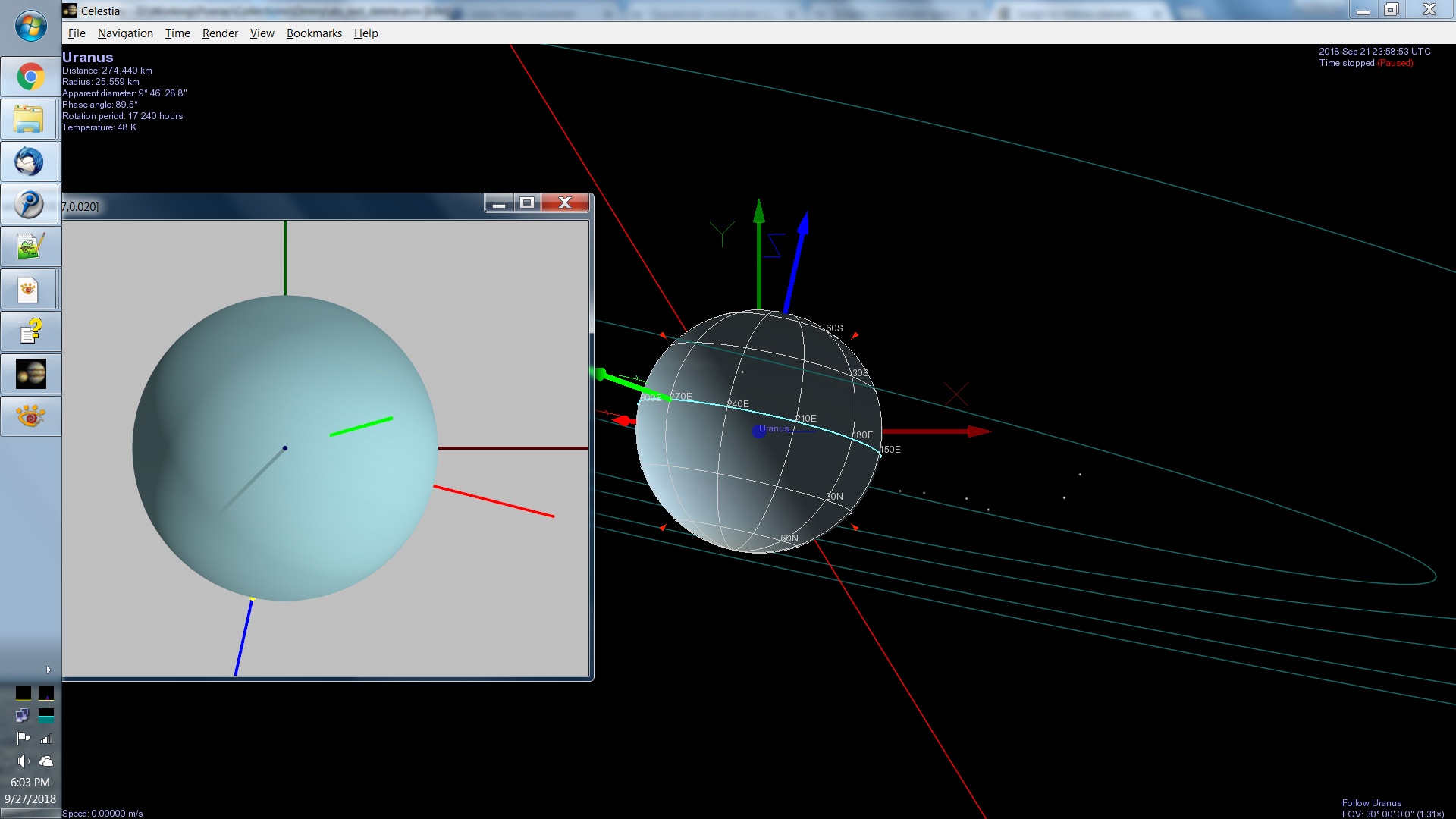
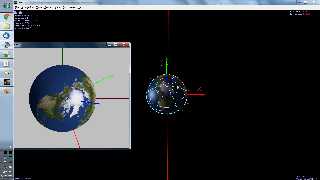
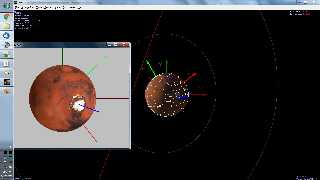
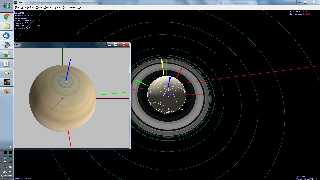
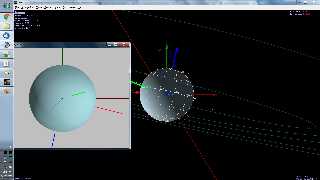
I've attached four comparison views of the POV-Ray output versus
Celestia. Maybe they will illuminate which rotations are being done
incorrectly?

The dark red, green and blue cylinders represent the ecliptic frame
axes. The bright red, green and blue cylinders represent the body frame
axes. If you ignore the axes, some of the renders look "close" to correct.


Mike
Post a reply to this message
Attachments:
Download 'celestia_earth_01.jpg' (217 KB)
Download 'celestia_mars_01.jpg' (245 KB)
Download 'celestia_saturn_01.jpg' (309 KB)
Download 'celestia_uranus_01.jpg' (240 KB)
Preview of image 'celestia_earth_01.jpg'
Preview of image 'celestia_mars_01.jpg'
Preview of image 'celestia_saturn_01.jpg'
Preview of image 'celestia_uranus_01.jpg'
|
|
| |
| |
|
|
|
|
| |
| |
|
|
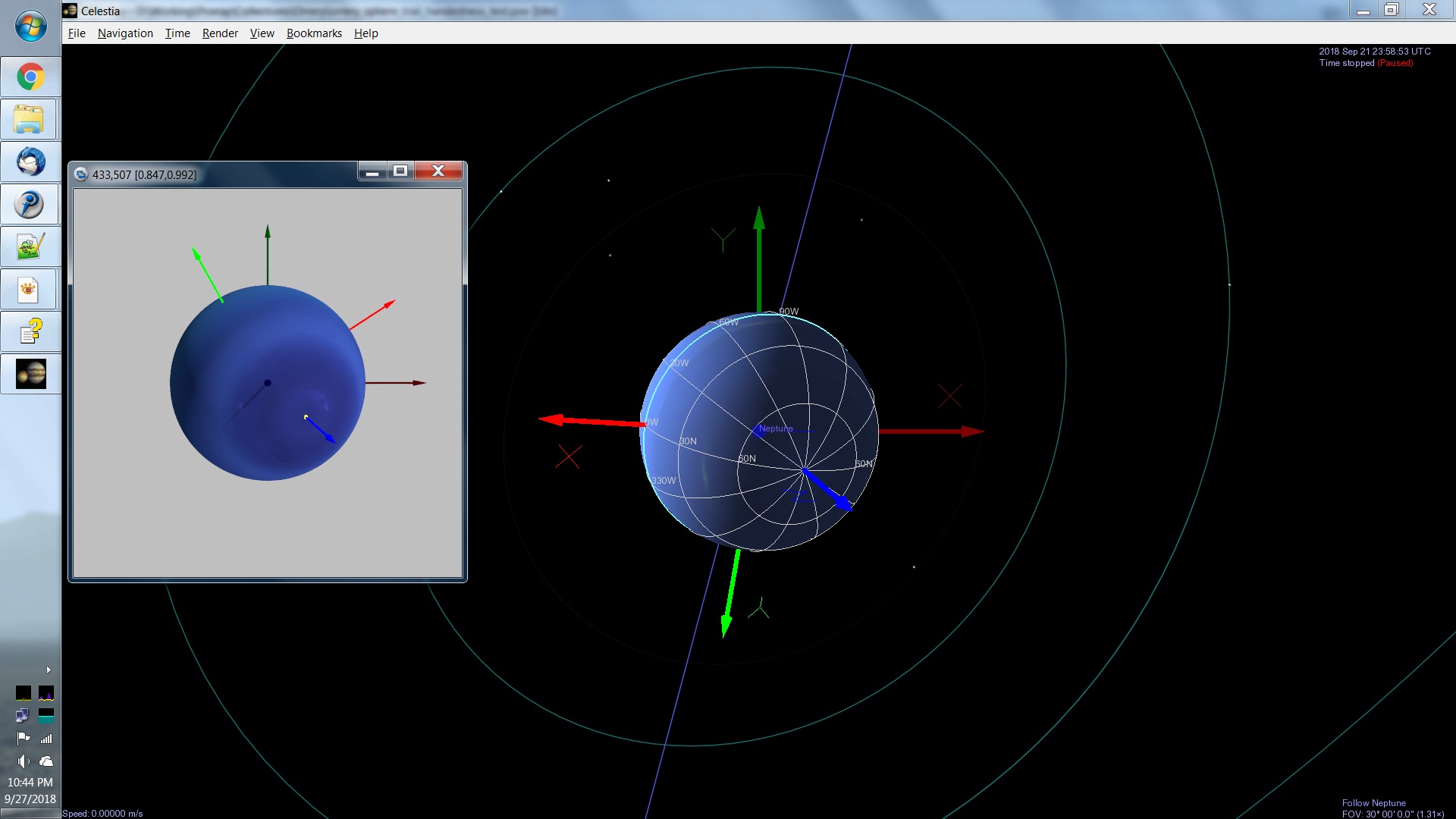
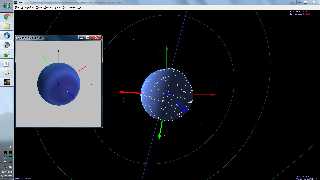
Neptune also seems "close" in the same way.


Mike
Post a reply to this message
Attachments:
Download 'celestia_neptune_01.jpg' (225 KB)
Preview of image 'celestia_neptune_01.jpg'
|
|
| |
| |
|
|
|
|
| |
| |
|
|
On 9/27/2018 10:46 PM, Mike Horvath wrote:
> Neptune also seems "close" in the same way.
>
>
> Mike


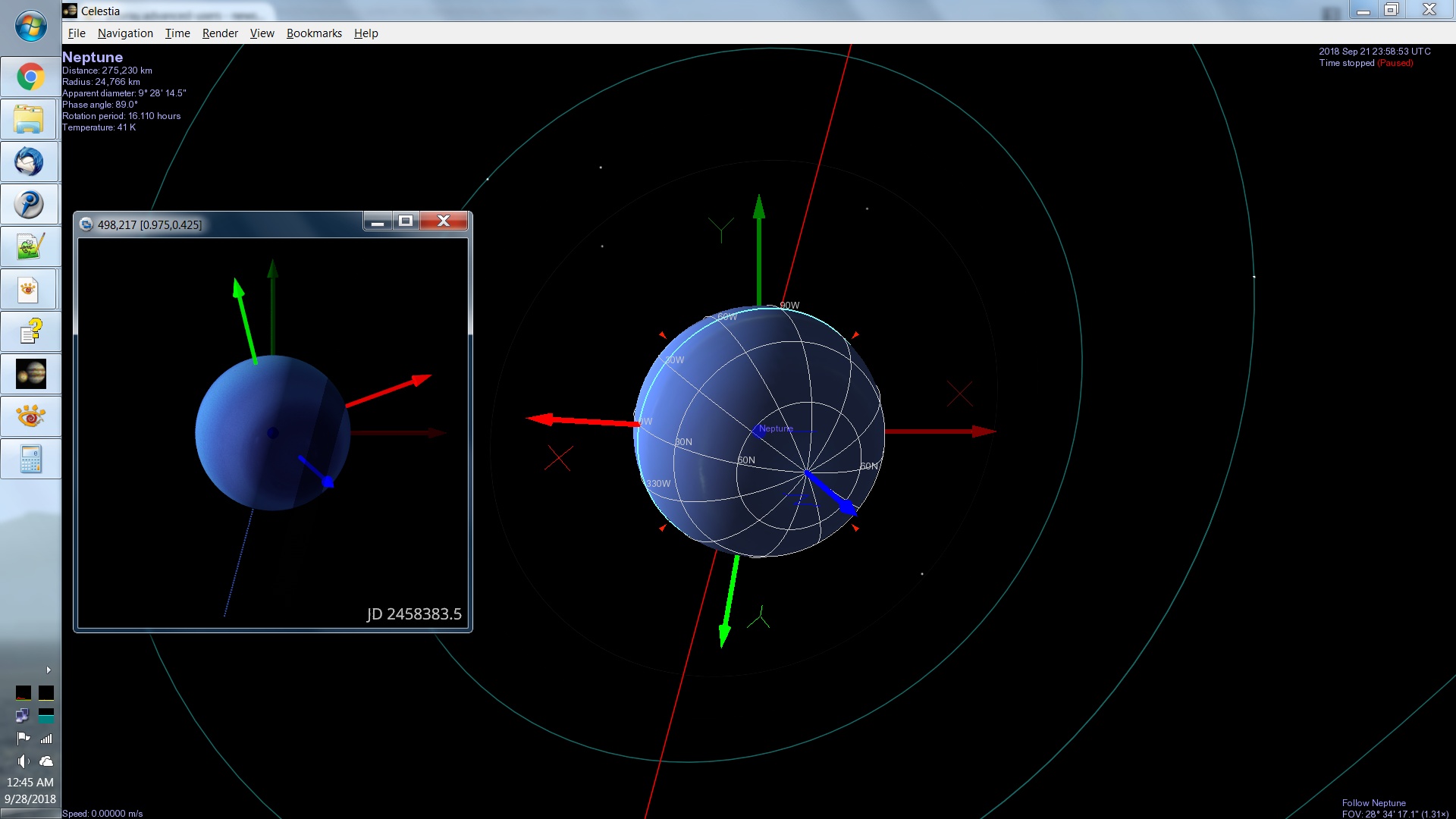
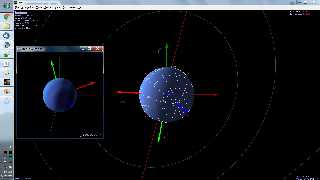
Here's a better view of Neptune if that helps.


Mike
Post a reply to this message
Attachments:
Download 'celestia_neptune_01.jpg' (238 KB)
Preview of image 'celestia_neptune_01.jpg'
|
|
| |
| |
|
|
|
|
| |