|
|
|
|
|
|
| |
| |
|
|
|
|
| |
| |
|
|
For a few weeks now I have connection problems between my PC and
modem/router. I have had the modem/router checked by professionals and
it seems to work as expected, however I can make a wired connection
presently but /not/ a wireless one. As far as I understand it, this
seems to be a problem within my PC. I can illustrate this with a couple
of images.

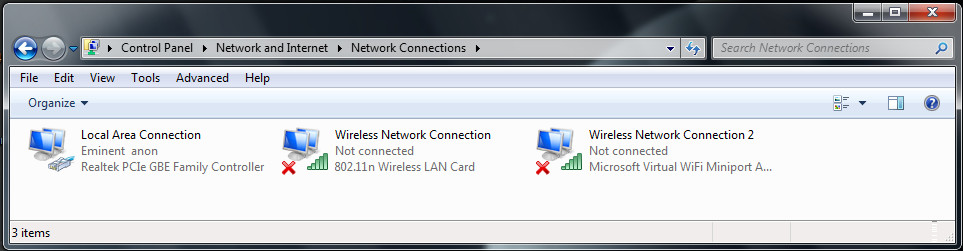
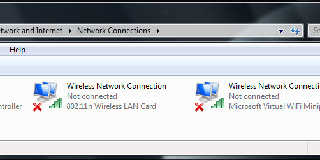
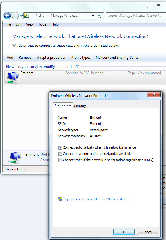
Checking for the network connections, I get the screen in image Network
Connections_01.jpg attached. The used wired connection is at left. I am
concerned with the middle one which says 'not connected'.

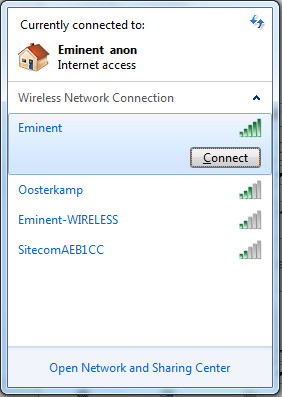
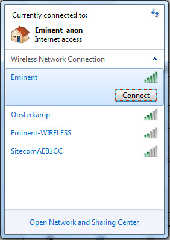
Highlighting it and  clicking 'Connect To' I get the image: Network
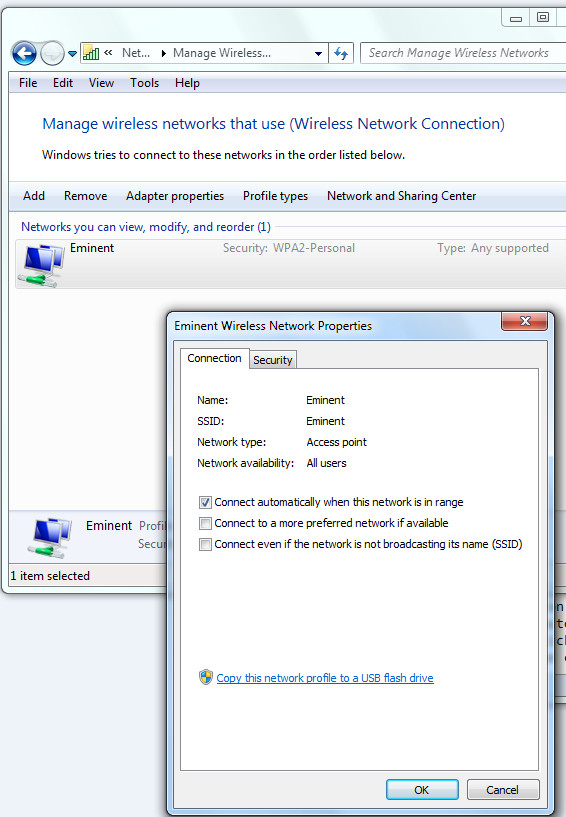
Connections.jpg. The highlighted connection should be mine, surprisingly
it does /not/ say 'connect automatically' with a check box, which it did
in the past. See also image: Network properties.jpg. Anyway, clicking
'connect' does not establish the connection but results in an error
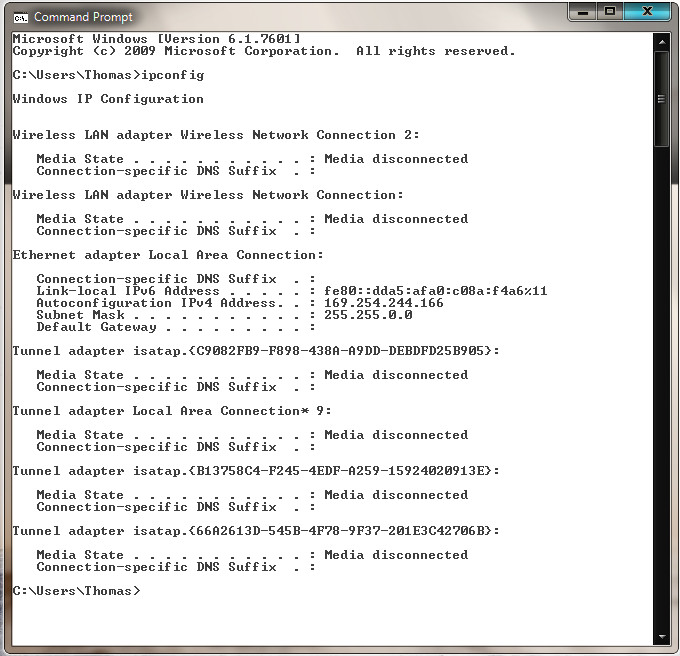
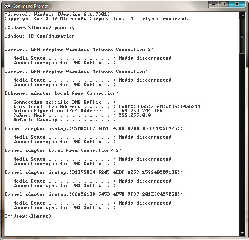
message. As additional info, checking for IP addresses shows the result
in image: ipconfig_on.jpg.

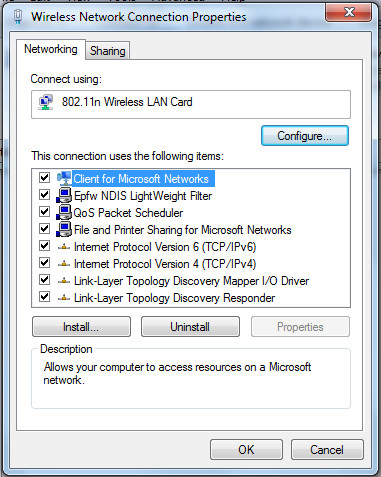
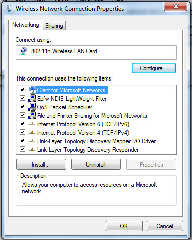
What to do? Something in the Network Connection Properties (image:
Network Connection Properties.jpg)? Or how to make a /new/ network
connection from scratch? Somehow I have not been able to achieve that
:-( Or is there a problem with the Wireless LAN?

I hope this connection will persist long enough to be able to get a
dialogue going. My experience has been that even the wired connection
has a tendency to break down...

Thomas
Post a reply to this message
Attachments:
Download 'network connection_01.jpg' (67 KB)
Download 'network connections.jpg' (33 KB)
Download 'network properties.jpg' (119 KB)
Download 'network connection properties.jpg' (80 KB)
Download 'ipconfig_on.jpg' (108 KB)
Preview of image 'network connection_01.jpg'
Preview of image 'network connections.jpg'
Preview of image 'network properties.jpg'
Preview of image 'network connection properties.jpg'
Preview of image 'ipconfig_on.jpg'
|
|
| |
| |
|
|
|
|
| |
| |
|
|
> What to do? Something in the Network Connection Properties (image:
> Network Connection Properties.jpg)? Or how to make a /new/ network
> connection from scratch? Somehow I have not been able to achieve that
> :-( Or is there a problem with the Wireless LAN?

Has this setup (modem, wireless card, PC, software) ever worked
correctly, or did it just suddenly stop working one day?

Some ideas to try:

- Reinstall your wireless hardware driver (find it in device manager,
right click on it and choose "uninstall" then restart the machine). That
should make it reinstall the drivers and then create a new connection
from scratch.
- Log on as a different user and disable any startup programs
- Try another wireless adaptor (borrow a USB one?)
- Boot from a Linux Live CD (assuming there are drivers for your
wireless card)
Post a reply to this message
|
|
| |
| |
|
|
|
|
| |
| |
|
|
On 19-6-2014 15:27, scott wrote:
> Has this setup (modem, wireless card, PC, software) ever worked
> correctly, or did it just suddenly stop working one day?

Yes, it did work perfectly for several years but gives trouble since a
router's reset.

>
> Some ideas to try:
>
> - Reinstall your wireless hardware driver (find it in device manager,
> right click on it and choose "uninstall" then restart the machine). That
> should make it reinstall the drivers and then create a new connection
> from scratch.
> - Log on as a different user and disable any startup programs
> - Try another wireless adaptor (borrow a USB one?)
> - Boot from a Linux Live CD (assuming there are drivers for your
> wireless card)
>

Thanks.

Thomas
Post a reply to this message
|
|
| |
| |
|
|
|
|
| |
| |
|
|
On 19-6-2014 15:27, scott wrote:
> - Reinstall your wireless hardware driver (find it in device manager,
> right click on it and choose "uninstall" then restart the machine). That
> should make it reinstall the drivers and then create a new connection
> from scratch.

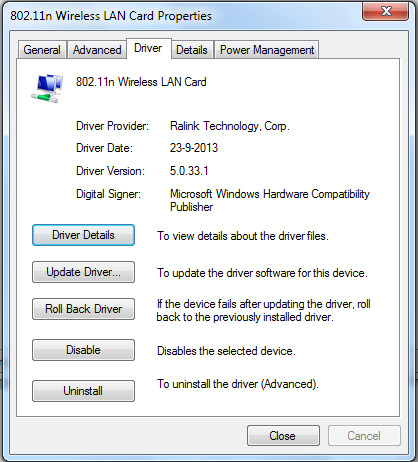
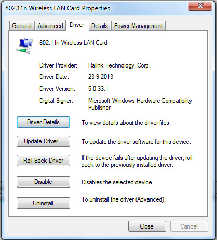
I assume you mean this (see image) in Win7?

Thomas
Post a reply to this message
Attachments:
Download 'wireless lan card properties_drivers.jpg' (73 KB)
Preview of image 'wireless lan card properties_drivers.jpg'
|
|
| |
| |
|
|
|
|
| |
| |
|
|
>> - Reinstall your wireless hardware driver (find it in device manager,
>> right click on it and choose "uninstall" then restart the machine). That
>> should make it reinstall the drivers and then create a new connection
>> from scratch.
>
> I assume you mean this (see image) in Win7?

Yep - I'd just hit uninstall and then restart the machine, it should
then find the "new" hardware and install the driver for it when it
restarts. Make sure you have a copy of the driver handy just in case
Windows has lost it... (maybe a good opportunity to check you have the
latest one anyway).
Post a reply to this message
|
|
| |
| |
|
|
|
|
| |
| |
|
|
On 19-6-2014 16:51, scott wrote:
> Yep - I'd just hit uninstall and then restart the machine, it should
> then find the "new" hardware and install the driver for it when it
> restarts. Make sure you have a copy of the driver handy just in case
> Windows has lost it... (maybe a good opportunity to check you have the
> latest one anyway).
>
Right.

I checked the drivers and they are up to date.

I did something else then (had found that on the web): in the 'Device
Manager' I (1) /uninstalled/ the wireless LAN, then (2) from 'Action' I
did 'Scan for hardware changes'.

Worked but unfortunately, that did not solve the issue.

I am going further tomorrow...

Thomas
Post a reply to this message
|
|
| |
| |
|
|
|
|
| |
| |
|
|
Le 2014-06-19 10:05, Thomas de Groot a écrit :
> On 19-6-2014 15:27, scott wrote:
>> Has this setup (modem, wireless card, PC, software) ever worked
>> correctly, or did it just suddenly stop working one day?
>
> Yes, it did work perfectly for several years but gives trouble since a
> router's reset.
>

Maybe your neighbor put MAC address filters to make you stop from
stealing his bandwidth!  ;)

Seriously though, check your router's encryption settings (Did the WPA
key get reset, etc...)


--
/*Francois Labreque*/#local a=x+y;#local b=x+a;#local c=a+b;#macro P(F//
/*    flabreque    */L)polygon{5,F,F+z,L+z,L,F pigment{rgb 9}}#end union
/*        @        */{P(0,a)P(a,b)P(b,c)P(2*a,2*b)P(2*b,b+c)P(b+c,<2,3>)
/*   gmail.com     */}camera{orthographic location<6,1.25,-6>look_at a }
Post a reply to this message
|
|
| |
| |
|
|
|
|
| |
| |
|
|
> Seriously though, check your router's encryption settings (Did the WPA
> key get reset, etc...)

I assumed Thomas had other devices working ok with the modem via
wireless, but maybe that was an incorrect assumption (I'm used to having
half a dozen devices on wireless) - good call.

I once had a modem/router that would not persist settings after a power
cycle unless you specifically went to the "save changes" page and told
it to save them. Caught me out.
Post a reply to this message
|
|
| |
| |
|
|
|
|
| |
| |
|
|
On 20-6-2014 19:03, Francois Labreque wrote:
> Maybe your neighbor put MAC address filters to make you stop from
> stealing his bandwidth!  ;)

I addressed him sternly and he promised to make amends :-)

>
> Seriously though, check your router's encryption settings (Did the WPA
> key get reset, etc...)

As far as I can tell, That went ok.

Thomas
Post a reply to this message
|
|
| |
| |
|
|
|
|
| |
| |
|
|
On 23-6-2014 9:42, scott wrote:
> I assumed Thomas had other devices working ok with the modem via
> wireless, but maybe that was an incorrect assumption (I'm used to having
> half a dozen devices on wireless) - good call.

I only have one device indeed. So, strictly speaking, I not even do need
wifi, but I like things to work properly of course.

>
> I once had a modem/router that would not persist settings after a power
> cycle unless you specifically went to the "save changes" page and told
> it to save them. Caught me out.

True. I certainly need to 'save' all changes before changing pages on
the modem/router.

Thomas
Post a reply to this message
|
|
| |
| |
|
|
|
|
| |
| |
|
|
>> I assumed Thomas had other devices working ok with the modem via
>> wireless, but maybe that was an incorrect assumption (I'm used to having
>> half a dozen devices on wireless) - good call.
>
> I only have one device indeed.

Ah ok - well if all you did was reset the router and it stopped working,
then it seems likely there is nothing wrong with your PC at all, and the
problem is with the router.

You could try logging in to your router (with a cable) and turning off
all wifi encryption just to see if the PC can connect at all (of course
turn it back on straight after). While you're in there also have a look
through to make sure there's nothing else preventing the connection.

I don't know if windows remembers the access point by name or not, but
you could try changing the SSID of the router to see if that makes
windows "forget" the old connection and make a new one.
Post a reply to this message
|
|
| |
| |
|
|
|
|
| |
| |
|
|
On 23-6-2014 12:55, scott wrote:
> Ah ok - well if all you did was reset the router and it stopped working,
> then it seems likely there is nothing wrong with your PC at all, and the
> problem is with the router.

I seem to remember to have deleted also some wireless networks that
seemed redundant to me and probably generated in the past... Just kept
the most 'familiar' one. Can I delete that too, and try to make a brand
new network? because all changes to the network now just change the
existing network without connecting.

>
> You could try logging in to your router (with a cable) and turning off
> all wifi encryption just to see if the PC can connect at all (of course
> turn it back on straight after). While you're in there also have a look
> through to make sure there's nothing else preventing the connection.
>

I do not seem to be able to turn off all encryption. It is either TKIP
or AES or both. However, disabling the Authentication Type (from
WPA-PSK/WPA2-PSK normally) did not either make a connection possible.

> I don't know if windows remembers the access point by name or not, but
> you could try changing the SSID of the router to see if that makes
> windows "forget" the old connection and make a new one.

No, this does not make any difference.


Running the Maintenance Diagnostics of the modem/router, I get two
failures: one at "Testing ATM OAM segment ping" and the other at
"Testing ATM OAM end to end ping".

At the ATM VC section I see nothing strange, and equal to when
everything worked:
Virtual Circuit: PVC0
Status: activated
VPI: 8
VCI: 48
ATM QoS: UBR
PCR: 0

Thomas
Post a reply to this message
|
|
| |
| |
|
|
|
|
| |
| |
|
|
> I seem to remember to have deleted also some wireless networks that
> seemed redundant to me and probably generated in the past... Just kept
> the most 'familiar' one. Can I delete that too, and try to make a brand
> new network? because all changes to the network now just change the
> existing network without connecting.

There's no harm in deleting all the stored wireless networks, the worst
that will happen is that you need to re-enter the encryption key.

> I do not seem to be able to turn off all encryption. It is either TKIP
> or AES or both. However, disabling the Authentication Type (from
> WPA-PSK/WPA2-PSK normally) did not either make a connection possible.

That's strange - it would really help to get another device (even just a
smartphone) to try and connect to the router via wifi. That would tell
you if the problem was with the router or the PC.
Post a reply to this message
|
|
| |
| |
|
|
|
|
| |