|
|
|
|
|
|
| |
| |
|
|
|
|
| |
| |
|
|
Remember this?

http://i.imgur.com/qha1n.jpg

As Darren said, "I'd pay for that!"

Well, there are various free programs on the Internet which claim to do
the same task for you. For example, Dr P. J. Tadrous has written
"Biram", a suite of CLI utilities for image processing, together with
"BiaQIm", a minimal GUI front-end covering a tiny fraction of these
tools. One of the capabilities of this toolbox is blind deconvolution
(i.e., elimination of camera shake and focusing errors).

The software is gratis but non-libre. To say it is the most cryptic,
kludgey and unreliable crock of junk would be generous. Very generous.
Basically, we're looking at a scientific image analysis expert who
learned to write C so that he could do image processing.

The suite is documented in two diabolically awful PDF files that look
like they were written using MS Word with the ugliest available colours
and font styles. The manual for BiaQIm has a table of contents that
needs a table of contents. The manual for Biram has a 1-page ToC which
doesn't tell you which program is described on which page. It only tells
you which pages the introduction and appendices are on. None of the ToCs
are hyperlinked.

In order to do any image processing, the images must be transformed into
either an uncompressed BMP file (i.e., Windows bitmap), or one of
several "raw" formats that consists of (for example) an array of C
"double" values in one file, and a textual header file (who's name must
be related to the image file in an undocumented way) that tells the
program how big the bitmap is.

Deconvolution can only be performed on monochrome images. Therefore, you
must use BiaQIm to load a BMP image, transform it into 3 separate R, G
and B images, and then run the deconvolution process on one channel. You
can then use the point spread function (PSF) thus constructed to
deconvolve the other two channels. Then you can manually recombine all
the channels together.

In theory. I haven't actually tried it yet. As it is, it already took me
several hours to figure out how to make BiaQIm do /any/ processing at
all; by default, the output image is saved over the top of the input
image, crashing the program and erasing the input file. It took ages to
figure out how to fix this.

Of course, /blind/ deconvolution (the kind we need here) isn't supported
by BiaQIm (the GUI); you must use the raw CLI commands directly. Oh
goodie. The program in question is DeconIB ("iterative blind
deconvolution"). Its command line arguments are the image dimensions,
the image file (which, contrary to the documentation, can /not/ be a BMP
file), the output filename, and a "configuration file".

The configuration file is a text file containing key/value pairs. When
you invoke a tool through BiaQIm, it generates this file for you. But in
this instance, you must write it yourself. The file must have LF line
ends; this is not documented anywhere. Failure to observe this
requirement causes the program to fail. As it is, when you set the log
file name, the program complains that it cannot create the log file.
Unless you say an intermediate file output interval - in which case, the
output interval becomes the log filename. (E.g., the log file might be
named "5". Not "5.log", just "5".) Except that if the output interval
field is long enough, the log file is then named "[Log__File__Name]"
instead.

In short, the configuration file parser is utterly buggered. Somebody
has obviously got their pointer arithmetic wonky somewhere. They're
either reading the wrong pointer or else there's some other kind of
logic error in there. The whole thing is as screwy as a squirrel. It's
busted.


What does the documentation have to say about DeconIB?

"DeconIB deconvolves the input image and estimates the PSF by my
implementation of the iterative blind deconvolution (IBD) based on the
Ayers & Dainty algorithm (Ayers GR, Dainty JC. An iterative blind
deconvolution method and its applications. Optics Letters (1988);
13:547-549) but using incremental Weiner filters which result in more
stable convergence. The ability to vary the SNR of the Weiner filters
for PSF and image independently at each iteration, to periodically
register the PSF estimate (i.e. phase clamping) and customisable
constraints for support, upper & lower image grey levels is also
provided. [...]"

You understood all that, right?

(As an aside, where the HELL do you obtain the sited paper from? Unless
you work in a research laboratory, I can't figure out how the hell you
would obtain a copy of this...)

"Usage:
DeconIB <datatype> <height> <width> <input_image> <out_datatype>
<out_root> <settings_file>

Settings file:
See Appendix A"

Appendix A gives has a few pages of dense formulas. (Well hey, this *is*
a technical tool, right??) In describing how the image spatial
constraints are applied, the author has this to say:

"In DeconIB I use an energy conserving and energy redistributing
procedure as follows:
regcount++;
if(regcount==regthresh){
for(idx=0;idx<size;idx++){dn=Hk_real[idx]; if(dn<0.0) dn=0.0;
Hk_tmp[idx]=dn; }
quadrange(height,width,&Hk_tmp,-1);
com_fn(height,width,&Hk_tmp,&Fx_com,&Fy_com);
s_shift(height,width,&Hk_real,&Hk_tmp,Fx_cen-Fx_com,Fy_cen-Fy_com,1);
for(idx=0;idx<size;idx++) if(mask_PSF[idx]<250) Hk_real[idx]=0.0; else
Hk_real[idx]=Hk_tmp[idx];
regcount=0;
} else for(idx=0;idx<size;idx++) if(mask_PSF[idx]<250) Hk_real[idx]=0.0;
flux=0.0; bestflux=DBL_MAX;
for(idx=0;idx<size;idx++)
if(mask_PSF[idx]>250){
dn=Hk_real[idx];
if(dn<0.0)Hk_real[idx]=0.0;
flux+=Hk_real[idx];
}
flux_corrector=(1.0-flux)/PSF_supp_sz;
redistribute_PSF_flux:
if(flux_corrector>0.0){
for(idx=0;idx<size;idx++) if(mask_PSF[idx]>250)Hk_real[idx]+=flux_corrector;
} else {
levellimit=fabs(flux_corrector);
for(idx=0;idx<size;idx++) if(mask_PSF[idx]>250 AND
Hk_real[idx]>=levellimit)Hk_real[idx]+=flux_corrector; else
Hk_real[idx]=0.0;
}
newflux=0.0;
for(idx=0;idx<size;idx++)if(mask_PSF[idx]>250)newflux+=Hk_real[idx];
flux_corrector=(1.0-newflux)/PSF_supp_sz;
dn=fabs(flux_corrector);
if(dn<bestflux){
bestflux=dn;
goto redistribute_PSF_flux;
}
"

Well, yes, that makes it *completely* clear how that works. :-P

(Let me guess: somebody told you that "the source code *is* the
documentation"?)

Getting to the actual file contents, we find entries such as

"[Img_Support_ht_wd] 5 11

specifies a central rectangle. Use even numbers if the image dimensions
are even and vice versa else asymmetric support regions will result"

Note the lack of a capital letter at the start of the first sentence,
and the lack of the full stop at the end of the second sentence. This is
as in the source, and indicates the general quality level of the entire
document.

But most of all, note the lack of any indication of WHAT THE PURPOSE of
this "central rectangle" actually is! Yeah, OK, so it defines a
rectangle in image space. WHAT IS IT FOR?! Hello? This is supposed to be
*documentation*?


Owing to the above, I spent several hours running and rerunning the
program before I finally managed to make it output something that wasn't
a black image with a white rectangle in the center with a size matching
[Img_Support_ht_wd]. If you set the value of this field equal to the
input image dimensions, then the program appears to lock up for an
insanely long time. Eventually it outputs a non-blank image. It is
*vastly* more blurry than the input. I mean, you can barely tell what
the hell it *is*.

Then I noticed that I set the program for 5 iterations. The example in
the documentation shows 2000 iterations. So I tried higher...
Post a reply to this message
|
|
| |
| |
|
|
|
|
| |
| |
|
|
On 02/12/2011 10:30 AM, Invisible wrote:

> [Img_Support_ht_wd]. If you set the value of this field equal to the
> input image dimensions, then the program appears to lock up for an
> insanely long time. Eventually it outputs a non-blank image. It is
> *vastly* more blurry than the input. I mean, you can barely tell what
> the hell it *is*.
>
> Then I noticed that I set the program for 5 iterations. The example in
> the documentation shows 2000 iterations. So I tried higher...

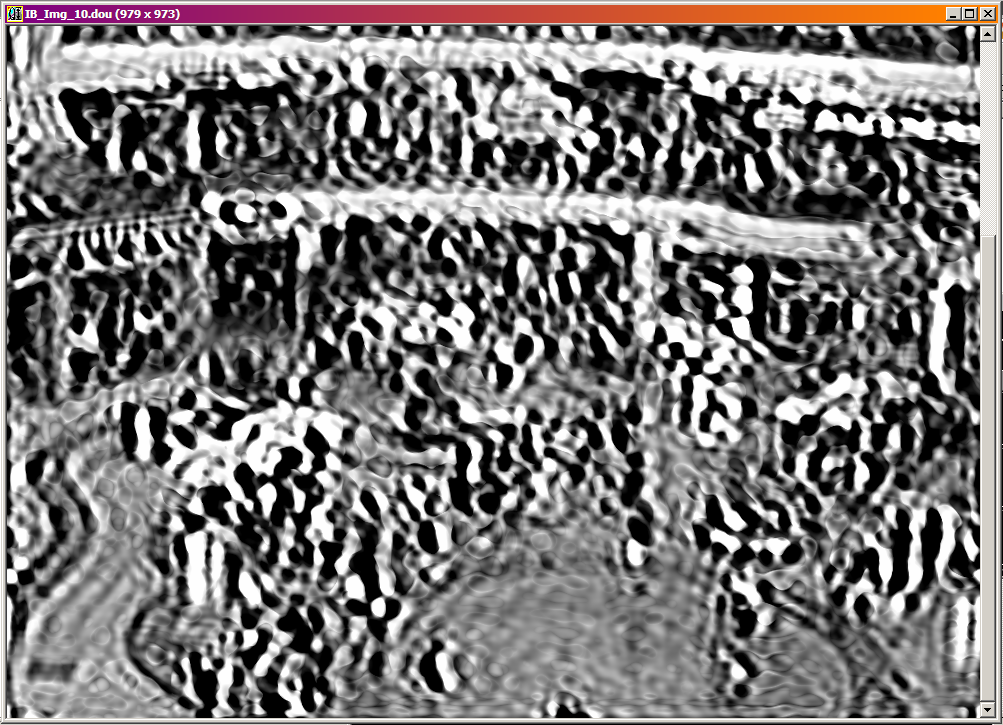
This is what the image looks like after 10 iterations. It took 15
minutes to perform the computation.

As you can see, the image is garbage. If you look back at the original,
you can JUST BARELY make out some of the really obvious features, like
the balconies and vertical blobs that might be people. But that's about it.
Post a reply to this message
Attachments:
Download 'iter010.png' (603 KB)
Preview of image 'iter010.png'
|
|
| |
| |
|
|
|
|
| |
| |
|
|
>> Then I noticed that I set the program for 5 iterations. The example in
>> the documentation shows 2000 iterations. So I tried higher...
>
> This is what the image looks like after 10 iterations. It took 15
> minutes to perform the computation.

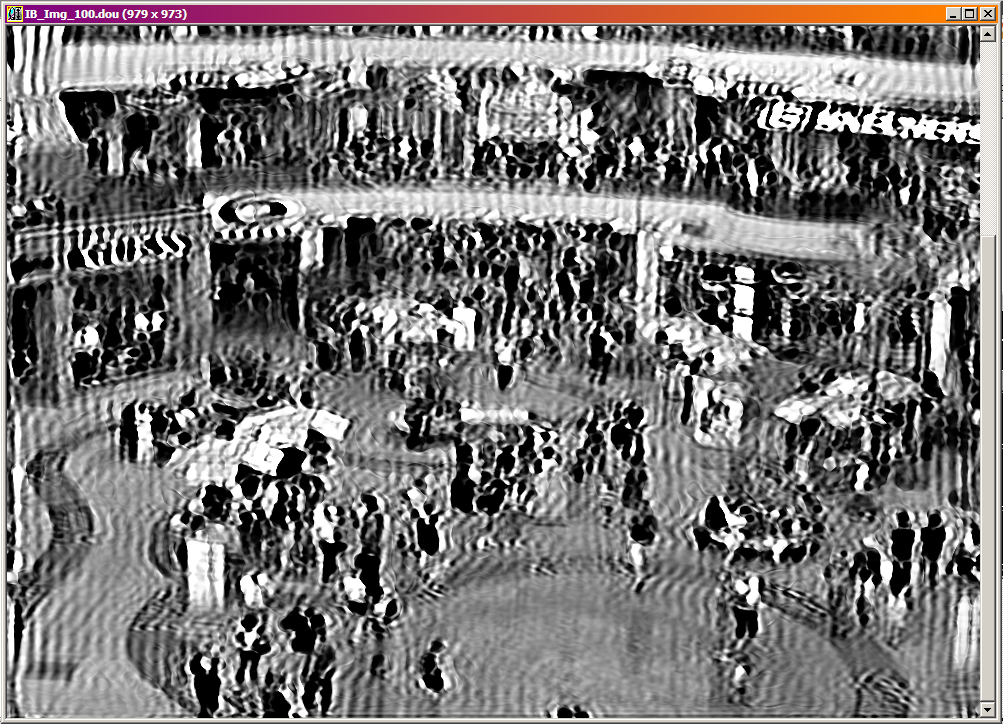
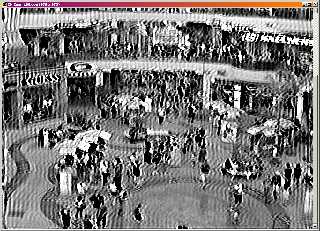
Here it is again after 100 iterations. (I don't have a record of how
long that took.)

The squiggles are higher-frequency now, and if you already know what the
image is supposed to look like, you can just about tell what the various
blobs are. Obviously this is in no way an "improvement" on the blurry
original.
Post a reply to this message
Attachments:
Download 'iter100.png' (742 KB)
Preview of image 'iter100.png'
|
|
| |
| |
|
|
|
|
| |
| |
|
|
On 02/12/2011 10:35 AM, Invisible wrote:

> Here it is again after 100 iterations.

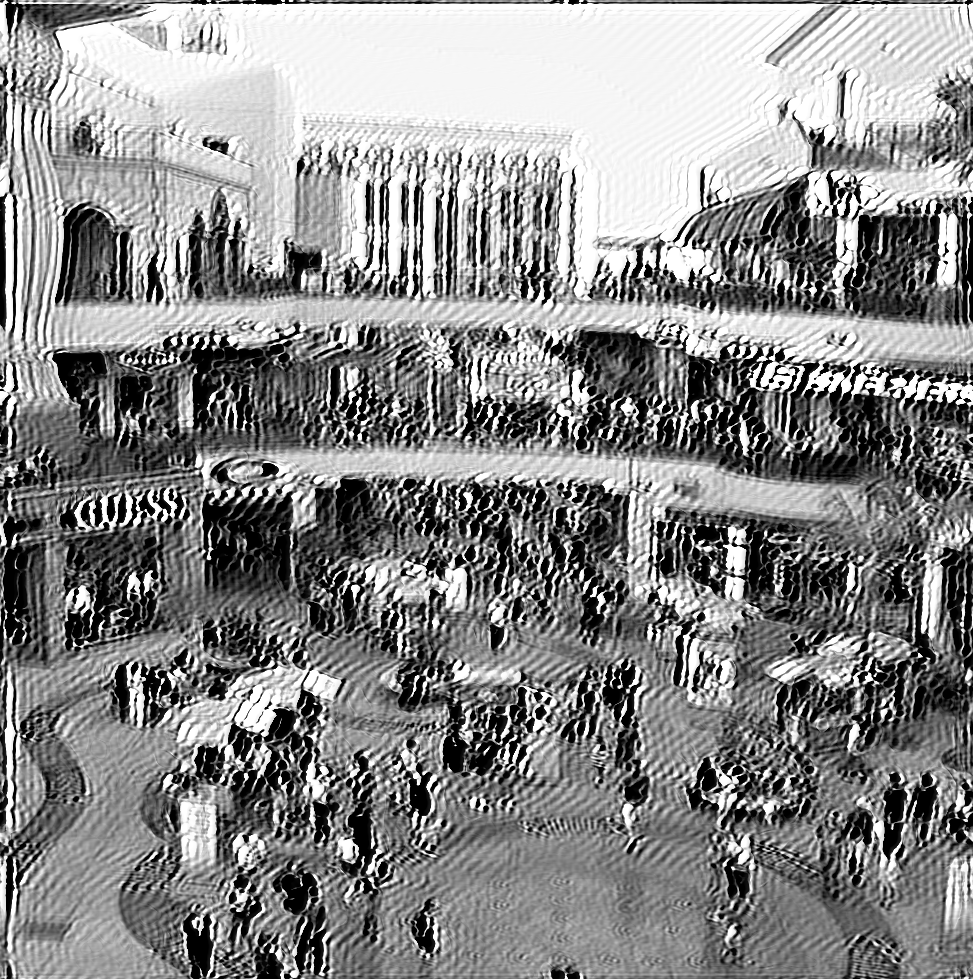
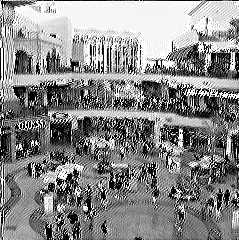
Here we are again, after 500 iterations. That's almost exactly 12 hours
of computer time, on [one core of] an Intel Core2 Duo 2.2 GHz running in
32-bit mode.

12 hours, to generate... this??

In fairness, the motion blur seems to be gone. It's just that the crazy
zigzag lines are far worse than what we started with. Note also how
every image /is/ an improvement on the one before. So it looks like if I
leave this running for, say, a month... I might actually get back a
usable deblurred image.

Caveat #1: I may have configured the software wrong. It's so poorly
documented, I have no clue what I'm doing here. This is the only
combination of settings I've found which doesn't produce a black image.

Caveat #2: The Photoshop thing is probably using the GPU to accelerate
the **** out of this stuff. It wouldn't surprise me if taking 2D DFTs is
vastly faster on a GPU than on a CPU.
Post a reply to this message
Attachments:
Download 'iter500.png' (794 KB)
Preview of image 'iter500.png'
|
|
| |
| |
|
|
|
|
| |
| |
|
|
Invisible <voi### [at] dev null> wrote:
> The software is gratis but non-libre. To say it is the most cryptic,
> kludgey and unreliable crock of junk would be generous. Very generous.
> Basically, we're looking at a scientific image analysis expert who
> learned to write C so that he could do image processing.
It's unfortunate that experts in math and experts in programming seldom
happen to be the same person.
--
- Warp null> wrote:
> The software is gratis but non-libre. To say it is the most cryptic,
> kludgey and unreliable crock of junk would be generous. Very generous.
> Basically, we're looking at a scientific image analysis expert who
> learned to write C so that he could do image processing.
It's unfortunate that experts in math and experts in programming seldom
happen to be the same person.
--
- Warp
Post a reply to this message
|
|
| |
| |
|
|
|
|
| |
| |
|
|
On 02/12/2011 02:01 PM, Warp wrote:
> Invisible<voi### [at] devnull>  wrote:
>> The software is gratis but non-libre. To say it is the most cryptic,
>> kludgey and unreliable crock of junk would be generous. Very generous.
>> Basically, we're looking at a scientific image analysis expert who
>> learned to write C so that he could do image processing.
>
>    It's unfortunate that experts in math and experts in programming seldom
> happen to be the same person.

Yeah. Although, the first thing that sprang to mind was Knuth, TBH.

Then again, I'm sure there are plenty of people who produce web pages
with beautiful design and horrid code, or vice versa, because graphic
design and web coding are different skills. You could probably find lots
of similar examples elsewhere too...
Post a reply to this message
|
|
| |
| |
|
|
|
|
| |
| |
|
|
On 12/2/2011 2:41 AM, Invisible wrote:
>
> Caveat #2: The Photoshop thing is probably using the GPU to accelerate
> the **** out of this stuff. It wouldn't surprise me if taking 2D DFTs is
> vastly faster on a GPU than on a CPU.

I believe that the initial implementation of their algorithm ran on a
single CPU core and took six minutes for a 1-megapixel image.  The
current version is probably better though.
Post a reply to this message
|
|
| |
| |
|
|
|
|
| |
| |
|
|
On 02/12/2011 02:21 PM, Kevin Wampler wrote:
> On 12/2/2011 2:41 AM, Invisible wrote:
>>
>> Caveat #2: The Photoshop thing is probably using the GPU to accelerate
>> the **** out of this stuff. It wouldn't surprise me if taking 2D DFTs is
>> vastly faster on a GPU than on a CPU.
>
> I believe that the initial implementation of their algorithm ran on a
> single CPU core and took six minutes for a 1-megapixel image. The
> current version is probably better though.

That's the other thing of course - there's nothing to say that Photoshop
is using the same algorithm, or even a slightly similar algorithm. Maybe
that's the important step - they found some more efficient mathematics?
Post a reply to this message
|
|
| |
| |
|
|
|
|
| |
| |
|
|
On 12/2/2011 2:30 AM, Invisible wrote:
>
> (As an aside, where the HELL do you obtain the sited paper from? Unless
> you work in a research laboratory, I can't figure out how the hell you
> would obtain a copy of this...)
>

Probably by using the subtle and mysterious technique of typing the
paper's name into Google and clicking on the top link:

http://optics.nuigalway.ie/people/chris/chrispapers/Paper046.pdf
Post a reply to this message
|
|
| |
| |
|
|
|
|
| |
| |
|
|
On 02/12/2011 02:40 PM, Kevin Wampler wrote:
> On 12/2/2011 2:30 AM, Invisible wrote:
>>
>> (As an aside, where the HELL do you obtain the sited paper from? Unless
>> you work in a research laboratory, I can't figure out how the hell you
>> would obtain a copy of this...)
>>
>
> Probably by using the subtle and mysterious technique of typing the
> paper's name into Google and clicking on the top link:

I tried typing the journal's name in... but they wouldn't let me read
any more than the abstract. I'm quite surprised you managed to find the
full text. (Looks like somebody's scanned it and put it online.)
Post a reply to this message
|
|
| |
| |
|
|
|
|
| |
| |
|
|
On 12/2/2011 7:01 AM, Invisible wrote:
> On 02/12/2011 02:40 PM, Kevin Wampler wrote:
>> On 12/2/2011 2:30 AM, Invisible wrote:
>>>
>>> (As an aside, where the HELL do you obtain the sited paper from? Unless
>>> you work in a research laboratory, I can't figure out how the hell you
>>> would obtain a copy of this...)
>>>
>>
>> Probably by using the subtle and mysterious technique of typing the
>> paper's name into Google and clicking on the top link:
>
> I tried typing the journal's name in...

That was your mistake then.  Always try searching for the name of the
paper first.
Post a reply to this message
|
|
| |
| |
|
|
|
|
| |
| |
|
|
>>>> (As an aside, where the HELL do you obtain the sited paper from? Unless
>>>> you work in a research laboratory, I can't figure out how the hell you
>>>> would obtain a copy of this...)
>>>
>>> Probably by using the subtle and mysterious technique of typing the
>>> paper's name into Google and clicking on the top link:
>>
>> I tried typing the journal's name in...
>
> That was your mistake then. Always try searching for the name of the
> paper first.

The journal's name is short, while the paper's title is long. Searches
don't work properly for long phrases, only short ones.

Perhaps the author's name would have worked. (Although it's very
difficult to spell...)
Post a reply to this message
|
|
| |
| |
|
|
|
|
| |
| |
|
|
On 12/2/2011 7:11 AM, Invisible wrote:
> The journal's name is short, while the paper's title is long. Searches
> don't work properly for long phrases, only short ones.

not true

> Perhaps the author's name would have worked. (Although it's very
> difficult to spell...)

copy and paste
Post a reply to this message
|
|
| |
| |
|
|
|
|
| |
| |
|
|
On 02/12/2011 03:21 PM, Kevin Wampler wrote:
> On 12/2/2011 7:11 AM, Invisible wrote:
>> The journal's name is short, while the paper's title is long. Searches
>> don't work properly for long phrases, only short ones.
>
> not true

In my experience, the more specific the search term, the lower the
probability of Google returning any matches at all.

>> Perhaps the author's name would have worked. (Although it's very
>> difficult to spell...)
>
> copy and paste

For reasons unknown, the appendix is normal, selectable text, but the
references section at the end of it is a [low resolution] bitmap image
of some text. WTF?

Fortunately, this particular citation is repeated on the body text. (I
didn't realise that until I wrote this post.)
Post a reply to this message
|
|
| |
| |
|
|
|
|
| |
| |
|
|
On 12/2/2011 7:29 AM, Invisible wrote:
> On 02/12/2011 03:21 PM, Kevin Wampler wrote:
>> On 12/2/2011 7:11 AM, Invisible wrote:
>>> The journal's name is short, while the paper's title is long. Searches
>>> don't work properly for long phrases, only short ones.
>>
>> not true
>
> In my experience, the more specific the search term, the lower the
> probability of Google returning any matches at all.

Blimey man, just take the advice.  If you want to find a paper try
putting the paper's title into Google.  It worked on this one and it'll
work on many others too.
Post a reply to this message
|
|
| |
| |
|
|
|
|
| |
| |
|
|
Am 02.12.2011 16:11, schrieb Invisible:

>> That was your mistake then. Always try searching for the name of the
>> paper first.
>
> The journal's name is short, while the paper's title is long. Searches
> don't work properly for long phrases, only short ones.

Apparently you're wrong there.

Remember to put long phrases in quotation marks, so that Google actually
searches for the phrase rather than the individual words.
Post a reply to this message
|
|
| |
| |
|
|
|
|
| |
| |
|
|
On 12/2/2011 8:01 AM, clipka wrote:
> Am 02.12.2011 16:11, schrieb Invisible:
>
>>> That was your mistake then. Always try searching for the name of the
>>> paper first.
>>
>> The journal's name is short, while the paper's title is long. Searches
>> don't work properly for long phrases, only short ones.
>
> Apparently you're wrong there.
>
> Remember to put long phrases in quotation marks, so that Google actually
> searches for the phrase rather than the individual words.

Ironically that doesn't work in this case (although in most cases it's
still a good idea).  The reason is that the title as Invisible posted it
had the word "an" at the beginning which doesn't appear in the actual
title of the paper.  Only a search without the quotations seems to yield
the correct result. Fortunately the solution is trivial: if searching
with quotations doesn't work, try it without.
Post a reply to this message
|
|
| |
| |
|
|
|
|
| |
| |
|
|
> http://optics.nuigalway.ie/people/chris/chrispapers/Paper046.pdf

Oh... Well that was easy. The whole thing is only 3 pages, and written
in language that a DSP novice can understand. (Although some of the
notation still baffles me.)
Post a reply to this message
|
|
| |
| |
|
|
|
|
| |
| |
|
|
On 12/2/2011 7:11, Invisible wrote:
> The journal's name is short, while the paper's title is long. Searches don't
> work properly for long phrases, only short ones.

What are you smoking.

Anyway, paste the entire abstract in, and it'll likely work too.

--
Darren New, San Diego CA, USA (PST)
   People tell me I am the counter-example.
Post a reply to this message
|
|
| |
| |
|
|
|
|
| |
| |
|
|
On 02/12/2011 04:17 PM, Invisible wrote:
>> http://optics.nuigalway.ie/people/chris/chrispapers/Paper046.pdf
>
> Oh... Well that was easy. The whole thing is only 3 pages, and written
> in language that a DSP novice can understand. (Although some of the
> notation still baffles me.)

So today I sat down and implemented the algorithm. I was unsurprised but
rather disappointed to discover that IT DOESN'T WORK.

I tried it on an artificially simplified 1D example. Invented a fake
signal, convolved it with a simple filter kernel, and then let the
algorithm try to recover the original signal. The end result bore
absolutely no resemblance to the original.

It's possible that 44 samples just isn't enough for a reasonably unique
solution to exist. More likely I've implemented the DFT wrong or
something...
Post a reply to this message
|
|
| |
| |
|
|
|
|
| |
|
|