|
|
|
|
|
|
| |
| |
|
|
|
|
| |
| |
|
|
Do NOT install Google Sketchup at 10:30 PM. This will not end well...

--
http://blog.orphi.me.uk/
http://www.zazzle.com/MathematicalOrchid*
Post a reply to this message
|
|
| |
| |
|
|
|
|
| |
| |
|
|
Haha... Hmm, Sketckup is a lot of fun, but as soon as you try to do
something complicated, it becomes maddeningly annoying to use. (Most
especially camera placement. Try zooming around inside a large building.
Good luck figuring out where the **** the camera is and what it's
actually looking at!)

--
http://blog.orphi.me.uk/
http://www.zazzle.com/MathematicalOrchid*
Post a reply to this message
|
|
| |
| |
|
|
|
|
| |
| |
|
|
On Sat, 03 Oct 2009 11:55:00 +0100, Orchid XP v8 <voi### [at] dev null> wrote:
>Haha... Hmm, Sketckup is a lot of fun, but as soon as you try to do
>something complicated, it becomes maddeningly annoying to use. (Most
>especially camera placement. Try zooming around inside a large building.
>Good luck figuring out where the **** the camera is and what it's
>actually looking at!)
There is a guy at the tc-rtc called chandan who is using Sketckup. See:
http://www.tc-rtc.co.uk/member/imagenewdisplay/index242.html
--
Regards
Stephen null> wrote:
>Haha... Hmm, Sketckup is a lot of fun, but as soon as you try to do
>something complicated, it becomes maddeningly annoying to use. (Most
>especially camera placement. Try zooming around inside a large building.
>Good luck figuring out where the **** the camera is and what it's
>actually looking at!)
There is a guy at the tc-rtc called chandan who is using Sketckup. See:
http://www.tc-rtc.co.uk/member/imagenewdisplay/index242.html
--
Regards
Stephen
Post a reply to this message
|
|
| |
| |
|
|
|
|
| |
| |
|
|
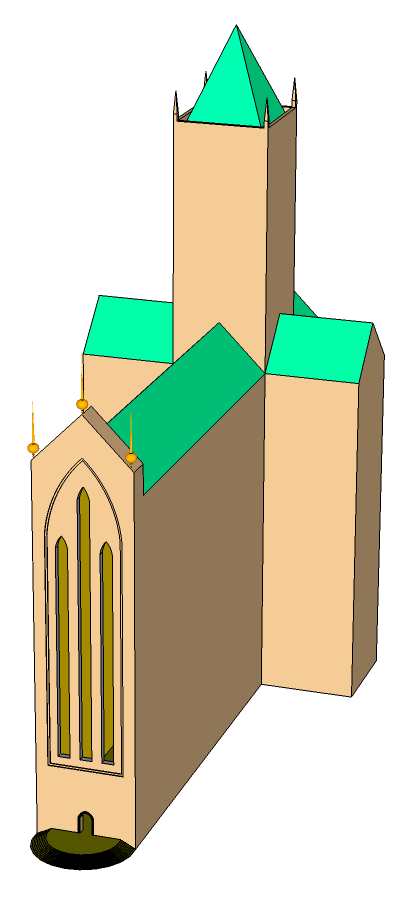
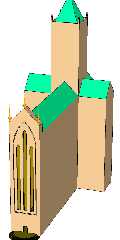
Welcome to my church. It's not quite finished yet...

--
http://blog.orphi.me.uk/
http://www.zazzle.com/MathematicalOrchid*
Post a reply to this message
Attachments:
Download 'aa19-crop.png' (16 KB)
Preview of image 'aa19-crop.png'
|
|
| |
| |
|
|
|
|
| |
| |
|
|
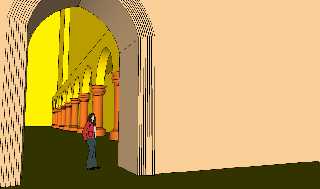
Orchid XP v8 wrote:
> Welcome to my church. It's not quite finished yet...

Suffice it to say, it's frickin' HUGE!

Also: Moving objects around is almost intractably hard. Seriously.

--
http://blog.orphi.me.uk/
http://www.zazzle.com/MathematicalOrchid*
Post a reply to this message
Attachments:
Download 'ab10.png' (55 KB)
Preview of image 'ab10.png'
|
|
| |
| |
|
|
|
|
| |
| |
|
|
Orchid XP v8 wrote:
> Sketckup is a lot of fun,

Can it export stuff POV-Ray can use?

--
   Darren New, San Diego CA, USA (PST)
   I ordered stamps from Zazzle that read "Place Stamp Here".
Post a reply to this message
|
|
| |
| |
|
|
|
|
| |
| |
|
|
Orchid XP v8 <voi### [at] devnull> wrote:
> Orchid XP v8 wrote:
> > Welcome to my church. It's not quite finished yet...
>
> Suffice it to say, it's frickin' HUGE!

It's certainly higher than most goth cathedrals... :)

> Also: Moving objects around is almost intractably hard. Seriously.

welcome to 3D visual modelling! :D

There must be something similar to Blender, where you may organize objects by
layer (and select visible ones) and also may focus on editing certain parts of
an object while others are hidden.  Makes quite a difference.
Post a reply to this message
|
|
| |
| |
|
|
|
|
| |
| |
|
|
nemesis wrote:
> welcome to 3D visual modelling! :D

*That* is what I want Minority Report gloves for! :-)

Move over and use the Spex.

--
   Darren New, San Diego CA, USA (PST)
   I ordered stamps from Zazzle that read "Place Stamp Here".
Post a reply to this message
|
|
| |
| |
|
|
|
|
| |
| |
|
|
On Sat,  3 Oct 2009 16:50:34 EDT, "nemesis" <nam### [at] gmailcom> wrote:

>
>There must be something similar to Blender, where you may organize objects by
>layer (and select visible ones) and also may focus on editing certain parts of
>an object while others are hidden.  Makes quite a difference.

Both Moray and Bishop3D have layers whose properties can be visible in the GUI
and/or Renderer (Pov). And you can adjust the OpenGL clipping.
--

Regards
     Stephen
Post a reply to this message
|
|
| |
| |
|
|
|
|
| |
| |
|
|
>>> Welcome to my church. It's not quite finished yet...
>> Suffice it to say, it's frickin' HUGE!
>
> It's certainly higher than most goth cathedrals... :)

Well... It's only 100 meters tall. (That's about 300 feet or something,
right?) The central tower is higher though.

>> Also: Moving objects around is almost intractably hard. Seriously.
>
> welcome to 3D visual modelling! :D

Fair play to SketchUp; this is the first time I've ever managed to model
something more complex than a few spheres and cylinders in CSG.

The fun part is this: Say you want to add a window. So you draw a shape,
fiddle with it, and then cut it out. Oh, wait, that's not quite in the
right spot. OK, well I'll just... ah. Once you *cut* the window, you
lose all ability to modify it any further. You can't edit the original
curve any more, because it doesn't exist.

Now, sure, if your window is rectangular, the push/pull tool makes it
easy enough to continue. But what if you made a *circular* window? Or
some even more complex shape?...

> There must be something similar to Blender, where you may organize objects by
> layer (and select visible ones) and also may focus on editing certain parts of
> an object while others are hidden.  Makes quite a difference.

Yeah, SketchUp allows you to hide parts that you're not interested in.
(They're still affected by certain edit operations though...)

--
http://blog.orphi.me.uk/
http://www.zazzle.com/MathematicalOrchid*
Post a reply to this message
|
|
| |
| |
|
|
|
|
| |
| |
|
|
>> There must be something similar to Blender, where you may organize objects by
>> layer (and select visible ones) and also may focus on editing certain parts of
>> an object while others are hidden.  Makes quite a difference.
>
> Both Moray and Bishop3D have layers whose properties can be visible in the GUI
> and/or Renderer (Pov). And you can adjust the OpenGL clipping.

That's another nice thing about SketchUp; would it kill them to enable
antialias?! I realise there are probably people out there running this
without 3D hardware, but that's why you _make it an option_. I've got a
£400 nVidia GeForce 260 GTX sitting here, and I'm not getting any AA.

Also... why does it take so long to lathe things? And why is there no
progress indication? "Gee, has this thing locked up or- no, wait, there
we go, it *did* hear me the first time."

Damn, I should go sit down and build a tool like this, but with true
curved surfaces...

--
http://blog.orphi.me.uk/
http://www.zazzle.com/MathematicalOrchid*
Post a reply to this message
|
|
| |
| |
|
|
|
|
| |
| |
|
|
Orchid XP v8 wrote:
> Do NOT install Google Sketchup at 10:30 PM. This will not end well...

Also... Dear God, that woman who does the tutorial videos! Jesus I'm
getting tired of her damned voice!! >_< Variable microphone quality,
variable compression levels, and a laptop cooling fan... nice! :-S

--
http://blog.orphi.me.uk/
http://www.zazzle.com/MathematicalOrchid*
Post a reply to this message
|
|
| |
| |
|
|
|
|
| |
| |
|
|
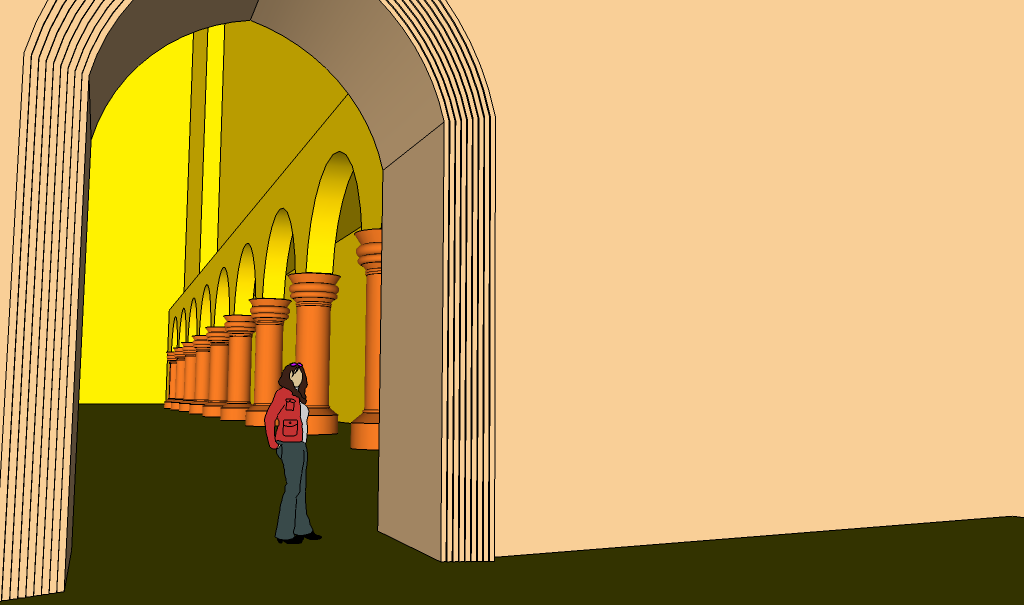
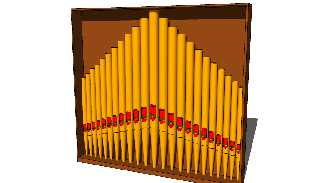
MUHUHUHUHUHUH!!!

--
http://blog.orphi.me.uk/
http://www.zazzle.com/MathematicalOrchid*
Post a reply to this message
Attachments:
Download 'd05.png' (101 KB)
Preview of image 'd05.png'
|
|
| |
| |
|
|
|
|
| |
| |
|
|
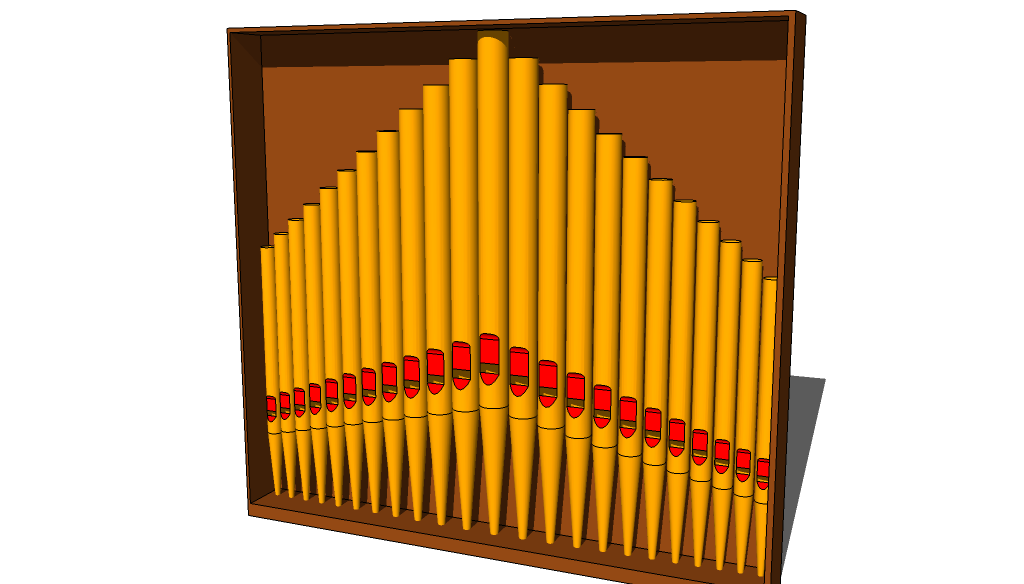
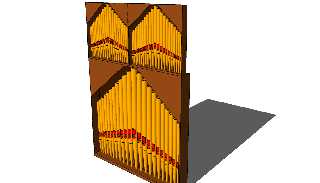
In seriousness for a moment... Do you have ANY FRICKIN IDEA how long
this took to do?!

--
http://blog.orphi.me.uk/
http://www.zazzle.com/MathematicalOrchid*
Post a reply to this message
|
|
| |
| |
|
|
|
|
| |
| |
|
|
Be afraid. Be very afraid...

--
http://blog.orphi.me.uk/
http://www.zazzle.com/MathematicalOrchid*
Post a reply to this message
Attachments:
Download 'd09.png' (98 KB)
Preview of image 'd09.png'
|
|
| |
| |
|
|
|
|
| |
| |
|
|
Also, don't watch videos on YouTube unless you ENJOY extreme envy:

http://www.youtube.com/watch?v=P0Daz4N-WLA

I have literally no idea how this is even possible.

--
http://blog.orphi.me.uk/
http://www.zazzle.com/MathematicalOrchid*
Post a reply to this message
|
|
| |
| |
|
|
|
|
| |
| |
|
|
On 4-10-2009 17:18, Orchid XP v8 wrote:
> In seriousness for a moment... Do you have ANY FRICKIN IDEA how long
> this took to do?!
>
Lets see, a pipe is a hollow cone plus a cylinder (2 minutes) add some
csg for the red part (another five minutes). Debugging the loop and
passing of parameters (+5) adding a wooden box (1 +6 for selecting the
right texture), getting the viewpoint right (3 minutes).

adding up... something under 15 minutes I would guess. Am I close?
Post a reply to this message
|
|
| |
| |
|
|
|
|
| |
| |
|
|
>> In seriousness for a moment... Do you have ANY FRICKIN IDEA how long
>> this took to do?!
>>
> Lets see, a pipe is a hollow cone plus a cylinder (2 minutes) add some
> csg for the red part (another five minutes). Debugging the loop and
> passing of parameters (+5) adding a wooden box (1 +6 for selecting the
> right texture), getting the viewpoint right (3 minutes).
>
> adding up... something under 15 minutes I would guess. Am I close?

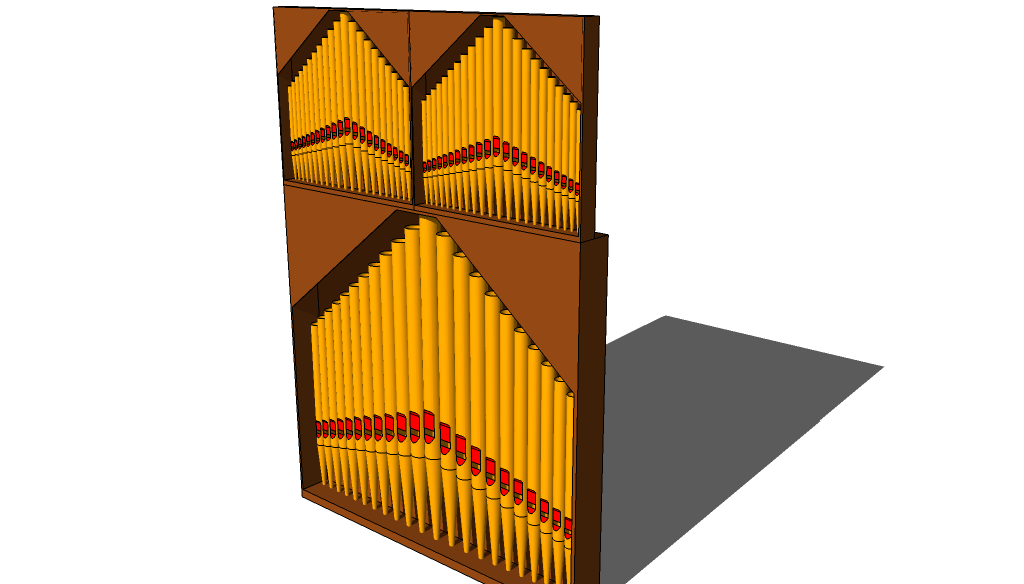
Have you *tried* doing CSG with SketchUp? You don't just say "please
intersect these two things".

First it takes about 10 minutes to try to persuade it to position the
items where you actually ****ing want them. Then you say "intersect",
and all it does is alter the polygon mesh slightly. YOU must then,
manually, delete the faces you don't want any more. One at a time. You
see, any curved surface becomes 25,000 polygons, which you must delete
individually, one at a time.

Just to make things better, I got my CSG slightly wrong anyway, and it
took longer to fix it.

So, now you have one pipe. But I want 23 pipes. So, first select the
pipe and ask SketchUp to make 12 copies of it. (Fortunately, there *is*
an automatic way to do this!) Now select 11 of those copies, and make
them all 5% smaller. Select 10 copies, make them all 5% smaller. Select
9 copies. Make them all 5% smaller. (Are you bored yet?) Eventually, you
have 12 pipes, all different sizes. Now the fun part. Copy them,
reposition the copy. Mirror it. (Do NOT rotate it as I mistakenly did!)
Spent 20 minutes trying to make it line up properly with the existing pipes.

And, yes, stick them in a box, which takes about 45 seconds.

I can't help but feel that POV-Ray could have done this radically
faster. And the pipes would be *real* cylinders, not 24-gon prisms. And
they would be *shiny*!

--
http://blog.orphi.me.uk/
http://www.zazzle.com/MathematicalOrchid*
Post a reply to this message
|
|
| |
| |
|
|
|
|
| |
| |
|
|
Orchid XP v8 wrote:
>
> I have literally no idea how this is even possible.
>

It's sped up.

-Aero
Post a reply to this message
|
|
| |
| |
|
|
|
|
| |
| |
|
|
>> I have literally no idea how this is even possible.
>
> It's sped up.

Yeah, I got that part.

I mean the part where he does something, and he can still edit it
afterwards. Or the way when he moves things, they actually go where
they're supposed to go, and it doesn't destroy the existing model. Or
where he mirrors something, and manages to get the two mirrored copies
to actually line up exactly in all directions. Or the way he draws a
small cut, repeats it 6 times, and it *just happens* that the cut is the
exact right size that exactly 6 copies of it fit in the available space.
I could go on...

Also, I cannot believe that anybody could seriously build something like
this without some kind of reference drawing to work from. It would be
impossibly difficult.

Also, if a normal person tried to do this, they'd spent 6 hours building
part of it, and then realise that it's actually completely out of
proportion, and it's now too late to change it, so you gotta start again.

--
http://blog.orphi.me.uk/
http://www.zazzle.com/MathematicalOrchid*
Post a reply to this message
|
|
| |
| |
|
|
|
|
| |
| |
|
|
On 4-10-2009 19:12, Orchid XP v8 wrote:
>>> In seriousness for a moment... Do you have ANY FRICKIN IDEA how long
>>> this took to do?!
>>>
>> Lets see, a pipe is a hollow cone plus a cylinder (2 minutes) add some
>> csg for the red part (another five minutes). Debugging the loop and
>> passing of parameters (+5) adding a wooden box (1 +6 for selecting the
>> right texture), getting the viewpoint right (3 minutes).
>>
>> adding up... something under 15 minutes I would guess. Am I close?
>
> Have you *tried* doing CSG with SketchUp? You don't just say "please
> intersect these two things".
>
> First it takes about 10 minutes to try to persuade it to position the
> items where you actually ****ing want them. Then you say "intersect",
> and all it does is alter the polygon mesh slightly. YOU must then,
> manually, delete the faces you don't want any more. One at a time. You
> see, any curved surface becomes 25,000 polygons, which you must delete
> individually, one at a time.
>
> Just to make things better, I got my CSG slightly wrong anyway, and it
> took longer to fix it.
>
> So, now you have one pipe. But I want 23 pipes. So, first select the
> pipe and ask SketchUp to make 12 copies of it. (Fortunately, there *is*
> an automatic way to do this!) Now select 11 of those copies, and make
> them all 5% smaller. Select 10 copies, make them all 5% smaller. Select
> 9 copies. Make them all 5% smaller. (Are you bored yet?) Eventually, you
> have 12 pipes, all different sizes. Now the fun part. Copy them,
> reposition the copy. Mirror it. (Do NOT rotate it as I mistakenly did!)
> Spent 20 minutes trying to make it line up properly with the existing
> pipes.
>
> And, yes, stick them in a box, which takes about 45 seconds.
>
> I can't help but feel that POV-Ray could have done this radically
> faster. And the pipes would be *real* cylinders, not 24-gon prisms. And
> they would be *shiny*!
>

YOu missed the point, which is simply: you are using the wrong tool for
this project. If it is to learn sketchup it is OK. If you want to create
an image, you should reconsider.
Post a reply to this message
|
|
| |
| |
|
|
|
|
| |
| |
|
|
andrel <a_l### [at] hotmailcom> wrote:
> YOu missed the point, which is simply: you are using the wrong tool for
> this project. If it is to learn sketchup it is OK. If you want to create
> an image, you should reconsider.

I haven't played with Sketchup.  What's it good at?
Charles
Post a reply to this message
|
|
| |
| |
|
|
|
|
| |
| |
|
|
> Now, sure, if your window is rectangular, the push/pull tool makes it easy
> enough to continue. But what if you made a *circular* window? Or some even
> more complex shape?...

...you need to get a proper 3D CAD program? :-)

Can you not edit the vertex positions of the hole?  I would say in Blender
just select the vertices or edges of the hole and then translate/scale
them - I can't believe the same isn't possible in even a very basic 3D tool.
Post a reply to this message
|
|
| |
| |
|
|
|
|
| |
| |
|
|
>> Now, sure, if your window is rectangular, the push/pull tool makes it
>> easy enough to continue. But what if you made a *circular* window? Or
>> some even more complex shape?...
>
> ...you need to get a proper 3D CAD program? :-)

Yeah, figures.

Although, as I said, I've used a lot of 3D editors, and SketchUp is at
least the first one good enough to make nontrivial objects with. I
suppose that's something. (It *really* annoys me that it can't do real
curves though...)

> Can you not edit the vertex positions of the hole?  I would say in
> Blender just select the vertices or edges of the hole and then
> translate/scale them - I can't believe the same isn't possible in even a
> very basic 3D tool.

Oh, you *can* move the individual points or edges around if you like.
But if your surface is particularly complicated, this becomes
intractably difficult extremely fast. Nowhere near as easy as just
moving the shape around before you make the cut.
Post a reply to this message
|
|
| |
| |
|
|
|
|
| |
| |
|
|
Charles C wrote:

> I haven't played with Sketchup.  What's it good at?

Quickly throwing together moderately complex 3D objects. Particularly
ones with lots of straight lines. (E.g., buildings, machinery, tools, etc.)

There's a bunch of tutorial videos on Google's website. For example, in
one a guy spends 10 minutes tracing a (very complicated) CAD drawing of
a building interior. Trace it in 2D, extrude into 3D, cut out a few
rectangular doors and windows, in about 30 minutes total you have a true
3D model of the main parts of this house...

It's great fun, but frustratingly hard to do certain things.
Post a reply to this message
|
|
| |
| |
|
|
|
|
| |
| |
|
|
>> Sketckup is a lot of fun,
>
> Can it export stuff POV-Ray can use?

It can export data as some kind of XML format. (Apparently it's an open
standard - I don't know how well documented!) If you wrote a converter,
then... supposably.
Post a reply to this message
|
|
| |
| |
|
|
|
|
| |
| |
|
|
>> welcome to 3D visual modelling! :D
>
> *That* is what I want Minority Report gloves for! :-)

Ah, Minority Report. How often does a film come along that makes
everybody want a particular fictional technology?
Post a reply to this message
|
|
| |
| |
|
|
|
|
| |
| |
|
|
>> ...you need to get a proper 3D CAD program? :-)
>
> Yeah, figures.

Most CAD programs I've used store a tree of features/actions used to get to
the final shape, this means you can go back and edit any of those previous
steps.  In your example the shape you drew to make the hole is stored
exactly as that in the file, then of course you can edit it and see the
result.  I saw partly this kind of behaviour in 3D Studio Max (or whatever
it's called now), in that you could keep two separate objects and see the
intersection of them, but most mesh editors just store the mesh and no extra
data.
Post a reply to this message
|
|
| |
| |
|
|
|
|
| |
| |
|
|
> Most CAD programs I've used store a tree of features/actions used to get
> to the final shape, this means you can go back and edit any of those
> previous steps.

That sounds like a more logical way to work.

Presumably CAD also allows you to do things like "find a point 3/5 along
the length of this edge". SketchUp automatically marks the 1/2 point for
you, but for any other point you've got to get out a calculator.

Other annoying SketchUp features include the lack of the ability to
manipulate a circle be its center. (Because, of course, once you've
created it, it's not a circle any more. It's 24 unrelated edges.) And
the best feature of all is the way surfaces "stick" to each other as
soon as they touch...

> I saw partly this kind of behaviour in 3D Studio Max
> (or whatever it's called now), in that you could keep two separate
> objects and see the intersection of them, but most mesh editors just
> store the mesh and no extra data.

Yeah. How SketchUp does intersection is that you line up the two
objects, press "intersect", and then delete the geometry you don't want.
Manually. Which, for curved surfaces, takes a really long time.
(Because, naturally, those surfaces aren't really curved. Stupid
idea...) Also, you can't delete any item smaller than a certain size on
screen. You have to zoom in first. And the minimum size is significantly
larger than you'd expect.
Post a reply to this message
|
|
| |
| |
|
|
|
|
| |
| |
|
|
> Presumably CAD also allows you to do things like "find a point 3/5 along
> the length of this edge".

AFAIK there is not usually any automatic way to do that, you'd just need to
add a formula to one of the point dimensions that says something like
"Edge1.Length * 3/5".  That way, whenever the length of that edge changes,
the point is always fixed 3/5 of the way along.  You could then draw some
geometry referenced to that point, then of course that would all move with
the point too.  It gets a bit like POV, where you can just define a variable
for something like "screw position", and then drive lots of other features
like holes and cut-outs in lots of parts from that one variable.  The
benefit of this is when your customer says "ok we need that screw moved
1.2mm" it only takes you a few seconds to update all your parts rather than
an hour or two.

> the best feature of all is the way surfaces "stick" to each other as soon
> as they touch...
...
> Also, you can't delete any item smaller than a certain size on screen. You
> have to zoom in first. And the minimum size is significantly larger than
> you'd expect.

I would expect there would be settings for these sorts of things?
Post a reply to this message
|
|
| |
| |
|
|
|
|
| |
| |
|
|
>> Presumably CAD also allows you to do things like "find a point 3/5
>> along the length of this edge".
>
> AFAIK there is not usually any automatic way to do that, you'd just need
> to add a formula to one of the point dimensions that says something like
> "Edge1.Length * 3/5".  That way, whenever the length of that edge
> changes, the point is always fixed 3/5 of the way along.

Right.

> You could then
> draw some geometry referenced to that point, then of course that would
> all move with the point too.  It gets a bit like POV, where you can just
> define a variable for something like "screw position", and then drive
> lots of other features like holes and cut-outs in lots of parts from
> that one variable.  The benefit of this is when your customer says "ok
> we need that screw moved 1.2mm" it only takes you a few seconds to
> update all your parts rather than an hour or two.

SketchUp allows you to draw precise sizes easily, and it allows you to
line things up easily. What it does not do is allow you to "link" things
so that when something changes, other things change to match. You'd have
to propogate any necessarily changes manually yourself. SketchUp makes
it quite easy to adjust everything by exactly the right amount, but you
still have to know what to adjust and how to adjust it.

>> the best feature of all is the way surfaces "stick" to each other as
>> soon as they touch...
> ...
>> Also, you can't delete any item smaller than a certain size on screen.
>> You have to zoom in first. And the minimum size is significantly
>> larger than you'd expect.
>
> I would expect there would be settings for these sorts of things?

The delete size, maybe. (I haven't found the setting anywhere though.
There are surprisingly few settings you can adjust.) The sticking
appears to be a design feature - annoying as it is. (You can prevent it
by using layers or grouping surfaces into seperate entities.)
Post a reply to this message
|
|
| |
| |
|
|
|
|
| |
| |
|
|
>> Now, sure, if your window is rectangular, the push/pull tool makes it
>> easy enough to continue. But what if you made a *circular* window? Or
>> some even more complex shape?...
>
> ...you need to get a proper 3D CAD program? :-)

On the other hand, weren't you the guy complaining that "propper 3D CAD
programs" are too crash-happy? At least SketchUp is reliable. ;-)
Post a reply to this message
|
|
| |
| |
|
|
|
|
| |
| |
|
|
> On the other hand, weren't you the guy complaining that "propper 3D CAD
> programs" are too crash-happy?

Not me, I can't remember the last time Catia crashed on me.  Don't ask me
about the thermal simulation software I use though...
Post a reply to this message
|
|
| |
| |
|
|
|
|
| |
| |
|
|
Invisible wrote:
> Yeah. How SketchUp does intersection is that you line up the two
> objects, press "intersect", and then delete the geometry you don't want.

Blender too.  I usually move the original forms to another hidden layer.

> Manually. Which, for curved surfaces, takes a really long time.
> (Because, naturally, those surfaces aren't really curved. Stupid
> idea...)

What makes you think really curved surfaces would be faster?

BTW, if you want curved surfaces, subdivision surfaces is the way to go
(no idea if Sketchup handles them).  That way, you may keep and handle
operations on very simple "cage" mesh while having a very "curved" final
surface... I'm guessing intersecting between 2 "low-poly" cage meshes is
way faster than between 2 high-poly ones.  You intersect 2 low-poly
cages and give the resulting mesh a subdivision "modifier"...
Post a reply to this message
|
|
| |
| |
|
|
|
|
| |
| |
|
|
>> Yeah. How SketchUp does intersection is that you line up the two
>> objects, press "intersect", and then delete the geometry you don't want.
>
> Blender too.  I usually move the original forms to another hidden layer.

Well, it does mean that you have one "intersect" operator rather than a
seperate union, intersection and difference. But for complicated meshes,
it takes forever...

>> Manually. Which, for curved surfaces, takes a really long time.
>> (Because, naturally, those surfaces aren't really curved. Stupid idea...)
>
> What makes you think really curved surfaces would be faster?

Treating a curve as one edge, rather than 25,000 edges, makes it far
faster for a human to work on. (I make no claims about how easy or hard
it is for the computer to work with.)

> BTW, if you want curved surfaces, subdivision surfaces is the way to go
> (no idea if Sketchup handles them).

Nope. SketchUp handles only straight lines. The whole program is
optimised for working with geometry with lots of lines in it. If you
want fluid, organic shapes, SketchUp is a very bad choice.
Post a reply to this message
|
|
| |
| |
|
|
|
|
| |
| |
|
|
>> On the other hand, weren't you the guy complaining that "propper 3D
>> CAD programs" are too crash-happy?
>
> Not me, I can't remember the last time Catia crashed on me.  Don't ask
> me about the thermal simulation software I use though...

The only CAD program I've ever heard of is AutoCAD. Last I checked, it's
slightly expensive. ;-) Then again, given that it's complex specialist
software with a limited market demand...

I doubt I'll ever need to simulate thermals. Mechanical stress, on the
other hand...

(Do you have any idea what the "bending moment of reinforced concrete"
is? I haven't.)
Post a reply to this message
|
|
| |
| |
|
|
|
|
| |
| |
|
|
> Last I checked, it's slightly expensive. ;-)

I have no idea about AutoCAD, but I think a base license of Catia is about
5K.  For personal use, ermm, no not really :-)

> I doubt I'll ever need to simulate thermals.

Me too :-) But in my job I do.  A few weeks ago we had to choose between two
microprocessors, the standard 85 degree C max version, or the special 125
degree C max version.  Obviously there's a price difference, and our product
must work up to 75 degrees ambient.  Do we order the 85 degree version or
the 125 degree version?

> (Do you have any idea what the "bending moment of reinforced concrete" is?
> I haven't.)

The material doesn't matter, bending moment is just a description of the
internal torques of a bent object.  If you cut a bent object (eg a bent
ruler) obviously the two halves would spring back to their normal flat
shapes, the bending moment is the torque you would need to apply to each
side of the cut to keep the original bent shape.

If you're mathematically minded, you can calculate lots of interesting
things by repeatedly integrating any applied forces to the object with
respect to distance.  The first integration gives you the shear force in the
object, the second gives you the bending moment, the third gives the
curvature (multiplied by some constant) and the fourth gives you the
deflection.  The constant you need depends on the cross-sectional shape and
the material properties, but it's relatively straightforward to look up
and/or calculate.
Post a reply to this message
|
|
| |
| |
|
|
|
|
| |
| |
|
|
>> Last I checked, it's slightly expensive. ;-)
>
> I have no idea about AutoCAD, but I think a base license of Catia is
> about 5K.  For personal use, ermm, no not really :-)

LOL! OK, where's my latest Insight spam... OK, Autodesk AutoCAD LT 2010,
£874.99+VAT. Ask For ATD057B109.

I'm *so* not trying that. :-P

>> I doubt I'll ever need to simulate thermals.
>
> Me too :-) But in my job I do.

Yeah, well, you make small hot things, right? ;-)

>> (Do you have any idea what the "bending moment of reinforced concrete"
>> is? I haven't.)
>
> The material doesn't matter, bending moment is just a description of the
> internal torques of a bent object.  If you cut a bent object (eg a bent
> ruler) obviously the two halves would spring back to their normal flat
> shapes, the bending moment is the torque you would need to apply to each
> side of the cut to keep the original bent shape.

I was chatting to some guy who apparently designs bridges and so forth.
Maybe not "bridges" as such, but things like motorway flyovers, ramps,
etc. Apparently it's kind of important to know about such things...

Personally, I know very little about this kind of thing. Although I did
read somewhere that at high speeds, materials behave as if they are
harder and more brittle than they are. Which would explain why jumping
belly-first into a pool of soft, liquid water is so God-damned painful. o_O
Post a reply to this message
|
|
| |
| |
|
|
|
|
| |
| |
|
|
> LOL! OK, where's my latest Insight spam... OK, Autodesk AutoCAD LT 2010,
> £874.99+VAT. Ask For ATD057B109.
>
> I'm *so* not trying that. :-P

There used to be a free version of ProEngineer called ProDesktop which was
really good.  Unfortunately they stopped that line for some reason, and now
there seems to be nothing available for home users in terms of quality 3D
CAD.

> I was chatting to some guy who apparently designs bridges and so forth.
> Maybe not "bridges" as such, but things like motorway flyovers, ramps,
> etc. Apparently it's kind of important to know about such things...

I would imagine so, you don't want a motorway flyover collapsing because a
queue of heavy trucks stops on it.  Also important to know how much your
bridge is going to expand/contract based on temperature and design for that,
otherwise you'll end up with a buckled road...

> Personally, I know very little about this kind of thing. Although I did
> read somewhere that at high speeds, materials behave as if they are harder
> and more brittle than they are. Which would explain why jumping
> belly-first into a pool of soft, liquid water is so God-damned painful.
> o_O

When you test the hardness of materials you generally apply the force quite
slowly, so can I well imagine that applying forces at a similar speed to
that which the material can deform will result in a seemingly much harder
material.  I suspect for things like road surfaces they generally test with
real life stuff and don't just go on the suppliers hardness rating.
Although you never know, when they built the Newbury bypass they had to do
it again a year later because the trucks had ripped up the surface.
Post a reply to this message
|
|
| |
| |
|
|
|
|
| |
| |
|
|
>> LOL! OK, where's my latest Insight spam... OK, Autodesk AutoCAD LT
>> 2010, £874.99+VAT. Ask For ATD057B109.
>>
>> I'm *so* not trying that. :-P
>
> There used to be a free version of ProEngineer called ProDesktop which
> was really good.  Unfortunately they stopped that line for some reason,
> and now there seems to be nothing available for home users in terms of
> quality 3D CAD.

Well, I mean seriously, it's not like I'm DESIGNING AND BUILDING A PIPE
ORGAN FOR MY HOUSE. [I'd just like to emphasize again that SOMEBODY
ACTUALLY DID THIS.] I just like building stuff for fun. ;-)

>> I was chatting to some guy who apparently designs bridges and so
>> forth. Maybe not "bridges" as such, but things like motorway flyovers,
>> ramps, etc. Apparently it's kind of important to know about such
>> things...
>
> I would imagine so, you don't want a motorway flyover collapsing because
> a queue of heavy trucks stops on it.  Also important to know how much
> your bridge is going to expand/contract based on temperature and design
> for that, otherwise you'll end up with a buckled road...

Well, when you see a huge bridge over the river Severn or something,
it's obvious that some serious engineering went into it. But a small
ramp up a hill? How hard could that be? Quite hard, apparently...

It still blows my mind that in some parts of MK, you drive down a road
and there's a road crossing 30 feet below you, and a few yards later
another road crossing 30 feet above you. And all of these roads are
roughly level along their entire length, and level with the surrounding
ground plane. That must have taken some *serious* hard-core earthworking
to do in the first place...

>> Personally, I know very little about this kind of thing. Although I
>> did read somewhere that at high speeds, materials behave as if they
>> are harder and more brittle than they are. Which would explain why
>> jumping belly-first into a pool of soft, liquid water is so God-damned
>> painful. o_O
>
> When you test the hardness of materials you generally apply the force
> quite slowly, so can I well imagine that applying forces at a similar
> speed to that which the material can deform will result in a seemingly
> much harder material.  I suspect for things like road surfaces they
> generally test with real life stuff and don't just go on the suppliers
> hardness rating. Although you never know, when they built the Newbury
> bypass they had to do it again a year later because the trucks had
> ripped up the surface.

They were saying that if, say, a bullet hits things, they tend to
shatter rather than deform. Apparently due to the velocity of the
bullet, the materious "doesn't have time" to deform, so it shatters
instead. Sounds pretty weird to me, but that's Wikipedia for you...
Post a reply to this message
|
|
| |
| |
|
|
|
|
| |
| |
|
|
Invisible wrote:
> the best feature of all is the way surfaces "stick" to each other as
> soon as they touch...

That's actually a very useful feature if you can control it. :-)

--
   Darren New, San Diego CA, USA (PST)
   I ordered stamps from Zazzle that read "Place Stamp Here".
Post a reply to this message
|
|
| |
| |
|
|
|
|
| |
| |
|
|
nemesis wrote:
> Invisible wrote:
>> Yeah. How SketchUp does intersection is that you line up the two
>> objects, press "intersect", and then delete the geometry you don't want.
>
> Blender too.

Oh good. It's not just me.

I always thought "animation work flow" was a technique to avoid having to go
back and change something you'd already committed to using, so you wouldn't
have to re-do texturing just because you decide his nose is bigger, or re-do
walk cycles because you decided he needs five fingers instead of four.

--
   Darren New, San Diego CA, USA (PST)
   I ordered stamps from Zazzle that read "Place Stamp Here".
Post a reply to this message
|
|
| |
| |
|
|
|
|
| |
| |
|
|
Invisible wrote:
> Trace it in 2D, extrude into 3D, cut out a few
> rectangular doors and windows, in about 30 minutes total you have a true
> 3D model of the main parts of this house...

There's a guy who shows you how to do this in Blender, too. I tried it, and
it's pretty straightforward. I can find the videos if you care. :-)

--
   Darren New, San Diego CA, USA (PST)
   I ordered stamps from Zazzle that read "Place Stamp Here".
Post a reply to this message
|
|
| |
| |
|
|
|
|
| |
| |
|
|
>> the best feature of all is the way surfaces "stick" to each other as
>> soon as they touch...
>
> That's actually a very useful feature if you can control it. :-)

Sometimes it's useful. Frequently it isn't. Especially given that it's
usually unexpected, and once they're stuck it's apparently impossible to
unstick them...
Post a reply to this message
|
|
| |
| |
|
|
|
|
| |
| |
|
|
Orchid XP v8 escreveu:
> manually, delete the faces you don't want any more. One at a time. You
> see, any curved surface becomes 25,000 polygons, which you must delete
> individually, one at a time.

haha, stop being crazy, dude.  You surely have some sort of "block"
select or edge loop to region thing which will select countless in a
single move.

> So, now you have one pipe. But I want 23 pipes. So, first select the
> pipe and ask SketchUp to make 12 copies of it. (Fortunately, there *is*
> an automatic way to do this!) Now select 11 of those copies, and make
> them all 5% smaller. Select 10 copies, make them all 5% smaller. Select
> 9 copies. Make them all 5% smaller. (Are you bored yet?) Eventually, you
> have 12 pipes, all different sizes. Now the fun part. Copy them,
> reposition the copy. Mirror it. (Do NOT rotate it as I mistakenly did!)
> Spent 20 minutes trying to make it line up properly with the existing
> pipes.

There's surely a faster and simpler workflow for that.  I'm sure you
didn't get into a Haskell expert in a single weekend.

> I can't help but feel that POV-Ray could have done this radically
> faster. And the pipes would be *real* cylinders, not 24-gon prisms. And
> they would be *shiny*!

They will be shiny once you export them for povray to render. ;)

--
a game sig: http://tinyurl.com/d3rxz9
Post a reply to this message
|
|
| |
| |
|
|
|
|
| |