|
|
|
|
|
|
| |
| |
|
|
|
|
| |
| |
|
|
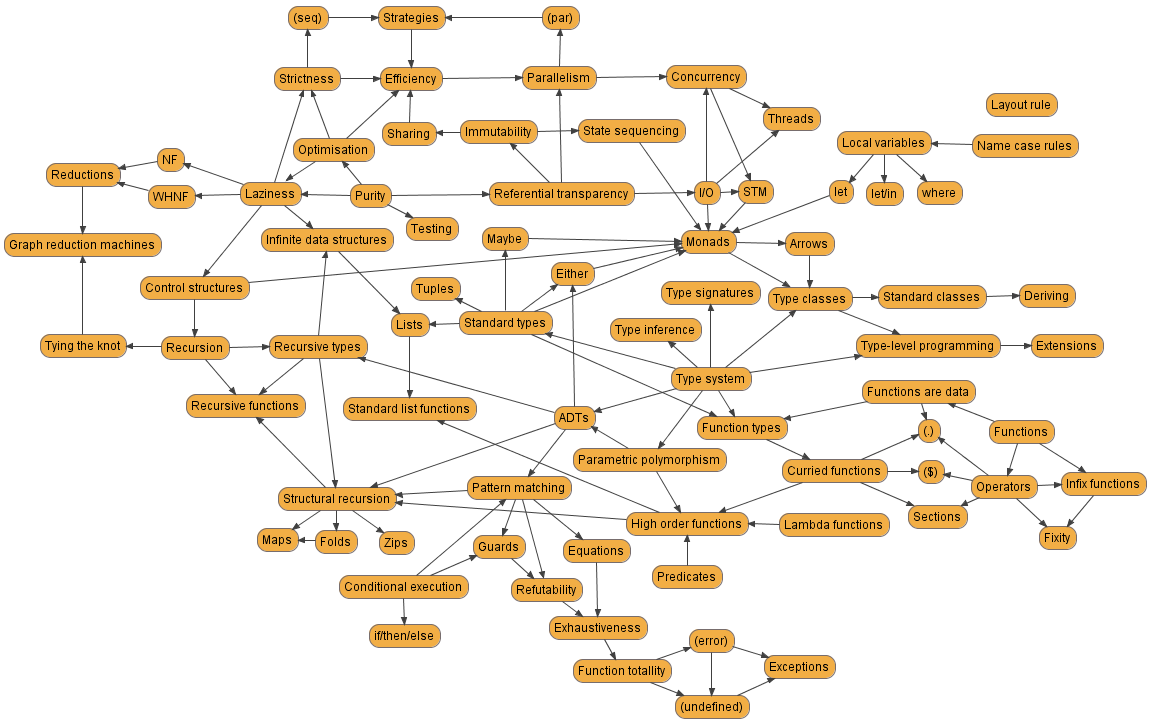
I just sat down and attempted to draw a chart representing all the most
important topic of the Haskell programming language, and how they relate
to each other.

Unfortunately, it looks like this:
Post a reply to this message
Attachments:
Download 'haskell1.png' (136 KB)
Preview of image 'haskell1.png'
|
|
| |
| |
|
|
|
|
| |
| |
|
|
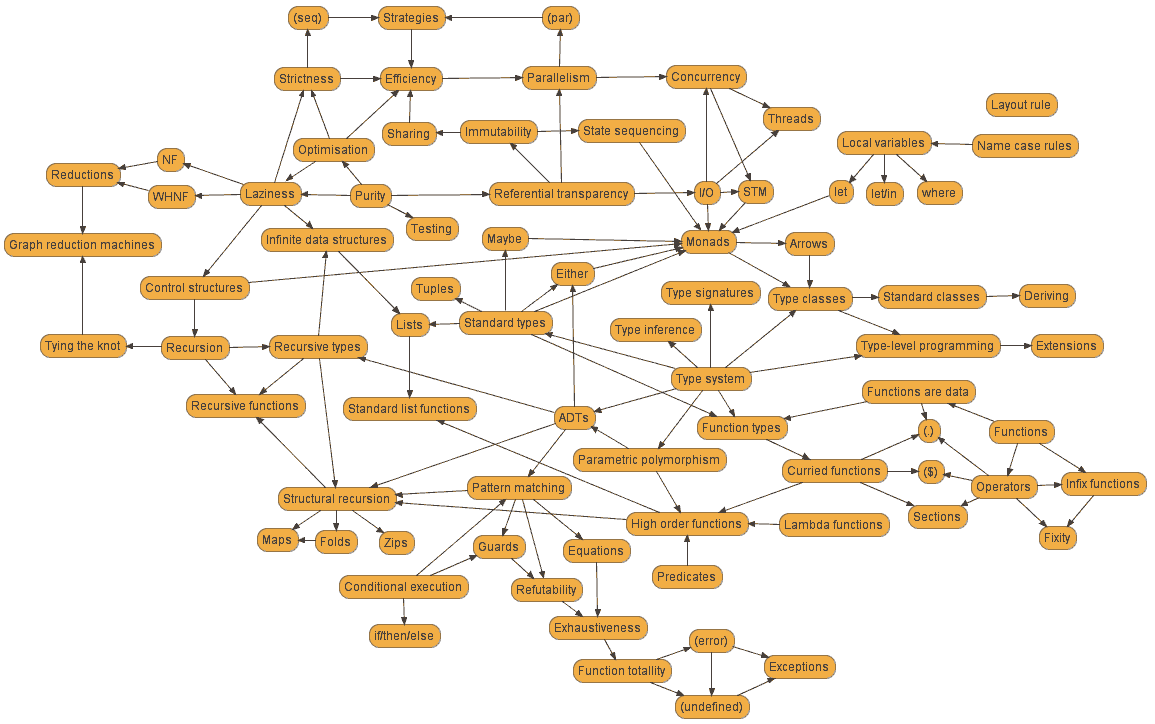
I was wondering how much I could reduce the file size of your PNG if
lossiness is allowed, but without degrading the image quality noticeably.
I was able to reduce your original 138408 bytes png to a 49074 bytes one:
Post a reply to this message
Attachments:
Download 'Haskell1_optimized.png' (48 KB)
Preview of image 'Haskell1_optimized.png'
|
|
| |
| |
|
|
|
|
| |
| |
|
|
Warp wrote:
>   I was wondering how much I could reduce the file size of your PNG if
> lossiness is allowed, but without degrading the image quality noticeably.
> I was able to reduce your original 138408 bytes png to a 49074 bytes one:

Impressive. How did you manage that?
Post a reply to this message
|
|
| |
| |
|
|
|
|
| |
| |
|
|
Invisible wrote:
> I just sat down and attempted to draw a chart representing all the most
> important topic of the Haskell programming language, and how they relate
> to each other.

Of course, the other problem is that you draw something like this, and
you end up with related concepts which happen to be at opposite ends of
the chart. (E.g., "Exceptions" should be connected to "I/O".)

But hell, doing this on a computer was way easier than with pen and
paper! o_O

Looking at this chart, I'm starting to comprehend why teaching Haskell
is so damned hard. Everything is related to everything else. Where the
hell would *you* start?!
Post a reply to this message
|
|
| |
| |
|
|
|
|
| |
| |
|
|
Invisible <voi### [at] dev null> wrote:
> Warp wrote:
> > I was wondering how much I could reduce the file size of your PNG if
> > lossiness is allowed, but without degrading the image quality noticeably.
> > I was able to reduce your original 138408 bytes png to a 49074 bytes one:
> Impressive. How did you manage that?
Reduced to 8 colors (without dithering) and then ran through optipng and
pngout.
--
- Warp null> wrote:
> Warp wrote:
> > I was wondering how much I could reduce the file size of your PNG if
> > lossiness is allowed, but without degrading the image quality noticeably.
> > I was able to reduce your original 138408 bytes png to a 49074 bytes one:
> Impressive. How did you manage that?
Reduced to 8 colors (without dithering) and then ran through optipng and
pngout.
--
- Warp
Post a reply to this message
|
|
| |
| |
|
|
|
|
| |
| |
|
|
>> Impressive. How did you manage that?
>
>   Reduced to 8 colors (without dithering) and then ran through optipng and
> pngout.

Ah. Yes, I should probably have thought of that myself...
Post a reply to this message
|
|
| |
| |
|
|
|
|
| |
| |
|
|
>  I was wondering how much I could reduce the file size of your PNG if
> lossiness is allowed, but without degrading the image quality noticeably.
> I was able to reduce your original 138408 bytes png to a 49074 bytes one:

The AA on the diagonal lines certainly looks noticeably worse...
Post a reply to this message
|
|
| |
| |
|
|
|
|
| |
| |
|
|
Invisible wrote:
> Of course, the other problem is that you draw something like this, and
> you end up with related concepts which happen to be at opposite ends of
> the chart. (E.g., "Exceptions" should be connected to "I/O".)

	Ever consider using Freemind to make such drawings?

--
May your screen live long and phosphor.


                    /\  /\               /\  /
                   /  \/  \ u e e n     /  \/  a w a z
                       >>>>>>mue### [at] nawazorg<<<<<<
                                   anl
Post a reply to this message
|
|
| |
| |
|
|
|
|
| |
| |
|
|
Mueen Nawaz wrote:

> 	Ever consider using Freemind to make such drawings?

As a matter of fact, that is the exact tool I started with.

Unfortunately, it seems that Freemind is constrained to strictly
hierachical diagrams only, which is obviously no use at all...
Post a reply to this message
|
|
| |
| |
|
|
|
|
| |
| |
|
|
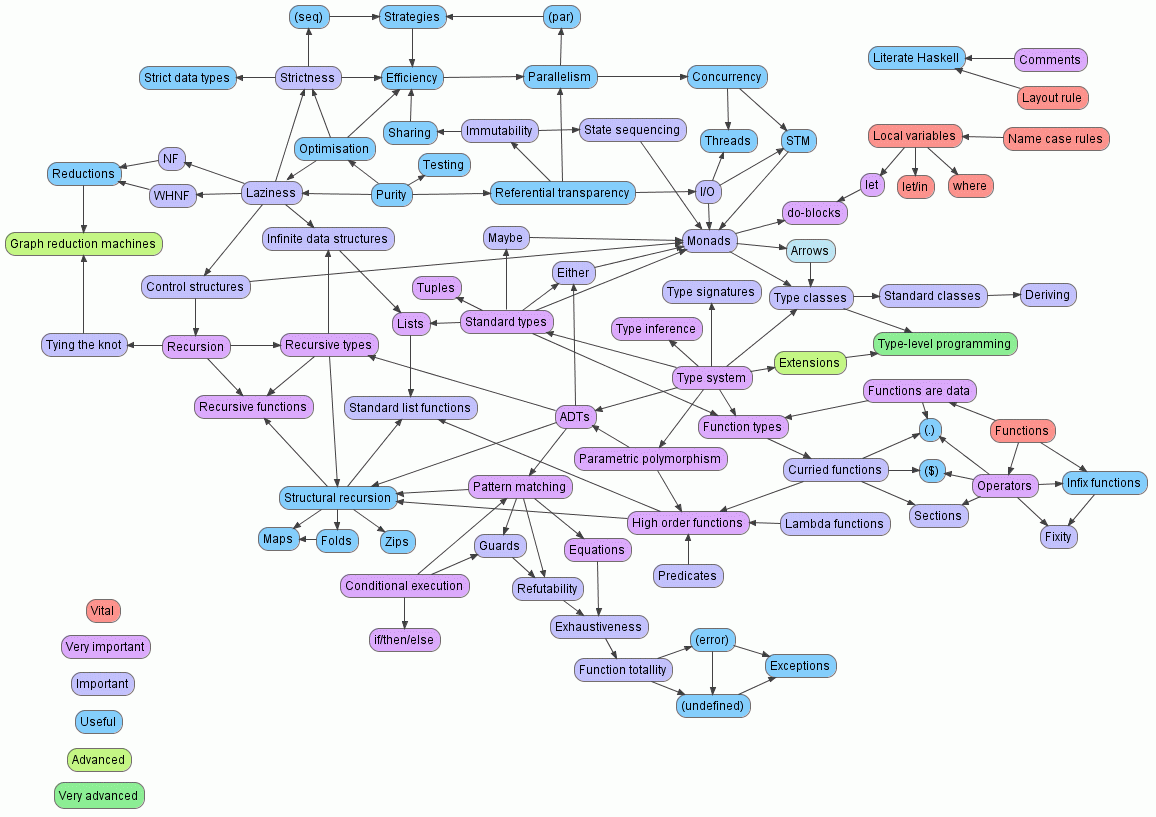
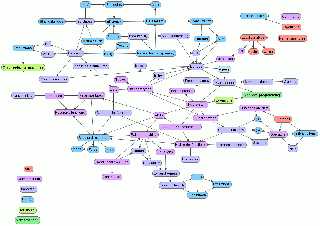
And now, colour-coded by priority...

(I just like posting binary attachments really. Heh.)
Post a reply to this message
Attachments:
Download 'haskell2b.png' (65 KB)
Preview of image 'haskell2b.png'
|
|
| |
| |
|
|
|
|
| |
| |
|
|
scott <sco### [at] scottcom> wrote:
> >  I was wondering how much I could reduce the file size of your PNG if
> > lossiness is allowed, but without degrading the image quality noticeably.
> > I was able to reduce your original 138408 bytes png to a 49074 bytes one:

> The AA on the diagonal lines certainly looks noticeably worse...

  I don't think it reduces the readability and clarity of the graph in
any way.

--
                                                          - Warp
Post a reply to this message
|
|
| |
| |
|
|
|
|
| |
| |
|
|
You know, the longer I stare at this diagram, the more features and
concepts I realise I've left out. It's true: when you know a subject
well, it really becomes very difficult to avoid overlooking things that
have become completely "obvious" to you...
Post a reply to this message
|
|
| |
| |
|
|
|
|
| |
| |
|
|
Invisible <voi### [at] devnull> wrote:
> And now, colour-coded by priority...

  If I run it through optipng and pngout, it gets reduced from 66135 bytes
to 61569 bytes losslessly.

  If I reduce it to 64 colors first, it gets reduced to 50843 bytes without
noticeable loss.

--
                                                          - Warp
Post a reply to this message
|
|
| |
| |
|
|
|
|
| |
| |
|
|
Invisible <voi### [at] devnull> wrote:
> You know, the longer I stare at this diagram, the more features and
> concepts I realise I've left out. It's true: when you know a subject
> well, it really becomes very difficult to avoid overlooking things that
> have become completely "obvious" to you...

  And then they say C++ is complicated...

--
                                                          - Warp
Post a reply to this message
|
|
| |
| |
|
|
|
|
| |
| |
|
|
Warp wrote:

>   And then they say C++ is complicated...

Perhaps you could try drawing up a similar diagram for C++? I'm sure
that between integer type modifiers, pointers & references, const &
volatile, the new operator, implicit conversions, default
constructors/descructors, templates, the preprocessor, function
overriding, and everything else C++ has to offer, it'll come out
similarly tangled. ;-)

The difference, I think, is that in C++ you don't need to know so many
things to start writing useful code, whereas in Haskell, since
everything is related to almost everything else, you need to actually
know quite a lot of stuff all at once before you can "get going".

--
http://blog.orphi.me.uk/
http://www.zazzle.com/MathematicalOrchid*
Post a reply to this message
|
|
| |
| |
|
|
|
|
| |
| |
|
|
Warp escreveu:
> Invisible <voi### [at] devnull> wrote:
>> Warp wrote:
>>>   I was wondering how much I could reduce the file size of your PNG if
>>> lossiness is allowed, but without degrading the image quality noticeably.
>>> I was able to reduce your original 138408 bytes png to a 49074 bytes one:
>
>> Impressive. How did you manage that?
>
>   Reduced to 8 colors (without dithering) and then ran through optipng and
> pngout.
>

5+ GeekPoints
Post a reply to this message
|
|
| |
| |
|
|
|
|
| |
| |
|
|
Invisible escreveu:
> I just sat down and attempted to draw a chart representing all the most
> important topic of the Haskell programming language, and how they relate
> to each other.
>
> Unfortunately, it looks like this:
>
> ------------------------------------------------------------------------
>

I'm sure I spotted a WTF somewhere...
Post a reply to this message
|
|
| |
| |
|
|
|
|
| |
| |
|
|
"Warp" <war### [at] tagpovrayorg> wrote in message
news:48f892ff@news.povray.org...
>  I was wondering how much I could reduce the file size of your PNG if
> lossiness is allowed, but without degrading the image quality noticeably.
> I was able to reduce your original 138408 bytes png to a 49074 bytes one:
>
>

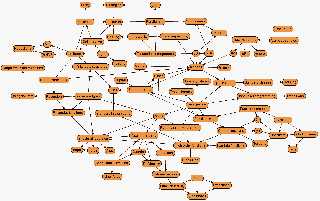
28461 bytes, who does better :p

cu!
--
#macro G(b,e)b+(e-b)*C/50#end#macro _(b,e,k,l)#local C=0;#while(C<50)
sphere{G(b,e)+3*z.1pigment{rgb G(k,l)}finish{ambient 1}}#local C=C+1;
#end#end _(y-x,y,x,x+y)_(y,-x-y,x+y,y)_(-x-y,-y,y,y+z)_(-y,y,y+z,x+y)
_(0x+y.5+y/2x)_(0x-y.5+y/2x)            // ZK http://www.povplace.com
Post a reply to this message
Attachments:
Download 'Haskell1-2.png' (28 KB)
Preview of image 'Haskell1-2.png'
|
|
| |
| |
|
|
|
|
| |
| |
|
|
"Zeger Knaepen" <zeg### [at] povplacecom> wrote in message
news:48f8f356@news.povray.org...
> "Warp" <war### [at] tagpovrayorg> wrote in message
> news:48f892ff@news.povray.org...
>>  I was wondering how much I could reduce the file size of your PNG if
>> lossiness is allowed, but without degrading the image quality noticeably.
>> I was able to reduce your original 138408 bytes png to a 49074 bytes one:
>>
>>
>
> 28461 bytes, who does better :p

on second thought, readability isn't as good anymore :)

cu!
--
#macro G(b,e)b+(e-b)*C/50#end#macro _(b,e,k,l)#local C=0;#while(C<50)
sphere{G(b,e)+3*z.1pigment{rgb G(k,l)}finish{ambient 1}}#local C=C+1;
#end#end _(y-x,y,x,x+y)_(y,-x-y,x+y,y)_(-x-y,-y,y,y+z)_(-y,y,y+z,x+y)
_(0x+y.5+y/2x)_(0x-y.5+y/2x)            // ZK http://www.povplace.com
Post a reply to this message
|
|
| |
| |
|
|
|
|
| |
| |
|
|
Invisible wrote:
> Warp wrote:
>>   I was wondering how much I could reduce the file size of your PNG if
>> lossiness is allowed, but without degrading the image quality noticeably.
>> I was able to reduce your original 138408 bytes png to a 49074 bytes one:
>
> Impressive. How did you manage that?

Could get smaller size and of higher resolution.

(compressed SVG :P)
Post a reply to this message
|
|
| |
| |
|
|
|
|
| |
| |
|
|
Invisible wrote:
> But hell, doing this on a computer was way easier than with pen and
> paper! o_O

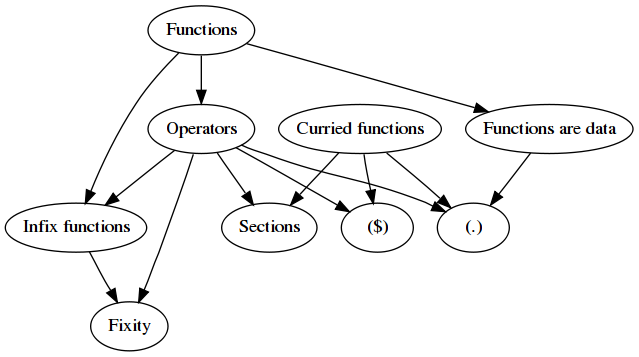
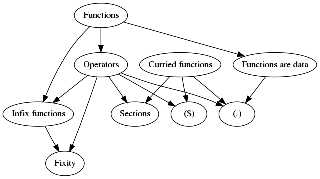
I started trying to do it with graphviz. It quickly got into a mess. Clearly
it would need manually tweaking some positions and edge weights...
Post a reply to this message
Attachments:
Download 'us-ascii' (1 KB)
Download 'haskell.png' (35 KB)
Preview of image 'haskell.png'
|
|
| |
| |
|
|
|
|
| |
| |
|
|
Nicolas Alvarez wrote:

> Could get smaller size and of higher resolution.
>
> (compressed SVG :P)

Yeah, and editable too.

But VUE won't do that, so.....

--
http://blog.orphi.me.uk/
http://www.zazzle.com/MathematicalOrchid*
Post a reply to this message
|
|
| |
| |
|
|
|
|
| |
| |
|
|
Nicolas Alvarez wrote:
> Invisible wrote:
>> But hell, doing this on a computer was way easier than with pen and
>> paper! o_O
>
> I started trying to do it with graphviz. It quickly got into a mess. Clearly
> it would need manually tweaking some positions and edge weights...

Nice... Not a tool I'm familiar with. (I heard somebody rambling about
it a while back though.)

--
http://blog.orphi.me.uk/
http://www.zazzle.com/MathematicalOrchid*
Post a reply to this message
|
|
| |
| |
|
|
|
|
| |
| |
|
|
nemesis wrote:

> I'm sure I spotted a WTF somewhere...

Perhaps you mean "WHNF"? :-P

--
http://blog.orphi.me.uk/
http://www.zazzle.com/MathematicalOrchid*
Post a reply to this message
|
|
| |
| |
|
|
|
|
| |
| |
|
|
Orchid XP v8 wrote:
> Nice... Not a tool I'm familiar with.

Well, as you can see from the source code I included, it's not exactly hard
to use :)
Post a reply to this message
|
|
| |
| |
|
|
|
|
| |
| |
|
|
Zeger Knaepen wrote:
> 28461 bytes, who does better :p

Even a simple 16-color GIF is only 32,518 bytes, and that's without even
trying hard or losing the AA on the arrows. :-)

--
Darren New / San Diego, CA, USA (PST)
Post a reply to this message
|
|
| |
| |
|
|
|
|
| |
| |
|
|
>> >  I was wondering how much I could reduce the file size of your PNG if
>> > lossiness is allowed, but without degrading the image quality
>> > noticeably.
>> > I was able to reduce your original 138408 bytes png to a 49074 bytes
>> > one:
>
>> The AA on the diagonal lines certainly looks noticeably worse...
>
>  I don't think it reduces the readability and clarity of the graph in
> any way.

Me neither, but it certainly is noticeable.  I wonder if you use just
horizontal and vertical lines, rather than diagonal lines, and don't use
rounded boxes, or a coloured background, or AA text, how that would affect
the file size?
Post a reply to this message
|
|
| |
| |
|
|
|
|
| |
| |
|
|
scott <sco### [at] scottcom> wrote:
> Me neither, but it certainly is noticeable.  I wonder if you use just
> horizontal and vertical lines, rather than diagonal lines, and don't use
> rounded boxes, or a coloured background, or AA text, how that would affect
> the file size?

  Probably makes the file a lot smaller because it compresses better that
way.

--
                                                          - Warp
Post a reply to this message
|
|
| |
| |
|
|
|
|
| |
| |
|
|
>> Me neither, but it certainly is noticeable.  I wonder if you use just
>> horizontal and vertical lines, rather than diagonal lines, and don't use
>> rounded boxes, or a coloured background, or AA text, how that would affect
>> the file size?
>
>   Probably makes the file a lot smaller because it compresses better that
> way.

I imagine if I were somehow able to generate an SVG version, it would be
many, many times smaller than any compressed bitmap.
Post a reply to this message
|
|
| |
| |
|
|
|
|
| |
| |
|
|
>> Nice... Not a tool I'm familiar with.
>
> Well, as you can see from the source code I included, it's not exactly hard
> to use :)

...and yet it's taken me this long to download and install the thing! ;-)

I see what you mean about a mess. Even with a very simple, almost
trivial graph, the produced layouts are extremely suboptimal. (Nodes on
top of each other, edges that consist only of arrow heads, absurdly long
edges for no reason, etc.) All of the graphs could trivially be improved
by just moving a few nodes to one side or another by a very small
amount. And it doesn't seem to matter which layout engine I use; they
all seem to produce hopeless layouts.

Still, it *is* much faster than doing this stuff by hand! ;-)

OOC, do you have any idea how I make it draw the edges as splines? I
have tried and tried and tried to make it do this, but it won't.

--
http://blog.orphi.me.uk/
http://www.zazzle.com/MathematicalOrchid*
Post a reply to this message
|
|
| |
| |
|
|
|
|
| |
| |
|
|
Orchid XP v8 wrote:
> OOC, do you have any idea how I make it draw the edges as splines? I
> have tried and tried and tried to make it do this, but it won't.

Um, splines=true? (graph property)

       splines=boolean. Setting this to true causes edges to be drawn as
       splines if nodes don't overlap. The default is false.

Also try concentrate=true.
Post a reply to this message
|
|
| |
| |
|
|
|
|
| |
| |
|
|
Nicolas Alvarez wrote:
> Orchid XP v8 wrote:
>> OOC, do you have any idea how I make it draw the edges as splines? I
>> have tried and tried and tried to make it do this, but it won't.
>
> Um, splines=true? (graph property)

Yeah. I did that. It has no effect. (The manual says it should work, but
it doesn't.)

> Also try concentrate=true.

Mmm, OK...

--
http://blog.orphi.me.uk/
http://www.zazzle.com/MathematicalOrchid*
Post a reply to this message
|
|
| |
| |
|
|
|
|
| |