 |
|
|
|
|
|
| |
| |
|
|
|
|
| |
| |
|
|
On Sat, 01 Mar 2008 23:19:18 -0600, Michael Raiford wrote:

> Hmmm, modeled after the Simpsons characters, I think.

I was thinking that it kinda resembled Millhouse, but without the
overbite.

Jim
Post a reply to this message
|
|
| |
| |
|
|
|
|
| |
| |
|
|
For everybody's enjoyment, I'll post a little drawing of mine. Got a
Graphire4 this weekend and it's fantastic. Saves a lot of paper ("Save
the Woods!") and the hassle of scanning.
Post a reply to this message
Attachments:
Download 'opa_1.png' (141 KB)
Download 'opa_2.png' (130 KB)
Download 'opa_3.png' (97 KB)
Download 'opa_4.png' (127 KB)
Preview of image 'opa_1.png'

Preview of image 'opa_2.png'

Preview of image 'opa_3.png'

Preview of image 'opa_4.png'

|
|
| |
| |
|
|
|
|
| |
| |
|
|
>> That's a hell of a lot better than I could do.
>
> Ditto.
>
> Heck that looks like the first comics.

Yay! I've found something I don't suck at! :-D

I just sat down and drew Scott - and it looks like Scott! w00t! Now I
almost look talented. Heh.

[Aside from the minor detail that I'm simply copying somebody else's
creative genius photocopier-style.]

Seriously, you try drawing a person's face, and the result looks
*nothing* like them! One time, I even tried to draw Pikachu. (Don't
ask.) It looked completely wrong. But for some reason, I can draw
characters from Ctrl+Alt+Del and they look right... yays!

--
http://blog.orphi.me.uk/
http://www.zazzle.com/MathematicalOrchid*
Post a reply to this message
|
|
| |
| |
|
|
|
|
| |
| |
|
|
I've just added Scott to the set. Did it real quick, but it's instantly
recognisable as Scott, which has got to be a good thing!

I also had a go at drawing some stuff with the GIMP. But the problem I
instantly ran into is that drawing with a mouse is virutally impossible.
The lines are all disgustingly wobbly and uneven.

Damn, now I remember why I usually stick with vector graphics! (But then
of course you have to spend countless hours playing with Beizer curves
which never ever look quite how you want them to...)

Either way, I can't even draw *lines* as nicely as Tim does! (I wonder
whether this is related to me using a £5 optical mouse and Tim using a
$2,000 graphics tablet, or whether it's because I'm using a £0 copy of
the GIMP while Tim is using a £700 copy of Photoshop, or whether I just
suck at drawing...)

--
http://blog.orphi.me.uk/
http://www.zazzle.com/MathematicalOrchid*
Post a reply to this message
|
|
| |
| |
|
|
|
|
| |
| |
|
|
Invisible <voi### [at] dev null> wrote:
> One time, I even tried to draw Pikachu. (Don't
> ask.) It looked completely wrong.
Try drawing Garfield. Or Donald Duck. Surprisingly difficult.
--
- Warp null> wrote:
> One time, I even tried to draw Pikachu. (Don't
> ask.) It looked completely wrong.
Try drawing Garfield. Or Donald Duck. Surprisingly difficult.
--
- Warp
Post a reply to this message
|
|
| |
| |
|
|
|
|
| |
| |
|
|
Invisible <voi### [at] devnull> wrote:
> I also had a go at drawing some stuff with the GIMP. But the problem I
> instantly ran into is that drawing with a mouse is virutally impossible.
> The lines are all disgustingly wobbly and uneven.

  That's why people use graphics tablets...

  (Although using a very large resolution and zooming in can help a bit.)

--
                                                          - Warp
Post a reply to this message
|
|
| |
| |
|
|
|
|
| |
| |
|
|
> Damn, now I remember why I usually stick with vector graphics! (But then
> of course you have to spend countless hours playing with Beizer curves
> which never ever look quite how you want them to...)

Try scanning in your hand-drawn work and fitting the beziers over the top.

> Either way, I can't even draw *lines* as nicely as Tim does! (I wonder
> whether this is related to me using a £5 optical mouse and Tim using a
> $2,000 graphics tablet, or whether it's because I'm using a £0 copy of the
> GIMP while Tim is using a £700 copy of Photoshop, or whether I just suck
> at drawing...)

What tool are you using in the GIMP? In most art programs you get some sort
of smoothed line tool that smooths out the lines you draw with the mouse.
Even in MS PowerPoint you get a freehand tool that smooths out squiggly
lines you draw with the mouse - you could use that then screenshot and
import to GIMP for further processing.
Post a reply to this message
|
|
| |
| |
|
|
|
|
| |
| |
|
|
Warp wrote:

>   Try drawing Garfield. Or Donald Duck. Surprisingly difficult.

Hmm... Donald Duck... Let me see now...

Attempt #1: EPIC FAIL.

Attempt #2: Fail.

Attempt #3: EPIC FAIL.

Attempt #4: Fail.

Nope, it's no good. I ph413. I simply can't get that mouth shape
correct. It's too crazy... Attempt #2 looks *vaguely* reminiscent of
him, but the others are just nowhere near.

*throws paper away*

--
http://blog.orphi.me.uk/
http://www.zazzle.com/MathematicalOrchid*
Post a reply to this message
|
|
| |
| |
|
|
|
|
| |
| |
|
|
scott wrote:
>> Damn, now I remember why I usually stick with vector graphics! (But
>> then of course you have to spend countless hours playing with Beizer
>> curves which never ever look quite how you want them to...)
>
> Try scanning in your hand-drawn work and fitting the beziers over the top.

The endless *hours* I've spent fighting with Inkscape trying to make the
curves look smooth though... It's really very hard indeed to make the
curves completely smooth. Even after tuning all the control handles for
ages you can still see where the control points are. :-(

[ Oh yeah, and my mum's scanner isn't working yet. ;-) ]

>> Either way, I can't even draw *lines* as nicely as Tim does!
>
> What tool are you using in the GIMP?

Pencil tool.

> In most art programs you get some
> sort of smoothed line tool that smooths out the lines you draw with the
> mouse. Even in MS PowerPoint you get a freehand tool that smooths out
> squiggly lines you draw with the mouse - you could use that then
> screenshot and import to GIMP for further processing.

Yeah, maybe.

Perhaps I'll try Photoshop Elements tonight...

--
http://blog.orphi.me.uk/
http://www.zazzle.com/MathematicalOrchid*
Post a reply to this message
|
|
| |
| |
|
|
|
|
| |
| |
|
|
>> I also had a go at drawing some stuff with the GIMP. But the problem I
>> instantly ran into is that drawing with a mouse is virutally impossible.
>> The lines are all disgustingly wobbly and uneven.
>
>   That's why people use graphics tablets...

Yeah, figures...

--
http://blog.orphi.me.uk/
http://www.zazzle.com/MathematicalOrchid*
Post a reply to this message
|
|
| |
| |
|
|
|
|
| |
| |
|
|
Invisible wrote:
> The endless *hours* I've spent fighting with Inkscape trying to make the
> curves look smooth though... It's really very hard indeed to make the
> curves completely smooth. Even after tuning all the control handles for
> ages you can still see where the control points are. :-(

Works for me. In fact, I just had a quick fiddle and it took me several
attempts to actually get a clearly visible 'corner' in the curve. The
default behaviour appears to be a properly smoothed node, no visible
corners at all.
Post a reply to this message
|
|
| |
| |
|
|
|
|
| |
| |
|
|
On Mon, 03 Mar 2008 15:46:56 +0000, Invisible wrote:

> I wonder
> whether this is related to me using a £5 optical mouse and Tim using a
> $2,000 graphics tablet,

That one.

Jim
Post a reply to this message
|
|
| |
| |
|
|
|
|
| |
| |
|
|
Warp <war### [at] tagpovrayorg> wrote:

>   That's why people use graphics tablets...
>
>   (Although using a very large resolution and zooming in can help a bit.)
>
> --
>                                                           - Warp

Drawing with a graphics tablet is funky; takes getting used to.  Some people
compare it to drawing on glass, so they slip a piece of paper on top of the
tablet so they can get the same "feel".  I'm finally to the point where I trust
myself enough with it to draw inbetweens.  Still not there yet for a generic
sketching tool (probably gonna stick with paper and pencils for that, at least
for the foreseeable future).  And I've found inking on top of pencil drawings
is easier if I use the mouse.  Don't ask me why...

--
Dan
GoofyGraffix.com
Post a reply to this message
|
|
| |
| |
|
|
|
|
| |
| |
|
|
Invisible wrote:

> Nope, it's no good. I ph413. I simply can't get that mouth shape
> correct. It's too crazy... Attempt #2 looks *vaguely* reminiscent of
> him, but the others are just nowhere near.

I WANNA SEE!!! :D

>
> *throws paper away*
>

No, don't throw away. I posted my lame attempt at drawing.
Post a reply to this message
|
|
| |
| |
|
|
|
|
| |
| |
|
|
Mike Raiford wrote:
> Invisible wrote:
>
>> Nope, it's no good. I ph413. I simply can't get that mouth shape
>> correct. It's too crazy... Attempt #2 looks *vaguely* reminiscent of
>> him, but the others are just nowhere near.
>
> I WANNA SEE!!! :D
>
>>
>> *throws paper away*
>>
>
> No, don't throw away. I posted my lame attempt at drawing.

Look, it sucked, OK? (And I'm not supposed to my using the PostIt(tm)
notes on my desk for drawing cartoon characters during work hours.) Just
assume you already saw it and start with the pointing and the laughing...


...OMG! I just had an idea. Damn it, I could make a comic about
povray.off-topic! o_O Let's face it, some pretty amusing stuff happens
round here. And I'm at least as weird as Ethan while still being a real
person... my God, we could make millions!

Oh, wait. Yah, I still can't draw yet... :-S

--
http://blog.orphi.me.uk/
http://www.zazzle.com/MathematicalOrchid*
Post a reply to this message
|
|
| |
| |
|
|
|
|
| |
| |
|
|
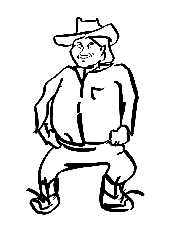
you know, the Gimp and Photoshop are not really well suited for
"drawing".  That work Gilles posted had its forms drawn in Adobe
Illustrator -- a vector package -- and then exported and composed and
texturized in Photoshop.

Inkscape has an excellent drawing tool:  the calligraphic pen.  Using
it, I don't feel all that urge for a tablet.
Post a reply to this message
Attachments:
Download 'cowboy.png' (92 KB)
Preview of image 'cowboy.png'
|
|
| |
| |
|
|
|
|
| |
| |
|
|
Invisible wrote:
> scott wrote:
>> Try scanning in your hand-drawn work and fitting the beziers over the
>> top.
>
> The endless *hours* I've spent fighting with Inkscape trying to make the
> curves look smooth though... It's really very hard indeed to make the
> curves completely smooth. Even after tuning all the control handles for
> ages you can still see where the control points are. :-(

if you're scanning, why not simply trace the bitmap and go from there on?

If you're drawing on inkscape, though, try these settings with the
calligraphic lines tool:
width: 12 thinning: -0.14 angle: 45+ fixation: 0.85 caps: 0.75

the calligraphic tool is sort of a blend between a free-hand pen tool
and a bézier drawing tool:  it assists your hand-drawing by smoothing it
out given your chosen settings.  It's very good for a cartoonish style...

You can also have a lot of fun by playing with the wiggle and tremor
parameters... :)
Post a reply to this message
|
|
| |
| |
|
|
|
|
| |
| |
|
|
> The endless *hours* I've spent fighting with Inkscape trying to make the
> curves look smooth though... It's really very hard indeed to make the
> curves completely smooth. Even after tuning all the control handles for
> ages you can still see where the control points are. :-(

I've not used Inkscape much, but there must be some option to set the corner
points to "smooth" which constrains the bezier control points so that the
join is smooth.  If you really want to have a sharp corner, then you can set
it to "corner" so that you can adjust the control points independantly.

> Perhaps I'll try Photoshop Elements tonight...

Or give PaintShopPro a try too, if you can't get along with PSE.
Post a reply to this message
|
|
| |
| |
|
|
|
|
| |
| |
|
|
And lo on Mon, 03 Mar 2008 21:29:16 -0000, Orchid XP v7 <voi### [at] devnull>
did spake, saying:

> Mike Raiford wrote:
>> Invisible wrote:
>>
>>> Nope, it's no good. I ph413. I simply can't get that mouth shape
>>> correct. It's too crazy... Attempt #2 looks *vaguely* reminiscent of
>>> him, but the others are just nowhere near.
>>  I WANNA SEE!!! :D
>>
>>>
>>> *throws paper away*
>>>
>>  No, don't throw away. I posted my lame attempt at drawing.
>
> Look, it sucked, OK? (And I'm not supposed to my using the PostIt(tm)
> notes on my desk for drawing cartoon characters during work hours.) Just
> assume you already saw it and start with the pointing and the laughing...

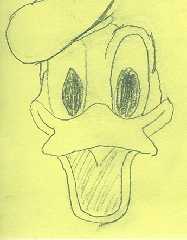
Ah well if you won't I'll snaffle a PostIt instead so here's the before.

--
Phil Cook

--
I once tried to be apathetic, but I just couldn't be bothered
http://flipc.blogspot.com
Post a reply to this message
Attachments:
Download 'dduckpin.png' (282 KB)
Preview of image 'dduckpin.png'
|
|
| |
| |
|
|
|
|
| |
| |
|
|
And lo on Tue, 04 Mar 2008 16:14:47 -0000, Phil Cook
<phi### [at] nospamrocainfreeservecouk> did spake, saying:

> Ah well if you won't I'll snaffle a PostIt instead so here's the before.

and here's the vectored after

--
Phil Cook

--
I once tried to be apathetic, but I just couldn't be bothered
http://flipc.blogspot.com
Post a reply to this message
Attachments:
Download 'dduck.png' (177 KB)
Preview of image 'dduck.png'

|
|
| |
| |
|
|
|
|
| |
| |
|
|
>> Look, it sucked, OK? (And I'm not supposed to my using the PostIt(tm)
>> notes on my desk for drawing cartoon characters during work hours.)
>> Just assume you already saw it and start with the pointing and the
>> laughing...
>
> Ah well if you won't I'll snaffle a PostIt instead so here's the before.

Hint: Yours looks vastly better than any of mine.

--
http://blog.orphi.me.uk/
http://www.zazzle.com/MathematicalOrchid*
Post a reply to this message
|
|
| |
| |
|
|
|
|
| |
| |
|
|
And lo on Tue, 04 Mar 2008 16:48:54 -0000, Invisible <voi### [at] devnull> did
spake, saying:

>>> Look, it sucked, OK? (And I'm not supposed to my using the PostIt(tm)
>>> notes on my desk for drawing cartoon characters during work hours.)
>>> Just assume you already saw it and start with the pointing and the
>>> laughing...
>>  Ah well if you won't I'll snaffle a PostIt instead so here's the
>> before.
>
> Hint: Yours looks vastly better than any of mine.

But we'll never really know that unless you show us :-)

Anyway tech-wise the original drawing was drawn on a 3" square yellow
Z-note with an HB pencil then scanned in at 150dpi. I did the vectoring in
PSP7 and not counting the original background I've 2 raster layers and 7
vector layers with 11 objects; and I really couldn't be arsed to do the
hat. It still needs some tweaking and smoothing, but as I'd already wasted
just under ½hr on it meh!

--
Phil Cook

--
I once tried to be apathetic, but I just couldn't be bothered
http://flipc.blogspot.com
Post a reply to this message
|
|
| |
| |
|
|
|
|
| |
| |
|
|
Dan Byers wrote:
> compare it to drawing on glass, so they slip a piece of paper on top of the
> tablet so they can get the same "feel".

The tablet PC I use has a very nice screen for that. Feels like a high
quality pen on paper. Not slick at all.

--
   Darren New / San Diego, CA, USA (PST)
     "That's pretty. Where's that?"
          "It's the Age of Channelwood."
     "We should go there on vacation some time."
Post a reply to this message
|
|
| |
| |
|
|
|
|
| |
| |
|
|
"Orchid XP v7" <voi### [at] devnull> wrote in message
news:47c87b36@news.povray.org...
> OK, so I realise nobody here actually gives a ****, but I just drew
> these three pictures:

   Well, you did good there, they look good to me. Long time since I did any
freestyle pencil stuff!

      ~Steve~
Post a reply to this message
|
|
| |
| |
|
|
|
|
| |
| |
|
|
>    Well, you did good there, they look good to me. Long time since I did any
> freestyle pencil stuff!

Why thank you Mr St.

I've discovered that for some reason, all of the CAD characters seem
particularly easy to draw. (Though by no means trivial. Every time I try
to draw more of Lilah than her face, it comes out looking like... a
train wreck. Really. I also have a big problem with hands...)

--
http://blog.orphi.me.uk/
http://www.zazzle.com/MathematicalOrchid*
Post a reply to this message
|
|
| |
| |
|
|
|
|
| |
| |
|
|
"Invisible" <voi### [at] devnull> wrote in message
news:47cfb7d4@news.povray.org...
>>    Well, you did good there, they look good to me. Long time since I did
>> any freestyle pencil stuff!
>
> Why thank you Mr St.
>
> I've discovered that for some reason, all of the CAD characters seem
> particularly easy to draw. (Though by no means trivial. Every time I try
> to draw more of Lilah than her face, it comes out looking like... a train
> wreck. Really. I also have a big problem with hands...)
>
Hands and realistic smiles are probably the most difficult to draw.


--
-Nekar Xenos-
Post a reply to this message
|
|
| |
| |
|
|
|
|
| |
| |
|
|
Nekar Xenos <nek### [at] gmailcom> wrote:
> Hands and realistic smiles are probably the most difficult to draw.

  Yeah, unlike in cartoons, the corners of the mouth do not go up when
you smile. If you draw an otherwise realistic face like that, it will
look horrible.

--
                                                          - Warp
Post a reply to this message
|
|
| |
| |
|
|
|
|
| |
| |
|
|
Nekar Xenos wrote:

> Hands and realistic smiles are probably the most difficult to draw.

Yeah, I've got to the point where I can *usually* draw CAD characters
such that you can recognise who it's supposed to be. What expression
they end up having still seems to be rather random - I haven't worked
out how to really control this part yet.

Arms and legs are also deceptively hard. They're not just cylinders;
their circumferance changes along their length in a really quite subtle
way. (If you ignore it, it looks wrong. If you try to draw it, it looks
vastly exaggerated. And wrong.)

I think it would be extremely interesting to find out how Tim draws
these guys. I mean, sure, partly it's practice. But by now he must
surely have a carefully honed technique for drawing each guy and gal...?

--
http://blog.orphi.me.uk/
http://www.zazzle.com/MathematicalOrchid*
Post a reply to this message
|
|
| |
| |
|
|
|
|
| |
| |
|
|
"Warp" <war### [at] tagpovrayorg> wrote in message
news:47cfe3e7@news.povray.org...
> Nekar Xenos <nek### [at] gmailcom> wrote:
>> Hands and realistic smiles are probably the most difficult to draw.
>
>  Yeah, unlike in cartoons, the corners of the mouth do not go up when
> you smile. If you draw an otherwise realistic face like that, it will
> look horrible.
>

Like the Poser 5 smile :P


--
-Nekar Xenos-
Post a reply to this message
|
|
| |
| |
|
|
|
|
| |
| |
|
|
Warp wrote:
> Nekar Xenos <nek### [at] gmailcom> wrote:
>> Hands and realistic smiles are probably the most difficult to draw.
>
>   Yeah, unlike in cartoons, the corners of the mouth do not go up when
> you smile. If you draw an otherwise realistic face like that, it will
> look horrible.

:|

nah. :)
Post a reply to this message
|
|
| |
| |
|
|
|
|
| |
| |
|
|
Invisible wrote:
> Warp wrote:
>
>>   Try drawing Garfield. Or Donald Duck. Surprisingly difficult.
>
> Hmm... Donald Duck... Let me see now...
>
> Attempt #1: EPIC FAIL.
>
> Attempt #2: Fail.
>
> Attempt #3: EPIC FAIL.
>
> Attempt #4: Fail.

I hate to sound cliche, but "if at first you don't succeed, try, and try
again."

After all, there's nothing wrong with "failing" a number of times.  The
only time failure really matters, is when you give up trying.  Until
then, it's just a temporary setback.

--
...Ben Chambers
www.pacificwebguy.com
Post a reply to this message
|
|
| |
| |
|
|
|
|
| |
| |
|
|
Tim Cook wrote:
> http://cgi.4chan.org/ic/src/cb-nws/1204360021815.jpg

I get a 404 there.

--
...Ben Chambers
www.pacificwebguy.com
Post a reply to this message
|
|
| |
| |
|
|
|
|
| |
| |
|
|
Invisible wrote:
> Arms and legs are also deceptively hard. They're not just cylinders;
> their circumferance changes along their length in a really quite subtle
> way. (If you ignore it, it looks wrong. If you try to draw it, it looks
> vastly exaggerated. And wrong.)

You might consider exaggerating things on purpose.  Drawing caricatures,
you don't need to worry so much about "what are the exact proportions",
as much as, "what are the key features?"

--
...Ben Chambers
www.pacificwebguy.com
Post a reply to this message
|
|
| |
| |
|
|
|
|
| |
| |
|
|
Chambers wrote:
> Tim Cook wrote:
>> http://cgi.4chan.org/ic/src/cb-nws/1204360021815.jpg
>
> I get a 404 there.

4chan is not known for the longevity of its threads.  If it had been one
of the more active boards, I'd not've even been able to post a link
expecting even a day before 404.  I'm reworking the hair, I'll post it
here when I'm done with that.

--
Tim Cook
http://empyrean.digitalartsuk.com

-----BEGIN GEEK CODE BLOCK-----
Version: 3.12
GFA dpu- s: a?-- C++(++++) U P? L E--- W++(+++)>$
N++ o? K- w(+) O? M-(--) V? PS+(+++) PE(--) Y(--)
PGP-(--) t* 5++>+++++ X+ R* tv+ b++(+++) DI
D++(---) G(++) e*>++ h+ !r--- !y--
------END GEEK CODE BLOCK------
Post a reply to this message
|
|
| |
| |
|
|
|
|
| |
| |
|
|
> I hate to sound cliche, but "if at first you don't succeed, try, and try
> again."
>
> After all, there's nothing wrong with "failing" a number of times.  The
> only time failure really matters, is when you give up trying.  Until
> then, it's just a temporary setback.

Well, it took 2 attempts to draw Ethan. But after 4 tries at Mr Duck, I
still have nothing remotely recognisible.

So I think we can safely conclude that this is, in fact, harder, as Warp
asserted.

--
http://blog.orphi.me.uk/
http://www.zazzle.com/MathematicalOrchid*
Post a reply to this message
|
|
| |
| |
|
|
|
|
| |
| |
|
|
Orchid XP v7 wrote:
>> I hate to sound cliche, but "if at first you don't succeed, try, and
>> try again."
>>
>> After all, there's nothing wrong with "failing" a number of times.
>> The only time failure really matters, is when you give up trying.
>> Until then, it's just a temporary setback.
>
> Well, it took 2 attempts to draw Ethan. But after 4 tries at Mr Duck, I
> still have nothing remotely recognisible.
>
> So I think we can safely conclude that this is, in fact, harder, as Warp
> asserted.
>

I never said it was easy :)

--
...Ben Chambers
www.pacificwebguy.com
Post a reply to this message
|
|
| |
| |
|
|
|
|
| |
| |
|
|
On Thu, 06 Mar 2008 20:20:17 -0800, Chambers wrote:

> I hate to sound cliche, but "if at first you don't succeed, try, and try
> again."

"Well, General, you know what they say, if at first you don't succeed,
TRY ... try ... try ... try, try, try, ... ah ... try again!"
  -- Col. Jack O'Neill, "Window of Opportunity" (Stargate SG-1)
Post a reply to this message
|
|
| |
| |
|
|
|
|
| |
| |
|
|
On 7 Mar 2008 12:27:02 -0500, Jim Henderson <nos### [at] nospamcom> wrote:

>On Thu, 06 Mar 2008 20:20:17 -0800, Chambers wrote:
>
>> I hate to sound cliche, but "if at first you don't succeed, try, and try
>> again."
>
>"Well, General, you know what they say, if at first you don't succeed,
>TRY ... try ... try ... try, try, try, ... ah ... try again!"
>  -- Col. Jack O'Neill, "Window of Opportunity" (Stargate SG-1)

Personally I think that you should stomp that spider :)

Regards
	Stephen
Post a reply to this message
|
|
| |
| |
|
|
|
|
| |
| |
|
|
"Invisible" <voi### [at] devnull> wrote in message
news:47cfb7d4@news.povray.org...
>>    Well, you did good there, they look good to me. Long time since I did
>> any freestyle pencil stuff!
>
> Why thank you Mr St.

      Heh... :) I feel like I need a shiny white halo above my head... ;)


>
> I've discovered that for some reason, all of the CAD characters seem
> particularly easy to draw. (Though by no means trivial. Every time I try
> to draw more of Lilah than her face, it comes out looking like... a train
> wreck. Really. I also have a big problem with hands...)

    Ah, hands. Yes, hard to do. Whenever I've tried to draw hands (which has
been many times now) I always concentrate on the knuckles and finger/thumb
pads, usually making them slightly larger than normal, which seems to work.
The nails are important too.

     ~Steve~


>
> --
> http://blog.orphi.me.uk/
> http://www.zazzle.com/MathematicalOrchid*
Post a reply to this message
|
|
| |
| |
|
|
|
|
| |
| |
|
|
St. wrote:

>     Ah, hands. Yes, hard to do. Whenever I've tried to draw hands (which has
> been many times now) I always concentrate on the knuckles and finger/thumb
> pads, usually making them slightly larger than normal, which seems to work.
> The nails are important too.

My drawing instructor made me draw my hand in lots of different ways.

Who would have thought there were so many ways to fail at drawing? I
feel as if I know them all now.

[Now if I could figure out how to *avoid* these things...]

--
http://blog.orphi.me.uk/
http://www.zazzle.com/MathematicalOrchid*
Post a reply to this message
|
|
| |
| |
|
|
|
|
| |
| |
|
|
"Orchid XP v7" <voi### [at] devnull> wrote in message
news:47d19c4c$1@news.povray.org...
> St. wrote:
>
>>     Ah, hands. Yes, hard to do. Whenever I've tried to draw hands (which
>> has been many times now) I always concentrate on the knuckles and
>> finger/thumb pads, usually making them slightly larger than normal, which
>> seems to work. The nails are important too.
>
> My drawing instructor made me draw my hand in lots of different ways.

     Well, there are lots of different ways - skinny hands, fat hands, young
hands, old hands, good hands, evil hands. There are more probably, but I'll
leave that to your imagination Andrew!  ;)


>
> Who would have thought there were so many ways to fail at drawing? I feel
> as if I know them all now.

  See above...


>
> [Now if I could figure out how to *avoid* these things...]

     I don't think you can avoid them, they seem to crop up frequently with
hand drawing. So, practice is the answer.

      ~Steve~


>
> --
> http://blog.orphi.me.uk/
> http://www.zazzle.com/MathematicalOrchid*
Post a reply to this message
|
|
| |
| |
|
|
|
|
| |
| |
|
|
On Fri, 07 Mar 2008 18:27:57 +0000, Stephen wrote:

> On 7 Mar 2008 12:27:02 -0500, Jim Henderson <nos### [at] nospamcom> wrote:
>
>>On Thu, 06 Mar 2008 20:20:17 -0800, Chambers wrote:
>>
>>> I hate to sound cliche, but "if at first you don't succeed, try, and
>>> try again."
>>
>>"Well, General, you know what they say, if at first you don't succeed,
>>TRY ... try ... try ... try, try, try, ... ah ... try again!"
>>  -- Col. Jack O'Neill, "Window of Opportunity" (Stargate SG-1)
>
> Personally I think that you should stomp that spider :)

That doesn't work with replicator spiders....Even shooting them is a bad
thing, just makes more of them.

Jim
Post a reply to this message
|
|
| |
| |
|
|
|
|
| |
| |
|
|
On 7 Mar 2008 17:06:10 -0500, Jim Henderson <nos### [at] nospamcom> wrote:

>On Fri, 07 Mar 2008 18:27:57 +0000, Stephen wrote:
>
>> On 7 Mar 2008 12:27:02 -0500, Jim Henderson <nos### [at] nospamcom> wrote:
>>
>>>On Thu, 06 Mar 2008 20:20:17 -0800, Chambers wrote:
>>>
>>>> I hate to sound cliche, but "if at first you don't succeed, try, and
>>>> try again."
>>>
>>>"Well, General, you know what they say, if at first you don't succeed,
>>>TRY ... try ... try ... try, try, try, ... ah ... try again!"
>>>  -- Col. Jack O'Neill, "Window of Opportunity" (Stargate SG-1)
>>
>> Personally I think that you should stomp that spider :)
>
>That doesn't work with replicator spiders....Even shooting them is a bad
>thing, just makes more of them.
>

Then I'll have to wait until the old sorcerer returns, to quickly break the
spell and save the day.

Regards
	Stephen
Post a reply to this message
|
|
| |
| |
|
|
|
|
| |
| |
|
|
"Stephen" <mcavoysATaolDOTcom@> wrote in message
news:8923t3907sh720poovlr5l3u78i8oiq9qo@4ax.com...
> On 7 Mar 2008 12:27:02 -0500, Jim Henderson <nos### [at] nospamcom> wrote:
>
>>On Thu, 06 Mar 2008 20:20:17 -0800, Chambers wrote:
>>
>>> I hate to sound cliche, but "if at first you don't succeed, try, and try
>>> again."
>>
>>"Well, General, you know what they say, if at first you don't succeed,
>>TRY ... try ... try ... try, try, try, ... ah ... try again!"
>>  -- Col. Jack O'Neill, "Window of Opportunity" (Stargate SG-1)
>
> Personally I think that you should stomp that spider :)

  No, it'll rain...  :(

   ~Steve~


>
> Regards
> Stephen
Post a reply to this message
|
|
| |
| |
|
|
|
|
| |
| |
|
|
On Sat, 8 Mar 2008 19:21:00 -0000, "St." <dot### [at] dotcom> wrote:

>> Personally I think that you should stomp that spider :)
>
>  No, it'll rain...  :(

But you are in a cave so who cares :-)
And the farmers need it.

Regards
	Stephen
Post a reply to this message
|
|
| |
| |
|
|
|
|
| |
| |
|
|
"Stephen" <mcavoysATaolDOTcom@> wrote in message
news:d4q5t3pp2e83lh50bbcmtldos4uves86ur@4ax.com...
> On Sat, 8 Mar 2008 19:21:00 -0000, "St." <dot### [at] dotcom> wrote:
>
>>> Personally I think that you should stomp that spider :)
>>
>>  No, it'll rain...  :(
>
> But you are in a cave so who cares :-)

     Well, it feels like a cave, it *is* dark and scary here...  <gulp!>


> And the farmers need it.

     Lol, true!

     ~Steve~


> Regards
> Stephen
Post a reply to this message
|
|
| |
| |
|
|
|
|
| |
| |
|
|
St. wrote:
> "Stephen" <mcavoysATaolDOTcom@> wrote in message
> news:d4q5t3pp2e83lh50bbcmtldos4uves86ur@4ax.com...
>> On Sat, 8 Mar 2008 19:21:00 -0000, "St." <dot### [at] dotcom> wrote:
>>
>>>> Personally I think that you should stomp that spider :)
>>>  No, it'll rain...  :(
>> But you are in a cave so who cares :-)
>
>      Well, it feels like a cave, it *is* dark and scary here...  <gulp!>
>
>
>> And the farmers need it.
>
>      Lol, true!

I'm a bit lost... Is this a Zork reference, or something?

--
...Ben Chambers
www.pacificwebguy.com
Post a reply to this message
|
|
| |
| |
|
|
|
|
| |
| |
|
|
Chambers wrote:
> St. wrote:
>> "Stephen" <mcavoysATaolDOTcom@> wrote in message
>> news:d4q5t3pp2e83lh50bbcmtldos4uves86ur@4ax.com...
>>> On Sat, 8 Mar 2008 19:21:00 -0000, "St." <dot### [at] dotcom> wrote:
>>>
>>>>> Personally I think that you should stomp that spider :)
>>>>  No, it'll rain...  :(
>>> But you are in a cave so who cares :-)
>>
>>      Well, it feels like a cave, it *is* dark and scary here...  <gulp!>
>>
>>
>>> And the farmers need it.
>>
>>      Lol, true!
>
> I'm a bit lost... Is this a Zork reference, or something?
>


--
http://blog.orphi.me.uk/
http://www.zazzle.com/MathematicalOrchid*
Post a reply to this message
Attachments:
Download 'bunny-pancake.jpg' (19 KB)
Preview of image 'bunny-pancake.jpg'

|
|
| |
| |
|
|
|
|
| |
| |
|
|
On Sat, 8 Mar 2008 19:41:44 -0000, "St." <dot### [at] dotcom> wrote:

>
>"Stephen" <mcavoysATaolDOTcom@> wrote in message
>news:d4q5t3pp2e83lh50bbcmtldos4uves86ur@4ax.com...
>> On Sat, 8 Mar 2008 19:21:00 -0000, "St." <dot### [at] dotcom> wrote:
>>
>>>> Personally I think that you should stomp that spider :)
>>>
>>>  No, it'll rain...  :(
>>
>> But you are in a cave so who cares :-)
>
>     Well, it feels like a cave, it *is* dark and scary here...  <gulp!>

LOL says Robert the Bruce :)
>
>> And the farmers need it.
>
>     Lol, true!
>
>     ~Steve~
>
>
>
>
>> Regards
>> Stephen
>

Regards
	Stephen
Post a reply to this message
|
|
| |
| |
|
|
|
|
| |
| |
|
|
On Sat, 08 Mar 2008 08:32:57 +0000, Stephen wrote:

>>That doesn't work with replicator spiders....Even shooting them is a bad
>>thing, just makes more of them.
>>
>>
> Then I'll have to wait until the old sorcerer returns, to quickly break
> the spell and save the day.

LOL

Jim
Post a reply to this message
|
|
| |
| |
|
|
|
|
| |








