|
|
|
|
|
|
| |
| |
|
|
|
|
| |
| |
|
|
Many years ago, alphaQuad aka Melody issued a glory ping pong challenge,
but was quite unsuccessful.

http://news.povray.org/povray.binaries.images/thread/%3Cweb.4834b239d2ad962989f6d7ba0%40news.povray.org%3E/

I tried my own tests, with unsatisfying results.  milco2006 had more
success, but warned it was probably not what alphaQuad was looking for.

Then I came across this video: https://youtu.be/24GfgNtnjXc

At 21:33, the video explains that glories rely on diffraction
interference; but, aside from the irid feature, POV-Ray doesn't do
diffraction!  It seems that glories were a fool's errand on this
platform... unless...

Unless someone can think of some clever way to simulate diffractive
effects.  I won't say it can't be done; that would only ensure that it
*won't* be done.  Perhaps some clever (ab)use of irid?  Or finding a way
to accurately fake it with regular ior and dispersion?
Post a reply to this message
|
|
| |
| |
|
|
|
|
| |
| |
|
|
Cousin Ricky <ric### [at] yahoo com> wrote:
> At 21:33, the video explains that glories rely on diffraction
> interference; but, aside from the irid feature, POV-Ray doesn't do
> diffraction! It seems that glories were a fool's errand on this
> platform... unless...
>
> Unless someone can think of some clever way to simulate diffractive
> effects.
Why not define a full-color pigment function that uses average {} and some kind
of function related to the distance from some point from the camera?
Then you could assign wavelengths and phase shifts, and get the overlapping
color effect?
Might be worth contacting Grant Sanderson (3Blue1Brown),
https://www.youtube.com/@ezfzx, or Eugene Khutoryansky
https://www.youtube.com/@EugeneKhutoryansky/videos,
or Jos Leys, Étienne Ghys, and Aurélien Alvarez
If anyone could do it, these people could.
I would imagine that WFP, TOK, and Jerome Grimbert would have an idea or two.
- BW com> wrote:
> At 21:33, the video explains that glories rely on diffraction
> interference; but, aside from the irid feature, POV-Ray doesn't do
> diffraction! It seems that glories were a fool's errand on this
> platform... unless...
>
> Unless someone can think of some clever way to simulate diffractive
> effects.
Why not define a full-color pigment function that uses average {} and some kind
of function related to the distance from some point from the camera?
Then you could assign wavelengths and phase shifts, and get the overlapping
color effect?
Might be worth contacting Grant Sanderson (3Blue1Brown),
https://www.youtube.com/@ezfzx, or Eugene Khutoryansky
https://www.youtube.com/@EugeneKhutoryansky/videos,
or Jos Leys, Étienne Ghys, and Aurélien Alvarez
If anyone could do it, these people could.
I would imagine that WFP, TOK, and Jerome Grimbert would have an idea or two.
- BW
Post a reply to this message
|
|
| |
| |
|
|
|
|
| |
| |
|
|
"Bald Eagle" <cre### [at] netscapenet> wrote:

> Why not define a full-color pigment function that uses average {} and some kind
> of function related to the distance from some point from the camera?
> Then you could assign wavelengths and phase shifts, and get the overlapping
> color effect?

So, this jogged my memory of when i was playing with some optical effect
patterns.
Do we think this might be a way forward?

http://news.povray.org/povray.binaries.images/thread/%3Cweb.66a046cea7254f9e1f9dae3025979125%40news.povray.org%3E/
Post a reply to this message
|
|
| |
| |
|
|
|
|
| |
| |
|
|
"Bald Eagle" <cre### [at] netscapenet> wrote:

> Do we think this might be a way forward?
>
http://news.povray.org/povray.binaries.images/thread/%3Cweb.66a046cea7254f9e1f9dae3025979125%40news.povray.org%3E/

Yep, I think we're on to something:

"Using the standard assumptions of diffraction theory, he formulated the local
intensity of scattered light in terms of a “rainbow integral”, subsequently
renamed the Airy integral in his honor; it is related to the now familiar Airy
function. It is analogous to the Fresnel integrals which also arise in
diffraction theory."

https://digitalcommons.odu.edu/cgi/viewcontent.cgi?article=1157&context=mathstat_fac_pubs
Post a reply to this message
|
|
| |
| |
|
|
|
|
| |
| |
|
|
Cousin Ricky <ric### [at] yahoocom> wrote:

> Unless someone can think of some clever way to simulate diffractive
> effects.  I won't say it can't be done; that would only ensure that it
> *won't* be done.  Perhaps some clever (ab)use of irid?  Or finding a way
> to accurately fake it with regular ior and dispersion?

I took an initial stab at this using the interference model, and that was
probably too complicated an approach (for now).

My current experiment is trying to implement this:

We know that the effect is angle-dependent.  "The rainbow isn't at any distance
from you - it's simply coming from a _direction."

So I played a bit with calculating the angle on an image plane, using only the
2-4 degree angle of the glory, and then trying to remap those angles to
0-(approx) 280 so that I could just apply an HSV color gradient across it.

Sleep and coffee let my brain see that using something *like* a sky_sphere would
be the way to go.  Then it's just a matter of daisy-chaining functions together
to get the rgb 1 emissive inner circle, the Alexander's dark band, and whatever
other higher order rainbows the user decides to include.

Maybe there's somehow something that can be done with an actual cone {} spanning
the desired angles, and some kind of intersection {} with a hollow sphere could
be used?  Media with a df3?

I like the irid idea - I'll have to take a look at the source for that to see if
something can be implemented using that code.

With regard to my earlier recognition that the glory resembled the Fresnel
diffraction pattern in shadows:  What if one used an emissive light source that
had the ROYGBIV HSV gradient, and it cast a penumbral shadow?
Post a reply to this message
|
|
| |
| |
|
|
|
|
| |
| |
|
|
There are also thousands of shaders to use as inspiration.

https://www.shadertoy.com/view/WtGyW1

https://www.shadertoy.com/view/Wsj3zh

https://www.shadertoy.com/view/3dj3zh

https://www.shadertoy.com/view/WsS3Rz

https://www.shadertoy.com/view/WlfXzB

https://www.shadertoy.com/view/wtsyDl
Post a reply to this message
|
|
| |
| |
|
|
|
|
| |
| |
|
|
On 2025-02-10 10:47 )-4), Bald Eagle wrote:
>
> With regard to my earlier recognition that the glory resembled the Fresnel
> diffraction pattern in shadows:  What if one used an emissive light source that
> had the ROYGBIV HSV gradient, and it cast a penumbral shadow?

How does one put a hue gradient on a light source?  Are you thinking
about a filter in front of the light source?  And how would you convert
ROYGBIV into an interference pattern?

It just occurred to me that I have played with diffraction interference:

  https://news.povray.org/55719ced%40news.povray.org

I did these images using layers of emissive media with a density
function.  For the RGB image, I stacked separate layers for red, green,
and blue respectively.  For the spectral image, I rendered an
intermediate EXR image for each of 36 wavelengths, then combined them.
Post a reply to this message
|
|
| |
| |
|
|
|
|
| |
| |
|
|
Cousin Ricky <ric### [at] yahoocom> wrote:

> How does one put a hue gradient on a light source?  Are you thinking
> about a filter in front of the light source?

Put a hue gradient on an object and give it an emission 1 finish?
Use projected_through?

  And how would you convert
> ROYGBIV into an interference pattern?

Look at the rainbow pages.  They have interference patterns for different
colors.  Then they sum them up.  Write a macro that creates the functions for
the wavelengths and sums them up.  Have the number of discrete wavelengths that
you want to use in the visible spectrum be the argument for the macro.

Something with a Fourier transform?

- or -

I don't think we would.  I think we'd diagram out what would happen if the
interference pattern was the originating mechanism of the result - but then see
if there's just some overall function that describes the HSV result.

Or just fake the hell out of it with something that for all intents and purposes
looks good enough.

My Fresnel diffraction pattern was rendered with a simple equation describing
the end result.  I didn't model the interference in any way whatsoever.

I think the key here is to not get all tangled up in trying to work _through_
all of the physically-based processes - but rather summarize the overall result.
Like writing out the big intermediate equation - and then canceling out a bunch
of terms.  Physicists apparently do intermediate calculations with imaginary
numbers and negative temperatures - but that's only the procedural path to the
answer.

I posted a lot of stuff that doesn't try to calculate an infinite number of
wavelengths.  Let those be the guide.

How do we calculate integrals?  Those can be considered the sum of an infinite
number of thin strips underneath the curve - but we don't actually process those
infinite number of strips, do we?  We just "do the math", and the result pops
out the end.

So we just find a way to "do the math" and get something that works.

- BW
Post a reply to this message
|
|
| |
| |
|
|
|
|
| |
| |
|
|
https://earthsky.org/space/glory-on-an-exoplanet-wasp-76b-exoplanets-glories/

relevant image:
https://earthsky.org/upl/2024/04/Glories-Earth-Venus-simulated-views-March-11-2014.jpg

"This is a _simulated_ comparison of a glory on Venus (left) and Earth (right)."

So people are actually simulating the effect - which means that we can do it in
POV-Ray.

Hell - even if we just scanned straight across the middle with eval_pigment ()
and made a spline function or a color_map directly, then there you go.
Instant glory to be used as a layered texture, a screen.inc object, or however
else you might decide to implement it.

K.I.S.S.    :*
Post a reply to this message
|
|
| |
| |
|
|
|
|
| |
| |
|
|
Le 2025-02-10 à 16:01, Bald Eagle a écrit :
> Cousin Ricky <ric### [at] yahoocom> wrote:
>
>> How does one put a hue gradient on a light source?  Are you thinking
>> about a filter in front of the light source?
>
> Put a hue gradient on an object and give it an emission 1 finish?
> Use projected_through?
>
>
Tried projected_through with a filtering pattern creating a gradient. It
don't work. You get a warning about projected_through requiring a
texture-less object, and the pigment or pattern is ignored.
Post a reply to this message
|
|
| |
| |
|
|
|
|
| |
| |
|
|
Alain Martel <kua### [at] videotronca> wrote:

> Tried projected_through with a filtering pattern creating a gradient. It
> don't work. You get a warning about projected_through requiring a
> texture-less object, and the pigment or pattern is ignored.

Yeah - RTFM shows that it doesn't do what I had thought it did.

https://wiki.povray.org/content/Reference:Light_Source#Projected_Through

Projected Through
You can use projected_through with any type of light source. Any object can be
used, provided it has been declared beforehand. Projecting a light through an
object can be thought of as the opposite of shadowing, in that only the light
rays that hit the projected through object will contribute to the scene. This
also works with area lights producing spots of light with soft edges. Any
objects between the light and the projected through object will not cast
shadows, additionally any surface within the projected through object will not
cast shadows. Any textures or interiors on the object will be stripped and the
object will not show up in the scene.

The syntax is as follows:

light_source {
  LOCATION_VECTOR, COLOR
  [LIGHT_SOURCE_ITEMS...]
  projected_through { OBJECT }
  }


Maybe use a disk with a cylindrical pattern and a gradient, or a sphere with an
onion and a gradient.

We don't actually have any inbuilt pattern that would give a conical gradient,
do we?

Maybe use a cylindrical gradient with a spherical warp.
Put the camera in the center of it.

Then just write a function that limits the locus of the gradient and gives the
right color-mapping for the glory effect.
Post a reply to this message
|
|
| |
| |
|
|
|
|
| |
| |
|
|
And here you go:

http://www.philiplaven.com/Publications/AO-42-03-p436.pdf

http://www.philiplaven.com/mieplot.htm
Post a reply to this message
|
|
| |
| |
|
|
|
|
| |
| |
|
|
"Bald Eagle" <cre### [at] netscapenet> wrote:
> And here you go:
>
> http://www.philiplaven.com/Publications/AO-42-03-p436.pdf
>
> http://www.philiplaven.com/mieplot.htm

http://www.philiplaven.com/p4.html
Post a reply to this message
|
|
| |
| |
|
|
|
|
| |
| |
|
|
"Bald Eagle" <cre### [at] netscapenet> wrote:
> Alain Martel <kua### [at] videotronca> wrote:
>
> > Tried projected_through with a filtering pattern creating a gradient. It
> > don't work. You get a warning about projected_through requiring a
> > texture-less object, and the pigment or pattern is ignored.
>
> Yeah - RTFM shows that it doesn't do what I had thought it did.
>
> https://wiki.povray.org/content/Reference:Light_Source#Projected_Through
>
> Projected Through
> You can use projected_through with any type of light source. Any object can be
> used, provided it has been declared beforehand. Projecting a light through an
> object can be thought of as the opposite of shadowing, in that only the light
> rays that hit the projected through object will contribute to the scene. This
> also works with area lights producing spots of light with soft edges. Any
> objects between the light and the projected through object will not cast
> shadows, additionally any surface within the projected through object will not
> cast shadows. Any textures or interiors on the object will be stripped and the
> object will not show up in the scene.
>
> The syntax is as follows:
>
> light_source {
>   LOCATION_VECTOR, COLOR
>   [LIGHT_SOURCE_ITEMS...]
>   projected_through { OBJECT }
>   }
>
>
> Maybe use a disk with a cylindrical pattern and a gradient, or a sphere with an
> onion and a gradient.
>
Here's something I tried.
Post a reply to this message
Attachments:
Download 'lightplay.jpg' (19 KB)
Preview of image 'lightplay.jpg'

|
|
| |
| |
|
|
|
|
| |
| |
|
|
I haven't done any more work on the diffraction stuff, but I did happen across
an interesting parametric equation describing the real shape of a falling
raindrop.

r = Sigma [A * ( 1 + Cn * cos(Cn * Theta)]
with a table of 8 C values for droplet radii ranging from 0 to 3mm

Had a devil of a time working that all out so that the values get linearly
interpolated for any given raindrop size.
Then I:
plotted it out with spheres,
messed up the parametric {},
tried to convert the parametric into an isosurface,
tried to render a sor {};
fixed my parametric {},
finally used a lathe {}, and added an ior of 1.33

I generated 100 raindrops of each size and randomly translated them.

- BW
Post a reply to this message
Attachments:
Download 'raindrop.png' (931 KB)
Preview of image 'raindrop.png'

|
|
| |
| |
|
|
|
|
| |
| |
|
|
Cousin Ricky <ric### [at] yahoocom> wrote:
> Many years ago, alphaQuad aka Melody issued a glory ping pong challenge,
> but was quite unsuccessful.

I had some very nice exchanges with the friendly Philip Laven, and we talked
about how simulating the optics was "fiendishly complicated", and how here on
the forum we'd like to merely simulate the effect as best we could without
approximating the underlying plane wave interference.

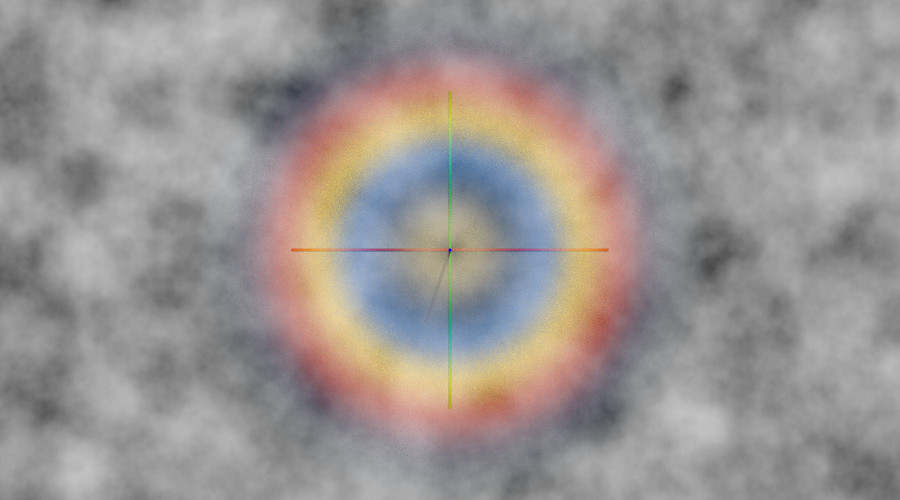
So, for the moment, I noticed that POV-Ray has an inbuilt rainbow atmospheric
effect.

https://wiki.povray.org/content/Reference:Rainbow

So I took the image from
http://www.philiplaven.com/Mie-r10-175-180-0p01-300col.jpg
(at http://www.philiplaven.com/p2c1.html)
Which already has the rgb values for the glory laid out in a linear form, and
plugged that (as a cropped version) as an image_map into a pigment and then into
a function, and used a loop to define my color map entries using the 0-1 index
as an argument to the function.
Then I used that color_map for the rainbow, tweaked some parameters, stuck a
plane with a cloud pigment behind it, and there we go.

Important note: the rainbow must make use of a mechanism very much like media,
since the plane needed to be hollow to see the rainbow. (One can also just flip
the plane normal using the inverse keyword)

I'm trying to figure out how to cast a shadow _through_ scattering media to
simulate the Brocken Spectre, but haven't figured that part out yet.

I might need to alter the color_map function to change the fading effect, but it
looks passable for now.

- BW
Post a reply to this message
Attachments:
Download 'glory2.png' (219 KB)
Preview of image 'glory2.png'

|
|
| |
| |
|
|
|
|
| |
| |
|
|
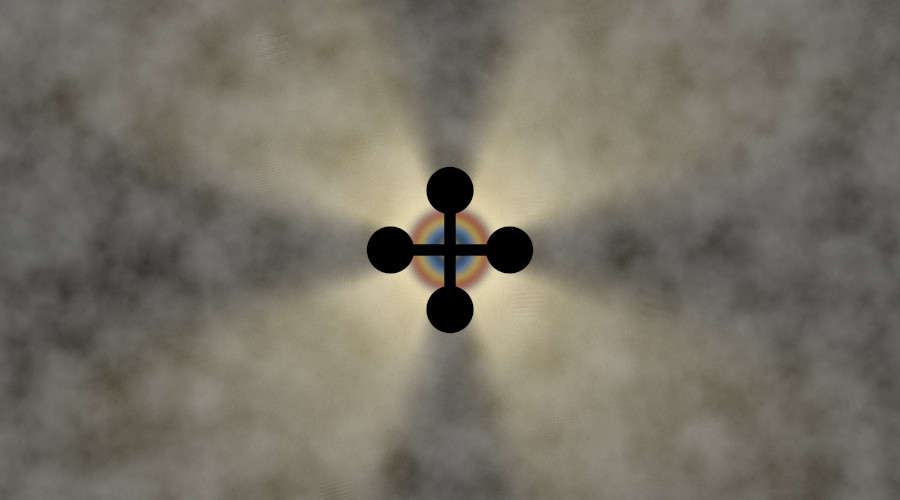
OK, I got the shadow, I just need to figure out how to get that LONG shadow that
goes all the way from the camera and out to the "orthographic shadow".

- BW
Post a reply to this message
Attachments:
Download 'glory2.png' (266 KB)
Preview of image 'glory2.png'

|
|
| |
| |
|
|
From: William F Pokorny
Subject: Re: Glories, POV-Ray, and diffraction
Date: 26 Feb 2025 13:08:23
Message: <67bf5897@news.povray.org>
|
|
|
| |
| |
|
|
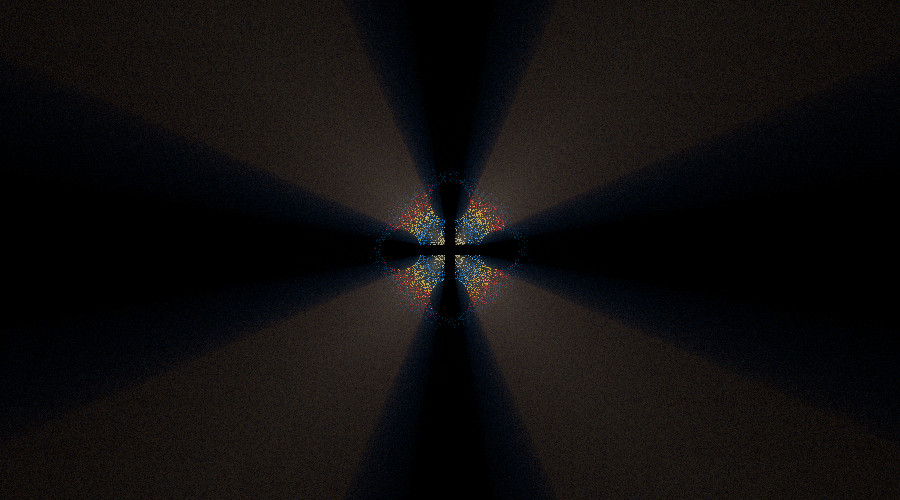
On 2/20/25 19:07, Bald Eagle wrote:
> I'm trying to figure out how to cast a shadow_through_ scattering media to
> simulate the Brocken Spectre, but haven't figured that part out yet.

Playing with an idea.

The attached image uses multiple isosurfaces as colored dust. I used
yuqk's new f_popnrm_rnoise() to break shapes up rather than my usual
method with extreme turbulence blowing isosurfaces apart.

It kinda of works as far as I've gotten...

The thought - still untested - is given these particles exist, it should
be I can project light from the backside 'through' them and into
scattering media between the camera and the particles.

The effect counts on fairly heavy AA (it's effectively part of the
sampling / color-blending). With media too - this method might get
really slow, but we'll see.

Off to do some RL stuff, but I'll try and get back and try the projected
light / media part of it soon.

Bill P.
Post a reply to this message
Attachments:
Download 'try00.jpg' (66 KB)
Preview of image 'try00.jpg'
|
|
| |
| |
|
|
|
|
| |
| |
|
|
William F Pokorny <ano### [at] anonymousorg> wrote:
> On 2/20/25 19:07, Bald Eagle wrote:
> > I'm trying to figure out how to cast a shadow_through_ scattering media to
> > simulate the Brocken Spectre, but haven't figured that part out yet.
>
> Playing with an idea.

Nice.

However for the glory, Philip will be quite cross is you treat it like a
diffraction effect.
It's not - it's a plane wave interference effect.

The colors that you get are therefore sort of reversed from a regular rainbow.

Image_map attached.

- BW
Post a reply to this message
Attachments:
Download 'mie-r10-175-180-0p01-300col.jpg' (7 KB)
Preview of image 'mie-r10-175-180-0p01-300col.jpg'

|
|
| |
| |
|
|
|
|
| |
| |
|
|
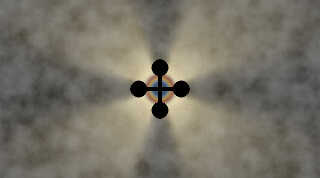
On 2/26/25 18:08, Bald Eagle wrote:
> The colors that you get are therefore sort of reversed from a regular rainbow.
>
> Image_map attached.

Thanks, Bill, for posting the image_map image with the colors.

Attached is an image where the light source was moved behind the plane
with the wrinkles pattern clouds. I used the outer most of the six,
color, isosurface dust, rings as the projected through shape. The light
rays magically pop through the blocking plane and shoot out of a
gazillion dust particles on the other side!

It is slow. Right at two hours on my old Intel i3 CPU. It's not all due
scattering media; My leaving the plane's pigment as a wrinkles pattern
was costly. A stored image mapped to the plane would be faster.

More work would be needed to make it look somewhat realistic to any
given real world phenomenon. The image is generated 'looking the wrong
way', for example, but the method has potential for faking effects like
Glories I think.

Bill P.
Post a reply to this message
Attachments:
Download 'try01.jpg' (54 KB)
Preview of image 'try01.jpg'
|
|
| |
| |
|
|
|
|
| |
| |
|
|
William F Pokorny <ano### [at] anonymousorg> wrote:

> Thanks, Bill, for posting the image_map image with the colors.

Of course.  Many thanks to Philip Laven for making the output of his Mie theory
program available.

> The image is generated 'looking the wrong
> way', for example, but the method has potential for faking effects like
> Glories I think.

Clever way to do it, and yes, that's slow!
Are you using no_image for your shadow-casting object?

I'm also curious why "the wrong way" works, and I can't create a good shadow as
shown by the scattering media documentation page.  Do we not see shadows when
the camera is in line with the light source?

Might need to do an animation of a light source revolving around a ring of
columns . . .


-BW
Post a reply to this message
|
|
| |
| |
|
|
From: William F Pokorny
Subject: Re: Glories, POV-Ray, and diffraction
Date: 27 Feb 2025 09:45:51
Message: <67c07a9f@news.povray.org>
|
|
|
| |
| |
|
|
On 2/27/25 06:25, Bald Eagle wrote:
> Are you using no_image for your shadow-casting object?

No. It's completely black because there is no direct light or radiosity.
It's sitting between the camera and the isosurface dust in the wrong way
configuration; we are seeing the completely shadowed side.

Aside: I am using 'no_shadow' for the dust rings because I don't want
them to burn time self shadowing.

> I'm also curious why "the wrong way" works, and I can't create a good shadow as
> shown by the scattering media documentation page.  Do we not see shadows when
> the camera is in line with the light source?

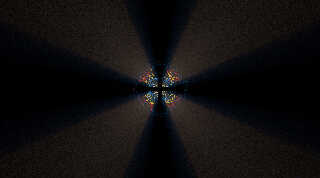
Attached is an image flipped the right way around where everything is
projected onto a white plane (this the original form for the idea). The
shadowing object is now just behind the camera - as is the light
projected through dust.

The original idea was to have a colored light source for each ring, and
to project the image onto some "clouds." This requires 6 light sources
in my current set up - hence no AA was used in the image attached!

It's enough to show the right way around works too, though need to look
for other ways to represent the colors (filter in front of the dust
maybe, to get to one light source and one isosurface dust shape).

Aside 2: I did have to increase my method 3 media samples by about 3x in
the right-way direction for the media to look smooth. I 'think' because
the light intensity is spreading more in the right-way-around / truly
projecting onto something, direction.

Bill P.
Post a reply to this message
Attachments:
Download 'try02.jpg' (96 KB)
Preview of image 'try02.jpg'
|
|
| |
| |
|
|
|
|
| |