|
|
|
|
|
|
| |
| |
|
|
|
|
| |
| |
|
|
I was looking at using the Dakota Red Granite macro from Thomas de Groot in a
scene that I am working on and found that it generates a material{}.  I had been
under the mistaken notion that you couldn't layer materials, until I read the
details on what they are, which made me happy.

But I started wondering how all of the components of a layered material actually
work and couldn't find a concise explanation.

The pigment part of the texture in a material makes sense to me, and I
understand that the filter/transmit values determine how to mix the texture
starting from the bottom to the top layer.  The other parts are not so clear to
me.

Normals:  Do upper layers add or replace the normal in the lower layer(s)?  It
doesn't seem that pigment transparency would have any effect on mixing the
normals from the various layers.

Finish: Same question, does it add or replace the finish from the lower layers?
If it replaces, does it only replace the elements of the finish not declared in
lower layers, or does it replace the entire finish?  I am pretty sure pigment
transparency doesn't affect this either, or else the standard layering tactic to
make the top layer a completely transparent pigment with the finish you want
wouldn't work.

Interior: This is what just recently occurred to me, and I have no idea what
happens here.  Again, do subsequent interior statements replace prior ones, or
just add what wasn't previously declared?

For most of my interiors I am only concerned with ior, so replacement makes
sense, but what about interior fading and media?

-- Chris R
Post a reply to this message
|
|
| |
| |
|
|
|
|
| |
| |
|
|
"Chris R" <car### [at] comcast net> wrote:
> I was looking at using the Dakota Red Granite macro from Thomas de Groot in a
> scene that I am working on and found that it generates a material{}. I had been
> under the mistaken notion that you couldn't layer materials, until I read the
> details on what they are, which made me happy.
>
> But I started wondering how all of the components of a layered material actually
> work and couldn't find a concise explanation.
>
> The pigment part of the texture in a material makes sense to me, and I
> understand that the filter/transmit values determine how to mix the texture
> starting from the bottom to the top layer. The other parts are not so clear to
> me.
>
> Normals: Do upper layers add or replace the normal in the lower layer(s)? It
> doesn't seem that pigment transparency would have any effect on mixing the
> normals from the various layers.
>
> Finish: Same question, does it add or replace the finish from the lower layers?
> If it replaces, does it only replace the elements of the finish not declared in
> lower layers, or does it replace the entire finish? I am pretty sure pigment
> transparency doesn't affect this either, or else the standard layering tactic to
> make the top layer a completely transparent pigment with the finish you want
> wouldn't work.
>
> Interior: This is what just recently occurred to me, and I have no idea what
> happens here. Again, do subsequent interior statements replace prior ones, or
> just add what wasn't previously declared?
>
> For most of my interiors I am only concerned with ior, so replacement makes
> sense, but what about interior fading and media?
>
> -- Chris R
I started doing some experiments to try and determine empirically how the
layering works. I did not devise anything yet to test what layered interior
statements do; I focused on the textures part first.
As expected, and explained in documentation, the pigment{} portions of layered
textures are blended together based on filter/transmit settings of the layers
above the base layer.
Normals, also seem to be blended, and it appears the pigment
transparency/filtering is used to determine how to blend them. I'm not sure how
the implementation works, but possibly the normal is applied to the pigment
first, and then the layers are blended together?
Finish: this is the hairiest one to figure out.
Specular seems to be additive. I created a solid pigment layer with specular
1.0 and default for everything else. I created a completely transparent pigment
layer with specular 1.0 and everything else default. The specular highlight on
the layered object was twice as bright as the highlight on the base-only object.
It's a little hard to tell what's happening when you have a partially
transparent layer.
I think roughness is somehow combined, but it isn't additive. Not sure how its
done.
Diffuse seems to be a blend based on the transparency of the upper pigment, but
again, it is a little hard to determine what its doing with my small
experiments.
Reflection seems to be the most confusing. If the lower layer has no
reflection, and the upper layer has reflection, the whole object has the upper
layer reflection, regardless of the pigment filter/transmit of the upper layer.
However, I did some experiments where the base layer had a reflection of 1, and
the upper layer had a reflection of 0. In this case, the parts of the base
layer that show through the pigment filter/transmit have reflection, but the
parts of the upper layer that are visible have no reflection.
I haven't looked into things like metallic, crand, etc.
-- Chris R net> wrote:
> I was looking at using the Dakota Red Granite macro from Thomas de Groot in a
> scene that I am working on and found that it generates a material{}. I had been
> under the mistaken notion that you couldn't layer materials, until I read the
> details on what they are, which made me happy.
>
> But I started wondering how all of the components of a layered material actually
> work and couldn't find a concise explanation.
>
> The pigment part of the texture in a material makes sense to me, and I
> understand that the filter/transmit values determine how to mix the texture
> starting from the bottom to the top layer. The other parts are not so clear to
> me.
>
> Normals: Do upper layers add or replace the normal in the lower layer(s)? It
> doesn't seem that pigment transparency would have any effect on mixing the
> normals from the various layers.
>
> Finish: Same question, does it add or replace the finish from the lower layers?
> If it replaces, does it only replace the elements of the finish not declared in
> lower layers, or does it replace the entire finish? I am pretty sure pigment
> transparency doesn't affect this either, or else the standard layering tactic to
> make the top layer a completely transparent pigment with the finish you want
> wouldn't work.
>
> Interior: This is what just recently occurred to me, and I have no idea what
> happens here. Again, do subsequent interior statements replace prior ones, or
> just add what wasn't previously declared?
>
> For most of my interiors I am only concerned with ior, so replacement makes
> sense, but what about interior fading and media?
>
> -- Chris R
I started doing some experiments to try and determine empirically how the
layering works. I did not devise anything yet to test what layered interior
statements do; I focused on the textures part first.
As expected, and explained in documentation, the pigment{} portions of layered
textures are blended together based on filter/transmit settings of the layers
above the base layer.
Normals, also seem to be blended, and it appears the pigment
transparency/filtering is used to determine how to blend them. I'm not sure how
the implementation works, but possibly the normal is applied to the pigment
first, and then the layers are blended together?
Finish: this is the hairiest one to figure out.
Specular seems to be additive. I created a solid pigment layer with specular
1.0 and default for everything else. I created a completely transparent pigment
layer with specular 1.0 and everything else default. The specular highlight on
the layered object was twice as bright as the highlight on the base-only object.
It's a little hard to tell what's happening when you have a partially
transparent layer.
I think roughness is somehow combined, but it isn't additive. Not sure how its
done.
Diffuse seems to be a blend based on the transparency of the upper pigment, but
again, it is a little hard to determine what its doing with my small
experiments.
Reflection seems to be the most confusing. If the lower layer has no
reflection, and the upper layer has reflection, the whole object has the upper
layer reflection, regardless of the pigment filter/transmit of the upper layer.
However, I did some experiments where the base layer had a reflection of 1, and
the upper layer had a reflection of 0. In this case, the parts of the base
layer that show through the pigment filter/transmit have reflection, but the
parts of the upper layer that are visible have no reflection.
I haven't looked into things like metallic, crand, etc.
-- Chris R
Post a reply to this message
|
|
| |
| |
|
|
|
|
| |
| |
|
|
"Chris R" <car### [at] comcastnet> wrote:
> I was looking at using the Dakota Red Granite macro from Thomas de Groot in a
> scene that I am working on and found that it generates a material{}.  I had been
> under the mistaken notion that you couldn't layer materials, until I read the
> details on what they are, which made me happy.
>
> But I started wondering how all of the components of a layered material actually
> work and couldn't find a concise explanation.
>
> The pigment part of the texture in a material makes sense to me, and I
> understand that the filter/transmit values determine how to mix the texture
> starting from the bottom to the top layer.  The other parts are not so clear to
> me.
>
> Normals:  Do upper layers add or replace the normal in the lower layer(s)?  It
> doesn't seem that pigment transparency would have any effect on mixing the
> normals from the various layers.
>
> Finish: Same question, does it add or replace the finish from the lower layers?
> If it replaces, does it only replace the elements of the finish not declared in
> lower layers, or does it replace the entire finish?  I am pretty sure pigment
> transparency doesn't affect this either, or else the standard layering tactic to
> make the top layer a completely transparent pigment with the finish you want
> wouldn't work.
>
> Interior: This is what just recently occurred to me, and I have no idea what
> happens here.  Again, do subsequent interior statements replace prior ones, or
> just add what wasn't previously declared?
>
> For most of my interiors I am only concerned with ior, so replacement makes
> sense, but what about interior fading and media?
>
> -- Chris R

One note that is causing an issue at the moment:  An identifier for a material{}
cannot be used in a texture_map, and as is well-documented, material_map is not
the same thing at all.

So if, for example, there is a library macro (such as DakotaRedGranite) that
returns a material, rather than a texture, it cannot be used in a patterned
texture.

In my particular use case, I was hoping to have an object that is partially
polished, and partially unpolished, as if the polish had worn away in some
places, but there is no way to "unpack" the texture from the material, so I will
have to take the macro code and modify it to return a texture instead of a
material if I want to do this.

-- Chris R
Post a reply to this message
|
|
| |
| |
|
|
|
|
| |
| |
|
|
Op 28-3-2024 om 18:55 schreef Chris R:
> [snip]
>
> In my particular use case, I was hoping to have an object that is partially
> polished, and partially unpolished, as if the polish had worn away in some
> places, but there is no way to "unpack" the texture from the material, so I will
> have to take the macro code and modify it to return a texture instead of a
> material if I want to do this.
>
>
It has been a long time since I last looked at the granite code... Your
analysis is right I guess, your questions are sensible, but I do not
have the necessary insight into  the particular/individual
working/interactions of all the elements in POV-Ray to answer them
properly. As you may perhaps remember, the project initiated from an
individual need at the time, and - as happens often - inflated and
became more complex as work progressed. Your particular wish was not
considered or thought of then, I am afraid.

I guess you will have to do as you suggest above. I don't know what
would be the most sensible approach. Probably to pull the code apart and
re-assemble it as two separate textures, or as one texture macro with a
polished/dull switch. The material envelop can always be added later if
necessary.

If I get a smart idea I shall come back. Time and energy are rather at a
low level though... :-(

--
Thomas
Post a reply to this message
|
|
| |
| |
|
|
|
|
| |
| |
|
|
Thomas de Groot <tho### [at] degrootorg> wrote:
> Op 28-3-2024 om 18:55 schreef Chris R:
> > [snip]
> >
> > In my particular use case, I was hoping to have an object that is partially
> > polished, and partially unpolished, as if the polish had worn away in some
> > places, but there is no way to "unpack" the texture from the material, so I will
> > have to take the macro code and modify it to return a texture instead of a
> > material if I want to do this.
> >
> >
> It has been a long time since I last looked at the granite code... Your
> analysis is right I guess, your questions are sensible, but I do not
> have the necessary insight into  the particular/individual
> working/interactions of all the elements in POV-Ray to answer them
> properly. As you may perhaps remember, the project initiated from an
> individual need at the time, and - as happens often - inflated and
> became more complex as work progressed. Your particular wish was not
> considered or thought of then, I am afraid.
>
> I guess you will have to do as you suggest above. I don't know what
> would be the most sensible approach. Probably to pull the code apart and
> re-assemble it as two separate textures, or as one texture macro with a
> polished/dull switch. The material envelop can always be added later if
> necessary.
>
> If I get a smart idea I shall come back. Time and energy are rather at a
> low level though... :-(
>
> --
> Thomas
I took a crack at breaking it into two macros.  The bulk is your original macro,
renamed, but instead of declaring a material at the end of it that encloses all
of the textures with an interior, I just returned the layered texture.  I then
added a new version of DakotaRedGranite that declares a material with the
texture returned by the new macro and an interior { ior 1.6 }.  That way if I
want the original behavior, I still just call your macro name.  If I need to
include the texture in a pattern, I call just the texture version of it.

There were a few other tweaks due to some parser errors that I still don't quite
understand, but I got it to work.

-- Chris R
Post a reply to this message
|
|
| |
| |
|
|
|
|
| |
| |
|
|
"Chris R" <car### [at] comcastnet> wrote:

> There were a few other tweaks due to some parser errors that I still don't quite
> understand, but I got it to work.

Well post the errors and we'll see what we can do.

Also would be nice to post what you've currently got, so others can use it as a
texture, but also see if they can fix any problems that you've found.

- BE
Post a reply to this message
|
|
| |
| |
|
|
|
|
| |
| |
|
|
"Bald Eagle" <cre### [at] netscapenet> wrote:
> "Chris R" <car### [at] comcastnet> wrote:
>
> > There were a few other tweaks due to some parser errors that I still don't quite
> > understand, but I got it to work.
>
> Well post the errors and we'll see what we can do.
>
> Also would be nice to post what you've currently got, so others can use it as a
> texture, but also see if they can fix any problems that you've found.
>
> - BE

I will start with the parsing errors I ran into with my initial transformation.

Here is the tail end of the original DakotaRedGranite macro that declares the
material and returns it:

#declare M_DakotaRed =
material {
  interior {ior 1.6}
  #if (Pol) //polished
    #if (Typ=1)
      texture {T1_DakotaRedPol}
    #else
      texture {T1_DakotaRedPol}
      texture {T2_DakotaRedPol}
    #end  //Typ
  #else //frosted
    #if (Typ=1)
      texture {T1_DakotaRedFro}
      Crand(0.25)
    #else
      texture {T1_DakotaRedFro}
      texture {T2_DakotaRedFro}
      Crand(0.25)
    #end  //Typ
  #end  //Pol
  scale M_scale
  rotate M_rotat
  translate M_trans
} //material

M_DakotaRed

I did a test with Type=1 and Pol=off and calling the macro was successful.

Here was my first attempt at having it return just the texture part:

    #local _t_dakota_red_tmp    =
  #if (Pol) //polished
    #if (Typ=1)
      texture {T1_DakotaRedPol}
    #else
      texture {T1_DakotaRedPol}
      texture {T2_DakotaRedPol}
    #end  //Typ
  #else //frosted
    #if (Typ=1)
      texture {T1_DakotaRedFro}
/*Line 658 */  CRand(0.25) //texture { _t_crand }
    #else
      texture {T1_DakotaRedFro}
      texture {T2_DakotaRedFro}
      CRand(0.25) //texture { _t_crand }
    #end  //Typ
  #end  //Pol

    #declare T_DakotaRed    = texture {
        _t_dakota_red_tmp
          scale M_scale
          rotate M_rotat
          translate M_trans
    }
    ;

    T_DakotaRed
}

#macro DakotaRedGranite(CSC, Pol, Typ, Pat1, Pat2, Blend, SS)
    #local _m   = material {
/*Line 681*/        texture { DakotaRedGranite_texture(CSC, Pol, Typ, Pat1,
Pat2, Blend, SS) }
        interior { ior 1.6 }
    }

    _m
#end

The two step declaration of the final texture is required since there is no
other way to apply the scale/rotate/translate transformation to a layered
texture.

The error I get using the same Typ and Pol parameters is:
Line 681: Possible Parse Error: Unmatched {
Line 658: Parse Error: No matching }, undeclared identifier instead

To fix these errors in my final version, I change the CRand(Intensity) to return
a texture identifier instead of a texture, then right before the #local
_t_dakota_red_tmp line, I do:

#local _t_crand = texture { Crand(0.25) }

and then replace each of the CRand(0.25) invocations in the _t_dakota_red_tmp
declaration to texture { _t_crand } instead.

Once I do that the two parse errors go away and everything works correctly.

I have attached my version of the file as well.

-- Chris R
Post a reply to this message
Attachments:
Download 'dakota_red_granite.inc.txt' (24 KB)
|
|
| |
| |
|
|
|
|
| |
| |
|
|
I likely won't be able to look at this today - have work, errands, and
snow"storm" on the way (hopefully the LAST one of the year.
But after that, hopefully I'll have some time to whisk through it and see what I
can puzzle out.

- BE
Post a reply to this message
|
|
| |
| |
|
|
From: Thomas de Groot
Subject: Re: Details on layered textures/materials
Date: 2 Apr 2024 11:28:57
Message: <660c2439@news.povray.org>
|
|
|
| |
| |
|
|
Op 1-4-2024 om 19:20 schreef Chris R:
> I will start with the parsing errors I ran into with my initial transformation.
>
First comment:
I think that the necessity to explicitly /declare/ the texture of the
Crand() macro comes from the fact that the material{} envelop has been
dropped. So, it seems that in order to enable the layered texture built,
the Crand() macro needs to be put /inside/ a texture declaration, as you
did.

Second comment:
Your macro version works fine but you can simplify the output in the
following way. Instead of:

> #macro DakotaRedGranite(CSC, Pol, Typ, Pat1, Pat2, Blend, SS)
>      #local _m   = material {
>          texture { DakotaRedGranite_texture(CSC, Pol, Typ, Pat1,
> Pat2, Blend, SS) }
>          interior { ior 1.6 }
>      }
>
>      _m
> #end
>
you can simply write:

#macro DakotaRedGranite(CSC, Pol, Typ, Pat1, Pat2, Blend, SS)
         texture { DakotaRedGranite_texture(CSC, Pol, Typ, Pat1, Pat2,
Blend, SS) }
#end

And then apply the macro in a scene, in the following way if you
need/want to wrap the texture in a material{} declaration:

// sample sphere
sphere { <0,0,0>, 1.00
   material {
     DakotaRedGranite (CSC, Pol, Typ, Pat1, Pat2, Blend, SS)
     interior { ior 1.6 }
   }
   scale<1,1,1>  rotate<0,0,0>  translate<0,1.35,0>
}  // end of sphere -----------------------------------

The macro returns a texture{} which can be then be used as such in any
scene.

Bill will note other issues or improvements I am sure. ;-)

--
Thomas
Post a reply to this message
Attachments:
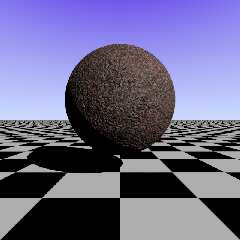
Download 'chrisr_test.png' (197 KB)
Preview of image 'chrisr_test.png'
|
|
| |
| |
|
|
|
|
| |
| |
|
|
Op 2-4-2024 om 17:28 schreef Thomas de Groot:
> you can simply write:
>
> #macro DakotaRedGranite(CSC, Pol, Typ, Pat1, Pat2, Blend, SS)
>          texture { DakotaRedGranite_texture(CSC, Pol, Typ, Pat1, Pat2,
> Blend, SS) }
> #end
>
NOTE==> even better: you can completely skip this particular macro
definition!

> And then apply the macro in a scene, in the following way if you
> need/want to wrap the texture in a material{} declaration:
>

// sample sphere
sphere { <0,0,0>, 1.00

   material {
     texture { DakotaRedGranite_texture (CSC, Pol, Typ, Pat1, Pat2,
Blend, SS) }
     interior { ior 1.6 }
   }

   scale<1,1,1>  rotate<0,0,0>  translate<0,1.35,0>
}  // end of sphere -----------------------------------

As your granite macro version generates a texture{}, it can be used as
such in a scene.


> Bill will note other issues or improvements I am sure. ;-)

[ still valid ;-)  ]

--
Thomas
Post a reply to this message
|
|
| |
| |
|
|
|
|
| |
| |
|
|
SO, maybe I'm missing something here, but wouldn't just find/replace material
with texture yield a layered texture rather than a material?

I'm at work atm, so I don't have POV-Ray to test this with.

But if that works, then you can also just have the macro declare a global
texture name in the process of making the material, and use that after you
invoke the macro.

- BE
Post a reply to this message
|
|
| |
| |
|
|
|
|
| |
| |
|
|
"Bald Eagle" <cre### [at] netscapenet> wrote:
> SO, maybe I'm missing something here, but wouldn't just find/replace material
> with texture yield a layered texture rather than a material?
>
> I'm at work atm, so I don't have POV-Ray to test this with.
>
> But if that works, then you can also just have the macro declare a global
> texture name in the process of making the material, and use that after you
> invoke the macro.
>
> - BE

That makes my developer heart hurt... global side effects in a "function" call
:-).  Of course, macros aren't really functions in POV, but I treat them that
way when I write code.

However, I could avoid the parsing problems if I had kept the transformations in
the macro that creates the material wrapper instead of trying to force them into
the texture.  That way I don't need a wrapping texture, and maybe just declaring
a local assignment to the layered texture and returning it would not have caused
the parsing errors with CRand(0.25).

I will play with that.  The less I muck up the original code the better.

-- Chris -R
Post a reply to this message
|
|
| |
| |
|
|
|
|
| |
| |
|
|
"Chris R" <car### [at] comcastnet> wrote:
> "Bald Eagle" <cre### [at] netscapenet> wrote:
> > SO, maybe I'm missing something here, but wouldn't just find/replace material
> > with texture yield a layered texture rather than a material?
> >
> > I'm at work atm, so I don't have POV-Ray to test this with.
> >
> > But if that works, then you can also just have the macro declare a global
> > texture name in the process of making the material, and use that after you
> > invoke the macro.
> >
> > - BE
>
> That makes my developer heart hurt... global side effects in a "function" call
> :-).  Of course, macros aren't really functions in POV, but I treat them that
> way when I write code.
>
> However, I could avoid the parsing problems if I had kept the transformations in
> the macro that creates the material wrapper instead of trying to force them into
> the texture.  That way I don't need a wrapping texture, and maybe just declaring
> a local assignment to the layered texture and returning it would not have caused
> the parsing errors with CRand(0.25).
>
> I will play with that.  The less I muck up the original code the better.
>
> -- Chris -R

#declare _t = material {
   texture {T1}
   CRand(0.25)
....
}

works fine

#declare _t = texture {
   texture {T1}
   CRand(0.25)
....
}

is a syntax error; you can't put a texture{} declaration inside of another
texture declaration, so just replacing material with texture doesn't work.  I
also checked that the declaration of the layered texture using CRand(0.25) that
returns a texture{} block rather than a texture identifier works when enclosed
inside of a material wrapper, but if you just declare a texture idenfier as

#declare _t =
texture {T1}
CRand(0.25)
;

you get the syntax error I mentioned earlier about missing braces.

So, somewhere, the parsing for layered textures inside of a material is
different than the parsing of layered textures when declaring a texture
identifier.

-- Chris -R
Post a reply to this message
|
|
| |
| |
|
|
|
|
| |
| |
|
|
"Chris R" <car### [at] comcastnet> wrote:

> So, somewhere, the parsing for layered textures inside of a material is
> different than the parsing of layered textures when declaring a texture
> identifier.

remove the texture {} wrapper

https://wiki.povray.org/content/Reference:Layered_Textures

You make a copy of the macro, and have a parallel macro with a slightly
different name to make a texture rather than a material.   Then your developer
heart will avoid any mRNA induced myocarditis.  :)

Once you declare the texture, then I think you can use that in a final texture
definition with any other modifiers.  It seems to be just a matter of
hierarchies and syntax at this point.

And I can tell you from experience that that "just" can drive you crazy.

- BE
Post a reply to this message
|
|
| |
| |
|
|
|
|
| |
| |
|
|
Op 3-4-2024 om 23:25 schreef Bald Eagle:
> "Chris R" <car### [at] comcastnet> wrote:
>
>> So, somewhere, the parsing for layered textures inside of a material is
>> different than the parsing of layered textures when declaring a texture
>> identifier.
>
> remove the texture {} wrapper
>
> https://wiki.povray.org/content/Reference:Layered_Textures
>
> You make a copy of the macro, and have a parallel macro with a slightly
> different name to make a texture rather than a material.   Then your developer
> heart will avoid any mRNA induced myocarditis.  :)
>
> Once you declare the texture, then I think you can use that in a final texture
> definition with any other modifiers.  It seems to be just a matter of
> hierarchies and syntax at this point.
>
> And I can tell you from experience that that "just" can drive you crazy.
>
> - BE
>
Hmmm... doesn't seem to be as /simple/ as that... Have you tried this? I
am getting nowhere [drives me crazy indeed]

--
Thomas
Post a reply to this message
|
|
| |
| |
|
|
|
|
| |
| |
|
|
Thomas de Groot <tho### [at] degrootorg> wrote:
> Op 3-4-2024 om 23:25 schreef Bald Eagle:
> > "Chris R" <car### [at] comcastnet> wrote:
> >
> >> So, somewhere, the parsing for layered textures inside of a material is
> >> different than the parsing of layered textures when declaring a texture
> >> identifier.
> >
> > remove the texture {} wrapper
> >
> > https://wiki.povray.org/content/Reference:Layered_Textures
> >
> > You make a copy of the macro, and have a parallel macro with a slightly
> > different name to make a texture rather than a material.   Then your developer
> > heart will avoid any mRNA induced myocarditis.  :)
> >
> > Once you declare the texture, then I think you can use that in a final texture
> > definition with any other modifiers.  It seems to be just a matter of
> > hierarchies and syntax at this point.
> >
> > And I can tell you from experience that that "just" can drive you crazy.
> >
> > - BE
> >
> Hmmm... doesn't seem to be as /simple/ as that... Have you tried this? I
> am getting nowhere [drives me crazy indeed]
>
> --
> Thomas

A few posts back in this thread I posted my solution as an attachment.
Essentially I did the following:

1. Modify the CRand macro:
#macro CRand(Intensity)
   #local _t = texture { ... }
   _t
#end

2. Rename the DakotaRedGranite(...) macro to DakotaRedGranite_texture(...)
3. At the end of the macro I did the following:
   #local _t_crand = texture { CRand(0.25) }
   #local _t_result =
   #if (Pol)
   ...
   #else
      #if (Type=1)
         texture {T1_DakotaRedFro}
         texture {_t_crand}
      #else
         texture {T1_DakotaRedFro}
         texture {T2_DakotaRedFro}
         texture {_t_crand}
      #end

   #end

   _t_result

4. Create a new macro named DakotaRedGranite(...)
#macro DakotaRedGranite(...)
   #local _m = material {
      texture { DakotaRedGranite_texture(...) }
      interior { ior 1.6 }
      scale M_scale
      rotate M_rotate
      translate M_trans
   }

   _m
#end

That all seems to parse correctly and works.

-- Chris R
Post a reply to this message
|
|
| |
| |
|
|
|
|
| |
| |
|
|
Op 4-4-2024 om 14:59 schreef Chris R:
> Thomas de Groot <tho### [at] degrootorg> wrote:
>> Op 3-4-2024 om 23:25 schreef Bald Eagle:
>>> "Chris R" <car### [at] comcastnet> wrote:
>>>
>>>> So, somewhere, the parsing for layered textures inside of a material is
>>>> different than the parsing of layered textures when declaring a texture
>>>> identifier.
>>>
>>> remove the texture {} wrapper
>>>
>>> https://wiki.povray.org/content/Reference:Layered_Textures
>>>
>>> You make a copy of the macro, and have a parallel macro with a slightly
>>> different name to make a texture rather than a material.   Then your developer
>>> heart will avoid any mRNA induced myocarditis.  :)
>>>
>>> Once you declare the texture, then I think you can use that in a final texture
>>> definition with any other modifiers.  It seems to be just a matter of
>>> hierarchies and syntax at this point.
>>>
>>> And I can tell you from experience that that "just" can drive you crazy.
>>>
>>> - BE
>>>
>> Hmmm... doesn't seem to be as /simple/ as that... Have you tried this? I
>> am getting nowhere [drives me crazy indeed]
>>
>> --
>> Thomas
>
> A few posts back in this thread I posted my solution as an attachment.
> Essentially I did the following:
>
> 1. Modify the CRand macro:
> #macro CRand(Intensity)
>     #local _t = texture { ... }
>     _t
> #end
>
> 2. Rename the DakotaRedGranite(...) macro to DakotaRedGranite_texture(...)
> 3. At the end of the macro I did the following:
>     #local _t_crand = texture { CRand(0.25) }
>     #local _t_result =
>     #if (Pol)
>     ...
>     #else
>        #if (Type=1)
>           texture {T1_DakotaRedFro}
>           texture {_t_crand}
>        #else
>           texture {T1_DakotaRedFro}
>           texture {T2_DakotaRedFro}
>           texture {_t_crand}
>        #end
>
>     #end
>
>     _t_result
>
> 4. Create a new macro named DakotaRedGranite(...)
> #macro DakotaRedGranite(...)
>     #local _m = material {
>        texture { DakotaRedGranite_texture(...) }
>        interior { ior 1.6 }
>        scale M_scale
>        rotate M_rotate
>        translate M_trans
>     }
>
>     _m
> #end
>
> That all seems to parse correctly and works.
>
> -- Chris R
>

Indeed. And I gave a few ideas for slight improvements on that, a couple
of days ago. Did you see those?

I am probably wrong, but I thought BE was referring to something else...

--
Thomas
Post a reply to this message
|
|
| |
| |
|
|
|
|
| |
| |
|
|
Le 2024-04-03 à 10:12, Bald Eagle a écrit :
> SO, maybe I'm missing something here, but wouldn't just find/replace material
> with texture yield a layered texture rather than a material?
>
> I'm at work atm, so I don't have POV-Ray to test this with.
>
> But if that works, then you can also just have the macro declare a global
> texture name in the process of making the material, and use that after you
> invoke the macro.
>
> - BE
>

Essentially, a material is just a wrapper for a texture plus an
interior. So, if there is no interior, a material is effectively another
name for a texture.
Post a reply to this message
|
|
| |
| |
|
|
|
|
| |
| |
|
|
Op 04/04/2024 om 18:12 schreef Alain Martel:
>
> Essentially, a material is just a wrapper for a texture plus an
> interior. So, if there is no interior, a material is effectively another
> name for a texture.

Yes, that is what I have always assumed. So, if something (a simple
macro) did work fine inside the original - material-based - granite
macro, and it does not when the material wrap is taken away, this could
mean that the original code worked fine... for the wrong reasons!

I have to think about this a bit more and explore deeper. I am not
satisfied yet...

Anyway, if the code generated by Chris R works fine, there is no reason
to avoid its use indeed, but it revealed something imho.

--
Thomas
Post a reply to this message
|
|
| |
| |
|
|
|
|
| |
| |
|
|
Thomas de Groot <tho### [at] degrootorg> wrote:

> Hmmm... doesn't seem to be as /simple/ as that... Have you tried this? I
> am getting nowhere [drives me crazy indeed]

OK, I think you misunderstood what needed to be done.

Change the outside material {} wrapper to texture {}
REMOVE all of the texture {} statements inside, leaving only the texture names.

That all works - the only thing I couldn't get to work is the Crand, because the
#local/#declare thing in macros is still messed up.


#version 3.8;
global_settings {assumed_gamma 1}

camera {
 location <0, 0, -5>
 right x*image_width/image_height
 up y
 look_at <0, 0, 0>
 rotate y*clock*360
}

sky_sphere {pigment {rgb 1}}

light_source {<100, 100, -500> rgb 1}

#include "Granite_Texture.mcr"

#declare Tex = Granite_21 ()

sphere {0, 1 texture {Tex}}
Post a reply to this message
Attachments:
Download 'granite_texture.mcr.txt' (22 KB)
|
|
| |
| |
|
|
|
|
| |
| |
|
|
Op 5-4-2024 om 13:02 schreef Bald Eagle:
> Thomas de Groot <tho### [at] degrootorg> wrote:
>
>> Hmmm... doesn't seem to be as /simple/ as that... Have you tried this? I
>> am getting nowhere [drives me crazy indeed]
>
> OK, I think you misunderstood what needed to be done.
>
Yes, I probably did ;-)

> Change the outside material {} wrapper to texture {}
> REMOVE all of the texture {} statements inside, leaving only the texture names.
>
OK

> That all works - the only thing I couldn't get to work is the Crand, because the
> #local/#declare thing in macros is still messed up.
>
Yes, that is the problem I am also (still) unable to solve in a
satisfying way, and in fact I referred to that in my post. Still
wondering about what I assumed in my answer to Alain Martel. Is this
Crand() macro construction defective in the texture macro compared to
the material macro, or is something else happening...?

>
>
> #version 3.8;
> global_settings {assumed_gamma 1}
>
> camera {
>   location <0, 0, -5>
>   right x*image_width/image_height
>   up y
>   look_at <0, 0, 0>
>   rotate y*clock*360
> }
>
> sky_sphere {pigment {rgb 1}}
>
> light_source {<100, 100, -500> rgb 1}
>
> #include "Granite_Texture.mcr"
>
> #declare Tex = Granite_21 ()
>
> sphere {0, 1 texture {Tex}}

--
Thomas
Post a reply to this message
|
|
| |
| |
|
|
|
|
| |
| |
|
|
Thomas de Groot <tho### [at] degrootorg> wrote:
> Op 5-4-2024 om 13:02 schreef Bald Eagle:
> > Thomas de Groot <tho### [at] degrootorg> wrote:
> >
> >> Hmmm... doesn't seem to be as /simple/ as that... Have you tried this? I
> >> am getting nowhere [drives me crazy indeed]
> >
> > OK, I think you misunderstood what needed to be done.
> >
> Yes, I probably did ;-)
>
> > Change the outside material {} wrapper to texture {}
> > REMOVE all of the texture {} statements inside, leaving only the texture names.
> >
> OK
>
> > That all works - the only thing I couldn't get to work is the Crand, because the
> > #local/#declare thing in macros is still messed up.
> >
> Yes, that is the problem I am also (still) unable to solve in a
> satisfying way, and in fact I referred to that in my post. Still
> wondering about what I assumed in my answer to Alain Martel. Is this
> Crand() macro construction defective in the texture macro compared to
> the material macro, or is something else happening...?
>
> >
> >
> > #version 3.8;
> > global_settings {assumed_gamma 1}
> >
> > camera {
> >   location <0, 0, -5>
> >   right x*image_width/image_height
> >   up y
> >   look_at <0, 0, 0>
> >   rotate y*clock*360
> > }
> >
> > sky_sphere {pigment {rgb 1}}
> >
> > light_source {<100, 100, -500> rgb 1}
> >
> > #include "Granite_Texture.mcr"
> >
> > #declare Tex = Granite_21 ()
> >
> > sphere {0, 1 texture {Tex}}
>
> --
> Thomas

One suggestion for future versions of POV-Ray might be to allow a mode where you
can essentially dump the results of parsing the scene as SDL with all macros
fully resolved.  That way you can see exactly what the parser is doing with your
macros and help find syntax problems in them.

Back in my C programming days we had some developers who were heavy users of
C-style macros, so it was very difficult to map syntax errors from the compiler
back to their original C code.  Fortunately, the C compiler separated out the
macro processor, so you could just run that to see the resulting pure C code and
find and fix the errors.

-- Chris R
Post a reply to this message
|
|
| |
| |
|
|
|
|
| |
| |
|
|
Question to BE:

Why has there to be at the end of the macro /twice/ an - exactly
identical - declaration of M_Granite? if you take out (any) one of them,
you get a parse error: "Cannot pass uninitialized identifier to
non-optional LValue."

Otherwise, works fine indeed.

--
Thomas
Post a reply to this message
|
|
| |
| |
|
|
|
|
| |
| |
|
|
Op 5-4-2024 om 16:12 schreef Chris R:
> One suggestion for future versions of POV-Ray might be to allow a mode where you
> can essentially dump the results of parsing the scene as SDL with all macros
> fully resolved.  That way you can see exactly what the parser is doing with your
> macros and help find syntax problems in them.
>
Yes, that would be important indeed.

> Back in my C programming days we had some developers who were heavy users of
> C-style macros, so it was very difficult to map syntax errors from the compiler
> back to their original C code.  Fortunately, the C compiler separated out the
> macro processor, so you could just run that to see the resulting pure C code and
> find and fix the errors.
>
Something like that is missing in POV-Ray I guess. It is often very
difficult to understand or relate an error message to the proper error.
See for instance this latest message I submitted to BE in the post above.

--
Thomas
Post a reply to this message
|
|
| |
| |
|
|
|
|
| |
| |
|
|
Thomas de Groot <tho### [at] degrootorg> wrote:
> Question to BE:
>
> Why has there to be at the end of the macro /twice/ an - exactly
> identical - declaration of M_Granite? if you take out (any) one of them,
> you get a parse error: "Cannot pass uninitialized identifier to
> non-optional LValue."
>
> Otherwise, works fine indeed.
>
> --
> Thomas

I dunno - in the 10 minutes that furiously scribbled out that code this morning,
I was wondering the same thing.
All I did was edit the macro I have stored in my TdG directory, so you musat
have put it there for a reason.

This is why I have kept saying that there is some phantom bug that has crept
into the codebase that no one has recognized or isolated.

It would be interesting to see if the same thing happens when using 3.7 or even
3.6.

I would like POV-Ray to state exactly WHICH uninitialized identifier it's
talking about, so we lowly users can find the problem.

Maybe add some ifdef() statements in there to debug things and see what gives.

- BE
Post a reply to this message
|
|
| |
| |
|
|
|
|
| |
| |
|
|
Op 05/04/2024 om 17:49 schreef Bald Eagle:
> Thomas de Groot <tho### [at] degrootorg> wrote:
>> Question to BE:
>>
>> Why has there to be at the end of the macro /twice/ an - exactly
>> identical - declaration of M_Granite? if you take out (any) one of them,
>> you get a parse error: "Cannot pass uninitialized identifier to
>> non-optional LValue."
>>
>> Otherwise, works fine indeed.
>>
>> --
>> Thomas
>
> I dunno - in the 10 minutes that furiously scribbled out that code this morning,
> I was wondering the same thing.
> All I did was edit the macro I have stored in my TdG directory, so you musat
> have put it there for a reason.
>
Checked: In the original code there was/is only one instance... ;-)

> This is why I have kept saying that there is some phantom bug that has crept
> into the codebase that no one has recognized or isolated.
>
I wonder at that too...

> It would be interesting to see if the same thing happens when using 3.7 or even
> 3.6.
>
I can check with 3.7. I do not have 3.6 installed any more (and not
going to).

> I would like POV-Ray to state exactly WHICH uninitialized identifier it's
> talking about, so we lowly users can find the problem.
>
Aaah... My wish exactly! So frustrating!

> Maybe add some ifdef() statements in there to debug things and see what gives.
>
I shall do my best. Will take some time as there are other issues
surfacing with this texture-based macro...

--
Thomas
Post a reply to this message
|
|
| |
| |
|
|
|
|
| |
| |
|
|
Thomas de Groot <tho### [at] degrootorg> wrote:
> Question to BE:
>
> Why has there to be at the end of the macro /twice/ an - exactly
> identical - declaration of M_Granite? if you take out (any) one of them,
> you get a parse error: "Cannot pass uninitialized identifier to
> non-optional LValue."
>
> Otherwise, works fine indeed.
>
> --
> Thomas

Now THAT is weird.

I "commented one out" using

#if (0)
 #declare M_Granite =
 texture {
   //interior {ior 1.6}
   #if (Pol) //polished
     #if (Type=off)
       T1_GranitePol
     #else
       T1_GranitePol
       T2_GranitePol
     #end  //Type
   #else //frosted
     #if (Type=off)
       T1_GraniteFro
       //Crand(0.25)
       //Tcrand
     #else
       T1_GraniteFro
       T2_GraniteFro
       //Crand(0.25)
       //Tcrand
     #end  //Type
   #end  //Pol
   scale M_scale
   rotate M_rotat
   translate M_trans
 } //material
#end

And that worked just fine.

But when I highlighted all of that and deleted it, then I got the same weird
error.

If I use /* */ to comment it out, I get the error also.

Makes NO sense, and it's deeply concerning, because how is anyone supposed to
code anything if fundamental #declare statements simply don't work?

- BW
Post a reply to this message
|
|
| |
| |
|
|
|
|
| |
| |
|
|
"Bald Eagle" <cre### [at] netscapenet> wrote:
> Thomas de Groot <tho### [at] degrootorg> wrote:
> > Question to BE:
> >
> > Why has there to be at the end of the macro /twice/ an - exactly
> > identical - declaration of M_Granite? if you take out (any) one of them,
> > you get a parse error: "Cannot pass uninitialized identifier to
> > non-optional LValue."
> >
> > Otherwise, works fine indeed.
> > Thomas
>
> Now THAT is weird.
>
[snip]
>
> Makes NO sense, and it's deeply concerning, because how is anyone supposed to
> code anything if fundamental #declare statements simply don't work?
>

As an odd test, I ran your   granite_texture.mcr.txt   file (from one of the
earlier posts here) just by itself, no other code. As-is, it seems to run fine
when I remove one of the duplicate macro copies. I tested all three of your
attempted removal methods:
        #if(0)...
        /*...*/
        deleting the duplicate

They all work OK, and I can't seem to make it fail! So maybe the fatal error--
whatever is causing it-- is only when the code is actually *used* elsewhere? Or
possibly due to a subtle error in that scene code?
Post a reply to this message
|
|
| |
| |
|
|
|
|
| |
| |
|
|
Op 7-4-2024 om 16:38 schreef Bald Eagle:
> Now THAT is weird.
>

OK. "Solved" that one I guess.

I noticed earlier in the code provided by Chris, that /inside/ the
(sub-) macros he used a semicolon to end a texture. The original code of
the granite macro did not have those and - iirc - they were not used as
such any more since... POV-Ray 3.5? 3.6?

Anyway, you can safely delete one of the two M_Granite textures,
provided that you add a semicolon at the end of the declaration (and
before invoking the texture obviously) like this:

#declare M_Granite =
texture {
   //interior {ior 1.6}
   #if (Pol) //polished
     #if (Type=off)
       T1_GranitePol
     #else
       T1_GranitePol
       T2_GranitePol
     #end  //Type
   #else //frosted
     #if (Type=off)
       T1_GraniteFro
       Crand(0.25)
       //Tcrand
     #else
       T1_GraniteFro
       T2_GraniteFro
       Crand(0.25)
       //Tcrand
     #end  //Type
   #end  //Pol
   scale M_scale
   rotate M_rotat
   translate M_trans
} //texture
;

M_Granite


So that seems to be solved although I do not understand /why/ or
/how/... :-(

--
Thomas
Post a reply to this message
|
|
| |
| |
|
|
|
|
| |
| |
|
|
On 4/8/24 03:55, Thomas de Groot wrote:
> I noticed earlier in the code provided by Chris, that /inside/ the
> (sub-) macros he used a semicolon to end a texture. The original code of
> the granite macro did not have those and - iirc - they were not used as
> such any more since... POV-Ray 3.5? 3.6?
>
> Anyway, you can safely delete one of the two M_Granite textures,
> provided that you add a semicolon at the end of the declaration (and
> before invoking the texture obviously)

Hi.

FWIW. With my current yuqk fork(a) running what Bill posted, without the
second declaration of a M_Granite texture ID or the added semicolon, I get:

File 'granite_texture_1.mcr' line 580:
Parse Error:
Cannot assign uninitialized identifier 'M_Granite'
to non-optional LValue of:
'Tex'.
This error sometimes comes about due a prior, situationally, missing
semicolon.
Fatal error in parser: Cannot parse input.
Render failed

There are issues in all the recent parser variations with respect to
sometimes necessary, but missing semicolons. The yuqk fork has addressed
a few of them in its version of the parser, but certainly not all.

The worst cause flaky behavior during parsing without any notice
something has gone wrong.

Bill P.

(a) - A version compiled to allow lower case identifiers. Plus, I needed
to add the noise generator to use as the last argument to f_noise3d().
The inbuilt functions in official releases of POV-Ray always use noise
generator 2.
Post a reply to this message
|
|
| |
| |
|
|
|
|
| |
| |
|
|
Thomas de Groot <tho### [at] degrootorg> wrote:
> Op 7-4-2024 om 16:38 schreef Bald Eagle:
> > Now THAT is weird.
> >
>
> OK. "Solved" that one I guess.
>
> I noticed earlier in the code provided by Chris, that /inside/ the
> (sub-) macros he used a semicolon to end a texture. The original code of
> the granite macro did not have those and - iirc - they were not used as
> such any more since... POV-Ray 3.5? 3.6?
>
> Anyway, you can safely delete one of the two M_Granite textures,
> provided that you add a semicolon at the end of the declaration (and
> before invoking the texture obviously) like this:
>
> #declare M_Granite =
> texture {
>    //interior {ior 1.6}
>    #if (Pol) //polished
>      #if (Type=off)
>        T1_GranitePol
>      #else
>        T1_GranitePol
>        T2_GranitePol
>      #end  //Type
>    #else //frosted
>      #if (Type=off)
>        T1_GraniteFro
>        Crand(0.25)
>        //Tcrand
>      #else
>        T1_GraniteFro
>        T2_GraniteFro
>        Crand(0.25)
>        //Tcrand
>      #end  //Type
>    #end  //Pol
>    scale M_scale
>    rotate M_rotat
>    translate M_trans
> } //texture
> ;
>
> M_Granite
>
>
> So that seems to be solved although I do not understand /why/ or
> /how/... :-(
>
> --
> Thomas
The semi-colon at the end of the texture declaration I understand.  I do this
all the time when I create macros that generate texture identifiers.  If you
don't put the semicolon in, the parser assumes you are creating a layered
texture, with the second layer being "M_Granite", which is an undeclared
identifier.

In all of the macros I create for textures, the template is the following to
avoid that parsing problem:

#macro Create_texture()
   #local _t = texture {
   };

   _t
#end

-- Chris R
Post a reply to this message
|
|
| |
| |
|
|
|
|
| |
|
|