|
|
|
|
|
|
| |
| |
|
|
|
|
| |
| |
|
|
Finally, after two sleepless nights I finished a web application that
converts obj, fbx, glb, gltf, stl formats to mesh2:
https://povlab.yesbird.online/all2pov

I tested it only on a limited number of files, so some issues
(especially related to displaying a model) are possible, testing  now in
progress. Please send any kind of feedback: bug reports, suggestions,
requests to implement, etc.
--
YB
Post a reply to this message
|
|
| |
| |
|
|
|
|
| |
| |
|
|
yesbird wrote:
> Finally, after two sleepless nights I finished a web application that
> converts obj, fbx, glb, gltf, stl formats to mesh2:
> https://povlab.yesbird.online/all2pov

You are pretty damned impressive Sergei.  :)

> I tested it only on a limited number of files, so some issues
> (especially related to displaying a model) are possible, testing  now in
> progress. Please send any kind of feedback: bug reports, suggestions,
> requests to implement, etc.

I tried it with both Brave browser and Opera.
I tried to upload a file, and nothing happened.
Would it be difficult to implement an upload progress bar?

Tried clicking on the download button, and nothing happened, presumably because
the file never got uploaded or processed.

- BW
Post a reply to this message
|
|
| |
| |
|
|
|
|
| |
| |
|
|
On 28/09/2025 08:58, Bald Eagle wrote:
> yesbird wrote:
>> Finally, after two sleepless nights I finished a web application that
>> converts obj, fbx, glb, gltf, stl formats to mesh2:
>> https://povlab.yesbird.online/all2pov
>
> You are pretty damned impressive Sergei.  :)
>
>> I tested it only on a limited number of files, so some issues
>> (especially related to displaying a model) are possible, testing  now in
>> progress. Please send any kind of feedback: bug reports, suggestions,
>> requests to implement, etc.
>
> I tried it with both Brave browser and Opera.
> I tried to upload a file, and nothing happened.
> Would it be difficult to implement an upload progress bar?
>
> Tried clicking on the download button, and nothing happened, presumably because
> the file never got uploaded or processed.
>
> - BW
>


Same problem using Firefox.
2 objs did not upload, I tried a skull and only saw the bottom jaw.

m@
Post a reply to this message
|
|
| |
| |
|
|
|
|
| |
| |
|
|
On 28/09/2025 03:58, Bald Eagle wrote:
> You are pretty damned impressive Sergei.  :)

Thanks, but let's debug it first ).

> I tried it with both Brave browser and Opera.
> I tried to upload a file, and nothing happened.
> Would it be difficult to implement an upload progress bar?

I see following files uploaded to server:
Rook.stl, The Ghost.obj.stl, MATTOSTROM_SKULL2.obj.

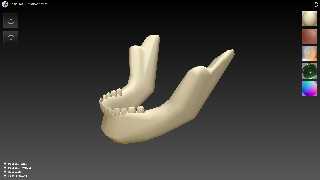
Successfully uploaded skull (see attachment) from Chrome.
Also did minor changes to satisfy Firefox (m@b, please try again,
clearing cache before), but unfortunately I have no Brave and Opera for
testing. Bill, could you please look at the browser's console
(usually F12) and send me content ?

--
YB
Post a reply to this message
Attachments:
Download 'skull2.png' (350 KB)
Preview of image 'skull2.png'
|
|
| |
| |
|
|
|
|
| |
| |
|
|
On 28/09/2025 06:01, yesbird wrote:
> Successfully uploaded skull (see attachment) from Chrome.

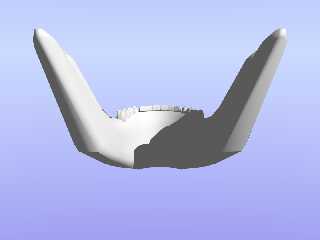
And conversion also works fine (attached).
--
YB
Post a reply to this message
Attachments:
Download 'skull.png' (47 KB)
Download 'skull.zip' (85 KB)
Preview of image 'skull.png'
|
|
| |
| |
|
|
|
|
| |
| |
|
|
On 28/09/2025 04:24, m@b wrote:
> Same problem using Firefox.
> 2 objs did not upload, I tried a skull and only saw the bottom jaw.

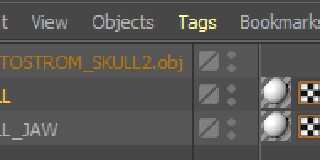
Firefox works fine, but you have two meshes in one OBJ file
(see attachment), but the only one is converting.
Just merge them together and you will have a complete skull :).
--
YB
Post a reply to this message
Attachments:
Download 'meshes.png' (8 KB)
Preview of image 'meshes.png'
|
|
| |
| |
|
|
|
|
| |
| |
|
|
On 28/09/2025 04:24, m@b wrote:
> Same problem using Firefox.
> 2 objs did not upload, I tried a skull and only saw the bottom jaw.

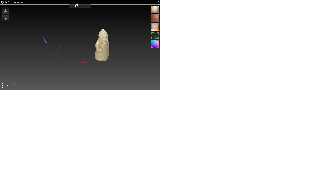
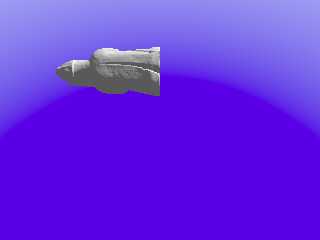
Rook was uploaded and conversion also successful (attached), but you
do not see it because pivot point is shifted and object is too far from
origin. Just play with zoom/pan/rotation or fix it's position.

--
YB
Post a reply to this message
Attachments:
Download 'rook.png' (69 KB)
Download 'scene.png' (16 KB)
Preview of image 'rook.png'
Preview of image 'scene.png'
|
|
| |
| |
|
|
|
|
| |
| |
|
|
On 28/09/2025 06:53, yesbird wrote:
> Rook was uploaded and conversion also successful (attached), but you
> do not see it because pivot point is shifted and object is too far from
> origin. Just play with zoom/pan/rotation or fix it's position.
>

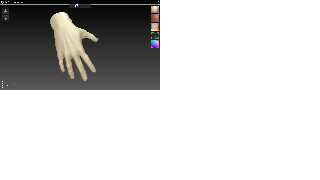
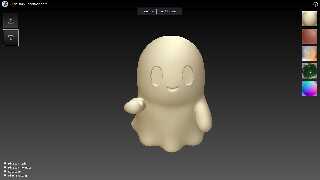
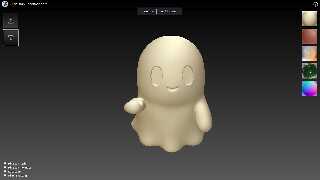
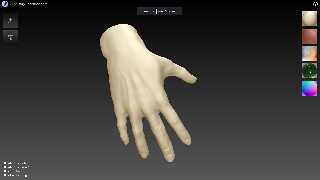
The same things with "hand" and "ghost" (see attachments).
I will think about automated objects positioning ...
--
YB
Post a reply to this message
Attachments:
Download 'hand.png' (152 KB)
Download 'ghost.png' (130 KB)
Download 'ghost.zip' (5344 KB)
Preview of image 'hand.png'
Preview of image 'ghost.png'
|
|
| |
| |
|
|
|
|
| |
| |
|
|
On 28/09/2025 06:53, yesbird wrote:
> Rook was uploaded and conversion also successful (attached), but you
> do not see it because pivot point is shifted and object is too far from
> origin. Just play with zoom/pan/rotation or fix it's position.
>
The same things with 'ghost' and 'hand' (attached).
I will think about automated objects positioning ...
--
YB
Post a reply to this message
Attachments:
Download 'ghost.png' (130 KB)
Download 'hand.png' (153 KB)
Preview of image 'ghost.png'
Preview of image 'hand.png'
|
|
| |
| |
|
|
|
|
| |
| |
|
|
yesbird wrote:
> Bill, could you please look at the browser's console
> (usually F12) and send me content ?

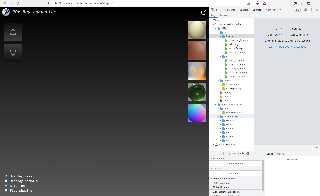
Tried again just now - I see no grid or rotation, or controls for zooming or
panning.

When I was very new povver, I would draw arrows from the origin to objects or
light sources to help me find where things were when they were out of view.

You could also possibly have a labeled grid, and display the center of the
object in text.  Maybe have a checkbox "Center at origin".

OK, maybe since a lot of objects are things that sit on a surface, have a second
checkbox that centers the object, and has its ymin set at 0.

- BW
Post a reply to this message
Attachments:
Download 'meshconverter1.jpg' (353 KB)
Preview of image 'meshconverter1.jpg'
|
|
| |
| |
|
|
|
|
| |
| |
|
|
On 28/09/2025 15:42, Bald Eagle wrote:
> yesbird wrote:
>> Bill, could you please look at the browser's console
>> (usually F12) and send me content ?
>
> Tried again just now - I see no grid or rotation, or controls for zooming or
> panning.
>
> When I was very new povver, I would draw arrows from the origin to objects or
> light sources to help me find where things were when they were out of view.
>
> You could also possibly have a labeled grid, and display the center of the
> object in text.  Maybe have a checkbox "Center at origin".
>
> OK, maybe since a lot of objects are things that sit on a surface, have a second
> checkbox that centers the object, and has its ymin set at 0.
>
> - BW
>
>
>
>

Bill, first of all please check if your browser supports WebGL:
https://webglreport.com/

Then select _console_ tab after pressing F12 and look for
errors there.

Axis will act as reference. I will think about centering after
collecting more information and samples.

Pan/Zoom/Scale can be controlled only by the mouse -
this is standard now and I don't want to implement complicated
environment.

Many thanks for testing, wishing well :).
--
YB
Post a reply to this message
|
|
| |
| |
|
|
|
|
| |
| |
|
|
On 28/09/2025 15:42, Bald Eagle wrote:
> You could also possibly have a labeled grid, and display the center of the
> object in text.  Maybe have a checkbox "Center at origin".
>
> OK, maybe since a lot of objects are things that sit on a surface, have a second
> checkbox that centers the object, and has its ymin set at 0.
>

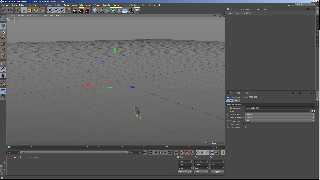
This is the point for discussion: should converter change
object's coordinates or just repack then into other format ?
I guess, this is the editor's function.

Maybe, it will be better just position the camera to look at object
and set acceptable zoom ?

In attachment: 'hand', loaded into C4D.
--
YB
Post a reply to this message
Attachments:
Download 'hand_c4d.png' (404 KB)
Preview of image 'hand_c4d.png'
|
|
| |
| |
|
|
|
|
| |
| |
|
|
hi,

yesbird wrote:
> ...
> Pan/Zoom/Scale can be controlled only by the mouse -
> this is standard now ...

great !!!  that'll allow me to put the coffee cup and ashtray on the now unused
keyboard </grin>.


regards, jr.
Post a reply to this message
|
|
| |
| |
|
|
|
|
| |
| |
|
|
On 28/09/2025 18:13, jr wrote:
> great !!!  that'll allow me to put the coffee cup and ashtray on the now unused
> keyboard </grin>.

I mean lack of GUI.
--
YB
Post a reply to this message
|
|
| |
| |
|
|
|
|
| |
| |
|
|
On 28/09/2025 15:42, Bald Eagle wrote:
>
> You could also possibly have a labeled grid, and display the center of the
> object in text.  Maybe have a checkbox "Center at origin".
>
> OK, maybe since a lot of objects are things that sit on a surface, have a second
> checkbox that centers the object, and has its ymin set at 0.
>

I have improved the default view on loading, now model sits at the
center and fits the screen perfectly.
--
YB
Post a reply to this message
|
|
| |
| |
|
|
|
|
| |
| |
|
|
yesbird wrote:

> Bill, first of all please check if your browser supports WebGL:
> https://webglreport.com/

Brave supports WebGl1

× This browser supports WebGL 2, but it is disabled or unavailable.

Sometimes this is the result of older video drivers being rejected by the
browser. Try updating your video drivers if possible.

Also check out Get WebGL, or try installing the latest version of Chrome, or
Firefox.


> Then select _console_ tab after pressing F12 and look for
> errors there.

three.module.js:29414 THREE.WebGLRenderer: A WebGL context could not be created.
Reason:  Could not create a WebGL context, VENDOR = 0x8086, DEVICE = 0x0412,
GL_VENDOR = Google Inc. (Intel), GL_RENDERER = ANGLE (Intel, Intel(R) HD
Graphics 4600 Direct3D9Ex vs_3_0 ps_3_0, igdumdim64.dll -10.18.14.5180),
GL_VERSION = 10.18.14.5180, Sandboxed = yes, Optimus = no, AMD switchable = no,
Reset notification strategy = 0x8252, ErrorMessage = BindToCurrentSequence
failed: .
onContextCreationError @ three.module.js:29414
three.module.js:29414 THREE.WebGLRenderer: A WebGL context could not be created.
Reason:  Failed to create a WebGL2 context.
onContextCreationError @ three.module.js:29414
three.module.js:29414 THREE.WebGLRenderer: A WebGL context could not be created.
Reason:  Could not create a WebGL context, VENDOR = 0x8086, DEVICE = 0x0412,
GL_VENDOR = Google Inc. (Intel), GL_RENDERER = ANGLE (Intel, Intel(R) HD
Graphics 4600 Direct3D9Ex vs_3_0 ps_3_0, igdumdim64.dll -10.18.14.5180),
GL_VERSION = 10.18.14.5180, Sandboxed = yes, Optimus = no, AMD switchable = no,
Reset notification strategy = 0x8252, ErrorMessage = BindToCurrentSequence
failed: .
onContextCreationError @ three.module.js:29414
three.module.js:29414 THREE.WebGLRenderer: A WebGL context could not be created.
Reason:  Failed to create a WebGL2 context.
onContextCreationError @ three.module.js:29414
three.module.js:28990 THREE.WebGLRenderer: Error creating WebGL context.
WebGLRenderer @ three.module.js:28990
three.module.js:28980 Uncaught Error: Error creating WebGL context.
    at new WebGLRenderer (three.module.js:28980:13)
    at init (main.js:50:14)
    at main.js:316:7
main.js:267 Uncaught TypeError: Cannot read properties of undefined (reading
'setSize')
    at onWindowResize (main.js:267:12)


> Many thanks for testing, wishing well :).

Many thanks for writing, and wishing you and everyone else the best in these
crazy times.

- BW
Post a reply to this message
|
|
| |
| |
|
|
|
|
| |
| |
|
|
yesbird wrote:

> This is the point for discussion: should converter change
> object's coordinates or just repack then into other format ?
> I guess, this is the editor's function.

I would say it depends on what the user wants.
Blindly converting from one format to another, the computer doesn't "know".

> Maybe, it will be better just position the camera to look at object
> and set acceptable zoom ?

I mean, that's fine for default behaviour, however I'd provide the option to
center in either of the two ways I suggested.

> In attachment: 'hand', loaded into C4D.

So here we have a "part" of what if likely a bigger object / assembly.
It would make sense that it is positioned in relation to the other parts, and so
changing that deletes that very carefully specified position.

Having a coffee mug 100 units in the air and WAY off center doesn't make a lot
of sense.  We'd want to fix that obvious problem so that it doesn;t have to be
accounted for every time we instantiate the mesh, so it would get centered, with
y=0.

For other meshes, where having the center of the object at the origin would make
more sense from a rendering / modeling standpoint, then that would also be a
valid option.


But only the human user can look at that and know for sure.

- BW
Post a reply to this message
|
|
| |
| |
|
|
|
|
| |
| |
|
|
On 29/09/2025 00:55, Bald Eagle wrote:
> Brave supports WebGl1
>
> × This browser supports WebGL 2, but it is disabled or unavailable.
>
> Sometimes this is the result of older video drivers being rejected by the
> browser. Try updating your video drivers if possible.
>
> Also check out Get WebGL, or try installing the latest version of Chrome, or
> Firefox.
...
> Reason:  Failed to create a WebGL2 context.

Looks like WebGl1 is insufficient for Three.js and it wants WebGL2.
Did you tried it with Opera ?

"Don't give in without a fight" :).
--
YB
Post a reply to this message
|
|
| |
| |
|
|
|
|
| |
| |
|
|
On 29/09/2025 01:02, Bald Eagle wrote:
>
> I would say it depends on what the user wants.
> ...

I absolutely agree with all your statements, let's collect
user's opinions and then make decisions about further development.

The only question I have: how to inform the maximum number of 'povers'
about this service ?
--
YB
Post a reply to this message
|
|
| |
| |
|
|
|
|
| |
| |
|
|
yesbird wrote:

> Looks like WebGl1 is insufficient for Three.js and it wants WebGL2.
> Did you tried it with Opera ?


Looks to be the same thing.
Tried enabling a thing in Brave to allow WebGL2, but that didn't work.

I'll give it a whirl in Edge since I already have the Win11 spyvirus on my
laptop.

- BW
Post a reply to this message
|
|
| |
| |
|
|
|
|
| |
| |
|
|
On 29/09/2025 02:34, Bald Eagle wrote:
>
> I'll give it a whirl in Edge since I already have the Win11 spyvirus on my
> laptop.

Beg me pardon, but why not Chrome or Firefox ?
--
YB
Post a reply to this message
|
|
| |
| |
|
|
|
|
| |
| |
|
|
"Bald Eagle" <cre### [at] netscape net> wrote:
> I'll give it a whirl in Edge since I already have the Win11 spyvirus on my
> laptop.
Looks good.
Got the teapot when the webpage loaded.
Took maybe 30 sec to convert the ghost.
(slick future feature would be to use a url, and convert from inside a zip.)
mesh.inc autosaved to my downloads folder.
object is called "model"
Not centered at origin
No inside_vector defined
After finding my object with min_extent, translating and rotating
it seems to work fine.
:)
Thank you, Sergei.
- BW net> wrote:
> I'll give it a whirl in Edge since I already have the Win11 spyvirus on my
> laptop.
Looks good.
Got the teapot when the webpage loaded.
Took maybe 30 sec to convert the ghost.
(slick future feature would be to use a url, and convert from inside a zip.)
mesh.inc autosaved to my downloads folder.
object is called "model"
Not centered at origin
No inside_vector defined
After finding my object with min_extent, translating and rotating
it seems to work fine.
:)
Thank you, Sergei.
- BW
Post a reply to this message
Attachments:
Download 'ghostmesh.png' (18 KB)
Preview of image 'ghostmesh.png'

|
|
| |
| |
|
|
|
|
| |
| |
|
|
yesbird wrote:

> Beg me pardon, but why not Chrome or Firefox ?

Thou hast no need for begging for anything, least of all a pardon.

I simply don't have those installed on any of my machines.

I do have "LibreWolf", but many sites don't like the signature of that.

- BW
Post a reply to this message
|
|
| |
| |
|
|
|
|
| |
| |
|
|
On 29/09/2025 03:00, Bald Eagle wrote:
> Looks good.
> Got the teapot when the webpage loaded.
> Took maybe 30 sec to convert the ghost.
>
> (slick future feature would be to use a url, and convert from inside a zip.)

YES! I am glad that finally you win.

But 30 sec is toooo looong for such small model, I am getting result in
2-3 sec, but there is ocean between us :).

Possible solution: I can open github repository and you will be able to
install this service on more accessible server.

> Thank you, Sergei.

You are always welcome, now I am start thinking about spline
editor for POV-Ray, based on this example:
https://threejs.org/examples/webgl_geometry_spline_editor.html
--
YB
Post a reply to this message
|
|
| |
| |
|
|
|
|
| |
| |
|
|
yesbird wrote:

> You are always welcome, now I am start thinking about spline
> editor for POV-Ray, based on this example:
> https://threejs.org/examples/webgl_geometry_spline_editor.html

Yes, I am certain that such a thing would be useful.

Ed Hynan wrote
https://web.mit.edu/povray_v3.7.0a/epspline.pdf
a while back,

and there was the PointWriter project

And someone had a spline workshop, IIRC.

Tor Olav Kristensen (TOK) has a lot of spline stuff on github

Jerome Grimbert (Le Forgeron) has his hgpov38 project that uses a wide variety
of splines

And I made a big list for jr of all the different spline types

So there's certainly a lot of things that could keep you busy  ;)

- BW
Post a reply to this message
|
|
| |
| |
|
|
|
|
| |
| |
|
|
On 29/09/2025 04:25, Bald Eagle wrote:
>
> Yes, I am certain that such a thing would be useful.
> ...

Many thanks for this info, I will get back to splines after converter
polishing. Btw, would you suggest the best way to inform the community
about its existence ?
--
YB
Post a reply to this message
|
|
| |
| |
|
|
|
|
| |
| |
|
|
yesbird wrote:

> Many thanks for this info, I will get back to splines after converter
> polishing.

Of course.
It's always nice to have a sort of head-start, with some keywords and even code
to get things moving quickly.

> Btw, would you suggest the best way to inform the community
> about its existence ?

What I would greatly suggest is that you not just leave it as a converter, but
add some small embellishments to make it a valuable learning tool.

It ought to be easy enough to make a small mesh and show how the normals are
calculated, how vector cross products allow the order of the vertices to
determine the direction of the normal, etc.
[X] Create an explanatory diagram as an .inc file

Then you can not only advertise it here on the forum, and elsewhere, but also
slip references to it in discussions on stackexchnge, stackoverflow, Wolfram,
and other places.  Make sure you have a didactic, academic graphic that will
attract computer science / graphics / gaming students to visit your app if they
come across it in a web search.  That way it has a lasting value completely
aside from JustAnotherFileConverter.
Make sure you put some prominent references to POV-Ray and the newsgroups in
your graphic. (I'd also suggest putting some standard POV-Ray header info in the
inc file, along with a reference to you & your web converter URL)

That way, if people find your project to be a useful learning tool in addition
to it being just a converter, they may be encouraged to try POV-Ray, and get
involved with many of the projects - including the ones you are working on, or
don't have time to work on.  And I have no problem with using 3js as the basis
for a new version of POV-Ray, so any CG tools developed in 3js are valuable as
well. (You know I draw my knowledge and inspirations from a wide range of
platforms and sources)

So - that's always where my mind is going when we talk about any project.  "How
do we attract people and bring them together to (re)build a thriving computer
graphics community"

- BW
Post a reply to this message
|
|
| |
| |
|
|
|
|
| |
| |
|
|
On 29/09/2025 15:14, Bald Eagle wrote:
>
> What I would greatly suggest is that you not just leave it as a converter, but
> add some small embellishments to make it a valuable learning tool.

Bill, thank you very much for this bundle of ideas, I will think about
them and follow your suggestions.

> So - that's always where my mind is going when we talk about any project.  "How
> do we attract people and bring them together to (re)build a thriving computer
> graphics community"
>
Exactly, good luck with it. :)
--
YB
Post a reply to this message
|
|
| |
| |
|
|
|
|
| |
| |
|
|
On 28/09/2025 01:27, yesbird wrote:
> Finally, after two sleepless nights I finished a web application that
> converts obj, fbx, glb, gltf, stl formats to mesh2:
> https://povlab.yesbird.online/all2pov
> ...

It is completed now: I implemented a progress bar and added two
additional metal materials for preview.
--
YB
Post a reply to this message
|
|
| |
| |
|
|
|
|
| |
| |
|
|
yesbird wrote:
> Finally, after two sleepless nights I finished a web application that
> converts obj, fbx, glb, gltf, stl formats to mesh2:
> https://povlab.yesbird.online/all2pov
>
> I tested it only on a limited number of files, so some issues
> (especially related to displaying a model) are possible, testing  now in
> progress. Please send any kind of feedback: bug reports, suggestions,
> requests to implement, etc.
> --
> YB

This looks awesome !!!

But I get " 504 Gateway Timeout " from behind my corporate proxy.(for all of
your site by the way).

So trying on my phone, I get a display smaller than my screen. but appearing
functional.
Post a reply to this message
|
|
| |
| |
|
|
|
|
| |
| |
|
|
yesbird wrote:
> On 28/09/2025 15:42, Bald Eagle wrote:
> > You could also possibly have a labeled grid, and display the center of the
> > object in text.  Maybe have a checkbox "Center at origin".
> >
> > OK, maybe since a lot of objects are things that sit on a surface, have a second
> > checkbox that centers the object, and has its ymin set at 0.
> >
>
> This is the point for discussion: should converter change
> object's coordinates or just repack then into other format ?
> I guess, this is the editor's function.
>
> Maybe, it will be better just position the camera to look at object
> and set acceptable zoom ?
>
> In attachment: 'hand', loaded into C4D.
> --
> YB

I think you should look at GIS packages (QGis/OpenSceneGraph...), and the way
geometries are coupled with a text based projection file... recording
coordinates, centering for treating and reapplying on exit. or leaving separate
file from option?
Post a reply to this message
|
|
| |
| |
|
|
|
|
| |
| |
|
|
On 30/09/2025 12:07, Mr wrote:
> I think you should look at GIS packages (QGis/OpenSceneGraph...), and the way
> geometries are coupled with a text based projection file... recording
> coordinates, centering for treating and reapplying on exit. or leaving separate
> file from option?
>

Thanks - this is an interesting idea, taking in account that I have
experience working with QGis and like it very much.

There is always a space for improvement :)
--
YB
Post a reply to this message
|
|
| |
| |
|
|
|
|
| |
| |
|
|
On 30/09/2025 12:04, Mr wrote:
> This looks awesome !!!
Thanks, to my pleasure ).

>
> But I get " 504 Gateway Timeout " from behind my corporate proxy.(for all of
> your site by the way).
>
Sad times we are living in ...

> So trying on my phone, I get a display smaller than my screen. but appearing
> functional.
>
I didn't think about mobile platforms, working on design, so some
distortions are possible, but maybe this is better than nothing.)

At present the assumed resolution is HD 1920x1080, but I will try to
improve it.
--
YB
Post a reply to this message
|
|
| |
| |
|
|
|
|
| |
| |
|
|
yesbird wrote:
> Finally, after two sleepless nights I finished a web application that
> converts obj, fbx, glb, gltf, stl formats to mesh2:
> https://povlab.yesbird.online/all2pov
>

[Running Windows 10 and v3.8 beta 1; Firefox is my browser]

That is really a fabulous service, yesbird! I just used it to convert two
binary-file STL models (from Thingiverse) that I have been wanting to see in
POV-ray for a long time.

Your site works beautifully, and the upload/download speeds for me are VERY
fast. I am amazed at how quickly you wrote code to accomplish this task. Thank
you!

I know that you are busy with other things, but I have several small(?)
suggestions:

One of the models I uploaded (see my attached POV-ray render of your conversion)
is a very high-triangle-count model, and very smooth when 3D-printed-- and it
actually looked better on your webpage when I checked 'flat shading' there. As
you can see here, the 'smooth triangles' of the converted mesh2 are causing the
sharp edges to 'crinkle'...similar to what I saw when the model was 'smoothed'
on your page.

My suggestion would be to allow a *choice* of downloading the mesh2 model as
'smooth triangles' or as just flat un-smoothed ones. My guess is that there are
plenty of STL models available that don't really need such smoothing, because of
their high triangle count.

My 2nd suggestion: Currently, your mesh2 downloads are named 'model' (as is the
mesh2 itself.) They show up in my 'downloads' file...which, sadly, I don't
immediately check or look at when I am busy with other things. So my second
suggestion would be to *number* your converted files in some way, so that every
file we convert has a unique number-- like model6374, similar to what
Thingiverse does. The reason is that we could be uploading/downloading several
models in quick succession...and new downloads could overwrite the previous ones
if we are lazy :-O

Thanks again for taking the time to create your site.

----------------
Over the last several days, I have been working on my own ascii-STL-to-mesh
converter scheme, totally within POV-ray as SDL code (well, along with some
'manual/automated' editing of the STL file to get it into a form that POV-ray
can #read.) But it's all accomplished within the program, no external editor
required. Anyway, I finished it last night, and it works quite nicely. But THEN
I saw that you had created your online converter! Which of course works better
and faster than my DIY scheme. Mine only works with ascii files anyway.

I think I will still post it though, for those hardy souls who like doing things
themselves. ;-)
Post a reply to this message
Attachments:
Download 'stl_to_mesh2_example_1_kw.png' (69 KB)
Preview of image 'stl_to_mesh2_example_1_kw.png'

|
|
| |
| |
|
|
|
|
| |
| |
|
|
"Kenneth" <kdw### [at] gmailcom> wrote:


> My suggestion would be to allow a *choice* of downloading the mesh2 model as
> 'smooth triangles' or as just flat un-smoothed ones. My guess is that there are
> plenty of STL models available that don't really need such smoothing, because of
> their high triangle count.

All of the data is there, and the output can be tailored to the end use.
Why not have mesh2{} and the trivial{} mesh as well?

> My 2nd suggestion: Currently, your mesh2 downloads are named 'model' (as is the
> mesh2 itself.) They show up in my 'downloads' file...which, sadly, I don't
> immediately check or look at when I am busy with other things. So my second
> suggestion would be to *number* your converted files in some way, so that every
> file we convert has a unique number

I would suggest that a user-defined name be entered, and that way the filename
AND mesh2 object can just be given that name straightaway.
Also, [X] include inside_vector
Default behaviour might be to keep the "model" name, but make the filename some
date/time combo - that also makes it easier to find in a big directory of stuff.
"I think I downloaded that as the first file on Thursday...."

>...and new downloads could overwrite the previous ones
> if we are lazy :-O

My browsers usually append a (1), (2), .. (n) to the filename automatically.
Maybe you have similar in settings?

> Thanks again for taking the time to create your site.

Absolutely!  He does have plenty of skill and energy.

> I think I will still post it though, for those hardy souls who like doing things
> themselves. ;-)

Good work, Kenneth.  :)
Every project that gets posted is one that we can all learn from, and one that
doesn't get lost in the Sands of Time.

- BW
Post a reply to this message
|
|
| |
| |
|
|
|
|
| |
| |
|
|
On 30/09/2025 15:04, Kenneth wrote:
> That is really a fabulous service, yesbird! I just used it to convert two
> binary-file STL models (from Thingiverse) that I have been wanting to see in
> POV-ray for a long time.
> ...
Many thanks, I am glad that you find it useful.

>
> Your site works beautifully, and the upload/download speeds for me are VERY
> fast. I am amazed at how quickly you wrote code to accomplish this task. Thank
> you!
The reason is a set of tools I am using: HTML5/JS/Three.js.
After a long time working with C++/Linux I feel like playing Lego toys
comparing to complicated real-world mechanics :).

>
> I know that you are busy with other things, but I have several small(?)
> suggestions:
This is very much in time. It will help me to make this service better,
thanks for detailed feedback, please share your ideas about possible
improvements and additional features. For example, I am thinking about
extending the list of materials and adding a reference grid(s).

>
> One of the models I uploaded (see my attached POV-ray render of your conversion)
> is a very high-triangle-count model, and very smooth when 3D-printed-- and it
> actually looked better on your webpage when I checked 'flat shading' there. As
> you can see here, the 'smooth triangles' of the converted mesh2 are causing the
> sharp edges to 'crinkle'...similar to what I saw when the model was 'smoothed'
> on your page.
>
> My suggestion would be to allow a *choice* of downloading the mesh2 model as
> 'smooth triangles' or as just flat un-smoothed ones. My guess is that there are
> plenty of STL models available that don't really need such smoothing, because of
> their high triangle count.
>
Agree with you and this is already works right "out of the box": just
select the "Flat shading" checkbox and _then_ download a model - you
will get exactly what you see :). The same approach works also for
"Vertex colors". I will write detailed help after some code polishing.

> My 2nd suggestion: Currently, your mesh2 downloads are named 'model' (as is the
> mesh2 itself.) They show up in my 'downloads' file...which, sadly, I don't
> immediately check or look at when I am busy with other things. So my second
> suggestion would be to *number* your converted files in some way, so that every
> file we convert has a unique number-- like model6374, similar to what
> Thingiverse does. The reason is that we could be uploading/downloading several
> models in quick succession...and new downloads could overwrite the previous ones
> if we are lazy :-O
Interesting idea, I will think about it. Implementation is trivial,
just need to be sure that this will be really convenient.

>
> Thanks again for taking the time to create your site.
Always welcome !
Btw, you mentioned 3D printing - what model do you have and what
software do you prefer ? Mine is CREALITY3D ENDER-3 Pro / Simplify3d.

>
> ----------------
> Over the last several days, I have been working on my own ascii-STL-to-mesh
> converter scheme, totally within POV-ray as SDL code (well, along with some
> 'manual/automated' editing of the STL file to get it into a form that POV-ray
> can #read.) But it's all accomplished within the program, no external editor
> required. Anyway, I finished it last night, and it works quite nicely. But THEN
> I saw that you had created your online converter! Which of course works better
> and faster than my DIY scheme. Mine only works with ascii files anyway.
>
> I think I will still post it though, for those hardy souls who like doing things
> themselves. ;-)
No doubt - publish it !
Someone can use your code as an example for similar projects.

Wishing well.
--
YB
Post a reply to this message
|
|
| |
| |
|
|
|
|
| |
| |
|
|
"Bald Eagle" <cre### [at] netscapenet> wrote:
>
> >...and new downloads could overwrite the previous ones
> > if we are lazy :-O
>
> My browsers usually append a (1), (2), .. (n) to the filename automatically.
> Maybe you have similar in settings?
>

Ah, you're right, and I had forgotten; Firefox/Windows does that as well. I just
tested it again. (It has been a long time since I downloaded multiple copies of
the same file name.)

But uniquely-numbered downloads from yesbird would still be useful :-D
Post a reply to this message
|
|
| |
| |
|
|
|
|
| |
| |
|
|
yesbird wrote:
> On 30/09/2025 15:04, Kenneth wrote:
> >
> > My suggestion would be to allow a *choice* of downloading the mesh2 model as
> > 'smooth triangles' or as just flat un-smoothed ones.
> >
> Agree with you and this is already works right "out of the box": just
> select the "Flat shading" checkbox and _then_ download a model.

Oh, I didn't know! That's great-- and I am even MORE impressed that you already
implemented it. Thanks for the tip!

Your hard work is very much appreciated.
Post a reply to this message
|
|
| |
| |
|
|
|
|
| |
| |
|
|
On 30/09/2025 22:55, Kenneth wrote:
>
> Your hard work is very much appreciated.
>
I am very glad. Btw, I added a floor grid for better visual experience.
Please don't forget to share your renderings here ).
--
YB
Post a reply to this message
Attachments:
Download 'floor.png' (126 KB)
Preview of image 'floor.png'

|
|
| |
| |
|
|
|
|
| |
| |
|
|
I just tried it with some models from NASA.
glb and stl, none worked for me.

https://science.nasa.gov/3d-resources/crab-nebula/
https://science.nasa.gov/3d-resources/hubble-space-telescope-a/

tried also cassini, DS1, EVA, and some others.
Chromium (Rasberry Pi) and Firefox.

Only this model showed something, unfortunately not more than a part of the
Antenna-Boom.
https://science.nasa.gov/3d-resources/viking-lander/

ma
Post a reply to this message
|
|
| |
| |
|
|
|
|
| |
| |
|
|
On 02/10/2025 00:43, Maetes wrote:
>
> I just tried it with some models from NASA.
> glb and stl, none worked for me.

Thanks for feedback, to fix GLB issue I need to add one more compression
feature.

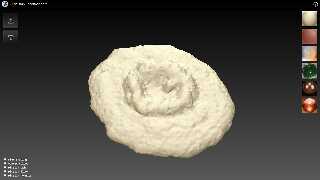
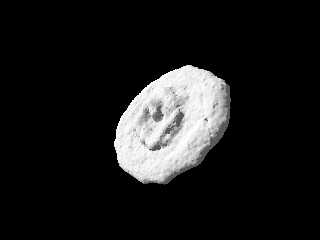
'Crab Nebula (disc).stl' works fine for me (see attachment).  Can you
please press F12 and send me a content of 'Console' tab ?
--
YB
Post a reply to this message
Attachments:
Download 'crab nebula (disc).png' (274 KB)
Download 'scene.png' (17 KB)
Preview of image 'crab nebula (disc).png'
Preview of image 'scene.png'
|
|
| |
| |
|
|
|
|
| |
| |
|
|
On 02/10/2025 01:56, yesbird wrote:
> On 02/10/2025 00:43, Maetes wrote:
>>
>> I just tried it with some models from NASA.
>> glb and stl, none worked for me.
>
> Thanks for feedback, to fix GLB issue I need to add one more compression
> feature.

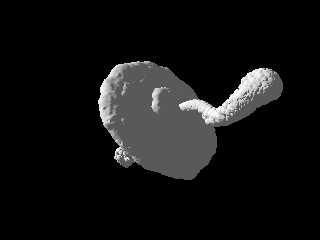
'Crab Nebula.glb' works fine now ( see attachment), please try it again.
--
YB
Post a reply to this message
Attachments:
Download 'scene_glb.png' (11 KB)
Preview of image 'scene_glb.png'
|
|
| |
| |
|
|
|
|
| |
| |
|
|
On 02/10/2025 00:43, Maetes wrote:
> Only this model showed something, unfortunately not more than a part of the
> Antenna-Boom.
> https://science.nasa.gov/3d-resources/viking-lander/

The reason is multiple meshes, contained in this scene, but conversion
is possible only for one. Merging all of them  will produce complete
model.
--
YB
Post a reply to this message
|
|
| |
| |
|
|
|
|
| |
| |
|
|
yesbird wrote:

> > Thanks for feedback, to fix GLB issue I need to add one more compression
> > feature.
>
> 'Crab Nebula.glb' works fine now ( see attachment), please try it again.
> --
> YB

AsyncLoader.js:51 Error: THREE.GLTFLoader: No DRACOLoader instance provided.
    at new GLTFDracoMeshCompressionExtension (GLTFLoader.js:1922:10)
    at GLTFLoader.parse (GLTFLoader.js:400:37)
    at Object.onLoad (GLTFLoader.js:245:11)
    at three.module.js:44568:38
_onError @ GLTFLoader.js:225
AsyncLoader.js:37 Problem loading:
uploads/d91ecd2052b7fe17892df46e1a6d97a43a76a4f8/Crab Nebula.glb
Post a reply to this message
|
|
| |
| |
|
|
|
|
| |
| |
|
|
yesbird wrote:

> The reason is multiple meshes, contained in this scene, but conversion
> is possible only for one. Merging all of them  will produce complete
> model.
> --
> YB

handling of multiple meshes would be a nice feature :)
Without it I have to learn how to convert the files first.

Your Website and the GUI of all2mesh looks nice.
Have checked it out, also the other tools.
Maybe some words about them, small description what they are doing?
And who has created them?

Do you know an online-tool to create textures for Povray?
I've already thought about programming something like this myself.

Greetings from Cologne,
Ma
Post a reply to this message
|
|
| |
| |
|
|
|
|
| |
| |
|
|
On 02/10/2025 10:11, Maetes wrote:
> yesbird wrote:
>
>>> Thanks for feedback, to fix GLB issue I need to add one more compression
>>> feature.
>>
>> 'Crab Nebula.glb' works fine now ( see attachment), please try it again.
>> --
>> YB
>
> AsyncLoader.js:51 Error: THREE.GLTFLoader: No DRACOLoader instance provided.
>      at new GLTFDracoMeshCompressionExtension (GLTFLoader.js:1922:10)
>      at GLTFLoader.parse (GLTFLoader.js:400:37)
>      at Object.onLoad (GLTFLoader.js:245:11)
>      at three.module.js:44568:38
> _onError @ GLTFLoader.js:225
> AsyncLoader.js:37 Problem loading:
> uploads/d91ecd2052b7fe17892df46e1a6d97a43a76a4f8/Crab Nebula.glb
>

Thanks for feedback, just checked - 'Crab Nebula.glb' still works
fine. Please try to clear browser's cache.
--
YB
Post a reply to this message
|
|
| |
| |
|
|
|
|
| |
| |
|
|
On 02/10/2025 10:17, Maetes wrote:
> handling of multiple meshes would be a nice feature :)
> Without it I have to learn how to convert the files first.

No doubt, this is the first position in my TODO list :).

>
> Your Website and the GUI of all2mesh looks nice.
> Have checked it out, also the other tools.
> Maybe some words about them, small description what they are doing?
> And who has created them?

If you about https://yesbird.online/, then this is my portfolio,
"Yesbird studio" - it's me :). Tooltips will appear on cards hovering,
all (almost) applications have some help.

>
> Do you know an online-tool to create textures for Povray?

No, but it depends on what do you mean by 'textures for Povray' ?
As far as I know Povray uses ordinary bitmaps in image_map
instruction: https://www.povray.org/documentation/view/3.60/337/

Btw, I am going to implement a line of online tools for POV-Ray:
spline, prizm and SOR editors will be the first.

> I've already thought about programming something like this myself.

In this case you can check https://threejs.org - this is the great tool
with very friendly support.

Wish you good luck with it !
--
YB
Post a reply to this message
|
|
| |
| |
|
|
|
|
| |
| |
|
|
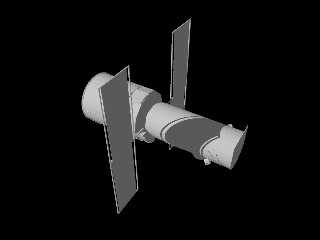
Just now I posted an update to converter, that includes:

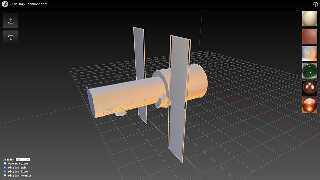
1. Load and export complete scene (all meshes contained in the file).
2. By advice of Paul Bourke, scene metrics at the top of model.inc file:
    center and radius of bounding sphere, bounding box coordinates.
3. Wireframe model shading.

How to use:
All meshes in 'model.inc' have names surface*, numbered from 1.
At the end of the file there is a 'union', that combines them together.
//----------- Sample scene (attached) ----------------------------------
#version 3.7;
#include "model.inc"

global_settings{ assumed_gamma 1.0 }
#default{ finish{ ambient 0.1 diffuse 0.9 }}
#declare cam = camera { perspective angle 55
                         location  <RADIUS, RADIUS, RADIUS> * 1.5
                         right     x * image_width / image_height
                         look_at   CENTER}
camera{cam}
light_source{< 3000,3000,-3000> color rgb <1.0, 1.0, 1.0>}
//-----------------------------------------------------------------------

Testing and any kind of feedback are highly appreciated :).
--
YB
Post a reply to this message
Attachments:
Download 'scene.pov.txt' (1 KB)
Download 'model.inc.txt' (652 KB)
Download 'scene.png' (28 KB)
Download 'shot.png' (261 KB)
Preview of image 'scene.png'
Preview of image 'shot.png'
|
|
| |
| |
|
|
|
|
| |
| |
|
|
yesbird wrote:
>
> 2. By advice of Paul Bourke, scene metrics at the top of model.inc file:
> 3. Wireframe model shading.
>
> How to use:
> All meshes in 'model.inc' have names surface*, numbered from 1.
> At the end of the file there is a 'union', that combines them together.
> ...


That's an outstanding support here :)

Tested it, and it works.
Tried the Hubble, the Voyager, and there they are.
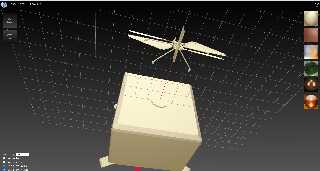
Nice Idea to save all parts in different variables.

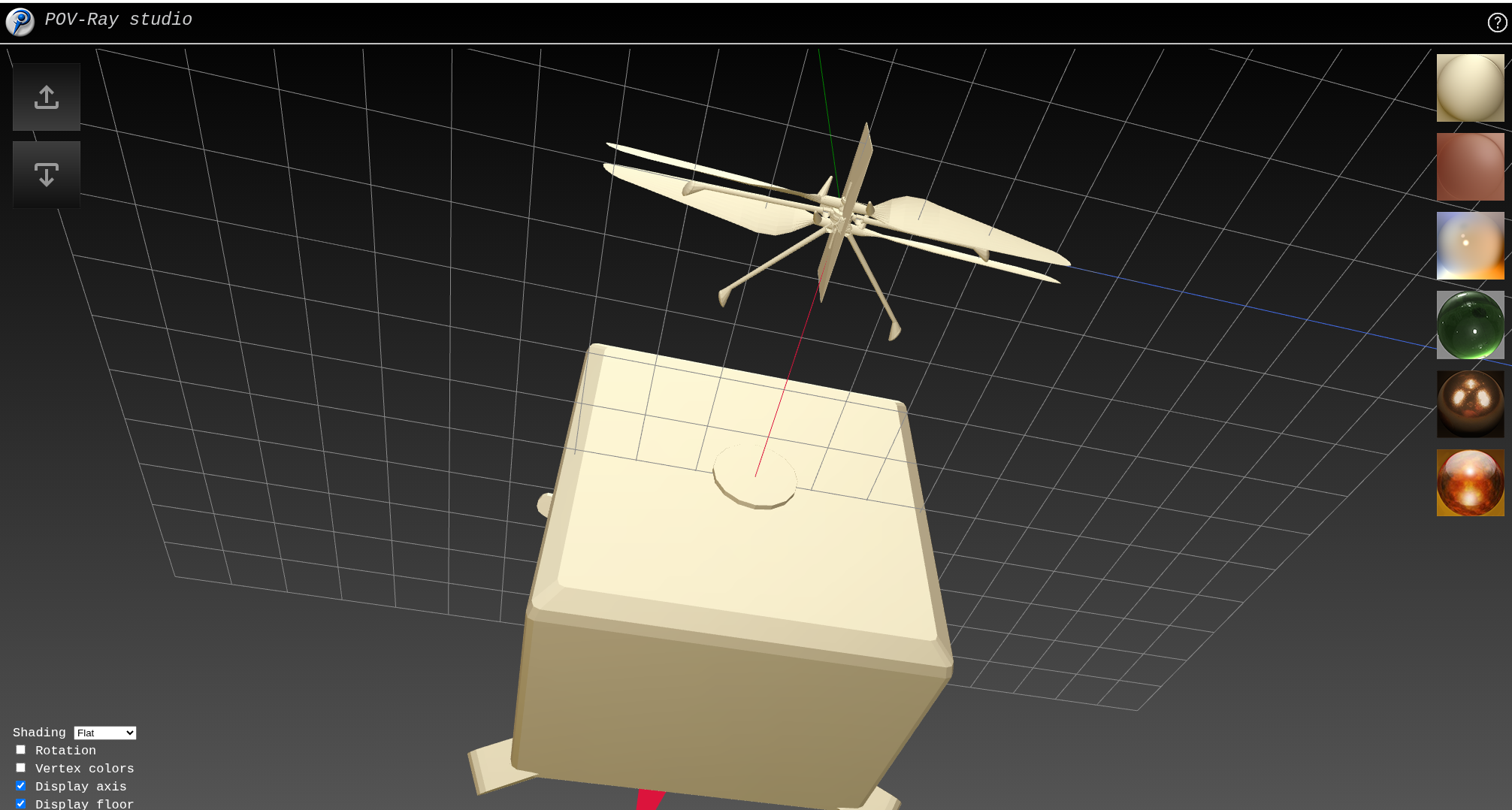
But have problems with this model (see pic):
https://science.nasa.gov/3d-resources/ingenuity-mars-helicopter/

Is it an error in the glb-file?

And is it possible to extract the textures also?

2 new ideas:
- save the pov-lines how to use the code in a docu-block in the upper part of
the file
- save the name of the original file also somewhere (have now many files in my
download-folder like "model (4).inc" and dont know whats in it.

ma
Post a reply to this message
Attachments:
Download '20251004_00h16m11s_grim.png' (348 KB)
Preview of image '20251004_00h16m11s_grim.png'
|
|
| |
| |
|
|
|
|
| |
| |
|
|
yesbird wrote:
> >
> > Do you know an online-tool to create textures for Povray?
>
> No, but it depends on what do you mean by 'textures for Povray' ?
> As far as I know Povray uses ordinary bitmaps in image_map
> instruction: https://www.povray.org/documentation/view/3.60/337/
>

It is very cumbersome and annoying to try out textures directly in the text file
with Povray.
You set something in the texure, render the image, change bump-values or colours
or something again, render by cmd-line, still don't look good, back into the
text file...

That's why I thought about a web interface that offers select boxes and sliders
for the different settings, re-renders at command, and displays the image.

I think that would be much faster and more relaxed.
If something similar already exists, just let me know the website.

ma
Post a reply to this message
|
|
| |
| |
|
|
|
|
| |