|
|
|
|
|
|
| |
| |
|
|
|
|
| |
| |
|
|
On 04/10/2025 01:22, Maetes wrote:
> That's an outstanding support here :)
Thanks, we are pleased to help :)

> But have problems with this model (see pic):
> https://science.nasa.gov/3d-resources/ingenuity-mars-helicopter/
>
> Is it an error in the glb-file?
No, the file is OK, you can check this yourself here:
https://threejs.org/editor/

The project in beta state now, so some issues are possible,
will fix it soon. Many thanks for testing and bug reports -
I am really need them.

>
> And is it possible to extract the textures also?
Interesting, I guess yes, will try it little bit later.
Right now I am working on POV-Ray materials support.

>
> 2 new ideas:
> - save the pov-lines how to use the code in a docu-block in the upper part of
> the file
> - save the name of the original file also somewhere (have now many files in my
> download-folder like "model (4).inc" and dont know whats in it.
Good idea, saved it to my TODO list.

Wishing well.
--
YB
Post a reply to this message
|
|
| |
| |
|
|
|
|
| |
| |
|
|
On 04/10/2025 01:30, Maetes wrote:
> It is very cumbersome and annoying to try out textures directly in the text file
> with Povray.
> ...
Yes, I know, but I did not see any online GUI anywhere.
I am thinking about something like this, but implementation could be
tricky. As far as I know, Blender supports POV-Ray and has a GUI, but I
don't know details, preferring C4D.
--
YB
Post a reply to this message
|
|
| |
| |
|
|
|
|
| |
| |
|
|
On 04/10/2025 01:30, Maetes wrote:
> That's why I thought about a web interface that offers select boxes and sliders
> for the different settings, re-renders at command, and displays the image.Btw, last
year I did this experimental project for server-side
rendering, maybe it was the first step toward what you are dreaming
about ? :)
--
YB
Post a reply to this message
|
|
| |
| |
|
|
|
|
| |
| |
|
|
On 04/10/2025 01:30, Maetes wrote:
>
> That's why I thought about a web interface that offers select boxes and sliders
> for the different settings, re-renders at command, and displays the image.
>
Btw, last year I did this experimental project for server-side
rendering: https://povlab.yesbird.online/

Maybe it was the first step toward what you are dreaming about ?
:)
--
YB
Post a reply to this message
|
|
| |
| |
|
|
|
|
| |
| |
|
|
yesbird wrote:
> On 04/10/2025 01:30, Maetes wrote:
> >
> > That's why I thought about a web interface that offers select boxes and sliders
> > for the different settings, re-renders at command, and displays the image.
> >
> Btw, last year I did this experimental project for server-side
> rendering: https://povlab.yesbird.online/
>
> Maybe it was the first step toward what you are dreaming about ?
> :)
> --
> YB

Yes, "something" like that.
But instead the code-block many sliders and checkboxes and select-boxes.
And only one or two object (box and sphere) to show the texture.
And a download-button to get the texture.

This treejs looks indeed very promising, maybe I'll give it a try for my own
website.

Your all2mesh-tool:
If you could extract the textures also, I would bring the Mars-Rover or
Ingenuity to life.
The tool is nice, maybe I can use it sometimes, especially for some NASA-Stuff.

m
Post a reply to this message
|
|
| |
| |
|
|
|
|
| |
| |
|
|
On 04/10/2025 23:29, Maetes wrote:
> Yes, "something" like that.
> But instead the code-block many sliders and checkboxes and select-boxes.
> And only one or two object (box and sphere) to show the texture.
> And a download-button to get the texture.
Don't you mixing a texture and material ?
http://www.povray.org/documentation/view/3.60/324/
http://www.povray.org/documentation/view/3.6.1/331/

In any case implementation will not be difficult - I guess, you can try
it yourself. You will only need to install node.js and master
javascript, also PHP alittle.
> This treejs looks indeed very promising, maybe I'll give it a try for my own
> website.
Yes, it's really cool. Almost standard-de-facto for WegGL/WebGPU works
now.
>
> Your all2mesh-tool:
Now it's "POV-Ray studio" :).
> If you could extract the textures also, I would bring the Mars-Rover or
> Ingenuity to life.
Maybe later, after finishing two active projects.
--
YB
Post a reply to this message
|
|
| |
| |
|
|
|
|
| |
| |
|
|
On 04/10/2025 23:29, Maetes wrote:
> If you could extract the textures also, I would bring the Mars-Rover or
> Ingenuity to life.

Use search, Luke !
https://products.aspose.app/3d/extractor/glb
And see attachment ... :).
--
YB
Post a reply to this message
Attachments:
Download 'ingenuity mars helicopter.zip' (1973 KB)
|
|
| |
| |
|
|
|
|
| |
| |
|
|
Just for kicks, I searched Thingiverse for Povray . . .

Rick's Chainmaker for POVRay
https://www.thingiverse.com/thing:726783

Zeycus' Abstract Chess Set
Chess set I designed in 2001, originally in PovRay.
Recently used Openscad to create the STL file.
https://www.thingiverse.com/thing:952393


Superellipsoid
https://www.thingiverse.com/thing:12419

Supershape
https://www.thingiverse.com/thing:12770

Cylindrical container holder rendered in POV-Ray
https://www.thingiverse.com/thing:1932960

- BE
Post a reply to this message
|
|
| |
| |
|
|
|
|
| |
| |
|
|
On 05/10/2025 01:19, Bald Eagle wrote:
> Just for kicks, I searched Thingiverse for Povray . .
Chainmaker is rather interesting ...

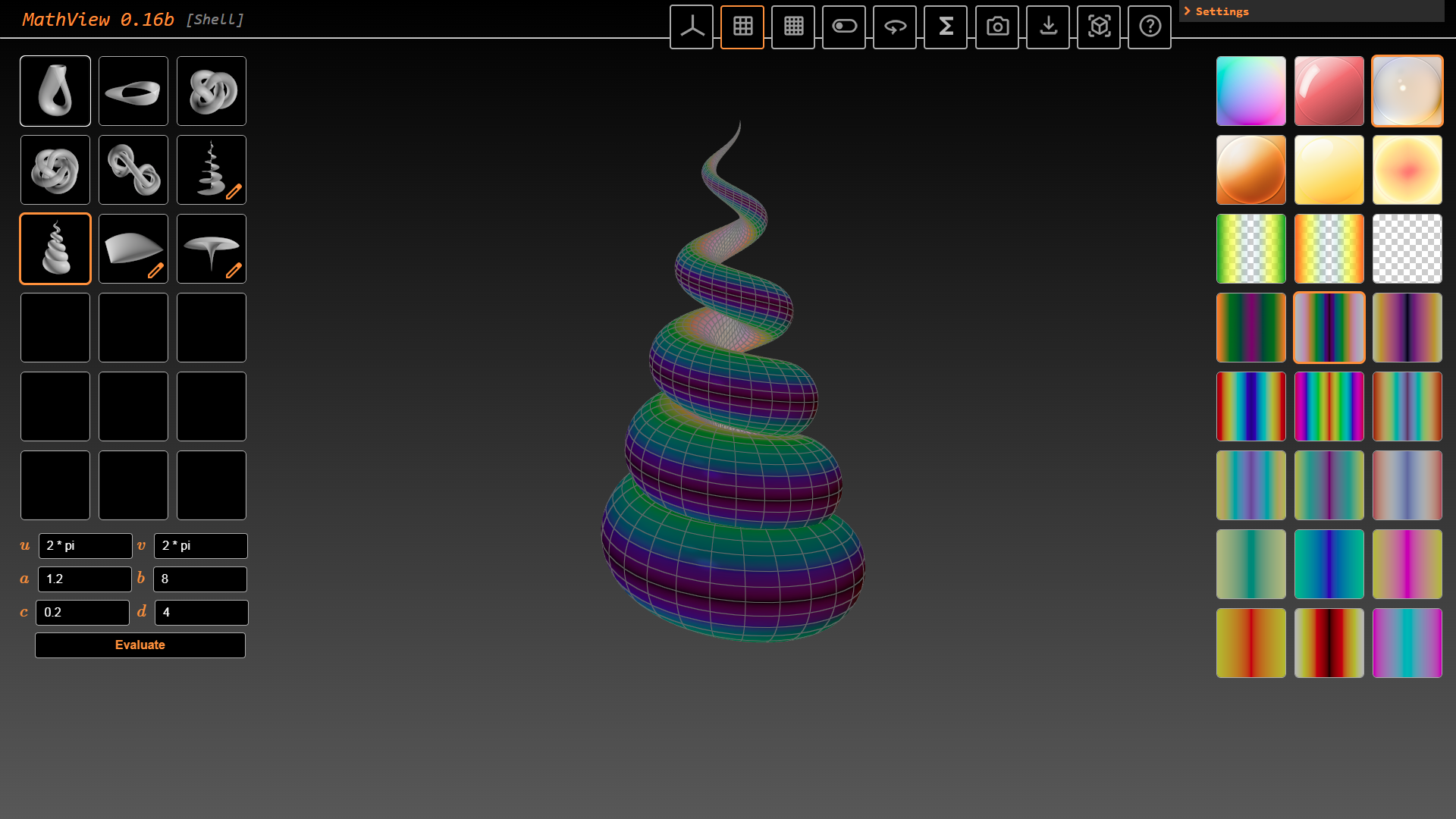
Btw, Bill, I need your advice. I am working on online viewer of math
objects (screenshot attached):
https://mathview.yesbird.online/
and now it has export only to OBJ.

Is it worth adding a POV exporter to it, taking in account that POV-Ray
already has a powerful library for generating math surfaces ?

Remembering quote by Steve Jobs: "Deciding what not to do is as
important as deciding what to do" ? :)
--
YB
Post a reply to this message
Attachments:
Download 'mathview.png' (476 KB)
Preview of image 'mathview.png'
|
|
| |
| |
|
|
|
|
| |
| |
|
|
yesbird wrote:
> On 05/10/2025 01:19, Bald Eagle wrote:
> > Just for kicks, I searched Thingiverse for Povray . .
> Chainmaker is rather interesting ...
>
> Btw, Bill, I need your advice. I am working on online viewer of math
> objects (screenshot attached):
> https://mathview.yesbird.online/
> and now it has export only to OBJ.
>
> Is it worth adding a POV exporter to it, taking in account that POV-Ray
> already has a powerful library for generating math surfaces ?

Well,

All I can say is that although we have things like parametric, isosurface, and
polynomial - what we don't have is a visual modeler for such things.

There does exist MathMod - which can be quite cryptic, and Desmos - which can
help visualize equations.  But neither have any sort of export feature.

I'm a fan of the mathematical objects - it's probably one of my favorite things
to play with and render - but after over a dozen years of experience, I'd say
that there are usually only a few select shapes that have real, broad utility.

sphere, cylinder, torus, Dupin cyclide, etc.

Now, on the other end of the spectrum, when you need a specialized shape, and it
has to have very exacting dimensions and attributes, then parametrics and
implicit isosurfaces are probably the only things that will fit the bill -
especially when combined with surface displacement.
And those things can be VERY difficult to visualize.

I really like what you're doing, and there are things that I would want, and
would be great to experiment with.  But I don't know what sort of workload is
necessary to make them happen, or what other projects you have to wrap up.

So, ultimately, I'd say that you're going to have to decide for yourself.

We can discuss this more, but I'll leave you with all of that to think about.

- BW
Post a reply to this message
|
|
| |
| |
|
|
|
|
| |
| |
|
|
On 28/09/2025 00:27, yesbird wrote:
> Finally, after two sleepless nights I finished a web application that
> converts obj, fbx, glb, gltf, stl formats to mesh2:
> https://povlab.yesbird.online/all2pov
>
> I tested it only on a limited number of files, so some issues
> (especially related to displaying a model) are possible, testing  now in
> progress. Please send any kind of feedback: bug reports, suggestions,
> requests to implement, etc.


Well done on the initiative, but like others here, I can't convert OBJ
files. My OBJ files are fine. With my silly Perl script, conversion to
POV works fine.


I think you still have some work to do to refine all this;


ps: yes, my Firefox 143.0.4-64 is compatible with WebGL 1 & 2.


--
kurtz le pirate
compagnie de la banquise
Post a reply to this message
|
|
| |
| |
|
|
|
|
| |
| |
|
|
On 05/10/2025 12:34, kurtz le pirate wrote:
> Well done on the initiative, but like others here, I can't convert OBJ
> files. My OBJ files are fine. With my silly Perl script, conversion to
> POV works fine.
>
> I think you still have some work to do to refine all this;

Thanks for feedback, could you please provide a little bit more
details - why can't you convert them ? And who else can't ?
Please send me your OBJ and content of _console_ tab (F12).

The project is in beta state, so debug information is highly
appreciated.
--
YB
Post a reply to this message
|
|
| |
| |
|
|
|
|
| |
| |
|
|
On 05/10/2025 12:34, kurtz le pirate wrote:
> I think you still have some work to do to refine all this;
Sure, the reason of OBJ loading issues was lack of 'mtl' file,
OBJ materials is not supported yes, will implement it later.
I made a fix to just ignore them.

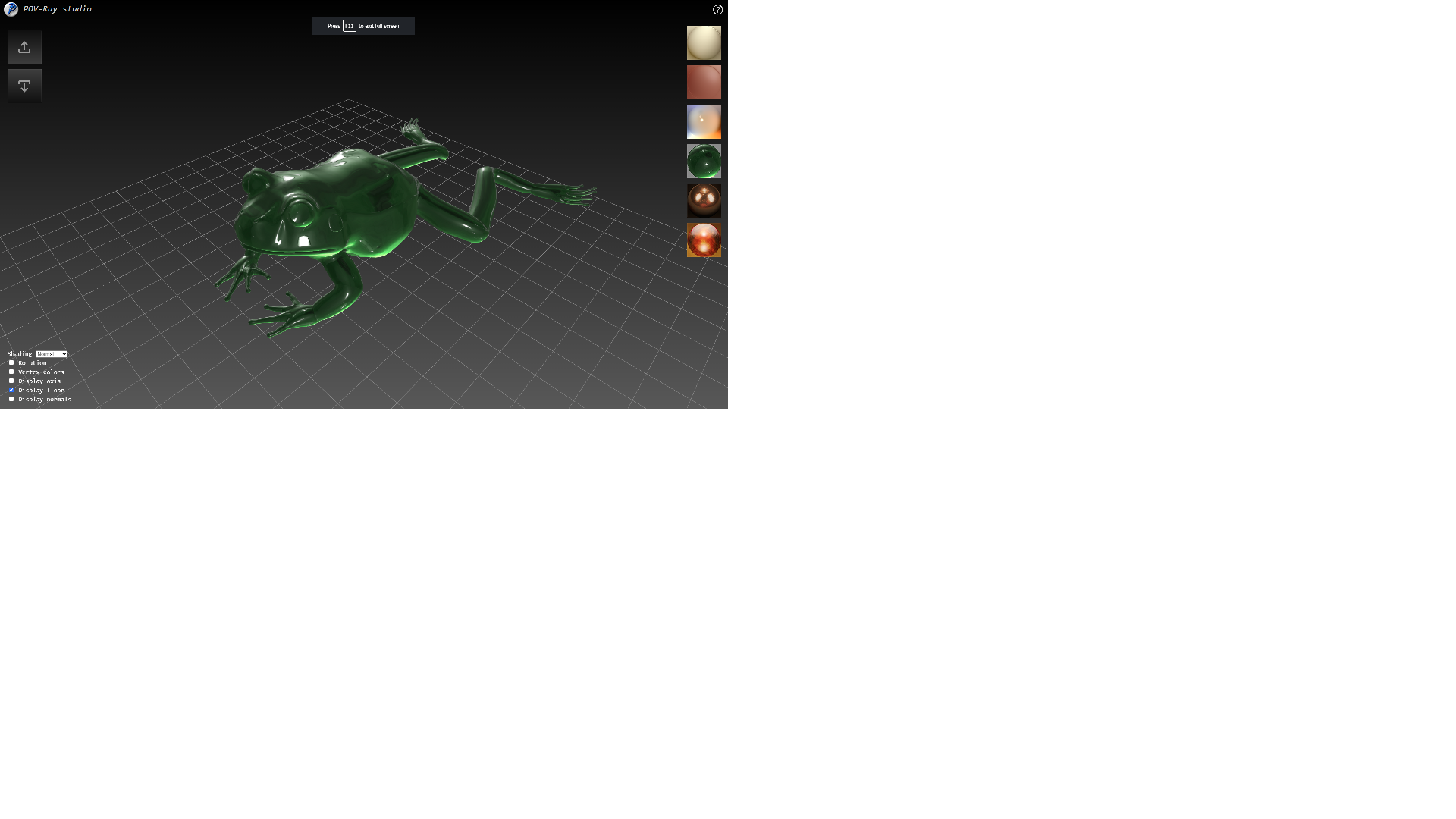
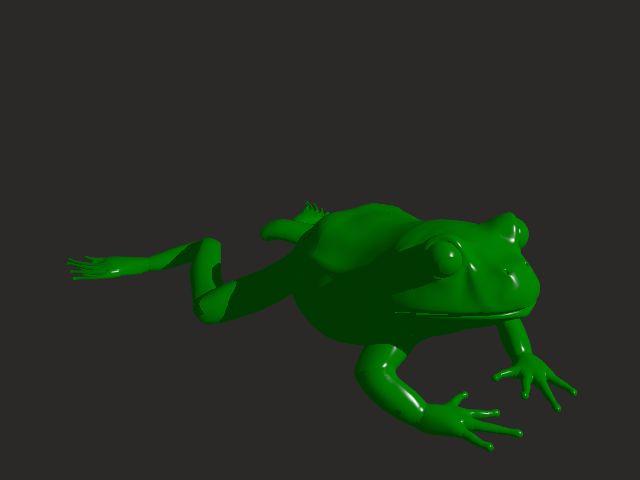
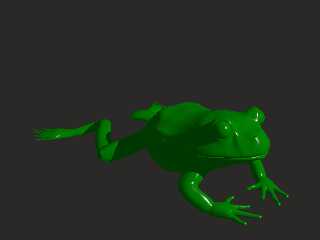
PS: Frog is nice ! (attached)
--
YB
Post a reply to this message
Attachments:
Download 'frog_web.png' (173 KB)
Download 'frog_pov.png' (36 KB)
Preview of image 'frog_web.png'
Preview of image 'frog_pov.png'
|
|
| |
| |
|
|
|
|
| |
| |
|
|
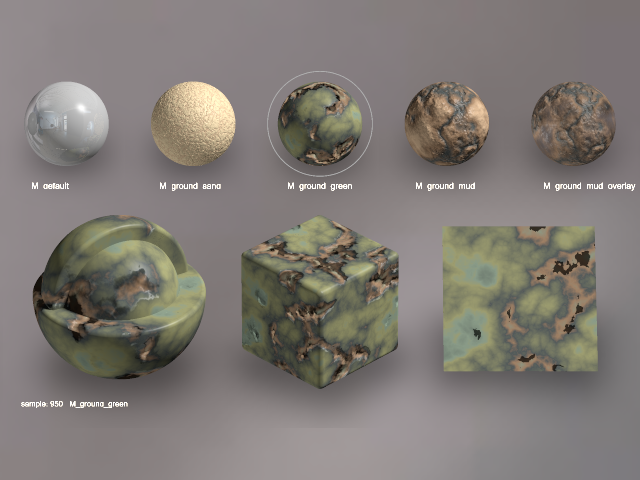
On 30/09/2025 12:07, Mr wrote:
> I think you should look at GIS packages (QGis/OpenSceneGraph...), ...Sorry for
off-topic, but I read that you are working with Blender
(POV@Ble). I have idea about effective conversion from Blender to
POV-Ray: If only Blender can work with glTF or GLB file's .extras
property that can store arbitrary JSON content, then we can use it
to store material name and then convert it to POV with my converter.

It's possible not to use a web-based GUI version, but to create a
command line utility running under node.js.

We can use for the start this impressive materials collection - the
royal gift from Mike Miller:
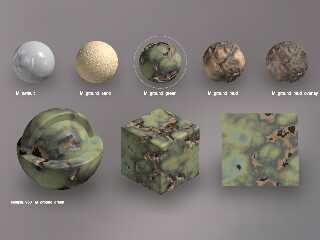
https://drive.google.com/file/d/1PncYI4G2ssqIXjK1rMej-PgAZ9Gnatz1/view?usp=sharing

What is your opinion ?
--
YB
Post a reply to this message
Attachments:
Download 'mat.png' (258 KB)
Preview of image 'mat.png'
|
|
| |
| |
|
|
|
|
| |
| |
|
|
Just following up on this,

I think that for your parametric equations, it would be trivial to have an
export option for these, since they are extremely simply to output as quads of
two triangles.

Isosurfaces would be a lot more difficult I think - there has been a long
history of trying to implement meshification of these objects.

Now, perhaps if there are libraries at your disposal for things like convex
hull, it might be easy enough to provide at least that, so that there was some
data for users to experiment with and think about various approaches to more
completely represent such surfaces prior to render phase.

- BW
Post a reply to this message
|
|
| |
| |
|
|
|
|
| |
| |
|
|
yesbird wrote:
> On 30/09/2025 12:07, Mr wrote:
> > I think you should look at GIS packages (QGis/OpenSceneGraph...), ...Sorry for
off-topic, but I read that you are w
orking with Blender
> (POV@Ble). I have idea about effective conversion from Blender to
> POV-Ray: If only Blender can work with glTF or GLB file's .extras
> property that can store arbitrary JSON content, then we can use it
> to store material name and then convert it to POV with my converter.
>
> It's possible not to use a web-based GUI version, but to create a
> command line utility running under node.js.
>
> We can use for the start this impressive materials collection - the
> royal gift from Mike Miller:
> https://drive.google.com/file/d/1PncYI4G2ssqIXjK1rMej-PgAZ9Gnatz1/view?usp=sharing
>
> What is your opinion ?
> --
> YB

Your screenshot shows great materials, but I don't understand why not use the
current POV custom code hooks already featured directly in POV@Ble they append
the pov code at top of exported POV files and add the declared textures to the
exported pov objects. A sample library of such pov mats was even made available
in the old wiki and is planned to be shipped again later.
Post a reply to this message
|
|
| |
| |
|
|
|
|
| |
| |
|
|
yesbird wrote:
> On 30/09/2025 12:07, Mr wrote:
> > I think you should look at GIS packages (QGis/OpenSceneGraph...), ...Sorry for
off-topic, but I read that you are w
orking with Blender
> (POV@Ble). I have idea about effective conversion from Blender to
> POV-Ray: If only Blender can work with glTF or GLB file's .extras
> property that can store arbitrary JSON content, then we can use it
> to store material name and then convert it to POV with my converter.
>
> It's possible not to use a web-based GUI version, but to create a
> command line utility running under node.js.
>
> We can use for the start this impressive materials collection - the
> royal gift from Mike Miller:
> https://drive.google.com/file/d/1PncYI4G2ssqIXjK1rMej-PgAZ9Gnatz1/view?usp=sharing
>
> What is your opinion ?
> --
> YB

From what I understand of your idea, it would aim to provide a totally different
pipeline than POV@Ble, and it would actually not consist of a POV@Ble
modification, but rather an addition to the e.g. gltf exporter. I can help you
reach out to the relevant dev if you want to make him such a proposition, but it
should be really refined as he's like one of the 5 most busy Blender devs.
(sweat); and also his code one of the highest standard.
Post a reply to this message
|
|
| |
| |
|
|
|
|
| |
| |
|
|
On 06/10/2025 18:07, Mr wrote:
> Your screenshot shows great materials, but I don't understand why not use the
> current POV custom code hooks already featured directly in POV@Ble they append
> the pov code at top of exported POV files and add the declared textures to the
> exported pov objects. A sample library of such pov mats was even made available
> in the old wiki and is planned to be shipped again l### [at] er If you find it more simple
and POV@Ble work good - then, yes, this is a
solution. I am always looking for different approaches, to choose
the best.
--
YB If you find it more simple
and POV@Ble work good - then, yes, this is a
solution. I am always looking for different approaches, to choose
the best.
--
YB
Post a reply to this message
|
|
| |
| |
|
|
|
|
| |
| |
|
|
On 06/10/2025 18:16, Mr wrote:
>  From what I understand of your idea, it would aim to provide a totally different
> pipeline than POV@Ble, and it would actually not consist of a POV@Ble
> modification, but rather an addition to the e.g. gltf exporter. I can help you
> reach out to the relevant dev if you want to make him such a proposition, but it
> should be really refined as he's like one of the 5 most busy Blender devs.
> (sweat); and also his code one of the highest standard.Yes, exactly, this solution
has no relation to POV@Ble, it's some kind
of alternative. This idea came to me only this morning, so I need
to think hard about details and look up the modern Blender interface to
make proposition well.

Many thanks for your support, I will get back to you in 1-2 days.
--
YB
Post a reply to this message
|
|
| |
| |
|
|
|
|
| |
| |
|
|
On 28/09/2025 01:27, yesbird wrote:
> Finally, after two sleepless nights I finished a web application that
> converts obj, fbx, glb, gltf, stl formats to mesh2 ...

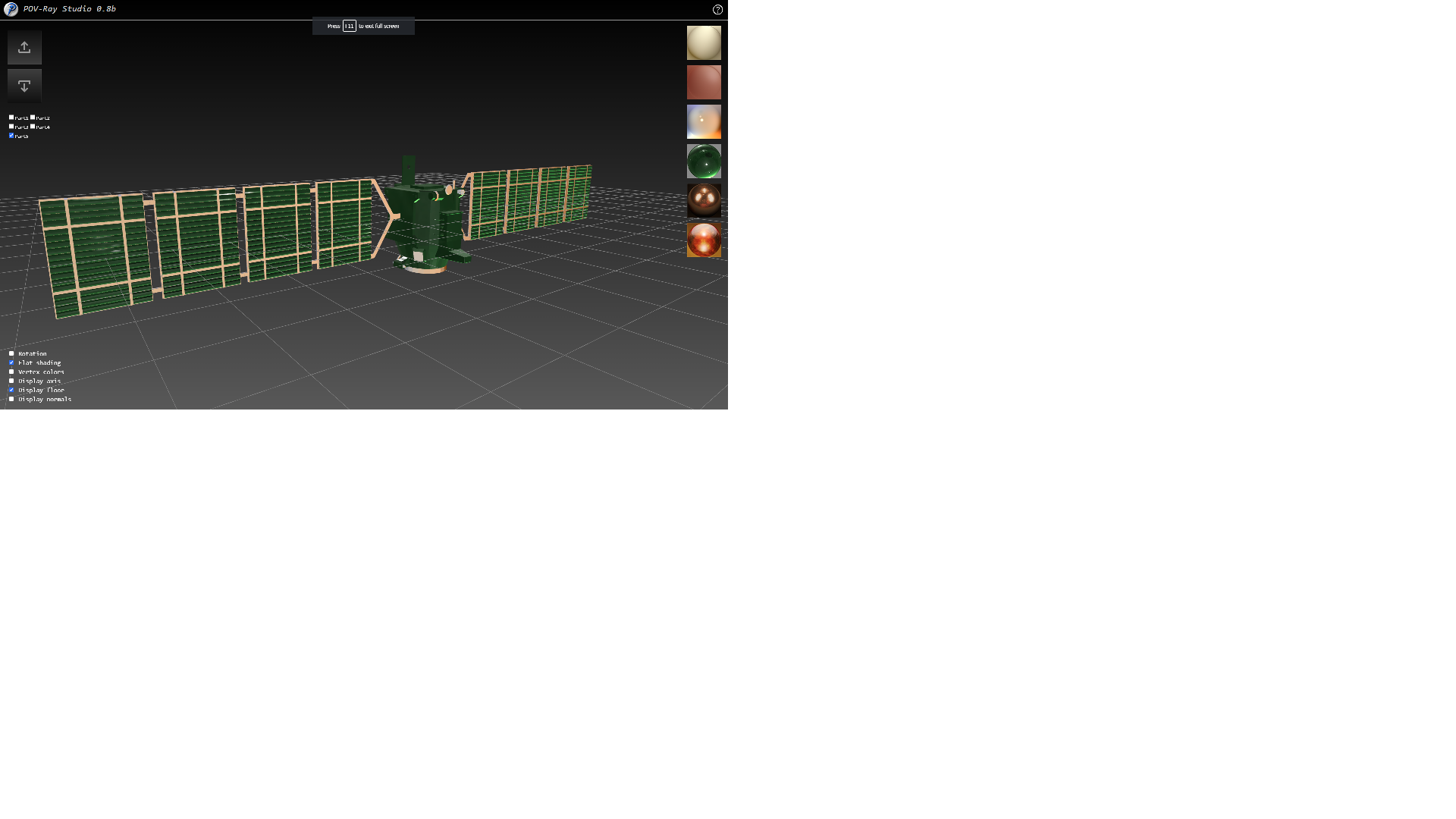
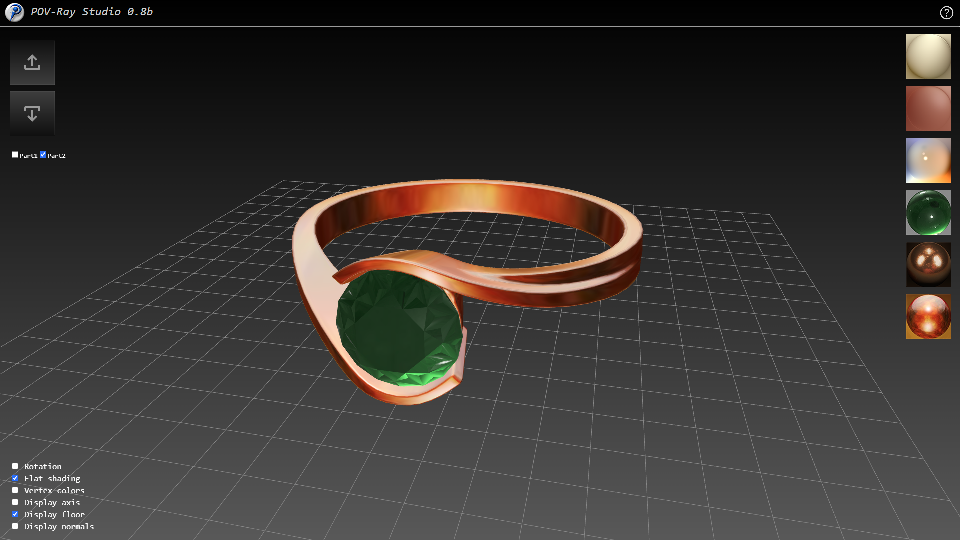
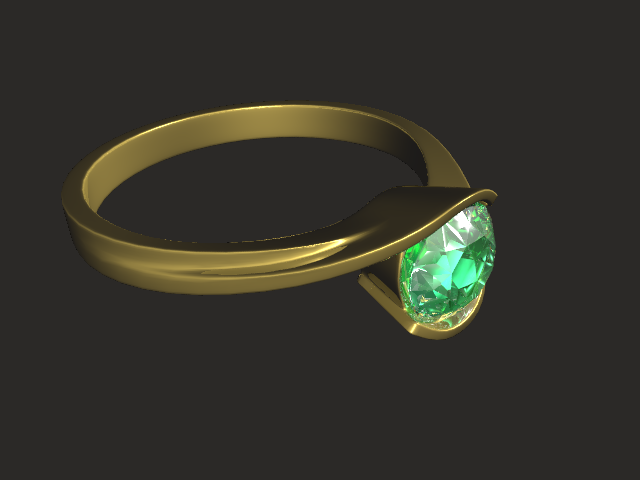
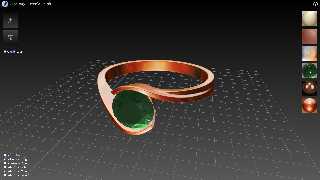
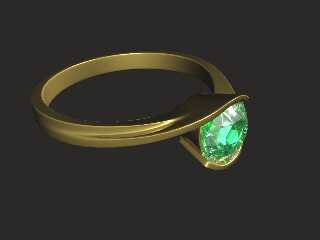
Another update is ready - now materials can be assigned to different
parts of the model. The process is not convenient yet, but enough for
testing.
--
YB
Post a reply to this message
Attachments:
Download 'deep_space.png' (183 KB)
Download 'ring.png' (169 KB)
Download 'ring_pov.png' (65 KB)
Preview of image 'deep_space.png'
Preview of image 'ring.png'
Preview of image 'ring_pov.png'
|
|
| |
| |
|
|
|
|
| |
| |
|
|
On 05/10/2025 14:58, yesbird wrote:
>
> Thanks for feedback, could you please provide a little bit more
> details - why can't you convert them ? And who else can't ?
> Please send me your OBJ and content of _console_ tab (F12).

Hum ... After another attempt today, my file loaded correctly and my
pingoin appears correctly.

Have you noticed any improvements ?


Another thing about my converter. I find 18,531 vertices, while you only
have 952.


I think that for very large meshes, the size of the converted file with
18 digits increases enormously without providing any additional precision.

4 or 6 digits should suffice and would reduce the size by more than four
times (18/4=4.5).


Good job ;)


> The project is in beta state, so debug information is highly
> appreciated.


--
kurtz le pirate
compagnie de la banquise
Post a reply to this message
|
|
| |
| |
|
|
|
|
| |
| |
|
|
On 08/10/2025 18:29, kurtz le pirate wrote:
> Have you noticed any improvements ?

Yes, I am working hard and updating it daily, fixing the bugs and
implementing new features. Now working on material library and improving
studio environment.

> Another thing about my converter. I find 18,531 vertices, while you only
> have 952.

I do merging on load, maybe this is the reason. Could you please send me
your file for testing ? Good bug report is the half of a successful fix
:).

> I think that for very large meshes, the size of the converted file with
> 18 digits increases enormously without providing any additional precision.
>
> 4 or 6 digits should suffice and would reduce the size by more than four
> times (18/4=4.5).

Agree with you and have already been included it in my TODO list.

>
> Good job ;)

Thanks for the kind words :).
--
YB
Post a reply to this message
|
|
| |
| |
|
|
|
|
| |
| |
|
|
On 08/10/2025 17:58, yesbird wrote:
> On 08/10/2025 18:29, kurtz le pirate wrote:
>> Have you noticed any improvements ?
>
> Yes, I am working hard and updating it daily, fixing the bugs and
> implementing new features. Now working on material library and improving
> studio environment.
>
>> Another thing about my converter. I find 18,531 vertices, while you
>> only have 952.
>
> I do merging on load, maybe this is the reason. Could you please send me
> your file for testing ? Good bug report is the half of a successful fix
> :).


Sure ! A zip file with the OBJ file and my INC file.


>> I think that for very large meshes, the size of the converted file
>> with 18 digits increases enormously without providing any additional
>> precision.
>>
>> 4 or 6 digits should suffice and would reduce the size by more than
>> four times (18/4=4.5).
>
> Agree with you and have already been included it in my TODO list.
>
>>
>> Good job ;)
>
> Thanks for the kind words :).
> --
> YB
>
>


--
kurtz le pirate
compagnie de la banquise
Post a reply to this message
Attachments:
Download 'pingouin.zip' (746 KB)
|
|
| |
| |
|
|
|
|
| |
| |
|
|
On 08/10/2025 19:10, kurtz le pirate wrote:
> Sure ! A zip file with the OBJ file and my INC file.

Thanks, merging is the reason, I see a lot of duplicates here:
grep -w v pingouin.obj  | tail -n 20
v 0.023851 0.00175495 0.0374573
v 0.023851 0.00175495 0.0374573
v 0.023851 0.00175495 0.0374573
v 0.023851 0.00175495 0.0374573
v 0.023851 0.00175495 0.0374573
v 0.023851 0.00175495 0.0374573
v 0.023851 0.00175495 0.0374573
v 0.023851 0.00175495 0.0374573
v 0.023851 0.00175495 0.0374573
v 0.023851 0.00175495 0.0374573
v 0.023851 0.00175495 0.0374573
v 0.023851 0.00175495 0.0374573
v 0.023851 0.00175495 0.0374573
v 0.023851 0.00175495 0.0374573
v 0.023851 0.00175495 0.0374573
v 0.023851 0.00175495 0.0374573
v 0.023851 0.00175495 0.0374573
v 0.023851 0.00175495 0.0374573
v 0.023851 0.00175495 0.0374573
v 0.023851 0.00175495 0.0374573
-------------------------------

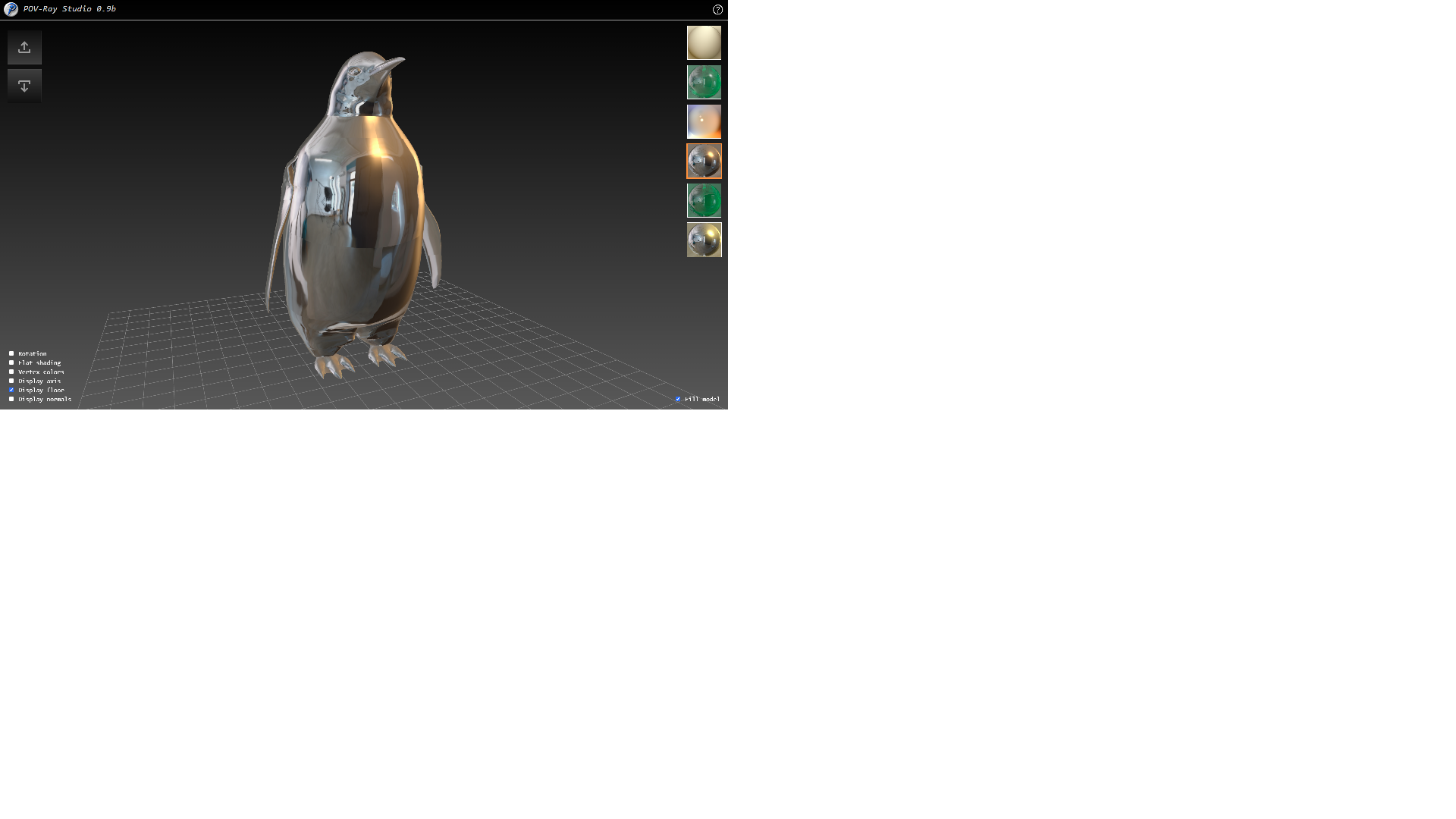
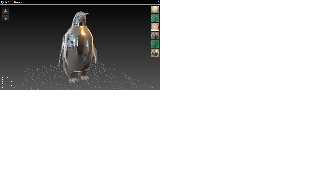
PS: Attached pingouin inspired by Terminator-2 ).
--
YB
Post a reply to this message
Attachments:
Download 'pingouin.png' (219 KB)
Preview of image 'pingouin.png'
|
|
| |
| |
|
|
|
|
| |
| |
|
|
On 08/10/2025 20:00, yesbird wrote:
> On 08/10/2025 19:10, kurtz le pirate wrote:
>> Sure ! A zip file with the OBJ file and my INC file.
>
> Thanks, merging is the reason, I see a lot of duplicates here ...

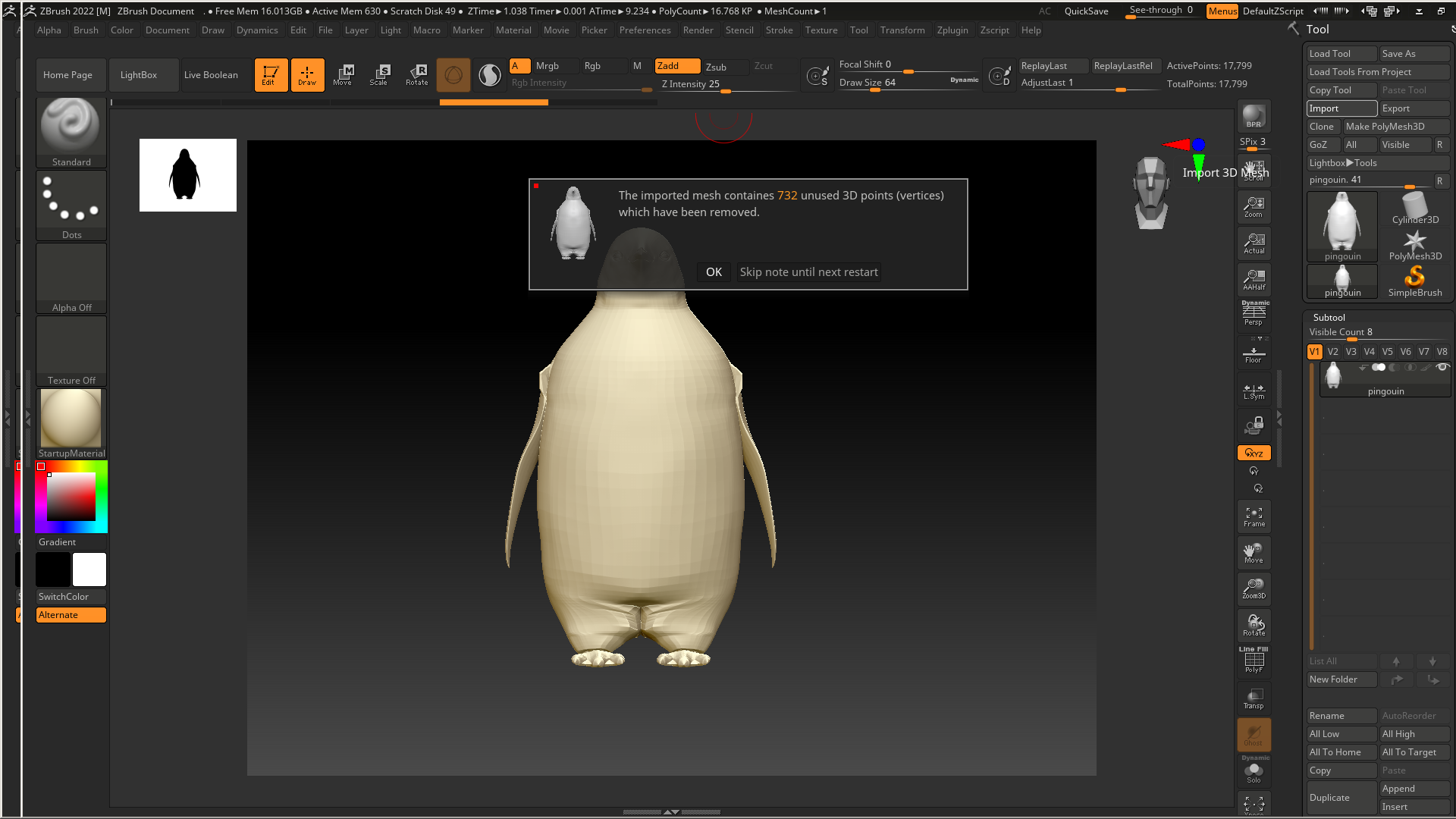
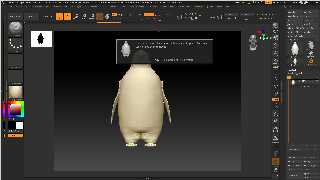
Z-Brush also report about unused vertices, please find optimized version
in attachment.
--
YB
Post a reply to this message
Attachments:
Download 'pingouin_cleaned.zip' (458 KB)
Download 'pingouin_zb.png' (351 KB)
Preview of image 'pingouin_zb.png'
|
|
| |
| |
|
|
|
|
| |
| |
|
|
yesbird wrote:
> On 08/10/2025 19:10, kurtz le pirate wrote:
> > Sure ! A zip file with the OBJ file and my INC file.
>
> Thanks, merging is the reason, I see a lot of duplicates here:
> grep -w v pingouin.obj  | tail -n 20
> v 0.023851 0.00175495 0.0374573
> v 0.023851 0.00175495 0.0374573
> v 0.023851 0.00175495 0.0374573
> (etc.)

Does your analysis of Kurtz's file indicate duplicate *triangles*, or just
duplicate vertices? Kurtz is converting his STL file to plain mesh AFAIU (not
mesh2)-- and in such files there are necessarily many duplicate vertices, since
they are shared among some triangles. I'm guessing that your own mesh2
conversion code 'consolidates' those somehow-- resulting in fewer vertices
overall.

If so, is this consolidation or merging one of the 'efficiency' benefits of
POV-ray's own mesh2 construct, or is it an extra operation that you added to
your own conversion code?
Post a reply to this message
|
|
| |
| |
|
|
|
|
| |
| |
|
|
"Kenneth" <kdw### [at] gmailcom> wrote:
>
> Does your analysis of Kurtz's file indicate duplicate *triangles*, or just
> duplicate vertices? Kurtz is converting his STL file to plain mesh AFAIU (not
> mesh2)--

My apologies; I was confusing your OBJ file discussion with STL file conversion.
Post a reply to this message
|
|
| |
| |
|
|
|
|
| |
| |
|
|
On 09/10/2025 00:03, Kenneth wrote:
> Does your analysis of Kurtz's file indicate duplicate *triangles*, or just
> duplicate vertices? Kurtz is converting his STL file to plain mesh AFAIU (not
> mesh2)-- and in such files there are necessarily many duplicate vertices, since
> they are shared among some triangles. I'm guessing that your own mesh2
> conversion code 'consolidates' those somehow-- resulting in fewer vertices
> overall.
>
> My apologies; I was confusing your OBJ file discussion with STL file conversion.

I only answered the Kurtz's question about difference in of vertices in
our results. There is no *.inc file in Kurtz's zip, so I grepped obj.

> If so, is this consolidation or merging one of the 'efficiency' benefits of
> POV-ray's own mesh2 construct, or is it an extra operation that you added to
> your own conversion code?

My conversion process is following:
1. Calling OBJLoader() from Three.js library to load meshes into scene.

2. Call standard Three.js mergeVertices() method for each mesh on load
to build vertices index, that completely excludes duplicates.

3. Call my POVExporter(), which traverses scene, selects meshes and
saves data to model.ini as mesh2.

Very simple :)
--
YB
Post a reply to this message
|
|
| |
| |
|
|
|
|
| |
| |
|
|
kurtz le pirate <kur### [at] freefr> wrote:

>
> I think that for very large meshes, the size of the converted file with
> 18 digits increases enormously without providing any additional precision.
>
> 4 or 6 digits should suffice and would reduce the size by more than four
> times (18/4=4.5).
>

In my own POV-ray-only stl-to-mesh converter-- not yet posted ;-) -- I came to
the same conclusion: that 4 or 5 digits were enough, and that more were simply
overkill. In my experience, some models' float values are written with much more
precision than is necessary.

HOWEVER, I am now thinking that it needs to be a 'dynamic' value-- based on the
number of triangles (or vertices) in the original file (whether .stl or .obj or
whatever type.)

Some files have a low-triangle count, others very high. As the number of
triangles increases, it usually means that they are smaller (for a given-size
object), to produce finer detail-- and thus require more precision in their
values. Otherwise, a 4-to-6 significant digit conversion process might create
unwanted duplicate values by truncating or rounding important digits. Here's an
example of my thinking:

an original float value in a LOW-triangle-count model:
69.5746344739 // probably overkill, since the triangles themselves are larger in
relation to the overall object. This could be reduced/rounded to 4 or 5 digits,
IMO, and still produce a perfectly adequate final model.

an original float value in a HIGH-triangle-count model:
69.5746344739 // all of those digits would probably be necessary, to prevent
duplicates due to rounding.

Then there are the middle cases between 'low' and 'high', of course.

I don't have a formula for creating such a dynamically-changing number of
significant digits-- because it is not yet clear as to what constitutes a low
triangle-count vs a higher one!-- but the idea might be worth pursuing.
Post a reply to this message
|
|
| |
| |
|
|
|
|
| |
| |
|
|
On 09/10/2025 03:21, Kenneth wrote:
> In my own POV-ray-only stl-to-mesh converter-- not yet posted ;-) -- I came to
> the same conclusion: that 4 or 5 digits were enough, and that more were simply
> overkill. In my experience, some models' float values are written with much more
> precision than is necessary...

Many thanks for sharing the results of your investigation - there is a
space for analysis here. Necessary precision is really dependent on a
model's scale. Current release has 6 digits, let's try to test it. I
guess, the file size is not a serious limitation, so increasing to 8-10
is possible.
--
YB
Post a reply to this message
|
|
| |
| |
|
|
|
|
| |
| |
|
|
yesbird wrote:
> Necessary precision is really dependent on a
> model's scale. Current release has 6 digits, let's try to test it. I
> guess, the file size is not a serious limitation, so increasing to 8-10
> is possible.

Just a cautionary observation.

It's difficult or impossible to predict the end user's use of a model or the
precision they need.

Is it possible to have the user select the desired precision before conversion?
Can a file size be estimated based on the number of vertices and the selected
precision?

Hard-coding magic numbers doesn't seem like the way to go if it isn't to
difficult to make everything adjustable.

- BW
Post a reply to this message
|
|
| |
| |
|
|
|
|
| |
| |
|
|
On 09/10/2025 04:23, Bald Eagle wrote:
> Hard-coding magic numbers doesn't seem like the way to go if it isn't to
> difficult to make everything adjustable.

Not sure that this is the most important thing to do now,
but could you give an examples of the modern systems with adjustable
precision and method they use to calculate it ?

I see that C4D gives 14 digits (attached).
--
YB
Post a reply to this message
Attachments:
Download 'cube_c4d.obj.txt' (1 KB)
|
|
| |
| |
|
|
|
|
| |
| |
|
|
yesbird wrote:

> Not sure that this is the most important thing to do now,
> but could you give an examples of the modern systems with adjustable
> precision and method they use to calculate it ?

(I wasn't making a value judgement about its importance or timeliness, I was
just making an observation.)

I guess various packages have "tolerance" and "decimation error" settings.

https://help.autodesk.com/view/PWRS/2025/ENU/?guid=GUID-465F277C-E3AE-4D83-B14E-0832137FCF4D

https://www.open3d.org/docs/latest/python_api/open3d.t.geometry.TriangleMesh.html


Simplify mesh by Threshold: This is an easy way to reduce the file size of a
mesh for manufacturing. This block will create the mesh with the least amount of
faces. A good starting point for the threshold is 1/4 to 1/8 of the
manufacturing tolerance.
Simplify mesh by Amount: This block generates a mesh that is smaller than the
original based on the specified amount. For example, a value of 0.9 will create
a mesh with 90% fewer faces, and as a result 90% smaller file size.
https://www.ntop.com/resources/blog/meshing-in-fea-cfd-manufacturing/

https://help.altair.com/inspire/en_us/topics/implicit/visualization_r.htm#:~:text=This%20is%20usually%20seen%20in,doing
%20this%20is%20shown%20below.

https://support.carveco.com/hc/en-gb/articles/19604059276316-3D-Design-Creating-Triangle-Mesh-For-Exporting#:~:text=The
%20two%20settings%20work%20hand,tolerance%20low%20and%20optimisation%20enabled.

https://nexus.hexagon.com/documentationcenter/en-US/bundle/VISI_2025_2_FLOW_Online_Help/page/Content/CadMeshTolerance.h
tml

Lots of search results for "triangle mesh decimation"

This would probably be the biggest file-size optimizer, because there's no
reason to have a cube with 10,000 coplanar triangle faces when 2 would
indistinguishably do the job - probably with more accuracy and fewer artifacts
to due to floating point noise.


How to calculate it?
Rounding and truncation, I would imagine.

> I see that C4D gives 14 digits (attached).
Post a reply to this message
|
|
| |
| |
|
|
|
|
| |
| |
|
|
On 09/10/2025 05:17, Bald Eagle wrote:
> yesbird wrote:
>
> I guess various packages have "tolerance" and "decimation error" settings...
...
> How to calculate it?
> Rounding and truncation, I would imagine.

Thank you for parsing Google search results, but I do not see a
concrete formula for precision calculation :).

Long things short: Paul Bourke after reviewing the first version of
converter was wondering why the precision of the data was changed
(increased) on conversion and suggested leaving it as it was in the
input file. I guess this makes sense, because we don't recalculate
coordinates, but simply repack them from one format to another.

In the next release I will follow his advice.
--
YB
Post a reply to this message
|
|
| |
| |
|
|
|
|
| |
| |
|
|
Your materials are even improving, and already looked very good !

Please I insist, that it's a bad strategy to despise phones because as far as I
know, POV is still as of today the only 3D renderer working on Android through
its Termux port. (and no it does not overheat!)
and instead of Tik Tok the youths could have something so much better to do with
them ;-)
Post a reply to this message
|
|
| |
| |
|
|
|
|
| |
| |
|
|
On 08/10/2025 23:22, Kenneth wrote:
> "Kenneth" <kdw### [at] gmailcom> wrote:
>>
>> Does your analysis of Kurtz's file indicate duplicate *triangles*, or just
>> duplicate vertices? Kurtz is converting his STL file to plain mesh AFAIU (not
>> mesh2)--
>
> My apologies; I was confusing your OBJ file discussion with STL file conversion.
>
>

Indeed, but that's okay.
And yes, I also have an obj2pov, stl2pov, eps2pov,  scripts.


--
kurtz le pirate
compagnie de la banquise
Post a reply to this message
|
|
| |
| |
|
|
|
|
| |
| |
|
|
On 08/10/2025 23:41, yesbird wrote:
> On 09/10/2025 00:03, Kenneth wrote:
>> Does your analysis of Kurtz's file indicate duplicate *triangles*, or
>> just
>> duplicate vertices? Kurtz is converting his STL file to plain mesh
>> AFAIU (not
>> mesh2)-- and in such files there are necessarily many duplicate
>> vertices, since
>> they are shared among some triangles. I'm guessing that your own mesh2
>> conversion code 'consolidates' those somehow-- resulting in fewer
>> vertices
>> overall.
>>
>> My apologies; I was confusing your OBJ file discussion with STL file
>> conversion.
>
> I only answered the Kurtz's question about difference in of vertices in
> our results. There is no *.inc file in Kurtz's zip, so I grepped obj.


Sorry, I forgot the INC file.
Here now ;)


>> If so, is this consolidation or merging one of the 'efficiency'
>> benefits of
>> POV-ray's own mesh2 construct, or is it an extra operation that you
>> added to
>> your own conversion code?
>
> My conversion process is following:
> 1. Calling OBJLoader() from Three.js library to load meshes into scene.
>
> 2. Call standard Three.js mergeVertices() method for each mesh on load
> to build vertices index, that completely excludes duplicates.
>
> 3. Call my POVExporter(), which traverses scene, selects meshes and
> saves data to model.ini as mesh2.
>
> Very simple :)


--
kurtz le pirate
compagnie de la banquise
Post a reply to this message
Attachments:
Download 'pingouin.inc.zip' (873 KB)
|
|
| |
| |
|
|
|
|
| |
| |
|
|
On 09/10/2025 10:06, Mr wrote:
> Your materials are even improving, and already looked very good !

Thanks for kind words, but still there is a space for improvement.
I hope more experienced POV-Ray community will help me to do that.

> Please I insist, that it's a bad strategy to despise phones because as far as I
> know, POV is still as of today the only 3D renderer working on Android through
> its Termux port. (and no it does not overheat!)
> and instead of Tik Tok the youths could have something so much better to do with
> them ;-)

It's a very unexpected, but interesting idea, I will consider it in
future, although supporting phones is painful because of too many
different resolutions. Right now I would like to concentrate on main
functionality and extending the materials library.

Btw, I am almost ready to make a proposal about integration to Blender's
developer, you, mentioned earlier, and will write it today.  Hope for
productive collaboration.

PS: Zoomers preferes games, vintage SDL is not for them ).
--
YB
Post a reply to this message
|
|
| |
| |
|
|
|
|
| |
| |
|
|
yesbird wrote:
> On 09/10/2025 10:06, Mr wrote:
> > Your materials are even improving, and already looked very good !
>
> Thanks for kind words, but still there is a space for improvement.
> I hope more experienced POV-Ray community will help me to do that.
>
> > Please I insist, that it's a bad strategy to despise phones because as far as I
> > know, POV is still as of today the only 3D renderer working on Android through
> > its Termux port. (and no it does not overheat!)
> > and instead of Tik Tok the youths could have something so much better to do with
> > them ;-)
>
> It's a very unexpected, but interesting idea, I will consider it in
> future, although supporting phones is painful because of too many
> different resolutions. Right now I would like to concentrate on main
> functionality and extending the materials library.
>
> Btw, I am almost ready to make a proposal about integration to Blender's
> developer, you, mentioned earlier, and will write it today.  Hope for
> productive collaboration.
>
> PS: Zoomers preferes games, vintage SDL is not for them ).
> --
> YB

I sent you an email.
Post a reply to this message
|
|
| |
| |
|
|
|
|
| |
| |
|
|
yesbird wrote:
> On 08/10/2025 18:29, kurtz le pirate wrote:
> > Have you noticed any improvements ?
>
> Yes, I am working hard and updating it daily, fixing the bugs and
> implementing new features.

I *just* noticed something odd about your online STL-to-mesh2 conversion
process. (I should have mentioned it before now, but was too busy working on my
own converter; my apologies.)

It seems that the resulting mesh2 triangles are facing 'inside out'-- the
insides face outside and vice versa. See my attached render of an STL (binary)
file that I uploaded to your page and converted tonight.

In the converted mesh2 file, I first deleted your union{...} and material{...}
at the end, then rendered the mesh2 with my own textures: A regular texture AND
an interior_texture.

However, this is NOT a fault of your conversion process: I noticed the same
behavior while working on my own POV-ray STL-to-mesh converter. The 3 vertices
in each STL triangle are apparently written the opposite way 'around the clock'
-- opposite chirality-- according to how *POV-ray* expects them. I had to fix
this in my own code, simply by swapping the triangles' 3rd point for the 1st.
Like:

an original STL triangle:
triangle{<1,2,3>, <4,5,6>, <7,8,9>}

for correct POV-ray rendering:
triangle{<7,8,9>, <4,5,6>, <1,2,3>}

STL files (and 3D printers) are apparently standardized for a 3-vertex chirality
that is opposite to POV-ray's own triangle-rendering scheme.
Post a reply to this message
Attachments:
Download 'triangles_inside_out_kw_10_10_25.jpg' (20 KB)
Preview of image 'triangles_inside_out_kw_10_10_25.jpg'

|
|
| |
| |
|
|
|
|
| |
| |
|
|
On 10/10/2025 13:22, Kenneth wrote:
> I *just* noticed something odd about your online STL-to-mesh2 conversion
> process. (I should have mentioned it before now, but was too busy working on my
> own converter; my apologies.)
> ...

It's interesting, thank you for detailed feedback, I will check it and
post the results here. Testing is highly appreciated at this state of
the project.
--
YB
Post a reply to this message
|
|
| |
| |
|
|
|
|
| |
| |
|
|
"Kenneth" <kdw### [at] gmailcom> wrote:

> However, this is NOT a fault of your conversion process: I noticed the same
> behavior while working on my own POV-ray STL-to-mesh converter. The 3 vertices
> in each STL triangle are apparently written the opposite way 'around the clock'
> -- opposite chirality-- according to how *POV-ray* expects them. I had to fix
> this in my own code, simply by swapping the triangles' 3rd point for the 1st.
> Like:
>
> an original STL triangle:
> triangle{<1,2,3>, <4,5,6>, <7,8,9>}
>
> for correct POV-ray rendering:
> triangle{<7,8,9>, <4,5,6>, <1,2,3>}
>
> STL files (and 3D printers) are apparently standardized for a 3-vertex chirality
> that is opposite to POV-ray's own triangle-rendering scheme.

Yes, our left-handed coordinate system can drive people crazy at times.
It's also why things are best coded to be adjustable.

If you put your triangle vertices into an array and referenced them by index,
then it's something that can be adjusted - and even used as data apart from the
mesh2 definition.  Hard-coding the structure makes it inaccessible from SDL,
which has been a long-standing complaint in POV-Ray development.

Loading the data into an array makes it available to the user to post-process
after loading.

<-1, 0, 1> *  1 + 1 = array indices <0, 1, 2>
<-1, 0, 1> * -1 + 1 = array indices <2, 1, 0>
So everything is easily flipped with a simple pre-multiplier

It also allows mesh deformation (similar to what Josh English wanted to do)
because you have direct access to modify the data.
It also allows you to compute the normals differently.

Not saying that Sergei has to do it that way, but it definitely is something to
think about, and perhaps experiment with implementing in your own converter.

- BW
Post a reply to this message
|
|
| |
| |
|
|
|
|
| |
| |
|
|
"Bald Eagle" <cre### [at] netscapenet> wrote:
>
> Yes, our left-handed coordinate system can drive people crazy at times.
>

Yeah, *that* topic probably needs a fresh-discussion thread of its own, just as
a 'refresher course.'

But as it impacts STL conversion: All of the STL files I've worked with recently
follow the 'right-hand rule'-- the +x direction faces LEFT rather than to the
right as in POV-ray. (Another 3D-printing standard, apparently.) So STL-to-mesh
conversions have to be mirror-flipped in x to render correctly for us. In my own
code, I simply scaled the final mesh by <-1,1,1>.
Post a reply to this message
|
|
| |
| |
|
|
|
|
| |
| |
|
|
On 10/10/2025 14:02, Bald Eagle wrote:
> Yes, our left-handed coordinate system can drive people crazy at times.
> It's also why things are best coded to be adjustable.
> ...

Thanks, Bill, using arrays is a very good idea, I will think about
details of implementation to make this feature useful and flexible,
then include in next release.

I can also imagine a set of switchable options to control desired
format, including orientation of coordinate system - any proposals are
are welcome.

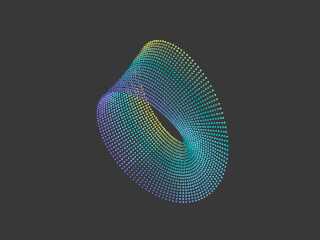
Besides controlling the mesh itself, arrays will allow decoration by
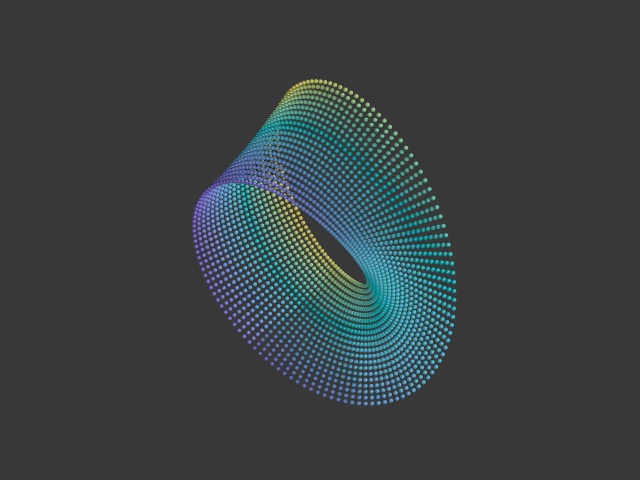
additional elements, positioned at the vertices, achieving different
interesting effects, like on attached image.
--
YB
Post a reply to this message
Attachments:
Download 'beads.png' (160 KB)
Preview of image 'beads.png'
|
|
| |
| |
|
|
|
|
| |
| |
|
|
On 09/10/2025 13:54, Mr wrote:
> I sent you an email.

Replied to you yesterday.
Everything is ready for integration with Blender.
--
YB
Post a reply to this message
|
|
| |
| |
|
|
|
|
| |
| |
|
|
On 10/10/2025 14:02, Bald Eagle wrote:
> If you put your triangle vertices into an array and referenced them by index,
> then it's something that can be adjusted - and even used as data apart from the
> mesh2 definition.  Hard-coding the structure makes it inaccessible from SDL,
> which has been a long-standing complaint in POV-Ray development.

It's done: just select 'Export arrays' checkbox at low-left corner:
https://povlab.yesbird.online/studio/

Hope it will be useful.
--
YB
Post a reply to this message
|
|
| |
| |
|
|
|
|
| |
| |
|
|
On 10/10/2025 13:22, Kenneth wrote:
> It seems that the resulting mesh2 triangles are facing 'inside out'-- the
> insides face outside and vice versa. See my attached render of an STL (binary)
> file that I uploaded to your page and converted tonight.
> ...

Thanks you for this bug report, I have just tried to reproduce this
behavior and didn't found any difference between images with forward and
backward faces order. Could you please send me a simple example,
illustrating this issue ? For simplicity, please find a 'cube.fbx'
in attachment - you can use it with my converter.
--
YB
Post a reply to this message
Attachments:
Download 'cube.fbx.dat' (18 KB)
|
|
| |
| |
|
|
|
|
| |
| |
|
|
yesbird wrote:
> On 10/10/2025 13:22, Kenneth wrote:
> > It seems that the resulting mesh2 triangles are facing 'inside out'...
> > ...
>
> Thanks you for this bug report, I have just tried to reproduce this
> behavior and didn't found any difference between images with forward and
> backward faces order. Could you please send me a simple example,
> illustrating this issue ? For simplicity, please find a 'cube.fbx'
> in attachment - you can use it with my converter.
> --

I just tried uploading 'cube.fbx' to your converter, but it does not load there.
This *might* be because it showed up as 'cube.fbx.dat' for me when I initially
downloaded it here. (This is typical behavior of the Pov-ray newsgroup website
that I use, regarding downloads; a .dat container is appended to all files.
Unfortunately, I cannot strip that addition from the file, for re-uploading to
your converter.) But I don't know if this is the actual cause of the problem; it
is just my guess.

I have attached one of my recent STL-to-mesh2 conversions from your site
as an .inc file-- a model originally from Thingiverse-- to illustrate the
inside-out triangle result. When rendered in POV-ray, it needs both a texture
and an interior_texture, so that the latter will show the problem. (When using
just a typical texture alone, the triangles' insides and outsides look the
SAME...which gives a false impression of the situation.)
Post a reply to this message
Attachments:
Download 'test_model_stl_to_mesh2_conversion.inc.txt' (701 KB)
|
|
| |
| |
|
|
|
|
| |
| |
|
|
On 13/10/2025 14:03, Kenneth wrote:
> I just tried uploading 'cube.fbx' to your converter, but it does not load there.
> ...

Thanks for testing, could you please take file from here
and try again ?

https://drive.google.com/file/d/19i3tetZYJzlKQcOPR_rUEI1n-m2LCwtS/view?usp=drive_link

>
> I have attached one of my recent STL-to-mesh2 conversions from your site
> ...

Sorry, but without complete scene with textures I can't reproduce it -
still confused. But now you can export model with arrays and make
desired perturbations as Bill suggested - just select 'Export arrays'
at low-left corner.
--
YB
Post a reply to this message
|
|
| |
| |
|
|
|
|
| |
| |
|
|
yesbird wrote:
> On 13/10/2025 14:03, Kenneth wrote:
> > I just tried uploading 'cube.fbx' to your converter, but it does not load there.
> > ...
>
> Thanks for testing, could you please take file from here
> and try again ?
>

YES, that worked; and thanks for that cube object, because I was able to
discover what is causing the inside-out-triangles problem...and the confusion
for both you and me! I made two conversion tests (deleting your 'material' and
substituting a texture plus an interior texture.)

When I convert it to SMOOTH triangles (the default at your conversion site), the
cube appears CORRECT as to inside/outside colors. That surprised me.

When I convert it to FLAT triangles, the inside/outside is *reversed*. (This is
how I have been converting objects there, and I did not know until now that the
two schemes produced different results.)

I have attached a POV-ray scene file to show both of the examples side by side.
The green cube is the smooth-triangle version; the red one is flat triangles.

From examining both of the mesh2 code examples, it is not clear to me why the
two results should be different-- although I am not very knowledgeable about
mesh2 syntax.

Anyway, at least *part* of the mystery has been cleared up :-D

-----------
In my opinion, the 'union' at the end of the converted file(s) is not really
necessary, nor is the 'part1' object there. The converted .inc file by itself
would be easier to render in one of our scenes, just by #including it there.
Post a reply to this message
Attachments:
Download 'cube as smooth vs flat triangles.pov.txt' (4 KB)
|
|
| |
| |
|
|
|
|
| |