|
|
|
|
|
|
| |
| |
|
|
|
|
| |
| |
|
|
Hi

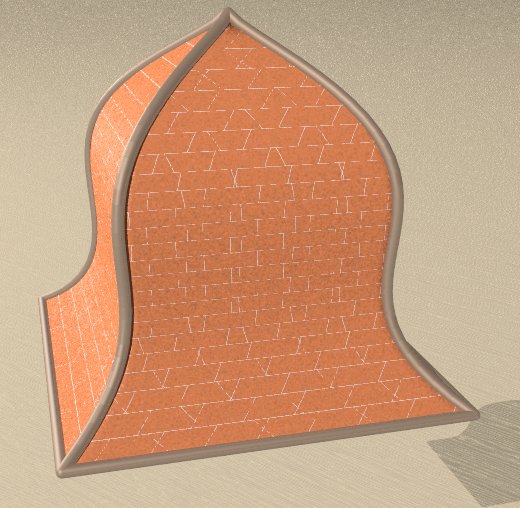
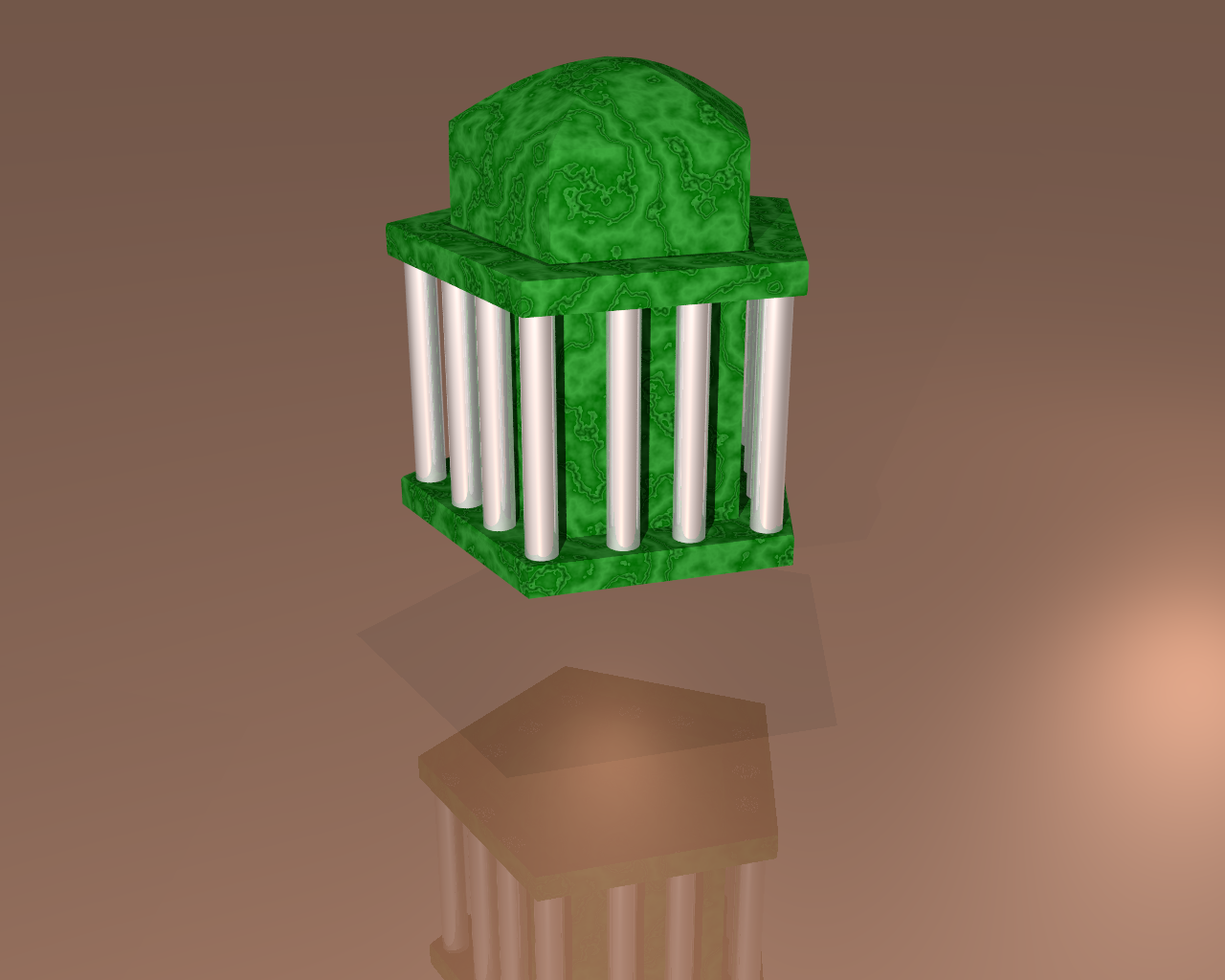
Here is the last version of this utility (works under windows) that can generate
shapes form a paper bin, an italian ice cream, many different hats, and of
course most of the domes you can find on churches, mosques etc.

Once you are happy with your Dome, you can generate OBJ, sTL and INC files, the
last one to be used in POV-Ray, the former ones in 3D viewvers.

The basics :
1) choose a base (easily seen in the top view)
2) choose a slope (easily seen in the side view)
3) optionnaly choose a window (easily seen in the side view)

If you explore the different possibilities I'm sure it is easy to understand how
it works, but feel free to complain (;-), I'll be glad to answer.

PS you may need some dll (freeglut.dll and glew32.dll)

Enjoy
Post a reply to this message
Attachments:
Download 'domenator.exe.dat' (613 KB)
|
|
| |
| |
|
|
|
|
| |
| |
|
|
Op 24/08/2021 om 19:13 schreef Mediat:
> Hi
>
> Here is the last version of this utility (works under windows) that can generate
> shapes form a paper bin, an italian ice cream, many different hats, and of
> course most of the domes you can find on churches, mosques etc.
>

Good to hear from you. I /think/ I still have Domenator on my system,
dating from the Moray days. However, this latest version needs too many
additional dll's for my taste. I stopped downloading them when I got the
fifth crash and notice for yet another dll. Using Win10.

--
Thomas
Post a reply to this message
|
|
| |
| |
|
|
|
|
| |
| |
|
|
>> I stopped downloading them when I got the fifth crash and notice for yet another
dll. Using Win10.


Hi Thomas,

Sorry for that, I suppose you're missing the Microsoft dll, I'm not sure I can
do something to correct this.

Just to tease you, you're missing a "smoothing" feature that I find very
convenient ;-))

Best regards
Post a reply to this message
|
|
| |
| |
|
|
|
|
| |
| |
|
|
Hi again

According to Dependency walker, the needed dlls are :
 VCRUNTIME140D.DLL
 UCRTBASED.DLL
 OPENGL32.DLL
 MSVCP140D.DLL
 KERNEL32.DLL
 GLU32.DLL
 FREEGLUT.DLL
Post a reply to this message
|
|
| |
| |
|
|
|
|
| |
| |
|
|
Op 27/08/2021 om 17:14 schreef Mediat:
> Hi again
>
> According to Dependency walker, the needed dlls are :
>   VCRUNTIME140D.DLL
>   UCRTBASED.DLL
>   OPENGL32.DLL
>   MSVCP140D.DLL
>   KERNEL32.DLL
>   GLU32.DLL
>   FREEGLUT.DLL
>
>

Right. I am stubborn. Now, the intriguing (for me) question is: why do
my two laptops have none of those?  ;-)

Obviously, they are not part of the regular packages...

--
Thomas
Post a reply to this message
|
|
| |
| |
|
|
|
|
| |
| |
|
|
Op 28/08/2021 om 08:32 schreef Thomas de Groot:
> Op 27/08/2021 om 17:14 schreef Mediat:
>> Hi again
>>
>> According to Dependency walker, the needed dlls are :
>>   VCRUNTIME140D.DLL
>>   UCRTBASED.DLL
>>   OPENGL32.DLL
>>   MSVCP140D.DLL
>>   KERNEL32.DLL
>>   GLU32.DLL
>>   FREEGLUT.DLL
>>
>>
>
> Right. I am stubborn. Now, the intriguing (for me) question is: why do
> my two laptops have none of those?  ;-)
>
> Obviously, they are not part of the regular packages...
>

Update:
Interestingly, I found most of them with an earlier version of Domenator
(version 4.0) and with Seashell. So you seem to have the exclusivity :-)

I can better download the dll's again, as most of them seem to be from
years ago (to be on the safe side).

--
Thomas
Post a reply to this message
|
|
| |
| |
|
|
|
|
| |
| |
|
|
Op 27-8-2021 om 17:14 schreef Mediat:
> Hi again
>
> According to Dependency walker, the needed dlls are :
>   VCRUNTIME140D.DLL
>   UCRTBASED.DLL
>   OPENGL32.DLL
>   MSVCP140D.DLL
>   KERNEL32.DLL
>   GLU32.DLL
>   FREEGLUT.DLL
>

So, I downloaded all those dll's and put them into the Domenator folder,
alongside the exe.

"Cannot start the application correctly (0x000007b). Click OK to close
the application"


--
Thomas
Post a reply to this message
|
|
| |
| |
|
|
|
|
| |
| |
|
|
> So, I downloaded all those dll's and put them into the Domenator folder,
> alongside the exe.
>
> "Cannot start the application correctly (0x000007b). Click OK to close
> the application"

Hi Thomas,

Really sorry you loose your time Thomas, I will try to install Domenator on
another computer and see ; normally i should use only "Visual Studio" DLL.

Is your system 32 or 64 bits ? Mine is 64

Best regards

Philippe
Post a reply to this message
|
|
| |
| |
|
|
|
|
| |
| |
|
|
Op 28-8-2021 om 12:08 schreef Mediat:
>> So, I downloaded all those dll's and put them into the Domenator folder,
>> alongside the exe.
>>
>> "Cannot start the application correctly (0x000007b). Click OK to close
>> the application"
>
> Hi Thomas,
>
> Really sorry you loose your time Thomas, I will try to install Domenator on
> another computer and see ; normally i should use only "Visual Studio" DLL.
>
Thanks for your help Philippe.

> Is your system 32 or 64 bits ? Mine is 64

My system is 64.

>
> Best regards
>
> Philippe
>


--
Thomas
Post a reply to this message
|
|
| |
| |
|
|
|
|
| |
| |
|
|
Hi Thomas

Isearch the net for error 0x000007b and here is what I found ;

The 0x000007b error may be caused by windows system files damage. There can be
many events which may have resulted in the system files errors.

Go to Microsoft to download and install Visual C++ Redistributable Packages.

I hope it'll work

Best regards

Philippe
Post a reply to this message
|
|
| |
| |
|
|
|
|
| |
| |
|
|
Op 28/08/2021 om 17:13 schreef Mediat:
> Hi Thomas
>
> Isearch the net for error 0x000007b and here is what I found ;
>
> The 0x000007b error may be caused by windows system files damage. There can be
> many events which may have resulted in the system files errors.
>
> Go to Microsoft to download and install Visual C++ Redistributable Packages.
>
> I hope it'll work
>
> Best regards
>
> Philippe
>

OK. Got it to work on my second laptop, with the dll's of the earlier
version from 2018. I had lost track of it somehow. A bit confusing as
that was already version 4.0.
So, something not right indeed with my first laptop it seems. It works
fine otherwise, but I shall see what I can do.

--
Thomas
Post a reply to this message
|
|
| |
| |
|
|
|
|
| |
| |
|
|
Hi Thomas,

Glad it works.

If you're interested I'm preparing soome new features (for the fun)

Best regards
Post a reply to this message
|
|
| |
| |
|
|
|
|
| |
| |
|
|
Op 29-8-2021 om 23:26 schreef Mediat:
> Hi Thomas,
>
> Glad it works.
>
> If you're interested I'm preparing soome new features (for the fun)
>
> Best regards
>
>
>
I am certainly interested.

Interestingly: I copied the following dll's from the laptop where
Domenator /did/ work, to the one where it /didn't/, and Lo! it works
now! Go understand.

freeglut.dll (23-3-2018)
msvcp140d.dll (19-1-2018)
ucrtbased.dll (14-8-2016)
vcruntime140d.dll (23-3-2018)

Somehow, the more recent versions I downloaded a couple of days ago did
not do the job?!? [beyond my ken]

--
Thomas
Post a reply to this message
|
|
| |
| |
|
|
|
|
| |
| |
|
|
Computer mysteries ;-))


I'll post the next version in a few days

Have fun and let me know

Best regards
Post a reply to this message
|
|
| |
| |
|
|
|
|
| |
| |
|
|
Thomas de Groot <tho### [at] degroot org> wrote:
>
> Interestingly: I copied the following dll's from the laptop where
> Domenator /did/ work, to the one where it /didn't/, and Lo! it works
> now! Go understand.
>
> freeglut.dll (23-3-2018)
> msvcp140d.dll (19-1-2018)
> ucrtbased.dll (14-8-2016)
> vcruntime140d.dll (23-3-2018)
>
> Somehow, the more recent versions I downloaded a couple of days ago did
> not do the job?!? [beyond my ken]
>
Good to hear!
I'd like to try the Domenator out as well, but I'm wary of installing .dlls
(Windows 10). It's "beyond my Ken" too :=P
Any tips you can give as to where they would go? Or problems to expect? org> wrote:
>
> Interestingly: I copied the following dll's from the laptop where
> Domenator /did/ work, to the one where it /didn't/, and Lo! it works
> now! Go understand.
>
> freeglut.dll (23-3-2018)
> msvcp140d.dll (19-1-2018)
> ucrtbased.dll (14-8-2016)
> vcruntime140d.dll (23-3-2018)
>
> Somehow, the more recent versions I downloaded a couple of days ago did
> not do the job?!? [beyond my ken]
>
Good to hear!
I'd like to try the Domenator out as well, but I'm wary of installing .dlls
(Windows 10). It's "beyond my Ken" too :=P
Any tips you can give as to where they would go? Or problems to expect?
Post a reply to this message
|
|
| |
| |
|
|
|
|
| |
| |
|
|
Op 30/08/2021 om 19:03 schreef Kenneth:
> Thomas de Groot <tho### [at] degrootorg> wrote:
>
>>
>> Interestingly: I copied the following dll's from the laptop where
>> Domenator /did/ work, to the one where it /didn't/, and Lo! it works
>> now! Go understand.
>>
>> freeglut.dll (23-3-2018)
>> msvcp140d.dll (19-1-2018)
>> ucrtbased.dll (14-8-2016)
>> vcruntime140d.dll (23-3-2018)
>>
>> Somehow, the more recent versions I downloaded a couple of days ago did
>> not do the job?!? [beyond my ken]
>>
>
> Good to hear!
>
> I'd like to try the Domenator out as well, but I'm wary of installing .dlls
> (Windows 10). It's "beyond my Ken" too :=P
>
> Any tips you can give as to where they would go? Or problems to expect?
>


Hi Kenneth!
I am like you. The best you can do is to put them in the same folder as
the application itself. So, my Domenator folder contains:

Domenator.exe
freeglut.dll
msvcp140d.dll
ucrtbased.dll
vcruntime140d.dll

This works fine, except as I said earlier, with the most recent versions
of the dll's. I attach a zip with those which work for me as I am not
sure how or where you could find those particular versions. I copied
them from one of my other folders.

A tiny drawback of this method might be if you have several folders with
different applications and all containing copies of the same dll's. That
happens on my system. However, most dll's are quite small and take
little space, and I have not been aware of any interference. But more
knowledgeable people might know.

--
Thomas
Post a reply to this message
Attachments:
Download 'domenator_dlls.zip' (885 KB)
|
|
| |
| |
|
|
|
|
| |
| |
|
|
Op 30/08/2021 om 18:45 schreef Mediat:
> Computer mysteries ;-))
>
Indeed.

>
>
> I'll post the next version in a few days
>
> Have fun and let me know
>
> Best regards
>
>
A couple of things I have forgotten since earlier versions:

1) how do you save to INC, STL, OBJ? clicking those buttons doesn't do
anything.

2) How do the different 'Material' options work?

--
Thomas
Post a reply to this message
|
|
| |
| |
|
|
|
|
| |
| |
|
|
Hi Kenneth

I hope you'll succeed, Thomas has explained the problem and there is nothing I
can do.

Enjoy

Hi Thomas,

The STL and OBJ Button generate name.STL and name.OBJ files whiche you can read
in a lot of 3d-viewer (I use glc-viewer), and it should be compatible with 3D
printers (but I don't have access to any, so I haven't tried)
The INC button generates the POV file, these 3 files are generated in the
directory above the one where the exe stands (maybe not a very good idea)

If you don't declare any material, you will have to declare one in your pov-file
for the entire union, but you can be more specific :

1) Dome material is the same as the pov definition for the entire object
2) Face material will affect the mesh part only
3) Struts materials, you can define different material for parallel an meridian
struts, major and minor struts
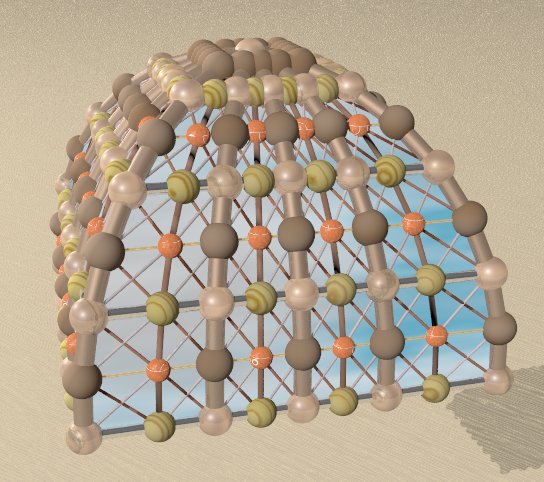
4) Diagonal struts, same thing for the diagonals (usually you don't want to see
them, but I have an exemple ...)
5) Spheres material, usually the same as one of the struts tha the sphere
completes

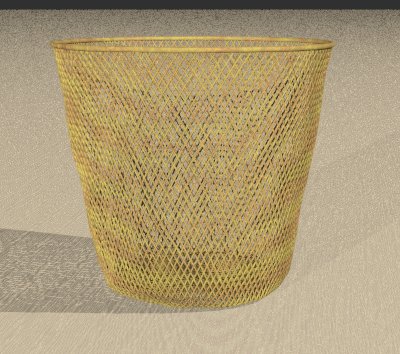
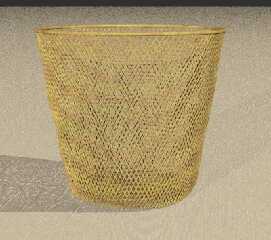
In the image trashbin, the faces are not generated, only the major parallele
struts have a non 0 radius
In the franc-contois image (it is a dome I saw in a french xountryside called
lead material.
Post a reply to this message
Attachments:
Download 'trashbin.jpg' (43 KB)
Preview of image 'trashbin.jpg'
|
|
| |
| |
|
|
|
|
| |
| |
|
|
The other file
Post a reply to this message
Attachments:
Download 'franc-comtois.jpg' (58 KB)
Preview of image 'franc-comtois.jpg'

|
|
| |
| |
|
|
|
|
| |
| |
|
|
Op 31-8-2021 om 09:37 schreef Mediat:
>
> Hi Kenneth
>
> I hope you'll succeed, Thomas has explained the problem and there is nothing I
> can do.
>
> Enjoy
>
> Hi Thomas,
>
> The STL and OBJ Button generate name.STL and name.OBJ files whiche you can read
> in a lot of 3d-viewer (I use glc-viewer), and it should be compatible with 3D
> printers (but I don't have access to any, so I haven't tried)
> The INC button generates the POV file, these 3 files are generated in the
> directory above the one where the exe stands (maybe not a very good idea)
>
Ah! OK. Confusing indeed, especially as the *.DOM file goes into the
same directory as the exe.

Also, saved *.DOM files when loaded again, do not show the originally
saved object, but a default half sphere.

> If you don't declare any material, you will have to declare one in your pov-file
> for the entire union, but you can be more specific :
>
I am confused about the 'Materials'(and the objects). Do I have to use
the same names as those given in the droplist for WireFrame/Flat Faces/
Smooth Faces? Whether I do that or not, no materials are exported, nor
is the geometry subdivided according to different materials. In Poseray,
I get one unnamed_group (a half sphere) with one unnamed_material
(white), whatever I do.

> 1) Dome material is the same as the pov definition for the entire object
> 2) Face material will affect the mesh part only
> 3) Struts materials, you can define different material for parallel an meridian
> struts, major and minor struts
> 4) Diagonal struts, same thing for the diagonals (usually you don't want to see
> them, but I have an exemple ...)
> 5) Spheres material, usually the same as one of the struts tha the sphere
> completes
>
Hmmm... I am unable to reproduce this...

> In the image trashbin, the faces are not generated, only the major parallele
> struts have a non 0 radius
> In the franc-contois image (it is a dome I saw in a french xountryside called
> lead material.
>
Nice ones!

--
Thomas
Post a reply to this message
|
|
| |
| |
|
|
|
|
| |
| |
|
|
Hi Thomas,

> Ah! OK. Confusing indeed, especially as the *.DOM file goes into the
> same directory as the exe.

I'm not prood of this part, but I'm open to suggestion

> Also, saved *.DOM files when loaded again, do not show the originally
> saved object, but a default half sphere.

I never experienced that, can you pack the DOM files in a Zip and I'll have a
look;

> I am confused about the 'Materials'(and the objects). Do I have to use
> the same names as those given in the droplist for WireFrame/Flat Faces/
> Smooth Faces? Whether I do that or not, no materials are exported, nor
> is the geometry subdivided according to different materials. In Poseray,
> I get one unnamed_group (a half sphere) with one unnamed_material
> (white), whatever I do.

You can use any name, the material is not generated, just used, so you must
define the material used before the include


> Hmmm... I am unable to reproduce this...

I noticed no problem, but I will create a "complete" sample

Best regards

Philippe
Post a reply to this message
|
|
| |
| |
|
|
|
|
| |
| |
|
|
Hi Thomas,

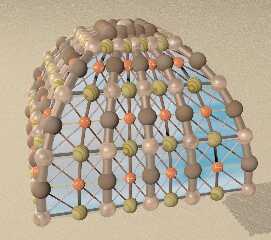
Here is an image where I used all the 11 possible material and it seems to work

Best regards

Philippe
Post a reply to this message
Attachments:
Download 'test_material.jpg' (66 KB)
Preview of image 'test_material.jpg'
|
|
| |
| |
|
|
|
|
| |
| |
|
|
Thomas de Groot <tho### [at] degrootorg> wrote:
>
>
> The best you can do is to put them in the same folder as
> the application itself. So, my Domenator folder contains:
>
> Domenator.exe
> freeglut.dll
> msvcp140d.dll
> ucrtbased.dll
> vcruntime140d.dll
>
> This works fine, except as I said earlier, with the most recent versions
> of the dll's. I attach a zip with those which work for me as I am not
> sure how or where you could find those particular versions. I copied
> them from one of my other folders.
>

Thanks! And also for the .dll's. :-) I may give this a try and see what happens.
I have no idea yet if my Win 10 system has any of those dll's already installed
in other places (in which case, one version might be used rather than another?)
But such Windows voodoo is beyond my knowledge.
Post a reply to this message
|
|
| |
| |
|
|
|
|
| |
| |
|
|
Hi Kenneth,

I hope it'll work and you'll enjoy it, if it is the case, feel free to report
any bug or request any feature

Best regards

Philippe
Post a reply to this message
|
|
| |
| |
|
|
|
|
| |
| |
|
|
Op 1-9-2021 om 11:43 schreef Kenneth:
> Thomas de Groot <tho### [at] degrootorg> wrote:
>>
>>
>> The best you can do is to put them in the same folder as
>> the application itself. So, my Domenator folder contains:
>>
>> Domenator.exe
>> freeglut.dll
>> msvcp140d.dll
>> ucrtbased.dll
>> vcruntime140d.dll
>>
>> This works fine, except as I said earlier, with the most recent versions
>> of the dll's. I attach a zip with those which work for me as I am not
>> sure how or where you could find those particular versions. I copied
>> them from one of my other folders.
>>
>
> Thanks! And also for the .dll's. :-) I may give this a try and see what happens.
> I have no idea yet if my Win 10 system has any of those dll's already installed
> in other places (in which case, one version might be used rather than another?)
> But such Windows voodoo is beyond my knowledge.
>

I have (I noticed) different versions of the same dll's in different
directories, the flotsam of several years of playing around :-) I never
experienced any trouble (which doesn't mean anything of course, given my
illiteracy into the arcane knowledge about our electronic little
helpers' hard/software).

--
Thomas
Post a reply to this message
|
|
| |
| |
|
|
|
|
| |
| |
|
|
I'll be back a bit later about all this, as I first want to finalise the
granites macro this week.

Just a question at this stage: Am I right that the obj version only
reproduces the dome's "shell" and not the ribs or struts and such? That
is also what I think I remember from the past. I got a saved dom file to
reload correctly and I got again the knowledge about the inc file's
structure. I need to get familiarised again with the different scales of
the dome elements, compared with each other.

--
Thomas
Post a reply to this message
|
|
| |
| |
|
|
|
|
| |
| |
|
|
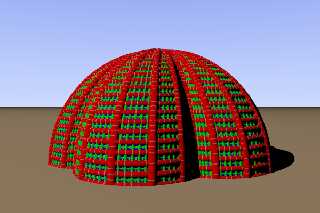
Yeah! Got the hang of it again! :-)

--
Thomas
Post a reply to this message
Attachments:
Download 'mynewdome.png' (168 KB)
Preview of image 'mynewdome.png'
|
|
| |
| |
|
|
|
|
| |
| |
|
|
Hi Thomas

>> Am I right that the obj version only
>> reproduces the dome's "shell" and not the ribs or struts and such?

You are right the OBJ and STL files reproduce only the "face" structure, not the
struts


I'm very happy to see to see you got it to work

Best regards

Philippe
Post a reply to this message
|
|
| |
| |
|
|
|
|
| |
| |
|
|
Hi

Here is the latest version:

1) Correction of a few little bugs
2) New features (sharpening, which is roughly the opposite of smoothing)

Enjoy

Philippe
Post a reply to this message
Attachments:
Download 'domenator.exe.dat' (616 KB)
|
|
| |
| |
|
|
|
|
| |
| |
|
|
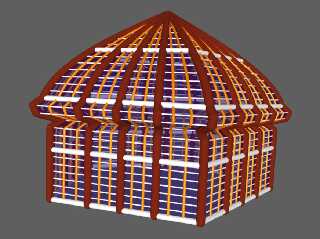
Hi

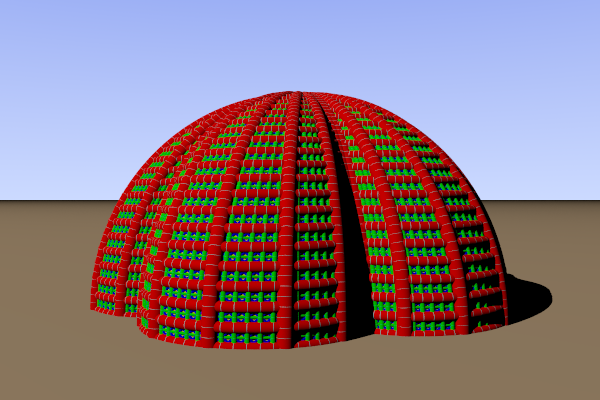
Thomas asked me :
>>Am I right that the obj version only reproduces the dome's "shell"
>>and not the ribs or struts and such?

He was right, but now it is possible : the image beyond is a captue of a 3d
viewer showing a generated OBJ files with the struts, the spheres and the
colors. Of course, with the 3d viewer you can rotate, translate and zoom in/out
the object.
Post a reply to this message
Attachments:
Download 'obj3.jpg' (123 KB)
Preview of image 'obj3.jpg'
|
|
| |
| |
|
|
|
|
| |
| |
|
|
Op 16-9-2021 om 17:03 schreef Mediat:
> Hi
>
> Thomas asked me :
>>> Am I right that the obj version only reproduces the dome's "shell"
>>> and not the ribs or struts and such?
>
> He was right, but now it is possible : the image beyond is a captue of a 3d
> viewer showing a generated OBJ files with the struts, the spheres and the
> colors. Of course, with the 3d viewer you can rotate, translate and zoom in/out
> the object.
>

Oh! Cool!

--
Thomas
Post a reply to this message
|
|
| |
| |
|
|
|
|
| |
| |
|
|
>
> Oh! Cool!

I'll upload it in a few days (need testing)
Post a reply to this message
|
|
| |
| |
|
|
|
|
| |
| |
|
|
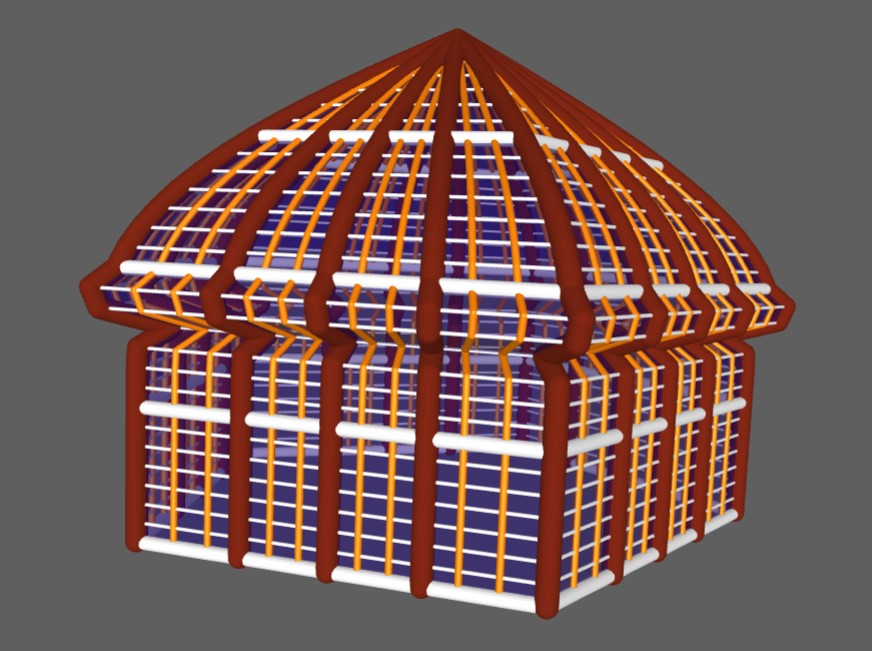
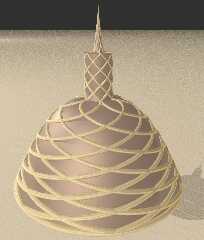
Hi

A new feature to come : a new kind of struts
Post a reply to this message
Attachments:
Download 'spirale.jpg' (79 KB)
Preview of image 'spirale.jpg'
|
|
| |
| |
|
|
|
|
| |
| |
|
|
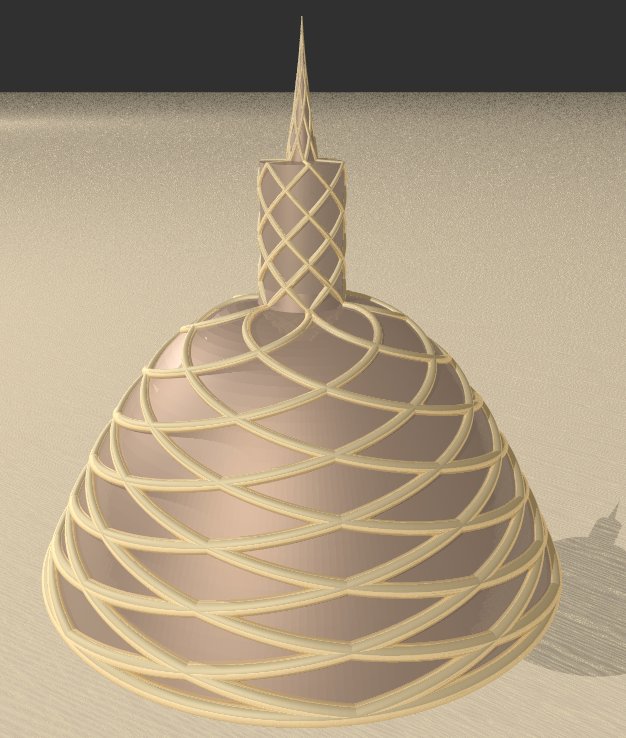
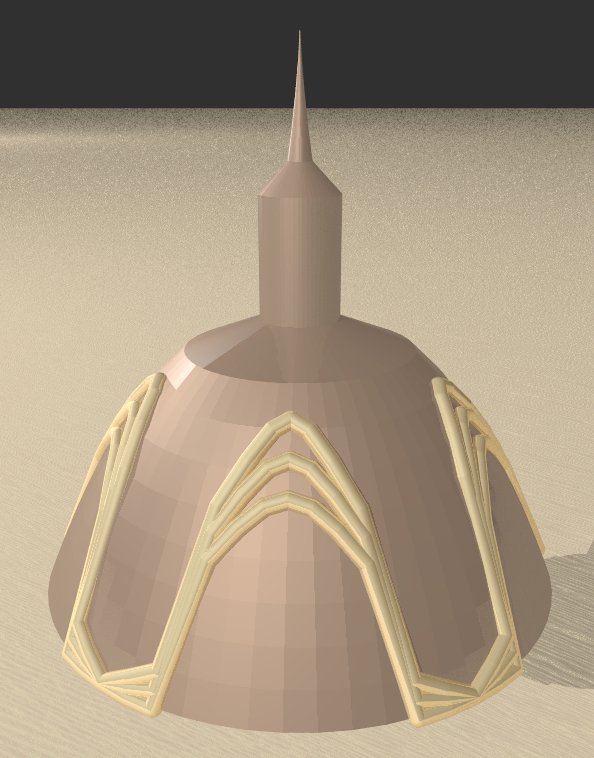
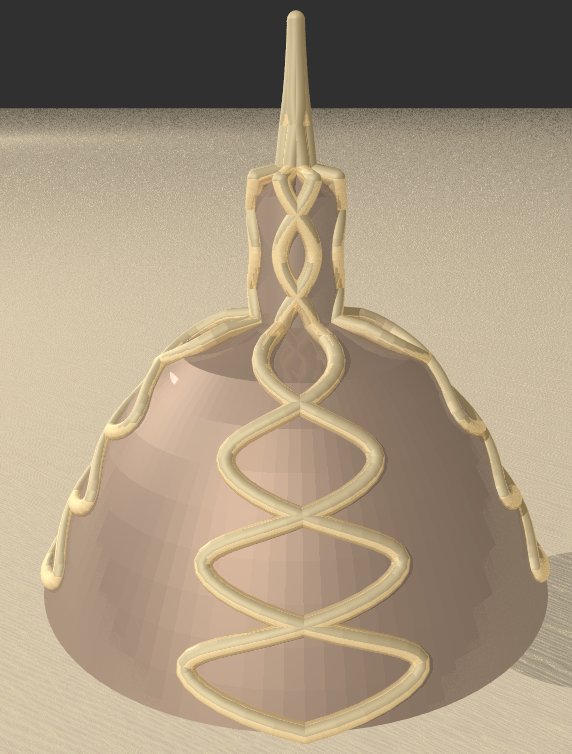
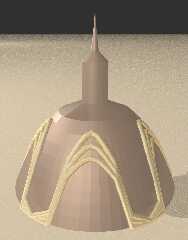
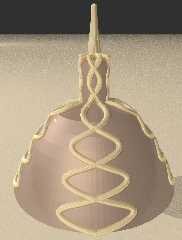
I added 3 types of decor, the 1st one is the "Spirale", that you can see in my
previous message, here is the 2nd one : the "Frieze"
Post a reply to this message
Attachments:
Download 'frise.jpg' (62 KB)
Preview of image 'frise.jpg'
|
|
| |
| |
|
|
|
|
| |
| |
|
|
and here is the "Snake"
Post a reply to this message
Attachments:
Download 'snake.jpg' (62 KB)
Preview of image 'snake.jpg'
|
|
| |
| |
|
|
|
|
| |
| |
|
|
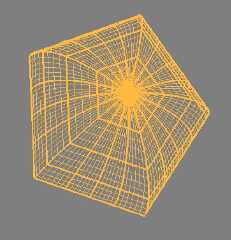
I also modified a little the vizualisation of th stuts (Main and Minor)
Post a reply to this message
Attachments:
Download 'struts.jpg' (71 KB)
Preview of image 'struts.jpg'
|
|
| |
| |
|
|
|
|
| |
| |
|
|
Thomas de Groot <tho### [at] degrootorg> wrote:
>
> freeglut.dll (23-3-2018)
> msvcp140d.dll (19-1-2018)
> ucrtbased.dll (14-8-2016)
> vcruntime140d.dll (23-3-2018)
>
> Somehow, the more recent versions I downloaded a couple of days ago did
> not do the job?!? [beyond my ken]


Hi

Here isDomenator V6, with new features

You can see some of the domes here :

http://news.povray.org/povray.binaries.images/thread/%3Cweb.61696df3c23a6d9e3310c05020ebe1@news.povray.org%3E//povray.b
inaries.images/thread/%3Cweb.61696df3c23a6d9e3310c05020ebe1@news.povray.org%3E/
Post a reply to this message
Attachments:
Download 'domenator.exe.dat' (691 KB)
|
|
| |
| |
|
|
|
|
| |
| |
|
|
Hi Thomas,

Here is a non "official" version (I still have a bug that resists) but I'd like
to know if the new way suits you.

I must warn you : do not close the extra windows (Decor and PostProcessing) by
clicking on the upper right X, it would close the program and you could lose
unregistered work, use only the "Quit" button

Best regards

Philippe
Post a reply to this message
|
|
| |
| |
|
|
|
|
| |
| |
|
|
Here it is
Post a reply to this message
Attachments:
Download 'domenator.exe.dat' (715 KB)
|
|
| |
| |
|
|
|
|
| |
| |
|
|
Op 17-10-2021 om 12:50 schreef Mediat:
> Here it is
>

Hi Philippe!

Yes, this is a very acceptable solution indeed. It solves the problem
quite nicely.

Un grand merci pour ton excellent boulot! :-)

--
Thomas
Post a reply to this message
|
|
| |
| |
|
|
|
|
| |
| |
|
|
Hi Everybody,

Here is the latest version of Domenator with plenty of new features

You may need some dll (freeglut.dll and glew32.dll)

Feel free to complain for bugsabsence of manual or new features.
Post a reply to this message
Attachments:
Download 'domenator.exe.dat' (1096 KB)
|
|
| |
| |
|
|
|
|
| |
| |
|
|
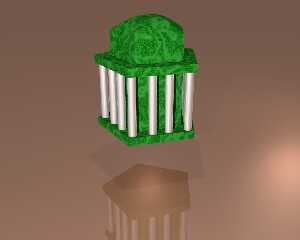
A sample : (yes it is only one dome with some new features)
Post a reply to this message
Attachments:
Download 'dome.png' (402 KB)
Preview of image 'dome.png'
|
|
| |
| |
|
|
|
|
| |
| |
|
|
"Mediat" <med### [at] hotmailfr> wrote:
> A sample : (yes it is only one dome with some new features)

Very nice.
This would solve the problem that was brought up here:

https://news.povray.org/povray.general/thread/%3Cweb.5d75c2d16af53e9cecc0fada0%40news.povray.org%3E/?mtop=431108

https://news.povray.org/povray.binaries.images/thread/%3Cweb.5e97c744fd34edcfb0b41570%40news.povray.org%3E/

- BE
Post a reply to this message
|
|
| |
| |
|
|
|
|
| |
| |
|
|
Op 11/03/2025 om 15:22 schreef Mediat:
> Hi Everybody,
>
> Here is the latest version of Domenator with plenty of new features
>
> You may need some dll (freeglut.dll and glew32.dll)
>
> Feel free to complain for bugsabsence of manual or new features.
>

Hi Philippe!
Good to see you are still evolving/improving Domenator (version 13!).
For some time now I have been very remote from these n.g.'s and I am
trying to get again some grip on the development and use of our
favourite apps (despite the increasingly encroaching RL...).

I am certainly going to use this new Domenator in the coming weeks...

--
Thomas
Post a reply to this message
|
|
| |
| |
|
|
|
|
| |
| |
|
|
Hi Thomas

Good to see you're still interested.

Feel free to complain

All the best
Post a reply to this message
|
|
| |
| |
|
|
|
|
| |