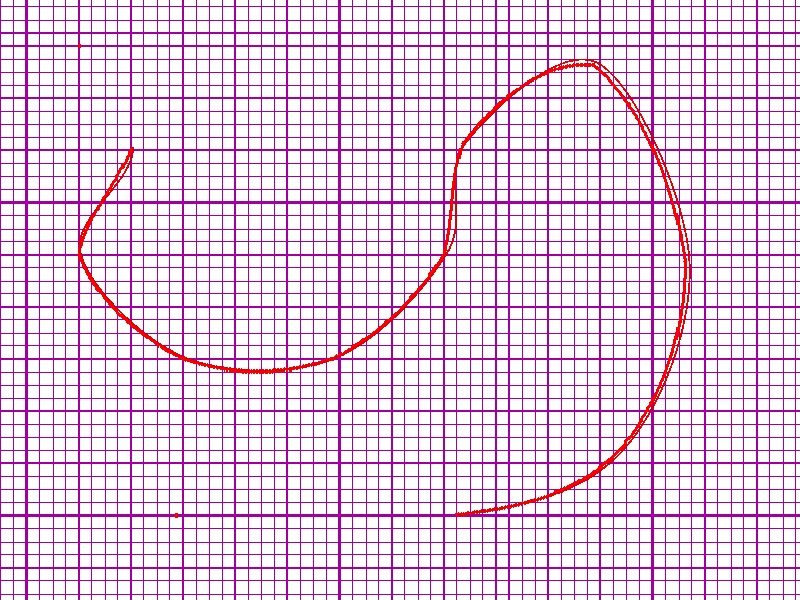
|
|
|
|
|
|
| |
| |
|
|
|
|
| |
| |
|
|
See povray.news-submissions for details
Post a reply to this message
Attachments:
Download 'pointwriter.zip' (1219 KB)
|
|
| |
| |
|
|
|
|
| |
| |
|
|
"Nevado" <nomail@nomail> wrote:
> See povray.news-submissions for details

Hi Christian,
Thanks for putting this together - it looks like a useful tool and a nice
complement to existing utilities.

I've really only just started modeling objects using spline-based primitives, so
I may have "problems" that - aren't, or solutions for problems that don't exist.

I'm giving it a go now, and I'll just write out my observations and thoughts.

Running Windows XP on an Acer Aspire One with 2GB.

===================================================
Issues and request for help:

The executable appears to be "always on top", and overrides my taskbar, so I
have to minimize it to switch between windows.

I tried making several cubic prisms, and I ran into some issues.
at first, I just clicked "close poly" because not enough coffee had been
absorbed yet.  This does not play well with Write Cubic Prism.
Perhaps you could add a bit of insight about what to do if I close a spline for
one purpose, and then reload it, but want to use it for another purpose.

When the SDL for the spline points is written, it might be helpful for keeping
track, editing, and debugging to add a few comments into the mix. (Prism not
closed, too few points, etc.)

prism {
cubic_spline 0, 1, 12345,
<A, B, C>, // Control Point
<D, E, F>, // First Point
..........,
<U, V, W>, // Last Point
<X, Y, Z>  // Control Point
}

[A trick I use sometimes to "highlight" certain values is to just enclose them
in parentheses:  <0, (3.14159), 1> - maybe that could be done in addition to /
in lieu of //comments.]

Red dots on a red spline are hard to see.
Maybe it was just me, but it seemed sometimes that a point was inserted a bit
off from where I actually clicked.

It appears that once I close a prism, I can begin drawing a new one.
How do I select(?) / move / edit the previous one?

Would it be possible to cycle a color value for the current object being drawn?
(1st prism red, 2nd green, 3rd blue, etc.)

When I tried to edit a prism, the points all disappeared!
I hit M to get rid of the background graphic I was tracing, and then I saw a
single green point - that's it.
When Writing an object, the background graphic disappears. Is that intended
behaviour?

Can I INSERT points into an existing spline?

=============================================
Suggestions for additional features, food for thought:

Addition of exported SDL for sweep primitives?

I'd like to be able to translate, rotate, and align items after the fact.
Some things I thought might be useful would be:

The ability to select a point and then have a button that redefines all the
prism/lathe coordinates with the selected point at the origin.  Now since I know
the reference point, I can rotate, translate, and align things a lot more
easily.

Being able to insert reference points or whole CSG objects.
Since I'm drawing things "in cross section", it would be useful to be able to
insert points as references for later elaboration.

Suppose I wanted to make "part" and have a certain point line up with something
in a large SDL file.  It would be useful to be able to click/make a solo
floating point, which could just be exported as "#declare Ref_Point_1 = <x, y,
z>"
[Picture a connecting rod (O)---(O).  If I define one side as being at the
origin, then having another point defined as a reference would allow me to
trivially align some other origin-reference-point by translating to that
reference point.  "object {ConnectingRod translate <x, y, z>}"


If I wanted to subtract a hole at that point, it would be useful to define that
point as the ends of a cylinder going from y = -0.1 to 1.1.  That way it's big
enough to see in a union, or avoid coincident surfaces in a difference.

If I wanted a sphere there, I could use the reference point as its center, or
you could just export the sphere definition directly. I suppose a clever way to
insert a box would be useful as well, using the diagonal to define the
dimensions...

=================================

Thanks again for developing this utility, and I'll keep playing with it to see
how it works.  I especially like the background graphic, the "Work in Back"
feature, and the ability to draw perfectly straight vertical and horizontal
lines!
Post a reply to this message
|
|
| |
| |
|
|
|
|
| |
| |
|
|
> Hi Christian,
> Thanks for putting this together - it looks like a useful tool and a nice
> complement to existing utilities.


Glad to hear it.


>
> I've really only just started modeling objects using spline-based primitives, so
> I may have "problems" that - aren't, or solutions for problems that don't exist.
>
> I'm giving it a go now, and I'll just write out my observations and thoughts.
>
> Running Windows XP on an Acer Aspire One with 2GB.
>
> ===================================================
> Issues and request for help:
>
> The executable appears to be "always on top", and overrides my taskbar, so I
> have to minimize it to switch between windows.
>
> I tried making several cubic prisms, and I ran into some issues.
> at first, I just clicked "close poly" because not enough coffee had been
> absorbed yet.  This does not play well with Write Cubic Prism.
> Perhaps you could add a bit of insight about what to do if I close a spline for
> one purpose, and then reload it, but want to use it for another purpose.


The “Save work” option only saves the screen positions for every point and
stores them in an array (where one dimension also keeps track of subprisms or
subpolys). The screen points are not translated into POV-Ray scene language
until you choose a “Write” option. So you can keep reloading the same points and
write them as different shapes, if you want.


> When the SDL for the spline points is written, it might be helpful for keeping
> track, editing, and debugging to add a few comments into the mix. (Prism not
> closed, too few points, etc.)


Well, you’ll get a warning if you click the same point twice. Maybe there should
be other warnings.
The number of points are counted by the program when writing the shape, so “too
few points” should never become an issue. It’s true though that if you want a
cubic prism you must close it before writing.


> prism {
> cubic_spline 0, 1, 12345,
> <A, B, C>, // Control Point
> <D, E, F>, // First Point
> ..........,
> <U, V, W>, // Last Point
> <X, Y, Z>  // Control Point
> }
>
> [A trick I use sometimes to "highlight" certain values is to just enclose them
> in parentheses:  <0, (3.14159), 1> - maybe that could be done in addition to /
> in lieu of //comments.]
>
> Red dots on a red spline are hard to see.


You may have a point. That would be easy to change.


> Maybe it was just me, but it seemed sometimes that a point was inserted a bit
> off from where I actually clicked.


Yes, if you use the “Snap to grid” option (which is on and set to 0.1 by
default), the x/y values will always be multipla of 0.1. But you can turn “Snap”
off by pressing 0, and then you can put your points anywhere.


> It appears that once I close a prism, I can begin drawing a new one.


That’s right, you can. You can either keep drawing sub-prisms or save each prism
by itself (remember to rename the “Work.txt” file or it will be overwritten by
the next. This is all explained in the PointWriterHelp.txt file.)


> How do I select(?) / move / edit the previous one?


When you click close enough to a point, it will be recognized as the one you
want to edit and turn green. It will then be replaced by the next point you
write.
If you click too far from any point, a new point will simply be added to the
shape, and you’ll have to try again.


> Would it be possible to cycle a color value for the current object being drawn?
> (1st prism red, 2nd green, 3rd blue, etc.)


I’ll look into that and see how much work it will require.


> When I tried to edit a prism, the points all disappeared!
> I hit M to get rid of the background graphic I was tracing, and then I saw a
> single green point - that's it.
> When Writing an object, the background graphic disappears. Is that intended
> behaviour?
>
> Can I INSERT points into an existing spline?
>


No, you can move any single point anywhere and delete them from the last point
backward, but not insert new points (except at the end, of course).


> =============================================
> Suggestions for additional features, food for thought:
>
> Addition of exported SDL for sweep primitives?
>
> I'd like to be able to translate, rotate, and align items after the fact.


You cannot rotate the shape on screen, but you can move it left, right, up or
down in the grid at any time (in jumps of 0.25 units) by using the F1,F2,F3 and
F4 keys. You can actually move it all the way out of the screen to get more
drawing space, and it will still be there, ready to be moved back in.


> Some things I thought might be useful would be:
>
> The ability to select a point and then have a button that redefines all the
> prism/lathe coordinates with the selected point at the origin.  Now since I know
> the reference point, I can rotate, translate, and align things a lot more
> easily.


Well, you can center the Y and/or X-axis and so choose between origin at screen
center, center bottom, center left or bottom left. And then you can move your
shape anywhere in relation to the origin with the F1-F4 keys as described above,
so you can basically get what you want.


> Being able to insert reference points or whole CSG objects.
> Since I'm drawing things "in cross section", it would be useful to be able to
> insert points as references for later elaboration.


You cannot insert objects you haven’t first drawn in PointWriter. But you can
always insert previously saved work as background or reference for drawing new
work. Just choose “Work in back” instead of “Reload work.”


> Suppose I wanted to make "part" and have a certain point line up with something
> in a large SDL file.  It would be useful to be able to click/make a solo
> floating point, which could just be exported as "#declare Ref_Point_1 = <x, y,
> z>"
> [Picture a connecting rod (O)---(O).  If I define one side as being at the
> origin, then having another point defined as a reference would allow me to
> trivially align some other origin-reference-point by translating to that
> reference point.  "object {ConnectingRod translate <x, y, z>}"
>
>
> If I wanted to subtract a hole at that point, it would be useful to define that
> point as the ends of a cylinder going from y = -0.1 to 1.1.  That way it's big
> enough to see in a union, or avoid coincident surfaces in a difference.
>
> If I wanted a sphere there, I could use the reference point as its center, or
> you could just export the sphere definition directly. I suppose a clever way to
> insert a box would be useful as well, using the diagonal to define the
> dimensions...
>
> =================================
>
> Thanks again for developing this utility, and I'll keep playing with it to see
> how it works.  I especially like the background graphic, the "Work in Back"
> feature, and the ability to draw perfectly straight vertical and horizontal
> lines!


Good to hear - and thanks for the feedback!
Post a reply to this message
|
|
| |
| |
|
|
|
|
| |
| |
|
|
Thanks to Bald Eagle for pointing out some bugs in my 1.0 version of
PointWriter.
This version 1.1 has the following fixes:

* Object points tend to blend in with connecting lines. Points are made larger.
* Background image disappears when writing points. Subroutine jump corrected.
* Drawn objects disappear when editing while using background image. Subroutine
jump corrected.
Post a reply to this message
Attachments:
Download 'pointwriter.zip' (1219 KB)
|
|
| |
| |
|
|
|
|
| |
| |
|
|
I downloaded it and copied POVpoint.txt to the new directory.
Clicked on Reload Work

got:

Please Note:
(!)  #grid
These handles closed by Just BASIC.
Please add the appropriate CLOSE commands.
[OK]

Clicking OK, I get:

Warning
Runtime Error:  OS Error: The system cannot find the file specified.
(see error.log for more information)
[OK]


I was trying to follow the code last night, but it was late and my eyes were
ready to bleed.  ;)  I thought I noticed a few odd subroutine terminations, but
I'm not familiar with what Just BASIC requires, so maybe not everything needs an
endif, etc.

Attached is the log file.

Following that is your original file with some indentations, etc.
Maybe that will help you look it over once more and spot things more quickly,
since it will take me a little while to read the JB docs and familiarize myself
with the syntax and conventions.
Post a reply to this message
Attachments:
Download 'error.log.txt' (3 KB)
|
|
| |
| |
|
|
|
|
| |
| |
|
|
Edited original:
Post a reply to this message
Attachments:
Download 'pointwriter_edit.bas.txt' (43 KB)
|
|
| |
| |
|
|
|
|
| |
| |
|
|
"Bald Eagle" <cre### [at] netscape net> wrote:
> I downloaded it and copied POVpoint.txt to the new directory.
> Clicked on Reload Work
>
> got:
>
> Please Note:
> (!) #grid
> These handles closed by Just BASIC.
> Please add the appropriate CLOSE commands.
> [OK]
>
> Clicking OK, I get:
>
> Warning
> Runtime Error: OS Error: The system cannot find the file specified.
> (see error.log for more information)
> [OK]
The file containing your work is not "POVpoints.txt", but "Work.txt". net> wrote:
> I downloaded it and copied POVpoint.txt to the new directory.
> Clicked on Reload Work
>
> got:
>
> Please Note:
> (!) #grid
> These handles closed by Just BASIC.
> Please add the appropriate CLOSE commands.
> [OK]
>
> Clicking OK, I get:
>
> Warning
> Runtime Error: OS Error: The system cannot find the file specified.
> (see error.log for more information)
> [OK]
The file containing your work is not "POVpoints.txt", but "Work.txt".
Post a reply to this message
|
|
| |
| |
|
|
|
|
| |
| |
|
|
> The file containing your work is not "POVpoints.txt", but "Work.txt".

Right, I got that.  Somehow I must have wiped out my Work file and all I had to
transfer to the new directory was povpoints.

Anyway,

Is there a way to test if a file exists before trying to open it?

I noticed that the line often disappears when I click on EDIT.
Adding the following line seems to fix that.
(Also - you had the code make the point turn dark green.  My change redraws the
point as default.  What was the purpose of the dark green coloring?)

if Edit = 1 then
    #grid, "size 5 ; font Arial 20 bold ; color green ; backcolor white ; place
";800*WF;" ";80*HF;" ;\EDIT"
    #grid, "size 2 ; font Arial ";Font1;" bold ; color darkgreen ; backcolor
white ; place ";400*WF;" ";725*HF;" ;\Click point to be edited"
    Edit = 2
    goto [skipline]                         ' Added to redraw line - BW
    goto [nextpoint]
end if

As it stands, once EDIT is selected, there's no way to exit EDIT mode.
I'm thinking that instead of Edit = 1, make it Edit = (Edit-1)^2
0-1 squared = 1, 1-1 squared = 0.  Toggled.

As I seem to be good at breaking things, I also noticed when experimenting with
Edit, that I can move points to be coincident.  I haven't gone through the
code/logic, but it seems that selecting a point at those coordinates would
select the point earliest on the spline.  An interesting situation to think
about.

I've made a few other changes - just playing around with the formatting of the
axis labels and the menu to learn how the screen coordinates work, etc.
                          See what you think. :)
Thanks again, so much for writing this - It's been ages since I've programmed in
BASIC (!), and it brings me WAY back.
I've had lots of fun fiddling and translating the Danish commetary.  :D

Which reminds me:
The best I can translate "DETTE ER I SKOVEN" into English is "THIS IS IN THE
FOREST"   Is that some sort of phrase with another meaning? (idiosyncratic?)
Like "You have a bird" means "You're crazy" in German? (Du hast ein vogel)

Thanks again Christian.
Post a reply to this message
Attachments:
Download 'pointwriter_edit.bas.txt' (48 KB)
|
|
| |
| |
|
|
From: Le Forgeron
Subject: Re: PointWriter: New app for making spline-based shapes easily
Date: 15 Sep 2014 03:45:49
Message: <5416992d$1@news.povray.org>
|
|
|
| |
| |
|
|
Le 14/09/2014 14:04, Nevado a écrit :
> Thanks to Bald Eagle for pointing out some bugs in my 1.0 version of
> PointWriter.
> This version 1.1 has the following fixes:
>
> * Object points tend to blend in with connecting lines. Points are made larger.
> * Background image disappears when writing points. Subroutine jump corrected.
> * Drawn objects disappear when editing while using background image. Subroutine
> jump corrected.
>
It looks great... can we have it in Java for a system-independent solution ?

The idea of intersecting two prisms never hit me before, yet so obvious!

I want it! (but I'm not on Windows at home :-/ )

--
Just because nobody complains does not mean all parachutes are perfect.
Post a reply to this message
|
|
| |
| |
|
|
|
|
| |
| |
|
|
"Bald Eagle" <cre### [at] netscapenet> wrote:
> > The file containing your work is not "POVpoints.txt", but "Work.txt".
>
> Right, I got that.  Somehow I must have wiped out my Work file and all I had to
> transfer to the new directory was povpoints.
>
> Anyway,
>
> Is there a way to test if a file exists before trying to open it?


The only file you can open in PointWriter is “Work.txt”, and that will exist if
you have saved work.
Besides, it will be in the PointWriter folder, easy to spot.


> I noticed that the line often disappears when I click on EDIT.
> Adding the following line seems to fix that.


That would be fixed in the new version 1.1, uploaded yesterday.


> (Also - you had the code make the point turn dark green.  My change redraws the
> point as default.  What was the purpose of the dark green coloring?)


The selected point turns green to show the user exactly which one will be
replaced by the next click.
Useful, I think. The color changes back when the point is replaced.


> if Edit = 1 then
>     #grid, "size 5 ; font Arial 20 bold ; color green ; backcolor white ; place
> ";800*WF;" ";80*HF;" ;\EDIT"
>     #grid, "size 2 ; font Arial ";Font1;" bold ; color darkgreen ; backcolor
> white ; place ";400*WF;" ";725*HF;" ;\Click point to be edited"
>     Edit = 2
>     goto [skipline]                         ' Added to redraw line - BW
>     goto [nextpoint]
> end if
>
> As it stands, once EDIT is selected, there's no way to exit EDIT mode.
> I'm thinking that instead of Edit = 1, make it Edit = (Edit-1)^2
> 0-1 squared = 1, 1-1 squared = 0.  Toggled.


You exit Edit mode automatically when you’ve edited a point, so a toggle
shouldn’t be necessary.
If I should make one, I would use Edit = 1-Edit and check for the values 0 and
1, like I did with the grid colours. A tiny bit simpler.


> As I seem to be good at breaking things, I also noticed when experimenting with
> Edit, that I can move points to be coincident.  I haven't gone through the
> code/logic, but it seems that selecting a point at those coordinates would
> select the point earliest on the spline.  An interesting situation to think
> about.
>
> I've made a few other changes - just playing around with the formatting of the
> axis labels and the menu to learn how the screen coordinates work, etc.
>                           See what you think. :)


I thought about giving the points and lines different colours, but stuck with
red for optimum contrast with the background. I did make the points a little
larger in the 1.1 version, though.
Blue like yours could be hard to see if you’re tracing a dark image, or against
the blue grid.
Your changes are mostly a matter of taste, I guess. If they work for you, fine.


> Thanks again, so much for writing this - It's been ages since I've programmed in
> BASIC (!), and it brings me WAY back.
> I've had lots of fun fiddling and translating the Danish commetary.  :D

:-)


> Which reminds me:
> The best I can translate "DETTE ER I SKOVEN" into English is "THIS IS IN THE
> FOREST"   Is that some sort of phrase with another meaning? (idiosyncratic?)
> Like "You have a bird" means "You're crazy" in German? (Du hast ein vogel)


That was a note to myself during programming, basically (no pun intended)
meaning “This is far out.” Don’t remember the context anymore. Probably some
code I tried but didn’t really expect to work.


> Thanks again Christian.


You’re welcome.
Tip: Use the keyboard shortcuts. You can work much faster. And study the
“PointWriterHelp.txt” closely (Press “H”).
Post a reply to this message
|
|
| |
| |
|
|
|
|
| |
| |
|
|
Le_Forgeron <lef### [at] freefr> wrote:
> Le 14/09/2014 14:04, Nevado a écrit :
> > Thanks to Bald Eagle for pointing out some bugs in my 1.0 version of
> > PointWriter.
> > This version 1.1 has the following fixes:
> >
> > * Object points tend to blend in with connecting lines. Points are made larger.
> > * Background image disappears when writing points. Subroutine jump corrected.
> > * Drawn objects disappear when editing while using background image. Subroutine
> > jump corrected.
> >
> It looks great... can we have it in Java for a system-independent solution ?


Glad you like it! Alas, I haven't learned Java (at least not yet.) If a good
programmer feels up to the task of translating it, my code is available in the
..zip file.


> The idea of intersecting two prisms never hit me before, yet so obvious!
>
> I want it! (but I'm not on Windows at home :-/ )
>
> --
> Just because nobody complains does not mean all parachutes are perfect.
Post a reply to this message
|
|
| |
| |
|
|
|
|
| |
| |
|
|
I'm still playing around with this to appreciate Christian's workflow, see
what's possible with this JustBasic language (looks like a fair amount), and see
if there's some neat goodies that can be added at some point.

Do we have the equations for how POV-Ray handles interpolation of cubic splines
handy?  That would be a sweet feature to add.

I'll likely be using this along with EPSpline for some tc-rtc work, so I'm sure
I'll give it a good workout over the next month or so.

I'd like to make some decent furniture - Queen Anne table legs, etc.  Prisms get
me the rough outline, but maybe someone could offer some advice on how to
elaborate further on that to get a nice, sculpted shape.  It might inspire
further developments.  :)   Thanks.
Post a reply to this message
|
|
| |
| |
|
|
|
|
| |
| |
|
|
Version 1.2 with a few enhancements:

* You can now switch outline color for your shape at any time with the keys 3,
4, 5, 6, 7 and 8. Choose between gray, red (default), blue, black, yellow or
green. Points will remain red.

* You can use those same keys and outline colors for your "Work in Back" shape.
Just hold down "Shift". Points will remain black.

* Shapes can now be nudged left, up, down and right with Function keys 1-4 in
steps of 0.1 units instead of 0.25.

* When choosing a "Write" option or saving work, you now get confirmation at the
bottom of the screen.

* "PointWriterHelp.txt" is updated with these changes.
Post a reply to this message
Attachments:
Download 'pointwriter.zip' (1221 KB)
|
|
| |
| |
|
|
|
|
| |
| |
|
|
Version 1.3 with some new user-friendly features:

* Every time you close PW down, your settings for Grid, Snap, CenterX, CenterY
plus your chosen outline colors for Work and Work in Back shapes are now saved
to the file "Settings.txt". Next time you start up, your settings will be
restored.

* When you use Work in Back to create a new shape on top, the file "Work.txt"
with the background shape is overwritten when you save the new one. In case you
want to keep the background shape, "Work.txt" is now automatically copied to the
file "WorkBack.txt" when you use Work in Back. (You still have to rename the
copy "Work.txt" before you can reload it.)

* In addition to the F1 to F4 keys for nudging your shape 0.1 unit left, up,
down and right, you can now use F5 to F8 for moving it one whole unit in each
direction. This also means that when you trace images for lathe shapes, the
template for precise image placement in relation to the Y-axis becomes
unnecessary. You can just trace the outline anywhere on screen and move it in
place along the Y-axis before writing it as a lathe shape.

* A couple of new shape outline colors, only accessible by keyboard: "3" for
dark gray (Shift-3 for Work in Back shape) and "9" for pink (Shift-9 for Work in
Back shape.)

* Trying to open a non-existent file will now just generate a warning and let
you continue, not crash the program.

* "PointWriterHelp.txt" and "READ_ME.txt" is updated with these changes.
Post a reply to this message
Attachments:
Download 'pointwriter.zip' (1208 KB)
|
|
| |
| |
|
|
|
|
| |
| |
|
|
Version 1.4 with improved file handling options:

* "Save work" will now open a dialogue box, let you choose a name for your work
file and save it anywhere you want.
Keyboard shortcut: "s" (lower case).
* You can also do a "fast save" by pressing "S" (upper case). Your work will be
saved as "Backup.txt", skipping the dialogue box.

* "Reload work" will now open a dialogue box, let you select any work file and
open it for editing.
Keyboard shortcut: "r" (lower case).
* You can also do a "fast reload" by pressing "R" (upper case). "Backup.txt"
will be reloaded, skipping the dialogue box.

* "Work in back" will now open a dialogue box, let you select any work file and
place the contents as background.
Keyboard shortcut: "a" (lower case).
* You can also do a "fast work in back" by pressing "A" (upper case).
"Backup.txt" will be placed as background, skipping the dialogue box.

* "'Model.bmp'" will now open a dialogue box and let you select any bitmap image
regardless of name and place it as background. The image still needs to keep the
proportions 4:3 to avoid distortion.
Keyboard shortcut: "m" (lower case).
* You can also do a "fast bitmap in back" by pressing "M" (upper case).
"Model.bmp" will be set as background, skipping the dialogue box (provided you
have named your bitmap "Model.bmp" and placed it in the PointWriter folder).

* With all other keyboard shortcuts than these four, upper and lower case
letters will have the same effect.

* "PointWriterHelp.txt" and "READ_ME.txt" are updated with these changes.
Post a reply to this message
Attachments:
Download 'pointwriter.zip' (1209 KB)
|
|
| |
| |
|
|
|
|
| |
| |
|
|
Sorry!
http://wiki.blender.org/index.php/Extensions:2.6/Py/Scripts/Curve/Curve_Tools
Post a reply to this message
|
|
| |
| |
|
|
|
|
| |
| |
|
|
"LanuHum" <Lan### [at] yandexru> wrote:
> Sorry!
> http://wiki.blender.org/index.php/Extensions:2.6/Py/Scripts/Curve/Curve_Tools

I know. It would be great to have the cubic curves displayed as such instead of
as line segments.
I don't think that is possible in JustBasic. At the very least, it would require
a complete rewrite of the program and the introduction of equations I can't even
begin to imagine.

On the upside, making test renders of your cubic shapes in POV-Ray to see the
curves is very easy with PointWriter. Click shape, Ctrl+V into your POV-Ray
scene, "Run."
Post a reply to this message
|
|
| |
| |
|
|
|
|
| |
| |
|
|
> It would be great to have the cubic curves displayed as such instead of
> as line segments.
> I don't think that is possible in JustBasic. At the very least, it would require
> a complete rewrite of the program and the introduction of equations I can't even
> begin to imagine.

I think that it's absolutely possible, it's just a matter of knowing exactly
what the specific equations are that POV-Ray uses to interpolate, so that the
curve displayed in JustBasic will be the same as that rendered.

I'm glad that you've been keeping up with this, as I think it's an excellent
little utility, and not only works well, but has great potential for
improvement.

I haven't had much time lately to work on the code, but I have made some
modifications which were partially for my benefit to improve readability of the
code, and other "improvements" such as "linearizing" things to get rid of gotos
and gosubs, writing some subroutines and functions, and working out some
algorithms that replace a lot of (IMO) unnecessary code.

It's still really messy since I'm in the midst of unraveling what does what and
where it needs to be, but hopefully I'll have enough time and motivation to
hammer out a rough working version that you can look at and get an idea of what
I've been playing with.

Thanks again for adding the extra features, and maybe if we can get the cubic
spline equations, we can see if there's a way to make them work in JustBasic.
:)
Post a reply to this message
|
|
| |
| |
|
|
|
|
| |
| |
|
|
http://mathworld.wolfram.com/CubicSpline.html


This might help shed some light on the method, in case anyone cares to elaborate
on Catmull-Rom splines.  (AND I'm really not all that great [read: suck] at
doing matrix math)
http://news.povray.org/povray.general/message/%3C34EA8144.4D7A8113%40dhol.com%3E/#%3C34EA8144.4D7A8113%40dhol.com%3E

http://en.wikiversity.org/wiki/Cubic_Spline_Interpolation

and a spreadsheet found by searching

      cubic spline excel spreadsheet

https://newtonexcelbach.wordpress.com/2012/10/08/daily-download-22-splines-and-curves/

I've not quite finished with Coffee #1, so it will take some time to wrap my
grey(ing) matter around all the pretty symbols...  :)
Post a reply to this message
|
|
| |
| |
|
|
|
|
| |
| |
|
|
"Bald Eagle" <cre### [at] netscapenet> wrote:
> > It would be great to have the cubic curves displayed as such instead of
> > as line segments.
> > I don't think that is possible in JustBasic. At the very least, it would require
> > a complete rewrite of the program and the introduction of equations I can't even
> > begin to imagine.
>
> I think that it's absolutely possible, it's just a matter of knowing exactly
> what the specific equations are that POV-Ray uses to interpolate, so that the
> curve displayed in JustBasic will be the same as that rendered.
....

See this thread for some relevant POV-Ray SDL code:

Newsgroup: povray.binaries.scene-files
Subject: Making functions for natural cubic splines
From: Tor Olav Kristensen
Date: 6th Oct 2014
http://news.povray.org/povray.binaries.scene-files/thread/%3Cweb.54331726f5851fad7b9c043a0%40news.povray.org%3E/


I don't know JustBasic, but it might be possible to make something similar with
it.

--
Tor Olav
http://subcube.com
Post a reply to this message
|
|
| |
| |
|
|
|
|
| |
| |
|
|
I'm going to post this code WIP just to get it out there.
It doesn't really work - but the structure of the code is "linearized".
(To the extent that I could puzzle things out)
(You don't wanna see the flowchart I made in VISIO...)
Gotos and gosubs are like lotus flowers.  I saw those and instantly fell into
some "But how would I do it _without_ that...?!" dreamscape.
Luckily I've done enough C++ coding on an Arduino with functions and subroutines
calls to see what I might do to escape that siren call.

Check out what I did with the SNAP function. - Major changes.
Also, I have file-presence checking for things like the Model.bmp

I have too many balls in the air at the moment, including some pending nasty
stuff IRL.

Adding a new point to an existing spline ought to work something like selecting
an existing point, and then clicking where the new point should appear in the
spline list AFTER that.  Then you just store that point, and run a loop through
the list.  If all the points have a number, then it just becomes a standard
sorting routine.
Post a reply to this message
Attachments:
Download 'splinedraw.bas.txt' (37 KB)
|
|
| |
| |
|
|
|
|
| |
| |
|
|
"Bald Eagle" <cre### [at] netscapenet> wrote:
> I'm going to post this code WIP just to get it out there.
> It doesn't really work - but the structure of the code is "linearized".
> (To the extent that I could puzzle things out)
> (You don't wanna see the flowchart I made in VISIO...)
> Gotos and gosubs are like lotus flowers.  I saw those and instantly fell into
> some "But how would I do it _without_ that...?!" dreamscape.
> Luckily I've done enough C++ coding on an Arduino with functions and subroutines
> calls to see what I might do to escape that siren call.
>
> Check out what I did with the SNAP function. - Major changes.
> Also, I have file-presence checking for things like the Model.bmp
>
> I have too many balls in the air at the moment, including some pending nasty
> stuff IRL.
>
> Adding a new point to an existing spline ought to work something like selecting
> an existing point, and then clicking where the new point should appear in the
> spline list AFTER that.  Then you just store that point, and run a loop through
> the list.  If all the points have a number, then it just becomes a standard
> sorting routine.

Thanks for all your hard work optimizing my code. I'm not ready to upload
anything new yet, but you at least deserve an answer.

The Snap optimization looks smart. A check for file presence was implemented in
my version 1.3. And I have had some thoughts about an Insert function along the
same lines as yours. I'll take a closer look at your suggestions.

Right now I'm working on a display of cubic curves, and I agree with you that
it should be possible in JustBasic. It requires the solving of a third-degree
polynomial for every line segment. The biggest hurdle seems to be sharp changes
in curve direction. When (and if!) I find a solution, I'll get back.
Post a reply to this message
|
|
| |
| |
|
|
|
|
| |
| |
|
|
Version 1.5, enabling you to draw with cubic curves:

* "Draw cubic" will switch from connecting your points with straight lines
(default) to connecting them with curves described by third-degree polynomials.
This will give you a better idea of what your cubic prism or lathe will look
like when rendered in POV-Ray.
Cubic curves need two extra points for definition, so the drawing of connecting
curves will always be two steps behind your points. For example, when you draw
point number 4 in Cubic mode, PointWriter will connect points 2 and 3, and when
you draw point number 5, it will connect 3 and 4 and so on.

NB: Drawing in Cubic mode is very computationally demanding and can slow
your computer down, so you might work faster by drawing in Linear mode and just
switching to Cubic for quick previews.
Whether you choose to display lines or curves on the screen makes no difference
to the output when you write the shapes to POV-Ray code.

Keyboard shortcut: "d" (lower case). Toggle between cubic and linear.

"D" (upper case) will display your Work in Back shape with cubic curves. Toggle
between cubic and linear.

* "PointWriterHelp.txt" is updated with these changes.
Post a reply to this message
Attachments:
Download 'pointwriter.zip' (1213 KB)
|
|
| |
| |
|
|
|
|
| |
| |
|
|
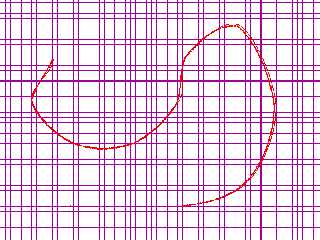
Very, VERY nice!

I'm glad this feature got added - as you can see it's extremely close to
POV-Ray's interpolation of the spline in a sphere_sweep.

I'll try to use this new version with some of things I'm trying to model, and
let you know how everything works out.

Again - super job!
Thanks again to clipka and esp. T.O.K for so much help!
Post a reply to this message
Attachments:
Download 'cubicspline.png' (17 KB)
Preview of image 'cubicspline.png'
|
|
| |
| |
|
|
|
|
| |
| |
|
|
Good to hear!

Since clipka told me about the "t" parameter of splines in an earlier post, I
spent more hours googling parametric functions and understanding matrix solving
than writing the code :-) But it seems to work now.

It'll be interesting to see what you (and others) make of this.
Post a reply to this message
|
|
| |
| |
|
|
|
|
| |
| |
|
|
"Nevado" <MYPUBLICNAME(a)sol.dk> wrote:

>.... I
> spent more hours googling parametric functions and understanding matrix solving
> than writing the code

I know exactly what you mean.  I had looked over splines and matrices a number
of times in the past, but never made enough headway in understanding how to
translate the theory into anything usable.

It would be great if you could at some point share some of what you learned - I
believe several people here on the boards have expressed some interest at one
point or another in how splines are interpolated.
Post a reply to this message
|
|
| |
| |
|
|
|
|
| |
| |
|
|
"Bald Eagle" <cre### [at] netscapenet> wrote:
> "Nevado" <MYPUBLICNAME(a)sol.dk> wrote:
>
> >.... I
> > spent more hours googling parametric functions and understanding matrix solving
> > than writing the code
>
> I know exactly what you mean.  I had looked over splines and matrices a number
> of times in the past, but never made enough headway in understanding how to
> translate the theory into anything usable.
>
> It would be great if you could at some point share some of what you learned - I
> believe several people here on the boards have expressed some interest at one
> point or another in how splines are interpolated.

I'm working with some 3D splines, and I often find myself defining front, top,
and side views in my development SDL.

Perhaps a future feature would allow the editing of the z-coordinate in an
alternate view.  Have a hot-key that switches view/scaling and which axis
coordinates are fixed and editable.
Post a reply to this message
|
|
| |
| |
|
|
|
|
| |
| |
|
|
"Bald Eagle" wrote:
> "Nevado" wrote:
>
> >.... I spent more hours googling parametric functions and understanding
> > matrix solving than writing the code
>
> I know exactly what you mean.  I had looked over splines and matrices a number
> of times in the past, but never made enough headway in understanding how to
> translate the theory into anything usable.
>
> It would be great if you could at some point share some of what you learned -
> I believe several people here on the boards have expressed some interest at
> one point or another in how splines are interpolated.

Well, I started out just knowing that for cubic splines, some kind of
third-degree function had to be involved.
At first I thought the function would look like I was taught in high scool math:

     y = f(x) = ax^3 + bx^2 + cx + d

But clipka set me straight on that: POV-Ray splines are actually described by
two functions of a third parameter t,

     x = f1(t) = a1t^3 + b1t^2 + c1t + d1
     y = f2(t) = a2t^3 + b2t^2 + c2t + d2

thus the name parametric function. This was news to me, so I had to read up on
that and found these links useful:

https://www.cs.unm.edu/~angel/CS534/LECTURES/CS534_06.pdf
http://web.eecs.umich.edu/~sugih/courses/eecs487/lectures/37-B-splines.pdf

Knowing four x- and y-values on the spline, I could find this function by using
matrices. I read up on that here:

http://www.mathsisfun.com/algebra/matrix-multiplying.html

I learned that solving a cubic polynomial from four known points requires a 4x4
matrix involving a huge number of calculations done in a specific order.
Luckily, I could copy some of those calculations from here:

http://www.euclideanspace.com/maths/algebra/matrix/functions/inverse/fourD/index.htm

And once I had them translated into JustBasic, I could test if they worked
correctly here:

http://www.mathportal.org/calculators/matrices-calculators/matrix-calculator.php

So, yeah, in this kind of project, Google definitely is your friend ;-)

I'm making this sound easier than it was, because some long nights were
involved, but it was also a fun challenge. I'm sure everyone in here knows the
feeling from writing a POV-Ray scene and clicking "Run" - and the thrill when it
works exactly like you wanted. Or when you figure out exactly why it doesn't - I
had a lot of those too.

By the way, I probably wouldn't have bothered to develop my PointWriter app this
far without your encouragement, so you deserve credit for that.
Post a reply to this message
|
|
| |
| |
|
|
|
|
| |
|
|