|
|
|
|
|
|
| |
| |
|
|
From: nemesis
Subject: waste of time source and bezier curves zipped
Date: 1 Feb 2008 08:48:58
Message: <47a3234a@news.povray.org>
|
|
|
| |
| |
|
|
source files for the "waste of time" thread in p.b.i...

If the cups are of any value, they can be included into the povray
objects collection...

You'll only need the Inkscape open-source vector graphics drawing
program to edit the curves...
Post a reply to this message
Attachments:
Download 'cups-wip3.zip' (429 KB)
|
|
| |
| |
|
|
From: Nicolas Alvarez
Subject: Re: waste of time source and bezier curves zipped
Date: 4 Feb 2008 14:00:22
Message: <47a760c6$1@news.povray.org>
|
|
|
| |
| |
|
|
I usually do this for photons:

photons {
	#if (file_exists("cups-wip2.phm"))
	load_file "cups-wip2.phm"
	#else
	save_file "cups-wip2.phm"
	/* settings */
	#end
}

To re-generate, I delete the file :)
Post a reply to this message
|
|
| |
| |
|
|
|
|
| |
| |
|
|
Nicolas Alvarez <nic### [at] gmail isthebestcom> wrote:
> I usually do this for photons:
> #if (file_exists("cups-wip2.phm"))
> load_file "cups-wip2.phm"
> #else
> save_file "cups-wip2.phm"
> To re-generate, I delete the file :)
but if you want to play with radiosity for a bit and not use photon mapping, you
shouldn't need to delete it just for that. :) isthebestcom> wrote:
> I usually do this for photons:
> #if (file_exists("cups-wip2.phm"))
> load_file "cups-wip2.phm"
> #else
> save_file "cups-wip2.phm"
> To re-generate, I delete the file :)
but if you want to play with radiosity for a bit and not use photon mapping, you
shouldn't need to delete it just for that. :)
Post a reply to this message
|
|
| |
| |
|
|
From: Nicolas Alvarez
Subject: Re: waste of time source and bezier curves zipped
Date: 4 Feb 2008 14:22:32
Message: <47a765f8$1@news.povray.org>
|
|
|
| |
| |
|
|
nemesis escribió:
> Nicolas Alvarez <nic### [at] gmailisthebestcom> wrote:
>> I usually do this for photons:
>>  #if (file_exists("cups-wip2.phm"))
>>  load_file "cups-wip2.phm"
>>  #else
>>  save_file "cups-wip2.phm"
>> To re-generate, I delete the file :)
>
> but if you want to play with radiosity for a bit and not use photon mapping, you
> shouldn't need to delete it just for that. :)

Ah but that's what the CAUSTICS or PHOTONS variable is for :) What I
mean is a replacement for CAUSTICSgather.
Post a reply to this message
|
|
| |
| |
|
|
|
|
| |
| |
|
|
Nicolas Alvarez <nic### [at] gmailisthebestcom> wrote:
> Ah but that's what the CAUSTICS or PHOTONS variable is for :) What I
> mean is a replacement for CAUSTICSgather.

nevermind... :P
Post a reply to this message
|
|
| |
| |
|
|
|
|
| |
| |
|
|
nemesis <nam### [at] gmailcom> wrote:
> source files for the "waste of time" thread in p.b.i...
>
> If the cups are of any value, they can be included into the povray
> objects collection...
>
> You'll only need the Inkscape open-source vector graphics drawing
> program to edit the curves...

http://sourceforge.net/project/showfiles.php?group_id=93438

failed Inkscapes
0.45.1
0.44.1

went back to version 0.38.1 for win98se

Looks like I needed this. Now if I only knew how to use it.
Post a reply to this message
Attachments:
Download 'inkscape.jpg' (102 KB)
Preview of image 'inkscape.jpg'

|
|
| |
| |
|
|
From: nemesis
Subject: Re: waste of time source and bezier curves zipped
Date: 4 Feb 2008 23:39:45
Message: <47a7e891@news.povray.org>
|
|
|
| |
| |
|
|
alphaQuad escreveu:
> nemesis <nam### [at] gmailcom> wrote:
>> source files for the "waste of time" thread in p.b.i...
>>
>> If the cups are of any value, they can be included into the povray
>> objects collection...
>>
>> You'll only need the Inkscape open-source vector graphics drawing
>> program to edit the curves...
>
> http://sourceforge.net/project/showfiles.php?group_id=93438
>
> failed Inkscapes
> 0.45.1
> 0.44.1
>
> went back to version 0.38.1 for win98se

oh-uh!  Running win98 yet?  I don't think most modern software will be
alright with that... strange things may happen... :/

> Looks like I needed this. Now if I only knew how to use it.

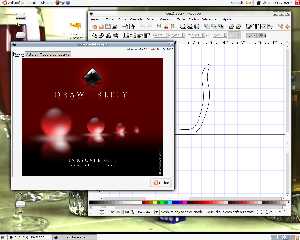
Fairly easy.  You may begin by editing the curve and control points by
first selecting the curve with the arrow standard control (F1) and then
selecting the edit nodes control (F2) in the control panel to left of
the window.  Then, select each or more of the point and move them around
for a spin.

The control points let you draw smoother curves more tangent to the
curve point, but it's tricky and povray seems to never quite enjoy the
result anyway... :P

BTW, I created them on Inkscape 0.45...
Post a reply to this message
Attachments:
Download 'captura_da_tela.png' (485 KB)
Preview of image 'captura_da_tela.png'
|
|
| |
| |
|
|
|
|
| |
| |
|
|
nemesis <nam### [at] gmailcom> wrote:


>....
> You'll only need the Inkscape open-source vector graphics drawing
> program to edit the curves...


Gave up on Inkscape after it crashed and v0.38 doesnt seem to export to pov.
I can do better. This is the fun part, getting to write something that actually
works and wont crash on me.

Yesterday wrote svg and pov spline reader and this control handle editor.
Here is the first cup from the original pov post waste of time (after I cleaned
up some curves) but basically is what it looked like if anyone was wondering,
heh.

anyone wants to work on this or see whats been done, np
Post a reply to this message
Attachments:
Download 'bezier.jpg' (142 KB)
Preview of image 'bezier.jpg'

|
|
| |
| |
|
|
|
|
| |
| |
|
|
nemesis <nam### [at] gmailcom> wrote:

> ... but it's tricky and povray seems to never quite enjoy the
> result anyway... :P
>
> BTW, I created them on Inkscape 0.45...


#local cup2 = lathe { bezier_spline

/*14*/ <61.964286, -1.7382813e-05>, <61.964286, -1.7382813e-05>,
<0,-1.7382813e-05>, <0,-1.7382813e-05>
=
<61,0> <61,0> <0,0> <0,0> points duped as handles

"seems to never quite enjoy the result"

Could it be because Inkscape exports last segment withOUT control handles?

see cup2.svg also: there were 14 "C" tokens an "M" and an "L",
which left only 14 sets of handles.
d="M 0,1052.3622 C 0,1033.7908 ... L 0,1052.3622 z "
Post a reply to this message
|
|
| |
| |
|
|
From: nemesis
Subject: Re: waste of time source and bezier curves zipped
Date: 6 Feb 2008 14:49:49
Message: <47aa0f5d@news.povray.org>
|
|
|
| |
| |
|
|
alphaQuad wrote:
> #local cup2 = lathe { bezier_spline
>
> /*14*/ <61.964286, -1.7382813e-05>, <61.964286, -1.7382813e-05>,
> <0,-1.7382813e-05>, <0,-1.7382813e-05>
> =
> <61,0> <61,0> <0,0> <0,0> points duped as handles
>
> "seems to never quite enjoy the result"
>
> Could it be because Inkscape exports last segment withOUT control handles?
>
> see cup2.svg also: there were 14 "C" tokens an "M" and an "L",
> which left only 14 sets of handles.
> d="M 0,1052.3622 C 0,1033.7908 ... L 0,1052.3622 z "

you have eagle eyes to spot that!  How about submitting a bug report to
the inkscape guys?
Post a reply to this message
|
|
| |
| |
|
|
From: nemesis
Subject: Re: waste of time source and bezier curves zipped
Date: 6 Feb 2008 14:52:56
Message: <47aa1018@news.povray.org>
|
|
|
| |
| |
|
|
alphaQuad wrote:
> Gave up on Inkscape after it crashed and v0.38 doesnt seem to export to pov.
> I can do better. This is the fun part, getting to write something that actually
> works and wont crash on me.

yay!  Nice program, really!

But by running W98 you'll become more and more adept of writing your own
software... :(
Post a reply to this message
|
|
| |
| |
|
|
|
|
| |
| |
|
|
nemesis <nam### [at] nospamgmailcom> wrote:

> you have eagle eyes to spot that!  How about submitting a bug report to
> the inkscape guys?

Nah I just wanted to read svg and had to get imaginative to read data that
wasn’t there, and kind of noticed, yah think.

What a concept: programs with imagination (rainbow here and cynical smirk)

By the time I figured out the bug report method I could write 4 new features in
my bezier editor.

#declare whinecup = lathe { bezier_spline
48,
<3.636363,2.857183>,<116.103892,2.857183>,<229.870133,4.675365>,<266.233769,2.857183>,
<266.233769,2.857183>,<275.324678,6.493547>,<280.519479,9.870156>,<264.935066,14.285684>,
<264.935066,14.285684>,<232.987017,27.79222>,<71.948049,25.714283>,<30.129867,42.07792>,
<30.129867,42.07792>,<30.129867,62.077921>,<25.714291,267.272729>,<38.701298,283.896097>,
<38.701298,283.896097>,<49.870133,291.428569>,<144.935066,375.844155>,<164.935066,398.441551>,
<164.935066,398.441551>,<184.935066,415.584411>,<250.69264,492.099564>,<266.753247,541.038959>,
<266.753247,541.038959>,<285.238094,570.685424>,<318.405484,727.344872>,<317.662339,763.37662>,
<317.662339,763.37662>,<310.909091,765.974025>,<301.298704,767.272726>,<294.545455,761.298702>,
<294.545455,761.298702>,<298.701298,720.779213>,<268.831164,589.350644>,<246.233768,544.935067>,
<246.233768,544.935067>,<229.090908,504.155843>,<158.701298,433.246752>,<140.779224,411.168825>,
<140.779224,411.168825>,<121.038959,385.454548>,<29.350654,303.376623>,<9.350654,294.805193>,
<9.350654,294.805193>,<5.71429,273.50652>,<8.311688,28.311728>,<3.636363,2.857183>
scale y*.8
scale 1/1000
interior { ior 1.5 }
hollow
}
#declare whinecup2 = lathe { bezier_spline
48,
<3.636363,2.857183>,<116.103892,2.857183>,<229.870133,4.675365>,<266.233769,2.857183>,
<266.233769,2.857183>,<275.324678,6.493547>,<280.519479,9.870156>,<264.935066,14.285684>,
<264.935066,14.285684>,<232.987017,27.79222>,<70.129867,31.168829>,<28.311685,47.532466>,
<28.311685,47.532466>,<28.311685,67.532467>,<12.987019,240.000002>,<16.883117,265.714279>,
<16.883117,265.714279>,<33.506497,291.42857>,<123.116885,423.116882>,<139.480521,445.714278>,
<139.480521,445.714278>,<155.844157,473.766229>,<207.056278,555.735928>,<223.116885,586.493505>,
<223.116885,586.493505>,<247.056278,625.230879>,<300.223665,725.52669>,<317.662339,763.37662>,
<317.662339,763.37662>,<310.909091,765.974025>,<301.298704,767.272726>,<294.545455,761.298702>,
<294.545455,761.298702>,<271.42857,722.597394>,<223.376619,629.350644>,<198.961042,590.389611>,
<198.961042,590.389611>,<178.181818,556.883114>,<129.61039,478.701297>,<113.506497,447.532461>,
<113.506497,447.532461>,<93.766232,420.000002>,<23.896108,307.012987>,<5.71429,287.532466>,
<5.71429,287.532466>,<2.077926,266.233793>,<8.311688,28.311728>,<3.636363,2.857183>
//scale y*.8
scale 1/1000
interior { ior 1.5 }
hollow
}
#declare whinecup3 = lathe { bezier_spline
48,
<3.636363,2.857183>,<116.103892,2.857183>,<173.506497,4.675365>,<209.870133,2.857183>,
<209.870133,2.857183>,<218.961042,6.493547>,<225.974024,8.051974>,<210.389611,12.467502>,
<210.389611,12.467502>,<178.441562,25.974038>,<70.129867,31.168829>,<28.311685,47.532466>,
<28.311685,47.532466>,<28.311685,67.532467>,<12.987019,240.000002>,<16.883117,265.714279>,
<16.883117,265.714279>,<33.506497,291.42857>,<23.116885,272.207791>,<39.480521,294.805187>,
<39.480521,294.805187>,<55.844157,322.857138>,<34.329005,284.826837>,<50.389612,315.584414>,
<50.389612,315.584414>,<74.329005,354.321788>,<291.132755,718.253962>,<315.844157,761.558438>,
<315.844157,761.558438>,<309.090909,764.155843>,<301.298704,767.272726>,<294.545455,761.298702>,
<294.545455,761.298702>,<271.42857,722.597394>,<63.376619,367.532462>,<38.961042,328.571429>,
<38.961042,328.571429>,<18.181818,295.064932>,<42.337663,344.155842>,<26.23377,312.987006>,
<26.23377,312.987006>,<6.493505,285.454547>,<23.896108,307.012987>,<5.71429,287.532466>,
<5.71429,287.532466>,<2.077926,266.233793>,<8.311688,28.311728>,<3.636363,2.857183>
scale 1/1000
interior { ior 1.5 }
hollow
}

//blue front-center
object { whinecup translate x*-0.2 tex( <.7,.8,1> ) }
//red
object { whinecup3 translate x*-1.1 tex(<1,.6,.6>) }
//green
object { whinecup2 translate x*1.0 tex(<.7,1,.7> ) }

whats up with pov throwing a warning on:
"scale 1/1000"
?????????
Post a reply to this message
Attachments:
Download 'whinecups.jpg' (171 KB)
Preview of image 'whinecups.jpg'

|
|
| |
| |
|
|
|
|
| |
| |
|
|
"alphaQuad" <alp### [at] earthlinknet> wrote:
> What a concept: programs with imagination (rainbow here and cynical smirk)

yeah, it's kinda shameful.  That povray exporter isn't quite right from the
start:  it exports a whole .pov scene, not simply an .inc.  And it comes simply
with a prism.  Why not a spline or lathe too?

> By the time I figured out the bug report method I could write 4 new features in
> my bezier editor.

and have it only for yourself in W98/Windows.

BTW, I'd add a whinecup next to the scene when I figured it out what was wrong.
Feel free to add it.

OTOH, from your render, I see your cups has visible line segments in the upper
body matching with the points in the bézier, just as in my cups.  Despite
different values in the SVG and povray export, I wonder if there really is a
problem to be reported in inkscape... or if it is povray who doesn't really
quite like béziers...

BTW, the Inkscape website has a link in Community -> Report Bugs:
http://www.inkscape.org/report_bugs.php?lang=en

and from there you go to a very organized and easy:
https://bugs.launchpad.net/inkscape

But don't mind.  I'll do it.  Perhaps...
Post a reply to this message
|
|
| |
| |
|
|
From: Nicolas Alvarez
Subject: Re: waste of time source and bezier curves zipped
Date: 7 Feb 2008 07:54:40
Message: <47aaff90$1@news.povray.org>
|
|
|
| |
| |
|
|
alphaQuad escribió:
> nemesis <nam### [at] nospamgmailcom> wrote:
>
>> you have eagle eyes to spot that!  How about submitting a bug report to
>> the inkscape guys?
>
> Nah I just wanted to read svg and had to get imaginative to read data that
> wasn’t there, and kind of noticed, yah think.
>
> What a concept: programs with imagination (rainbow here and cynical smirk)
>
> By the time I figured out the bug report method I could write 4 new features in
> my bezier editor.

Inkscape is good at making SVG files. And that's it. If you want a
POV-Ray spline editor, you really should 1) write your own (you're doing
quite good), or 2) search for some other *dedicated* program.

Like this one, with realtime preview and all.
http://www.2writers.com/Eddie/LatheSor.htm

I can't find the one I used to have... too long ago I guess.
Post a reply to this message
|
|
| |
| |
|
|
|
|
| |
| |
|
|
Nicolas Alvarez <nic### [at] gmailisthebestcom> wrote:
> Inkscape is good at making SVG files.

and that's great!  Since SVG is a text format, exporting to a handful of other
formats is trivial.  alphaQuad says the povray export isn't perfect, but his
rendering shows the same line artifacts as the "defective" inkscape export.

Besides, inkscape is far, far more than simply an SVG writer.  It's got one of
the best, smoothiest curve drawing controls I've ever witnessed and is fully
multiplatform and open-source.  The source is available for the brave souls who
want it ported to old or alien platforms...

> Like this one, with realtime preview and all.
> http://www.2writers.com/Eddie/LatheSor.htm

that realtime preview with so few tesselated polygons hardly shows how the real
povray bezier_spline lathe will end up.  Probably, with line artifacts...
Post a reply to this message
|
|
| |
| |
|
|
|
|
| |
| |
|
|
Nicolas Alvarez <nic### [at] gmailisthebestcom> wrote:

> Inkscape is good at making SVG files. And that's it. If you want a
> POV-Ray spline editor, you really should 1) write your own (you're doing
> quite good), or 2) search for some other *dedicated* program.
>
> Like this one, with realtime preview and all.
> http://www.2writers.com/Eddie/LatheSor.htm
>

Here's another:  SpilinEditor (yes, that's the correct spelling)

http://www.flashnet.it/users/fn027571/spil/main.html

Made specifically for POV-Ray, exports cubic_splines.

I don't use it very often, so I can't say for certain whether it produces any of
the problems mentioned so far.

I use it on my older Win98SE machine (good ol' Win98SE--still a workhorse);
haven't tried it yet on my newer WinXP box.

Ken W.
Post a reply to this message
|
|
| |
| |
|
|
From: Nicolas Alvarez
Subject: Re: waste of time source and bezier curves zipped
Date: 8 Feb 2008 12:14:53
Message: <47ac8e0d$1@news.povray.org>
|
|
|
| |
| |
|
|
Kenneth escribió:
> Nicolas Alvarez <nic### [at] gmailisthebestcom> wrote:
>
>> Inkscape is good at making SVG files. And that's it. If you want a
>> POV-Ray spline editor, you really should 1) write your own (you're doing
>> quite good), or 2) search for some other *dedicated* program.
>>
>> Like this one, with realtime preview and all.
>> http://www.2writers.com/Eddie/LatheSor.htm
>>
>
> Here's another:  SpilinEditor (yes, that's the correct spelling)
>

*That* is the one I used to have, but I couldn't find it. Thanks!
Post a reply to this message
|
|
| |
| |
|
|
|
|
| |
| |
|
|
"nemesis" <nam### [at] gmailcom> wrote:
> Nicolas Alvarez <nic### [at] gmailisthebestcom> wrote:
> > Inkscape is good at making SVG files.
>
> and that's great!  Since SVG is a text format, exporting to a handful of other
> formats is trivial.  alphaQuad says the povray export isn't perfect, but his
> rendering shows the same line artifacts as the "defective" inkscape export.

I was going to say something but thought it obvious.
"the same line artifacts" are correct renders not artifacts; shown by the bezier
graph. The slightest curve in glass focuses the light as opposed to the left,red
glass with nodes just moved down (and other cups with a straight surface).


>
> Besides, inkscape is far, far more than simply an SVG writer.  It's got one of
> the best, smoothiest curve drawing controls I've ever witnessed and is fully
> multiplatform and open-source.  The source is available for the brave souls who
> want it ported to old or alien platforms...
>
> > Like this one, with realtime preview and all.
> > http://www.2writers.com/Eddie/LatheSor.htm
>
> that realtime preview with so few tesselated polygons hardly shows how the real
> povray bezier_spline lathe will end up.  Probably, with line artifacts...
Post a reply to this message
|
|
| |
| |
|
|
|
|
| |
| |
|
|
"alphaQuad" <alp### [at] earthlinknet> wrote:
> "the same line artifacts" are correct renders not artifacts; shown by the bezier
> graph. The slightest curve in glass focuses the light as opposed to the left,red
> glass with nodes just moved down (and other cups with a straight surface).

well, the curves are very smooth in the 2D editors, but in povray the transition
is much too visible no matter how much you tweak it.  That's my point:  povray
doesn't play well with bézier curves.  Povray cubic_spline is much, much
smoother.

Unfortunately, bézier spline is the industrial curve standard in drawing
packages, not cubic spline...
Post a reply to this message
|
|
| |
| |
|
|
|
|
| |
| |
|
|
"nemesis" <nam### [at] gmailcom> wrote:
> "alphaQuad" <alp### [at] earthlinknet> wrote:
> > "the same line artifacts" are correct renders not artifacts; shown by the bezier
> > graph. The slightest curve in glass focuses the light as opposed to the left,red
> > glass with nodes just moved down (and other cups with a straight surface).
>
> well, the curves are very smooth in the 2D editors, but in povray the transition
> is much too visible no matter how much you tweak it.  That's my point:  povray
> doesn't play well with bézier curves.  Povray cubic_spline is much, much
> smoother.
>
> Unfortunately, bézier spline is the industrial curve standard in drawing
> packages, not cubic spline...

tweaking .....

picture is worth a thousand words .... just one segment per curve.

I just need to write some 10 more features to get there.

but manual tuning (drag and drop at scale) is pratical.


#declare smoothcup = lathe { bezier_spline
32,
<0,2.857183>,<116.103892,2.857183>,<229.870133,4.675365>,<266.233769,2.857183>,
<266.233769,2.857183>,<275.324678,6.493547>,<280.519479,9.870156>,<264.935066,14.285684>,
<264.935066,14.285684>,<232.987017,27.79222>,<71.948049,25.714283>,<30.129867,42.07792>,
<30.129867,42.07792>,<30.129867,62.077921>,<25.714291,267.272729>,<38.701298,283.896097>,
<38.701298,283.896097>,<318.961042,282.337659>,<320.223666,503.708508>,<317.662339,763.37662>,
<317.662339,763.37662>,<310.909091,765.974025>,<308.571431,769.090908>,<301.818182,763.116884>,
<301.818182,763.116884>,<307.792207,500.779213>,<303.896107,303.376623>,<0,300.259738>,
<0,300.259738>,<2.077925,278.961065>,<8.311688,28.311728>,<0,2.857183>
scale 1/900
}
Post a reply to this message
Attachments:
Download 'smoothcup.jpg' (72 KB)
Preview of image 'smoothcup.jpg'

|
|
| |
| |
|
|
|
|
| |
| |
|
|
"alphaQuad" <alp### [at] earthlinknet> wrote:
> tweaking .....
>
> picture is worth a thousand words .... just one segment per curve.

hmm.  I call that "cheating". ;)

what if you wanted the cup body to be more curvy, with 2 segments?  Line
artifacts are inevitable...
Post a reply to this message
|
|
| |
| |
|
|
|
|
| |
| |
|
|
"nemesis" <nam### [at] gmailcom> wrote:
> "alphaQuad" <alp### [at] earthlinknet> wrote:
> > tweaking .....
> >
> > picture is worth a thousand words .... just one segment per curve.
>
> hmm.  I call that "cheating". ;)
>
> what if you wanted the cup body to be more curvy, with 2 segments?  Line
> artifacts are inevitable...


Read in vase1 from vase.pov, which had 18 segments. Deleted 3.

#declare vase2 = lathe { bezier_spline
60,
<0,1.738281>,<13.083495,1.055169>,<50.65465,1.738281>,<65,1.738281>,
<65,1.738281>,<70.806451,1.396725>,<75,1.515183>,<75,6.060883>,
<75,6.060883>,<75,10.606583>,<70.205602,14.647183>,<75.761441,19.192883>,
<75.761441,19.192883>,<110.289787,41.122087>,<120.960641,82.116836>,<121.938237,115.043616>,
<121.938237,115.043616>,<122.378198,158.973988>,<78.047305,205.573516>,<52.024327,246.225187>,
<52.024327,246.225187>,<36.049139,268.848194>,<41.70118,297.425137>,<48.338574,312.312154>,
<48.338574,312.312154>,<53.649802,328.27445>,<74.540584,345.03571>,<83.989847,352.03816>,
<83.989847,352.03816>,<89.921283,357.6913>,<94.89046,368.18094>,<87.378195,370>,
<87.378195,370>,<79.296975,371.23106>,<70.820413,359.97291>,<64.144687,356.4137>,
<64.144687,356.4137>,<54.043162,351.02801>,<35.984247,334.784946>,<30.537635,313.924731>,
<30.537635,313.924731>,<26.703926,300.591398>,<15.168654,268.697748>,<33.224168,238.735738>,
<33.224168,238.735738>,<58.755929,198.081274>,<100.849624,149.188788>,<100.575295,114.360134>,
<100.575295,114.360134>,<100.759266,82.279284>,<94.646315,55.586889>,<61.114229,25.253783>,
<61.114229,25.253783>,<55.454314,22.728483>,<20.575585,17.738756>,<0,14.999983>,
<0,14.999983>,<0.170779,9.756466>,<0,6.627592>,<0,1.738281>
scale 1/200
}

Really think I need a func to set handles in opposite vectors
And a handle lock.

So far:
Drag section zoom
Move handles
Move nodes
Add/Delete node
Read/Write pov
Read svg

Artifacts? Is this cheating?

OK, who is going to put flowers in it?
Post a reply to this message
Attachments:
Download 'vase2.jpg' (118 KB)
Preview of image 'vase2.jpg'

|
|
| |
| |
|
|
|
|
| |
| |
|
|
#declare vase3 = lathe { bezier_spline
60,
<0,1.738281>,<13.083495,1.055169>,<50.65465,1.738281>,<65,1.738281>,
<65,1.738281>,<70.806451,1.396725>,<75,1.515183>,<75,6.060883>,
<75,6.060883>,<75,10.606583>,<70.205602,14.647183>,<75.761441,19.192883>,
<75.761441,19.192883>,<110.289787,41.122087>,<99.870143,90.586982>,<121.938237,115.043616>,
<121.938237,115.043616>,<161.578182,158.973988>,<29.370052,203.604319>,<52.024327,246.225187>,
<52.024327,246.225187>,<64.049128,268.848194>,<41.70118,297.425137>,<48.338574,312.312154>,
<48.338574,312.312154>,<53.649802,328.27445>,<74.540584,345.03571>,<83.989847,352.03816>,
<83.989847,352.03816>,<89.921283,357.6913>,<94.89046,368.18094>,<87.378195,370>,
<87.378195,370>,<79.296975,371.23106>,<70.820413,359.97291>,<64.144687,356.4137>,
<64.144687,356.4137>,<54.043162,351.02801>,<35.984247,334.784946>,<30.537635,313.924731>,
<30.537635,313.924731>,<26.703926,300.591398>,<48.76864,266.831082>,<33.224168,238.735738>,
<33.224168,238.735738>,<9.983195,196.729612>,<136.316276,156.655452>,<100.575295,114.360134>,
<100.575295,114.360134>,<79.868569,89.856129>,<94.646315,55.586889>,<61.114229,25.253783>,
<61.114229,25.253783>,<55.454314,22.728483>,<20.575585,17.738756>,<0,14.999983>,
<0,14.999983>,<0.170779,9.756466>,<0,6.627592>,<0,1.738281>
scale 1/200
}

Vase3: self explanatory

got alignhandle and locked movement now.
Post a reply to this message
Attachments:
Download 'vase3.jpg' (152 KB)
Preview of image 'vase3.jpg'

|
|
| |
| |
|
|
|
|
| |
| |
|
|
My mistake was that I forgot to allow 'e' the second time I wrote the binary
reader. So it would have properly read the file like this:

#declare vase3 = lathe { bezier_spline
60,
<0,-0.000017>,<18.436071,-0.18687>,<57.822473,-0.194004>,<65,-0.000017>,
<65,-0.000017>,<72.371514,0.969919>,<75,1.515183>,<75,6.060883>,
<75,6.060883>,<75,10.606583>,<70.205602,14.647183>,<75.761441,19.192883>,
<75.761441,19.192883>,<110.289787,41.122087>,<99.870143,90.586982>,<121.938237,115.043616>,
<121.938237,115.043616>,<161.578182,158.973988>,<29.370052,203.604319>,<52.024327,246.225187>,
<52.024327,246.225187>,<64.049128,268.848194>,<41.70118,297.425137>,<48.338574,312.312154>,
<48.338574,312.312154>,<53.649802,328.27445>,<74.540584,345.03571>,<83.989847,352.03816>,
<83.989847,352.03816>,<89.921283,357.6913>,<94.89046,368.18094>,<87.378195,370>,
<87.378195,370>,<79.296975,371.23106>,<70.820413,359.97291>,<64.144687,356.4137>,
<64.144687,356.4137>,<54.043162,351.02801>,<35.984247,334.784946>,<30.537635,313.924731>,
<30.537635,313.924731>,<26.703926,300.591398>,<48.76864,266.831082>,<33.224168,238.735738>,
<33.224168,238.735738>,<9.983195,196.729612>,<136.316276,156.655452>,<100.575295,114.360134>,
<100.575295,114.360134>,<79.868569,89.856129>,<94.646315,55.586889>,<61.114229,25.253783>,
<61.114229,25.253783>,<55.454314,22.728483>,<20.575585,17.738756>,<0,14.999983>,
<0,14.999983>,<0.193987,10.732264>,<0.193987,7.953459>,<0,-0.000017>
scale 1/200
}

placing bottom of vase 0.000017 * 1/200 below a zero surface (-0.000000085)
Post a reply to this message
|
|
| |
| |
|
|
|
|
| |
| |
|
|
ok, man!  nice!  keep it up!

good to see my "waste of time" thread resulted in something truly useful. :)
Post a reply to this message
|
|
| |
| |
|
|
|
|
| |
| |
|
|
"nemesis" <nam### [at] gmailcom> wrote:
> ok, man!  nice!  keep it up!
>
> good to see my "waste of time" thread resulted in something truly useful. :)

OK

Wondering what an open spline might look like, left spline open.

Looks like it contains water maybe?
Post a reply to this message
Attachments:
Download 'vaseopen.png' (155 KB)
Preview of image 'vaseopen.png'

|
|
| |
| |
|
|
|
|
| |
| |
|
|
alphaQuad wrote:
> Looks like it contains water maybe?

more like a bottle with glass by the middle? ;)
Post a reply to this message
|
|
| |
| |
|
|
|
|
| |
|
|