|
|
|
|
|
|
| |
| |
|
|
|
|
| |
| |
|
|
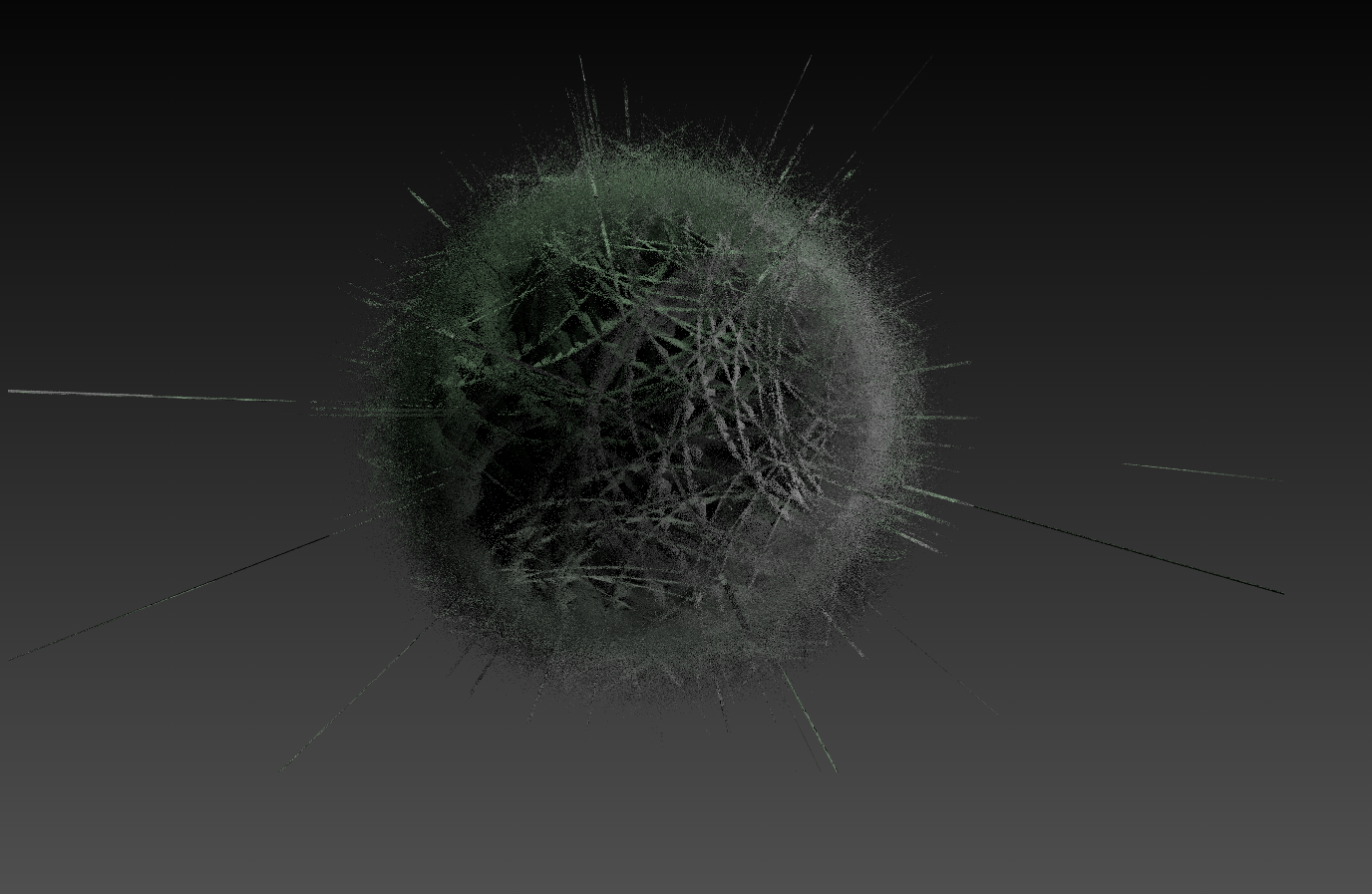
Variations:

---%<------%<------%<---


#version 3.7;
global_settings{ assumed_gamma 1.0 }
#default{ finish{ ambient 0.1 diffuse 0.9 }}
#include "math.inc"
#include "rand.inc"
#include "functions.inc"
#include "transforms.inc"


#declare Point = <0,0,0>;
#declare Stream = seed(7);
//#declare N=24;
#declare N=240;
#declare arrNeighbours = array[N];
#for(I,0,N-1)
  #declare arrNeighbours[I] = VRand_On_Sphere(Stream)/2;
#end

blob{
  threshold .40
  sphere{Point,1,1}
  #for(I,0,N-1)
    #declare Neighbour = arrNeighbours[I];
    #declare Distance = vlength(Neighbour);
    #declare Normal = vnormalize(Neighbour);
    //sphere{0,1,-0.8 scale <1,0.1,1> Point_At_Trans(Normal) translate
Normal*Distance*1.2}
    sphere{0,1,-0.8 scale <1,0.01,1> Point_At_Trans(Normal) translate
Normal*Distance*1.2}
    //sphere{0,1,-0.8 scale <1,0.001,1> Point_At_Trans(Normal) translate
Normal*Distance*1.2}
    //sphere{0,1,-0.8 scale <1,0.0001,1> Point_At_Trans(Normal) translate
Normal*Distance*1.2}
    //sphere{0,1,-0.8 scale <1,0.00001,1> Point_At_Trans(Normal) translate
Normal*Distance*1.2}
    //sphere{0,1,-0.8 scale <1,0.000001,1> Point_At_Trans(Normal) translate
Normal*Distance*1.2}
    //sphere{0,1,-0.8 scale <1,0.0000001,1> Point_At_Trans(Normal) translate
Normal*Distance*1.2}
  #end
  pigment{rgb 1}
}

camera {
  perspective angle 22
  location  <0,0,-10>
  look_at   <0,0,  0>
}
light_source{< -300, 3000,   0> rgb <0.3,0.3,0.2>}
light_source{< 3000,  300,-500> rgb .5}
light_source{<  300,-3000,   0> rgb <0.2,0.2,0.4>}

---%<------%<------%<---

ingo
Post a reply to this message
Attachments:
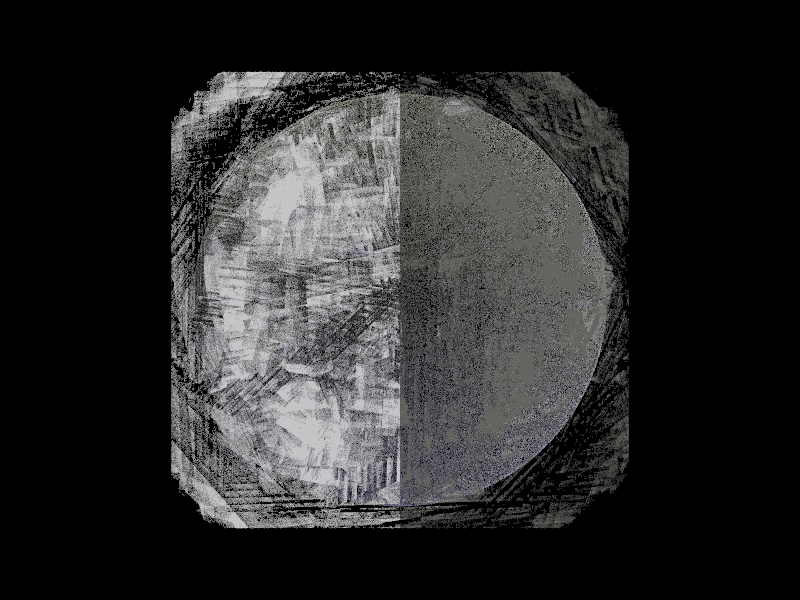
Download 'n240sy0.0000001.png' (462 KB)
Preview of image 'n240sy0.0000001.png'
|
|
| |
| |
|
|
|
|
| |
| |
|
|
Il 07/05/2024 08:35, ingo ha scritto:
>
> Variations:
>

An interesting image!
Paolo
Post a reply to this message
|
|
| |
| |
|
|
|
|
| |
| |
|
|
On 5/7/24 02:35, ingo wrote:
>
> Variations:
>

I like the look of it!

Bill P.
Post a reply to this message
|
|
| |
| |
|
|
|
|
| |
| |
|
|
Le 2024-05-07 à 02:35, ingo a écrit :
>
> Variations:
>
> ---%<------%<------%<---
>
>
> #version 3.7;
> global_settings{ assumed_gamma 1.0 }
> #default{ finish{ ambient 0.1 diffuse 0.9 }}
> #include "math.inc"
> #include "rand.inc"
> #include "functions.inc"
> #include "transforms.inc"
>
>
> #declare Point = <0,0,0>;
> #declare Stream = seed(7);
> //#declare N=24;
> #declare N=240;
> #declare arrNeighbours = array[N];
> #for(I,0,N-1)
>    #declare arrNeighbours[I] = VRand_On_Sphere(Stream)/2;
> #end
>
> blob{
>    threshold .40
>    sphere{Point,1,1}
>    #for(I,0,N-1)
>      #declare Neighbour = arrNeighbours[I];
>      #declare Distance = vlength(Neighbour);
>      #declare Normal = vnormalize(Neighbour);
>      //sphere{0,1,-0.8 scale <1,0.1,1> Point_At_Trans(Normal) translate
> Normal*Distance*1.2}
>      sphere{0,1,-0.8 scale <1,0.01,1> Point_At_Trans(Normal) translate
> Normal*Distance*1.2}
>      //sphere{0,1,-0.8 scale <1,0.001,1> Point_At_Trans(Normal) translate
> Normal*Distance*1.2}
>      //sphere{0,1,-0.8 scale <1,0.0001,1> Point_At_Trans(Normal) translate
> Normal*Distance*1.2}
>      //sphere{0,1,-0.8 scale <1,0.00001,1> Point_At_Trans(Normal) translate
> Normal*Distance*1.2}
>      //sphere{0,1,-0.8 scale <1,0.000001,1> Point_At_Trans(Normal) translate
> Normal*Distance*1.2}
>      //sphere{0,1,-0.8 scale <1,0.0000001,1> Point_At_Trans(Normal) translate
> Normal*Distance*1.2}
>    #end
>    pigment{rgb 1}
> }
>
> camera {
>    perspective angle 22
>    location  <0,0,-10>
>    look_at   <0,0,  0>
> }
> light_source{< -300, 3000,   0> rgb <0.3,0.3,0.2>}
> light_source{< 3000,  300,-500> rgb .5}
> light_source{<  300,-3000,   0> rgb <0.2,0.2,0.4>}
>
> ---%<------%<------%<---
>
> ingo
My render don't look even remotely like your image, and I didn't change
anything.
Post a reply to this message
|
|
| |
| |
|
|
|
|
| |
| |
|
|
On 07/05/2024 09:35, ingo wrote:
>
> Variations:

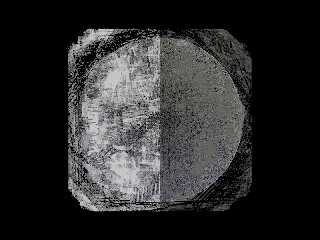
I like it - inspired by Malevich ?
--
YB
Post a reply to this message
|
|
| |
| |
|
|
|
|
| |
| |
|
|
Alain Martel <kua### [at] videotron ca> wrote:
> Le 2024-05-07 à 02:35, ingo a écrit :
> > //sphere{0,1,-0.8 scale <1,0.0000001,1> Point_At_Trans(Normal) translate
> > Normal*Distance*1.2}
> > #end
> > pigment{rgb 1}
> > }
> My render don't look even remotely like your image, and I didn't change
> anything.
Alain,
did you render with the last sphere option?
ingo
Post a reply to this message
|
|
| |
| |
|
|
|
|
| |
| |
|
|
yesbird <sya### [at] gmailcom> wrote:
> On 07/05/2024 09:35, ingo wrote:
> >
> > Variations:
>
> I like it - inspired by Malevich ?

Haha, no, more a "Bob Ross Happy Accident". Just going beyond sensible with
scaling of blobs and I guess then you run into numerical problems.

ingo
Post a reply to this message
Attachments:
Download 'singlecell_blob.png' (575 KB)
Preview of image 'singlecell_blob.png'
|
|
| |
| |
|
|
|
|
| |
| |
|
|
On 08/05/2024 08:02, ingo wrote:
> Haha, no, more a "Bob Ross Happy Accident".

Thanks, will have a look ...
Btw, Roger Dean also have real time online lessons on his Facebook page.

  Just going beyond sensible with
> scaling of blobs and I guess then you run into numerical problems.
Rather interesting object, will play with it. Reminds my fractals
experiments at 90-x.
--
YB
Post a reply to this message
|
|
| |
| |
|
|
|
|
| |
| |
|
|
On 08/05/2024 08:02, ingo wrote:
> yesbird <sya### [at] gmailcom> wrote:
>> I like it - inspired by Malevich ?
> ...
> Haha, no, more a "Bob Ross Happy Accident".

It looks like we are on the way to the modern art gallery.
I call this artwork "Spring in NY", guess it will be sold
for about $1.5-1.8 millions and I will by Meta Quest 3 then ...

------------------------------------------------------------------------
#version 3.7;
global_settings{ assumed_gamma 1.0 }
#default{ finish{ ambient 0.1 diffuse 0.9 }}
#include "math.inc"
#include "rand.inc"
#include "functions.inc"
#include "transforms.inc"

#declare Point = <0,0,0>;
#declare Stream = seed(7);
#declare N=240;
#declare arrNeighbours = array[N];
#for(I,0,N-1)
   #declare arrNeighbours[I] = VRand_On_Sphere(Stream)/2;
#end

blob{
   threshold .50
   sphere{Point,1,1}
   #for(I,0,N-1)
     #declare Neighbour = arrNeighbours[I];
     #declare Distance = vlength(Neighbour);
     #declare Normal = vnormalize(Neighbour);
     sphere{0,1,-0.8 scale <1,0.0000001, 1> Point_At_Trans(Normal)
translate Normal * Distance * 2.8}
   #end
   pigment{rgb 1}
}

camera {
   perspective angle 22
   location  <0,0,-10>
   look_at   <0,0,  0>
}

light_source{< -300, 3000,   0> rgb <0.2, 2.3, 0.2>}
light_source{< 3000,  300,-500> rgb <0.0, 0.4, 0.4>}
light_source{<  300,-3000,   0> rgb <0.0, 0.1, 2.4>}
------------------------------------------------------------------------

--
YB
Post a reply to this message
Attachments:
Download 'ingo_01.png' (442 KB)
Preview of image 'ingo_01.png'
|
|
| |
| |
|
|
|
|
| |
| |
|
|
"ingo" <nomail@nomail> wrote:

> Haha, no, more a "Bob Ross Happy Accident". Just going beyond sensible with
> scaling of blobs and I guess then you run into numerical problems.
>
> ingo

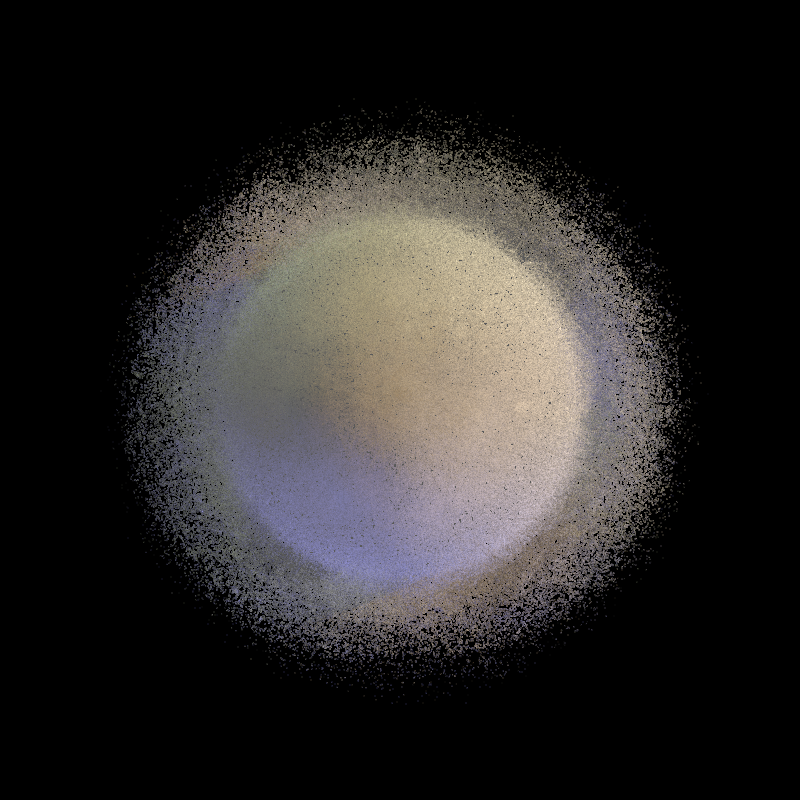
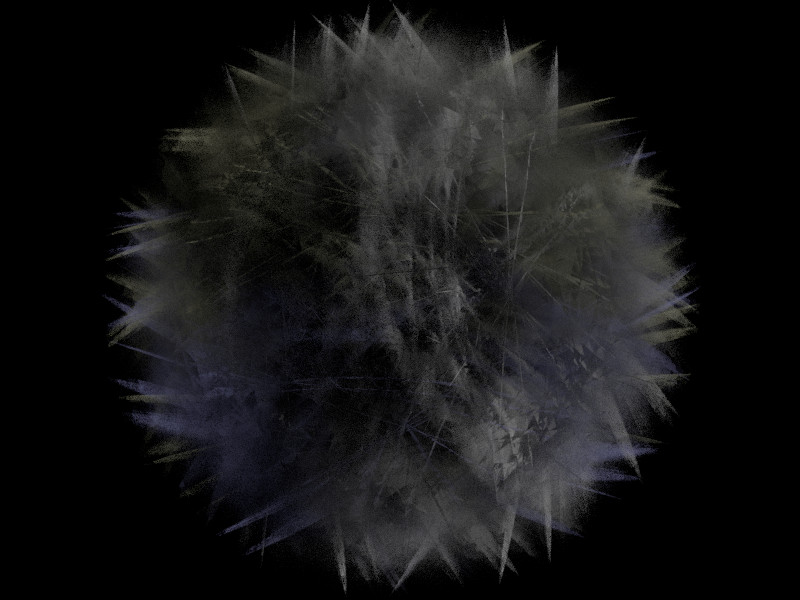
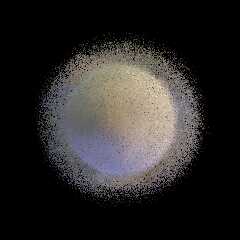
Hey - this is a really good one.
It looks like a white blood cell from Asimov's _Fantastic Voyage_!

Could you share how you achieved this result?
This looks like a good base for future modeling.

Maybe you should try using emission to see if you can get some nice "glow"
effects.

I could also envision giving it a green hue to simulate some sort of microscopic
plant cell, and maybe a (mostly) clear/ior internal region with some irregular
"organelles" to make it look like one of those microscope slide images.

Horton hears a who?   :)

- BW
Post a reply to this message
|
|
| |
| |
|
|
|
|
| |
| |
|
|
"Bald Eagle" <cre### [at] netscapenet> wrote:
> "ingo" <nomail@nomail> wrote:

> Hey - this is a really good one.
> It looks like a white blood cell from Asimov's _Fantastic Voyage_!
>
> Could you share how you achieved this result?

In the scene file in the first post use

sphere{0,1,-0.8 scale <1,0.00021,1> Point_At_Trans(Normal) translate
Normal*Distance*1.2}

inside the blob loop

and this for the lighting:

light_source{< -300, 3000,   0> rgb <0.3,0.35,0.2>}
light_source{< 3000,  300,-500> rgb .5}
light_source{< 700,  300,-500> rgb <0.4,0.2,0.0>}
light_source{< -300,-3000,   0> rgb <0.2,0.2,0.6>}

There is no control over the modelling, it is an intersection of many blob and
the blobs are scaled "thin". It would not surprise me if the result is also OS
dependent.

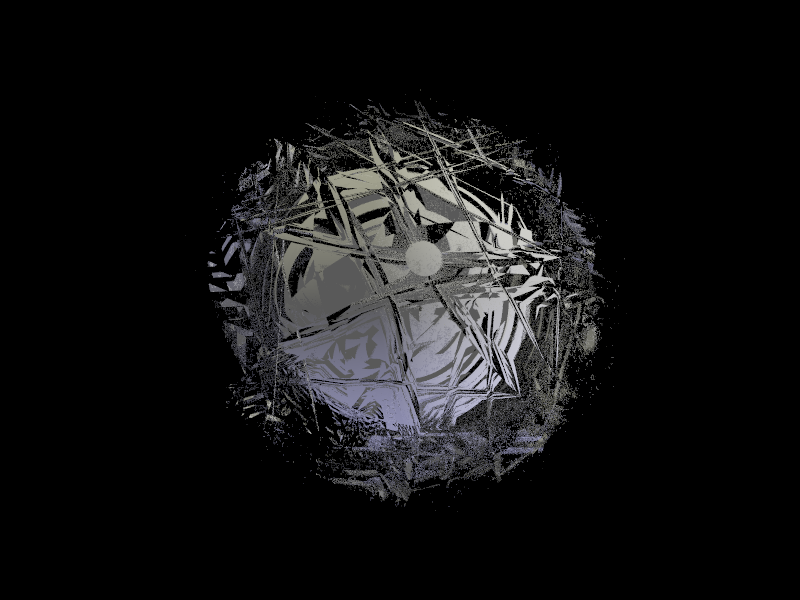
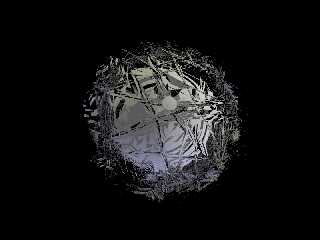
Here's an other one, from the same scene file settings: N24SY0.0001

ingo
Post a reply to this message
Attachments:
Download 'n24sy0.0001.png' (256 KB)
Preview of image 'n24sy0.0001.png'
|
|
| |
| |
|
|
|
|
| |
| |
|
|
yesbird <sya### [at] gmailcom> wrote:
> On 08/05/2024 08:02, ingo wrote:
> > yesbird <sya### [at] gmailcom> wrote:
> >> I like it - inspired by Malevich ?
> > ...
> > Haha, no, more a "Bob Ross Happy Accident".
>
> It looks like we are on the way to the modern art gallery.

Go sell NFT's :)

ingo
Post a reply to this message
|
|
| |
| |
|
|
|
|
| |
| |
|
|
On 5/8/24 01:02, ingo wrote:
> Haha, no, more a "Bob Ross Happy Accident". Just going beyond sensible with
> scaling of blobs and I guess then you run into numerical problems.

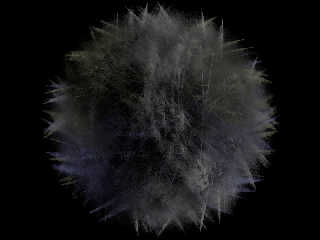
I've been playing too with your scene. :-)

Bill P.
Post a reply to this message
Attachments:
Download 'ingo_blobnumeric.jpg' (74 KB)
Preview of image 'ingo_blobnumeric.jpg'
|
|
| |
| |
|
|
|
|
| |
| |
|
|
On 08/05/2024 16:17, William F Pokorny wrote:
> I've been playing too with your scene. :-)

Could you please share a code of this 'moss and grass' ?
--
YB.
Post a reply to this message
|
|
| |
| |
|
|
|
|
| |
| |
|
|
William F Pokorny <ano### [at] anonymousorg> wrote:

> I've been playing too with your scene. :-)


A Tribble :)

ingo
Post a reply to this message
|
|
| |
| |
|
|
|
|
| |
| |
|
|
Le 2024-05-08 à 08:43, ingo a écrit :
> "Bald Eagle" <cre### [at] netscapenet> wrote:
>> "ingo" <nomail@nomail> wrote:
>
>> Hey - this is a really good one.
>> It looks like a white blood cell from Asimov's _Fantastic Voyage_!
>>
>> Could you share how you achieved this result?
>
> In the scene file in the first post use
>
> sphere{0,1,-0.8 scale <1,0.00021,1> Point_At_Trans(Normal) translate
> Normal*Distance*1.2}
>
> inside the blob loop
>
> and this for the lighting:
>
> light_source{< -300, 3000,   0> rgb <0.3,0.35,0.2>}
> light_source{< 3000,  300,-500> rgb .5}
> light_source{< 700,  300,-500> rgb <0.4,0.2,0.0>}
> light_source{< -300,-3000,   0> rgb <0.2,0.2,0.6>}
>
> There is no control over the modelling, it is an intersection of many blob and
> the blobs are scaled "thin". It would not surprise me if the result is also OS
> dependent.
>
> Here's an other one, from the same scene file settings: N24SY0.0001
>
> ingo
>
>
My rendering result in a Voronoy faceted sphere.
Post a reply to this message
|
|
| |
| |
|
|
|
|
| |
| |
|
|
Le 2024-05-08 à 00:57, ingo a écrit :
> Alain Martel <kua### [at] videotronca> wrote:
>> Le 2024-05-07 à 02:35, ingo a écrit :
>
>>>       //sphere{0,1,-0.8 scale <1,0.0000001,1> Point_At_Trans(Normal) translate
>>> Normal*Distance*1.2}
>>>     #end
>>>     pigment{rgb 1}
>>> }
>
>
>> My render don't look even remotely like your image, and I didn't change
>> anything.
>
> Alain,
>
> did you render with the last sphere option?
>
> ingo
>
>
>
I rendered without any change, using the commented line :
sphere{0,1,-0.8 scale <1,0.01,1> Point_At_Trans(Normal) translate
Normal*Distance*1.2}

Will try with the other options.
Post a reply to this message
|
|
| |
| |
|
|
|
|
| |
| |
|
|
Le 2024-05-08 à 00:57, ingo a écrit :
> Alain Martel <kua### [at] videotronca> wrote:
>> Le 2024-05-07 à 02:35, ingo a écrit :
>
>>>       //sphere{0,1,-0.8 scale <1,0.0000001,1> Point_At_Trans(Normal) translate
>>> Normal*Distance*1.2}
>>>     #end
>>>     pigment{rgb 1}
>>> }
>
>
>> My render don't look even remotely like your image, and I didn't change
>> anything.
>
> Alain,
>
> did you render with the last sphere option?
>
> ingo
>
>
>
Added #switch(frame_number), a few #case(n)...#break and rendered with +kff7
First one : Rounded faceted sphere
Second : Sharp faceted sphere
Third : Pockmarked sphere
Fourth and following : It get fuzzy.
Post a reply to this message
|
|
| |
| |
|
|
|
|
| |
| |
|
|
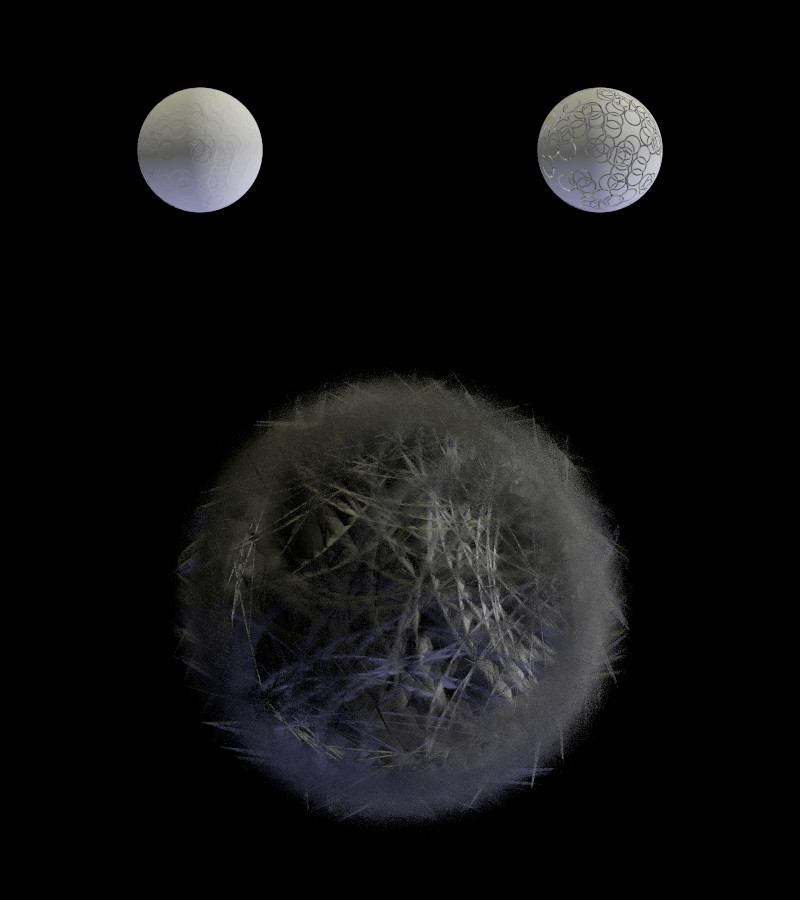
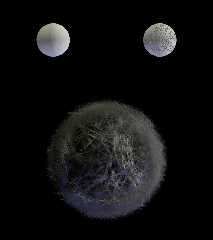
On 5/8/24 09:26, yesbird wrote:
> Could you please share a code of this 'moss and grass' ?

Attached is something like what I used - it produces the bottom part of
the attached image... The coloring comes from Ingo's light colors.

I don't have the original scene anymore as I was playing with this and
that. Plus, I was using my yuqk fork for which the "numerical issues"
are a little different the official releases of POV-Ray. This shown in
the top row of the attached image where on the left is Ingo's original
at 1e-3 and the same rendered with the yuqk fork on the right(*)

The biggest changes for the fuzzier results was not using the larger
positive sphere and changing the negative squashed spheres into positive
components.

Bill P.

(*) - Part of what is happening in the original posted scene is that as
we scale down in y, except for the edges, the negative components start
to cleave off little round bits of the  larger sphere rather than blunt
it in a faceted way. The yuqk fork shows this a little better, because
it's numerical accuracy with blobs is a little better.
Post a reply to this message
Attachments:
Download 'ingo_blobnumeric_3.jpg' (69 KB)
Download 'ingo_blobnumeric_3.pov.txt' (2 KB)
Preview of image 'ingo_blobnumeric_3.jpg'
|
|
| |
| |
|
|
|
|
| |
| |
|
|
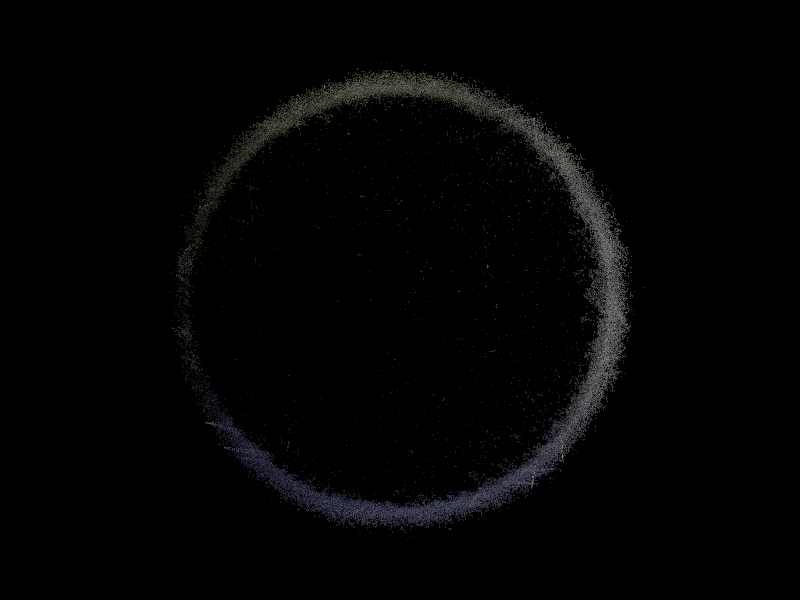
On 08/05/2024 18:31, William F Pokorny wrote:
> Attached is something like what I used - it produces the bottom part of
> the attached image... The coloring comes from Ingo's light colors.

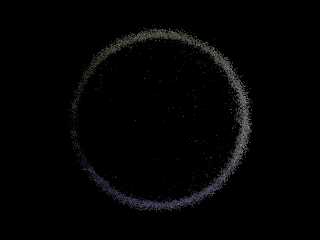
Thanks for sharing scene and detailed comments, right 'out of the box'
it looks completely different (attached), but I will try to tune it up.

Now I'm thinking about adding it and similar abstract scenes
to https://povlab.online in separate section - 'artifacts' :)
--
YB.
Post a reply to this message
Attachments:
Download 'ingo_blobnumeric_3.png' (130 KB)
Preview of image 'ingo_blobnumeric_3.png'
|
|
| |
| |
|
|
|
|
| |
| |
|
|
yesbird <sya### [at] gmailcom> wrote:


> Now I'm thinking about adding it and similar abstract scenes
> to https://povlab.online in separate section - 'artifacts' :)

That would make a cool animated eclipse!
Post a reply to this message
|
|
| |
| |
|
|
|
|
| |
| |
|
|
William F Pokorny <ano### [at] anonymousorg> wrote:
> This shown in
> the top row of the attached image where on the left is Ingo's original
> at 1e-3 and the same rendered with the yuqk fork on the right(*)

The one on the left could be further modified to produce some nice crater
impacts.
Post a reply to this message
|
|
| |
| |
|
|
|
|
| |
| |
|
|
On 08/05/2024 19:10, Bald Eagle wrote:
> That would make a cool animated eclipse!
>
Exactly ! Total eclipse of tennis ball(s)...
--
YB
Post a reply to this message
|
|
| |
| |
|
|
|
|
| |
| |
|
|
Alain Martel <kua### [at] videotronca> wrote:
> >
> [...] and rendered with +kff7

Hmmm, an animation could be nice, the spheroid slowly breaking up.

> Fourth and following : It get fuzzy.

that's where the fun starts,

ingo
Post a reply to this message
|
|
| |
| |
|
|
|
|
| |
| |
|
|
yesbird <sya### [at] gmailcom> wrote:

> abstract scenes

Using a scripting language for a ray-tracer means that puts in sliders that only
go from 0 to 1. Many values in POV-Ray can be set for the extreme.

Here's some abstraction animations, if you've not seen them before. It's mostly
a play with extreme focal blur combined with "bad" render settings:

https://ingoogni.nl/povray/alphabet/0/

ingo
Post a reply to this message
|
|
| |
| |
|
|
|
|
| |
| |
|
|
Wow. Your first grayscale image (AND the colorful version) are really nice; they
remind me of hand-drawn charcoal sketches...just about the best I have ever seen
(from POV-ray or from *any* typical paint program, with its various 'artistic
filters'.) These images would make great science-fiction book cover
illustrations, as Bald Eagle mentioned. I am amazed that you were able to put
together some code to create such abstract and organic-looking ART.
Congratulations!

Don't lose or override the code settings for these two!  ;-)
Post a reply to this message
|
|
| |
| |
|
|
|
|
| |
| |
|
|
On 08/05/2024 20:29, ingo wrote:
> Here's some abstraction animations, if you've not seen them before. ...

Very interesting, I like 0, A, C, f, M, and z. Colors and movements area
very smooth, guess they need some ambient music by Brian Eno like here:
https://www.youtube.com/watch?v=HI1raqxrUdk

Some of them looks like particles in my 'Fetch' scene:
https://worlds.yesbird.ru

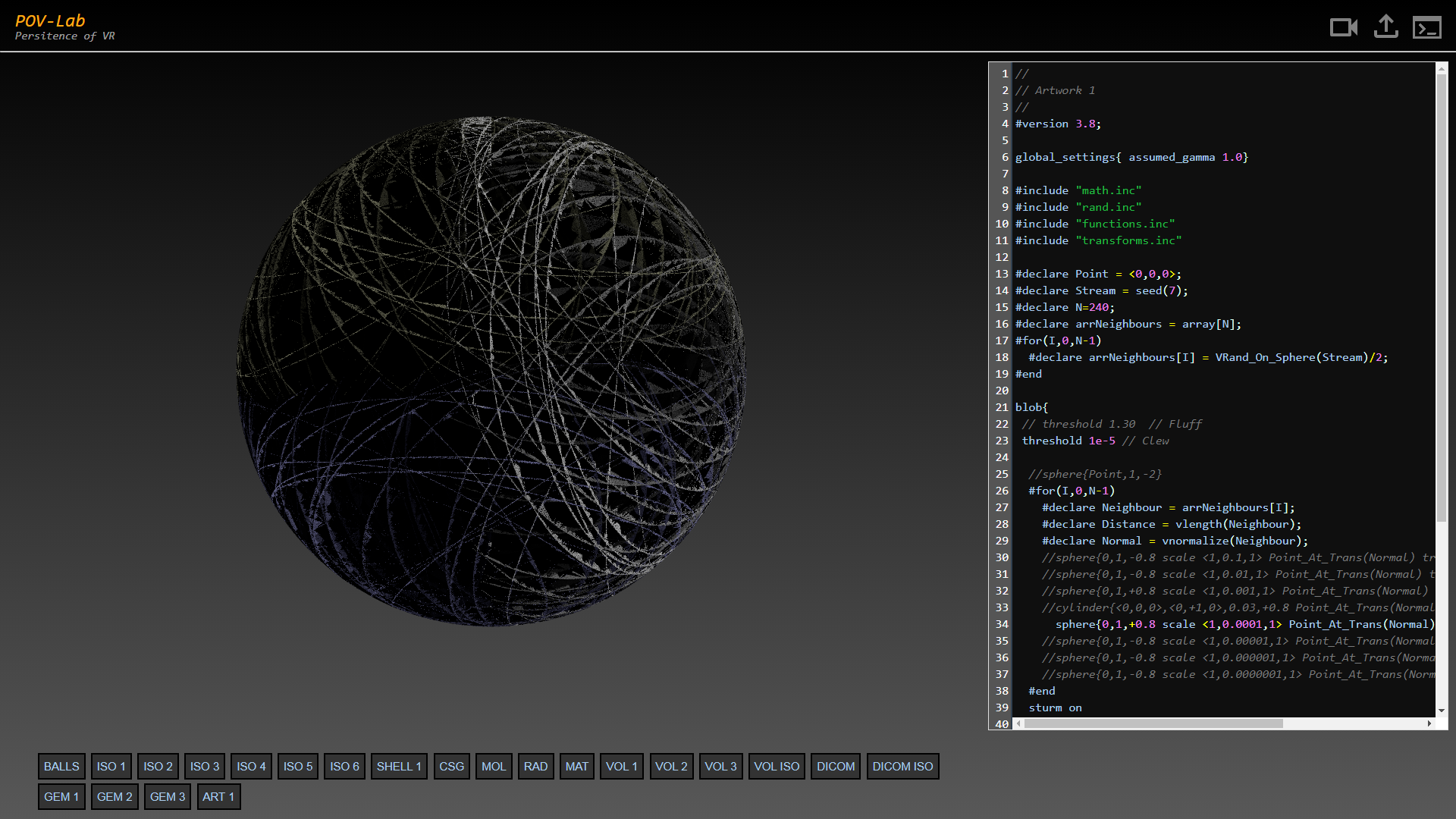
I've included your scene in Povlab (1280x720 takes 7.7 sec):
https://povlab.online/?scene=art_1.pov
and now playing with it.

Just for info:
Ctrl-S - Submit for rendering
Ctrl-R - Hide editor
Permanent saving not implemented.
--
YB
Post a reply to this message
|
|
| |
| |
|
|
|
|
| |
| |
|
|
"Kenneth" <kdw### [at] gmailcom> wrote:
> Wow. Your first grayscale image (AND the colorful version) are really nice; they
> remind me of hand-drawn charcoal sketches...

Sorry yesbird, I did not realize that the color version was your variation.
Nicely done! Both versions are really inspiring.

I need to get some time to play with the various versions of the code here, to
see what pops out.
Post a reply to this message
|
|
| |
| |
|
|
|
|
| |
| |
|
|
On 08/05/2024 21:22, Kenneth wrote:
> Sorry yesbird, I did not realize that the color version was your variation.
> Nicely done! Both versions are really inspiring.

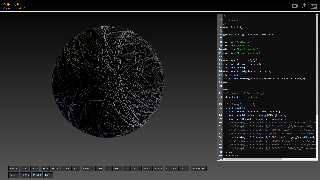
I am only following Ingo's genius and can't stop playing
with his toy :).

Try this service, it can save a lot of time:
https://povlab.online/?scene=art_1.pov
--
YB
Post a reply to this message
Attachments:
Download 'threads.png' (428 KB)
Preview of image 'threads.png'
|
|
| |
| |
|
|
|
|
| |
| |
|
|
yesbird <sya### [at] gmailcom> wrote:

> I've included your scene in Povlab . . .

Sergei, I've been meaning to ask you - do you have a method to upload image maps
for use in renders?   Maybe some sort of "email attachment" style mechanism,
perhaps to a directory that gets wiped with cron job every N hours?

Or maybe a FIFO replacement system?

- BW
Post a reply to this message
|
|
| |
| |
|
|
|
|
| |
| |
|
|
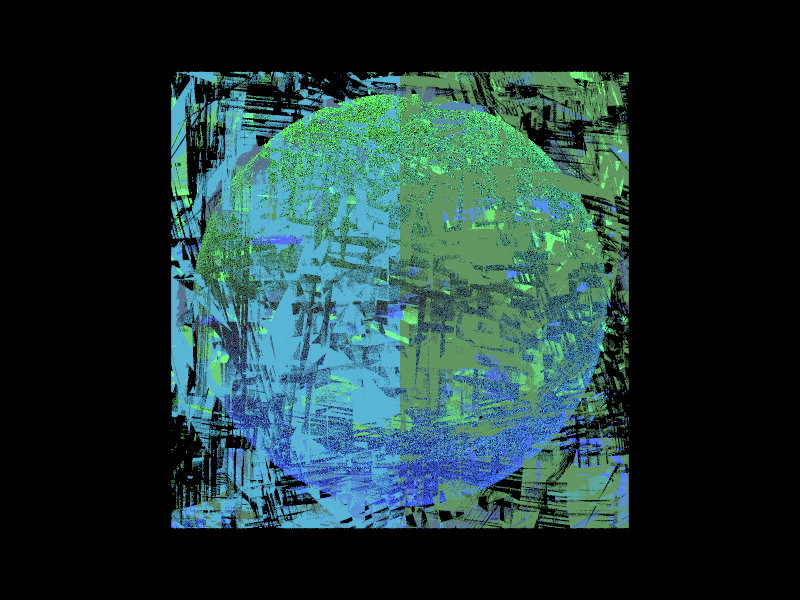
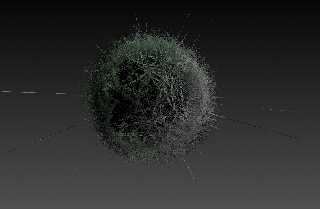
On 08/05/2024 15:22, Bald Eagle wrote:

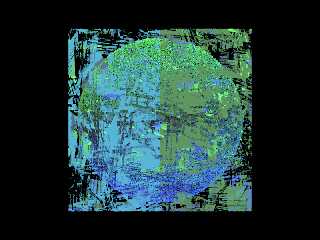
> I could also envision giving it a green hue to simulate some sort of microscopic
> plant cell, and maybe a (mostly) clear/ior internal region with some irregular
> "organelles" to make it look like one of those microscope slide images.

Something like this, maybe ?
--
YB
Post a reply to this message
Attachments:
Download 'art_4.png' (623 KB)
Preview of image 'art_4.png'
|
|
| |
| |
|
|
|
|
| |
| |
|
|
On 08/05/2024 23:10, Bald Eagle wrote:
> Sergei, I've been meaning to ask you - do you have a method to upload image maps
> for use in renders?

Hi, Bill.

Unfortunately, at present time no, I thought about it and can
implement one as simple html upload form if such function will be
demanded.

Right now, if you want, I can upload few image maps special for you
in personal directory and create separate scene with button 'BL' :).
Just send me them as attachments.
--
YB
Post a reply to this message
|
|
| |
| |
|
|
|
|
| |
| |
|
|
On 08/05/2024 23:10, Bald Eagle wrote:
> Sergei, I've been meaning to ask you - do you have a method to upload image maps
> for use in renders?
Hi, Bill.

Unfortunately, at present time no, I thought about it and can
implement one as simple html upload form if such function will be
demanded.

Right now, if you want, I can upload few image maps special for you
in personal directory and create separate scene with button 'BILL' 🙂.
Just send me them as attachments.
--
YB
Post a reply to this message
|
|
| |
| |
|
|
|
|
| |
|
|