|
|
|
|
|
|
| |
| |
|
|
From: Jörg "Yadgar" Bleimann
Subject: mesh2 generator: strange error!
Date: 8 Jul 2020 08:45:59
Message: <5f05c007@news.povray.org>
|
|
|
| |
| |
|
|
Hi(gh)!

Obviously, I once more have messed up my POVEarth code - when I run my
mesh2 generator (attached here), a strange error shows up:

"File 'mesh2writer.pov' line 287: Parse Error: Expected 'string', End of
File
  found instead
Fatal error in parser: Cannot parse input."

Though the generated mesh2 scripts look correct, whenever I render a
scene containing them, I see no terrain relief, but only ocean...

For better understanding, I also attached a (small) mesh2 script
generated with the mesh2 generator.

See you in Khyberspace!

Yadgar
Post a reply to this message
Attachments:
Download 'mesh2writer.pov.txt' (10 KB)
Download 'n41e044.inc.txt' (302 KB)
|
|
| |
| |
|
|
|
|
| |
| |
|
|
hi,
=?UTF-8?Q?J=c3=b6rg_=22Yadgar=22_Bleimann?= <yaz### [at] gmx de> wrote:
> ...
> Though the generated mesh2 scripts look correct, whenever I render a
> scene containing them, I see no terrain relief, but only ocean...
>
> For better understanding, I also attached a (small) mesh2 script
> generated with the mesh2 generator.
tried to have a look, the mesh data appears to parse ok, however, am struggling
with the dimensions and trying to get the camera set up. it would help if you
could post a small scene file that just includes that tile and displays it.
regards, jr. de> wrote:
> ...
> Though the generated mesh2 scripts look correct, whenever I render a
> scene containing them, I see no terrain relief, but only ocean...
>
> For better understanding, I also attached a (small) mesh2 script
> generated with the mesh2 generator.
tried to have a look, the mesh data appears to parse ok, however, am struggling
with the dimensions and trying to get the camera set up. it would help if you
could post a small scene file that just includes that tile and displays it.
regards, jr.
Post a reply to this message
|
|
| |
| |
|
|
|
|
| |
| |
|
|
On 09.07.20 15:52, jr wrote:

> tried to have a look, the mesh data appears to parse ok, however, am struggling
> with the dimensions and trying to get the camera set up.  it would help if you
> could post a small scene file that just includes that tile and displays it.

Okay, here it is!

See you in Khyberspace!

Yadgar

Now playing: Rock Me (Steppenwolf)
Post a reply to this message
Attachments:
Download 'utf-8' (8 KB)
|
|
| |
| |
|
|
|
|
| |
| |
|
|
Hi(gh)!

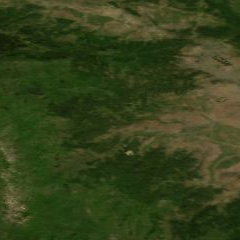
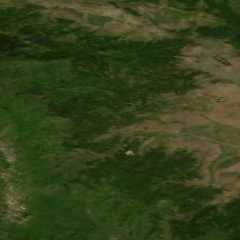
...and also the texture imagemap!

See you in Khyberspace!

Yadgar

Now playing: Rock Me (Steppenwolf)
Post a reply to this message
Attachments:
Download 'n41e044_2004-07.png' (74 KB)
Preview of image 'n41e044_2004-07.png'
|
|
| |
| |
|
|
|
|
| |
| |
|
|
hi,

=?UTF-8?Q?J=c3=b6rg_=22Yadgar=22_Bleimann?= <yaz### [at] gmxde> wrote:
> On 09.07.20 15:52, jr wrote:
>
> > tried to have a look, the mesh data appears to parse ok, however, am struggling
> > with the dimensions and trying to get the camera set up.  it would help if you
> > could post a small scene file that just includes that tile and displays it.
>
> Okay, here it is!

cheers.

> > ... I see no terrain relief, but only ocean...

same here.  I inserted, after line 211, a line which simply subtracts from the Y
axis of 'Cam_oceanfloorpos', going from -2.5 to -2.6 the view changes.

no real idea, to be honest.  (had thought about height_fields, their adjustable
water_level  :-))  and absolutely no idea why you see the EOF error message, the
code looks kosher.


regards, jr.
Post a reply to this message
|
|
| |
| |
|
|
|
|
| |
| |
|
|
I added line 253 as:
    translate Cam_Pos/2
then
I changed line 281 to
location Cam_Pos*2

Your tile is not positioned properly.
Post a reply to this message
|
|
| |
| |
|
|
From: Jörg "Yadgar" Bleimann
Subject: Re: mesh2 generator: strange error!
Date: 9 Jul 2020 17:05:10
Message: <5f078686@news.povray.org>
|
|
|
| |
| |
|
|
On 09.07.20 19:38, Bald Eagle wrote:
> I added line 253 as:
>      translate Cam_Pos/2
> then
> I changed line 281 to
> location Cam_Pos*2

I tried out your suggestions... and the result is quite weird, as you see:
Post a reply to this message
Attachments:
Download 'tbilisi.png' (112 KB)
Preview of image 'tbilisi.png'
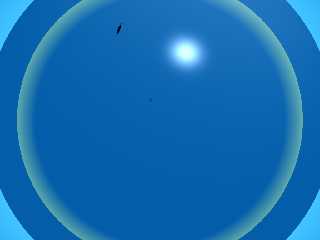
|
|
| |
| |
|
|
|
|
| |
| |
|
|
=?UTF-8?Q?J=c3=b6rg_=22Yadgar=22_Bleimann?= <yaz### [at] gmxde> wrote:

> I tried out your suggestions... and the result is quite weird, as you see:

Indeed.
I would suggest either getting rid of your planet entirely for test renders, or
at least give it a transmit value so you can see below the surface.

Create a macro that will give the min_extent and max_extent of your tile, and
calculate the approximate surface normal.   You could then "draw" a cylinder
from the planet center to the center of the tile, and a cone from a [large]
fraction of the camera location to the center of the tile, so you can always get
a bearing on it.

But at least you see the tile and know its approximate location.
Post a reply to this message
|
|
| |
| |
|
|
|
|
| |
| |
|
|
Hi(gh)!

On 09.07.20 23:52, Bald Eagle wrote:

> Create a macro that will give the min_extent and max_extent of your tile,

I really have no clue how to do this - and I can't look it up, as is
seems not to be included in the POV-Ray 3.7 doc!

See you in Khyberspace!

Yadgar
Post a reply to this message
|
|
| |
| |
|
|
|
|
| |
| |
|
|
=?UTF-8?Q?J=c3=b6rg_=22Yadgar=22_Bleimann?= <yaz### [at] gmxde> wrote:
> Hi(gh)!
>
> On 09.07.20 23:52, Bald Eagle wrote:
>
> > Create a macro that will give the min_extent and max_extent of your tile,
>
> I really have no clue how to do this - and I can't look it up, as is
> seems not to be included in the POV-Ray 3.7 doc!
>
> See you in Khyberspace!
>
> Yadgar


#declare Obj = union {
// Everything
}
 #local Min = min_extent (Obj);
 #local Max = max_extent (Obj);
 #local Center = (Min+Max)/2;
Post a reply to this message
|
|
| |
| |
|
|
|
|
| |
| |
|
|
On 15.07.20 01:36, Bald Eagle wrote:

> #declare Obj = union {
> // Everything
> }
>   #local Min = min_extent (Obj);
>   #local Max = max_extent (Obj);
>   #local Center = (Min+Max)/2;
>

Do these two functions return float or vector values?
Post a reply to this message
|
|
| |
| |
|
|
|
|
| |
| |
|
|
=?UTF-8?Q?J=c3=b6rg_=22Yadgar=22_Bleimann?= <yaz### [at] gmxde> wrote:
> On 15.07.20 01:36, Bald Eagle wrote:
>
> > #declare Obj = union {
> > // Everything
> > }
> >   #local Min = min_extent (Obj);
> >   #local Max = max_extent (Obj);
> >   #local Center = (Min+Max)/2;
> >
>
> Do these two functions return float or vector values?

They're <x, y, z> coordinates.

http://wiki.povray.org/content/Reference:Vector_Expressions#Functions
Post a reply to this message
|
|
| |
| |
|
|
From: Jörg "Yadgar" Bleimann
Subject: Re: mesh2 generator: strange error!
Date: 14 Jul 2020 22:11:46
Message: <5f0e65e2@news.povray.org>
|
|
|
| |
| |
|
|
Hi(gh)!

On 15.07.20 01:58, Bald Eagle wrote:
> =?UTF-8?Q?J=c3=b6rg_=22Yadgar=22_Bleimann?= <yaz### [at] gmxde> wrote:
>> On 15.07.20 01:36, Bald Eagle wrote:
>>
>>> #declare Obj = union {
>>> // Everything
>>> }
>>>    #local Min = min_extent (Obj);
>>>    #local Max = max_extent (Obj);
>>>    #local Center = (Min+Max)/2;
>>>
>>
>> Do these two functions return float or vector values?
>
> They're <x, y, z> coordinates.
>
> http://wiki.povray.org/content/Reference:Vector_Expressions#Functions
>

Meanwhile, I found out the reason for the weird position of the terrain
slice: when adding a flattening factor to the calculation of the
vertices, I accidentally deleted the cosine statement for the x
coordinate! I replaced it, and now the terrain is in the correct place -
but I wonder that the texture_list has no effect on its coloring, the
entire relief is black!

I still have a full-resolution (i.e. 3601 by 3601) mesh2 of the Kabul
area rendering correctly, but looking up 3.5 GB of text for the
implementation of the texture is next to impossible...

So here once more the "small" (still some 15,000 lines of code!) mesh2
script generated by my mesh2writer.pov...

See you in Khyberspace!

Yadgar
Post a reply to this message
Attachments:
Download 'utf-8' (295 KB)
|
|
| |
| |
|
|
|
|
| |
| |
|
|
Op 15/07/2020 om 00:35 schreef Jörg "Yadgar" Bleimann:
> I really have no clue how to do this - and I can't look it up, as is
> seems not to be included in the POV-Ray 3.7 doc!
>

As for the docs, the best you can do is use this:

http://wiki.povray.org/content/Reference:Keywords

the wiki docs are the most up to date. Looking up the Keywords is
fastest. I use this almost on a daily basis.

--
Thomas
Post a reply to this message
|
|
| |
| |
|
|
|
|
| |
| |
|
|
=?UTF-8?Q?J=c3=b6rg_=22Yadgar=22_Bleimann?= <yaz### [at] gmxde> wrote:

> I still have a full-resolution (i.e. 3601 by 3601) mesh2 of the Kabul
> area rendering correctly, but looking up 3.5 GB of text for the
> implementation of the texture is next to impossible...

A mesh of one or two triangles can be placed in exactly the same places as one
of 3601 x 3601 triangles.

Put very simple, fast objects in place when testing.
Get it work and work well (change up some of the numbers to verify your
hard-coded assumptions) and then save a copy of the working code somewhere.
If the texture definition is gigantic, trim it down to a simplistic
representation and see what the pattern modifiers are doing.

Do that, and I'll bet you'll find the problem in no time.
Post a reply to this message
|
|
| |
| |
|
|
|
|
| |
| |
|
|
#declare F_Earthslice = finish {ambient 0.05 diffuse 1 brilliance 0.25 }

ambient 0.05 seems incredibly low, but diffuse 1 ought to be fine.

This leads me to question: Where is your light source and at what angle does it
impinge upon the surface?

Render a shadowless cylinder from your light source location to the
ApproxLook = <-3347983.0848,4226003.8087,3406932.3387>;
vector to see for sure.

Right now you're flying blind and feeling around in the dark.
Post a reply to this message
|
|
| |
| |
|
|
|
|
| |