|
|
|
|
|
|
| |
| |
|
|
|
|
| |
| |
|
|
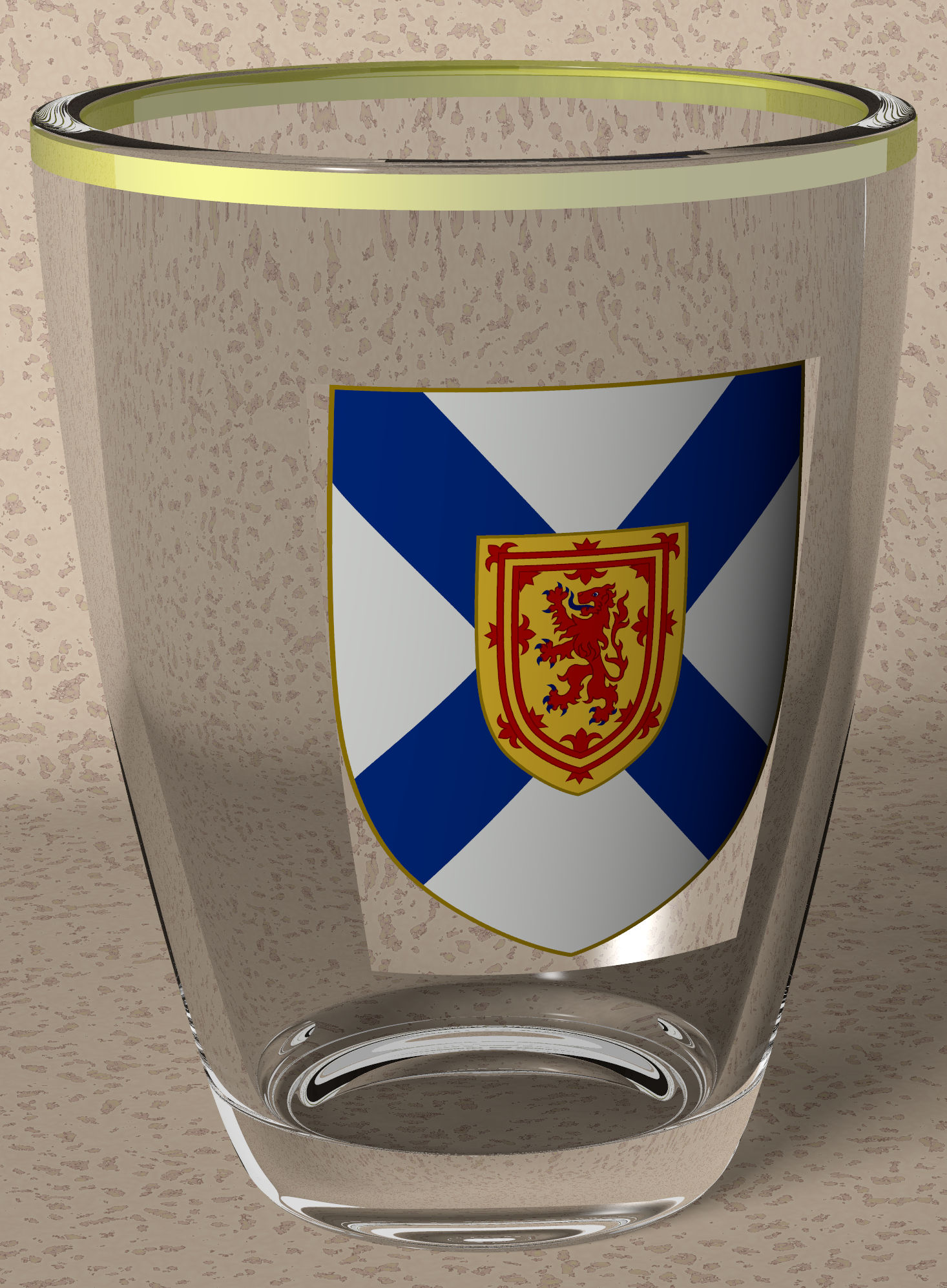
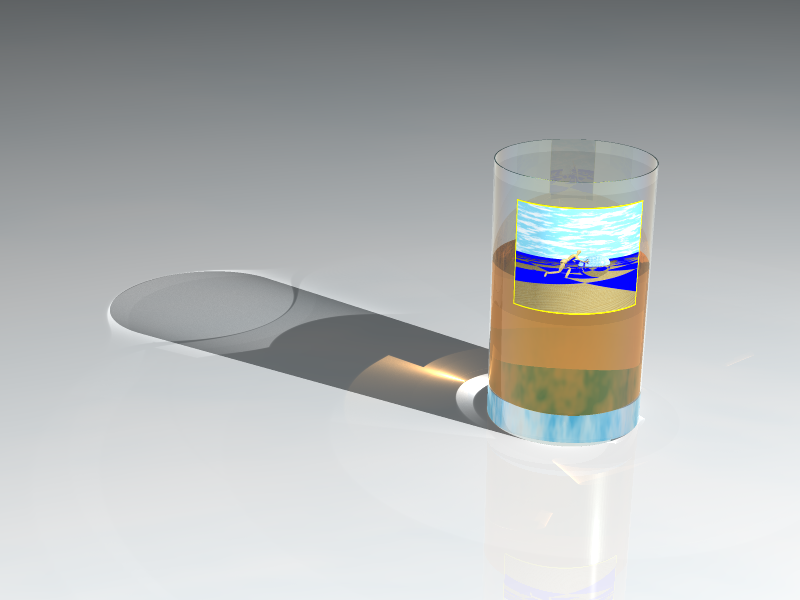
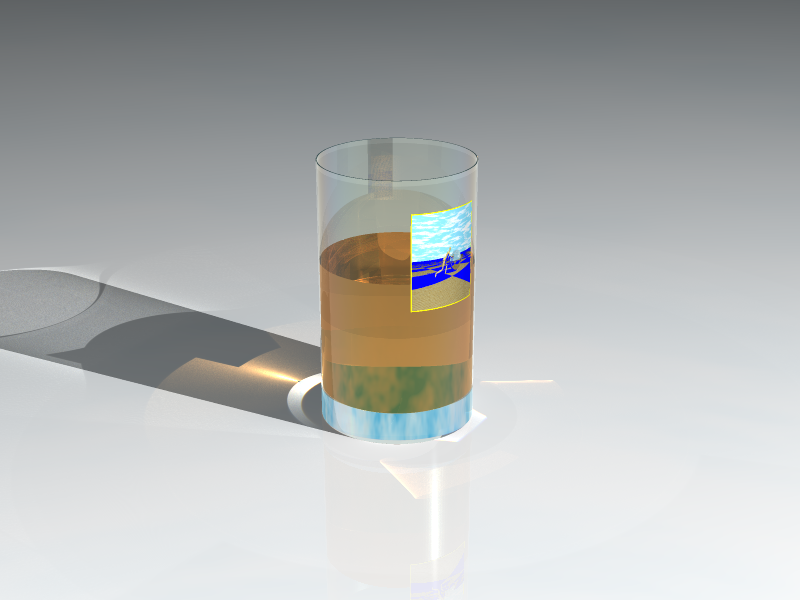
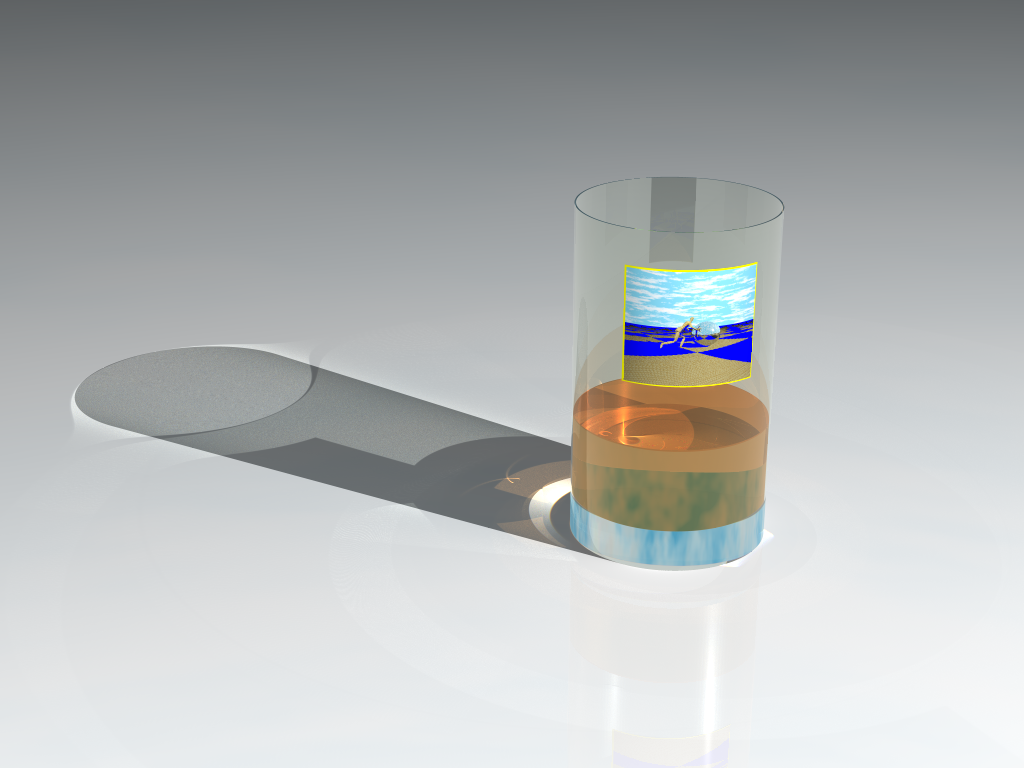
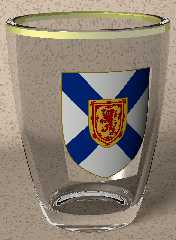
I am hoping this will become a fair representation of a glass I own.
The glass shape is close enough, and the image_map is a *.png.
Since I now own a 4k monitor most of my images will end up bigger ;-)

Comments welcome:

Stephen S
Post a reply to this message
|
|
| |
| |
|
|
|
|
| |
| |
|
|
On 2018-10-21 2:22 p.m., StephenS wrote:
> I am hoping this will become a fair representation of a glass I own.
> The glass shape is close enough, and the image_map is a *.png.
> Since I now own a 4k monitor most of my images will end up bigger ;-)
>
> Comments welcome:
>
> Stephen S
Post a reply to this message
Attachments:
Download 'shot_glass_test.png' (2847 KB)
Preview of image 'shot_glass_test.png'
|
|
| |
| |
|
|
|
|
| |
| |
|
|
On 10/21/18 2:24 PM, StephenS wrote:
> On 2018-10-21 2:22 p.m., StephenS wrote:
>> I am hoping this will become a fair representation of a glass I own.
>> The glass shape is close enough, and the image_map is a *.png.

May I now deduce which part of the UK you are from?
Post a reply to this message
|
|
| |
| |
|
|
|
|
| |
| |
|
|
On 21/10/2018 19:24, StephenS wrote:
> On 2018-10-21 2:22 p.m., StephenS wrote:
>> I am hoping this will become a fair representation of a glass I own.
>> The glass shape is close enough, and the image_map is a *.png.
>> Since I now own a 4k monitor most of my images will end up bigger ;-)
>>
>> Comments welcome:
>>

Nova Scotia, hmm.

I've seen a few of those, in my time. The gilt was generally weathered
with use. ;)

Nice modelling. Have you rendered it with photons for caustics?


--

Regards
     Stephen
Post a reply to this message
|
|
| |
| |
|
|
|
|
| |
| |
|
|
On 21/10/2018 20:17, Cousin Ricky wrote:
> On 10/21/18 2:24 PM, StephenS wrote:
>> On 2018-10-21 2:22 p.m., StephenS wrote:
>>> I am hoping this will become a fair representation of a glass I own.
>>> The glass shape is close enough, and the image_map is a *.png.
>
> May I now deduce which part of the UK you are from?

No. :P

--

Regards
     Stephen
Post a reply to this message
|
|
| |
| |
|
|
|
|
| |
| |
|
|
...
> I've seen a few of those, in my time. The gilt was generally weathered
> with use. ;)
>
> Nice modelling. Have you rendered it with photons for caustics?
>
>
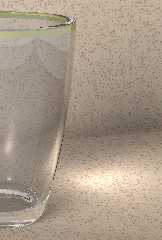
Some weathering, but most of it's life in a china cabinet.

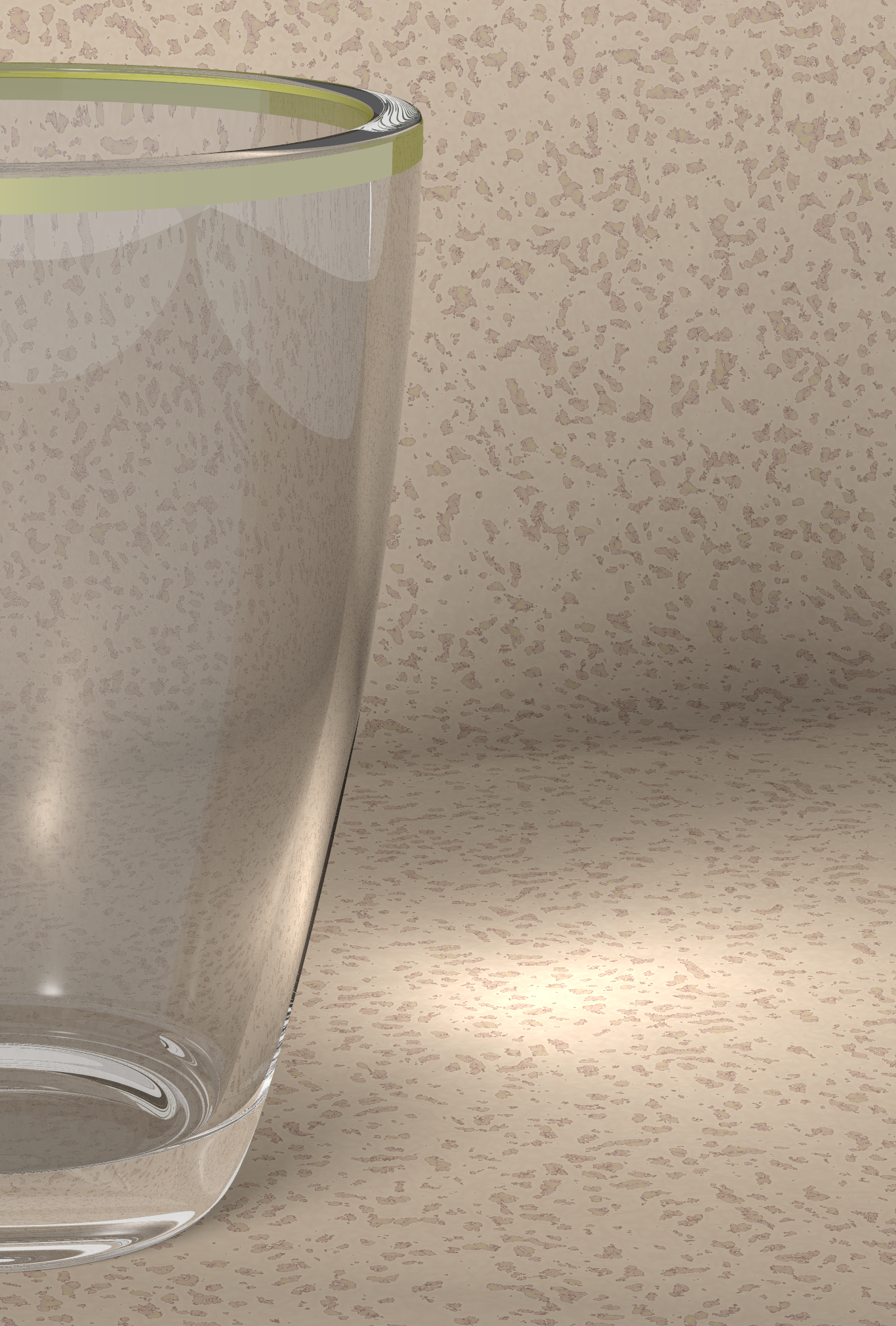
I have less photons in an earlier image, but can see more affect.

Stephen S
Post a reply to this message
Attachments:
Download 'shot_glass_test_a.png' (3097 KB)
Preview of image 'shot_glass_test_a.png'
|
|
| |
| |
|
|
|
|
| |
| |
|
|
On 2018-10-21 3:17 p.m., Cousin Ricky wrote:
> On 10/21/18 2:24 PM, StephenS wrote:
>> On 2018-10-21 2:22 p.m., StephenS wrote:
>>> I am hoping this will become a fair representation of a glass I own.
>>> The glass shape is close enough, and the image_map is a *.png.
>
> May I now deduce which part of the UK you are from?
There is a missing banner under the crest, with "Nova Scotia" in it.
I could not find a full picture of what I want. I may have to model some
of it.

Stephen S
Post a reply to this message
|
|
| |
| |
|
|
|
|
| |
| |
|
|
Beautiful work.

It *might* benefit from some focal blur, but it's quite nice as-is.

A 4K monitor? You lucky dog. Now you can fit an entire LONG scene file on the
screen! ;-)

I'm saving up for an 8K HDR monitor. (Yeah, right.)
Post a reply to this message
|
|
| |
| |
|
|
|
|
| |
| |
|
|
On 2018-10-21 7:13 p.m., Kenneth wrote:
> Beautiful work.
>
> It *might* benefit from some focal blur, but it's quite nice as-is.
>
Focal blur may show up near the end. I'm still working on geometry.

> A 4K monitor? You lucky dog. Now you can fit an entire LONG scene file on the
> screen! ;-)
>
> I'm saving up for an 8K HDR monitor. (Yeah, right.)
>

I've had the money set aside for nearly 2 years. Theirs always some
sale/new feature on somewhere.

Stephen S
Post a reply to this message
|
|
| |
| |
|
|
|
|
| |
| |
|
|
On 21/10/2018 19:24, StephenS wrote:
> On 2018-10-21 2:22 p.m., StephenS wrote:
>> I am hoping this will become a fair representation of a glass I own.
>> The glass shape is close enough, and the image_map is a *.png.
>> Since I now own a 4k monitor most of my images will end up bigger ;-)
>>
>> Comments welcome:
>>

How did you apply the png?
I think it is interfering with the glass. I have had that happen to me
in the distant past. The clear/lighter area below the shield is a clue,
I think.
I am not sure if I resolved it.

--

Regards
     Stephen
Post a reply to this message
|
|
| |
| |
|
|
|
|
| |
| |
|
|
On 2018-10-22 6:16 a.m., Stephen wrote:

> How did you apply the png?
> I think it is interfering with the glass. I have had that happen to me
> in the distant past. The clear/lighter area below the shield is a clue,
> I think.
> I am not sure if I resolved it.
>

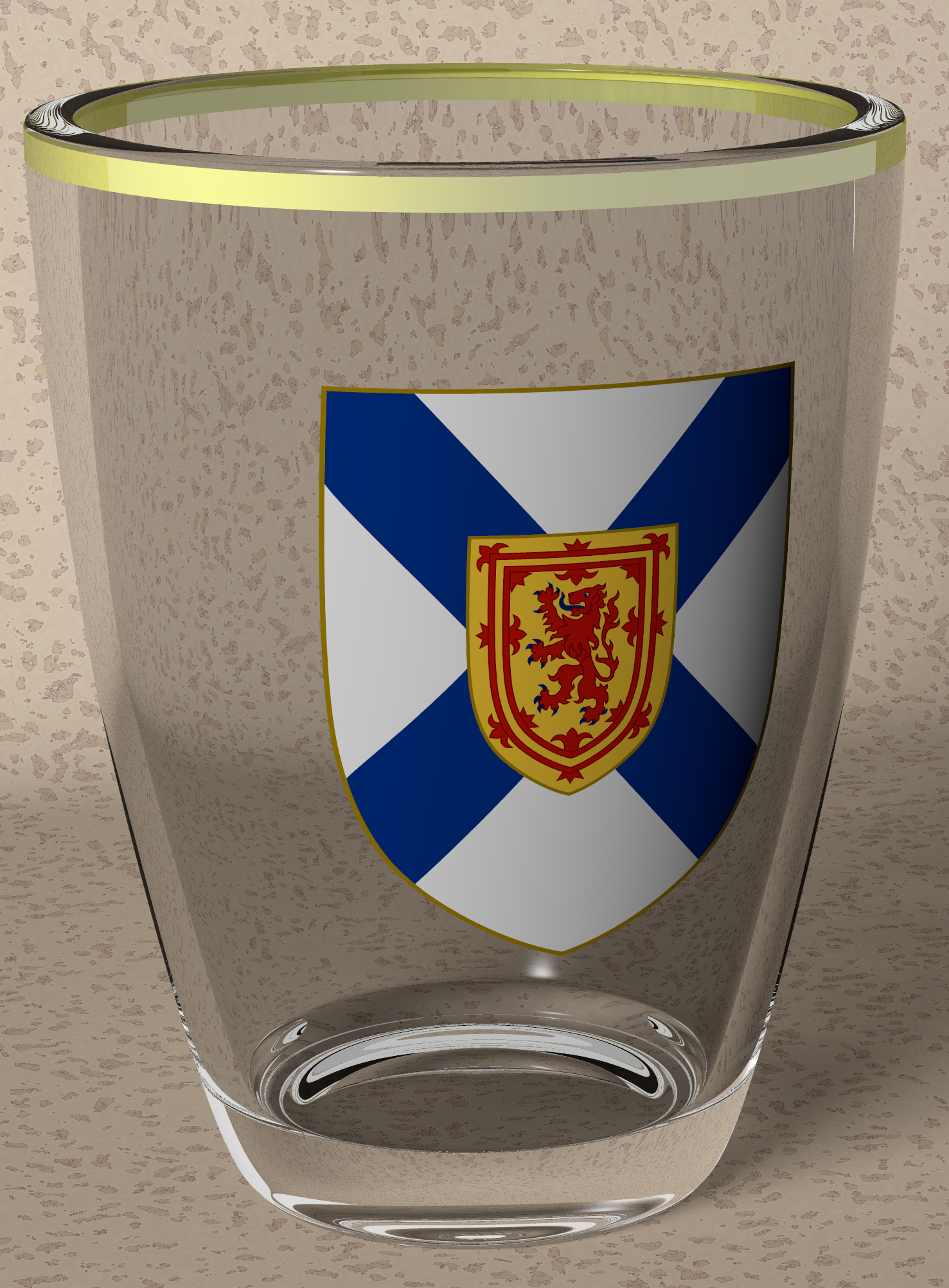
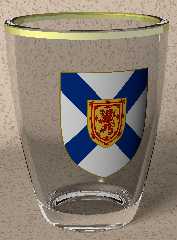
For me, *.png with alpha channel/planar mapping/once. The crest is a
separate object.

I fixed the white sides/bottom by moving the crest off of the surface.
difference{
  lathe x 1.002
  lathe x 1.001
}

Stephen S
Post a reply to this message
Attachments:
Download 'shot_glass_test_c.png' (2867 KB)
Preview of image 'shot_glass_test_c.png'
|
|
| |
| |
|
|
|
|
| |
| |
|
|
On 10/21/2018 2:24 PM, StephenS wrote:
> On 2018-10-21 2:22 p.m., StephenS wrote:
>> I am hoping this will become a fair representation of a glass I own.
>> The glass shape is close enough, and the image_map is a *.png.
>> Since I now own a 4k monitor most of my images will end up bigger ;-)
>>
>> Comments welcome:
>>
>> Stephen S
>


You should put the glass into Jim's RSOT scene!

Mike
Post a reply to this message
|
|
| |
| |
|
|
|
|
| |
| |
|
|
On 23/10/2018 00:01, StephenS wrote:
> On 2018-10-22 6:16 a.m., Stephen wrote:
>
>> How did you apply the png?
>> I think it is interfering with the glass. I have had that happen to me
>> in the distant past. The clear/lighter area below the shield is a
>> clue, I think.
>> I am not sure if I resolved it.
>>
>
> For me, *.png with alpha channel/planar mapping/once. The crest is a
> separate object.
>

I knew it was a clue of some sort.

> I fixed the white sides/bottom by moving the crest off of the surface.
> difference{
>   lathe x 1.002
>   lathe x 1.001
> }
>


If I remember, I tried to use a transparent top texture. The alpha
channel showed up as clear.

I might go back to it. Now you have woken my interest.


> Stephen S


--

Regards
     Stephen
Post a reply to this message
|
|
| |
| |
|
|
|
|
| |
| |
|
|
StephenS <nom### [at] nomail com> wrote:
> On 2018-10-22 6:16 a.m., Stephen wrote:
>
> > How did you apply the png?
> > I think it is interfering with the glass.
>
> For me, *.png with alpha channel/planar mapping/once. The crest is a
> separate object.
>
> I fixed the white sides/bottom by moving the crest off of the surface.
> difference{
> lathe x 1.002
> lathe x 1.001
> }
I have to admit that I didn't notice the odd crest area when first seeing your
image. I probably thought it was part of the design or something...
So the crest is now a very thin separate (complete) lathe object, that's
transparent/invisible, except where the crest image is? And kind of 'floating'
off the surface by a tiny amount? That's a clever solution. com> wrote:
> On 2018-10-22 6:16 a.m., Stephen wrote:
>
> > How did you apply the png?
> > I think it is interfering with the glass.
>
> For me, *.png with alpha channel/planar mapping/once. The crest is a
> separate object.
>
> I fixed the white sides/bottom by moving the crest off of the surface.
> difference{
> lathe x 1.002
> lathe x 1.001
> }
I have to admit that I didn't notice the odd crest area when first seeing your
image. I probably thought it was part of the design or something...
So the crest is now a very thin separate (complete) lathe object, that's
transparent/invisible, except where the crest image is? And kind of 'floating'
off the surface by a tiny amount? That's a clever solution.
Post a reply to this message
|
|
| |
| |
|
|
|
|
| |
| |
|
|
This is looking much better   :)

If you can adjust the background and give it a bit of an enhanced normal, I
think that would really give it a boost.

HDRI lighting with radiosity would probably give you something spectacular!

Great work - working with glass is always a challenge.
Post a reply to this message
|
|
| |
| |
|
|
|
|
| |
| |
|
|
On 2018-10-21 2:22 p.m., StephenS wrote:
> I am hoping this will become a fair representation of a glass I own.
...

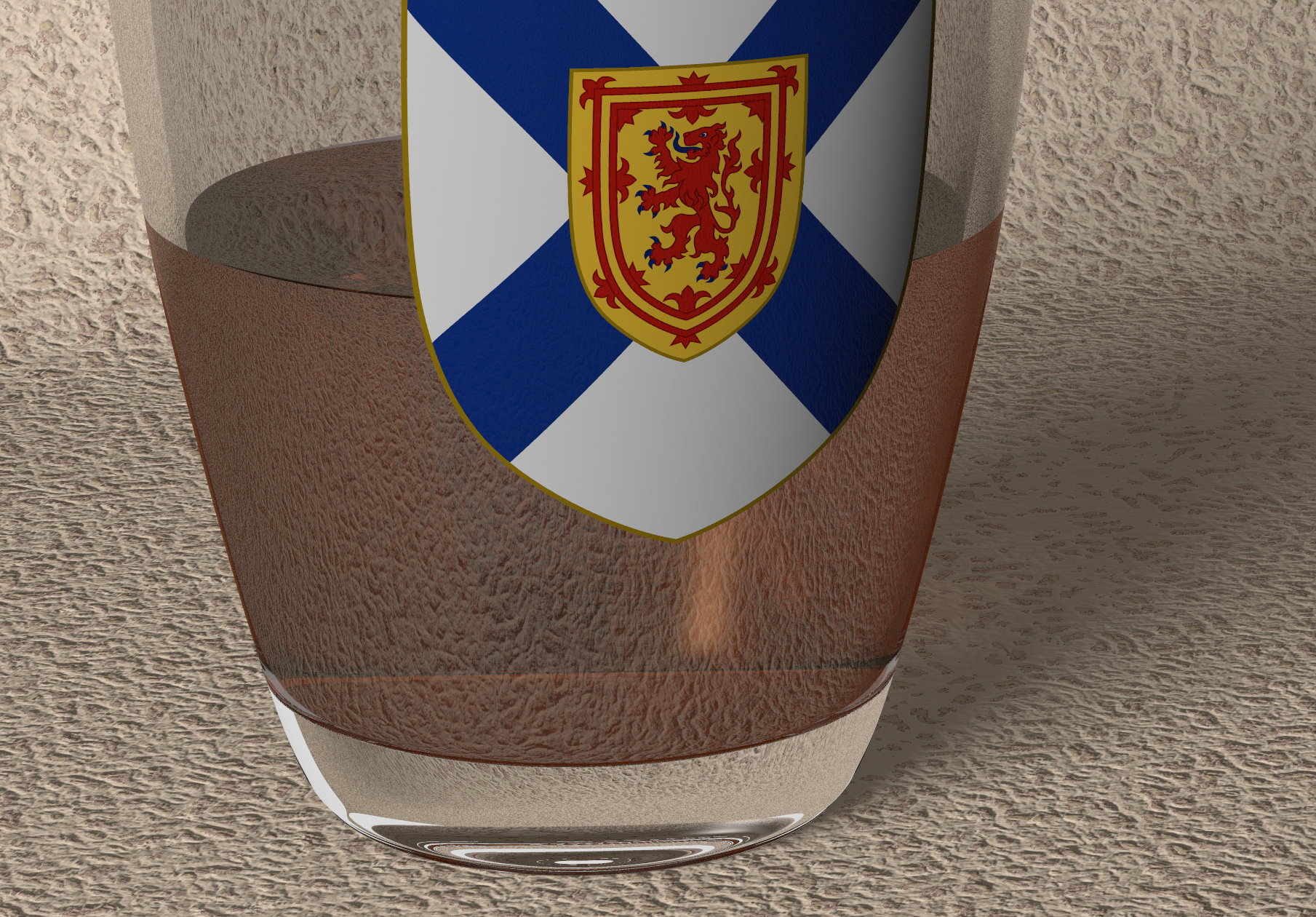
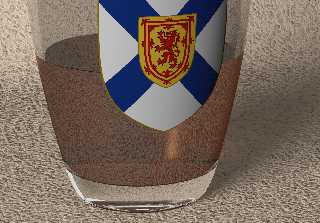
First test with liquid. I'm not happy with the background normal.

I may have to buy a suitable liquid for a shot glass, for research purposes.

Stephen S
Post a reply to this message
Attachments:
Download 'shot_glass_test_d.png' (3836 KB)
Preview of image 'shot_glass_test_d.png'
|
|
| |
| |
|
|
|
|
| |
| |
|
|
StephenS <nom### [at] nomailcom> wrote:


> First test with liquid. I'm not happy with the background normal.

Perhaps make it a bit less pronounced.

The background _geometry_, or perhaps the view angle is a bit disconcerting.
It looks like it might be under, and then curving up back behind the glass.

> I may have to buy a suitable liquid for a shot glass, for research purposes.

Anything worth doing is worth doing properly.
If you're dedicated to this scene, then it's probably advisable to procure test
materials in clear, amber, and rich brown colors, to ensure an accurate
representation of the pigment and ior.

It's hard to tell due to the potential optical effects of the refractive index
of the glass - but there doesn't seem to be any visible glass on the sides now.
What does a cross-section show about your glass and the liquid geometry/size?


Perhaps you can add a normal or a tiny geometric layer to the top of the liquid
to add a just-barely perceptible bit of "outside world" to it.

http://www.f-lohmueller.de/pov_tut/backgrnd/p_wat5.htm
http://www.f-lohmueller.de/pov_tut/all_shapes/shapes920e.htm
http://www.nolights.de/downloads.html#lssm
https://mscharrer.net/povray/fountain/
http://www.imagico.de/pov/water/water05.php


Very nice progress - and good luck with your research!   ;)
Post a reply to this message
|
|
| |
| |
|
|
|
|
| |
| |
|
|
On 24/10/2018 22:26, StephenS wrote:
> On 2018-10-21 2:22 p.m., StephenS wrote:
>> I am hoping this will become a fair representation of a glass I own.
> ....
>
> First test with liquid. I'm not happy with the background normal.
>
> I may have to buy a suitable liquid for a shot glass, for research
> purposes.
>

I went through a crate of Red Stripe to get the shape of the bottle
right. That and recording the "ching" of bottles hitting each other.
Suffer for your art. Is what I say. ;)

> Stephen S
>


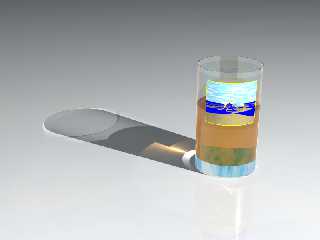
I thought that I would try this with a transparent texture.
Unfortunately this is the best I could get. Your method is better.
I used a png with a RGB=0 set to transparent. You can see the darkened
area of the transparent part of the image map. Also the copy of the
image at the back is a question mark. It is not a reflection.


--

Regards
     Stephen
Post a reply to this message
Attachments:
Download 'label_c_a2d_.png' (174 KB)
Preview of image 'label_c_a2d_.png'
|
|
| |
| |
|
|
|
|
| |
| |
|
|
On 2018-10-25 8:33 a.m., Bald Eagle wrote:
...
> The background _geometry_, or perhaps the view angle is a bit disconcerting.
> It looks like it might be under, and then curving up back behind the glass.
Yes, going for a drop cloth look.
...
> Anything worth doing is worth doing properly.
> If you're dedicated to this scene, then it's probably advisable to procure test
> materials in clear, amber, and rich brown colors, to ensure an accurate
> representation of the pigment and ior.
Amber or rich brown would be my preference. My budget is likely limited
to 8 years or less in aging.

> It's hard to tell due to the potential optical effects of the refractive index
> of the glass - but there doesn't seem to be any visible glass on the sides now.
> What does a cross-section show about your glass and the liquid geometry/size?
...
Preliminary research with red wine suggests this is correct.

Stephen S
Post a reply to this message
|
|
| |
| |
|
|
|
|
| |
| |
|
|
On 2018-10-25 1:58 p.m., Stephen wrote:
...
> I thought that I would try this with a transparent texture.
> Unfortunately this is the best I could get. Your method is better.
> I used a png with a RGB=0 set to transparent. You can see the darkened
> area of the transparent part of the image map. Also the copy of the
> image at the back is a question mark. It is not a reflection.
>
My texture is:

#declare Nova_Scotia_Crest_ =
texture {
   pigment {
     image_map{
       png
"E:/Documents/Bishop3d/Objects/Glass_containers/Nova_Scotia_image.png"
       map_type 0
       once
     }
     scale     <1.000,1.250,1.000>
     translate <-0.500,0.750,0.000>
   }

}

I think all of the magic is in the alpha channel, in a graphics program
(Gimp) it looks like a black/white mask.

Stephen S
Post a reply to this message
|
|
| |
| |
|
|
|
|
| |
| |
|
|
Stephen <mca### [at] aolcom> wrote:
>
> I thought that I would try this with a transparent texture.
> Unfortunately this is the best I could get. Your method is better.
> I used a png with a RGB=0 set to transparent. You can see the darkened
> area of the transparent part of the image map. Also the copy of the
> image at the back is a question mark. It is not a reflection.
>

Try two experiments, to see if there is any change:
1) Reduce ior to 1.0 (the default?) or remove it altogether-- to see if the
image 'copy' on the back of the glass changes size or whatever. It does look
like a reflection to me, but maybe 'bent'(??) due to the glass's ior or just its
curvature?

2) Try applying a JPEG image instead of a PNG (made in a graphics program with a
transparent mask in the outer area), to see if that changes or eliminates the
slightly darker 'transparent' area that's showing up from the PNG image. Maybe
it's strictly a PNG/gamma problem of some kind?
Post a reply to this message
|
|
| |
| |
|
|
|
|
| |
| |
|
|
"Kenneth" <kdw### [at] gmailcom> wrote:

> 2) Try applying a JPEG image instead of a PNG (made in a graphics program with a
> transparent mask in the outer area)...

Sorry, ignore that; I wasn't thinking. (A jpeg image can't have an alpha-channel
mask, AFAIK.) Duh.

INSTEAD...
Try applying a jpeg image to the glass with the 'once' keyword (instead of your
png image), to see if there is any visual change in the transparent areas. I'm
still thinking that the 'darkness' problem might be PNG/gamma related.
Post a reply to this message
|
|
| |
| |
|
|
|
|
| |
| |
|
|
> I thought that I would try this with a transparent texture.
> Unfortunately this is the best I could get. Your method is better.
> I used a png with a RGB=0 set to transparent. You can see the darkened
> area of the transparent part of the image map. Also the copy of the
> image at the back is a question mark. It is not a reflection.

Looks like a reflection to me.

As for the alpha thing, it might be worth trying `use_alpha on` in the
finish block. That'll turn off that texture layer's highlights and
specular reflections wherever the image is transparent.
Post a reply to this message
|
|
| |
| |
|
|
|
|
| |
| |
|
|
On 25/10/2018 23:23, Kenneth wrote:
> "Kenneth" <kdw### [at] gmailcom> wrote:
>
>> 2) Try applying a JPEG image instead of a PNG (made in a graphics program with a
>> transparent mask in the outer area)...
>
> Sorry, ignore that; I wasn't thinking. (A jpeg image can't have an alpha-channel
> mask, AFAIK.) Duh.
>
> INSTEAD...
> Try applying a jpeg image to the glass with the 'once' keyword (instead of your
> png image), to see if there is any visual change in the transparent areas. I'm
> still thinking that the 'darkness' problem might be PNG/gamma related.
>
>

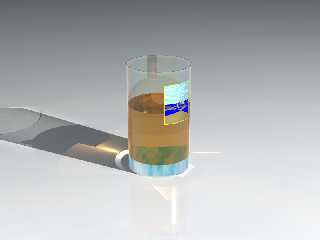
How right you were. I use Paint Shop Pro for image editing. Hidden away
in File Format Preferences, is the setting: Load and save transparency
to / from layer transparency OR Load and save transparency to / from
alpha channel. It was set to layer transparency. Changing it to alpha
solved the problem. I had to reinstall PSP a year or so ago and had
forgotten those settings. So does that mean there is a problem when
using the colour pallet for transparency?

Clipka was right about the reflection. My brain must have been addled
last night. I panicked when I couldn’t see the transparency. Another
forgotten setting.


--

Regards
     Stephen
Post a reply to this message
Attachments:
Download 'label_c_b3_c0000.png' (235 KB)
Preview of image 'label_c_b3_c0000.png'
|
|
| |
| |
|
|
|
|
| |
| |
|
|
On 25/10/2018 23:08, StephenS wrote:
> On 2018-10-25 1:58 p.m., Stephen wrote:
> ....
>> I thought that I would try this with a transparent texture.
>> Unfortunately this is the best I could get. Your method is better.
>> I used a png with a RGB=0 set to transparent. You can see the darkened
>> area of the transparent part of the image map. Also the copy of the
>> image at the back is a question mark. It is not a reflection.
>>
> My texture is:
>
> #declare Nova_Scotia_Crest_ =
> texture {
>    pigment {
>      image_map{
>        png
> "E:/Documents/Bishop3d/Objects/Glass_containers/Nova_Scotia_image.png"
>        map_type 0
>        once
>      }
>      scale     <1.000,1.250,1.000>
>      translate <-0.500,0.750,0.000>
>    }
>
> }
>

I'll show you mine.

#declare Glass_Image =
material{
   texture {
     #declare BISHOP3D_TEMPORARY_IDENTIFIER =
       texture {
         pigment {
           colour rgbft <0.259,0.384,0.200,0.000,0.950>
         }

         finish {
           ambient     rgb <0.000,0.000,0.000>
           brilliance  1.000
           crand       0.000
           diffuse     0.190
           metallic    0.000
           phong       0.000
           phong_size  40.000
           specular    1.000
           roughness   0.001
           conserve_energy
           reflection {
             rgb <0.040,0.040,0.040>, rgb <0.500,0.500,0.500>
             fresnel   0
             falloff   1.500
             exponent  2.000
             metallic  0.000
           }
           irid {
             0.275
             thickness 0.100
             turbulence 0.000
           }
         }

       }
       texture {
         pigment {
           image_map{
             png "F:\Graphics\B3D Data\Maps\Odds\Mask_1a.png"
             map_type 2
             once
           }
           scale     <2.000,2.000,2.000>
           translate <-0.500,-0.500,-0.500>
         }

         finish {
           ambient     rgb <0.000,0.000,0.000>
           brilliance  1.000
           crand       0.000
           diffuse     0.850
           metallic    0.000
           phong       0.000
           phong_size  40.000
           specular    1.000
           roughness   0.001
           conserve_energy
           reflection {
             rgb <0.040,0.040,0.040>, rgb <0.040,0.040,0.040>
             fresnel   0
             falloff   1.500
             exponent  2.000
             metallic  0.000
           }
         }

       }
     ;/* the semicolon is necessary or POV-Ray will not figure out that
the declarations has ended /*
     BISHOP3D_TEMPORARY_IDENTIFIER
   }

   interior{
     ior                 2.010
     caustics            0.000
     dispersion          1.030
     dispersion_samples  7.000
     fade_power          0.000
     fade_distance       0.000
     fade_color          rgb <0.000,0.000,0.000>
   }

}


> I think all of the magic is in the alpha channel, in a graphics program
> (Gimp) it looks like a black/white mask.
>

I need to do some reading on the png file format, transparency and alpha.

--

Regards
     Stephen
Post a reply to this message
|
|
| |
| |
|
|
|
|
| |
| |
|
|
On 26/10/2018 10:06, Stephen wrote:
>
> How right you were. I use Paint Shop Pro for image editing. Hidden away
> in File Format Preferences, is the setting: Load and save transparency
> to / from layer transparency OR Load and save transparency to / from
> alpha channel. It was set to layer transparency. Changing it to alpha
> solved the problem.

Wrong. :(

I'll start a new thread if I find a solution or need help.


--

Regards
     Stephen
Post a reply to this message
|
|
| |
| |
|
|
|
|
| |
| |
|
|
clipka <ano### [at] anonymousorg> wrote:

>
> As for the alpha thing, it might be worth trying `use_alpha on` in the
> finish block. That'll turn off that texture layer's highlights and
> specular reflections wherever the image is transparent.

Is that an undocumented feature of use_alpha? (Or perhaps I'm not reading the
docs correctly?) In '3.6.2.6.4 Using the Alpha Channel', the only thing I see
there that might give a clue is this:

"Note: The following mechanism has some limitations with colored highlights:

When generating non-premultiplied alpha output to a classic low-dynamic-range
file format (e.g. PNG), transparency of particularly bright areas will now be
reduced, in order to better preserve highlights on transparent objects."

But that description seems to imply the opposite of 'turning off' the
highlights.

Mea culpa: I've never used the 'use_alpha' keyword, so I don't really know what
visual effect it produces.
Post a reply to this message
|
|
| |
| |
|
|
|
|
| |
| |
|
|
"Kenneth" <kdw### [at] gmailcom> wrote:
> clipka <ano### [at] anonymousorg> wrote:
>
> >
> > As for the alpha thing, it might be worth trying `use_alpha on` in the
> > finish block. That'll turn off that texture layer's highlights and
> > specular reflections wherever the image is transparent.
>
> Is that an undocumented feature of use_alpha?

No...


Imagine use_alpha as being sort of a texture map.
In the areas of the image map that have an alpha-channel "flag" for those
pixels, POV-Ray turns it on, which negates the texture - including the
highlights and specular reflections of the finish so that it's truly invisible -
NOT just clear yet still reflective like glass.

http://wiki.povray.org/content/Reference:Finish

New in version 3.8 you can now specify use_alpha in the finish block. If set to
off, the default and also the old behavior, then pigment filter and transmit
only hide the surface's diffuse, ambient and emission components. If set to on
then pigment filter and transmit also hide the surface's highlights and specular
reflection.
Post a reply to this message
|
|
| |
| |
|
|
|
|
| |
| |
|
|
Am 26.10.2018 um 19:28 schrieb Kenneth:

>> As for the alpha thing, it might be worth trying `use_alpha on` in the
>> finish block. That'll turn off that texture layer's highlights and
>> specular reflections wherever the image is transparent.
>
> Is that an undocumented feature of use_alpha? (Or perhaps I'm not reading the
> docs correctly?) In '3.6.2.6.4 Using the Alpha Channel', the only thing I see
> there that might give a clue is this:
>
> "Note: The following mechanism has some limitations with colored highlights:

That's the documentation on alpha channel /output/. What we're looking
at here is alpha channel /input/, which for the most part is documented
in the section on image_map, including the old `use_alpha` mechanism.

But the additional new use of `use_alpha` keyword in the finish block is
documented in the section on finish (pretty much as a side note). As a
matter of fact it not only applies to image_map, but any pigment that
features transparency.
Post a reply to this message
|
|
| |
| |
|
|
|
|
| |
| |
|
|
[Bald Eagle wrote:]
> > http://wiki.povray.org/content/Reference:Finish

[Clipka wrote:]
>
> That's the documentation on alpha channel /output/. What we're looking
> at here is alpha channel /input/, which for the most part is documented
> in the section on image_map, including the old `use_alpha` mechanism.
>
> But the additional new use of `use_alpha` keyword in the finish block is
> documented in the section on finish (pretty much as a side note)...

Thanks. All clear now.

I see now that my confusion is just documentation-related. The keyword index for
'use_alpha' (in the 'newer' documentation that can be downloaded for v3.7.1 etc)
takes the user to only one docs section,  3.6.2.4.2 Image Pattern  --with only a
single link there to "Using the Alpha Channel". Seems that the keyword should
instead have two (or three?) entries in the index, additionally for 'Finish' and
'image_map'.
Post a reply to this message
|
|
| |
| |
|
|
|
|
| |
| |
|
|
On 25/10/2018 23:08, StephenS wrote:
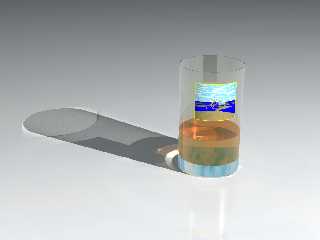
> I think all of the magic is in the alpha channel,


Yes, the alpha channel of the image map is the key. I think that I have
worked out how to make one in the right proportions.

I prefer my medicine in a taller glass.


--

Regards
     Stephen
Post a reply to this message
Attachments:
Download 'test_k4b_0000.png' (405 KB)
Preview of image 'test_k4b_0000.png'
|
|
| |
| |
|
|
|
|
| |