|
|
|
|
|
|
| |
| |
|
|
|
|
| |
| |
|
|
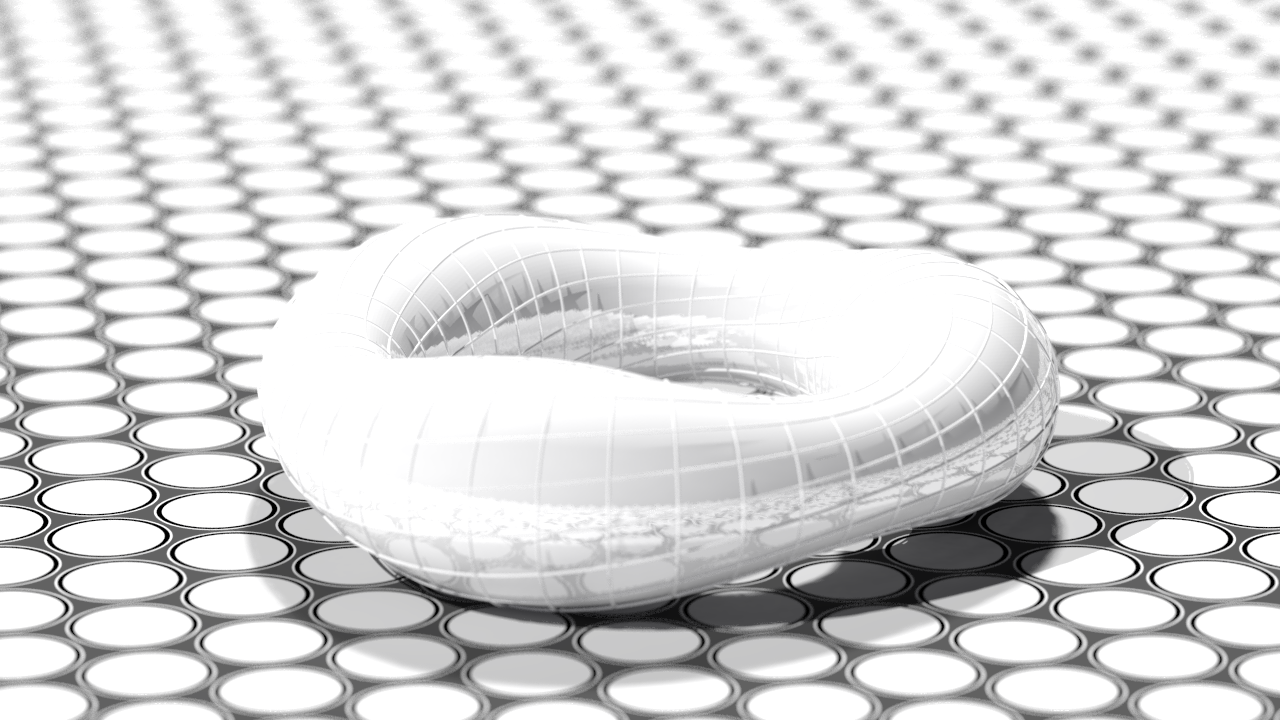
I followed the advice of subdividing the mesh in small triangles and
launched this test in high quality to show how it is. Hope you like. I
will show images at the rate of one every 7-10 days in this same thread
as I update the code.

Yes, I will share the documented source with examples as soon as it is
legible.
Greetings.
BGimeno
Post a reply to this message
Attachments:
Download 'tbtsfh2.png' (726 KB)
Preview of image 'tbtsfh2.png'

|
|
| |
| |
|
|
|
|
| |
| |
|
|
BGimeno <bru### [at] gmail com> wrote:
> I followed the advice of subdividing the mesh in small triangles and
> launched this test in high quality to show how it is. Hope you like.
Yes, this is excellent :)
I like the way the plane turned out, and the focal blur is a good choice.
TBTFH is nicely sculpted - though perhaps the white on white with a white "sky"
and whitish plane with white reflections is a bit washed out.
Sprinkle some Irish freckles in there. :D
> I
> will show images at the rate of one every 7-10 days in this same thread
> as I update the code.
Thanks! It's always nice to have a few new things to look forward to.
> Yes, I will share the documented source with examples as soon as it is
> legible.
I wholly understand. I have large swaths of code that are Jackson Pollack in
nature, and others where I look open the file, look at the code, wonder what it
all is, and what it's for, ... and then realize that I'm the one who wrote it.
:D com> wrote:
> I followed the advice of subdividing the mesh in small triangles and
> launched this test in high quality to show how it is. Hope you like.
Yes, this is excellent :)
I like the way the plane turned out, and the focal blur is a good choice.
TBTFH is nicely sculpted - though perhaps the white on white with a white "sky"
and whitish plane with white reflections is a bit washed out.
Sprinkle some Irish freckles in there. :D
> I
> will show images at the rate of one every 7-10 days in this same thread
> as I update the code.
Thanks! It's always nice to have a few new things to look forward to.
> Yes, I will share the documented source with examples as soon as it is
> legible.
I wholly understand. I have large swaths of code that are Jackson Pollack in
nature, and others where I look open the file, look at the code, wonder what it
all is, and what it's for, ... and then realize that I'm the one who wrote it.
:D
Post a reply to this message
|
|
| |
| |
|
|
|
|
| |
| |
|
|
On 22/08/2018 23:20, Bald Eagle wrote:
>> Yes, I will share the documented source with examples as soon as it is
>> legible.
 >
> I wholly understand.   I have large swaths of code that are Jackson Pollack in
> nature,

:D
Love the thought. :)

> and others where I look open the file, look at the code, wonder what it
> all is, and what it's for, ... and then realize that I'm the one who wrote it.

I am looking at an animation I made 10 years ago, wondering what I was
thinking of with the mechanics.


--

Regards
     Stephen
Post a reply to this message
|
|
| |
| |
|
|
|
|
| |
| |
|
|
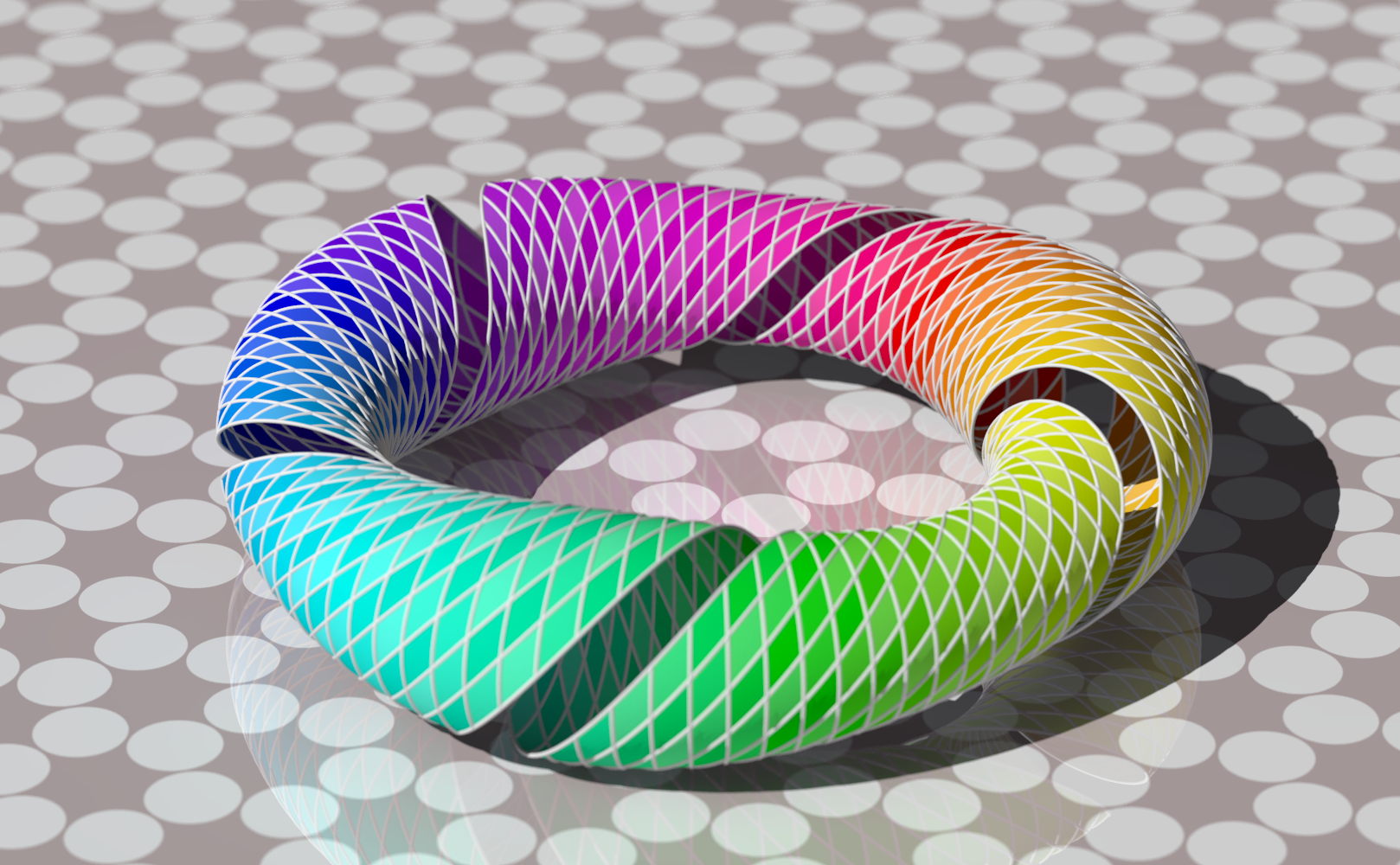
The code is in povray.text.scene-files. Take this as a work in progress.
I think some parameters need readjustments.

Intel® Core™ i7-3770 CPU @ 3.40GHz × 8
RAM 7,7 GiB
OS Ubuntu 18.04.1 LTS

Render Time:
   Photon Time:      No photons
   Radiosity Time:   0 hours 24 minutes  1 seconds (1441.334 seconds)
               using 8 thread(s) with 11340.966 CPU-seconds total
   Trace Time:       6 hours  1 minutes 38 seconds (21698.912 seconds)
               using 8 thread(s) with 172774.191 CPU-seconds total

Regards
BGimeno
Post a reply to this message
Attachments:
Download 'test6.png' (1426 KB)
Preview of image 'test6.png'
|
|
| |
| |
|
|
|
|
| |
| |
|
|
BGimeno <bru### [at] gmailcom> wrote:
> The code is in povray.text.scene-files. Take this as a work in progress.
> I think some parameters need readjustments.
>
> Intel® Core™ i7-3770 CPU @ 3.40GHz × 8
> RAM 7,7 GiB
> OS Ubuntu 18.04.1 LTS
>
> Render Time:
>    Photon Time:      No photons
>    Radiosity Time:   0 hours 24 minutes  1 seconds (1441.334 seconds)
>                using 8 thread(s) with 11340.966 CPU-seconds total
>    Trace Time:       6 hours  1 minutes 38 seconds (21698.912 seconds)
>                using 8 thread(s) with 172774.191 CPU-seconds total
>
> Regards
> BGimeno

This looks good - but I'm confused.
I haven't had a chance to look through your code and see what you're doing.

Is that "stripe" supposed to be missing?
(I like the effect anyway  :) )
This took about 13 min to parse on my tower at work, and not very long to render
for me - what are those huge times you're posting?

The torus that I'm working on doesn't take nearly that much time to parse on my
laptop.

I'll send you an email and maybe we can compare notes.
Post a reply to this message
|
|
| |
| |
|
|
|
|
| |
| |
|
|
hi,

"Bald Eagle" <cre### [at] netscapenet> wrote:
> BGimeno <bru### [at] gmailcom> wrote:
> > The code is in povray.text.scene-files. Take this as a work in progress.

it is a beautiful object.

> > I think some parameters need readjustments.
> >
> > Intel® Core™ i7-3770 CPU @ 3.40GHz × 8
> > RAM 7,7 GiB
> > OS Ubuntu 18.04.1 LTS
> >
> > Render Time:
> >    Photon Time:      No photons
> >    Radiosity Time:   0 hours 24 minutes  1 seconds (1441.334 seconds)
> >                using 8 thread(s) with 11340.966 CPU-seconds total
> >    Trace Time:       6 hours  1 minutes 38 seconds (21698.912 seconds)
> >                using 8 thread(s) with 172774.191 CPU-seconds total
> >
> > Regards
> > BGimeno
>
> This looks good - but I'm confused.
> ...
> This took about 13 min to parse on my tower at work, and not very long to render
> for me - what are those huge times you're posting?

your reply to BGimeno encouraged me to try on my machine (lowly I3), and now I'm
confused.  run with:

  $ povray +w1024 +h768 +a0.05 +am2 +ag1 -j +q11 +itorus-test6.pov

parsing is well under a minute, and (4 threads) radiosity + trace total up to
under 20 minutes.

BGimeno: looks like your system would benefit from some tlc + admin.  ;-)


regards, jr.
Post a reply to this message
|
|
| |
| |
|
|
|
|
| |
| |
|
|
"jr" <cre### [at] gmailcom> wrote:
> parsing is well under a minute, and (4 threads) radiosity + trace total up to
> under 20 minutes.

just over 20 mins.  </sighs>

parse: 52.5 s.
bounding: .05 s.
radiosity: 130.6 s.
trace: 1157.2 s.


regards, jr.
Post a reply to this message
|
|
| |
| |
|
|
|
|
| |
| |
|
|
"jr" <cre### [at] gmailcom> wrote:

> > parsing is well under a minute, and (4 threads) radiosity ....

So, I'm triply confused.
a)  There's a quality 11?    (Throws horns, bangs head)

b) I don't see a radiosity block in this scene...

c) I copied your settings and pasted it into QTPOV-Ray like so:

+w1024 +h768 +a0.05 +am2 +ag1 -j +q11 +ITBTFH_2018-09-07.pov

Parser Time
  Parse Time:       0 hours  0 minutes 49 seconds (49.470 seconds)
              using 1 thread(s) with 0.-01 CPU-seconds total
  Bounding Time:    0 hours  0 minutes  0 seconds (0.063 seconds)
              using 1 thread(s) with 0.-01 CPU-seconds total
Render Time:
  Photon Time:      No photons
  Radiosity Time:   No radiosity
  Trace Time:       0 hours  0 minutes 33 seconds (33.499 seconds)
              using 4 thread(s) with 0.-04 CPU-seconds total

 It took 1:24.

so, actually, quadruply confused - since it took over 13 min to do at work on
what I believe is an i5.

and this is my laptop at home:

System:    Host: oem-Inspiron-N5110 Kernel: 4.10.0-38-generic x86_64 (64 bit
gcc: 5.4.0)
           Desktop: Xfce 4.12.3 (Gtk 2.24.28) Distro: Linux Mint 18.3 Sylvia
Machine:   System: Dell (portable) product: Inspiron N5110
           Mobo: Dell model: 034W60 v: A07 Bios: Dell v: A07 date: 07/18/2011
CPU:       Dual core Intel Core i5-2410M (-HT-MCP-) cache: 3072 KB
           flags: (lm nx sse sse2 sse3 sse4_1 sse4_2 ssse3 vmx) bmips: 9179
           clock speeds: max: 2900 MHz 1: 983 MHz 2: 818 MHz 3: 827 MHz
           4: 833 MHz
Post a reply to this message
|
|
| |
| |
|
|
|
|
| |
| |
|
|
hi,

"Bald Eagle" <cre### [at] netscapenet> wrote:
> "jr" <cre### [at] gmailcom> wrote:
>
> > > parsing is well under a minute, and (4 threads) radiosity ....
>
> So, I'm triply confused.
> a)  There's a quality 11?    (Throws horns, bangs head)

:-)  section (docs v3.8, section 3.2.8.3)


> b) I don't see a radiosity block in this scene...

immediately below the '#include' lines, the (second) global_settings block.

> c) I copied your settings and pasted it into QTPOV-Ray like so:
>
> +w1024 +h768 +a0.05 +am2 +ag1 -j +q11 +ITBTFH_2018-09-07.pov
>
> Parser Time
>   Parse Time:       0 hours  0 minutes 49 seconds (49.470 seconds)
>               using 1 thread(s) with 0.-01 CPU-seconds total
>   Bounding Time:    0 hours  0 minutes  0 seconds (0.063 seconds)
>               using 1 thread(s) with 0.-01 CPU-seconds total

that's roughly en par.


> Render Time:
>   Photon Time:      No photons
>   Radiosity Time:   No radiosity
>   Trace Time:       0 hours  0 minutes 33 seconds (33.499 seconds)
>               using 4 thread(s) with 0.-04 CPU-seconds total

and that is *fast*.


>  It took 1:24.
>
> so, actually, quadruply confused - since it took over 13 min to do at work on
> what I believe is an i5.

the work machine a Linux box too?


> and this is my laptop at home:
>
> System:    Host: oem-Inspiron-N5110 Kernel: 4.10.0-38-generic x86_64 (64 bit
> gcc: 5.4.0)
>            Desktop: Xfce 4.12.3 (Gtk 2.24.28) Distro: Linux Mint 18.3 Sylvia
> Machine:   System: Dell (portable) product: Inspiron N5110
>            Mobo: Dell model: 034W60 v: A07 Bios: Dell v: A07 date: 07/18/2011
> CPU:       Dual core Intel Core i5-2410M (-HT-MCP-) cache: 3072 KB
>            flags: (lm nx sse sse2 sse3 sse4_1 sse4_2 ssse3 vmx) bmips: 9179
>            clock speeds: max: 2900 MHz 1: 983 MHz 2: 818 MHz 3: 827 MHz
>            4: 833 MHz

mine says 'Intel(R) Core(TM) i3-2100 CPU @ 3.10GHz.  os is Slackware 14.1.

did you compile POV-Ray or installed a pre-built binary?  fwiw, I compile + add
"-march=native -mtune=native" to the compiler flags.


regards, jr.
Post a reply to this message
|
|
| |
| |
|
|
|
|
| |
| |
|
|
"jr" <cre### [at] gmailcom> wrote:

> > a)  There's a quality 11?    (Throws horns, bangs head)
>
> :-)  section (docs v3.8, section 3.2.8.3)

I see.
For some reason the page I went to specified that section as I/O no
restrictions, but I found quality 9, 10, 11.
My message pane window displays the lower redundant value of 9.

> > b) I don't see a radiosity block in this scene...
>
> immediately below the '#include' lines, the (second) global_settings block.

Oh THAT radiosity "block".
First of all, that's a radiosity LINE, son.
And second of all, these damned dried frog pills that I imported from Scotland
send up a cloud of dust every time I bite into them, so I missed that sections
when I was scrolling down...


> > Render Time:
> >   Photon Time:      No photons
> >   Radiosity Time:   No radiosity
> >   Trace Time:       0 hours  0 minutes 33 seconds (33.499 seconds)
> >               using 4 thread(s) with 0.-04 CPU-seconds total
>
> and that is *fast*.

Well YEAH - WITHOUT radiosity.
I enable that commented line, and it took 27:40.   I thought I was doing ok when
it was at 3:30 and started actually rendering a visible scene, but then it hit
that BTFH....  :|


> the work machine a Linux box too?

Nope.
And now that you mention it, it's a 32-bit Win 7 box that has some
network-linked account......   I wonder what else that's slowing down....
That would explain a LOT about some of my spreadsheet woes.


> did you compile POV-Ray or installed a pre-built binary?  fwiw, I compile + add
> "-march=native -mtune=native" to the compiler flags.

I installed it as per Dick Balaska's instructions, so I'm just hoping he knows
what he's doing   :D


Parser Time
  Parse Time:       0 hours  0 minutes 47 seconds (47.337 seconds)
              using 1 thread(s) with 0.-01 CPU-seconds total
  Bounding Time:    0 hours  0 minutes  0 seconds (0.059 seconds)
              using 1 thread(s) with 0.-01 CPU-seconds total

Render Time:
  Photon Time:      No photons
  Radiosity Time:   0 hours  2 minutes 40 seconds (160.610 seconds)
              using 4 thread(s) with 0.-04 CPU-seconds total
  Trace Time:       0 hours 24 minutes 10 seconds (1450.793 seconds)
              using 4 thread(s) with 0.-04 CPU-seconds total

So it seems that your i3 is doing just fine   :)
Post a reply to this message
|
|
| |
| |
|
|
|
|
| |
| |
|
|
Am 08.09.2018 um 00:43 schrieb jr:
> hi,
>
> "Bald Eagle" <cre### [at] netscapenet> wrote:
>> "jr" <cre### [at] gmailcom> wrote:
>>
>>>> parsing is well under a minute, and (4 threads) radiosity ....
>>
>> So, I'm triply confused.
>> a)  There's a quality 11?    (Throws horns, bangs head)
>
> :-)  section (docs v3.8, section 3.2.8.3)

Heck, even I wasn't aware of this ;)
Post a reply to this message
|
|
| |
| |
|
|
|
|
| |
| |
|
|
hi,

"Bald Eagle" <cre### [at] netscapenet> wrote:
> > > a)  There's a quality 11?    (Throws horns, bangs head)
> > :-)  section (docs v3.8, section 3.2.8.3)
>
> I see.
> For some reason the page I went to specified that section as I/O no

strange.  double-checked, the section number's correct, and unchanged from the
3.7 docs.

> restrictions, but I found quality 9, 10, 11.
> My message pane window displays the lower redundant value of 9.

the default.  I'm guessing that the Windows version must do the same "behind
your back" when radiosity is detected.

> > > b) I don't see a radiosity block in this scene...
> > immediately below the '#include' lines, the (second) global_settings block.
> Oh THAT radiosity "block".
> First of all, that's a radiosity LINE, son.
> And second of all, these damned dried frog pills that I imported from Scotland
> send up a cloud of dust every time I bite into them, so I missed that sections
> when I was scrolling down...

heh.  "Should have gone to Specsavers.."  ;-)

> > > Render Time:
> > >   Photon Time:      No photons
> > >   Radiosity Time:   No radiosity
> > >   Trace Time:       0 hours  0 minutes 33 seconds (33.499 seconds)
> > >               using 4 thread(s) with 0.-04 CPU-seconds total
> >
> > and that is *fast*.
>
> Well YEAH - WITHOUT radiosity.
> I enable that commented line, and it took 27:40.   I thought I was doing ok when
> it was at 3:30 and started actually rendering a visible scene, but then it hit
> that BTFH....  :|
>
>
> > the work machine a Linux box too?
>
> Nope.
> And now that you mention it, it's a 32-bit Win 7 box that has some
> network-linked account......   I wonder what else that's slowing down....
> That would explain a LOT about some of my spreadsheet woes.

I thought you worked in .. paradise.  can you not build another?

(I once read in someone's sig block: "Computers are like air-condition, you open
Windows and they stop working"  :-))

> > did you compile POV-Ray or installed a pre-built binary?  fwiw, I compile + add
> > "-march=native -mtune=native" to the compiler flags.
>
> I installed it as per Dick Balaska's instructions, so I'm just hoping he knows
> what he's doing   :D

you'd have to ask him.  ;-)

> Parser Time
>   Parse Time:       0 hours  0 minutes 47 seconds (47.337 seconds)
>               using 1 thread(s) with 0.-01 CPU-seconds total
>   Bounding Time:    0 hours  0 minutes  0 seconds (0.059 seconds)
>               using 1 thread(s) with 0.-01 CPU-seconds total
>
> Render Time:
>   Photon Time:      No photons
>   Radiosity Time:   0 hours  2 minutes 40 seconds (160.610 seconds)
>               using 4 thread(s) with 0.-04 CPU-seconds total
>   Trace Time:       0 hours 24 minutes 10 seconds (1450.793 seconds)
>               using 4 thread(s) with 0.-04 CPU-seconds total
>
> So it seems that your i3 is doing just fine   :)

yes, not too shabby.  the times are for 'qtpovray' I take it?

will follow this up tomorrow, I've been playing with the colour and the latest
run was two minutes faster (!!) than the previous.  need to chck this further.


regards, jr.
Post a reply to this message
|
|
| |
| |
|
|
|
|
| |
| |
|
|
On 08/09/2018 01:18, Bald Eagle wrote:
> And second of all, these damned dried frog pills that I imported from Scotland
> send up a cloud of dust every time I bite into them, so I missed that sections
> when I was scrolling down...

A cloud, you say. That sounds like dried midgie pills. (Highland midge:
Culicoides impunctatus) Generally used as groundbait or to keep horses
docile. ;)

--

Regards
     Stephen
Post a reply to this message
|
|
| |
| |
|
|
|
|
| |
| |
|
|
> Is that "stripe" supposed to be missing?
> (I like the effect anyway  :) )
....
     310, // minor_r_ends ; the arc formed by smaller radius
complete "n-degrees"

     360*5, // degrees of torsion around the minor radius

.....
The minor arc does not close completely, and then the final segment is
rotated five times. Play with it little by little.

> This took about 13 min to parse on my tower at work, and not very long to render
> for me - what are those huge times you're posting?

Radiosity and focal blur were deactivated in the code I sent.
>
> The torus that I'm working on doesn't take nearly that much time to parse on my
> laptop.
Maybe I'm subdividing a lot of nested loops of bicubic_patchs?
>
> I'll send you an email and maybe we can compare notes.
>
>
B. Gimeno
Post a reply to this message
|
|
| |
| |
|
|
|
|
| |
| |
|
|
El 08/09/18 a las 06:27, Stephen escribió:
> On 08/09/2018 01:18, Bald Eagle wrote:
>> And second of all, these damned dried frog pills that I imported from
>> Scotland
>> send up a cloud of dust every time I bite into them, so I missed that
>> sections
>> when I was scrolling down...
>
> A cloud, you say. That sounds like dried midgie pills. (Highland midge:
> Culicoides impunctatus) Generally used as groundbait or to keep horses
> docile. ;)
>
If this is true, it seems that the time is coming to compile my own
version in Ubuntu.

Regards
B.Gimeno
Post a reply to this message
|
|
| |
| |
|
|
|
|
| |
| |
|
|
On 08/09/2018 08:38, BGimeno wrote:
> El 08/09/18 a las 06:27, Stephen escribió:
>> On 08/09/2018 01:18, Bald Eagle wrote:
>>> And second of all, these damned dried frog pills that I imported from
>>> Scotland
>>> send up a cloud of dust every time I bite into them, so I missed that
>>> sections
>>> when I was scrolling down...
>>
>> A cloud, you say. That sounds like dried midgie pills. (Highland
>> midge: Culicoides impunctatus) Generally used as groundbait or to keep
>> horses docile. ;)
>>
> If this is true, it seems that the time is coming to compile my own
> version in Ubuntu.
>

Of course it's true.
Trust me I am a Pover. ;)


--

Regards
     Stephen
Post a reply to this message
|
|
| |
| |
|
|
|
|
| |
| |
|
|
hi,

"jr" <cre### [at] gmailcom> wrote:
> will follow this up tomorrow, I've been playing with the colour and the latest
> run was two minutes faster (!!) than the previous.  need to chck this further.

I changed the colour of the filigree to 'BrightGold', and the return value of
the CW_angle macro (ie use the other colour).

that more than doubled the radiosity time, from ~130s to ~348s, and the render
went up from about 20 minutes to:

Render Time:
  Photon Time:      No photons
  Radiosity Time:   0 hours  5 minutes 48 seconds (348.012 seconds)
              using 4 thread(s) with 1384.908 CPU-seconds total
  Trace Time:       0 hours 31 minutes 50 seconds (1910.868 seconds)
              using 4 thread(s) with 7562.702 CPU-seconds total

the difference between white + gold filigree is around 3.5 minutes for the
original Cw_angle, and 4.5 minutes for the 5-colour version, white being slower.

now I would like to find out how to increase the translucence of the rhomboids.

regards, jr.
Post a reply to this message
Attachments:
Download 'snip.png' (309 KB)
Preview of image 'snip.png'

|
|
| |
| |
|
|
|
|
| |
| |
|
|
Am 08.09.2018 um 13:45 schrieb jr:
> now I would like to find out how to increase the translucence of the rhomboids.

Are you aiming for semi-transparency or diffuse translucency?
Post a reply to this message
|
|
| |
| |
|
|
|
|
| |
| |
|
|
Le 18-09-07 à 18:24, Bald Eagle a écrit :
> "jr" <cre### [at] gmailcom> wrote:
>
>>> parsing is well under a minute, and (4 threads) radiosity ....
>
> So, I'm triply confused.
> a)  There's a quality 11?    (Throws horns, bangs head)
>

Yes, but quality 10 and 11 are functionally the same as 9.
Post a reply to this message
|
|
| |
| |
|
|
|
|
| |
| |
|
|
> now I would like to find out how to increase the translucence of the rhomboids.
>
> regards, jr.
Look in the last line of the CW_angle macro, I deactivated the values
of transparency and filters to avoid warning messages.
The code is a little clumsy and needs many fixes to avoid duplicate code here
and there. Patience.
BGimeno
Pd. Don't call them rhomboids, they are squares subjected to great tension. Very
sensitive polygons.
Post a reply to this message
|
|
| |
| |
|
|
|
|
| |
| |
|
|
hi,

clipka <ano### [at] anonymousorg> wrote:
> Am 08.09.2018 um 13:45 schrieb jr:
> > now I would like to find out how to increase the translucence of the rhomboids.
>
> Are you aiming for semi-transparency or diffuse translucency?

translucent I guess.  I replaced (in BGimeno's code) the rgb colour returned
from  the CW_angle macro with a rgbt (with fixed .45 transmit, see image) but
that results in increased transparency.  the effect I'd like to achieve is more
like very, very thin mother-of-pearl.


regards, jr.
Post a reply to this message
Attachments:
Download 'snip.png' (349 KB)
Preview of image 'snip.png'

|
|
| |
| |
|
|
|
|
| |
| |
|
|
hi,
"B. Gimeno" <nomail@nomail> wrote:
> > now I would like to find out how to increase the translucence of the rhomboids.
> >
> > regards, jr.
>
> Look in the last line of the CW_angle macro, I deactivated the values
> of transparency and filters to avoid warning messages.
> The code is a little clumsy and needs many fixes to avoid duplicate code here
> and there. Patience.
thanks. I put a '#debug concat' inside the macro and found that both filter +
transmit stayed at 0.0 throughout. that led me to use a (fixed) transmit value
as part of a 'rgbt' colour. see reply to clipka for image.
> BGimeno
>
> Pd. Don't call them rhomboids, they are squares subjected to great tension. Very
> sensitive polygons.
:-) "square" too is full of connotations, how about "retro oblong"? ;-)
regards, jr.
Post a reply to this message
|
|
| |
| |
|
|
|
|
| |
| |
|
|
Am 09.09.2018 um 18:50 schrieb jr:
> hi,
>
> clipka <ano### [at] anonymousorg> wrote:
>> Am 08.09.2018 um 13:45 schrieb jr:
>>> now I would like to find out how to increase the translucence of the rhomboids.
>>
>> Are you aiming for semi-transparency or diffuse translucency?
>
> translucent I guess.  I replaced (in BGimeno's code) the rgb colour returned
> from  the CW_angle macro with a rgbt (with fixed .45 transmit, see image) but
> that results in increased transparency.  the effect I'd like to achieve is more
> like very, very thin mother-of-pearl.

Then - presuming your torus thingumajig is using non-solid geometry -
you want backside diffuse illumination, and maybe one or two more levels
of radiosity recursion.

To enable backside diffuse illumination, use the two-parameter version
of `diffuse`:

    finish { diffuse FRONT,BACK }

where FRONT is how much light is reflected to the illuminated side, and
BACK is how much light is transmittend to the other side. The sum should
be smaller than than 1.0 for realistic materials.
Post a reply to this message
|
|
| |
| |
|
|
|
|
| |
| |
|
|
Le 18-09-09 à 13:08, clipka a écrit :
> Am 09.09.2018 um 18:50 schrieb jr:
>> hi,
>>
>> clipka <ano### [at] anonymousorg> wrote:
>>> Am 08.09.2018 um 13:45 schrieb jr:
>>>> now I would like to find out how to increase the translucence of the rhomboids.
>>>
>>> Are you aiming for semi-transparency or diffuse translucency?
>>
>> translucent I guess.  I replaced (in BGimeno's code) the rgb colour returned
>> from  the CW_angle macro with a rgbt (with fixed .45 transmit, see image) but
>> that results in increased transparency.  the effect I'd like to achieve is more
>> like very, very thin mother-of-pearl.
>
> Then - presuming your torus thingumajig is using non-solid geometry -
> you want backside diffuse illumination, and maybe one or two more levels
> of radiosity recursion.
>
> To enable backside diffuse illumination, use the two-parameter version
> of `diffuse`:
>
>      finish { diffuse FRONT,BACK }
>
> where FRONT is how much light is reflected to the illuminated side, and
> BACK is how much light is transmittend to the other side. The sum should
> be smaller than than 1.0 for realistic materials.
>

For mother-of-pearl, you also need a fair amount of iridescence. Maybe
something in the 0.4 .. 0.6 range.
Post a reply to this message
|
|
| |
| |
|
|
|
|
| |
| |
|
|
hi,

clipka <ano### [at] anonymousorg> wrote:
> Am 09.09.2018 um 18:50 schrieb jr:
> > ... like very, very thin mother-of-pearl.
>
> Then - presuming your torus thingumajig is using non-solid geometry -

"my" torus.  lol.  I would not be able to create anything like it -- if my life
depended on it.

> you want backside diffuse illumination, and maybe one or two more levels
> of radiosity recursion.
> To enable backside diffuse illumination, use the two-parameter version
> of `diffuse`:
>     finish { diffuse FRONT,BACK }
> where FRONT is how much light is reflected to the illuminated side, and
> BACK is how much light is transmittend to the other side. The sum should
> be smaller than than 1.0 for realistic materials.

only had one quick try so far (got a bit paranoid last night when the CPU temp
went near 10° above the usual), but the result was still too .. glass/film like.


Alain <kua### [at] videotronca> wrote:
> For mother-of-pearl, you also need a fair amount of iridescence. Maybe
> something in the 0.4 .. 0.6 range.

thanks.  I'll add this "into the mix" next run.


regards, jr.
Post a reply to this message
|
|
| |
| |
|
|
|
|
| |