|
|
|
|
|
|
| |
| |
|
|
|
|
| |
| |
|
|
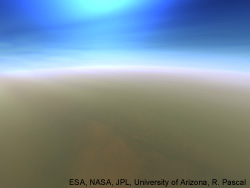
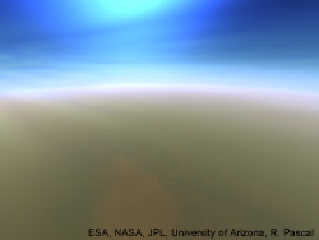
Hi, please have a look to the attached photo. It shows, here from orbit,
the distant haze at the horizon that makes the horizon line less visible.

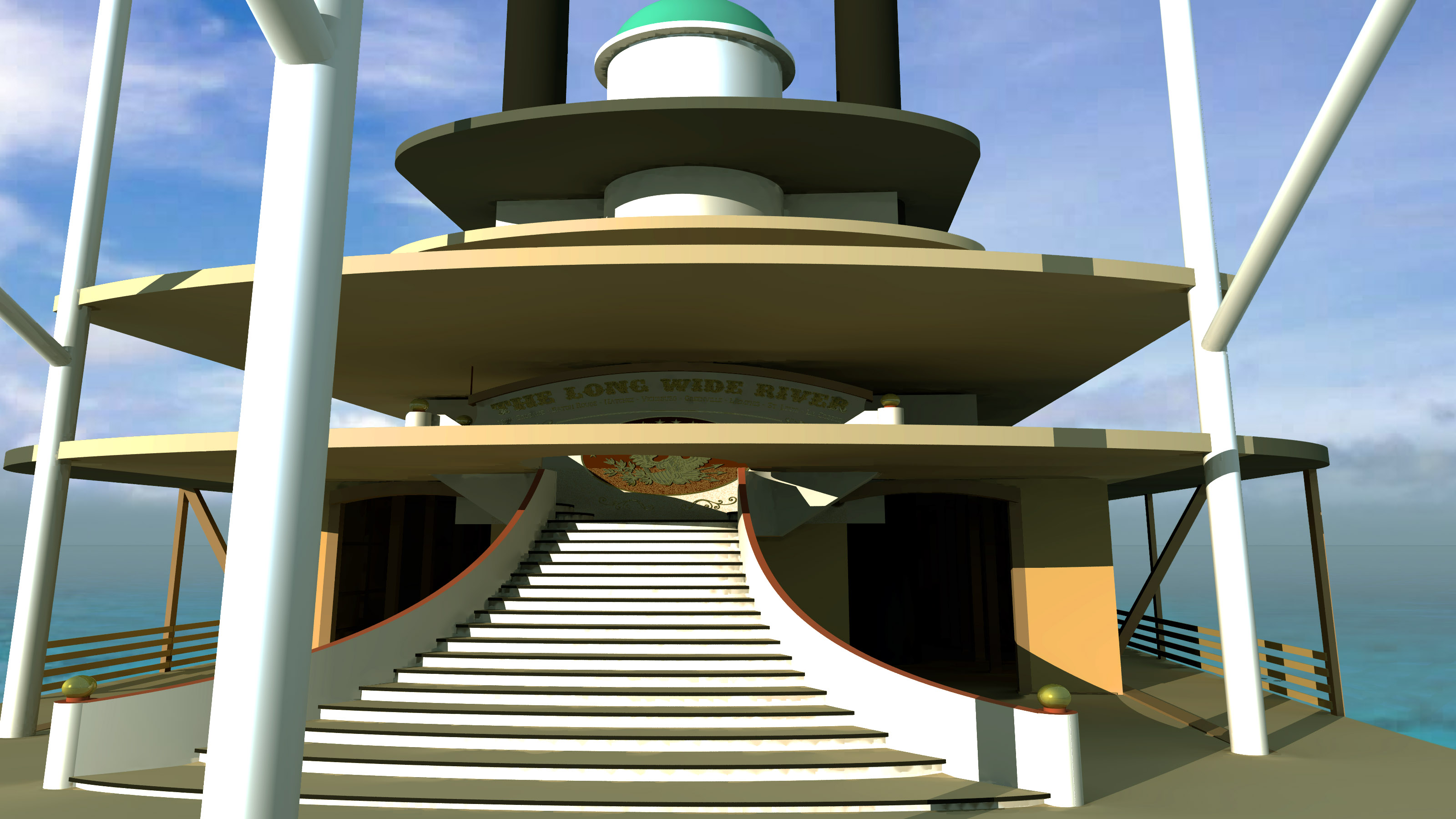
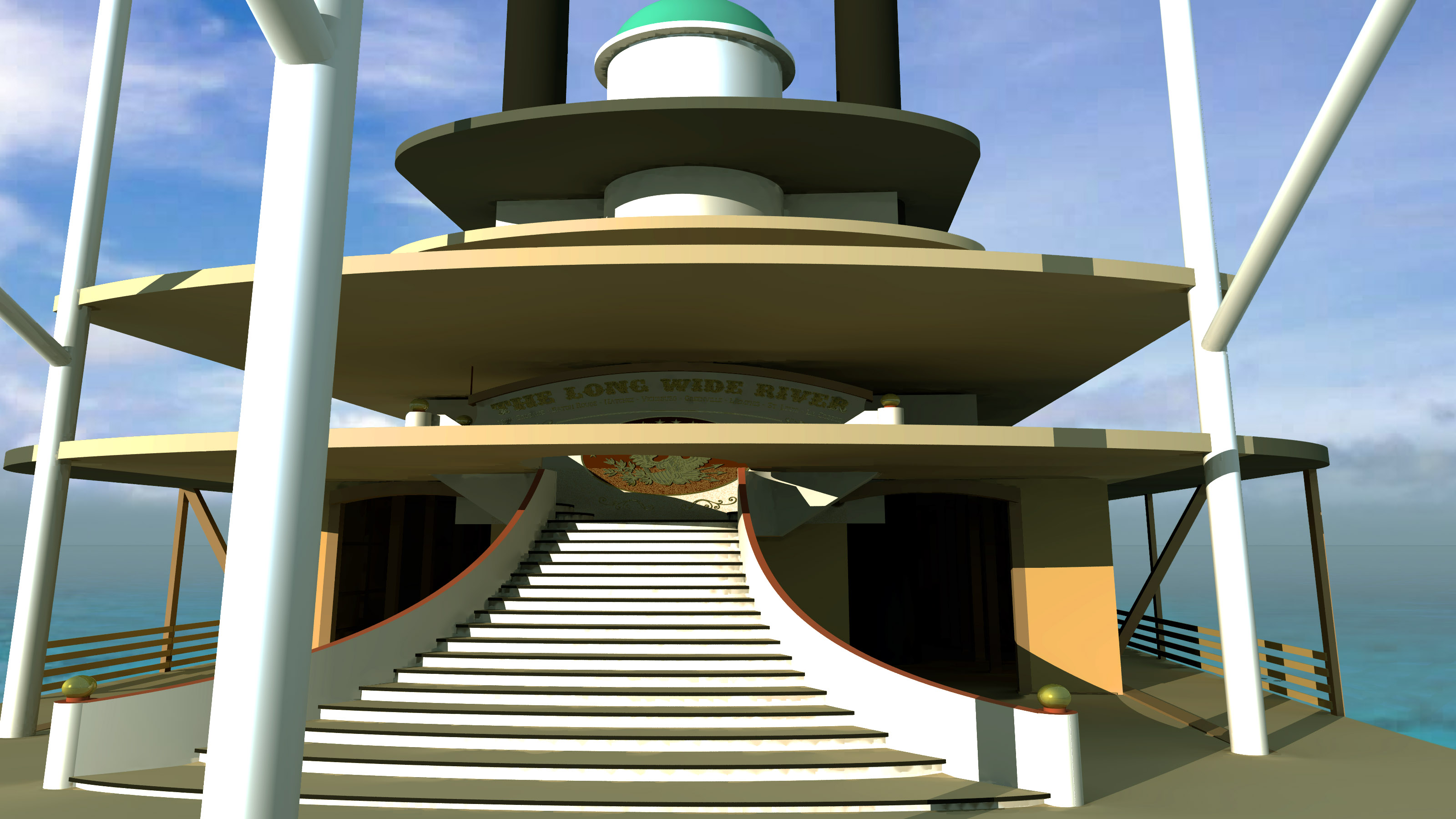
I am working on my 1850s Mississippi Paddle-Wheel Steamboat, and need
such a horizon-affecting distant haze, too. But i tried ground fog and
regular fog already, and did not achieve the desired effect.

Does anyone of us POV-Ray community citizens have some tricks that can
do that? Maybe a huge torus with some sort of media in it? That would be
my guess (I however have almost no clue how to create media). Doing it
at the moment with Photoshop only...


---
Diese E-Mail wurde von AVG auf Viren geprüft.
http://www.avg.com
Post a reply to this message
Attachments:
Download 'button_titan_110km.jpg' (11 KB)
Download 'sl - mississippi paddle-wheel steamer - prow - side.jpg' (530 KB)
Preview of image 'button_titan_110km.jpg'
Preview of image 'sl - mississippi paddle-wheel steamer - prow - side.jpg'
|
|
| |
| |
|
|
|
|
| |
| |
|
|
Le 18-03-31 à 06:49, Sven Littkowski a écrit :
> Hi, please have a look to the attached photo. It shows, here from orbit,
> the distant haze at the horizon that makes the horizon line less visible.
>
> I am working on my 1850s Mississippi Paddle-Wheel Steamboat, and need
> such a horizon-affecting distant haze, too. But i tried ground fog and
> regular fog already, and did not achieve the desired effect.
>
> Does anyone of us POV-Ray community citizens have some tricks that can
> do that? Maybe a huge torus with some sort of media in it? That would be
> my guess (I however have almost no clue how to create media). Doing it
> at the moment with Photoshop only...
>
>
> ---
> Diese E-Mail wurde von AVG auf Viren geprüft.
> http://www.avg.com
>

Using fog, you probably need to increase the distance parameter.

Otherwise, I'd use some atmospheric scattering media using the mie_haze
or mie_murky model. You need to use a low density. A sample count of 3
to 5 should be enough.

Don't forget to provide some actual back plane behind that fog or media.
It can be a simple plane with pigment{rgbt 1}.
Post a reply to this message
|
|
| |
| |
|
|
|
|
| |
| |
|
|
Thanks. But would atmospheric scattering media not be hazy to all
directions? I still want to see the deep-blue sky (sphere), just at the
horizon i want to have that blurred stripe of hazy distance haze.

---
Diese E-Mail wurde von AVG auf Viren geprüft.
http://www.avg.com
Post a reply to this message
|
|
| |
| |
|
|
|
|
| |
| |
|
|
Thanks. But would atmospheric scattering media not be hazy to all
directions? I still want to see the deep-blue sky (sphere), just at the
horizon i want to have that blurred stripe of hazy distance haze.

I still give a try, always curious. :-D

---
Diese E-Mail wurde von AVG auf Viren geprüft.
http://www.avg.com
Post a reply to this message
|
|
| |
| |
|
|
|
|
| |
| |
|
|
Am 31.03.2018 um 19:53 schrieb Sven Littkowski:
> Thanks. But would atmospheric scattering media not be hazy to all
> directions? I still want to see the deep-blue sky (sphere), just at the
> horizon i want to have that blurred stripe of hazy distance haze.

For realistic results, I alwasy recommend to consider reality:

In reality, the reason why the haze is only visible toward the horizon
is because the atmosphere gets less dense as you go up.

So that's exactly what I'd do with the media.

(I'd use two different media, one just for the blue with density
corresponding to atmospheric density to model some clear air, and
another one more strongly confined to lower altitudes for a white-ish
hazy air. For the blue component, Rayleigh scattering should be used
because that's what happens in the atmosphere, and for the white-ish
component one of the haze scattering modes is probbably best suited,
modelling larger dirt particles.)
Post a reply to this message
|
|
| |
| |
|
|
|
|
| |
| |
|
|
You could try this code, changing the colours of the media of course to
white or very light grey.

//start code
#local SkyScale = 100;

#local Density_out =
density {
   bozo  //agate
   density_map {
     [0.2 rgb 1.0]
     [0.5 rgb 0.2]
     [0.8 rgb 1.0]
   }
   scale 0.05 //0.1
   warp {turbulence <0.5 0.4, 0.5>*2}
}

#local MistSphere =
difference {
   sphere { <0, 0, 0>, 1}
   plane {-y, 0 translate 10/SkyScale*y}
   texture {pigment {rgb 0 transmit 1} }
   hollow
   interior {
     media {
       intervals 1
       absorption <0.10, 0.10, 0.12>
       scattering {1, rgb <1, 1, 0.8>*1.4/SkyScale}
       samples 50
       confidence 0.9999
       variance 1/1000
       ratio 0.9
       density {
         spherical
         density_map {
           [0.880 Density_out]
           [0.960 rgb 0]
         }
       }
     }
   }
   scale SkyScale
   translate CamLoc
}

MistSphere
//end code

--
Thomas
Post a reply to this message
|
|
| |
| |
|
|
|
|
| |
| |
|
|
Working with this feature now, trying to make some changes. I need the
haze at the horizon, but not too much higher than it. Changing the
spherical density map to a gradient density map, maybe that can do the
trick.

---
Diese E-Mail wurde von AVG auf Viren geprüft.
http://www.avg.com
Post a reply to this message
|
|
| |
| |
|
|
|
|
| |
| |
|
|
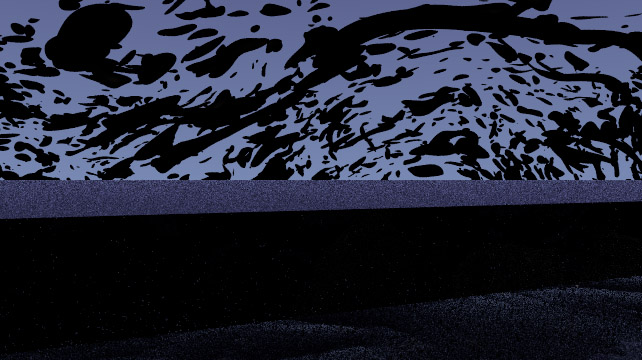
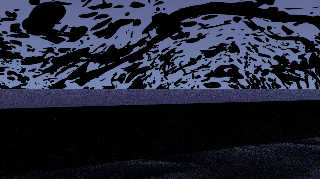
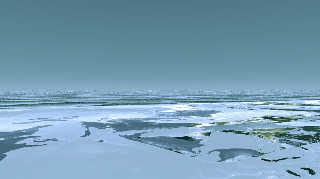
Okay, for the amusement, I am posting now some of my results of creating
a "horizon haze". Not finish yet, but the first results are from ...
some other dimension (the image with the black fragments).

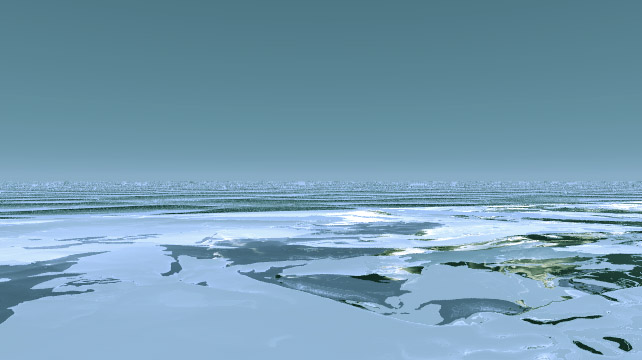
The second image shows ground fog, but the disadvantage here is that
this fog makes the water whitish with its own light color. Is there a
way to cut away any part of the ground fog that is below -0.75?


---
Diese E-Mail wurde von AVG auf Viren geprüft.
http://www.avg.com
Post a reply to this message
Attachments:
Download 'horizon haze - 01.jpg' (96 KB)
Download 'horizon haze - 02.jpg' (47 KB)
Preview of image 'horizon haze - 01.jpg'
Preview of image 'horizon haze - 02.jpg'
|
|
| |
| |
|
|
|
|
| |
| |
|
|
Am 26.04.2018 um 18:15 schrieb Sven Littkowski:
> Okay, for the amusement, I am posting now some of my results of creating
> a "horizon haze". Not finish yet, but the first results are from ...
> some other dimension (the image with the black fragments).
>
> The second image shows ground fog, but the disadvantage here is that
> this fog makes the water whitish with its own light color. Is there a
> way to cut away any part of the ground fog that is below -0.75?

IIRC you can set up "negative" ground fog to counteract the positive one.
Post a reply to this message
|
|
| |
| |
|
|
|
|
| |
| |
|
|
The following has worked fairly well for me in the past. Tweak, by all
means!

#declare NearFogColor = <0.799, 0.799, 0.80>*1.2; //Blueish color
#declare FarFogColor  = <0.90, 0.90, 0.90>; //Light gray horizon color

//Near fog
fog {distance 4000 fog_type 2 fog_offset 25 fog_alt 20 color srgb
NearFogColor}

//Distant fog
fog {distance 8000 fog_type 2 fog_offset 25 fog_alt 20 color srgb
FarFogColor-NearFogColor}


--
Thomas
Post a reply to this message
|
|
| |
| |
|
|
|
|
| |
| |
|
|
Can you show me a scene that uses this concept? I am curious. Big
thanks! :-)

---
Diese E-Mail wurde von AVG auf Viren geprüft.
http://www.avg.com
Post a reply to this message
|
|
| |
| |
|
|
|
|
| |
| |
|
|
Interesting concept. Never thought about such. Will look into.

But meanwhile, I came to another idea and want to find out, if this can
be done with POV-Ray:

A torus-shaped media-based haze. A hollow torus, filled with a haze
media that is thickest at the center of the curved cylinder shape, and
invisible at the edges. Means, the media density_map needs probably to
have the shape of a torus, too, as Spherical and other shapes won't do
the trick in this particular case. That torus haze would be scaled to be
at the edge of the scene. This way, no influence of any other item would
occur.

Is such a torus-shaped media possible?

---
Diese E-Mail wurde von AVG auf Viren geprüft.
http://www.avg.com
Post a reply to this message
|
|
| |
| |
|
|
|
|
| |
| |
|
|
Clipka, do you think, adding "torus" to the existing patters (spherical,
planar, cylindrical, and boxed) of density_maps would be useful and
possible?

I could imagine its usefulness for my horizon haze, but also for mighty
(nuclear or scifi) explosions (here also using Turbulence) as seen in
movies and documentaries.

---
Diese E-Mail wurde von AVG auf Viren geprüft.
http://www.avg.com
Post a reply to this message
|
|
| |
| |
|
|
|
|
| |
| |
|
|
Sven Littkowski <I### [at] SvenLittkowski name> wrote:
> Is such a torus-shaped media possible?
Sure.
A torus is defined by the implicit equation
(sqrt(pow(x,2)-pow(y,2))-pow(R,2)+pow(z,2) = pow(r,2)
So if you do
sqrt((sqrt(pow(x,2)-pow(y,2))-pow(R,2)+pow(z,2)) you get r
divide by r and you get a range of 1 at the center and 0 at the surface (what
you'd see if you made an isosurface with threshold 0
So your media function would be:
#declare Torus = function {sqrt((sqrt(pow(x,2)-pow(y,2))-pow(R,2)+pow(z,2))/r} name> wrote:
> Is such a torus-shaped media possible?
Sure.
A torus is defined by the implicit equation
(sqrt(pow(x,2)-pow(y,2))-pow(R,2)+pow(z,2) = pow(r,2)
So if you do
sqrt((sqrt(pow(x,2)-pow(y,2))-pow(R,2)+pow(z,2)) you get r
divide by r and you get a range of 1 at the center and 0 at the surface (what
you'd see if you made an isosurface with threshold 0
So your media function would be:
#declare Torus = function {sqrt((sqrt(pow(x,2)-pow(y,2))-pow(R,2)+pow(z,2))/r}
Post a reply to this message
|
|
| |
| |
|
|
|
|
| |
| |
|
|
Am 27.04.2018 um 19:40 schrieb Sven Littkowski:
> Clipka, do you think, adding "torus" to the existing patters (spherical,
> planar, cylindrical, and boxed) of density_maps would be useful and
> possible?

There is no such thing as "patterns of density_maps"; any pattern that
can be used with a pigment_map can also be used with a density_map.

Adding a torus pattern should be possible; however, it would have to be
specified what syntax to use to parameterize it (at least the ratio
between minor and major radius should be configurable; the major radius
could be specified by scaling the pattern), and whether the pattern
should continue /ad infinitum/ like `onion`/`wood`, or rather drop to
zero like `spherical`/`cylindrical`.

Also, it is questionable whether the use case is important enough to
warrant implementing a dedicated pattern, or whether the inbuilt
`f_torus()` function (accessible via `functions.inc`) combined with a
function pattern can be considered sufficient.
Post a reply to this message
|
|
| |
| |
|
|
|
|
| |
| |
|
|
Thanks. I want to use this formula.

I am good with arts and creativity, but my weak point is, indeed,
complex types of mathematics, like this formula here. I am going to give
a try right away, and will find out where to put numbers (torus-related)
into this formula. And of course, I will post the resulting images here
in this thread. :-)

---
Diese E-Mail wurde von AVG auf Viren geprüft.
http://www.avg.com
Post a reply to this message
|
|
| |
| |
|
|
|
|
| |
| |
|
|
On 27-4-2018 19:04, Sven Littkowski wrote:
> Can you show me a scene that uses this concept? I am curious. Big
> thanks! :-)
>

Why don't you try it yourself? Take the basic POV-Ray scene and add the
code. Then play with the settings. Nothing better than getting your own
hands dirty.

--
Thomas
Post a reply to this message
|
|
| |
| |
|
|
|
|
| |
| |
|
|
Thanks for the answer.

I wonder, if the other users would want it.

---
Diese E-Mail wurde von AVG auf Viren geprüft.
http://www.avg.com
Post a reply to this message
|
|
| |
| |
|
|
|
|
| |
| |
|
|
"Bald Eagle" <cre### [at] netscapenet> wrote:

> So your media function would be:
> #declare Torus = function {sqrt((sqrt(pow(x,2)-pow(y,2))-pow(R,2)+pow(z,2))/r}

Transcription error in there - trying to juggle too many things at once and
convert to POV-Ray syntax from Wikipedia image.  :(

This is tested code, and you can see that it gets you identical results compared
to the internal f_torus function.   I haven't yet explored it further, but
perhaps the /r part I added just affects the density gradient towards the
center.  Maybe using it as a pigment function and cross section would answer
that.


#version 3.7;
global_settings {assumed_gamma 1.0}

#include "colors.inc"
#include "functions.inc"

sky_sphere {pigment {rgb <1, 1, 1>*1}}

camera {
   location <0, 0, -5>    // position & direction of view
  look_at  <0, 0, 0>
  right x*image_width/image_height           // horizontal size of view
  up y // vertical size of view
 }

light_source {<25, 25, -150> color White}

#declare R = 1;
#declare r = 0.5;

//#declare Torus = function (x, y, z) {sqrt(pow( sqrt(pow(x,2)+pow(y,2)) - R,2)
+ pow(z,2)) - r}
#declare Torus = function (x, y, z) {(sqrt(pow( sqrt(pow(x,2)+pow(y,2)) - R,2) +
pow(z,2)) - r)/r}

isosurface {
  function{
            //f_torus (x, y, z, 1, 0.1)
            Torus (x, y, z)
          }
  threshold 0
  contained_by {box {<-2,-2,-2>*2, <2,2,2>*2}}
  max_gradient 2
  accuracy 0.0001
  //evaluate 1,20,0.99
  texture { pigment{ color rgb <1, 0, 0>}
            //normal {bumps 0.5 scale 0.05}
            finish { phong 1}
   }
  //scale 0.80
  //rotate <0,-40,0>
 // rotate <-30,0,0>
  //translate < 0, 1.2, 0>
} // end of isosurface
Post a reply to this message
|
|
| |
| |
|
|
|
|
| |
| |
|
|
So, did a quick and dirty experiment, where I just looped the threshhold values
for the isosurface from 0 to 1, and varied the color through the HSV angle, and
it appears that 0 is the inner torus (for the POV-Ray f_torus function)

Haven't had the time to experiment any more, but curious about my own function.

The idea would be to just lay down nested tori, with a noise function applied,
to generate the media function.

Probably also lots faster if i break it up like I did the initial spiral
experiments for Kenneth, plotting spheres for data points in the x/y/z array.

'till tomorrow...

---------------------------------------------------------------
#version 3.7;
global_settings {assumed_gamma 1.0}

#include "colors.inc"
#include "functions.inc"
#include "shapes.inc"
#include "shapes2.inc"
#include "Bounding_Box.mcr"

sky_sphere {pigment {rgb <1, 1, 1>*1}}

camera {
   location <0, 0, -5>    // position & direction of view
  look_at  <0, 0, 0>
  right x*image_width/image_height           // horizontal size of view
  up y // vertical size of view
 }

light_source {<25, 25, -150> color White}

#declare R = 1;
#declare r = 0.5;

//#declare Torus = function (x, y, z) {sqrt(pow( sqrt(pow(x,2)+pow(y,2)) - R,2)
+ pow(z,2)) - r}
#declare Torus = function (x, y, z) {(sqrt(pow( sqrt(pow(x,2)+pow(y,2)) - R,2) +
pow(z,2)) - r)/r}

#declare Tori = //intersection {

 //box {<-R*2, -r*2, 0>, <R*2, r*2, R*2> pigment {rgbt 1}}
union{
 #for (V, 0, 1, 0.2)
  #declare Current = CHSV2RGB(<V*180, 1, 1, 0, 0.8>);
  #debug concat ( " V = ", str (V, 3, 1),  "\n")
  isosurface {
    function{
     f_torus (x, y, z, R, r)
     //Torus (x, y, z)
    }
    threshold V
    contained_by {box {<-R*2, -r*2, -R*2>, <R*2, r*2, R*2>}}
    max_gradient 2
    accuracy 0.0001
      evaluate 1,20,0.99
      open
    texture {pigment {color rgbft Current}
     //normal {bumps 0.5 scale 0.05}
     //finish {phong 1}
    }
    //scale 0.80
    //rotate <0,-40,0>
    //rotate <90,0,0>
    //translate < 0, 1.2, 0>
  } // end of isosurface
 #end // end for V
}


object {Tori}

//Loc (Tori, 0.01, yes) // my bounding box macro
Post a reply to this message
Attachments:
Download 'torus_function.png' (181 KB)
Preview of image 'torus_function.png'

|
|
| |
| |
|
|
|
|
| |
| |
|
|
It actually looks beautiful! :-)

---
Diese E-Mail wurde von AVG auf Viren geprüft.
http://www.avg.com
Post a reply to this message
|
|
| |
| |
|
|
|
|
| |
|
|