 |
|
|
|
|
|
| |
| |
|
|
|
|
| |
| |
|
|
Because the previous thread has become so large, it is hard to keep an
overview. Thus I am starting now this thread as part 2 of that
remarkable thread.

THE PROJECT

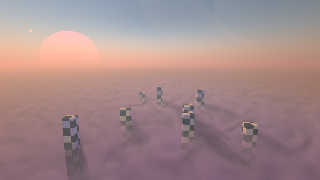
To develop a scene where tall futuristic skyscrapers rise above cloud
level, not necessarily on Earth.

PUBLIC DOMAIN

Such scenes can be very beautiful. My original intention was to make
this scene public domain, allowing everyone to use it. But the scene
received so much valuable input of so many members of our great
community that I feel I need to ask everyone who helped for their
permission - a lot of source code was submitted by so many members.

I can even imagine, each POV-Ray community member with interest in this
project can design the interior of his/her own flying home (a flattened
bubble with a diameter of 20 meters) and submit it to this thread as
self-sustaining INCLUDE file. Those home bubbles hover above or below
the clouds or can land or even swim on the water, or they are anchored
in large swarms along the futuristic skyscrapers). The bubble design
will at one point be submitted by me into this thread or an own thread
for you to use. Basically, it has one round floor and a transparent
wall/roof. Only the bottom is non-transparent, it hosts the antigrav
modules in a ring along the lower bubble inside. The center of the
bubble has one lowered floor and one raised floor. On three sides, the
bubble will have docking mechanisms for towers or other bubbles.

WHERE WE ARE NOW

The basic scene layout is there: a layer of clouds, two suns, even a gas
planet.
1
At the moment, there is a big problem to set the colors correctly for
this scene, as each color change causes many other colors to change
unpredictably, too. This need to be fixed, then everyone using this
scene can easily use the own colors of desire.
2
The two suns don't look like suns but just like luminescent discs. No
glow, and their colors are not correct, too: the large sun should be dim
red, and the small sun should be white-glowing blue, each having a glow
around them.
3
The illumination doesn't come from these two suns, but from a
traditional light_source. making it come from these two suns, and using
their own light color, would be more authentic.
4
The large gas planet needs some overhaul, but that is a fairly easy task
I can do on my own. Priority for that, however, is low at this moment
(as I can solve that at any given time by myself).


---------------------------------------

#version 3.8;

#declare MyRadiosity = on;

global_settings
{
 assumed_gamma 1.4
 #if(MyRadiosity=on)
  radiosity { media on }
 #end
}

#default
{
 finish { ambient 0.0 diffuse 1.0 }
}

//------------------------------------------------------------------------
#include "colors.inc"
#include "textures.inc"
#include "glass.inc"
#include "metals.inc"
#include "golds.inc"
//------------------------------------------------------------------------

camera
{
 /*ultra_wide_angle*/ //angle 20
 location  < -35.0 , 11.0 , 0.0 >
 //right     x*image_width/image_height // not needed for v3.8
 look_at   < 0.0 , 5.0 , 0.0 >
}

// sun
-------------------------------------------------------------------

light_source
{
 -z*9999.0//< 50, 100, -250 >*10e4
 color 1.0 * 1.3//< 1.0,  0.62353,  0.46667 >*2
 rotate < 20.0, 240.0, 0.0 > // altitude, azimuth, tilt
}

// sky -------------------------------------------------------------------
background { color rgb 0.0 }

disc
{
 0.0, y, 1.0, 0.0
 hollow on
 no_shadow
 pigment { rgb < 0.5, 0.75, 1.0 > }
 scale 100.0
 translate y*100.0
}

// ground -----------------------------------------------------------------

box
{
 < -1.0, -1.0, -1.0 > < 1.0, 1.0, 1.0 >
 pigment { color rgb 1.0 }
 scale < 555.0, 497.0, 555.0 >
 translate -y*494.0
}

//--------------------------------------------------------------------------
// Clouds
#local Scale = 5.0;

#declare Clouds = density
{
 ripples   // controls the cloud formation
 color_map
 {
  [ 0.33 rgb  10.0 ]
  [ 0.67 rgb 100.0 ]
 }
 scale < 3.0, 1.0, 10.0 >*0.5
 warp { turbulence < 2.5, 1.0, 1.6 > }
 rotate 45.0*y
}

//cloud layer:
box
{
 < -1.0, -1.0, -1.0 > < 1.0, 1.0, 1.0 >
 pigment { rgbt 1.0 }
 hollow
 interior
 {
  media
  {
   samples 20
   absorption < 3.0, 4.0, 0.5 >*1.0/(Scale*100.0)
   emission   < 1.0, 1.0, 1.0 >*0.5/(Scale*100.0)
   scattering
   {
    1
    < 0.5, 0.75, 1.5 >*3.0/(Scale*100.0)
    extinction 0.5
   }
   density
   {
    boxed
    density_map
    {
     [ 0.000 rgb 0.0 ]
     [ 0.001 Clouds scale 1.0/100.0 ]
    }
   }
  }
 }
 scale Scale*100.0
 translate -y*494.0
}

//-------------------------------------------------------------
//atmosphere:
sphere
{
 < 0.0, 0.0, 0.0 >, 1.0
 pigment { rgbt 1.0 }
 hollow
 interior
 {
  media
  {
   samples 20
   absorption 0.5
   scattering
   {
    5
    < 1.25, 1.0, 1.5 >*2.0/Scale
    extinction 0.67
    eccentricity 0.2
   }
   density
   {
    gradient y
    color_map
    {
/*
     [ 0.00 rgb 1.0 ]  //base ground fog
     [ 0.10 rgb < 9.0, 0.3, 0.10 > ]  //top ground fog
     [ 0.30 rgb < 0.9, 0.3, 0.10 > ]  //top ground fog
     [ 0.50 rgb < 0.5, 0.1, 0.09 >*0.100 ] //base atmospheric haze
     [ 0.67 rgb < 0.1, 0.2, 0.90 >*0.100 ] //top atmospheric haze
     [ 1.00 rgb < 0.1, 0.3, 0.90 >*0.001 ] //top atmospheric haze
*/
     [ 0.00 rgb < 1.0, 1.0, 1.00 >*1.000 ] //base ground fog
     [ 0.10 rgb < 3.0, 0.3, 0.10 >*1.000 ] //top ground fog
     [ 0.30 rgb < 0.3, 0.3, 0.10 >*1.000 ] //top ground fog
     [ 0.50 rgb < 0.5, 0.1, 0.09 >*0.100 ] //base atmospheric haze
     [ 0.67 rgb < 0.3, 0.7, 1.00 >*0.100 ] //top atmospheric haze
     [ 1.00 rgb < 0.3, 0.7, 1.00 >*0.001 ] //top atmospheric haze
    }
    rotate -x*15.0
    warp { spherical }
    scale Scale*2.0*y
   }
  }
 }
 scale Scale*111.0
 translate -y*535.0
}


//-------------------------------------------------------------
// Planet:

union
{
 sphere
 {
  < 0.0, 0.0, 0.0 > 7.0
  pigment
  {
   gradient y
   color_map
   {
    [ 0.00 rgb < 1.0, 1.0, 1.0 >*0.05 ]
    [ 0.10 rgb < 1.0, 1.0, 1.0 >*0.05 ]
    [ 0.12 rgb < 1.0, 1.0, 1.0 >*0.05 ]
    [ 0.15 rgb < 0.80392, 0.66275, 0.47059 >*0.05 ]
    [ 0.20 rgb < 0.80392, 0.66275, 0.47059 >*0.05 ]
    [ 0.22 rgb < 0.63922, 0.55686, 0.31373 >*0.05 ]
    [ 0.27 rgb < 0.63922, 0.55686, 0.31373 >*0.05 ]
    [ 0.40 rgb < 0.47451, 0.30980, 0.14118 >*0.05 ]
    [ 0.43 rgb < 0.47451, 0.30980, 0.14118 >*0.05 ]
    [ 0.45 rgb < 0.20392, 0.24314, 0.41176 >*0.05 ]
    [ 0.55 rgb < 0.20392, 0.24314, 0.41176 >*0.05 ]
    [ 0.57 rgb < 0.47451, 0.30980, 0.14118 >*0.05 ]
    [ 0.60 rgb < 0.47451, 0.30980, 0.14118 >*0.05 ]
    [ 0.73 rgb < 0.63922, 0.55686, 0.31373 >*0.05 ]
    [ 0.78 rgb < 0.63922, 0.55686, 0.31373 >*0.05 ]
    [ 0.80 rgb < 0.80392, 0.66275, 0.47059 >*0.05 ]
    [ 0.85 rgb < 0.80392, 0.66275, 0.47059 >*0.05 ]
    [ 0.88 rgb < 1.0, 1.0, 1.0 >*0.05 ]
    [ 0.90 rgb < 1.0, 1.0, 1.0 >*0.05 ]
    [ 1.00 rgb < 1.0, 1.0, 1.0 >*0.05 ]
   }
   turbulence 0.3
   translate < 0.0, -7.0, 0.0 >
   scale 14.0
  }
 }
 difference
 {
  cylinder { < 0.0, -0.00001, 0.0 > < 0.0, 0.00001, 0.0 > 16.0 }
  cylinder { < 0.0, -0.00002, 0.0 > < 0.0, 0.00002, 0.0 > 10.0 }
  pigment
  {
   onion
   color_map
   {
    [ 0.00 rgbt < 0.47451, 0.30980, 0.14118, 0.7 > ]
    [ 0.60 rgbt < 0.47451, 0.30980, 0.14118, 0.7 > ]
    [ 0.62 rgbt < 0.47451, 0.30980, 0.14118, 0.7 > ]
    [ 0.63 rgbt < 0.80392, 0.66275, 0.47059, 0.7 > ]
    [ 0.66 rgbt < 0.80392, 0.66275, 0.47059, 0.7 > ]
    [ 0.67 rgbt < 0.63922, 0.55686, 0.31373, 0.7 > ]
    [ 0.71 rgbt < 0.63922, 0.55686, 0.31373, 0.7 > ]
    [ 0.73 rgbt < 0.47451, 0.30980, 0.14118, 0.7 > ]
    [ 0.76 rgbt < 0.47451, 0.30980, 0.14118, 0.7 > ]
    [ 0.80 rgbt < 0.63922, 0.55686, 0.31373, 0.7 > ]
    [ 0.81 rgbt < 0.63922, 0.55686, 0.31373, 0.7 > ]
    [ 0.82 rgbt < 0.47451, 0.30980, 0.14118, 0.7 > ]
    [ 0.83 rgbt < 0.47451, 0.30980, 0.14118, 0.7 > ]
    [ 0.86 rgbt < 0.63922, 0.55686, 0.31373, 0.7 > ]
    [ 0.88 rgbt < 0.63922, 0.55686, 0.31373, 0.7 > ]
    [ 0.89 rgbt < 0.80392, 0.66275, 0.47059, 0.7 > ]
    [ 0.91 rgbt < 0.80392, 0.66275, 0.47059, 0.7 > ]
    [ 0.97 rgbt < 0.63922, 0.55686, 0.31373, 0.7 > ]
    [ 0.99 rgbt < 0.63922, 0.55686, 0.31373, 0.7 > ]
    [ 1.00 rgbt < 0.63922, 0.55686, 0.31373, 0.7 > ]
   }
   scale 16.0
  }
  finish { emission 0.1 }
 }
 scale 250.0
 rotate < -10.0, -20.0, 50.0 >
 translate < 160.0, 50.0, -100.0 >*33.0
}

// Big Sun
#declare SunLarge = union
{
 sphere
 {
  < 0.0, 0.0, 0.0 > 1.0
  pigment
  {
   gradient y
   color_map
   {
    [ 0.00 rgb < 0.0, 0.0, 0.0 > ]
    [ 0.50 rgb < 1.5, 0.0, 0.1 > ]
    [ 1.00 rgb < 3.0, 0.0, 0.1 >*5.0 ]
   }
   translate < 0.0, -0.5, 0.0 >
   scale 2.0
  }
  finish { emission 1.0 }
  scale 12.0
 }
 scale 66.0
 translate < 160.0, 0.0, 78.0 >*33.0
}

// Small Sun
#declare SunSmall = union
{
 sphere
 {
  < 0.0, 0.0, 0.0 > 1.0
  pigment { color rgb < 0.23529,  0.11373,  0.46275 >*1.0 }
  finish { emission 0.0 }
 }
 scale 66.0
 translate < 160.0, 25.0, 112.0 >*33.0
}

object { SunLarge }
object { SunSmall }


//-------------------------------------------------------------
//artefact:
#local S=seed(4132);
union
{
 #for (It,1.0,8.0,1.0)

  #local xR=rand(S);
  #local yR=rand(S);
  #local zR=rand(S);

  #local xR2=rand(S);
  #local yR2=rand(S);
  #local zR2=rand(S);

  box
  {
   0.0, 1.0
   scale < 1.0+xR, 8.0+yR*4, 1.0+zR >/2.0
   pigment
   {
    checker
    color rgb 0.1 color rgb 0.9 scale 0.5
   }
   translate (-< xR*20.0,0.0,zR*20.0 > + <xR2*40.0, 0.0, zR2*40.0 >)/2.0
  }
 #end
 rotate y*90.0
 translate < -20.0, 2.0, 5.0 >
}


---
Diese E-Mail wurde von AVG auf Viren geprüft.
http://www.avg.com
Post a reply to this message
Attachments:
Download 'sl - cloud cities.jpg' (86 KB)
Preview of image 'sl - cloud cities.jpg'
|
|
| |
| |
|
|
|
|
| |
| |
|
|
Sven Littkowski <I### [at] SvenLittkowski name> wrote:
> THE PROJECT
>
> To develop a scene where tall futuristic skyscrapers rise above cloud
> level, not necessarily on Earth.
>
> PUBLIC DOMAIN
>
> I can even imagine, each POV-Ray community member with interest in this
> project can design the interior of his/her own flying home (a flattened
> bubble with a diameter of 20 meters) and submit it to this thread as
> self-sustaining INCLUDE file.
I think anyone offering help considers their SDL freely given, only nice to
mention if you feel the need. If I'm wrong maybe we will hear differently.
Ambitious goal, not sure I could do more but it has potential.
There could be inherent problems with the realism aspect of the suns and
atmosphere. I know some people have attempted it in the past with some good
results, but I don't remember how simple time of day or motion changes affected
them. A scene can become unexpectedly different due to even slight changes of
camera/light/objects.
I think of POV-Ray as not being a reality simulator, more of a simulation of
reality. If that makes sense.
I suppose a good enough facsimile should be possible anyhow, sun orb auras and
all. Once the formulation is found anyway. If the idea is to forego any tricks,
such as halo disc objects, in lieu of pure 'media' it might prove difficult as
you've no doubt seen already.
Bob name> wrote:
> THE PROJECT
>
> To develop a scene where tall futuristic skyscrapers rise above cloud
> level, not necessarily on Earth.
>
> PUBLIC DOMAIN
>
> I can even imagine, each POV-Ray community member with interest in this
> project can design the interior of his/her own flying home (a flattened
> bubble with a diameter of 20 meters) and submit it to this thread as
> self-sustaining INCLUDE file.
I think anyone offering help considers their SDL freely given, only nice to
mention if you feel the need. If I'm wrong maybe we will hear differently.
Ambitious goal, not sure I could do more but it has potential.
There could be inherent problems with the realism aspect of the suns and
atmosphere. I know some people have attempted it in the past with some good
results, but I don't remember how simple time of day or motion changes affected
them. A scene can become unexpectedly different due to even slight changes of
camera/light/objects.
I think of POV-Ray as not being a reality simulator, more of a simulation of
reality. If that makes sense.
I suppose a good enough facsimile should be possible anyhow, sun orb auras and
all. Once the formulation is found anyway. If the idea is to forego any tricks,
such as halo disc objects, in lieu of pure 'media' it might prove difficult as
you've no doubt seen already.
Bob
Post a reply to this message
|
|
| |
| |
|
|
|
|
| |
| |
|
|
This is really impressive. The choice of using lighting at dusk (or dawn?)
instead of 'mid-day' makes the entire scene look magical. The same goes for the
very nice hazy cloud effect.

Thanks for posting your code. I've been playing around with it, and made an
area_light to replace your point light... which makes the scene even SLOWER to
render, of course, but I noticed that your test-building on the left was casting
too 'sharp' of a shadow through the foggy atmosphere, compared to the size of
the large Sun. (I only noticed the sharpness re: that one building, so *maybe*
the area light could be assigned to *just* that building, in a light_group, to
save rendering time. I haven't tried that yet, though.) Anyway, here's the
light...

light_source
{
-z*9999.0//< 50, 100, -250 >*10e4
  color 1.3//< 1.0,  0.62353,  0.46667 >*2
  area_light
 <450, 0, 0> <0, 0, 450>
  6, 6                // total number of lights in grid (4x*4z = 16 lights)
  adaptive 1          // 0,1,2,3...
  // area_illumination on
  jitter              // adds random softening of light
  circular            // make the shape of the light circular
  orient              // orient light
  rotate < 20.0, 240.0, 0.0 > // altitude, azimuth, tilt
}

Sven Littkowski <I### [at] SvenLittkowskiname> wrote:

> 2
> The two suns don't look like suns but just like luminescent discs. No
> glow, and their colors are not correct, too: the large sun should be dim
> red, and the small sun should be white-glowing blue, each having a glow
> around them.

Surrounding the Sun(s) with a sphere of emission media (not too dense, and with
a 'spherical'-pattern color-map bleeding off to transparency) might work for the
glow(s).

Over the years, I've discovered that media colors do indeed change the
appearance of background object colors; it's a typical (and expected)
side-effect of media's color filtering. My own workaround for that has been to
radically change the colors of the background objects (your Suns, for example)
to try and 'compensate' for the color change. I usually have to do it 'by eye'
with test renders and experimentation. BTW, you can even use *negative* color
values for those objects-- like rgb <-.5,.3,-.7> for example -- to 'subtract'
unwanted media colors there, if you need to.
Post a reply to this message
|
|
| |
| |
|
|
|
|
| |
| |
|
|
I tried rendering cloud these days.
Using media is easy to get not bad result.

This picture is subsurface material version. When translucency rise. It is not
 like cloud enough. I'm not very knowing why. Cause when cloud is not dense it
should like be.
Post a reply to this message
Attachments:
Download 'subsurface cloud test.png' (403 KB)
Preview of image 'subsurface cloud test.png'

|
|
| |
| |
|
|
|
|
| |
| |
|
|
Then change to media:
Post a reply to this message
Attachments:
Download 'media 1 dens3.0 rad.png' (102 KB)
Preview of image 'media 1 dens3.0 rad.png'

|
|
| |
| |
|
|
|
|
| |
| |
|
|
Am 30.11.2017 um 17:14 schrieb And:

> This picture is subsurface material version. When translucency rise. It is not
>  like cloud enough. I'm not very knowing why. Cause when cloud is not dense it
> should like be.

My best guess is that it doesn't look anything like clouds because in
clouds you have a somewhat gradual change in the density of water
droplets, whereas the subsurface light transport model is designed for
cases where the density of the scattering agent changes abruptly at a
well-defined surface.

Directionality of scattering may also play a role (POV-Ray's current
implementation only supports isotropic scattering), but I don't think it
matters much in this case.
Post a reply to this message
|
|
| |
| |
|
|
|
|
| |
| |
|
|
Media is easy to get not bad result, but still have some limit.
This time I used the correct scattering color of cloud, and added some emission
to simulate multiple scattering effect(emission strength should proportion to
the sun power) , emission color I just guess.

For this cloud size this simulation is not bad.
Post a reply to this message
Attachments:
Download 'media 4 top_view.png' (154 KB)
Preview of image 'media 4 top_view.png'

|
|
| |
| |
|
|
|
|
| |
| |
|
|
"And" <49341109@ntnu.edu.tw> wrote:
> I tried rendering cloud these days.
> Using media is easy to get not bad result.
>
> This picture is subsurface material version. When translucency rise. It is not
>  like cloud enough. I'm not very knowing why. Cause when cloud is not dense it
> should like be.

This is a cotton candy machine  :)
Post a reply to this message
|
|
| |
| |
|
|
|
|
| |
| |
|
|
bottom view:
Post a reply to this message
Attachments:
Download 'media 4 bottom_view.png' (132 KB)
Preview of image 'media 4 bottom_view.png'

|
|
| |
| |
|
|
|
|
| |
| |
|
|
"And" <49341109@ntnu.edu.tw> wrote:
> Then change to media:

This is a hammer mill pulverizing plastic or mica
Post a reply to this message
|
|
| |
| |
|
|
|
|
| |
| |
|
|
"And" <49341109@ntnu.edu.tw> wrote:
> Media is easy to get not bad result, but still have some limit.
> This time I used the correct scattering color of cloud, and added some emission
> to simulate multiple scattering effect(emission strength should proportion to
> the sun power) , emission color I just guess.
>
> For this cloud size this simulation is not bad.

This looks much better as clouds  :)
I like all of your previous attempts - they are useful for other types of
materials being modeled.   You should save / post the parameters for those
results for future reference.
Post a reply to this message
|
|
| |
| |
|
|
|
|
| |
| |
|
|
clipka <ano### [at] anonymousorg> wrote:
> Am 30.11.2017 um 17:14 schrieb And:
>
> > This picture is subsurface material version. When translucency rise. It is not
> >  like cloud enough. I'm not very knowing why. Cause when cloud is not dense it
> > should like be.
>
> My best guess is that it doesn't look anything like clouds because in
> clouds you have a somewhat gradual change in the density of water
> droplets, whereas the subsurface light transport model is designed for
> cases where the density of the scattering agent changes abruptly at a
> well-defined surface.
>
> Directionality of scattering may also play a role (POV-Ray's current
> implementation only supports isotropic scattering), but I don't think it
> matters much in this case.

I can only guess like this
Post a reply to this message
|
|
| |
| |
|
|
|
|
| |
| |
|
|
"Bald Eagle" <cre### [at] netscapenet> wrote:
> "And" <49341109@ntnu.edu.tw> wrote:
> > Media is easy to get not bad result, but still have some limit.
> > This time I used the correct scattering color of cloud, and added some emission
> > to simulate multiple scattering effect(emission strength should proportion to
> > the sun power) , emission color I just guess.
> >
> > For this cloud size this simulation is not bad.
>
> This looks much better as clouds  :)
> I like all of your previous attempts - they are useful for other types of
> materials being modeled.   You should save / post the parameters for those
> results for future reference.

Sure I may
Post a reply to this message
|
|
| |
| |
|
|
|
|
| |
| |
|
|
"And" <49341109@ntnu.edu.tw> wrote:
> Media is easy to get not bad result, but still have some limit.
> This time I used the correct scattering color of cloud, and added some emission
> to simulate multiple scattering effect(emission strength should proportion to
> the sun power) , emission color I just guess.
>
> For this cloud size this simulation is not bad.

#version 3.7;


global_settings{
max_trace_level 3
assumed_gamma 1.0
adc_bailout 0.007
mm_per_unit 1000 //important for subsurface

radiosity{
 pretrace_start 64/image_width
 pretrace_end   4/image_width
 count 60
 nearest_count 6
 error_bound 0.64
 recursion_limit 8
 low_error_factor 0.5
 gray_threshold 0.0
 brightness 1
 media on
}

}

default{
texture{
    pigment {rgb<0.2,0.2,0.2>}
    finish{ambient 0 diffuse 0}
}
}
//---------------------background------------------------
background{rgb <0,0,0>}

//-------------------settings--------------------------------
//--------------------light source-----------------------------


light_source {
<-4, -2.5, 4>*100
color rgb <1.0, 0.88, 0.76>*1.75
parallel
point_at <0.0, 0.0, 0.0>
rotate <0,0,106>
}


sky_sphere{
    pigment {rgb <0.35,0.55,1>*0.6}
}


//------------------------------------------


//My render is z toward sky, xy horizon


camera{
location <0,0,24>+<4, 2.5, -4>*2+<1,0,0>
look_at <0, 0, 10>
right <-4/3,0,0>
sky <0,0,1>
angle 48
}
//----------------------------------------


//----------------ground------------------------
#declare t_soil1=
texture{
    pigment{rgb<0.2,0.164,0.1>*0.8}
    finish{ambient 0 diffuse 1}
}


plane{
<0,0,1>,0
texture{t_soil1}
}


//--------------------cloud----------------------

#include "functions.inc"

#declare f_test =
function(x,y,z) {
0.36*sum(i, 0, 4, pow(abs(f_noise3d(x*pow(2, i)/0.4, y*pow(2, i)/0.4, z*pow(2,
i)/0.4)), 2.5)/pow(2.0, i) )
}


#declare f_cloud_base =
function(x,y,z) {
0.5 - f_test(x,y,z)*3*3*z*exp(-3*z) - 0.32*3*3*z*exp(-3*z)
}


#declare dens_cloud =
density{
    function{0.5 - 0.2*f_cloud_base(x,y,z)}
    color_map{
        [0   rgb 0]
        [0.5 rgb 0]
        [0.6 rgb 1]
        [1   rgb 1]
    }
}


box{
<-2.0, -2.0, 0.0>, <2.0, 2.0, 1.0>
hollow

    material{
        texture{
            pigment{rgbt<0,0,0,1>}
            finish{ambient 0 diffuse 0}
        }
        interior {


            media{
                samples 16
                emission rgb<3.73, 2.92*0.75, 2.78*0.65 >*4.0

                scattering{
                3, rgb< 3.73, 2.92, 2.78 >*8.0
                extinction 0.8
                }
                density {
                dens_cloud
                }
            }
        }
    }
scale <1.6, 1.6, 1.3>
translate <0,0,10>

}


cylinder{
<0,0,-0.01>, <0,0,1.01>, 0.4

    texture{
        pigment{rgb<1,0,0>}
        finish{ambient 0 diffuse 1}
    }
translate <0,0,10>

}
Post a reply to this message
|
|
| |
| |
|
|
|
|
| |
| |
|
|
one of side view
Post a reply to this message
Attachments:
Download 'media 3_2.png' (76 KB)
Preview of image 'media 3_2.png'

|
|
| |
| |
|
|
|
|
| |
| |
|
|
sunset:

Too late ,I want to sleep
Post a reply to this message
Attachments:
Download 'media top_view sunset.png' (148 KB)
Preview of image 'media top_view sunset.png'

|
|
| |
| |
|
|
|
|
| |
| |
|
|
On 30/11/2017 16:35, Bald Eagle wrote:
> "And" <49341109@ntnu.edu.tw> wrote:
>> Then change to media:
>
> This is a hammer mill pulverizing plastic or mica
>

It looks more like the foam you get from detergent. Maybe when there has
been a discharge into a river, to me.

And, keep hold of the code.

--

Regards
     Stephen
Post a reply to this message
|
|
| |
| |
|
|
|
|
| |
| |
|
|
On 30/11/2017 16:36, Bald Eagle wrote:
> "And" <49341109@ntnu.edu.tw> wrote:
>> Media is easy to get not bad result, but still have some limit.
>> This time I used the correct scattering color of cloud, and added some emission
>> to simulate multiple scattering effect(emission strength should proportion to
>> the sun power) , emission color I just guess.
>>
>> For this cloud size this simulation is not bad.
>
> This looks much better as clouds  :)
> I like all of your previous attempts - they are useful for other types of
> materials being modeled.   You should save / post the parameters for those
> results for future reference.
>

I agree with B.E.


--

Regards
     Stephen
Post a reply to this message
|
|
| |
| |
|
|
|
|
| |
| |
|
|
I suggest to consider, to add this code to the INSERT options of
POV-Ray. Or, to the code collections on the POV-Ray objects page.
Or both.

And the clouds you all helped to develop in my own scene, should be
added to the POV-Ray objects page, too, ans complete environment
including the haze layers as well.

---
Diese E-Mail wurde von AVG auf Viren geprüft.
http://www.avg.com
Post a reply to this message
|
|
| |
| |
|
|
|
|
| |
| |
|
|
On 30.11.2017 00:05, omniverse wrote:
> Sven Littkowski <I### [at] SvenLittkowskiname> wrote:
>> THE PROJECT
>>
>> To develop a scene where tall futuristic skyscrapers rise above cloud
>> level, not necessarily on Earth.
>>
>> PUBLIC DOMAIN
>>
>> I can even imagine, each POV-Ray community member with interest in this
>> project can design the interior of his/her own flying home (a flattened
>> bubble with a diameter of 20 meters) and submit it to this thread as
>> self-sustaining INCLUDE file.
>
> I think anyone offering help considers their SDL freely given, only nice
to
> mention if you feel the need. If I'm wrong maybe we will hear differently
.
>
> Ambitious goal, not sure I could do more but it has potential.
>
> There could be inherent problems with the realism aspect of the suns and
> atmosphere. I know some people have attempted it in the past with some go
od
> results, but I don't remember how simple time of day or motion changes af
fected
> them. A scene can become unexpectedly different due to even slight change
s of
> camera/light/objects.
> I think of POV-Ray as not being a reality simulator, more of a simulation
 of
> reality. If that makes sense.
>
> I suppose a good enough facsimile should be possible anyhow, sun orb aura
s and
> all. Once the formulation is found anyway. If the idea is to forego any t
ricks,
> such as halo disc objects, in lieu of pure 'media' it might prove difficu
lt as
> you've no doubt seen already.
>
> Bob
>
Wow, looks much better now! Big thanks. I just adapted your code!

---
Diese E-Mail wurde von AVG auf Viren geprüft.
http://www.avg.com
Post a reply to this message
|
|
| |
| |
|
|
|
|
| |
| |
|
|
CLOUD CITY: "HABITAT" sub thread

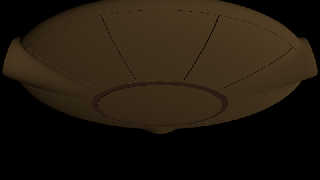
Please see below the scene code. I started to work on the habitat module
which hovers in swarms around the intended futuristic skyscrapers and
above and below the clouds.

I have a problem:

I make the hull hollow with a "difference" of the same shape but
slightly smaller side. However, I get strange results when watching the
habitat from below: the surface should be smooth because only from the
inside shape (difference) I take again some items off with another
difference. This should not impact the outside shape. And still, it
does. Help is welcome.

------------------------------------------------------

#declare MyHullOutsideBottom = texture
{
 pigment { color rgbt < 0.8039216,  0.5882353,  0.29411765, 0.00 > }
}

#declare MyHullOutsideTop = texture
{
 pigment { color rgbt < 0.4039216,  0.1882353,  0.09411765, 0.75 > }
}

#declare MyHull = texture
{
 gradient y
 texture_map
 {
  [ 0.00 MyHullOutsideBottom ] // Hull   Bronze_Metal /**/
  [ 0.05 MyHullOutsideBottom ] // Hull
  [ 0.05 MyHullOutsideTop    ] // Lower Deck Window Stripe
  [ 0.08 MyHullOutsideTop    ] // Lower Deck Window Stripe
  [ 0.08 MyHullOutsideBottom ] // Cupola Base
  [ 0.25 MyHullOutsideBottom ] // Cupola Base
  [ 0.25 MyHullOutsideTop    ] // Cupola
  [ 0.32 MyHullOutsideTop    ] // Cupola
  [ 0.32 MyHullOutsideBottom ] // Cupola Railing
  [ 0.32 MyHullOutsideBottom ] // Cupola Railing
  [ 0.33 MyHullOutsideTop    ] // Cupola
  [ 1.00 MyHullOutsideTop    ] // Cupola
 }
 translate < 0.0, -4.8812, 0.0 >
 scale 1.0*(4.8812*2.2975)
}

#declare MyHullInsideBottom = texture
{
 pigment { color rgb < 0.7843137,  0.654902,  0.4156863 > }
}

#declare MyHullInsideTop = texture
{
 pigment { color rgbt < 0.4039216,  0.1882353,  0.09411765, 0.75 > }
}

#declare MyInterior = texture
{
 gradient y
 texture_map
 {
  [ 0.00 MyHullInsideBottom ] // Hull   Bronze_Metal /**/
  [ 0.05 MyHullInsideBottom ] // Hull
  [ 0.05 MyHullInsideTop    ] // Lower Deck Window Stripe
  [ 0.08 MyHullInsideTop    ] // Lower Deck Window Stripe
  [ 0.08 MyHullInsideBottom ] // Cupola Base
  [ 0.25 MyHullInsideBottom ] // Cupola Base
  [ 0.25 MyHullInsideTop    ] // Cupola
  [ 0.32 MyHullInsideTop    ] // Cupola
  [ 0.32 MyHullInsideBottom ] // Cupola Railing
  [ 0.32 MyHullInsideBottom ] // Cupola Railing
  [ 0.33 MyHullInsideTop    ] // Cupola
  [ 1.00 MyHullInsideTop    ] // Cupola
 }
 translate < 0.0, -4.8812, 0.0 >
 scale -1.0*(4.8812*2.2975)
}

camera
{
 /*ultra_wide_angle*/ //angle 20
 location  < -25.0 , -15.0 , 0.0 >
 //right     x*image_width/image_height // not needed for v3.8
 look_at   < 0.0 , 0.0 , 0.0 >
}

light_source
{
 < -500.0, -500.0, -500.0 >
 color 1.0 * 0.3//< 1.0,  0.62353,  0.46667 >*2
}


#declare HomeBasic = blob
{
 threshold 0.35
 sphere { < 0.0, 0.0, 0.0 > 26.00 1.85 scale < 1.01, 0.25, 1.01 > } //
9.7624 meter tall (-4.8812 m to 4.8812 m) and exactly 19 meter usable
inside radius (38 meter diameter)
 cylinder { < 0.0, 0.0, 0.0 > < 19.0, 0.0, 0.0 > 4.5 0.85 rotate < 0.0,
000.0, 0.0 > }
 cylinder { < 0.0, 0.0, 0.0 > < 19.0, 0.0, 0.0 > 4.5 0.85 rotate < 0.0,
120.0, 0.0 > }
 cylinder { < 0.0, 0.0, 0.0 > < 19.0, 0.0, 0.0 > 4.5 0.85 rotate < 0.0,
240.0, 0.0 > }
}

#declare HomeExact = difference
{
 object { HomeBasic }
 cylinder { < 20.0, 0.0, 0.0 > < 25.0, 0.0, 0.0 > 5.0 rotate < 0.0,
000.0, 0.0 > }
 cylinder { < 20.0, 0.0, 0.0 > < 25.0, 0.0, 0.0 > 5.0 rotate < 0.0,
120.0, 0.0 > }
 cylinder { < 20.0, 0.0, 0.0 > < 25.0, 0.0, 0.0 > 5.0 rotate < 0.0,
240.0, 0.0 > }
}

#declare HomeHollow = difference
{
 object { HomeExact }
 difference
 {                                   // should be 0.999
  object { HomeExact scale < 0.999,0.979,0.999 > /*texture { MyHull }*/
pigment { color rgbt < 0.8039216,  0.5882353,  0.29411765, 0.00 > } }
//  cylinder { < 0.0,  4.8812, 0.0 > < 0.0,  4.9812, 0.0 > 05.0 pigment
{ color rgb < 0.5098039,  0.3137255,  0.2156863 > } } // Ceiling -
5.0812 m above main deck
  cylinder { < 0.0, -1.30, 0.0 > < 0.0, -1.20, 0.0 > 19.0 pigment {
color rgb < 0.5098039,  0.3137255,  0.2156863 > } } // Main Deck -
usable diameter: exactly 19 meters/units - deck thickness: 0.1 meters/units
  cylinder { < 0.0, -4.30, 0.0 > < 0.0, -4.20, 0.0 > 10.0 pigment {
color rgb < 0.5098039,  0.3137255,  0.2156863 > } } // Bottom Deck -
usable diameter: exactly 19 meters/units - ceiling height: exactly 3
meters /units
  union
  {
   box { < 10.0, -4.2, -0.05 >  < 25.0, -1.3, 0.05 > rotate < 0.0,
000.0, 0.0 > }
   box { < 10.0, -4.2, -0.05 >  < 25.0, -1.3, 0.05 > rotate < 0.0,
030.0, 0.0 > }
   box { < 10.0, -4.2, -0.05 >  < 25.0, -1.3, 0.05 > rotate < 0.0,
060.0, 0.0 > }
   box { < 10.0, -4.2, -0.05 >  < 25.0, -1.3, 0.05 > rotate < 0.0,
090.0, 0.0 > }
   box { < 10.0, -4.2, -0.05 >  < 25.0, -1.3, 0.05 > rotate < 0.0,
120.0, 0.0 > }
   box { < 10.0, -4.2, -0.05 >  < 25.0, -1.3, 0.05 > rotate < 0.0,
150.0, 0.0 > }
   box { < 10.0, -4.2, -0.05 >  < 25.0, -1.3, 0.05 > rotate < 0.0,
180.0, 0.0 > }
   box { < 10.0, -4.2, -0.05 >  < 25.0, -1.3, 0.05 > rotate < 0.0,
210.0, 0.0 > }
   box { < 10.0, -4.2, -0.05 >  < 25.0, -1.3, 0.05 > rotate < 0.0,
240.0, 0.0 > }
   box { < 10.0, -4.2, -0.05 >  < 25.0, -1.3, 0.05 > rotate < 0.0,
270.0, 0.0 > }
   box { < 10.0, -4.2, -0.05 >  < 25.0, -1.3, 0.05 > rotate < 0.0,
300.0, 0.0 > }
   box { < 10.0, -4.2, -0.05 >  < 25.0, -1.3, 0.05 > rotate < 0.0,
330.0, 0.0 > }
   texture { MyHullInsideBottom }
   rotate < 0.0, 15.0, 0.0 >
  }
 }
// cylinder { < 0.0, -4.00, 0.0 > < 0.0, -1.15, 0.0 > 14.0 pigment {
color rgb < 0.5098039,  0.3137255,  0.2156863 > } } // Volume for Bottom
Deck
 texture { MyHull }
}

#declare LightsOrangeRings = union
{
 torus { 2.475 0.025 rotate < 0.0, 0.0, 90.0 > translate < 20.0, 0.0,
0.0 > rotate < 0.0, 000.0, 0.0 > }
 torus { 2.475 0.025 rotate < 0.0, 0.0, 90.0 > translate < 20.0, 0.0,
0.0 > rotate < 0.0, 120.0, 0.0 > }
 torus { 2.475 0.025 rotate < 0.0, 0.0, 90.0 > translate < 20.0, 0.0,
0.0 > rotate < 0.0, 240.0, 0.0 > }
 pigment { color rgb < 0.8784314,  0.2,  0.003921569 > }
 finish { emission 1.0  }
}

#declare HomeLights = union
{
 object { HomeHollow }
 object { LightsOrangeRings }
 light_source
 {
  < 0.0, 5.5, 0.0 >
  color rgb 0.2
 }
// cylinder { < 0.0, -1.3, 0.0 > < 0.0, -1.19, 0.0 > 19.0 pigment {
color rgb < 0.145098,  0.1921569,  0.05882353 > } } // measuring deck
diameter (do not use)
}

object { HomeLights scale 0.8 translate < 0.0, 0.0, 0.0 > rotate < 0.0,
000.0, 0.0 >}


---
Diese E-Mail wurde von AVG auf Viren geprüft.
http://www.avg.com
Post a reply to this message
|
|
| |
| |
|
|
|
|
| |
| |
|
|
All these lines should not be there.


---
Diese E-Mail wurde von AVG auf Viren geprüft.
http://www.avg.com
Post a reply to this message
Attachments:
Download 'sl - cloud cities - habitat.jpg' (60 KB)
Preview of image 'sl - cloud cities - habitat.jpg'
|
|
| |
| |
|
|
|
|
| |
| |
|
|
Sven Littkowski <I### [at] SvenLittkowskiname> wrote:
> Because the previous thread has become so large, it is hard to keep an
> overview. Thus I am starting now this thread as part 2 of that
> remarkable thread.
>

I just noticed something in your scene code that is probably unnecessary, in
your 'BigSun' and 'SmallSun' objects: the use of CSG union there...

Original code:
// Small Sun
#declare SunSmall = union
{
 sphere
 {
  < 0.0, 0.0, 0.0 > 1.0
  pigment { color rgb < 0.23529,  0.11373,  0.46275 >*1.0 }
  finish { emission 0.0 }
 }
 scale 66.0
 translate < 160.0, 25.0, 112.0 >*33.0
}

The scale and translate at the end only apply to that one object, so a union
isn't required; you could more easily write it as...

#declare SunSmall =
 sphere
 {
  < 0.0, 0.0, 0.0 > 1.0
  pigment { color rgb < 0.23529,  0.11373,  0.46275 >*1.0 }
  finish { emission 0.0 }
  scale 66.0
  translate < 160.0, 25.0, 112.0 >*33.0
}
Post a reply to this message
|
|
| |
| |
|
|
|
|
| |
| |
|
|
UPDATE

The complete scene code as it is now.
---------------------------------------------

#version 3.7;
// -------------------------------------------------------
// Special thanks for large amount of scene code and help:
// - Alain
// - And
// - Bald Eagle
// - Clipka
// - Kontemplator
// - Omniverse
// - Paolo Gibellini
// - Stephen
// - Thomas de Groot
// -------------------------------------------------------

#declare MyRadiosity = off;
#declare MyClouds = off;
#declare MySuns = off;
#declare MyForest = off;
#declare MyPlanet = off;
#declare MyAir = off;
#declare MyTowers = off;
#declare MyBubble = on;


#declare MyNature = pigment { color rgb < 0.16863,  0.32941,  0.070588 > };


global_settings
{
 assumed_gamma 1.4
 #if(MyRadiosity=on)
  radiosity { media on }
 #end
}

#default
{
 finish { ambient 0.0 diffuse 1.0 }
}

//------------------------------------------------------------------------
#include "colors.inc"
#include "textures.inc"
#include "glass.inc"
#include "metals.inc"
#include "golds.inc"
//#include "SL - Hovering Bubble Home.inc"
//------------------------------------------------------------------------

camera
{
 /*ultra_wide_angle*/ //angle 20
 location  < -35.0 , 11.0 , 0.0 >
 //right     x*image_width/image_height // not needed for v3.8
 look_at   < 0.0 , 5.0 , 0.0 >
}

// sun
-------------------------------------------------------------------

light_source
{
 -z*9999.0//< 50, 100, -250 >*10e4
 color 1.3//< 1.0,  0.62353,  0.46667 >*2
 area_light <450, 0, 0> <0, 0, 450> 6, 6                // total number
of lights in grid (4x*4z = 16 lights)
 adaptive 1          // 0,1,2,3...
 // area_illumination on
 jitter              // adds random softening of light
 circular            // make the shape of the light circular
 orient              // orient light
 rotate < 20.0, 240.0, 0.0 > // altitude, azimuth, tilt
}

// sky -------------------------------------------------------------------

background { color rgb 0.0 }

// ground -----------------------------------------------------------------

#if(MyForest)
box
{
 < -1.0, -1.0, -1.0 > < 1.0, 1.0, 1.0 >
 pigment { MyNature }
 scale < 555.0, 497.0, 555.0 >
 translate -y*494.0
}
#end

//--------------------------------------------------------------------------
// Clouds
#if(MyClouds)
#local Scale = 5.0;

#declare Clouds = density
{
 ripples   // controls the cloud formation
 color_map
 {
  [ 0.33 rgb  10.0 ]
  [ 0.67 rgb 100.0 ]
 }
 scale < 3.0, 1.0, 10.0 >*0.5
 warp { turbulence < 2.5, 1.0, 1.6 > }
 rotate 45.0*y
}

//cloud layer:
box
{
 < -1.0, -1.0, -1.0 > < 1.0, 1.0, 1.0 >
 pigment { rgbt 1.0 }
 hollow
 interior
 {
  media
  {
   samples 20
   absorption < 3.0, 4.0, 0.5 >*1.0/(Scale*100.0)
   emission   < 1.0, 1.0, 1.0 >*0.5/(Scale*100.0)
   scattering
   {
    1
    < 0.5, 0.75, 1.5 >*3.0/(Scale*100.0)
    extinction 0.5
   }
   density
   {
    boxed
    density_map
    {
     [ 0.000 rgb 0.0 ]
     [ 0.001 Clouds scale 1.0/100.0 ]
    }
   }
  }
 }
 scale Scale*100.0
 translate -y*494.0
}
#end
//-------------------------------------------------------------
//atmosphere:
#if(MyAir)
disc
{
 0.0, y, 1.0, 0.0
 hollow on
 no_shadow
 pigment { color rgb 1.0 }
 scale 100.0
 translate y*100.0
}

#local Scale = 5.0;
sphere
{
 < 0.0, 0.0, 0.0 >, 1.0
 pigment { rgbt 1.0 }
 hollow
 interior
 {
  media
  {
   samples 20
   absorption 0.5
   scattering
   {
    5
    < 1.25, 1.0, 1.5 >*2.0/Scale
    extinction 0.67
    eccentricity 0.2
   }
   density
   {
    gradient y
    color_map
    {
/*
     [ 0.00 rgb 1.0 ]  //base ground fog
     [ 0.10 rgb < 9.0, 0.3, 0.10 > ]  //top ground fog
     [ 0.30 rgb < 0.9, 0.3, 0.10 > ]  //top ground fog
     [ 0.50 rgb < 0.5, 0.1, 0.09 >*0.100 ] //base atmospheric haze
     [ 0.67 rgb < 0.1, 0.2, 0.90 >*0.100 ] //top atmospheric haze
     [ 1.00 rgb < 0.1, 0.3, 0.90 >*0.001 ] //top atmospheric haze
*/
     [ 0.00 rgb < 1.0, 1.0, 1.00 >*1.000 ] //base ground fog
     [ 0.10 rgb < 3.0, 0.3, 0.10 >*1.000 ] //top ground fog
     [ 0.30 rgb < 0.3, 0.3, 0.10 >*1.000 ] //top ground fog
     [ 0.50 rgb < 0.5, 0.1, 0.09 >*0.100 ] //base atmospheric haze
     [ 0.67 rgb < 0.3, 0.7, 1.00 >*0.100 ] //top atmospheric haze
     [ 1.00 rgb < 0.3, 0.7, 1.00 >*0.001 ] //top atmospheric haze
    }
    rotate -x*15.0
    warp { spherical }
    scale Scale*2.0*y
   }
  }
 }
 scale Scale*111.0
 translate -y*535.0
}
#end

//-------------------------------------------------------------
// Planet:
#if(MyPlanet)
union
{
 sphere
 {
  < 0.0, 0.0, 0.0 > 7.0
  pigment
  {
   gradient y
   color_map
   {
    [ 0.00 rgb < 1.0, 1.0, 1.0 >*0.05 ]
    [ 0.10 rgb < 1.0, 1.0, 1.0 >*0.05 ]
    [ 0.12 rgb < 1.0, 1.0, 1.0 >*0.05 ]
    [ 0.15 rgb < 0.80392, 0.66275, 0.47059 >*0.05 ]
    [ 0.20 rgb < 0.80392, 0.66275, 0.47059 >*0.05 ]
    [ 0.22 rgb < 0.63922, 0.55686, 0.31373 >*0.05 ]
    [ 0.27 rgb < 0.63922, 0.55686, 0.31373 >*0.05 ]
    [ 0.40 rgb < 0.47451, 0.30980, 0.14118 >*0.05 ]
    [ 0.43 rgb < 0.47451, 0.30980, 0.14118 >*0.05 ]
    [ 0.45 rgb < 0.20392, 0.24314, 0.41176 >*0.05 ]
    [ 0.55 rgb < 0.20392, 0.24314, 0.41176 >*0.05 ]
    [ 0.57 rgb < 0.47451, 0.30980, 0.14118 >*0.05 ]
    [ 0.60 rgb < 0.47451, 0.30980, 0.14118 >*0.05 ]
    [ 0.73 rgb < 0.63922, 0.55686, 0.31373 >*0.05 ]
    [ 0.78 rgb < 0.63922, 0.55686, 0.31373 >*0.05 ]
    [ 0.80 rgb < 0.80392, 0.66275, 0.47059 >*0.05 ]
    [ 0.85 rgb < 0.80392, 0.66275, 0.47059 >*0.05 ]
    [ 0.88 rgb < 1.0, 1.0, 1.0 >*0.05 ]
    [ 0.90 rgb < 1.0, 1.0, 1.0 >*0.05 ]
    [ 1.00 rgb < 1.0, 1.0, 1.0 >*0.05 ]
   }
   turbulence 0.3
   translate < 0.0, -7.0, 0.0 >
   scale 14.0
  }
 }
 difference
 {
  cylinder { < 0.0, -0.00001, 0.0 > < 0.0, 0.00001, 0.0 > 16.0 }
  cylinder { < 0.0, -0.00002, 0.0 > < 0.0, 0.00002, 0.0 > 10.0 }
  pigment
  {
   onion
   color_map
   {
    [ 0.00 rgbt < 0.47451, 0.30980, 0.14118, 0.7 > ]
    [ 0.60 rgbt < 0.47451, 0.30980, 0.14118, 0.7 > ]
    [ 0.62 rgbt < 0.47451, 0.30980, 0.14118, 0.7 > ]
    [ 0.63 rgbt < 0.80392, 0.66275, 0.47059, 0.7 > ]
    [ 0.66 rgbt < 0.80392, 0.66275, 0.47059, 0.7 > ]
    [ 0.67 rgbt < 0.63922, 0.55686, 0.31373, 0.7 > ]
    [ 0.71 rgbt < 0.63922, 0.55686, 0.31373, 0.7 > ]
    [ 0.73 rgbt < 0.47451, 0.30980, 0.14118, 0.7 > ]
    [ 0.76 rgbt < 0.47451, 0.30980, 0.14118, 0.7 > ]
    [ 0.80 rgbt < 0.63922, 0.55686, 0.31373, 0.7 > ]
    [ 0.81 rgbt < 0.63922, 0.55686, 0.31373, 0.7 > ]
    [ 0.82 rgbt < 0.47451, 0.30980, 0.14118, 0.7 > ]
    [ 0.83 rgbt < 0.47451, 0.30980, 0.14118, 0.7 > ]
    [ 0.86 rgbt < 0.63922, 0.55686, 0.31373, 0.7 > ]
    [ 0.88 rgbt < 0.63922, 0.55686, 0.31373, 0.7 > ]
    [ 0.89 rgbt < 0.80392, 0.66275, 0.47059, 0.7 > ]
    [ 0.91 rgbt < 0.80392, 0.66275, 0.47059, 0.7 > ]
    [ 0.97 rgbt < 0.63922, 0.55686, 0.31373, 0.7 > ]
    [ 0.99 rgbt < 0.63922, 0.55686, 0.31373, 0.7 > ]
    [ 1.00 rgbt < 0.63922, 0.55686, 0.31373, 0.7 > ]
   }
   scale 16.0
  }
  finish { emission 0.1 }
 }
 scale 250.0
 rotate < -10.0, -20.0, 50.0 >
 translate < 160.0, 50.0, -100.0 >*33.0
}
#end

#if(MySuns)
// Big Sun
#declare SunLarge = union
{
 sphere
 {
  < 0.0, 0.0, 0.0 > 1.0
  pigment
  {
   gradient y
   color_map
   {
    [ 0.00 rgb < 0.0, 0.0, 0.0 > ]
    [ 0.50 rgb < 1.5, 0.0, 0.1 > ]
    [ 1.00 rgb < 3.0, 0.0, 0.1 >*5.0 ]
   }
   translate < 0.0, -0.5, 0.0 >
   scale 2.0
  }
  finish { emission 1.0 }
  scale 12.0
 }
 scale 66.0
 translate < 160.0, 0.0, 78.0 >*33.0
}

// Small Sun
#declare SunSmall = union
{
 sphere
 {
  < 0.0, 0.0, 0.0 > 1.0
  pigment { color rgb < 0.23529,  0.11373,  0.46275 >*1.0 }
  finish { emission 0.0 }
 }
 scale 66.0
 translate < 160.0, 25.0, 112.0 >*33.0
}

object { SunLarge }
object { SunSmall }
#end

//-------------------------------------------------------------
//artefact:

#if(MyTowers)
#local S=seed(4132);
union
{
 #for (It,1.0,8.0,1.0)

  #local xR=rand(S);
  #local yR=rand(S);
  #local zR=rand(S);

  #local xR2=rand(S);
  #local yR2=rand(S);
  #local zR2=rand(S);
/*
  box
  {
   0.0, 1.0
   scale < 1.0+xR, 8.0+yR*4, 1.0+zR >/2.0
   pigment
   {
    checker
    color rgb 0.1 color rgb 0.9 scale 0.5
   }
   translate (-< xR*20.0,0.0,zR*20.0 > + <xR2*40.0, 0.0, zR2*40.0 >)/2.0
  }
*/
  blob
  {
   threshold 0.65
   cylinder { < 0.0, 0.0, 0.0 > < 0.0, 1.0*(6.0+yR*4), 0.0 >  0.25 1.0 }
   sphere { < 0.0, 1.0*(6.0+yR*4), 0.0 >  0.35 1.0 }
   #if(xR<0.5)
    texture { Chrome_Texture }
   #else
    texture { Brushed_Aluminum }
   #end
   translate (-< xR*20.0,0.0,zR*20.0 > + <xR2*40.0, 0.0, zR2*40.0 >)/2.0
  }
 #end
 rotate y*90.0
 translate < -20.0, 2.0, 5.0 >
}
#end

#if(MyBubble)

#declare MyBronze = texture
{
 Bright_Bronze
 finish
 {
  reflection { 0.01, 0.95 fresnel }
  conserve_energy
  phong 30.0 phong_size 20.0 metallic 1.0
  specular 50.0 roughness 0.0004   //layer a sharp highlight on top.
 }
}

#declare PearlescentGlass = texture
{
 pigment { rgb 0 transmit 1 }
 finish
 {
  reflection { .01, .95 fresnel }
  conserve_energy
  //big fat phong highlight, to give ethereal sheen to the material.
  //make phong fade with angle, using pov's metallic effect on black
  //(because there's no fresnel for phong)
  phong 30 phong_size 20 metallic 1
  specular 50 roughness .0004   //layer a sharp highlight on top.
 }
}

#declare MyHullOutsideBottom = texture
{
 pigment { color rgbt < 0.8039216,  0.5882353,  0.29411765, 0.00 > }
}

#declare MyHullOutsideTop = texture
{
 pigment { color rgbt < 0.4039216,  0.1882353,  0.09411765, 0.75 > }
}

#declare MyHull = texture
{
 gradient y
 texture_map
 {
  [ 0.00 MyHullOutsideBottom ] // Hull   Bronze_Metal /**/
  [ 0.05 MyHullOutsideBottom ] // Hull
  [ 0.05 MyHullOutsideTop    ] // Lower Deck Window Stripe
  [ 0.08 MyHullOutsideTop    ] // Lower Deck Window Stripe
  [ 0.08 MyHullOutsideBottom ] // Cupola Base
  [ 0.25 MyHullOutsideBottom ] // Cupola Base
  [ 0.25 MyHullOutsideTop    ] // Cupola
  [ 0.32 MyHullOutsideTop    ] // Cupola
  [ 0.32 MyHullOutsideBottom ] // Cupola Railing
  [ 0.32 MyHullOutsideBottom ] // Cupola Railing
  [ 0.33 MyHullOutsideTop    ] // Cupola
  [ 1.00 MyHullOutsideTop    ] // Cupola
 }
 translate < 0.0, -4.8812, 0.0 >
 scale 1.0*(4.8812*2.2975)
}

#declare MyHullInsideBottom = texture
{
 pigment { color rgb < 0.7843137,  0.654902,  0.4156863 > }
}

#declare MyHullInsideTop = texture
{
 pigment { color rgbt < 0.4039216,  0.1882353,  0.09411765, 0.75 > }
}

#declare MyInterior = texture
{
 gradient y
 texture_map
 {
  [ 0.00 MyHullInsideBottom ] // Hull   Bronze_Metal /**/
  [ 0.05 MyHullInsideBottom ] // Hull
  [ 0.05 MyHullInsideTop    ] // Lower Deck Window Stripe
  [ 0.08 MyHullInsideTop    ] // Lower Deck Window Stripe
  [ 0.08 MyHullInsideBottom ] // Cupola Base
  [ 0.25 MyHullInsideBottom ] // Cupola Base
  [ 0.25 MyHullInsideTop    ] // Cupola
  [ 0.32 MyHullInsideTop    ] // Cupola
  [ 0.32 MyHullInsideBottom ] // Cupola Railing
  [ 0.32 MyHullInsideBottom ] // Cupola Railing
  [ 0.33 MyHullInsideTop    ] // Cupola
  [ 1.00 MyHullInsideTop    ] // Cupola
 }
 translate < 0.0, -4.8812, 0.0 >
 scale -1.0*(4.8812*2.2975)
}

camera
{
 /*ultra_wide_angle*/ //angle 20
 location  < -25.0 , -15.0 , 0.0 >
 //right     x*image_width/image_height // not needed for v3.8
 look_at   < 0.0 , 0.0 , 0.0 >
}

light_source
{
 < -500.0, -500.0, -500.0 >
 color 1.0 * 0.3//< 1.0,  0.62353,  0.46667 >*2
}


#declare HomeBasic = blob
{
 threshold 0.35
 sphere { < 0.0, 0.0, 0.0 > 26.00 1.85 scale < 1.01, 0.25, 1.01 > } //
9.7624 meter tall (-4.8812 m to 4.8812 m) and exactly 19 meter usable
inside radius (38 meter diameter)
 cylinder { < 0.0, 0.0, 0.0 > < 19.0, 0.0, 0.0 > 4.5 0.85 rotate < 0.0,
000.0, 0.0 > }
 cylinder { < 0.0, 0.0, 0.0 > < 19.0, 0.0, 0.0 > 4.5 0.85 rotate < 0.0,
120.0, 0.0 > }
 cylinder { < 0.0, 0.0, 0.0 > < 19.0, 0.0, 0.0 > 4.5 0.85 rotate < 0.0,
240.0, 0.0 > }
}

#declare HomeExact = difference
{
 object { HomeBasic }
 cylinder { < 20.0, 0.0, 0.0 > < 25.0, 0.0, 0.0 > 5.0 rotate < 0.0,
000.0, 0.0 > }
 cylinder { < 20.0, 0.0, 0.0 > < 25.0, 0.0, 0.0 > 5.0 rotate < 0.0,
120.0, 0.0 > }
 cylinder { < 20.0, 0.0, 0.0 > < 25.0, 0.0, 0.0 > 5.0 rotate < 0.0,
240.0, 0.0 > }
}

#declare HomeHollow = difference
{
 object { HomeExact }
 difference
 {                                   // should be 0.999
  object { HomeExact scale < 0.999,0.979,0.999 > /*texture { MyHull }*/
pigment { color rgbt < 0.8039216,  0.5882353,  0.29411765, 0.00 > } }
//  cylinder { < 0.0,  4.8812, 0.0 > < 0.0,  4.9812, 0.0 > 05.0 pigment
{ color rgb < 0.5098039,  0.3137255,  0.2156863 > } } // Ceiling -
5.0812 m above main deck
  cylinder { < 0.0, -1.30, 0.0 > < 0.0, -1.20, 0.0 > 19.0 pigment {
color rgb < 0.5098039,  0.3137255,  0.2156863 > } } // Main Deck -
usable diameter: exactly 19 meters/units - deck thickness: 0.1 meters/units
  cylinder { < 0.0, -4.30, 0.0 > < 0.0, -4.20, 0.0 > 10.0 pigment {
color rgb < 0.5098039,  0.3137255,  0.2156863 > } } // Bottom Deck -
usable diameter: exactly 19 meters/units - ceiling height: exactly 3
meters /units
  union
  {
   box { < 10.0, -4.2, -0.05 >  < 25.0, -1.3, 0.05 > rotate < 0.0,
000.0, 0.0 > }
   box { < 10.0, -4.2, -0.05 >  < 25.0, -1.3, 0.05 > rotate < 0.0,
030.0, 0.0 > }
   box { < 10.0, -4.2, -0.05 >  < 25.0, -1.3, 0.05 > rotate < 0.0,
060.0, 0.0 > }
   box { < 10.0, -4.2, -0.05 >  < 25.0, -1.3, 0.05 > rotate < 0.0,
090.0, 0.0 > }
   box { < 10.0, -4.2, -0.05 >  < 25.0, -1.3, 0.05 > rotate < 0.0,
120.0, 0.0 > }
   box { < 10.0, -4.2, -0.05 >  < 25.0, -1.3, 0.05 > rotate < 0.0,
150.0, 0.0 > }
   box { < 10.0, -4.2, -0.05 >  < 25.0, -1.3, 0.05 > rotate < 0.0,
180.0, 0.0 > }
   box { < 10.0, -4.2, -0.05 >  < 25.0, -1.3, 0.05 > rotate < 0.0,
210.0, 0.0 > }
   box { < 10.0, -4.2, -0.05 >  < 25.0, -1.3, 0.05 > rotate < 0.0,
240.0, 0.0 > }
   box { < 10.0, -4.2, -0.05 >  < 25.0, -1.3, 0.05 > rotate < 0.0,
270.0, 0.0 > }
   box { < 10.0, -4.2, -0.05 >  < 25.0, -1.3, 0.05 > rotate < 0.0,
300.0, 0.0 > }
   box { < 10.0, -4.2, -0.05 >  < 25.0, -1.3, 0.05 > rotate < 0.0,
330.0, 0.0 > }
   texture { MyHullInsideBottom }
   rotate < 0.0, 15.0, 0.0 >
  }
 }
// cylinder { < 0.0, -4.00, 0.0 > < 0.0, -1.15, 0.0 > 14.0 pigment {
color rgb < 0.5098039,  0.3137255,  0.2156863 > } } // Volume for Bottom
Deck
 texture { MyHull }
}

#declare LightsOrangeRings = union
{
 torus { 2.475 0.025 rotate < 0.0, 0.0, 90.0 > translate < 20.0, 0.0,
0.0 > rotate < 0.0, 000.0, 0.0 > }
 torus { 2.475 0.025 rotate < 0.0, 0.0, 90.0 > translate < 20.0, 0.0,
0.0 > rotate < 0.0, 120.0, 0.0 > }
 torus { 2.475 0.025 rotate < 0.0, 0.0, 90.0 > translate < 20.0, 0.0,
0.0 > rotate < 0.0, 240.0, 0.0 > }
 pigment { color rgb < 0.8784314,  0.2,  0.003921569 > }
 finish { emission 1.0  }
}

#declare HomeLights = union
{
 object { HomeHollow }
 object { LightsOrangeRings }
 light_source
 {
  < 0.0, 5.5, 0.0 >
  color rgb 0.2
 }
// cylinder { < 0.0, -1.3, 0.0 > < 0.0, -1.19, 0.0 > 19.0 pigment {
color rgb < 0.145098,  0.1921569,  0.05882353 > } } // measuring deck
diameter (do not use)
}

object { HomeLights scale 0.8 translate < 0.0, 0.0, 0.0 > rotate < 0.0,
000.0, 0.0 >}

#end

---
Diese E-Mail wurde von AVG auf Viren geprüft.
http://www.avg.com
Post a reply to this message
|
|
| |
| |
|
|
|
|
| |
| |
|
|
On 30.11.2017 18:32, Kenneth wrote:

> I just noticed something in your scene code that is probably unnecessary, in
> your 'BigSun' and 'SmallSun' objects: the use of CSG union there...

> The scale and translate at the end only apply to that one object, so a union
> isn't required; you could more easily write it as...


Yes, you are right. The UNIOn comes from a time when I tried to add
another hollow media sphere to each sun, to simulate (successlessly) a glow.

I eventually want to give another glow try, somewhen.

---
Diese E-Mail wurde von AVG auf Viren geprüft.
http://www.avg.com
Post a reply to this message
|
|
| |
| |
|
|
|
|
| |
| |
|
|
I give you some value:

            media{
                samples 16
                emission rgb<3.73, 2.92*0.75, 2.78*0.65 >*4.0

                scattering{
this color  ==>       3, rgb< 3.73, 2.92, 2.78 >*8.0
                extinction 0.8
                }
                density {
                dens_cloud
                }
            }


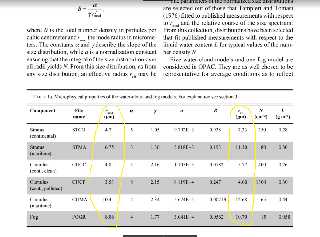
for cloud with droplet size 3000nm, rgb<1.000, 0.928, 0.812>
for cloud with droplet size 4000nm, rgb<1.000, 0.837, 0.780>
for cloud with droplet size 5000nm, rgb<1.000, 0.793, 0.753>
for cloud with droplet size 6000nm, rgb<1.000, 0.780, 0.738>
for cloud with droplet size 7000nm, rgb<1.000, 0.784, 0.746>
for cloud with droplet size 8000nm, rgb<1.000, 0.782, 0.743>
for cloud with droplet size 9000nm, rgb<1.000, 0.781, 0.747>

for cloud with droplet size 10000nm, rgb<1.000, 0.779, 0.745>
for cloud with droplet size 12000nm, rgb<1.000, 0.784, 0.750>
for cloud with droplet size 14000nm, rgb<1.000, 0.784, 0.749>
for cloud with droplet size 16000nm, rgb<1.000, 0.788, 0.747>
for cloud with droplet size 18000nm, rgb<1.000, 0.783, 0.749>


scattering with type3 (mie murky) or type5 + eccentricity 0.9 is the most
realistic option for the first scattering
Post a reply to this message
|
|
| |
| |
|
|
|
|
| |
| |
|
|
"And" <49341109@ntnu.edu.tw> wrote:
> I give you some value:
>
>
> for cloud with droplet size 3000nm, rgb<1.000, 0.928, 0.812>
> for cloud with droplet size 4000nm, rgb<1.000, 0.837, 0.780>
> for cloud with droplet size 5000nm, rgb<1.000, 0.793, 0.753>
> for cloud with droplet size 6000nm, rgb<1.000, 0.780, 0.738>
> for cloud with droplet size 7000nm, rgb<1.000, 0.784, 0.746>
> for cloud with droplet size 8000nm, rgb<1.000, 0.782, 0.743>
> for cloud with droplet size 9000nm, rgb<1.000, 0.781, 0.747>
>
> for cloud with droplet size 10000nm, rgb<1.000, 0.779, 0.745>
> for cloud with droplet size 12000nm, rgb<1.000, 0.784, 0.750>
> for cloud with droplet size 14000nm, rgb<1.000, 0.784, 0.749>
> for cloud with droplet size 16000nm, rgb<1.000, 0.788, 0.747>
> for cloud with droplet size 18000nm, rgb<1.000, 0.783, 0.749>
>
>

The size is radius, I post a picture, can find some value on it.
Post a reply to this message
Attachments:
Download 'cloud radius reference.png' (264 KB)
Preview of image 'cloud radius reference.png'
|
|
| |
| |
|
|
|
|
| |
| |
|
|
On 01.12.2017 01:32, And wrote:
> I give you some value:
> The size is radius, I post a picture, can find some value on it.

Hi, big thanks.

As I understand it, I need to add this media into the declaration of
each sun, is that correct? And if so, would the sun sphere need to be
hollow?


---
Diese E-Mail wurde von AVG auf Viren geprüft.
http://www.avg.com
Post a reply to this message
|
|
| |
| |
|
|
|
|
| |
| |
|
|
"Kenneth" <kdw### [at] gmailcom> wrote:

>
> Thanks for posting your code. I've been playing around with it, and made an
> area_light to replace your point light... which makes the scene even SLOWER to
> render, of course, but I noticed that your test-building on the left
> was casting too 'sharp' of a shadow through the foggy atmosphere, compared
> to the size of the large Sun. (I only noticed the sharpness re: that
> one building, so *maybe* the area light could be assigned to *just* that
> building, in a light_group, to save rendering time. I haven't tried that
> yet, though.) Anyway, here's the light...
>

No, don't waste your time with that single building/light_group idea, sorry. I
tried it and the results are not what I had imagined. I don't know how to
describe the resulting effect, but it definitely looks 'wrong' with the clouds
and atmospheric medias.
Post a reply to this message
|
|
| |
| |
|
|
|
|
| |
| |
|
|
Sven Littkowski <I### [at] SvenLittkowskiname> wrote:
> On 01.12.2017 01:32, And wrote:
> > I give you some value:
> > The size is radius, I post a picture, can find some value on it.
>
> Hi, big thanks.
>
> As I understand it, I need to add this media into the declaration of
> each sun, is that correct? And if so, would the sun sphere need to be
> hollow?
>
>
> ---
> Diese E-Mail wurde von AVG auf Viren geprüft.
> http://www.avg.com

Sun...no, this is for cloud.
Post a reply to this message
|
|
| |
| |
|
|
|
|
| |
| |
|
|
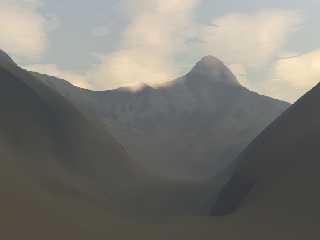
test my cloud with a sculpted mountain
Post a reply to this message
Attachments:
Download 'mountain scene1 4.png' (99 KB)
Preview of image 'mountain scene1 4.png'
|
|
| |
| |
|
|
|
|
| |
| |
|
|
"And" <49341109@ntnu.edu.tw> wrote:
> test my cloud with a sculpted mountain

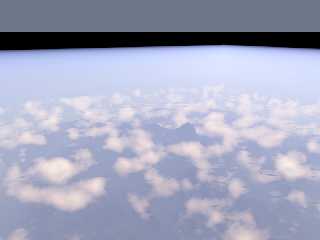
rendered from high altitude
Post a reply to this message
Attachments:
Download 'mountain scene2 1.png' (262 KB)
Preview of image 'mountain scene2 1.png'
|
|
| |
| |
|
|
|
|
| |
| |
|
|
On 01.12.2017 02:48, And wrote:
> Sven Littkowski <I### [at] SvenLittkowskiname> wrote:
>> On 01.12.2017 01:32, And wrote:
>>> I give you some value:
>>> The size is radius, I post a picture, can find some value on it.
>>
>> Hi, big thanks.
>>
>> As I understand it, I need to add this media into the declaration of
>> each sun, is that correct? And if so, would the sun sphere need to be
>> hollow?
>>
>>
>> ---
>> Diese E-Mail wurde von AVG auf Viren geprüft.
>> http://www.avg.com
>
> Sun...no, this is for cloud.
>
Olala! Thanks for telling me. Will try it out. :-) :-D

But we need to find a way, to get a glow around the two suns, too.
Post a reply to this message
|
|
| |
| |
|
|
|
|
| |
| |
|
|
Is there any location, where "this" and "dens_cloud" are defined? I
feel, I am missing some previous code here. :-)

---
Diese E-Mail wurde von AVG auf Viren geprüft.
http://www.avg.com
Post a reply to this message
|
|
| |
| |
|
|
|
|
| |
| |
|
|
On your last (high-attitude) cloud image, i would apply a tiny scale
attribute to your clouds. make them just a little bit flatter, maybe 10
to 20% only.

Your low-attitude cloudy-mountains image shows clouds that are not dense
enough in their center, not hiding the mountains well enough yet. I
believe, if you increase the density inside the centers, you should be
finished with the cloud coding. :-)

---
Diese E-Mail wurde von AVG auf Viren geprüft.
http://www.avg.com
Post a reply to this message
|
|
| |
| |
|
|
|
|
| |
| |
|
|
Sven Littkowski <I### [at] SvenLittkowskiname> wrote:
> On your last (high-attitude) cloud image, i would apply a tiny scale
> attribute to your clouds. make them just a little bit flatter, maybe 10
> to 20% only.
>

Hmm really?

> Your low-attitude cloudy-mountains image shows clouds that are not dense
> enough in their center, not hiding the mountains well enough yet. I
> believe, if you increase the density inside the centers, you should be
> finished with the cloud coding. :-)
>

My approach will not allow me to rise the density much more, or it shows more
artifact. That's one of what I said the limit of the media previous. It can
simulate not so dense cloud, but more density it can't.

The two pictures that I last post is in the same cloud setting. Just change the
camera position. I want to express that my approach can simulate cloud nearing
the physical reality, not just an inconstant result.
> ---
> Diese E-Mail wurde von AVG auf Viren geprüft.
> http://www.avg.com
Post a reply to this message
|
|
| |
| |
|
|
|
|
| |
| |
|
|
Sven Littkowski <I### [at] SvenLittkowskiname> wrote:
> Is there any location, where "this" and "dens_cloud" are defined? I
> feel, I am missing some previous code here. :-)
>
> ---
> Diese E-Mail wurde von AVG auf Viren geprüft.
> http://www.avg.com

"dens_cloud" is mine. It outputs the shape of the cloud from a function, I
usually use function to control the pattern. You can use your own density
pattern instead.

#include "functions.inc"

#declare f_test =
function(x,y,z) {
0.32*sum(i, 0, 4, pow(abs(f_noise3d(x*pow(2, i)/0.4, y*pow(2, i)/0.4, z*pow(2,
i)/0.4)), 2.5)/pow(2.0, i) )
}


#declare f_cloud_base =
function(x,y,z) {
0.5 - f_test(x,y,z)*3*3*z*exp(-3*z) - 0.32*3*3*z*exp(-3*z)
}


#declare dens_cloud =
density{
    function{0.5 - 0.2*f_cloud_base(x,y,z)}
    color_map{
        [0   rgb 0]
        [0.5 rgb 0]
        [0.56 rgb 1]
        [1   rgb 1]
    }
}
Post a reply to this message
|
|
| |
| |
|
|
|
|
| |
| |
|
|
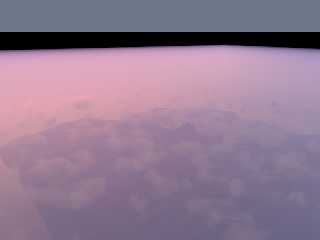
Sunset:

this image I just assigned scattering media for the cloud. You can see the cloud
is too dark.
Even I set the extinction smaller than 1.0(this is equal emission some lights)


// cloud
box{
<-5.01, -5.01, 0>, <5.01, 5.01, 1>
hollow
    material{
        texture{
            pigment{rgbt<0,0,0,1>}
            finish{ambient 0 diffuse 0}
        }
        interior {
            media{
                samples 8

                scattering{
                3, rgb< 1.00, 0.784, 0.746 >*8.0 //8.0
                extinction 0.8
                }
                density {
                dens_cloud
                }
            }
        }
    }
scale 2
translate <0,0,0.4>
}
Post a reply to this message
Attachments:
Download 'mountain scene2 1 sunset only scattering.png' (164 KB)
Preview of image 'mountain scene2 1 sunset only scattering.png'
|
|
| |
| |
|
|
|
|
| |
| |
|
|
"And" <49341109@ntnu.edu.tw> wrote:
> Sunset:
>
> this image I just assigned scattering media for the cloud. You can see the cloud
> is too dark.
> Even I set the extinction smaller than 1.0(this is equal emission some lights)
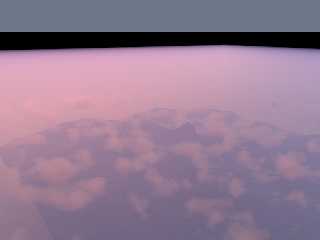
>

Too dark is caused by lacking of multiple scattering, so I fill-in some light
with emission for it.


    material{
        texture{
            pigment{rgbt<0,0,0,1>}
            finish{ambient 0 diffuse 0}
        }
        interior {

            media{
                samples 8

               emission rgb<3.73, 2.92*0.75*0.161, 2.78*0.65*0.01 >*0.15

                density {
                dens_cloud2
                }
            }
            media{
                samples 8
                emission rgb<1.00, 0.784*0.75*0.161, 0.746*0.65*0.01 >*1.0
                         // notice this is
                         // vdot(<1.00, 0.784*0.75, 0.746*0.65>,
                         //      <1.00, 0.161, 0.01>)
                         //      ^^^^^^^^^^^^^^^^^^^  this is my sun color

                scattering{
                3, rgb< 1.00, 0.784, 0.746 >*8.0 //this is the same, not change
                extinction 0.8
                }
                density {
                dens_cloud
                }
            }
        }
    }


for the sunset I use rgb<1.00,0.161,0.01>*strength for my parallel light as sun
light. It is from a sunset photo, I measured the color.
Post a reply to this message
Attachments:
Download 'mountain scene2 1 sunset.png' (181 KB)
Preview of image 'mountain scene2 1 sunset.png'
|
|
| |
| |
|
|
|
|
| |
| |
|
|
"And" <49341109@ntnu.edu.tw> wrote:
> "And" <49341109@ntnu.edu.tw> wrote:
> > Sunset:
> >
> > this image I just assigned scattering media for the cloud. You can see the cloud
> > is too dark.
> > Even I set the extinction smaller than 1.0(this is equal emission some lights)
> >
>
> Too dark is caused by lacking of multiple scattering, so I fill-in some light
> with emission for it.


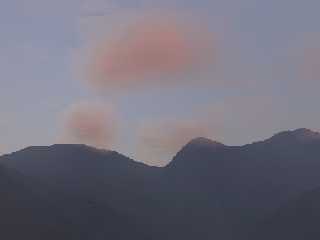
Another view:
Post a reply to this message
Attachments:
Download 'mountain scene2 2.png' (78 KB)
Preview of image 'mountain scene2 2.png'
|
|
| |
| |
|
|
|
|
| |
| |
|
|
On 01.12.2017 06:34, And wrote:
> Sven Littkowski <I### [at] SvenLittkowskiname> wrote:
>> On your last (high-attitude) cloud image, i would apply a tiny scale
>> attribute to your clouds. make them just a little bit flatter, maybe 10
>> to 20% only.
>>
>
> Hmm really?
>
>> Your low-attitude cloudy-mountains image shows clouds that are not dense
>> enough in their center, not hiding the mountains well enough yet. I
>> believe, if you increase the density inside the centers, you should be
>> finished with the cloud coding. :-)
>>
>
> My approach will not allow me to rise the density much more, or it shows more
> artifact. That's one of what I said the limit of the media previous. It can
> simulate not so dense cloud, but more density it can't.
>
> The two pictures that I last post is in the same cloud setting. Just change the
> camera position. I want to express that my approach can simulate cloud nearing
> the physical reality, not just an inconstant result.
>> ---
>> Diese E-Mail wurde von AVG auf Viren geprüft.
>> http://www.avg.com
>
>
>
The images still look nice. Sad only, that I self have no understanding
of media, I wished I could help here. Sounds like you should propose a
new feature inside the BETA section of this newsgroup, or expanding
existing features to make it possible to increase the density further.
Post a reply to this message
|
|
| |
| |
|
|
|
|
| |
| |
|
|
On 01.12.2017 07:57, And wrote:
> "And" <49341109@ntnu.edu.tw> wrote:
>> "And" <49341109@ntnu.edu.tw> wrote:
>>> Sunset:
>>>
>>> this image I just assigned scattering media for the cloud. You can see
the cloud
>>> is too dark.
>>> Even I set the extinction smaller than 1.0(this is equal emission some
lights)
>>>
>>
>> Too dark is caused by lacking of multiple scattering, so I fill-in some
light
>> with emission for it.
>
>
> Another view:
>
I think I understand now: this is not about my scene, but about a scene
of yours. :-D

---
Diese E-Mail wurde von AVG auf Viren geprüft.
http://www.avg.com
Post a reply to this message
|
|
| |
| |
|
|
|
|
| |
| |
|
|
Am 01.12.2017 um 20:42 schrieb Sven Littkowski:
> The images still look nice. Sad only, that I self have no understanding
> of media, I wished I could help here. Sounds like you should propose a
> new feature inside the BETA section of this newsgroup, or expanding
> existing features to make it possible to increase the density further.

The issue isn't so much whether it is /possible/ to increase the
density, but rather whether doing so gives /realistic results/.

The problem is that the scattering media model is designed for cases
where the media's density is non-uniform, but low enough that the single
scattering contribution is dominant (i.e. a typical light ray will be
deflected from its initial direction at most once), and the multiple
scattering contribution (i.e. light that is deflected from its initial
direction more than once) is negligible.

Compare this to the subsurface light transport model, which is
specifically designed for cases where the density is pretty much
uniform, but high enough that the multiple scattering contribution is
dominant.


To extend the scattering media model in such a manner that it gives
reasonably realistic results for high-density media, a monte-carlo-ish
rendering approach would have to be used, where secondary rays would be
shot here and there along the light's path (even recursively). Expect
noisy results and/or high rendering times.

This is in fact on my wishlist, but other stuff takes priority.
Post a reply to this message
|
|
| |
| |
|
|
|
|
| |
| |
|
|
On 01.12.2017 15:17, clipka wrote:
> Am 01.12.2017 um 20:42 schrieb Sven Littkowski:
>> The images still look nice. Sad only, that I self have no understanding
>> of media, I wished I could help here. Sounds like you should propose a
>> new feature inside the BETA section of this newsgroup, or expanding
>> existing features to make it possible to increase the density further.
>
> The issue isn't so much whether it is /possible/ to increase the
> density, but rather whether doing so gives /realistic results/.
>
> The problem is that the scattering media model is designed for cases
> where the media's density is non-uniform, but low enough that the single
> scattering contribution is dominant (i.e. a typical light ray will be
> deflected from its initial direction at most once), and the multiple
> scattering contribution (i.e. light that is deflected from its initial
> direction more than once) is negligible.
>
> Compare this to the subsurface light transport model, which is
> specifically designed for cases where the density is pretty much
> uniform, but high enough that the multiple scattering contribution is
> dominant.
>
>
> To extend the scattering media model in such a manner that it gives
> reasonably realistic results for high-density media, a monte-carlo-ish
> rendering approach would have to be used, where secondary rays would be
> shot here and there along the light's path (even recursively). Expect
> noisy results and/or high rendering times.
>
> This is in fact on my wishlist, but other stuff takes priority.
>

Thank you for this insight.

I think, looking to the list of persons actively involved in the
developing, POV-Ray needs again some more promotion. It is such a
unique, great, possibilities-loaded render engine, it deserves to be
connected to all school and university students. I think, we really need
many more developers who are into POV-Ray rendering. But that is just my
personal opinion.

---
Diese E-Mail wurde von AVG auf Viren geprüft.
http://www.avg.com
Post a reply to this message
|
|
| |
| |
|
|
|
|
| |
| |
|
|
For some strange reason, it seems I am unable to change the location of
the two colors inside my pigment_maps ("MyHull" texture and "MyInterior"
texture, both at the top of the code), even when changing the numeric
values. Strange.

Can anyone of you test and find out, if you encounter the same problem?

----------------------------------

#declare MyHullOutsideBottom = texture
{
 pigment { color rgbt < 0.8039216,  0.5882353,  0.29411765, 0.00 > }
// 1.0, 0.0, 0.0
}

#declare MyHullOutsideTop = texture
{
 pigment { color rgbt < 0.4039216, 0.1882353, 0.09411765, 0.75 > }
}

#declare MyHull = texture
{
 gradient y
 texture_map
 {
  [ 0.00 MyHullOutsideBottom ] // Hull   Bronze_Metal /**/
  [ 0.45 MyHullOutsideBottom ] // Hull
/*  [ 0.25 MyHullOutsideTop    ] // Lower Deck Window Stripe
  [ 0.28 MyHullOutsideTop    ] // Lower Deck Window Stripe
  [ 0.28 MyHullOutsideBottom ] // Cupola Base
  [ 0.35 MyHullOutsideBottom ] // Cupola Base
  [ 0.35 MyHullOutsideTop    ] // Cupola
  [ 0.42 MyHullOutsideTop    ] // Cupola
  [ 0.42 MyHullOutsideBottom ] // Cupola Railing
  [ 0.52 MyHullOutsideBottom ] // Cupola Railing
*/  [ 0.45 MyHullOutsideTop    ] // Cupola
  [ 1.00 MyHullOutsideTop    ] // Cupola
 }
 translate < 0.0, -4.8812, 0.0 >
 scale -1.0*(4.8812*2.85)
}

#declare MyHullInsideBottom = texture
{
 pigment { color rgb < 0.7843137,  0.654902,  0.4156863 > }
}

#declare MyHullInsideTop = texture
{
 pigment { color rgbt < 0.4039216,  0.1882353,  0.09411765, 0.75 > }
}

#declare MyInterior = texture
{
 gradient y
 texture_map
 {
  [ 0.00 MyHullInsideBottom ] // Hull   Bronze_Metal /**/
  [ 0.45 MyHullInsideBottom ] // Hull
/*  [ 0.25 MyHullInsideTop    ] // Lower Deck Window Stripe
  [ 0.28 MyHullInsideTop    ] // Lower Deck Window Stripe
  [ 0.28 MyHullInsideBottom ] // Cupola Base
  [ 0.35 MyHullInsideBottom ] // Cupola Base
  [ 0.35 MyHullInsideTop    ] // Cupola
  [ 0.42 MyHullInsideTop    ] // Cupola
  [ 0.42 MyHullInsideBottom ] // Cupola Railing
  [ 0.52 MyHullInsideBottom ] // Cupola Railing
*/  [ 0.45 MyHullInsideTop    ] // Cupola
  [ 1.00 MyHullInsideTop    ] // Cupola
 }
 translate < 0.0, -4.8812, 0.0 >
 scale -1.0*(4.8812*2.85)
}

camera
{
 /*ultra_wide_angle*/ //angle 20
 location  < -25.0 , 0.0 , 0.0 >
 //right     x*image_width/image_height // not needed for v3.8
 look_at   < 0.0 , 0.0 , 0.0 >
}

light_source
{
 < -500.0, 100.0, 500.0 >
 color 1.0 * 1.3//< 1.0,  0.62353,  0.46667 >*2
}


#declare HomeBasic = blob
{
 threshold 0.35
 sphere { < 0.0, 0.0, 0.0 > 26.00 1.85 scale < 1.01, 0.25, 1.01 > } //
9.7624 meter tall (-4.8812 m to 4.8812 m) and exactly 19 meter usable
inside radius (38 meter diameter)
 cylinder { < 0.0, 0.0, 0.0 > < 19.0, 0.0, 0.0 > 4.5 0.85 rotate < 0.0,
000.0, 0.0 > }
 cylinder { < 0.0, 0.0, 0.0 > < 19.0, 0.0, 0.0 > 4.5 0.85 rotate < 0.0,
120.0, 0.0 > }
 cylinder { < 0.0, 0.0, 0.0 > < 19.0, 0.0, 0.0 > 4.5 0.85 rotate < 0.0,
240.0, 0.0 > }
}

#declare HomeExact = difference
{
 object { HomeBasic }
 cylinder { < 20.0, 0.0, 0.0 > < 25.0, 0.0, 0.0 > 5.0 rotate < 0.0,
000.0, 0.0 > }
 cylinder { < 20.0, 0.0, 0.0 > < 25.0, 0.0, 0.0 > 5.0 rotate < 0.0,
120.0, 0.0 > }
 cylinder { < 20.0, 0.0, 0.0 > < 25.0, 0.0, 0.0 > 5.0 rotate < 0.0,
240.0, 0.0 > }
}

#declare HomeNegative = difference
{
 box { < -25.0, -10.0, -25.0 > < 25.0, 10.0, 25.0 > }
 object { HomeExact }
}

#declare MyInteriorWalls = difference
{
 //  cylinder { < 0.0,  4.8812, 0.0 > < 0.0,  4.9812, 0.0 > 05.0 pigment
{ color rgb < 0.5098039,  0.3137255,  0.2156863 > } } // Ceiling -
5.0812 m above main deck
 cylinder { < 0.0, -1.30, 0.0 > < 0.0, -1.20, 0.0 > 24.0 pigment { color
rgb < 0.5098039,  0.3137255,  0.2156863 > } } // Main Deck - usable
diameter: exactly 19 meters/units - deck thickness: 0.1 meters/units
 cylinder { < 0.0, -4.30, 0.0 > < 0.0, -4.20, 0.0 > 10.0 pigment { color
rgb < 0.5098039,  0.3137255,  0.2156863 > } } // Bottom Deck - usable
diameter: exactly 19 meters/units - ceiling height: exactly 3 meters /units

 union
 {
  box { < 10.0, -4.2, -0.05 >  < 25.0, -1.3, 0.05 > rotate < 0.0, 000.0,
0.0 > }
  box { < 10.0, -4.2, -0.05 >  < 25.0, -1.3, 0.05 > rotate < 0.0, 030.0,
0.0 > }
  box { < 10.0, -4.2, -0.05 >  < 25.0, -1.3, 0.05 > rotate < 0.0, 060.0,
0.0 > }
  box { < 10.0, -4.2, -0.05 >  < 25.0, -1.3, 0.05 > rotate < 0.0, 090.0,
0.0 > }
  box { < 10.0, -4.2, -0.05 >  < 25.0, -1.3, 0.05 > rotate < 0.0, 120.0,
0.0 > }
  box { < 10.0, -4.2, -0.05 >  < 25.0, -1.3, 0.05 > rotate < 0.0, 150.0,
0.0 > }
  box { < 10.0, -4.2, -0.05 >  < 25.0, -1.3, 0.05 > rotate < 0.0, 180.0,
0.0 > }
  box { < 10.0, -4.2, -0.05 >  < 25.0, -1.3, 0.05 > rotate < 0.0, 210.0,
0.0 > }
  box { < 10.0, -4.2, -0.05 >  < 25.0, -1.3, 0.05 > rotate < 0.0, 240.0,
0.0 > }
  box { < 10.0, -4.2, -0.05 >  < 25.0, -1.3, 0.05 > rotate < 0.0, 270.0,
0.0 > }
  box { < 10.0, -4.2, -0.05 >  < 25.0, -1.3, 0.05 > rotate < 0.0, 300.0,
0.0 > }
  box { < 10.0, -4.2, -0.05 >  < 25.0, -1.3, 0.05 > rotate < 0.0, 330.0,
0.0 > }
  texture { MyHullInsideBottom }
  rotate < 0.0, 15.0, 0.0 >
 }
 object { HomeNegative }
}

#declare HomeHollow = difference
{
 object { HomeExact texture { MyHull } }
 object { HomeExact scale < 0.999,0.996,0.999 > texture { MyInterior }
/*pigment { color rgbt < 0.8039216,  0.5882353,  0.29411765, 0.00 > }*/ }
}

#declare HomeWithInterior = union
{
 object { HomeHollow }
 object { MyInteriorWalls }
}

#declare LightsOrangeRings = union
{
 torus { 2.475 0.025 rotate < 0.0, 0.0, 90.0 > translate < 20.0, 0.0,
0.0 > rotate < 0.0, 000.0, 0.0 > }
 torus { 2.475 0.025 rotate < 0.0, 0.0, 90.0 > translate < 20.0, 0.0,
0.0 > rotate < 0.0, 120.0, 0.0 > }
 torus { 2.475 0.025 rotate < 0.0, 0.0, 90.0 > translate < 20.0, 0.0,
0.0 > rotate < 0.0, 240.0, 0.0 > }
 pigment { color rgb < 0.8784314,  0.2,  0.003921569 > }
 finish { emission 1.0  }
}

#declare HomeLights = union
{
 object { HomeWithInterior }
 object { LightsOrangeRings }
 light_source
 {
  < 0.0, 5.5, 0.0 >
  color rgb 0.2
 }
// cylinder { < 0.0, -1.3, 0.0 > < 0.0, -1.19, 0.0 > 19.0 pigment {
color rgb < 0.145098,  0.1921569,  0.05882353 > } } // measuring deck
diameter (do not use)
}

object { HomeLights scale 0.8 translate < 0.0, 0.0, 0.0 > rotate < 0.0,
000.0, 0.0 >}

---
Diese E-Mail wurde von AVG auf Viren geprüft.
http://www.avg.com
Post a reply to this message
|
|
| |
| |
|
|
|
|
| |
| |
|
|
See the image. I tried successlessly to raise the upper edge of the
sand-brown area in my pigment_map...


---
Diese E-Mail wurde von AVG auf Viren geprüft.
http://www.avg.com
Post a reply to this message
Attachments:
Download 'sl - cloud cities.png' (45 KB)
Preview of image 'sl - cloud cities.png'

|
|
| |
| |
|
|
|
|
| |
| |
|
|
Sven Littkowski <I### [at] SvenLittkowskiname> wrote:
> For some strange reason, it seems I am unable to change the location of
> the two colors inside my pigment_maps....

#declare Switch = 1;
#if (Switch)
 #declare TextureA = texture {MyHullOutsideBottom};
 #declare TextureB = texture {MyHullOutsideTop};
#else
 #declare TextureA = texture {MyHullOutsideTop};
 #declare TextureB = texture {MyHullOutsideBottom};
#end

Then redefine your texture maps using A and B
Post a reply to this message
|
|
| |
| |
|
|
|
|
| |
| |
|
|
On 01.12.2017 20:32, Bald Eagle wrote:
> Sven Littkowski <I### [at] SvenLittkowskiname> wrote:
>> For some strange reason, it seems I am unable to change the location of
>> the two colors inside my pigment_maps....
>
> #declare Switch = 1;
> #if (Switch)
>  #declare TextureA = texture {MyHullOutsideBottom};
>  #declare TextureB = texture {MyHullOutsideTop};
> #else
>  #declare TextureA = texture {MyHullOutsideTop};
>  #declare TextureB = texture {MyHullOutsideBottom};
> #end
>
> Then redefine your texture maps using A and B
>
>
Thanks. I actually found some errors already, but they are not with the
pigment_map.

But what I recognize, if I apply RBGT colors with transparency 0.75 to a
shape, and use a difference to take of another shape from it and that
shape has also transparency 0.75, the result is a pigment with no
transparency. Strange.

---
Diese E-Mail wurde von AVG auf Viren geprüft.
http://www.avg.com
Post a reply to this message
|
|
| |
| |
|
|
|
|
| |
| |
|
|
Le 17-12-01 à 05:08, Sven Littkowski a écrit :
> On 01.12.2017 02:48, And wrote:
>> Sven Littkowski <I### [at] SvenLittkowskiname> wrote:
>>> On 01.12.2017 01:32, And wrote:
>>>> I give you some value:
>>>> The size is radius, I post a picture, can find some value on it.
>>>
>>> Hi, big thanks.
>>>
>>> As I understand it, I need to add this media into the declaration of
>>> each sun, is that correct? And if so, would the sun sphere need to be
>>> hollow?
>>>
>>>
>>> ---
>>> Diese E-Mail wurde von AVG auf Viren geprüft.
>>> http://www.avg.com
>>
>> Sun...no, this is for cloud.
>>
> Olala! Thanks for telling me. Will try it out. :-) :-D
>
> But we need to find a way, to get a glow around the two suns, too.
>

Emissive media with a sprerical pattern and some turbulance.
One sphere for the sun itself, and a larget, concentrical one, for the glow.
The media for the glow should have a lower emissivity that the main one.
The media for the sun should probably be OK using an uniform density.
Post a reply to this message
|
|
| |
| |
|
|
|
|
| |
| |
|
|
Le 17-11-30 à 11:16, And a écrit :
> Then change to media:
>

Not enough samples. Try using at least 3 times as many, maybe even as
much as 50+ times more.
Post a reply to this message
|
|
| |
| |
|
|
|
|
| |
|
|








