|
|
|
|
|
|
| |
| |
|
|
|
|
| |
| |
|
|
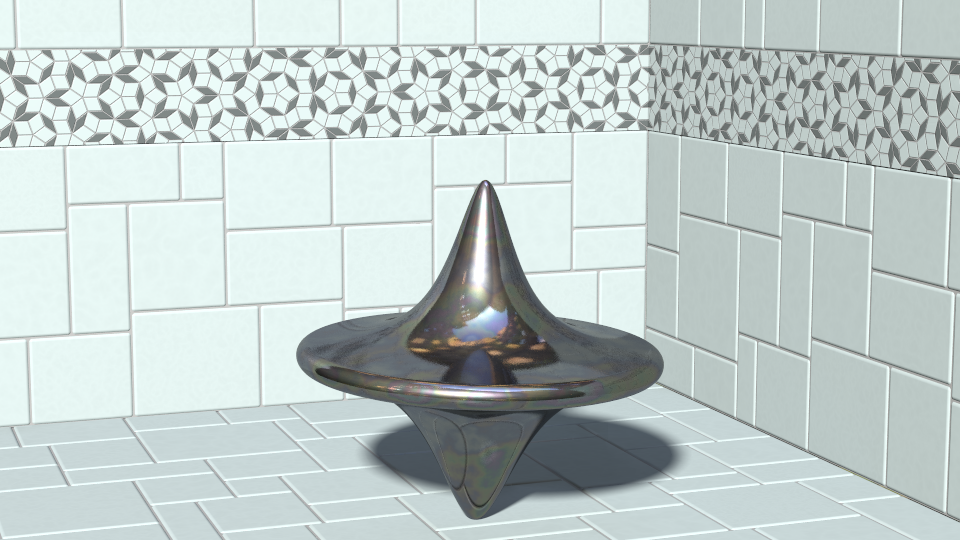
This started out as just an alcove ... but the test object turned out
pretty cool so I decided to post.
Post a reply to this message
Attachments:
Download 'spinner.png' (542 KB)
Preview of image 'spinner.png'
|
|
| |
| |
|
|
|
|
| |
| |
|
|
Nice - is that a double Witch of Agnesi?
Post a reply to this message
|
|
| |
| |
|
|
|
|
| |
| |
|
|
Beautiful metallic texture indeed, as are the ceramic tiles by the way.

(What is that background reflection...? always fascinating to try to
decode the invisible...)

--
Thomas
Post a reply to this message
|
|
| |
| |
|
|
|
|
| |
| |
|
|
On 10/6/2016 2:59 PM, Bald Eagle wrote:
> Nice - is that a double Witch of Agnesi?
>
thanks ... yes it is. top one has +y and bottom has -y (two different
spikes sizes) then csg'ed away the leftovers. used trace to get close
(some minor tweaking needed afterwards) with torus parameters then union
Post a reply to this message
|
|
| |
| |
|
|
|
|
| |
| |
|
|
On 10/7/2016 3:22 AM, Thomas de Groot wrote:
> Beautiful metallic texture indeed, as are the ceramic tiles by the way.
>
> (What is that background reflection...? always fascinating to try to
> decode the invisible...)
>

danke ...

for the large tile's (and floor) i used sam's odd tiles macro, and
tiling pattern 27 for the accent (penrose) tiles ... chrome material
uses a touch of irid

the background is one of my favorite hdr images ... an abandoned paper mill
Post a reply to this message
|
|
| |
| |
|
|
|
|
| |
| |
|
|
Jim Holsenback wrote on 06/10/2016 16:58:
> This started out as just an alcove ... but the test object turned out
> pretty cool so I decided to post.
A really nice image.
Paolo
Post a reply to this message
|
|
| |
| |
|
|
|
|
| |
| |
|
|
On 10/10/2016 6:14 AM, Paolo Gibellini wrote:
> Jim Holsenback wrote on 06/10/2016 16:58:
>> This started out as just an alcove ... but the test object turned out
>> pretty cool so I decided to post.
> A really nice image.
> Paolo
thanks :-)
Post a reply to this message
|
|
| |
| |
|
|
|
|
| |
| |
|
|
On 10/6/2016 10:58 AM, Jim Holsenback wrote:
> This started out as just an alcove ...

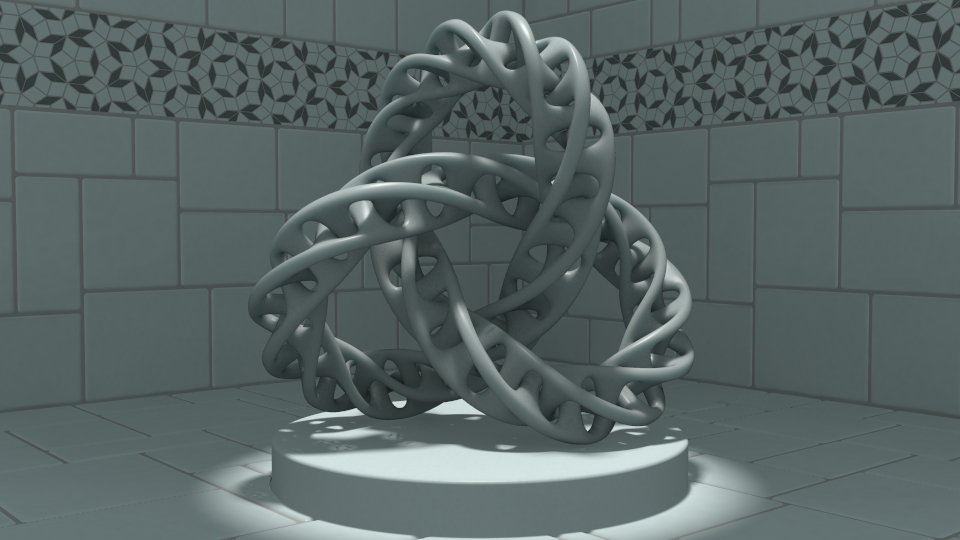
found a couple of light leaks in the alcove when i used radiosity ...
grout needed a nudge. since i like where this is going i think i'll
spend a bit more time on the subsurface with this one before i do a
beauty run ... i'm shooting for porcelain
Post a reply to this message
Attachments:
Download 'torusknot.png' (405 KB)
Preview of image 'torusknot.png'
|
|
| |
| |
|
|
|
|
| |
| |
|
|
On 10/27/2016 3:17 AM, Jim Holsenback wrote:
> On 10/6/2016 10:58 AM, Jim Holsenback wrote:
>> This started out as just an alcove ...
>
> found a couple of light leaks in the alcove when i used radiosity ...
> grout needed a nudge. since i like where this is going i think i'll
> spend a bit more time on the subsurface with this one before i do a
> beauty run ... i'm shooting for porcelain
>

Looking good.

--

Regards
     Stephen
Post a reply to this message
|
|
| |
| |
|
|
|
|
| |
| |
|
|
On 10/26/2016 10:17 PM, Jim Holsenback wrote:
> i'm shooting for porcelain

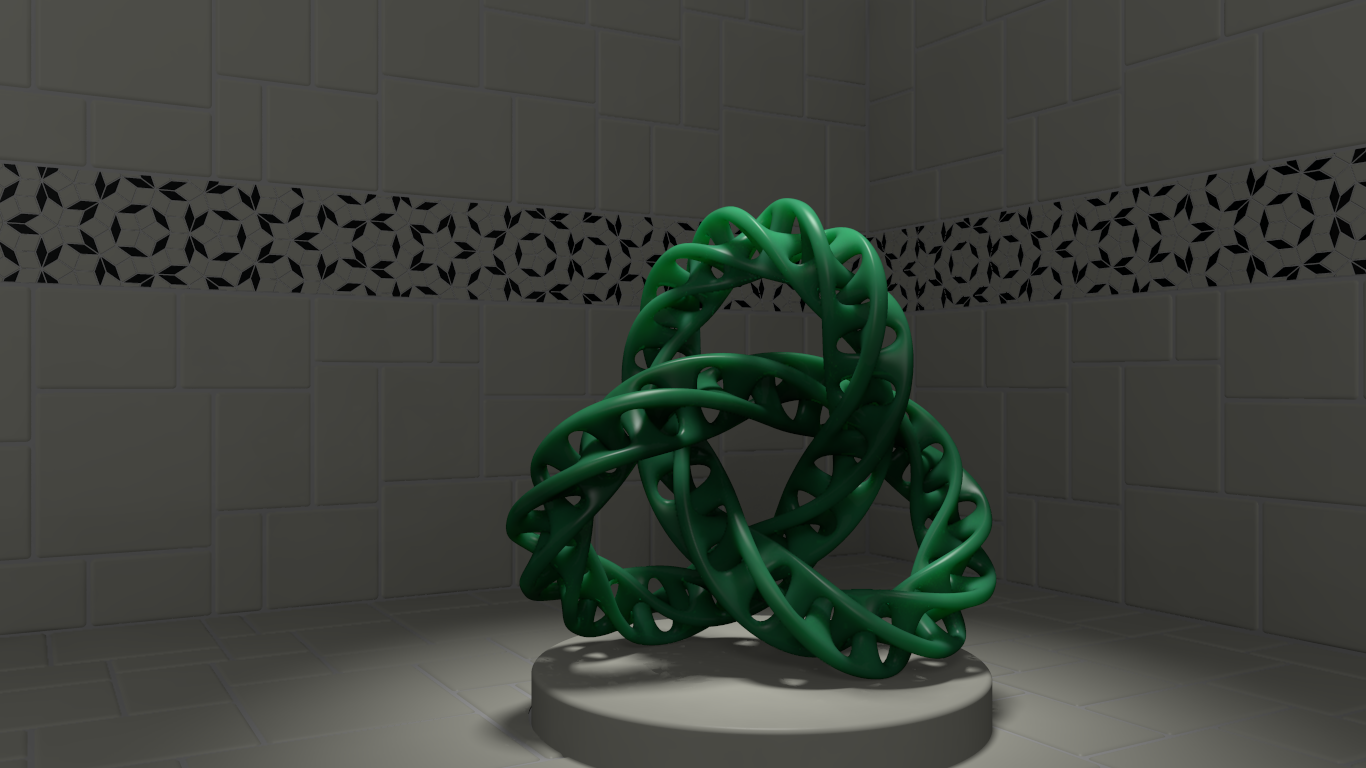
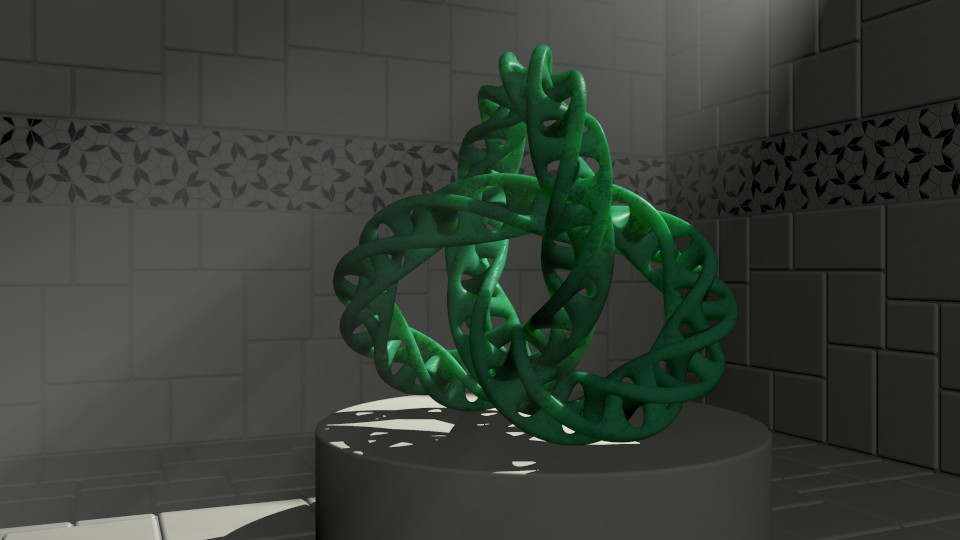
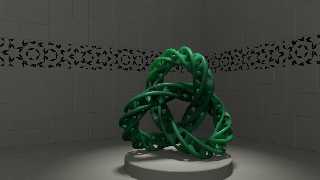
how about jade instead ...
Post a reply to this message
Attachments:
Download 'jadeknot.png' (470 KB)
Preview of image 'jadeknot.png'
|
|
| |
| |
|
|
|
|
| |
| |
|
|
On 11/2/2016 10:18 AM, Jim Holsenback wrote:
> On 10/26/2016 10:17 PM, Jim Holsenback wrote:
>> i'm shooting for porcelain
>
> how about jade instead ...
>

I like it. :)
How about a bit more colour variation? (I know I am a pleb with cheap
tastes ;) )


--

Regards
     Stephen
Post a reply to this message
|
|
| |
| |
|
|
|
|
| |
| |
|
|
On 11/2/2016 7:06 AM, Stephen wrote:
> On 11/2/2016 10:18 AM, Jim Holsenback wrote:
>> On 10/26/2016 10:17 PM, Jim Holsenback wrote:
>>> i'm shooting for porcelain
>>
>> how about jade instead ...
>>
>
> I like it. :)
> How about a bit more colour variation?

there already is a gradient y (4 color) but 18hrs later (subsurface)
it's not as apparent as i would have liked ... maybe i should throw some
yellow into the mix
Post a reply to this message
|
|
| |
| |
|
|
|
|
| |
| |
|
|
Oh, take the bull by the horns already and just do a nice procedural opal.

:D
Post a reply to this message
|
|
| |
| |
|
|
|
|
| |
| |
|
|
Jim Holsenback <spa### [at] nothanks net> wrote:
> On 11/2/2016 7:06 AM, Stephen wrote:
> > On 11/2/2016 10:18 AM, Jim Holsenback wrote:
> >> On 10/26/2016 10:17 PM, Jim Holsenback wrote:
> >>> i'm shooting for porcelain
> >>
> >> how about jade instead ...
> >>
> >
> > I like it. :)
> > How about a bit more colour variation?
>
> there already is a gradient y (4 color) but 18hrs later (subsurface)
> it's not as apparent as i would have liked ... maybe i should throw some
> yellow into the mix
Probably more to do with the usual perfection problem, most jade I've seen tends
to have inclusions or variations. I like these knots regardless of that,
especially since I'm attracted to clean appearing perfection.
On that note I could find a tiny black crescent thing right at the left side of
the platform which doesn't seem to belong, so I couldn't help myself mentioning
that.
On the subject of jade... I have been trying the "baked map" textures from Jaime
Vives Piqueres 4 years ago. First time I've been doing so, and wanted to try
jade for the dragon mesh. Picture posted here. I simply put a small turbulent
and skew scaled granite color_map on it and let subsurface scattering do the
rest. Also has a thick layer of dark dust.
Reason I'm showing this one of mine here is because jade varies so much. I'm not
sure how homogeneous some real objects are but apparently some can be without
much of any variation in color or substance. My attempt was to get small changes
throughout, except maybe it looks too plastic...?
Enjoyed looking at your scenes here anyhow.
Bob net> wrote:
> On 11/2/2016 7:06 AM, Stephen wrote:
> > On 11/2/2016 10:18 AM, Jim Holsenback wrote:
> >> On 10/26/2016 10:17 PM, Jim Holsenback wrote:
> >>> i'm shooting for porcelain
> >>
> >> how about jade instead ...
> >>
> >
> > I like it. :)
> > How about a bit more colour variation?
>
> there already is a gradient y (4 color) but 18hrs later (subsurface)
> it's not as apparent as i would have liked ... maybe i should throw some
> yellow into the mix
Probably more to do with the usual perfection problem, most jade I've seen tends
to have inclusions or variations. I like these knots regardless of that,
especially since I'm attracted to clean appearing perfection.
On that note I could find a tiny black crescent thing right at the left side of
the platform which doesn't seem to belong, so I couldn't help myself mentioning
that.
On the subject of jade... I have been trying the "baked map" textures from Jaime
Vives Piqueres 4 years ago. First time I've been doing so, and wanted to try
jade for the dragon mesh. Picture posted here. I simply put a small turbulent
and skew scaled granite color_map on it and let subsurface scattering do the
rest. Also has a thick layer of dark dust.
Reason I'm showing this one of mine here is because jade varies so much. I'm not
sure how homogeneous some real objects are but apparently some can be without
much of any variation in color or substance. My attempt was to get small changes
throughout, except maybe it looks too plastic...?
Enjoyed looking at your scenes here anyhow.
Bob
Post a reply to this message
Attachments:
Download 'jade dragon.png' (167 KB)
Preview of image 'jade dragon.png'

|
|
| |
| |
|
|
|
|
| |
| |
|
|
On 11/2/2016 12:00 PM, Jim Holsenback wrote:
> On 11/2/2016 7:06 AM, Stephen wrote:
>> On 11/2/2016 10:18 AM, Jim Holsenback wrote:
>>> On 10/26/2016 10:17 PM, Jim Holsenback wrote:
>>>> i'm shooting for porcelain
>>>
>>> how about jade instead ...
>>>
>>
>> I like it. :)
>> How about a bit more colour variation?
>
> there already is a gradient y (4 color) but 18hrs later (subsurface)
> it's not as apparent as i would have liked ... maybe i should throw some
> yellow into the mix
>

It is difficult. I did a nice one of Lucy, the grave monument, with one
of the early SSLT betas. I have not used it much since.

--

Regards
     Stephen
Post a reply to this message
|
|
| |
| |
|
|
|
|
| |
| |
|
|
On 11/2/2016 7:06 AM, Stephen wrote:
> On 11/2/2016 10:18 AM, Jim Holsenback wrote:
>> On 10/26/2016 10:17 PM, Jim Holsenback wrote:
>>> i'm shooting for porcelain
>>
>> how about jade instead ...
>>
>
> I like it. :)
> How about a bit more colour variation? (I know I am a pleb with cheap
> tastes ;) )

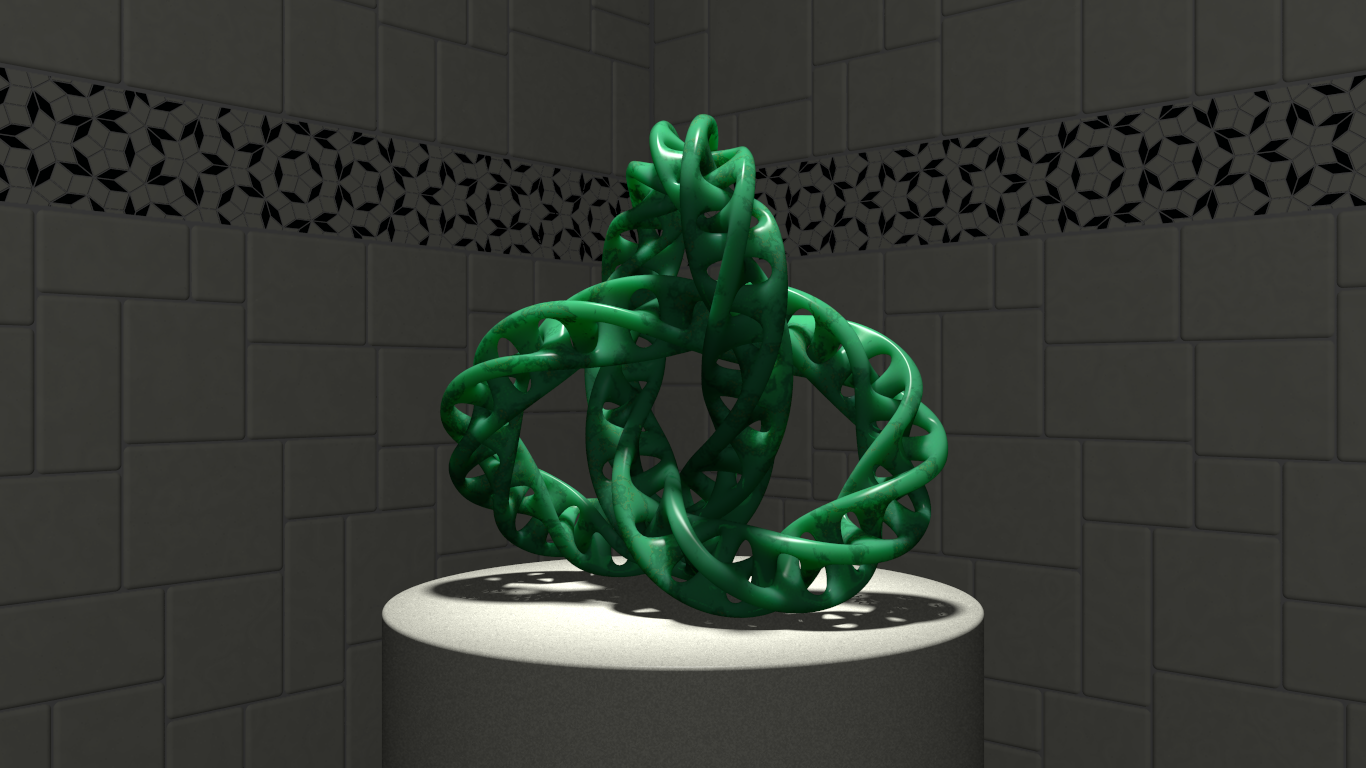
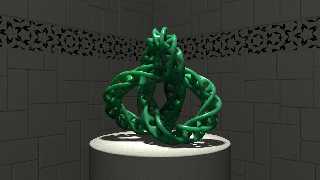
mo betta? ... also changed the pose a bit and darkened it some as in
"after hours"
Post a reply to this message
Attachments:
Download 'jadeknot.png' (706 KB)
Preview of image 'jadeknot.png'
|
|
| |
| |
|
|
|
|
| |
| |
|
|
On 11/19/2016 3:48 PM, Jim Holsenback wrote:
> On 11/2/2016 7:06 AM, Stephen wrote:
>> On 11/2/2016 10:18 AM, Jim Holsenback wrote:
>>> On 10/26/2016 10:17 PM, Jim Holsenback wrote:
>>>> i'm shooting for porcelain
>>>
>>> how about jade instead ...
>>>
>>
>> I like it. :)
>> How about a bit more colour variation? (I know I am a pleb with cheap
>> tastes ;) )
>
> mo betta? ... also changed the pose a bit and darkened it some as in
> "after hours"
>

Yes, I like that. :)

> "after hours"

? ^_^


--

Regards
     Stephen
Post a reply to this message
|
|
| |
| |
|
|
|
|
| |
| |
|
|
Jim Holsenback <spa### [at] nothanksnet> wrote:
> mo betta? ... also changed the pose a bit and darkened it some as in
> "after hours"

Only problem now is that I imagine it doing twisting motions and the patterned
tiles rotating... animation possible? Or is that asking too much? :}
The image along with my imagination does okay enough if you can't do that so
don't feel pressured.

Bob
Post a reply to this message
|
|
| |
| |
|
|
|
|
| |
| |
|
|
On 11/19/2016 11:57 AM, Stephen wrote:
> On 11/19/2016 3:48 PM, Jim Holsenback wrote:
>> On 11/2/2016 7:06 AM, Stephen wrote:
>>> On 11/2/2016 10:18 AM, Jim Holsenback wrote:
>>>> On 10/26/2016 10:17 PM, Jim Holsenback wrote:
>>>>> i'm shooting for porcelain
>>>>
>>>> how about jade instead ...
>>>>
>>>
>>> I like it. :)
>>> How about a bit more colour variation? (I know I am a pleb with cheap
>>> tastes ;) )
>>
>> mo betta? ... also changed the pose a bit and darkened it some as in
>> "after hours"
>>
>
> Yes, I like that. :)
>
>> "after hours"
>
> ? ^_^

like in a gallery after it's closed. i'm also working on a monochrome
version with scattering media.
Post a reply to this message
|
|
| |
| |
|
|
|
|
| |
| |
|
|
On 11/20/2016 3:14 AM, omniverse wrote:
> Jim Holsenback <spa### [at] nothanksnet> wrote:
>> mo betta? ... also changed the pose a bit and darkened it some as in
>> "after hours"
>
> Only problem now is that I imagine it doing twisting motions and the patterned
> tiles rotating... animation possible? Or is that asking too much? :}
> The image along with my imagination does okay enough if you can't do that so
> don't feel pressured.

lol don't worry i won't ... area lights + subsurface pushed the render
time into the 10 hr range on my machine, so i can't see any animations
happening on this one
Post a reply to this message
|
|
| |
| |
|
|
|
|
| |
| |
|
|
On 11/20/2016 1:20 PM, Jim Holsenback wrote:
> On 11/19/2016 11:57 AM, Stephen wrote:
>> On 11/19/2016 3:48 PM, Jim Holsenback wrote:
>>> On 11/2/2016 7:06 AM, Stephen wrote:
>>>> On 11/2/2016 10:18 AM, Jim Holsenback wrote:
>>>>> On 10/26/2016 10:17 PM, Jim Holsenback wrote:
>>>>>> i'm shooting for porcelain
>>>>>
>>>>> how about jade instead ...
>>>>>
>>>>
>>>> I like it. :)
>>>> How about a bit more colour variation? (I know I am a pleb with cheap
>>>> tastes ;) )
>>>
>>> mo betta? ... also changed the pose a bit and darkened it some as in
>>> "after hours"
>>>
>>
>> Yes, I like that. :)
>>
>>> "after hours"
>>
>> ? ^_^
>
> like in a gallery after it's closed.

Of course. Adjusting the gamma in an editor didn't cross my mind.
<Whistling> <blush>

> i'm also working on a monochrome
> version with scattering media.
>

I would not mind seeing that when it has finished rendering.

--

Regards
     Stephen
Post a reply to this message
|
|
| |
| |
|
|
|
|
| |
| |
|
|
On 11/20/2016 1:31 PM, Jim Holsenback wrote:
> On 11/20/2016 3:14 AM, omniverse wrote:
>> Jim Holsenback <spa### [at] nothanksnet> wrote:
>>> mo betta? ... also changed the pose a bit and darkened it some as in
>>> "after hours"
>>
>> Only problem now is that I imagine it doing twisting motions and the
>> patterned
>> tiles rotating... animation possible? Or is that asking too much? :}
>> The image along with my imagination does okay enough if you can't do
>> that so
>> don't feel pressured.
>
> lol don't worry i won't ... area lights + subsurface pushed the render
> time into the 10 hr range on my machine, so i can't see any animations
> happening on this one
>

I chuckled when I read it. :)

--

Regards
     Stephen
Post a reply to this message
|
|
| |
| |
|
|
|
|
| |
| |
|
|
Stephen <mca### [at] aolcom> wrote:
> On 11/20/2016 1:31 PM, Jim Holsenback wrote:
> > On 11/20/2016 3:14 AM, omniverse wrote:
> >>
> >> The image along with my imagination does okay enough if you can't do
> >> that so
> >> don't feel pressured.
> >
> > lol don't worry i won't ... area lights + subsurface pushed the render
> > time into the 10 hr range on my machine, so i can't see any animations
> > happening on this one
> >
>
> I chuckled when I read it. :)

Can't let it churn something out over the next month that would only be a second
or two of animation? LOL

Come to think of it I haven't animated anything with subsurface scattering yet,
probably because I almost always use radiosity together with it. And you're not
kidding about the slowness of area lights, makes me reduce SSS samples and light
grid number out of desperation.

Will be watching, and waiting, for the monochrome version.

Bob
Post a reply to this message
|
|
| |
| |
|
|
|
|
| |
| |
|
|
Am 20.11.2016 um 16:52 schrieb omniverse:
> Stephen <mca### [at] aolcom> wrote:
>> On 11/20/2016 1:31 PM, Jim Holsenback wrote:
>>> On 11/20/2016 3:14 AM, omniverse wrote:
>>>>
>>>> The image along with my imagination does okay enough if you can't do
>>>> that so
>>>> don't feel pressured.
>>>
>>> lol don't worry i won't ... area lights + subsurface pushed the render
>>> time into the 10 hr range on my machine, so i can't see any animations
>>> happening on this one
>>>
>>
>> I chuckled when I read it. :)
>
> Can't let it churn something out over the next month that would only be a second
> or two of animation? LOL
>
> Come to think of it I haven't animated anything with subsurface scattering yet,
> probably because I almost always use radiosity together with it. And you're not
> kidding about the slowness of area lights, makes me reduce SSS samples and light
> grid number out of desperation.

Have you considered trying UberPOV? It does include some mechanisms that
might trim down render times considerably when multiple oversampling
effects (e.g. focal blur, SSS, area lights, anti-aliasing) are combined.
Post a reply to this message
|
|
| |
| |
|
|
|
|
| |
| |
|
|
Le 16-11-19 à 10:48, Jim Holsenback a écrit :
> On 11/2/2016 7:06 AM, Stephen wrote:
>> On 11/2/2016 10:18 AM, Jim Holsenback wrote:
>>> On 10/26/2016 10:17 PM, Jim Holsenback wrote:
>>>> i'm shooting for porcelain
>>>
>>> how about jade instead ...
>>>
>>
>> I like it. :)
>> How about a bit more colour variation? (I know I am a pleb with cheap
>> tastes ;) )
>
> mo betta? ... also changed the pose a bit and darkened it some as in
> "after hours"
>

Very good. My only complain would be about those area_light artefacts in
the left anf right shadowed areas. Try increasing the adaptive value by
1, it should help, but it will obviously take longer to render.
Post a reply to this message
|
|
| |
| |
|
|
|
|
| |
| |
|
|
clipka <ano### [at] anonymousorg> wrote:
> Am 20.11.2016 um 16:52 schrieb omniverse:
> > probably because I almost always use radiosity together with it. And you're not
> > kidding about the slowness of area lights, makes me reduce SSS samples and light
> > grid number out of desperation.
>
> Have you considered trying UberPOV? It does include some mechanisms that
> might trim down render times considerably when multiple oversampling
> effects (e.g. focal blur, SSS, area lights, anti-aliasing) are combined.

I'm using UberPOV mostly for the things specific to it so haven't really
compared until now.

Checking on that I found good news and bad news. The bad first.
Shadows from area light looks like jitter is always on even though that keyword
is left out.
The good news is it can be very fast.

More bad news, because even when attempting to equal the shadow appearances (and
they won't for whatever reason unknown to me) the subsurface scattering gets
worse not better. This with everything the same other than changing area_light
adaptive. Can only guess SSS requires more sampling when adaptive is increased,
just not tried yet.

Sorry Jim, for not starting a new topic. Will do so here in image group to show
the comparison.

Bob
Post a reply to this message
|
|
| |
| |
|
|
|
|
| |
| |
|
|
On 11/20/2016 11:16 AM, clipka wrote:
> Have you considered trying UberPOV? It does include some mechanisms that
> might trim down render times considerably when multiple oversampling
> effects (e.g. focal blur, SSS, area lights, anti-aliasing) are combined.

not lately ... although in tinkering around i've gained some render
speed regarding area lights. i'd been using area_illumination on
Post a reply to this message
|
|
| |
| |
|
|
|
|
| |
| |
|
|
On 11/20/2016 5:35 PM, Alain wrote:
> Very good. My only complain would be about those area_light artefacts in
> the left anf right shadowed areas. Try increasing the adaptive value by
> 1, it should help, but it will obviously take longer to render.

ah ... thanks for jogging my memory on that i was wondering how to
address that issue
Post a reply to this message
|
|
| |
| |
|
|
|
|
| |
| |
|
|
On 11/20/2016 5:35 PM, Alain wrote:
> Very good. My only complain would be about those area_light artefacts in
> the left anf right shadowed areas. Try increasing the adaptive value by
> 1, it should help, but it will obviously take longer to render.

sa-weeeet ... increasing adaptive to 2 fixed it
Post a reply to this message
|
|
| |
| |
|
|
|
|
| |
| |
|
|
Le 16-11-21 à 07:16, Jim Holsenback a écrit :
> On 11/20/2016 5:35 PM, Alain wrote:
>> Very good. My only complain would be about those area_light artefacts in
>> the left anf right shadowed areas. Try increasing the adaptive value by
>> 1, it should help, but it will obviously take longer to render.
>
> sa-weeeet ... increasing adaptive to 2 fixed it
>
Good :)

Remember:
adaptive 0 = start with only the 4 corners of the area_light.
adaptive 1 = start with 1 subdivision, or a 3*3 array.
adaptive 2 = start with 2 subdivisions, or a 5*5 array.
...
Post a reply to this message
|
|
| |
| |
|
|
|
|
| |
| |
|
|
On 11/20/2016 8:20 AM, Jim Holsenback wrote:
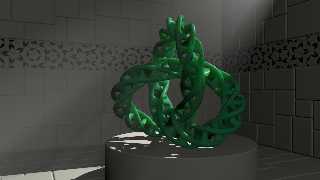
> i'm also working on a monochrome version with scattering media.

i reworked the material a bit ... gave blend_mode and blend_gamma a test
drive. i have a cool purple one but like this jade-ish version the best.
type 5 scattering media turned out ok too. i don't dare release the
kraken (area lights) on this one ... wondering if there is a chance of a
new subsurface option? ignore area lights for finish (subsurface) but
use with object (shadows)
Post a reply to this message
Attachments:
Download 'jadeknot.png' (326 KB)
Preview of image 'jadeknot.png'
|
|
| |
| |
|
|
|
|
| |
| |
|
|
Am 02.12.2016 um 00:35 schrieb Jim Holsenback:
> On 11/20/2016 8:20 AM, Jim Holsenback wrote:
>> i'm also working on a monochrome version with scattering media.
>
> i reworked the material a bit ... gave blend_mode and blend_gamma a test
> drive. i have a cool purple one but like this jade-ish version the best.
> type 5 scattering media turned out ok too. i don't dare release the
> kraken (area lights) on this one ... wondering if there is a chance of a
> new subsurface option? ignore area lights for finish (subsurface) but
> use with object (shadows)

Unfortunately that's not possible for technical reasons: Shadow handling
is too deeply intertwined with the subsurface light transport algorithm
to be done separately.
Post a reply to this message
|
|
| |
| |
|
|
|
|
| |
| |
|
|
On 12/1/2016 7:04 PM, clipka wrote:
> Am 02.12.2016 um 00:35 schrieb Jim Holsenback:
>> On 11/20/2016 8:20 AM, Jim Holsenback wrote:
>>> i'm also working on a monochrome version with scattering media.
>>
>> i reworked the material a bit ... gave blend_mode and blend_gamma a test
>> drive. i have a cool purple one but like this jade-ish version the best.
>> type 5 scattering media turned out ok too. i don't dare release the
>> kraken (area lights) on this one ... wondering if there is a chance of a
>> new subsurface option? ignore area lights for finish (subsurface) but
>> use with object (shadows)
>
> Unfortunately that's not possible for technical reasons: Shadow handling
> is too deeply intertwined with the subsurface light transport algorithm
> to be done separately.
>

we can already opt /not/ to use area lights in scenes (generally
speaking) and by extension subsurface ... that is good subsurface
results aren't depended on area lights or is it?
Post a reply to this message
|
|
| |
| |
|
|
|
|
| |
| |
|
|
On 11/20/2016 11:16 AM, clipka wrote:
> Have you considered trying UberPOV? It does include some mechanisms that
> might trim down render times considerably when multiple oversampling
> effects (e.g. focal blur, SSS, area lights, anti-aliasing) are combined.

just tried uberpov 3.7.1-x.colour.8871403 and compared it to pov
3.7.1-alpha.8889454

did a subsurface and scattering comparison (no area lights):

subsurface only: pov 34.315 min  uber 47.6 min  pov 38% faster
scattering only: pov 16.1 min  uber 15.8 min toss up

why the big difference in render time for subsurface!!! not leading me
to expect any pay off by adding more than one effect or area lights into
the mix

absolutely no changes to sdl file other than #version 3.7;  -vs-
#version unofficial patch 3.7;
Post a reply to this message
|
|
| |
| |
|
|
|
|
| |
| |
|
|
Am 02.12.2016 um 19:19 schrieb Jim Holsenback:
> On 11/20/2016 11:16 AM, clipka wrote:
>> Have you considered trying UberPOV? It does include some mechanisms that
>> might trim down render times considerably when multiple oversampling
>> effects (e.g. focal blur, SSS, area lights, anti-aliasing) are combined.
>
> just tried uberpov 3.7.1-x.colour.8871403 and compared it to pov
> 3.7.1-alpha.8889454
>
> did a subsurface and scattering comparison (no area lights):
>
> subsurface only: pov 34.315 min  uber 47.6 min  pov 38% faster
> scattering only: pov 16.1 min  uber 15.8 min toss up
>
> why the big difference in render time for subsurface!!!

Can't say off the top of my head. It probably has to do with subsurface
light transport being inherently based on numerical integration (read:
it needs to shoot rays in lots of directions to do its job), which needs
to be shoehorned in to POV-Ray by brute force, while UberPOV provides a
dedicated framework for such numerical integration stuff. Maybe that
framework adds some unexpected overhead, or maybe it causes some
implicit increase in the number of rays short when default settings are
used.

Or maybe it's some entirely unrelated overhead unexpectedly introduced
with one of the other UberPOV features.

> not leading me
> to expect any pay off by adding more than one effect or area lights into
> the mix

Go ahead and try.

The crucial thing here is that in official POV-Ray, when both subsurface
light transport and area lights are used, the computational effort
doesn't simply add - it multiplies instead. This shouldn't be the case
with UberPOV's special framework.
Post a reply to this message
|
|
| |
| |
|
|
|
|
| |
| |
|
|
On 12/1/2016 11:35 PM, Jim Holsenback wrote:
> i reworked the material a bit

Me like. :)

--

Regards
     Stephen
Post a reply to this message
|
|
| |
| |
|
|
|
|
| |
| |
|
|
On 12/2/2016 3:01 PM, clipka wrote:
> Go ahead and try.

hmmm ... with uber subsurface + area lights render was > 14 hrs. pov is
/still/ ~ 38 % faster
Post a reply to this message
|
|
| |
| |
|
|
|
|
| |
| |
|
|
Jim Holsenback <spa### [at] nothanksnet> wrote:
> On 12/2/2016 3:01 PM, clipka wrote:
> > Go ahead and try.
>
> hmmm ... with uber subsurface + area lights render was > 14 hrs. pov is
> /still/ ~ 38 % faster

That's a curious thing because I found subsurface together with area lights and
radiosity to be faster in most recent UberPOV versus the 3.7.1.1-alpha.

Same scene file was able to get a fraction, about 15%, of the render done while
the "alpha" was still doing the radiosity pretrace. Around 5 minutes to complete
pretrace versus about 25 minutes.
Post a reply to this message
|
|
| |
| |
|
|
|
|
| |
| |
|
|
On 12/4/2016 8:53 AM, omniverse wrote:
> Jim Holsenback <spa### [at] nothanksnet> wrote:
>> On 12/2/2016 3:01 PM, clipka wrote:
>>> Go ahead and try.
>>
>> hmmm ... with uber subsurface + area lights render was > 14 hrs. pov is
>> /still/ ~ 38 % faster
>
> That's a curious thing because I found subsurface together with area lights and
> radiosity to be faster in most recent UberPOV versus the 3.7.1.1-alpha

maybe it was edge of that blackhole gravity well that passed through our
sector last evening
Post a reply to this message
|
|
| |
| |
|
|
|
|
| |
| |
|
|
Jim Holsenback <spa### [at] nothanksnet> wrote:
> On 12/4/2016 8:53 AM, omniverse wrote:
> > Jim Holsenback <spa### [at] nothanksnet> wrote:
> >> On 12/2/2016 3:01 PM, clipka wrote:
> >>> Go ahead and try.
> >>
> >> hmmm ... with uber subsurface + area lights render was > 14 hrs. pov is
> >> /still/ ~ 38 % faster
> >
> > That's a curious thing because I found subsurface together with area lights and
> > radiosity to be faster in most recent UberPOV versus the 3.7.1.1-alpha
>
> maybe it was edge of that blackhole gravity well that passed through our
> sector last evening

Could be. :) Rendering with POV and its variations takes more scientific methods
than I'm usually capable of. The seldom mentioned findings like yours (and mine)
is very little to go on I'm sure. I'm always making guesses about what or why
something is so different regarding render times.

Funny thing about that. Just a while ago I mistakenly had 2 sets of scene
objects occupying the same space, and I couldn't understand why a slowdown and
strange artifacts was happening. Not typical coincident surfaces I'm used to
seeing, more like box shadows. Possibly the subsurface scattering causing the
change in appearance. Won't really ever know I guess, unless I encounter that
enough times to learn why.
Post a reply to this message
|
|
| |
| |
|
|
|
|
| |
| |
|
|
On 12/1/2016 6:35 PM, Jim Holsenback wrote:
> On 11/20/2016 8:20 AM, Jim Holsenback wrote:
>> i'm also working on a monochrome version with scattering media.
>
> i reworked the material a bit ... gave blend_mode and blend_gamma a test
> drive. i have a cool purple one but like this jade-ish version the best.
> type 5 scattering media turned out ok too. i don't dare release the
> kraken (area lights) on this one ... wondering if there is a chance of a
> new subsurface option? ignore area lights for finish (subsurface) but
> use with object (shadows)
>

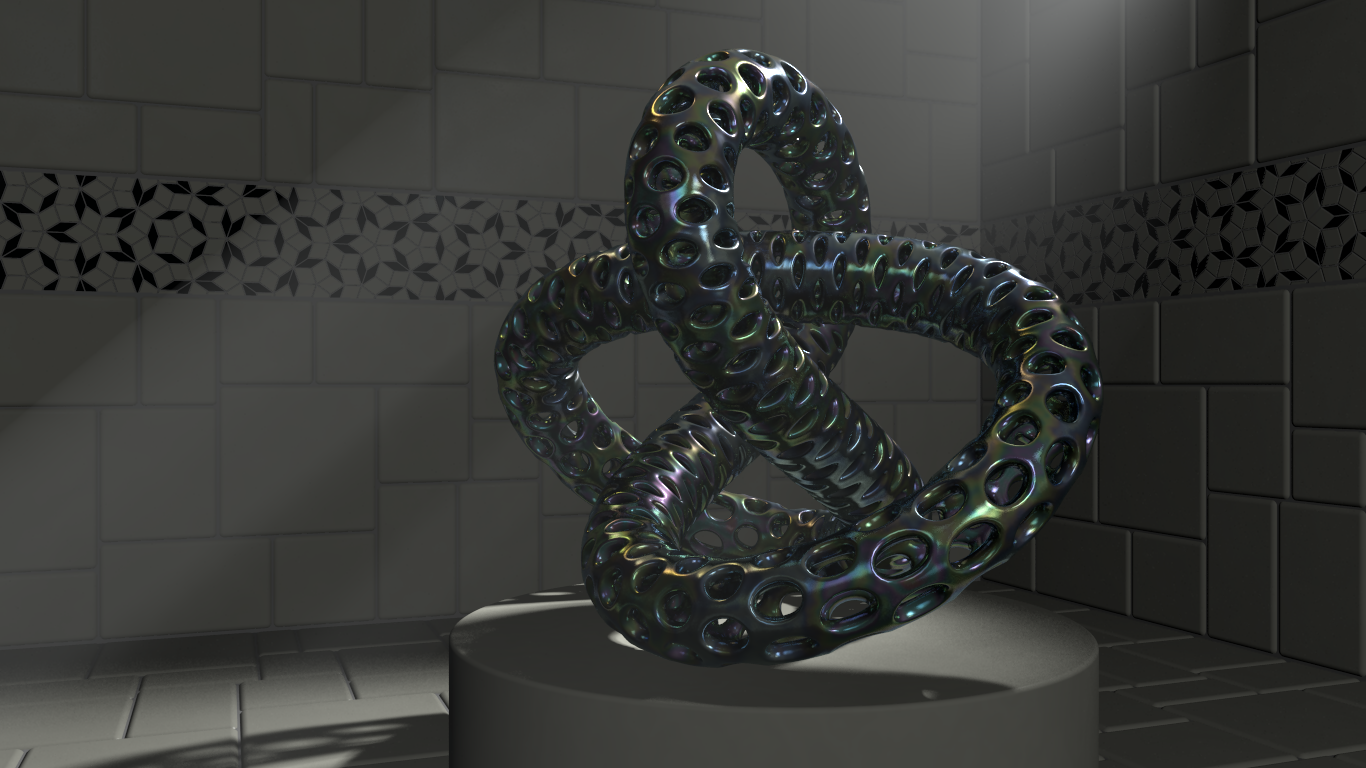
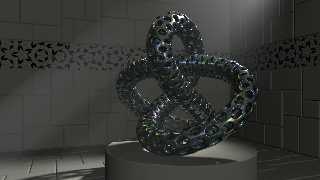
a change in test object ... best so far!!!!
Post a reply to this message
Attachments:
Download 'chromeknot.png' (811 KB)
Preview of image 'chromeknot.png'
|
|
| |
| |
|
|
|
|
| |
| |
|
|
On 12/10/2016 6:29 AM, Jim Holsenback wrote:
> On 12/1/2016 6:35 PM, Jim Holsenback wrote:
>> On 11/20/2016 8:20 AM, Jim Holsenback wrote:
>>> i'm also working on a monochrome version with scattering media.
>>
>> i reworked the material a bit ... gave blend_mode and blend_gamma a test
>> drive. i have a cool purple one but like this jade-ish version the best.
>> type 5 scattering media turned out ok too. i don't dare release the
>> kraken (area lights) on this one ... wondering if there is a chance of a
>> new subsurface option? ignore area lights for finish (subsurface) but
>> use with object (shadows)
>>
>
> a change in test object ... best so far!!!!

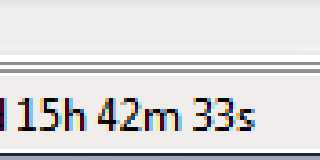
render time:
Post a reply to this message
Attachments:
Download 'time.png' (1 KB)
Preview of image 'time.png'
|
|
| |
| |
|
|
|
|
| |
| |
|
|
On 10-12-2016 12:29, Jim Holsenback wrote:
> a change in test object ... best so far!!!!

I love this one.

--
Thomas
Post a reply to this message
|
|
| |
| |
|
|
|
|
| |
| |
|
|
On 12/10/2016 7:09 AM, Thomas de Groot wrote:
> On 10-12-2016 12:29, Jim Holsenback wrote:
>> a change in test object ... best so far!!!!
>
> I love this one.
>
thanks ... can't take credit for model:
http://www.thingiverse.com/thing:1263333

it's in .stl format ... blender was able to import (no cleanup needed)
and i believe Jerome's pov branch can handle .stl
Post a reply to this message
|
|
| |
| |
|
|
|
|
| |
| |
|
|
On 12/10/2016 06:29 AM, Jim Holsenback wrote:
> On 12/1/2016 6:35 PM, Jim Holsenback wrote:
>> On 11/20/2016 8:20 AM, Jim Holsenback wrote:
>>> i'm also working on a monochrome version with scattering media.
>>
>> i reworked the material a bit ... gave blend_mode and blend_gamma a test
>> drive. i have a cool purple one but like this jade-ish version the best.
>> type 5 scattering media turned out ok too. i don't dare release the
>> kraken (area lights) on this one ... wondering if there is a chance of a
>> new subsurface option? ignore area lights for finish (subsurface) but
>> use with object (shadows)
>>
>
> a change in test object ... best so far!!!!

Yes indeed! This one has a great look.

Bill P.
Post a reply to this message
|
|
| |
| |
|
|
|
|
| |
| |
|
|
Jim Holsenback <spa### [at] nothanksnet> wrote:
> On 12/10/2016 6:29 AM, Jim Holsenback wrote:
> > On 12/1/2016 6:35 PM, Jim Holsenback wrote:
> >> On 11/20/2016 8:20 AM, Jim Holsenback wrote:
> >>> i'm also working on a monochrome version with scattering media.
> >>
> >> i reworked the material a bit ... gave blend_mode and blend_gamma a test
> >> drive. i have a cool purple one but like this jade-ish version the best.
> >> type 5 scattering media turned out ok too. i don't dare release the
> >> kraken (area lights) on this one ... wondering if there is a chance of a
> >> new subsurface option? ignore area lights for finish (subsurface) but
> >> use with object (shadows)
> >>
> >
> > a change in test object ... best so far!!!!
>
> render time:

That render time is depressing.
Post a reply to this message
|
|
| |
| |
|
|
|
|
| |
| |
|
|
Jim Holsenback <spa### [at] nothanksnet> wrote:
> On 12/1/2016 6:35 PM, Jim Holsenback wrote:
> > On 11/20/2016 8:20 AM, Jim Holsenback wrote:
> >> i'm also working on a monochrome version with scattering media.
> >
> > i reworked the material a bit ... gave blend_mode and blend_gamma a test
> > drive. i have a cool purple one but like this jade-ish version the best.
> > type 5 scattering media turned out ok too. i don't dare release the
> > kraken (area lights) on this one ... wondering if there is a chance of a
> > new subsurface option? ignore area lights for finish (subsurface) but
> > use with object (shadows)
> >
>
> a change in test object ... best so far!!!!

nice metal material
But the room is too dark, my opinion.
Post a reply to this message
|
|
| |
| |
|
|
|
|
| |
| |
|
|
On 12/12/2016 6:49 AM, And wrote:
> Jim Holsenback <spa### [at] nothanksnet> wrote:
>> On 12/1/2016 6:35 PM, Jim Holsenback wrote:
>>> On 11/20/2016 8:20 AM, Jim Holsenback wrote:
>>>> i'm also working on a monochrome version with scattering media.
>>>
>>> i reworked the material a bit ... gave blend_mode and blend_gamma a test
>>> drive. i have a cool purple one but like this jade-ish version the best.
>>> type 5 scattering media turned out ok too. i don't dare release the
>>> kraken (area lights) on this one ... wondering if there is a chance of a
>>> new subsurface option? ignore area lights for finish (subsurface) but
>>> use with object (shadows)
>>>
>>
>> a change in test object ... best so far!!!!
>
> nice metal material

thanks ...
> But the room is too dark, my opinion.

perhaps ... room not as important as scattering media and object.
Post a reply to this message
|
|
| |
| |
|
|
|
|
| |
| |
|
|
On 12/12/2016 4:06 AM, Mr wrote:
> Jim Holsenback <spa### [at] nothanksnet> wrote:
>> On 12/10/2016 6:29 AM, Jim Holsenback wrote:
>>> On 12/1/2016 6:35 PM, Jim Holsenback wrote:
>>>> On 11/20/2016 8:20 AM, Jim Holsenback wrote:
>>>>> i'm also working on a monochrome version with scattering media.
>>>>
>>>> i reworked the material a bit ... gave blend_mode and blend_gamma a test
>>>> drive. i have a cool purple one but like this jade-ish version the best.
>>>> type 5 scattering media turned out ok too. i don't dare release the
>>>> kraken (area lights) on this one ... wondering if there is a chance of a
>>>> new subsurface option? ignore area lights for finish (subsurface) but
>>>> use with object (shadows)
>>>>
>>>
>>> a change in test object ... best so far!!!!
>>
>> render time:
>
> That render time is depressing.
>

well i suppose to be fair about it my system wasn't exclusive on the
render all the times ... maybe some gains from decreasing area light
density but then scattering and shadows suffer
Post a reply to this message
|
|
| |
| |
|
|
|
|
| |