 |
|
|
|
|
|
| |
| |
|
|
|
|
| |
| |
|
|
I don't know if the book mentions her complexion but emission looks better.
I'm going to redo this from the start using what I've learned.
At the moment getting the positions right is next to impossible. So I
will re-export from Poser and rework it in PoseRay.


--

Regards
     Stephen
Post a reply to this message
Attachments:
Download 'eastern01a5a_.jpg' (176 KB)
Download 'eastern01a5a_f_0000.jpg' (119 KB)
Download 'eastern01a5a_s_0000.jpg' (150 KB)
Preview of image 'eastern01a5a_.jpg'
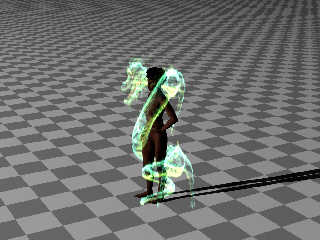
Preview of image 'eastern01a5a_f_0000.jpg'
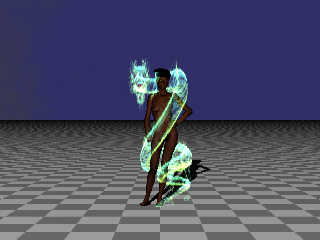
Preview of image 'eastern01a5a_s_0000.jpg'
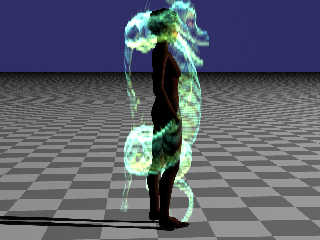
|
|
| |
| |
|
|
|
|
| |
| |
|
|
This looks like a very cool project, and I like the results so far.

Perhaps the dragon may look / show up better if the emission tapered off in a
gradient as it moved away from the camera.   Think of it as a slightly darker
background media for a slightly brighter foreground media.

I think you could just define a z-gradient and rotate it based on the camera
location relative to the origin. If you need that equation, I can dig it up from
one of my scenes.
Post a reply to this message
|
|
| |
| |
|
|
|
|
| |
| |
|
|
Stephen <mca### [at] aol com> wrote:
> I don't know if the book mentions her complexion but emission looks better.
> I'm going to redo this from the start using what I've learned.
> At the moment getting the positions right is next to impossible. So I
> will re-export from Poser and rework it in PoseRay.
> Regards
> Stephen
How to make a hologram? All write about proprietary programs.
How do poor people do this? I live in Russia, I have no money. com> wrote:
> I don't know if the book mentions her complexion but emission looks better.
> I'm going to redo this from the start using what I've learned.
> At the moment getting the positions right is next to impossible. So I
> will re-export from Poser and rework it in PoseRay.
> Regards
> Stephen
How to make a hologram? All write about proprietary programs.
How do poor people do this? I live in Russia, I have no money.
Post a reply to this message
|
|
| |
| |
|
|
|
|
| |
| |
|
|
"LanuHum" <Lan### [at] yandexru> wrote:

> How to make a hologram? All write about proprietary programs.
> How do poor people do this? I live in Russia, I have no money.

There's a great channel on YouTube called "Applied Science"
This guy actually builds a working CT scanner in his garage...

I searched for
applied science hologram

I didn't see a video by him, but maybe some of the search results will have
something you can use - especially the cell phone holograms...
Post a reply to this message
|
|
| |
| |
|
|
|
|
| |
| |
|
|
On 8/6/2016 8:40 PM, Bald Eagle wrote:
> This looks like a very cool project, and I like the results so far.
>

Thanks, that's good to know. The more I work on it. The more I see what
is wrong with it.

> Perhaps the dragon may look / show up better if the emission tapered off in a
> gradient as it moved away from the camera.   Think of it as a slightly darker
> background media for a slightly brighter foreground media.
>
> I think you could just define a z-gradient and rotate it based on the camera
> location relative to the origin. If you need that equation, I can dig it up from
> one of my scenes.
>

I see what you mean. It is a good suggestion. Although I think that is a
refinement that must come at a later stage.
Thomas and I have a few integration points to discuss. For instance If
we are both using media then we have to use a common scale in Pov units.
And it is often hard to to make one media container inside a larger
media container not obvious. Then there is the problem that I am using a
PovRay modeller that only supports 3.6 syntax. Although I can use 3.7
syntax with a workaround. It will not make reading the SDL easy.
Thomas and I have both used Moray which uses a different coordinate
system to PovRay. It used Z axis is up. Whereas, as you know PovRay is Y
axis is up. We have to see how the scenes fit together first.
(I am just jotting down a few points that come to mind)

--

Regards
     Stephen
Post a reply to this message
|
|
| |
| |
|
|
|
|
| |
| |
|
|
On 8/6/2016 9:24 PM, LanuHum wrote:
> Stephen <mca### [at] aolcom> wrote:
>> I don't know if the book mentions her complexion but emission looks better.
>> I'm going to redo this from the start using what I've learned.
>> At the moment getting the positions right is next to impossible. So I
>> will re-export from Poser and rework it in PoseRay.
>> Regards
>>       Stephen
>
>
> How to make a hologram? All write about proprietary programs.
> How do poor people do this? I live in Russia, I have no money.
>


Hi LanuHum, thanks for the interest.
What I am trying to do is to use emissive media using a density file.
I have created a density file for each R, G, B channel by running an
animation in PovRay. That (as Mr Eagle hints is similar in technique to
a CT scan) takes a series of slices of a model (in this case a Poser mesh).
These images in (TGA format) are stitched together using a DOS utility
called tga2df3.exe to create a df3 file.
One additional step is to take each tga file and copy the values of the
used colour to the two other colour channels. (Making something similar
to a greyscale image.) Before running tga2df3.exe. {I forgot to do that
step in this image and will post an updated image tomorrow.}

That is the high level description. :)
Let me know if you get the drift (understand). If not I am happy to try
to explain further.

--

Regards
     Stephen
Post a reply to this message
|
|
| |
| |
|
|
|
|
| |
| |
|
|
On 6-8-2016 19:43, Stephen wrote:
> I don't know if the book mentions her complexion but emission looks better.
> I'm going to redo this from the start using what I've learned.
> At the moment getting the positions right is next to impossible. So I
> will re-export from Poser and rework it in PoseRay.
>

She is a black lady indeed :-)

I think this is a fair interpretation of the dragon considering the
problems generated otherwise. Delany clearly wrote the book with an
image in his head, not considering the future problems of modellers ;-)

--
Thomas
Post a reply to this message
|
|
| |
| |
|
|
|
|
| |
| |
|
|
On 7-8-2016 0:28, Stephen wrote:
> On 8/6/2016 8:40 PM, Bald Eagle wrote:
>> This looks like a very cool project, and I like the results so far.
>>
>
> Thanks, that's good to know. The more I work on it. The more I see what
> is wrong with it.

Ha! How true. It's a curse ;-)

>
>> Perhaps the dragon may look / show up better if the emission tapered
>> off in a
>> gradient as it moved away from the camera.   Think of it as a slightly
>> darker
>> background media for a slightly brighter foreground media.
>>
>> I think you could just define a z-gradient and rotate it based on the
>> camera
>> location relative to the origin. If you need that equation, I can dig
>> it up from
>> one of my scenes.
>>
>
> I see what you mean. It is a good suggestion. Although I think that is a
> refinement that must come at a later stage.
> Thomas and I have a few integration points to discuss. For instance If
> we are both using media then we have to use a common scale in Pov units.
> And it is often hard to to make one media container inside a larger
> media container not obvious. Then there is the problem that I am using a
> PovRay modeller that only supports 3.6 syntax. Although I can use 3.7
> syntax with a workaround. It will not make reading the SDL easy.
> Thomas and I have both used Moray which uses a different coordinate
> system to PovRay. It used Z axis is up. Whereas, as you know PovRay is Y
> axis is up. We have to see how the scenes fit together first.
> (I am just jotting down a few points that come to mind)
>

We have indeed some issues to discuss not in the least the media scale
used. Also, we may need indeed to test how the nested containers are
going to show up.

I posted an image of Bellona with the bridge and river in place. No
nested containers there as I restricted the atmosphere to just above the
water surface (the water is a media) and just below the clouds container.

The foreground is where I imagine the Scorpions to be and we need to
consider their scale with regards to the environment.

Much to do but exciting!

This may perhaps help already: the media used for the atmosphere:

//start code
#declare AtmosScale = <10, 10, 10>;
#declare Atmosphere =
union {
   //clouds:
   //clouds media here.

   //atmospheric haze:
   difference {
     sphere {0, 490}
     plane {y, -0.749}
     hollow
     material {
       texture {pigment {color rgbt 1}}
       interior {
         media {
           intervals 1
           samples 50
           scattering {5, rgb <1,1,1>*0.03/AtmosScale
             eccentricity 0.4
           }
           density {
             spherical
             colour_map {
               [0 rgb 0]
               [1 rgb 1]
             }
           }
         }
       }
     }
   }

   scale AtmosScale
   rotate 50*z
   scale <5, 1.0, 5>
   rotate 45*y
}

//end code

--
Thomas
Post a reply to this message
|
|
| |
| |
|
|
|
|
| |
| |
|
|
On 8/7/2016 8:10 AM, Thomas de Groot wrote:
> On 6-8-2016 19:43, Stephen wrote:
>> I don't know if the book mentions her complexion but emission looks
>> better.
>> I'm going to redo this from the start using what I've learned.
>> At the moment getting the positions right is next to impossible. So I
>> will re-export from Poser and rework it in PoseRay.
>>
>
> She is a black lady indeed :-)
>

Good and as long as we don't have a model called Peter we should stay
out of trouble. ;)

> I think this is a fair interpretation of the dragon considering the
> problems generated otherwise. Delany clearly wrote the book with an
> image in his head, not considering the future problems of modellers ;-)
>

This is always a problem, visualising is so much easier as you can
ignore any inconveniences.

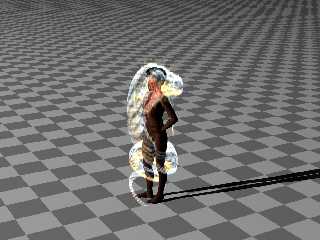
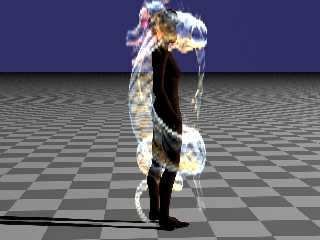
I have redone my export from Poser and Rig for creating df3's.
While That is going on, here are a couple of images with the corrected
density files. There is more detail I think


--

Regards
     Stephen
Post a reply to this message
Attachments:
Download 'eastern01a5d_fr_0000.png' (253 KB)
Download 'eastern01a5c_s_0000.png' (320 KB)
Preview of image 'eastern01a5d_fr_0000.png'
Preview of image 'eastern01a5c_s_0000.png'
|
|
| |
| |
|
|
|
|
| |
| |
|
|
On 8/7/2016 8:30 AM, Thomas de Groot wrote:
> The foreground is where I imagine the Scorpions to be and we need to
> consider their scale with regards to the environment.
>
> Much to do but exciting!
>
> This may perhaps help already: the media used for the atmosphere:
>
> //start code


What are the dimensions of you atmosphere media container?

--

Regards
     Stephen
Post a reply to this message
|
|
| |
| |
|
|
|
|
| |
| |
|
|
On 8/7/2016 8:52 AM, Stephen wrote:
> I have redone my export from Poser and Rig for creating df3's.


I think that I have the relative positions of the mesh and the df3
exported correctly.
I wish I had taken the time to give her some pants. The model looks like
someone I once worked with. I'm beginning to feel like a pervy stalker. :(

I've had to change the ratios of the R, G & B channels each time I've
made a new set of df3's.

I'll post the df3 files if anyone wants to play with them.


--

Regards
     Stephen
Post a reply to this message
Attachments:
Download 'shenlong_02ae_0000.jpg' (156 KB)
Preview of image 'shenlong_02ae_0000.jpg'

|
|
| |
| |
|
|
|
|
| |
| |
|
|
On 8/7/2016 11:28 AM, Stephen wrote:
> I'll post the df3 files if anyone wants to play with them.


povray.binaries.misc

Just under 2Meg

--

Regards
     Stephen
Post a reply to this message
|
|
| |
| |
|
|
|
|
| |
| |
|
|
On 7-8-2016 11:30, Stephen wrote:
> On 8/7/2016 8:30 AM, Thomas de Groot wrote:
>> The foreground is where I imagine the Scorpions to be and we need to
>> consider their scale with regards to the environment.
>>
>> Much to do but exciting!
>>
>> This may perhaps help already: the media used for the atmosphere:
>>
>> //start code
>
>
> What are the dimensions of you atmosphere media container?
>

AtmosScale above: <10, 10, 10>  ;-) and scaled <5, 1.0, 5> This last
does not influence changes too much.

I have been thinking that emissive media are not influenced by the
container scale or are they? I seem to remember that obly scattering is
influenced...


--
Thomas
Post a reply to this message
|
|
| |
| |
|
|
|
|
| |
| |
|
|
On 8/7/2016 12:00 PM, Thomas de Groot wrote:
> On 7-8-2016 11:30, Stephen wrote:
>> On 8/7/2016 8:30 AM, Thomas de Groot wrote:
>>> The foreground is where I imagine the Scorpions to be and we need to
>>> consider their scale with regards to the environment.
>>>
>>> Much to do but exciting!
>>>
>>> This may perhaps help already: the media used for the atmosphere:
>>>
>>> //start code
>>
>>
>> What are the dimensions of you atmosphere media container?
>>
>
> AtmosScale above: <10, 10, 10>  ;-) and scaled <5, 1.0, 5> This last
> does not influence changes too much.
>
> I have been thinking that emissive media are not influenced by the
> container scale or are they? I seem to remember that obly scattering is
> influenced...
>
>

I don't know. I'll find out after I've finished playing Dressing Dolls. ;)

How many Pov units to a meter, in your scene?

I cheated with the clothes. I really need to export the scene from poser
again as a unit.


--

Regards
     Stephen
Post a reply to this message
Attachments:
Download 'shenlong_02b_0000.png' (490 KB)
Preview of image 'shenlong_02b_0000.png'

|
|
| |
| |
|
|
|
|
| |
| |
|
|
How are you combining the 3 different channels of media?
I tried defining 3 boxes with different colored interiors, and it seems that the
current box seems to "overwrite" the previous box.

Drat this blasted media thing !!!!
You kids and your fancy new-fangled gadgetry.
Never satisfied with the simpler things in life.
When I was a kid, we didn't even have spheres to render with - we had amorphous
rocks with whatever texture was available.  And they were all drab.
And it was good enough for us.  AND we liked it.

"Media."   Harrrumph!
Post a reply to this message
Attachments:
Download 'stephen_dragon.png' (46 KB)
Preview of image 'stephen_dragon.png'

|
|
| |
| |
|
|
|
|
| |
| |
|
|
On 8/7/2016 3:44 PM, Bald Eagle wrote:
> How are you combining the 3 different channels of media?
> I tried defining 3 boxes with different colored interiors, and it seems that the
> current box seems to "overwrite" the previous box.
>
> Drat this blasted media thing !!!!
> You kids and your fancy new-fangled gadgetry.
> Never satisfied with the simpler things in life.
> When I was a kid, we didn't even have spheres to render with - we had amorphous
> rocks with whatever texture was available.  And they were all drab.
> And it was good enough for us.  AND we liked it.
>
> "Media."   Harrrumph!
>

The youth of today. :P

They say a picture is worth a thousand lines of code. Well at least I do.

I use three media in one interior.
I would post the code but it is messy. I have to overwrite the code
Bishop3d exports with the code modified to run direct from Pov.
Both Bishop3d and Moray export a pov file for each frame and it takes
PovRay 16 seconds to save the scene. Creating the tga files to make the
df3's would take Bishop3d about an hour and a half to export 100 frames
times 3 for each channel.

--

Regards
     Stephen
Post a reply to this message
Attachments:
Download 'image6.jpg' (43 KB)
Preview of image 'image6.jpg'

|
|
| |
| |
|
|
|
|
| |
| |
|
|
On 08/06/2016 01:43 PM, Stephen wrote:
> I don't know if the book mentions her complexion but emission looks better.
> I'm going to redo this from the start using what I've learned.
> At the moment getting the positions right is next to impossible. So I
> will re-export from Poser and rework it in PoseRay.

What's up with her left forearm?  It looks seriously fractured.
Post a reply to this message
|
|
| |
| |
|
|
|
|
| |
| |
|
|
On 8/7/2016 4:13 PM, Stephen wrote:
> I would post the code but

I had better mention that I need to use a multiplier for each media to
balance the colours.
E.g.
//------- Box0 Raw Script Begin -------
#declare Emission_Factor_R = 10.0 ;
#declare Emission_Factor_G = 3.0 ;
#declare Emission_Factor_B = 15.0 ;

#declare df3_Scarab_ =
material{
   texture {
     pigment {
       color rgbft <1.000,0.000,0.000,0.000,1.000>
     }
   }
   interior{
     ior                 1.000
     caustics            0.000
     dispersion          1.000
     dispersion_samples  7.000
     fade_power          0.000
     fade_distance       0.000
     fade_color          rgb <0.000,0.000,0.000>
     media {
       method     3
       intervals  20
       samples    3, 6
       confidence 0.900
       variance   0.008
       absorption rgb <0.000,0.000,0.000>
       emission   rgb <1.000,0.000,0.000>  * Emission_Factor_R
       aa_threshold 0.100
       aa_level    4
       density {
         density_file df3 "F:\Graphics\B3D
Data\Scenes\Dahlgren\Eastern\B\Shenlong_01A_R_.df3"
         interpolate 2
       }

     }

     media {
       method     3
       intervals  20
       samples    3, 6
       confidence 0.900
       variance   0.008
       ratio      0.900
	 absorption rgb <0.000,0.000,0.000>
          emission   rgb <0.000,1.000,0.000> * Emission_Factor_G
       aa_threshold 0.100
       aa_level    4
       density {
         density_file df3 "F:\Graphics\B3D
Data\Scenes\Dahlgren\Eastern\B\Shenlong_01A_G_.df3"
         interpolate 2
       }

     }

     media {
       method     3
       intervals  20
       samples    3, 6
       confidence 0.900
       variance   0.008
       ratio      0.900
       absorption rgb <0.000,0.000,0.000>
       emission   rgb <0.000,0.000,1.000> * Emission_Factor_B
       aa_threshold 0.100
       aa_level    4
       density {
         density_file df3 "F:\Graphics\B3D
Data\Scenes\Dahlgren\Eastern\B\Shenlong_01A_B_.df3"
         interpolate 2
       }

     }

   }

   translate <-0.500,-0.500,-0.500>
}

//------- Box0 Raw Script End ---------


--

Regards
     Stephen
Post a reply to this message
|
|
| |
| |
|
|
|
|
| |
| |
|
|
On 8/7/2016 4:14 PM, Cousin Ricky wrote:
> On 08/06/2016 01:43 PM, Stephen wrote:
>> I don't know if the book mentions her complexion but emission looks
>> better.
>> I'm going to redo this from the start using what I've learned.
>> At the moment getting the positions right is next to impossible. So I
>> will re-export from Poser and rework it in PoseRay.
>
> What's up with her left forearm?  It looks seriously fractured.
>

Ah! I did not notice that until about an hour ago.
I think that it was caused by the left arm having the Inverse Kinematics
flag set in Poser when I applied the standard pose. It can cause
discontinuities. I will correct it when I next go into Poser to do a
final export.
And if I remember I will remove that setting from the defaults. <Grrr>

--

Regards
     Stephen
Post a reply to this message
|
|
| |
| |
|
|
|
|
| |
| |
|
|
A woman. I made an woman, too.
Post a reply to this message
Attachments:
Download '00.png' (1082 KB)
Preview of image '00.png'

|
|
| |
| |
|
|
|
|
| |
| |
|
|
On 8/7/2016 4:47 PM, And wrote:
> A woman. I made an woman, too.
>

I used Sculptris a few years ago. And I think there has been a lot work
put into you model.
Nice one. :)
--

Regards
     Stephen
Post a reply to this message
|
|
| |
| |
|
|
|
|
| |
| |
|
|
Le 16-08-07 à 07:00, Thomas de Groot a écrit :
> On 7-8-2016 11:30, Stephen wrote:
>> On 8/7/2016 8:30 AM, Thomas de Groot wrote:
>>> The foreground is where I imagine the Scorpions to be and we need to
>>> consider their scale with regards to the environment.
>>>
>>> Much to do but exciting!
>>>
>>> This may perhaps help already: the media used for the atmosphere:
>>>
>>> //start code
>>
>>
>> What are the dimensions of you atmosphere media container?
>>
>
> AtmosScale above: <10, 10, 10>  ;-) and scaled <5, 1.0, 5> This last
> does not influence changes too much.
>
> I have been thinking that emissive media are not influenced by the
> container scale or are they? I seem to remember that obly scattering is
> influenced...
>
>

If you scale the container with the media, then, that scaling will
affect any media contained. Emissive media will become brighter,
absorbing media may become totally opaque.

If you want the media effect to remain unchanged, then you always need
to adjust the density of the media by the inverse of the scaling. Scale
up by 10, reduce the density or base colour by 10.
Post a reply to this message
|
|
| |
| |
|
|
|
|
| |
| |
|
|
Le 16-08-07 à 10:44, Bald Eagle a écrit :
> How are you combining the 3 different channels of media?
> I tried defining 3 boxes with different colored interiors, and it seems that the
> current box seems to "overwrite" the previous box.
>
> Drat this blasted media thing !!!!
> You kids and your fancy new-fangled gadgetry.
> Never satisfied with the simpler things in life.
> When I was a kid, we didn't even have spheres to render with - we had amorphous
> rocks with whatever texture was available.  And they were all drab.
> And it was good enough for us.  AND we liked it.
>
> "Media."   Harrrumph!
>

Use a single container, a box in your case, and give it 3 medias.
Using 3 boxes is bound to give you severe coincident surfaces artefacts:
For each individual pixels, there is no way to know which box will be
used and you get a noisy mess.
Post a reply to this message
|
|
| |
| |
|
|
|
|
| |
| |
|
|
Stephen <mca### [at] aolcom> wrote:
> I use three media in one interior.

Changed my code - that seems to work for me now.

> I would post the code but it is messy. I have to overwrite the code
> Bishop3d exports with the code modified to run direct from Pov.

Seems messy and time consuming.

> Both Bishop3d and Moray export a pov file for each frame and it takes
> PovRay 16 seconds to save the scene.

"Frame"?  Is that one of the "slices" to make the DF3?

> Creating the tga files to make the
> df3's would take Bishop3d about an hour and a half to export 100 frames
> times 3 for each channel.

That seems insane.

There has to be a better way / workflow.

I had an idea last night -
I did a quick experiment with the Stanford Dragon mesh:
defined the object
used #declare Variable = VRand_In_Obj(object {StanfordDragon}, Stream);
to get the coordinates of 10,000 spheres, and placed them, made a copy of that
and overlaid it with a "skin", plus rendered a jade textured mesh beside it - in
51 seconds.

I'm thinking that it may be well worth your while to either ditch media and use
an alternate scheme, or use POV-Ray to scan through a full-color solid object
and make a point-cloud right in SDL

http://paulbourke.net/miscellaneous/povexamples/

I think there must be a way to export the full RGB data in a single DF3, and
then maybe overlay the real mesh with a highly-transparent texture.

Can you make the mesh object filled with a media directly?

I don't play with these things very often, so I'm just brainstorming.
Post a reply to this message
Attachments:
Download 'fillobjecttest.png' (158 KB)
Preview of image 'fillobjecttest.png'

|
|
| |
| |
|
|
|
|
| |
| |
|
|
Le 16-08-07 à 11:28, Stephen a écrit :
> On 8/7/2016 4:13 PM, Stephen wrote:
>> I would post the code but
>
> I had better mention that I need to use a multiplier for each media to
> balance the colours.
> E.g.
> //------- Box0 Raw Script Begin -------
> #declare Emission_Factor_R = 10.0 ;
> #declare Emission_Factor_G = 3.0 ;
> #declare Emission_Factor_B = 15.0 ;
>
> #declare df3_Scarab_ =
> material{
>   texture {
>     pigment {
>       color rgbft <1.000,0.000,0.000,0.000,1.000>
>     }
>   }
>   interior{
>     ior                 1.000
>     caustics            0.000
>     dispersion          1.000
>     dispersion_samples  7.000
>     fade_power          0.000
>     fade_distance       0.000
>     fade_color          rgb <0.000,0.000,0.000>
You shopuld remove the 7 lines above. They are useless and may introduce
some problems.
>     media {
>       method     3
>       intervals  20

Using intervals larger than 1 HUGELY increase the rendering time and can
cause artefacts.
NEVER use anything else that intervals 1 with method 3.

>       samples    3//, 6

Instead of increasing intervals, increase samples. samples 100 is *much*
faster that intervals 20 samples 3 (for 60 total samples) for a finer
result.
The ", 6 " is totally useless and silently ignored.

>       confidence 0.900
>       variance   0.008

confidence and variance are used ONLY with method 1 and 2. With method
3, they are meaningless and better left out.

>       absorption rgb <0.000,0.000,0.000>
>       emission   rgb <1.000,0.000,0.000>  * Emission_Factor_R
>       aa_threshold 0.100 // default value
>       aa_level    4 //default value = not needed
>       density {
>         density_file df3 "F:\Graphics\B3D
> Data\Scenes\Dahlgren\Eastern\B\Shenlong_01A_R_.df3"
>         interpolate 2
>       }
>
>     }
>
>     media {
>       method     3
>      // intervals  20
>       samples    80
>      // confidence 0.900
>     //  variance   0.008
>      // ratio      0.900

ratio is also useless, and ignored, with method 3.

>      absorption rgb <0.000,0.000,0.000>
>          emission   rgb <0.000,1.000,0.000> * Emission_Factor_G
>       aa_threshold 0.100
>       aa_level    4
>       density {
>         density_file df3 "F:\Graphics\B3D
> Data\Scenes\Dahlgren\Eastern\B\Shenlong_01A_G_.df3"
>         interpolate 2
>       }
>
>     }
>
>     media {
>       method     3
>
>       samples    80
>
>
>
>       absorption rgb <0.000,0.000,0.000>
>       emission   rgb <0.000,0.000,1.000> * Emission_Factor_B
>       aa_threshold 0.100
>       aa_level    4
>       density {
>         density_file df3 "F:\Graphics\B3D
> Data\Scenes\Dahlgren\Eastern\B\Shenlong_01A_B_.df3"
>         interpolate 2
>       }
>
>     }
>
>   }
>
>   translate <-0.500,-0.500,-0.500>
> }
>
> //------- Box0 Raw Script End ---------
>
>
>
>

In method 1 and 2, confidence, variance and ratio are used to control
how many samples are to be used in the different intervals depending on
the density and illumination in the various intervals. With method 3,
using more that a single interval is highly counterproductive.

I've done my tests with intervals and the negative impact they have on
the performance is astounding.
I demonstrated that samples 100 is way faster than intervals 10 samples
1 for greatly better results.


Alain
Post a reply to this message
|
|
| |
| |
|
|
|
|
| |
| |
|
|
Le 16-08-07 à 15:00, Bald Eagle a écrit :
> Stephen <mca### [at] aolcom> wrote:
>> I use three media in one interior.
>
> Changed my code - that seems to work for me now.
>
>> I would post the code but it is messy. I have to overwrite the code
>> Bishop3d exports with the code modified to run direct from Pov.
>
> Seems messy and time consuming.
>
>> Both Bishop3d and Moray export a pov file for each frame and it takes
>> PovRay 16 seconds to save the scene.
>
> "Frame"?  Is that one of the "slices" to make the DF3?
>
>> Creating the tga files to make the
>> df3's would take Bishop3d about an hour and a half to export 100 frames
>> times 3 for each channel.
>
> That seems insane.
>
> There has to be a better way / workflow.
>
> I had an idea last night -
> I did a quick experiment with the Stanford Dragon mesh:
> defined the object
> used #declare Variable = VRand_In_Obj(object {StanfordDragon}, Stream);
> to get the coordinates of 10,000 spheres, and placed them, made a copy of that
> and overlaid it with a "skin", plus rendered a jade textured mesh beside it - in
> 51 seconds.
>
> I'm thinking that it may be well worth your while to either ditch media and use
> an alternate scheme, or use POV-Ray to scan through a full-color solid object
> and make a point-cloud right in SDL
>
> http://paulbourke.net/miscellaneous/povexamples/
>
> I think there must be a way to export the full RGB data in a single DF3, and
> then maybe overlay the real mesh with a highly-transparent texture.

Sory, it's just not possible. DF3 support 1, 2 or 3 bytes per voxel, but
always in a single channel gray levels.

>
> Can you make the mesh object filled with a media directly?
>
> I don't play with these things very often, so I'm just brainstorming.
>
>
Post a reply to this message
|
|
| |
| |
|
|
|
|
| |
| |
|
|
On 8/7/2016 8:12 PM, Alain wrote:
>>
>
> In method 1 and 2, confidence, variance and ratio are used to control
> how many samples are to be used in the different intervals depending on
> the density and illumination in the various intervals. With method 3,
> using more that a single interval is highly counterproductive.
>
> I've done my tests with intervals and the negative impact they have on
> the performance is astounding.
> I demonstrated that samples 100 is way faster than intervals 10 samples
> 1 for greatly better results.


Thanks Alain, I knew I would get it in the neck for posting that code. :)
Except for the intervals/samples thing. The other things you mention are
Bishop3D defaults and there is not a lot that I can do about what is
exported except go through the code afterwards. But I have a relatively
fast machine, so I don't.
I seem to have a blind spot for samples vs intervals. Thomas, amongst
others, is forever mentioning it.
I use media so seldom that I have to relearn it whenever I want to use
it. :(
So it is not ignorance but stupidity on my part. :(

--

Regards
     Stephen
Post a reply to this message
|
|
| |
| |
|
|
|
|
| |
| |
|
|
On 8/7/2016 8:00 PM, Bald Eagle wrote:
> Stephen <mca### [at] aolcom> wrote:
>> I use three media in one interior.
>
> Changed my code - that seems to work for me now.

Good, good.

>
>> I would post the code but it is messy. I have to overwrite the code
>> Bishop3d exports with the code modified to run direct from Pov.
>
> Seems messy and time consuming.
>

True but needs must. :) And I need a visual representation of the scene
I am making.

>> Both Bishop3d and Moray export a pov file for each frame and it takes
>> PovRay 16 seconds to save the scene.
>
> "Frame"?  Is that one of the "slices" to make the DF3?

Yes, I use frame_number instead of clock for animations.
>
>> Creating the tga files to make the
>> df3's would take Bishop3d about an hour and a half to export 100 frames
>> times 3 for each channel.
>
> That seems insane.
>
> There has to be a better way / workflow.

You are telling me. It is so easy to make a mistake or forget a step.
Very tiresome indeed.

>
> I had an idea last night -
> I did a quick experiment with the Stanford Dragon mesh:

I had forgotten about the Stanford Dragon. It is quite upright at the
front and might be a good object to use. The Stanford Bunny might be a
good model to use as well. If you can imagine a drug smoking violent
Street Gang disguised as bunny.

> defined the object
> used #declare Variable = VRand_In_Obj(object {StanfordDragon}, Stream);
> to get the coordinates of 10,000 spheres, and placed them, made a copy of that
> and overlaid it with a "skin", plus rendered a jade textured mesh beside it - in
> 51 seconds.
>

You are confusing me. You are confusing me with someone who can code. ;)
Basic and PLC (programmable logic controller) are my limits.

> I'm thinking that it may be well worth your while to either ditch media and use
> an alternate scheme, or use POV-Ray to scan through a full-color solid object
> and make a point-cloud right in SDL
>
> http://paulbourke.net/miscellaneous/povexamples/
>

I'll have a look at that. Paul is always worth listening to.

> I think there must be a way to export the full RGB data in a single DF3,

Yes you can but in the process of creating a media. PovRay converts the
colour vector into a scalar. That is why I have used different
multipliers in the different colour channels.

> and then maybe overlay the real mesh with a highly-transparent texture.
>

That is too simple. There must be a catch. :)

> Can you make the mesh object filled with a media directly?
>

If I make sure that the mesh is closed. I don't want my dragon leaking :)

It would negate the problem of a media container inside another media
container being visible.

> I don't play with these things very often, so I'm just brainstorming.
>
>
Keep at it. It is only too easy to pick one direction and stick to it.
Almost all comments are welcome.

--

Regards
     Stephen
Post a reply to this message
|
|
| |
| |
|
|
|
|
| |
| |
|
|
On 8/7/2016 8:16 PM, Alain wrote:
>> I think there must be a way to export the full RGB data in a single
>> DF3, and
>> then maybe overlay the real mesh with a highly-transparent texture.
>
> Sory, it's just not possible. DF3 support 1, 2 or 3 bytes per voxel, but
> always in a single channel gray levels.

That is why I filtered the R, G & B values then copied the single colour
to the other colours in an editor. It did not work as well as I hopped.
But some of the detail is there.

--

Regards
     Stephen
Post a reply to this message
|
|
| |
| |
|
|
|
|
| |
| |
|
|
On 8/7/2016 8:00 PM, Bald Eagle wrote:
> then maybe overlay the real mesh with a highly-transparent texture.

Just had another thought about that idea.
Poser meshes are not like scanned meshes. They can have internal
structures. For instance eyes are closed meshes part of which is within
the whole body. In the animation below the eyes of the spirit Ariel's
eyes glow. An artefact that did not distract, for once. :)

http://www.tc-rtc.co.uk/image/upload//Stephen/pw-1228515119-Prologue.mpg

--

Regards
     Stephen
Post a reply to this message
|
|
| |
| |
|
|
|
|
| |
| |
|
|
Le 16-08-07 à 15:31, Stephen a écrit :
> On 8/7/2016 8:12 PM, Alain wrote:
>>>
>>
>> In method 1 and 2, confidence, variance and ratio are used to control
>> how many samples are to be used in the different intervals depending on
>> the density and illumination in the various intervals. With method 3,
>> using more that a single interval is highly counterproductive.
>>
>> I've done my tests with intervals and the negative impact they have on
>> the performance is astounding.
>> I demonstrated that samples 100 is way faster than intervals 10 samples
>> 1 for greatly better results.
>
>
> Thanks Alain, I knew I would get it in the neck for posting that code. :)
> Except for the intervals/samples thing. The other things you mention are
> Bishop3D defaults and there is not a lot that I can do about what is
> exported except go through the code afterwards. But I have a relatively
> fast machine, so I don't.
> I seem to have a blind spot for samples vs intervals. Thomas, amongst
> others, is forever mentioning it.
> I use media so seldom that I have to relearn it whenever I want to use
> it. :(
> So it is not ignorance but stupidity on my part. :(
>

Here are the default vbalues :
method 3
samples 10
intervals 1 // Don't increase !

The default code from Bishop mostly repeat the actual defaults values.
That effectively make then into "no operation" code.

Even on the fastest machine, using intervals >1 is a serious performance
killer.


Alain
Post a reply to this message
|
|
| |
| |
|
|
|
|
| |
| |
|
|
Stephen <mca### [at] aolcom> wrote:


> > used #declare Variable = VRand_In_Obj(object {StanfordDragon}, Stream);
> > to get the coordinates of 10,000 spheres, and placed them, made a copy of that

So, that's a macro where you give it the object, and a random stream, and it
samples the bounding box until it finds a point that's actually IN the object
itself.  So I just did that with a loop 10,00 times.
And I figured media could be faked with tiny spheres - a real point cloud, but
in the shape of the object

> > and overlaid it with a "skin",

I then took the mesh, and textured it with a see-through texture.
I figured if it was just barely visible, it would have a printed-lampshade
effect with the emissive stuff inside - all the color and detail would be on the
outside "skin", and no color separation would be necessary

> plus rendered a jade textured mesh beside it
Just the regular old POV-ray textured mesh object, for comparison

> You are confusing me. You are confusing me with someone who can code. ;)
> Basic and PLC (programmable logic controller) are my limits.

Teamwork.  ;)

> I'll have a look at that. Paul is always worth listening to.

I'm struggling with the crazy camera frustrum thing he has on that page.
Seems like it could rewritten for clarity and completeness.


> Yes you can but in the process of creating a media. PovRay converts the
> colour vector into a scalar. That is why I have used different
> multipliers in the different colour channels.

I will have to think on that.

> > and then maybe overlay the real mesh with a highly-transparent texture.
> That is too simple. There must be a catch. :)

Yeah - I suck at using filter and transmit, and the result might not be as great
looking as a media.

> > Can you make the mesh object filled with a media directly?

Try that.
Put a white emissive media in the mesh container, and texture the mesh with a
very highly transparent texture of the original rgb colors
Post a reply to this message
|
|
| |
| |
|
|
|
|
| |
| |
|
|
On 7-8-2016 20:47, Alain wrote:
> If you scale the container with the media, then, that scaling will
> affect any media contained. Emissive media will become brighter,
> absorbing media may become totally opaque.
>
> If you want the media effect to remain unchanged, then you always need
> to adjust the density of the media by the inverse of the scaling. Scale
> up by 10, reduce the density or base colour by 10.

Ah! Thanks for the reminder. I mostly use scattering media that is why.

--
Thomas
Post a reply to this message
|
|
| |
| |
|
|
|
|
| |
| |
|
|
I was away for part of the day, and now I am lost :-)

I have not followed the media discussion in detail and will pick up from
here.

--
Thomas
Post a reply to this message
|
|
| |
| |
|
|
|
|
| |
| |
|
|
Alain <kua### [at] videotronca> wrote:

> Sory, it's just not possible. DF3 support 1, 2 or 3 bytes per voxel, but
> always in a single channel gray levels.

Given what Stephen resorts to doing, I thought that might be the case.

BUT - I also thought that perhaps if there were a way to recolor the DF3 befor
saving, then the realistic RBG values could be _encoded_ into that false color
in such a way that they could be extracted back out of the gray value.

I need to get going, so I'll just give a quick non-binary example.
Lets say you had a single "gray value that could range from 0-999.
I was thinking that perhaps R could be factors of 100, G of 10, and B of 1.

3x8=24, 0 to 23, pow(2, 23) =
8388608

Simplistic, and it all depends on how the gray value gets calculated so that
things don't get irreversibly "mixed" - but I'll bet the 8-bit guys would puzzle
out a clever cryptographic scheme to encode all of Tetris into that little bit
of storage space  ;)

If it's possible, the range of RGB of course will not be as smooth as the
original, but I believe the trade-off in saving Stephen many painful hours of
scene development would be well worth it.

DISCLAIMER:
This is all just a pipe-dream that I'm having on a Monday morning, before
coffee, without inside knowledge of how Moray or Bishop handle data, or how
DF3's get encoded.
:)
Post a reply to this message
|
|
| |
| |
|
|
|
|
| |
| |
|
|
On 8/8/2016 12:13 PM, Bald Eagle wrote:
> Alain <kua### [at] videotronca> wrote:
>
>> Sory, it's just not possible. DF3 support 1, 2 or 3 bytes per voxel, but
>> always in a single channel gray levels.
>
> Given what Stephen resorts to doing...

It is a bit tedious that's true.
It is also very easy to miss out a step.
We really need a simpler method of creating df3s. IIRC there is a
Proximity Pattern that creates and uses df3s called df3prox-0.95 that
might be worth looking at.

>
> DISCLAIMER:
> This is all just a pipe-dream that I'm having on a Monday morning, before
> coffee, without inside knowledge of how Moray or Bishop handle data, or how
> DF3's get encoded.
> :)
>
>

What's with the before coffee, thing?
Mad I call you. Mad. :)

By the time you get back from work I should have posted some examples of
a media filled mesh. I can get it to work after a fashion.

If you are interested I will upload the obj, mtl and image files so you
can play with them.

--

Regards
     Stephen
Post a reply to this message
|
|
| |
| |
|
|
|
|
| |
| |
|
|
Stephen <mca### [at] aolcom> wrote:

> It is a bit tedious that's true.
> It is also very easy to miss out a step.

Yes.  I am (usually) a big fan of checklists.

> We really need a simpler method of creating df3s. IIRC there is a
> Proximity Pattern that creates and uses df3s called df3prox-0.95 that
> might be worth looking at.

I missed the whole proximity pattern phase of interest and development.
No real idea of what they are, what they do, or how they work.


> By the time you get back from work I should have posted some examples of
> a media filled mesh. I can get it to work after a fashion.
>
> If you are interested I will upload the obj, mtl and image files so you
> can play with them.

Most excellent.

obj is ... Bishop?  Poseray?  both?
is mtl a Moray file?
Post a reply to this message
|
|
| |
| |
|
|
|
|
| |
| |
|
|
Am 08.08.2016 um 16:12 schrieb Bald Eagle:

>> If you are interested I will upload the obj, mtl and image files so you
>> can play with them.
>
> Most excellent.
>
> obj is ... Bishop?  Poseray?  both?
> is mtl a Moray file?

The `obj` file format is a standardized file format for exchanging mesh
data between different applications.

The `mtl` file format is a standardized companion file format to carry
material information (the `obj` format can only carry material names).

In the POV-Ray ecosystem, Poseray is probably the best way to convert
these files into POV-Ray format.
Post a reply to this message
|
|
| |
| |
|
|
|
|
| |
| |
|
|
On 8/8/2016 3:12 PM, Bald Eagle wrote:
> Stephen <mca### [at] aolcom> wrote:
>
>> It is a bit tedious that's true.
>> It is also very easy to miss out a step.
>
> Yes.  I am (usually) a big fan of checklists.
>

Unless something is going to go bang. I am not, I am afraid.

>> We really need a simpler method of creating df3s. IIRC there is a
>> Proximity Pattern that creates and uses df3s called df3prox-0.95 that
>> might be worth looking at.
>
> I missed the whole proximity pattern phase of interest and development.
> No real idea of what they are, what they do, or how they work.
>

The idea is to add dirt/staining to edges, junctions of surfaces etc.
You might be interested in this thread.

http://news.povray.org/povray.binaries.images/thread/%3Cweb.4aa83e6a37d8ab92c83e2c410%40news.povray.org%3E/?mtop=323317

>
>> By the time you get back from work I should have posted some examples of
>> a media filled mesh. I can get it to work after a fashion.
>>
>> If you are interested I will upload the obj, mtl and image files so you
>> can play with them.
>
> Most excellent.
>
I've zipped the dragon and the Lady. Both files are about 5.5 Meg
I'll find a site that I can upload them to and post the link.
Otherwise I can use a site that will post the via email.

I managed to upload the dragon file to povray.binaries.misc
But the other is too large. (5.5 vs 5.7 meg)

> obj is ... Bishop?  Poseray?  both?
> is mtl a Moray file?
>

*.obj is the geometry file, *.mtl is the textures referenced by the obj
file. Both are text and human readable.

Use PoseRay to convert them to a Pov.inc file.

I had to reduce the resolution of the images or the file size would have
been > 22 meg.

--

Regards
     Stephen
Post a reply to this message
|
|
| |
| |
|
|
|
|
| |
| |
|
|
Stephen <mca### [at] aolcom> wrote:

> > Yes.  I am (usually) a big fan of checklists.
> Unless something is going to go bang. I am not, I am afraid.

For a while, I was using some organoboranes, organoaluminum, and organozinc
reagents that were air-sensitive and spontaneously pyrophoric.
So there was great potential for "pop"  "Whooooooosssssh"   "BANG"

Others were .... less safety conscious - and it showed.


> The idea is to add dirt/staining to edges, junctions of surfaces etc.
> You might be interested in this thread.
>
>
http://news.povray.org/povray.binaries.images/thread/%3Cweb.4aa83e6a37d8ab92c83e2c410%40news.povray.org%3E/?mtop=3233
17

Oooh, yes.   That must be the "Edouard Poor" I have heard so much about in
related threads.   I'll definitely have to check those macros out.  They could
add as much or more as radiosity does to a scene.   :)


> *.obj is the geometry file, *.mtl is the textures referenced by the obj
> file. Both are text and human readable.

Got it.  It's been a while.
Post a reply to this message
|
|
| |
| |
|
|
|
|
| |
| |
|
|
On 8/8/2016 5:14 PM, Bald Eagle wrote:
> Stephen <mca### [at] aolcom> wrote:
>
>>> Yes.  I am (usually) a big fan of checklists.
>> Unless something is going to go bang. I am not, I am afraid.
>
> For a while, I was using some organoboranes, organoaluminum, and organozinc
> reagents that were air-sensitive and spontaneously pyrophoric.
> So there was great potential for "pop"  "Whooooooosssssh"   "BANG"
>

Rather you than me. ;)

> Others were .... less safety conscious - and it showed.
>
>
I worked on offshore drilling rigs as an electronic engineer for several
years.

Q. How do you tell if it is a driller ordering a round of drinks?
A. He will show the barman all his fingers and say three pints of beer.
(Really hard to tell a visual joke on paper.) :)


>> The idea is to add dirt/staining to edges, junctions of surfaces etc.
>> You might be interested in this thread.
>>
>>
http://news.povray.org/povray.binaries.images/thread/%3Cweb.4aa83e6a37d8ab92c83e2c410%40news.povray.org%3E/?mtop=3233
> 17
>
> Oooh, yes.   That must be the "Edouard Poor" I have heard so much about in
> related threads.   I'll definitely have to check those macros out.  They could
> add as much or more as radiosity does to a scene.   :)
>
>
Thomas has used it to good effect. I have used it.

>> *.obj is the geometry file, *.mtl is the textures referenced by the obj
>> file. Both are text and human readable.
>
> Got it.  It's been a while.
>

And there are so many TLA (three-letter acronyms) :)

--

Regards
     Stephen
Post a reply to this message
|
|
| |
| |
|
|
|
|
| |
| |
|
|
Le 16-08-08 à 07:13, Bald Eagle a écrit :
> Alain <kua### [at] videotronca> wrote:
>
>> Sory, it's just not possible. DF3 support 1, 2 or 3 bytes per voxel, but
>> always in a single channel gray levels.
>
> Given what Stephen resorts to doing, I thought that might be the case.
>
> BUT - I also thought that perhaps if there were a way to recolor the DF3 befor
> saving, then the realistic RBG values could be _encoded_ into that false color
> in such a way that they could be extracted back out of the gray value.
>

How can you recolor before saving when the format only support discrete,
single component, scalar values? That's just not possible.

Remember that DF3s have no concept of colour at all. It's strictly a
list of 1 dimension values.
Post a reply to this message
|
|
| |
| |
|
|
|
|
| |
| |
|
|
Alain <kua### [at] videotronca> wrote:

> How can you recolor before saving when the format only support discrete,
> single component, scalar values? That's just not possible.
>
> Remember that DF3s have no concept of colour at all. It's strictly a
> list of 1 dimension values.

Let me give a different example -
If there is a grayscale value, then that must have some range or depth - how
many values?

If it's like a pattern{}, then you can give it a color_map{}.
My idea here, is instead of having the grayscale represent a range of gray from
0 to Max with 1-unit intervals, have it represent an RGB scale from 0 to Max
_STEP 3_.  It's a lot rougher, but it encodes full color.

Let's say you've got the usual 0-255 values.
That's 8 bits.
pow(2, 8) = 256
let's use 6 of those bytes, 2 for each color channel
granted, that only gives you 4 levels for each channel, but it's rgb - the data
is there.
The trick is getting more than those 4 levels for each channel squeezed into
those 8 bytes.

But I still think it's a better, faster workflow than what Stephen's currently
doing.

I'm sure some very clever folks have ways that can use 8 bits much more
efficiently to store more data.
There certainly seem to be computer-sciency types who have some ideas:

http://stackoverflow.com/questions/3499444/compress-two-or-more-numbers-into-one-byte
http://mathoverflow.net/questions/69244/encoding-n-natural-numbers-into-one-and-back
https://en.wikipedia.org/wiki/Z-order_curve
https://www.google.com/#q=how+to+encode+data+into+one+number
Post a reply to this message
|
|
| |
| |
|
|
|
|
| |
| |
|
|
It also occurred to me that one probably doesn't even need to cover the whole
range of RGB values - only the range that's being used, or is significant.

If only certain rgb values are being used, then that a smaller range, and those
few subdivisions represented by the bytes the you have to work with now
represent a much finer scale.

It occurs to me on writing this, that it may be more effective to just ditch RGB
altogether and "encode" the colors in HSV.  Throw out S and V, and just assume
they're both 1, and that leaves you with 360 values.
That gives you a "fineness" of 1.41, which I'm sure is perfectly adequate for
the purpose at hand.

We have some very good people who write POV-Ray source code, and so it would be
a wonderful thing to be ahead of everyone else and have a rapid way of rendering
"full-color" df3 voxels.

The only trick then is to figure out how to get the generating software to write
a scaled hue value rather than a greyscale value.

Sound plausible?
Post a reply to this message
|
|
| |
| |
|
|
|
|
| |
| |
|
|
And then there's THIS:

http://news.povray.org/povray.binaries.utilities/thread/%3C4a2870e2%40news.povray.org%3E/?ttop=398992
Post a reply to this message
|
|
| |
| |
|
|
|
|
| |
| |
|
|
On 8-8-2016 16:12, Bald Eagle wrote:
> I missed the whole proximity pattern phase of interest and development.
> No real idea of what they are, what they do, or how they work.

There are a couple of methods around the place, Sam Benge, Edouard Poor
for the most notable. Personally, I much prefer Edouard's method and
have used it extensively. I developed a HowTo from it and maybe I can
make you happy with that some day?  :-)

--
Thomas
Post a reply to this message
|
|
| |
| |
|
|
|
|
| |
| |
|
|
On 8/9/2016 7:42 AM, Thomas de Groot wrote:
> maybe I can make you happy with that some day? :-)

It would save me some time relearning it. :)

--

Regards
     Stephen
Post a reply to this message
|
|
| |
| |
|
|
|
|
| |
| |
|
|
On 9-8-2016 9:17, Stephen wrote:
> On 8/9/2016 7:42 AM, Thomas de Groot wrote:
>> maybe I can make you happy with that some day? :-)
>
> It would save me some time relearning it. :)
>

I am going to verify if everything is straightforward and then post the
needed files...

[looks for a round tuit under desk...]

--
Thomas
Post a reply to this message
|
|
| |
| |
|
|
|
|
| |
| |
|
|
On 8/7/2016 11:26 PM, Alain wrote:
> Here are the default vbalues :
> method 3
> samples 10
> intervals 1 // Don't increase !
>
> The default code from Bishop mostly repeat the actual defaults values.
> That effectively make then into "no operation" code.
>
> Even on the fastest machine, using intervals >1 is a serious performance
> killer.


Thanks Alain,
B3D sets the default value for intervals to 10. We must have missed that
during testing.
I have created a default texture in the new scene template which I will
copy instead of creating from the menu.
(Thinking back. This must be the source of many of my problems in the past.)

--

Regards
     Stephen
Post a reply to this message
|
|
| |
| |
|
|
|
|
| |
| |
|
|
Le 16-08-10 à 04:01, Stephen a écrit :
> On 8/7/2016 11:26 PM, Alain wrote:
>> Here are the default vbalues :
>> method 3
>> samples 10
>> intervals 1 // Don't increase !
>>
>> The default code from Bishop mostly repeat the actual defaults values.
>> That effectively make then into "no operation" code.
>>
>> Even on the fastest machine, using intervals >1 is a serious performance
>> killer.
>
>
> Thanks Alain,
> B3D sets the default value for intervals to 10. We must have missed that
> during testing.
> I have created a default texture in the new scene template which I will
> copy instead of creating from the menu.
> (Thinking back. This must be the source of many of my problems in the
> past.)
>

IIRC, intervals 10 is the default for method 1 and 2. Also, method 1 was
the default before version 3.5.

It's common for pre version 3.5 scenes and include to set intervals to
larger values than that. It's also common for external utilities made
during that time to have similar settings.
Post a reply to this message
|
|
| |
| |
|
|
|
|
| |








