|
|
|
|
|
|
| |
| |
|
|
|
|
| |
| |
|
|
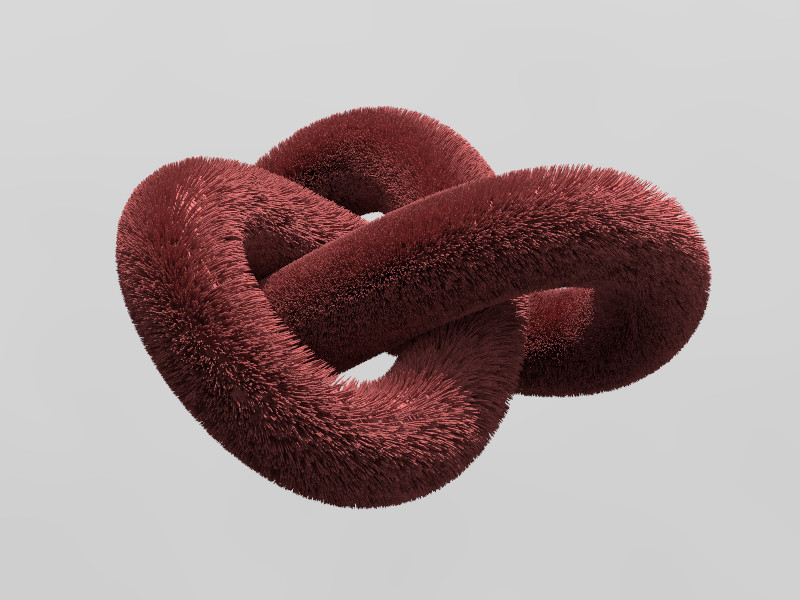
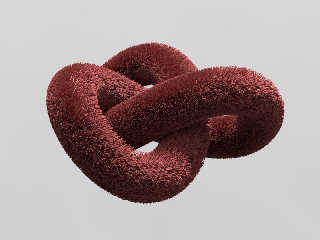
Thanks, Jérôme: it works like a charm. Instead tracing from random
points around the mesh, with hgpovray I can trace from points just in
front of each vertex, so I can reach places that would be inaccessible
with the classic method. Here is a test with a knot from Wings3D (I just
had to invert the mesh, as the normals seem to come inverted on the
POV-Ray export).

Now I just have to model a teddy bear with Wings3D... :)

--
jaime
Post a reply to this message
Attachments:
Download 'knot_fur_test-01-2m29s.jpg' (100 KB)
Preview of image 'knot_fur_test-01-2m29s.jpg'
|
|
| |
| |
|
|
|
|
| |
| |
|
|
Jaime Vives Piqueres <jai### [at] ignorancia org> wrote:
> Thanks, Jérôme: it works like a charm. Instead tracing from random
> points around the mesh, with hgpovray I can trace from points just in
> front of each vertex, so I can reach places that would be inaccessible
> with the classic method. Here is a test with a knot from Wings3D (I just
> had to invert the mesh, as the normals seem to come inverted on the
> POV-Ray export).
>
> Now I just have to model a teddy bear with Wings3D... :)
>
> --
> jaime
Nice as always...
Margus Ramst wrote a nice fur macro in 2000
(http://news.povray.org/povray.binaries.scene-files/thread/%3C39A10353.9F08EA9E@peak.edu.ee%3E/?ttop=292702&toff=850).
It isn't really fast and it needs much memory, but it is very versatile
regarding form, gravity influence and texturing. Beside that it covers objects
very good.
Norbert org> wrote:
> Thanks, Jérôme: it works like a charm. Instead tracing from random
> points around the mesh, with hgpovray I can trace from points just in
> front of each vertex, so I can reach places that would be inaccessible
> with the classic method. Here is a test with a knot from Wings3D (I just
> had to invert the mesh, as the normals seem to come inverted on the
> POV-Ray export).
>
> Now I just have to model a teddy bear with Wings3D... :)
>
> --
> jaime
Nice as always...
Margus Ramst wrote a nice fur macro in 2000
(http://news.povray.org/povray.binaries.scene-files/thread/%3C39A10353.9F08EA9E@peak.edu.ee%3E/?ttop=292702&toff=850).
It isn't really fast and it needs much memory, but it is very versatile
regarding form, gravity influence and texturing. Beside that it covers objects
very good.
Norbert
Post a reply to this message
Attachments:
Download 'material_1740.jpg' (831 KB)
Preview of image 'material_1740.jpg'

|
|
| |
| |
|
|
|
|
| |
| |
|
|
El 08/03/16 a las 21:33, Norbert Kern escribió:
> Margus Ramst wrote a nice fur macro in 2000

   Another one I missed back on the day... it's very good, specially the
gravity thing. Should take a look at the code, but I'm fearing it will
be very complex...

--
jaime
Post a reply to this message
|
|
| |
| |
|
|
|
|
| |
| |
|
|
On 8-3-2016 21:33, Norbert Kern wrote:
> Jaime Vives Piqueres <jai### [at] ignoranciaorg> wrote:
>> Thanks, Jérôme: it works like a charm. Instead tracing from random
>> points around the mesh, with hgpovray I can trace from points just in
>> front of each vertex, so I can reach places that would be inaccessible
>> with the classic method. Here is a test with a knot from Wings3D (I just
>> had to invert the mesh, as the normals seem to come inverted on the
>> POV-Ray export).
>>
>> Now I just have to model a teddy bear with Wings3D... :)
>>
>> --
>> jaime
>
>
> Nice as always...
>
> Margus Ramst wrote a nice fur macro in 2000

<grin> I was going to mention that same macro indeed.

I appreciate the possibility to reach difficult locations on the mesh.


--
Thomas
Post a reply to this message
|
|
| |
| |
|
|
|
|
| |
| |
|
|
Jaime Vives Piqueres wrote on 08/03/2016 18.18:
> Thanks, Jérôme: it works like a charm. Instead tracing from random
> points around the mesh, with hgpovray I can trace from points just in
> front of each vertex, so I can reach places that would be inaccessible
> with the classic method. Here is a test with a knot from Wings3D (I just
> had to invert the mesh, as the normals seem to come inverted on the
> POV-Ray export).
>
> Now I just have to model a teddy bear with Wings3D... :)
>
> --
> jaime
Oh! This knot is interesting too...
;-)
Paolo
Post a reply to this message
|
|
| |
| |
|
|
|
|
| |
| |
|
|
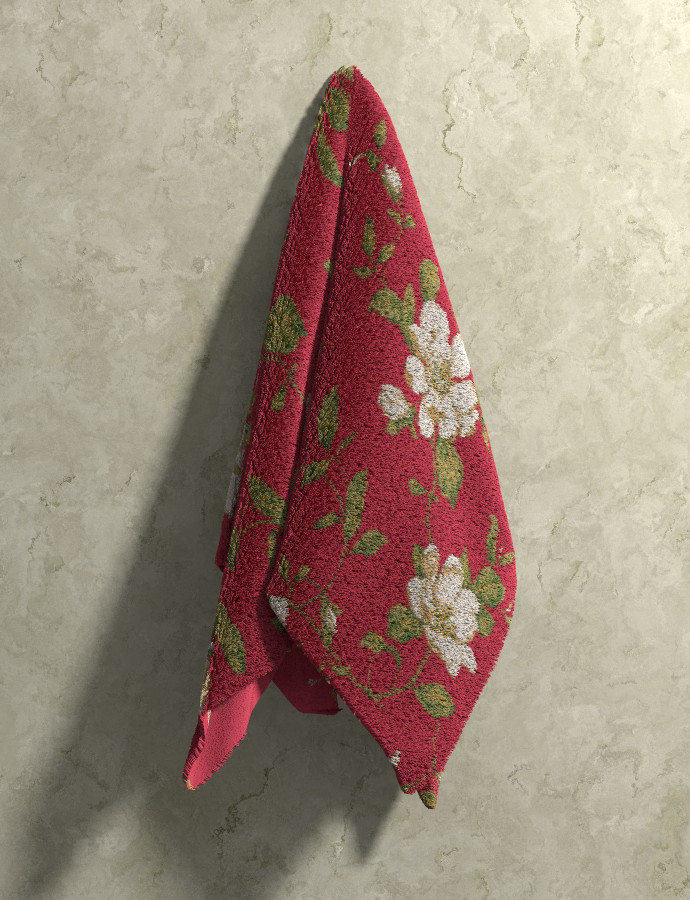
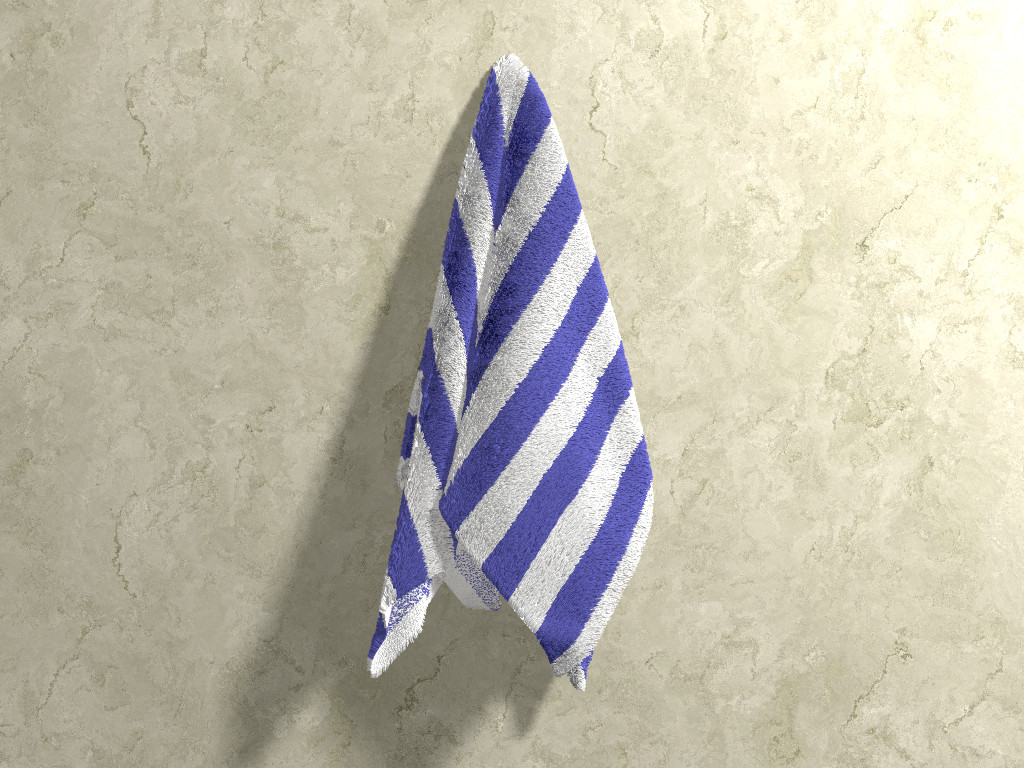
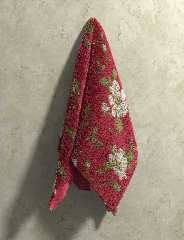
No teddy bear yet... but I tried with a towel model from archive3d
(tried to model one with Megapov simcloth, but didn't get anything decent).

   I figured a better method than tracing the threads: instead, I just
loop over all the triangles, then for each triangle I place 20 hairs at
randoms points on the triangle surface. I searched on the internet for
methods to do this, but as I didn't understand any of them due to my
poor knowledge of formal math notation, I ended up doing my own thing to
find random points on a triangle surface... it's ugly, slow and surely
inefficient, but works fine visually.

   Then there was The Last Problem... I wanted to texture the threads so
that they follow the uv_mapped texture on the mesh, but eval_pigment
will not work on this scenario. At that moment I realized the mesh data
extraction functions on hgpovray are missing one function: something
like get_uv_coordinates().

   But squeezing a bit more my poor brain I figured a workaround: copy
and paste the uv_vertex info from the mesh include file into a separate
file, formatted as an array, and then use that with eval_pigment and a
flat version of the image_map. Fortunately, the uv_vertex and
uv_vertices are correlative, so it works fine. But it would be much
better (and faster) to have an hgpovray function for it.

   Regards,

--
jaime
Post a reply to this message
Attachments:
Download 'hanging-towel-04-p4m21s-r12m48s.jpg' (185 KB)
Preview of image 'hanging-towel-04-p4m21s-r12m48s.jpg'
|
|
| |
| |
|
|
|
|
| |
| |
|
|
Le 17/03/2016 21:03, Jaime Vives Piqueres a écrit :
>  Fortunately, the uv_vertex and
> uv_vertices are correlative, so it works fine. But it would be much
> better (and faster) to have an hgpovray function for it.

Oh, I see, the towel is for the sweat once the work has been done...

so far no work done, so the towel is still fresh :-)
Post a reply to this message
|
|
| |
| |
|
|
|
|
| |
| |
|
|
Le_Forgeron <jgr### [at] freefr> wrote:

> so far no work done, so the towel is still fresh :-)

I think the only thing _fresh_ here is YOU    :D    ;)


Great work, Jaime - it looks very natural and has a wonderful texture.
I think you could use your method for some interesting other textures - moss, or
the fuzz on a peach, or those plants with leaves with fine hairs covering them
(psoralea?) - certainly violets.

Thanks as always for sharing!
Post a reply to this message
|
|
| |
| |
|
|
|
|
| |
| |
|
|
On 17-3-2016 21:03, Jaime Vives Piqueres wrote:
>    No teddy bear yet... but I tried with a towel model from archive3d
> (tried to model one with Megapov simcloth, but didn't get anything decent).
>
>    I figured a better method than tracing the threads: instead, I just
> loop over all the triangles, then for each triangle I place 20 hairs at
> randoms points on the triangle surface. I searched on the internet for
> methods to do this, but as I didn't understand any of them due to my
> poor knowledge of formal math notation, I ended up doing my own thing to
> find random points on a triangle surface... it's ugly, slow and surely
> inefficient, but works fine visually.

I never got to tracing threads on something like this and suspected that
there would be problems with the folds. Your hgpovray methods seems to
really work well indeed. It forms an excellent proof-of-concept for
regular development on POV-Ray's main branch one day :-)

--
Thomas
Post a reply to this message
|
|
| |
| |
|
|
|
|
| |
| |
|
|
El 18/03/16 a las 08:55, Thomas de Groot escribió:
> I never got to tracing threads on something like this and suspected
> that there would be problems with the folds. Your hgpovray methods
> seems to really work well indeed. It forms an excellent
> proof-of-concept for regular development on POV-Ray's main branch one
> day :-)

   Yes, it would be fantastic to have these mesh data functions
integrated into official POV-Ray. I can't see these features breaking
anything else, but I'm not an expert, of course. The icing on the cake
would be, as I said, a function to get the uv coordinates at a given
vertex (this one alone would overcome the problem with eval_pigment()
and uv_mapped pigments).

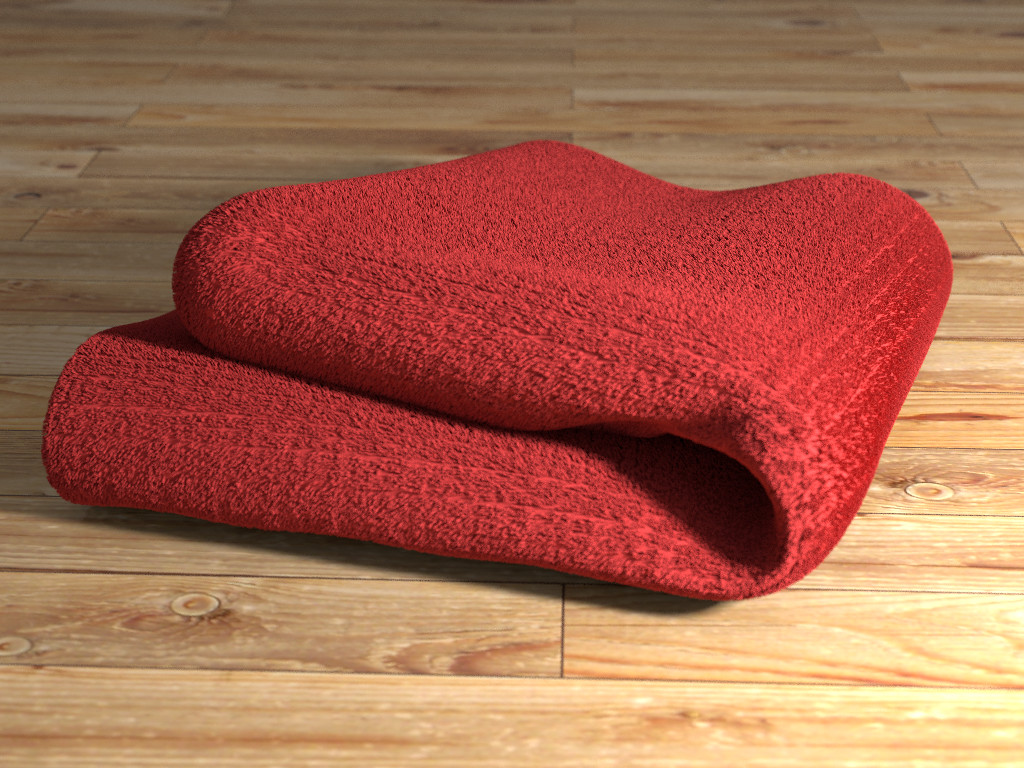
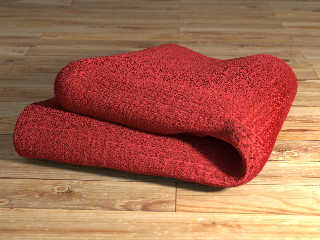
   Here is a new test, with another towel, but this time folded and
resting over a surface (again the model is from archive3d.net, but the
uv mapping on this one was messed up, so I didn't use it). Still needs a
bit more threads per triangle, but it's already made of 897940 threads
(20 per triangle). It takes 7 minutes to parse, mainly due to my ugly
method to find 20 random points over the surface of the triangle.

--
jaime
Post a reply to this message
Attachments:
Download 'folded-towel-01-p7m5s-r48m5s.jpg' (269 KB)
Preview of image 'folded-towel-01-p7m5s-r48m5s.jpg'
|
|
| |
| |
|
|
|
|
| |
| |
|
|
Jaime Vives Piqueres <jai### [at] ignoranciaorg> wrote:
>  Still needs a
> bit more threads per triangle, but it's already made of 897940 threads
> (20 per triangle).

Just say the towel is a few years old.
Post a reply to this message
|
|
| |
| |
|
|
|
|
| |
| |
|
|
Am 18.03.2016 um 10:57 schrieb Jaime Vives Piqueres:

>   Here is a new test, with another towel, but this time folded and
> resting over a surface (again the model is from archive3d.net, but the
> uv mapping on this one was messed up, so I didn't use it). Still needs a
> bit more threads per triangle, but it's already made of 897940 threads
> (20 per triangle). It takes 7 minutes to parse, mainly due to my ugly
> method to find 20 random points over the surface of the triangle.

As a matter of fact it looks _exactly_ like the kitchen towel we had
when I was a kid. It's as spot-on as it could possibly be.
Post a reply to this message
|
|
| |
| |
|
|
|
|
| |
| |
|
|
El 17/03/16 a las 21:52, Bald Eagle escribió:
> Great work, Jaime - it looks very natural and has a wonderful
> texture.

   Thanks!

> I think you could use your method for some interesting other textures
> - moss, or the fuzz on a peach, or those plants with leaves with fine
> hairs covering them (psoralea?) - certainly violets.
>

   Thanks for the interesting ideas... right now I'm looking for furry
things.

-
jaime
Post a reply to this message
|
|
| |
| |
|
|
|
|
| |
| |
|
|
El 18/03/16 a las 16:34, Cousin Ricky escribió:
> Just say the towel is a few years old.

   Yes, I could use that excuse... :) But the fact is that the bald
patches where due to a flaw on the random distribution. I corrected it
now and looks much better with the same number of threads.

--
jaime
Post a reply to this message
|
|
| |
| |
|
|
|
|
| |
| |
|
|
El 18/03/16 a las 17:45, clipka escribió:
> As a matter of fact it looks _exactly_ like the kitchen towel we had
> when I was a kid. It's as spot-on as it could possibly be.

   Thanks... I too had a kitchen towel like that one, that's why I chose
that exact color.

--
jaime
Post a reply to this message
|
|
| |
| |
|
|
|
|
| |
| |
|
|
On 3/18/2016 6:16 PM, Jaime Vives Piqueres wrote:
>
>    Thanks for the interesting ideas... right now I'm looking for furry
> things.

And furry things are looking for you. Watch out ;-)


--

Regards
     Stephen
Post a reply to this message
|
|
| |
| |
|
|
|
|
| |
| |
|
|
El 18/03/16 a las 19:48, Stephen escribió:
> On 3/18/2016 6:16 PM, Jaime Vives Piqueres wrote:
>>
>> Thanks for the interesting ideas... right now I'm looking for
>> furry things.
>
> And furry things are looking for you. Watch out ;-)
>

   Yeah... when I search just "furry" on google images, a lot people
disguised on furry clothes come to haunt me.

--
jaime
Post a reply to this message
|
|
| |
| |
|
|
|
|
| |
| |
|
|
On 3/18/2016 7:18 PM, Jaime Vives Piqueres wrote:
> El 18/03/16 a las 19:48, Stephen escribió:
>> On 3/18/2016 6:16 PM, Jaime Vives Piqueres wrote:
>>>
>>> Thanks for the interesting ideas... right now I'm looking for
>>> furry things.
>>
>> And furry things are looking for you. Watch out ;-)
>>
>
>    Yeah... when I search just "furry" on google images, a lot people
> disguised on furry clothes come to haunt me.
>

LOL
At least is is not XXX ;-)

--

Regards
     Stephen
Post a reply to this message
|
|
| |
| |
|
|
|
|
| |
| |
|
|
Le 17/03/2016 21:52, Bald Eagle a écrit :
> Le_Forgeron <jgr### [at] freefr> wrote:
>
>> so far no work done, so the towel is still fresh :-)
>
> I think the only thing _fresh_ here is YOU    :D    ;)
>

Exactly. I was fresh.

Now available,
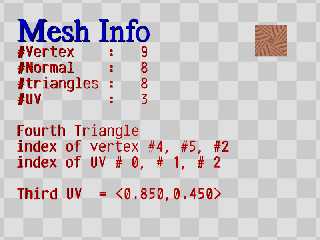
* get_uv_count(Mesh)
* get_uv_indices(Mesh,Number_of_vertex)
* get_uv(Mesh,UV_Indice)

Just like get_normal... but for uv mapping.
Post a reply to this message
Attachments:
Download 'mesh2sdl.png' (95 KB)
Download 'mesh2sdl.pov.txt' (2 KB)
Preview of image 'mesh2sdl.png'
|
|
| |
| |
|
|
|
|
| |
| |
|
|
El 19/03/16 a las 05:41, Le_Forgeron escribió:
> Now available, * get_uv_count(Mesh) *
> get_uv_indices(Mesh,Number_of_vertex) * get_uv(Mesh,UV_Indice)
>
> Just like get_normal... but for uv mapping.
>


   Awesome! Many thanks! ...now you can dry off with the towel. :)

--
jaime
Post a reply to this message
|
|
| |
| |
|
|
|
|
| |
| |
|
|
Le 19/03/2016 08:46, Jaime Vives Piqueres a écrit :
>
>   Awesome! Many thanks! ...now you can dry off with the towel. :)

Thanks you for the towel, and the motivation you inspired with such great picture.
Post a reply to this message
|
|
| |
| |
|
|
|
|
| |
| |
|
|
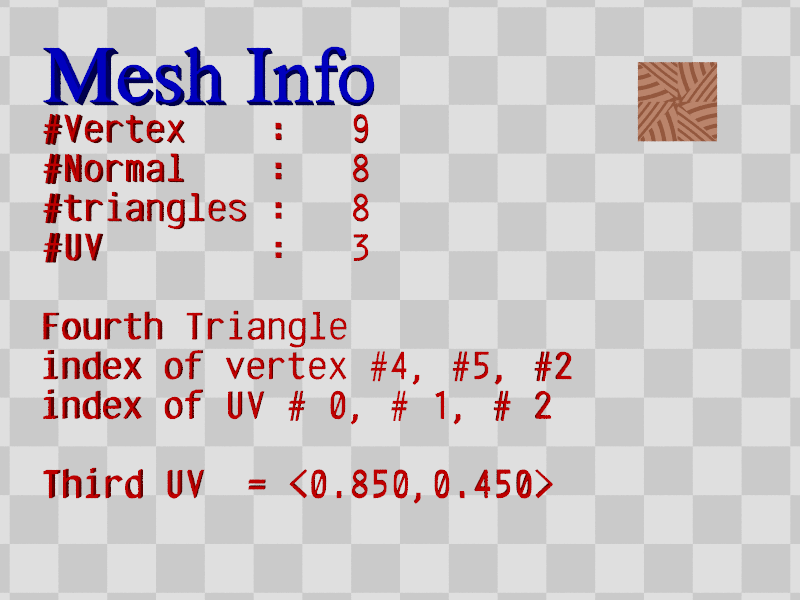
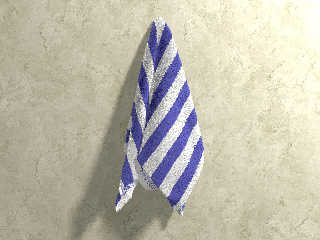
El 19/03/16 a las 10:28, Le_Forgeron escribió:
> Thanks you for the towel, and the motivation you inspired with such
> great picture.

   My pleasure. I just have tested the new uv functions and they work
flawlessly (I've attached a quick test).

   BTW, this will allow for an extra icing on the cake: using specially
made image maps to select where to put threads and where not (using
B&W), or to indicate the orientation of the threads (this one I've still
not figured out how can be "coded" on a image).

--
jaime
Post a reply to this message
Attachments:
Download 'hanging-towel-04-p2m20s-r47s.jpg' (227 KB)
Preview of image 'hanging-towel-04-p2m20s-r47s.jpg'
|
|
| |
| |
|
|
|
|
| |
| |
|
|
Jaime Vives Piqueres <jai### [at] ignoranciaorg> wrote:

>    BTW, this will allow for an extra icing on the cake: using specially
> made image maps to select where to put threads and where not (using
> B&W), or to indicate the orientation of the threads (this one I've still
> not figured out how can be "coded" on a image).

Hmmm.
Not knowing how you're doing it now, what about using the RGB values to control
the orientation. <0,0,0> = no thread.

Perhaps if you used .red to indicate thread presence and _type_, then you could
use .green and .blue to control positioning.

Then you could _layer_ different thread types - thick, thin, looped threads,
long loops, short loops, etc.  Maybe that requires alpha channel, idk.

So, if var.red > 0 then var.(0.1) indicates a red thread, var.(0.2) indicates a
green thread of twice the length, and var.(0.3) indicates white yarn.  Maybe
var.(0.9) is a tasseled edge.
Var.green could define a rotation of the thread around the normal axis, and
var.blue would be for how the thread "lays" - straight up, at an angle, like a
fur, etc.

However you decide to do it, I'm sure the results will be amazing as usual   :)
Post a reply to this message
|
|
| |
| |
|
|
|
|
| |
| |
|
|
Jaime Vives Piqueres <jai### [at] ignoranciaorg> wrote:
>    Here is a new test, with another towel, but this time folded and
> resting over a surface (again the model is from archive3d.net, but the
> uv mapping on this one was messed up, so I didn't use it). Still needs a
> bit more threads per triangle, but it's already made of 897940 threads
> (20 per triangle). It takes 7 minutes to parse, mainly due to my ugly
> method to find 20 random points over the surface of the triangle.
>
> --
> jaime

Amazing ... looks like a towel - and it sies not look like rendered, instead it
looks REAL.
Post a reply to this message
|
|
| |
| |
|
|
|
|
| |
| |
|
|
On 18.03.2016 20:18, Jaime Vives Piqueres wrote:

>    Yeah... when I search just "furry" on google images, a lot people
> disguised on furry clothes come to haunt me.

Next object: Furry MakeHuman mesh!!!
Post a reply to this message
|
|
| |
| |
|
|
|
|
| |
| |
|
|
El 21/03/16 a las 23:28, Christian Froeschlin escribió:
> Next object: Furry MakeHuman mesh!!!

   Hmmmm.... maybe worth a try. Thanks!

--
jaime
Post a reply to this message
|
|
| |
| |
|
|
|
|
| |
| |
|
|
Jaime Vives Piqueres <jai### [at] ignoranciaorg> wrote:
> El 21/03/16 a las 23:28, Christian Froeschlin escribió:
> > Next object: Furry MakeHuman mesh!!!
>
>    Hmmmm.... maybe worth a try. Thanks!

MakeSasquatch?

Good work all round, have enjoyed these tests. :)
Post a reply to this message
|
|
| |
| |
|
|
|
|
| |
| |
|
|
El 22/03/16 a las 09:21, Bill Pragnell escribió:
> MakeSasquatch?

   I guess it will not come even close... it will look more like a
humanoid Elmo. :)


> Good work all round, have enjoyed these tests. :)

   Thanks... and let me use this post to thank you for the meshrelief
include, which I used extensively on the cave. Great work! ...just a
shame I've not discovered it until now.

--
jaime
Post a reply to this message
|
|
| |
| |
|
|
|
|
| |
| |
|
|
Jaime Vives Piqueres <jai### [at] ignoranciaorg> wrote:
> El 22/03/16 a las 09:21, Bill Pragnell escribió:
>    Thanks... and let me use this post to thank you for the meshrelief
> include, which I used extensively on the cave. Great work! ...just a
> shame I've not discovered it until now.

I somehow completely missed the later stages of that project - I've just been
back to check it out, great stuff. Should try the equirectangular version in a
simple browser-based viewer like Panellum for those of us not fortunate enough
to own VR gear... :)

And of course you're quite welcome for the meshrelief include, it's been very
useful to me! I believe it's also in the object collection here as well as my
old site that you linked to.

Bill
Post a reply to this message
|
|
| |
| |
|
|
|
|
| |