|
|
|
|
|
|
| |
| |
|
|
|
|
| |
| |
|
|
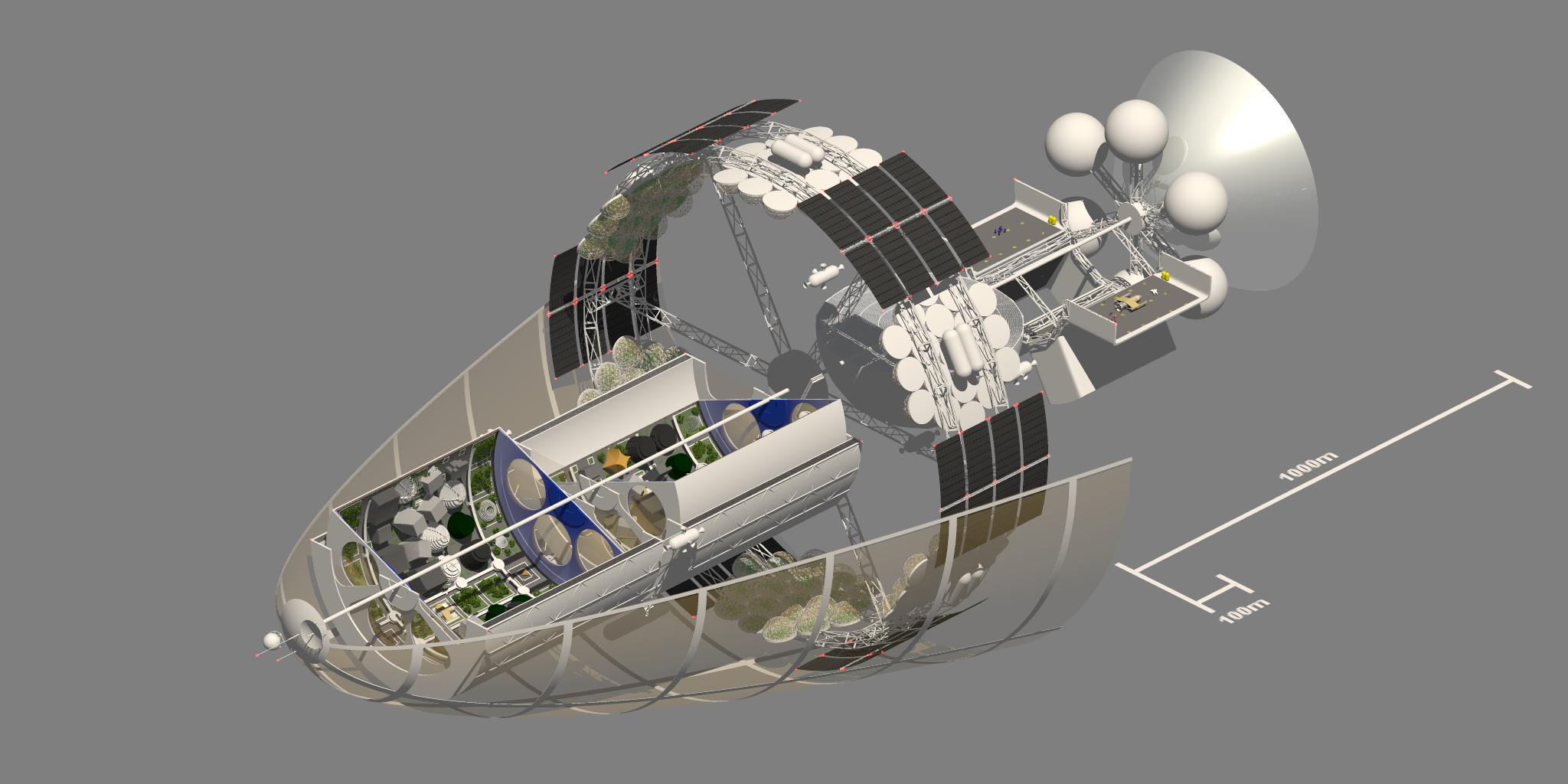
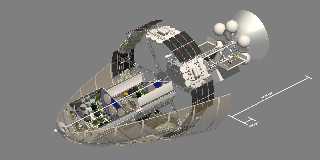
I decided to dust off this old scene and work on a few more bits.

I finalized how the docking bay and engine are going to be laid out, and
I am happy with them.

I also split the habitation area into two counter-rotating sections. I'm
thinking of making the end caps concave, like the bottom of a soda can.

A note about the cone in front. It's supposed to be a mesh of copper or
gold wires that are electrically charged to keep dust from coming in
contact with the ship. Kind of the opposite of a solar sail. I need to
work on the wires a bit more to make them apparent.

Enjoy!


Mike
Post a reply to this message
Attachments:
Download 'gh_scene_spinner_cutaway.png' (693 KB)
Preview of image 'gh_scene_spinner_cutaway.png'
|
|
| |
| |
|
|
|
|
| |
| |
|
|
On 1/6/2016 4:31 AM, Mike Horvath wrote:
> A note about the cone in front. It's supposed to be a mesh of copper or
> gold wires that are electrically charged to keep dust from coming in
> contact with the ship. Kind of the opposite of a solar sail. I need to
> work on the wires a bit more to make them apparent.


I don't know. I like the effect you have now.

--

Regards
     Stephen
Post a reply to this message
|
|
| |
| |
|
|
|
|
| |
| |
|
|
Your project is promising, please continue with it and keep us updated. :-)
Post a reply to this message
|
|
| |
| |
|
|
|
|
| |
| |
|
|
Another thing I worry about is the weak spine of the ship. I need to
create struts around the circumference of the ship so the ship does not
break in half when applying thrust! Aircraft and spacecraft IRL tend not
to have spines, but rather a hollow frame.
Post a reply to this message
|
|
| |
| |
|
|
|
|
| |
| |
|
|
Le 16-01-05 23:31, Mike Horvath a écrit :
> I decided to dust off this old scene and work on a few more bits.
>
> I finalized how the docking bay and engine are going to be laid out, and
> I am happy with them.
>
> I also split the habitation area into two counter-rotating sections. I'm
> thinking of making the end caps concave, like the bottom of a soda can.
>
> A note about the cone in front. It's supposed to be a mesh of copper or
> gold wires that are electrically charged to keep dust from coming in
> contact with the ship. Kind of the opposite of a solar sail. I need to
> work on the wires a bit more to make them apparent.
>
> Enjoy!
>
>
> Mike

Given the size of that ship, the wires won't be individualy visible
unless they are very thick, like around 1m thick...

The part of the spine inside the living section is OK as it don't seem
to have a real structural function. But, going aft, it does indeed look
flimsy.
Post a reply to this message
|
|
| |
| |
|
|
|
|
| |
| |
|
|
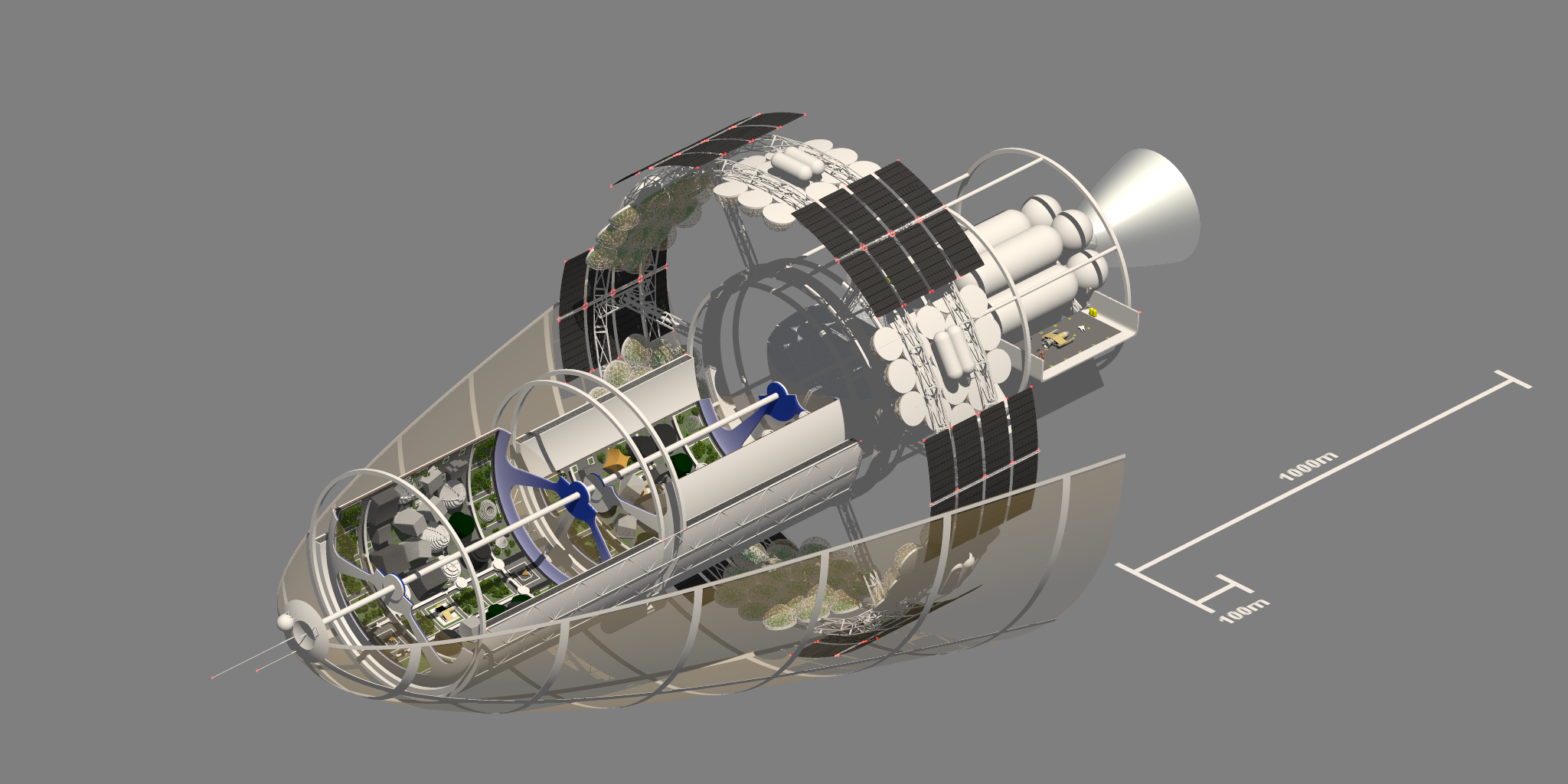
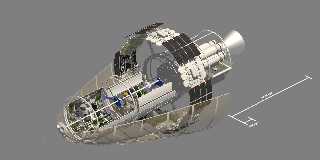
Several changes.


Mike
Post a reply to this message
Attachments:
Download 'gh_scene_spinner_cutaway_24.png' (643 KB)
Preview of image 'gh_scene_spinner_cutaway_24.png'
|
|
| |
| |
|
|
|
|
| |
| |
|
|
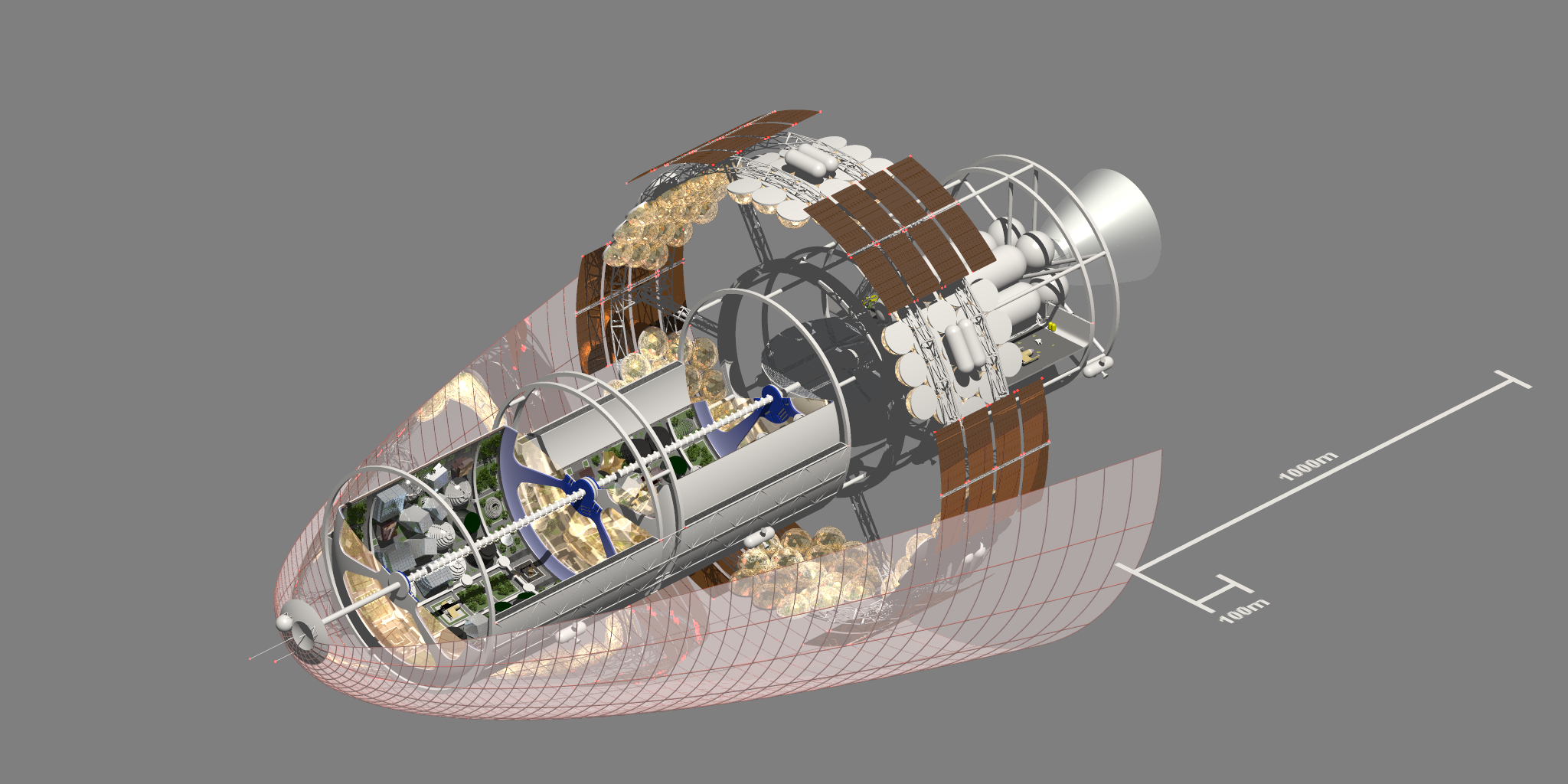
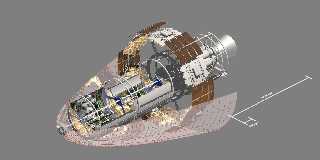
I decided to use an array of spheres for the spiral lamp light instead
of a single object since it's a lot easier to control.

I also tweaked the parabolic nose shield. I am very unhappy with the
texture however. It's supposed to simulate a wire mesh, not a solid
surface, but I don't think it's working. Here is the texture:

#declare thin_wire_material = material
{
	#switch (TexQual)
		#case (-1)
			texture {lowqual_pig(Seed)}
		#break
		#case (0)
			texture {pigment {gamma_color_adjust(<0.70, 0.25, 0.15, 0.00, 0.90>)}}
		#break
		#case (1)
		#case (2)
			// needs an interior too I think
			texture
			{
				pigment {gamma_color_adjust(<0.70, 0.25, 0.15, 0.00, 0.90>)}
				finish
				{
				    ambient		0.15
				    brilliance	5
				    diffuse		0.6
				    metallic
				    specular	0.80
				    roughness	1/100
				    reflection	0.65
				}
			}
		#break
Post a reply to this message
Attachments:
Download 'gh_scene_spinner_cutaway_27.png' (847 KB)
Preview of image 'gh_scene_spinner_cutaway_27.png'
|
|
| |
| |
|
|
|
|
| |
| |
|
|
Am 10.01.2016 um 00:38 schrieb Mike Horvath:

> I also tweaked the parabolic nose shield. I am very unhappy with the
> texture however. It's supposed to simulate a wire mesh, not a solid
> surface, but I don't think it's working. Here is the texture:

No that indeed doesn't work at all.

You'll want "micronormals", i.e. some "normal {...}" statement with a
pattern scaled so small that it is no longer visible in the image.

Ideally the structure of the pattern should match the structure of
whatever material you intend to simulate.

Make sure you don't get moiree effects from it though; anti-aliasing
might do the trick, otherwise I'd recommend using a tiny bit of focal
blur, or use UberPOV's anti-aliasing mode 3. Or you might just choose a
random pattern, which won't be as close to the real deal but will not
cause any moiree at all.

Speaking of UberPOV, if you go down that route another alternative would
be to just use highly blurred reflections.
Post a reply to this message
|
|
| |
| |
|
|
|
|
| |
| |
|
|
On 1/9/2016 7:07 PM, clipka wrote:
> Am 10.01.2016 um 00:38 schrieb Mike Horvath:
>
>> I also tweaked the parabolic nose shield. I am very unhappy with the
>> texture however. It's supposed to simulate a wire mesh, not a solid
>> surface, but I don't think it's working. Here is the texture:
>
> No that indeed doesn't work at all.
>
> You'll want "micronormals", i.e. some "normal {...}" statement with a
> pattern scaled so small that it is no longer visible in the image.
>
> Ideally the structure of the pattern should match the structure of
> whatever material you intend to simulate.
>
> Make sure you don't get moiree effects from it though; anti-aliasing
> might do the trick, otherwise I'd recommend using a tiny bit of focal
> blur, or use UberPOV's anti-aliasing mode 3. Or you might just choose a
> random pattern, which won't be as close to the real deal but will not
> cause any moiree at all.
>
> Speaking of UberPOV, if you go down that route another alternative would
> be to just use highly blurred reflections.
>


How would I create the pattern? The radial part is easy, but how do I
get the ribbed portion? Which function do I use?

f_paraboloid(x,y,z, P0)

Or something else?
Post a reply to this message
|
|
| |
| |
|
|
|
|
| |
| |
|
|
On 1/9/2016 7:07 PM, clipka wrote:
> Am 10.01.2016 um 00:38 schrieb Mike Horvath:
>
>> I also tweaked the parabolic nose shield. I am very unhappy with the
>> texture however. It's supposed to simulate a wire mesh, not a solid
>> surface, but I don't think it's working. Here is the texture:
>
> No that indeed doesn't work at all.
>
> You'll want "micronormals", i.e. some "normal {...}" statement with a
> pattern scaled so small that it is no longer visible in the image.
>
> Ideally the structure of the pattern should match the structure of
> whatever material you intend to simulate.
>
> Make sure you don't get moiree effects from it though; anti-aliasing
> might do the trick, otherwise I'd recommend using a tiny bit of focal
> blur, or use UberPOV's anti-aliasing mode 3. Or you might just choose a
> random pattern, which won't be as close to the real deal but will not
> cause any moiree at all.
>
> Speaking of UberPOV, if you go down that route another alternative would
> be to just use highly blurred reflections.
>


I guess I should clarify that what you see in that last image is not a
texture, but a physical array of cylinders and tori. Replacing them with
a proper texture would make the scene render much faster as well.


Mike
Post a reply to this message
|
|
| |
| |
|
|
|
|
| |
| |
|
|
Am 10.01.2016 um 01:51 schrieb Mike Horvath:

> I guess I should clarify that what you see in that last image is not a
> texture, but a physical array of cylinders and tori. Replacing them with
> a proper texture would make the scene render much faster as well.

Ah, I guess we have a misunderstanding there. I thought you wanted the
semi-transparent paraboloid sheet to look more like a fine mesh, but now
my understanding is that it is the visible support structure of that
paraboloid that you want to look more like a mesh.

Well, my guess there is that it doesn't look like wires because they're
not really the size of wires, and also because the "longitudinal" and
"latitudinal" structures simply intersect. Maybe if they just touched
each other, possibly in an alternating "weaving" fashion, and maybe
connected with some "clamps", it might look better.


Also I wouldn't use copper. It's expensive, heavy, and you only need it
if there are high currents involved. Presuming the shield is primarily
based on static voltage, metals with higher resistance should work just
as fine.

Aluminum might make for a great alternative, too.
Post a reply to this message
|
|
| |
| |
|
|
|
|
| |
| |
|
|
On 1/9/2016 8:47 PM, clipka wrote:
> Am 10.01.2016 um 01:51 schrieb Mike Horvath:
>
>> I guess I should clarify that what you see in that last image is not a
>> texture, but a physical array of cylinders and tori. Replacing them with
>> a proper texture would make the scene render much faster as well.
>
> Ah, I guess we have a misunderstanding there. I thought you wanted the
> semi-transparent paraboloid sheet to look more like a fine mesh, but now
> my understanding is that it is the visible support structure of that
> paraboloid that you want to look more like a mesh.
>
> Well, my guess there is that it doesn't look like wires because they're
> not really the size of wires, and also because the "longitudinal" and
> "latitudinal" structures simply intersect. Maybe if they just touched
> each other, possibly in an alternating "weaving" fashion, and maybe
> connected with some "clamps", it might look better.
>
>
> Also I wouldn't use copper. It's expensive, heavy, and you only need it
> if there are high currents involved. Presuming the shield is primarily
> based on static voltage, metals with higher resistance should work just
> as fine.
>
> Aluminum might make for a great alternative, too.
>

No, you were right. I want to make the paraboloid sheet to look like a
mesh. The solid ribs take too long to render.

I will also switch the material to look the same as the engine nozzle.


Mike
Post a reply to this message
|
|
| |
| |
|
|
|
|
| |
| |
|
|
On 1/9/2016 8:47 PM, clipka wrote:
> Am 10.01.2016 um 01:51 schrieb Mike Horvath:
>
>> I guess I should clarify that what you see in that last image is not a
>> texture, but a physical array of cylinders and tori. Replacing them with
>> a proper texture would make the scene render much faster as well.
>
> Ah, I guess we have a misunderstanding there. I thought you wanted the
> semi-transparent paraboloid sheet to look more like a fine mesh, but now
> my understanding is that it is the visible support structure of that
> paraboloid that you want to look more like a mesh.
>
> Well, my guess there is that it doesn't look like wires because they're
> not really the size of wires, and also because the "longitudinal" and
> "latitudinal" structures simply intersect. Maybe if they just touched
> each other, possibly in an alternating "weaving" fashion, and maybe
> connected with some "clamps", it might look better.
>
>
> Also I wouldn't use copper. It's expensive, heavy, and you only need it
> if there are high currents involved. Presuming the shield is primarily
> based on static voltage, metals with higher resistance should work just
> as fine.
>
> Aluminum might make for a great alternative, too.
>


Here's the code I use for the paraboloid, by the way. Whatever i end up
doing, it has to match up with that.

#local glass_cone = difference
{
	object
	{
		Paraboloid_Z
		scale nose_cone_radius
		translate -z * ext_glass_thick/2
	}
	object
	{
		Paraboloid_Z
		scale nose_cone_radius
		translate +z * ext_glass_thick/2
	}
}
Post a reply to this message
|
|
| |
| |
|
|
|
|
| |
| |
|
|
On 1/5/2016 11:31 PM, Mike Horvath wrote:
> I decided to dust off this old scene and work on a few more bits.
>
> I finalized how the docking bay and engine are going to be laid out, and
> I am happy with them.
>
> I also split the habitation area into two counter-rotating sections. I'm
> thinking of making the end caps concave, like the bottom of a soda can.
>
> A note about the cone in front. It's supposed to be a mesh of copper or
> gold wires that are electrically charged to keep dust from coming in
> contact with the ship. Kind of the opposite of a solar sail. I need to
> work on the wires a bit more to make them apparent.
>
> Enjoy!
>
>
> Mike

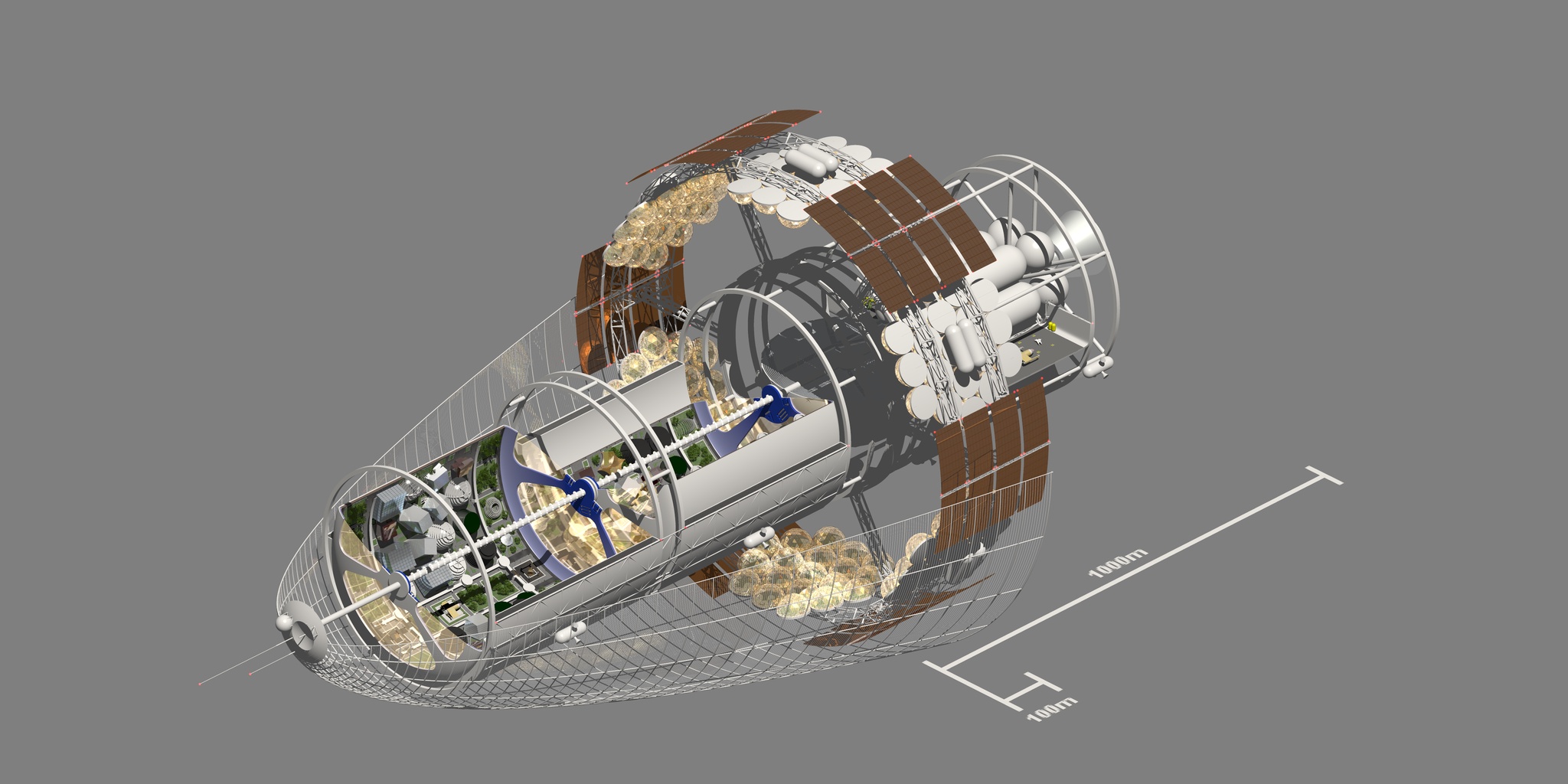
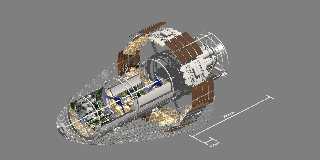
I changed the texture of the nose cone. I'm pretty happy with it. I
think I got all the things done on my checklist. I will put the project
back on the shelf until some later time when I come up with new ideas.
For now I am done.


Mike
Post a reply to this message
Attachments:
Download 'gh_scene_spinner_cutaway_28_small.png' (1035 KB)
Preview of image 'gh_scene_spinner_cutaway_28_small.png'
|
|
| |
| |
|
|
|
|
| |
| |
|
|
On 1/11/2016 5:49 PM, Mike Horvath wrote:
> I changed the texture of the nose cone. I'm pretty happy with it. I
> think I got all the things done on my checklist. I will put the project
> back on the shelf until some later time when I come up with new ideas.
> For now I am done.
>
>
> Mike

I created a youtube video showing how the model has changed over time.

https://www.youtube.com/watch?v=ajeZkwBuzIU

Enjoy!


Mike
Post a reply to this message
|
|
| |
| |
|
|
|
|
| |
| |
|
|
In article <569448f4$1@news.povray.org>, mik### [at] gmail com says...
>
> I created a youtube video showing how the model has changed over time.
>
> https://www.youtube.com/watch?v=ajeZkwBuzIU
>
> Enjoy!
Very cool. I like the first generation where the solar panels circle
the ship, at 0:53. com says...
>
> I created a youtube video showing how the model has changed over time.
>
> https://www.youtube.com/watch?v=ajeZkwBuzIU
>
> Enjoy!
Very cool. I like the first generation where the solar panels circle
the ship, at 0:53.
Post a reply to this message
|
|
| |
| |
|
|
|
|
| |
| |
|
|
On 1/9/2016 10:51 PM, Mike Horvath wrote:
> No, you were right. I want to make the paraboloid sheet to look like a
> mesh. The solid ribs take too long to render.
>
> I will also switch the material to look the same as the engine nozzle.
>
>
> Mike


I tried creating a texture, and while it does look good, it is actually
slower to render than creating the 3D cylindrical ribs.


Mike
Post a reply to this message
|
|
| |
| |
|
|
|
|
| |
| |
|
|
On 1/11/2016 5:49 PM, Mike Horvath wrote:
> On 1/5/2016 11:31 PM, Mike Horvath wrote:
>> I decided to dust off this old scene and work on a few more bits.
>>
>> I finalized how the docking bay and engine are going to be laid out, and
>> I am happy with them.
>>
>> I also split the habitation area into two counter-rotating sections. I'm
>> thinking of making the end caps concave, like the bottom of a soda can.
>>
>> A note about the cone in front. It's supposed to be a mesh of copper or
>> gold wires that are electrically charged to keep dust from coming in
>> contact with the ship. Kind of the opposite of a solar sail. I need to
>> work on the wires a bit more to make them apparent.
>>
>> Enjoy!
>>
>>
>> Mike
>
> I changed the texture of the nose cone. I'm pretty happy with it. I
> think I got all the things done on my checklist. I will put the project
> back on the shelf until some later time when I come up with new ideas.
> For now I am done.
>
>
> Mike


Do the fuel tanks in back of the space craft appear too small? I was
aiming for nuclear propulsion, but might switch to something else.


Mike
Post a reply to this message
|
|
| |
| |
|
|
|
|
| |
| |
|
|
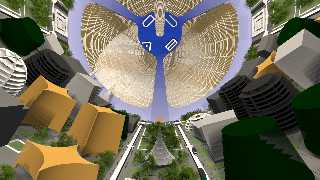
Just got done rendering the attached image. It took 15 hours, and I
haven't even enabled finishes or interiors yet. :(


Mike
Post a reply to this message
Attachments:
Download 'gh_scene_spinner_cutaway_e_method_c_14.45.17.png' (1088 KB)
Preview of image 'gh_scene_spinner_cutaway_e_method_c_14.45.17.png'
|
|
| |
| |
|
|
|
|
| |
| |
|
|
Le 16-01-16 14:06, Mike Horvath a écrit :
> Just got done rendering the attached image. It took 15 hours, and I
> haven't even enabled finishes or interiors yet. :(
>
>
> Mike

I have a rendering that racked about 800 times as much and is currently
just over 50% done...

Ok, it have multiple imbedded spheres and use blured reflection,
refraction, dispersion, photons, irid,...
I get a *LOT* of total internal reflections in those spheres.
Post a reply to this message
|
|
| |
| |
|
|
|
|
| |
| |
|
|
On 1/16/2016 2:35 PM, Alain wrote:
> Le 16-01-16 14:06, Mike Horvath a écrit :
>> Just got done rendering the attached image. It took 15 hours, and I
>> haven't even enabled finishes or interiors yet. :(
>>
>>
>> Mike
>
> I have a rendering that racked about 800 times as much and is currently
> just over 50% done...
>
> Ok, it have multiple imbedded spheres and use blured reflection,
> refraction, dispersion, photons, irid,...
> I get a *LOT* of total internal reflections in those spheres.

I don't have the patience to wait *that* long. Maybe if I had a second
computer dedicated to POV-Ray. But I doubt it.


Mike
Post a reply to this message
|
|
| |
| |
|
|
|
|
| |
| |
|
|
Here's my latest (incomplete) render. However, I don't understand why
the planet in the background is so bright compared to the last render.
Can anyone explain this? Is it the area light causing this or the
reflections? I'm using the same area light as in the last render and I
don't understand why the planet appears to be extra lit. Thanks.


Mike
Post a reply to this message
Attachments:
Download 'gh_spinner_test_02.png' (359 KB)
Preview of image 'gh_spinner_test_02.png'
|
|
| |
| |
|
|
|
|
| |
| |
|
|
On 1/18/2016 8:48 PM, Mike Horvath wrote:
> Here's my latest (incomplete) render. However, I don't understand why
> the planet in the background is so bright compared to the last render.
> Can anyone explain this? Is it the area light causing this or the
> reflections? I'm using the same area light as in the last render and I
> don't understand why the planet appears to be extra lit. Thanks.

The preview window may not accurately reflect what's in the image file.
  Strange but true.
Post a reply to this message
|
|
| |
| |
|
|
|
|
| |
| |
|
|
On 1/18/2016 9:30 PM, dick balaska wrote:
> On 1/18/2016 8:48 PM, Mike Horvath wrote:
>> Here's my latest (incomplete) render. However, I don't understand why
>> the planet in the background is so bright compared to the last render.
>> Can anyone explain this? Is it the area light causing this or the
>> reflections? I'm using the same area light as in the last render and I
>> don't understand why the planet appears to be extra lit. Thanks.
>
> The preview window may not accurately reflect what's in the image file.
>   Strange but true.
>
>

None of the other objects in the scene appear brighter. It's just the
planet as seen through the window.


Mike
Post a reply to this message
|
|
| |
| |
|
|
|
|
| |
| |
|
|
Am 19.01.2016 um 02:48 schrieb Mike Horvath:
> Here's my latest (incomplete) render. However, I don't understand why
> the planet in the background is so bright compared to the last render.
> Can anyone explain this? Is it the area light causing this or the
> reflections? I'm using the same area light as in the last render and I
> don't understand why the planet appears to be extra lit. Thanks.

Did you make sure that the light properly falls off with distance?
Post a reply to this message
|
|
| |
| |
|
|
|
|
| |
| |
|
|
On 1/19/2016 11:08 AM, clipka wrote:
> Am 19.01.2016 um 02:48 schrieb Mike Horvath:
>> Here's my latest (incomplete) render. However, I don't understand why
>> the planet in the background is so bright compared to the last render.
>> Can anyone explain this? Is it the area light causing this or the
>> reflections? I'm using the same area light as in the last render and I
>> don't understand why the planet appears to be extra lit. Thanks.
>
> Did you make sure that the light properly falls off with distance?
>

No, I didn't. But wouldn't that be noticeable in both images? In the
previous image the planet looked okay. I am using the same light source
in both.


Mike
Post a reply to this message
|
|
| |
| |
|
|
|
|
| |
| |
|
|
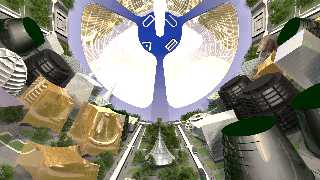
Here's the latest render from inside the ship. Way too much glare! I
will explore ways to reduce the glare but I'm not sure what will be
effective.


Mike
Post a reply to this message
Attachments:
Download 'gh_scene_spinner_cutaway_e_method_c_khdsf.png' (1354 KB)
Preview of image 'gh_scene_spinner_cutaway_e_method_c_khdsf.png'
|
|
| |
| |
|
|
|
|
| |
| |
|
|
On 1/19/2016 11:08 AM, clipka wrote:
> Am 19.01.2016 um 02:48 schrieb Mike Horvath:
>> Here's my latest (incomplete) render. However, I don't understand why
>> the planet in the background is so bright compared to the last render.
>> Can anyone explain this? Is it the area light causing this or the
>> reflections? I'm using the same area light as in the last render and I
>> don't understand why the planet appears to be extra lit. Thanks.
>
> Did you make sure that the light properly falls off with distance?
>

What values would you recommend? It is a linear area light.


Mike
Post a reply to this message
|
|
| |
| |
|
|
|
|
| |
| |
|
|
Nice inside landscaping. Shouldn't all building be of the same shape, in
regards to ensure all over the cylinder is the same mass distribution?
Otherwise, mass unbalance might cause problems while spinning. I don't
mean the shape of buildings from back to front, but beside each other.
Post a reply to this message
|
|
| |
| |
|
|
|
|
| |
| |
|
|
How did you make the trees? I could use that technology for some of my
scenes, too. :-)
Post a reply to this message
|
|
| |
| |
|
|
|
|
| |
| |
|
|
On 25-1-2016 10:02, Sven Littkowski wrote:
> How did you make the trees? I could use that technology for some of my
> scenes, too. :-)
>

Looks like POV-Tree...

--
Thomas
Post a reply to this message
|
|
| |
| |
|
|
|
|
| |
| |
|
|
On 25-1-2016 10:02, Sven Littkowski wrote:
> How did you make the trees? I could use that technology for some of my
> scenes, too. :-)
>

Looks like POV-Tree:

http://web.archive.org/web/20071101052625/propro.ru/go/Wshop/povtree/download.html

--
Thomas
Post a reply to this message
|
|
| |
| |
|
|
|
|
| |
| |
|
|
Mike Horvath <mik### [at] gmailcom> wrote:
> On 1/19/2016 11:08 AM, clipka wrote:
> > Am 19.01.2016 um 02:48 schrieb Mike Horvath:
> >> Here's my latest (incomplete) render. However, I don't understand why
> >> the planet in the background is so bright compared to the last render.
> >> Can anyone explain this? Is it the area light causing this or the
> >> reflections? I'm using the same area light as in the last render and I
> >> don't understand why the planet appears to be extra lit. Thanks.
> >
> > Did you make sure that the light properly falls off with distance?
> >
>
> What values would you recommend? It is a linear area light.

Presuming the area light is supposed to simulate a structure somewhat akin to a
long cylinder, I would set fade_distance to the radius of that structure; to get
the proper behaviour along the length of the area light, I would suggest using
area_illumination.

For realism, fade_power should always be 2. Note that you may have to
significantly increase the light source's brightness.
Post a reply to this message
|
|
| |
| |
|
|
|
|
| |
| |
|
|
Le 16-01-25 04:01, Sven Littkowski a écrit :
> Nice inside landscaping. Shouldn't all building be of the same shape, in
> regards to ensure all over the cylinder is the same mass distribution?
> Otherwise, mass unbalance might cause problems while spinning. I don't
> mean the shape of buildings from back to front, but beside each other.
>

You just need the building to be similar across the axis. Side by side,
it don't mather.
Also, you can have a small building containing huigh mass cargo, and
large ones used by peoples that have about the same overall mass.
Finaly, there is probably a network of balast "underground" to help
balancing the whole thing.


Alain
Post a reply to this message
|
|
| |
| |
|
|
|
|
| |
| |
|
|
On 1/25/2016 4:01 AM, Sven Littkowski wrote:
> Nice inside landscaping. Shouldn't all building be of the same shape, in
> regards to ensure all over the cylinder is the same mass distribution?
> Otherwise, mass unbalance might cause problems while spinning. I don't
> mean the shape of buildings from back to front, but beside each other.
>

I think the scene would look less interesting if the buildings are the
same. Anyway, if I were to make changes, I would go in the *other*
direction. I.e. make the scene look even *more* organic.


Mike
Post a reply to this message
|
|
| |
| |
|
|
|
|
| |
| |
|
|
On 1/25/2016 9:02 AM, clipka wrote:
> Presuming the area light is supposed to simulate a structure somewhat akin to a
> long cylinder, I would set fade_distance to the radius of that structure; to get
> the proper behaviour along the length of the area light, I would suggest using
> area_illumination.

I experimented with fade_distance by setting it to the radius of the
lamp object, but it makes the scene too dark.


>
> For realism, fade_power should always be 2. Note that you may have to
> significantly increase the light source's brightness.
>
>

Good tip, thanks.


Mike
Post a reply to this message
|
|
| |
| |
|
|
|
|
| |
| |
|
|
On 1/25/2016 4:02 AM, Sven Littkowski wrote:
> How did you make the trees? I could use that technology for some of my
> scenes, too. :-)
>

It may be TomTree.

http://tkgate.sourcearchive.com/documentation/2.0~b8/TOMTREE_8inc-source.html

I don't recall for sure.


Mike
Post a reply to this message
|
|
| |
| |
|
|
|
|
| |
| |
|
|
Mike Horvath <mik### [at] gmailcom> wrote:
> On 1/25/2016 9:02 AM, clipka wrote:
> > Presuming the area light is supposed to simulate a structure somewhat akin to a
> > long cylinder, I would set fade_distance to the radius of that structure; to get
> > the proper behaviour along the length of the area light, I would suggest using
> > area_illumination.
>
> I experimented with fade_distance by setting it to the radius of the
> lamp object, but it makes the scene too dark.
>
> > For realism, fade_power should always be 2. Note that you may have to
> > significantly increase the light source's brightness.

Multiply the light source's color by (1 + pow (D / R, 2)) / 2, where R is the
fade_distance, and D is the radius of the colony interior.
Post a reply to this message
|
|
| |
| |
|
|
|
|
| |
| |
|
|
Question: Should the density of the gas in the habitat area be
significantly lower around the central axis than toward the outer edges
of the cylinder? Or is it safe to ignore such a gradient?


Mike
Post a reply to this message
|
|
| |
| |
|
|
|
|
| |
| |
|
|
On 1/25/2016 3:20 PM, Cousin Ricky wrote:
> Mike Horvath <mik### [at] gmailcom> wrote:
>> On 1/25/2016 9:02 AM, clipka wrote:
>>> Presuming the area light is supposed to simulate a structure somewhat akin to a
>>> long cylinder, I would set fade_distance to the radius of that structure; to get
>>> the proper behaviour along the length of the area light, I would suggest using
>>> area_illumination.
>>
>> I experimented with fade_distance by setting it to the radius of the
>> lamp object, but it makes the scene too dark.
>>
>>> For realism, fade_power should always be 2. Note that you may have to
>>> significantly increase the light source's brightness.
>
> Multiply the light source's color by (1 + pow (D / R, 2)) / 2, where R is the
> fade_distance, and D is the radius of the colony interior.
>
>


That worked, thank you!


Mike
Post a reply to this message
|
|
| |
| |
|
|
|
|
| |
| |
|
|
On 1/25/2016 7:27 PM, Alain wrote:
> Finaly, there is probably a network of balast "underground" to help
> balancing the whole thing.

I would say more than probably. On ships and semi-submersible oil rigs.
The balast has to be adjusted whenever the cargo changes.

--

Regards
     Stephen
Post a reply to this message
|
|
| |
| |
|
|
|
|
| |
| |
|
|
Am 25.01.2016 um 23:11 schrieb Mike Horvath:
> Question: Should the density of the gas in the habitat area be
> significantly lower around the central axis than toward the outer edges
> of the cylinder? Or is it safe to ignore such a gradient?

Given the comparatively small size of the habitat, it should be negligible.

Presuming both artificial gravitation and ground level air pressure to
be similar to conditions on Earth, you'd also get a somewhat similar
atmospheric density gradient. (It would even be less pronounced than on
Earth, as the artificial gravitation would fall off much faster with
increase in height above ground.)
Post a reply to this message
|
|
| |
| |
|
|
|
|
| |
| |
|
|
On 1/24/2016 7:17 PM, Mike Horvath wrote:
> Here's the latest render from inside the ship. Way too much glare! I
> will explore ways to reduce the glare but I'm not sure what will be
> effective.
>
>
> Mike


I forgot to add that this image took about a week to render. I just
turned on interior media and radiosity and it is rendering at 13ppm (and
will probably drop lower at certain spots). So I estimate it will take
between 1 and 2 months nonstop to fully render.

:(

AMD A8-5600K Trinity Quad-Core 3.6GHz
Post a reply to this message
|
|
| |
| |
|
|
|
|
| |
| |
|
|
Am 26.01.2016 um 09:34 schrieb Mike Horvath:

> I forgot to add that this image took about a week to render.

You might want to examine whether you're doing something wrong.

While high quality settings are an obvious factor in long renders,
another infamous but often underestimated performance hog is complex
non-union CSG.
Post a reply to this message
|
|
| |
| |
|
|
|
|
| |
| |
|
|
On 1/26/2016 3:49 AM, clipka wrote:
> Am 26.01.2016 um 09:34 schrieb Mike Horvath:
>
>> I forgot to add that this image took about a week to render.
>
> You might want to examine whether you're doing something wrong.
>
> While high quality settings are an obvious factor in long renders,
> another infamous but often underestimated performance hog is complex
> non-union CSG.
>

I added a lot of bounded_by statements to the city objects previously.
If you want to take a look for yourself, you can download the scene here:

http://www.mediafire.com/download/ccp3kv21k3oldvl/GH_LoadingScreen_src_v2_6_0.zip

The file to render is called "gh_scene_spinner_cutaway_e.pov".


Mike
Post a reply to this message
|
|
| |
| |
|
|
|
|
| |
| |
|
|
On 1/26/2016 3:34 AM, Mike Horvath wrote:
> On 1/24/2016 7:17 PM, Mike Horvath wrote:
>> Here's the latest render from inside the ship. Way too much glare! I
>> will explore ways to reduce the glare but I'm not sure what will be
>> effective.
>>
>>
>> Mike
>
>
> I forgot to add that this image took about a week to render. I just
> turned on interior media and radiosity and it is rendering at 13ppm (and
> will probably drop lower at certain spots). So I estimate it will take
> between 1 and 2 months nonstop to fully render.
>
> :(
>
> AMD A8-5600K Trinity Quad-Core 3.6GHz
>

The render speed has actually improved to 75ppm. I am 17 hours into the
render and am at 8% completion of the 1280x720px image! Yay!


Mike
Post a reply to this message
|
|
| |
| |
|
|
|
|
| |
| |
|
|
Thanks! :-D
Post a reply to this message
|
|
| |
| |
|
|
|
|
| |
| |
|
|
Same problem here. Just to render a part of the central hull of my
starship, it takes several days. I think, the problem is too many
individual shapes (like boxes and such).

I heard about a plugin for SketchUp, that can export to our POV-Ray
scene description language. As mesh.I am considering to design a number
of elements of my ship in Sketchup as meshes, and then add those meshes
to my POV-Ray scenes. I believe, I will gain render speed by replacing
hundreds of box with one single mesh shape. Could I be right with my
assumption?
Post a reply to this message
|
|
| |
| |
|
|
|
|
| |
| |
|
|
And I am happily rendering my spaceship at 17PPM. If I would render the
entire spaceship, I would expect to watch the finished render image in
somewhere in the 6th millennium AD...
Post a reply to this message
|
|
| |
| |
|
|
|
|
| |
| |
|
|
On 1/27/2016 11:32 AM, Sven Littkowski wrote:
> Same problem here. Just to render a part of the central hull of my
> starship, it takes several days. I think, the problem is too many
> individual shapes (like boxes and such).
>
> I heard about a plugin for SketchUp, that can export to our POV-Ray
> scene description language. As mesh.I am considering to design a number
> of elements of my ship in Sketchup as meshes, and then add those meshes
> to my POV-Ray scenes. I believe, I will gain render speed by replacing
> hundreds of box with one single mesh shape. Could I be right with my
> assumption?
>

I have not used SketchUp for some time and was going to say that most of
the models looked very blocky and not very well textured. Then I
rememberd that in the early days of TC-RTC a member used SketchUp with
VRay. The models don't need to be blocky.

Have a look at:

http://www.tc-rtc.co.uk/image/upload//chandan/pw-1250429739-final3.jpg

and his other one

http://www.tc-rtc.co.uk/image/upload//chandan/pw-1245100893-Evidence_2.jpg

But if you are going to learn a new modeller why not give Blender a try?
I know it has a steep learning curve but it is not as bad as it was.
In both PovRay plugins* you can use PovCode for texturing.


* There is an official PovRay exporter and LanuHum's unofficial one.

--

Regards
     Stephen
Post a reply to this message
|
|
| |
| |
|
|
|
|
| |