|
|
|
|
|
|
| |
| |
|
|
|
|
| |
| |
|
|
Hi,



currently, I am using large images for my spaceship project as hull
textures (please see the attached image). But that takes plenty memory
and increases a lot the rendering time.

If you look to the attached hull texture, is there any way to create
something like this with a function or formula? Please assists. Thanks.
Post a reply to this message
Attachments:
Download 'seneca ii - hull plating - large.png' (643 KB)
Preview of image 'seneca ii - hull plating - large.png'
|
|
| |
| |
|
|
|
|
| |
| |
|
|
On 28/03/15 19:05, Sven Littkowski wrote:
> Hi,
>
> currently, I am using large images for my spaceship project as hull
> textures (please see the attached image). But that takes plenty memory
> and increases a lot the rendering time.
>
> If you look to the attached hull texture, is there any way to create
> something like this with a function or formula? Please assists. Thanks.
>

Sven (if that really is your name) you have posted many times on here
and have given nothing back in the form of advice or solutions.
Show us your code; show us that you really use POV rather than assume
that we, as a self-help group, will automatically assist you.

Incidentally, it would help your believability if you posted original
POV images.

[REAL ROLEX]

John
--
Protect the Earth
It was not given to you by your parents
You hold it in trust for your children
Post a reply to this message
|
|
| |
| |
|
|
|
|
| |
| |
|
|
Le 15-03-28 15:05, Sven Littkowski a écrit :
> Hi,
>
> currently, I am using large images for my spaceship project as hull
> textures (please see the attached image). But that takes plenty memory
> and increases a lot the rendering time.
>
> If you look to the attached hull texture, is there any way to create
> something like this with a function or formula? Please assists. Thanks.
>

You may be able to get away by scalling it down by half, maybe more.
Could reduce the file's size by as much as 75%. WILL reduce the memory
use by 75%.
Reduce the colour depth : Save as a 256 colours image (8 bit / pixel)
instead of true colour (24 bit / pixel). The image use only 72 distinct
shades of gray. This may reduce the file's size by about a third. WILL
reduce the memory use by 2/3.

Use the highest compression available so that the file is as small as
possible. Loading the file take much more time than uncompressing it.

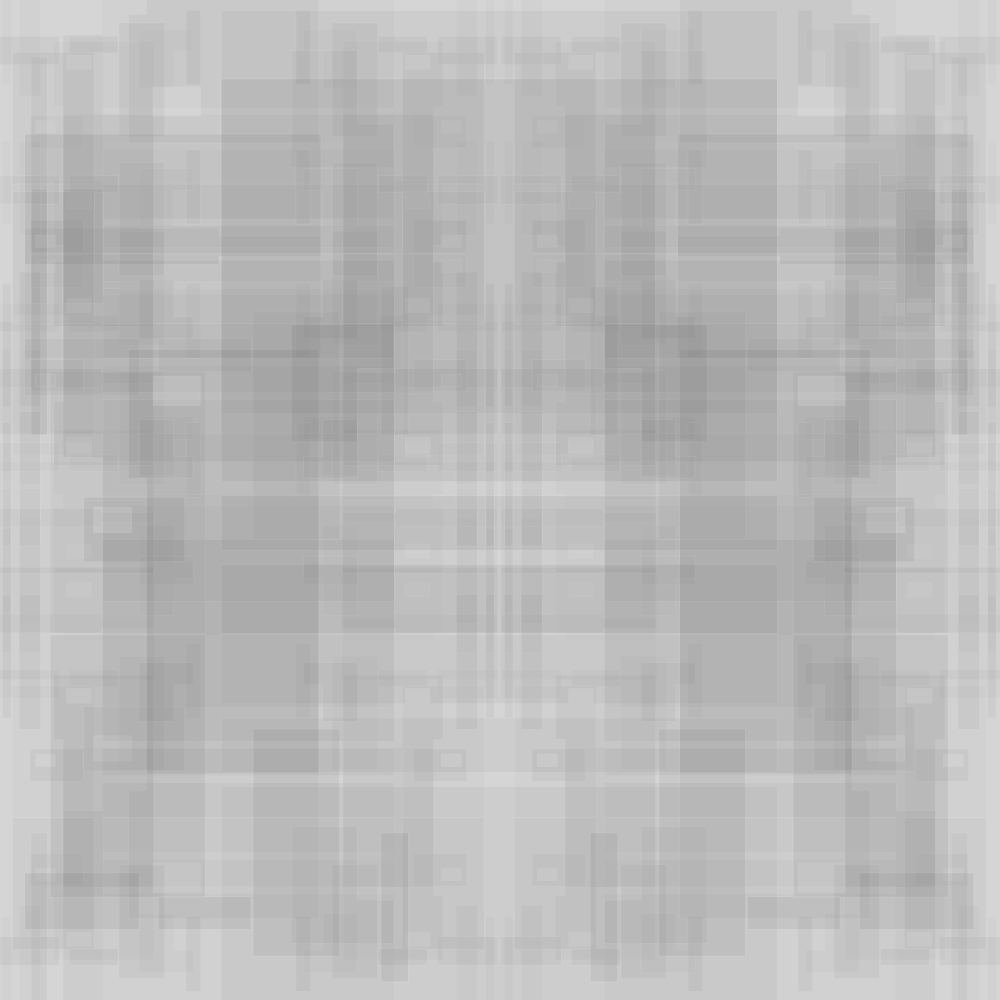
Attached at 10% of the original size and 256 colours.


Alain
Post a reply to this message
Attachments:
Download 'seneca ii - hull plating - reduced.png' (30 KB)
Preview of image 'seneca ii - hull plating - reduced.png'
|
|
| |
| |
|
|
|
|
| |
| |
|
|
Thanks to both of you.
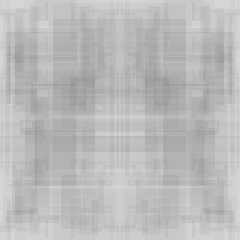
As wished, I am attaching now a rendered image.
Color Depth: great reminder! Of course. I won't reduce their dimensions as i
need them in hi-res, and i cannot adjust compression levels in PNGs. but yes, I
will make them gray-scale. Let's see. :-)
I also created already a first animation, but the ship is still very far from
complete.
Sven Littkowski <jam### [at] yahoo com> wrote:
> Hi,
>
> currently, I am using large images for my spaceship project as hull
> textures (please see the attached image). But that takes plenty memory
> and increases a lot the rendering time.
>
> If you look to the attached hull texture, is there any way to create
> something like this with a function or formula? Please assists. Thanks. com> wrote:
> Hi,
>
> currently, I am using large images for my spaceship project as hull
> textures (please see the attached image). But that takes plenty memory
> and increases a lot the rendering time.
>
> If you look to the attached hull texture, is there any way to create
> something like this with a function or formula? Please assists. Thanks.
Post a reply to this message
Attachments:
Download 'sl - seneca ii.png' (66 KB)
Preview of image 'sl - seneca ii.png'

|
|
| |
| |
|
|
|
|
| |
| |
|
|
Hmmm, strange: the larger PNGs were 550 kb before, but after grayscale saving
are now 22 MB! Saved as so-called "Big PNG", whatever that means. Might have to
undo it, ha ha ha!


Sven Littkowski <jam### [at] yahoocom> wrote:
> Hi,
>
> currently, I am using large images for my spaceship project as hull
> textures (please see the attached image). But that takes plenty memory
> and increases a lot the rendering time.
>
> If you look to the attached hull texture, is there any way to create
> something like this with a function or formula? Please assists. Thanks.
Post a reply to this message
|
|
| |
| |
|
|
|
|
| |
| |
|
|
But back to my initial question:

can anyone create a function that creates a pattern like that seen in the
attached image (primary posting)?

The pattern consists of many overlapping rectangles of all sizes and aspect
ratios, some with smaller rectangles cut out from them inside or on their edges.
All edges are slightly brighter. And all rectangles are a bit translucent.
Post a reply to this message
|
|
| |
| |
|
|
|
|
| |
| |
|
|
On 29-3-2015 1:23, Sven Littkowski wrote:
> But back to my initial question:
>
> can anyone create a function that creates a pattern like that seen in the
> attached image (primary posting)?
>
> The pattern consists of many overlapping rectangles of all sizes and aspect
> ratios, some with smaller rectangles cut out from them inside or on their edges.
> All edges are slightly brighter. And all rectangles are a bit translucent.
>

For some reason (guts) I think that an image_map is faster. Otherwise, I
suppose you should investigate layered textures with tiles in different
shapes and sizes. That seems to me the way to go.

--
Thomas
Post a reply to this message
|
|
| |
| |
|
|
|
|
| |
| |
|
|
Tiles! Yes, of course! Thanks.


Thomas de Groot <tho### [at] degrootorg> wrote:
> On 29-3-2015 1:23, Sven Littkowski wrote:
> > But back to my initial question:
> >
> > can anyone create a function that creates a pattern like that seen in the
> > attached image (primary posting)?
> >
> > The pattern consists of many overlapping rectangles of all sizes and aspect
> > ratios, some with smaller rectangles cut out from them inside or on their edges.
> > All edges are slightly brighter. And all rectangles are a bit translucent.
> >
>
> For some reason (guts) I think that an image_map is faster. Otherwise, I
> suppose you should investigate layered textures with tiles in different
> shapes and sizes. That seems to me the way to go.
>
> --
> Thomas
Post a reply to this message
|
|
| |
| |
|
|
|
|
| |
| |
|
|
On 29-3-2015 11:11, Sven Littkowski wrote:
> Tiles! Yes, of course! Thanks.
>

You could play with a combination of tiling patterns and pavement patterns.
--
Thomas
Post a reply to this message
|
|
| |
| |
|
|
|
|
| |
| |
|
|
Am 28.03.2015 um 22:53 schrieb Doctor John:
> On 28/03/15 19:05, Sven Littkowski wrote:
>> Hi,
>>
>> currently, I am using large images for my spaceship project as hull
>> textures (please see the attached image). But that takes plenty memory
>> and increases a lot the rendering time.
>>
>> If you look to the attached hull texture, is there any way to create
>> something like this with a function or formula? Please assists. Thanks.
>>
>
> Sven (if that really is your name) you have posted many times on here
> and have given nothing back in the form of advice or solutions.
> Show us your code; show us that you really use POV rather than assume
> that we, as a self-help group, will automatically assist you.
>
> Incidentally, it would help your believability if you posted original
> POV images.
>
> [REAL ROLEX]
>
> John

Doc,

having learned from povray.off-topic that this posting of yours is /not/
just intended to be a joke, I somewhat kindly ask you to refrain from
such comments.

These newsgroups are /not/ exclusively reserved for people "giving back"
to the community. If you don't wish to assist people who ask for more
help than they can "repay", feel free to not assist them, but please
keep calm, and just pretend that the posting is not addressed to you.
It's not up to you to judge who is worthy of replies and who isn't -
each and every reader is entitled to their own decision in that respect.

(That said, your claim that Sven (and yes, that really is his name) has
"given nothing back" can easily be proven wrong anyway.)
Post a reply to this message
|
|
| |
| |
|
|
|
|
| |
| |
|
|
Le 15-03-28 18:34, Sven Littkowski a écrit :
> Thanks to both of you.
>
> As wished, I am attaching now a rendered image.
>
> Color Depth: great reminder! Of course. I won't reduce their dimensions as i
> need them in hi-res, and i cannot adjust compression levels in PNGs. but yes, I
> will make them gray-scale. Let's see. :-)
>
> I also created already a first animation, but the ship is still very far from
> complete.
>
>
>
>
>
>
>
> Sven Littkowski <jam### [at] yahoocom> wrote:
>> Hi,
>>
>> currently, I am using large images for my spaceship project as hull
>> textures (please see the attached image). But that takes plenty memory
>> and increases a lot the rendering time.
>>
>> If you look to the attached hull texture, is there any way to create
>> something like this with a function or formula? Please assists. Thanks.
>

If you use IrfanView, you can easily change the compression level from 0
(barely any) to 9 (maximum).
Other graphic tools may also offer such an option, or always use some
hard coded setting.
Post a reply to this message
|
|
| |
| |
|
|
|
|
| |
| |
|
|
Sven Littkowski <jam### [at] yahoocom> wrote:
> Hi,
>
> currently, I am using large images for my spaceship project as hull
> textures (please see the attached image). But that takes plenty memory
> and increases a lot the rendering time.
>

If you are applying your single image_map *many* times to your model (for
example, like many randomly-placed 'decals'), another way to save memory is to
first #declare the image_map in a pigment statement:

#declare my_hull_pigment = pigment{image_map{.....}}

......then use that in your scene, as the pigment in your (many) textures,
instead of a new image_map statement every time. This way, the original image
takes up memory only once. The idea is similar in concept to using a single mesh
object many times in a scene: one mesh which is 're-used', requiring no
additional memory.
Post a reply to this message
|
|
| |
| |
|
|
|
|
| |
| |
|
|
On 29-3-2015 22:47, Alain wrote:
> Le 15-03-28 18:34, Sven Littkowski a écrit :
>> Thanks to both of you.
>>
>> As wished, I am attaching now a rendered image.
>>
>> Color Depth: great reminder! Of course. I won't reduce their
>> dimensions as i
>> need them in hi-res, and i cannot adjust compression levels in PNGs.
>> but yes, I
>> will make them gray-scale. Let's see. :-)
>>
>> I also created already a first animation, but the ship is still very
>> far from
>> complete.
>>
>>
>>
>>
>>
>>
>>
>> Sven Littkowski <jam### [at] yahoocom> wrote:
>>> Hi,
>>>
>>> currently, I am using large images for my spaceship project as hull
>>> textures (please see the attached image). But that takes plenty memory
>>> and increases a lot the rendering time.
>>>
>>> If you look to the attached hull texture, is there any way to create
>>> something like this with a function or formula? Please assists. Thanks.
>>
>
> If you use IrfanView, you can easily change the compression level from 0
> (barely any) to 9 (maximum).
> Other graphic tools may also offer such an option, or always use some
> hard coded setting.
>

The GIMP offers that possibility too.

--
Thomas
Post a reply to this message
|
|
| |
| |
|
|
|
|
| |
| |
|
|
On 30-3-2015 2:07, Kenneth wrote:
> Sven Littkowski <jam### [at] yahoocom> wrote:
>> Hi,
>>
>> currently, I am using large images for my spaceship project as hull
>> textures (please see the attached image). But that takes plenty memory
>> and increases a lot the rendering time.
>>
>
> If you are applying your single image_map *many* times to your model (for
> example, like many randomly-placed 'decals'), another way to save memory is to
> first #declare the image_map in a pigment statement:
>
> #declare my_hull_pigment = pigment{image_map{.....}}
>
> ......then use that in your scene, as the pigment in your (many) textures,
> instead of a new image_map statement every time. This way, the original image
> takes up memory only once. The idea is similar in concept to using a single mesh
> object many times in a scene: one mesh which is 're-used', requiring no
> additional memory.
>

Good point! I did not know that, but is obvious indeed.


--
Thomas
Post a reply to this message
|
|
| |
| |
|
|
|
|
| |
| |
|
|
On 29-3-2015 14:22, Thomas de Groot wrote:
> On 29-3-2015 11:11, Sven Littkowski wrote:
>> Tiles! Yes, of course! Thanks.
>>
>
> You could play with a combination of tiling patterns and pavement patterns.

Reminder: When using patterns for uv_mapping, remember that tiling and
pavement patterns are oriented according to the x/z plane while uv
coordinates lie in the x/y plane. For use on an object you need to
rotate your texture by -90*x

--
Thomas
Post a reply to this message
|
|
| |
| |
|
|
|
|
| |
| |
|
|
Thomas de Groot <tho### [at] degrootorg> wrote:

>
> Good point! I did not know that, but is obvious indeed.
>

I discovered that trick several years(?) ago, while working on a complex
animation scene. It greatly reduces scene-parsing time, when re-using an
image_map.
Post a reply to this message
|
|
| |
| |
|
|
|
|
| |