|
|
|
|
|
|
| |
| |
|
|
|
|
| |
| |
|
|
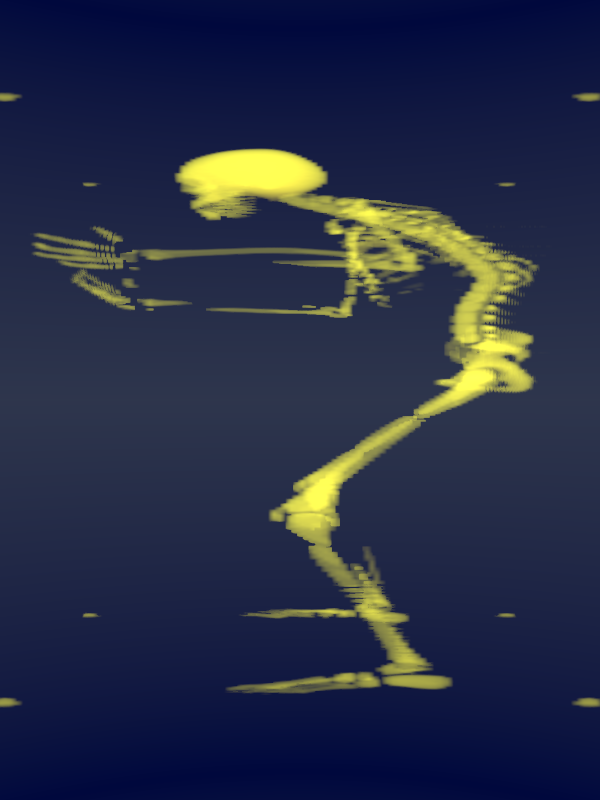
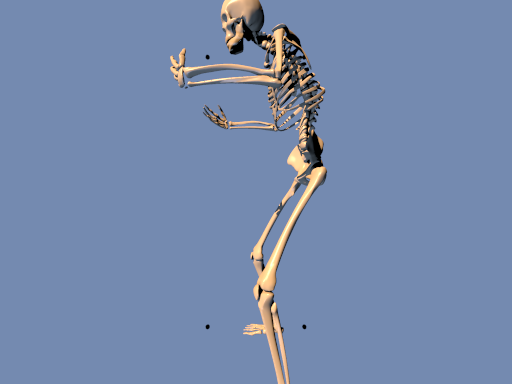
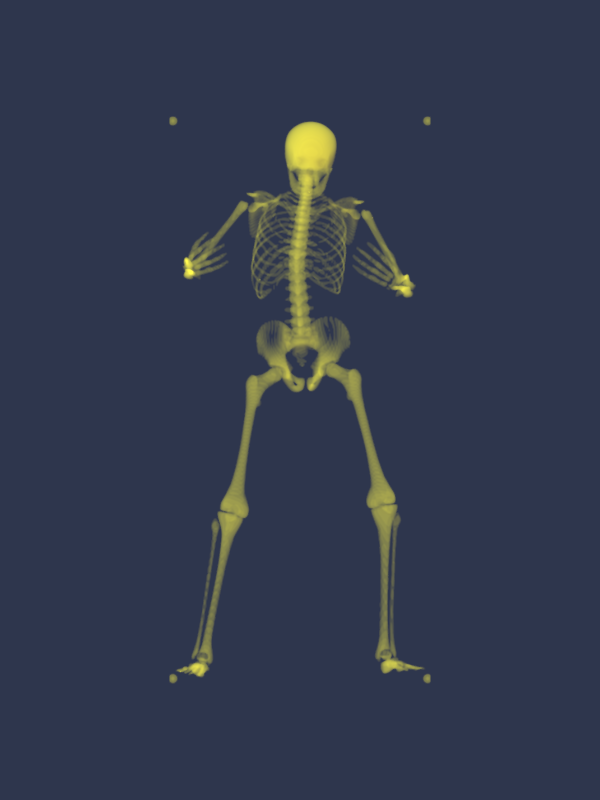
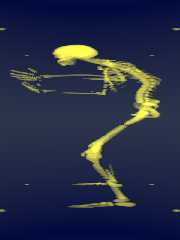
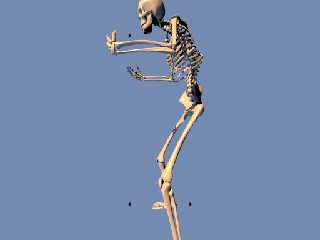
Now, how would you explain this?

I turned the models 90 degrees: we are looking along the x-axis of the
object to visualize.

Thomas
Post a reply to this message
Attachments:
Download 'gt_df3_test.png' (108 KB)
Download 'makedf3object_.png' (40 KB)
Preview of image 'gt_df3_test.png'
Preview of image 'makedf3object_.png'
|
|
| |
| |
|
|
|
|
| |
| |
|
|
Le 28/09/2013 17:02, Thomas de Groot nous fit lire :
> Now, how would you explain this?
>
> I turned the models 90 degrees: we are looking along the x-axis of the
> object to visualize.
>
> Thomas

what is strange ?
The df3 describes a unit-cube, with distinct resolution along each axis,
but it is only a unit-cube.

So, with such model, you need a scale around 3 or so along the vertical
axis on the field to restore the kind of posture you had on the original.

Or did I missed again some red circle ?
Post a reply to this message
|
|
| |
| |
|
|
|
|
| |
| |
|
|
Thomas de Groot <tho### [at] degroot org> wrote:
> Now, how would you explain this?
>
> I turned the models 90 degrees: we are looking along the x-axis of the
> object to visualize.
>
> Thomas
Hi Thomas,
I can only guess your problem, but I think you are missing some structure (e.g.
the ribs) here.
May be you can try a higher resolution. I use the following ini-file for my
ghost (just running for another pose):
Antialias=Off
;Input_File_Name=ctdress_.pov
Input_File_Name=cteyes_.pov
;Input_File_Name=cthaare_.pov
;Input_File_Name=ctkleid_.pov
Height=512
Width=512
Initial_Frame=1
Final_Frame=512
;Subset_Start_Frame=1
;Subset_End_Frame = 120
Initial_Clock=0
Final_Clock=1
Output_File_Type=T
Best regards,
Michael org> wrote:
> Now, how would you explain this?
>
> I turned the models 90 degrees: we are looking along the x-axis of the
> object to visualize.
>
> Thomas
Hi Thomas,
I can only guess your problem, but I think you are missing some structure (e.g.
the ribs) here.
May be you can try a higher resolution. I use the following ini-file for my
ghost (just running for another pose):
Antialias=Off
;Input_File_Name=ctdress_.pov
Input_File_Name=cteyes_.pov
;Input_File_Name=cthaare_.pov
;Input_File_Name=ctkleid_.pov
Height=512
Width=512
Initial_Frame=1
Final_Frame=512
;Subset_Start_Frame=1
;Subset_End_Frame = 120
Initial_Clock=0
Final_Clock=1
Output_File_Type=T
Best regards,
Michael
Post a reply to this message
|
|
| |
| |
|
|
|
|
| |
| |
|
|
On 28-9-2013 17:19, Le_Forgeron wrote:
> what is strange ?
> The df3 describes a unit-cube, with distinct resolution along each axis,
> but it is only a unit-cube.

Well, /that/ is exactly what I am wondering. Does the df3 /always/ scale
to the unit-sized box? whatever the bounding box of the object is? I
probably missed something but I do not remember having read this anywhere.

That puts my earlier observation of squeezing into another light...

>
> So, with such model, you need a scale around 3 or so along the vertical
> axis on the field to restore the kind of posture you had on the original.

No, more probably along the z-axis as that is visibly stretched out.

>
> Or did I missed again some red circle ?

<grin> no.

Thomas
Post a reply to this message
|
|
| |
| |
|
|
|
|
| |
| |
|
|
On 28-9-2013 17:23, MichaelJF wrote:
> I can only guess your problem, but I think you are missing some structure (e.g.
> the ribs) here.

I know. That is a resolution problem most probably. My wondering was
about the stretching along the z-axis of the df3 compared to the
original model. I later guessed (and Le_Forgeron confirmed) that df3
files scale to the unit-sized box which I had not been aware of at all.
By chance my first test was with an almost spherical object ;-)

If so, it makes the use of df3 files from selected objects a bit more
tricky to use, I mean, an extra transformation is needed, back to the
original bounding box size using min_ and max_extent.

Thomas
Post a reply to this message
|
|
| |
| |
|
|
|
|
| |
| |
|
|
Le 29/09/2013 09:01, Thomas de Groot nous fit lire :
> On 28-9-2013 17:19, Le_Forgeron wrote:
>> what is strange ?
>> The df3 describes a unit-cube, with distinct resolution along each axis,
>> but it is only a unit-cube.
>
> Well, /that/ is exactly what I am wondering. Does the df3 /always/ scale
> to the unit-sized box? whatever the bounding box of the object is? I
> probably missed something but I do not remember having read this anywhere.
>
> That puts my earlier observation of squeezing into another light...
>

Citing 3.6 documentation, first sentence:
> http://www.povray.org/documentation/view/3.6.1/374/

The density_file pattern is a 3-D bitmap pattern that occupies a unit
cube from location <0,0,0> to <1,1,1>.

**********

The same sentence was already in 3.1 documentation
Post a reply to this message
|
|
| |
| |
|
|
|
|
| |
| |
|
|
On 29-9-2013 10:12, Le_Forgeron wrote:

> Citing 3.6 documentation, first sentence:
>> http://www.povray.org/documentation/view/3.6.1/374/
>
> The density_file pattern is a 3-D bitmap pattern that occupies a unit
> cube from location <0,0,0> to <1,1,1>.
>
> **********
>
> The same sentence was already in 3.1 documentation

Which confirms my diffuse reading.... ;-)

Thomas
Post a reply to this message
|
|
| |
| |
|
|
|
|
| |
| |
|
|
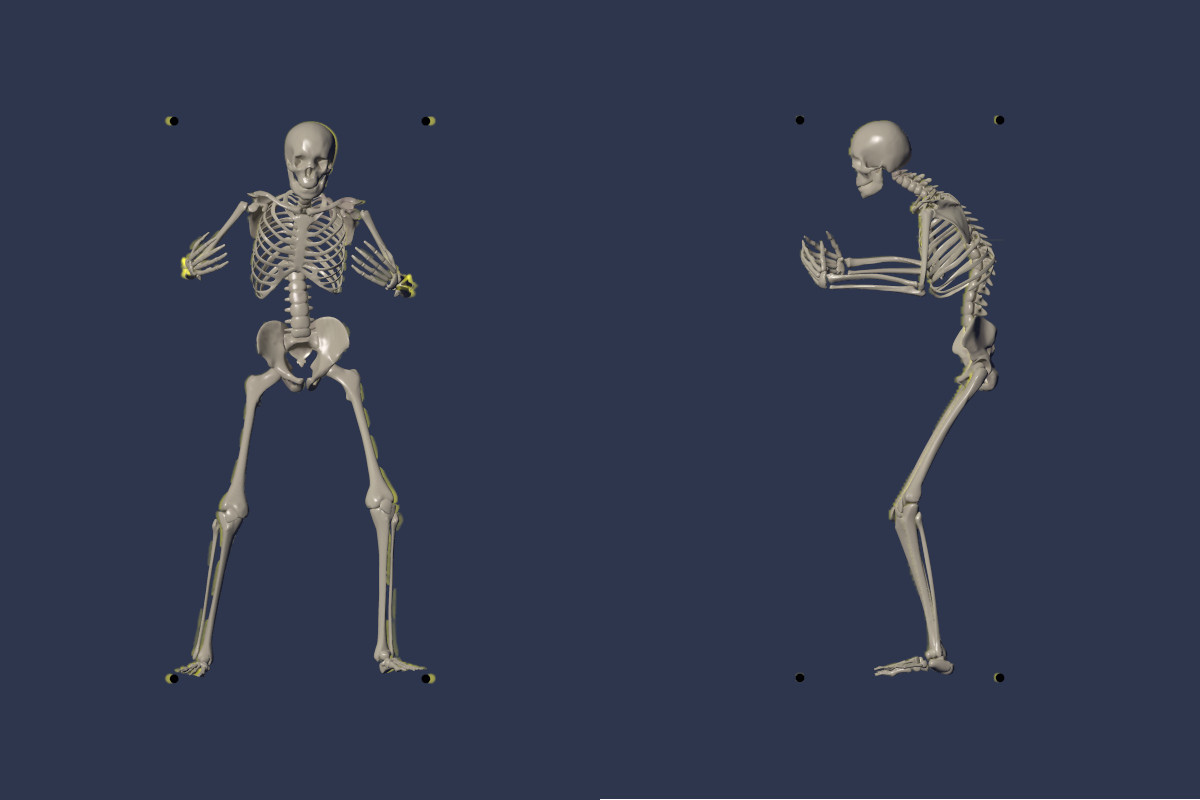
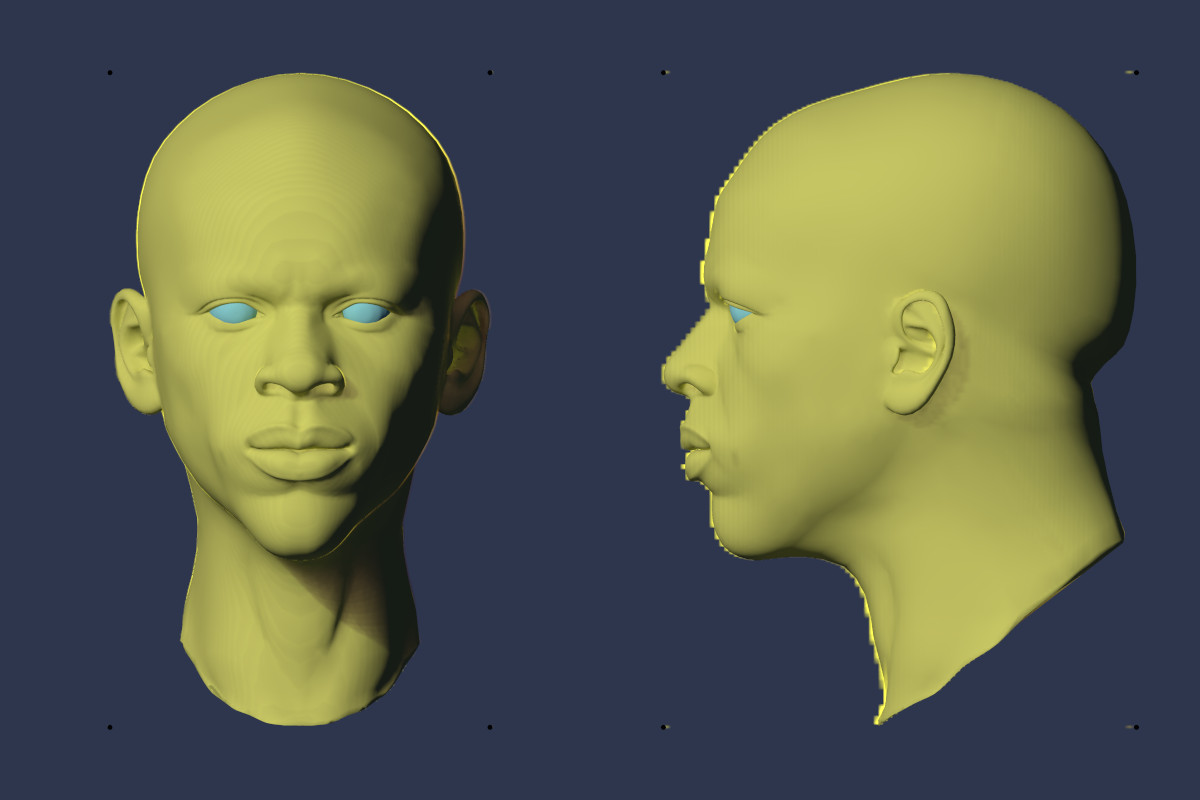
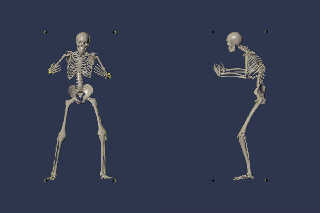
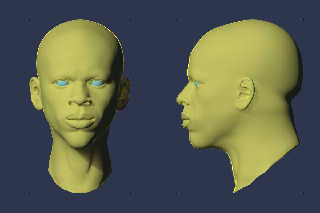
There is still something that I do not understand.

I have now scaled back the df3 files, using for a defined object Obj:

#local Min   = min_extent(Obj);
#local Max   = max_extent(Obj);
#local Size  = Max-Min;

Superposing the object and the df3 files, flipping the df3 files along y
(Gilles Tran), and resizing the df3 files, I note the following:

1) the x-axis needs also to be flipped! Visible especially with
asymmetrical objects (skeleton)
2) the skeleton df3 needs an additional x-axis scale correction: scale
<-3.0,-1,1>*Size
3) the head df3 needs a /different/ x-axis scale correction: scale
<-2.3,-1,1>*Size

The two images show orthographic views.

Question: If the df3 are made to a unit-sized box, why does the x-axis
need a correction different from object to object?

Thomas
Post a reply to this message
Attachments:
Download 'gt_df3_test_1.jpg' (54 KB)
Download 'gt_df3_test_2.jpg' (73 KB)
Preview of image 'gt_df3_test_1.jpg'
Preview of image 'gt_df3_test_2.jpg'
|
|
| |
| |
|
|
|
|
| |
| |
|
|
On 29-9-2013 14:02, Thomas de Groot wrote:

> Question: If the df3 are made to a unit-sized box, why does the x-axis
> need a correction different from object to object?

A tentative answer to the question:

Could it be that the image format in which the tga slices are rendered
influences the final result? In other words, should objects be rendered
using a /square/ image format (1:1 ratio) in the first place? I blindly
followed Gilles Tran's advice to use a 1.33 ratio. This might be
irrelevant for clouds but not for other objects...

Thomas
Post a reply to this message
|
|
| |
| |
|
|
|
|
| |
| |
|
|
Le 29/09/2013 14:27, Thomas de Groot nous fit lire :
> On 29-9-2013 14:02, Thomas de Groot wrote:
>
>> Question: If the df3 are made to a unit-sized box, why does the x-axis
>> need a correction different from object to object?
>
> A tentative answer to the question:
>
> Could it be that the image format in which the tga slices are rendered
> influences the final result? In other words, should objects be rendered
> using a /square/ image format (1:1 ratio) in the first place? I blindly
> followed Gilles Tran's advice to use a 1.33 ratio. This might be
> irrelevant for clouds but not for other objects...
>
> Thomas
>
Do we have the sources of tga2df3 ?
Post a reply to this message
|
|
| |
| |
|
|
|
|
| |
| |
|
|
Le 29/09/2013 14:38, Le_Forgeron nous fit lire :
> Le 29/09/2013 14:27, Thomas de Groot nous fit lire :
>> On 29-9-2013 14:02, Thomas de Groot wrote:
>>
>>> Question: If the df3 are made to a unit-sized box, why does the x-axis
>>> need a correction different from object to object?
>>
>> A tentative answer to the question:
>>
>> Could it be that the image format in which the tga slices are rendered
>> influences the final result? In other words, should objects be rendered
>> using a /square/ image format (1:1 ratio) in the first place? I blindly
>> followed Gilles Tran's advice to use a 1.33 ratio. This might be
>> irrelevant for clouds but not for other objects...
>>
>> Thomas
>>
> Do we have the sources of tga2df3 ?
>
Oki, found in groups a source of tga2df3... it might be time to get
something like png2df3 because the expected tga format is rather limited
and unchecked: targa true color, 8 bits per channel, no alpha, and only
version 1

The pictures are processed as z (the further frame, the deeper),
top left/ top right to bottom right become <0,0>/<0,1> to <1,1> (hence
the -1 factor needed on y in scale for scene)

All pictures must be the same size, but ratio is irrelevant: the
resolution of the picture is transposed to the x,y resolution (or rather
precision) of the df3 file.

The pattern itself consider only the <0,0,0> to <1,1,1> cube, then
computes the cell(s) to use by applying the df3 resolution to get the
indexes on each axis. (some interpolation might wrap as an hypertorus on
the border of the cube: left side is connected to right side, top with
bottom and front with rear, for trilenear interpolation only)

What remains could be the sampling applied on the pattern.
Post a reply to this message
|
|
| |
| |
|
|
|
|
| |
| |
|
|
Am 29.09.2013 14:27, schrieb Thomas de Groot:
> On 29-9-2013 14:02, Thomas de Groot wrote:
>
> Could it be that the image format in which the tga slices are rendered
> influences the final result? In other words, should objects be rendered
> using a /square/ image format (1:1 ratio) in the first place? I blindly
> followed Gilles Tran's advice to use a 1.33 ratio. This might be
> irrelevant for clouds but not for other objects...
>
Gilles used in his demo a 512x384 pixel resolution, therefor a = 1.333
ratio (512/384 = 1.33...).
When you use another resolution also another scaling is required. The
same goes for the scaling in the z-direction, it depends on the the
number of slices you have produced in relation to the image dimension.

Years ago I've written a little C program that did work with 16bit png
images as input format for producing df3-files (I used it for some
stellar nebulae) and it did in addition spit out the required POV-Ray
scaling to keep the original proportions. Sadly I do not find it anymore
(and worst: not its source) but as it is really trivial I might do it
again...

-Ive
Post a reply to this message
|
|
| |
| |
|
|
|
|
| |
| |
|
|
On 29-9-2013 16:05, Ive wrote:
> Am 29.09.2013 14:27, schrieb Thomas de Groot:
>> On 29-9-2013 14:02, Thomas de Groot wrote:
>>
>> Could it be that the image format in which the tga slices are rendered
>> influences the final result? In other words, should objects be rendered
>> using a /square/ image format (1:1 ratio) in the first place? I blindly
>> followed Gilles Tran's advice to use a 1.33 ratio. This might be
>> irrelevant for clouds but not for other objects...
>>
> Gilles used in his demo a 512x384 pixel resolution, therefor a = 1.333
> ratio (512/384 = 1.33...).
> When you use another resolution also another scaling is required. The
> same goes for the scaling in the z-direction, it depends on the the
> number of slices you have produced in relation to the image dimension.
>
> Years ago I've written a little C program that did work with 16bit png
> images as input format for producing df3-files (I used it for some
> stellar nebulae) and it did in addition spit out the required POV-Ray
> scaling to keep the original proportions. Sadly I do not find it anymore
> (and worst: not its source) but as it is really trivial I might do it
> again...
>
> -Ive
>

After testing the skeleton with a 1:1 ratio tga slices:

To Le_Forgeron:
Ratio /is/ relevant in so far that it changes the x-axis scale factor.
For the skeleton the factor changes from 3 (1.333 ratio) to 2.2 (1:1 ratio).

To Le_Forgeron & Ive:
A new conversion program seems indeed to be in need...

Thomas
Post a reply to this message
|
|
| |
| |
|
|
|
|
| |
| |
|
|
On 28-9-2013 17:23, MichaelJF wrote:
> I can only guess your problem, but I think you are missing some structure (e.g.
> the ribs) here.

To answer to this particular point: Increasing the samples in the media
does the trick. I need at least 200 to get it right.

Thomas
Post a reply to this message
|
|
| |
| |
|
|
|
|
| |
| |
|
|
Thomas de Groot <tho### [at] degrootorg> wrote:
> On 28-9-2013 17:23, MichaelJF wrote:
> > I can only guess your problem, but I think you are missing some structure (e.g.
> > the ribs) here.
>
> To answer to this particular point: Increasing the samples in the media
> does the trick. I need at least 200 to get it right.
>
> Thomas

Thanks for the hint, sometimes one overlooks the obvious. I just made a notice
to rerender my "Eruption" image with higher samples next days. I had only 100
there but df3-files with 1024^3 voxels (some 1 GByte each) and in certain areas
where I know that there is density nothing appeared.

Best regards,
Michael
Post a reply to this message
|
|
| |
| |
|
|
|
|
| |
| |
|
|
Le 29/09/2013 16:34, Thomas de Groot a écrit :
>
> After testing the skeleton with a 1:1 ratio tga slices:
>
> To Le_Forgeron:
> Ratio /is/ relevant in so far that it changes the x-axis scale factor.
> For the skeleton the factor changes from 3 (1.333 ratio) to 2.2 (1:1
> ratio).

what is the original ratio of the skeleton ? (before rendering as tga)

Remember that the df3 file will fit everything in a 1x1x1 box, so if the
original box of the skeleton is not similar, its ratio must be take into
account (and the intermediate tga ratio only add more term to the equation).

--
Just because nobody complains does not mean all parachutes are perfect.
Post a reply to this message
|
|
| |
| |
|
|
|
|
| |
| |
|
|
On 30-9-2013 8:39, Le_Forgeron wrote:
> what is the original ratio of the skeleton ? (before rendering as tga)
>
> Remember that the df3 file will fit everything in a 1x1x1 box, so if the
> original box of the skeleton is not similar, its ratio must be take into
> account (and the intermediate tga ratio only add more term to the equation).
>

 From the mesh2 file generated by Poseray:

//Bounding Box....... from x,y,z=(-0.1472,-0.005,-0.06045)
//                      to x,y,z=(0.1423,0.6241,0.1716)
//                 size dx,dy,dz=(0.2895,0.6291,0.23205)
//                  center x,y,z=(-0.00245,0.30955,0.055575)
//                       diagonal 0.730359

Obviously, these values are identical to the ones calculated with min_
and max_extent. ;-)

Using the size to re-scale the df3 works fine - and in every case - for
the y-axis and the z-axis. So, what happens to the x-axis? Even in a 1:1
ratio?

Thomas
Post a reply to this message
|
|
| |
| |
|
|
|
|
| |
| |
|
|
On 29-9-2013 18:01, MichaelJF wrote:
> Thanks for the hint, sometimes one overlooks the obvious. I just made a notice
> to rerender my "Eruption" image with higher samples next days. I had only 100
> there but df3-files with 1024^3 voxels (some 1 GByte each) and in certain areas
> where I know that there is density nothing appeared.

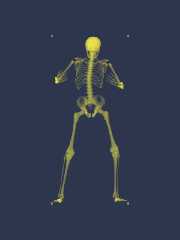
Something else which I just discovered by chance. Scaling the container
in which the media is put to the original object's bounding box, reduces
dramatically the number of samples needed. Initially, I used a standard
box{-1,1} and needed at least 300 to 400 samples for the skeleton. Now I
used box{Min,Max translate Center} and only need 50 samples!

Thomas
Post a reply to this message
Attachments:
Download 'gt_df3_test.png' (58 KB)
Preview of image 'gt_df3_test.png'
|
|
| |
| |
|
|
|
|
| |
| |
|
|
On 09/30/2013 04:00 AM, Thomas de Groot wrote:
> On 29-9-2013 18:01, MichaelJF wrote:
> dramatically the number of samples needed. Initially, I used a standard
> box{-1,1} and needed at least 300 to 400 samples for the skeleton. Now I
> used box{Min,Max translate Center} and only need 50 samples!
>
Makes sense, but I'd not thought to do it. Thanks for the tip.
Bill P.
Post a reply to this message
|
|
| |
| |
|
|
|
|
| |
| |
|
|
On 30-9-2013 12:52, William F Pokorny wrote:
> Makes sense, but I'd not thought to do it. Thanks for the tip.

Neither did I think of the implications. It came to me that reducing the
container to its bare minimum might help reduce render time but I had
not thought about the impact on the samples.

Thomas
Post a reply to this message
|
|
| |
| |
|
|
|
|
| |