|
|
|
|
|
|
| |
| |
|
|
|
|
| |
| |
|
|
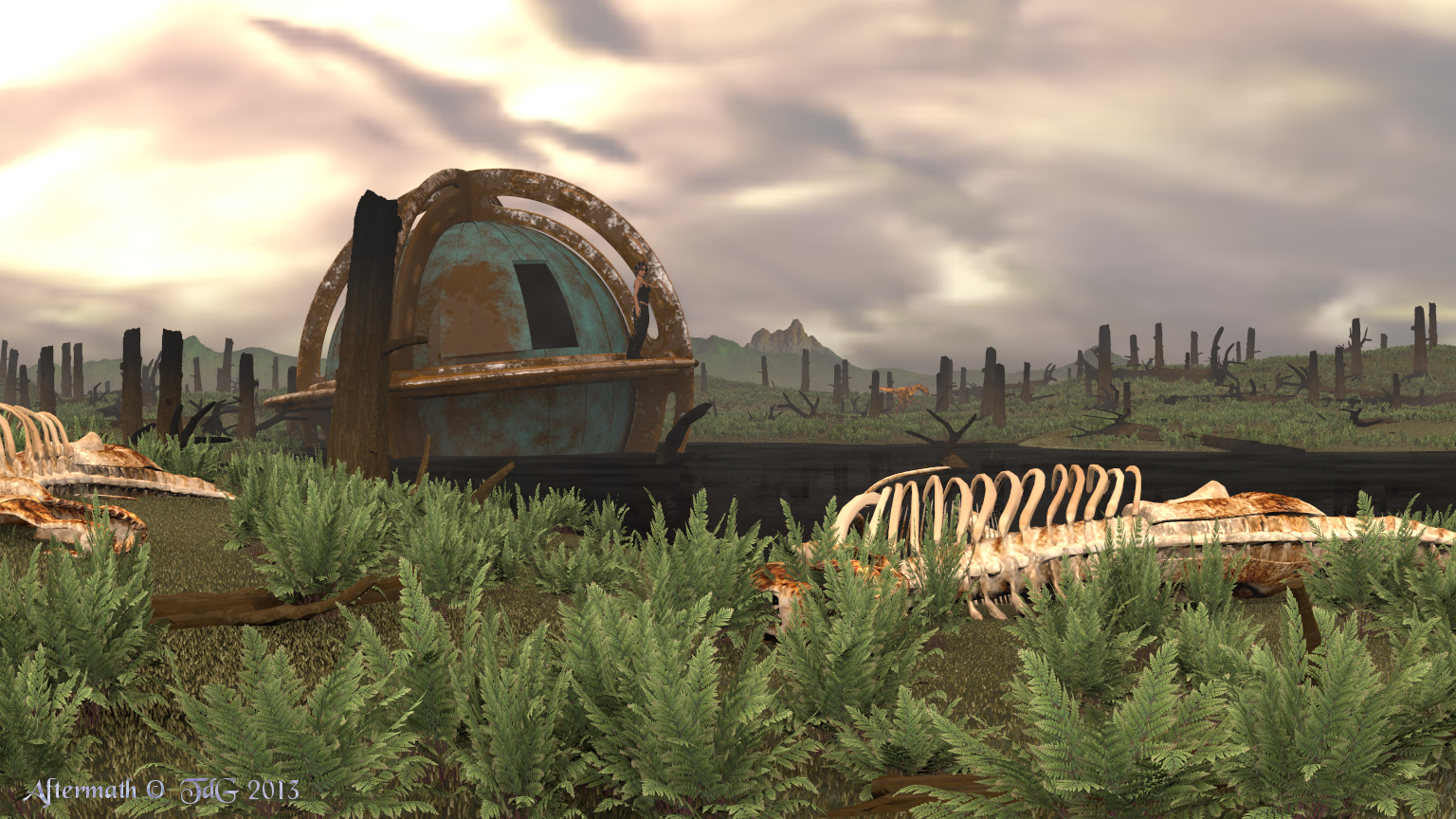
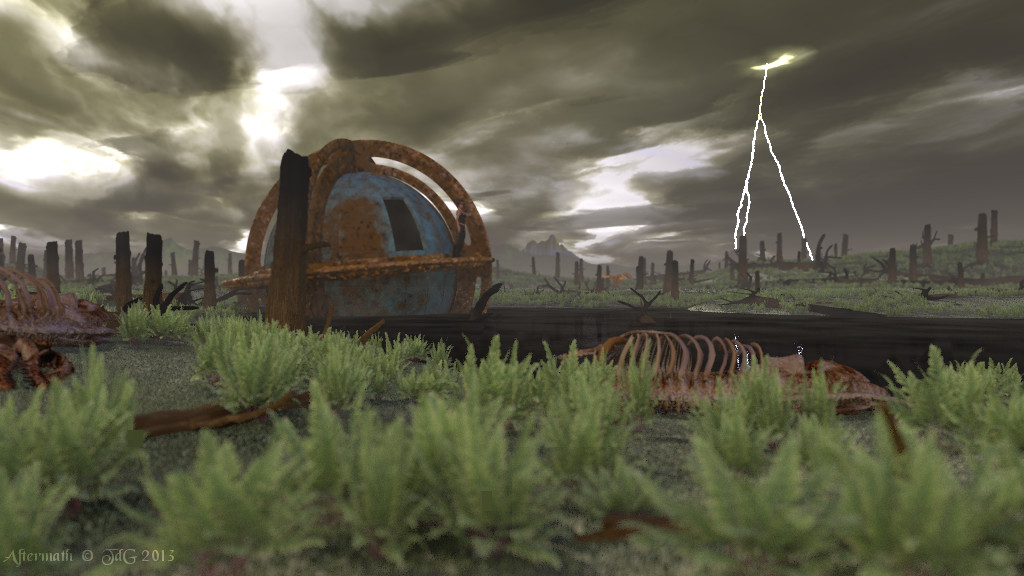
Once in a while I work on an older scene. This time it was Aftermath
from 2010.

http://www.tc-rtc.co.uk/imagenewdisplay/stills/index291.html

I wanted to make changes to the time machine and took the opportunity to
make some changes to the scene too, updating to the latest version of
POV-Ray at the same time.

Thomas
Post a reply to this message
Attachments:
Download 'aftermath_08.jpg' (423 KB)
Preview of image 'aftermath_08.jpg'
|
|
| |
| |
|
|
|
|
| |
| |
|
|
Thomas de Groot <tho### [at] degroot org> wrote:
> Once in a while I work on an older scene. This time it was Aftermath
> from 2010.
>
> http://www.tc-rtc.co.uk/imagenewdisplay/stills/index291.html
>
> I wanted to make changes to the time machine and took the opportunity to
> make some changes to the scene too, updating to the latest version of
> POV-Ray at the same time.
>
> Thomas
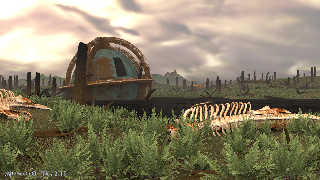
Your new image is a real improvement to the first. But there are still some
things I don't comprehend. I think you have not used focal blur here since the
foreground seems to be not blurred within the whole image, but the sky has an
overall blurred look. That departs the picture in a way. I think the clouds -
even after a deep impact of a meteroid - should look more like clouds - may be
darker. Hope, I will not see this in RL.
Tina Chep seems to have not expected this scene wearing sun glasses and a belly
top;-)
Best regards,
Michael org> wrote:
> Once in a while I work on an older scene. This time it was Aftermath
> from 2010.
>
> http://www.tc-rtc.co.uk/imagenewdisplay/stills/index291.html
>
> I wanted to make changes to the time machine and took the opportunity to
> make some changes to the scene too, updating to the latest version of
> POV-Ray at the same time.
>
> Thomas
Your new image is a real improvement to the first. But there are still some
things I don't comprehend. I think you have not used focal blur here since the
foreground seems to be not blurred within the whole image, but the sky has an
overall blurred look. That departs the picture in a way. I think the clouds -
even after a deep impact of a meteroid - should look more like clouds - may be
darker. Hope, I will not see this in RL.
Tina Chep seems to have not expected this scene wearing sun glasses and a belly
top;-)
Best regards,
Michael
Post a reply to this message
|
|
| |
| |
|
|
|
|
| |
| |
|
|
Thomas de Groot <tho### [at] degrootorg> wrote:
> Once in a while I work on an older scene. This time it was Aftermath
> from 2010.
>
> http://www.tc-rtc.co.uk/imagenewdisplay/stills/index291.html
>
> I wanted to make changes to the time machine and took the opportunity to
> make some changes to the scene too, updating to the latest version of
> POV-Ray at the same time.

Well that's looking fantastic, Thomas! The ferns made it through the event,
partly due to the cloud cover I presume? (Around here ferns don't grow under an
open sky like that.)

This reminds me of a science fiction story I read in which people hid themselves
in reflective bubbles that were impervious to the ravages of time. In a
preserved state, they would remain locked away until a predetermined period of
time elapsed, at which point they would come out. If all went well, the
conditions they awoke to would be conducive to human proliferation, but of
course, since it was an /interesting/ story, all did not go well ;) (I feel like
I've mentioned that before....)

Your image needs something... The radiosity looks good. Ah, you need a touch of
focal blur to bring the time machine into focus and to blur the foreground &
background, but only a touch. (Focal blur will also help tie in the clouds, thus
unifying the composition.) Noise. Variation in fern sizing. A noise texture on
the ground that includes the color of the grass shoots.

My recommendations for good/cheap quality settings:

radiosity: count 1 to 16; error_bound 0.1 to 0.25; normal on
focal blur: 10 to 20 blur_samples
area_lights (if any): 2 to 3 samples
media: samples 1; intervals 1; jitter 0.1 to 0.33

That is all.

Wait... is that a raptor in the distance?

Sam
Post a reply to this message
|
|
| |
| |
|
|
|
|
| |
| |
|
|
On 19-8-2013 20:55, MichaelJF wrote:
> Your new image is a real improvement to the first. But there are still some
> things I don't comprehend. I think you have not used focal blur here since the
> foreground seems to be not blurred within the whole image, but the sky has an
> overall blurred look. That departs the picture in a way. I think the clouds -
> even after a deep impact of a meteroid - should look more like clouds - may be
> darker. Hope, I will not see this in RL.

I agree with you. The sky is a hdri map obtained first in a scene by
Mick Hazelgrove. Somehow, the map results in a blurred sky. THis is
something I need to look into; such maps may not be the best choices for
these kind of scenes. Using Mick's original sky code would be better of
course but would also tremendously increase render times. I have to
consider, or maybe if somebody has a smart suggestion? ;-)

There are a number of natural catastrophic events which may happen and
wipe out humanity. Fortunately they are very rare but statistically they
can happen in a not so foreseeable future :-)

>
> Tina Chep seems to have not expected this scene wearing sun glasses and a belly
> top;-)

Time travel is a hot business :-)

Thomas
Post a reply to this message
|
|
| |
| |
|
|
|
|
| |
| |
|
|
On 19-8-2013 21:50, Samuel Benge wrote:
> Well that's looking fantastic, Thomas! The ferns made it through the event,
> partly due to the cloud cover I presume? (Around here ferns don't grow under an
> open sky like that.)

I do not remember exactly why the fern bloom happened. I need to look up
the publication concerned. It was recorded in the fossil record however.
It may have to do with the lack of competitive plants in the first years
after the event and possibly indeed a much more cloudy atmosphere for a
long stretch of time.

>
> This reminds me of a science fiction story I read in which people hid themselves
> in reflective bubbles that were impervious to the ravages of time. In a
> preserved state, they would remain locked away until a predetermined period of
> time elapsed, at which point they would come out. If all went well, the
> conditions they awoke to would be conducive to human proliferation, but of
> course, since it was an /interesting/ story, all did not go well ;) (I feel like
> I've mentioned that before....)

Those are interesting premisses for a nice story. Reminds me of an idea
I had some time back: suppose we were able to bring dinosaurs forward to
our time, and suppose they were able to survive in our environment. What
would happen to the ecological balance? And as a corollary, if - as we
undoubtedly would do - bring back dinosaurs in such numbers that the
original Cretaceous ecosystem would collapse, we would be responsible
for the demise of the dinosaurs at the Cretaceous/Tertiary boundary ;-)

>
> Your image needs something... The radiosity looks good. Ah, you need a touch of
> focal blur to bring the time machine into focus and to blur the foreground &
> background, but only a touch. (Focal blur will also help tie in the clouds, thus
> unifying the composition.) Noise. Variation in fern sizing. A noise texture on
> the ground that includes the color of the grass shoots.

Yes indeed. All that is needed.

>
> My recommendations for good/cheap quality settings:
>
> radiosity: count 1 to 16; error_bound 0.1 to 0.25; normal on
> focal blur: 10 to 20 blur_samples
> area_lights (if any): 2 to 3 samples
> media: samples 1; intervals 1; jitter 0.1 to 0.33

Going to play with that.

>
> That is all.
>
> Wait... is that a raptor in the distance?

Dilophosaurus. Anachronistic, I know. I explained in the original text
that my personal view is that all dinosaurs did not die instantaneously
at the impact. Especially at the antipodes and remote corners of the
Earth, I guess that some survived for some time. However, the ecological
collapse was such that those (few?) survivors died out pretty soon
after, within a couple of months to a couple of years to decades. Not
enough to be visible in the geological record.

Thomas
Post a reply to this message
|
|
| |
| |
|
|
|
|
| |
| |
|
|
Thomas de Groot <tho### [at] degrootorg> wrote:
> Dilophosaurus. Anachronistic, I know. I explained in the original text
> that my personal view is that all dinosaurs did not die instantaneously
> at the impact.

Not as anachronistic as a _V. komodoensis_ in the Permian. ;-)  But
Dilophosaurus (assuming there were any as late as the Cretaceous) would probably
not have dined on ferns.  I suppose a few could have subsisted on rotting
carcasses.
Post a reply to this message
|
|
| |
| |
|
|
|
|
| |
| |
|
|
On 20-8-2013 18:02, Cousin Ricky wrote:
> Not as anachronistic as a _V. komodoensis_ in the Permian. ;-)  But
> Dilophosaurus (assuming there were any as late as the Cretaceous) would probably
> not have dined on ferns.  I suppose a few could have subsisted on rotting
> carcasses.

LOL. The poor chap has already picked clean all the carcasses... ;-)

Thomas
Post a reply to this message
|
|
| |
| |
|
|
|
|
| |
| |
|
|
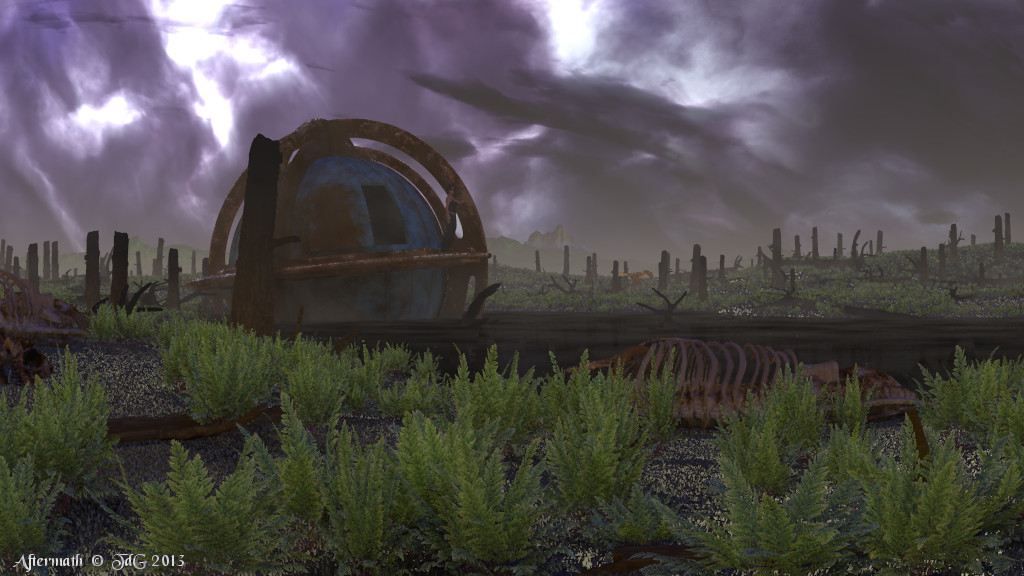
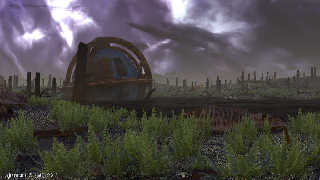
This is a much more dramatic version of the scene.

I corrected some illumination errors, added Mick's media clouds instead
of an image map, re-modelled the skeletons.

The highlights on the grass are not due to any specular, phong or
reflections. I used Rune Johansen's grasstex macro there and I guess it
is the pseudo grass which is shown in backlight.

Thomas
Post a reply to this message
Attachments:
Download 'aftermath_09.jpg' (157 KB)
Preview of image 'aftermath_09.jpg'
|
|
| |
| |
|
|
|
|
| |
| |
|
|
On 22/08/2013 1:23 PM, Thomas de Groot wrote:
> This is a much more dramatic version of the scene.

Yes, I like this a lot better.
Can you add some lightning bolts?

--
Regards
     Stephen
Post a reply to this message
|
|
| |
| |
|
|
|
|
| |
| |
|
|
Thomas de Groot <tho### [at] degrootorg> wrote:
> This is a much more dramatic version of the scene.
>
> I corrected some illumination errors, added Mick's media clouds instead
> of an image map, re-modelled the skeletons.
>
> The highlights on the grass are not due to any specular, phong or
> reflections. I used Rune Johansen's grasstex macro there and I guess it
> is the pseudo grass which is shown in backlight.
>
> Thomas

More dramatic, but I like it better. There is a bit too much white in the sky
IMO. I suggest to make it even more dramatic adding one of your poles to the
right of the time machine and striking it with a lighting bolt. That should
illuminate Tina better as a side effect. In fact I recogniced the raptor first.

And for the grass issue I have only the idea to use Gill's grass instead of
Rune's trick in the foreground (up to the stem laying across). In the background
Rune's grass can still survive IMO. That will slow down the rendering a bit, but
with your machine it should not prolong it for days. Hm, depends on the
radiosity settings, focal blur and others issues. Than it can prolong it for
days...

Best regards,
Michael
Post a reply to this message
|
|
| |
| |
|
|
|
|
| |
| |
|
|
Stephen <mca### [at] aolcom> wrote:
> On 22/08/2013 1:23 PM, Thomas de Groot wrote:
> > This is a much more dramatic version of the scene.
>
> Yes, I like this a lot better.
> Can you add some lightning bolts?
>
> --
> Regards
>      Stephen

LOL,
I was looking at Thomas's image a while and was not aware of your response while
writing mine.

Best regards,
Michael
Post a reply to this message
|
|
| |
| |
|
|
|
|
| |
| |
|
|
On 22-8-2013 21:06, MichaelJF wrote:
> More dramatic, but I like it better. There is a bit too much white in the sky
> IMO. I suggest to make it even more dramatic adding one of your poles to the
> right of the time machine and striking it with a lighting bolt. That should
> illuminate Tina better as a side effect. In fact I recogniced the raptor first.

The white in the sky is difficult to control: it is the combination of
sunlight and the media, and it would make the scene even darker I think.
I leave that for the time being but might return to that later.

Lightning is an interesting idea indeed but I would prefer to keep it in
the right background. I shall see what I can do.

>
> And for the grass issue I have only the idea to use Gill's grass instead of
> Rune's trick in the foreground (up to the stem laying across). In the background
> Rune's grass can still survive IMO. That will slow down the rendering a bit, but
> with your machine it should not prolong it for days. Hm, depends on the
> radiosity settings, focal blur and others issues. Than it can prolong it for
> days...

Rune's grass is not so good in the foreground although quite acceptable
as things go. Gille's grass is an excellent alternative there. Good idea.

The render time was now 3.5 hours against the 15 minutes of the previous
version with the image_map as sky. Using +wt6. I can certainly survive
more. ;-)

Thomas
Post a reply to this message
|
|
| |
| |
|
|
|
|
| |
| |
|
|
On 22-8-2013 20:37, Stephen wrote:
> On 22/08/2013 1:23 PM, Thomas de Groot wrote:
>> This is a much more dramatic version of the scene.
>
> Yes, I like this a lot better.
> Can you add some lightning bolts?
>

Yes, that should be possible indeed.

Thomas
Post a reply to this message
|
|
| |
| |
|
|
|
|
| |
| |
|
|
Thomas de Groot <tho### [at] degrootorg> wrote:
> On 22-8-2013 20:37, Stephen wrote:
> > On 22/08/2013 1:23 PM, Thomas de Groot wrote:
> >> This is a much more dramatic version of the scene.
> >
> > Yes, I like this a lot better.
> > Can you add some lightning bolts?
> >
>
> Yes, that should be possible indeed.
>

I would be very interested to see that, indeed.
I've never managed to find a way to do it. Rune's lightning include uses
megapov's glow feature.

Stephen
Post a reply to this message
|
|
| |
| |
|
|
|
|
| |
| |
|
|
On 23-8-2013 11:38, Stephen wrote:

> I would be very interested to see that, indeed.
> I've never managed to find a way to do it. Rune's lightning include uses
> megapov's glow feature.


I have two macros in my archives, one by Bob Hughes, the other by Tom
Melly. Both date back to the 1990's. Presently, I am trying Tom Melly's.
The glow effect is probably the most difficult to get.

Thomas
Post a reply to this message
|
|
| |
| |
|
|
|
|
| |
| |
|
|
On 23-8-2013 11:38, Stephen wrote:
> I would be very interested to see that, indeed.
> I've never managed to find a way to do it. Rune's lightning include uses
> megapov's glow feature.

I don't remember when I got this (2010 apparently) but in Rune's macro
you can replace the glow code by (at line 39):

//start code
       //glow is obsolete in recent versions (3.6+). Replaced by the
following code (Reactor, April 2010 in povray.newusers):
       //glow {location PointM type 0 color
ElectricColor(ValueM)*Brightness #if(Thickness>0) radius Thickness #end}
       //start new code:
       sphere {
         <0,0,0>, 1
         pigment { color rgbt 1 }
         interior {
           #local M_samples = 15;
           #local M_variance = 1/500;
           media {
             //intervals 1	//default
             samples M_samples
             //confidence 1 - M_variance	//obsolete
             //variance m_variance	//obsolete
             emission color rgb 1
             //method 3	//default
             //aa_threshold 0.1	//default
             //aa_level 4	//default
             //jitter 0.5
             density {
               spherical
               poly_wave 1.5
               color_map{
                 [0.00 color rgb 0 ]
                 //[0.80 color rgb ElectricColor(ValueM)*Brightness*2 ]
                 //[0.90 color rgb <1,1,1>*Brightness*75  ]
                 //[1.00 color rgb <1,1,1>*Brightness*200 ]
                 //or this? (Alain)
                 [0.80 color rgb
ElectricColor(ValueM)*Brightness/Thickness ]
                 [0.90 color rgb <1,1,1>*Brightness/Thickness  ]
                 [1.00 color rgb <1,1,1>*Brightness/Thickness ]
               }
             }
           }
         }
//end code

It works well. Also repalce the #version directive of course.

Thomas
Post a reply to this message
|
|
| |
| |
|
|
|
|
| |
| |
|
|
On 23/08/2013 1:00 PM, Thomas de Groot wrote:
> I don't remember when I got this (2010 apparently) but in Rune's macro
> you can replace the glow code by (at line 39):

Ooo! Thanks :-)

--
Regards
     Stephen
Post a reply to this message
|
|
| |
| |
|
|
From: Thomas de Groot
Subject: Re: Aftermath revisited: proof of concept
Date: 24 Aug 2013 08:24:14
Message: <5218a5ee@news.povray.org>
|
|
|
| |
| |
|
|
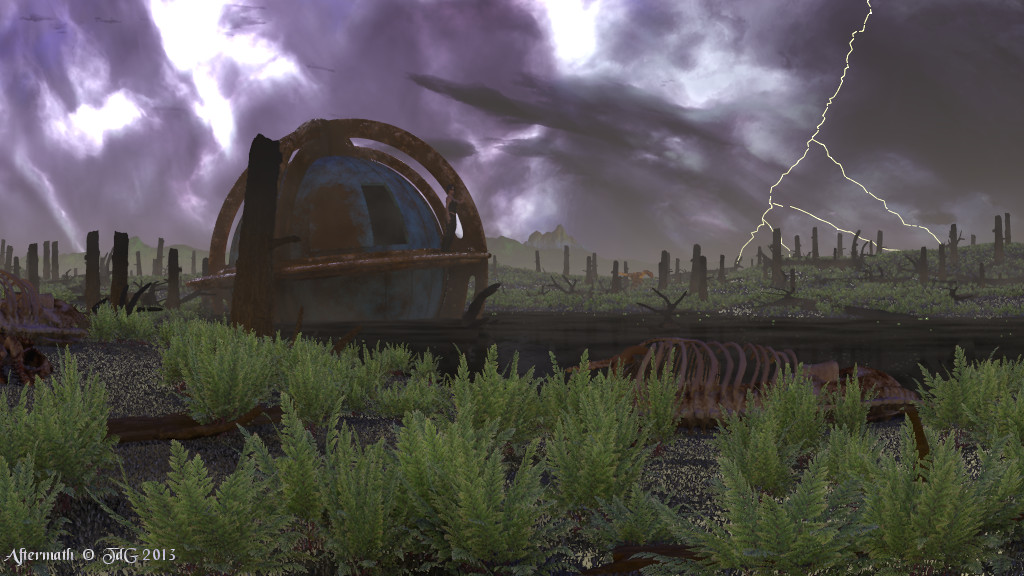
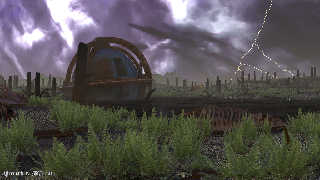
Added a lightning bolt (Tom Melly's macro). Further decreased media
samples from the sky to 1 (three different media here). Total render
time of this image: 3 hours.

There is a small bug in the lightning macro which I need to find and try
to correct, and I need to play with the fade distance of the flash.

Thomas
Post a reply to this message
Attachments:
Download 'aftermath_10.jpg' (167 KB)
Preview of image 'aftermath_10.jpg'
|
|
| |
| |
|
|
|
|
| |
| |
|
|
Thomas de Groot <tho### [at] degrootorg> wrote:
> Added a lightning bolt (Tom Melly's macro). Further decreased media
> samples from the sky to 1 (three different media here). Total render
> time of this image: 3 hours.
>
> There is a small bug in the lightning macro which I need to find and try
> to correct, and I need to play with the fade distance of the flash.

That looks great, Thomas; you have managed to portray a scene depicting disaster
and renewal quite effectively. There's a distinct mood you have captured here,
and I for one certainly would not feel safe roaming out in the open until the
weather cleared up a little :)

My eye is inexorably drawn to the craft's texture near the waterline, however.
It seems the wind lapping at the murky water would leave a stain on the hull.

Also, some glare from intense sources of light might be needed. The lightning
bolt, for instance, really needs that special "glow" :) Can you somehow edit the
source so that it uses media?

Sam
Post a reply to this message
|
|
| |
| |
|
|
|
|
| |
| |
|
|
On 25-8-2013 1:26, Samuel Benge wrote:
> That looks great, Thomas; you have managed to portray a scene depicting disaster
> and renewal quite effectively. There's a distinct mood you have captured here,
> and I for one certainly would not feel safe roaming out in the open until the
> weather cleared up a little :)

Thanks Sam. I do not want to imagine what the /real/ stuff was like, but
I guess this scene slightly approaches it.

>
> My eye is inexorably drawn to the craft's texture near the waterline, however.
> It seems the wind lapping at the murky water would leave a stain on the hull.

Yes, that is a good idea.

>
> Also, some glare from intense sources of light might be needed. The lightning
> bolt, for instance, really needs that special "glow" :) Can you somehow edit the
> source so that it uses media?

The original macro uses an emissive media inside the bolt /and/ point
lights at each bend with controllable fade_distance and fade_power. I am
not sure what would be more effective: increase fade_distance, or
increase the light intensity, or the emission color. I have to test some
more.

Thomas
Post a reply to this message
|
|
| |
| |
|
|
|
|
| |
| |
|
|
>Thomas de Groot  on date 24/08/2013 14.24 wrote:
> Added a lightning bolt (Tom Melly's macro). Further decreased media
> samples from the sky to 1 (three different media here). Total render
> time of this image: 3 hours.
>
> There is a small bug in the lightning macro which I need to find and try
> to correct, and I need to play with the fade distance of the flash.
>
> Thomas
Indeed a dramatic image.
The figure of the girl is in the shadow. Could be interesting to light
she with the hard light coming from the lightning.
Paolo
Post a reply to this message
|
|
| |
| |
|
|
|
|
| |
| |
|
|
On 26-8-2013 12:29, Paolo Gibellini wrote:
> Indeed a dramatic image.
> The figure of the girl is in the shadow. Could be interesting to light
> she with the hard light coming from the lightning.
> Paolo
>

She remains more or less in the shadow.

Thomas
Post a reply to this message
|
|
| |
| |
|
|
|
|
| |
| |
|
|
On 25-8-2013 1:26, Samuel Benge wrote:
> My eye is inexorably drawn to the craft's texture near the waterline, however.
> It seems the wind lapping at the murky water would leave a stain on the hull.

This is extremely difficult to do because of the pigment_patterned
texture resulting from the proximity macro used. I cannot use a layered
texture (impossible over a patterned texture) and I cannot average it
with a partially transparent texture which makes the end product
semi-transparent.

At present, I am at a loss how to do this correctly.

Thomas
Post a reply to this message
|
|
| |
| |
|
|
|
|
| |
| |
|
|
Thomas de Groot <tho### [at] degrootorg> wrote:
> On 25-8-2013 1:26, Samuel Benge wrote:
> > My eye is inexorably drawn to the craft's texture near the waterline, however.
> > It seems the wind lapping at the murky water would leave a stain on the hull.
>
> This is extremely difficult to do because of the pigment_patterned
> texture resulting from the proximity macro used. I cannot use a layered
> texture (impossible over a patterned texture) and I cannot average it
> with a partially transparent texture which makes the end product
> semi-transparent.
>
> At present, I am at a loss how to do this correctly.

Can't you make a new pigment_pattern that combines the proximity pattern and a
new stain pattern?
Post a reply to this message
|
|
| |
| |
|
|
|
|
| |
| |
|
|
On 26-8-2013 21:59, Samuel Benge wrote:
> Can't you make a new pigment_pattern that combines the proximity pattern and a
> new stain pattern?
>
Best to show with the code. This is the texture using the proximity pattern:

//code 1
#declare Factor      = 1;
#declare add_noise   = true;
#declare ScaleFactor = 1;//<0.1, 0.1, 1>;

#declare TMProx =
texture {
   pigment_pattern {
     average
     pigment_map {
       [ 3.0 df3_pattern ]
       #if (add_noise = true)
         [ 0.6 slope { <0, 0, 0.99> 0.5, 1.0 altitude <0, 0, 0.99> 0,
248.672 } color_map { [0 rgb 1] [1 rgb 0] } scale 248.672 ]
	[ 0.4 bozo color_map { [0 rgb 0] [1 rgb 1] } scale ScaleFactor*4/Factor ]
	[ 0.3 bozo color_map { [0 rgb 0] [1 rgb 1] } scale ScaleFactor*1/Factor ]
	[ 0.2 bozo color_map { [0 rgb 0] [1 rgb 1] } scale
ScaleFactor*0.33/Factor ]
	[ 0.1 bozo color_map { [0 rgb 0] [1 rgb 1] } scale ScaleFactor*0.1/Factor ]
       #end
     }
   }
   texture_map {Dull_brass_map}
}
//end code 1

I want to add the following stain texture:

//code 2
#declare TMGrad =
texture {
   pigment {
     gradient y
     pigment_map {
       [0.35 srgb 0.1]
       [0.45 srgb 0.1 transmit 1]
     }
     scale <1, 120, 1>
   }
   finish {diffuse 0.8 specular 0.3 roughness 0.001}
}
//end code 2

I have not found a satisfying way.

Thomas
Post a reply to this message
|
|
| |
| |
|
|
|
|
| |
| |
|
|
Thomas de Groot <tho### [at] degrootorg> wrote:
> On 26-8-2013 21:59, Samuel Benge wrote:
> > Can't you make a new pigment_pattern that combines the proximity pattern and a
> > new stain pattern?
> >
> Best to show with the code. This is the texture using the proximity pattern:
>
> //code 1
> #declare Factor      = 1;
> #declare add_noise   = true;
> #declare ScaleFactor = 1;//<0.1, 0.1, 1>;
>
> #declare TMProx =
> texture {
>    pigment_pattern {
>      average
>      pigment_map {
>        [ 3.0 df3_pattern ]
>        #if (add_noise = true)
>          [ 0.6 slope { <0, 0, 0.99> 0.5, 1.0 altitude <0, 0, 0.99> 0,
> 248.672 } color_map { [0 rgb 1] [1 rgb 0] } scale 248.672 ]
>  [ 0.4 bozo color_map { [0 rgb 0] [1 rgb 1] } scale ScaleFactor*4/Factor ]
>  [ 0.3 bozo color_map { [0 rgb 0] [1 rgb 1] } scale ScaleFactor*1/Factor ]
>  [ 0.2 bozo color_map { [0 rgb 0] [1 rgb 1] } scale
> ScaleFactor*0.33/Factor ]
>  [ 0.1 bozo color_map { [0 rgb 0] [1 rgb 1] } scale ScaleFactor*0.1/Factor ]
>        #end
>      }
>    }
>    texture_map {Dull_brass_map}
> }
> //end code 1
>
> I want to add the following stain texture:
>
> //code 2
> #declare TMGrad =
> texture {
>    pigment {
>      gradient y
>      pigment_map {
>        [0.35 srgb 0.1]
>        [0.45 srgb 0.1 transmit 1]
>      }
>      scale <1, 120, 1>
>    }
>    finish {diffuse 0.8 specular 0.3 roughness 0.001}
> }
> //end code 2
>
> I have not found a satisfying way.
>
> Thomas

Is it hard, to layer the object itself? CSG should be hard, an mesh can moved
along the normals. I mean to have a slightly larger scaled outer version with
the second texture.

Michael
Post a reply to this message
|
|
| |
| |
|
|
|
|
| |
| |
|
|
On 27-8-2013 13:08, MichaelJF wrote:

> Is it hard, to layer the object itself? CSG should be hard, an mesh can moved
> along the normals. I mean to have a slightly larger scaled outer version with
> the second texture.

I have been thinking along that line too, but I only want to go that way
if I cannot find a more elegant texture option.

Thomas
Post a reply to this message
|
|
| |
| |
|
|
|
|
| |
| |
|
|
Thomas de Groot <tho### [at] degrootorg> wrote:
>
> I have been thinking along that line too, but I only want to go that way
> if I cannot find a more elegant texture option.
>
> Thomas

I can understand that perfectly. But I had no further ideas than the ones you
seems to have tested already.

But this issue brought me to the idea of having a small predefined scene with
given objects, a given lighting, camera and background (my be a fruit bowl), to
have a kind of (procedural) material-contest within TC-RTC. What do you think
about it?

Best regards,
Michael
Post a reply to this message
|
|
| |
| |
|
|
|
|
| |
| |
|
|
On 27/08/2013 5:28 PM, MichaelJF wrote:
> But this issue brought me to the idea of having a small predefined scene with
> given objects, a given lighting, camera and background (my be a fruit bowl), to
> have a kind of (procedural) material-contest within TC-RTC. What do you think
> about it?

What a good idea. That could be used as a topic for when we get
Challenge 2 up and running. If I forget please remind me, Michael.

--
Regards
     Stephen
Post a reply to this message
|
|
| |
| |
|
|
|
|
| |
| |
|
|
Thomas de Groot <tho### [at] degrootorg> wrote:
> On 26-8-2013 21:59, Samuel Benge wrote:
> > Can't you make a new pigment_pattern that combines the proximity pattern and a
> > new stain pattern?
> >
> Best to show with the code. This is the texture using the proximity pattern:

Hi Thomas,

Nice image, for me I think the sky is the biggest problem, while very dramatic
looking the shape of the clouds seems a bit odd. Then again I have often looked
at a great real sky and thought to myself if I were to render that exactly as it
is people would say it looked fake, and who can imagine what the sky would look
like after such an event..

I am interested in your texturing issue but have no experience with proximity
patterns. I do wonder though if something like below would work..

 #declare TMProx =
 texture {
    pigment_pattern {
      average
      pigment_map {
        [ 3.0 df3_pattern ]
        #if (add_noise = true)
          [ 0.6 slope { <0, 0, 0.99> 0.5, 1.0 altitude <0, 0, 0.99> 0,
 248.672 } color_map { [0 rgb 1] [1 rgb 0] } scale 248.672 ]
  [ 0.4 bozo color_map { [0 rgb 0] [1 rgb 1] } scale ScaleFactor*4/Factor ]
  [ 0.3 bozo color_map { [0 rgb 0] [1 rgb 1] } scale ScaleFactor*1/Factor ]
  [ 0.2 bozo color_map { [0 rgb 0] [1 rgb 1] } scale
 ScaleFactor*0.33/Factor ]
  [ 0.1 bozo color_map { [0 rgb 0] [1 rgb 1] } scale ScaleFactor*0.1/Factor ]
        #end
      }
    }
    texture_map {Dull_brass_map}
 }

 #declare TMSlime =
 texture {
    pigment_pattern {
      average
      pigment_map {
        [ 3.0 df3_pattern ]
        #if (add_noise = true)
          [ 0.6 slope { <0, 0, 0.99> 0.5, 1.0 altitude <0, 0, 0.99> 0,
 248.672 } color_map { [0 rgb 1] [1 rgb 0] } scale 248.672 ]
  [ 0.4 bozo color_map { [0 rgb 0] [1 rgb 1] } scale ScaleFactor*4/Factor ]
  [ 0.3 bozo color_map { [0 rgb 0] [1 rgb 1] } scale ScaleFactor*1/Factor ]
  [ 0.2 bozo color_map { [0 rgb 0] [1 rgb 1] } scale
 ScaleFactor*0.33/Factor ]
  [ 0.1 bozo color_map { [0 rgb 0] [1 rgb 1] } scale ScaleFactor*0.1/Factor ]
        #end
      }
    }
    texture_map {Dull_brass_map_slime}
// here the texture_map would be same texture but with a finish
// and maybe slightly different pigment to make it look slimy.
 }

#declare TMGrad = texture
{
  gradient y
  texture_map {
  [ 0.35 TMSlime ]
  [ 0.45 TMProx ]
 }
}

As I say I have never used proximity patterns so I may be way off ;-)

Sean
Post a reply to this message
|
|
| |
| |
|
|
|
|
| |
| |
|
|
On 28-8-2013 1:06, s.day wrote:
> Nice image, for me I think the sky is the biggest problem, while very dramatic
> looking the shape of the clouds seems a bit odd. Then again I have often looked
> at a great real sky and thought to myself if I were to render that exactly as it
> is people would say it looked fake, and who can imagine what the sky would look
> like after such an event..

Who knows? I think that realism is not really an issue here. Personally,
it does not strike me as too odd.

>
> I am interested in your texturing issue but have no experience with proximity
> patterns. I do wonder though if something like below would work..
> [snip]
>
> #declare TMGrad = texture
> {
>    gradient y
>    texture_map {
>    [ 0.35 TMSlime ]
>    [ 0.45 TMProx ]
>   }
> }
>
> As I say I have never used proximity patterns so I may be way off ;-)

That might work indeed. I am almost sure it would. I shall test that
asap and let you know. Thanks!

Thomas
Post a reply to this message
|
|
| |
| |
|
|
|
|
| |
| |
|
|
On 28-8-2013 9:05, Thomas de Groot wrote:
> On 28-8-2013 1:06, s.day wrote:

>> As I say I have never used proximity patterns so I may be way off ;-)
>
> That might work indeed. I am almost sure it would. I shall test that
> asap and let you know. Thanks!

Alas! Doesn't work. Result in weird interference patterns.

Thomas
Post a reply to this message
|
|
| |
| |
|
|
|
|
| |
| |
|
|
Thomas de Groot <tho### [at] degrootorg> wrote:
> Alas! Doesn't work. Result in weird interference patterns.
>
> Thomas

Shame, it would certainly add something to the image if you can find a way of
doing it. Still it is a great scene even without the stain/slime addition.

Sean
Post a reply to this message
|
|
| |
| |
|
|
|
|
| |
| |
|
|
Very nice.

I think the clouds look fine.
_If_ you wanted to play with them, I might add some of the reddish smog colors,
and / or perhaps "flatten" the nearer clouds so they don't look quite so
shell/sphere-like.

To be honest, I had to search for the girl in the render. (Hey, I'm getting
older...)  Perhaps consider extending a shaft of light down to point at, but not
touch her, or just highlight a portion of her leg, or the ledge to the side of
her - to direct the eye of the viewer to the solitary figure in the scene.
Maybe change the angle slightly or increase the radius of the crash grid to open
up a little space behind her and increase her silhouette.

Increasing the radius of the cage would be good - perhaps you could add a
dent/deformation or two to give the impression that it fell from the sky and
bounced once or twice before coming to rest?  The sphere itself looks great -
maybe the cage could benefit from some more "crust" or clumps, or dangling bits
of slime / algae / plant matter adhering from the impact - settling over time
and drooping down from one of the aforementioned dents...

I like the mist in the distance - do you think some mist or small curls of
denser mist in the foreground would add anything?

I think the lightning has a place - but farther in the distance.  Maybe with a
bit more yellow coloration?

Not sure what your thoughts are about the skeleton - too red?  Go with more
white and that sort of surface cracking/pitting?  Maybe a bit or two of crud /
slime on that too, and perhaps a little light filtering in from an opening in
the clouds?

I like the tree remnant in front of the sphere.  Maybe move it away a bit and
have its geometry and condition reflect its fate as the shattered victim of the
impacting sphere?

Great work - well beyond my current skill level!
I always enjoy seeing the amazing results and creative ideas that get
implemented here.  Thanks for the inspiration and sharing goals to work towards!
Post a reply to this message
|
|
| |
| |
|
|
From: Thomas de Groot
Subject: Re: Aftermath revisited: proof of concept
Date: 29 Aug 2013 03:15:57
Message: <521ef52d@news.povray.org>
|
|
|
| |
| |
|
|
Sean, putting my admin's cap on: May I remind you that you need to vote
for *ALL* the TC-RTC entries? I see that you have not yet done so
presently. If you don't, you know the consequences ;-)

Thomas
Post a reply to this message
|
|
| |
| |
|
|
|
|
| |
| |
|
|
Thomas de Groot <tho### [at] degrootorg> wrote:
> Sean, putting my admin's cap on: May I remind you that you need to vote
> for *ALL* the TC-RTC entries? I see that you have not yet done so
> presently. If you don't, you know the consequences ;-)
>
> Thomas

Thanks Thomas,

Don't worry, I intend to do this before end of month, I always like to push a
deadline to the last minute.

Seab
Post a reply to this message
|
|
| |
| |
|
|
|
|
| |
| |
|
|
On 28-8-2013 16:37, Bald Eagle wrote:
> Very nice.
>
> I think the clouds look fine.
> _If_ you wanted to play with them, I might add some of the reddish smog colors,
> and / or perhaps "flatten" the nearer clouds so they don't look quite so
> shell/sphere-like.

Controlling the colours is rather tricky in a multi media environment. I
am still trying to get the white over-exposed part a bit darker, so I
shall do my best with some reddish hues. The shell-like aspect is indeed
something to look into. Not too extreme as it might suggest some kind of
vertical whorls, but then again...

>
> To be honest, I had to search for the girl in the render. (Hey, I'm getting
> older...)  Perhaps consider extending a shaft of light down to point at, but not
> touch her, or just highlight a portion of her leg, or the ledge to the side of
> her - to direct the eye of the viewer to the solitary figure in the scene.
> Maybe change the angle slightly or increase the radius of the crash grid to open
> up a little space behind her and increase her silhouette.

In following versions she will be better visible mainly because of a
better flash control and behind camera reflection (just a dull screen
but effective for filling in a bit the darker parts).

>
> Increasing the radius of the cage would be good - perhaps you could add a
> dent/deformation or two to give the impression that it fell from the sky and
> bounced once or twice before coming to rest?  The sphere itself looks great -
> maybe the cage could benefit from some more "crust" or clumps, or dangling bits
> of slime / algae / plant matter adhering from the impact - settling over time
> and drooping down from one of the aforementioned dents...

Hmm, no. In my mind time travelling is not equivalent to a cross country
race :-) It has its own problems though like falling from the sky (the
Roswell incident) or the equivalent of coinciding surfaces: coinciding
objects (the Tunguska explosion) ;-)

>
> I like the mist in the distance - do you think some mist or small curls of
> denser mist in the foreground would add anything?

Hmm, yes, that might be an interesting addition.

>
> I think the lightning has a place - but farther in the distance.  Maybe with a
> bit more yellow coloration?

Maybe. In any case it is already yellow but could be more. Tests needed.

>
> Not sure what your thoughts are about the skeleton - too red?  Go with more
> white and that sort of surface cracking/pitting?  Maybe a bit or two of crud /
> slime on that too, and perhaps a little light filtering in from an opening in
> the clouds?

Just the image_maps of the models used here. Not really natural perhaps
and could gain from some more texturing.

>
> I like the tree remnant in front of the sphere.  Maybe move it away a bit and
> have its geometry and condition reflect its fate as the shattered victim of the
> impacting sphere?

No. The stumps are the result of the wild fires following the Chixulub
impact.

>
> Great work - well beyond my current skill level!
> I always enjoy seeing the amazing results and creative ideas that get
> implemented here.  Thanks for the inspiration and sharing goals to work towards!

Thank you indeed. Glad to inspire others in turn. I am indebted myself
to a large number of people here over the years and still, I have not
yet reached their level of mastery.

Thomas
Post a reply to this message
|
|
| |
| |
|
|
|
|
| |
| |
|
|
Am 01.09.2013 13:35, schrieb Thomas de Groot:

>> I think the lightning has a place - but farther in the distance.
>> Maybe with a
>> bit more yellow coloration?
>
> Maybe. In any case it is already yellow but could be more. Tests needed.

Don't.

Lightning bolts are exactly /how/ hot? Some 20-30 kK, right? Color
temperature (i.e. the visible portion of the corresponding blackbody
radiation) doesn't get any more blue than that. And with the air being
turned into a plasma, emission from electron energy state changes within
individual atoms plays only a minor role compared to the thermal
emissions from free electrons and ions.
Post a reply to this message
|
|
| |
| |
|
|
|
|
| |
| |
|
|
Le 13-09-01 18:15, clipka a écrit :
> Am 01.09.2013 13:35, schrieb Thomas de Groot:
>
>>> I think the lightning has a place - but farther in the distance.
>>> Maybe with a
>>> bit more yellow coloration?
>>
>> Maybe. In any case it is already yellow but could be more. Tests needed.
>
> Don't.
>
> Lightning bolts are exactly /how/ hot? Some 20-30 kK, right? Color
> temperature (i.e. the visible portion of the corresponding blackbody
> radiation) doesn't get any more blue than that. And with the air being
> turned into a plasma, emission from electron energy state changes within
> individual atoms plays only a minor role compared to the thermal
> emissions from free electrons and ions.
>

Add to that that nitrogen, the most abundent gaz, tend to produce blue
and UVs when exited. Next is oxygen whitch tend to glow red.
Post a reply to this message
|
|
| |
| |
|
|
|
|
| |
| |
|
|
On 2-9-2013 0:15, clipka wrote:

> Don't.
>
> Lightning bolts are exactly /how/ hot? Some 20-30 kK, right? Color
> temperature (i.e. the visible portion of the corresponding blackbody
> radiation) doesn't get any more blue than that. And with the air being
> turned into a plasma, emission from electron energy state changes within
> individual atoms plays only a minor role compared to the thermal
> emissions from free electrons and ions.
>

Indeed. However, I read somewhere that with distance from the viewer the
colour becomes more yellowish
http://www.ccmr.cornell.edu/education/ask/?quid=1271

In the image, I think I am going to use a more bluish hue.

Thomas
Post a reply to this message
|
|
| |
| |
|
|
|
|
| |
| |
|
|
On 09/03/2013 02:03 AM, Thomas de Groot wrote:
> Indeed. However, I read somewhere that with distance from the viewer the
> colour becomes more yellowish
> http://www.ccmr.cornell.edu/education/ask/?quid=1271
>
> In the image, I think I am going to use a more bluish hue.
>
> Thomas
>

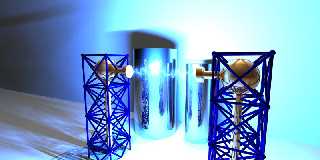
An incentive maybe?

--
Cheers
Ger
Post a reply to this message
Attachments:
Download 'sparky-005 (100 lights).jpg' (60 KB)
Preview of image 'sparky-005 (100 lights).jpg'
|
|
| |
| |
|
|
|
|
| |
| |
|
|
On 3-9-2013 11:23, Ger wrote:
> An incentive maybe?
>
Yes, that is a nice one indeed. Maybe a bit too blue for my intentions.
Some nights ago during a thunder storm, I noted how the surroundings
lighted up in a very pale 'electric' bluish manner, paler even than in
your image.

Thomas
Post a reply to this message
|
|
| |
| |
|
|
|
|
| |
| |
|
|
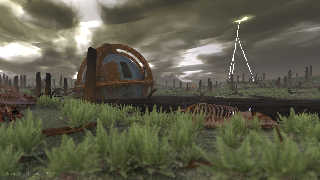
This is to be the last version for now. A couple of things could still
be done but I am tired of this scene so... in five years time I /may/
revisit again :-)

This was a long render, especially the bottom half. I cut the scene up
so I don't know what the real render time would have been, but probably
between 24 and 48 hours with 6 threads active. The ferns were the main
culprits for this, in combination with the focal blur.

The compositing of the different sections may not be entirely perfect
but I am satisfied for now.

Thomas
Post a reply to this message
Attachments:
Download 'aftermath_12.jpg' (129 KB)
Preview of image 'aftermath_12.jpg'
|
|
| |
| |
|
|
|
|
| |
| |
|
|
Thomas de Groot <tho### [at] degrootorg> wrote:
> This is to be the last version for now. A couple of things could still
> be done but I am tired of this scene so... in five years time I /may/
> revisit again :-)
>
> This was a long render, especially the bottom half. I cut the scene up
> so I don't know what the real render time would have been, but probably
> between 24 and 48 hours with 6 threads active. The ferns were the main
> culprits for this, in combination with the focal blur.
>
> The compositing of the different sections may not be entirely perfect
> but I am satisfied for now.
>
> Thomas

This looks great with the depth of field Thomas, I really like this version
:)

-------------------------------------------------
www.McGregorFineArt.com
Post a reply to this message
|
|
| |
| |
|
|
|
|
| |
| |
|
|
On 09/22/2013 04:13 AM, Thomas de Groot wrote:
> This is to be the last version for now. A couple of things could still
> be done but I am tired of this scene so... in five years time I /may/
> revisit again :-)
>
> This was a long render, especially the bottom half. I cut the scene up
> so I don't know what the real render time would have been, but probably
> between 24 and 48 hours with 6 threads active. The ferns were the main
> culprits for this, in combination with the focal blur.
>
> The compositing of the different sections may not be entirely perfect
> but I am satisfied for now.
>
> Thomas
I like it and I've enjoyed following the ideas and development in the
newsgroup. Perhaps when you are re-working this in 5 years, I'll have
crawled to the point of trying a scene with so many complex elements...
Bill P.
Post a reply to this message
|
|
| |
| |
|
|
|
|
| |
| |
|
|
On 23-9-2013 3:56, William F Pokorny wrote:
> I like it and I've enjoyed following the ideas and development in the
> newsgroup. Perhaps when you are re-working this in 5 years, I'll have
> crawled to the point of trying a scene with so many complex elements...

Thanks indeed Bill. More praise than I merit, imo. There are a couple of
flaws still there, too painful to my eyes. ;-)

I certainly hope to see you /crawling/ faster than that ;-)

Thomas
Post a reply to this message
|
|
| |
| |
|
|
|
|
| |
| |
|
|
On 22-9-2013 17:28, Robert McGregor wrote:
> This looks great with the depth of field Thomas, I really like this version
> :)

Thanks indeed Robert. I am always a bit wary of DoF because of the
render time, but it certainly adds a nice touch to a scene. I should use
it more, especially as I like to use Edouard Poor's Camera35mm macros.

Thomas
Post a reply to this message
|
|
| |
| |
|
|
|
|
| |
| |
|
|
>Thomas de Groot  on date 22/09/2013 10.13 wrote:
> This is to be the last version for now. A couple of things could still
> be done but I am tired of this scene so... in five years time I /may/
> revisit again :-)
>
> This was a long render, especially the bottom half. I cut the scene up
> so I don't know what the real render time would have been, but probably
> between 24 and 48 hours with 6 threads active. The ferns were the main
> culprits for this, in combination with the focal blur.
>
> The compositing of the different sections may not be entirely perfect
> but I am satisfied for now.
>
> Thomas
The overall light is very nice, the scene is more realistic imho.
Perhaps I find something that disturbs in the lightning (shouldn't it be
full of thinner branches near to the terrain? or perhaps it is too
sharp, it misses some halo?).
A great image.
;-)
Paolo
Post a reply to this message
|
|
| |
| |
|
|
|
|
| |
| |
|
|
Thomas de Groot <tho### [at] degrootorg> wrote:
> This is to be the last version for now. A couple of things could still
> be done but I am tired of this scene so... in five years time I /may/
> revisit again :-)
>
> This was a long render, especially the bottom half. I cut the scene up
> so I don't know what the real render time would have been, but probably
> between 24 and 48 hours with 6 threads active. The ferns were the main
> culprits for this, in combination with the focal blur.
>
> The compositing of the different sections may not be entirely perfect
> but I am satisfied for now.
>
> Thomas

Hi Thomas,

The best one yet I think, the DOF is worth the wait IMO.

I think I preferred the lightning on the previous version (thinner lines and
more forks) but other than that this is better in every way.

Sean
Post a reply to this message
|
|
| |
| |
|
|
|
|
| |
| |
|
|
On 23-9-2013 11:20, s.day wrote:
> The best one yet I think, the DOF is worth the wait IMO.

Thanks and yes, absolutely.

>
> I think I preferred the lightning on the previous version (thinner lines and
> more forks) but other than that this is better in every way.

Thickness could be less indeed, although it is determined by the
distance, i.e. when the lines break down. However, with -a and DoF I
could make it thinner a bit more. I am not satisfied entirely either
with the forking.

Thomas
Post a reply to this message
|
|
| |
| |
|
|
|
|
| |