|
|
|
|
|
|
| |
| |
|
|
|
|
| |
| |
|
|
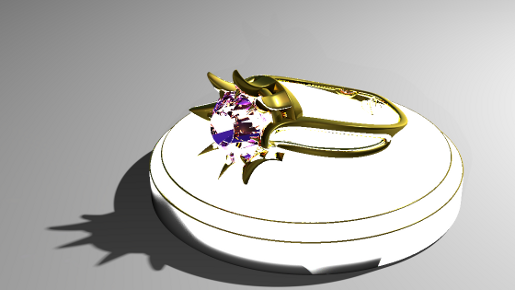
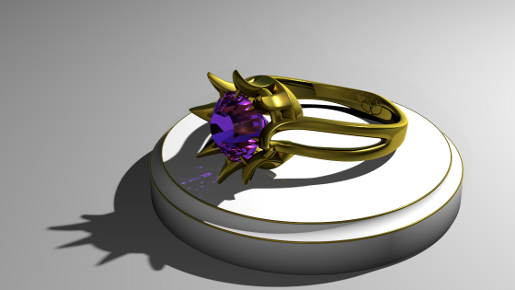
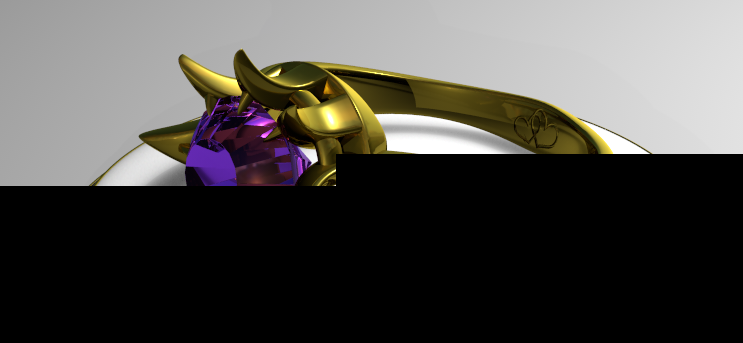
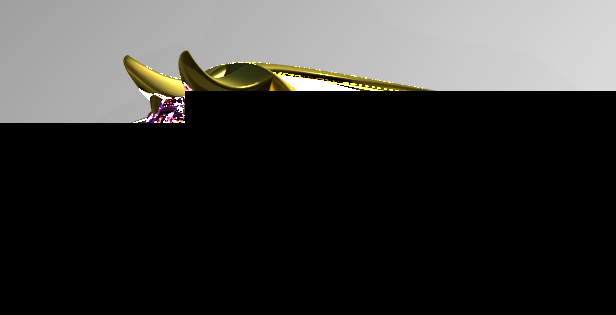
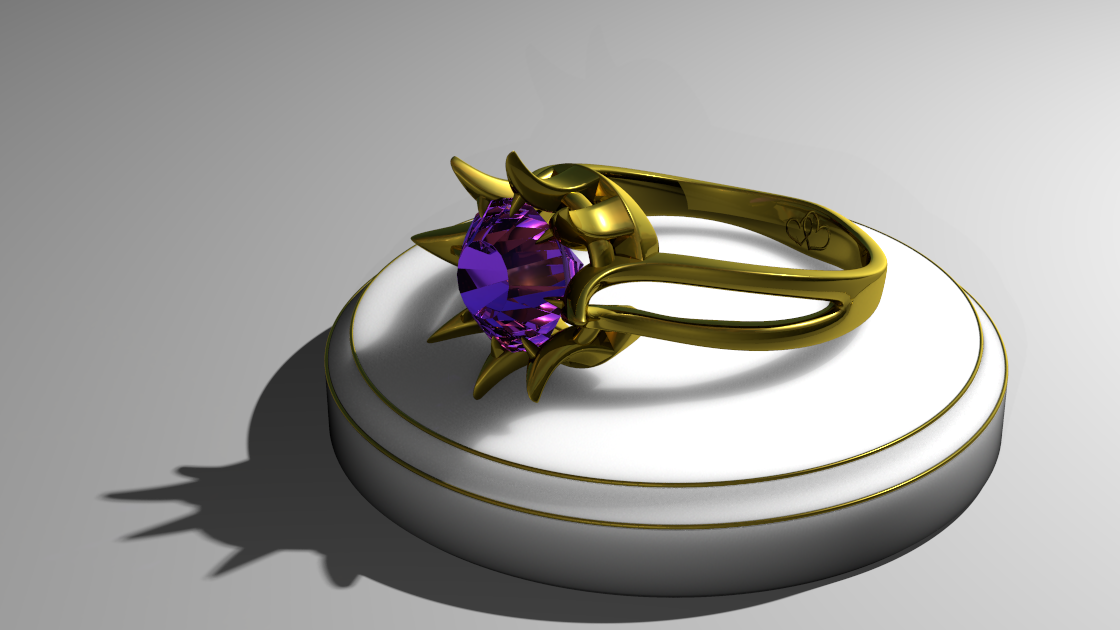
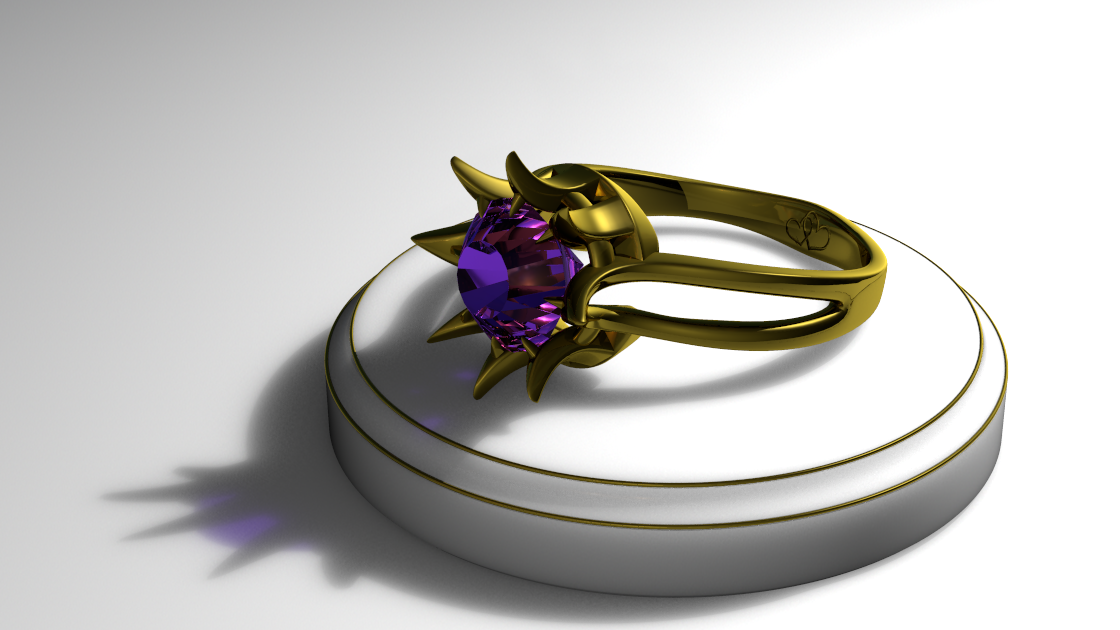
There seems to be a problem using sslt with area lights ...

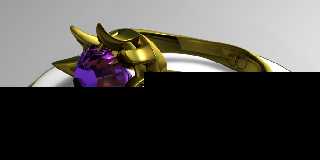
The first image is after 24hrs render time, it has photons, sslt and
area light.

The 2nd image has same settings, with the exception of sslt turned off.
The photon map was loaded using the data generated from the 1st image.

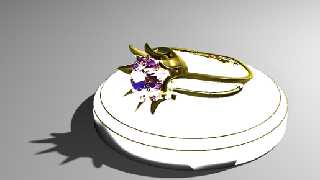
The 3rd image was just with sslt (no area light, no photons) ... I ran
it only long enough to see the beginnings of the sslt effect.

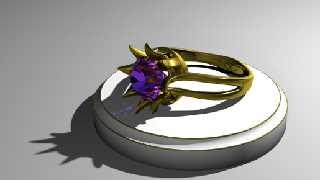
The 4th image is with sslt and area light (no photons)
Post a reply to this message
Attachments:
Download 'phandsslt.png' (78 KB)
Download 'phonly.png' (89 KB)
Download 'ssltonly.png' (89 KB)
Download 'ssltandarea.png' (26 KB)
Preview of image 'phandsslt.png'
Preview of image 'phonly.png'
Preview of image 'ssltonly.png'
Preview of image 'ssltandarea.png'
|
|
| |
| |
|
|
|
|
| |
| |
|
|
Am 07.03.2013 15:47, schrieb James Holsenback:
> There seems to be a problem using sslt with area lights ...
>
> The first image is after 24hrs render time, it has photons, sslt and
> area light.
>
> The 2nd image has same settings, with the exception of sslt turned off.
> The photon map was loaded using the data generated from the 1st image.
>
> The 3rd image was just with sslt (no area light, no photons) ... I ran
> it only long enough to see the beginnings of the sslt effect.
>
> The 4th image is with sslt and area light (no photons)

What settings are you using? (Size of the object, mm_per_unit setting,
subsurface translucency setting, ior, distance and parameters of the
light source)
Post a reply to this message
|
|
| |
| |
|
|
|
|
| |
| |
|
|
Am 07.03.2013 15:47, schrieb James Holsenback:
> There seems to be a problem using sslt with area lights ...

Can't confirm this here.
Post a reply to this message
|
|
| |
| |
|
|
|
|
| |
| |
|
|
On 03/07/2013 10:19 AM, clipka wrote:
> Am 07.03.2013 15:47, schrieb James Holsenback:
>> There seems to be a problem using sslt with area lights ...
>>
>> The first image is after 24hrs render time, it has photons, sslt and
>> area light.
>>
>> The 2nd image has same settings, with the exception of sslt turned off.
>> The photon map was loaded using the data generated from the 1st image.
>>
>> The 3rd image was just with sslt (no area light, no photons) ... I ran
>> it only long enough to see the beginnings of the sslt effect.
>>
>> The 4th image is with sslt and area light (no photons)
>
> What settings are you using? (Size of the object, mm_per_unit setting,
> subsurface translucency setting, ior, distance and parameters of the
> light source)
>

SSLT globals:
#declare _scale = 6.35;
mm_per_unit _scale
	#if (Subsurface)
		subsurface { samples 300,30 #if (UseRad) radiosity on #end }
	#end

The object:
#declare Base =
union {
	difference {
		cylinder { <0,0,0>, <0,1,0>, 3.25 }
		torus { 3.25, 0.25 translate y*1 }
		torus { 3, 0.0625/2 translate y*1 }
		torus { 3.25, 0.0625/2 translate y*0.75 }
		torus { 3.25, 0.0625 }
		}
	torus { 3.23, 0.0623/3 translate y*(0.75-0.015625) material { Band_ } }
	torus { 2.98, 0.0623/3 translate y*(1-0.015625) material { Band_ } }
	material {
		texture {
			pigment {
				gradient y
				scale 1.000001
				color_map {
					[0.0 srgb 0.25]
					[1.0 srgb 1.0]
					}
				}
			finish {
				diffuse 0.6
				specular 0.075
				roughness 0.1
				#if (Subsurface)
					subsurface { translucency srgb 0.75 }
				#end
				}
			}
		interior { ior 1.3 }
		}

	translate y*-1
	}

I'm using two light sources the one that's and area light is as follows:
// -- The Back Light
#declare LightPos = <0,0,-20>;
#declare LightDist = vlength(LightPos-<0,0,10>);
#declare FadeDist = 0.056;
#declare FadePower = 2;

#declare AreaLight = yes;
#declare SpotLight = no;
#declare ParaLight = no;

#if (Debug)
	#debug concat ("\nBack:\nFade Distance: ", str(FadeDist,2,4))
	#debug concat ("\nLight Distance: ", str(LightDist,5,4)," \n")
	#debug concat ("Light Intensity: ", str(Intensity (LightDist, FadeDist,
FadePower),6,4), "\n\n")
#end

#declare Back_Light =
light_source {
	#declare LightColor = srgb 1;
	0, LightColor *  (Intensity (LightDist, FadeDist, FadePower)/2)
	#if (Debug)
		looks_like {sphere {0,2 pigment { srgb 1 } } finish {emission srgb
<0,1,0>}}
	#end
	#if (ParaLight)
		parallel
	#end
	#if (SpotLight)
		spotlight
	#end
	#if (AreaLight)
		area_light x*0.45,y*0.45, 10,10 adaptive 1 jitter orient circular
		area_illumination on
	#end
	fade_distance FadeDist
	fade_power FadePower
	media_interaction on
	media_attenuation on
	translate LightPos
	#if (ParaLight)
		point_at <0,0,0>
	#end
	#if (SpotLight)
		point_at <0,0,0>
		radius 10
		falloff 12
		tightness 0
	#end
	#if (UsePhotons)
		photons { reflection on refraction on #if (AreaLight) area_light #end }
	#end
	}

the camera originates at -z20 but is rotated x*27.5 then y*330 look_at
<-1,0,0>

light source: object { Back_Light rotate x*50 rotate y*225 }

the base is at orgin
Post a reply to this message
|
|
| |
| |
|
|
|
|
| |
| |
|
|
On 03/07/2013 10:41 AM, clipka wrote:
> Am 07.03.2013 15:47, schrieb James Holsenback:
>> There seems to be a problem using sslt with area lights ...
>
> Can't confirm this here.
>

Before I stumbled onto the perceived problem, I also noticed something
else ... perhaps helpful.

I wanted (rightly or wrongly) to first generate the photon map using
area light but no sslt on the base, then load the map and pick up the
sslt (with area light off) in another pass ... well it appeared to load
the photon map ok, but when it was done rendering the sslt had
completely wiped out the appearance of the photons on the base. Since
the area light was /off/ the sslt effect looked quite nice, but like I
said photons ... nada.
Post a reply to this message
|
|
| |
| |
|
|
|
|
| |
| |
|
|
With your settings to start with, I've managed to reproduce the problem.
It looks like it is a combination of three factors:

- area_illumination
- fade_distance & fade_power
- subsurface

Apparently the area_illumination code fails to respect the fade_distance
& fade_power settings when computing illumination for subsurface
scattering materials.
Post a reply to this message
|
|
| |
| |
|
|
|
|
| |
| |
|
|
Am 07.03.2013 15:47, schrieb James Holsenback:
> There seems to be a problem using sslt with area lights ...

Jim, you may want to test-drive change #5846.
Post a reply to this message
|
|
| |
| |
|
|
|
|
| |
| |
|
|
On 03/08/2013 04:00 AM, clipka wrote:
> Am 07.03.2013 15:47, schrieb James Holsenback:
>> There seems to be a problem using sslt with area lights ...
>
> Jim, you may want to test-drive change #5846.
>

the bloom problem looks like it's fixed ... i'm anxious to see if the
photons show up properly on the subsurface area under the stone.
Post a reply to this message
|
|
| |
| |
|
|
|
|
| |
| |
|
|
Am 08.03.2013 14:39, schrieb James Holsenback:

> the bloom problem looks like it's fixed ... i'm anxious to see if the
> photons show up properly on the subsurface area under the stone.

I'd be rather surprised - I don't recall having integrated photons with
subsurface scattering yet. But it's been a while, so let's just wait and
see...
Post a reply to this message
|
|
| |
| |
|
|
|
|
| |
| |
|
|
On 03/08/2013 09:37 AM, clipka wrote:
> Am 08.03.2013 14:39, schrieb James Holsenback:
>
>> the bloom problem looks like it's fixed ... i'm anxious to see if the
>> photons show up properly on the subsurface area under the stone.
>
> I'd be rather surprised - I don't recall having integrated photons with
> subsurface scattering yet. But it's been a while, so let's just wait and
> see...
>

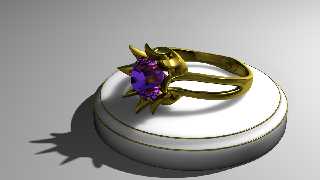
Your suspicion is correct ... besides some blending issues with the
gradient on the base and some tweaking with the area light (all on my
end) I'd say the bloom issue has been laid to rest. Should I log a
fly-spray reminder concerning photon/subsurface integration?
Post a reply to this message
Attachments:
Download 'work.png' (311 KB)
Preview of image 'work.png'
|
|
| |
| |
|
|
|
|
| |
| |
|
|
Am 08.03.2013 18:58, schrieb James Holsenback:
> On 03/08/2013 09:37 AM, clipka wrote:
>> Am 08.03.2013 14:39, schrieb James Holsenback:
>>
>>> the bloom problem looks like it's fixed ... i'm anxious to see if the
>>> photons show up properly on the subsurface area under the stone.
>>
>> I'd be rather surprised - I don't recall having integrated photons with
>> subsurface scattering yet. But it's been a while, so let's just wait and
>> see...
>>
>
> Your suspicion is correct ... besides some blending issues with the
> gradient on the base and some tweaking with the area light (all on my
> end) I'd say the bloom issue has been laid to rest. Should I log a
> fly-spray reminder concerning photon/subsurface integration?

Don't - I'd close it right away as a duplicate of FS#6 :-P
Post a reply to this message
|
|
| |
| |
|
|
|
|
| |
| |
|
|
On 03/08/2013 12:58 PM, James Holsenback wrote:
> On 03/08/2013 09:37 AM, clipka wrote:
>> Am 08.03.2013 14:39, schrieb James Holsenback:
>>
>>> the bloom problem looks like it's fixed ... i'm anxious to see if the
>>> photons show up properly on the subsurface area under the stone.
>>
>> I'd be rather surprised - I don't recall having integrated photons with
>> subsurface scattering yet. But it's been a while, so let's just wait and
>> see...
>>
>
> Your suspicion is correct ... besides some blending issues with the
> gradient on the base and some tweaking with the area light (all on my
> end) I'd say the bloom issue has been laid to rest. Should I log a
> fly-spray reminder concerning photon/subsurface integration?

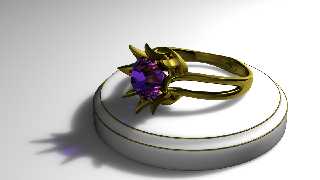
LOL ... well I considered changing this thread title to "soft shadows
without area lights", because I wasn't able to blend the shadow on the
base (subsurface) with the shadow on the ground plane (area light) ...

Just for the heck of it I ditched the area light from the back light
(fill light never was an area light), and added subsurface to the ground
plane. It /used/ to be a zero thickness box. The first run just sat
there and crunched for what seemed too long before it started the
preview, so I trimmed down the size of the box and gave it some
thickness (same as base). Interesting how some of the filtered light
from the stone made it into the subsurface on the base and ground plane
(no photons)
Post a reply to this message
Attachments:
Download 'work.png' (536 KB)
Preview of image 'work.png'
|
|
| |
| |
|
|
|
|
| |
|
|