|
|
|
|
|
|
| |
| |
|
|
|
|
| |
| |
|
|
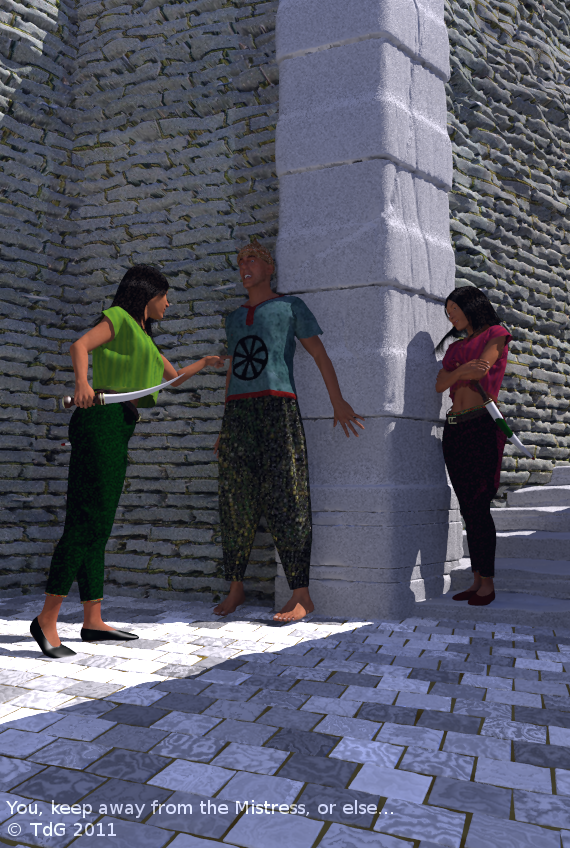
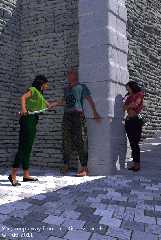
For who has visited Lankhmar or even Ankh-Morpork, life in Gancaloon
will not come as a surprise. Those cities have much in common ;-)

While Iskander is not stupid, he should never have involved himself with
the local politics. But then, it was not entirely his fault when he
stumbled inadvertently over the legs of the Seer and...

To make a long tale short, Iskander is soon under scrutiny, not in the
least from the courtesan, Layla. Who is displeased. Very displeased. So,
she sends her two bodyguards, Ling Yi and Ling Er, after him...

Thomas
Post a reply to this message
Attachments:
Download 'beware iskander_04.png' (907 KB)
Preview of image 'beware iskander_04.png'
|
|
| |
| |
|
|
|
|
| |
| |
|
|
On 19/09/2011 3:36 PM, Thomas de Groot wrote:
> For who has visited Lankhmar or even Ankh-Morpork, life in Gancaloon
> will not come as a surprise. Those cities have much in common ;-)

Definitely not Ankh-Morpork, too clean, :-P

But should Iskander's feet (right one anyway) be off the ground?

Looks good and I'm looking forward to more stories from the White Hart.
Or is it the Broken Drum?

--
Regards
     Stephen
Post a reply to this message
|
|
| |
| |
|
|
|
|
| |
| |
|
|
Stephen <mcavoys_at@aoldotcom> wrote:
> Looks good and I'm looking forward to more stories from the White Hart.
> Or is it the Broken Drum?

The Mended Drum, surely? Wasn't there a refurb after that nasty business with
the inn sewer ants, and the resulting fire?

Good pic btw Thomas :)
Post a reply to this message
|
|
| |
| |
|
|
|
|
| |
| |
|
|
On 19/09/2011 7:45 PM, Bill Pragnell wrote:
> Stephen<mcavoys_at@aoldotcom>  wrote:
>> >  Looks good and I'm looking forward to more stories from the White Hart.
>> >  Or is it the Broken Drum?
> The Mended Drum, surely? Wasn't there a refurb after that nasty business with
> the inn sewer ants, and the resulting fire?

Thomas and his "friends" were in last week. ;-)

--
Regards
     Stephen
Post a reply to this message
|
|
| |
| |
|
|
|
|
| |
| |
|
|
You spent the last six months tweaking a huge cityscape for THIS?

That's what I call attention to detail :-P

Nice image BTW ;)
Post a reply to this message
|
|
| |
| |
|
|
|
|
| |
| |
|
|
Stephen <mcavoys_at@aoldotcom> wrote:
>
> But should Iskander's feet (right one anyway) be off the ground?
>

On the other hand the left girl's right foot seems to be partially stuck IN the
ground...

Other than those minor details, good picture. HIS facial expression is
impressive ;-)

Great work.

Karl
Post a reply to this message
|
|
| |
| |
|
|
|
|
| |
| |
|
|
On 20-9-2011 3:23, Christian Froeschlin wrote:
> You spent the last six months tweaking a huge cityscape for THIS?
>
> That's what I call attention to detail :-P
>
> Nice image BTW ;)

WHAT? Criticizing my work?? Shame on you ;-)

Thanks, Christian :-) Still a lot of tweaking to do and additions to make.

Thomas
Post a reply to this message
|
|
| |
| |
|
|
|
|
| |
| |
|
|
On 19-9-2011 17:54, Stephen wrote:
> On 19/09/2011 3:36 PM, Thomas de Groot wrote:
>> For who has visited Lankhmar or even Ankh-Morpork, life in Gancaloon
>> will not come as a surprise. Those cities have much in common ;-)
>
> Definitely not Ankh-Morpork, too clean, :-P

Dirt is going to be added by the bucket full :-)

>
> But should Iskander's feet (right one anyway) be off the ground?

oh yes! He just jumped from fright ;-)

>
> Looks good and I'm looking forward to more stories from the White Hart.
> Or is it the Broken Drum?
>

Thanks Stephen. I don't yet know the name of my favourite pub down here...

Thomas
Post a reply to this message
|
|
| |
| |
|
|
|
|
| |
| |
|
|
On 20-9-2011 0:38, Stephen wrote:
> On 19/09/2011 7:45 PM, Bill Pragnell wrote:
>> Stephen<mcavoys_at@aoldotcom> wrote:
>>> > Looks good and I'm looking forward to more stories from the White
>>> Hart.
>>> > Or is it the Broken Drum?
>> The Mended Drum, surely? Wasn't there a refurb after that nasty
>> business with
>> the inn sewer ants, and the resulting fire?
>
> Thomas and his "friends" were in last week. ;-)
>

It got a bit out of hand indeed... Especially *small* Adamastor got into
a very nasty business...

Thomas
Post a reply to this message
|
|
| |
| |
|
|
|
|
| |
| |
|
|
Nobody asked, but I shall tell nonetheless:  :-)
The stonework has been obtained with the displacement feature that comes
with (the latest) Poseray beta. I was experimenting and got these results.

Thomas
Post a reply to this message
|
|
| |
| |
|
|
|
|
| |
| |
|
|
On 23/09/2011 1:23 PM, Thomas de Groot wrote:
> Nobody asked, but I shall tell nonetheless: :-)
> The stonework has been obtained with the displacement feature that comes
> with (the latest) Poseray beta. I was experimenting and got these results.
>
I did notice. It is a nice effect.


--
Regards
     Stephen
Post a reply to this message
|
|
| |
| |
|
|
|
|
| |
| |
|
|
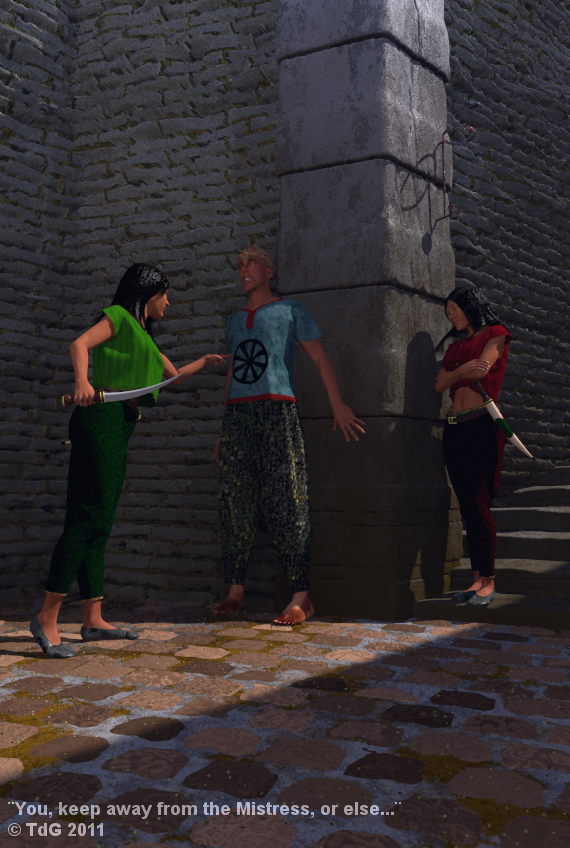
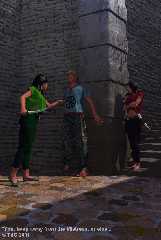
The latest version.

Thomas
Post a reply to this message
Attachments:
Download 'beware iskander_07.png' (763 KB)
Preview of image 'beware iskander_07.png'
|
|
| |
| |
|
|
|
|
| |
| |
|
|
On 9/26/2011 5:31, Thomas de Groot wrote:
> The latest version.

"Keep away from the mistress, you camel-mannered tunic-wetting mollycoddle!"

Looking really good.

--
Darren New, San Diego CA, USA (PST)
   How come I never get only one kudo?
Post a reply to this message
|
|
| |
| |
|
|
|
|
| |
| |
|
|
On 26/09/2011 1:31 PM, Thomas de Groot wrote:
> The latest version.
>

Looking better but something needs to be done with that green top. It
looks as if it has been through the wash too many times. ;-)
I’ve been looking for a similar garment to see what Cloth settings could
make it hang better. But all I’ve been able to do is uninstall then
reinstall some libraries.
If the bottom hem was less stretchy… So you could try putting it in the
constrained group.


--
Regards
     Stephen
Post a reply to this message
|
|
| |
| |
|
|
|
|
| |
| |
|
|
On 26-9-2011 21:03, Stephen wrote:
> On 26/09/2011 1:31 PM, Thomas de Groot wrote:
>> The latest version.
>>
>
> Looking better but something needs to be done with that green top. It
> looks as if it has been through the wash too many times. ;-)
> I’ve been looking for a similar garment to see what Cloth settings could
> make it hang better. But all I’ve been able to do is uninstall then
> reinstall some libraries.
> If the bottom hem was less stretchy… So you could try putting it in the
> constrained group.
>
>
>
I agree. Something that needs more work. Cloth parameters are tricky to
get right. Already here, stretch resistance is fairly high (the params
are mainly based on silk) and the hem is narrower than the top. Still,
the result is not totally satisfying. I continue working on it though.

By the way, the latest Poseray solution for dynamic hair is quite
satisfying (cylinders instead of sheets). I am working on a beard and
hair for my Beggar and the main concern now is to get a satisfying
texture. I shall show some results soon.

Thomas
Post a reply to this message
|
|
| |
| |
|
|
|
|
| |
| |
|
|
On 26-9-2011 18:56, Darren New wrote:
> On 9/26/2011 5:31, Thomas de Groot wrote:
>> The latest version.
>
> "Keep away from the mistress, you camel-mannered tunic-wetting
> mollycoddle!"

He he... Maybe...
>
> Looking really good.
>
Thanks!

Thomas
Post a reply to this message
|
|
| |
| |
|
|
|
|
| |
| |
|
|
On 27/09/2011 7:53 AM, Thomas de Groot wrote:
> I agree. Something that needs more work. Cloth parameters are tricky to
> get right. Already here, stretch resistance is fairly high (the params
> are mainly based on silk) and the hem is narrower than the top. Still,
> the result is not totally satisfying. I continue working on it though.
>

I meant that you should try putting at least a few points of the front
of the hem in the constrained group. That should keep it close to the
models body.

> By the way, the latest Poseray solution for dynamic hair is quite
> satisfying (cylinders instead of sheets). I am working on a beard and
> hair for my Beggar and the main concern now is to get a satisfying
> texture. I shall show some results soon.

I’m still using PoseRay v3.12.456 as that is the highest version that
Bishop3D will work with.  I tried running PAE from Poser++ to animate
some hair today but found that PAE will only work with Poser 4 BVH
files. Drat!
I upgraded my Poser 7 to Poser Pro 2010 to take advantage of my 64 bit
system. It is much faster loading and saving scenes than Poser 7,
although it only uses multiple cores for rendering. I’ve not used it
much since I upgraded it in March


--
Regards
     Stephen
Post a reply to this message
|
|
| |
| |
|
|
|
|
| |
| |
|
|
On 27-9-2011 15:09, Stephen wrote:
> On 27/09/2011 7:53 AM, Thomas de Groot wrote:
>> I agree. Something that needs more work. Cloth parameters are tricky to
>> get right. Already here, stretch resistance is fairly high (the params
>> are mainly based on silk) and the hem is narrower than the top. Still,
>> the result is not totally satisfying. I continue working on it though.
>>
>
> I meant that you should try putting at least a few points of the front
> of the hem in the constrained group. That should keep it close to the
> models body.
Yes. A more interesting solution is to apply a bit of wind force, here
coming from the staircase. That solves the issue, although I need to
look into a couple of other issues concerning the top itself.
>
>> By the way, the latest Poseray solution for dynamic hair is quite
>> satisfying (cylinders instead of sheets). I am working on a beard and
>> hair for my Beggar and the main concern now is to get a satisfying
>> texture. I shall show some results soon.
>
> I’m still using PoseRay v3.12.456 as that is the highest version that
> Bishop3D will work with. I tried running PAE from Poser++ to animate
> some hair today but found that PAE will only work with Poser 4 BVH
> files. Drat!
I see. Well, you will need at least to wait for the beta to turn into
Poseray v.3.13 (or whatever) probably when POV-Ray exits the RC stage(?).

> I upgraded my Poser 7 to Poser Pro 2010 to take advantage of my 64 bit
> system. It is much faster loading and saving scenes than Poser 7,
> although it only uses multiple cores for rendering. I’ve not used it
> much since I upgraded it in March
I use Poser 8 now mostly. It works far better under Windows 7 than under
WinXP where I still needed Poser 7 for several things. I do not intend
for the time being to upgrade to Poser 9 or the latest Poser Pro. The
program works fine for me at this moment and I did not see any real
major improvements which I might need.

Thomas
Post a reply to this message
|
|
| |
| |
|
|
|
|
| |
| |
|
|
Le 2011/09/27 02:53, Thomas de Groot a écrit :
> On 26-9-2011 21:03, Stephen wrote:
>> On 26/09/2011 1:31 PM, Thomas de Groot wrote:
>>> The latest version.
>>>
>>
>> Looking better but something needs to be done with that green top. It
>> looks as if it has been through the wash too many times. ;-)
>> I’ve been looking for a similar garment to see what Cloth settings could
>> make it hang better. But all I’ve been able to do is uninstall then
>> reinstall some libraries.
>> If the bottom hem was less stretchy… So you could try putting it in the
>> constrained group.
>>
>>
>>
> I agree. Something that needs more work. Cloth parameters are tricky to
> get right. Already here, stretch resistance is fairly high (the params
> are mainly based on silk) and the hem is narrower than the top. Still,
> the result is not totally satisfying. I continue working on it though.

Given the build of the lady, she need a tie string around her stomach.
Given the environment, buttons where prety exclusively used as
decorations, and lacing was used everywhere we now use buttons and zippers.

>
> By the way, the latest Poseray solution for dynamic hair is quite
> satisfying (cylinders instead of sheets). I am working on a beard and
> hair for my Beggar and the main concern now is to get a satisfying
> texture. I shall show some results soon.
>
> Thomas
Post a reply to this message
|
|
| |
| |
|
|
|
|
| |
| |
|
|
On 27-9-2011 21:36, Alain wrote:

> Given the build of the lady, she need a tie string around her stomach.

<grin> To remain in style with a Lankhmarish perspective ;-)

> Given the environment, buttons where prety exclusively used as
> decorations, and lacing was used everywhere we now use buttons and zippers.

Exactly so.

Thomas
Post a reply to this message
|
|
| |
| |
|
|
|
|
| |
| |
|
|
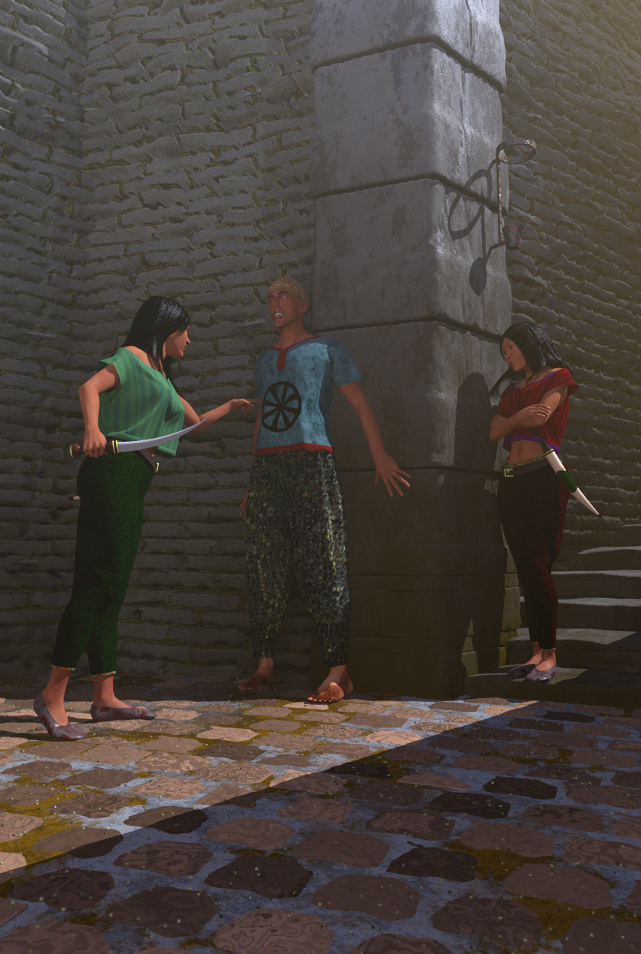
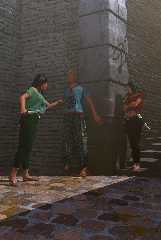
This is how I want it.

2-pass render with a scattering media, but without area light in the
second pass. Still +3hours render time with 6 threads. With an area
light I judge from testing that render time would be multiplied by 10.

Thomas
Post a reply to this message
Attachments:
Download 'beware iskander_08a.png' (955 KB)
Preview of image 'beware iskander_08a.png'
|
|
| |
| |
|
|
|
|
| |
| |
|
|
On 30/09/2011 12:48 PM, Thomas de Groot wrote:
> This is how I want it.
>
> 2-pass render with a scattering media, but without area light in the
> second pass. Still +3hours render time with 6 threads. With an area
> light I judge from testing that render time would be multiplied by 10.
>

That's good and I like the green top. The shape gives an impression of
movement.

One thing though. I looked at the image in PSP then changed the gamma
(As I do). When I dropped the gamma to 0.2 most of the image darkened to
invisibility. Except for Yi or is it Er? The one holding the big
toothpick. Is this something to do with the image map gamma? And Er's or
is it Yi's sword.


--
Regards
     Stephen
Post a reply to this message
|
|
| |
| |
|
|
|
|
| |
| |
|
|
On 27/09/2011 7:53 AM, Thomas de Groot wrote:
> By the way, the latest Poseray solution for dynamic hair is quite
> satisfying (cylinders instead of sheets). I am working on a beard and
> hair for my Beggar and the main concern now is to get a satisfying
> texture. I shall show some results soon.

Please do. I can't seem to find any reasonable settings in either Poser
or PoseRay except for cornrows.

--
Regards
     Stephen
Post a reply to this message
|
|
| |
| |
|
|
|
|
| |
| |
|
|
On 30-9-2011 14:27, Stephen wrote:
> On 30/09/2011 12:48 PM, Thomas de Groot wrote:
>> This is how I want it.
>>
>> 2-pass render with a scattering media, but without area light in the
>> second pass. Still +3hours render time with 6 threads. With an area
>> light I judge from testing that render time would be multiplied by 10.
>>
>
> That's good and I like the green top. The shape gives an impression of
> movement.

Yes. And just by adding wind to it :-)
>
> One thing though. I looked at the image in PSP then changed the gamma
> (As I do). When I dropped the gamma to 0.2 most of the image darkened to
> invisibility. Except for Yi or is it Er? The one holding the big
> toothpick. Is this something to do with the image map gamma? And Er's or
> is it Yi's sword.

Ling Yi is red; Ling Er is green. I should write their names as Lingyi
and Linger as those are their first names. I have not yet decided about
their family name ;-)

About gamma: I am not sure. If I reproduce your test, I see those parts
of the scene that are in direct sunlight (Linger's skin and the corner
stones wall mainly) that remain lighter longer.

Thomas
Post a reply to this message
|
|
| |
| |
|
|
|
|
| |
| |
|
|
On 30-9-2011 16:11, Thomas de Groot wrote:
> About gamma: I am not sure. If I reproduce your test, I see those parts
> of the scene that are in direct sunlight (Linger's skin and the corner
> stones wall mainly) that remain lighter longer.

...and yes, Lingyi's scabbard. Which is just a pigment with some higher
specular values.

Thomas
Post a reply to this message
|
|
| |
| |
|
|
|
|
| |
| |
|
|
On 30/09/2011 3:13 PM, Thomas de Groot wrote:
> On 30-9-2011 16:11, Thomas de Groot wrote:
>> About gamma: I am not sure. If I reproduce your test, I see those parts
>> of the scene that are in direct sunlight (Linger's skin and the corner
>> stones wall mainly) that remain lighter longer.
>
> ....and yes, Lingyi's scabbard. Which is just a pigment with some higher
> specular values.
>

That's fine as that is what I see too.
Just thought I'd mention it.


--
Regards
     Stephen
Post a reply to this message
|
|
| |
| |
|
|
|
|
| |
| |
|
|
On 9/30/2011 4:48, Thomas de Groot wrote:
> This is how I want it.

Sweet.  I do like how you've managed to capture the balance of the
characters. Most such scenes come out looking very stilted.

--
Darren New, San Diego CA, USA (PST)
   How come I never get only one kudo?
Post a reply to this message
|
|
| |
| |
|
|
|
|
| |
| |
|
|
Am 30.09.2011 16:11, schrieb Thomas de Groot:

> About gamma: I am not sure. If I reproduce your test, I see those parts
> of the scene that are in direct sunlight (Linger's skin and the corner
> stones wall mainly) that remain lighter longer.

... which, by the way, is perfectly normal.
Post a reply to this message
|
|
| |
| |
|
|
|
|
| |
| |
|
|
Am 30.09.2011 13:48, schrieb Thomas de Groot:
> This is how I want it.

Looking better and better.

BTW, are you using Poser or Daz 3D models? And what shoes are the ladies
wearing? I've been searching for such shoes for quite a while without
success - virtually all 3D models out there are either high heels or
sneakers.
Post a reply to this message
|
|
| |
| |
|
|
|
|
| |
| |
|
|
Le 2011/09/30 07:48, Thomas de Groot a écrit :
> This is how I want it.
>
> 2-pass render with a scattering media, but without area light in the
> second pass. Still +3hours render time with 6 threads. With an area
> light I judge from testing that render time would be multiplied by 10.
>
> Thomas

Coming along nicely.

As for the area light, adaptive is a must. Start with adaptive 0, and
increase to adaptive 1 or 2 only if you have disturbing artefacts.
Looking at the actual scene, it's probable that adaptive 0 will be
correct, with, maybe, some pixel sized glitches near the torch holder on
the wall.

Most of the time, with adaptive 0, the time hit is barely larger than 4,
even with high density arays like 17 * 17, 33 * 33 or 65 * 65.
Post a reply to this message
|
|
| |
| |
|
|
|
|
| |
| |
|
|
On 1-10-2011 4:08, Alain wrote:
>
> As for the area light, adaptive is a must. Start with adaptive 0, and
> increase to adaptive 1 or 2 only if you have disturbing artefacts.
> Looking at the actual scene, it's probable that adaptive 0 will be
> correct, with, maybe, some pixel sized glitches near the torch holder on
> the wall.
>
> Most of the time, with adaptive 0, the time hit is barely larger than 4,
> even with high density arays like 17 * 17, 33 * 33 or 65 * 65.

Excellent suggestion. I was using adaptive 1, but I might indeed get
away with adaptive 0.

Thomas
Post a reply to this message
|
|
| |
| |
|
|
|
|
| |
| |
|
|
On 30-9-2011 18:25, Darren New wrote:
> On 9/30/2011 4:48, Thomas de Groot wrote:
>> This is how I want it.
>
> Sweet. I do like how you've managed to capture the balance of the
> characters. Most such scenes come out looking very stilted.
>
Thank you indeed. I always painstakingly try to get the most natural
looking characters, which means very subtle changes in body pose and -
most of all - in facial expression. It takes a fair amount of time in
Poser but it is worth it. And it pushes one to study human nature ;-)

Thomas
Post a reply to this message
|
|
| |
| |
|
|
|
|
| |
| |
|
|
On 30-9-2011 20:32, clipka wrote:
> Am 30.09.2011 13:48, schrieb Thomas de Groot:
>> This is how I want it.
>
> Looking better and better.

Thank you indeed. I shall let it rest now for a while. I might come back
with some improvements in the near future.

>
> BTW, are you using Poser or Daz 3D models? And what shoes are the ladies
> wearing? I've been searching for such shoes for quite a while without
> success - virtually all 3D models out there are either high heels or
> sneakers.

  I am using Poser 7 and 8; mostly 8 now but for some characters like
KelvinG2 and KojiG2 - which are later additions to Poser 7 - I use that
version.

These conforming slippers come with Poser 8's Alyson character (which
Izumi variant is the basis for the two female characters here).

I agree about the available shoes in Poser. I have not yet tried to make
my own conforming shoes (or clothes for that matter). That is something
on my todo list for quite a while already.

Thomas
Post a reply to this message
|
|
| |
| |
|
|
|
|
| |
| |
|
|
On 30-9-2011 14:29, Stephen wrote:
> On 27/09/2011 7:53 AM, Thomas de Groot wrote:
>> By the way, the latest Poseray solution for dynamic hair is quite
>> satisfying (cylinders instead of sheets). I am working on a beard and
>> hair for my Beggar and the main concern now is to get a satisfying
>> texture. I shall show some results soon.
>
> Please do. I can't seem to find any reasonable settings in either Poser
> or PoseRay except for cornrows.
>
A couple of things you should do after reaping the corn ;-)

1) In Poser: Before exporting, adjust the Hair Density to your needs,
and check Show Population (very important!).

2) In Poseray: Convert Lines to Tubes: set Minimum Line Length to 0; set
Root diameter to 0.01; set Tip Diameter to 0.001.

3) In Poseray: Only export the tube_groups to POV-Ray, not the Lines
(switch those off in the Group Menu).

With this you have a working basis from which to experiment on.

Thomas
Post a reply to this message
|
|
| |
| |
|
|
|
|
| |
| |
|
|
On 01/10/2011 8:32 AM, Thomas de Groot wrote:

> A couple of things you should do after reaping the corn ;-)
>
> 1) In Poser: Before exporting, adjust the Hair Density to your needs,
> and check Show Population (very important!).
>
> 2) In Poseray: Convert Lines to Tubes: set Minimum Line Length to 0; set
> Root diameter to 0.01; set Tip Diameter to 0.001.
>
> 3) In Poseray: Only export the tube_groups to POV-Ray, not the Lines
> (switch those off in the Group Menu).
>
> With this you have a working basis from which to experiment on.
>

Thanks, I never set Show Population so that might be one of the problems.

I will waste some more time. :-D


--
Regards
     Stephen
Post a reply to this message
|
|
| |
| |
|
|
|
|
| |
| |
|
|
On 1-10-2011 10:25, Stephen wrote:
>
> Thanks, I never set Show Population so that might be one of the problems.
>
> I will waste some more time. :-D


As far as I understand the whole procedure so far, Show Population
effectively shows and generates the end result. It is this also which is
exported, along with the basic lines used for the hair construction.

Thomas
Post a reply to this message
|
|
| |
| |
|
|
|
|
| |
| |
|
|
On 01/10/2011 9:39 AM, Thomas de Groot wrote:
> On 1-10-2011 10:25, Stephen wrote:
>>
>> Thanks, I never set Show Population so that might be one of the problems.
>>
>> I will waste some more time. :-D
>
>
> As far as I understand the whole procedure so far, Show Population
> effectively shows and generates the end result. It is this also which is
> exported, along with the basic lines used for the hair construction.
>

I’m sure that I read somewhere, somewhen that only the guide hairs were
exported. So I tried a few times just using them. A quick test shows
that 6000 hairs are too much. ;-)

Thanks again.


--
Regards
     Stephen
Post a reply to this message
|
|
| |
| |
|
|
|
|
| |
| |
|
|
On 1-10-2011 12:04, Stephen wrote:

> I’m sure that I read somewhere, somewhen that only the guide hairs were
> exported. So I tried a few times just using them. A quick test shows
> that 6000 hairs are too much. ;-)

Maybe I am seeing something else, but without Show Population you only
get the guide hairs I believe, while with Show Population checked, you
get guide hairs *and* the rest of the Hair Dresser's creation.

Thomas
Post a reply to this message
|
|
| |
| |
|
|
|
|
| |
| |
|
|
On 01/10/2011 3:31 PM, Thomas de Groot wrote:
> On 1-10-2011 12:04, Stephen wrote:
>
>> I’m sure that I read somewhere, somewhen that only the guide hairs were
>> exported. So I tried a few times just using them. A quick test shows
>> that 6000 hairs are too much. ;-)
>
> Maybe I am seeing something else, but without Show Population you only
> get the guide hairs I believe, while with Show Population checked, you
> get guide hairs *and* the rest of the Hair Dresser's creation.
>

That's why I wrote somewhen. This was back when the hair room was
introduced.

I was also wrong about 6000 hairs being too much. My problem was the
PoseRay settings. I needed to set Root diameter to 0.0002.
Just playing about, I've exported a mesh with 16000 hairs and get not
bad results. Although I managed to crash RC3 when I tried to load the
mesh file into the editor.

--
Regards
     Stephen
Post a reply to this message
|
|
| |
| |
|
|
|
|
| |
| |
|
|
On 1-10-2011 16:53, Stephen wrote:

> That's why I wrote somewhen. This was back when the hair room was
> introduced.
>
> I was also wrong about 6000 hairs being too much. My problem was the
> PoseRay settings. I needed to set Root diameter to 0.0002.
> Just playing about, I've exported a mesh with 16000 hairs and get not
> bad results. Although I managed to crash RC3 when I tried to load the
> mesh file into the editor.
>
I think we need to make a compromise between a very large number of fine
hairs (= very heavy data file) and fewer, somewhat thicker hairs (=
smaller data file). I have been mainly exploring the latter option,
which implies the search for a convincing hair texture.

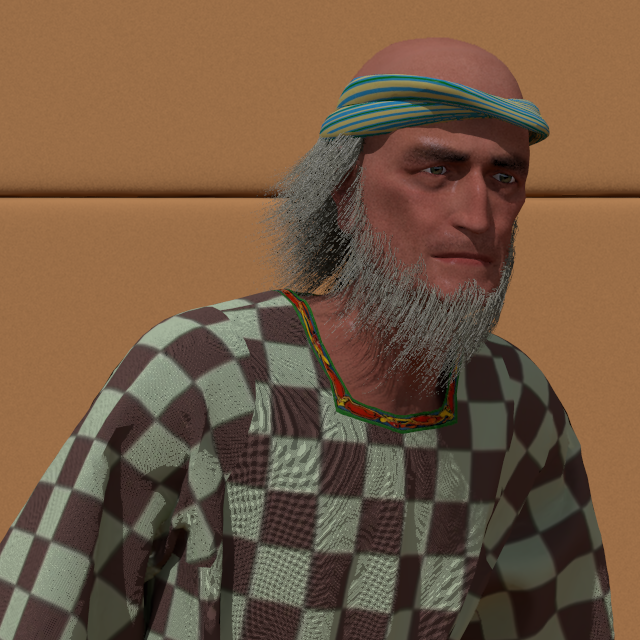
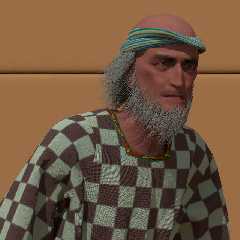
Here is an example, with a 300+Mb data file and a simple grey pigment.

Thomas
Post a reply to this message
Attachments:
Download 'poserfiguretest.png' (565 KB)
Preview of image 'poserfiguretest.png'
|
|
| |
| |
|
|
|
|
| |
| |
|
|
On 02/10/2011 8:09 AM, Thomas de Groot wrote:

>>
> I think we need to make a compromise between a very large number of fine
> hairs (= very heavy data file) and fewer, somewhat thicker hairs (=
> smaller data file). I have been mainly exploring the latter option,
> which implies the search for a convincing hair texture.
>

Of course but I’m just experimenting. I might even read the manual,
shortly. ;-)

> Here is an example, with a 300+Mb data file and a simple grey pigment.
>

That is good and quite realistic. I don’t think that I’d like to be in
his company any time soon.

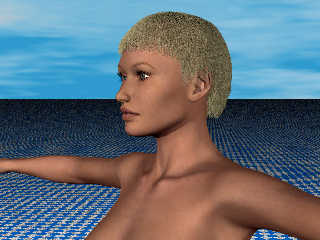
Here is one I did yesterday with a hair density of 30000 (24500 hairs)
715 MB.
All textures are defaults.
Now for curly and longer hair.

Thanks for letting me know about this.


--
Regards
     Stephen
Post a reply to this message
Attachments:
Download 'grownhair01e1_.jpg' (181 KB)
Preview of image 'grownhair01e1_.jpg'
|
|
| |
| |
|
|
|
|
| |
| |
|
|
On 2-10-2011 9:34, Stephen wrote:
> That is good and quite realistic. I don’t think that I’d like to be in
> his company any time soon.
>
> Here is one I did yesterday with a hair density of 30000 (24500 hairs)
> 715 MB.
> All textures are defaults.
> Now for curly and longer hair.
>
> Thanks for letting me know about this.

This is looking very good Stephen! Finer and more hairs is of course
better in close up. At a distance, one should be able to get away with
lower density... That might be the choice to make when building a scene.

In any case, Poseray is handling the hairs quite nicely now, though I
would like to see some improvement on the handling of the different hair
files generated. There appears to be some confusion with the name-giving
which should be more straightforward and directly related to the
original names. I shall see if I can make a proposal to FlyerX about this.

Thomas
Post a reply to this message
|
|
| |
| |
|
|
|
|
| |
| |
|
|
On 02/10/2011 9:00 AM, Thomas de Groot wrote:
> This is looking very good Stephen!

Thanks

> Finer and more hairs is of course
> better in close up. At a distance, one should be able to get away with
> lower density... That might be the choice to make when building a scene.
>

As you say. :-)
For scenes the least that you can get away with the better. There is
enough demand on system resources without adding large meshes.

> In any case, Poseray is handling the hairs quite nicely now, though I
> would like to see some improvement on the handling of the different hair
> files generated. There appears to be some confusion with the name-giving
> which should be more straightforward and directly related to the
> original names.

I noticed that.

> I shall see if I can make a proposal to FlyerX about this.

Not a bad idea.

BTW I'm still using PoseRay v3.12.2 as the current Beta forces the use
of sRGB Colours. Unfortunately this is not compatible with Bishop3D and
I don't want to take the time out to explore the colour spaces ATM

--
Regards
     Stephen
Post a reply to this message
|
|
| |
| |
|
|
|
|
| |
| |
|
|
On 2-10-2011 10:52, Stephen wrote:
>> I shall see if I can make a proposal to FlyerX about this.
>
> Not a bad idea.
>
> BTW I'm still using PoseRay v3.12.2 as the current Beta forces the use
> of sRGB Colours. Unfortunately this is not compatible with Bishop3D and
> I don't want to take the time out to explore the colour spaces ATM
>

FlyerX told me that rgb/srgb will be optional in the next beta release.

Thomas
Post a reply to this message
|
|
| |
| |
|
|
|
|
| |
| |
|
|
On 02/10/2011 12:18 PM, Thomas de Groot wrote:
> On 2-10-2011 10:52, Stephen wrote:
>>> I shall see if I can make a proposal to FlyerX about this.
>>
>> Not a bad idea.
>>
>> BTW I'm still using PoseRay v3.12.2 as the current Beta forces the use
>> of sRGB Colours. Unfortunately this is not compatible with Bishop3D and
>> I don't want to take the time out to explore the colour spaces ATM
>>
>
> FlyerX told me that rgb/srgb will be optional in the next beta release.
>
Good, that suits me. :-D


--
Regards
     Stephen
Post a reply to this message
|
|
| |
| |
|
|
|
|
| |