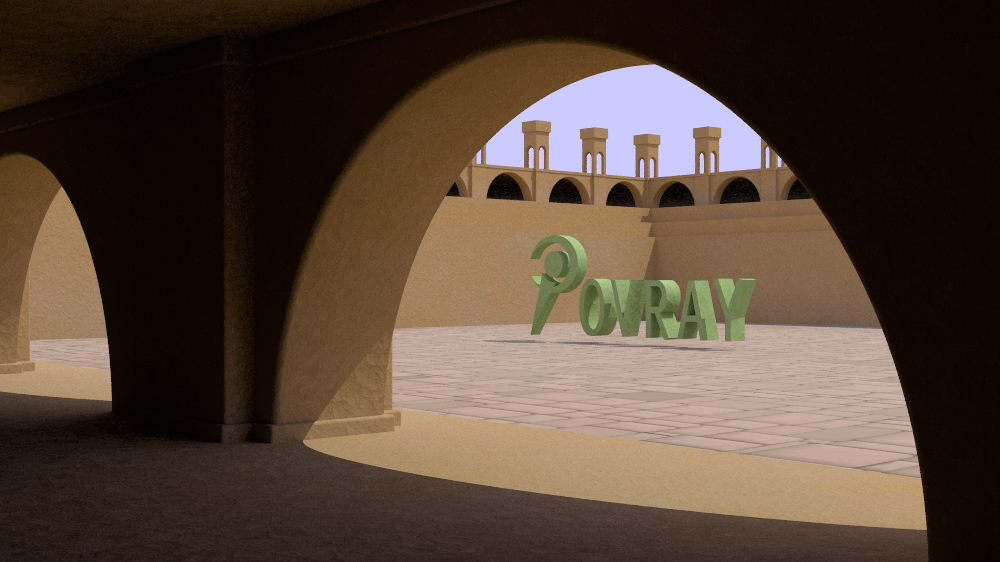
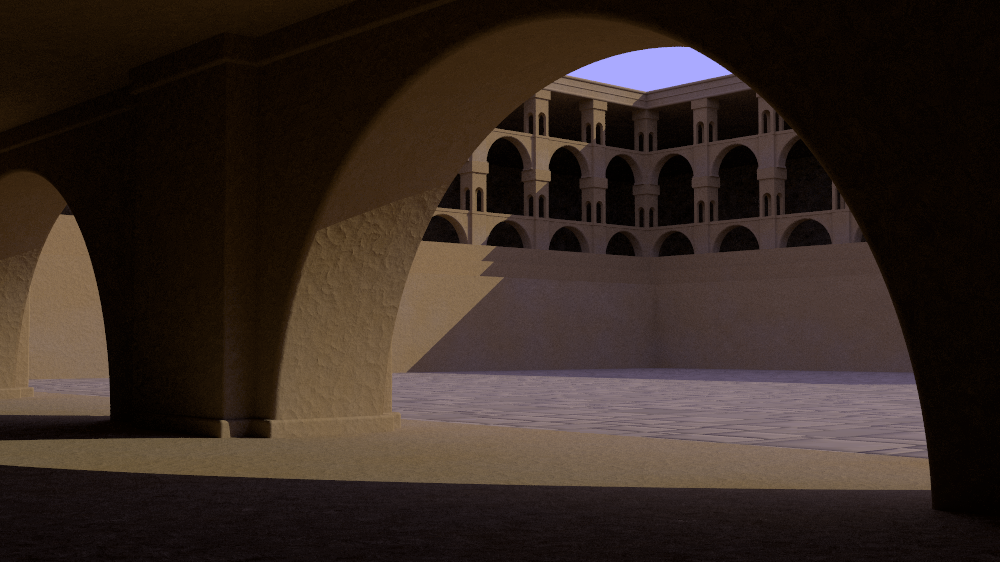
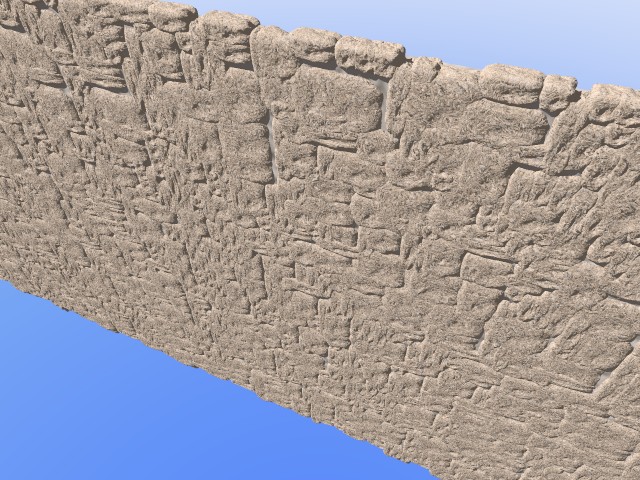
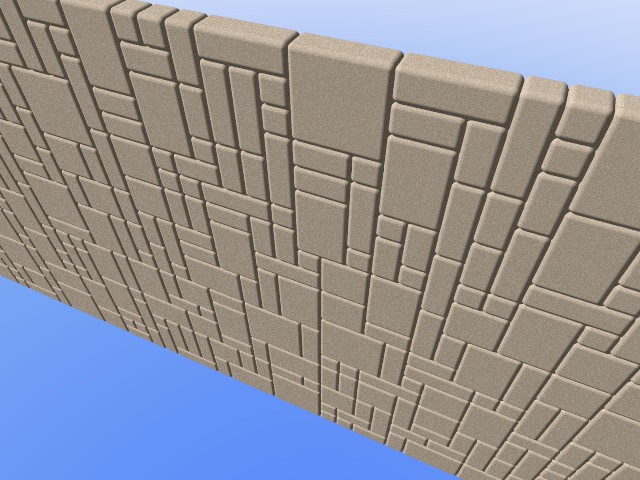
|
|
|
|
|
|
| |
| |
|
|
|
|
| |
| |
|
|
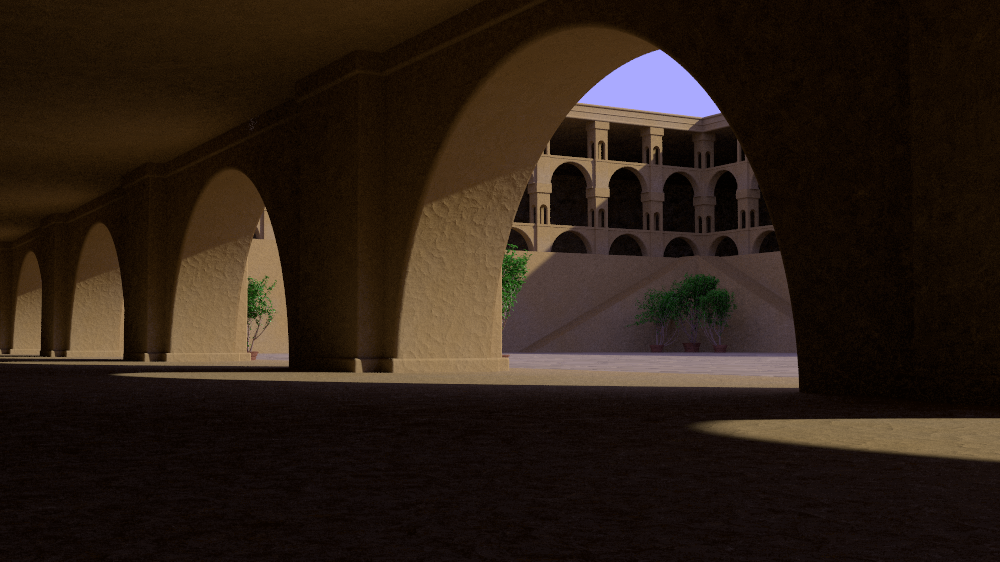
See p.general : a challenge of sorts

Recreating the image (provided scene is free of rights, update & change
as you wants)

There is room for improvements.

comment the arealight's line for a very quicker render (but stronger
shadows)
Post a reply to this message
Attachments:
Download 'pov.png' (123 KB)
Download 'pov.pov.txt' (3 KB)
Preview of image 'pov.png'

|
|
| |
| |
|
|
|
|
| |
| |
|
|
On 04/10/2011 09:38 AM, Le_Forgeron wrote:
> See p.general : a challenge of sorts
>
> Recreating the image (provided scene is free of rights, update&  change
> as you wants)
>
> There is room for improvements.
>
> comment the arealight's line for a very quicker render (but stronger
> shadows)

Thanks for getting the ball rolling on this ... If I can't get enough
momentum generated it could be useful. I really wanted to go in a
different direction that involved a scene rather than a banner approach
... here's what I mean.

A basic design that would lend itself to being easily a themed based
scene, for instance "summer vacation" ... In the foreground, water a
beach then a sea wall (the depth cue into the scene) ... POVRAY in
objects in the sand. Maybe a beached sailboat with "Persistence of
Vision" instead of a hull number ... the sea wall follows the shoreline
into scene then an out cropping with anything from a beach shack to a
mega-resort
Post a reply to this message
|
|
| |
| |
|
|
|
|
| |
| |
|
|
On 04/10/2011 10:35 AM, Jim Holsenback wrote:
> A basic design that would lend itself to being easily a themed based
> scene, for instance "summer vacation" ... In the foreground, water a
> beach then a sea wall (the depth cue into the scene) ... POVRAY in
> objects in the sand. Maybe a beached sailboat with "Persistence of
> Vision" instead of a hull number ... the sea wall follows the shoreline
> into scene then an out cropping with anything from a beach shack to a
> mega-resort

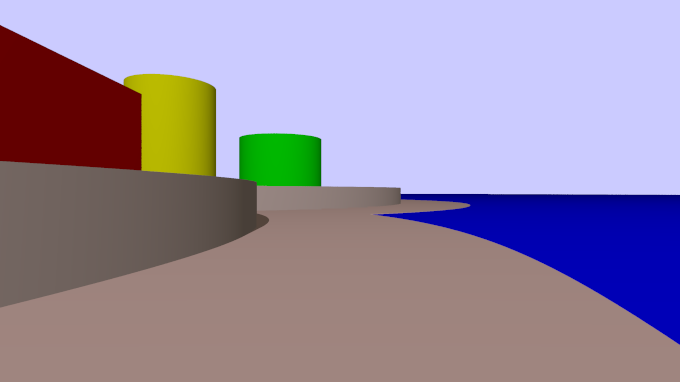
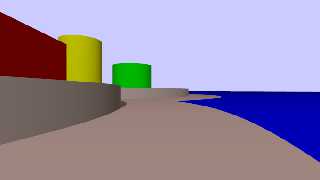
Here's a roughed out example of what I'm talking about, the scene file
is also attached. Anyone who'd like to help expand this idea or perhaps
another theme have a go, but let's keep it layout mode for now.

Jim
Post a reply to this message
Attachments:
Download 'newdocimg.png' (15 KB)
Download 'newdocimg.pov.txt' (3 KB)
Preview of image 'newdocimg.png'
|
|
| |
| |
|
|
|
|
| |
| |
|
|
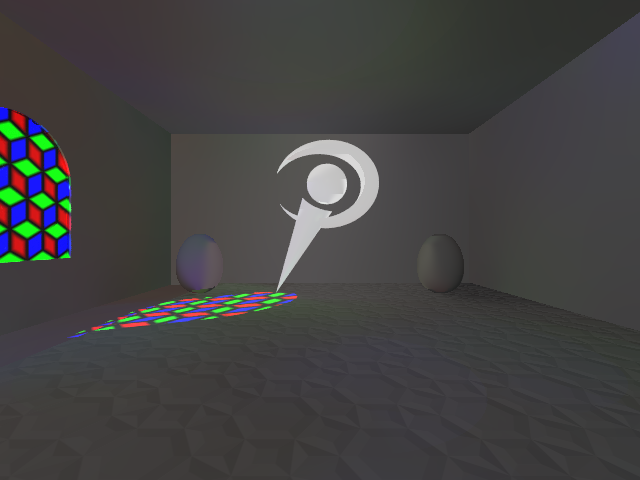
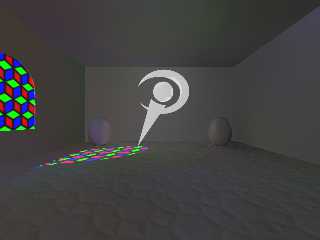
How about a "temple of new features"?

Probably room for a candle or two in that scheme ;)
Post a reply to this message
Attachments:
Download 'temple.png' (113 KB)
Download 'temple.pov.txt' (4 KB)
Preview of image 'temple.png'
|
|
| |
| |
|
|
|
|
| |
| |
|
|
On 04/10/2011 09:38 AM, Le_Forgeron wrote:
> See p.general : a challenge of sorts

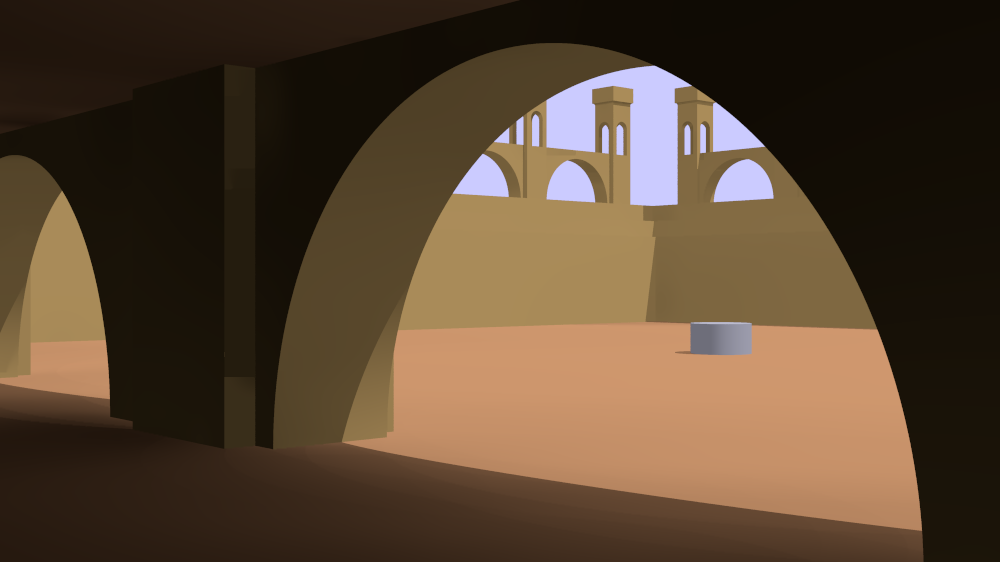
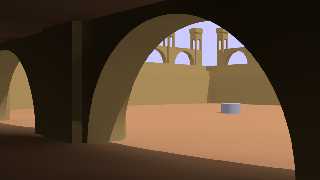
I've roughed out a basic setup and posted the scene files in
p.t.scene-files ... as it's setup it will render the basic shot I'm
looking for w/radiosity (but hey I'm open to a different view)

I'm interested in refining the arch setup ... If someone thinks they'd
like to give that a go that would be great as it's one of the scene main
objects. Don't really have an opinion ... individual blocks, a mesh, or
csg with procedural textures.

Change WorkMode to "yes" to get wider view of the overall scene ... the
cylinder is just a marker for the point of interest ;-)

Jim
Post a reply to this message
Attachments:
Download 'ndi.png' (91 KB)
Preview of image 'ndi.png'
|
|
| |
| |
|
|
|
|
| |
| |
|
|
Jim Holsenback <jho### [at] povray org> wrote:
> I've roughed out a basic setup and posted the scene files in
> p.t.scene-files ... as it's setup it will render the basic shot I'm
> looking for w/radiosity (but hey I'm open to a different view)
>
> I'm interested in refining the arch setup ... If someone thinks they'd
> like to give that a go that would be great as it's one of the scene main
> objects. Don't really have an opinion ... individual blocks, a mesh, or
> csg with procedural textures.
I've made no big changes to the overall setup, just added some rounded moulding,
slightly better radiosity and pigment encapsulation. The updated scene is over
in p.t.scene-files~
~Sam org> wrote:
> I've roughed out a basic setup and posted the scene files in
> p.t.scene-files ... as it's setup it will render the basic shot I'm
> looking for w/radiosity (but hey I'm open to a different view)
>
> I'm interested in refining the arch setup ... If someone thinks they'd
> like to give that a go that would be great as it's one of the scene main
> objects. Don't really have an opinion ... individual blocks, a mesh, or
> csg with procedural textures.
I've made no big changes to the overall setup, just added some rounded moulding,
slightly better radiosity and pigment encapsulation. The updated scene is over
in p.t.scene-files~
~Sam
Post a reply to this message
Attachments:
Download 'ndi-8m_00s.jpg' (64 KB)
Preview of image 'ndi-8m_00s.jpg'

|
|
| |
| |
|
|
|
|
| |
| |
|
|
On 04/17/2011 10:41 PM, Samuel Benge wrote:
> Jim Holsenback<jho### [at] povrayorg>  wrote:
>> I've roughed out a basic setup and posted the scene files in
>> p.t.scene-files ... as it's setup it will render the basic shot I'm
>> looking for w/radiosity (but hey I'm open to a different view)
>>
>> I'm interested in refining the arch setup ... If someone thinks they'd
>> like to give that a go that would be great as it's one of the scene main
>> objects. Don't really have an opinion ... individual blocks, a mesh, or
>> csg with procedural textures.
>
>
> I've made no big changes to the overall setup, just added some rounded moulding,
> slightly better radiosity and pigment encapsulation. The updated scene is over
> in p.t.scene-files~
>
> ~Sam
>

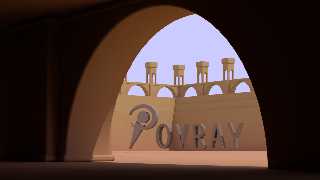
Integrated your changes with mine ... not settled with the POV-Ray just
added that to give an idea of how it's starting to shape up. I'll play
around some more with the background arches ... maybe another level up
... dunno. In the mean time if someone is into trying to come up with a
ground plane (thinking cobble stones) that would be cool.

updated sources in p.t.scene-files

Jim
Post a reply to this message
Attachments:
Download 'ndi.png' (161 KB)
Preview of image 'ndi.png'
|
|
| |
| |
|
|
|
|
| |
| |
|
|
Jim Holsenback <jho### [at] povrayorg> wrote:
>
> Integrated your changes with mine ... not settled with the POV-Ray just
> added that to give an idea of how it's starting to shape up. I'll play
> around some more with the background arches ... maybe another level up
> ... dunno. In the mean time if someone is into trying to come up with a
> ground plane (thinking cobble stones) that would be cool.

Cobble stones would be cool... I've got this procedural irregular bricks pattern
going, but it doesn't take well to low camera angles. It could probably be made
into an isosurface using one of its faster modes.

The POV logo is just a placeholder. Feel free to incorporate or reject any or
all changes :)

~Sam
Post a reply to this message
Attachments:
Download 'ndi-7m_57s.jpg' (148 KB)
Preview of image 'ndi-7m_57s.jpg'

|
|
| |
| |
|
|
|
|
| |
| |
|
|
On 04/18/2011 02:10 AM, Samuel Benge wrote:
> Jim Holsenback<jho### [at] povrayorg>  wrote:
>>
>> Integrated your changes with mine ... not settled with the POV-Ray just
>> added that to give an idea of how it's starting to shape up. I'll play
>> around some more with the background arches ... maybe another level up
>> ... dunno. In the mean time if someone is into trying to come up with a
>> ground plane (thinking cobble stones) that would be cool.
>
> Cobble stones would be cool... I've got this procedural irregular bricks pattern
> going, but it doesn't take well to low camera angles. It could probably be made
> into an isosurface using one of its faster modes.
>
> The POV logo is just a placeholder. Feel free to incorporate or reject any or
> all changes :)
>
> ~Sam

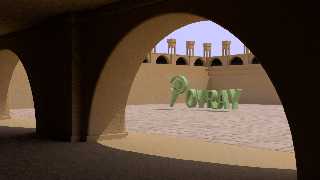
Hey this is really starting to take shape! I merged your
changes/additions and I've started to develop the next level. I think
I'm going to be able to duplicate the previous layer and just move it up
one level (background smaller arches) ... first I squared away the 3
near background level ups ... they are now at 5,6, and 7 respectively.

I've broken out the logo centerpiece into it's own include file as I see
that as the next piece of the puzzle. Rob McGregor mentioned that he'd
like to get involved ... Rob I'm thinking blobs and looks like a
sculpture, as a 1st pass idea, but not locked into that notion.

Also updated the files over in p.t-scene-files. Oh yeah ... really like
the texture work Sam ... nice job!

Jim
Post a reply to this message
Attachments:
Download 'ndi.png' (676 KB)
Preview of image 'ndi.png'
|
|
| |
| |
|
|
|
|
| |
| |
|
|
Jim Holsenback <jho### [at] povrayorg> wrote:
>
> Hey this is really starting to take shape! I merged your
> changes/additions and I've started to develop the next level. I think
> I'm going to be able to duplicate the previous layer and just move it up
> one level (background smaller arches) ... first I squared away the 3
> near background level ups ... they are now at 5,6, and 7 respectively.

It's looking good. Would a portcullis or some other open gate be doable? The
area seems kind of closed-in. Of course, there would need to be a backdrop, but
I'd be willing to throw some mountains out there.

> Also updated the files over in p.t-scene-files. Oh yeah ... really like
> the texture work Sam ... nice job!

Thanks! If I have the time I'll try to make the irregular bricks texture into
actual objects. I've been meaning to do that anyway, since having an irregular
brick macro might be handy...

Oh yeah, and since this will be a relatively small render, why not have some
isosurface foliage somewhere, like in the corners or on the tiers? They might
need to make use of radiosity importance sampling, but this scene is all about
new features, right :)
Post a reply to this message
|
|
| |
| |
|
|
|
|
| |
| |
|
|
Yes, this is going in the right direction. I have been experimenting with
cobblestones here,  but it turns out far worse than Sam's surface, so I
abandoned that idea.

Thomas
Post a reply to this message
|
|
| |
| |
|
|
|
|
| |
| |
|
|
Just out of curiosity: a semi-colon after union{}...?

Thomas
Post a reply to this message
|
|
| |
| |
|
|
|
|
| |
| |
|
|
On 04/18/2011 11:22 PM, Samuel Benge wrote:
> Jim Holsenback<jho### [at] povrayorg>  wrote:
>>
>> Hey this is really starting to take shape! I merged your
>> changes/additions and I've started to develop the next level. I think
>> I'm going to be able to duplicate the previous layer and just move it up
>> one level (background smaller arches) ... first I squared away the 3
>> near background level ups ... they are now at 5,6, and 7 respectively.
>
> It's looking good. Would a portcullis or some other open gate be doable? The
> area seems kind of closed-in. Of course, there would need to be a backdrop, but
> I'd be willing to throw some mountains out there.

Yes this closed in look was something I'd already been thinking about
... I'm still working on the 2nd tier arches. It duplicates easily in
the vertical as well I think that will be the 3rd tier as well.

I need a platform for the hoist to position the "P" so I was thinking of
bringing a copy of the 2nd tier down into the court-yard, but I don't
know how it will look

> Oh yeah, and since this will be a relatively small render, why not have some
> isosurface foliage somewhere, like in the corners or on the tiers? They might
> need to make use of radiosity importance sampling, but this scene is all about
> new features, right :)

Yes plants, urns that kind of stuff for the tiers ... that reminds me I
need to do some edge work there
Post a reply to this message
|
|
| |
| |
|
|
|
|
| |
| |
|
|
On 04/19/2011 04:18 AM, Thomas de Groot wrote:
> Just out of curiosity: a semi-colon after union{}...?
>
> Thomas
>
>
closing out a declare?
Post a reply to this message
|
|
| |
| |
|
|
|
|
| |
| |
|
|
On 04/19/2011 09:35 AM, Jim Holsenback wrote:
> On 04/18/2011 11:22 PM, Samuel Benge wrote:
>> Jim Holsenback<jho### [at] povrayorg> wrote:
>>>
>>> Hey this is really starting to take shape! I merged your
>>> changes/additions and I've started to develop the next level. I think
>>> I'm going to be able to duplicate the previous layer and just move it up
>>> one level (background smaller arches) ... first I squared away the 3
>>> near background level ups ... they are now at 5,6, and 7 respectively.
>>
>> It's looking good. Would a portcullis or some other open gate be
>> doable? The
>> area seems kind of closed-in. Of course, there would need to be a
>> backdrop, but
>> I'd be willing to throw some mountains out there.
>
> Yes this closed in look was something I'd already been thinking about
> ... I'm still working on the 2nd tier arches. It duplicates easily in
> the vertical as well I think that will be the 3rd tier as well.
>
> I need a platform for the hoist to position the "P" so I was thinking of
> bringing a copy of the 2nd tier down into the court-yard, but I don't
> know how it will look

LOL ... after I posted I thought a pair of staircases on the zdir and
xdir walls into the courtyard might look better (from the top of the 3
tiers to ground level) ... not all the way across but enough to leave a
riser in the +x/+z corner
Post a reply to this message
|
|
| |
| |
|
|
|
|
| |
| |
|
|
On 04/18/2011 04:45 PM, Jim Holsenback wrote:
> Hey this is really starting to take shape!

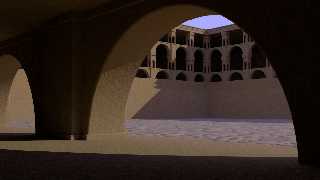
Here's what I've been able to do this morning. I hate it when RL
interferes with my raytracing ... I better get hot on my taxes!

Updated files over in p.t.scene-files as well

Jim
Post a reply to this message
Attachments:
Download 'ndi.png' (711 KB)
Preview of image 'ndi.png'
|
|
| |
| |
|
|
|
|
| |
| |
|
|
On 4/19/2011 8:38, Jim Holsenback wrote:
> Here's what I've been able to do this morning. I hate it when RL interferes
> with my raytracing ... I better get hot on my taxes!

This is looking impressively cool already.

--
Darren New, San Diego CA, USA (PST)
   "Coding without comments is like
    driving without turn signals."
Post a reply to this message
|
|
| |
| |
|
|
|
|
| |
| |
|
|
Jim Holsenback <jho### [at] povrayorg> wrote:
> I've broken out the logo centerpiece into it's own include file as I see
> that as the next piece of the puzzle. Rob McGregor mentioned that he'd
> like to get involved ... Rob I'm thinking blobs and looks like a
> sculpture, as a 1st pass idea, but not locked into that notion.

Sounds cool, I'll start working on the blob sculpture idea.

-------------------------------------------------
www.McGregorFineArt.com
Post a reply to this message
|
|
| |
| |
|
|
|
|
| |
| |
|
|
Le 2011/04/19 08:36, Jim Holsenback a écrit :
> On 04/19/2011 04:18 AM, Thomas de Groot wrote:
>> Just out of curiosity: a semi-colon after union{}...?
>>
>> Thomas
>>
>>
> closing out a declare?

Only needed when declaring a float or a vector.


Alain
Post a reply to this message
|
|
| |
| |
|
|
|
|
| |
| |
|
|
Jim Holsenback <jho### [at] povrayorg> wrote:
> On 04/18/2011 04:45 PM, Jim Holsenback wrote:
> > Hey this is really starting to take shape!
>
> Here's what I've been able to do this morning.

Everything's looking really great; that new setup is awesome!

> I hate it when RL
> interferes with my raytracing ... I better get hot on my taxes!

Yeah, that was pretty much me yesterday...

> Updated files over in p.t.scene-files as well

Me too. I brightened the sunlight, changed the area_light settings and made the
floor into actual tiles. Attached is a sample of the new macro.

~Sam
Post a reply to this message
Attachments:
Download 'otob.jpg' (83 KB)
Preview of image 'otob.jpg'

|
|
| |
| |
|
|
|
|
| |
| |
|
|
On 04/19/2011 02:20 PM, Robert McGregor wrote:
> Jim Holsenback<jho### [at] povrayorg>  wrote:
>> I've broken out the logo centerpiece into it's own include file as I see
>> that as the next piece of the puzzle. Rob McGregor mentioned that he'd
>> like to get involved ... Rob I'm thinking blobs and looks like a
>> sculpture, as a 1st pass idea, but not locked into that notion.
>
> Sounds cool, I'll start working on the blob sculpture idea.

Great Rob ... looking forward to seeing what you come up with :-)

On another topic: camera view ... I've been trying out some other
angles. Everyone who's been playing along give this view at shot and see
what you think:

#declare CamPos = <-10,1.4,-23>;
#declare LookAt = <22.1,0,33.15>;

That means we're going to need some eye candy for inside, but I really
like this shot.

I haven't looked at Sam's latest yet but I didn't notice a "view"
mention in his summary, so I thought I'd toss that out there ... another
even idea. It would be easy enough to duplicate the current position one
level up to get a better look (down) at the tile work in the courtyard.

Anyway ... I really appreciate everyones help. I'm amazed how quickly
it's starting to take shape

Jim
Post a reply to this message
|
|
| |
| |
|
|
|
|
| |
| |
|
|
On 4/19/2011 4:19 PM, Jim Holsenback wrote:
> On another topic: camera view ... I've been trying out some other
> angles. Everyone who's been playing along give this view at shot and see
> what you think:
>
> #declare CamPos = <-10,1.4,-23>;
> #declare LookAt = <22.1,0,33.15>;
>
> That means we're going to need some eye candy for inside, but I really
> like this shot.

I like that view. A /slight/ change in look_at might help balance things
out: #declare LookAt = <22.1, 3, 33.15>; That way the main arch isn't
being clipped strangely near the top, and the lower-right sun patch is
still in the picture.

The area_light settings I added might need to be fuzzier too, since it
would make everything look much bigger.

> I haven't looked at Sam's latest yet but I didn't notice a "view"
> mention in his summary, so I thought I'd toss that out there ... another
> even idea. It would be easy enough to duplicate the current position one
> level up to get a better look (down) at the tile work in the courtyard.

The tile work will definitely need to be expanded to accommodate
different views, but it should be easy to fix, and will only result in a
longer parse time.

I guess I should start making some potted plants now...

For a collaborative effort, it's really turning out nicely :)

~Sam
Post a reply to this message
|
|
| |
| |
|
|
|
|
| |
| |
|
|
"Alain" <aze### [at] qwertyorg> schreef in bericht
news:4dadf058@news.povray.org...
>
> Only needed when declaring a float or a vector.

Exactly. It seemed redundant to me.

Thomas
Post a reply to this message
|
|
| |
| |
|
|
|
|
| |
| |
|
|
Jim, the new architecture is a big improvement indeed. Sam, those tiles look
great. Something I have been wanting to do for some time....

Thomas
Post a reply to this message
|
|
| |
| |
|
|
|
|
| |
| |
|
|
On 04/20/2011 04:00 AM, Thomas de Groot wrote:
> Jim, the new architecture is a big improvement indeed. Sam, those tiles look
> great. Something I have been wanting to do for some time....
>
> Thomas
>
>
Thanks Thomas ... I like how the arches ended up being not only
repeatable in the horizontal, but vertical direction as well ... the
only drawback is at the end of the line you have to 180 and add an extra
arch to close it off (but not always) if a wall is the end point.

Jim
Post a reply to this message
|
|
| |
| |
|
|
|
|
| |
| |
|
|
On 04/19/2011 09:59 PM, stbenge wrote:
 > On 4/19/2011 4:19 PM, Jim Holsenback wrote:
 >> On another topic: camera view ... I've been trying out some other
 >> angles. Everyone who's been playing along give this view at shot and see
 >> what you think:
 >>
 >> #declare CamPos = <-10,1.4,-23>;
 >> #declare LookAt = <22.1,0,33.15>;
 >>
 >> That means we're going to need some eye candy for inside, but I really
 >> like this shot.
 >
 > I like that view. A /slight/ change in look_at might help balance things
 > out: #declare LookAt = <22.1, 3, 33.15>; That way the main arch isn't
 > being clipped strangely near the top, and the lower-right sun patch is
 > still in the picture.
 >
 > The area_light settings I added might need to be fuzzier too, since it
 > would make everything look much bigger.

Looked pretty close to me ...
how did you arrive at: area_light x*0.03*LightDist, z*0.03*LightDist 5,5
adaptive 3 jitter orient circular

(the 0.03 part) ... some ratio of FadeDist size?? I'm making some notes
for the write up

 > I guess I should start making some potted plants now...

posted (p.t.scene-files) a clay pot and under dish ... I've been getting
some good mileage out of them ... maybe they'll be useful

 > For a collaborative effort, it's really turning out nicely :)
 >

no kidding ... I'm really enjoying this :-)
Post a reply to this message
|
|
| |
| |
|
|
|
|
| |
| |
|
|
>Samuel Benge  on date 19/04/2011 23:24 wrote:
> Jim Holsenback<jho### [at] povrayorg>  wrote:
>> On 04/18/2011 04:45 PM, Jim Holsenback wrote:
>>> Hey this is really starting to take shape!
>>
>> Here's what I've been able to do this morning.
>
> Everything's looking really great; that new setup is awesome!
>
>> I hate it when RL
>> interferes with my raytracing ... I better get hot on my taxes!
>
> Yeah, that was pretty much me yesterday...
>
>> Updated files over in p.t.scene-files as well
>
> Me too. I brightened the sunlight, changed the area_light settings and made the
> floor into actual tiles. Attached is a sample of the new macro.
>
> ~Sam
Cool.
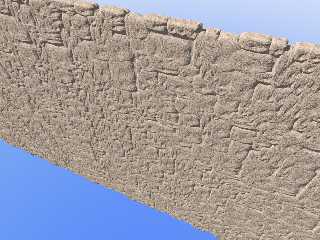
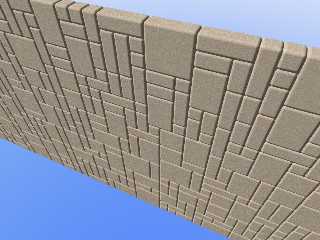
It'similar to my generator done for tc-rtc competition, but your code is
more elegant.
;-)
Paolo
Post a reply to this message
Attachments:
Download 'wall_version_2.jpg' (124 KB)
Download 'wall_version_1.jpg' (90 KB)
Preview of image 'wall_version_2.jpg'
Preview of image 'wall_version_1.jpg'
|
|
| |
| |
|
|
|
|
| |
| |
|
|
On 4/20/2011 4:13 AM, Jim Holsenback wrote:
> On 04/19/2011 09:59 PM, stbenge wrote:
>  > The area_light settings I added might need to be fuzzier too, since it
>  > would make everything look much bigger.
>
> Looked pretty close to me ...
> how did you arrive at: area_light x*0.03*LightDist, z*0.03*LightDist 5,5
> adaptive 3 jitter orient circular
>
> (the 0.03 part) ... some ratio of FadeDist size?? I'm making some notes
> for the write up

I just kept adjusting the value until it the size looked close, and of
course it had to work with LightDist, since it might change at some point.

>  > I guess I should start making some potted plants now...
>
> posted (p.t.scene-files) a clay pot and under dish ... I've been getting
> some good mileage out of them ... maybe they'll be useful

OK. I might start off making only a basic bladed plant.
Post a reply to this message
|
|
| |
| |
|
|
|
|
| |
| |
|
|
Paolo Gibellini <p.g### [at] gmailcom> wrote:
> >Samuel Benge  on date 19/04/2011 23:24 wrote:
> > Me too. I brightened the sunlight, changed the area_light settings and made the
> > floor into actual tiles. Attached is a sample of the new macro.
> >

> Cool.
> It'similar to my generator done for tc-rtc competition, but your code is
> more elegant.
> ;-)
> Paolo

Wow, I should check in over there more often. Great work! What are the technical
details of how it operates, if you don't mind my asking, Paolo?

It's one of those things I keep coming back to: how to make irregular bricks? A
very interesting, but difficult subject...
Post a reply to this message
|
|
| |
| |
|
|
|
|
| |
| |
|
|
On 4/20/2011 12:00 AM, Thomas de Groot wrote:
> Jim, the new architecture is a big improvement indeed. Sam, those tiles look
> great. Something I have been wanting to do for some time....

Thanks, Thomas. I've been working to get more variation from them, and
the results are slightly better. I hope to eventually release an
official version of the combined pigment and object includes...
Post a reply to this message
|
|
| |
| |
|
|
|
|
| |
| |
|
|
Le 2011/04/20 07:13, Jim Holsenback a écrit :

> Looked pretty close to me ...
> how did you arrive at: area_light x*0.03*LightDist, z*0.03*LightDist 5,5
> adaptive 3 jitter orient circular
>

Do you realise that adaptive 3 tries to start with a 9 by 9 aray?
adaptive 2 wants to start with a 5x5 aray.
You only get a gain for arays of at least 17x17, and should be beter
with 65x65 or 129x129...

That adaptive setting is like no adaptive at all. The bigest usefull
adaptive for a 5x5 aray is adaptive 1.


Alain
Post a reply to this message
|
|
| |
| |
|
|
|
|
| |
| |
|
|
On 04/20/2011 02:57 PM, stbenge wrote:
> OK. I might start off making only a basic bladed plant.

LOL maybe it should be trees ... All the work I did today was mostly
cosmetic and not worth posting an update for ... I did try to develop a
transition from the 2nd level into the court yard and rejected one or
two things before deciding that it has to be a stairway from the
+z-direction wall to the ground level. I think it'll be more harmonious
with the angle and direction of the light ... I like the shadow play on
the level ups and on up the face of the adjacent structure, also what's
coming through the big arches at the mid-line ... so I'll be forging
ahead with the staircase idea.

This place is huge ... at the stated scale the inside crest of the big
arches are 50ft off the deck ... I think I hear an echo ;-)
Post a reply to this message
|
|
| |
| |
|
|
|
|
| |
| |
|
|
"Samuel Benge" <stb### [at] hotmailcom> schreef in bericht
news:web.4daf20da9fd34d3ee691a85d0@news.povray.org...
> Wow, I should check in over there more often. Great work! What are the
> technical
> details of how it operates, if you don't mind my asking, Paolo?
>
> It's one of those things I keep coming back to: how to make irregular
> bricks? A
> very interesting, but difficult subject...


I second those words from Sam!

Irregular bricks seem easy but are very tricky to do.

Thomas
Post a reply to this message
|
|
| |
| |
|
|
|
|
| |
| |
|
|
>Samuel Benge  on date 20/04/2011 20:07 wrote:
> Paolo Gibellini<p.g### [at] gmailcom>  wrote:
>>> Samuel Benge  on date 19/04/2011 23:24 wrote:
>>> Me too. I brightened the sunlight, changed the area_light settings and made the
>>> floor into actual tiles. Attached is a sample of the new macro.
>>>
>
>> Cool.
>> It'similar to my generator done for tc-rtc competition, but your code is
>> more elegant.
>> ;-)
>> Paolo
>
> Wow, I should check in over there more often. Great work! What are the technical
> details of how it operates, if you don't mind my asking, Paolo?
>
> It's one of those things I keep coming back to: how to make irregular bricks? A
> very interesting, but difficult subject...
>
Thank you, Sam, but the bricks are simple isosurfaces.
The sources are in p.t.s.
;-)
Paolo
Post a reply to this message
|
|
| |
| |
|
|
|
|
| |
| |
|
|
On 4/21/2011 2:34 AM, Paolo Gibellini wrote:
>  >Samuel Benge on date 20/04/2011 20:07 wrote:
>> Paolo Gibellini<p.g### [at] gmailcom> wrote:
>>>> Samuel Benge on date 19/04/2011 23:24 wrote:
>>>> Me too. I brightened the sunlight, changed the area_light settings
>>>> and made the
>>>> floor into actual tiles. Attached is a sample of the new macro.
>>>>
>>
>>> Cool.
>>> It'similar to my generator done for tc-rtc competition, but your code is
>>> more elegant.
>>> ;-)
>>> Paolo
>>
>> Wow, I should check in over there more often. Great work! What are the
>> technical
>> details of how it operates, if you don't mind my asking, Paolo?
>>
>> It's one of those things I keep coming back to: how to make irregular
>> bricks? A
>> very interesting, but difficult subject...
>>
> Thank you, Sam, but the bricks are simple isosurfaces.
> The sources are in p.t.s.
> ;-)
> Paolo

It was the actual solving I was wondering about :) I think I get the
gist of how you did it: it looks at array entries to find free space and
places blocks accordingly...
Post a reply to this message
|
|
| |
| |
|
|
|
|
| |
| |
|
|
On 4/20/2011 11:25 AM, Alain wrote:
> Le 2011/04/20 07:13, Jim Holsenback a écrit :
>
>> Looked pretty close to me ...
>> how did you arrive at: area_light x*0.03*LightDist, z*0.03*LightDist 5,5
>> adaptive 3 jitter orient circular
>>
>
> Do you realise that adaptive 3 tries to start with a 9 by 9 aray?
> adaptive 2 wants to start with a 5x5 aray.
> You only get a gain for arays of at least 17x17, and should be beter
> with 65x65 or 129x129...
>
> That adaptive setting is like no adaptive at all. The bigest usefull
> adaptive for a 5x5 aray is adaptive 1.

OK. I'm still somewhat confused, but I'll give all of your responses a
closer look.
Post a reply to this message
|
|
| |
| |
|
|
|
|
| |
| |
|
|
Jim Holsenback <jho### [at] povrayorg> wrote:
> On 04/20/2011 02:57 PM, stbenge wrote:
> > OK. I might start off making only a basic bladed plant.
>
> LOL maybe it should be trees ...

OK... trees are not my strong suit, but I did manage to come up with the
attached this morning. As you can see, the leaves are too dense near the center
and not numerous enough near the tops of the branches. But if the tree's total
contribution to the scene is miniscule, then it might not matter much.

The backside illumination and importance sampling are working well though.
Post a reply to this message
Attachments:
Download 'tree-1m_04s.jpg' (100 KB)
Preview of image 'tree-1m_04s.jpg'

|
|
| |
| |
|
|
|
|
| |
| |
|
|
"Samuel Benge" <stb### [at] hotmailcom> wrote:
> Jim Holsenback <jho### [at] povrayorg> wrote:
> > On 04/20/2011 02:57 PM, stbenge wrote:
> > > OK. I might start off making only a basic bladed plant.
> >
> > LOL maybe it should be trees ...
>
> OK... trees are not my strong suit, but I did manage to come up with the
> attached this morning. As you can see, the leaves are too dense near the center
> and not numerous enough near the tops of the branches. But if the tree's total
> contribution to the scene is miniscule, then it might not matter much.
>
> The backside illumination and importance sampling are working well though.

Here's the new update... they look more natural now. You just supply the macro
with two parameters and it will grow a tree out of the flower pot you provided.
The file is over at p.t.scene-files.

~Sam
Post a reply to this message
Attachments:
Download 'treetest-4m_10s.jpg' (138 KB)
Preview of image 'treetest-4m_10s.jpg'

|
|
| |
| |
|
|
|
|
| |
| |
|
|
On 04/21/2011 05:29 PM, Samuel Benge wrote:
> "Samuel Benge"<stb### [at] hotmailcom>  wrote:
>> Jim Holsenback<jho### [at] povrayorg>  wrote:
>>> On 04/20/2011 02:57 PM, stbenge wrote:
>>>> OK. I might start off making only a basic bladed plant.
>>>
>>> LOL maybe it should be trees ...
>>
>> OK... trees are not my strong suit, but I did manage to come up with the
>> attached this morning. As you can see, the leaves are too dense near the center
>> and not numerous enough near the tops of the branches. But if the tree's total
>> contribution to the scene is miniscule, then it might not matter much.
>>
>> The backside illumination and importance sampling are working well though.
>
> Here's the new update... they look more natural now. You just supply the macro
> with two parameters and it will grow a tree out of the flower pot you provided.
> The file is over at p.t.scene-files.
>
> ~Sam
  Not too shabby! I on the other hand am still tinkering with the
staircase ... a lot of pieces that I've been transforming around in
different configurations, but nothing worth writing home about yet. I
think I'll give the trees a try maybe it's just the diversion I need ...
Cool!
Post a reply to this message
|
|
| |
| |
|
|
|
|
| |
| |
|
|
Jim Holsenback <jho### [at] povrayorg> wrote:
> On 04/21/2011 05:29 PM, Samuel Benge wrote:
> > "Samuel Benge"<stb### [at] hotmailcom>  wrote:
> >> Jim Holsenback<jho### [at] povrayorg>  wrote:
> >>> On 04/20/2011 02:57 PM, stbenge wrote:
> >>>> OK. I might start off making only a basic bladed plant.
> >>>
> >>> LOL maybe it should be trees ...
> >>
> >> OK... trees are not my strong suit, but I did manage to come up with the
> >> attached this morning. As you can see, the leaves are too dense near the center
> >> and not numerous enough near the tops of the branches. But if the tree's total
> >> contribution to the scene is miniscule, then it might not matter much.
> >>
> >> The backside illumination and importance sampling are working well though.
> >
> > Here's the new update... they look more natural now. You just supply the macro
> > with two parameters and it will grow a tree out of the flower pot you provided.
> > The file is over at p.t.scene-files.
> >
> > ~Sam
>   Not too shabby! I on the other hand am still tinkering with the
> staircase ... a lot of pieces that I've been transforming around in
> different configurations, but nothing worth writing home about yet. I
> think I'll give the trees a try maybe it's just the diversion I need ...
> Cool!

Thanks!

Here's a test involving hanging branches. Maybe the trees (shrubs) could be up
on pedestals?

~Sam
Post a reply to this message
Attachments:
Download 'shrub-5m_04s.jpg' (123 KB)
Preview of image 'shrub-5m_04s.jpg'

|
|
| |
| |
|
|
|
|
| |
| |
|
|
"Samuel Benge" <stb### [at] hotmailcom> wrote:
>
> Here's a test involving hanging branches. Maybe the trees (shrubs) could be up
> on pedestals?
>

I went ahead and dropped the new version (potted shrub) over to the usual place.
Same leaf, though it connects more closely to the branches now. The leaves
change color near the ends, though they could be a little bluer to help
distinguish the plant from the other trees.

It takes a bit long to parse (over 12 seconds on my machine), so it might need
some preview settings (a lower Seg value).

~Sam
Post a reply to this message
Attachments:
Download 'shrubtest-1019-5m_14s.jpg' (105 KB)
Preview of image 'shrubtest-1019-5m_14s.jpg'

|
|
| |
| |
|
|
|
|
| |
| |
|
|
"Samuel Benge" <stb### [at] hotmailcom> wrote:
> "Samuel Benge" <stb### [at] hotmailcom> wrote:
> >
> > Here's a test involving hanging branches. Maybe the trees (shrubs) could be up
> > on pedestals?
> >
>
> I went ahead and dropped the new version (potted shrub) over to the usual place.
> Same leaf, though it connects more closely to the branches now. The leaves
> change color near the ends, though they could be a little bluer to help
> distinguish the plant from the other trees.
>
> It takes a bit long to parse (over 12 seconds on my machine), so it might need
> some preview settings (a lower Seg value).

Some pruned shrubs here. They might be a nicer option than the others, for a
courtyard anyway :) The spherical version parses fairly quickly. If you're
interested I'll get 'em ready... tomorrow... ;o
Post a reply to this message
Attachments:
Download 'shrubtest-pruned.jpg' (120 KB)
Preview of image 'shrubtest-pruned.jpg'

|
|
| |
| |
|
|
|
|
| |
| |
|
|
On Fri, 22 Apr 2011 03:10:22 +0200, Samuel Benge <stb### [at] hotmailcom>
wrote:

> "Samuel Benge" <stb### [at] hotmailcom> wrote:
>>
>> Here's a test involving hanging branches. Maybe the trees (shrubs)
>> could be up
>> on pedestals?
>>
>
> I went ahead and dropped the new version (potted shrub) over to the
> usual place.
> Same leaf, though it connects more closely to the branches now. The
> leaves
> change color near the ends, though they could be a little bluer to help
> distinguish the plant from the other trees.
>
> It takes a bit long to parse (over 12 seconds on my machine), so it
> might need
> some preview settings (a lower Seg value).
>
> ~Sam

Wow!

I was struggling with TomTree and PovTree to get hanging branches and here
you just did it!

--
-Nekar Xenos-
Post a reply to this message
|
|
| |
| |
|
|
|
|
| |
| |
|
|
On Thu, 21 Apr 2011 21:06:28 +0200, Samuel Benge <stb### [at] hotmailcom>
wrote:


> OK... trees are not my strong suit,

LOL


--
-Nekar Xenos-
Post a reply to this message
|
|
| |
| |
|
|
|
|
| |
| |
|
|
> It was the actual solving I was wondering about :) I think I get the
> gist of how you did it: it looks at array entries to find free space and
> places blocks accordingly...
Sure, I first thought about how to build a wall, then I tried the
easiest way to do it ...
;-)
Paolo
Post a reply to this message
|
|
| |
| |
|
|
|
|
| |
| |
|
|
>Samuel Benge  on date 22/04/2011 07:21 wrote:
> "Samuel Benge"<stb### [at] hotmailcom>  wrote:
>> "Samuel Benge"<stb### [at] hotmailcom>  wrote:
>>>
>>> Here's a test involving hanging branches. Maybe the trees (shrubs) could be up
>>> on pedestals?
>>>
>>
>> I went ahead and dropped the new version (potted shrub) over to the usual place.
>> Same leaf, though it connects more closely to the branches now. The leaves
>> change color near the ends, though they could be a little bluer to help
>> distinguish the plant from the other trees.
>>
>> It takes a bit long to parse (over 12 seconds on my machine), so it might need
>> some preview settings (a lower Seg value).
>
> Some pruned shrubs here. They might be a nicer option than the others, for a
> courtyard anyway :) The spherical version parses fairly quickly. If you're
> interested I'll get 'em ready... tomorrow... ;o
They are both beautiful!
Paolo
Post a reply to this message
|
|
| |
| |
|
|
|
|
| |
| |
|
|
"Nekar Xenos" <nek### [at] gmailcom> schreef in bericht
news:op.vubq4n1bufxv4h@xena...

> Wow!
>
> I was struggling with TomTree and PovTree to get hanging branches and here
> you just did it!

Yeah... me too... Here you see the really talented ones at work.
Fascinating!
I shall be studying carefully the code. There is so much to learn from those
guys :-)

Thomas
Post a reply to this message
|
|
| |
| |
|
|
|
|
| |
| |
|
|
On 04/22/2011 02:38 AM, Nekar Xenos wrote:
> On Thu, 21 Apr 2011 21:06:28 +0200, Samuel Benge <stb### [at] hotmailcom>
> wrote:
>
>
>> OK... trees are not my strong suit,
>
> LOL
>
>
No kidding ... Sam I've said it before, you're a wizard. I /really/ like
the pruned versions. I'm going to go ahead and use the latest tree
growing macro and start on placing a few trees in the scene. I resolved
the staircase issue (I was over complicating things) and I've been
working some on refining the camera pose.

I've updated two files ... the main scene file and the buildings file
that pickups up the staircase (low detail because of the distance from
camera) and some other minor changes ... the level ups in the courtyard
are gone inside wall is now at 47.8 and the courtyard tile pattern was
expanded to fit the slight gain in space.
Post a reply to this message
|
|
| |
| |
|
|
|
|
| |
| |
|
|
On 04/22/2011 02:21 AM, Samuel Benge wrote:
> "Samuel Benge"<stb### [at] hotmailcom>  wrote:
>> "Samuel Benge"<stb### [at] hotmailcom>  wrote:
>>>
>>> Here's a test involving hanging branches. Maybe the trees (shrubs) could be up
>>> on pedestals?
>>>
>>
>> I went ahead and dropped the new version (potted shrub) over to the usual place.
>> Same leaf, though it connects more closely to the branches now. The leaves
>> change color near the ends, though they could be a little bluer to help
>> distinguish the plant from the other trees.
>>
>> It takes a bit long to parse (over 12 seconds on my machine), so it might need
>> some preview settings (a lower Seg value).
>
> Some pruned shrubs here. They might be a nicer option than the others, for a
> courtyard anyway :) The spherical version parses fairly quickly. If you're
> interested I'll get 'em ready... tomorrow... ;o

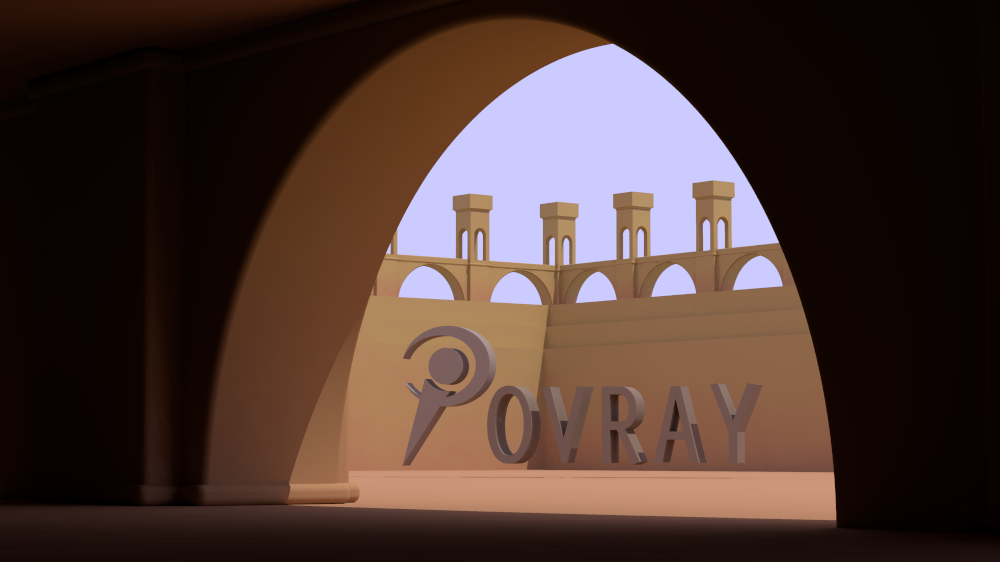
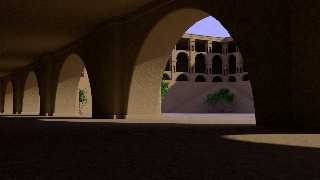
I hope the "pruned" version is as plug and play as 1st go round ... in
front of the big arches these were added at scale 0.5 the background
ones at 0.95 and 0.75 I do see some positioning (rotate y) opportunities
and I only did rough collision checking for now ... maybe pruned will
give me a hand by making the object zone a little more predictable.
Right now doing OK placing them just with knowledge of the geometry.

I'm starting to wonder if we should be showing the center piece inside.
If we do that maybe there should be a stage left hole punched into the
wall (out of cam view) to let some environment in to help radiosity.

You can also see a bit more of the sky in this shot ... hdr map?
Post a reply to this message
Attachments:
Download 'ndi.png' (729 KB)
Preview of image 'ndi.png'
|
|
| |
| |
|
|
|
|
| |
| |
|
|
Jim Holsenback <jho### [at] povrayorg> wrote:
> You can also see a bit more of the sky in this shot ... hdr map?

A sphere with a small blurry HDR map (with the no_image flag) would be good for
lighting.

I just uploaded a small change to the sky_sphere colors and added a media cloud
for some eye candy. Toggle on or off with the Render_Cloud switch.

-------------------------------------------------
www.McGregorFineArt.com
Post a reply to this message
|
|
| |
| |
|
|
|
|
| |