|
|
|
|
|
|
| |
| |
|
|
|
|
| |
| |
|
|
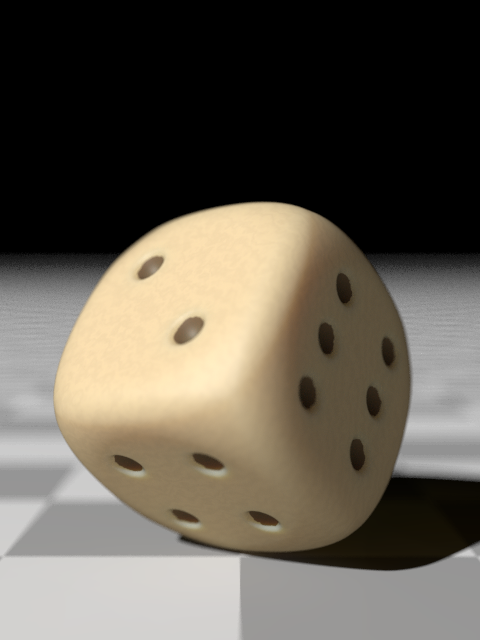
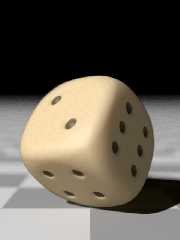
Ivory? Not sure (I've never seen real ivory in my life I guess), but I
think it makes a good texture for a die either way.
Post a reply to this message
Attachments:
Download 'ssltdie_.png' (165 KB)
Preview of image 'ssltdie_.png'
|
|
| |
| |
|
|
|
|
| |
| |
|
|
clipka <ano### [at] anonymous org> wrote:
> Ivory? Not sure (I've never seen real ivory in my life I guess), but I
> think it makes a good texture for a die either way.
That looks pretty close. I compared your image to some real ivory (fairly old,
brought back from Africa in the 1950's by some missionaries) and the actual
ivory is slightly less brown. Comparing the sub-surface light feature I'd say
it's also very close but possibly just a little exaggerated. I'm sure there are
natural variations though. That is the best-looking die I've seen. It would make
a great demo scene.
Regards,
Dave Blandston org> wrote:
> Ivory? Not sure (I've never seen real ivory in my life I guess), but I
> think it makes a good texture for a die either way.
That looks pretty close. I compared your image to some real ivory (fairly old,
brought back from Africa in the 1950's by some missionaries) and the actual
ivory is slightly less brown. Comparing the sub-surface light feature I'd say
it's also very close but possibly just a little exaggerated. I'm sure there are
natural variations though. That is the best-looking die I've seen. It would make
a great demo scene.
Regards,
Dave Blandston
Post a reply to this message
|
|
| |
| |
|
|
|
|
| |
| |
|
|
On 02/22/2011 12:57 PM, clipka wrote:
> Ivory? Not sure (I've never seen real ivory in my life I guess), but I
> think it makes a good texture for a die either way.
not too bad! the color is damn near spot on ... i've also been playing
with the changes you've checked in, and it has a better feel (the tuning
that is) ... nice job :-)
Post a reply to this message
|
|
| |
| |
|
|
|
|
| |
| |
|
|
clipka <ano### [at] anonymousorg> wrote:
> Ivory? Not sure (I've never seen real ivory in my life I guess), but I
> think it makes a good texture for a die either way.

Yes, very convincing! When do we get to play?

-------------------------------------------------
www.McGregorFineArt.com
Post a reply to this message
|
|
| |
| |
|
|
|
|
| |
| |
|
|
Am 22.02.2011 19:56, schrieb Dave Blandston:
> clipka<ano### [at] anonymousorg>  wrote:
>> Ivory? Not sure (I've never seen real ivory in my life I guess), but I
>> think it makes a good texture for a die either way.
>
> That looks pretty close. I compared your image to some real ivory (fairly old,
> brought back from Africa in the 1950's by some missionaries) and the actual
> ivory is slightly less brown. Comparing the sub-surface light feature I'd say
> it's also very close but possibly just a little exaggerated. I'm sure there are
> natural variations though.

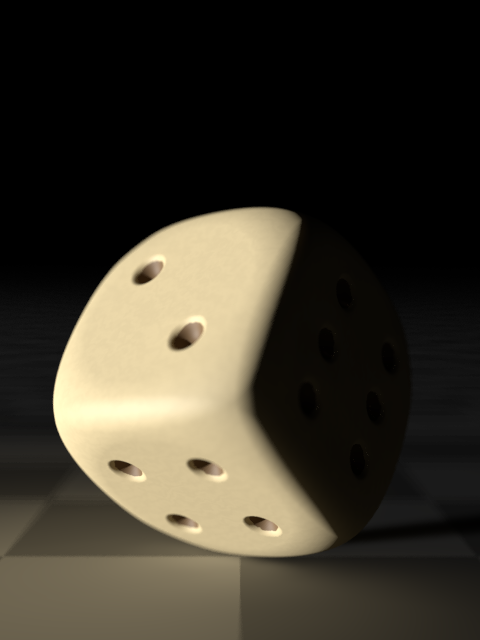
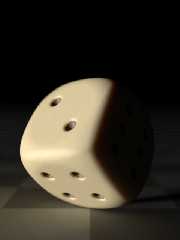
How about this one?

> That is the best-looking die I've seen. It would make
> a great demo scene.

Well, depends; a demo /image/, yes - but for a demo /scene/, it's not
really as simple as it looks.

The die is actually an isosurface I had modelled earlier for a different
scene; DON'T TRY THIS AT HOME WITH SSLT! Kudos to Kevin Loney, Jaap
Frank & Tor Olav Kristensen for their isosurface approximator include
file, which cut down the rendering time by a guesstimated 98-99% (!) to
"only" 3.5 hours.
Post a reply to this message
Attachments:
Download 'ssltdie_.png' (147 KB)
Preview of image 'ssltdie_.png'
|
|
| |
| |
|
|
|
|
| |
| |
|
|
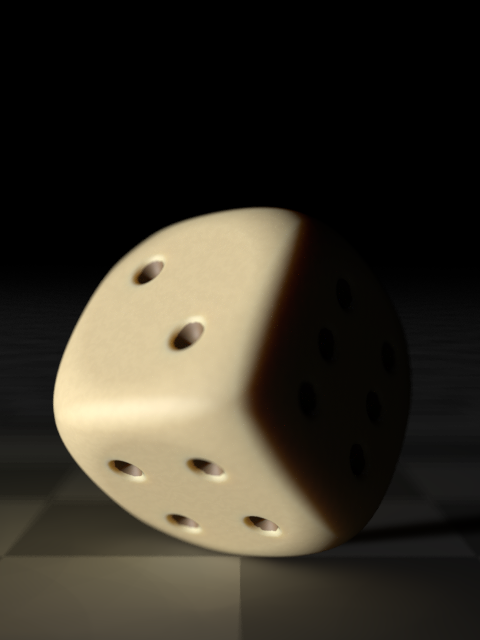
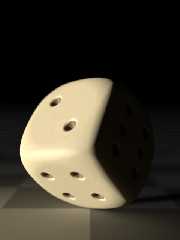
For comparison, a version without subsurface scattering.
Post a reply to this message
Attachments:
Download 'ssltdie_.png' (120 KB)
Preview of image 'ssltdie_.png'
|
|
| |
| |
|
|
|
|
| |
| |
|
|
clipka <ano### [at] anonymousorg> wrote:
> How about this one?

Perfect!

The with/without comparison is very interesting as well.

Regards,
Dave Blandston
Post a reply to this message
|
|
| |
| |
|
|
|
|
| |
| |
|
|
On 02/22/2011 08:40 PM, clipka wrote:
> The die is actually an isosurface I had modelled earlier for a different
> scene; DON'T TRY THIS AT HOME WITH SSLT! Kudos to Kevin Loney, Jaap
> Frank & Tor Olav Kristensen for their isosurface approximator include
> file, which cut down the rendering time by a guesstimated 98-99% (!) to
> "only" 3.5 hours.

no kidding ... why is that with isosurfaces the render times skyrocket
(besides the obvious isosurface slow downs) ... i tried to make coral
material for my mandel goodie and after overnight on 13% progress ...my
guess is that up until now that fairly simple objects have been used as
demo. you guys are getting fairly decent times with mesh objects am i
correct? iso's are just a more complicated surface to consider
(sslt-wise) is that the reason? btw: did that test with RC3 bits ...
should i expect similar performance with updated method?
Post a reply to this message
|
|
| |
| |
|
|
|
|
| |
| |
|
|
Jim Holsenback <jho### [at] povrayorg> wrote:
> you guys are getting fairly decent times with mesh objects am i
> correct? iso's are just a more complicated surface to consider
> (sslt-wise) is that the reason?

Yes, meshes typically render very quickly. Isosurfaces are always going to be
slow, there's so much math going on in there... and with transparency or SSLT,
yikes, that could be a real rendering-time nightmare.

-------------------------------------------------
www.McGregorFineArt.com
Post a reply to this message
|
|
| |
| |
|
|
|
|
| |
| |
|
|
On 23/02/2011 6:21 PM, Robert McGregor wrote:
> Yes, meshes typically render very quickly.

I second that.

--
Regards
     Stephen
Post a reply to this message
|
|
| |
| |
|
|
|
|
| |
| |
|
|
Am 23.02.2011 13:11, schrieb Jim Holsenback:
> no kidding ... why is that with isosurfaces the render times skyrocket
> (besides the obvious isosurface slow downs) ...

Actually it /is/ the obvious isosurface slow downs. SSLT is very
intersection-test-intensive, and that's exactly where isosurfaces suck.

> should i expect similar performance with updated method?

Yup. Updated stuff includes bugfixes & an easier-to-use syntax, but no
performance improvements yet.
Post a reply to this message
|
|
| |
| |
|
|
|
|
| |
| |
|
|
clipka <ano### [at] anonymousorg> wrote:
> Yup. Updated stuff includes bugfixes & an easier-to-use syntax, but no
> performance improvements yet.

I've noticed a weird X-pattern on superellipsoid faces with SSLT in RC3, just
wondering if you get the same thing with the new method.

Here's an image that illustrates what I mean - the left superellipsoid has the
X-pattern (like triangular faces with non-planar normals), the right
superellipsoid is the exact same but with no SSLT and using reflection &
transmit instead, but it looks as expected.

So, how does your die scene look using a superellipsoid instead of the
isosurface approximation mesh?

-------------------------------------------------
www.McGregorFineArt.com
Post a reply to this message
Attachments:
Download 'sslt_embossed_superellipsoid.png' (217 KB)
Preview of image 'sslt_embossed_superellipsoid.png'

|
|
| |
| |
|
|
|
|
| |
| |
|
|
"Robert McGregor" <rob### [at] mcgregorfineartcom> wrote:
> I've noticed a weird X-pattern on superellipsoid faces with SSLT in RC3, just
> wondering if you get the same thing with the new method.
>
> Here's an image that illustrates what I mean - the left superellipsoid has the
> X-pattern (like triangular faces with non-planar normals), the right
> superellipsoid is the exact same but with no SSLT and using reflection &
> transmit instead, but it looks as expected.

For comparison here's an SSLT box using the same basic setup - no X-pattern in
the box though, just in the superellipsoid...

-------------------------------------------------
www.McGregorFineArt.com
Post a reply to this message
Attachments:
Download 'sslt_box.png' (284 KB)
Preview of image 'sslt_box.png'

|
|
| |
| |
|
|
|
|
| |
| |
|
|
Am 23.02.2011 23:14, schrieb Robert McGregor:
> I've noticed a weird X-pattern on superellipsoid faces with SSLT in RC3, just
> wondering if you get the same thing with the new method.
>
> Here's an image that illustrates what I mean - the left superellipsoid has the
> X-pattern (like triangular faces with non-planar normals), the right
> superellipsoid is the exact same but with no SSLT and using reflection&
> transmit instead, but it looks as expected.

Did you use radiosity for those images? If so, can you try again without
radiosity?

If it appears only when radiosity is enabled, chances are it will be
fixed with the next release.

Otherwise there might be some distance threshold hidden in the
superellipsoid intersection testing code; SSLT is quite sensitive to
such things, as it needs to shoot rays from just slightly below the
surface. I know that blobs have such issues, for instance. To really fix
that, I'd need to do some changes deep in the bowels of POV-Ray - which
of course is a no-go during release candidate phase.
Post a reply to this message
|
|
| |
| |
|
|
|
|
| |
| |
|
|
Am 23.02.2011 23:14, schrieb Robert McGregor:

> So, how does your die scene look using a superellipsoid instead of the
> isosurface approximation mesh?

No such artifacts here, so I'm optimistic that it's something I fixed.
Post a reply to this message
|
|
| |
| |
|
|
|
|
| |
| |
|
|
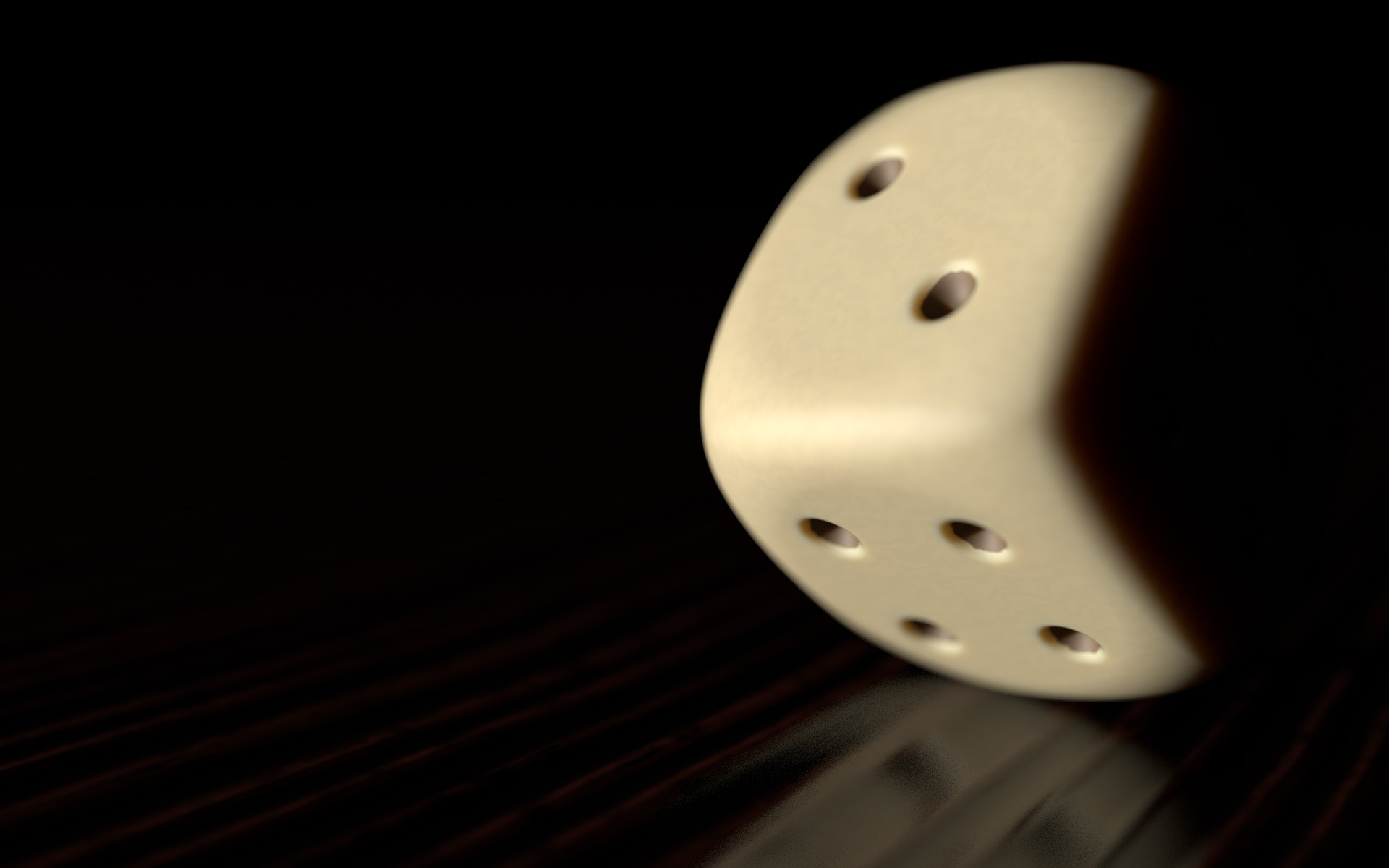
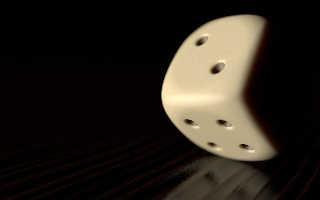
Render time 1 day 3 hours. I guess I quite like it by now...
Post a reply to this message
Attachments:
Download 'ssltdie_2011-02-24.jpg' (147 KB)
Preview of image 'ssltdie_2011-02-24.jpg'
|
|
| |
| |
|
|
|
|
| |
| |
|
|
On 23/02/2011 7:03 PM, Stephen wrote:
> On 23/02/2011 6:21 PM, Robert McGregor wrote:
>> Yes, meshes typically render very quickly.
>
> I second that.
>

But.
I'm having problems with the mm_per_unit as it seems to need adjusted
WRT each mesh. I'm running tests as we speak.

--
Regards
     Stephen
Post a reply to this message
|
|
| |
| |
|
|
|
|
| |
| |
|
|
clipka <ano### [at] anonymousorg> wrote:

> Did you use radiosity for those images? If so, can you try again without
> radiosity?
>
> If it appears only when radiosity is enabled, chances are it will be
> fixed with the next release.

Yes, definitely a radiosity issue! But it only seems to appear in conjunction
with an environment map using emission (jpeg, png, hdr, and exr all produce the
artifacts). Here is a simple scene and a few test renders that will hopefully
point you in the right direction for a fix.

//-----------------------------------------------------------------------------
#declare Use_Radiosity = 1;
#declare Use_HDR       = 1;

global_settings {
   #if (Use_Radiosity) radiosity { } #end
   mm_per_unit 10
}

camera {
   location <3.4, 1.6, -1.6>
   look_at  <0, 0, 0>
   right x*image_width/image_height
   angle 60
   rotate y*30
}

light_source { <-250, 10, 0> rgb 8 }

#if (Use_HDR)
   sphere { 0, 10000 hollow inverse
      //pigment { image_map { jpeg "sky3" interpolate 2 map_type 1 }}
      pigment { image_map { exr "probe_beach" interpolate 2 map_type 1 }}
      finish { ambient 0.25 emission 0.25 diffuse 0 }
      no_image
   }
#end

#declare P_SSLT_Apple = pigment { rgb <0.85, 0.84, 0.53> }
#declare F_SSLT_Apple =
   finish { subsurface { <2.29, 2.39, 1.97>, <0.0030, 0.0034, 0.046> } }
#declare T_SSLT_Apple =
   texture { pigment { P_SSLT_Apple } finish { F_SSLT_Apple } }

superellipsoid { <0.1, 0.1> texture { T_SSLT_Apple } }
//-----------------------------------------------------------------------------

Cheers,
Rob
-------------------------------------------------
www.McGregorFineArt.com
Post a reply to this message
Attachments:
Download 'sslt_emission_issue.png' (271 KB)
Preview of image 'sslt_emission_issue.png'

|
|
| |
| |
|
|
|
|
| |
| |
|
|
Am 24.02.2011 14:44, schrieb Robert McGregor:
>> If it appears only when radiosity is enabled, chances are it will be
>> fixed with the next release.
>
> Yes, definitely a radiosity issue! But it only seems to appear in conjunction
> with an environment map using emission (jpeg, png, hdr, and exr all produce the
> artifacts). Here is a simple scene and a few test renders that will hopefully
> point you in the right direction for a fix.

Thanks, but those artifacts look very familiar to me, from a bug I've
already eliminated. That, too, did only appear with radiosity, so I'm
pretty sure your issue has been taken care of.
Post a reply to this message
|
|
| |
| |
|
|
|
|
| |
| |
|
|
Am 24.02.2011 12:19, schrieb Stephen:
> I'm having problems with the mm_per_unit as it seems to need adjusted
> WRT each mesh. I'm running tests as we speak.

Nope - I'm pretty sure that's not the case.

There are some issues though that may be related to what you experience;
for instance, SSLT doesn't yet know about unions, and needs meshes to be
closed for realism; as your lamp Vicky comes in partial meshes, that's
currently my best bet for what might cause you trouble.
Post a reply to this message
|
|
| |
| |
|
|
|
|
| |
| |
|
|
On 24/02/2011 3:26 PM, clipka wrote:
> Am 24.02.2011 12:19, schrieb Stephen:
>> I'm having problems with the mm_per_unit as it seems to need adjusted
>> WRT each mesh. I'm running tests as we speak.
>
> Nope - I'm pretty sure that's not the case.
>

I have a vague idea that it might be related to the scale of the model
not the actual size of the model in PovRay. For instance I got better
looking results with Vicky when I set the mm_per_unit as if she was
1676.4 mm not the 228.6 mm she was scaled in the scene.
But then you wrote the code and what do I know. So I am experimenting
with mm_per_unit, scattering values and material scales.

> There are some issues though that may be related to what you experience;
> for instance, SSLT doesn't yet know about unions, and needs meshes to be
> closed for realism; as your lamp Vicky comes in partial meshes, that's
> currently my best bet for what might cause you trouble.

I’ve noticed the problem with Unions so that is why I exported Vicky as
a DFX which is a single mesh. When I exported her as an OBJ the joins
were very obvious. As for the meshed being closed, I’ll need to look
into my models.

--
Regards
     Stephen
Post a reply to this message
|
|
| |
| |
|
|
|
|
| |
| |
|
|
Am 24.02.2011 17:24, schrieb Stephen:

> I have a vague idea that it might be related to the scale of the model
> not the actual size of the model in PovRay. For instance I got better
> looking results with Vicky when I set the mm_per_unit as if she was
> 1676.4 mm not the 228.6 mm she was scaled in the scene.
> But then you wrote the code and what do I know. So I am experimenting
> with mm_per_unit, scattering values and material scales.

I'd recommend leaving mm_per_unit as it /should/ be. If that doesn't
give you the proper look, it's the scattering parameters that need tweaking.

> I’ve noticed the problem with Unions so that is why I exported Vicky as
> a DFX which is a single mesh. When I exported her as an OBJ the joins
> were very obvious. As for the meshed being closed, I’ll need to look
> into my models.

No need to have it /perfectly/ closed. As far as that goes, SSLT should
be rather robust.
Post a reply to this message
|
|
| |
| |
|
|
|
|
| |
| |
|
|
clipka <ano### [at] anonymousorg> wrote:
> Am 24.02.2011 17:24, schrieb Stephen:
>
> > I have a vague idea that it might be related to the scale of the model
> > not the actual size of the model in PovRay. For instance I got better
> > looking results with Vicky when I set the mm_per_unit as if she was
> > 1676.4 mm not the 228.6 mm she was scaled in the scene.
> > But then you wrote the code and what do I know. So I am experimenting
> > with mm_per_unit, scattering values and material scales.
>
> I'd recommend leaving mm_per_unit as it /should/ be. If that doesn't
> give you the proper look, it's the scattering parameters that need tweaking.
>

It’s more than tweaking they need :-)
I now suspect I am using a mesh that’s not suitable.
Does SSLT support Texture Maps where each texture has its own finish and
subsurface {values}?

> > I’ve noticed the problem with Unions so that is why I exported Vicky as
> > a DFX which is a single mesh. When I exported her as an OBJ the joins
> > were very obvious. As for the meshed being closed, I’ll need to look
> > into my models.
>
> No need to have it /perfectly/ closed. As far as that goes, SSLT should
> be rather robust.

Good, the mesh I'm using has a few triangles that are only connected at two
vertexes.

To give you an idea of what the mesh is like:
Post a reply to this message
Attachments:
Download 'buddha_01d2_0006.jpg' (73 KB)
Preview of image 'buddha_01d2_0006.jpg'

|
|
| |
| |
|
|
|
|
| |
| |
|
|
On 02/24/2011 03:37 PM, clipka wrote:
> Am 24.02.2011 17:24, schrieb Stephen:
>
>> I have a vague idea that it might be related to the scale of the model
>> not the actual size of the model in PovRay. For instance I got better
>> looking results with Vicky when I set the mm_per_unit as if she was
>> 1676.4 mm not the 228.6 mm she was scaled in the scene.
>> But then you wrote the code and what do I know. So I am experimenting
>> with mm_per_unit, scattering values and material scales.
>
> I'd recommend leaving mm_per_unit as it /should/ be. If that doesn't
> give you the proper look, it's the scattering parameters that need
> tweaking.

are you implying the default value here? I'm trying to pick up some of
these comments in the doc entry.
Post a reply to this message
|
|
| |
| |
|
|
|
|
| |
| |
|
|
Am 25.02.2011 15:40, schrieb Jim Holsenback:

>> I'd recommend leaving mm_per_unit as it /should/ be. If that doesn't
>> give you the proper look, it's the scattering parameters that need
>> tweaking.
>
> are you implying the default value here? I'm trying to pick up some of
> these comments in the doc entry.

No, I'm implying the "true" scale of the scene.
Post a reply to this message
|
|
| |
| |
|
|
|
|
| |