|
|
|
|
|
|
| |
| |
|
|
|
|
| |
| |
|
|
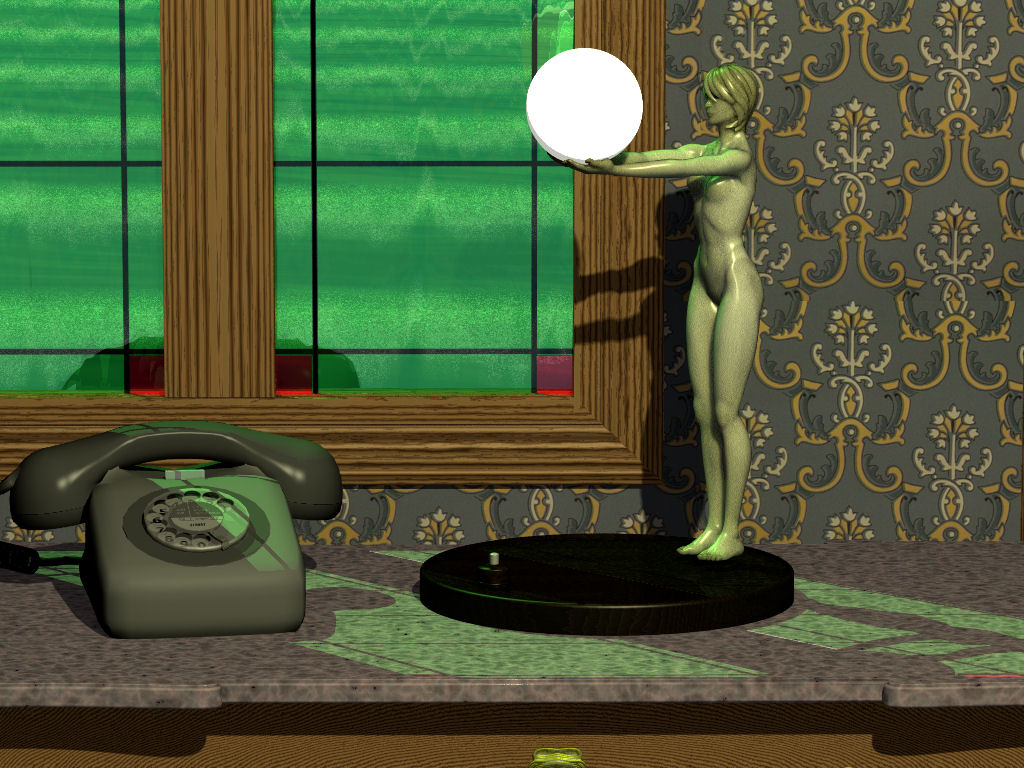
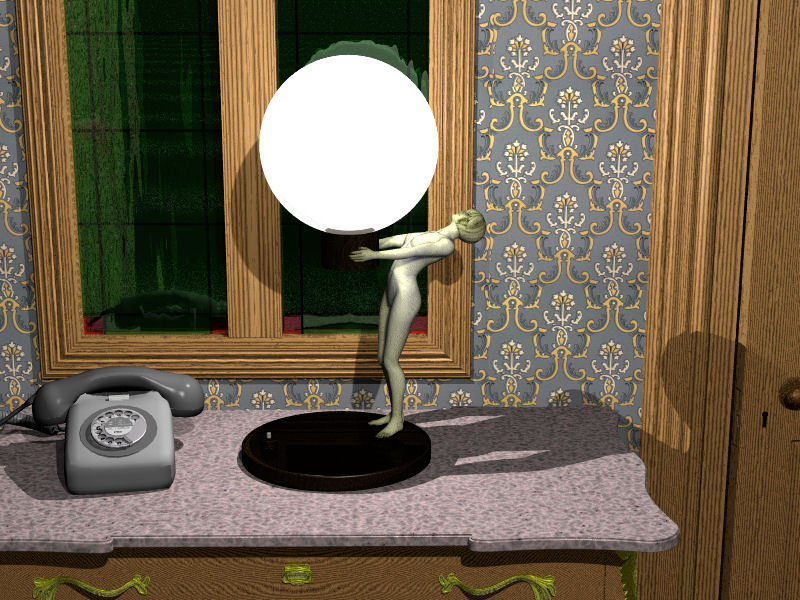
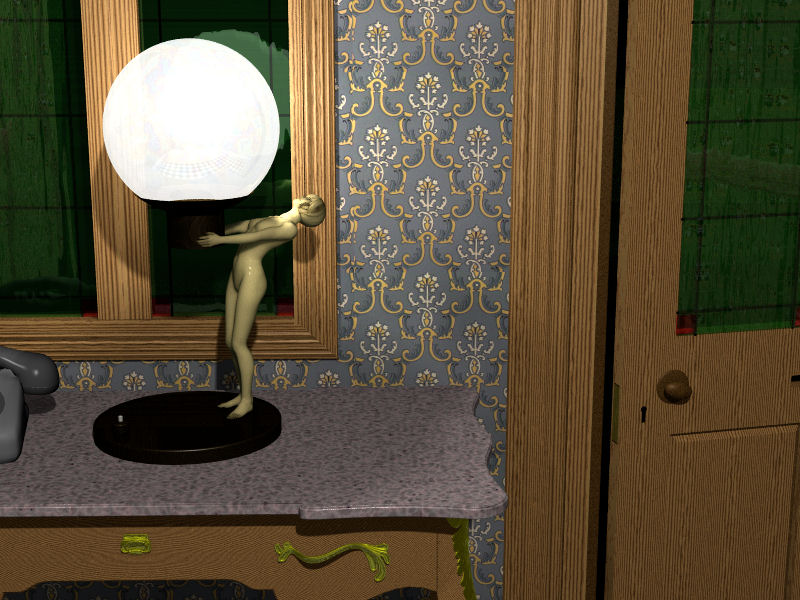
I’ve been playing with SSLT and tried to create an Art Nouveau style
lamp. The figure is supposed to be made of ivory.
I know that the values for subsurface { <R,G,B>, <R,G,B>} should be
measured values but the PDF document, »A Practical Model for Subsurface
Light Transport does not give any values for ivory. Does anyone have any
ideas how to fudge them?

Comments and ideas welcome.

--
Regards
     Stephen
Post a reply to this message
Attachments:
Download 'lamp03c3_.jpg' (185 KB)
Preview of image 'lamp03c3_.jpg'
|
|
| |
| |
|
|
|
|
| |
| |
|
|
Stephen <mcavoys_at@aoldotcom> wrote:
> I’ve been playing with SSLT and tried to create an Art Nouveau style
> lamp. The figure is supposed to be made of ivory.
> I know that the values for subsurface { <R,G,B>, <R,G,B>} should be
> measured values but the PDF document, »A Practical Model for Subsurface
> Light Transport does not give any values for ivory. Does anyone have any
> ideas how to fudge them?
>
> Comments and ideas welcome.
>
> --
> Regards
>      Stephen

Steven, I'm working on an SSLT how-to for the wiki and translated the materials
chart from that SSLT paper into the following textures (so I could see what they
really look like in POV-Ray). Maybe this will help you fudge some values for
ivory...

/*
From "A Practical Model for Subsurface Light Transport", Jensen, et. al.
-------------------------------------------------------------------------------
Material     Scattering          Absorbing                  Color (diffuse refl)
-------------------------------------------------------------------------------
Apple      = <2.29, 2.39, 1.97>, <0.0030, 0.0034, 0.046>   : <0.85, 0.84, 0.53>
Chicken1   = <0.15, 0.21, 0.38>, <0.015, 0.077, 0.19>      : <0.31, 0.15, 0.10>
Chicken2   = <0.19, 0.25, 0.32>, <0.018, 0.088, 0.20>      : <0.32, 0.16, 0.10>
Cream      = <7.38, 5.47, 3.15>, <0.0002, 0.0028, 0.0163>  : <0.98, 0.90, 0.73>
Ketchup    = <0.18, 0.07, 0.03>, <0.061, 0.97, 1.45>       : <0.16, 0.01, 0.00>
Marble     = <2.19, 2.62, 3.00>, <0.0021, 0.0041, 0.0071>  : <0.83, 0.79, 0.75>
Potato     = <0.68, 0.70, 0.55>, <0.0024, 0.0090, 0.12>    : <0.77, 0.62, 0.21>
Skimmilk   = <0.70, 1.22, 1.90>, <0.0014, 0.0025, 0.0142>  : <0.81, 0.81, 0.69>
Skin1      = <0.74, 0.88, 1.01>, <0.032, 0.17, 0.48>       : <0.44, 0.22, 0.13>
Skin2      = <1.09, 1.59, 1.79>, <0.013, 0.070, 0.145>     : <0.63, 0.44, 0.34>
Spectralon = <11.6, 20.4, 14.9>, <0.00, 0.00, 0.00>        : <1.00, 1.00, 1.00>
Wholemilk  = <2.55, 3.21, 3.77>, <0.0011, 0.0024, 0.014>   : <0.91, 0.88, 0.76>
-------------------------------------------------------------------------------
*/

// components
#declare P_SSLT_Apple = pigment { rgb <0.85, 0.84, 0.53> }
#declare F_SSLT_Apple =
   finish { subsurface { <2.29, 2.39, 1.97>, <0.0030, 0.0034, 0.046> } }

#declare P_SSLT_Chicken1 = pigment { rgb <0.31, 0.15, 0.10> }
#declare F_SSLT_Chicken1 =
   finish { subsurface { <0.15, 0.21, 0.38>, <0.015, 0.077, 0.19> } }

#declare P_SSLT_Chicken2 = pigment { rgb <0.32, 0.16, 0.10> }
#declare F_SSLT_Chicken2 =
   finish { subsurface { <0.19, 0.25, 0.32>, <0.018, 0.088, 0.20> } }

#declare P_SSLT_Cream = pigment { rgb  <0.98, 0.90, 0.73> }
#declare F_SSLT_Cream =
   finish { subsurface { <7.38, 5.47, 3.15>, <0.0002, 0.0028, 0.0163> } }

#declare P_SSLT_Ketchup = pigment { rgb  <0.16, 0.01, 0.00> }
#declare F_SSLT_Ketchup =
   finish { subsurface { <0.18, 0.07, 0.03>, <0.061, 0.97, 1.45> } }

#declare P_SSLT_Marble = pigment { rgb <0.83, 0.79, 0.75> }
#declare F_SSLT_Marble =
   finish { subsurface { <2.19, 2.62, 3.00>, <0.0021, 0.0041, 0.0071> } }

#declare P_SSLT_Potato = pigment { rgb <0.77, 0.62, 0.21> }
#declare F_SSLT_Potato =
   finish { subsurface { <0.68, 0.70, 0.55>, <0.0024, 0.0090, 0.12>  } }

#declare P_SSLT_SkimMilk = pigment { rgb <0.81, 0.81, 0.69> }
#declare F_SSLT_SkimMilk =
   finish { subsurface {<0.70, 1.22, 1.90>, <0.0014, 0.0025, 0.0142> } }

#declare P_SSLT_Skin1 = pigment { rgb <0.44, 0.22, 0.13> }
#declare F_SSLT_Skin1 =
   finish { subsurface { <0.74, 0.88, 1.01>, <0.032, 0.17, 0.48> } }

#declare P_SSLT_Skin2 = pigment { rgb <0.63, 0.44, 0.34> }
#declare F_SSLT_Skin2 =
   finish { subsurface { <1.09, 1.59, 1.79>, <0.013, 0.070, 0.145> } }

#declare P_SSLT_Spectralon = pigment { rgb <1.00, 1.00, 1.00> }
#declare F_SSLT_Spectralon =
   finish { subsurface { <11.6, 20.4, 14.9>, <0.00, 0.00, 0.00> } }

#declare P_SSLT_Wholemilk = pigment { rgb <0.91, 0.88, 0.76> }
#declare F_SSLT_Wholemilk =
   finish { subsurface { <2.55, 3.21, 3.77>, <0.0011, 0.0024, 0.014> } }

// SSLT base textures
#declare T_SSLT_Apple = texture {
   pigment { P_SSLT_Apple }
   finish { F_SSLT_Apple }
}

#declare T_SSLT_Chicken1 = texture {
   pigment { P_SSLT_Chicken1 }
   finish { F_SSLT_Chicken1 }
}

#declare T_SSLT_Chicken2 = texture {
   pigment { P_SSLT_Chicken2 }
   finish { F_SSLT_Chicken2 }
}

#declare T_SSLT_Cream = texture {
   pigment { P_SSLT_Cream }
   finish { F_SSLT_Cream }
}

#declare T_SSLT_Ketchup = texture {
   pigment { P_SSLT_Ketchup }
   finish { F_SSLT_Ketchup }
}

#declare T_SSLT_Marble = texture {
   pigment { P_SSLT_Marble }
   finish { F_SSLT_Marble }
}

#declare T_SSLT_Potato = texture {
   pigment { P_SSLT_Potato }
   finish { F_SSLT_Potato }
}

#declare T_SSLT_SkimMilk = texture {
   pigment { P_SSLT_SkimMilk }
   finish { F_SSLT_SkimMilk }
}

#declare T_SSLT_Skin1 = texture {
   pigment { P_SSLT_Skin1 }
   finish { F_SSLT_Skin1 }
}

#declare T_SSLT_Skin2 = texture {
   pigment { P_SSLT_Skin2 }
   finish { F_SSLT_Skin2 }
}

#declare T_SSLT_Spectralon = texture {
   pigment { P_SSLT_Spectralon }
   finish { F_SSLT_Spectralon }
}

#declare T_SSLT_Wholemilk = texture {
   pigment { P_SSLT_Wholemilk }
   finish { F_SSLT_Wholemilk }
}

-------------------------------------------------
www.McGregorFineArt.com
Post a reply to this message
Attachments:
Download 'sslt_textures.png' (247 KB)
Preview of image 'sslt_textures.png'

|
|
| |
| |
|
|
|
|
| |
| |
|
|
On 12/02/2011 7:22 PM, Robert McGregor wrote:
> Steven, I'm working on an SSLT how-to for the wiki and translated the materials
> chart from that SSLT paper into the following textures (so I could see what they
> really look like in POV-Ray). Maybe this will help you fudge some values for
> ivory...

Thanks Robert, a “how-to” for the wiki will be useful.
I already extracted those figures into Excel so I could play with them
but you seemed to have missed out the Relative index of refraction. 1.3
for most of the materials and 1.5 for Marble (I assume that it is
important). I also found it useful to be able to change the specular and
roughness in my material.
I did not realise that it was subsurface { Scattering , Absorbing} so
that will help a lot, I think.


--
Regards
     Stephen
Post a reply to this message
|
|
| |
| |
|
|
|
|
| |
| |
|
|
On 02/12/2011 01:22 PM, Stephen wrote:
> I’ve been playing with SSLT and tried to create an Art Nouveau style
> lamp. The figure is supposed to be made of ivory.
> I know that the values for subsurface { <R,G,B>, <R,G,B>} should be
> measured values but the PDF document, »A Practical Model for Subsurface
> Light Transport does not give any values for ivory. Does anyone have any
> ideas how to fudge them?
>
> Comments and ideas welcome.
>
you've been doing some nice character work lately ... btw: had a lamp
fairly close to what you've got in the shop several years ago except her
arms were more upwards and the lamp globe was opalescent
Post a reply to this message
|
|
| |
| |
|
|
|
|
| |
| |
|
|
On 12/02/2011 8:21 PM, Jim Holsenback wrote:
> you've been doing some nice character work lately ...

Thanks Jim, I’ve even managed to post a RSOCP on the Bishop3D forum. I
did not post it here as I don’t want to help use up all the ideas. :-)

> btw: had a lamp
> fairly close to what you've got in the shop several years ago except her
> arms were more upwards and the lamp globe was opalescent

Oh! How much did it go for? I’ve seen a few but at the time they were
very fashionable and out of my price range. :-(
The complement is quite embarrassing as the last couple of models have
just been thrown together quickly (in about half an hour). This one’s
face is too modern and the hair style should be a bob but I just wanted
something quick.

--
Regards
     Stephen
Post a reply to this message
|
|
| |
| |
|
|
|
|
| |
| |
|
|
Stephen <mcavoys_at@aoldotcom> wrote:
> I already extracted those figures into Excel so I could play with them
> but you seemed to have missed out the Relative index of refraction. 1.3
> for most of the materials and 1.5 for Marble (I assume that it is
> important). I also found it useful to be able to change the specular and
> roughness in my material.

Well, the refraction would be at the material/object level, as part of the
interior. Water is IOR ~1.3, glass, jade, and pearl are ~1.5, and diamond is
~2.4, not sure what ivory would be.

Anyway, these are just textures that I defined as base SSLT-only textures.
I've noticed that the current SSLT implementation doesn't play well with complex
pigments like color_maps or image_maps; it just seems to ignore them. So I've
been experimenting with layered and patterned textures instead of just pure
SSLT, getting results like these (with spec, roughness, etc in non-SSLT
layers/patterns).

-------------------------------------------------
www.McGregorFineArt.com
Post a reply to this message
Attachments:
Download 'sslt_textures19.png' (310 KB)
Preview of image 'sslt_textures19.png'

|
|
| |
| |
|
|
|
|
| |
| |
|
|
"Robert McGregor" <rob### [at] mcgregorfineart com> wrote:
> not sure what ivory would be.
Okay, I just found this extensive IOR listing with ivory at IOR 1.54:
http://interactagram.com/physics/optics/refraction/ com> wrote:
> not sure what ivory would be.
Okay, I just found this extensive IOR listing with ivory at IOR 1.54:
http://interactagram.com/physics/optics/refraction/
Post a reply to this message
|
|
| |
| |
|
|
|
|
| |
| |
|
|
>
> Well, the refraction would be at the material/object level, as part of the
> interior. Water is IOR ~1.3, glass, jade, and pearl are ~1.5, and diamond is
> ~2.4, not sure what ivory would be.

> Okay, I just found this extensive IOR listing with ivory at IOR 1.54:

http://interactagram.com/physics/optics/refraction/

Excellent! Just bookmarked it, thanks.

> Anyway, these are just textures that I defined as base SSLT-only textures.

That's a problem with using a modeller, I don't know these coding
tricks. :-( I thought...

> I've noticed that the current SSLT implementation doesn't play well with complex
> pigments like color_maps or image_maps; it just seems to ignore them. So I've
> been experimenting with layered and patterned textures instead of just pure
> SSLT, getting results like these (with spec, roughness, etc in non-SSLT
> layers/patterns).
>

The Ketchup would make a good marble but I would not like to drink the
wholemilk. ;-)

The settings I used for my ivory were:
IOR 1.5
colour rgbft <0.914,0.906,0.620,0.000,0.000>
ambient     rgb <0.100,0.100,0.0945>
subsurface { <3,3,2> *
<0.914,0.906,0.620>,<0.914,0.906,0.620>*<0.914,0.906,0.620>/1000 }


--
Regards
     Stephen
Post a reply to this message
|
|
| |
| |
|
|
|
|
| |
| |
|
|
Am 12.02.2011 21:11, schrieb Stephen:

> but you seemed to have missed out the Relative index of refraction. 1.3
> for most of the materials and 1.5 for Marble (I assume that it is
> important).

Yup, 'tis.
Post a reply to this message
|
|
| |
| |
|
|
|
|
| |
| |
|
|
Le 2011/02/12 12:22, Stephen a écrit :
> I’ve been playing with SSLT and tried to create an Art Nouveau style
> lamp. The figure is supposed to be made of ivory.
> I know that the values for subsurface { <R,G,B>, <R,G,B>} should be
> measured values but the PDF document, »A Practical Model for Subsurface
> Light Transport does not give any values for ivory. Does anyone have any
> ideas how to fudge them?
>
> Comments and ideas welcome.
>

You may try the values for some bone or bone like materials. Ivory is
after all a kind of bone.

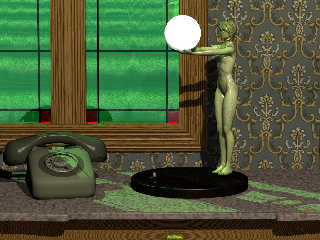
As it is now, the figurine lamp looks more like brass.


Alain
Post a reply to this message
|
|
| |
| |
|
|
|
|
| |
| |
|
|
On 13/02/2011 3:22 AM, Alain wrote:
>
> You may try the values for some bone or bone like materials. Ivory is
> after all a kind of bone.
>

Unfortunately the paper does not have any values for bone-like materials.

> As it is now, the figurine lamp looks more like brass.

I was going for an old ivory look so I expected it to be yellowish. But
you are right, I thought that the brassy look was from the green light
from the window. In isolation the hair and arms are still brassy.
Back to the drawing board.


--
Regards
     Stephen
Post a reply to this message
|
|
| |
| |
|
|
|
|
| |
| |
|
|
On 02/12/2011 04:49 PM, Stephen wrote:
>> On 12/02/2011 8:21 PM, Jim Holsenback wrote:
>> btw: had a lamp
>> fairly close to what you've got in the shop several years ago except her
>> arms were more upwards and the lamp globe was opalescent
>
> Oh! How much did it go for? I’ve seen a few but at the time they were
> very fashionable and out of my price range. :-(

yes some of them CAN be pricey ... especially now that some are getting
to be close to 100 years old (10/20 more years). conservative start at
$500/750 ... quadruple or more if it's a famous artist/maker like
tiffany (usually signed) once saw a pair of lamps (one table and one
standing) ... tiffany lily go at an auction for just under $10K
Post a reply to this message
|
|
| |
| |
|
|
|
|
| |
| |
|
|
Am 13.02.2011 04:22, schrieb Alain:

> You may try the values for some bone or bone like materials. Ivory is
> after all a kind of bone.

Not really. Unless you call teeth a kind of bone, too.
Post a reply to this message
|
|
| |
| |
|
|
|
|
| |
| |
|
|
Le 2011/02/13 12:18, clipka a écrit :
> Am 13.02.2011 04:22, schrieb Alain:
>
>> You may try the values for some bone or bone like materials. Ivory is
>> after all a kind of bone.
>
> Not really. Unless you call teeth a kind of bone, too.

In fact, teeth and bone are essentialy the same base material: calcium
carmonates.
The enamel covering a teeth is much harder and tranparent, but the
dentine under that is relatively close to bone and tend toward yellow-beige.

Usualy, ivory tend to be somewhat yellower than bone, even beige,
especialy after several years.
Ivory can get a beter polish due to a generaly higher density.


Alain
Post a reply to this message
|
|
| |
| |
|
|
|
|
| |
| |
|
|
On 13/02/2011 4:14 PM, Jim Holsenback wrote:
>> Oh! How much did it go for? I’ve seen a few but at the time they were
>> very fashionable and out of my price range. :-(
>
> yes some of them CAN be pricey ... especially now that some are getting
> to be close to 100 years old (10/20 more years). conservative start at
> $500/750 ... quadruple or more if it's a famous artist/maker like
> tiffany (usually signed) once saw a pair of lamps (one table and one
> standing) ... tiffany lily go at an auction for just under $10K
>

No wonder I only looked. I do have a couple of chromed barley sugar
twist lamps (Art Deco). I've never seen opalescent shades only frosted
white ones.
BTW do you have any code for "opalescent"?

--
Regards
     Stephen
Post a reply to this message
|
|
| |
| |
|
|
|
|
| |
| |
|
|
Alain <aze### [at] qwertyorg> wrote:
> In fact, teeth and bone are essentialy the same base material: calcium
> carmonates.

Calcium phosphate, for vertebrates.
Post a reply to this message
|
|
| |
| |
|
|
|
|
| |
| |
|
|
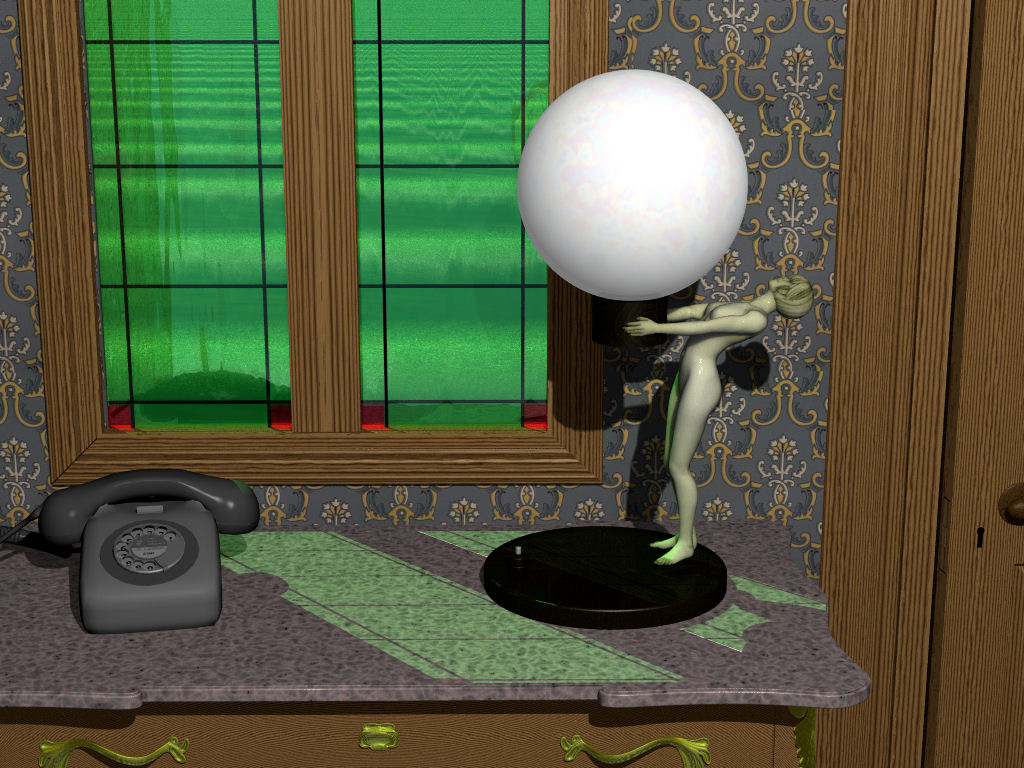
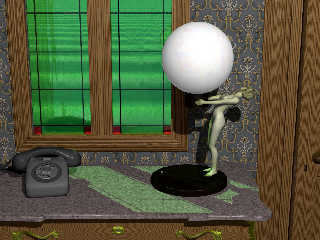
Another model, this time I used a DXF export from Poser as it is a
single mesh as opposed to the multiple meshes a OBJ export gives. I also
changed the room light from slightly yellow to white.
As an aside when the lamp is rendered in isolation on a chequered plane
the slight yellow cast in the fingers, toes and hair, disappears.


--
Regards
     Stephen
Post a reply to this message
Attachments:
Download 'roomv4lamp01a_01c4a_.jpg' (180 KB)
Preview of image 'roomv4lamp01a_01c4a_.jpg'
|
|
| |
| |
|
|
|
|
| |
| |
|
|
Stephen <mcavoys_at@aoldotcom> wrote:
> Another model, this time I used a DXF export from Poser as it is a
> single mesh as opposed to the multiple meshes a OBJ export gives. I also
> changed the room light from slightly yellow to white.
> As an aside when the lamp is rendered in isolation on a chequered plane
> the slight yellow cast in the fingers, toes and hair, disappears.
>
>
> --
> Regards
>      Stephen

That's looking good Steven. How does it look with the lamp switched on?

-------------------------------------------------
www.McGregorFineArt.com
Post a reply to this message
|
|
| |
| |
|
|
|
|
| |
| |
|
|
On 15/02/2011 10:32 PM, Robert McGregor wrote:

>
> That's looking good Steven. How does it look with the lamp switched on?
>

Absolutely terrible, I can’t get good results with “looks_like”. I get
shadows on a light source and “projected_through” just does not seem to
work. I had started to try radiosity after seeing Bruno’s great candle
but I’m having problems with that too.
But thanks for asking ;-)


--
Regards
     Stephen
Post a reply to this message
|
|
| |
| |
|
|
|
|
| |
| |
|
|
Stephen <mcavoys_at@aoldotcom> wrote:
> On 15/02/2011 10:32 PM, Robert McGregor wrote:
>
> >
> > That's looking good Steven. How does it look with the lamp switched on?
> >
>
> Absolutely terrible, I can’t get good results with “looks_like”. I get
> shadows on a light source and “projected_through” just does not seem to
> work. I had started to try radiosity after seeing Bruno’s great candle
> but I’m having problems with that too.
> But thanks for asking ;-)
>
>
> --
> Regards
>      Stephen

Here is another version of the SSLT candle experiment with corresponding code,
if this can help.

The big candle is 8cm high, and the checkered dome is 5m radius. Attempt for
flame is not satisfactory.

The monitor I used for this render is not calibrated, so I cannot guarantee for
light settings. I assumed the dome be lit by a very small amount, but
significantly visible. There is a balance to find between light power of flames,
fade_distance, and 'depth' of the light within the wax. In RL, the eye
compensates the relative illumination between dark scenes and to full day light.

Still trying to render what the eye actually sees in RL ...


Bruno


// -------------------------------------------

#version 3.7;

#include "colors.inc"

#declare m = 1;
#declare cm = m/100;
#declare mm = m/1000;
#declare FLAME_COLOR = (2*Orange+Yellow)/3;
#declare FLAME_POWER = 4;
#declare FLAME_FADE_DIST = 0.15*m;
#declare RAD_COUNT = 1600;
#declare SSLT_SAMPLES = <100, 50>*8;

#default { finish{ambient 0 emission 0}}

global_settings
{
    //assumed_gamma 2.2
    mm_per_unit 1/mm
    subsurface { samples SSLT_SAMPLES.x, SSLT_SAMPLES.y}

    radiosity
    {
        pretrace_start 32/image_width
        pretrace_end 4/image_width
        count RAD_COUNT
        error_bound 0.5
        nearest_count 15
        recursion_limit 2
        low_error_factor 1
        media on
    }
}

// ----------------------------------------

camera {
  location  <0.0, 1.5, -4.0>*8*cm
  direction 1.5*z
  right     x*image_width/image_height
  look_at   <0.5, 1.0,  0.0>*8*cm
}

#declare O_Skysphere = sky_sphere {
  pigment {
    gradient y
    color_map {
      [0.0 rgb <0.6,0.7,1.0>]
      [0.7 rgb <0.0,0.1,0.8>]
    }
  }
}

#declare LS_Lamp = light_source {<-5, 5, -5>*m color rgb 0.2}

#macro makeLSCandle(_power)
    #local _ret = light_source
    {
      0
      color rgb FLAME_POWER*FLAME_COLOR*_power
      area_light 1*cm*x, 2*cm*y, 20, 20
      adaptive 1 circular orient
      area_illumination on
      fade_power 2
      fade_distance FLAME_FADE_DIST
      //looks_like {sphere {0, 0.03 pigment {Red}}}
      translate 2.2*y
      scale 1/2
      scale 8*cm
      translate 0.3*cm*y
    }
    _ret
#end

// ----------------------------------------

// a checkered white marble / grey "plastic" plane
#declare O_Floor_ss = plane
{
  y, -1*cm
  texture
  {
    checker
    texture
    {
      pigment { color rgb 1 }
      finish
      {
        specular 0.6
     ambient 0
        //reflection { 0.2 }
        // marble physical parameters from Jensen et al. "A Practical Model for
Subsurface Light Transport", Siggraph 2001
        subsurface { <2.19,2.62,3.00>,<0.0021, 0.0041, 0.0071> }
      }
    }
    texture
    {
      pigment { color rgb 1 }
      finish
      {
        specular 0.6
        diffuse 0.9
        //reflection { 0.2 }
        ambient 0
      }
    }
    scale 1*m
  }
  interior { ior 1.5 }
}

#declare O_Floor = plane
{
    y, -1*cm
    pigment {rgb 1}
}
// the classic chrome sphere
#declare O_ChromeSphere = sphere
{
    <1.5,0.7,1>*m, 0.7*m
    pigment { color rgb 1 }
    finish
    {
        ambient 0 diffuse 0
        specular 0.7  roughness 0.01
        reflection { 0.7 metallic }
  }
}

// a candle...
#declare O_CandleBody = blob
{
  threshold 0.5
  cylinder { <0.0, 0.0,  0.0>,
             <0.0, 2.0,  0.0>,  1.0,   1.0 } // candle "body"
  sphere   { <0.0, 2.5,  0.0>,  0.8,  -2.0 } // (used to shape the candle top)
  sphere   { <0.0,-0.52, 0.0>,  0.8,  -2.0 } // (used to shape the candle
bottom)
  sphere   { <0.0, 2.0, -0.5>,  0.1,  -0.2 } // the "notch" where wax runs over
  cylinder { <0.0, 1.88,-0.52>,
             <0.0, 1.5, -0.52>, 0.05,  0.2 } // a streak of wax running over
  sphere   { <0.0, 1.5, -0.55>, 0.07,  0.2 } // a drop of of wax running over
  texture
  {
    //pigment {wrinlkles scale 0.1 color_map {[ 0.3 Blue] [0.3 Red]}}
    pigment {rgb 1}
    finish
    {
      specular 0.2 roughness 0.2
      ambient 0
      // "artificial" wax parameters
      subsurface { < 1.6732, 1.2806, 0.6947>,< 0.0005, 0.0018, 0.0131> }
    }
  }
  scale 1/2
  scale 8*cm
  interior { ior 1.45 }
  rotate -y*45
}

// ... and the wick
#declare O_Wick = cylinder
{
    0, 1*cm*y, 1*mm
    pigment {rgb 0.05}
    translate 7.5*cm*y
}

#declare O_Flame = ovus
{
    3.5*mm, 3*mm
    pigment {rgbt 1}
    //finish {emission 1}
    hollow
    interior
    {
        media
        {
            samples 50
            scattering {1, 3/(1*cm)}
            absorption 6/(1*cm)
            density {spherical scale 2 warp {turbulence 0.7 octaves 8} scale 1/2
scale 0.3*cm scale 2*y translate -1*mm*y }
            density {spherical scale 0.3*cm scale 2*y translate -1*mm*y }
            density {spherical scale 0.3*cm scale 2*y translate -1*mm*y }
        }
    }
    scale 3
    translate 9*cm*y
    no_shadow
}


#macro makeCandle(_power)
    union
    {
        light_source {makeLSCandle(_power)}
        object {O_CandleBody}
        object {O_Wick}
        object {O_Flame}
    }
#end

#declare O_Dome = sphere
{
    0, 5*m
    hollow
    pigment {checker scale 0.1*m}
}

//light_source {LS_Lamp}
object {O_Floor}
object {makeCandle(1) rotate 45*y}
object {makeCandle(0.5) scale 1/2 translate 5*cm*x - 5*cm*z}
object {O_Dome}
Post a reply to this message
|
|
| |
| |
|
|
|
|
| |
| |
|
|
On 16/02/2011 11:08 AM, Bruno Cabasson wrote:
> Here is another version of the SSLT candle experiment with corresponding code,
> if this can help.
>

Thanks Bruno,
I’m sure it will help. I think my main problem (other than not having
used radiosity before) is integrating the SSLT code into Bishop3D.
I’m experimenting with projected_through just now and will look at your
code shortly.

>
> Still trying to render what the eye actually sees in RL ...

Good luck with that :-D

--
Regards
     Stephen
Post a reply to this message
|
|
| |
| |
|
|
|
|
| |
| |
|
|
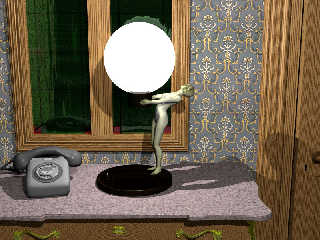
On 15/02/2011 10:32 PM, Robert McGregor wrote:
> How does it look with the lamp switched on?

In this image I gave the lampshade a filter of 0.15 and used colour rgb
<1.0,1.0,1.0>*50.


Using projected_through I got unexpected results not worth wasting disc
space on.

http://img140.imageshack.us/i/roomv4lamp01a01d2a0005.jpg/

--
Regards
     Stephen
Post a reply to this message
Attachments:
Download 'roomv4lamp01a_01d4_4.jpg' (140 KB)
Preview of image 'roomv4lamp01a_01d4_4.jpg'
|
|
| |
| |
|
|
|
|
| |
| |
|
|
Stephen <mcavoys_at@aoldotcom> wrote:
> On 16/02/2011 11:08 AM, Bruno Cabasson wrote:
> > Here is another version of the SSLT candle experiment with corresponding code,
> > if this can help.
> >
>
> Thanks Bruno,
> I’m sure it will help. I think my main problem (other than not having
> used radiosity before) is integrating the SSLT code into Bishop3D.
> I’m experimenting with projected_through just now and will look at your
> code shortly.
>
> >
> > Still trying to render what the eye actually sees in RL ...
>
> Good luck with that :-D
>
> --
> Regards
>      Stephen

No attachment to my post ..

I'll yet another version in pbi with code when render finishes.

Bruno
Post a reply to this message
|
|
| |
| |
|
|
|
|
| |
| |
|
|
On 16/02/2011 3:35 PM, Bruno Cabasson wrote:
> No attachment to my post ..
>

The code was in the body of the text.

> I'll yet another version in pbi with code when render finishes.
>

I look forward to it.

--
Regards
     Stephen
Post a reply to this message
|
|
| |
| |
|
|
|
|
| |
| |
|
|
Am 16.02.2011 16:36, schrieb Stephen:
> On 15/02/2011 10:32 PM, Robert McGregor wrote:
>> How does it look with the lamp switched on?
>
> In this image I gave the lampshade a filter of 0.15 and used colour rgb
> <1.0,1.0,1.0>*50.

Some aoi pattern might do good.
Post a reply to this message
|
|
| |
| |
|
|
|
|
| |
| |
|
|
On 16/02/2011 6:38 PM, clipka wrote:
> Am 16.02.2011 16:36, schrieb Stephen:
>> On 15/02/2011 10:32 PM, Robert McGregor wrote:
>>> How does it look with the lamp switched on?
>>
>> In this image I gave the lampshade a filter of 0.15 and used colour rgb
>> <1.0,1.0,1.0>*50.
>
> Some aoi pattern might do good.

Thanks I'll try that. :-D

--
Regards
     Stephen
Post a reply to this message
|
|
| |
| |
|
|
|
|
| |
| |
|
|
Le 2011/02/16 10:36, Stephen a écrit :
> On 15/02/2011 10:32 PM, Robert McGregor wrote:
>> How does it look with the lamp switched on?
>
> In this image I gave the lampshade a filter of 0.15 and used colour rgb
> <1.0,1.0,1.0>*50.
>
>
> Using projected_through I got unexpected results not worth wasting disc
> space on.
>
> http://img140.imageshack.us/i/roomv4lamp01a01d2a0005.jpg/
>

Nice one.

It absolutely begs for area_light with area_illumination. You have 2
choices: one area_light with circular orient the same dimention as that
of the globe, or two area_lights, one small in the center, or slightly
off center, representing the light bulb, and a second one as broad as
the globe.

For the globe, you can try using back side illumination. Just add a
second component after the diffuse component.

A trick that I did'nt try but may be interesting: Use inside_texture.
Have the normal texture be totaly transparent and the interior texture
with the texture you use now, keeping only the diffuse and ambient
components of the finish. Any specular or phong highlight is to be
applyed to the exterior texture, as well as reflections, if any.

In your test using projected_through, it looks like the light_source is
not at the center of the globe but some distance under it.
It's possible that the code for projected_through is not designed for an
object that surrounds the light and breaks down in that situation.


Alain
Post a reply to this message
|
|
| |
| |
|
|
|
|
| |
| |
|
|
On 17/02/2011 2:09 AM, Alain wrote:

>
> Nice one.
>

Thanks.

> It absolutely begs for area_light with area_illumination. You have 2
> choices: one area_light with circular orient the same dimention as that
> of the globe, or two area_lights, one small in the center, or slightly
> off center, representing the light bulb, and a second one as broad as
> the globe.
>
> For the globe, you can try using back side illumination. Just add a
> second component after the diffuse component.
>

I'll wait until I can get my head around projected_through and
looks_like but they are good ideas.

> A trick that I did'nt try but may be interesting: Use inside_texture.
> Have the normal texture be totaly transparent and the interior texture
> with the texture you use now, keeping only the diffuse and ambient
> components of the finish. Any specular or phong highlight is to be
> applyed to the exterior texture, as well as reflections, if any.
>

Again, worth trying.

> In your test using projected_through, it looks like the light_source is
> not at the center of the globe but some distance under it.

It does doesn't it but the light is at the centre of the spheres that
make up the globe. Although the difference is below the the spheres.
> It's possible that the code for projected_through is not designed for an
> object that surrounds the light and breaks down in that situation.
>

I'm going to spend some time experimenting.


--
Regards
     Stephen
Post a reply to this message
|
|
| |
| |
|
|
|
|
| |
| |
|
|
On 16/02/2011 7:10 PM, Stephen wrote:
> On 16/02/2011 6:38 PM, clipka wrote:
>>
>> Some aoi pattern might do good.
>
> Thanks I'll try that. :-D
>

On reflection (no pun intended) I haven't the slightest idea what
pattern to use.

--
Regards
     Stephen
Post a reply to this message
|
|
| |
| |
|
|
|
|
| |
| |
|
|
On 15/02/2011 12:12 PM, Stephen wrote:
> Another model, this time I used a DXF export from Poser as it is a
> single mesh as opposed to the multiple meshes a OBJ export gives. I also
> changed the room light from slightly yellow to white.
> As an aside when the lamp is rendered in isolation on a chequered plane
> the slight yellow cast in the fingers, toes and hair, disappears.

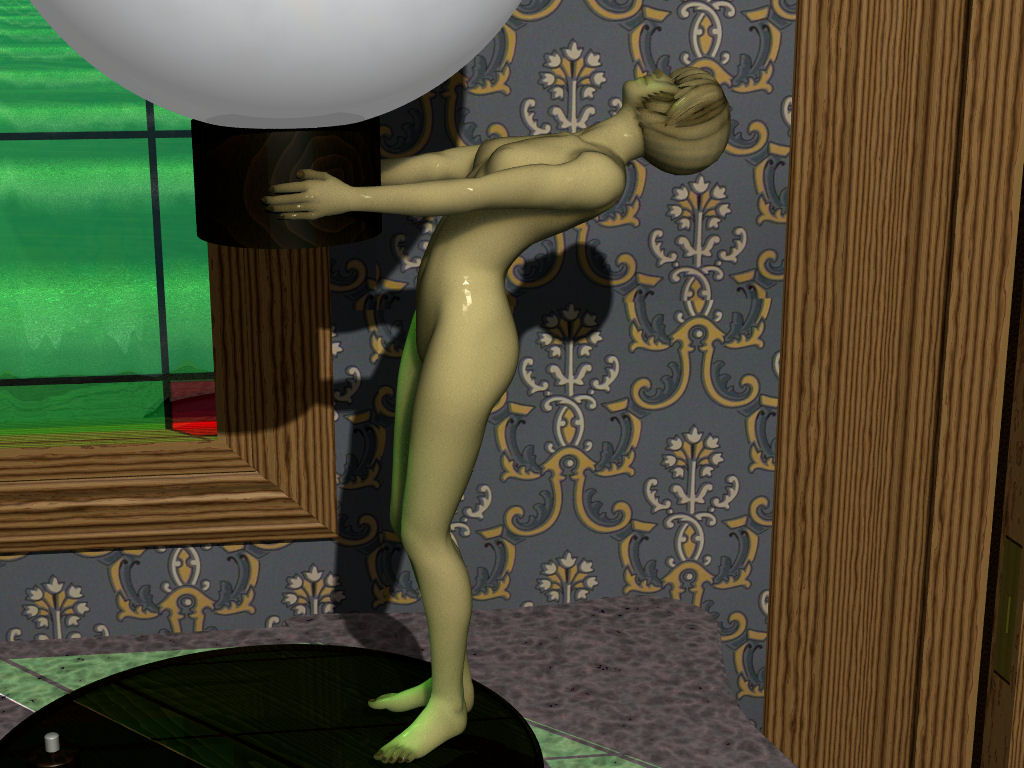
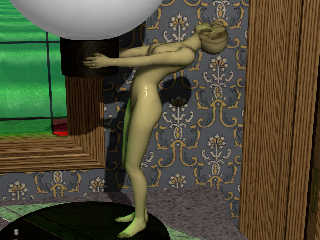
A close up using the scattering for "artificial" wax.


--
Regards
     Stephen
Post a reply to this message
Attachments:
Download 'roomv4lamp01a_01c5c1_.jpg' (152 KB)
Preview of image 'roomv4lamp01a_01c5c1_.jpg'
|
|
| |
| |
|
|
|
|
| |
| |
|
|
Am 17.02.2011 10:14, schrieb Stephen:
> On 16/02/2011 7:10 PM, Stephen wrote:
>> On 16/02/2011 6:38 PM, clipka wrote:
>>>
>>> Some aoi pattern might do good.
>>
>> Thanks I'll try that. :-D
>>
>
> On reflection (no pun intended) I haven't the slightest idea what
> pattern to use.

I think having the sphere be somewhat brighter where it faces the
observer would be a good thing.
Post a reply to this message
|
|
| |
| |
|
|
|
|
| |
| |
|
|
On 17/02/2011 9:37 AM, clipka wrote:
> Am 17.02.2011 10:14, schrieb Stephen:
>> On 16/02/2011 7:10 PM, Stephen wrote:

>> On reflection (no pun intended) I haven't the slightest idea what
>> pattern to use.
>
> I think having the sphere be somewhat brighter where it faces the
> observer would be a good thing.

So do I but it will need to wait until I explore AOI. ;-)

--
Regards
     Stephen
Post a reply to this message
|
|
| |
| |
|
|
|
|
| |
| |
|
|
On 17/02/2011 2:09 AM, Alain wrote:
> A trick that I did'nt try but may be interesting: Use inside_texture.
> Have the normal texture be totaly transparent and the interior texture
> with the texture you use now, keeping only the diffuse and ambient
> components of the finish. Any specular or phong highlight is to be
> applyed to the exterior texture, as well as reflections, if any.

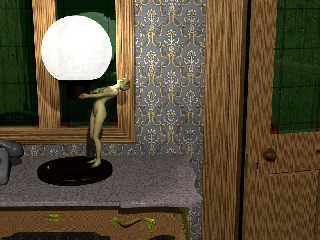
How did you think of that?
Getting the diffuse value right is a balancing act. It depends in the
light source, AA level, other objects in the scene and even the camera
angle.


BTW Karma points to the first person who can tell me the story behind
the lamp in the window, a telephone and an open door.

--
Regards
     Stephen
Post a reply to this message
Attachments:
Download 'roomv4lamp01a_01f1_.jpg' (116 KB)
Preview of image 'roomv4lamp01a_01f1_.jpg'
|
|
| |
| |
|
|
|
|
| |
| |
|
|
Le 2011/02/20 10:12, Stephen a écrit :
> On 17/02/2011 2:09 AM, Alain wrote:
>> A trick that I did'nt try but may be interesting: Use inside_texture.
>> Have the normal texture be totaly transparent and the interior texture
>> with the texture you use now, keeping only the diffuse and ambient
>> components of the finish. Any specular or phong highlight is to be
>> applyed to the exterior texture, as well as reflections, if any.
>
> How did you think of that?
> Getting the diffuse value right is a balancing act. It depends in the
> light source, AA level, other objects in the scene and even the camera
> angle.
>
>
> BTW Karma points to the first person who can tell me the story behind
> the lamp in the window, a telephone and an open door.
>

Some times, I think in a somewhat twisted way... ;)


Alain
Post a reply to this message
|
|
| |
| |
|
|
|
|
| |
| |
|
|
On 21/02/2011 10:31 PM, Alain wrote:
>
> Some times, I think in a somewhat twisted way... ;)
>

Well it works well. :-D

--
Regards
     Stephen
Post a reply to this message
|
|
| |
| |
|
|
|
|
| |
|
|