POV-Ray : Newsgroups : povray.binaries.images : Ghurghusht: artifacts at dawn Server Time
11 Oct 2026 19:13:05 EDT (-0400)
  Ghurghusht: artifacts at dawn (Message 1 to 40 of 40)  
From: Jörg 'Yadgar' Bleimann
Subject: Ghurghusht: artifacts at dawn
Date: 9 Jun 2010 16:43:17
Message: <4c0ffce5@news.povray.org>
High!

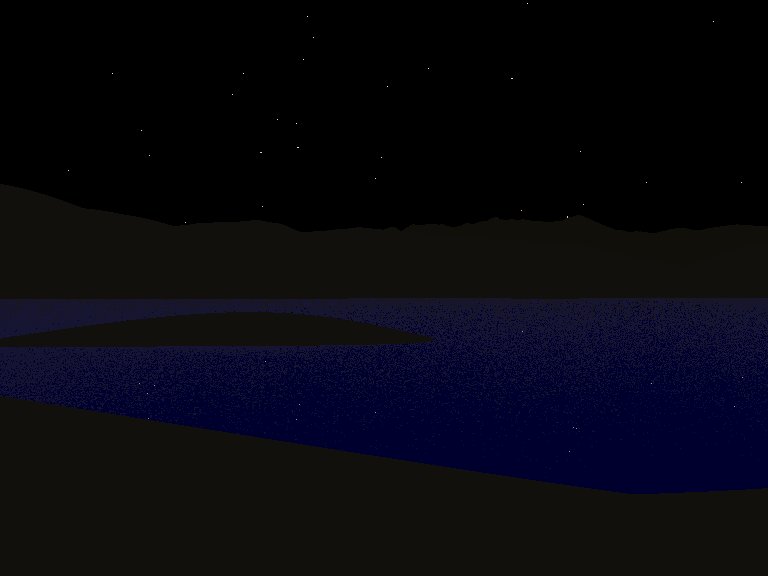
Meanwhile, I managed to add a random starry sky_sphere based on the 
object pattern to my Ghurghusht/DM +19 279 system project, with four 
brightness classes of stars appearing at different angles of the sun (i. 
e. DM +19 279, known also as Shams by the locals) below the horizon.

But I'm still not content with the appearance of the sky just before 
sunrise/after sunset: instead of smooth brightness transitions, I get 
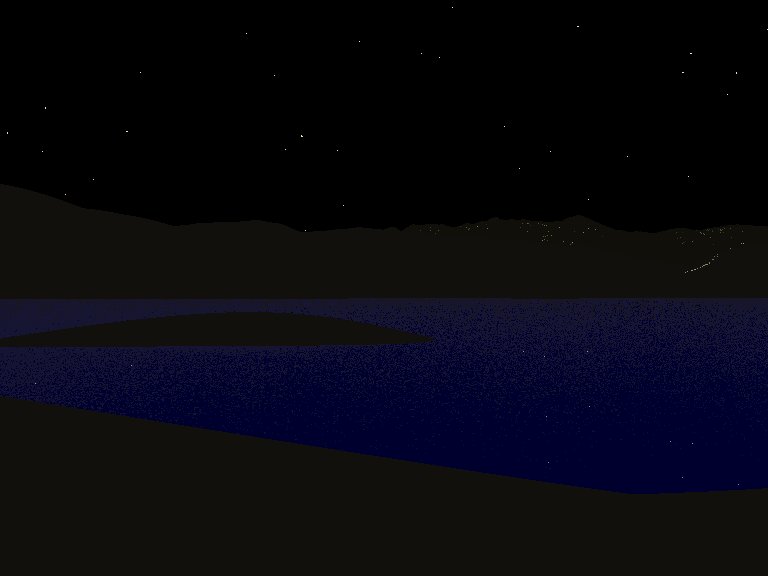
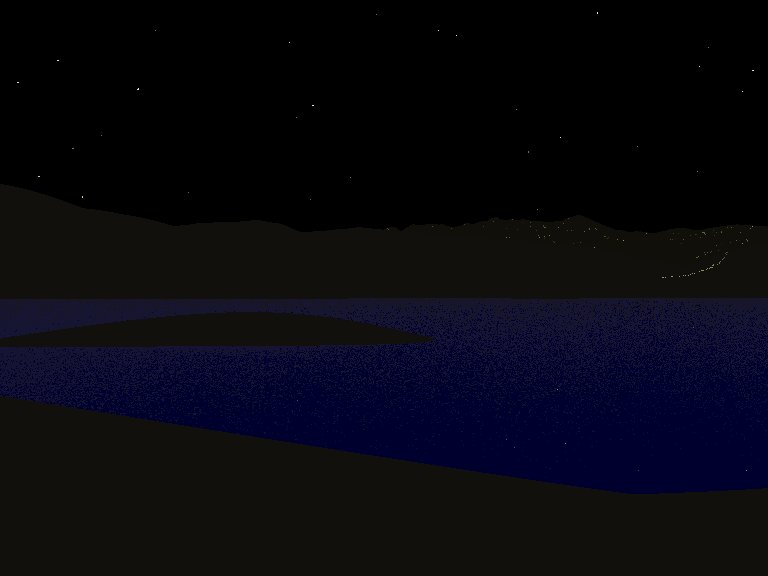
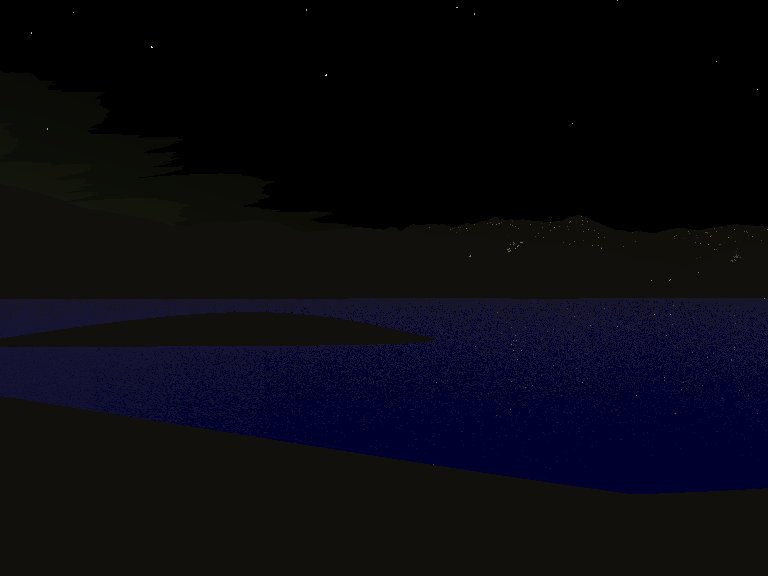
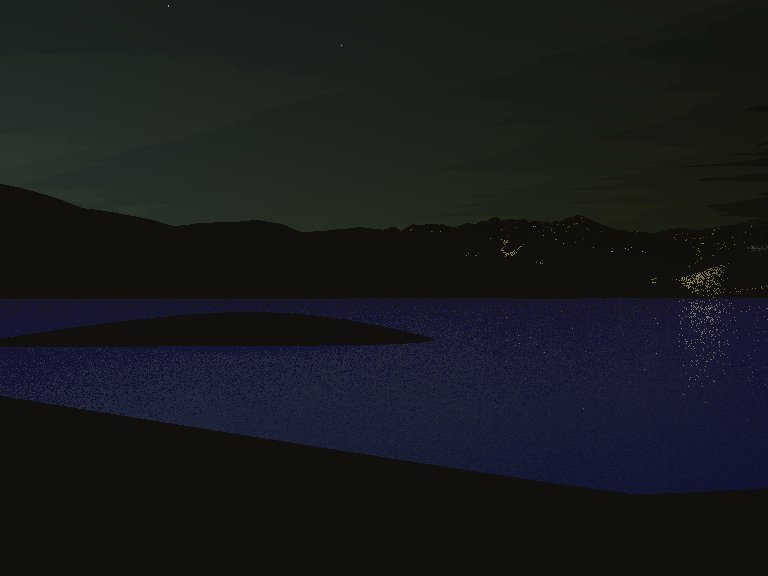
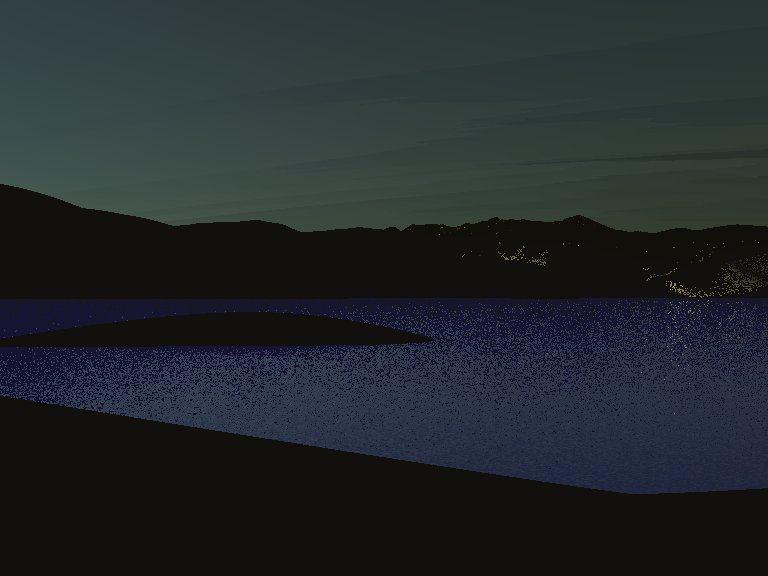
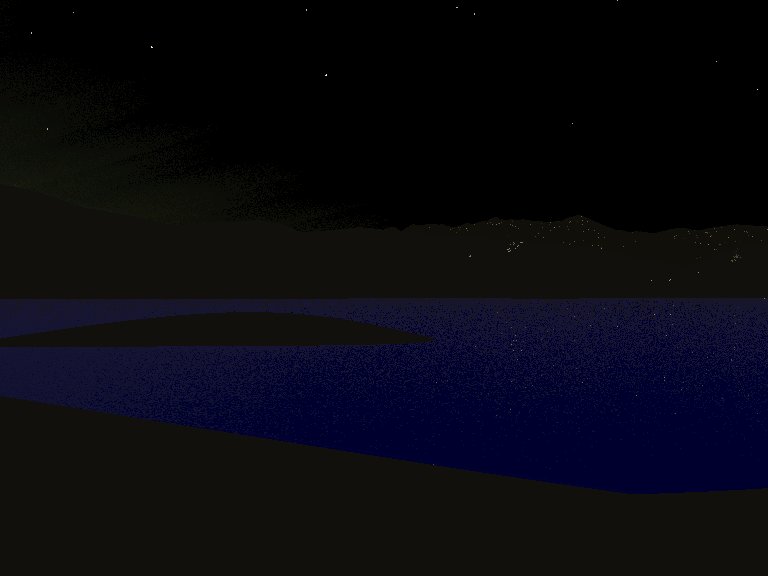
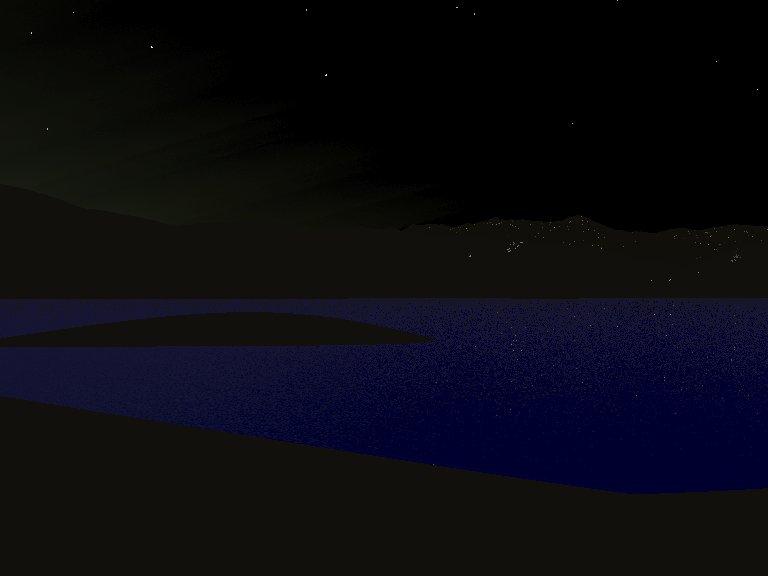
patchy, streaky structures (see images attached here). Also, bright 
spots show up on the hillsides long before the sun is close to the 
horizon. And I wonder what makes the water (gleaned from Christoph 
Hormann's pages) reflect a blue sky even when it should be as black as 
pitch...

The "sun" positions are as follows (from first to last image):
79, 20, 16, 12, 8 and 4 degrees below the horizon

See you on www.khyberspace.de!

Yadgar

Now playing: Twilight (Vangelis) - how matching!


Post a reply to this message


Attachments:
Download '2010-06-09 ghurghusht, schmidt lacus with sitara insula, sun 79 degrees below horizon, take 1.jpg' (24 KB) Download '2010-06-08 ghurghusht, schmidt lacus with sitara insula, sun 20 degrees below horizon, take 1.jpg' (25 KB) Download '2010-06-08 ghurghusht, schmidt lacus with sitara insula, sun 16 degrees below horizon, take 1.jpg' (25 KB) Download '2010-06-09 ghurghusht, schmidt lacus with sitara insula, sun 12 degrees below horizon, take 1.jpg' (24 KB) Download '2010-06-09 ghurghusht, schmidt lacus with sitara insula, sun 8 degrees below horizon, take 1.jpg' (27 KB) Download '2010-06-09 ghurghusht, schmidt lacus with sitara insula, sun 4 degrees below horizon, take 1.jpg' (41 KB)

Preview of image '2010-06-09 ghurghusht, schmidt lacus with sitara insula, sun 79 degrees below horizon, take 1.jpg'
2010-06-09 ghurghusht, schmidt lacus with sitara insula, sun 79 degrees below horizon, take 1.jpg

Preview of image '2010-06-08 ghurghusht, schmidt lacus with sitara insula, sun 20 degrees below horizon, take 1.jpg'
2010-06-08 ghurghusht, schmidt lacus with sitara insula, sun 20 degrees below horizon, take 1.jpg

Preview of image '2010-06-08 ghurghusht, schmidt lacus with sitara insula, sun 16 degrees below horizon, take 1.jpg'
2010-06-08 ghurghusht, schmidt lacus with sitara insula, sun 16 degrees below horizon, take 1.jpg

Preview of image '2010-06-09 ghurghusht, schmidt lacus with sitara insula, sun 12 degrees below horizon, take 1.jpg'
2010-06-09 ghurghusht, schmidt lacus with sitara insula, sun 12 degrees below horizon, take 1.jpg

Preview of image '2010-06-09 ghurghusht, schmidt lacus with sitara insula, sun 8 degrees below horizon, take 1.jpg'
2010-06-09 ghurghusht, schmidt lacus with sitara insula, sun 8 degrees below horizon, take 1.jpg

Preview of image '2010-06-09 ghurghusht, schmidt lacus with sitara insula, sun 4 degrees below horizon, take 1.jpg'
2010-06-09 ghurghusht, schmidt lacus with sitara insula, sun 4 degrees below horizon, take 1.jpg


From: Reactor
Subject: Re: Ghurghusht: artifacts at dawn
Date: 9 Jun 2010 19:00:01
Message: <web.4c101c17db118a4ae69105fc0@news.povray.org>
=?ISO-8859-1?Q?J=F6rg_=27Yadgar=27_Bleimann?= <yaz### [at] gmxde> wrote:
> High!
>
> Meanwhile, I managed to add a random starry sky_sphere based on the
> object pattern to my Ghurghusht/DM +19 279 system project, with four
> brightness classes of stars appearing at different angles of the sun (i.
> e. DM +19 279, known also as Shams by the locals) below the horizon.
>
> But I'm still not content with the appearance of the sky just before
> sunrise/after sunset: instead of smooth brightness transitions, I get
> patchy, streaky structures (see images attached here). Also, bright
> spots show up on the hillsides long before the sun is close to the
> horizon. And I wonder what makes the water (gleaned from Christoph
> Hormann's pages) reflect a blue sky even when it should be as black as
> pitch...
>
> The "sun" positions are as follows (from first to last image):
> 79, 20, 16, 12, 8 and 4 degrees below the horizon
>
> See you on www.khyberspace.de!
>
> Yadgar
>
> Now playing: Twilight (Vangelis) - how matching!


You didn't post the relevant code, but the water (and the land) looks like it
has a non-zero ambient setting, which will make it show up instead of being
black.  Perhaps I can be more helpful if you post the code for the water.

The bright speckles on the hills look like radiosity artifacts (leakage).  The
banding looks like media settings (too few samples).


-Reactor


Post a reply to this message

From: Jörg 'Yadgar' Bleimann
Subject: Re: Ghurghusht: artifacts at dawn
Date: 9 Jun 2010 19:38:41
Message: <4c102601@news.povray.org>
High!

On 06/10/2010 12:56 AM, Reactor wrote:

> You didn't post the relevant code,

O.k., here it is:

// Media settings

global_settings
{
     #if (version < 3.7 & !mapping) assumed_gamma 1 #end
     max_trace_level 20
     #if (rds) radiosity { } #end
}

#declare TP_PLANET_RADIUS = 5124.6666;

#declare TP_BASE_RAYLEIGH_POWER = 6.7;  // Constant
#declare TP_RAYLEIGH_FACTOR = 0.35; // User defined
#declare _tp_rayleigh_power = TP_BASE_RAYLEIGH_POWER*TP_RAYLEIGH_FACTOR;

#declare TP_ATMO_THICKNESS = 100; // original value: 50
#declare TP_RAYLEIGH_DENSITY_MAX = 0.15; // original value: 1

#declare TP_RAYLEIGH_AMOUNT = 2.3;

#declare _tp_rayleigh_density = density
{
     function
     {
 
TP_RAYLEIGH_DENSITY_MAX*exp(-_tp_rayleigh_power*(sqrt(x*x+(y+TP_PLANET_RADIUS)*(y+TP_PLANET_RADIUS)+z*z)

- TP_PLANET_RADIUS)/TP_ATMO_THICKNESS)
     }
}

#declare TP_RAYLEIGH_SCATTERING_COLOR = rgb <0.135, 0.33, 1>;

#declare TP_ATMO_INTERVALS = 3; // Necessary for good integration
#declare TP_ATMO_SAMPLES = 10;
#declare TP_ATMO_METHOD = 3; // Adaptive

#declare TP_ATMO_BOTTOM = 0;

#declare _tp_rayleigh_media =
media
{
   method TP_ATMO_METHOD
   intervals TP_ATMO_INTERVALS
   samples TP_ATMO_SAMPLES
   scattering
   {
     4, TP_RAYLEIGH_AMOUNT*TP_RAYLEIGH_SCATTERING_COLOR/TP_ATMO_THICKNESS
     extinction 1
   }
   density
   {
     _tp_rayleigh_density
   }
}

#declare _tp_rayleigh_atmosphere = difference
{
     sphere {0, TP_PLANET_RADIUS + TP_ATMO_BOTTOM + TP_ATMO_THICKNESS 
translate -TP_PLANET_RADIUS*y}
     sphere {0, TP_PLANET_RADIUS + TP_ATMO_BOTTOM translate 
-TP_PLANET_RADIUS*y}
     hollow
     pigment {rgbt 1}
     interior {media{_tp_rayleigh_media}}
     translate TP_PLANET_RADIUS*y
}

// Water

	  sphere
           {
	    0, 1
	    material {
	      texture {
		pigment {
		  color rgbt <1, 1, 1, 1>
		}
		finish {
		  diffuse 0 // no ambient set at all! Defaults?

		  reflection {
		    <0.03, 0.03, 0.04>, <0.75, 0.75, 1>
		    exponent 1.2
		    falloff 5
		    fresnel on
		  }

		  phong 1
		  phong_size 2500000
		}
		normal
		{
		  bozo 1.5
		  bump_size 0.5
		  scale 0.00000013
		}
		
		
	      }
	      interior {
		ior 1.34
	      }
	    }

// Land

#declare T_Ghurghusht=
texture
{
   pigment { color rgb <0.98, 0.85, 0.45> }
   finish { ambient 0.003 diffuse 1 brilliance 0.98 }
}

The land is probably visible only because of the low assumed_gamma (1.0)...


but the water (and the land) looks like it
> has a non-zero ambient setting, which will make it show up instead of being
> black.  Perhaps I can be more helpful if you post the code for the water.
>
> The bright speckles on the hills look like radiosity artifacts (leakage).

I don't use any radiosity in this scene!

> The
> banding looks like media settings (too few samples).

Doubtful... I increased the samples from 3 to 10 (it now takes ages to 
render), but the transition is still banded!

See you in Khyberspace!

Yadgar


Post a reply to this message

From: clipka
Subject: Re: Ghurghusht: artifacts at dawn
Date: 9 Jun 2010 20:10:51
Message: <4c102d8b$1@news.povray.org>
Am 10.06.2010 01:38, schrieb Jörg 'Yadgar' Bleimann:
>> The
>> banding looks like media settings (too few samples).
>
> Doubtful... I increased the samples from 3 to 10 (it now takes ages to
> render), but the transition is still banded!

What settings do you use for media sampling (method, and possibly 
variance & confidence or aa_level && aa_threshold and/or jitter)?

adc_bailout might also be a candidate cause for the effect; try reducing 
it - with proper gamma handling, the default can be too low in dark areas.


Post a reply to this message

From: Jörg 'Yadgar' Bleimann
Subject: Re: Ghurghusht: artifacts at dawn
Date: 9 Jun 2010 20:42:02
Message: <4c1034da$1@news.povray.org>
High!

On 06/10/2010 02:10 AM, clipka wrote:

> What settings do you use for media sampling (method,

3

> and possibly
> variance & confidence

Default values

> or aa_level && aa_threshold

No anti-aliasing

> and/or jitter)?

No jitter

> adc_bailout might also be a candidate cause for the effect; try reducing
> it - with proper gamma handling, the default can be too low in dark areas.

Probably not - I decreased it from the default 1/255 down to 0.001, the 
early dawn sky is still "raggedly" banded (if you can conceive what I 
mean), and also the odd bright spots on some slopes (preferably in the 
more distant background) still occur!

See you in Khyberspace!

Yadgar


Post a reply to this message

From: Dave Blandston
Subject: Re: Ghurghusht: artifacts at dawn
Date: 9 Jun 2010 22:50:01
Message: <web.4c1051aadb118a4acba3fb0f0@news.povray.org>
> Now playing: Twilight (Vangelis) - how matching!

Always good music!

Why not post the entire scene code? I'm not very experienced with media, but the
bright spots on the hills are very interesting. I will try to help you if I can.

Regards,
Dave Blandston


Post a reply to this message

From: Jörg 'Yadgar' Bleimann
Subject: Re: Ghurghusht: artifacts at dawn
Date: 9 Jun 2010 23:26:41
Message: <4c105b71@news.povray.org>
High!

On 06/10/2010 04:44 AM, Dave Blandston wrote:
>> Now playing: Twilight (Vangelis) - how matching!
>
> Always good music!

And I thought you were a metalhead... I'm quite amazed!

> Why not post the entire scene code? I'm not very experienced with media, but the
> bright spots on the hills are very interesting. I will try to help you if I can.

O.k., but beware, its VERY long - some 1500 lines!

// Ghurghusht and the Shams System
// (C) 2010-20?? Jörg "Yadgar" Bleimann
// Credits:
// Atmosphere: Bruno Cabasson
// Water: Christoph Hormann

#include "functions.inc"

#declare ani=0; // animation flag (if mapping = 0)
#declare mapping=0; // toggles generating a cylindrical map of Ghurghusht
#declare greymap=3; // 0 = physical map, 1 = 8-bit grayscale map, 2 = 
16-bit grayscale map, 3 = 24-bit map
#declare legend=0; // toggles rendering map legend only (if mapping != 0)
#declare ridges=2; // switches between various patterns for isosurface
#declare os=1; // operating system: 0 = Linux, 1 = Windows
#declare tcm=0; // terrain calculation mode: 0 = isosurface, 1 = mesh2
#declare test=0; // 0 = full globe, 1 = lake around Sitara Insula only
#declare rds=0; // radiosity switch

#if (ani=1)
   #declare mapping=0;
#end

#if (mapping)
   #declare rds=0;
#end

#if (mapping=2)
   #declare greymap=1;
#end

// Positions of planets and moons

// Column 0: orbital semi-major axis (to Shams or the respective planet) 
in kilometres
// Column 1: radius in x dimension, in kilometres
// Column 2: radius in y dimension, in kilometres (if oblateness is 
given then stated as -1)
// Column 3: radius in z dimension, in kilometres (if oblateness is 
given then stated as -1)
// Column 4: axial tilt in degrees (planets: relative to orbit around 
Shams, moons: relative to planet's equatorial plane)
// Column 5: orbital inclination in degrees (planets: relative to 
ecliptic, moons: relative to planet's equatorial plane)
// Column 6: orbital eccentricity
// Column 7: perihelion argument (degrees; if variable then stated als -1)
// Column 8: longitude of ascending node (degrees; if variable then 
stated als -1)
// Column 9: oblateness (not taken into account if different radii 
explicitly stated)
// Column 10: declination of north pole (degrees)
// Column 11: right ascension of north pole (degrees!)
// Column 12: albedo (if irrelevant (Shams) stated as -1)


// begin modifications according to Bruno Cabasson's TerraPOV tutorial 
(2009)

global_settings
{
     #if (version < 3.7 & !mapping)
       assumed_gamma 1
       adc_bailout 0.001
     #end
     max_trace_level 20
     #if (rds) radiosity { } #end
}

#declare TP_PLANET_RADIUS = 5124.6666;

#declare TP_BASE_RAYLEIGH_POWER = 6.7;  // Constant
#declare TP_RAYLEIGH_FACTOR = 0.35; // User defined
#declare _tp_rayleigh_power = TP_BASE_RAYLEIGH_POWER*TP_RAYLEIGH_FACTOR;

#declare TP_ATMO_THICKNESS = 100; // original value: 50
#declare TP_RAYLEIGH_DENSITY_MAX = 0.15; // original value: 1

#declare TP_RAYLEIGH_AMOUNT = 2.3;

#declare _tp_rayleigh_density = density
{
     function
     {
 
TP_RAYLEIGH_DENSITY_MAX*exp(-_tp_rayleigh_power*(sqrt(x*x+(y+TP_PLANET_RADIUS)*(y+TP_PLANET_RADIUS)+z*z)

- TP_PLANET_RADIUS)/TP_ATMO_THICKNESS)
     }
}

#declare TP_RAYLEIGH_SCATTERING_COLOR = rgb <0.135, 0.33, 1>;

#declare TP_ATMO_INTERVALS = 3; // Necessary for good integration
#declare TP_ATMO_SAMPLES = 3;
#declare TP_ATMO_METHOD = 3; // Adaptive

#declare TP_ATMO_BOTTOM = 0;

#declare _tp_rayleigh_media =
media
{
   method TP_ATMO_METHOD
   intervals TP_ATMO_INTERVALS
   samples TP_ATMO_SAMPLES
   scattering
   {
     4, TP_RAYLEIGH_AMOUNT*TP_RAYLEIGH_SCATTERING_COLOR/TP_ATMO_THICKNESS
     extinction 1
   }
   density
   {
     _tp_rayleigh_density
   }
}

#declare _tp_rayleigh_atmosphere = difference
{
     sphere {0, TP_PLANET_RADIUS + TP_ATMO_BOTTOM + TP_ATMO_THICKNESS 
translate -TP_PLANET_RADIUS*y}
     sphere {0, TP_PLANET_RADIUS + TP_ATMO_BOTTOM translate 
-TP_PLANET_RADIUS*y}
     hollow
     pigment {rgbt 1}
     interior {media{_tp_rayleigh_media}}
     translate TP_PLANET_RADIUS*y
}


// end modifications according to Bruno Cabasson's TerraPOV tutorial (2009)


#if (os=0)
   #declare fontpath="/media/disk1part9/fonts/";
#else
   #declare fontpath="D:/WINDOWS/Fonts/";
#end

#declare S =
function { x*x + y*y + z*z -1 }

#declare Terrain_Part1_Function=
function
{
   pattern
   {
     granite
     scale 10
     poly_wave 0.333
   }
}

#declare Terrain_Part2_Function=
function
{
   pattern
   {
     bozo
   }
}

#declare Terrain_Part3_Function=
function
{
   pattern
   {
     ripples
     scale 10
     turbulence 0.5
   }
}

#declare P_Average =
pigment
{
   average
   pigment_map
   {
     [0.5 granite scale 10 poly_wave 0.333 ]
     [1 spherical scale 10 turbulence 0.5 poly_wave 0.333 ]
     [0.025 crackle scale 0.2 turbulence 1 ]
   }
}

#declare Terrain_Part4_Function=
function
{
   pigment { P_Average }
}


#switch (ridges)
   #case (0)
     #declare Terrain_Function=
     function { S(x, y, z) + Terrain_Part1_Function (x*50, y*50, 
z*50)*0.02 + Terrain_Part2_Function (x, y, z)*0.01 }
   #break
   #case (1)
     #declare Terrain_Function=
     function { S(x, y, z) + Terrain_Part3_Function (x*50, y*50, z*50)*0.05
              + Terrain_Part2_Function (x, y, z)*0.01 }
   #break
   #case (2)
     #declare Terrain_Function=
     function { S(x, y, z) + Terrain_Part4_Function (x*50, y*50, 
z*50).gray*0.05
              + Terrain_Part2_Function (x, y, z)*0.01 }
   #break
#end


#if (!mapping)
   #declare R1=seed(1747);
   #declare R2=seed(1969);


   union
   {
     sphere // Qais
     {
       0, 1
       texture
       {
	pigment
	{
	  gradient y
	  color_map
	  {
	    [0      rgb 1]
	    [0.027  rgb 1]
	    [0.0274 rgb 0.85]
	    [0.0304 rgb 0.85]
	    [0.0324  rgb 1]
	    [0.0329  rgb 1]
	    [0.0411 rgb 0.6]
	    [0.0418 rgb 0.6]
	    [0.0429 rgb 1]
	    [0.0708  rgb 1]
	    [0.0712 rgb 0.96]
	    [0.0731 rgb 0.96]
	    [0.0742  rgb 1]
	    [0.0776 rgb <0.8, 0.9, 1>]
	    [0.0783 rgb <0.8, 0.9, 1>]
	    [0.079 rgb 1]
	    [0.0845 rgb 1]
	    [0.0848 rgb <0.66, 0.85, 1>]
	    [0.0976 rgb <0.66, 0.85, 1>]
	    [0.0987 rgb 1]
	    [0.1102 rgb 1]
	    [0.1108 rgb 0.88]
	    [0.1128 rgb 0.88]
	    [0.1132 rgb 1]
	    [0.1339 rgb 1]
	    [0.1452 rgb <0.56, 0.76, 1>]
	    [0.1501 rgb <0.56, 0.76, 1>]
	    [0.1537 rgb 1]
	    [0.1639 rgb 1]
	    [0.1646 rgb 0.91]
	    [0.1692 rgb 0.91]
	    [0.1784 rgb 1]
	    [0.1987 rgb 1]
	    [0.1999 rgb <0.3, 0.7, 1>]
	    [0.2473 rgb <0.3, 0.7, 1>]
	    [0.2478 rgb 1]
	    [0.2538 rgb 1]
	    [0.2541 rgb <0.17, 0.53, 1>]
	    [0.2798 rgb <0.17, 0.53, 1>]
	    [0.2901 rgb 1]
	    [0.2976 rgb 1]
	    [0.2995 rgb <0.04, 0.45, 1>]
	    [0.3524 rgb <0, 0.3, 1>]
	    [0.4634 rgb <0, 0, 0.95>]
	    [0.4982 rgb <0.2, 0.59, 1>]
	    [0.5052 rgb <0.12, 0.56, 1>]
	    [0.5475 rgb <0, 0, 0.97>]
	    [0.6789 rgb <0.06, 0.47, 1>]
	    [0.6967 rgb <0.3, 0.8, 1>]
	    [0.6978 rgb 0.35]
	    [0.7032 rgb 0.35]
	    [0.7035 rgb 0.86]
	    [0.7472 rgb 0.89]
	    [0.7498 rgb <0.42, 0.86, 1>]
	    [0.7767 rgb <0.42, 0.86, 1>]
	    [0.7782 rgb 0.93]
	    [0.8245 rgb 0.93]
	    [0.8261 rgb <0.45, 0.89, 1>]
	    [0.8673 rgb <0.45, 0.89, 1>]
	    [0.8702 rgb 0.75]
	    [0.8712 rgb 0.75]
	    [0.8713 rgb 0.43]
	    [0.8756 rgb 0.43]
	    [0.876  rgb 1]
	    [0.8903 rgb 1]
	    [0.8916 rgb 0.68]
	    [0.8923 rgb 0.68]
	    [0.8928 rgb 1]
	    [0.9139 rgb 1]
	    [0.9142 rgb 0.53]
	    [0.9187 rgb 0.53]
	    [0.9193 rgb 1]
	    [0.9372 rgb 1]
	    [0.9398 rgb 0.48]
	    [0.9508 rgb 0.48]
	    [0.9682 rgb 1]
	    [1      rgb 1]
	  }
           turbulence 0.02
           scale 2
           translate y
         }

	finish { ambient 0.0005 diffuse 1 brilliance 0.4 }
       }
     }
     difference
     {
       cylinder
       {
	<0, -0.002, 0>, <0, 0.002, 0>, 2.4
       }
       cylinder
       {
	<0, -0.0021, 0>, <0, 0.0021, 0>, 1.5
       }
       double_illuminate
       texture
       {
	pigment
	{
	  cylindrical
	  color_map
	  {
	    [0 rgbf <1, 0.97, 0.985, 0.6>]
	    [0.0092 rgbf <1, 0.97, 0.985, 0.6>]
	    [0.0092 rgbf <0.65, 0.62, 0.47, 0.14>]
	    [0.0107 rgbf <0.65, 0.62, 0.47, 0.14>]
	    [0.0107 rgbf <1, 0.97, 0.985, 0.6>]
	    [0.0127 rgbf <1, 0.97, 0.985, 0.6>]
	    [0.0127 rgbf <0.75, 0.696, 0.672, 0.36>]
	    [0.0141 rgbf <0.75, 0.696, 0.672, 0.36>]
	    [0.0141 rgbf <1, 0.97, 0.985, 0.6>]
	    [0.0184 rgbf <1, 0.97, 0.985, 0.6>]
	    [0.0184 rgbf <1, 1, 1, 0.6>]
	    [0.0205 rgbf <1, 1, 1, 0.6>]
	    [0.0205 rgbf <1, 0.97, 0.985, 0.6>]
	    [0.0321 rgbf <1, 0.97, 0.985, 0.6>]
	    [0.0321 rgbf <0.89, 0.87, 0.834, 0.64>]
	    [0.0373 rgbf <0.89, 0.87, 0.834, 0.64>]
	    [0.0373 rgbf <1, 0.97, 0.985, 0.6>]
	    [0.0452 rgbf <1, 0.97, 0.985, 0.6>]
	    [0.0452 rgbf <0.98, 0.95, 0.81, 0.43>]
	    [0.0487 rgbf <0.98, 0.95, 0.81, 0.43>]
	    [0.0487 rgbf <1, 0.97, 0.985, 0.6>]
	    [0.0532 rgb <1, 0.97, 0.985, 0.6>]
	    [0.0532 rgb <0.97, 0.925, 0.896, 0.51>]	
	    [0.0575 rgb <0.97, 0.925, 0.896, 0.51>]	
	    [0.0575 rgbf <0.683, 0.5904, 0.2164, 0.8>]
	    [0.0603 rgbf <0.683, 0.5904, 0.2164, 0.8>]
	    [0.0603 rgbf <1, 0.963, 0.888, 0.534>]
	    [0.0651 rgbf <1, 0.963, 0.888, 0.534>]
	    [0.0651 rgbf <0.742, 0.7195, 0.6721, 0.248>]
	    [0.0675 rgbf <0.742, 0.7195, 0.6721, 0.248>]
	    [0.0675 rgbf <0.721, 0.612, 0.5139, 0.557>]
	    [0.0692 rgbf <0.721, 0.612, 0.5139, 0.557>]
	    [0.0692 rgbf <0.965, 0.948, 0.8123, 0.092>]
	    [0.0732 rgbf <0.965, 0.948, 0.8123, 0.092>]
	    [0.0732 rgbf <0.7921, 0.78231, 0.6231, 0.47>]
       [0.0762 rgbf <0.7921, 0.78231, 0.6231, 0.47>]
       [0.0762 rgbf <0.7812, 0.7526, 0.5931, 0.53>]
       [0.0804 rgbf <0.7812, 0.7526, 0.5931, 0.53>]
       [0.0804 rgbf <0.7415, 0.7126, 0.6312, 0.12>]
       [0.0829 rgbf <0.7415, 0.7126, 0.6312, 0.12>]
       [0.0829 rgbf <0.6712, 0.6623, 0.4894, 0.73>]
       [0.0853 rgbf <0.6712, 0.6623, 0.4894, 0.73>]
       [0.0853 rgbf <0.5921, 0.5823, 0.5561, 0.376>]
       [0.0881 rgbf <0.5921, 0.5823, 0.5561, 0.376>]
       [0.0881 rgbf <0.3126, 0.2531, 0.0037, 0.621>] 

       [0.09 rgbf <0.3126, 0.2531, 0.0037, 0.621>]
	    [0.09 rgbf <1, 0.97, 0.985, 0.6>]
	    [0.09 rgbf <0.2, 0.14, 0.04, 0.045>]
	    [0.1023 rgbf <0.2, 0.14, 0.04, 0.045>]
	    [0.1023 rgbf <1, 0.95, 0.94, 0.5>]
	    [0.1065 rgbf <1, 0.95, 0.94, 0.5>]
	    [0.1065 rgbf <0.45, 0.38, 0.29, 0.19>]
	    [0.1083 rgbf <0.45, 0.38, 0.29, 0.19>]	
	    [0.1083 rgbf <0.93, 0.85, 0.81, 0.55>]	
	    [0.1102 rgbf <0.93, 0.85, 0.81, 0.55>]	
	    [0.1102 rgbf <0.74, 0.61, 0.46, 0.21>]	
	    [0.1108 rgbf <0.74, 0.61, 0.46, 0.21>]
	    [0.1108 rgbf <0.51, 0.457, 0.219, 0.77>]	    	
	    [0.1134 rgbf <0.51, 0.457, 0.219, 0.77>]	    	
	    [0.1134 rgbf <0.49, 0.416, 0.193, 0.92>]	    	
	    [0.1156 rgbf <0.49, 0.416, 0.193, 0.92>]	    	
	    [0.1156 rgbf <0.692, 0.623, 0.523, 0.14>]
	    [0.1181 rgbf <0.692, 0.623, 0.523, 0.14>]	    	    	    	    	
	    [0.1181 rgbf <0.815, 0.761, 0.4134, 0.69>]
	    [0.1197 rgbf <0.815, 0.761, 0.4134, 0.69>]	    	    	    	    	 
   	    	    	    	    	    	
	    [0.1197 rgbf <0.512, 0.412, 0.3218, 0.92>]	    	    	    	    	 
   	    	    	    	    	    	
	    [0.1215 rgbf <0.512, 0.412, 0.3218, 0.92>]
	    [0.1215 rgbf <0.478, 0.423, 0.2951, 0.85>]	
	    [0.1228 rgbf <0.478, 0.423, 0.2951, 0.85>]
	    [0.1228 rgbf <0.1946, 0.1725, 0.0842, 0.94>]
	    [0.1251 rgbf <0.1946, 0.1725, 0.0842, 0.94>]
	    [0.1251 rgbf <0.8153, 0.7841, 0.7522, 0.25>]	    	    	    	 
     	    	    	    	    	    	    	    	    	    	
	    [0.1275 rgbf <0.8153, 0.7841, 0.7522, 0.25>]
	    [0.1275 rgbf <0.5278, 0.5005, 0.3928, 0.68>]
	    [0.1299 rgbf <0.5278, 0.5005, 0.3928, 0.68>]	
	    [0.1299 rgbf <0.8039, 0.7869, 0.7521, 0.29>]
	    [0.1327 rgbf <0.8039, 0.7869, 0.7521, 0.29>]
	    [0.1327 rgbf <0.5732, 0.5412, 0.3412, 0.67>]
	    [0.1339 rgbf <0.5732, 0.5412, 0.3412, 0.67>]
	    [0.1339 rgbf <0.951, 0.9082, 0.8312, 0.2209>]
	    [0.1374 rgbf <0.951, 0.9082, 0.8312, 0.2209>]
	    [0.1374 rgbf <0.6731, 0.6233, 0.4678, 0.4761>]
	    [0.14 rgbf <0.6731, 0.6233, 0.4678, 0.4761>]
	    [0.14 rgbf <0.8592, 0.8492, 0.5782, 0.2375>]	    	
	    [0.1415 rgbf <0.8592, 0.8492, 0.5782, 0.2375>]	    	
	    [0.1415 rgbf <0.7572, 0.6531, 0.5905, 0.4231>]
	    [0.1447 rgbf <0.7572, 0.6531, 0.5905, 0.4231>]
	    [0.1447 rgbf <0.4824, 0.4245, 0.3126, 0.8634>]	    	    	
	    [0.1476 rgbf <0.4824, 0.4245, 0.3126, 0.8634>]
	    [0.1476 rgbf <0.5123, 0.4563, 0.2195, 0.7361>]
	    [0.1503 rgbf <0.5123, 0.4563, 0.2195, 0.7361>]
	    [0.1503 rgbf <0.3735, 0.3129, 0.1938, 0.0412>]	
	    [0.1523 rgbf <0.3735, 0.3129, 0.1938, 0.0412>]
	    [0.1523 rgbf <0.4123, 0.3563, 0.2453, 0.0932>]
	    [0.1547 rgbf <0.4123, 0.3563, 0.2453, 0.0932>]
	    [0.1547 rgbf <0.4593, 0.4126, 0.2231, 0.4231>]	    	    	    	
	    [0.1601 rgbf <0.4593, 0.4126, 0.2231, 0.4231>]
	    [0.1601 rgbf <0.4003, 0.3521, 0.1963, 0.0214>]
	    [0.1634 rgbf <0.4003, 0.3521, 0.1963, 0.0214>]
	    [0.1651 rgbf <0.4003, 0.3521, 0.1963, 0.0214>]	    	    	    	 
    	    	    	
	    [0.1651 rgbf <0.5124, 0.4751, 0.2768, 0.2544>]
	    [0.1678 rgbf <0.5124, 0.4751, 0.2768, 0.2544>]
	    [0.1678 rgbf <0.5069, 0.4457, 0.2989, 0.3444>]	    	    	
	    [0.1695 rgbf <0.5069, 0.4457, 0.2989, 0.3444>]	    	    	    	
	    [0.1695 rgbf <0.5241, 0.4321, 0.1295, 0.9542>]	
	    [0.1732 rgbf <0.5241, 0.4321, 0.1295, 0.9542>]
	    [0.1732 rgbf <0.4721, 0.4109, 0.1758, 0.4682>]
	    [0.176 rgbf <0.4721, 0.4109, 0.1758, 0.4682>]
	    [0.176 rgbf <0.4832, 0.4201, 0.2254, 0.2156>]
	    [0.1776 rgbf <0.4832, 0.4201, 0.2254, 0.2156>]	    	    	    	    	
	    [0.1776 rgbf <0.4369, 0.3974, 0.2405, 0.1198>]
	    [0.1805 rgbf <0.4369, 0.3974, 0.2405, 0.1198>]
	    [0.1805 rgbf <0.5823, 0.5172, 0.4423, 0.5768>]
	    [0.1828 rgbf <0.5823, 0.5172, 0.4423, 0.5768>]
	    [0.1828 rgbf <0.5492, 0.5047, 0.4782, 0.315>]
	    [0.1857 rgbf <0.5492, 0.5047, 0.4782, 0.315>]
	    [0.1857 rgbf <0.5392, 0.4902, 0.4248, 0.229>]
	    [0.1891 rgbf <0.5392, 0.4902, 0.4248, 0.229>]	    	
	    [0.1891 rgbf <0.5205, 0.4721, 0.4004, 0.311>]
	    [0.1916 rgbf <0.5205, 0.4721, 0.4004, 0.311>]
	    [0.1916 rgbf <0.5085, 0.4631, 0.3815, 0.782>]
	    [0.197 rgbf <0.5085, 0.4631, 0.3815, 0.782>]
	    [0.197 rgbf <0.4581, 0.413, 0.3241, 0.762>]
	    [0.1994 rgbf <0.4581, 0.413, 0.3241, 0.762>]	    	    	    	 
      	    	    	    	
	    [0.1994 rgbf <0.4329, 0.3571, 0.2554, 0.1563>]
	    [0.2041 rgbf <0.4329, 0.3571, 0.2554, 0.1563>]	    	    	    	 
    	    	     	    	    	    	     	
	    [0.2041 rgbf <0.4003, 0.32, 0.2136, 0.537>]
	    [0.2067 rgbf <0.4003, 0.32, 0.2136, 0.537>]
	    [0.2067 rgbf <0.4153, 0.3041, 0.1942, 0.3478>]	    	
	    [0.2089 rgbf <0.4153, 0.3041, 0.1942, 0.3478>]
	    [0.2089 rgbf <0.3999, 0.3128, 0.1911, 0.3237>]	    	    	    	
	    [0.2112 rgbf <0.3999, 0.3128, 0.1911, 0.3237>]
	    [0.2112 rgbf <0.3745, 0.2984, 0.1736, 0.5123>]
	    [0.2137 rgbf <0.3745, 0.2984, 0.1736, 0.5123>]	    	    	    	 
    	    	    	    	    	
	    [0.2137 rgbf <0.3763, 0.2742, 0.1836, 0.221>]
	    [0.2154 rgbf <0.3763, 0.2742, 0.1836, 0.221>]
	    [0.2154 rgbf <0.3423, 0.2532, 0.1325, 0.198>]
	    [0.2181 rgbf <0.3423, 0.2532, 0.1325, 0.198>]
	    [0.2181 rgbf <0.3321, 0.2409, 0.1452, 0.209>]	    	    	    	
	    [0.22 rgbf <0.3321, 0.2409, 0.1452, 0.209>]
	    [0.22 rgbf <0.11, 0.045, 0.001, 1>]
	    [0.2223 rgbf <0.11, 0.045, 0.001, 1>]
	    [0.2223 rgbf <0.3163, 0.2376, 0.1508, 0.2842>]
	    [0.2246 rgbf <0.3163, 0.2376, 0.1508, 0.2842>]	    	    	
	    [0.2246 rgbf <0.3004, 0.2153, 0.1276, 0.3412>]
	    [0.2275 rgbf <0.3004, 0.2153, 0.1276, 0.3412>]
	    [0.2275 rgbf <0.2987, 0.2204, 0.1264, 0.3934>]	    	    	
	    [0.23 rgbf <0.2987, 0.2204, 0.1264, 0.3934>]
	    [0.23 rgbf <0.2835, 0.2175, 0.1003, 0.2145>]
	    [0.2331 rgbf <0.2835, 0.2175, 0.1003, 0.2145>]
	    [0.2331 rgbf <0.2809, 0.1984, 0.0921, 0.3674>]
	    [0.2367 rgbf <0.2809, 0.1984, 0.0921, 0.3674>]
	    [0.2367 rgbf <0.279, 0.1912, 0.0909, 0.4582>]
	    [0.2389 rgbf <0.279, 0.1912, 0.0909, 0.4582>]	    	    	    	 
   	    	    	    	
	    [0.2389 rgbf <0.2659, 0.1738, 0.1184, 0.44>]
	    [0.2406 rgbf <0.2659, 0.1738, 0.1184, 0.44>]
	    [0.2406 rgbf <0.2711, 0.166, 0.1053, 0.5693>]
	    [0.2437 rgbf <0.2711, 0.166, 0.1053, 0.5693>]
	    [0.2437 rgbf <0.2523, 0.123, 0.0934, 0.5552>]	    	    	    	
	    [0.2459 rgbf <0.2523, 0.123, 0.0934, 0.5552>]
	    [0.2459 rgbf <0.2401, 0.1264, 0.0894, 0.126>]
	    [0.2483 rgbf <0.2401, 0.1264, 0.0894, 0.126>]	    	    	    	 
   	    	
	    [0.291 rgbf <0.09, 0.035, 0.001, 1>]
	    [0.294 rgb <0.98, 0.94, 0.97, 0.2>]
	    [0.296 rgbf <0.09, 0.035, 0.001, 1>]
	    [0.3289 rgbf <0.092, 0.032, 0.002, 1>]
	    [0.3293 rgbf <0.78, 0.71, 0.21, 0.3>]
	    [0.3299 rgbf <0.78, 0.71, 0.21, 0.3>]
	    [0.3301 rgbf <0.089, 0.029, 0.0017, 0.99>]	
	    [0.3325 rgbf <0.089, 0.029, 0.0017, 0.99>]	    	
	    [0.3325 rgbf <0.34, 0.29, 0.007, 0.32>]	    	    	
	    [0.3333 rgbf <0.34, 0.29, 0.007, 0.32>]	    	    	
	    [0.3333 rgbf <0.09, 0.027, 0.0015, 0.84>]	    	    	
	    [0.3357 rgbf <0.09, 0.027, 0.0015, 0.84>]	    	    	
	    [0.3357 rgbf <0.37, 0.29, 0.013, 0.54>]
	    [0.3364 rgbf <0.37, 0.29, 0.013, 0.54>]	    	    	    	    	    	
	    [0.3365 rgbf <0.09, 0.027, 0.0015, 0.84>]
	    [0.3397 rgbf <0.09, 0.027, 0.0015, 0.84>]
	    [0.34   rgbf <0.54, 0.49, 0.09, 0.23>]
	    [0.3412  rgbf <0.53, 0.497, 0.085, 0.25>]
	    [0.3415 rgbf <0.09, 0.027, 0.0015, 0.84>]
	    [0.3421 rgbf <0.09, 0.027, 0.0015, 0.84>]	
	    [0.3421 rgbf <0.1034, 0.0256, 0.008, 0.87>]	
	    [0.3438 rgbf <0.1034, 0.0256, 0.008, 0.87>]
	    [0.3438 rgbf <0.126, 0.0463, 0.0042, 0.912>]	
	    [0.3449 rgbf <0.126, 0.0463, 0.0042, 0.912>]
	    [0.3449 rgbf <0.115, 0.0408, 0.0052, 0.905>]
	    [0.3465 rgbf <0.115, 0.0408, 0.0052, 0.905>]
	    [0.3465 rgbf <0.105, 0.0467, 0.0053, 0.942>]
	    [0.3479 rgbf <0.105, 0.0467, 0.0053, 0.942>]
       [0.3479 rgbf <0.109, 0.0504, 0.0023, 0.921>]
       [0.3482 rgbf <0.109, 0.0504, 0.0023, 0.921>]
	    [0.3482 rgbf <0.116, 0.0532, 0.0038, 0.829>]
	    [0.3509 rgbf <0.116, 0.0532, 0.0038, 0.829>]
	    [0.3509 rgbf <0.1362, 0.07631, 0.0091, 0.821>]
	    [0.3521 rgbf <0.1362, 0.07631, 0.0091, 0.821>]
	    [0.3521 rgbf <0.0921, 0.0683, 0.0073, 0.859>]
	    [0.3529 rgbf <0.0921, 0.0683, 0.0073, 0.859>]
	    [0.3529 rgbf <0.1582, 0.0921, 0.0089, 0.912>]
	    [0.3576 rgbf <0.1582, 0.0921, 0.0089, 0.912>]
	    [0.3576 rgbf <0.1542, 0.0931, 0.0082, 0.921>]
	    [0.3592 rgbf <0.1542, 0.0931, 0.0082, 0.921>]
	    [0.3592 rgbf <0.1321, 0.1021, 0.0079, 0.949>]
	    [0.3607 rgbf <0.1321, 0.1021, 0.0079, 0.949>]
	    [0.3607 rgbf <0.1129, 0.0929, 0.0081, 0.841>]
	    [0.3613 rgbf <0.1129, 0.0929, 0.0081, 0.841>]
	    [0.3613 rgbf <0.1031, 0.0842, 0.0072, 0.846>]
	    [0.3628 rgbf <0.1031, 0.0842, 0.0072, 0.846>]
	    [0.3628 rgbf <0.0953, 0.0472, 0.0074, 0.869>]
	    [0.3648 rgbf <0.0953, 0.0472, 0.0074, 0.869>]
	    [0.3648 rgbf <0.0973, 0.0381, 0.0037, 0.563>]
	    [0.3657 rgbf <0.0973, 0.0381, 0.0037, 0.563>]
	    [0.3657 rgbf <0.0982, 0.0429, 0.0053, 0.583>]
	    [0.3682 rgbf <0.0982, 0.0429, 0.0053, 0.583>]
	    [0.3682 rgbf <0.4721, 0.4127, 0.0153, 0.109>]
	    [0.3705 rgbf <0.4721, 0.4127, 0.0153, 0.109>]
	    [0.3705 rgbf <0.1023, 0.0357, 0.0003, 0.984>]
	  }
	  scale 2.4
	}
	finish { ambient 0.05 diffuse 1 brilliance 0.2 }
       }
     }
     scale <63879, 58782, 63879>
     rotate <-8.6, 0, 27.7>
   }

  #if (!ani)
     #declare Pos_Ghurghusht = 3961542  * <sin(radians(270)), 0, 
cos(radians(270))>;
     #declare Rot_Ghurghusht = <0, 153, 0>;
   #else
     #declare Pos_Ghurghusht = 3961542  * <sin(radians(50)), 0, 
cos(radians(50))>;
   #end

   #declare Pos_Shams = <-104720000, 0, 0>;

   light_source  // Shams
   {
     Pos_Shams
     color rgb <1, 1, 0.95>
   }

   sphere
   {
     (Pos_Shams-Pos_Ghurghusht)/100, 6230
     texture
     {
       pigment { color rgb <1, 1, 0.95> }
       finish { ambient 1 diffuse 0 }
     }
     no_shadow
   }


#end

#declare T_Ghurghusht=
texture
{
   pigment { color rgb <0.98, 0.85, 0.45> }
   finish { ambient 0.003 diffuse 1 brilliance 0.98 }
}

#if (tcm=0)
   #declare Ghurghusht =
     isosurface
     {
       function { Terrain_Function(x, y, z) }
       contained_by { sphere { 0, 1 } }
       max_gradient 5
       accuracy 0.0001
       double_illuminate
       texture { T_Ghurghusht }
       scale 5178
     }
#else
   #declare hf=
   pigment
   {
     image_map
     {
       png "tiles/ghurghusht360_n05_040.png"
     }
   }

   #declare sl=5124.6666;
   #declare rng=31.5519+6.2452;
   #declare ll=sl-6.2452;
   #declare long=40;
   #declare lat=5;

   #declare Ghurghusht =
   mesh2
   {
     vertex_vectors
     {
       1440000 // 1200 * 1200
       #declare a=0;
       #while (a<1200)
	#declare b=0;
	#while (b<1200)
	  #declare rd=eval_pigment(hf, <1/2400+b/1200, 2399/2400-a/1200, 0>).red;
	  #declare gr=eval_pigment(hf, <1/2400+b/1200, 2399/2400-a/1200, 
0>).green/256;
	  #declare bl=eval_pigment(hf, <1/2400+b/1200, 2399/2400-a/1200, 
0>).blue/65536;
	 
(ll+(rd+gr+bl)*rng)*<sin(radians(-long-(10/3)*(1/2400+b/1200)))*cos(radians(lat-(10/3)*(1/2400+a/1200))),

sin(radians(lat-(10/3)*(1/2400+a/1200))), 
cos(radians(-long-(10/3)*(1/2400+b/1200)))*cos(radians(lat-(10/3)*(1/2400+a/1200)))>
	  #declare b=b+1;
	#end
	// #warning concat("Assigning vectors for line ", str(a, 4, 0))
	#declare a=a+1;
       #end
     }
     face_indices
     {
       2875202 // 1199 * 1199 * 2
       #declare a = 0;
       #while (a < 1199)
	#declare b = 0;
	#while (b < 1199)
	  <1200*a + b, 1200*a + b+1, 1200*(a+1) + b>,
	  <1200*a + b+1, 1200*(a+1) + b+1, 1200*(a+1) + b>
	  #if(b<(l-2))
	    ,
	  #end
	  #declare b = b+1;
	#end
	#warning concat("Parsing lines ", str(a, 4, 0), " and ", str(a+1, 4, 
0),".")
	#declare a = a+1;
       #end
     }
     texture { T_Ghurghusht }
   }
#end

#if (!mapping)

   #declare Box_Cutout =
   box
   {
     <-1, -10, -1>, <1, 30, 1>
     #declare surfPos = trace(Ghurghusht, 0, 
<sin(radians(-140.5905556))*cos(radians(0.368888888)), 
sin(radians(0.368888888)), 
cos(radians(-140.5905556))*cos(radians(0.368888888))>);
     rotate <0, 0, 90-0.368888888>
     rotate <0, -50.5905556, 0>
     translate surfPos
   }


   union
   {
     #if (test = 1)
       intersection
       {
	union
         {
     #end
	  object { Ghurghusht }
	  sphere
           {
	    0, 1
	    material {
	      texture {
		pigment {
		  color rgbt <1, 1, 1, 1>
		}
		finish {
		  diffuse 0

		  reflection {
		    <0.03, 0.03, 0.04>, <0.75, 0.75, 1>
		    exponent 1.2
		    falloff 5
		    fresnel on
		  }

		  phong 1
		  phong_size 2500000
		}
		normal
		{
		  bozo 1.5
		  bump_size 0.5
		  scale 0.00000013
		}
		
		
	      }
	      interior {
		ior 1.34
	      }
	    }
	    scale 5178*0.9897 // sea level at 5124.6666 kms
	  }
	  sphere
	  {
	    0, 1
	    hollow
	    texture
	    {
	      pigment { color rgb <0, 0, 0.5> }
	      finish { ambient 0.05 diffuse 1 brilliance 1 }
	    }
	    scale 5178*0.98969999 // preliminary sea floor at 5124.666548 kms
	  }
     #if (test = 1)
         }
	object { Box_Cutout }
	bounded_by { object { Box_Cutout } }
       }
     #end
     #if (test = 0)
       object { _tp_rayleigh_atmosphere }
     #end

     #if (ani=1)
       rotate y*(clock/10)
     #end
     rotate Rot_Ghurghusht
     translate Pos_Ghurghusht
   }

   #if (test = 1)
     sky_sphere
     {
       pigment
       {
	gradient y
	color_map
	{
	  [0 rgb <0.8, 1, 1>]
	  [0.15 rgb <0, 0.7, 1>]
	  [0.3 rgb <0, 0.3, 1>]
	  [1   rgb <0, 0.3, 1>]
	}
	rotate <0, 0, 90-0.368888888>
	rotate <0, -50.5905556, 0>
       }
     }
   #end

   #declare view=12;
   #if (test=1)
     #declare view=12;
   #end
   #switch (view)
     #case (0)
       #declare camPos=Pos_Ghurghusht + 20000 * <sin(radians(300)), 0, 
cos(radians(300))>;
       #declare camLook=Pos_Ghurghusht-<7200, 0, 0>;
       #declare camAng=1.5;
       #declare surfPos=<-1, 0, 0>;
     #break
     #case (1)
       #declare camPos=Pos_Ghurghusht + 20000 * <sin(radians(270)), 0, 
cos(radians(270))>;
       #declare camLook=Pos_Ghurghusht;
       #declare camAng=40;
       #declare surfPos=<0, 1, 0>;
     #break
     #case (2)
       #declare lat=0.131666666;
       #declare long=140.902222;
       #declare ht=3000;
       #declare dir=0;
       #declare azi=-89.999;
       #declare camAng=40;
     #break
     #case (3) // equivalent to Cologne, Germany
       #declare lat=51;
       #declare long=7;
       #declare ht=1000;
       #declare dir=0;
       #declare azi=-89.999;
       #declare camAng=40;
     #break
     #case (3.01) // equivalent to Cologne, Germany
       #declare lat=51;
       #declare long=7;
       #declare ht=250;
       #declare dir=0;
       #declare azi=-89.999;
       #declare camAng=40;
     #break
     #case (3.02) // equivalent to Cologne, Germany
       #declare lat=51;
       #declare long=7;
       #declare ht=50;
       #declare dir=0;
       #declare azi=-89.999;
       #declare camAng=40;
     #break
     #case (4) // equivalent to Kabul, Afghanistan
       #declare lat=34.5;
       #declare long=67.75;
       #declare ht=0.0017;
       #declare dir=0;
       #declare azi=0;
       #declare camAng=40;
     #break
     #case (5) // Centlivres Lacus
       #declare lat=-33.54;
       #declare long=110.78;
       #declare ht=0.0017;
       #declare dir=0;
       #declare azi=0;
       #declare camAng=40;
     #break
     #case (6) // substellar point
       #declare lat=0;
       #declare long=90;
       #declare ht=0.0017;
       #declare dir=180;
       #declare azi=0;
       #declare camAng=40;
     #break
     #case (7) // 45 degrees west from substellar point
       #declare lat=0;
       #declare long=45;
       #declare ht=0.0017;
       #declare dir=0;
       #declare azi=0;
       #declare camAng=40;
     #break
     #case (8) // 55 degrees west from substellar point
       #declare lat=0;
       #declare long=35;
       #declare ht=0.0017;
       #declare dir=90;
       #declare azi=89.999;
       #declare camAng=40;
     #break
     #case (9) // 65 degrees west from substellar point
       #declare lat=0;
       #declare long=25;
       #declare ht=0.0017;
       #declare dir=180;
       #declare azi=0;
       #declare camAng=40;
     #break
     #case (10) // 80 degrees west from substellar point
       #declare lat=0;
       #declare long=10;
       #declare ht=0.05;
       #declare dir=90;
       #declare azi=10;
       #declare camAng=40;
     #break
     #case (11) // 90 degrees west from substellar point
       #declare lat=0;
       #declare long=0;
       #declare ht=5;
       #declare dir=90;
       #declare azi=0;
       #declare camAng=40;
     #break
     #case (12) // Schmidt Lacus, Achakzai Peninsula
       #declare lat=0.368888888;
       #declare long=140.5905556;
       #declare ht=0.0017;
       #declare dir=160;
       #declare azi=0;
       #declare camAng=40;
     #break
     #case (13) // 90 degrees east from substellar point
       #declare lat=0;
       #declare long=180;
       #declare ht=0.5;
       #declare dir=270;
       #declare azi=0;
       #declare camAng=40;
     #break
     #case (14) // Test scene for isosurface vs. mesh2 comparison
       #declare lat=1.8;
       #declare long=43.2;
       #declare ht=0.0017;
       #declare dir=315;
       #declare azi=0;
       #declare camAng=40;
     #break
     #case (15) // Rathjens Lacus
       #declare lat=17;
       #declare long=27.8;
       #declare ht=0.0017;
       #declare dir=90;
       #declare azi=0;
       #declare camAng=40;
     #break
     #case (16) // Start point for Ghurghusht Equatorial Flight
       #declare lat=0;
       #declare long=25.53056789;
       #declare ht=35;
       #declare dir=90;
       #declare azi=0;
       #declare camAng=40;
     #break
   #end

   #switch (view)
     #range (0, 1)
       camera
       {
         #if (ani=1)
           sky <-1, 0, 0>
         #else
           sky surfPos
         #end
         location camPos
         look_at camLook
         angle camAng
       }
     #range (2, 16)
       camera
       {
         #declare surfPos = trace(Ghurghusht, 0, 
<sin(radians(-long))*cos(radians(lat)), sin(radians(lat)), 
cos(radians(-long))*cos(radians(lat))>);
         #if (vlength(surfPos)<5178*0.9897)
           #declare surfPos = vnormalize(surfPos)*5178*0.9897; // camera 
over lake
         #end
         #declare camPos = surfPos+vnormalize(surfPos)*ht;
	#declare dirVect = <sin(radians(dir))*cos(radians(azi)), 
sin(radians(azi)), cos(radians(dir))*cos(radians(azi))>;
	#declare camLook=camPos + vrotate(dirVect, <lat-90, -(long-180), 0>);
	#declare camLook=vrotate(camLook, Rot_Ghurghusht);
	#declare camPos =vrotate(camPos, Rot_Ghurghusht);
	#declare camLook=camLook+Pos_Ghurghusht;
         #declare camPos =camPos+Pos_Ghurghusht;


         sky vrotate(surfPos, Rot_Ghurghusht)
         location camPos
         look_at camLook
         angle camAng
       }
     #break
     #case (17)
       camera
       {
         #declare d=300000;
         location d*<sin(radians(40.01)), 0, cos(radians(40.01))>
         look_at 0
         angle 100
       }
     #break
   #end

   #declare v1=camPos-Pos_Ghurghusht;
   #declare v2=Pos_Shams-Pos_Ghurghusht;
   #declare phase_ang=vdot(camPos-Pos_Ghurghusht, 
Pos_Shams-Pos_Ghurghusht)/(vlength(camPos-Pos_Ghurghusht)*vlength(Pos_Shams-Pos_Ghurghusht));
   #declare phase_ang=acos(phase_ang)/(pi/180);
   #warning str(phase_ang, 3, 2)

   #if (!test)
     sky_sphere // random starry sky, to be replaced later on with 
astronomically accurate sky generated from Hipparcos star catalogue
     {
       #declare R1=seed(9843);
       #declare i=0;
       pigment // very bright stars; become visible when sun is 5° below 
horizon
       {
	object
	{
	  union
	  {
	    #while (i<50)
	      sphere
	      {
		0, 0.001
		#declare rn1=rand(R1)*360;
		#declare rn2=asin(rand(R1)*2-1);
		translate <sin(radians(rn1))*cos(rn2), sin(rn2), 
cos(radians(rn1))*cos(rn2)>
	      }
	      #declare i=i+1;
	    #end
	  }
	  color rgb 0,
	  #switch (phase_ang)
	    #range (0, 95)
	      color rgb 0
             #break
	    #range (95, 98)
	      color rgb (1/3)*(phase_ang-95)
             #break
	    #range (98, 180)
	      color rgb 1
             #break
           #end
	}
       }
       #declare i=0;
       pigment // bright stars; become visible when sun is 7° below horizon
       {
	object
	{
	  union
	  {
	    #while (i<150)
	      sphere
	      {
		0, 0.00075
		#declare rn1=rand(R1)*360;
		#declare rn2=asin(rand(R1)*2-1);
		translate <sin(radians(rn1))*cos(rn2), sin(rn2), 
cos(radians(rn1))*cos(rn2)>
	      }
	      #declare i=i+1;
	    #end
	  }
	  color rgbf 1,
	  #switch (phase_ang)
	    #range (0, 97)
	      color rgb 0
	    #break
	    #range (97, 100)
	      color rgb (1/3)*(phase_ang-97)
	    #break
	    #range (100, 180)
	      color rgb 1
             #break
	  #end
	}
       }
       #declare i=0;
       pigment // intermediate stars; become visible when sun is 10° 
below horizon
       {
	object
	{
	  union
	  {
	    #while (i<500)
	      sphere
	      {
		0, 0.0006
		#declare rn1=rand(R1)*360;
		#declare rn2=asin(rand(R1)*2-1);
		translate <sin(radians(rn1))*cos(rn2), sin(rn2), 
cos(radians(rn1))*cos(rn2)>
	      }
	      #declare i=i+1;
	    #end
	  }
	  color rgbf 1,
	  #switch (phase_ang)
	    #range (0, 100)
	      color rgb 0
	    #break
	    #range (100, 104)
	      color rgb (0.9/4)*(phase_ang-100)
	    #break
	    #range (104, 180)
	      color rgb 0.9
             #break
	  #end
	}
       }
       #declare i=0;
       pigment // faint stars; become visible when sun is 15° below horizon
       {
	object
	{
	  union
	  {
	    #while (i<2000)
	      sphere
	      {
		0, 0.0005
		#declare rn1=rand(R1)*360;
		#declare rn2=asin(rand(R1)*2-1);
		translate <sin(radians(rn1))*cos(rn2), sin(rn2), 
cos(radians(rn1))*cos(rn2)>
	      }
	      #declare i=i+1;
	    #end
	  }
	  color rgbf 1,
	  #switch (phase_ang)
	    #range (0, 105)
	      color rgb 0
	    #break
	    #range (105, 110)
	      color rgb (0.7/5)*(phase_ang-105)
	    #break
	    #range (110, 180)
	      color rgb 1
             #break
	  #end
	}
       }
     }
   #end


#else
   #declare T_White =
   texture
   {
     pigment { color rgb 1 }
     finish { ambient 1 diffuse 0 }
   }

   #declare Grid_Bar_H =
   box
   {
     0, <15, 1, 3>
     texture { T_White }
   }

   #declare Grid_Bar_V =
   object
   {
     Grid_Bar_H
     rotate <0, -90, 0>
     translate <2, 0, 0>
   }

   #declare Physical = array[26]
   {
     color rgb <0, 0, 0.2>,
     color rgb <0, 0, 0.4>,
     color rgb <0, 0, 0.7>,
     color rgb <0, 0.15, 1>,
     color rgb <0, 0.25, 1>,
     color rgb <0, 0.5, 1>,
     color rgb <0, 0.65, 1>,
     color rgb <0, 1, 1>,
     color rgb <0.4, 1, 1>,
     color rgb <0.6, 1, 1>,
     color rgb <0, 0.7, 0>,
     color rgb <0, 1, 0>,
     color rgb <1, 1, 0.5>,
     color rgb <1, 1, 0>,
     color rgb <1, 0.7, 0>,
     color rgb <1, 0.6, 0>,
     color rgb <1, 0.4, 0>,
     color rgb <1, 0.2, 0>,
     color rgb <1, 0, 0>,
     color rgb 0.3,
     color rgb 0.4,
     color rgb 0.5,
     color rgb 0.6,
     color rgb 0.7,
     color rgb 0.78,
     color rgb 1
   };

   #declare Elevations = array [25]
   { "10000", "8000", "6000", "4000", "2000", "1000", "500", "200", 
"100", "0", "100", "200", "500", "1000", "2000", "3000", "4000", "5000", 
"6000", "7000", "8000", "10000", "12000", "15000", "20000" };


   #declare lat_start=90-int(clock/360);
   #declare long_start=mod(clock,360);
   #declare res=900; // pixels per degree
   #declare xdim=900;
   #declare ydim=900;
   #declare lat_end=lat_start-(ydim/res);
   #declare long_end=long_start+(xdim/res);

   #if (!legend)
     #declare sl=5124.6666; // sea level
     // #if (mapping=2) // elevation probing mode for grayscale maps
       #declare min_file=0;
       #declare max_file=0;
       #declare lat_end=lat_start-(ydim/res);
       #declare long_end=long_start+(xdim/res);
       #fopen mm "minmax" read
       #while (defined(mm))
         #read (mm, min_file, max_file)
       #end
       #fclose mm
       #warning concat("min_file = ", str(min_file, 5, 4), " max_file = 
", str(max_file, 5, 4))
       #declare min_el=min_file;
       #declare max_el=max_file;
     // #end
     #declare lat=lat_start;
     #while (lat >= lat_end)
       #declare long=long_start;
       #while (long < long_end)
	#declare el=vlength(trace(Ghurghusht, 0, 
<sin(radians(-long))*cos(radians(lat)), sin(radians(lat)), 
cos(radians(-long))*cos(radians(lat))>));
	#if (greymap=0) // defining pixel colors for physical map
	  #switch(el-sl)
	    #range (-sl, -10)
	      #declare pc = Physical[0];
	    #break
	    #range (-10, -8)
	      #declare pc = Physical[1];
	    #break
	    #range (-8, -6)
	      #declare pc = Physical[2];
	    #break
	    #range (-6, -4)
	      #declare pc = Physical[3];
	    #break
	    #range (-4, -2)
	      #declare pc = Physical[4];
	    #break
	    #range (-2, -1)
	      #declare pc = Physical[5];
	    #break
	    #range (-1, -0.5)
	      #declare pc = Physical[6];
	    #break
	    #range (-0.5, -0.2)
	      #declare pc = Physical[7];
	    #break
	    #range (-0.2, -0.1)
	      #declare pc = Physical[8];
	    #break
	    #range (-0.1, 0)
	      #declare pc = Physical[9];
	    #break
	    #range (0, 0.1)
	      #declare pc = Physical[10];
	    #break
	    #range (0.1, 0.2)
	      #declare pc = Physical[11];
	    #break
	    #range (0.2, 0.5)
	      #declare pc = Physical[12];
	    #break
	    #range (0.5, 1)
	      #declare pc = Physical[13];
	    #break
	    #range (1, 2)
	      #declare pc = Physical[14];
	    #break
	    #range (2, 3)
	      #declare pc = Physical[15];
	    #break
	    #range (3, 4)
	      #declare pc = Physical[16];
	    #break
	    #range (4, 5)
	      #declare pc = Physical[17];
	    #break
	    #range (5, 6)
	      #declare pc = Physical[18];
	    #break
	    #range (6, 7)
	      #declare pc = Physical[19];
	    #break
	    #range (7, 8)
	      #declare pc = Physical[20];
	    #break
	    #range (8, 10)
	      #declare pc = Physical[21];
	    #break
	    #range (10, 12)
	      #declare pc = Physical[22];
	    #break
	    #range (12, 15)
	      #declare pc = Physical[23];
	    #break
	    #range (15, 20)
	      #declare pc = Physical[24];
	    #break
	    #range (20, 100)
	      #declare pc = Physical[25];
	    #break
	  #end
   #end

   #if ((el-sl)<min_el)
     #declare min_el = el-sl;
   #end
   #if ((el-sl)>max_el)
     #declare max_el = el-sl;
   #end

   #declare rng=max_el+abs(min_el);
   #declare ll=sl-abs(min_el);
   #declare grv=(el-ll)/rng;
	
   #if (mapping != 2)
    	box
    	{
    	  0, 1
    	  texture
    	  {
    	    #switch (greymap)
		      #case (0) // physical map
			      pigment { color rgb <pc.red, pc.green, pc.blue> }
           #break
         	#case (1) // 8-bit heightfield
         	  pigment { color rgb <grv, grv, grv> }
         	#break
           #case (2) // 16-bit heightfield
             #declare rdraw = grv*255;
             #declare rdval = int(rdraw);
             #declare grraw = (rdraw-rdval)*255;
             #declare grval = int(grraw);
             pigment { color rgb <rdval, grval, 0>/255 }
           #break
           #case (3) // 24-bit heightfield
             #declare rdraw = grv*255;
             #declare rdval = int(rdraw);
             #declare grraw = (rdraw-rdval)*255;
             #declare grval = int(grraw);
             #declare blraw = (grraw-grval)*255;
             #declare blval = int(blraw);
             pigment { color rgb <rdval, grval, blval>/255 }
           #break
         #end
         finish { ambient 1 diffuse 0 }
       }
       translate <(long-long_start)*res, 0, 450-(lat_start-lat)*res>
    	}
   #end
	#declare long=long+1/res;
#end
       #declare lat=lat-1/res;
     #end
   #end
   // #if (mapping=2)
     #warning concat("min_el = ", str(min_el, 5, 4), " max_el = ", 
str(max_el, 5, 4))
     #fopen mm "minmax" write
       #write (mm, min_el, ",", max_el, "\n")
      #fclose mm
   // #end

   #if(legend)
     box // dummy map
     {
       <0, 0, -450>, <1800, 1, 450>
       texture
       {
	pigment { color rgb <1, 0, 0> }
	finish { ambient 1 diffuse 0 }
       }
     }
   #end

   #if (greymap=0)
     object { Grid_Bar_H translate <-15, 0, -450> } // lower left map 
corner, latitude bar
     object { Grid_Bar_H translate <-15, 0, 447> }  // upper left map 
corner, latitude bar
     object { Grid_Bar_H translate <1800, 0, -450> } // lower right map 
corner, latitude bar
     object { Grid_Bar_H translate <1800, 0, 447> } // upper right map 
corner, latitude bar
     object { Grid_Bar_V translate <1, 0, -465> } // lower left map 
corner, longitude bar
     object { Grid_Bar_V translate <1, 0, 450> } // upper left map 
corner, longitude bar
     object { Grid_Bar_V translate <1798, 0, -465> } // lower right map 
corner, longitude bar
     object { Grid_Bar_V translate <1798, 0, 450> } // upper right map 
corner, longitude bar

     text
     {
       ttf concat(fontpath, "arial.ttf") str(lat_start, 2, 0), 1, 0
       texture { T_White }
       rotate <90, 0, 0>
       scale 20
       translate <-47, 0, 442.5>
     }

     text
     {
       ttf concat(fontpath, "arial.ttf") str(lat_end, 2, 0), 1, 0
       texture { T_White }
       rotate <90, 0, 0>
       scale 20
       translate <-47, 0, -455>
     }

     text
     {
       ttf concat(fontpath, "arial.ttf") str(lat_start, 2, 0), 1, 0
       texture { T_White }
       rotate <90, 0, 0>
       scale 20
       translate <1820, 0, 442.5>
     }

     text
     {
       ttf concat(fontpath, "arial.ttf") str(lat_end, 2, 0), 1, 0
       texture { T_White }
       rotate <90, 0, 0>
       scale 20
       translate <1820, 0, -455>
     }

     text
     {
       ttf concat(fontpath, "arial.ttf") str(long_end, 3, 0), 1, 0
       texture { T_White }
       rotate <90, 0, 0>
       scale 20
       translate <1785, 0, 470>
     }

     text
     {
       ttf concat(fontpath, "arial.ttf") str(long_start, 3, 0), 1, 0
       texture { T_White }
       rotate <90, 0, 0>
       scale 20
       translate <-15, 0, 470>
     }

     text
     {
       ttf concat(fontpath, "arial.ttf") str(long_end, 3, 0), 1, 0
       texture { T_White }
       rotate <90, 0, 0>
       scale 20
       translate <1785, 0, -484>
     }

     text
     {
       ttf concat(fontpath, "arial.ttf") str(long_start, 3, 0), 1, 0
       texture { T_White }
       rotate <90, 0, 0>
       scale 20
       translate <-15, 0, -484>
     }


     text
     {
       ttf concat(fontpath, "arial.ttf") concat("Cylindrical Map of 
Ghurghusht - ", str(res, 3, 0), " pixels per degree"), 1, 0
       texture
       {
	pigment { color rgb 1 }
	finish { ambient 1 diffuse 0 }
       }
       rotate x*90
       scale 40
       translate <430, 0, 515>
     }

     #declare Elevation_Color_Bar =
     box
     {
       0, <40, 1, 20>
     }

     #declare a=0;
     #while (a<26)
       object
       {
	Elevation_Color_Bar
	texture
	{
	  pigment { color rgb <Physical[a].red, Physical[a].green, 
Physical[a].blue> }
	  finish { ambient 1 diffuse 0 }
	}
	translate <40*a, 0, -525>
       }
       #declare a=a+1;
     #end

     #declare a=0;
     #while (a<25)
       text
       {
	ttf concat(fontpath, "arial.ttf") Elevations[a] 1, 0
	texture
	{
	  pigment { color rgb 1 }
	  finish { ambient 1 diffuse 0 }
	}
	rotate x*90
	scale 10
	#if (a=9)
	  #declare os=7.5;
	#else
	  #declare os=6;
	#end
	translate <5*(os+8*a), 0, -540>
       }
       #declare a=a+1;
     #end

     text
     {
       ttf concat(fontpath, "arial.ttf") "Depths and elevations in 
metres" 1, 0
       texture
       {
	pigment { color rgb 1 }
	finish { ambient 1 diffuse 0 }
       }
       rotate x*90
       scale 10
       translate <1090, 0, -540>
     }
   #end

   camera
   {
     orthographic
     #switch (greymap)
       #case (0) // physical map with legend
	right <1900, 0, 0>
	up <0, 1100, 0 >
	location <900, 500, 0>
	look_at <900, 0, 0>
       #break
       #range (1, 2) // 8- and 16-bit heightfield, global coverage
	right <1800, 0, 0>
	up <0, 900, 0>
	location <900, 500, 0>
	look_at <900, 0, 0>
       #break
       #case (3) // tiled 24-bit heightfields
         right <900, 0, 0>
         up <0, 900, 0>
        location <450, 500, 0>
        look_at <450, 0, 0>
       #break
     #end
   }

#end


Post a reply to this message

From: Dave Blandston
Subject: Re: Ghurghusht: artifacts at dawn
Date: 10 Jun 2010 05:05:00
Message: <web.4c10aa75db118a4acba3fb0f0@news.povray.org>
=?ISO-8859-1?Q?J=F6rg_=27Yadgar=27_Bleimann?= <yaz### [at] gmxde> wrote:
> High!
>
> On 06/10/2010 04:44 AM, Dave Blandston wrote:
> >> Now playing: Twilight (Vangelis) - how matching!
> >
> > Always good music!
>
> And I thought you were a metalhead... I'm quite amazed!

Hello,

This seems to be a different view than the posted pictures, and I don't see the
bright spots on the hills, or even the lake...

I posted a link to my music website before to show the graphics (all done with
POV-Ray, of course), but you may enjoy it for the music list too.
http://mysite.verizon.net/moronicon/Eighties/

Regards,
Dave Blandston


Post a reply to this message

From: Jörg 'Yadgar' Bleimann
Subject: Re: Ghurghusht: artifacts at dawn
Date: 10 Jun 2010 06:57:38
Message: <4c10c522$1@news.povray.org>
High!

On 06/10/2010 11:03 AM, Dave Blandston wrote:

> This seems to be a different view than the posted pictures, and I don't see the
> bright spots on the hills, or even the lake...

What POV-Ray version did you use to render? I used 3.61...

> I posted a link to my music website before to show the graphics (all done with
> POV-Ray, of course), but you may enjoy it for the music list too.
> http://mysite.verizon.net/moronicon/Eighties/

O.k., I'll check it out!

See you in Khyberspace!

Yadgar


Post a reply to this message

From: Dave Blandston
Subject: Re: Ghurghusht: artifacts at dawn
Date: 10 Jun 2010 07:20:00
Message: <web.4c10c98fdb118a4acba3fb0f0@news.povray.org>
=?ISO-8859-1?Q?J=F6rg_=27Yadgar=27_Bleimann?= <yaz### [at] gmxde> wrote:
> What POV-Ray version did you use to render? I used 3.61...

I used version 3.7 37a. But, the difference is probably caused by the different
view/time of day.

Regards,
Dave Blandston


Post a reply to this message

From: Jörg 'Yadgar' Bleimann
Subject: Re: Ghurghusht: artifacts at dawn
Date: 10 Jun 2010 07:51:37
Message: <4c10d1c9$1@news.povray.org>
High!

On 06/10/2010 01:16 PM, Dave Blandston wrote:

> I used version 3.7 37a. But, the difference is probably caused by the different
> view/time of day.

Yes, you should set the y value of Rot_Ghurghusht (line 552) to 150!

See you in Khyberspace!

Yadgar

Now playing: Magnetic Fields Part III, live 1982 Shanghai (Jean-Michel 
Jarre)


Post a reply to this message

From: clipka
Subject: Re: Ghurghusht: artifacts at dawn
Date: 10 Jun 2010 08:05:54
Message: <4c10d522$1@news.povray.org>
Am 10.06.2010 02:41, schrieb Jörg 'Yadgar' Bleimann:
> High!
>
> On 06/10/2010 02:10 AM, clipka wrote:
>
>> What settings do you use for media sampling (method,
>
> 3
>
>> and possibly
>> variance & confidence
>
> Default values
>
>> or aa_level && aa_threshold
>
> No anti-aliasing
>
>> and/or jitter)?
>
> No jitter

Do use anti-aliasing for the media, and also by all means do use jitter 
- it should help a lot to break up the banding (introducing some random 
noise instead); something like 0.5 should be ok I guess.


Post a reply to this message

From: Jörg 'Yadgar' Bleimann
Subject: Re: Ghurghusht: artifacts at dawn
Date: 10 Jun 2010 10:06:46
Message: <4c10f176$1@news.povray.org>
High!

On 06/10/2010 02:05 PM, clipka wrote:

> Do use anti-aliasing for the media, and also by all means do use jitter

So this means that I have to use an area_light instead of a simple point 
light? But then it would render dead slow, several hours per frame, so I 
probably won't get any animation ready during my lifetime...

See you in Khyberspace!

Yadgar


Post a reply to this message

From: Jörg 'Yadgar' Bleimann
Subject: Re: Ghurghusht: artifacts at dawn
Date: 10 Jun 2010 10:17:16
Message: <4c10f3ec@news.povray.org>
High!

On 06/10/2010 02:05 PM, clipka wrote:

> Do use anti-aliasing for the media, and also by all means do use jitter
> - it should help a lot to break up the banding (introducing some random
> noise instead); something like 0.5 should be ok I guess.

I'm using version 3.6, so jitter doesn't accept any parameters!

See you in Khyberspace!

Yadgar


Post a reply to this message

From: Stephen
Subject: Re: Ghurghusht: artifacts at dawn
Date: 10 Jun 2010 10:48:43
Message: <4c10fb4b@news.povray.org>
On 10/06/2010 3:06 PM, Jörg 'Yadgar' Bleimann wrote:
> so I probably won't get any animation ready during my lifetime...

You'll just have to resolve to live forever in that case.

It is the bain of animator’s lives, long frame rendering times.

-- 

Best Regards,
	Stephen


Post a reply to this message

From: clipka
Subject: Re: Ghurghusht: artifacts at dawn
Date: 10 Jun 2010 11:04:50
Message: <4c10ff12$1@news.povray.org>
Am 10.06.2010 16:06, schrieb Jörg 'Yadgar' Bleimann:

>> Do use anti-aliasing for the media, and also by all means do use jitter
>
> So this means that I have to use an area_light instead of a simple point
> light? But then it would render dead slow, several hours per frame, so I
> probably won't get any animation ready during my lifetime...

No, not jittered light sources, but jittered media samples; someone 
forget to put that one into the syntax overview of media, but it's 
mentioned in the inbuilt help, section 3.6.2.2, "Sampling Parameters & 
Methods" (last paragraph).


Post a reply to this message

From: gregjohn
Subject: Re: Ghurghusht: artifacts at dawn
Date: 10 Jun 2010 11:45:00
Message: <web.4c11078ddb118a4aa00085090@news.povray.org>
My honest response was, "Is there dust on my screen?"  I don't mean to be cruel,
but I think it's ultimately a problem with trying to portray stars on small
pixel size images.   IMO, the eye will be more tolerant of stars are a little
bit more stylized and let one perceive them as circles,  than stars that look
like "noise".


Post a reply to this message

From: Alain
Subject: Re: Ghurghusht: artifacts at dawn
Date: 10 Jun 2010 12:43:05
Message: <4c111619$1@news.povray.org>
Le 2010-06-09 19:38, Jörg 'Yadgar' Bleimann a écrit :

> #declare TP_ATMO_INTERVALS = 3; // Necessary for good integration
> #declare TP_ATMO_SAMPLES = 10;
> #declare TP_ATMO_METHOD = 3; // Adaptive
>
intervals must stay at 1, default value.
Increase the samples to 30 to 50 instead.

intervals 1 samples 60 is faster than intervals 3 samples 10, for twice 
the samples.


Alain


Post a reply to this message

From: Jim Holsenback
Subject: Re: Ghurghusht: artifacts at dawn
Date: 10 Jun 2010 15:59:49
Message: <4c114435$1@news.povray.org>
On 06/10/2010 12:04 PM, clipka wrote:
> Am 10.06.2010 16:06, schrieb Jörg 'Yadgar' Bleimann:
> 
>>> Do use anti-aliasing for the media, and also by all means do use jitter
>>
>> So this means that I have to use an area_light instead of a simple point
>> light? But then it would render dead slow, several hours per frame, so I
>> probably won't get any animation ready during my lifetime...
> 
> No, not jittered light sources, but jittered media samples; someone
> forget to put that one into the syntax overview of media, but it's
> mentioned in the inbuilt help, section 3.6.2.2, "Sampling Parameters &
> Methods" (last paragraph).

default value = 0?


Post a reply to this message

From: Dave Blandston
Subject: Re: Ghurghusht: artifacts at dawn
Date: 10 Jun 2010 16:50:01
Message: <web.4c114fcedb118a4acba3fb0f0@news.povray.org>
=?ISO-8859-1?Q?J=F6rg_=27Yadgar=27_Bleimann?= <yaz### [at] gmxde> wrote:
> Yes, you should set the y value of Rot_Ghurghusht (line 552) to 150!

Nope, that wasn't it...


Post a reply to this message

From: clipka
Subject: Re: Ghurghusht: artifacts at dawn
Date: 10 Jun 2010 16:50:38
Message: <4c11501e$1@news.povray.org>
Am 10.06.2010 22:04, schrieb Jim Holsenback:

>> No, not jittered light sources, but jittered media samples; someone
>> forget to put that one into the syntax overview of media, but it's
>> mentioned in the inbuilt help, section 3.6.2.2, "Sampling Parameters&
>> Methods" (last paragraph).
>
> default value = 0?

I guess so.

(...digs through sourcecode...)

Yup - at least in 3.7.

BTW, I just notice that the aa_level default is incorrectly stated as 4 
in the docs, while according to source code it's actually 3.


Post a reply to this message

From: clipka
Subject: Re: Ghurghusht: artifacts at dawn
Date: 10 Jun 2010 17:08:44
Message: <4c11545c$1@news.povray.org>
Am 10.06.2010 22:49, schrieb Dave Blandston:
> =?ISO-8859-1?Q?J=F6rg_=27Yadgar=27_Bleimann?=<yaz### [at] gmxde>  wrote:
>> Yes, you should set the y value of Rot_Ghurghusht (line 552) to 150!
>
> Nope, that wasn't it...

Unfortunately some of the terrain-generating patterns give different 
results in POV-Ray 3.7 (at least the crackle).


Post a reply to this message

From: clipka
Subject: Re: Ghurghusht: artifacts at dawn
Date: 10 Jun 2010 17:10:12
Message: <4c1154b4$1@news.povray.org>
Am 09.06.2010 22:43, schrieb Jörg 'Yadgar' Bleimann:

> And I wonder what makes the water (gleaned from Christoph
> Hormann's pages) reflect a blue sky even when it should be as black as
> pitch...

For this, the culprit is the "preliminary sea floor", having an ambient 
of 0.05 (and a blue pigment).


Post a reply to this message

From: Jörg 'Yadgar' Bleimann
Subject: Re: Ghurghusht: artifacts at dawn
Date: 10 Jun 2010 22:48:25
Message: <4c11a3f9@news.povray.org>
High!

On 06/10/2010 05:04 PM, clipka wrote:

> No, not jittered light sources, but jittered media samples; someone
> forget to put that one into the syntax overview of media, but it's
> mentioned in the inbuilt help, section 3.6.2.2, "Sampling Parameters &
> Methods" (last paragraph).

O.k., I tried this (see attached image) - now it looks somewhat better, 
but still not really good. I'll try also intervals 1, samples 50 with 
and without jitter, watch out!

See you in Khyberspace!

Yadgar


Post a reply to this message


Attachments:
Download '2010-06-11 ghurghusht, schmidt lacus with sitara insula, sun 12 degrees below horizon, take 2.jpg' (27 KB)

Preview of image '2010-06-11 ghurghusht, schmidt lacus with sitara insula, sun 12 degrees below horizon, take 2.jpg'
2010-06-11 ghurghusht, schmidt lacus with sitara insula, sun 12 degrees below horizon, take 2.jpg


From: Jim Holsenback
Subject: Re: Ghurghusht: artifacts at dawn
Date: 11 Jun 2010 06:08:50
Message: <4c120b32@news.povray.org>
On 06/10/2010 05:50 PM, clipka wrote:
> Am 10.06.2010 22:04, schrieb Jim Holsenback:
> 
>>> No, not jittered light sources, but jittered media samples; someone
>>> forget to put that one into the syntax overview of media, but it's
>>> mentioned in the inbuilt help, section 3.6.2.2, "Sampling Parameters&
>>> Methods" (last paragraph).
>>
>> default value = 0?
> 
> I guess so.
> 
> (...digs through sourcecode...)
> 
> Yup - at least in 3.7.
> 
> BTW, I just notice that the aa_level default is incorrectly stated as 4
> in the docs, while according to source code it's actually 3.

cool ... two for the price of one!


Post a reply to this message

From: Jörg 'Yadgar' Bleimann
Subject: Re: Ghurghusht: artifacts at dawn
Date: 11 Jun 2010 13:42:18
Message: <4c12757a@news.povray.org>
High!

On 06/10/2010 06:43 PM, Alain wrote:

> intervals must stay at 1, default value.
> Increase the samples to 30 to 50 instead.

I tried intervals 1, samples 50, jitter 0.5... now it looks considerably 
better (albeit still slightly streaky, see attached image) but... it 
took aaaaaaages to render, some 7 hours and 30 minutes!

See you in Khyberspace!

Yadgar


Post a reply to this message


Attachments:
Download '2010-06-11 ghurghusht, schmidt lacus with sitara insula, sun 12 degrees below horizon, take 3.jpg' (23 KB)

Preview of image '2010-06-11 ghurghusht, schmidt lacus with sitara insula, sun 12 degrees below horizon, take 3.jpg'
2010-06-11 ghurghusht, schmidt lacus with sitara insula, sun 12 degrees below horizon, take 3.jpg


From: clipka
Subject: Re: Ghurghusht: artifacts at dawn
Date: 11 Jun 2010 13:59:11
Message: <4c12796f@news.povray.org>
Am 11.06.2010 19:42, schrieb Jörg 'Yadgar' Bleimann:

> I tried intervals 1, samples 50, jitter 0.5... now it looks considerably
> better (albeit still slightly streaky, see attached image)

Maybe some streakiness is caused by mountains?


Post a reply to this message

From: Jörg 'Yadgar' Bleimann
Subject: Re: Ghurghusht: artifacts at dawn
Date: 11 Jun 2010 14:28:49
Message: <4c128061$1@news.povray.org>
High!

On 06/11/2010 07:59 PM, clipka wrote:

> Maybe some streakiness is caused by mountains?

How that? Or do you mean the bright spots on the hills?

See you in Khyberspace!

Yadgar


Post a reply to this message

From: clipka
Subject: Re: Ghurghusht: artifacts at dawn
Date: 11 Jun 2010 15:57:58
Message: <4c129546$1@news.povray.org>
Am 11.06.2010 20:28, schrieb Jörg 'Yadgar' Bleimann:
> High!
>
> On 06/11/2010 07:59 PM, clipka wrote:
>
>> Maybe some streakiness is caused by mountains?
>
> How that? Or do you mean the bright spots on the hills?

No, I do mean the streakiness in the skies.

Mountains at the terminator block the light at some places, thereby 
creating volumetric shadows in the atmospheric media, which might be 
percieved as streaks.

I still have no idea about the bright spots on the hills. At present, I 
can only imagine that it's some precision problem with the isosurface.


Post a reply to this message

From: Jörg 'Yadgar' Bleimann
Subject: Re: Ghurghusht: artifacts at dawn
Date: 11 Jun 2010 16:06:41
Message: <4c129751$1@news.povray.org>
High!

On 06/11/2010 09:57 PM, clipka wrote:

> I still have no idea about the bright spots on the hills. At present, I
> can only imagine that it's some precision problem with the isosurface.

Increasing isosurface accuracy didn't help, I tried this earlier...

See you in Khyberspace!

Yadgar

Now playing: Lichtermeer (Michael Rother)


Post a reply to this message

From: Alain
Subject: Re: Ghurghusht: artifacts at dawn
Date: 12 Jun 2010 14:26:21
Message: <4c13d14d$1@news.povray.org>
Le 2010-06-11 16:06, Jörg 'Yadgar' Bleimann a écrit :
> High!
>
> On 06/11/2010 09:57 PM, clipka wrote:
>
>> I still have no idea about the bright spots on the hills. At present, I
>> can only imagine that it's some precision problem with the isosurface.
>
> Increasing isosurface accuracy didn't help, I tried this earlier...
>
> See you in Khyberspace!
>
> Yadgar
>
> Now playing: Lichtermeer (Michael Rother)
>

By precision, I think that it's FP precision. I think that you are 
pushing the floating point calculations very close to it limits.

The planet is large, your position over it's surface is very low.


Alain


Post a reply to this message

From: Jörg 'Yadgar' Bleimann
Subject: Re: Ghurghusht: artifacts at dawn
Date: 12 Jun 2010 17:46:17
Message: <4c140029$1@news.povray.org>
High!

On 06/12/2010 08:26 PM, Alain wrote:

> By precision, I think that it's FP precision. I think that you are
> pushing the floating point calculations very close to it limits.
>
> The planet is large, your position over it's surface is very low.

So the only way would be to scale the whole scene by 10 or 100?

See you in Khyberspace!

Yadgar


Post a reply to this message

From: Thomas de Groot
Subject: Re: Ghurghusht: artifacts at dawn
Date: 13 Jun 2010 03:20:26
Message: <4c1486ba$1@news.povray.org>
"Jörg 'Yadgar' Bleimann" <yaz### [at] gmxde> schreef in bericht 
news:4c140029$1@news.povray.org...
> High!
>
> On 06/12/2010 08:26 PM, Alain wrote:
>
>> By precision, I think that it's FP precision. I think that you are
>> pushing the floating point calculations very close to it limits.
>>
>> The planet is large, your position over it's surface is very low.
>
> So the only way would be to scale the whole scene by 10 or 100?
>

I am afraid that you cannot have the best of two worlds, or like they say in 
French: "To have the butter, and the money for the butter"  ;-)
Zooming in close to a modelled planet pushes your possibilities to the 
extreme and scaling your scene would not help. My advice for the groundlevel 
landscape would be to model a scene totally separated from the planet model 
itself but in accordance with its character of course. If you want to zoom 
in from planet-wide view to groundlevel-wide view in an animation, you will 
have to find a way to merge from one to the other in a satisfactory way.

Thomas


Post a reply to this message

From: Alain
Subject: Re: Ghurghusht: artifacts at dawn
Date: 13 Jun 2010 10:42:30
Message: <4c14ee56$1@news.povray.org>
Le 2010-06-12 17:46, Jörg 'Yadgar' Bleimann a écrit :
> High!
>
> On 06/12/2010 08:26 PM, Alain wrote:
>
>> By precision, I think that it's FP precision. I think that you are
>> pushing the floating point calculations very close to it limits.
>>
>> The planet is large, your position over it's surface is very low.
>
> So the only way would be to scale the whole scene by 10 or 100?
>
> See you in Khyberspace!
>
> Yadgar

No. The problem is not the location nor the planet itself, BUT the 
location AND the dimention of the planet.
You have very small distances with very large object. That's the 
problem: the /range/ of the scales.

One way that you could possibly work around would be, when you get close 
enough to the geound that the planetary curvature becomes barely 
perceptible, to switch to a limited, flat-world, version of the planet. 
The part beyond the horizon can then be totaly droped, or replaced by a 
large sphere located totaly under and out of view WHEN it can have an 
effect on the scene. You may also be able to use a simple disk for that. 
The function of that disk would only be to provide a shadow for the media.


Alain


Post a reply to this message

From: Jörg 'Yadgar' Bleimann
Subject: Re: Ghurghusht: artifacts at dawn
Date: 14 Jun 2010 10:19:56
Message: <4c163a8c$1@news.povray.org>
High!

On 06/13/2010 04:42 PM, Alain wrote:

> No. The problem is not the location nor the planet itself, BUT the
> location AND the dimention of the planet.
> You have very small distances with very large object. That's the
> problem: the /range/ of the scales.
>
> One way that you could possibly work around would be, when you get close
> enough to the geound that the planetary curvature becomes barely
> perceptible, to switch to a limited, flat-world, version of the planet.
> The part beyond the horizon can then be totaly droped, or replaced by a
> large sphere located totaly under and out of view WHEN it can have an
> effect on the scene. You may also be able to use a simple disk for that.
> The function of that disk would only be to provide a shadow for the media.

So even converting a, let's say 1 by 1 degree slice of the isosurface 
into a mesh2 and than using only this comparatively small (900 by 900 
vertices) mesh2 instead of the whole isosurface won't help?

See you in Khyberspace!

Yadgar


Post a reply to this message

From: Alain
Subject: Re: Ghurghusht: artifacts at dawn
Date: 14 Jun 2010 12:32:51
Message: <4c1659b3$1@news.povray.org>
Le 2010-06-14 10:19, Jörg 'Yadgar' Bleimann a écrit :
> High!
>
> On 06/13/2010 04:42 PM, Alain wrote:
>
>> No. The problem is not the location nor the planet itself, BUT the
>> location AND the dimention of the planet.
>> You have very small distances with very large object. That's the
>> problem: the /range/ of the scales.
>>
>> One way that you could possibly work around would be, when you get close
>> enough to the geound that the planetary curvature becomes barely
>> perceptible, to switch to a limited, flat-world, version of the planet.
>> The part beyond the horizon can then be totaly droped, or replaced by a
>> large sphere located totaly under and out of view WHEN it can have an
>> effect on the scene. You may also be able to use a simple disk for that.
>> The function of that disk would only be to provide a shadow for the
>> media.
>
> So even converting a, let's say 1 by 1 degree slice of the isosurface
> into a mesh2 and than using only this comparatively small (900 by 900
> vertices) mesh2 instead of the whole isosurface won't help?
>
> See you in Khyberspace!
>
> Yadgar

It can help, if you also shift the scene toward the origin to restrict 
the effective range of values.

You can still use the isosurface, in a much smaller containing object.


Alain


Post a reply to this message

From: Jörg 'Yadgar' Bleimann
Subject: Re: Ghurghusht: artifacts at dawn
Date: 15 Jun 2010 17:35:32
Message: <4c17f224@news.povray.org>
High!

On 06/14/2010 06:32 PM, Alain wrote:

> You can still use the isosurface, in a much smaller containing object.

No, this does not work - if I try to constrain the isosurface to a 
sphere rotated to the chosen camera position (in geographical 
coordinates), such as:

     isosurface
     {
       function { Terrain_Function(x, y, z) }
       contained_by
       {
	sphere
	{
	  <0, 15, 0>/5178, <20, 25, 20>/5178
	  rotate <0, 0, 90-lat>
	  rotate <0, -long+90, 0>
	  translate <sin(radians(-long))*cos(radians(lat)), sin(radians(lat)), 
cos(radians(-long))*cos(radians(lat))>
	}
       }
       max_gradient 5
       accuracy 0.0001
       double_illuminate
       texture { T_Ghurghusht }
       scale 5178
     }

// end of code

I get error messages like "rotate found instead"... the container sphere 
may not even scaled non-uniformly!

See you in Khyberspace!

Yadgar


Post a reply to this message

From: Alain
Subject: Re: Ghurghusht: artifacts at dawn
Date: 16 Jun 2010 12:26:03
Message: <4c18fb1b$1@news.povray.org>
Le 2010-06-15 17:35, Jörg 'Yadgar' Bleimann a écrit :
> High!
>
> On 06/14/2010 06:32 PM, Alain wrote:
>
>> You can still use the isosurface, in a much smaller containing object.
>
> No, this does not work - if I try to constrain the isosurface to a
> sphere rotated to the chosen camera position (in geographical
> coordinates), such as:
>
> isosurface
> {
> function { Terrain_Function(x, y, z) }
> contained_by
> {
> sphere
> {
> <0, 15, 0>/5178, <20, 25, 20>/5178
> rotate <0, 0, 90-lat>
> rotate <0, -long+90, 0>
> translate <sin(radians(-long))*cos(radians(lat)), sin(radians(lat)),
> cos(radians(-long))*cos(radians(lat))>
> }
> }
> max_gradient 5
> accuracy 0.0001
> double_illuminate
> texture { T_Ghurghusht }
> scale 5178
> }
>
> // end of code
>
> I get error messages like "rotate found instead"... the container sphere
> may not even scaled non-uniformly!
>
> See you in Khyberspace!
>
> Yadgar
>
>
I was thinking of a box that you can set to any arbitrary dimention. 
Very often, the sphere is very far from the best container.

Bottom just under the lowest part of the ground.
Top at the maximum hight in the area.
Depth and width acording to where you are situated and what part is 
likely to be visible.

If you still want to use a sphere, apply the rotation to the center 
using v_rotate(), then, if needed, add any translation also to the 
center itself.

sphere{vrotate(v_rotate(<0, 15, 0>/5178,rotate <0, 0, 90-lat>),<0, 
-long+90, 0>)+<sin(radians(-long))*cos(radians(lat)), 
sin(radians(lat)),cos(radians(-long))*cos(radians(lat))> , <20, 25, 
20>/5178}
Should be equivalent to your case.


Alain


Post a reply to this message

From: Jörg 'Yadgar' Bleimann
Subject: Re: Ghurghusht: artifacts at dawn
Date: 16 Jun 2010 16:40:15
Message: <4c1936af@news.povray.org>
High!

On 06/16/2010 06:25 PM, Alain wrote:
>
> sphere{vrotate(v_rotate(<0, 15, 0>/5178,rotate <0, 0, 90-lat>),<0,
> -long+90, 0>)+<sin(radians(-long))*cos(radians(lat)),
> sin(radians(lat)),cos(radians(-long))*cos(radians(lat))> , <20, 25,
> 20>/5178}
> Should be equivalent to your case.

It still doesn't work... contained_by does not accept any rotate or 
translate statements! At least it's that way with 3.6...

See you in Khyberspace!

Yadgar


Post a reply to this message

From: Alain
Subject: Re: Ghurghusht: artifacts at dawn
Date: 17 Jun 2010 00:11:08
Message: <4c19a05c@news.povray.org>
Le 2010-06-16 16:40, Jörg 'Yadgar' Bleimann a écrit :
> High!
>
> On 06/16/2010 06:25 PM, Alain wrote:
>>
>> sphere{v_rotate(v_rotate(<0, 15, 0>/5178,rotate <0, 0, 90-lat>),<0,
>> -long+90, 0>)+<sin(radians(-long))*cos(radians(lat)),
>> sin(radians(lat)),cos(radians(-long))*cos(radians(lat))> , <20, 25,
>> 20>/5178}
>> Should be equivalent to your case.
>
> It still doesn't work... contained_by does not accept any rotate or
> translate statements! At least it's that way with 3.6...
Did not change with 3.7 to my knowlege.
>
> See you in Khyberspace!
>
> Yadgar
Oups, forgot to remove a rotate in the macro call. Also, there is a 
superfluous underscore "_".

sphere{vrotate(vrotate(<0, 15, 0>/5178,<0, 0, 90-lat>),<0, -long+90, 
0>)+<sin(radians(-long))*cos(radians(lat)), 
sin(radians(lat)),cos(radians(-long))*cos(radians(lat))> , <20, 25, 
20>/5178}

That long location statement is meant to replace your translate and rotates.
The v_rotate() macro replace the rotations.
Everything between the "+" and the radius replace your translate.

Don't forget to remove those:
rotate <0, 0, 90-lat>
rotate <0, -long+90, 0>
translate <sin(radians(-long))*cos(radians(lat)), sin(radians(lat)),
cos(radians(-long))*cos(radians(lat))>


Alain


Post a reply to this message

Copyright 2003-2023 Persistence of Vision Raytracer Pty. Ltd.