|
|
|
|
|
|
| |
| |
|
|
From: Jaime Vives Piqueres
Subject: Postprocessing camera (d)effects with POV-Ray
Date: 27 Dec 2009 15:29:02
Message: <4b37c38e@news.povray.org>
|
|
|
| |
| |
|
|
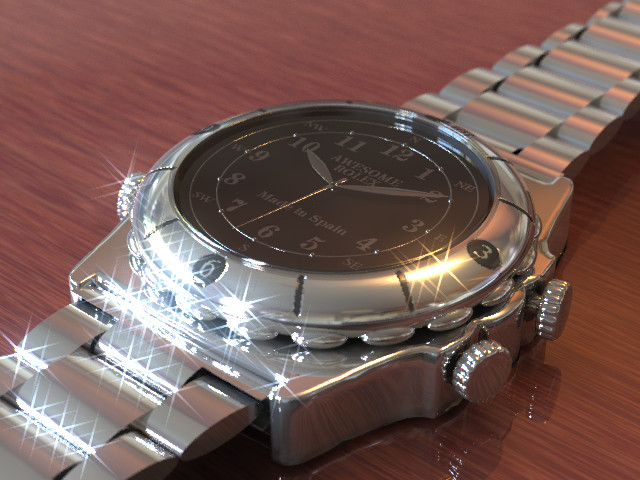
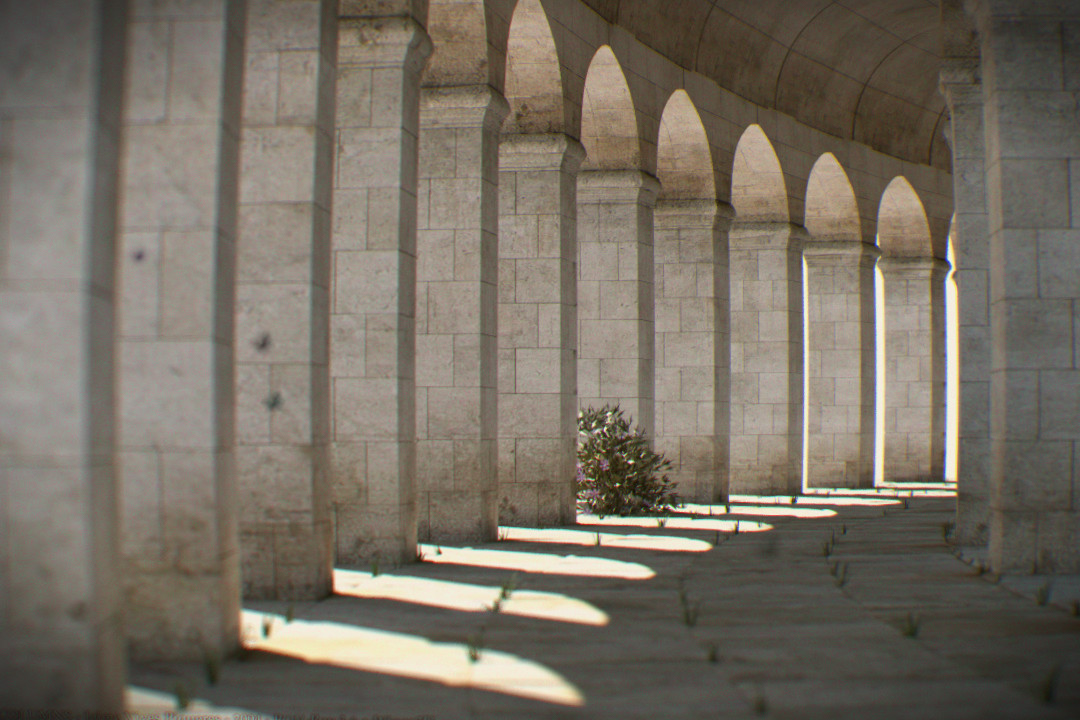
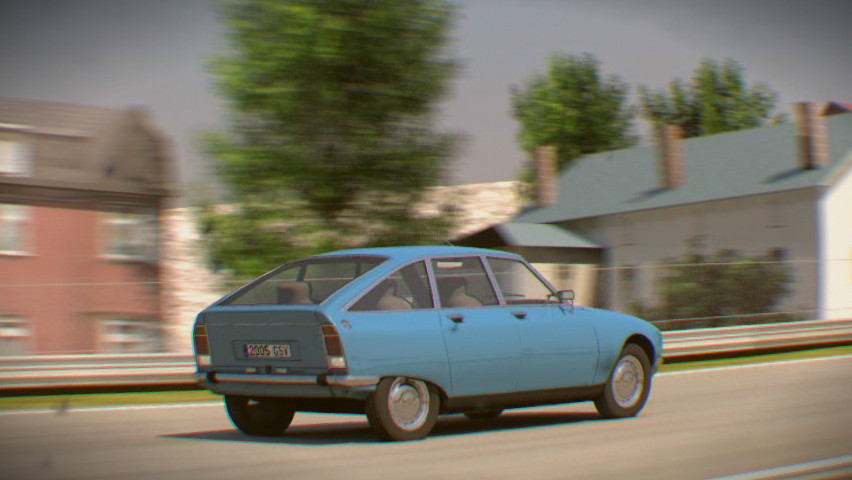
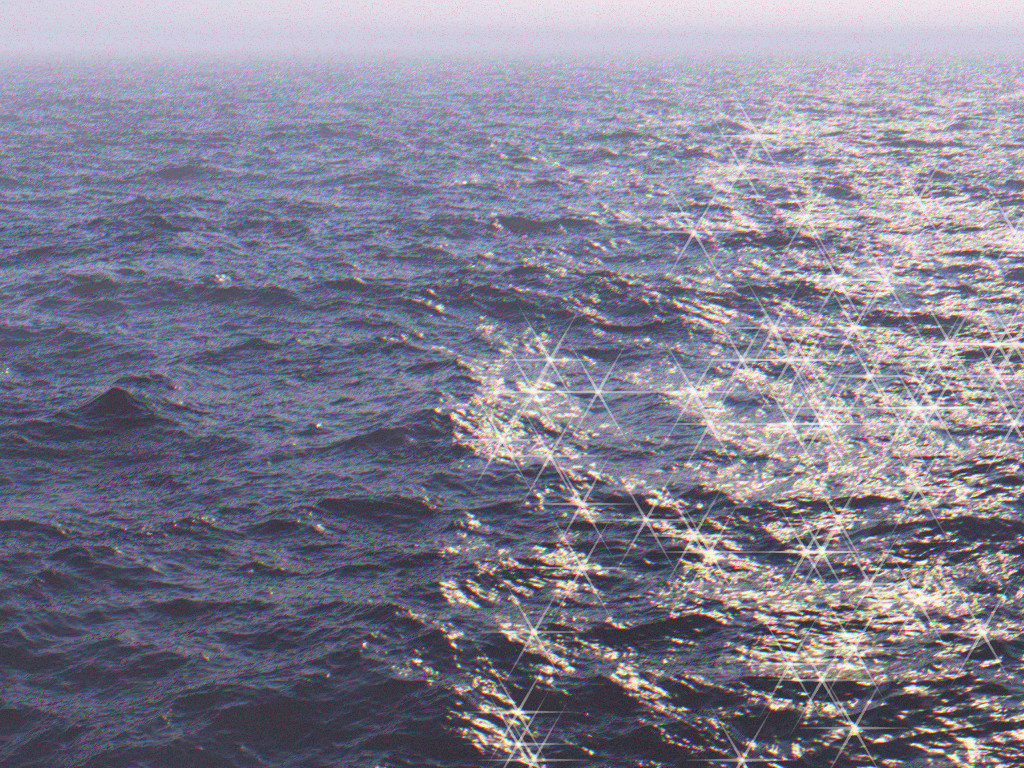
Yes... again, I started something else before finishing the latest project.

And as usual, it started with something innocent: I was looking at the
terrific entries on the 3dRender.com Lighting Challenge, and I noticed one
of them had a subtle chromatic aberration effect that looked very
convincing. I was trying to emulate it with The Gimp, when I figured it
would be not difficult to do it within POV-Ray, with the help of screen.inc.

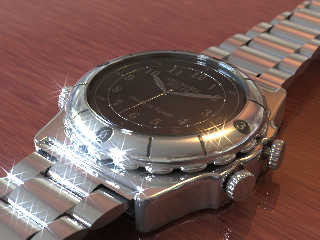
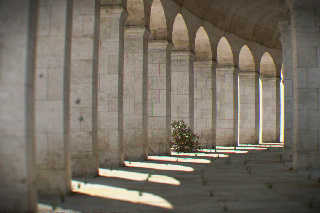
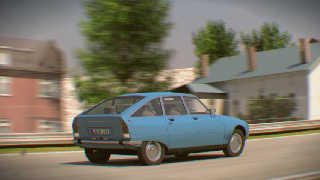
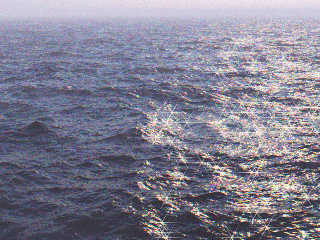
As the chromatic aberration did work nicely, I tried to simulate other
camera defects: distortion, vignetting, blue-channel noise, dust on the
lens... I was like possessed by Sam Benge, and nothing seemed too difficult,
so I tried next some effects: bloom and cross screen filter... anyone wants
any other specific (d)effect? :)


--
Jaime Vives Piqueres

http://www.ignorancia.org
Post a reply to this message
Attachments:
Download 'reloj-hdr-cdpp-csf.jpg' (98 KB)
Download 'columns-13a-cdpp.jpg' (213 KB)
Download 'e-track-6-01-cdpp.jpg' (98 KB)
Download 'opensea-cdpp-csf.jpg' (587 KB)
Preview of image 'reloj-hdr-cdpp-csf.jpg'
Preview of image 'columns-13a-cdpp.jpg'
Preview of image 'e-track-6-01-cdpp.jpg'
Preview of image 'opensea-cdpp-csf.jpg'
|
|
| |
| |
|
|
|
|
| |
| |
|
|
Jaime Vives Piqueres <jai### [at] ignorancia org> wrote:
> Yes... again, I started something else before finishing the latest project.
I prefer lots of awesome half-baked images rather than 1 or 2 awesome finished
images. :)
> lens... I was like possessed by Sam Benge, and nothing seemed too difficult,
LOL
amazing what some simple color aberration can do to enhace realism. That car
picture does indeed look like some true picture, not a render. I wonder how
much time will it take for game makers to realize this simple truth.
The sea looks good too but the clock looks wii too shiny and without a bit of
DOF for such a close up. org> wrote:
> Yes... again, I started something else before finishing the latest project.
I prefer lots of awesome half-baked images rather than 1 or 2 awesome finished
images. :)
> lens... I was like possessed by Sam Benge, and nothing seemed too difficult,
LOL
amazing what some simple color aberration can do to enhace realism. That car
picture does indeed look like some true picture, not a render. I wonder how
much time will it take for game makers to realize this simple truth.
The sea looks good too but the clock looks wii too shiny and without a bit of
DOF for such a close up.
Post a reply to this message
|
|
| |
| |
|
|
|
|
| |
| |
|
|
Ooh, shiny!

  And very kewl. :)
Post a reply to this message
|
|
| |
| |
|
|
|
|
| |
| |
|
|
Jaime Vives Piqueres <jai### [at] ignoranciaorg> wrote:
> Yes... again, I started something else before finishing the latest project.
>
> And as usual, it started with something innocent: I was looking at the
> terrific entries on the 3dRender.com Lighting Challenge, and I noticed one
> of them had a subtle chromatic aberration effect that looked very
> convincing. I was trying to emulate it with The Gimp, when I figured it
> would be not difficult to do it within POV-Ray, with the help of screen.inc.
>
> As the chromatic aberration did work nicely, I tried to simulate other
> camera defects: distortion, vignetting, blue-channel noise, dust on the
> lens... I was like possessed by Sam Benge, and nothing seemed too difficult,
> so I tried next some effects: bloom and cross screen filter... anyone wants
> any other specific (d)effect? :)

Oh wow - that's fantastic!

My suggestions/requests

Film Grain - add slightly blurry noise to the image, where amount of grain is
modulated by the image (add a little for black, more for dark to medium areas, a
little above medim areas, and none for the bright parts).

Digital sensor blow-out - make very intense pixels go white (e.g. if the pixel
is <4,0.1,0.5>, make it <1,1,1>). Needs an HDR input source. Digital sensors do
this; I actually much prefer the deep saturation you get with film in this
regard, but it's a useful thing to emulate, as people are very used to seeing it
these days.

Cheers,
Edouard.
Post a reply to this message
|
|
| |
| |
|
|
|
|
| |
| |
|
|
Oh, and

Corner Softness - make the center sharp, but soften the image as you get away
from the middle, so that the corners are a bit soft.

Cheers,
Edouard.
Post a reply to this message
|
|
| |
| |
|
|
|
|
| |
| |
|
|
"nemesis" <nam### [at] gmailcom> wrote:
> I prefer lots of awesome half-baked images rather than 1 or 2 awesome finished
> images. :)
>

And that is one awesome watch.
Post a reply to this message
|
|
| |
| |
|
|
From: Jaime Vives Piqueres
Subject: Re: Postprocessing camera (d)effects with POV-Ray - Bokeh
Date: 1 Jan 2010 16:12:50
Message: <4b3e6552@news.povray.org>
|
|
|
| |
| |
|
|
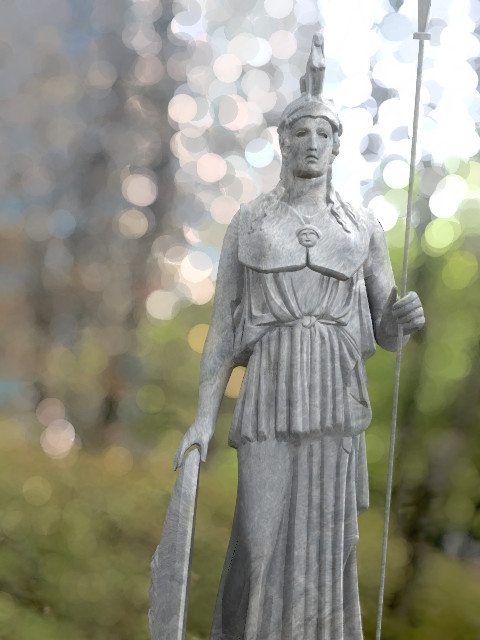
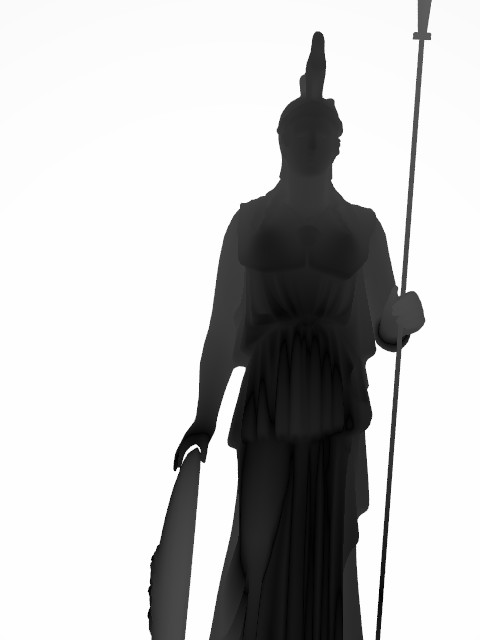
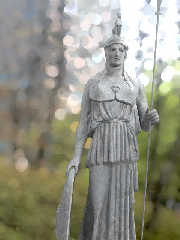
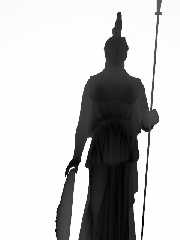
Very WIP, just proof of concept that it works, although it needs an
additional "focus map" (see attached one, created by assigning a gradient
pigment to the whole scene).

Edouard, thanks for your fine suggestions, specially the film grain effect:
I found several Photoshop tutorials that should be easy to translate to
POV-Ray...


--
Jaime Vives Piqueres

http://www.ignorancia.org
Post a reply to this message
Attachments:
Download 'atenea_bokeh.jpg' (70 KB)
Download 'atenea_fb-map.jpg' (21 KB)
Preview of image 'atenea_bokeh.jpg'
Preview of image 'atenea_fb-map.jpg'
|
|
| |
| |
|
|
From: Jaime Vives Piqueres
Subject: Re: Postprocessing camera (d)effects with POV-Ray - Bokeh
Date: 2 Jan 2010 05:05:49
Message: <4b3f1a7d@news.povray.org>
|
|
|
| |
| |
|
|
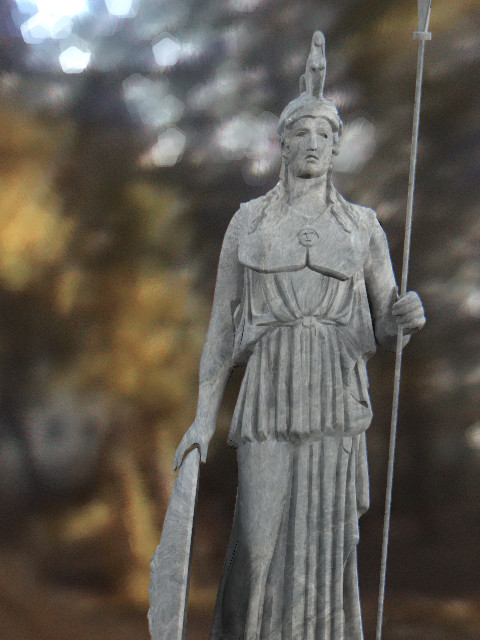
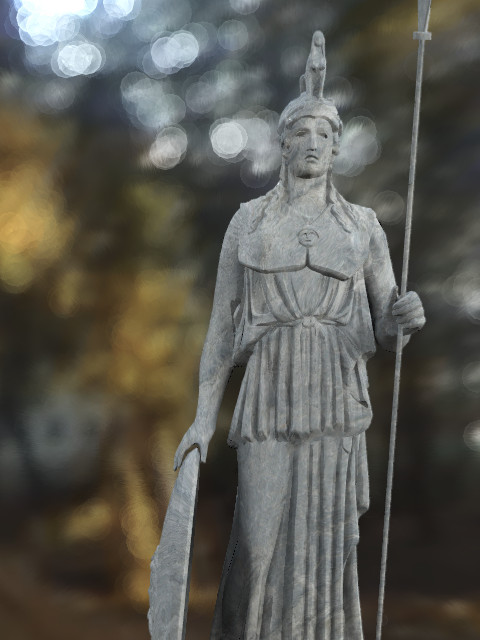
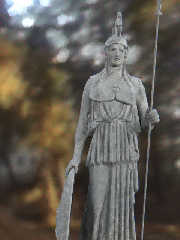
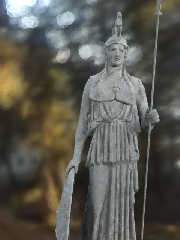
Almost finished now, with additional parameters for the intensity
distribution, number of diaphragm blades, and even passing an object for the
bokeh shape (as with real black paperboard cuts).

The method is tricky but clean, and is somewhat fast to render... but I
still have to try to automate it (so that you can queue the consecutive passes).

--
Jaime Vives Piqueres

http://www.ignorancia.org
Post a reply to this message
Attachments:
Download 'atenea_bokeh3.jpg' (95 KB)
Download 'atenea_bokeh4.jpg' (65 KB)
Preview of image 'atenea_bokeh3.jpg'
Preview of image 'atenea_bokeh4.jpg'
|
|
| |
| |
|
|
|
|
| |
| |
|
|
Jaime Vives Piqueres <jai### [at] ignoranciaorg> wrote:
> Almost finished now, with additional parameters for the intensity
> distribution, number of diaphragm blades, and even passing an object for the
> bokeh shape (as with real black paperboard cuts).
>
> The method is tricky but clean, and is somewhat fast to render... but I
> still have to try to automate it (so that you can queue the consecutive passes).

Looking really good!

I had some code that could take an iris image in my 35mm Camera Macros - you
rendered the scene multiple times with a slightly different camera shear matrix
each time, and when you averaged the images together you got focal blur with
shaped bokeh. Are you doing something vaguely similar? I can't wait to find out,
and to give your code a spin!

Cheers,
Edouard.
Post a reply to this message
|
|
| |
| |
|
|
|
|
| |
| |
|
|
Among other things, Jaime Vives Piqueres saw fit to write:

> Almost finished now, with additional parameters for the intensity
> distribution, number of diaphragm blades, and even passing an object for
> the bokeh shape (as with real black paperboard cuts).
>
> The method is tricky but clean, and is somewhat fast to render... but I
> still have to try to automate it (so that you can queue the consecutive
> passes).

Looks great! I wonder... how does it handle reflections? Actually, how is
bokeh affected by reflection in real cameras? (I mean, when the bright
spots are not seen directly, but through a reflection.) The same could be
asked with refraction or just transparency.

--
light_source{9+9*x,1}camera{orthographic look_at(1-y)/4angle 30location
9/4-z*4}light_source{-9*z,1}union{box{.9-z.1+x clipped_by{plane{2+y-4*x
0}}}box{z-y-.1.1+z}box{-.1.1+x}box{.1z-.1}pigment{rgb<.8.2,1>}}//Jellby
Post a reply to this message
|
|
| |
| |
|
|
From: Jaime Vives Piqueres
Subject: Re: Postprocessing camera (d)effects with POV-Ray - Bokeh
Date: 2 Jan 2010 14:57:40
Message: <4b3fa534$1@news.povray.org>
|
|
|
| |
| |
|
|
El 02/01/10 20:18, Jellby escribió:
> Looks great! I wonder... how does it handle reflections? Actually, how
> is bokeh affected by reflection in real cameras? (I mean, when the
> bright spots are not seen directly, but through a reflection.) The same
> could be asked with refraction or just transparency.
>

   Ah... you really got me with the refraction/transparency thing! ;)

   With reflections there is no problem, but as the method is based on a
"focus map", it will not show the spots through a focused glass (similar to
what happens with postprocessed focal blur).


--
Jaime Vives Piqueres

http://www.ignorancia.org
Post a reply to this message
|
|
| |
| |
|
|
|
|
| |
| |
|
|
Jaime Vives Piqueres <jai### [at] ignoranciaorg> wrote:
> I was trying to emulate it with The Gimp, when I figured it
> would be not difficult to do it within POV-Ray, with the help of screen.inc.

It all looks great :) I guess it's my turn to wonder, how are you doing this? I
suppose I should take a look at screen.inc!

Sam
Post a reply to this message
|
|
| |
| |
|
|
From: Jaime Vives Piqueres
Subject: Re: Postprocessing camera (d)effects with POV-Ray - Bokeh
Date: 2 Jan 2010 16:55:39
Message: <4b3fc0db$1@news.povray.org>
|
|
|
| |
| |
|
|
El 02/01/10 20:35, Edouard escribió:
> Looking really good!

   Thanks! But it has some limitations...

> I had some code that could take an iris image in my 35mm Camera Macros -
> you rendered the scene multiple times with a slightly different camera
> shear matrix each time, and when you averaged the images together you got
> focal blur with shaped bokeh. Are you doing something vaguely similar?

   No, not at all: my approach is not that clever... it's more like brute force.

   I'm simply tracing the image at random, evaluating the pigment at the
point, and placing an object textured with a spherical pattern. The size of
the object is controlled by the "focus map", and the transparency is
controlled by the intensity on the image.

   The problem is that these objects overlap the zone "in focus" too... so it
needs an additional pass mixing the original image and the "bokehd" image,
using the "focus map" again as guide (which is easy using a texture_map with
a pigment_pattern).

   BTW, the method works mostly with HDR input images...

   For the bloom effect I'm using something similar, but without the "focus
map". For the other camera (d)effects I'm using different methods: some are
just a texture over the camera.


> I can't wait to find out, and to give your code a spin!

   Sure it will benefit from it! ...just let me finish the film grain effect
and clean a bit the code, please.


--
Jaime Vives Piqueres

http://www.ignorancia.org
Post a reply to this message
|
|
| |
| |
|
|
From: Jaime Vives Piqueres
Subject: Re: Postprocessing camera (d)effects with POV-Ray
Date: 2 Jan 2010 17:09:45
Message: <4b3fc429$1@news.povray.org>
|
|
|
| |
| |
|
|
El 02/01/10 21:05, Samuel Benge escribió:
> It all looks great :)

   Thanks!

> I guess it's my turn to wonder, how are you doing this? I suppose I
> should take a look at screen.inc!

   Well, screen.inc is just the tool to place the image in front of the
camera, passing it as a texture. At first I was just experimenting with
processing that texture (chromatic aberration, noise, distortion,...), until
I figured out that I could also trace and evaluate the image texture, to put
objects in front of the camera (cross screen filter, bloom, bokeh).

   Now my problem is getting all these camera effects compatible between
them, so that you can use them together. Also, I should sort them, as the
applying order is important for photorealism.

--
Jaime Vives Piqueres

http://www.ignorancia.org
Post a reply to this message
|
|
| |
| |
|
|
From: Mike Raiford
Subject: Re: Postprocessing camera (d)effects with POV-Ray - Bokeh
Date: 11 Jan 2010 08:18:58
Message: <4b4b2542@news.povray.org>
|
|
|
| |
| |
|
|
On 1/2/2010 4:08 AM, Jaime Vives Piqueres wrote:
> Almost finished now, with additional parameters for the intensity
> distribution, number of diaphragm blades, and even passing an object for
> the
> bokeh shape (as with real black paperboard cuts).
>
> The method is tricky but clean, and is somewhat fast to render... but I
> still have to try to automate it (so that you can queue the consecutive
> passes).
>


Is the bokeh effect all done in the renderer, then? Nice work!

--
~Mike
Post a reply to this message
|
|
| |
| |
|
|
From: Mike Raiford
Subject: Re: Postprocessing camera (d)effects with POV-Ray - Bokeh
Date: 11 Jan 2010 08:24:33
Message: <4b4b2691$1@news.povray.org>
|
|
|
| |
| |
|
|
On 1/2/2010 3:58 PM, Jaime Vives Piqueres wrote:
> El 02/01/10 20:35, Edouard escribió:
>> Looking really good!
>
> Thanks! But it has some limitations...
>
>> I had some code that could take an iris image in my 35mm Camera Macros -
>> you rendered the scene multiple times with a slightly different camera
>> shear matrix each time, and when you averaged the images together you got
>> focal blur with shaped bokeh. Are you doing something vaguely similar?
>
> No, not at all: my approach is not that clever... it's more like brute
> force.
>

This all very much reminds me of the stoichiometric rendering rig I saw
some time ago (I forget who posted it ...) that worked really nicely for
bokeh, but IIRC, it had some artifacts associated with it.

Now I want to play with bokeh in POVRay ... (wonder if I could rig up
some animation-based means of doing it....)

--
~Mike
Post a reply to this message
|
|
| |
| |
|
|
From: Jaime Vives Piqueres
Subject: Re: Postprocessing camera (d)effects with POV-Ray - Bokeh
Date: 11 Jan 2010 17:56:32
Message: <4b4baca0$1@news.povray.org>
|
|
|
| |
| |
|
|
El 11/01/10 14:13, Mike Raiford escribió:
>
> Is the bokeh effect all done in the renderer, then? Nice work!
>

   Yes, but in a second pass over the rendered image... so, technically, it's
cheating! ;)

--
Jaime Vives Piqueres

http://www.ignorancia.org
Post a reply to this message
|
|
| |
| |
|
|
|
|
| |