|
|
|
|
|
|
| |
| |
|
|
From: Jörg 'Yadgar' Bleimann
Subject: Probably I'm just in fact too stupid...
Date: 25 Nov 2009 18:40:04
Message: <4b0dc054@news.povray.org>
|
|
|
| |
| |
|
|
...to make use of more advanced raytracing techniques such as media -
and may have to content myself for the rest of my life with beginner's
scenes!

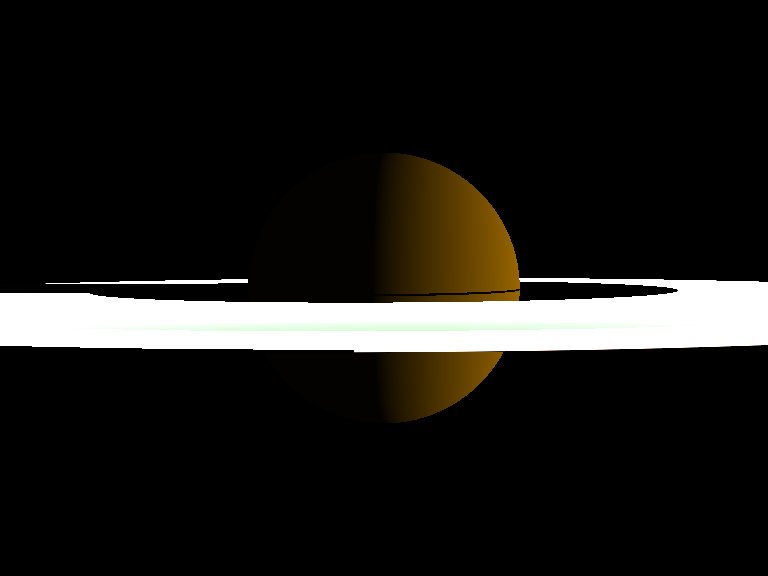
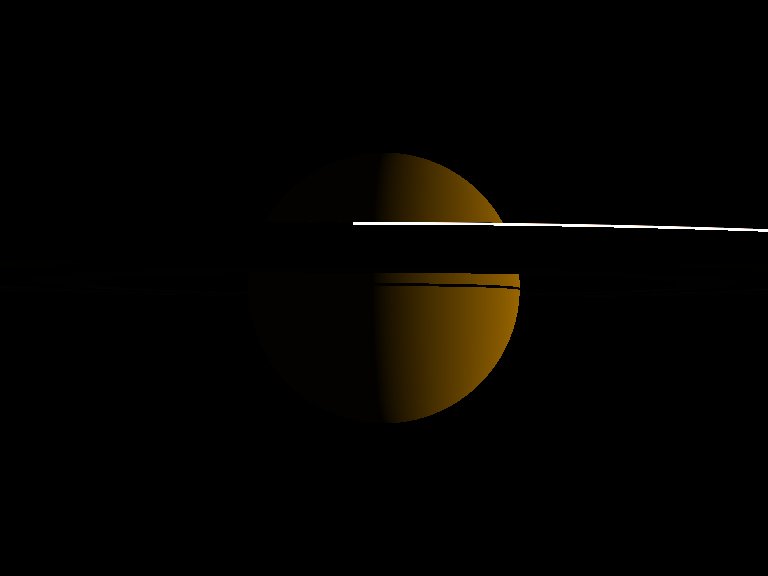
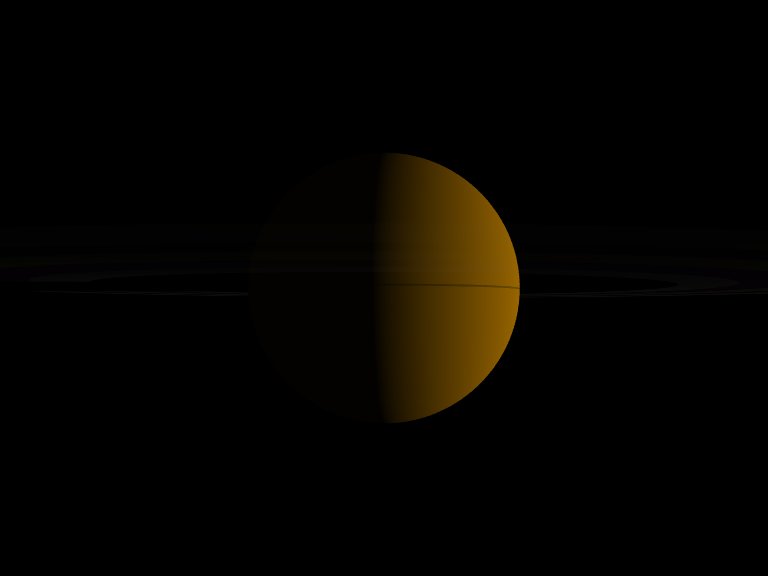
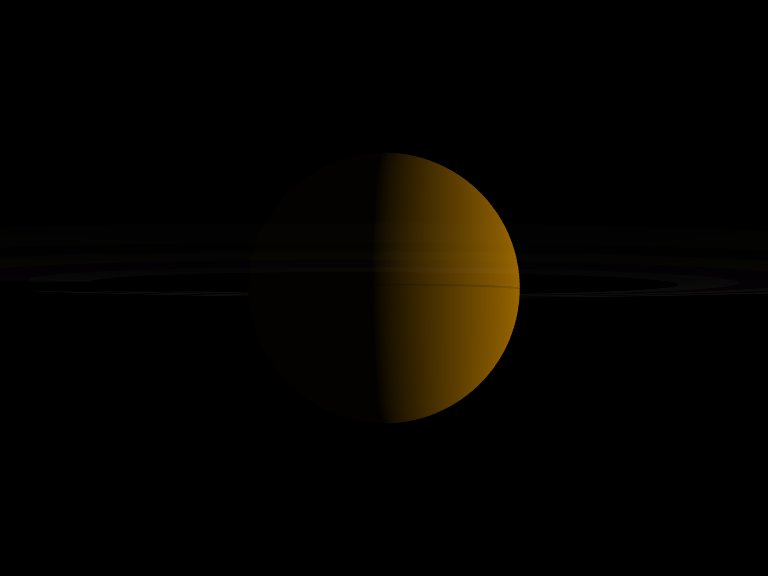
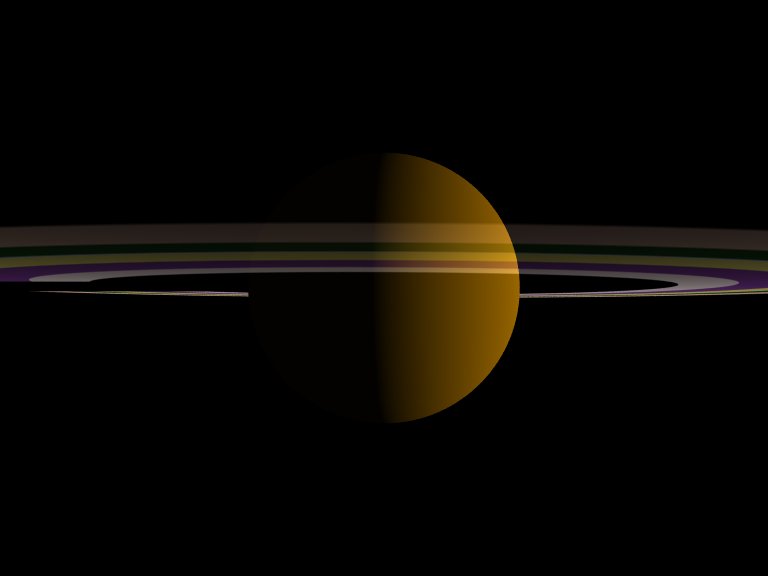
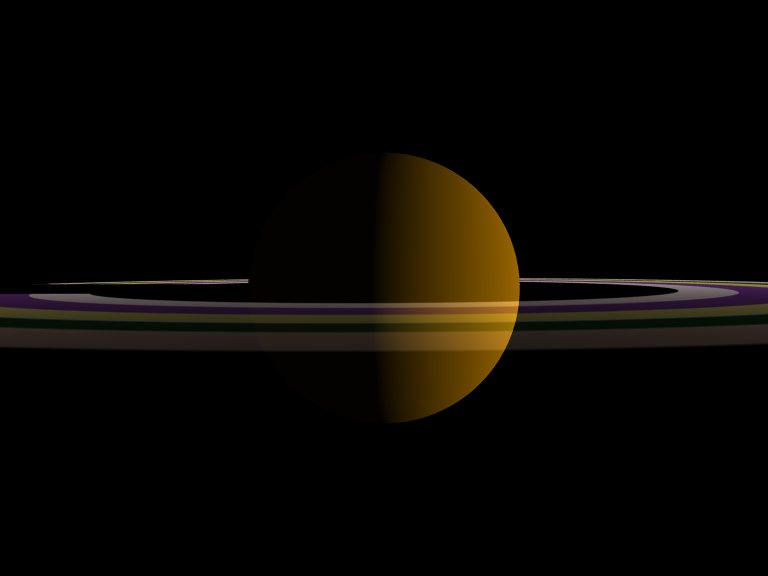
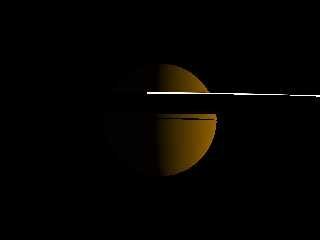
I'm still not able to produce planetary rings through which light is
scattered also to the unlit side... here is the code (no, it's just a
test scene, not a real Saturn!), and below two scenes showing the lit
and unlit side of the rings!

// beginning of code

global_settings
{
   max_trace_level 10
}

union
{
   sphere
   {
     0, 1
     texture
     {
       pigment { color rgb <0.6, 0.4, 0> }
       finish { ambient 0.02 diffuse 1 brilliance 0.8 }
     }
   }
   difference
   {
     cylinder
     {
       <0, -0.001, 0>, <0, 0.005, 0>, 3.68
     }
     cylinder
     {
       <0, -0.0011, 0>, <0, 0.0011, 0>, 1.75
     }
     hollow
     pigment { rgbt 1 }
     interior
     {
       media
       {
         emission 1/36800
         scattering
         {
           1, 1
           // eccentricity -0.4
           extinction 1
         }
         density
         {
           cylindrical
           color_map
           {
             [0 rgbf <1, 0.8, 0.7, 0.2> ]
             [0.1 rgbf <1, 0.8, 0.7, 0.2> ]
             [0.1 rgbf <0.1, 0.3, 0.1, 0.5>]
             [0.17 rgbf <0.1, 0.3, 0.1, 0.5>]
             [0.17 rgbf <0.85, 0.89, 0.94, 0.3>]
             [0.18 rgbf <0.85, 0.89, 0.94, 0.3>]
             [0.18 rgbf <0.99, 0.93, 0.45, 0.4>]
             [0.26 rgbf <0.99, 0.93, 0.45, 0.4>]
             [0.26 rgbf <0.5, 0.23, 0.61, 0.5, 0.4>]
             [0.36 rgbf <0.5, 0.23, 0.61, 0.5, 0.4>]
             [0.36 rgbf <1, 0.92, 0.93, 0.3>]
             [0.45 rgbf <1, 0.92, 0.93, 0.3>]
             [0.45 rgbf <0, 0, 0, 1>]

           }
           scale 3.68
         }
       }
     }
   }
   rotate <2, 7, 0>
   scale 10000
   translate z*50000
}


light_source
{
   <500000, 2500, 5000>
   color rgb 1
}

camera
{
   location <1.5, 1.5, 0.12>
   look_at 1.5
   angle 60
}

// end of code

See you in Khyberspace! (learning Pashto seems to be easier than using
media!)

Yadgar

Now playing: Yesterday Once More (Carpenters)
Post a reply to this message
Attachments:
Download '2009-11-25 media test, take 42.jpg' (11 KB)
Download '2009-11-25 media test, take 43.jpg' (8 KB)
Preview of image '2009-11-25 media test, take 42.jpg'
Preview of image '2009-11-25 media test, take 43.jpg'
|
|
| |
| |
|
|
|
|
| |
| |
|
|
Jörg 'Yadgar' Bleimann wrote:

> ...to make use of more advanced raytracing techniques such as media -
>  and may have to content myself for the rest of my life with
> beginner's scenes!
>
> I'm still not able to produce planetary rings through which light is
>  scattered also to the unlit side... here is the code (no, it's just
> a test scene, not a real Saturn!), and below two scenes showing the
> lit and unlit side of the rings!

Well I couldnt figure out how to change the density of it for the
different rings, but did figure out how to accurately manage the color
locations with an unexpectedly beautiful result.

---- code start ----
#include "colors.inc"

global_settings {
	max_trace_level 100
}

light_source {
	1000
	White
}

camera {
	right x * image_width / image_height
	location < -5, 2, 5 >
	look_at 0
}

#declare planet = object {
	sphere { 0, 2 }
	texture { pigment { color Yellow } }
}

#declare m_rings = media {
	scattering {
		1, 1 // type, color
		extinction 1 // default = 1
	}
	density {
		cylindrical
		density_map {
			[ 0.000 rgbt < 1, 0, 0, 1 > ]
			[ 0.175 rgbt < 0, 1, 0, 0 > ]
			[ 0.250 rgbt < 0, 0, 1, 1 > ]
			[ 0.250 rgbt < 0, 0, 0, 1 > ]
			[ 1.000 rgbt < 0, 0, 0, 1 > ]
		}
		scale 4
	}
}

#declare rings = object {
	difference {
		cylinder { < 0, -1, 0 >, < 0, 1, 0 >, 4 }
		cylinder { < 0, -2, 0 >, < 0, 2, 0 >, 3 }
	}
	scale y * 0.1
	hollow
	texture { pigment { rgbt 1 } } // completely transparent
	interior {
		media { m_rings }
	}
}

union {
	object { planet }
	object { rings }
}
---- code end ----
Post a reply to this message
|
|
| |
| |
|
|
|
|
| |
| |
|
|
=?ISO-8859-1?Q?J=F6rg_=27Yadgar=27_Bleimann?= <yaz### [at] gmx de> wrote:
> ...to make use of more advanced raytracing techniques such as media -
> and may have to content myself for the rest of my life with beginner's
> scenes!
>
> I'm still not able to produce planetary rings through which light is
> scattered also to the unlit side... here is the code (no, it's just a
> test scene, not a real Saturn!), and below two scenes showing the lit
> and unlit side of the rings!
>
The media is too thick. Reduce the scattering amount, try:
scattering
{
1, 1/250
extinction 1
}
You should also be aware that close color control while using extinction can be
tricky.
-Reactor de> wrote:
> ...to make use of more advanced raytracing techniques such as media -
> and may have to content myself for the rest of my life with beginner's
> scenes!
>
> I'm still not able to produce planetary rings through which light is
> scattered also to the unlit side... here is the code (no, it's just a
> test scene, not a real Saturn!), and below two scenes showing the lit
> and unlit side of the rings!
>
The media is too thick. Reduce the scattering amount, try:
scattering
{
1, 1/250
extinction 1
}
You should also be aware that close color control while using extinction can be
tricky.
-Reactor
Post a reply to this message
|
|
| |
| |
|
|
|
|
| |
| |
|
|
Jörg 'Yadgar' Bleimann wrote:
> ...to make use of more advanced raytracing techniques such as media -
> and may have to content myself for the rest of my life with beginner's
> scenes!
>
> I'm still not able to produce planetary rings through which light is
> scattered also to the unlit side... here is the code (no, it's just a
> test scene, not a real Saturn!), and below two scenes showing the lit
> and unlit side of the rings!

Hi Jörg,

...Here is some 3.6-compatible code you might find useful:

// begin code
global_settings{assumed_gamma 1.0}

#default{finish{ambient 0}}

camera{
  location<0,-1000,-10000>
  look_at 0
  angle .05
  sky<-.5,1,0>
}

light_source{<1,.05,0>*100000,<2.5,2.2,2>}

sphere{0,2
  pigment{
   bumps scale<100,.5,100> turbulence .5
   color_map{[0 rgb 1][.5 rgb<.5,.4,.3>][1 rgb .5]}
  }
  hollow
}

#declare ring_radius = 5.5;
cylinder{
  -y*.001,y*.001,ring_radius
  pigment{rgbt 1}
  interior{
   media{
    scattering{5,200*<1,.9,.8>}
    absorption 200/<1,.9,.8>
    density{
     cylindrical
     scale ring_radius
     color_map{
      // this will give us color for the rings
      #declare f_pigment=
      function{
       pigment{
        planar turbulence<1,1,1> lambda 6
        color_map{[.3 rgb 0][1 rgb 1]}
       }
      }
      #declare V=0;
      #while(V<=.4)
       // take color from f_pigment for rings
       [V rgb f_pigment(0,V,0)]
       #declare V=V+.4/20;
      #end
      // leave a smooth transition for inner ring
      [.5 rgb 0]
     }
    }
   }
  }
  hollow
}
// end code

It won't work correctly in version 3.7; media appears to be somewhat
buggy...

Anyway, I hope this was helpful!

Sam
Post a reply to this message
|
|
| |
| |
|
|
|
|
| |
| |
|
|
stbenge wrote:
>
> ...Here is some 3.6-compatible code you might find useful:

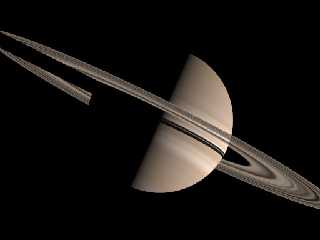
Oops, here's the image :)
Post a reply to this message
Attachments:
Download 'ringtest.jpg' (14 KB)
Preview of image 'ringtest.jpg'
|
|
| |
| |
|
|
From: Jörg 'Yadgar' Bleimann
Subject: Re: Probably I'm just in fact too stupid...
Date: 26 Nov 2009 12:10:19
Message: <4b0eb67b$1@news.povray.org>
|
|
|
| |
| |
|
|
High!

stbenge wrote:
 > Jörg 'Yadgar' Bleimann wrote:
 >> ...to make use of more advanced raytracing techniques such as media
- and may have to content myself for the rest of my life with beginner's
scenes!
 >>
 >> I'm still not able to produce planetary rings through which light is
scattered also to the unlit side... here is the code (no, it's just a
test scene, not a real Saturn!), and below two scenes showing the lit
and unlit side of the rings!
 >
 > Hi Jörg,
 >
 > ...Here is some 3.6-compatible code you might find useful:
Perhaps... but I want to adopt it for my already existing Saturnian
rings' color maps (based on Björn Jónsson's color and transparency map
images) rather than just using a ready-made Saturn-like planet.
 > // begin code
 > global_settings{assumed_gamma 1.0}
 >
 > #default{finish{ambient 0}}
 >
 > camera{
 >  location<0,-1000,-10000>
 >  look_at 0
 >  angle .05
 >  sky<-.5,1,0> absorption 200/<1,.9,.8>
 > }
 >
 > light_source{<1,.05,0>*100000,<2.5,2.2,2>}
 >
 > sphere{0,2
 >  pigment{
 >   bumps scale<100,.5,100> turbulence .5
 >   color_map{[0 rgb 1][.5 rgb<.5,.4,.3>][1 rgb .5]}
 >  }
 >  hollow
 > }
 >
 > #declare ring_radius = 5.5;
 > cylinder{
 >  -y*.001,y*.001,ring_radius
 >  pigment{rgbt 1}
 >  interior{
 >   media{
 >    scattering{5,200*<1,.9,.8>}
 >    absorption 200/<1,.9,.8>

Your ring is 5.5 units wide, so I assumed that there is a 36.36 ratio
between ring radius and scattering/absorption strength... but when I
applied this to my test scene (not yet the real Saturn scene - for the
time being, I'm somewhat reluctant to further mess up its already quite
complicated code!) with a ring radius of 36,800 units, I only got a
result quite similar the images posted at the top message of this thread!

Would your scattering/absorption settings also work with just a simple
cylindrical pattern color map rather than your sophisticated function?

Here is my current version of the code:

global_settings
{
   max_trace_level 10
}

union
{
   sphere
   {
     0, 1
     texture
     {
       pigment { color rgb <0.6, 0.4, 0> }
       finish { ambient 0.02 diffuse 1 brilliance 0.8 }
     }
   }
   difference
   {
     cylinder
     {
       <0, -0.001, 0>, <0, 0.005, 0>, 3.68
     }
     cylinder
     {
       <0, -0.0011, 0>, <0, 0.0011, 0>, 1.75
     }
     hollow
     pigment { rgbt 1 }
     interior
     {
       media
       {
         scattering
         {
           5, 1338181 * <1, 0.9, 0.8>
           extinction 1
         }
         absorption 1338181 / <1, 0.9, 0.8>
         density
         {
           cylindrical
           color_map
           {
             [0 rgbf <1, 0.8, 0.7, 0.2> ]
             [0.1 rgbf <1, 0.8, 0.7, 0.2> ]
             [0.1 rgbf <0.1, 0.3, 0.1, 0.5>]
             [0.17 rgbf <0.1, 0.3, 0.1, 0.5>]
             [0.17 rgbf <0.85, 0.89, 0.94, 0.3>]
             [0.18 rgbf <0.85, 0.89, 0.94, 0.3>]
             [0.18 rgbf <0.99, 0.93, 0.45, 0.4>]
             [0.26 rgbf <0.99, 0.93, 0.45, 0.4>]
             [0.26 rgbf <0.5, 0.23, 0.61, 0.5, 0.4>]
             [0.36 rgbf <0.5, 0.23, 0.61, 0.5, 0.4>]
             [0.36 rgbf <1, 0.92, 0.93, 0.3>]
             [0.45 rgbf <1, 0.92, 0.93, 0.3>]
             [0.45 rgbf <0, 0, 0, 1>]

           }
           scale 3.68
         }
       }
     }
   }
   rotate <-2, 7, 0>
   scale 10000
   translate z*50000
}


light_source
{
   <500000, 2500, 5000>
   color rgb 1
}

camera
{
   location <1.5, 1.5, 0.12>
   look_at 1.5
   angle 60
}

See you in Khyberspace!

Yadgar
Post a reply to this message
|
|
| |
| |
|
|
|
|
| |
| |
|
|
Jörg 'Yadgar' Bleimann wrote:
> Your ring is 5.5 units wide, so I assumed that there is a 36.36 ratio
> between ring radius and scattering/absorption strength... but when I
> applied this to my test scene (not yet the real Saturn scene - for the
> time being, I'm somewhat reluctant to further mess up its already quite
> complicated code!) with a ring radius of 36,800 units, I only got a
> result quite similar the images posted at the top message of this thread!
>
> Would your scattering/absorption settings also work with just a simple
> cylindrical pattern color map rather than your sophisticated function?
>
> Here is my current version of the code:

I don't have much time this morning to figure it out, but it's not
looking very promising. The illumination is not reaching the bottom
side, as you said, not with dense scattering, anyway.

You may try to model the rings at full-size, without scaling, as sacling
can mess up media. If that doesn't work, try keeping all your objects
very small, like they were in my test scene. That may be the only way to
  make this scene work with media.

The other option, of course, is to use a textured disc, or several
stacked discs with the double_illuminate keyword, or discs with C.
Lipka's backside illumination feature for 3.7.

Good luck!

Sam
Post a reply to this message
|
|
| |
| |
|
|
From: Jaime Vives Piqueres
Subject: Re: Probably I'm just in fact too stupid...
Date: 26 Nov 2009 14:28:33
Message: <4b0ed6e1@news.povray.org>
|
|
|
| |
| |
|
|
El 26/11/09 18:10, Jörg 'Yadgar' Bleimann escribió:
> Your ring is 5.5 units wide, so I assumed that there is a 36.36 ratio
> between ring radius and scattering/absorption strength... but when I
> applied this to my test scene (not yet the real Saturn scene - for the
> time being, I'm somewhat reluctant to further mess up its already quite
> complicated code!) with a ring radius of 36,800 units, I only got a
> result quite similar the images posted at the top message of this
> thread!

   If you scale UP the container, you have to scale DOWN the media strength!
Just try .05 instead 1338181 and you will see the effect... I just tried it
and works.

> [0 rgbf <1, 0.8, 0.7, 0.2> ] [0.1 rgbf <1, 0.8, 0.7, 0.2> ] [0.1 rgbf
> <0.1, 0.3, 0.1, 0.5>] [0.17 rgbf <0.1, 0.3, 0.1, 0.5>] [0.17 rgbf <0.85,
> 0.89, 0.94, 0.3>] [0.18 rgbf <0.85, 0.89, 0.94, 0.3>] [0.18 rgbf <0.99,
> 0.93, 0.45, 0.4>] [0.26 rgbf <0.99, 0.93, 0.45, 0.4>] [0.26 rgbf <0.5,
> 0.23, 0.61, 0.5, 0.4>] [0.36 rgbf <0.5, 0.23, 0.61, 0.5, 0.4>] [0.36 rgbf
> <1, 0.92, 0.93, 0.3>] [0.45 rgbf <1, 0.92, 0.93, 0.3>] [0.45 rgbf <0, 0,
> 0, 1>]

   Indeed, I don't recall where on the docs I read it, but I seem to remember
that filter/transmit on density maps has no effect (or at least not the
effect you think it will have).

   Regards,


--
Jaime Vives Piqueres

http://www.ignorancia.org
Post a reply to this message
|
|
| |
| |
|
|
From: BitViper
Subject: Re: Probably I'm just in fact too stupid...
Date: 26 Nov 2009 15:43:40
Message: <4b0ee87c@news.povray.org>
|
|
|
| |
| |
|
|
BitViper wrote:

> Well I couldnt figure out how to change the density of it for the
> different rings, but did figure out how to accurately manage the color
> locations with an unexpectedly beautiful result.

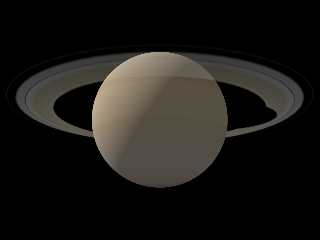
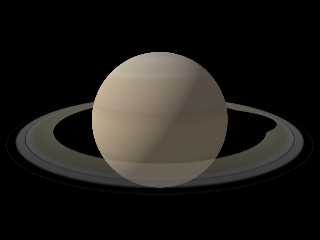
Eureka moment while reading other responses and browsing tutorials
resulted in the attached output from above and below. The ring color map
was generated by a quick perl script I wrote to pull the colors from one
image and the alpha from a paired image, both from
http://planetpixelemporium.com. The planet imagemapped image also came
from there.

I have not tried scaling the planet and rings to proper scales yet, but
should be managable with the notes others have provided here.

/// saturnrings.pov ///
#include "colors.inc"
#include "saturnringsmap.inc"

global_settings {
	max_trace_level 10
}

light_source {
	1000
	White
}

camera {
	right x * image_width / image_height
	location < -5, 2, 5 >
	look_at 0
}

#declare planet = object {
	sphere { 0, 2 }
	texture {
		pigment {
			image_map {
				jpeg "solarsystem/imagemaps/saturnmap.jpg"
				map_type 1
				interpolate 2
			}
		}
	}
}

#declare m_rings = media {
	scattering {
		1, 1 // type, color
		extinction 1 // default = 1
	}
	density {
		cylindrical
		scale 2
		color_map { saturnringsmap }
	}
}

#declare rings = object {
	difference {
		cylinder { < 0, -1, 0 >, < 0, 1, 0 >, 2 }
		cylinder { < 0, -2, 0 >, < 0, 2, 0 >, 1.5 }
	}
	scale y * 0.01
	hollow
	texture { pigment { rgbt 1 } } // completely transparent
	interior {
		media { m_rings }
	}
	scale 2
}

union {
	object { planet }
	object { rings }
}
/// end saturnrings.pov ///

/// saturnringsmap.inc ///
#declare saturnringsmap = color_map {
	[ 0.000 rgb < 0.863, 0.776, 0.580 > * 0.051 ]
	[ 0.001 rgb < 0.831, 0.776, 0.580 > * 0.000 ]
	[ 0.002 rgb < 0.831, 0.776, 0.580 > * 0.000 ]
	[ 0.003 rgb < 0.831, 0.776, 0.580 > * 0.000 ]
	[ 0.004 rgb < 0.831, 0.761, 0.580 > * 0.000 ]
	[ 0.005 rgb < 0.800, 0.761, 0.580 > * 0.000 ]
	[ 0.006 rgb < 0.800, 0.745, 0.580 > * 0.000 ]
	[ 0.007 rgb < 0.800, 0.729, 0.580 > * 0.000 ]
	[ 0.008 rgb < 0.769, 0.729, 0.580 > * 0.000 ]
	[ 0.009 rgb < 0.769, 0.714, 0.580 > * 0.000 ]
	[ 0.010 rgb < 0.769, 0.698, 0.612 > * 0.000 ]
	[ 0.011 rgb < 0.737, 0.698, 0.580 > * 0.000 ]
	[ 0.012 rgb < 0.737, 0.698, 0.612 > * 0.208 ]
	[ 0.013 rgb < 0.737, 0.698, 0.612 > * 0.553 ]
	[ 0.014 rgb < 0.737, 0.682, 0.612 > * 0.761 ]
	[ 0.015 rgb < 0.737, 0.682, 0.612 > * 0.761 ]
	[ 0.016 rgb < 0.737, 0.682, 0.643 > * 0.753 ]
	[ 0.017 rgb < 0.737, 0.682, 0.643 > * 0.753 ]
	[ 0.018 rgb < 0.737, 0.682, 0.675 > * 0.745 ]
	[ 0.019 rgb < 0.737, 0.698, 0.706 > * 0.733 ]
	[ 0.020 rgb < 0.737, 0.729, 0.706 > * 0.733 ]
	[ 0.021 rgb < 0.769, 0.761, 0.769 > * 0.694 ]
	[ 0.022 rgb < 0.831, 0.808, 0.831 > * 0.698 ]
	[ 0.023 rgb < 0.863, 0.839, 0.863 > * 0.529 ]
	[ 0.024 rgb < 0.894, 0.902, 0.925 > * 0.067 ]
	[ 0.025 rgb < 0.925, 0.933, 0.957 > * 0.671 ]
	[ 0.025 rgb < 0.988, 0.965, 0.925 > * 0.678 ]
	[ 0.026 rgb < 0.988, 0.996, 0.988 > * 0.675 ]
	[ 0.027 rgb < 0.988, 0.996, 0.988 > * 0.690 ]
	[ 0.028 rgb < 0.988, 0.996, 0.957 > * 0.690 ]
	[ 0.029 rgb < 0.988, 0.965, 0.925 > * 0.686 ]
	[ 0.030 rgb < 0.957, 0.949, 0.863 > * 0.671 ]
	[ 0.031 rgb < 0.957, 0.918, 0.800 > * 0.678 ]
	[ 0.032 rgb < 0.925, 0.886, 0.737 > * 0.682 ]
	[ 0.033 rgb < 0.894, 0.839, 0.675 > * 0.690 ]
	[ 0.034 rgb < 0.863, 0.824, 0.612 > * 0.678 ]
	[ 0.035 rgb < 0.863, 0.808, 0.612 > * 0.686 ]
	[ 0.036 rgb < 0.831, 0.792, 0.549 > * 0.671 ]
	[ 0.037 rgb < 0.863, 0.776, 0.580 > * 0.675 ]
	[ 0.038 rgb < 0.863, 0.792, 0.549 > * 0.678 ]
	[ 0.039 rgb < 0.863, 0.792, 0.549 > * 0.678 ]
	[ 0.040 rgb < 0.863, 0.792, 0.580 > * 0.678 ]
	[ 0.041 rgb < 0.863, 0.792, 0.549 > * 0.678 ]
	[ 0.042 rgb < 0.863, 0.792, 0.580 > * 0.686 ]
	[ 0.043 rgb < 0.863, 0.792, 0.580 > * 0.698 ]
	[ 0.044 rgb < 0.863, 0.792, 0.549 > * 0.710 ]
	[ 0.045 rgb < 0.831, 0.792, 0.580 > * 0.714 ]
	[ 0.046 rgb < 0.863, 0.792, 0.549 > * 0.722 ]
	[ 0.047 rgb < 0.863, 0.792, 0.549 > * 0.737 ]
	[ 0.048 rgb < 0.863, 0.792, 0.549 > * 0.741 ]
	[ 0.049 rgb < 0.863, 0.792, 0.549 > * 0.749 ]
	[ 0.050 rgb < 0.863, 0.792, 0.549 > * 0.745 ]
	[ 0.051 rgb < 0.863, 0.792, 0.580 > * 0.749 ]
	[ 0.052 rgb < 0.863, 0.792, 0.549 > * 0.749 ]
	[ 0.053 rgb < 0.863, 0.792, 0.549 > * 0.757 ]
	[ 0.054 rgb < 0.863, 0.792, 0.580 > * 0.722 ]
	[ 0.055 rgb < 0.863, 0.792, 0.549 > * 0.741 ]
	[ 0.056 rgb < 0.863, 0.792, 0.549 > * 0.765 ]
	[ 0.057 rgb < 0.863, 0.792, 0.580 > * 0.784 ]
	[ 0.058 rgb < 0.863, 0.792, 0.580 > * 0.816 ]
	[ 0.059 rgb < 0.863, 0.792, 0.549 > * 0.827 ]
	[ 0.060 rgb < 0.863, 0.792, 0.580 > * 0.843 ]
	[ 0.061 rgb < 0.863, 0.792, 0.549 > * 0.863 ]
	[ 0.062 rgb < 0.831, 0.792, 0.580 > * 0.859 ]
	[ 0.063 rgb < 0.800, 0.792, 0.612 > * 0.831 ]
	[ 0.064 rgb < 0.769, 0.776, 0.612 > * 0.863 ]
	[ 0.065 rgb < 0.737, 0.776, 0.643 > * 0.875 ]
	[ 0.066 rgb < 0.737, 0.792, 0.675 > * 0.859 ]
	[ 0.067 rgb < 0.737, 0.792, 0.706 > * 0.769 ]
	[ 0.068 rgb < 0.737, 0.792, 0.737 > * 0.635 ]
	[ 0.069 rgb < 0.800, 0.839, 0.769 > * 0.604 ]
	[ 0.070 rgb < 0.831, 0.855, 0.800 > * 0.565 ]
	[ 0.071 rgb < 0.894, 0.871, 0.800 > * 0.502 ]
	[ 0.072 rgb < 0.894, 0.871, 0.800 > * 0.482 ]
	[ 0.073 rgb < 0.894, 0.855, 0.737 > * 0.678 ]
	[ 0.074 rgb < 0.894, 0.824, 0.675 > * 0.318 ]
	[ 0.075 rgb < 0.863, 0.808, 0.643 > * 0.349 ]
	[ 0.075 rgb < 0.831, 0.792, 0.580 > * 0.063 ]
	[ 0.076 rgb < 0.831, 0.792, 0.580 > * 0.188 ]
	[ 0.077 rgb < 0.769, 0.776, 0.580 > * 0.251 ]
	[ 0.078 rgb < 0.737, 0.776, 0.643 > * 0.278 ]
	[ 0.079 rgb < 0.737, 0.792, 0.706 > * 0.243 ]
	[ 0.080 rgb < 0.737, 0.792, 0.737 > * 0.251 ]
	[ 0.081 rgb < 0.769, 0.808, 0.769 > * 0.239 ]
	[ 0.082 rgb < 0.800, 0.824, 0.800 > * 0.318 ]
	[ 0.083 rgb < 0.800, 0.839, 0.769 > * 0.000 ]
	[ 0.084 rgb < 0.831, 0.855, 0.831 > * 0.612 ]
	[ 0.085 rgb < 0.863, 0.871, 0.831 > * 0.788 ]
	[ 0.086 rgb < 0.863, 0.871, 0.831 > * 0.914 ]
	[ 0.087 rgb < 0.894, 0.871, 0.800 > * 0.925 ]
	[ 0.088 rgb < 0.894, 0.855, 0.769 > * 0.929 ]
	[ 0.089 rgb < 0.894, 0.855, 0.737 > * 0.933 ]
	[ 0.090 rgb < 0.894, 0.839, 0.706 > * 0.898 ]
	[ 0.091 rgb < 0.863, 0.824, 0.643 > * 0.933 ]
	[ 0.092 rgb < 0.863, 0.808, 0.612 > * 0.910 ]
	[ 0.093 rgb < 0.863, 0.792, 0.580 > * 0.867 ]
	[ 0.094 rgb < 0.831, 0.776, 0.580 > * 0.906 ]
	[ 0.095 rgb < 0.831, 0.776, 0.549 > * 0.886 ]
	[ 0.096 rgb < 0.831, 0.761, 0.580 > * 0.882 ]
	[ 0.097 rgb < 0.800, 0.761, 0.549 > * 0.878 ]
	[ 0.098 rgb < 0.800, 0.745, 0.580 > * 0.886 ]
	[ 0.099 rgb < 0.800, 0.745, 0.549 > * 0.882 ]
	[ 0.100 rgb < 0.769, 0.729, 0.549 > * 0.882 ]
	[ 0.101 rgb < 0.769, 0.729, 0.549 > * 0.878 ]
	[ 0.102 rgb < 0.737, 0.714, 0.580 > * 0.886 ]
	[ 0.103 rgb < 0.737, 0.698, 0.580 > * 0.882 ]
	[ 0.104 rgb < 0.706, 0.682, 0.580 > * 0.871 ]
	[ 0.105 rgb < 0.706, 0.682, 0.580 > * 0.867 ]
	[ 0.106 rgb < 0.675, 0.667, 0.580 > * 0.855 ]
	[ 0.107 rgb < 0.675, 0.667, 0.580 > * 0.855 ]
	[ 0.108 rgb < 0.643, 0.651, 0.612 > * 0.839 ]
	[ 0.109 rgb < 0.643, 0.635, 0.580 > * 0.804 ]
	[ 0.110 rgb < 0.643, 0.635, 0.612 > * 0.804 ]
	[ 0.111 rgb < 0.612, 0.635, 0.612 > * 0.796 ]
	[ 0.112 rgb < 0.612, 0.620, 0.612 > * 0.808 ]
	[ 0.113 rgb < 0.612, 0.620, 0.612 > * 0.776 ]
	[ 0.114 rgb < 0.612, 0.604, 0.612 > * 0.784 ]
	[ 0.115 rgb < 0.612, 0.604, 0.612 > * 0.808 ]
	[ 0.116 rgb < 0.612, 0.604, 0.612 > * 0.835 ]
	[ 0.117 rgb < 0.612, 0.620, 0.580 > * 0.855 ]
	[ 0.118 rgb < 0.612, 0.604, 0.580 > * 0.843 ]
	[ 0.119 rgb < 0.643, 0.620, 0.549 > * 0.839 ]
	[ 0.120 rgb < 0.643, 0.635, 0.549 > * 0.820 ]
	[ 0.121 rgb < 0.643, 0.635, 0.549 > * 0.820 ]
	[ 0.122 rgb < 0.675, 0.620, 0.518 > * 0.843 ]
	[ 0.123 rgb < 0.643, 0.635, 0.549 > * 0.831 ]
	[ 0.124 rgb < 0.675, 0.620, 0.518 > * 0.851 ]
	[ 0.125 rgb < 0.643, 0.604, 0.518 > * 0.827 ]
	[ 0.125 rgb < 0.612, 0.604, 0.518 > * 0.824 ]
	[ 0.126 rgb < 0.580, 0.588, 0.549 > * 0.804 ]
	[ 0.127 rgb < 0.549, 0.573, 0.518 > * 0.780 ]
	[ 0.128 rgb < 0.518, 0.557, 0.518 > * 0.773 ]
	[ 0.129 rgb < 0.518, 0.525, 0.518 > * 0.773 ]
	[ 0.130 rgb < 0.486, 0.525, 0.518 > * 0.761 ]
	[ 0.131 rgb < 0.486, 0.525, 0.518 > * 0.769 ]
	[ 0.132 rgb < 0.486, 0.525, 0.518 > * 0.765 ]
	[ 0.133 rgb < 0.486, 0.541, 0.549 > * 0.753 ]
	[ 0.134 rgb < 0.486, 0.525, 0.518 > * 0.757 ]
	[ 0.135 rgb < 0.486, 0.525, 0.549 > * 0.749 ]
	[ 0.136 rgb < 0.486, 0.525, 0.518 > * 0.761 ]
	[ 0.137 rgb < 0.486, 0.525, 0.549 > * 0.753 ]
	[ 0.138 rgb < 0.486, 0.525, 0.518 > * 0.788 ]
	[ 0.139 rgb < 0.518, 0.525, 0.518 > * 0.808 ]
	[ 0.140 rgb < 0.518, 0.525, 0.486 > * 0.808 ]
	[ 0.141 rgb < 0.549, 0.525, 0.486 > * 0.800 ]
	[ 0.142 rgb < 0.580, 0.541, 0.455 > * 0.808 ]
	[ 0.143 rgb < 0.580, 0.541, 0.455 > * 0.827 ]
	[ 0.144 rgb < 0.612, 0.541, 0.455 > * 0.796 ]
	[ 0.145 rgb < 0.612, 0.541, 0.424 > * 0.773 ]
	[ 0.146 rgb < 0.643, 0.557, 0.424 > * 0.761 ]
	[ 0.147 rgb < 0.612, 0.541, 0.424 > * 0.804 ]
	[ 0.148 rgb < 0.612, 0.541, 0.424 > * 0.765 ]
	[ 0.149 rgb < 0.580, 0.541, 0.486 > * 0.749 ]
	[ 0.150 rgb < 0.549, 0.525, 0.486 > * 0.714 ]
	[ 0.151 rgb < 0.549, 0.525, 0.518 > * 0.725 ]
	[ 0.152 rgb < 0.518, 0.525, 0.518 > * 0.725 ]
	[ 0.153 rgb < 0.486, 0.525, 0.518 > * 0.773 ]
	[ 0.154 rgb < 0.486, 0.525, 0.518 > * 0.776 ]
	[ 0.155 rgb < 0.486, 0.525, 0.518 > * 0.773 ]
	[ 0.156 rgb < 0.486, 0.525, 0.486 > * 0.757 ]
	[ 0.157 rgb < 0.518, 0.525, 0.486 > * 0.773 ]
	[ 0.158 rgb < 0.549, 0.525, 0.486 > * 0.757 ]
	[ 0.159 rgb < 0.549, 0.541, 0.486 > * 0.745 ]
	[ 0.160 rgb < 0.580, 0.541, 0.486 > * 0.753 ]
	[ 0.161 rgb < 0.580, 0.541, 0.455 > * 0.749 ]
	[ 0.162 rgb < 0.580, 0.541, 0.455 > * 0.725 ]
	[ 0.163 rgb < 0.612, 0.541, 0.455 > * 0.729 ]
	[ 0.164 rgb < 0.580, 0.541, 0.455 > * 0.690 ]
	[ 0.165 rgb < 0.580, 0.525, 0.455 > * 0.733 ]
	[ 0.166 rgb < 0.580, 0.541, 0.455 > * 0.784 ]
	[ 0.167 rgb < 0.580, 0.525, 0.455 > * 0.702 ]
	[ 0.168 rgb < 0.580, 0.541, 0.455 > * 0.753 ]
	[ 0.169 rgb < 0.549, 0.525, 0.455 > * 0.737 ]
	[ 0.170 rgb < 0.549, 0.541, 0.455 > * 0.753 ]
	[ 0.171 rgb < 0.549, 0.525, 0.486 > * 0.702 ]
	[ 0.172 rgb < 0.518, 0.525, 0.486 > * 0.682 ]
	[ 0.173 rgb < 0.518, 0.525, 0.486 > * 0.678 ]
	[ 0.174 rgb < 0.518, 0.525, 0.486 > * 0.690 ]
	[ 0.175 rgb < 0.518, 0.525, 0.486 > * 0.741 ]
	[ 0.175 rgb < 0.518, 0.525, 0.486 > * 0.718 ]
	[ 0.176 rgb < 0.486, 0.525, 0.486 > * 0.741 ]
	[ 0.177 rgb < 0.486, 0.525, 0.486 > * 0.714 ]
	[ 0.178 rgb < 0.486, 0.525, 0.518 > * 0.725 ]
	[ 0.179 rgb < 0.486, 0.525, 0.518 > * 0.749 ]
	[ 0.180 rgb < 0.486, 0.525, 0.518 > * 0.753 ]
	[ 0.181 rgb < 0.486, 0.525, 0.518 > * 0.757 ]
	[ 0.182 rgb < 0.486, 0.525, 0.518 > * 0.769 ]
	[ 0.183 rgb < 0.486, 0.525, 0.518 > * 0.643 ]
	[ 0.184 rgb < 0.518, 0.541, 0.518 > * 0.529 ]
	[ 0.185 rgb < 0.549, 0.588, 0.580 > * 0.498 ]
	[ 0.186 rgb < 0.643, 0.651, 0.612 > * 0.463 ]
	[ 0.187 rgb < 0.675, 0.698, 0.675 > * 0.420 ]
	[ 0.188 rgb < 0.737, 0.729, 0.706 > * 0.463 ]
	[ 0.189 rgb < 0.737, 0.745, 0.706 > * 0.655 ]
	[ 0.190 rgb < 0.737, 0.729, 0.706 > * 0.380 ]
	[ 0.191 rgb < 0.706, 0.714, 0.706 > * 0.388 ]
	[ 0.192 rgb < 0.706, 0.714, 0.706 > * 0.396 ]
	[ 0.193 rgb < 0.643, 0.651, 0.643 > * 0.251 ]
	[ 0.194 rgb < 0.643, 0.635, 0.643 > * 0.392 ]
	[ 0.195 rgb < 0.612, 0.620, 0.612 > * 0.263 ]
	[ 0.196 rgb < 0.580, 0.604, 0.612 > * 0.192 ]
	[ 0.197 rgb < 0.580, 0.604, 0.612 > * 0.510 ]
	[ 0.198 rgb < 0.580, 0.604, 0.612 > * 0.310 ]
	[ 0.199 rgb < 0.580, 0.604, 0.612 > * 0.247 ]
	[ 0.200 rgb < 0.580, 0.588, 0.580 > * 0.224 ]
	[ 0.201 rgb < 0.580, 0.588, 0.612 > * 0.106 ]
	[ 0.202 rgb < 0.580, 0.588, 0.580 > * 0.286 ]
	[ 0.203 rgb < 0.580, 0.573, 0.580 > * 0.243 ]
	[ 0.204 rgb < 0.549, 0.573, 0.580 > * 0.259 ]
	[ 0.205 rgb < 0.549, 0.573, 0.580 > * 0.498 ]
	[ 0.206 rgb < 0.549, 0.573, 0.580 > * 0.263 ]
	[ 0.207 rgb < 0.549, 0.573, 0.580 > * 0.294 ]
	[ 0.208 rgb < 0.549, 0.557, 0.549 > * 0.318 ]
	[ 0.209 rgb < 0.549, 0.557, 0.580 > * 0.271 ]
	[ 0.210 rgb < 0.549, 0.557, 0.549 > * 0.263 ]
	[ 0.211 rgb < 0.518, 0.557, 0.518 > * 0.420 ]
	[ 0.212 rgb < 0.549, 0.557, 0.580 > * 0.314 ]
	[ 0.213 rgb < 0.518, 0.541, 0.549 > * 0.278 ]
	[ 0.214 rgb < 0.518, 0.525, 0.549 > * 0.282 ]
	[ 0.215 rgb < 0.518, 0.525, 0.518 > * 0.275 ]
	[ 0.216 rgb < 0.518, 0.525, 0.549 > * 0.255 ]
	[ 0.217 rgb < 0.518, 0.525, 0.518 > * 0.267 ]
	[ 0.218 rgb < 0.486, 0.525, 0.518 > * 0.286 ]
	[ 0.219 rgb < 0.486, 0.510, 0.518 > * 0.294 ]
	[ 0.220 rgb < 0.486, 0.494, 0.518 > * 0.282 ]
	[ 0.221 rgb < 0.486, 0.494, 0.518 > * 0.259 ]
	[ 0.222 rgb < 0.486, 0.494, 0.486 > * 0.286 ]
	[ 0.223 rgb < 0.486, 0.494, 0.486 > * 0.275 ]
	[ 0.224 rgb < 0.486, 0.478, 0.486 > * 0.271 ]
	[ 0.225 rgb < 0.486, 0.478, 0.486 > * 0.251 ]
	[ 0.225 rgb < 0.455, 0.478, 0.486 > * 0.255 ]
	[ 0.226 rgb < 0.486, 0.478, 0.486 > * 0.271 ]
	[ 0.227 rgb < 0.455, 0.463, 0.455 > * 0.267 ]
	[ 0.228 rgb < 0.455, 0.463, 0.486 > * 0.247 ]
	[ 0.229 rgb < 0.455, 0.447, 0.455 > * 0.259 ]
	[ 0.230 rgb < 0.455, 0.447, 0.455 > * 0.255 ]
	[ 0.231 rgb < 0.424, 0.447, 0.455 > * 0.224 ]
	[ 0.232 rgb < 0.424, 0.431, 0.455 > * 0.267 ]
	[ 0.233 rgb < 0.424, 0.416, 0.424 > * 0.239 ]
	[ 0.234 rgb < 0.392, 0.400, 0.424 > * 0.231 ]
	[ 0.235 rgb < 0.424, 0.416, 0.424 > * 0.212 ]
	[ 0.236 rgb < 0.392, 0.400, 0.424 > * 0.239 ]
	[ 0.237 rgb < 0.392, 0.400, 0.392 > * 0.192 ]
	[ 0.238 rgb < 0.392, 0.400, 0.392 > * 0.051 ]
	[ 0.239 rgb < 0.392, 0.384, 0.392 > * 0.212 ]
	[ 0.240 rgb < 0.361, 0.384, 0.361 > * 0.243 ]
	[ 0.241 rgb < 0.361, 0.384, 0.361 > * 0.216 ]
	[ 0.242 rgb < 0.361, 0.369, 0.361 > * 0.149 ]
	[ 0.243 rgb < 0.361, 0.369, 0.361 > * 0.188 ]
	[ 0.244 rgb < 0.361, 0.369, 0.361 > * 0.278 ]
	[ 0.245 rgb < 0.361, 0.353, 0.361 > * 0.169 ]
	[ 0.246 rgb < 0.329, 0.353, 0.329 > * 0.133 ]
	[ 0.247 rgb < 0.361, 0.353, 0.361 > * 0.149 ]
	[ 0.248 rgb < 0.329, 0.353, 0.329 > * 0.165 ]
	[ 0.250 rgb < 0.000, 0.000, 0.000 > * 0.000 ]
}
/// end saturnringsmap.inc ///
Post a reply to this message
Attachments:
Download 'saturn_rings_below.png' (64 KB)
Download 'saturn_rings_above.png' (69 KB)
Preview of image 'saturn_rings_below.png'
Preview of image 'saturn_rings_above.png'
|
|
| |
| |
|
|
From: Jörg 'Yadgar' Bleimann
Subject: Re: Probably I'm just in fact too stupid...
Date: 26 Nov 2009 15:49:19
Message: <4b0ee9cf@news.povray.org>
|
|
|
| |
| |
|
|
High!

Jaime Vives Piqueres wrote:
>   If you scale UP the container, you have to scale DOWN the media strength!
> Just try .05 instead 1338181 and you will see the effect... I just tried it
> and works.

With me, it didn't work at all... still the unlit side is completely
dark! And when I tried the same combination of scattering and absorption
on the real Saturn scene, where the rings are about 11 units wide (then
respectively 1/11 for scattering and absorption strength), the entire
ring (when viewed upon from the lit side) remains invisible, although
its shadow is visible on the planet's body!

What a pathetic retarded oaf I am - I probably better should take to
watching TV shows instead of overburdening my feeble chicken brain with
such monstrous tasks like raytracing...

"Life is like a chocolate box" (Forrest Gump)
Post a reply to this message
|
|
| |
| |
|
|
|
|
| |
| |
|
|
Jörg 'Yadgar' Bleimann a écrit :
> ...to make use of more advanced raytracing techniques such as media -
> and may have to content myself for the rest of my life with beginner's
> scenes!
>
> I'm still not able to produce planetary rings through which light is
> scattered also to the unlit side... here is the code (no, it's just a
> test scene, not a real Saturn!), and below two scenes showing the lit
> and unlit side of the rings!
>
> // beginning of code
>
> global_settings
> {
>   max_trace_level 10
> }
>
> union
> {
>   sphere
>   {
>     0, 1
>     texture
>     {
>       pigment { color rgb <0.6, 0.4, 0> }
>       finish { ambient 0.02 diffuse 1 brilliance 0.8 }
>     }
>   }
>   difference
>   {
>     cylinder
>     {
>       <0, -0.001, 0>, <0, 0.005, 0>, 3.68
>     }
>     cylinder
>     {
>       <0, -0.0011, 0>, <0, 0.0011, 0>, 1.75
>     }
>     hollow
>     pigment { rgbt 1 }
>     interior
>     {
>       media
>       {
>         emission 1/36800
Remove that emission. The rings have NO intrinsic glow, they ONLY react
to incomming light.
As long as you keep this emissive media, you'll have problems.

>         scattering
>         {
>           1, 1
Tune that way down. Start value: 1/10000
You probably need something more like: 1/36800

>           // eccentricity -0.4
>           extinction 1
>         }
>         density
>         {
>           cylindrical
>           color_map
>           {
>             [0 rgbf <1, 0.8, 0.7, 0.2> ]
>             [0.1 rgbf <1, 0.8, 0.7, 0.2> ]
>             [0.1 rgbf <0.1, 0.3, 0.1, 0.5>]
>             [0.17 rgbf <0.1, 0.3, 0.1, 0.5>]
>             [0.17 rgbf <0.85, 0.89, 0.94, 0.3>]
>             [0.18 rgbf <0.85, 0.89, 0.94, 0.3>]
>             [0.18 rgbf <0.99, 0.93, 0.45, 0.4>]
>             [0.26 rgbf <0.99, 0.93, 0.45, 0.4>]
>             [0.26 rgbf <0.5, 0.23, 0.61, 0.5, 0.4>]
>             [0.36 rgbf <0.5, 0.23, 0.61, 0.5, 0.4>]
>             [0.36 rgbf <1, 0.92, 0.93, 0.3>]
>             [0.45 rgbf <1, 0.92, 0.93, 0.3>]
>             [0.45 rgbf <0, 0, 0, 1>]
>
>           }
>           scale 3.68
>         }
>       }
>     }
>   }
>   rotate <2, 7, 0>
>   scale 10000
>   translate z*50000
> }
>
>
> light_source
> {
>   <500000, 2500, 5000>
>   color rgb 1
> }
>
> camera
> {
>   location <1.5, 1.5, 0.12>
>   look_at 1.5
>   angle 60
> }
>
> // end of code
>
> See you in Khyberspace! (learning Pashto seems to be easier than using
> media!)
>
> Yadgar
>

Bad:
I don't know why you keep that emissive media.
Good:
You scaled it's density down correctly.
Bad:
You forgot to scale down the density of the scattering media by an
aquivalent amount.


Alain
Post a reply to this message
|
|
| |
| |
|
|
|
|
| |
| |
|
|
Jörg 'Yadgar' Bleimann a écrit :

> With me, it didn't work at all... still the unlit side is completely
> dark! And when I tried the same combination of scattering and absorption
> on the real Saturn scene, where the rings are about 11 units wide (then
> respectively 1/11 for scattering and absorption strength), the entire
> ring (when viewed upon from the lit side) remains invisible, although
> its shadow is visible on the planet's body!
>
> What a pathetic retarded oaf I am - I probably better should take to
> watching TV shows instead of overburdening my feeble chicken brain with
> such monstrous tasks like raytracing...
>
> "Life is like a chocolate box" (Forrest Gump)

You have TWO (2) medias. An emissive one and a scattering one.

You reduced the density of the emissive media that should not be used in
this case.
I realy don't know why you added that emissive media. I don't know why
you keep it as it's not needed at all.

You did NOT reduce the density of your scattering media, and that is
your problem.


Alain
Post a reply to this message
|
|
| |
| |
|
|
From: Jörg 'Yadgar' Bleimann
Subject: Re: Probably I'm just in fact too stupid...
Date: 26 Nov 2009 17:38:40
Message: <4b0f0370@news.povray.org>
|
|
|
| |
| |
|
|
High!

Alain wrote:

> You have TWO (2) medias. An emissive one and a scattering one.

Now I removed the emissive media...

> You did NOT reduce the density of your scattering media, and that is
> your problem.

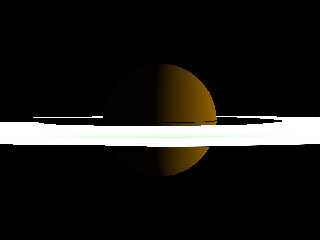
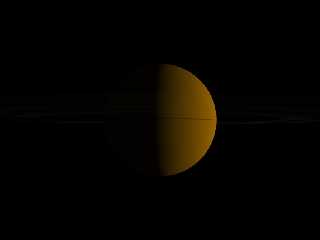
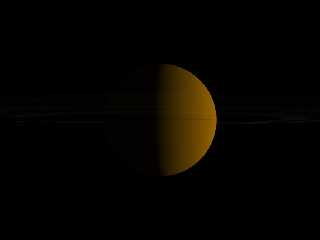
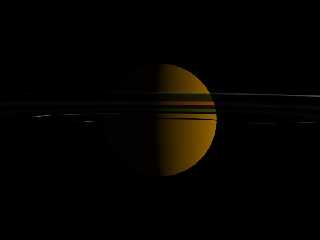
After I adapted the scattering media density reciprocally to the scale
(i. e. 1/36800) I got extremely faint transparent rings - both with and
without absorption 1/36800, see first two images.

When I increased scattering density to 1/368, the rings became more
visible - but still almost black on the unlit side, with some bizarre
geometry showing up on the planet's night side (see third image)!

Could this be an effect of using filter in the color_map?

Here is the code for the last image:

global_settings
{
   max_trace_level 10
}

union
{
   sphere
   {
     0, 1
     texture
     {
       pigment { color rgb <0.6, 0.4, 0> }
       finish { ambient 0.02 diffuse 1 brilliance 0.8 }
     }
   }
   difference
   {
     cylinder
     {
       <0, -0.001, 0>, <0, 0.005, 0>, 3.68
     }
     cylinder
     {
       <0, -0.0011, 0>, <0, 0.0011, 0>, 1.75
     }
     hollow
     pigment { rgbt 1 }
     interior
     {
       media
       {
         // emission 1/36800
         scattering
         {
           5, 1/368
           // eccentricity -0.4
           // extinction 1
         }
         // absorption 1/36800
         density
         {
           cylindrical
           color_map
           {
             [0 rgbf <1, 0.8, 0.7, 0.2> ]
             [0.1 rgbf <1, 0.8, 0.7, 0.2> ]
             [0.1 rgbf <0.1, 0.3, 0.1, 0.5>]
             [0.17 rgbf <0.1, 0.3, 0.1, 0.5>]
             [0.17 rgbf <0.85, 0.89, 0.94, 0.3>]
             [0.18 rgbf <0.85, 0.89, 0.94, 0.3>]
             [0.18 rgbf <0.99, 0.93, 0.45, 0.4>]
             [0.26 rgbf <0.99, 0.93, 0.45, 0.4>]
             [0.26 rgbf <0.5, 0.23, 0.61, 0.5, 0.4>]
             [0.36 rgbf <0.5, 0.23, 0.61, 0.5, 0.4>]
             [0.36 rgbf <1, 0.92, 0.93, 0.3>]
             [0.45 rgbf <1, 0.92, 0.93, 0.3>]
             [0.45 rgbf <0, 0, 0, 1>]

           }
           scale 3.68
         }
       }
     }
   }
   rotate <2, 7, 0>
   scale 10000
   translate z*50000
}


light_source
{
   <500000, 2500, 5000>
   color rgb 1
}

camera
{
   location <1.5, 1.5, 0.12>
   look_at 1.5
   angle 60
}

See you in Khyberspace!

Yadgar
Post a reply to this message
Attachments:
Download '2009-11-25 media test, take 44.jpg' (8 KB)
Download '2009-11-25 media test, take 45.jpg' (8 KB)
Download '2009-11-25 media test, take 46.jpg' (10 KB)
Preview of image '2009-11-25 media test, take 44.jpg'
Preview of image '2009-11-25 media test, take 45.jpg'
Preview of image '2009-11-25 media test, take 46.jpg'
|
|
| |
| |
|
|
From: Jaime Vives Piqueres
Subject: Re: Probably I'm just in fact too stupid...
Date: 26 Nov 2009 18:15:39
Message: <4b0f0c1b@news.povray.org>
|
|
|
| |
| |
|
|
El 26/11/09 21:49, Jörg 'Yadgar' Bleimann escribió:
> High!
>
> Jaime Vives Piqueres wrote:
>> If you scale UP the container, you have to scale DOWN the media
>> strength! Just try .05 instead 1338181 and you will see the effect...
>> I just tried it and works.
>
> With me, it didn't work at all... still the unlit side is completely
> dark! And when I tried the same combination of scattering and absorption
>  on the real Saturn scene, where the rings are about 11 units wide (then
>  respectively 1/11 for scattering and absorption strength), the entire
> ring (when viewed upon from the lit side) remains invisible, although
> its shadow is visible on the planet's body!
>

   Sorry, I did a poor reading, and for the images I assumed too quickly your
problem was just the ultra-bright media... trying with your code on the last
message, I see that using extinction 0 gives the effect you are looking for.
But I still don't know very well why it doesn't works with the default,
teorically realistic, value of 1.

> watching TV shows instead of overburdening my feeble chicken brain with
> such monstrous tasks like raytracing...

   I've a poor brain too, but I discovered it doesn't matters if you have the
power of unlimited "trial&error" at your disposal... ;)

P.S.: You still have the rgbf on the media, which doesn't works as you
think... and you even supplied some of the entries with 5 components colors!
(although it really doesn't matters for your problem).


--
Jaime Vives Piqueres

http://www.ignorancia.org
Post a reply to this message
|
|
| |
| |
|
|
From: Jörg 'Yadgar' Bleimann
Subject: Re: Probably I'm just in fact too stupid...
Date: 26 Nov 2009 19:11:58
Message: <4b0f194e@news.povray.org>
|
|
|
| |
| |
|
|
High!

Jaime Vives Piqueres wrote:

 >   Sorry, I did a poor reading, and for the images I assumed too
quickly your
 > problem was just the ultra-bright media... trying with your code on
the last
 > message, I see that using extinction 0 gives the effect you are
looking for.

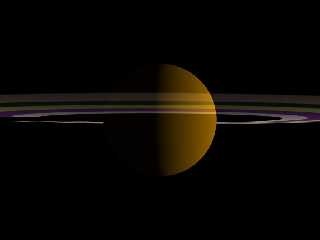
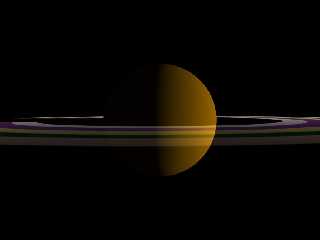
Yes, that's quite logical... I tried it, and it at least yielded roughly
the result I want to achieve in the long run! Thank you for the tip...
perhaps I'll up the extinction value to, let's say, 0.1 or 0.15, as the
unlit side is of course somewhat darker than the lit side, irrespective
of light filtering through...

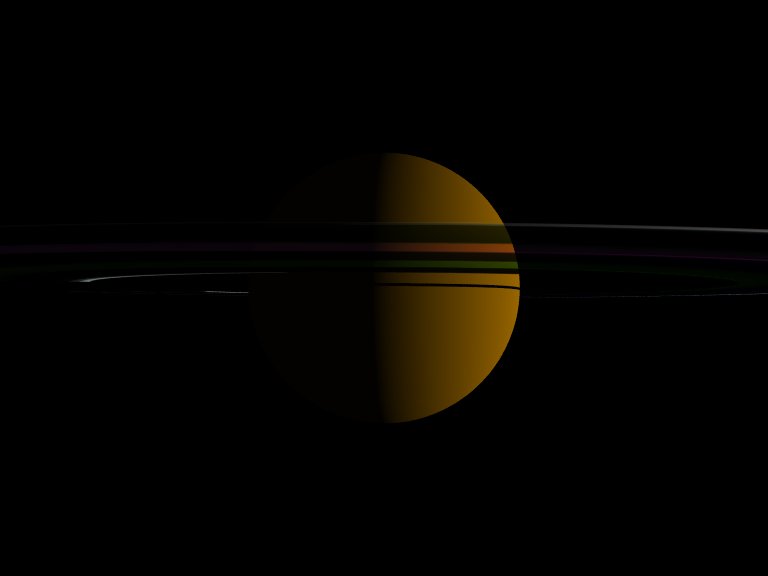
...but I also found out, that with an exactly reciprocal scattering
strength, the rings become too faint - so I instead made it ten times
stronger (i. e. 1/3680 rather than 1/36800) - see attached images (first
image: unlit side, second image: lit side)!

But, to bring my problem to a "meta level": although I now work more or
less frequently since early 1996 with POV-Ray, I never got much beyond
beginners' skills - since 2000 I keep track of this group, and I've seen
thousands of incredibly sophisticated works (@Jaime Vives Piqueres: for
example your autobahn scene!), and when I compare them to my puny
primitive scenes, I'm close to cry for an euthanasia injection, as I'm
obviously virtually unable to learn from my mistakes... and I HATE
myself for being so dysfunctional!

And I'm really not sure whether having more hobbies than just POV-Ray
(i. e. astronomy, electronic music, Afghanistan...) is the reason... to
me it appears that not so few people who regularly contribute pictures
here have access to, hmmm, time-compressing drugs which allow them to
learn and work 72 hours a day...

See you in Khyberspace!

Yadgar
Post a reply to this message
Attachments:
Download '2009-11-26 media test, take 47.jpg' (13 KB)
Download '2009-11-26 media test, take 48.jpg' (13 KB)
Preview of image '2009-11-26 media test, take 47.jpg'
Preview of image '2009-11-26 media test, take 48.jpg'
|
|
| |
| |
|
|
|
|
| |
| |
|
|
> After I adapted the scattering media density reciprocally to the scale
> (i. e. 1/36800) I got extremely faint transparent rings - both with and
> without absorption 1/36800, see first two images.
>
> When I increased scattering density to 1/368, the rings became more
> visible - but still almost black on the unlit side, with some bizarre
> geometry showing up on the planet's night side (see third image)!
>
> Could this be an effect of using filter in the color_map?
>

Some of the artifacts you are seeing is probably a result of self-shadowing.  To
test this, try varying the angle between the rings and sun a little bit, then
test a different extinction value, probably 0.5

 You should consider removing the filtering component also, as scattering media
is inherently filtering, and the thickness or brightness comes from the color's
distance from black.  Also note that close color control is more easily done by
splitting the single scattering media into a scattering media with no
extinction, and an absorption media that has a different color_map.

The reason for this is that the color scattered is also the color absorbed, and
it can be easier to control the color closely if you scatter the color you wish,
but absorb all colors equally.  This can also be done in reverse - scatter all
light (white), but absorb the color opposite of the color you want the media to
be (this may be closer to what happens in real life).

Anyway, here is some code I made from yours.  It uses a simple macro to createa
a more complex density that gives the rings from "grain" (that probably wouldn't
be visible from this distance, but looks neat IMHO).


//--------------- beginning of code

global_settings
{
   max_trace_level 10
}


#macro wrink(SomeColor, Thickness, ScaleV)
// SomeColor is the color scattered (and absorbed!)
// Thickness defines the ratio of the color supplied as compared to empty
(black)
// ScaleV determines the size of the wrinkle pattern, and therefore the grain
size.
wrinkles
scale ScaleV
color_map{
    [0.00 color rgb SomeColor ]
    [Thickness color rgb <0,0,0>   ]
    [1.00 color rgb <0,0,0>   ]
    }


#end


#declare ShowRings = on;

union
{
   sphere
   {
     0, 1
     texture
     {
       pigment { color rgb <0.6, 0.4, 0> }
       finish { ambient 0.00 diffuse 1 brilliance 1 }
     }
   }
#if( ShowRings )
   difference
   {
     cylinder
     {
       <0, -0.001, 0>, <0, 0.005, 0>, 3.68
     }
     cylinder
     {
       <0, -0.0011, 0>, <0, 0.0011, 0>, 1.75
     }
     hollow
     pigment { rgbt 1 }
     interior
     {
       media
       {
         //emission 1/500
         scattering
         {
           1, 1/200
           extinction 0.5 // 1.00 is also ok
         }
         density
         {
           cylindrical
           density_map
           {
           /*
             [0.00 rgbf <1.00, 0.80, 0.70, 0.20> ]
             [0.10 rgbf <1.00, 0.80, 0.70, 0.20> ]
             [0.10 rgbf <0.10, 0.30, 0.10, 0.50> ]
             [0.17 rgbf <0.10, 0.30, 0.10, 0.50> ]
             [0.17 rgbf <0.85, 0.89, 0.94, 0.30> ]
             [0.18 rgbf <0.85, 0.89, 0.94, 0.30> ]
             [0.18 rgbf <0.99, 0.93, 0.45, 0.40> ]
             [0.26 rgbf <0.99, 0.93, 0.45, 0.40> ]
             [0.26 rgbf <0.50, 0.23, 0.61, 0.50> ]
             [0.36 rgbf <0.50, 0.23, 0.61, 0.50> ]
             [0.36 rgbf <1.00, 0.92, 0.93, 0.30> ]
             [0.45 rgbf <1.00, 0.92, 0.93, 0.30> ]
             [0.45 rgbf <0.00, 0.00, 0.00, 1.00> ]
            */
                [0.00 wrink( <0.00, 0.00, 0.00> * 0.00, 0.5, 10/10000) ]
              #local I = 0;
              #local MaxI = 200;
              #local rs1 = seed(3240);
              #while( I < MaxI )
                // add bands of lighter and darker rings
                  #if( !mod(I,12) ) #local RandTrend = rand(rs1); #end

                [0.00 + 0.45*I/MaxI
                    wrink(
                        <1.00 - 0.20*rand(rs1), 1.00 - 0.10*rand(rs1), 1.00 -
0.05*rand(rs1)> * (0.5 * rand(rs1) + 0.5) * RandTrend,
                        (0.25 * rand(rs1) + 0.5),    (2+rand(rs1)*18)/10000
                    )
                ]
              #local I = I + 1;
              #end
                [0.45 wrink( <0.00, 0.00, 0.00> * 0.00, 0,  4/10000) ]
           }
           scale 3.68
         }
       }
     }
   }

#end

   rotate <15, 7, 1>
   scale 10000
   translate z*50000
   translate y*-2500
}


light_source
{
   <500000, 2500, 5000>
   color rgb 1
}

camera
{
   location <1.5, 1.5, 0.12>
   look_at 1.5
   angle 60
}

//--------------- end of code

    HTH
 -Reactor


P.S.  Please be aware that this was rendered using the default gamma settings
under 3.7, and the brightness may vary, necessitating different scattering
settings.
Post a reply to this message
Attachments:
Download 'yagdar_news.bmp.dat' (2305 KB)
|
|
| |
| |
|
|
|
|
| |
| |
|
|
Oops!  I just realized I posted the bmp, not the png as I'd intended:

-Reactor
Post a reply to this message
Attachments:
Download 'yagdar_news.png' (420 KB)
Preview of image 'yagdar_news.png'

|
|
| |
| |
|
|
From: Jörg 'Yadgar' Bleimann
Subject: Re: Probably I'm just in fact too stupid...
Date: 26 Nov 2009 19:57:32
Message: <4b0f23fc$1@news.povray.org>
|
|
|
| |
| |
|
|
High!

Now as I got at least the planet's shadow on the unlit side of the rings
  correctly, I wonder how I could have different degrees of transparency
within the rings - like it is with the real Saturn. I tried adding a
second density, now with a density_map instead of a color_map - but the
only thing I observed were different colors, while the transparency
remained uniform across all ring bands.

What is the difference between a color_map and a density_map within a
density statement?

Could I achieve different transparencies by adding an absorption media
with its own density_map? What values of that density map would affect
transparency?

See you in Khyberspace!

Yadgar
Post a reply to this message
|
|
| |
| |
|
|
|
|
| |
| |
|
|
=?ISO-8859-1?Q?J=F6rg_=27Yadgar=27_Bleimann?= <yaz### [at] gmxde> wrote:
> High!
>
> Now as I got at least the planet's shadow on the unlit side of the rings
>   correctly, I wonder how I could have different degrees of transparency
> within the rings - like it is with the real Saturn. I tried adding a
> second density, now with a density_map instead of a color_map - but the
> only thing I observed were different colors, while the transparency
> remained uniform across all ring bands.
>
> What is the difference between a color_map and a density_map within a
> density statement?
>
> Could I achieve different transparencies by adding an absorption media
> with its own density_map? What values of that density map would affect
> transparency?
>
> See you in Khyberspace!
>
> Yadgar


The second density is very different from a second media - Read the
documentation section on multiple density V.S multiple media.

A density_map is comparable to a pigment_map - it allows density entries within
the map.

The level of transparency is more or less a combination between the distance
from black of the color vector and also the initial color vector for the media
type statement.

example:
emission color rgb <1,1,1>
density{ color rgb 0.01 }

is visually identical to this:

emission color rgb <1,1,1> * 0.01
density{ color rgb 1 }


    HTH
 -Reactor
Post a reply to this message
|
|
| |
| |
|
|
From: Jörg 'Yadgar' Bleimann
Subject: Re: Probably I'm just in fact too stupid...
Date: 26 Nov 2009 20:33:27
Message: <4b0f2c67$1@news.povray.org>
|
|
|
| |
| |
|
|
High!

Jaime Vives Piqueres wrote:

>   Sorry, I did a poor reading, and for the images I assumed too quickly
> your
> problem was just the ultra-bright media... trying with your code on the
> last
> message, I see that using extinction 0 gives the effect you are looking
> for.
> But I still don't know very well why it doesn't works with the default,
> teorically realistic, value of 1.

Yes, it did - but only with the test scene, not with the Saturn scene!
With the latter, when using extinction 0, not even the ring shadow is
visible, let alone the rings, at extinction 0.1 I can at least see the
shadow, but still no rings...

The code? Too long and complicated to be posted here, I fear...

See you in Khyberspace!

Yadgar
Post a reply to this message
|
|
| |
| |
|
|
From: Jörg 'Yadgar' Bleimann
Subject: Re: Probably I'm just in fact too stupid...
Date: 27 Nov 2009 08:50:25
Message: <4b0fd921@news.povray.org>
|
|
|
| |
| |
|
|
High!

Jörg 'Yadgar' Bleimann wrote:

> The code? Too long and complicated to be posted here, I fear...

(9 hours of sleep later)

O.k., I'll try it:

[...]
#include "starry_sky.inc" // self-programmed macro to generate a starry
sky sphere according to real astronomical data, 900 stars, configurable
according to camera angle and image resolution
#include "functions.inc" // for eval_pigment()

[...]

#declare sc=13347; // 1 POV unit = 13347 kilometres

[...]

#declare rs=0; // radiosity flag, 0 = radiosity off
#declare lores=0; // flag for low resolution Saturnian rings (dependent
on camera distance in the future)

[...]

#declare F_Standard_Planetary_Surface =
finish
{
   #if (!rs)
     ambient 0.0001
   #end
   diffuse 1
   brilliance 0.8
}

#declare F_Saturn_Rings =
finish
{
   #if (!rs)
     ambient 0.01
   #end
   diffuse 1
   brilliance 0.05
}

#declare F_Saturn_Rings_UnlitSide =
finish
{
   #if (!rs)
     ambient 0.3
   #end
   diffuse 5
   brilliance 0.05
}


#declare cam = 7; // camera mode

// CELESTIAL BODIES OF THE SOLAR SYSTEM DATA
// Column 0: orbital semi-major axis (to the Sun or the respective
planet) in kilometres
// Column 1: radius in x dimension, in kilometres
// Column 2: radius in y dimension, in kilometres (if oblateness is
given then stated as -1)
// Column 3: radius in z dimension, in kilometres (if oblateness is
given then stated as -1)
// Column 4: axial tilt in degrees (planets: relative to orbit around
the Sun, moons: relative to planet's equatorial plane)
// Column 5: orbital inclination in degrees (planets: relative to
ecliptic, moons: relative to planet's equatorial plane)
// Column 6: orbital eccentricity
// Column 7: perihelion argument (degrees; if variable (Earth's Moon)
then stated als -1)
// Column 8: longitude of ascending node (degrees; if variable (Earth's
Moon) then stated als -1)
// Column 9: oblateness (not taken into account if different radii
explicitly stated)
// Column 10: declination of north pole (degrees)
// Column 11: right ascension of north pole (degrees!)
// Column 12: albedo (if irrelevant (Sun) stated as -1)

#declare bodies = array [74][12]
{
   {           0,     696000,       -1,      -1,	     7.25,     0,
  0,             0,         0,       0.000009,  63.87,   286.125   },
//   0 - Sun

[...]

{  1433449370,      60268,    54364,   60268,  26.73,        2.484,
0.055723219, 336.013862,113.642811,-1,       83.537,   40.589    } //
72 - Saturn

[...]

}

// PROVISIONAL PLANETARY POSITIONS (to be replaced later according to
astronomically accurate orbital data)

[...]

#declare Pos_Saturn = bodies[72][0]*<sin(radians(157.4)), 0,
cos(radians(157.4))>;

[...]

// CAMERA DATA

#switch(cam)
[...]
   #case (7) // centered on Saturn, rings oblique view
     #declare camPos = Pos_Saturn + 350000 * <sin(radians(64)), 0,
cos(radians(64))>;
     #declare camLook = Pos_Saturn;
     #declare camAng = 40;
   #break
   #case (7.01) // view through Saturn's D ring
     #declare camPos = Pos_Saturn + 350000 * <sin(radians(64)), 0,
cos(radians(64))>;
     #declare camLook = Pos_Saturn+<10000, -32000, 0>;
     #declare camAng = 5;
   #break
   #case (7.02) // centered on Saturn, view of unlit ring side
     #declare camPos = Pos_Saturn + 350000 * <sin(radians(244)), 0,
cos(radians(244))>;
     #declare camLook = Pos_Saturn;
     #declare camAng = 40;
   #break
#end

// CELESTIAL SPHERE
Stars(6, image_width, camAng, 1.5) // invocation of starry sky sphere macro

#macro SetAxis(dec, ras) // macro for orienting planets
   rotate <bodies[3][4]-(90-dec), 0, 0>
   rotate <0, 90-ras, 0>
#end

light_source // Sun
{
   0
   color rgb 1
   looks_like
   {
     sphere
     {
       0, 1
       texture
       {
        pigment { color rgb <1, 1, 0.85> }
        finish { ambient 1 diffuse 0 }
       }
       scale bodies[0][1]/sc
       SetAxis(bodies[0][10], bodies[0][11])
     }
   }
}

[...]

// the following three image files can be obtained at
http://www.mmedia.is/~bjj/data/s_rings/index.html

#declare Saturn_Rings_Colors =
pigment
{
   image_map
   {
     png "solarsys/sat_ring_color_bjoernjonsson.png"
   }
}

#declare Saturn_Rings_Transparency =
pigment
{
   image_map
   {
     png "solarsys/transparency_bjoernjonsson.png"
   }
}

#declare Saturn_Rings_UnlitSide =
pigment
{
   image_map
   {
     png "solarsys/unlitside_bjoernjonsson.png"
   }
}

// high resolution color maps derived from Björn's three image files -
currently not yet working with media! (but that would be another thread
here!)

#declare Ring_Color_Map_1_to_255 =
     color_map
     {
       #declare a=0;
       #while (a<255)
         #declare c=eval_pigment(Saturn_Rings_Colors, <2999/3000-a/1500,
0.5, 0>);
         #declare f=eval_pigment(Saturn_Rings_Transparency,
<2999/3000-a/1500, 0.5, 0>);
         [a*(((140390-74510)/140390)/1500) rgb c filter f.gray]
         #declare a=a+1;
       #end
     }

#declare Ring_Color_Map_256_to_510 =
texture
{
   pigment
   {
     cylindrical
     color_map
     {
       #declare a=255;
       #while (a<510)
         #declare c=eval_pigment(Saturn_Rings_Colors, <2999/3000-a/1500,
0.5, 0>);
         #declare f=eval_pigment(Saturn_Rings_Transparency,
<2999/3000-a/1500, 0.5, 0>);
         [a*(((140390-74510)/140390)/1500) rgb c filter f.gray]
         #declare a=a+1;
       #end
     }
   }
   finish { F_Saturn_Rings }
}

#declare Ring_Color_Map_511_to_765 =
texture
{
   pigment
   {
     cylindrical
     color_map
     {
       #declare a=510;
       #while (a<765)
         #declare c=eval_pigment(Saturn_Rings_Colors, <2999/3000-a/1500,
0.5, 0>);
         #declare f=eval_pigment(Saturn_Rings_Transparency,
<2999/3000-a/1500, 0.5, 0>);
         [a*(((140390-74510)/140390)/1500) rgb c filter f.gray]
         #declare a=a+1;
       #end
     }
   }
   finish { F_Saturn_Rings }
}

#declare Ring_Color_Map_766_to_1020 =
texture
{
   pigment
   {
     cylindrical
     color_map
     {
       #declare a=765;
       #while (a<1020)
         #declare c=eval_pigment(Saturn_Rings_Colors, <2999/3000-a/1500,
0.5, 0>);
         #declare f=eval_pigment(Saturn_Rings_Transparency,
<2999/3000-a/1500, 0.5, 0>);
         [a*(((140390-74510)/140390)/1500) rgb c filter f.gray]
         #declare a=a+1;
       #end
     }
   }
   finish { F_Saturn_Rings }
}

#declare Ring_Color_Map_1021_to_1275 =
texture
{
   pigment
   {
     cylindrical
     color_map
     {
       #declare a=1020;
       #while (a<1275)
         #declare c=eval_pigment(Saturn_Rings_Colors, <2999/3000-a/1500,
0.5, 0>);
         #declare f=eval_pigment(Saturn_Rings_Transparency,
<2999/3000-a/1500, 0.5, 0>);
         [a*(((140390-74510)/140390)/1500) rgb c filter f.gray]
         #declare a=a+1;
       #end
     }
   }
   finish { F_Saturn_Rings }
}

#declare Ring_Color_Map_1276_to_1500 =
texture
{
   pigment
   {
     cylindrical
     color_map
     {
       #declare a=1275;
       #while (a<1500)
         #declare c=eval_pigment(Saturn_Rings_Colors, <2999/3000-a/1500,
0.5, 0>);
         #declare f=eval_pigment(Saturn_Rings_Transparency,
<2999/3000-a/1500, 0.5, 0>);
         [a*(((140390-74510)/140390)/1500) rgb c filter f.gray]
         #declare a=a+1;
       #end
     }
   }
   finish { F_Saturn_Rings }
}


#declare Ring_UnlitSide_Map_1_to_255 =
texture
{
   pigment
   {
     cylindrical
     color_map
     {
       #declare a=0;
       #while (a<255)
         #declare c=eval_pigment(Saturn_Rings_UnlitSide,
<2999/3000-a/1500, 0.5, 0>);
         #declare f=eval_pigment(Saturn_Rings_Transparency,
<2999/3000-a/1500, 0.5, 0>);
         [a*(((140390-74510)/140390)/1500) rgb c filter f.gray]
         #declare a=a+1;
       #end
     }
   }
   finish { F_Saturn_Rings_UnlitSide }
}

#declare Ring_UnlitSide_Map_256_to_510 =
texture
{
   pigment
   {
     cylindrical
     color_map
     {
       #declare a=255;
       #while (a<510)
         #declare c=eval_pigment(Saturn_Rings_UnlitSide,
<2999/3000-a/1500, 0.5, 0>);
         #declare f=eval_pigment(Saturn_Rings_Transparency,
<2999/3000-a/1500, 0.5, 0>);
         [a*(((140390-74510)/140390)/1500) rgb c filter f.gray]
         #declare a=a+1;
       #end
     }
   }
   finish { F_Saturn_Rings_UnlitSide }
}

#declare Ring_UnlitSide_Map_511_to_765 =
texture
{
   pigment
   {
     cylindrical
     color_map
     {
       #declare a=510;
       #while (a<765)
         #declare c=eval_pigment(Saturn_Rings_UnlitSide,
<2999/3000-a/1500, 0.5, 0>);
         #declare f=eval_pigment(Saturn_Rings_Transparency,
<2999/3000-a/1500, 0.5, 0>);
         [a*(((140390-74510)/140390)/1500) rgb c filter f.gray]
         #declare a=a+1;
       #end
     }
   }
   finish { F_Saturn_Rings_UnlitSide }
}

#declare Ring_UnlitSide_Map_766_to_1020 =
texture
{
   pigment
   {
     cylindrical
     color_map
     {
       #declare a=765;
       #while (a<1020)
         #declare c=eval_pigment(Saturn_Rings_UnlitSide,
<2999/3000-a/1500, 0.5, 0>);
         #declare f=eval_pigment(Saturn_Rings_Transparency,
<2999/3000-a/1500, 0.5, 0>);
         [a*(((140390-74510)/140390)/1500) rgb c filter f.gray]
         #declare a=a+1;
       #end
     }
   }
   finish { F_Saturn_Rings_UnlitSide }
}

#declare Ring_UnlitSide_Map_1021_to_1275 =
texture
{
   pigment
   {
     cylindrical
     color_map
     {
       #declare a=1020;
       #while (a<1275)
         #declare c=eval_pigment(Saturn_Rings_UnlitSide,
<2999/3000-a/1500, 0.5, 0>);
         #declare f=eval_pigment(Saturn_Rings_Transparency,
<2999/3000-a/1500, 0.5, 0>);
         [a*(((140390-74510)/140390)/1500) rgb c filter f.gray]
         #declare a=a+1;
       #end
     }
   }
   finish { F_Saturn_Rings_UnlitSide }
}

#declare Ring_UnlitSide_Map_1276_to_1500 =
texture
{
   pigment
   {
     cylindrical
     color_map
     {
       #declare a=1275;
       #while (a<1500)
         #declare c=eval_pigment(Saturn_Rings_UnlitSide,
<2999/3000-a/1500, 0.5, 0>);
         #declare f=eval_pigment(Saturn_Rings_Transparency,
<2999/3000-a/1500, 0.5, 0>);
         [a*(((140390-74510)/140390)/1500) rgb c filter f.gray]
         #declare a=a+1;
       #end
     }
   }
   finish { F_Saturn_Rings_UnlitSide }
}

// the actual planet and rings objects

union
{
sphere // Saturn
{
   0, 1
   texture
   {
     pigment
     {
       image_map
       {
         jpeg "solarsys/saturn_bjoernjonsson.jpg" // also from
http://www.mmedia.is/~bjj/data/saturn/index.html
         map_type 1
         interpolate 2
       }
     }
     finish { F_Standard_Planetary_Surface }
   }
   scale <bodies[72][1], bodies[72][2], bodies[72][3]>/sc
}


difference // rings
{
   cylinder
   {
     <0, -0.11, 0>/sc, <0, 0.1, 0>/sc, 140390/sc
   }
   cylinder
   {
     <0, -0.12, 0>/sc, <0, 0.11, 0>/sc, 74510/sc
   }
   // originally used with the no-media hi-res version of the rings -
I'm currently not sure whether I will able to make use of it also with
media!
   /* cylinder // unlit side!
   {
     <0, -0.15, 0>/sc, <0, -0.1, 0>/sc, 150000/sc
     texture
     {
       cylindrical
       texture_map
       {
         [0                                   Ring_UnlitSide_Map_1_to_255 ]
         [255*(((140390-74510)/140390)/1500)  Ring_UnlitSide_Map_256_to_510]
         [510*(((140390-74510)/140390)/1500)
Ring_UnlitSide_Map_511_to_765]
         [765*(((140390-74510)/140390)/1500)
Ring_UnlitSide_Map_766_to_1020]
         [1020*(((140390-74510)/140390)/1500)
Ring_UnlitSide_Map_1021_to_1275]
         [1275*(((140390-74510)/140390)/1500)
Ring_UnlitSide_Map_1276_to_1500]
       }
       scale 140390/sc
     }
   } */
   // ultra-cheap no media version of the rings
   #if (lores)
     texture // low resolution texture: 255 entries in ring color map
     {
       pigment
       {
         cylindrical
         color_map
         {
           #declare a=0;
           #while (a<255)
             #declare c=eval_pigment(Saturn_Rings_Colors,
<509/510-a/255, 0.5, 0>);
             #declare f=eval_pigment(Saturn_Rings_Transparency,
<509/510-a/255, 0.5, 0>);
             [a*(((140390-74510)/140390)/255) rgb c filter f.gray]
             #declare a=a+1;
           #end
         }
         scale 140390/sc
       }
       finish { F_Saturn_Rings }
     }
   #else // current media problem!
     hollow
     pigment { rgbt 1 }
     interior
     {
       media
       {
         scattering
         {
           1, 1
           // eccentricity -0.4
           extinction 0.1
         }
         // absorption 0.095
         density
         {
           cylindrical
           // hi-res version (1500 color and transparency levels),
currently not usable with media (but please let's discuss this later on!)
           /* density_map
           {
             [0                                   Ring_Color_Map_1_to_255]
             [255*(((140390-74510)/140390)/1500)  Ring_Color_Map_256_to_510]
             [510*(((140390-74510)/140390)/1500)
Ring_Color_Map_511_to_765]
             [765*(((140390-74510)/140390)/1500)
Ring_Color_Map_766_to_1020]
             [1020*(((140390-74510)/140390)/1500)
Ring_Color_Map_1021_to_1275]
             [1275*(((140390-74510)/140390)/1500)
Ring_Color_Map_1276_to_1500]
           } */
           // current media version
           color_map // preliminary low-res version
           {
             #declare a=0;
             #while (a<255)
               #declare c=eval_pigment(Saturn_Rings_Colors,
<509/510-a/255, 0.5, 0>);
               #declare f=eval_pigment(Saturn_Rings_Transparency,
<509/510-a/255, 0.5, 0>);
               [a*(((140390-74510)/140390)/255) rgb c /* filter f.gray*/]
               #declare a=a+1;
              #end
            }
            scale 11
         }
       }
     }
   #end
   }
   SetAxis(bodies[72][10], bodies[72][11])
   translate Pos_Saturn/sc
}

camera
{
   [...]
   location camPos/sc
   look_at camLook/sc
   angle camAng
}

// end of code

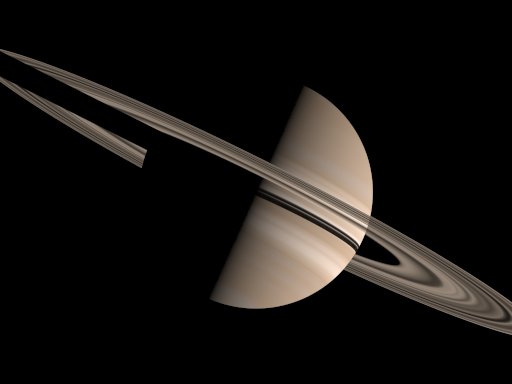
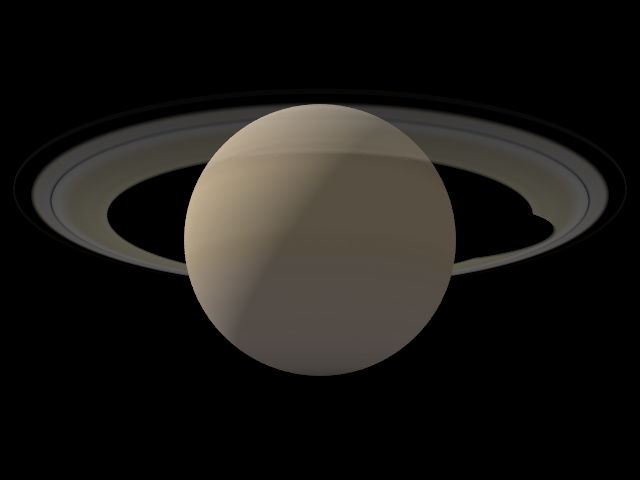
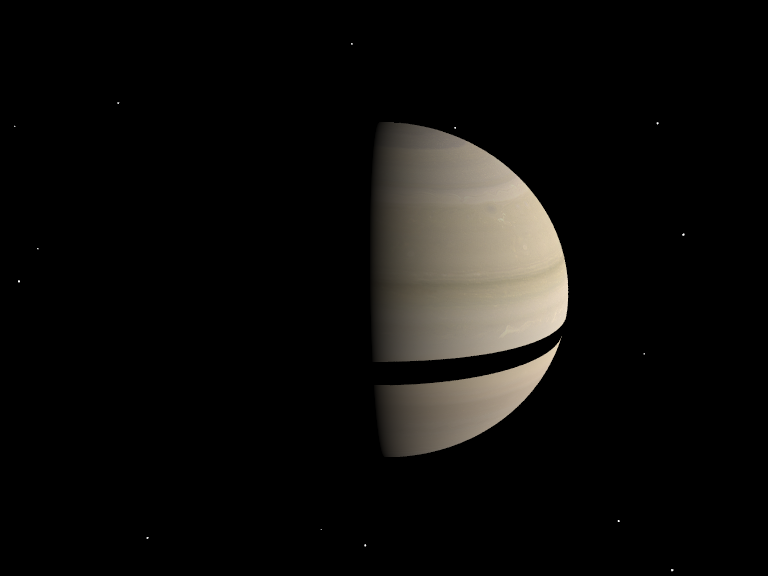
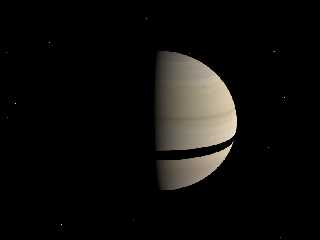
Attached image shows current state!

See you in Khyberspace!

Yadgar
Post a reply to this message
Attachments:
Download 'povsolar.png' (60 KB)
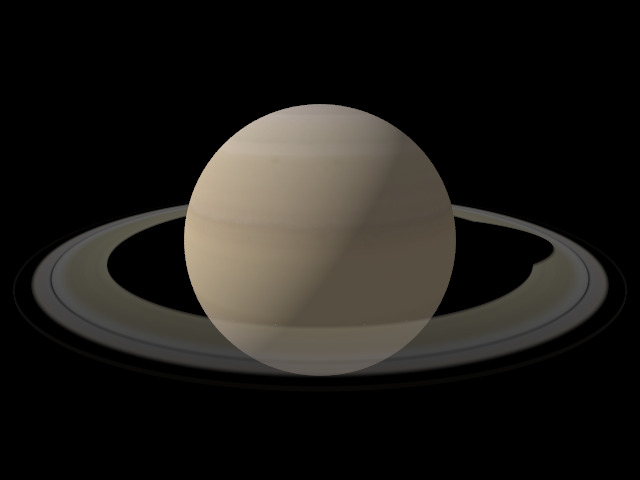
Preview of image 'povsolar.png'
|
|
| |
| |
|
|
|
|
| |
| |
|
|
Jörg 'Yadgar' Bleimann schrieb:

>  >   Sorry, I did a poor reading, and for the images I assumed too
> quickly your
>  > problem was just the ultra-bright media... trying with your code on
> the last
>  > message, I see that using extinction 0 gives the effect you are
> looking for.
>
> Yes, that's quite logical... I tried it, and it at least yielded roughly
> the result I want to achieve in the long run! Thank you for the tip...
> perhaps I'll up the extinction value to, let's say, 0.1 or 0.15, as the
> unlit side is of course somewhat darker than the lit side, irrespective
> of light filtering through...

Just for completeness' sake: From a theoretical point of view, the
"extinction" parameter is no good for your application, as it only
accounts for light that fails to be transmitted due to being scattered
away. As a consequence, only the scattered colors are attenuated
accordingly.

This is good for modelling media in which the scattering is primarily
due to diffraction or other interference effects (i.e. very small
particles, like molecules or very fine dust), but does not properly
model media containing larger objects in which the scattering is
primarily due to reflection, as in that case all wavelengths will be
obstructed, whether they are reflected (and therefore scattered) or not.

I guess in the case of the Saturn rings, reflection will be the primary
scattering effect, so it should be modeled using...

- an absorbing media to account for the shadowing effect
- a scattering media to account for the reflected light

The scattering media, in this case, should indeed have "extinction 0",
as the extinction component is already accounted for by the absorbing media.


Christoph
Post a reply to this message
|
|
| |
| |
|
|
|
|
| |
|
|