|
|
|
|
|
|
| |
| |
|
|
|
|
| |
| |
|
|
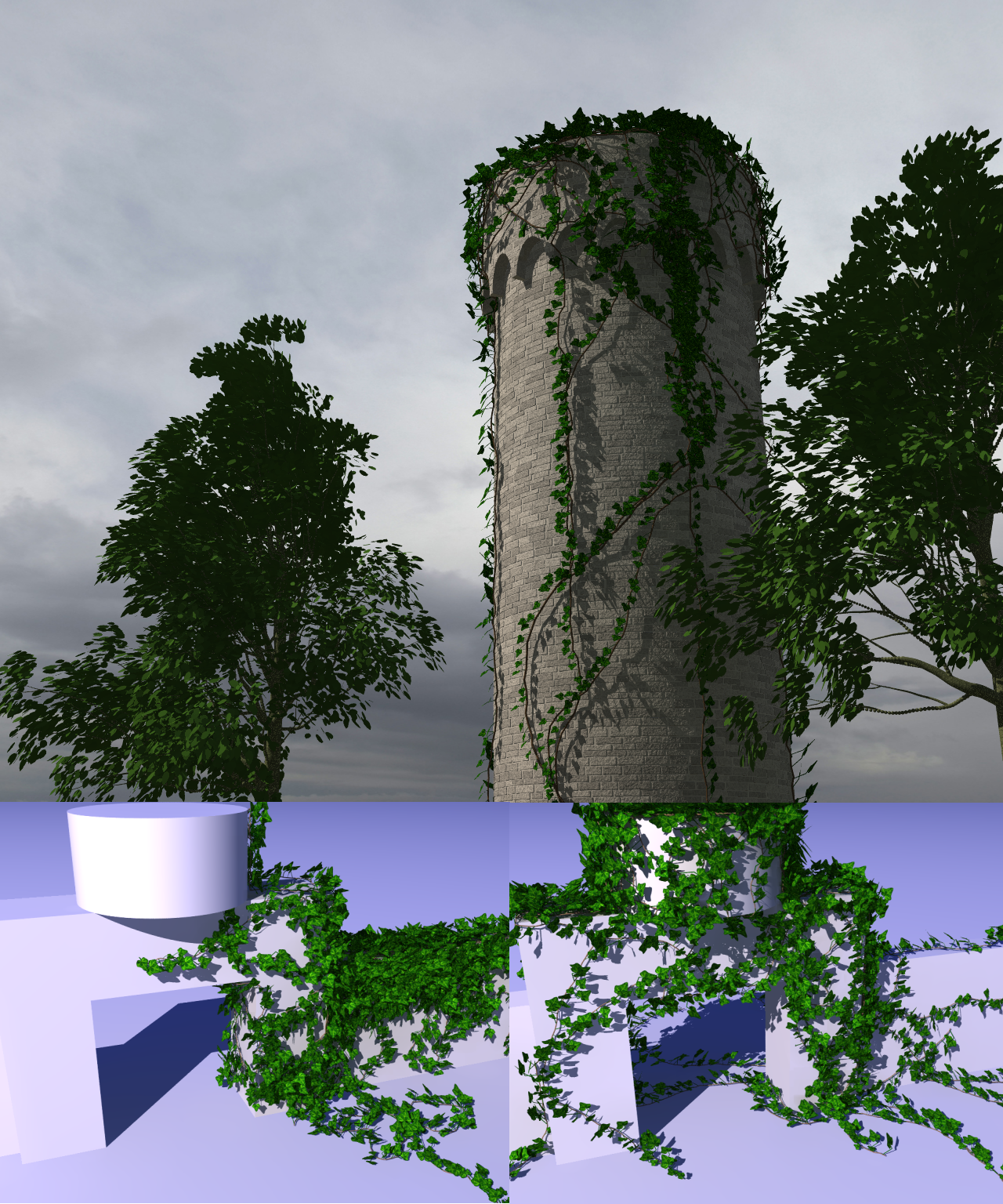
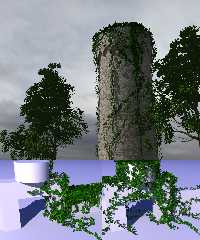
last week I started to write a little ivy generator which can interact with
every povray object. I was a bit inspired by the generator by Thomas Luft
(http://graphics.uni-konstanz.de/~luft/ivy_generator/) which only work with
mesh objects. Please leave comments on how to increase realism,

many thanks,
hobBIT
Post a reply to this message
Attachments:
Download 'ivygen_pub.png' (2438 KB)
Preview of image 'ivygen_pub.png'
|
|
| |
| |
|
|
|
|
| |
| |
|
|
"hobBIT" <bla### [at] gmx de> wrote:
> last week I started to write a little ivy generator which can interact with
> every povray object. I was a bit inspired by the generator by Thomas Luft
> (http://graphics.uni-konstanz.de/~luft/ivy_generator/) which only work with
> mesh objects. Please leave comments on how to increase realism,
>
> many thanks,
> hobBIT
I forgot to say, the upper image: Trees are generated with povtree (tomtree
frontend), the sky is a huge texture from cgtextures.com and the tower is
created with superellipsoids using a macro. de> wrote:
> last week I started to write a little ivy generator which can interact with
> every povray object. I was a bit inspired by the generator by Thomas Luft
> (http://graphics.uni-konstanz.de/~luft/ivy_generator/) which only work with
> mesh objects. Please leave comments on how to increase realism,
>
> many thanks,
> hobBIT
I forgot to say, the upper image: Trees are generated with povtree (tomtree
frontend), the sky is a huge texture from cgtextures.com and the tower is
created with superellipsoids using a macro.
Post a reply to this message
|
|
| |
| |
|
|
|
|
| |
| |
|
|
hobBIT wrote:

> last week I started to write a little ivy generator

Looks great!

 > Please leave comments on how to increase realism

In the tower image, it looks like a large curved section
near the bottom is too distant from the wall to be attached?

Also, there is a lot of ivy on top of the objects while the
walls are more thinly covered. I'm no expert on ivy but this
seems a bit odd (but probably it just needs more starting
points to cover a wall).
Post a reply to this message
|
|
| |
| |
|
|
|
|
| |
| |
|
|
Christian Froeschlin <chr### [at] chrfrde> wrote:
> hobBIT wrote:
>
> > last week I started to write a little ivy generator
>
> Looks great!
>
>  > Please leave comments on how to increase realism
>
> In the tower image, it looks like a large curved section
> near the bottom is too distant from the wall to be attached?
>
> Also, there is a lot of ivy on top of the objects while the
> walls are more thinly covered. I'm no expert on ivy but this
> seems a bit odd (but probably it just needs more starting
> points to cover a wall).

Thanx !

The biggest problem with my generator is the fact it is nearly uncontrollable, a
can weight the growing direction using random, last direction up and down
vectors, twig len and thickness, chance to split and last but not least the
seed base. Every little change results in a totally different "grow". I think,
some adjustments to these parameters will bring a better ivy :) ... Distant
wall<->ivy, you are right, I will make this controllable by 2 new parameters :)
Post a reply to this message
|
|
| |
| |
|
|
|
|
| |
| |
|
|
> Please leave comments on how to increase realism

Real ivy gets little hair roots where it attaches to things,
they're a little yellower than the main vine.

It looks perty good already though.

Here's a link with a good photo...
http://www.moplants.com/blog/?p=1081
Post a reply to this message
|
|
| |
| |
|
|
|
|
| |
| |
|
|
"hobBIT" <bla### [at] gmxde> schreef in bericht
news:web.4a4e17009a7f7b0e28c001c10@news.povray.org...
> last week I started to write a little ivy generator which can interact
> with
> every povray object. I was a bit inspired by the generator by Thomas Luft
> (http://graphics.uni-konstanz.de/~luft/ivy_generator/) which only work
> with
> mesh objects. Please leave comments on how to increase realism,
>
This is already looking really good! When you say 'every povray object' you
mean 'including mesh2'? That is what I understand.

Thomas
Post a reply to this message
|
|
| |
| |
|
|
|
|
| |
| |
|
|
"Christian Froeschlin" <chr### [at] chrfrde> schreef in bericht
news:4a4e1f30$1@news.povray.org...
> Also, there is a lot of ivy on top of the objects while the
> walls are more thinly covered. I'm no expert on ivy but this
> seems a bit odd (but probably it just needs more starting
> points to cover a wall).

In some way, real ivy seems to concentrate on the top of walls/objects,
maybe because sunlight is stronger there. At least, that is what I observe
in my garden, so the ivy generator is doing a good job :-)  Thomas Luft's
generator shows exactly the same phenomenon.

Thomas
Post a reply to this message
|
|
| |
| |
|
|
|
|
| |
| |
|
|
Plants will grow towards a light source, it's called phototropism (which I
learned about a long time ago and never thought to find a use for).  you'll find
that in a dark room with light coming through a hole in the ceiling, vines will
grow along the floor toward the light, and will generally try to find the hole
in the ceiling. Perhaps your model could account for the direction of the light
source as well.  It would be a matter of weighting the probability of a split in
a given direction by the amount of light in that direction or the probability of
reaching light by growing in that direction.

Otherwise, I think it's excellent work, and I wonder if it could be applied to
other plant life, like trees and shrubs.

Are you predetermining the starting location, or is it random?

A.D.B.

"Thomas de Groot" <tDOTdegroot@interDOTnlANOTHERDOTnet> wrote:
> "Christian Froeschlin" <chr### [at] chrfrde> schreef in bericht
> news:4a4e1f30$1@news.povray.org...
> > Also, there is a lot of ivy on top of the objects while the
> > walls are more thinly covered. I'm no expert on ivy but this
> > seems a bit odd (but probably it just needs more starting
> > points to cover a wall).
>
> In some way, real ivy seems to concentrate on the top of walls/objects,
> maybe because sunlight is stronger there. At least, that is what I observe
> in my garden, so the ivy generator is doing a good job :-)  Thomas Luft's
> generator shows exactly the same phenomenon.
>
> Thomas
Post a reply to this message
|
|
| |
| |
|
|
|
|
| |
| |
|
|
Tim Attwood schrieb:
>> Please leave comments on how to increase realism
>
> Real ivy gets little hair roots where it attaches to things,
> they're a little yellower than the main vine.
>
> It looks perty good already though.
>
> Here's a link with a good photo...
> http://www.moplants.com/blog/?p=1081

Thanx, I didn't know this before, but I think this would increase the
scene complexity too much, but I will think about this :-)

hobBIT
Post a reply to this message
|
|
| |
| |
|
|
|
|
| |
| |
|
|
Anthony D. Baye schrieb:
> Plants will grow towards a light source, it's called phototropism (which I
> learned about a long time ago and never thought to find a use for).  you'll find
> that in a dark room with light coming through a hole in the ceiling, vines will
> grow along the floor toward the light, and will generally try to find the hole
> in the ceiling. Perhaps your model could account for the direction of the light
> source as well.  It would be a matter of weighting the probability of a split in
> a given direction by the amount of light in that direction or the probability of
> reaching light by growing in that direction.
>
> Otherwise, I think it's excellent work, and I wonder if it could be applied to
> other plant life, like trees and shrubs.
>
> Are you predetermining the starting location, or is it random?
>
> A.D.B.
>
> "Thomas de Groot" <tDOTdegroot@interDOTnlANOTHERDOTnet> wrote:
>> "Christian Froeschlin" <chr### [at] chrfrde> schreef in bericht
>> news:4a4e1f30$1@news.povray.org...
>>> Also, there is a lot of ivy on top of the objects while the
>>> walls are more thinly covered. I'm no expert on ivy but this
>>> seems a bit odd (but probably it just needs more starting
>>> points to cover a wall).
>> In some way, real ivy seems to concentrate on the top of walls/objects,
>> maybe because sunlight is stronger there. At least, that is what I observe
>> in my garden, so the ivy generator is doing a good job :-)  Thomas Luft's
>> generator shows exactly the same phenomenon.
>>
>> Thomas
>
>
>
>

At the moment, growing is weighted by 4 factors:
1. follow direction of last segment
2. random
3. gravity
4. "up",
while the last can be seen as growing towards light. It's easy to add
another weight which grows to a given vector, but growing to "light" can
be very complex, depending on scene complexity, maybe a path can help
out to accomplish this.

The starting point and primary growing direction are input parameters.

I think about a total replace of the current growing algo, as it always
clamps to any object, so hanging ivy is not really possible atm.

hobBIT
Post a reply to this message
|
|
| |
| |
|
|
|
|
| |
| |
|
|
Thomas de Groot schrieb:
> "hobBIT" <bla### [at] gmxde> schreef in bericht
> news:web.4a4e17009a7f7b0e28c001c10@news.povray.org...
>> last week I started to write a little ivy generator which can interact
>> with
>> every povray object. I was a bit inspired by the generator by Thomas Luft
>> (http://graphics.uni-konstanz.de/~luft/ivy_generator/) which only work
>> with
>> mesh objects. Please leave comments on how to increase realism,
>>
> This is already looking really good! When you say 'every povray object' you
> mean 'including mesh2'? That is what I understand.
>
> Thomas
>
>

Thanx :-),

Imho mesh2 should work, I'm not that pov expert. The algorithm is quite
easy:
- calculate direction from current position, this can be manipulated by
different weight factors
- find nearest intersection to the given object instance, this is done
using 'trace', so it should work with mesh2
   (but this can heavily increase parsing time, I've implemented a
little macro which searches in all directions, so 96 traces for every
twig step can result in horrible parsing times if objects are too
complex, I thought about saving this to a file, so re-reandering with
the same params will go much faster)
- the resulting end position is than moved to this intersection
position, leaving a little distance into normal direction of the
intersection

hobBIT
Post a reply to this message
|
|
| |
| |
|
|
|
|
| |
| |
|
|
hobBIT schrieb:
> last week I started to write a little ivy generator which can interact with
> every povray object. I was a bit inspired by the generator by Thomas Luft
> (http://graphics.uni-konstanz.de/~luft/ivy_generator/) which only work with
> mesh objects. Please leave comments on how to increase realism,
>
> many thanks,
> hobBIT
>
>
> ------------------------------------------------------------------------
>

If someone is willing to try it, here's the current state, info on how
to use it can be found in ivytest.pov, near eof around the macro call
itself, good luck and show us your results :-)

hobBIT
Post a reply to this message
Attachments:
Download 'ivygen.zip' (57 KB)
|
|
| |
| |
|
|
|
|
| |
| |
|
|
hobBIT <bla### [at] gmxde> wrote:
....
> If someone is willing to try it, here's the current state, info on how
> to use it can be found in ivytest.pov, near eof around the macro call
> itself, good luck and show us your results :-)
>
> hobBIT

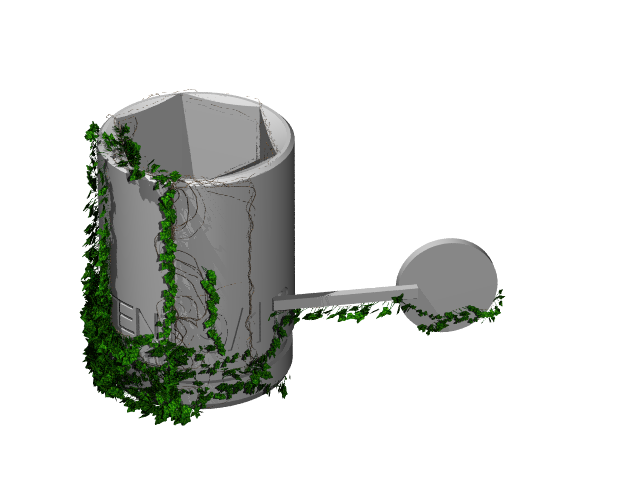
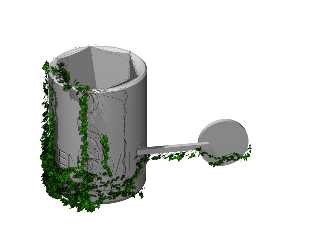
It started out being a 9/16 inch socket ;-)
I may not be able to control the growth, but I can stick a box and cylinder in
the way and see what happens.

Stephen S
Post a reply to this message
Attachments:
Download 'tool_set_ive.png' (99 KB)
Preview of image 'tool_set_ive.png'
|
|
| |
| |
|
|
|
|
| |
| |
|
|
On Sat,  4 Jul 2009 15:30:08 EDT, "StephenS" <nomail@nomail> wrote:

>hobBIT <bla### [at] gmxde> wrote:
>....
>> If someone is willing to try it, here's the current state, info on how
>> to use it can be found in ivytest.pov, near eof around the macro call
>> itself, good luck and show us your results :-)
>>
>> hobBIT
>
>It started out being a 9/16 inch socket ;-)

It's Modern Art Stephen :-)

>I may not be able to control the growth, but I can stick a box and cylinder in
>the way and see what happens.
>

Did you do it in Pov or B3D?
--

Regards
     Stephen
Post a reply to this message
|
|
| |
| |
|
|
|
|
| |
| |
|
|
StephenS schrieb:
> hobBIT <bla### [at] gmxde> wrote:
> ....
>> If someone is willing to try it, here's the current state, info on how
>> to use it can be found in ivytest.pov, near eof around the macro call
>> itself, good luck and show us your results :-)
>>
>> hobBIT
>
> It started out being a 9/16 inch socket ;-)
> I may not be able to control the growth, but I can stick a box and cylinder in
> the way and see what happens.
>
> Stephen S
>
>
> ------------------------------------------------------------------------
>
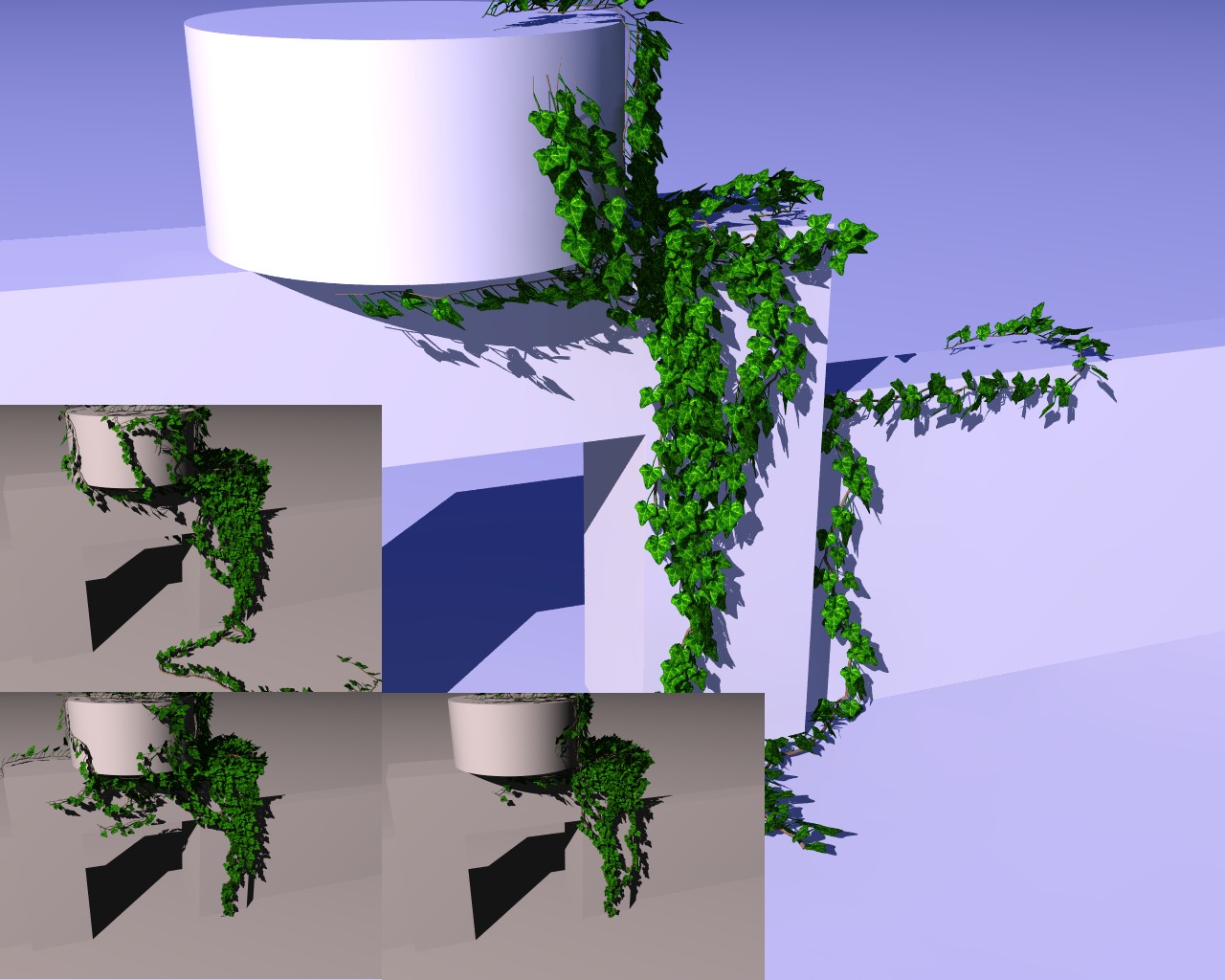
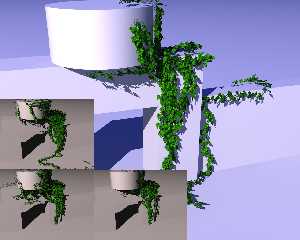
Little update,

I modified the random part, so higher weights don't change the result
extremly anymore. Additionally, I've changed the leaf rotation, so it
looks more realistic. To the image: The big one shows the new leaf
positioning, the 3 smaller images use the same weights, but different
seeds, they tend to the same region, but with different look now, the
old version would create extremly different results here. Next step is
to rotate the leafs a bit more, so their "end" targets a bit more down
to follow the rules of gravity. But I have to go to sleep now, my son
wakes me up in 4-5 hours :-)

hobBIT
Post a reply to this message
Attachments:
Download 'ivygen_up0.jpg' (211 KB)
Download 'ivygen_up1.zip' (6 KB)
Preview of image 'ivygen_up0.jpg'
|
|
| |
| |
|
|
|
|
| |
| |
|
|
Stephen <mcavoysAT@aolDOTcom> wrote:
....
> Did you do it in Pov or B3D?
Well both of course :-)
I've come to except, the best use of my time is useing the tools that work for
me. Not all of my problems are nails :-)

Stephen S
Post a reply to this message
|
|
| |
| |
|
|
|
|
| |
| |
|
|
"hobBIT" <bla### [at] gmxde> schreef in bericht
news:4a4f83fa$1@news.povray.org...

> Imho mesh2 should work, I'm not that pov expert. The algorithm is quite
> easy:
> - calculate direction from current position, this can be manipulated by
> different weight factors
> - find nearest intersection to the given object instance, this is done
> using 'trace', so it should work with mesh2
>   (but this can heavily increase parsing time, I've implemented a little
> macro which searches in all directions, so 96 traces for every twig step
> can result in horrible parsing times if objects are too complex, I thought
> about saving this to a file, so re-reandering with the same params will go
> much faster)
> - the resulting end position is than moved to this intersection position,
> leaving a little distance into normal direction of the intersection

Yes, mesh2 objects will work indeed.

I think that writing away the end positions to file would be an excellent
idea. I do this too for planting on a large height_field for instance. Saves
a lot of time in the end.

Thomas
Post a reply to this message
|
|
| |
| |
|
|
|
|
| |
| |
|
|
"hobBIT" <bla### [at] gmxde> schreef in bericht
news:4a4f81bd$1@news.povray.org...
> At the moment, growing is weighted by 4 factors:
> 1. follow direction of last segment
> 2. random
> 3. gravity
> 4. "up",
> while the last can be seen as growing towards light. It's easy to add
> another weight which grows to a given vector, but growing to "light" can
> be very complex, depending on scene complexity, maybe a path can help out
> to accomplish this.
>
> The starting point and primary growing direction are input parameters.
>
> I think about a total replace of the current growing algo, as it always
> clamps to any object, so hanging ivy is not really possible atm.
>

"up" is probably enough for most  outdoor cases as "light" can be
interpreted as the sun but also as the bright sky. Growing indoors however,
would need a vector, representing a window for instance, or several vectors
for several vectors, where a "brightness" parameter would additionally bias
the growth more or less.

Hanging ivy should be implemented indeed as this happens in real life as
soon as the branches overtop their support.

Thomas
Post a reply to this message
|
|
| |
| |
|
|
|
|
| |
| |
|
|
On Sat,  4 Jul 2009 21:17:03 EDT, "StephenS" <nomail@nomail> wrote:

>Stephen <mcavoysAT@aolDOTcom> wrote:
>....
>> Did you do it in Pov or B3D?
>Well both of course :-)

Of course.

>I've come to except, the best use of my time is useing the tools that work for
>me. Not all of my problems are nails :-)
>

Sometimes it what you use for a hammer, I think.

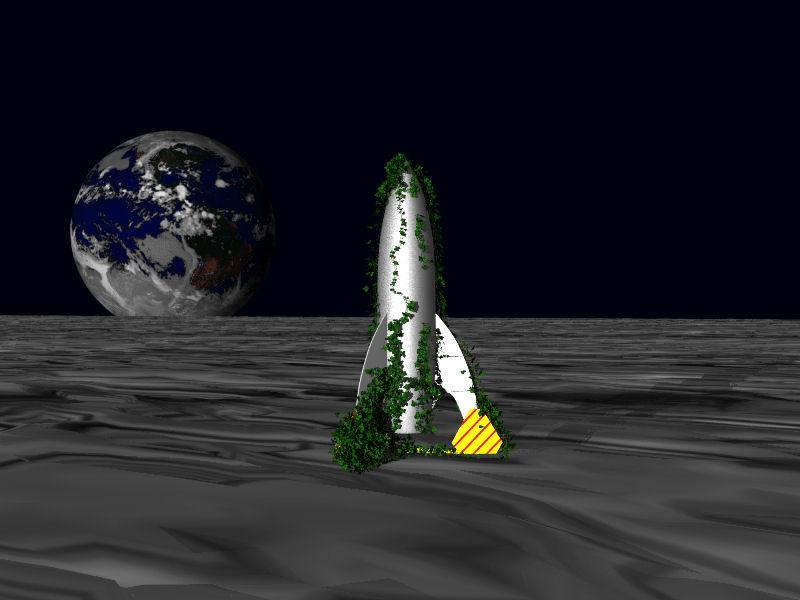
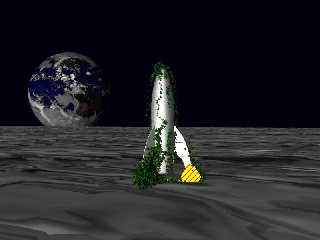
Here is my try with an old joke image.

I have some problems getting the start point in one of the ivy plants to move in
the z axis. It is all CSG including Prisms and Sors


--

Regards
     Stephen
Post a reply to this message
Attachments:
Download 'SS02f.jpg' (55 KB)
Preview of image 'SS02f.jpg'
|
|
| |
| |
|
|
|
|
| |
| |
|
|
hobBIT schrieb:
> last week I started to write a little ivy generator which can interact with
> every povray object. I was a bit inspired by the generator by Thomas Luft
> (http://graphics.uni-konstanz.de/~luft/ivy_generator/) which only work with
> mesh objects. Please leave comments on how to increase realism,

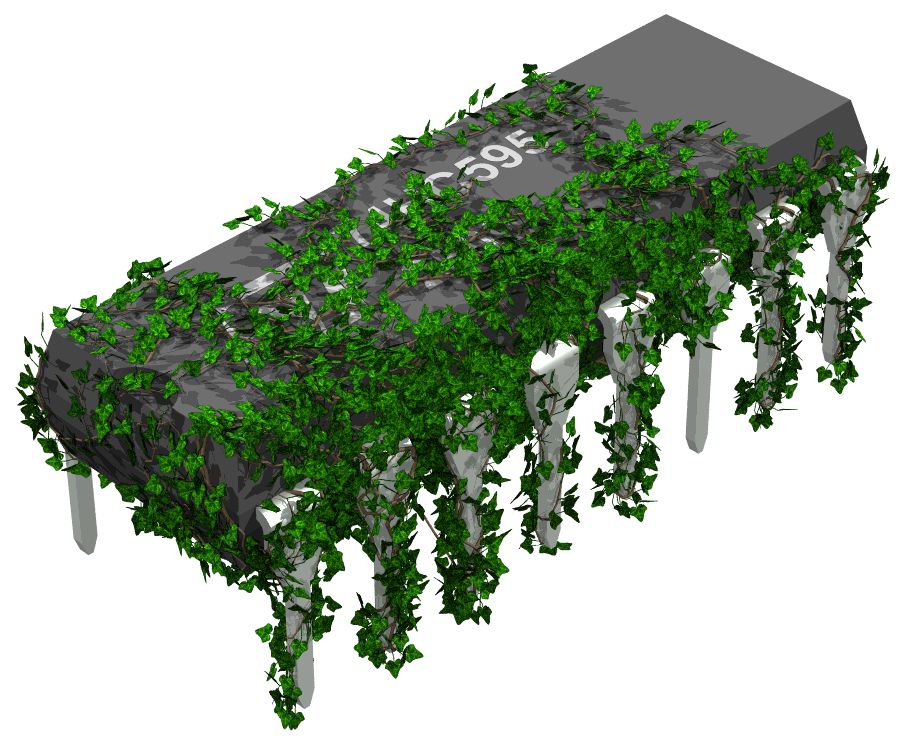
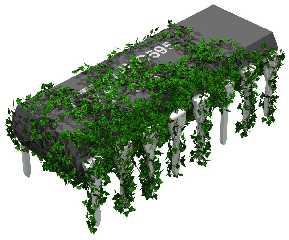
I ran some tests with one of my electronic components from Eagle3D. It
is totally out of scale but looks nice anyway.

--
Matthias Weißer
mat### [at] matweide
http://www.matwei.de
Post a reply to this message
Attachments:
Download 'ic.jpg' (132 KB)
Preview of image 'ic.jpg'
|
|
| |
| |
|
|
|
|
| |
| |
|
|
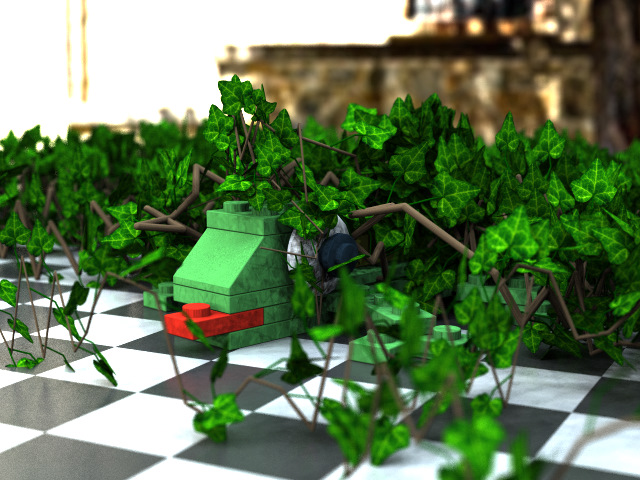
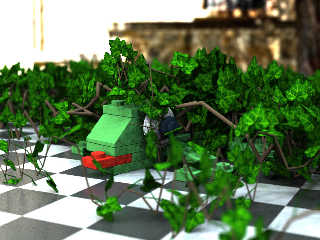
It appears my LEGO Lizard has had a minor overgrowth problem.  Sorry, I couldn't
help it! :-)  I like the density, but the twigs are a bit too "crooked." Great
macro!
Post a reply to this message
Attachments:
Download '7804 lizard ivy.jpg' (149 KB)
Preview of image '7804 lizard ivy.jpg'
|
|
| |
| |
|
|
|
|
| |
| |
|
|
Yeah, the ivy macro does some nice results.

My only suggestion is to use a spline instead of cylinders for the branches
of the Ivy from which the leafs derive. If you do this, then I promise you I
will download the macro!   ;-)

Sven
Post a reply to this message
|
|
| |
| |
|
|
|
|
| |
| |
|
|
"Thomas de Groot" <tDOTdegroot@interDOTnlANOTHERDOTnet> wrote:
> "hobBIT" <bla### [at] gmxde> schreef in bericht
> news:4a4f81bd$1@news.povray.org...
> > At the moment, growing is weighted by 4 factors:
> > 1. follow direction of last segment
> > 2. random
> > 3. gravity
> > 4. "up",
> > while the last can be seen as growing towards light. It's easy to add
> > another weight which grows to a given vector, but growing to "light" can
> > be very complex, depending on scene complexity, maybe a path can help out
> > to accomplish this.
> >
> > The starting point and primary growing direction are input parameters.
> >
> > I think about a total replace of the current growing algo, as it always
> > clamps to any object, so hanging ivy is not really possible atm.
> >
>
> "up" is probably enough for most  outdoor cases as "light" can be
> interpreted as the sun but also as the bright sky. Growing indoors however,
> would need a vector, representing a window for instance, or several vectors
> for several vectors, where a "brightness" parameter would additionally bias
> the growth more or less.
>
> Hanging ivy should be implemented indeed as this happens in real life as
> soon as the branches overtop their support.
>
> Thomas

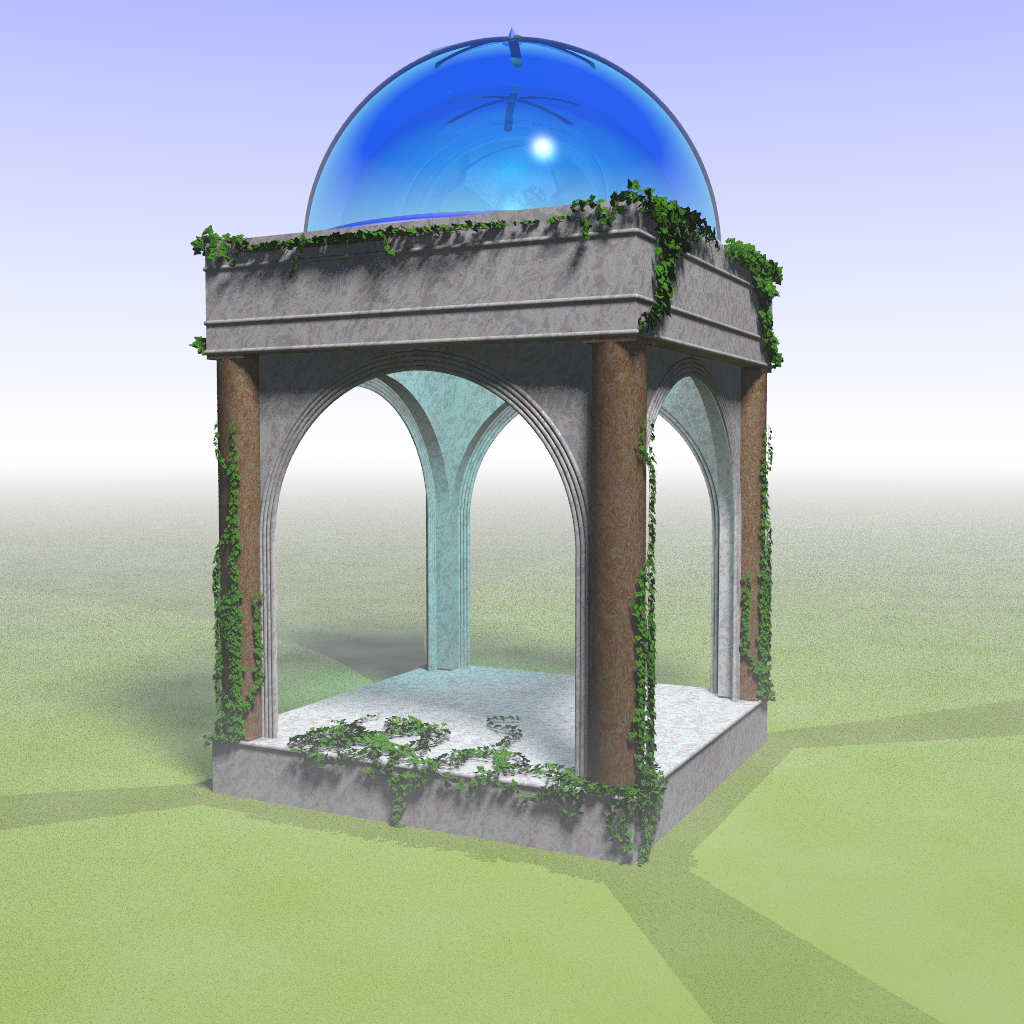
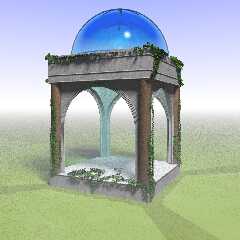
the macro works great - several csg objects here - not done yet but the ivy
definitely adds to it - thanks!
Post a reply to this message
Attachments:
Download 'arches_painting_111.png' (1324 KB)
Preview of image 'arches_painting_111.png'
|
|
| |
| |
|
|
|
|
| |
| |
|
|
Op 29/04/2021 om 07:24 schreef brookville:
> "Thomas de Groot" <tDOTdegroot@interDOTnlANOTHERDOTnet> wrote:
>> "hobBIT" <bla### [at] gmxde> schreef in bericht
>> news:4a4f81bd$1@news.povray.org...
>>> At the moment, growing is weighted by 4 factors:
>>> 1. follow direction of last segment
>>> 2. random
>>> 3. gravity
>>> 4. "up",
>>> while the last can be seen as growing towards light. It's easy to add
>>> another weight which grows to a given vector, but growing to "light" can
>>> be very complex, depending on scene complexity, maybe a path can help out
>>> to accomplish this.
>>>
>>> The starting point and primary growing direction are input parameters.
>>>
>>> I think about a total replace of the current growing algo, as it always
>>> clamps to any object, so hanging ivy is not really possible atm.
>>>
>>
>> "up" is probably enough for most  outdoor cases as "light" can be
>> interpreted as the sun but also as the bright sky. Growing indoors however,
>> would need a vector, representing a window for instance, or several vectors
>> for several vectors, where a "brightness" parameter would additionally bias
>> the growth more or less.
>>
>> Hanging ivy should be implemented indeed as this happens in real life as
>> soon as the branches overtop their support.
>>
>> Thomas
>
> the macro works great - several csg objects here - not done yet but the ivy
> definitely adds to it - thanks!
>

I am not the builder, only same first name. ;-) But it is a very fine
modeller, and useful.

For those who do not remember what all this was about:
http://graphics.uni-konstanz.de/~luft/ivy_generator/

--
Thomas
Post a reply to this message
|
|
| |
| |
|
|
|
|
| |
| |
|
|
Op 29-4-2021 om 08:09 schreef Thomas de Groot:

> For those who do not remember what all this was about:
> http://graphics.uni-konstanz.de/~luft/ivy_generator/
>
...or is this hobBIT's own ivy generator (2009)? I think it is.

--
Thomas
Post a reply to this message
|
|
| |
| |
|
|
|
|
| |
| |
|
|
Thomas de Groot <tho### [at] degrootorg> wrote:
> Op 29-4-2021 om 08:09 schreef Thomas de Groot:
>
> > For those who do not remember what all this was about:
> > http://graphics.uni-konstanz.de/~luft/ivy_generator/
> >
> ...or is this hobBIT's own ivy generator (2009)? I think it is.
>
> --
> Thomas

It was a macro I found here - upon looking at the files it is Thomas Hoppe I
believe. Is he the hobBIT?
Post a reply to this message
|
|
| |
| |
|
|
|
|
| |
| |
|
|
Op 02/05/2021 om 20:27 schreef brookville:
> Thomas de Groot <tho### [at] degrootorg> wrote:
>> Op 29-4-2021 om 08:09 schreef Thomas de Groot:
>>
>>> For those who do not remember what all this was about:
>>> http://graphics.uni-konstanz.de/~luft/ivy_generator/
>>>
>> ...or is this hobBIT's own ivy generator (2009)? I think it is.
>>
>> --
>> Thomas
>
> It was a macro I found here - upon looking at the files it is Thomas Hoppe I
> believe. Is he the hobBIT?
>
>
Indeed, he is! :-)

--
Thomas
Post a reply to this message
|
|
| |
| |
|
|
|
|
| |
| |
|
|
Am 03.07.2009 um 16:34 schrieb hobBIT:
> last week I started to write a little ivy generator which can interact with
> every povray object. I was a bit inspired by the generator by Thomas Luft
> (http://graphics.uni-konstanz.de/~luft/ivy_generator/) which only work with
> mesh objects. Please leave comments on how to increase realism,
>
> many thanks,
> hobBIT
>
Very nice work! I played around with the generator by Thomas Luft times
and again. His GUI takes some time to get used to. So it would be
interesting to learn how you implemented it in POV. I cannot judge if
you have put ivy around the stems of your trees. May be or not. In the
case of yes, you should change for a winter scene and strip off the
foliage of the trees.

As far as I can jugde Thomas approach, he covers surfaces only. But if I
look at the garage next door, I see ivy building a thick layer with a
height of more than a meter at least. But I think this will be hard to
achieve, cause the ivy grows on itself.

Best regards
Michael
Post a reply to this message
|
|
| |
| |
|
|
|
|
| |
| |
|
|
Thomas de Groot <tho### [at] degrootorg> wrote:
> Op 02/05/2021 om 20:27 schreef brookville:
> > Thomas de Groot <tho### [at] degrootorg> wrote:
> >> Op 29-4-2021 om 08:09 schreef Thomas de Groot:
> >>
> >>> For those who do not remember what all this was about:
> >>> http://graphics.uni-konstanz.de/~luft/ivy_generator/
> >>>
> >> ...or is this hobBIT's own ivy generator (2009)? I think it is.
> >>
> >> --
> >> Thomas
> >
> > It was a macro I found here - upon looking at the files it is Thomas Hoppe I
> > believe. Is he the hobBIT?
> >
> >
> Indeed, he is! :-)
>
> --
> Thomas

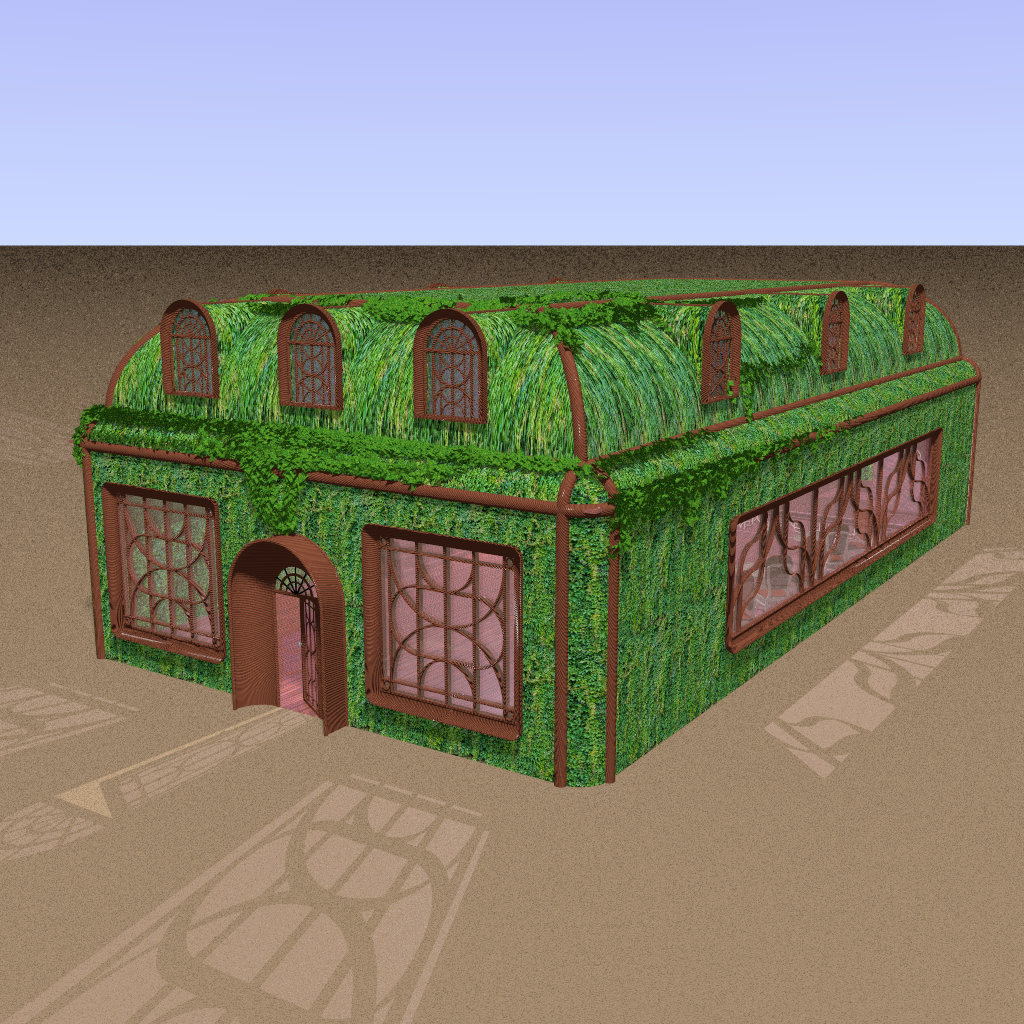
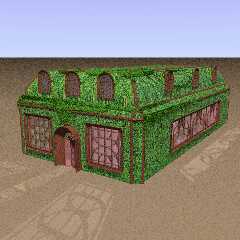
Still figuring out how to work with this macro and Constructive Solid Objects.
Beginning to get it. It uses the base position of the object prior to
transforming it to it's final position. So I enclose it in an object and
translate it into position just before closing the object bracket. In this image
the side wall was built in the center and translated to either side so the ivy
has to be moved to the position of the wall using the same transform. Thanks to
Thomas Hoppe (hobBIT) for this great macro as it adds to the texture I was
trying to achieve.

Mike Hobbs
Post a reply to this message
Attachments:
Download 'elf_entrance_1be.png' (1761 KB)
Preview of image 'elf_entrance_1be.png'
|
|
| |
| |
|
|
|
|
| |