|
|
|
|
|
|
| |
| |
|
|
|
|
| |
| |
|
|
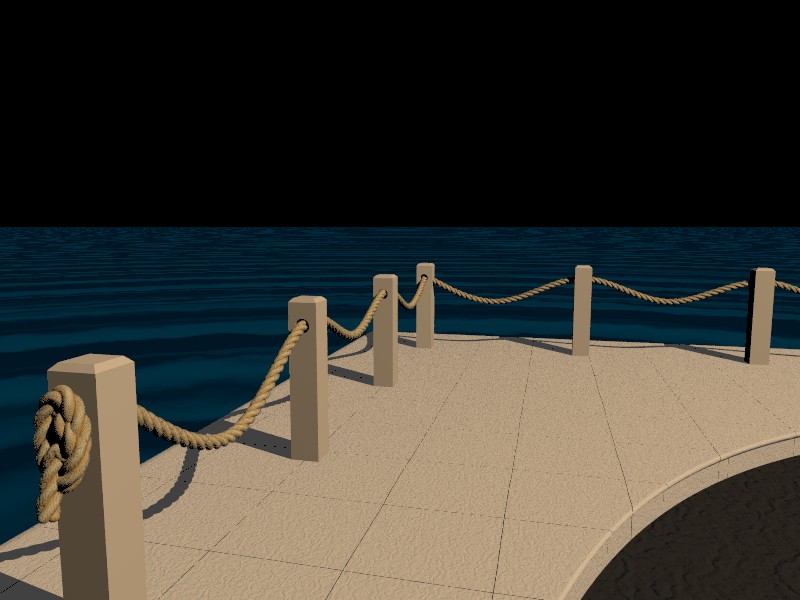
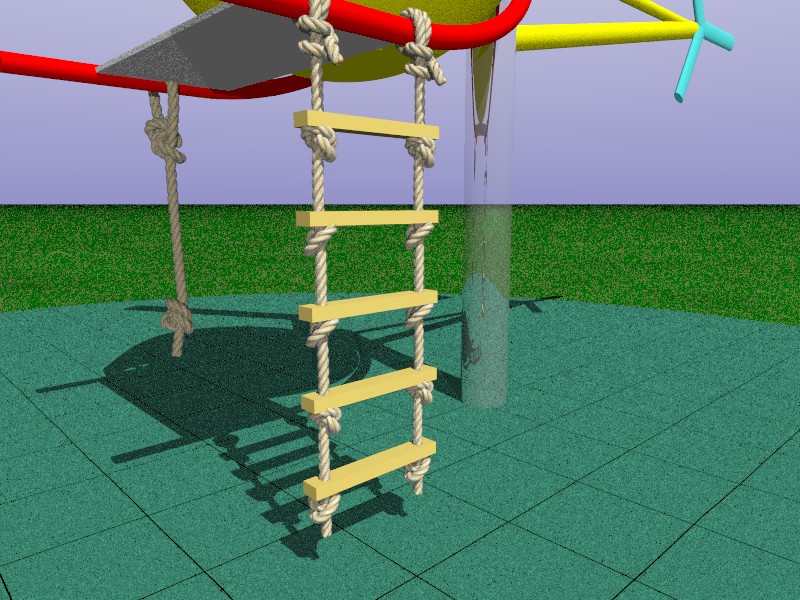
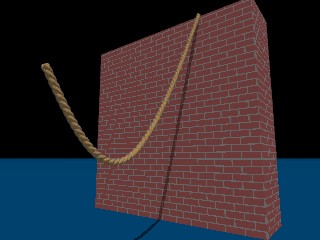
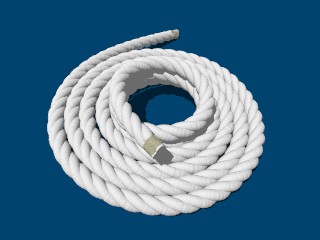
I'm working on a new Rope macro to handle knots and track object surfaces
etc.
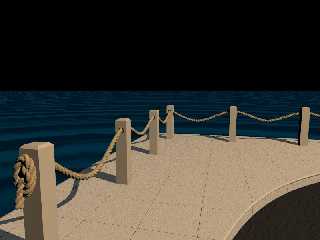
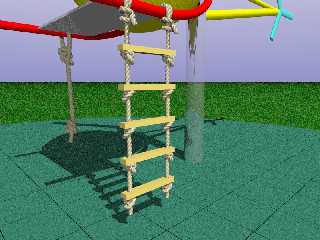
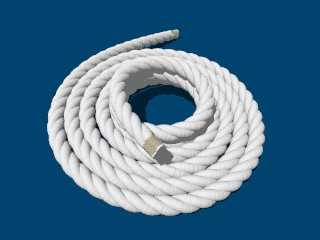
Here are a couple of sample images.

Thoughts/ideas welcome.

Regards,
Chris B.
Post a reply to this message
Attachments:
Download 'rope_40.jpg' (78 KB)
Download 'rope_41.jpg' (167 KB)
Preview of image 'rope_40.jpg'
Preview of image 'rope_41.jpg'
|
|
| |
| |
|
|
|
|
| |
| |
|
|
"Chris B" <nom### [at] nomail com> wrote:
> I'm working on a new Rope macro to handle knots and track object surfaces
> etc.
> Here are a couple of sample images.
>
> Thoughts/ideas welcome.
Looks awesome... this'll come in very handy.
How are you doing the knots, with predefined knot curves? And can you handle
e.g. coiling automatically? And presumably you're using either catenaries or a
full mechanics simulation to produce hanging curves...?
(And, and, and...)
:-) com> wrote:
> I'm working on a new Rope macro to handle knots and track object surfaces
> etc.
> Here are a couple of sample images.
>
> Thoughts/ideas welcome.
Looks awesome... this'll come in very handy.
How are you doing the knots, with predefined knot curves? And can you handle
e.g. coiling automatically? And presumably you're using either catenaries or a
full mechanics simulation to produce hanging curves...?
(And, and, and...)
:-)
Post a reply to this message
|
|
| |
| |
|
|
|
|
| |
| |
|
|
"Bill Pragnell" <bil### [at] hotmailcom> wrote in message
news:web.4a1e750b99a5bfb66dd25f0b0@news.povray.org...
> "Chris B" <nom### [at] nomailcom> wrote:
>> I'm working on a new Rope macro ...
>
> How are you doing the knots, with predefined knot curves?

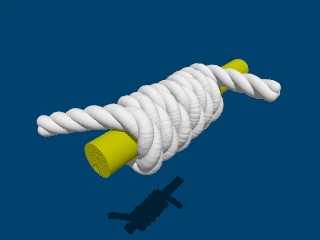
Each knot has it's own little macro that tracks displacements through the
path of the knot, factoring in the thickness of the rope and the tightness
of the knot. The knot macros add points into an array which is built up to
define the total path of the rope, then there's another macro to convert the
array of points into one or more splines and the splines into the rope.
Because you can break a rope into separate splines you can build adjacent
segments of the same rope using different spline types.

> And can you handle e.g. coiling automatically?

There's a macro to add rope spirals with a configurable amount of
randomness. It'll do left or right handed spirals, so it should be quite
easy to add a coil of rope. I'll give that a go :o).

> And presumably you're using either catenaries or a
> full mechanics simulation to produce hanging curves...?

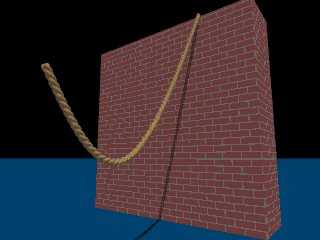
Ahh! Nothing nearly so sophisticated there I'm afraid :-). I have a loose
segment macro that takes the current point and a new point and adds an extra
point in between roughly in the right place to bring the rope length to
approximately the value specified as a parameter and to get the lowest point
roughly where it should be for the relative heights of the two end points.
Then it relies upon using a curved spline for that segment of rope to join
the dots in a fairly gravity compliant way. There's nothing stopping anyone
with a better grip on the maths adding such a macro though. Each of the
path-defining macros is quite short, so it doesn't take long to add new
shape macros.

Regards,
Chris B.
Post a reply to this message
Attachments:
Download 'rope_14.jpg' (10 KB)
Download 'rope_15.jpg' (18 KB)
Preview of image 'rope_14.jpg'
Preview of image 'rope_15.jpg'
|
|
| |
| |
|
|
|
|
| |
| |
|
|
"Chris B" <nom### [at] nomailcom> schreef in bericht
news:4a1e7ec8@news.povray.org...
>> And presumably you're using either catenaries or a
>> full mechanics simulation to produce hanging curves...?
>
> Ahh! Nothing nearly so sophisticated there I'm afraid :-). I have a loose
> segment macro that takes the current point and a new point and adds an
> extra
> point in between roughly in the right place to bring the rope length to
> approximately the value specified as a parameter and to get the lowest
> point
> roughly where it should be for the relative heights of the two end points.
> Then it relies upon using a curved spline for that segment of rope to join
> the dots in a fairly gravity compliant way. There's nothing stopping
> anyone
> with a better grip on the maths adding such a macro though. Each of the
> path-defining macros is quite short, so it doesn't take long to add new
> shape macros.
>


Yum yum... for the ropes and knots....  :-)
For catenaries, there is a set of macros by PM2Ring (2005) which do a better
job than the catenaries by Chris Colefax. There is also a set of macros by
Rob Antonishen (2002) but they do not work quite well I am afraid (last
timeI tried them, earlier this year). Both sets were made available in these
forums at the time.

Thomas
Post a reply to this message
|
|
| |
| |
|
|
|
|
| |
| |
|
|
"Thomas de Groot" <tDOTdegroot@interDOTnlANOTHERDOTnet> schreef in bericht
news:4a1e9c33> For catenaries, there is a set of macros by PM2Ring (2005)
which do a better
> job than the catenaries by Chris Colefax. There is also a set of macros by
> Rob Antonishen (2002) but they do not work quite well I am afraid (last
> timeI tried them, earlier this year). Both sets were made available in
> these forums at the time.


Found the PM 2Ring Catenary macro in povray.binaries.scene-files and in
povray.text.scene-files: "Catenary - a chain making macro" 2 September 2005

I am unable to trace Rob Antonishen's macro.

Thomas
Post a reply to this message
|
|
| |
| |
|
|
|
|
| |
| |
|
|
"Chris B" <nom### [at] nomailcom> wrote:
> >> I'm working on a new Rope macro ...

Now *this* looks good...!
Post a reply to this message
|
|
| |
| |
|
|
|
|
| |
| |
|
|
> Thoughts/ideas welcome.
>

Wow!
Post a reply to this message
|
|
| |
| |
|
|
|
|
| |
| |
|
|
"Bill Pragnell" <bil### [at] hotmailcom> wrote in message
news:web.4a1e750b99a5bfb66dd25f0b0@news.povray.org...
>
> ... can you handle e.g. coiling automatically?
>

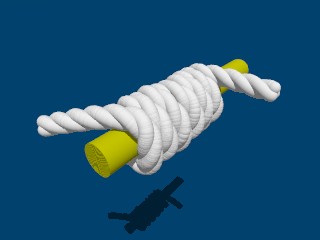
I've added a bit more into the spiral macro. What d'you have in mind by
coiling 'automatically'?
The example below uses two calls to the macro. The first adds a little helix
of two coils in the middle, spiralling downwards, the second call adds the
outward spiral (both using the default amount of randomness).

Regards,
Chris B.
Post a reply to this message
Attachments:
Download 'rope_17.jpg' (16 KB)
Preview of image 'rope_17.jpg'
|
|
| |
| |
|
|
|
|
| |
| |
|
|
"Thomas de Groot" <tDOTdegroot@interDOTnlANOTHERDOTnet> wrote in message
news:4a1e9c33$1@news.povray.org...
>
> "Chris B" <nom### [at] nomailcom> schreef in bericht
> news:4a1e7ec8@news.povray.org...
>>> And presumably you're using either catenaries or a
>>> full mechanics simulation to produce hanging curves...?
>>
>> Ahh! Nothing nearly so sophisticated there I'm afraid :-). I have a loose
>> segment macro ....
>
> For catenaries, there is a set of macros by PM2Ring (2005)

What a tough assignment that turned out to be   ;o)

I couldn't quite get my head round the approach that PM2Ring took, so I
spent the weekend swotting up on the maths (with long breaks for the
headaches to subside), and worked out a way to just use the most rudimentary
catenary formula. So it uses the value of 'a' to control the shape, which is
the ratio between 'H' (the horizontal component of the tension in the rope)
and 'w' (the weight per unit length).

The method used by PM2Ring has the advantage that you can specify the ratio
between the straight-line length and the rope length to control the amount
of sag in the rope, which is probably more intuitive than using 'a'.
Nevertheless, I plan to finish the documentation and post the first version
of the code in a couple of days. Then if anyone can improve on it we could
incorporate that in a future version.

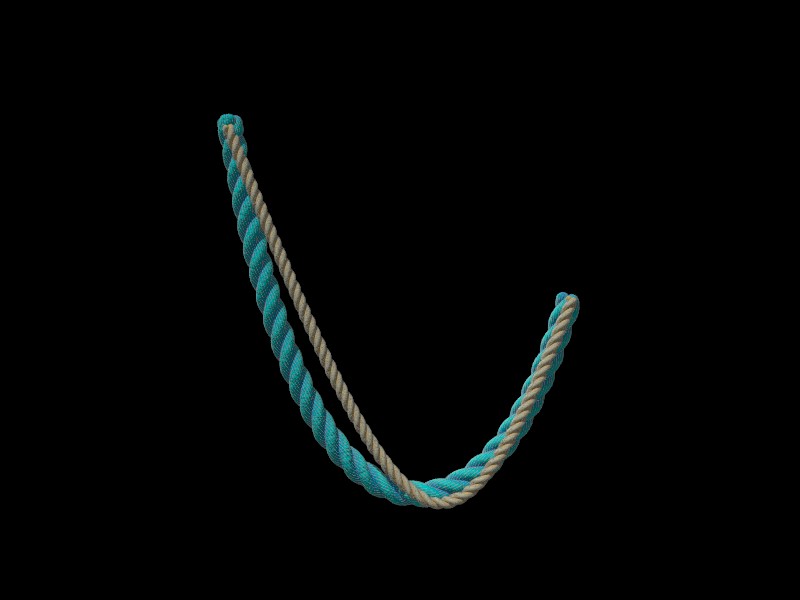
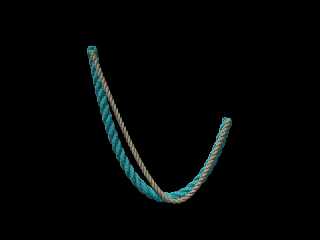
So here's the result. An image of the catenary juxtaposed behind my original
with 'fake' gravity.

Regards,
Chris B.
Post a reply to this message
Attachments:
Download 'rope_04.jpg' (25 KB)
Preview of image 'rope_04.jpg'
|
|
| |
| |
|
|
|
|
| |
| |
|
|
"Chris B" <nom### [at] nomailcom> schreef in bericht
news:4a256926@news.povray.org...
> What a tough assignment that turned out to be   ;o)

Good work! I am always awed by people able to do these tricky things. I know
I cannot. Thanks indeed for the effort.

Thomas
Post a reply to this message
|
|
| |
| |
|
|
|
|
| |
| |
|
|
Whoops, sorry for late reply, got caught up with HDRs :)

"Chris B" <nom### [at] nomailcom> wrote:
> "Bill Pragnell" <bil### [at] hotmailcom> wrote in message
> news:web.4a1e750b99a5bfb66dd25f0b0@news.povray.org...
> >
> > ... can you handle e.g. coiling automatically?

> I've added a bit more into the spiral macro. What d'you have in mind by
> coiling 'automatically'?

I meant 'loose' coiling, where the rope can pile up on itself, or a hanging
loose coil (hooked over something, for example). I realise these are
non-trivial, I expect people can model this manually given your tools - just
wondered, that was all! :-)

This is a great macro, keep it up!
Post a reply to this message
|
|
| |
| |
|
|
|
|
| |
| |
|
|
"Chris B" <nom### [at] nomailcom> wrote in message
news:4a1e679e@news.povray.org...
> I'm working on a new Rope macro to handle knots and track object surfaces

I've posted the first version of these macros onto the POV-Ray Object
Collection at:
http://lib.povray.org/collection/rope/chrisb%201.0/rope.html

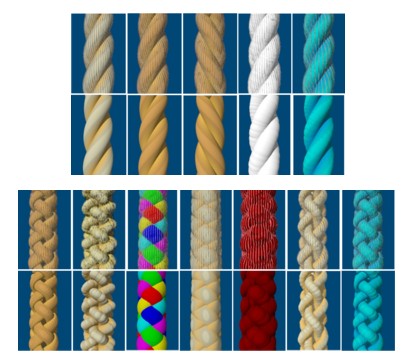
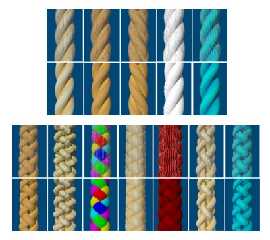
This image shows the predefined styles you can use. It's easy to add your
own styles and fairly easy to add new types of knot etc.. I'd be happy to
incorporate any new styles or new knots that you develop into a future
version.

Chris B.
Post a reply to this message
Attachments:
Download 'styles.jpg' (43 KB)
Preview of image 'styles.jpg'
|
|
| |
| |
|
|
|
|
| |
| |
|
|
"Bill Pragnell" <bil### [at] hotmailcom> wrote in message
news:web.4a2631e799a5bfb66dd25f0b0@news.povray.org...
>
>> > ... can you handle e.g. coiling automatically?
>
>> What d'you have in mind by coiling 'automatically'?
>
> I meant 'loose' coiling, where the rope can pile up on itself, or a
> hanging
> loose coil (hooked over something, for example). I realise these are
> non-trivial, I expect people can model this manually given your tools -
> just
> wondered, that was all! :-)
>

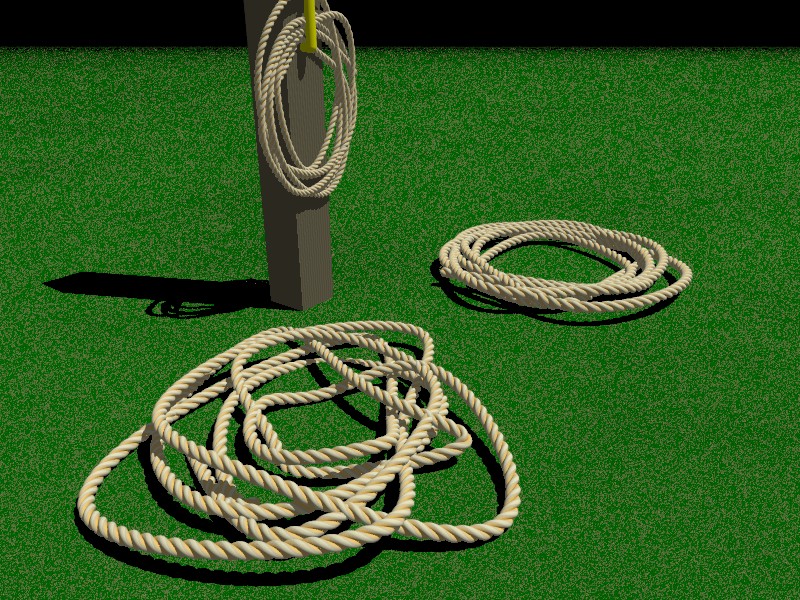
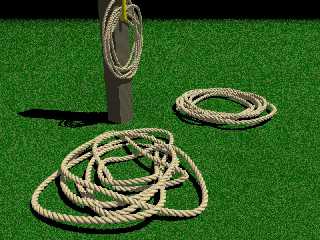
Here's an example of what the randomisation options can do with a bit of
fiddling around. Some of the random shapes looked unrealistic, so it was a
question of repeatedly adjusting the seed until I got reasonable looking
shapes. This doesn't use any form of collision detection, so eagle-eyed
observers will notice that some bits of rope pass through other bits of rope
and even into adjacent objects in places.

The foreground object uses a very high randomisation setting at about 30
times the default. The other two are copies of the same coil at about 15
times the default randomisation (the one on the post is rotated and scaled
down a little).

To really overlay the coils of rope so that you don't get collisions would
be more complex. I've had a few ideas, but I'm not sure how difficult any of
them would turn out to be to implement. Most of my ideas to date would risk
ending up with some very limp-looking rope.

Regards,
Chris B.
Post a reply to this message
Attachments:
Download 'rope_42.jpg' (238 KB)
Preview of image 'rope_42.jpg'
|
|
| |
| |
|
|
|
|
| |
| |
|
|
"Chris B" <nom### [at] nomailcom> wrote:
>
> I've posted the first version of these macros onto the POV-Ray Object
> Collection at:
> http://lib.povray.org/collection/rope/chrisb%201.0/rope.html
>

Thanks for making this macro available. I've just read the (extensive)
documentation and it's looking very useful. On my To Do list for my "Rock The
Boat" scene is still adding a rope for mooring the boat, and it seems that
these macros will do the trick perfectly :-). I still need to finish my own
damage macros first, but then I will definitely give your rope macros a go.

Cheers,
Erwin
Post a reply to this message
|
|
| |
| |
|
|
|
|
| |
| |
|
|
Hi Chris,

this is Sven. I really like your rope macro, and want to use it immediately
for some of my scenes. Please send it to my e-mail address, I would be
extremely happy.

Sven
Post a reply to this message
|
|
| |
| |
|
|
|
|
| |
| |
|
|
"Sven Littkowski" <Sve### [at] Jamaica-Focuscom> wrote in message
news:4a30135d$1@news.povray.org...
> Hi Chris,
>
> this is Sven. I really like your rope macro, and want to use it
> immediately for some of my scenes. Please send it to my e-mail address, I
> would be extremely happy.
>
> Sven

Hi Sven,

It's on the POV-Ray Object Collection at:
http://lib.povray.org/collection/rope/chrisb%201.0/rope.html
There should be a download button at the top of that HTML page.

If that fails you should be able to download using the JavaScript-free index
page at
http://lib.povray.org/searchcollection/index2.php


If you still have a problem downloading it let me know and I'll get you a
copy somehow :-)

Regards,
Chris B.
Post a reply to this message
|
|
| |
| |
|
|
|
|
| |
| |
|
|
"Eriban" <pov### [at] spamgourmetcom> wrote:
> I still need to finish my own
> damage macros first, but then I will definitely give your rope macros a go.

Hi Chris,

I just thought I'd share my first results of using your rope macro. Attached is
an image with the result. To create the hanging loops I created a small macro
of my own. I still need to clean it up a bit and make it a bit more general,
but then I'll share it.

I still have a problem with showing the fibers. When I turn this on, rendering
slows down to a crawl, and the results look pretty bad. Basically, the rope
becomes all black. I could be that I am doing something wrong, or that the
version of MegaPov I am using is not compatible with your macros. I still need
to investigate what's wrong. However, there's no rush, cause in my scene there's
no need to show the fibers anyway.

Cheers,

Erwin
Post a reply to this message
Attachments:
Download 'rope-4b.png' (51 KB)
Preview of image 'rope-4b.png'

|
|
| |
| |
|
|
|
|
| |
| |
|
|
"Eriban" <pov### [at] spamgourmetcom> wrote in message
news:web.4a411f4899a5bfb681475b100@news.povray.org...
>
> I just thought I'd share my first results of using your rope macro.
> Attached is
> an image with the result. To create the hanging loops I created a small
> macro
> of my own. I still need to clean it up a bit and make it a bit more
> general,
> but then I'll share it.
>
> I still have a problem with showing the fibers. When I turn this on,
> rendering
> slows down to a crawl, and the results look pretty bad. Basically, the
> rope
> becomes all black. I could be that I am doing something wrong, or that the
> version of MegaPov I am using is not compatible with your macros. I still
> need
> to investigate what's wrong. However, there's no rush, cause in my scene
> there's
> no need to show the fibers anyway.
>

Hi Erwin,

No it's nothing you've done wrong.

As soon as you said that I remembered that I was surprised that I hadn't
needed to increase the POV-Ray max_trace_level when I developed the outer
'fibre' layer, because it uses a sort of semi-transparent skin around the
outside of the rope made out of strings of spheres. This semi-transparent
layer is why it takes about 10 times as long to render. I developed this
under 3.7 beta 32 and I had intended to test it on POV-Ray 3.6 before
posting it, but I forgot.

Now that I tried it on 3.6 it clearly needs the following line adding if
fibres are used and I would imagine it's the same problem for MegaPOV:
global_settings {max_trace_level 10}

I'm still not really sure why it doesn't need this on the 3.7 beta 32.
I also notice that the lighting levels are a lot darker on 3.6, but I guess
you've already spotted that and set Rope_Brightness to 2 to compensate,
because your scene looks bright enough (or maybe MegaPOV is different from
3.6 on lighting levels).

Best Regards,
Chris B.
Post a reply to this message
|
|
| |
| |
|
|
|
|
| |
| |
|
|
Chris B a écrit :
>
> "Eriban" <pov### [at] spamgourmetcom> wrote in message
> news:web.4a411f4899a5bfb681475b100@news.povray.org...
>>
>> I just thought I'd share my first results of using your rope macro.
>> Attached is
>> an image with the result. To create the hanging loops I created a
>> small macro
>> of my own. I still need to clean it up a bit and make it a bit more
>> general,
>> but then I'll share it.
>>
>> I still have a problem with showing the fibers. When I turn this on,
>> rendering
>> slows down to a crawl, and the results look pretty bad. Basically, the
>> rope
>> becomes all black. I could be that I am doing something wrong, or that
>> the
>> version of MegaPov I am using is not compatible with your macros. I
>> still need
>> to investigate what's wrong. However, there's no rush, cause in my
>> scene there's
>> no need to show the fibers anyway.
>>
>
> Hi Erwin,
>
> No it's nothing you've done wrong.
>
> As soon as you said that I remembered that I was surprised that I hadn't
> needed to increase the POV-Ray max_trace_level when I developed the
> outer 'fibre' layer, because it uses a sort of semi-transparent skin
> around the outside of the rope made out of strings of spheres. This
> semi-transparent layer is why it takes about 10 times as long to render.
> I developed this under 3.7 beta 32 and I had intended to test it on
> POV-Ray 3.6 before posting it, but I forgot.
>
> Now that I tried it on 3.6 it clearly needs the following line adding if
> fibres are used and I would imagine it's the same problem for MegaPOV:
> global_settings {max_trace_level 10}
>
> I'm still not really sure why it doesn't need this on the 3.7 beta 32.
> I also notice that the lighting levels are a lot darker on 3.6, but I
> guess you've already spotted that and set Rope_Brightness to 2 to
> compensate, because your scene looks bright enough (or maybe MegaPOV is
> different from 3.6 on lighting levels).
>
> Best Regards,
> Chris B.
>

With version 3.7, when a transparent object don't have reflection nor an
interior with an ior, passing trough such an object don't count toward
the max_trace limits. That change happened over 10 versions ago, I
think. Now, a ray can pass trough over 500 transparent object, giving
over 1000 surfaces intersections.

Alain
Post a reply to this message
|
|
| |
| |
|
|
|
|
| |
| |
|
|
"Chris B" <nom### [at] nomailcom> wrote:
> Now that I tried it on 3.6 it clearly needs the following line adding if
> fibres are used and I would imagine it's the same problem for MegaPOV:
> global_settings {max_trace_level 10}

Thanks for the reply. Increasing the max_trace_level indeed fixes the problem.
Nevertheless, in the small sample scene I used it the fibers do not enhance the
image as they are too small to show up. The main effect is that they reduce the
overall brightness of the rope a bit. Having said that, it's good to know I can
get the fibres to show up when needed. :-)

A small suggestion. Is it maybe worth adding another quick-rendering option to
the rope macros, alongside the Rope_ShowFibres=0 setting? In some test-renders
you may only want to see the path of the rope, without it having to consist of
multiple strands. For my rope-looping macro I am using a single sphere_sweep
during loop construction (to make sure that the loops do not overlap anywhere).
This sphere_sweep can also be used creating the image. It does not look good of
course (see the attached image), however, it may be handy when contructing the
path for the rope, as it takes less time to generate the image.

In my case (using a simple 1.42 GHz PowerPC MacMini) the rendering and parse
times for my simple "looped rope" image are as follows:
Proper rope, with fibres: Total time 39m30s, of which 1m49s parsing
Proper rope, w/o wibres: Total time 3m44s, of which 1m37s parsing
Simple sphere_sweep: Total time 1m56s, of which 0s parsing

The macro to create the sphere_sweep from the array of points can be very simple
of course. Here's what I have been using:

#macro BuildRope(RopePoints, StartIndex, EndIndex, Radius)
 sphere_sweep {
  cubic_spline
  EndIndex - StartIndex

  #local I = StartIndex;
  #while (I != EndIndex)
   RopePoints[I], Radius
   #local I = I + 1;
  #end
 }
#end

Cheers,
Erwin
Post a reply to this message
Attachments:
Download 'rope-simplespheresweep.png' (25 KB)
Preview of image 'rope-simplespheresweep.png'

|
|
| |
| |
|
|
|
|
| |
| |
|
|
"Eriban" <pov### [at] spamgourmetcom> wrote in message
news:web.4a42895f99a5bfb681475b100@news.povray.org...
> Iin the small sample scene I used it the fibers do not enhance the
> image as they are too small to show up. The main effect is that they
> reduce the
> overall brightness of the rope a bit. Having said that, it's good to know
> I can
> get the fibres to show up when needed. :-)

That's true. It only really shows up if the rope is close enough or if the
image is large enough to show that level of details, which is why I
incorporated the option to switch it off and save on render times. I think
this is also true of real ropes though, you can't see the fibres till you
get reasonably close.


> A small suggestion. Is it maybe worth adding another quick-rendering
> option to
> the rope macros, alongside the Rope_ShowFibres=0 setting? In some
> test-renders
> you may only want to see the path of the rope, without it having to
> consist of
> multiple strands. For my rope-looping macro I am using a single
> sphere_sweep
> during loop construction (to make sure that the loops do not overlap
> anywhere).
> This sphere_sweep can also be used creating the image. It does not look
> good of
> course (see the attached image), however, it may be handy when contructing
> the
> path for the rope, as it takes less time to generate the image.
>

I think that's a very good idea.


> In my case (using a simple 1.42 GHz PowerPC MacMini) the rendering and
> parse
> times for my simple "looped rope" image are as follows:
> Proper rope, with fibres: Total time 39m30s, of which 1m49s parsing
> Proper rope, w/o wibres: Total time 3m44s, of which 1m37s parsing
> Simple sphere_sweep: Total time 1m56s, of which 0s parsing

I have to admit that I invested in quite a fast machine last year, so most
of the test renders I did took less than 5 seconds. The big coils of rope
were the main exception to that and I was getting between 30 seconds and 1.5
minutes. The example in the documentation containing 3 quite long coils of
rope, with fibres did take it up to about 27 minutes.


> The macro to create the sphere_sweep from the array of points can be very
> simple
> of course. Here's what I have been using:
>
> #macro BuildRope(RopePoints, StartIndex, EndIndex, Radius)
> sphere_sweep {
>  cubic_spline
>  EndIndex - StartIndex
>
>  #local I = StartIndex;
>  #while (I != EndIndex)
>   RopePoints[I], Radius
>   #local I = I + 1;
>  #end
> }
> #end
>

Thanks. I'll add that in.

Regards,
Chris B.
Post a reply to this message
|
|
| |
| |
|
|
|
|
| |
| |
|
|
"Alain" <aze### [at] qwertyorg> wrote in message
news:4a41648a$1@news.povray.org...
> Chris B a écrit :
>> I was surprised that I hadn't needed to increase the POV-Ray
>> max_trace_level when I developed the outer 'fibre' layer,
>
> With version 3.7, when a transparent object don't have reflection nor an
> interior with an ior, passing trough such an object don't count toward the
> max_trace limits. That change happened over 10 versions ago, I think. Now,
> a ray can pass trough over 500 transparent object, giving over 1000
> surfaces intersections.

Well that's good. Quite nifty thinking by whoever had that idea. Should save
quite a few questions on povray.newusers each year :-)

Regards,
Chris B.
Post a reply to this message
|
|
| |
| |
|
|
|
|
| |
| |
|
|
"Chris B" <nom### [at] nomailcom> wrote:
> Now that I tried it on 3.6 it clearly needs the following line adding if
> fibres are used and I would imagine it's the same problem for MegaPOV:
> global_settings {max_trace_level 10}
>
> I'm still not really sure why it doesn't need this on the 3.7 beta 32.
> I also notice that the lighting levels are a lot darker on 3.6, but I guess
> you've already spotted that and set Rope_Brightness to 2 to compensate,
> because your scene looks bright enough (or maybe MegaPOV is different from
> 3.6 on lighting levels).

3.7 uses a new scheme of what is counted towards the "max_trace_level" limit:
While 3.6 *always* counts transitions through (semi-) transparent surfaces, 3.7
only counts such transitions if refraction occurs (i.e. if the "ior" values
differ).
Post a reply to this message
|
|
| |
| |
|
|
|
|
| |