|
|
|
|
|
|
| |
| |
|
|
|
|
| |
| |
|
|
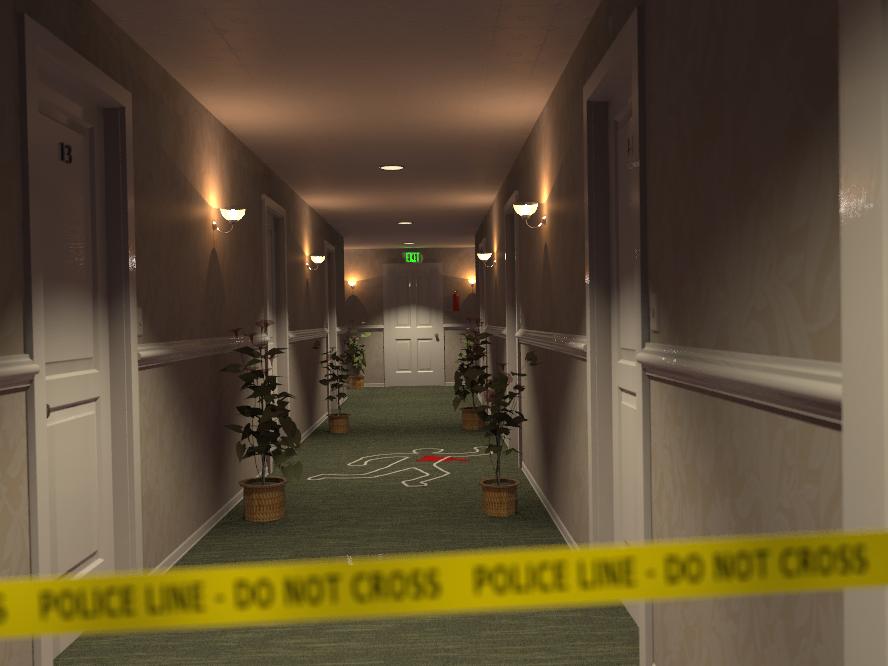
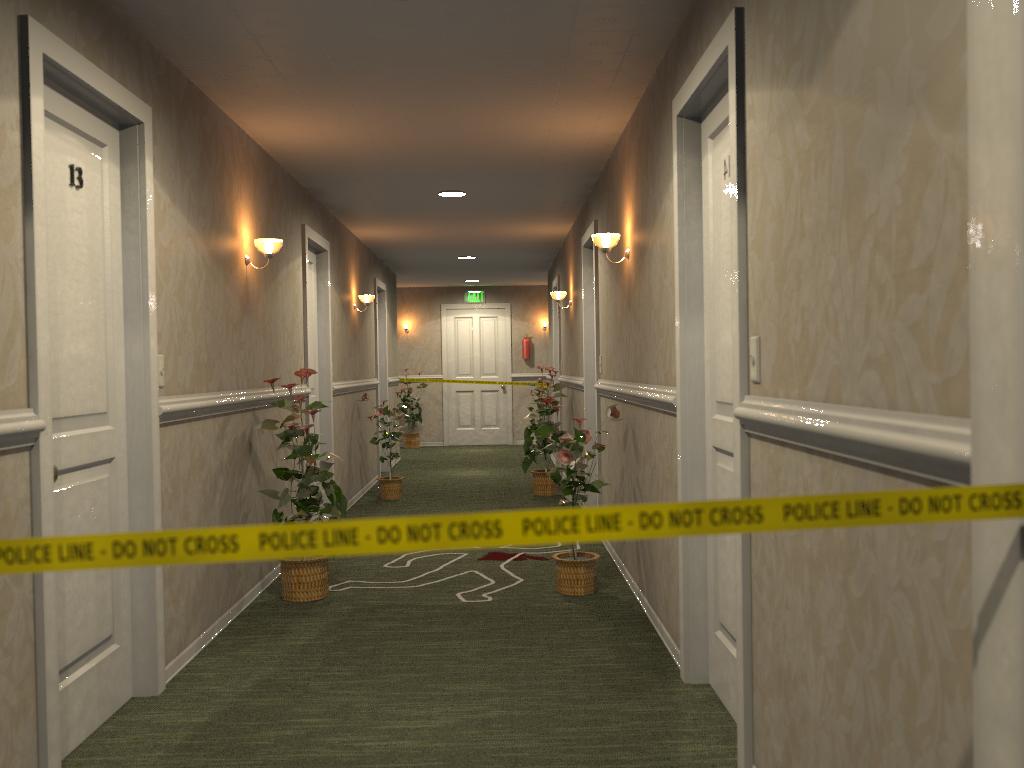
I was practicing with Chief Architect, and did this hotel corridor... it was
so boring that I decided to have some fun adding some story to it.

Regards,

--
Jaime
Post a reply to this message
Attachments:
Download 'hotelca-06b.jpg' (46 KB)
Preview of image 'hotelca-06b.jpg'
|
|
| |
| |
|
|
|
|
| |
| |
|
|
Jaime Vives Piqueres <jai### [at] ignorancia org> wrote:
> I was practicing with Chief Architect, and did this hotel corridor... it was
> so boring that I decided to have some fun adding some story to it.
That looks really good! Much more interesting too. Something about the focal
blur throws of my sense of scale just a bit. Maybe a tad too much on the tape?
The only other things I would recommend would be to get rid of the sharp
shadows on the lights, and, at least from my experience, pools of blood on
carpet tend to be a little darker when dried--almost a reddish-brown color.
Oops. I think I've said too much.
- Ricky org> wrote:
> I was practicing with Chief Architect, and did this hotel corridor... it was
> so boring that I decided to have some fun adding some story to it.
That looks really good! Much more interesting too. Something about the focal
blur throws of my sense of scale just a bit. Maybe a tad too much on the tape?
The only other things I would recommend would be to get rid of the sharp
shadows on the lights, and, at least from my experience, pools of blood on
carpet tend to be a little darker when dried--almost a reddish-brown color.
Oops. I think I've said too much.
- Ricky
Post a reply to this message
|
|
| |
| |
|
|
|
|
| |
| |
|
|
On Tue, 14 Apr 2009 15:33:59 EDT, "triple_r" <nomail@nomail> wrote:

>at least from my experience, pools of blood on
>carpet tend to be a little darker when dried--almost a reddish-brown color.
>Oops.  I think I've said too much.

You are obviously a first aider. :-)
--

Regards
     Stephen
Post a reply to this message
|
|
| |
| |
|
|
|
|
| |
| |
|
|
Jaime Vives Piqueres <jai### [at] ignoranciaorg> wrote:
> I was practicing with Chief Architect, and did this hotel corridor... it was
> so boring that I decided to have some fun adding some story to it.

Nice macaber one ;)

The bloodstain should be a good deal darker I think. After all, it should be all
coagulated by now.
Post a reply to this message
|
|
| |
| |
|
|
|
|
| |
| |
|
|
"triple_r" <nomail@nomail> wrote:
> Jaime Vives Piqueres <jai### [at] ignoranciaorg> wrote:
> > I was practicing with Chief Architect, and did this hotel corridor... it was
> > so boring that I decided to have some fun adding some story to it.
>
> That looks really good!  Much more interesting too.  Something about the focal
> blur throws of my sense of scale just a bit.  Maybe a tad too much on the tape?
>  The only other things I would recommend would be to get rid of the sharp
> shadows on the lights, and, at least from my experience, pools of blood on
> carpet tend to be a little darker when dried--almost a reddish-brown color.
> Oops.  I think I've said too much.

It looks great!

The focal blur seems perfect to me - just enough on the hall to give a slight
sense of depth, but enough on the tape to draw the viewer to look past to the
crime scene itself.

The lighting is good, but maybe there's something more that can be drawn out of
the scene and/or POV? There's something slightly CG about them that I can't
quite put my finger on...

Did anyone ever get IES files into POV somehow? They often give the appearance
of higher realism due to the complexity of the light emitted...

And perhaps try some specular on the leaves of the pot plants - they are quite
shiny at the right angle in RL.

Another fantastic render - thank-you very much for sharing with us!

Cheers,
Edouard.
Post a reply to this message
|
|
| |
| |
|
|
|
|
| |
| |
|
|
"Jaime Vives Piqueres" <jai### [at] ignoranciaorg> wrote in message
news:49e4dcd6@news.povray.org...

> I was practicing with Chief Architect, and did this hotel corridor... it
was
> so boring that I decided to have some fun adding some story to it.


Very nice. But:

1. Blood is way too bright, even for a fresh stain (which this cannot be)
2. Running pose seems unnatural for the dead body.
3. Exit signs are usually red around here, I cannot remember seeing a green
one (but it might be a local thing)
4. Police tape is at a very odd place (useless and/or trapping patrons),
unless there is also an exit/entrance behind the camera. But in that case,
I'd expect another tape at the far end too, especially since there seems to
be a perpendicular corridor in front of the exit.
Post a reply to this message
|
|
| |
| |
|
|
|
|
| |
| |
|
|
triple_r nous illumina en ce 2009-04-14 15:33 -->
> Jaime Vives Piqueres <jai### [at] ignoranciaorg> wrote:
>> I was practicing with Chief Architect, and did this hotel corridor... it was
>> so boring that I decided to have some fun adding some story to it.
>
> That looks really good!  Much more interesting too.  Something about the focal
> blur throws of my sense of scale just a bit.  Maybe a tad too much on the tape?
>  The only other things I would recommend would be to get rid of the sharp
> shadows on the lights, and, at least from my experience, pools of blood on
> carpet tend to be a little darker when dried--almost a reddish-brown color.
> Oops.  I think I've said too much.
>
>  - Ricky
>
I agree with you about the blood. It's MUCH to red. Even fresh blood from an
artery is not THAT red.

The shadows from the lamps looks OK to me.I've often seen shadows as sharp as those.
No problem with the blur on the police tape.

--
Alain
-------------------------------------------------
You know you've been raytracing too long when whenever you write include, even
in essays, etc, you always add a "#".
Post a reply to this message
|
|
| |
| |
|
|
|
|
| |
| |
|
|
Alain <ele### [at] netscapenet> wrote:
> The shadows from the lamps looks OK to me.I've often seen shadows as sharp as those.

Fair enough.  Maybe the IES comment was on the right track.  The color is
perfect, but maybe they seem too perfect and uniform.  Or maybe it's the
shadows across the center of the door.  Something about Feng Shui, but I guess
I'm obviously not good at pinpointing things like this.

> No problem with the blur on the police tape.

Another look confirms this.

 - Ricky
Post a reply to this message
|
|
| |
| |
|
|
|
|
| |
| |
|
|
"somebody" <x### [at] ycom> wrote:
> "Jaime Vives Piqueres" <jai### [at] ignoranciaorg> wrote in message
> news:49e4dcd6@news.povray.org...
>
> > I was practicing with Chief Architect, and did this hotel corridor... it
> was
> > so boring that I decided to have some fun adding some story to it.
>
>
> Very nice. But:
>
> 1. Blood is way too bright, even for a fresh stain (which this cannot be)
> 2. Running pose seems unnatural for the dead body.
> 3. Exit signs are usually red around here, I cannot remember seeing a green
> one (but it might be a local thing)
> 4. Police tape is at a very odd place (useless and/or trapping patrons),
> unless there is also an exit/entrance behind the camera. But in that case,
> I'd expect another tape at the far end too, especially since there seems to
> be a perpendicular corridor in front of the exit.

These are quibbles... ;-)
I think that the scene is a WIP, and that the intentions are not to make it
completely photorealistic.
Bella imagen!

--
Carlo
Post a reply to this message
|
|
| |
| |
|
|
|
|
| |
| |
|
|
Excellent!!

Not much to add to comments given, except that I suspect I know *who did
it*.... The resident of Room nr. 13 of course ;-)

Just as an aside about the Exit sign, green is correct as far as I know
(Europe?). I don't remember seeing red ones... Must be a
regional/continental thing I guess.

Thomas
Post a reply to this message
|
|
| |
| |
|
|
|
|
| |
| |
|
|
"Carlo C." <nomail@nomail> wrote:
> "somebody" <x### [at] ycom> wrote:

> > Very nice. But:
> >
> > 1. Blood is way too bright, even for a fresh stain (which this cannot be)
> > 2. Running pose seems unnatural for the dead body.
> > 3. Exit signs are usually red around here, I cannot remember seeing a green
> > one (but it might be a local thing)
> > 4. Police tape is at a very odd place (useless and/or trapping patrons),
> > unless there is also an exit/entrance behind the camera. But in that case,
> > I'd expect another tape at the far end too, especially since there seems to
> > be a perpendicular corridor in front of the exit.
>
> These are quibbles... ;-)
> I think that the scene is a WIP, and that the intentions are not to make it
> completely photorealistic.
> Bella imagen!

I agree. The outline/pose and the tape are just right. Yes they are staged, but
that's what I assume Jaime as going for in the first place.

And exit signs are green around here too :-)

Cheers,
Edouard.
Post a reply to this message
|
|
| |
| |
|
|
|
|
| |
| |
|
|
Jaime Vives Piqueres wrote:
> I was practicing with Chief Architect, and did this hotel corridor... it
> was
> so boring that I decided to have some fun adding some story to it.
>
> Regards,
>
> --
> Jaime
>
> ------------------------------------------------------------------------
>

Ah, the classical whodunit. I'm expecting Hercule Poirot to walk around
the corner any moment and solve the case.

-Ive
Post a reply to this message
|
|
| |
| |
|
|
|
|
| |
| |
|
|
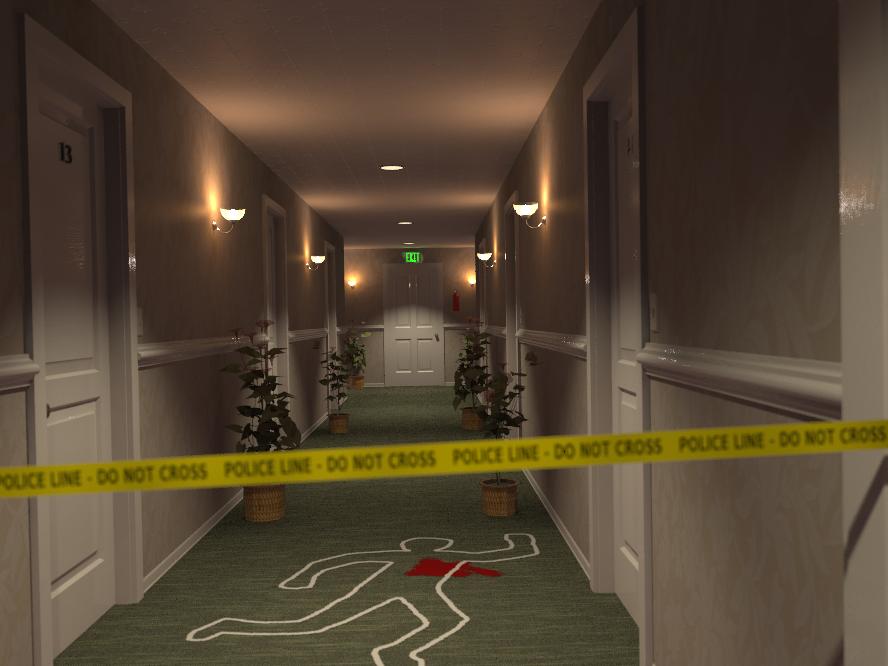
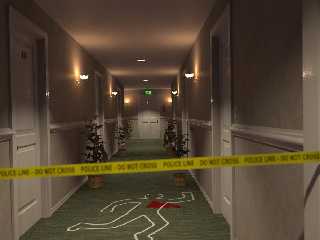
New version, with some of the comments addressed:

+ Ricky: The "focal blur is wrong" thing always happens to me... I need
perhaps to try Edouard camera macros. But also this time there was a sort of
visual confusion, because the police tape was not properly located.

+ Ricky: Oops... I forgot to switch area lights on!

+ Ricky: Yes, the blood was too red... now I applied filtering to the
image_map, so it looks a bit more like if it was soaking into the carpet.

+ Edouard: You really nailed it on the lighting... it's just too perfect. I
remember someone patching POV-Ray for IES sometime ago, but can't remember
the details... I always had on my to-do list an experiment about using a
realistic light fixture with photons to see if it gives the same effect
(specially on spots).

+ Edouard: You're right, the plants leaves are too dark, and I tried hard to
get them shiny, but failed... I think it's because they are receiving too
little direct light, due to the placement of the lights.

+ Clipka: yes, my storytelling scenes always involve blood... strange
(remember "Travieso"?).

+ somebody: No, it's not a running pose, it's a "disco-dancing" pose: there
was a party at room 13. :)

+ somebody: Around here exit signs are also red, but I've seen some green
too... anyhow, it was just the default exit sign from Chief Architect.

+ somebody: totally correct about the tape, it was badly placed, and yes, I
forgot to put another one at the other end of the corridor! ...I take note
for the next WIP, thanks!

+ Carlo: yes, it's a WIP, but no, the intention WAS to be photorealistic...
anyhow, somebody comments where more about the realism of the situation
rather than the realism of the image itself.

    Thanks to all for the comments!

--
Jaime
Post a reply to this message
Attachments:
Download 'hotelca-06c.jpg' (47 KB)
Preview of image 'hotelca-06c.jpg'
|
|
| |
| |
|
|
|
|
| |
| |
|
|
Nice idea!

I would suggest to make the blood much darker, use a dark red or reddish
black. Mostly it would look like a wet carpet, from the distance. So a dark,
very dark color should look realistic.

But otherwise it is a great, impressive and realistic work. Well done!

Sven
Post a reply to this message
|
|
| |
| |
|
|
|
|
| |
| |
|
|
Ive <"ive### [at] lilysoftorg"> wrote:
> Ah, the classical whodunit. I'm expecting Hercule Poirot to walk around
> the corner any moment and solve the case.

Unlikely. They didn't yet have plastic tape back in his time ;)
Post a reply to this message
|
|
| |
| |
|
|
|
|
| |
| |
|
|
clipka wrote:
> Unlikely. They didn't yet have plastic tape back in his time ;)
>

Umm, err, right Dr. Watson.
Post a reply to this message
|
|
| |
| |
|
|
|
|
| |
| |
|
|
The blood is still too red.... should be almost black, imo.

Great scene!

Thomas
Post a reply to this message
|
|
| |
| |
|
|
|
|
| |
| |
|
|
Jaime Vives Piqueres wrote:

> the intention WAS to be photorealistic...


In that respect I think what gives it away is: the lamps (especially the
ones in the ceiling) do look too dim compared to the amount of light
they emit. Perhaps some spheres around them with emissive media and
spherical density to simulate color bleeding would do the trick.
And I cannot imagine that any *real* plant could survive within this
environment, so by assuming thay are made of plastic, some specular
highlights on them would be a nice touch.


-Ive
Post a reply to this message
|
|
| |
| |
|
|
|
|
| |
| |
|
|
Jaime Vives Piqueres wrote:
> I was practicing with Chief Architect, and did this hotel corridor... it
> was
> so boring that I decided to have some fun adding some story to it.
>
> Regards,
>
> --
> Jaime
>
> ------------------------------------------------------------------------
>

Very nice!

Others have already commented on the blood color, but I'd like to add
that the chair rail seems to be exceedingly shiny, at least compared to
the amount of normal bump. It seems almost like it was really rough and
covered in cellophane; I think turning down the highlight or shallow
reflection would help. That really applies to all the white paint, it
just seems plastic-y

Exit signs are red in the USA, but I have seen green signs other places.
Post a reply to this message
|
|
| |
| |
|
|
|
|
| |
| |
|
|
> Exit signs are red in the USA, but I have seen green signs other places.
In Washington State they are almost always green. It'd be interesting to
see real statistics on exit sign colors.
Post a reply to this message
|
|
| |
| |
|
|
|
|
| |
| |
|
|
http://oxhouse.org/~brent/etc/exit/
Post a reply to this message
|
|
| |
| |
|
|
|
|
| |
| |
|
|
Tim Attwood nous illumina en ce 2009-04-16 16:22 -->
> http://oxhouse.org/~brent/etc/exit/
In Canada, they can only be red as stipulated in every provincial construction
codes.
The reason: If there is smoke, the red interact much less with it.

--
Alain
-------------------------------------------------
   If it weren't for pickpockets, I'd have no sex life at all.
   	Rodney Dangerfield
Post a reply to this message
|
|
| |
| |
|
|
|
|
| |
| |
|
|
Tim Attwood wrote:
> http://oxhouse.org/~brent/etc/exit/

Interesting. I stay in the northeast US, guess that's why I've mostly
seen red.

Working in a theatre, I think that red is a lot nicer to use, since it
isn't as bright when all the lights are supposed to be off, but still
cuts through haze well.
Post a reply to this message
|
|
| |
| |
|
|
|
|
| |
| |
|
|
Exit signs are green over here.
Post a reply to this message
|
|
| |
| |
|
|
From: Jaime Vives Piqueres
Subject: Spotlights with photons (143KB) (Was: Hotel crime scene)
Date: 24 Apr 2009 06:06:40
Message: <49f18f30@news.povray.org>
|
|
|
| |
| |
|
|
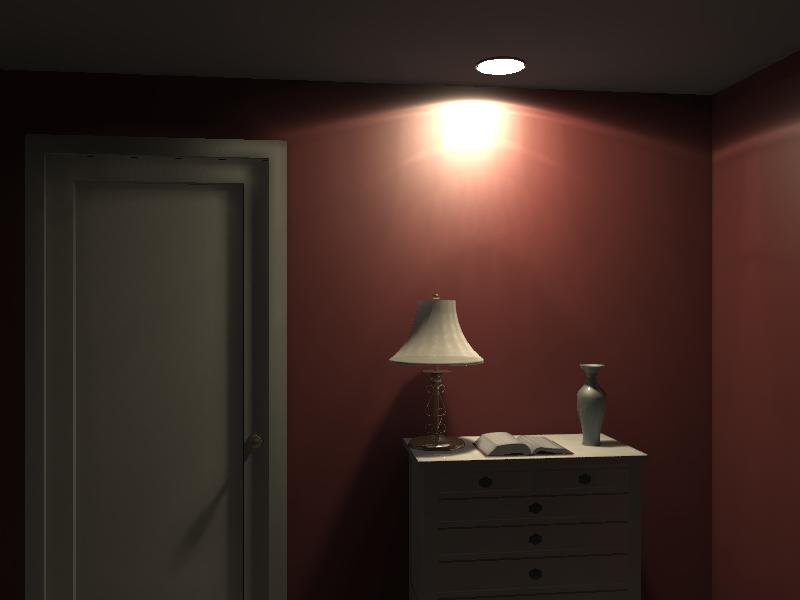
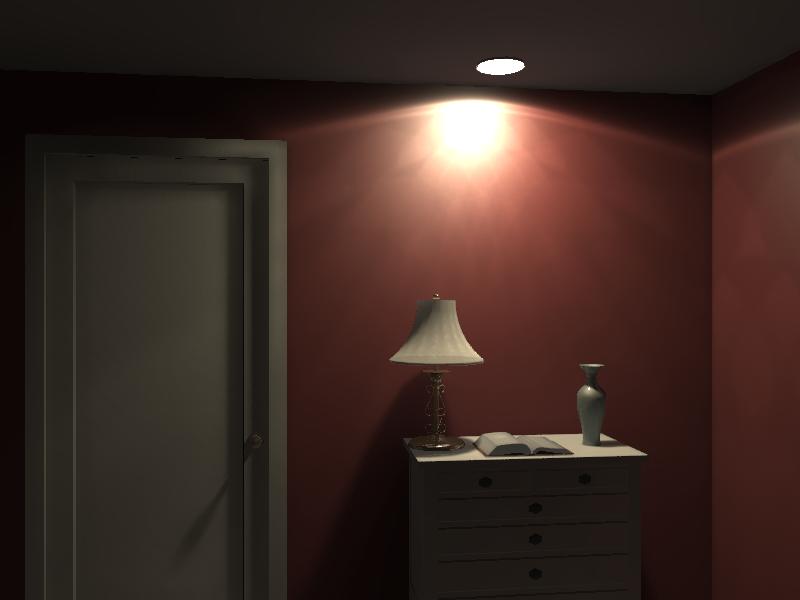
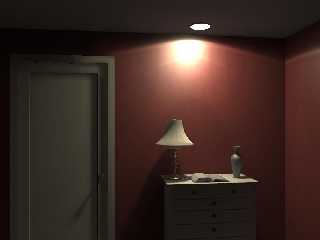
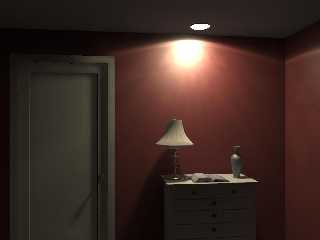
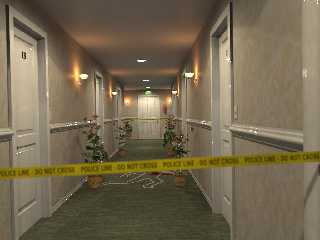
Hi again:

     After Edouard mentioned IES light data files, I tried an experiment I
envisioned sometime ago: creating a realistic spot fixture and let it
reflect and refract some photons. The tests with just one spot seemed to
work nicely, but when I integrated it on the hotel scene with the same
photon spacing, the results don't look so great...

--
Jaime
Post a reply to this message
Attachments:
Download 'spot_photon_test-03.jpg' (19 KB)
Download 'spot_photon_test-03b.jpg' (19 KB)
Download 'hotelca-07.jpg' (68 KB)
Preview of image 'spot_photon_test-03.jpg'
Preview of image 'spot_photon_test-03b.jpg'
Preview of image 'hotelca-07.jpg'
|
|
| |
| |
|
|
|
|
| |
| |
|
|
Jaime Vives Piqueres <jai### [at] ignoranciaorg> wrote:
> Hi again:
>
>      After Edouard mentioned IES light data files, I tried an experiment I
> envisioned sometime ago: creating a realistic spot fixture and let it
> reflect and refract some photons. The tests with just one spot seemed to
> work nicely, but when I integrated it on the hotel scene with the same
> photon spacing, the results don't look so great...

I've tried that in the past too :-)

Your results have come out much better than mine did though - it was the first
time I used photons, so I probably didn't understand what I was doing
properly...

My plan had a "part two" to it (which I also didn't manage to do properly) - I
wanted to render the light and fixture, without any other scene elements, to a
full spherical camera, and use that as the transparency map for the light in a
real scene (possibly with the fixture modified with no_shadow). If you get what
I mean...

It's still on my list of things to experiment with, but perhaps as you are
having far more success than I ever did, it might be something you would find
interesting?

> Jaime

Cheers,
Edouard.
Post a reply to this message
|
|
| |
| |
|
|
From: Jaime Vives Piqueres
Subject: Re: Spotlights with photons (143KB) (Was: Hotel crime scene)
Date: 25 Apr 2009 02:33:54
Message: <49f2aed2@news.povray.org>
|
|
|
| |
| |
|
|
Edouard escribió:
> Your results have come out much better than mine did though - it was the first
> time I used photons, so I probably didn't understand what I was doing
> properly...

   Are you supposing that I know what I'm doing with photons? ...then you
are wrong! ;)

   Seriously, I only managed to get them right by using two passes, because
on "direct" usage I was getting only the photons but not the original light
source... by loading the photons on a second pass I got both the light and
the photons.

> My plan had a "part two" to it (which I also didn't manage to do properly) - I
> wanted to render the light and fixture, without any other scene elements, to a
> full spherical camera, and use that as the transparency map for the light in a
> real scene (possibly with the fixture modified with no_shadow). If you get what
> I mean...
>
> It's still on my list of things to experiment with, but perhaps as you are
> having far more success than I ever did, it might be something you would find
> interesting?

   Very interesting idea... and I didn't think of it! But now you ruined my
Saturday plans... I'm not able to resist the temptation!

   How will you proceed? ...perhaps projecting it into a sphere?

--
Jaime
Post a reply to this message
|
|
| |
| |
|
|
From: Ive
Subject: Re: Spotlights with photons (143KB) (Was: Hotel crime scene)
Date: 25 Apr 2009 06:28:13
Message: <49f2e5bd@news.povray.org>
|
|
|
| |
| |
|
|
Jaime Vives Piqueres wrote:
> Hi again:
>
>     After Edouard mentioned IES light data files, I tried an experiment I
> envisioned sometime ago: creating a realistic spot fixture and let it
> reflect and refract some photons. The tests with just one spot seemed to
> work nicely, but when I integrated it on the hotel scene with the same
> photon spacing, the results don't look so great...
>
> --
> Jaime
>

Just to make sure I do understand it right: you did *not* actually use
IES files, you 'just' did model a realistic spotlight with a refracting
mirror?

If my memory does serve me well there was (maybe a few years ago) a post
by someone who did in fact use IES files within POV-Ray. But while I'm
thinking about it, I have no idea how this could be achieved.

-Ive
Post a reply to this message
|
|
| |
| |
|
|
From: Ive
Subject: Re: Spotlights with photons (143KB) (Was: Hotel crime scene)
Date: 25 Apr 2009 06:31:22
Message: <49f2e67a$1@news.povray.org>
|
|
|
| |
| |
|
|
refracting mirror?

err, what I wanted to say was reflecting mirror and/or refracting glass
cover.

-Ive
Post a reply to this message
|
|
| |
| |
|
|
From: Jaime Vives Piqueres
Subject: Re: Spotlights with photons (143KB) (Was: Hotel crime scene)
Date: 25 Apr 2009 06:42:05
Message: <49f2e8fd$1@news.povray.org>
|
|
|
| |
| |
|
|
Ive escribió:
>
> refracting mirror?
>
> err, what I wanted to say was reflecting mirror and/or refracting glass
> cover.
>

   Yes, that was the idea: I modeled with Wings3D a simple reflector with a
simple cover glass. I put a light inside and adjusted the photons to reflect
only on the reflector, and to refract only on the glass (otherwise I was
getting spotty results). It works decently with just one spot, but for a
bunch of them you need a lot of patience.

   About the IES files, as I mentioned before, yes, I also remember someone
doing a patch or something to use them with POV-Ray... perhaps it was the
custom POV-Ray version from Dialux?

--
Jaime
Post a reply to this message
|
|
| |
| |
|
|
From: Jaime Vives Piqueres
Subject: Re: Spotlights with photons (143KB) (Was: Hotel crime scene)
Date: 25 Apr 2009 06:46:52
Message: <49f2ea1c$1@news.povray.org>
|
|
|
| |
| |
|
|
Edouard escribió:
> My plan had a "part two" to it (which I also didn't manage to do
> properly) - I wanted to render the light and fixture, without any other
> scene elements, to a full spherical camera, and use that as the
> transparency map for the light in a real scene (possibly with the fixture
>  modified with no_shadow). If you get what I mean...
>
> It's still on my list of things to experiment with, but perhaps as you
> are having far more success than I ever did, it might be something you
> would find interesting?

   Well... the experiment worked great and fast, but has a BIG limitation:
you cannot use area lights with it, because the "fake photons" effect
disappears (logically) due to the soft shadows... &%#$!!! :(

   Any ideas? ... I cannot think of anything that will overcome this problem.

--
Jaime
Post a reply to this message
|
|
| |
| |
|
|
|
|
| |
| |
|
|
Jaime Vives Piqueres <jai### [at] ignoranciaorg> wrote:
> Hi again:
>
>      After Edouard mentioned IES light data files, I tried an experiment I
> envisioned sometime ago: creating a realistic spot fixture and let it
> reflect and refract some photons. The tests with just one spot seemed to
> work nicely, but when I integrated it on the hotel scene with the same
> photon spacing, the results don't look so great...

Oops.  Is that fourteen backwards?  Otherwise very nice.

 - Ricky
Post a reply to this message
|
|
| |
| |
|
|
|
|
| |
| |
|
|
Jaime Vives Piqueres <jai### [at] ignoranciaorg> wrote:
> Edouard escribió:
> > My plan had a "part two" to it (which I also didn't manage to do
> > properly) - I wanted to render the light and fixture, without any other
> > scene elements, to a full spherical camera, and use that as the
> > transparency map for the light in a real scene (possibly with the fixture
> >  modified with no_shadow). If you get what I mean...
> >
> > It's still on my list of things to experiment with, but perhaps as you
> > are having far more success than I ever did, it might be something you
> > would find interesting?
>
>    Well... the experiment worked great and fast, but has a BIG limitation:
> you cannot use area lights with it, because the "fake photons" effect
> disappears (logically) due to the soft shadows... &%#$!!! :(
>
>    Any ideas? ... I cannot think of anything that will overcome this problem.

Ahh, I see the flaw. The "shadow map" from the light and fitting is an
approximation, but from your experiment it sounds like it's not a close enough
one to actual photons...

Hmm, perhaps a no_area_light object modifier added to the SDL? That would
probably be useful in general to be honest.

I can't think of a multiple light solution that would work, and even if there
was one it wouldn't be a general solution to a scene.

Sorry my idea wasn't a winner in the end!

> Jaime

Cheers,
Edouard.
Post a reply to this message
|
|
| |
| |
|
|
From: Jaime Vives Piqueres
Subject: Re: Spotlights with photons (143KB) (Was: Hotel crime scene)
Date: 27 Apr 2009 07:36:01
Message: <49f598a1@news.povray.org>
|
|
|
| |
| |
|
|
Edouard escribió:
> Ahh, I see the flaw. The "shadow map" from the light and fitting is an
> approximation, but from your experiment it sounds like it's not a close
> enough one to actual photons...

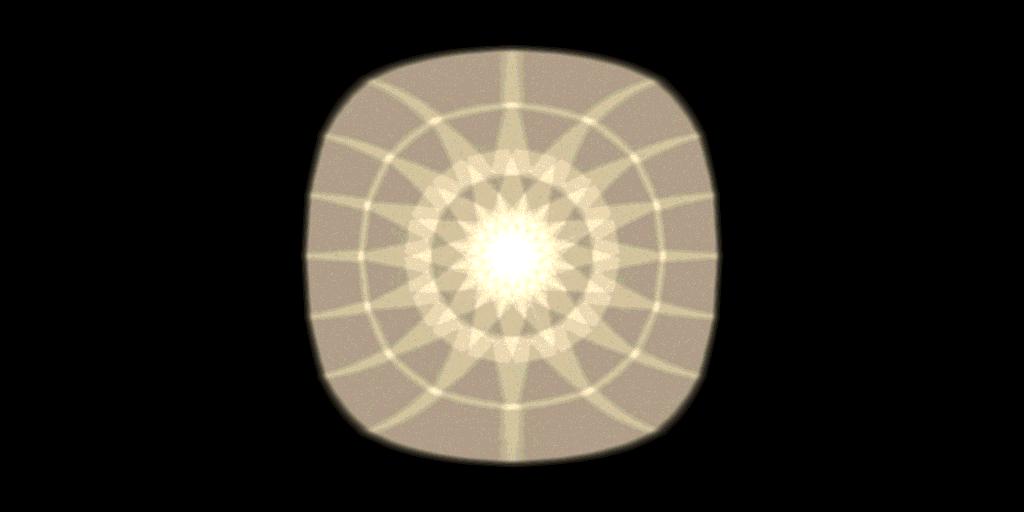
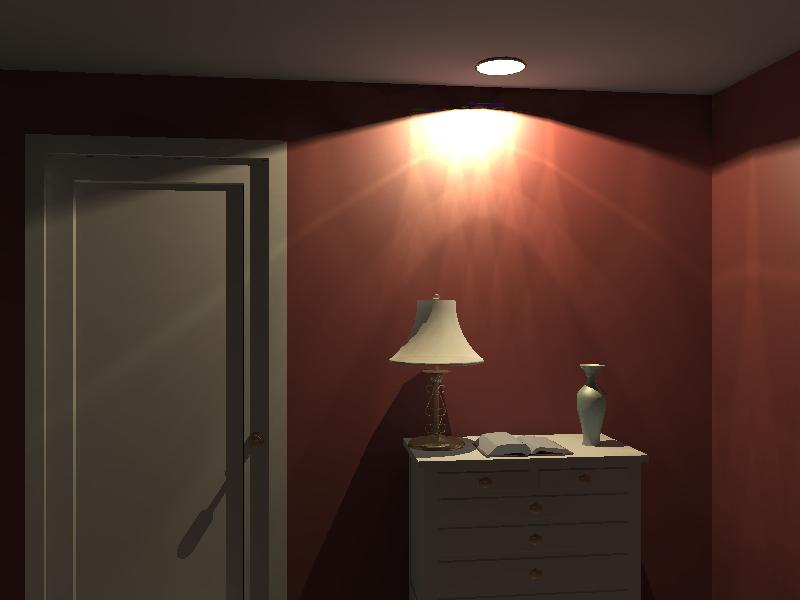
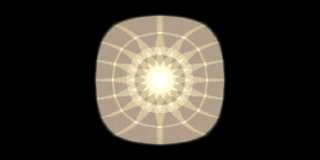
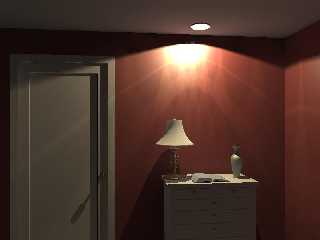
   No, in fact it is very close to the photons effect, in some aspects better
looking, although not correct, of course. See attached pics...

> Hmm, perhaps a no_area_light object modifier added to the SDL? That would
>  probably be useful in general to be honest.

   Yes, I think that would be the only solution: the sphere with the
"photon map" could be flagged as "no_area_light". But I cannot think of any
other situation where it will be useful such a modifier...

> I can't think of a multiple light solution that would work, and even if
> there was one it wouldn't be a general solution to a scene.

   Well, lets wait... we all know POV-Ray unexplored possibilities are
endless, and perhaps there is already a clever way to do it, waiting for
someone to discover it.

> Sorry my idea wasn't a winner in the end!

   It was a very good idea, and just in case, I will archive it under my
/stalled folder...


--
Jaime
Post a reply to this message
Attachments:
Download 'fakespot_map.jpg' (22 KB)
Download 'fakespot_test.jpg' (22 KB)
Preview of image 'fakespot_map.jpg'
Preview of image 'fakespot_test.jpg'
|
|
| |
| |
|
|
From: Jaime Vives Piqueres
Subject: Re: Spotlights with photons (143KB) (Was: Hotel crime scene)
Date: 27 Apr 2009 07:37:38
Message: <49f59902$1@news.povray.org>
|
|
|
| |
| |
|
|
triple_r escribió:
> Oops.  Is that fourteen backwards?  Otherwise very nice.

   Oops, indeed... Thanks!

--
Jaime
Post a reply to this message
|
|
| |
| |
|
|
|
|
| |
| |
|
|
Jaime Vives Piqueres <jai### [at] ignoranciaorg> wrote:
> I was practicing with Chief Architect, and did this hotel corridor... it was
> so boring that I decided to have some fun adding some story to it.

Am I right that the bit about the mirrored 14 involves the janitor?

--
jussi
Post a reply to this message
|
|
| |
| |
|
|
|
|
| |