|
|
|
|
|
|
| |
| |
|
|
|
|
| |
| |
|
|
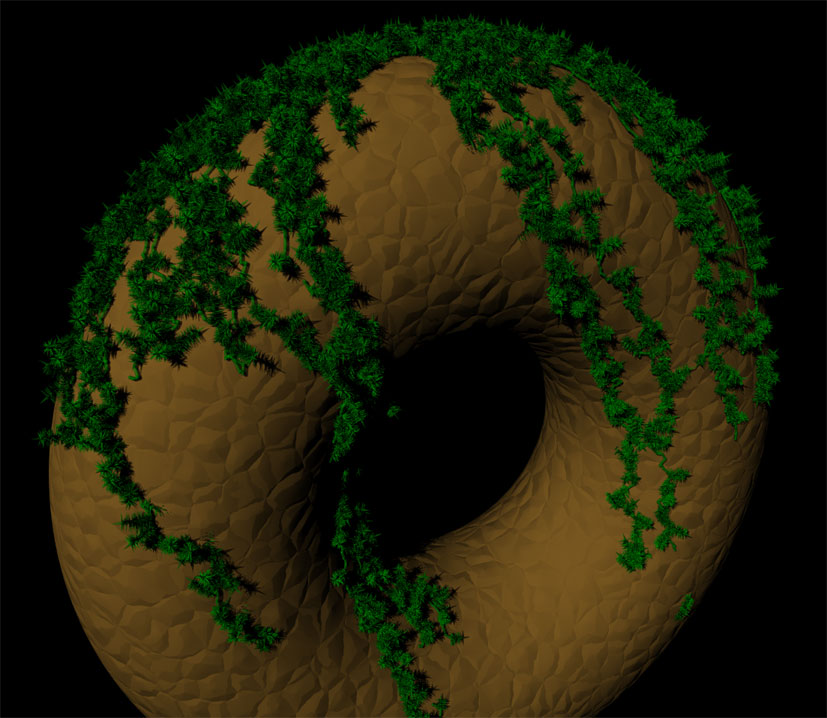
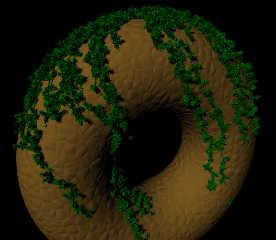
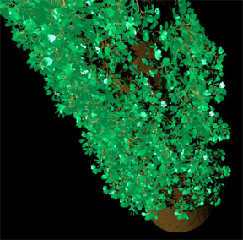
More testing....here is the infamous torus...

ian
Post a reply to this message
Attachments:
Download 'NastyMossDonut.jpg' (112 KB)
Preview of image 'NastyMossDonut.jpg'
|
|
| |
| |
|
|
|
|
| |
| |
|
|
"[GDS|Entropy]" <gds### [at] hotmail com> wrote:
> More testing....here is the infamous torus...
That's looking really good! In reply to your previous question in the ruins
thread, it might be criminal not to try this out... :-)
What sort of parse/render time / memory usage are we looking at?
Bill com> wrote:
> More testing....here is the infamous torus...
That's looking really good! In reply to your previous question in the ruins
thread, it might be criminal not to try this out... :-)
What sort of parse/render time / memory usage are we looking at?
Bill
Post a reply to this message
|
|
| |
| |
|
|
|
|
| |
| |
|
|
"Bill Pragnell" <bil### [at] hotmailcom> wrote in message
news:web.49b4182cd4fd5b28219167190@news.povray.org...
> "[GDS|Entropy]" <gds### [at] hotmailcom> wrote:
>> More testing....here is the infamous torus...
>
> That's looking really good! In reply to your previous question in the
> ruins
> thread, it might be criminal not to try this out... :-)
>
> What sort of parse/render time / memory usage are we looking at?
>
> Bill
>

Why thank you. :-D

Due to the fact I'm using cone differences to make the individual leaves of
the moss....a lot of time. Each moss object as seen in that image is
composed of 260 objects. I would like to use those mesh approximation macros
you have to create a mesh of the base level of the moss object that could
then be translated as needed.

There are a few more optimizations that I *need* to do to reduce failed
tests, because that image took 1.5mil, which is why the parse time was
59min.
I think that the mesh moss might reduce the ram needed.

Below are the stats:
ian

//----------------------------
Scene Statistics
  Finite objects:       355690
  Infinite objects:          0
  Light sources:             1
  Total:                355691
Possible Rendering Error: Maximum trace level reached! If your scene
contains black spots read more about the max_trace_level setting in the
documentation!

Render Statistics
Image Resolution 1280 x 1024

Pixels:          1312000   Samples:         2105120   Smpls/Pxl: 1.60
Rays:            4853594   Saved:                 0   Max Level: 5/5

Ray->Shape Intersection          Tests       Succeeded  Percentage

Cone/Cylinder                717808152       102235121     14.24
CSG Intersection             316414269        25587670      8.09
CSG Union                     13231600            8405      0.06
Sphere                        28214853          994453      3.52
Torus                         15609517        11444766     73.32
Torus Bound                   15609517        12789091     81.93
Bounding Box                3008474496       832260586     27.66
Light Buffer                6363773504      3437107572     54.01
Vista Buffer                 414971335       317948308     76.62

Roots tested:              12789091   eliminated:              1903432
Calls to Noise:                   0   Calls to DNoise:         5809594

Shadow Ray Tests:          13850948   Succeeded:               7182259
Transmitted Rays:           2748474
I-Stack overflows:              275

Smallest Alloc:                  18 bytes
Largest  Alloc:             6000016 bytes
Peak memory used:         571245785 bytes
Total Scene Processing Times
  Parse Time:    0 hours 59 minutes 52 seconds (3592 seconds)
  Photon Time:   0 hours  0 minutes  0 seconds (0 seconds)
  Cloth Time:    0 hours  0 minutes  0 seconds (0 seconds)
  Mechsim Time:  0 hours  0 minutes  0 seconds (0 seconds)
  Render Time:   0 hours  8 minutes  8 seconds (488 seconds)
  Postpr. Time:  0 hours  0 minutes  0 seconds (0 seconds)
  Total Time:    1 hours  8 minutes  0 seconds (4080 seconds)
CPU time used: kernel 5.30 seconds, user 4065.16 seconds, total 4070.45
seconds
Render averaged 322.01 PPS over 1310720 pixels

POV-Ray finished
Post a reply to this message
|
|
| |
| |
|
|
|
|
| |
| |
|
|
"[GDS|Entropy]" <gds### [at] hotmailcom> wrote:
> Due to the fact I'm using cone differences to make the individual leaves of
> the moss....a lot of time. Each moss object as seen in that image is
> composed of 260 objects. I would like to use those mesh approximation macros
> you have to create a mesh of the base level of the moss object that could
> then be translated as needed.

I'm not sure my macros are the best solution for that; even if you're genuinely
after a cone, you're better off just writing a simple cone mesh macro for
yourself. I'd be inclined to use very simple flat triangle-based leaves, and
don't worry about smoothing - it's surprising how far a low-detail leaf goes if
it's not going to be seen in closeup.

Make sure your leaf/cone macros just output triangles, not a complete mesh -
have another macro build a clump of leaves as a single mesh that you can then
clone.

> I think that the mesh moss might reduce the ram needed.
[snip stats]

Definitely. I'd expect it to need less than 10% of your current usage, if the
meshes are deployed properly. You might not see a drastic speed up for
high-quality renders, because this sort of thing gets slowed down quite a lot
by the antialiasing, but you should find that non-aa tests run blindingly fast.

Bill
Post a reply to this message
|
|
| |
| |
|
|
|
|
| |
| |
|
|
"Bill Pragnell" <bil### [at] hotmailcom> wrote in message
news:web.49b4ee36d4fd5b286dd25f0b0@news.povray.org...
> I'm not sure my macros are the best solution for that; even if you're
> genuinely
> after a cone, you're better off just writing a simple cone mesh macro for
> yourself. I'd be inclined to use very simple flat triangle-based leaves,
> and
> don't worry about smoothing - it's surprising how far a low-detail leaf
> goes if
> it's not going to be seen in closeup.

Well its actually the difference of two very closely spaced cones, to
produce a concave leaf. I am sure that even a single triangle would work,
but I've never used them, ever, so am profoundly lost...more stuff that I
need to learn. :-p

> Make sure your leaf/cone macros just output triangles, not a complete
> mesh -
> have another macro build a clump of leaves as a single mesh that you can
> then
> clone.

Do you know of any simple files which would be a starting point?

>
> Definitely. I'd expect it to need less than 10% of your current usage, if
> the
> meshes are deployed properly. You might not see a drastic speed up for
> high-quality renders, because this sort of thing gets slowed down quite a
> lot
> by the antialiasing, but you should find that non-aa tests run blindingly
> fast.
>

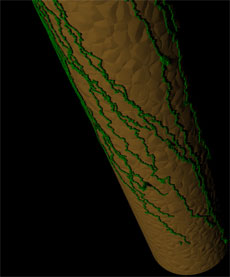
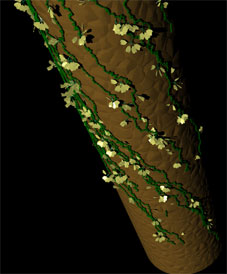
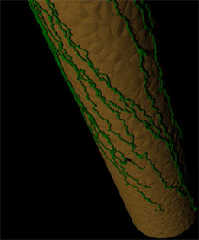
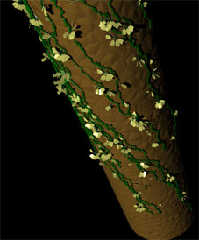
Ok. I ran the macro on a a cyl column, just to see what you might be looking
at.
It ended up taking 7min to parse with 90 vines and 15k moss object tests
(thats why you don't see many of them). I'm going to retry with 500k moss
object tests. It is clear that I need to also optimize the way in which
trace is being used in this macro to drop the parse time, though changing
the direction of the test vector has a LOT to do with everything. I have a
decent amount of work ahead, as this is still just using the first code I
threw together.

Here are the stats for the column test followed by the image (note my kernel
time...6.66...yuck!):

Render Statistics
Image Resolution 1280 x 1024

Pixels:          1312000   Samples:         1448368   Smpls/Pxl: 1.10
Rays:            1683045   Saved:                 0   Max Level: 5/5

Ray->Shape Intersection          Tests       Succeeded  Percentage

Cone/Cylinder                 11779353         2352125     19.97
CSG Intersection               1301463          138887     10.67
CSG Union                      5081629          562648     11.07
Sphere                         5581614         1036479     18.57
Bounding Box                  26652056        11990304     44.99
Light Buffer                  49398689        21346439     43.21
Vista Buffer                  12582545         8880334     70.58

Calls to Noise:                   0   Calls to DNoise:         1333006

Shadow Ray Tests:           1213449   Succeeded:                384576
Transmitted Rays:            234677
I-Stack overflows:              685

Smallest Alloc:                  18 bytes
Largest  Alloc:              992880 bytes
Peak memory used:         138525975 bytes
Total Scene Processing Times
  Parse Time:    0 hours  7 minutes  1 seconds (421 seconds)
  Photon Time:   0 hours  0 minutes  0 seconds (0 seconds)
  Cloth Time:    0 hours  0 minutes  0 seconds (0 seconds)
  Mechsim Time:  0 hours  0 minutes  0 seconds (0 seconds)
  Render Time:   0 hours  0 minutes 10 seconds (10 seconds)
  Postpr. Time:  0 hours  0 minutes  0 seconds (0 seconds)
  Total Time:    0 hours  7 minutes 11 seconds (431 seconds)
CPU time used: kernel 6.66 seconds, user 416.14 seconds, total 422.80
seconds
Render averaged 3100.12 PPS over 1310720 pixels

POV-Ray finished

ian
Post a reply to this message
Attachments:
Download 'VineTest1_2.jpg' (13 KB)
Preview of image 'VineTest1_2.jpg'
|
|
| |
| |
|
|
|
|
| |
| |
|
|
"[GDS|Entropy]" <gds### [at] hotmailcom> wrote:
> Well its actually the difference of two very closely spaced cones, to
> produce a concave leaf. I am sure that even a single triangle would work,
> but I've never used them, ever, so am profoundly lost...more stuff that I
> need to learn. :-p

Triangles are not difficult... if you can write a climbing ivy macro I'm sure
you'll have no trouble. The main pig is that you can't use the regular
transforms on the individual triangles in a mesh, so you'll have to calculate
your triangle vertices the old-fashioned way; make use of vrotate() and
friends. After that, just treat a mesh as any other object. Don't worry about
mesh2 yet!

> Do you know of any simple files which would be a starting point?

You could take a look at Chambers' grass macro in the object collection,
although that's just a single loop to create many blades in one mesh (I think -
I just glanced over it).

Start small and simple, maybe with only hand-built clump meshes at first, till
you're comfortable with using triangles.

> Ok. I ran the macro on a a cyl column, just to see what you might be looking
> at.

Looks very good.

> It ended up taking 7min to parse with 90 vines and 15k moss object tests

That's quite long, but I guess finding the vine routes will always be quite
intensive. I once had a scene parse for over half an hour, so I wouldn't worry
too much... you could always save the positions to a data file if there's lots
of heavy calculation. :-)

Bill
Post a reply to this message
|
|
| |
| |
|
|
|
|
| |
| |
|
|
> I am sure that even a single triangle would work, but I've never used
> them, ever, so am profoundly lost...more stuff that I need to learn. :-p

You could make a simple leaf in any modelling software and convert it to a
POV-Ray mesh. As long as you pay attention to the dimensions it should not
be hard to incorporate into your macro. If you offered up some dimensions I
bet someone here would do it for you.
Post a reply to this message
|
|
| |
| |
|
|
|
|
| |
| |
|
|
"Bill Pragnell" <bil### [at] hotmailcom> wrote in message
news:web.49b502d4d4fd5b286dd25f0b0@news.povray.org...
> Triangles are not difficult... if you can write a climbing ivy macro I'm
> sure
> you'll have no trouble. The main pig is that you can't use the regular
> transforms on the individual triangles in a mesh, so you'll have to
> calculate
> your triangle vertices the old-fashioned way; make use of vrotate() and
> friends. After that, just treat a mesh as any other object. Don't worry
> about
> mesh2 yet!

O_o'

They seem tedious more than difficult....I hate tedium.

> You could take a look at Chambers' grass macro in the object collection,
> although that's just a single loop to create many blades in one mesh (I
> think -
> I just glanced over it).
>
> Start small and simple, maybe with only hand-built clump meshes at first,
> till
> you're comfortable with using triangles.
>

I'll take a look at that there, and given that those are blades of grass,
its probably not too far off from what I want to do with moss leaves anyway,
I'd just need to grab one blade.

>
>> It ended up taking 7min to parse with 90 vines and 15k moss object tests
>
> That's quite long, but I guess finding the vine routes will always be
> quite
> intensive. I once had a scene parse for over half an hour, so I wouldn't
> worry
> too much... you could always save the positions to a data file if there's
> lots
> of heavy calculation. :-)

Suprisingly, its not the vine routes that takes the time, its tracing the
moss onto the individual vine components.

I need to do something differently with that, but I'll figure it out. I have
a few ideas.

ian
Post a reply to this message
|
|
| |
| |
|
|
|
|
| |
| |
|
|
"Mike Hough" <nos### [at] nospamcom> wrote in message
news:49b5b242$1@news.povray.org...
>> I am sure that even a single triangle would work, but I've never used
>> them, ever, so am profoundly lost...more stuff that I need to learn. :-p
>
> You could make a simple leaf in any modelling software and convert it to a
> POV-Ray mesh. As long as you pay attention to the dimensions it should not
> be hard to incorporate into your macro. If you offered up some dimensions
> I bet someone here would do it for you.

I've tried playing in wings3D...but I can't find CSGs..
hI'll probably just model it in Bryce or Truespace, then export DXF. That
can be converted to POV, right?

ian
Post a reply to this message
|
|
| |
| |
|
|
|
|
| |
| |
|
|
> I've tried playing in wings3D...but I can't find CSGs..
> hI'll probably just model it in Bryce or Truespace, then export DXF. That
> can be converted to POV, right?

Poseray can import DXF. You might need to smooth the mesh after you import.
I think that poseray will also include comments with the dimensions of the
object in the exported file.
Post a reply to this message
|
|
| |
| |
|
|
|
|
| |
| |
|
|
"[GDS|Entropy]" <gds### [at] hotmailcom> wrote:
> They seem tedious more than difficult....I hate tedium.

It's no different from looping to place compound objects; you write macros to do
the work for you. To be sure, it requires a bit of concentration to get to the
first stage, but once you've got something that renders it's just tweaking. It
can be helpful to draw diagrams to aid with the visualisation.

Use plain mesh (i.e., just triangle statements) - it's much easier than mesh2.
(To be honest, mesh2 is mainly a handy conversion format for speeding up
parsing, you only need to use it if you're generating 10000s of triangles.
They're both the same thing once parsing is complete).

> I'll take a look at that there, and given that those are blades of grass,
> its probably not too far off from what I want to do with moss leaves anyway,
> I'd just need to grab one blade.

I've been trying to write a decent plant include file for a while now. I've got
a leaf macro that builds different shaped leaves procedurally, and I'm slowly
adding types of plants to use it. It's a long-term work in progress, but I've
got grass and dandelions so far. No ivy leaves yet, though. I can post the leaf
macro later if you're interested...?

> Suprisingly, its not the vine routes that takes the time, its tracing the
> moss onto the individual vine components.

Write random locations on the vine routes to a data file as you go, then read
them back in when you place the moss? Or the same thing, but using an array?
Every time you make a vine section, #if rand(seed) < probability then store the
current endpoint, or something.

There's more than one way to skin a cat, I'm sure you've got it in hand... :)

Bill
Post a reply to this message
|
|
| |
| |
|
|
|
|
| |
| |
|
|
"Bill Pragnell" <bil### [at] hotmailcom> wrote in message
news:web.49b783c2d4fd5b286dd25f0b0@news.povray.org...
> It's no different from looping to place compound objects; you write macros
> to do
> the work for you. To be sure, it requires a bit of concentration to get to
> the
> first stage, but once you've got something that renders it's just
> tweaking. It
> can be helpful to draw diagrams to aid with the visualisation.
>
> Use plain mesh (i.e., just triangle statements) - it's much easier than
> mesh2.
> (To be honest, mesh2 is mainly a handy conversion format for speeding up
> parsing, you only need to use it if you're generating 10000s of triangles.
> They're both the same thing once parsing is complete).

I'll definately give that a try once I get most of these macros to public
beta. :-)

>
> I've been trying to write a decent plant include file for a while now.
> I've got
> a leaf macro that builds different shaped leaves procedurally, and I'm
> slowly
> adding types of plants to use it. It's a long-term work in progress, but
> I've
> got grass and dandelions so far. No ivy leaves yet, though. I can post the
> leaf
> macro later if you're interested...?
>

Of course, and if the macro parameters are expected to be stable, I could
make my macro implement yours, if that is cool.

>
> Write random locations on the vine routes to a data file as you go, then
> read
> them back in when you place the moss? Or the same thing, but using an
> array?
> Every time you make a vine section, #if rand(seed) < probability then
> store the
> current endpoint, or something.
>
> There's more than one way to skin a cat, I'm sure you've got it in hand...
> :)
>

I've been using arrays, and in fact most of the macros I've been writing
recently implement component macros that I wrote for the snow macro.

It turns out that to reduce the parse time for this particular use, all I
had to was change a single line. I now have to perform only 5000 tests to
get the ~same number of placed objects as previously required 500k. This has
resulted in a much lower threshold  for catastrophically crashing povray due
to lack of available memory.

I doubt that I can get around the out of memory error by writing to a file.
Unless povray can read/write a part of a file without loading the whole
thing, or unless somehow a file would take less memory for the same amount
of data than would an array, I don't see any way around this problem in its
entirety.

Granted, using a mesh would free up a LOT of spaces used by the moss array,
as each moss frond takes 260 at current settings. Multiply that by the
amount of tests per vine sub-object...
I think that would go a long way to increasing the ceiling that I'm hitting.
I think I might need to determine the average amount of ram used per
"mossed" vine object, so that I can allow a user to input their total
available ram (for 32 bit systems this will always be 2gb), which would not
let the macro run so far as to give people those blood boiling OOM errors.

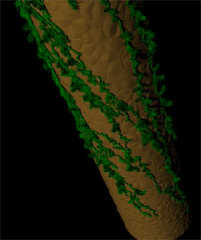
Here is the result of the one line change, in image and stats. Compare that
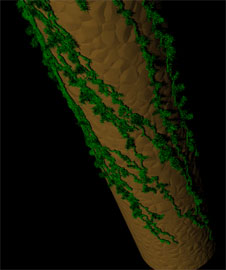
to the previous one posted...big improvement.

ian

Scene Statistics
  Finite objects:      1013230
  Infinite objects:          0
  Light sources:             1
  Total:               1013231
Possible Rendering Error: Maximum trace level reached! If your scene
contains black spots read more about the max_trace_level setting in the
documentation!

Render Statistics
Image Resolution 1280 x 1024

Pixels:          1312000   Samples:         1502912   Smpls/Pxl: 1.15
Rays:            2047633   Saved:                 0   Max Level: 5/5

Ray->Shape Intersection          Tests       Succeeded  Percentage

Cone/Cylinder               1189022659        11408002      0.96
CSG Intersection              45321691         2913618      6.43
CSG Union                   1087005314          669132      0.06
Sphere                      2168288631          860782      0.04
Bounding Box                 396224017       110147439     27.80
Light Buffer                 672753438       349217503     51.91
Vista Buffer                 144135167       115783532     80.33

Calls to Noise:                   0   Calls to DNoise:         1345012

Shadow Ray Tests:           2359688   Succeeded:                952498
Transmitted Rays:            544721
I-Stack overflows:            28578

Smallest Alloc:                  18 bytes
Largest  Alloc:             8105856 bytes
Peak memory used:        1414575125 bytes
Total Scene Processing Times
  Parse Time:    0 hours 12 minutes 34 seconds (754 seconds)
  Photon Time:   0 hours  0 minutes  0 seconds (0 seconds)
  Cloth Time:    0 hours  0 minutes  0 seconds (0 seconds)
  Mechsim Time:  0 hours  0 minutes  0 seconds (0 seconds)
  Render Time:   0 hours  1 minutes  7 seconds (67 seconds)
  Postpr. Time:  0 hours  0 minutes  0 seconds (0 seconds)
  Total Time:    0 hours 13 minutes 41 seconds (821 seconds)
CPU time used: kernel 15.09 seconds, user 794.44 seconds, total 809.53
seconds
Render averaged 1619.11 PPS over 1310720 pixels

POV-Ray finished
Post a reply to this message
Attachments:
Download 'VineTest1_2_1.jpg' (13 KB)
Preview of image 'VineTest1_2_1.jpg'
|
|
| |
| |
|
|
|
|
| |
| |
|
|
"[GDS|Entropy]" <gds### [at] hotmailcom> wrote:
> Of course, and if the macro parameters are expected to be stable, I could
> make my macro implement yours, if that is cool.

Could do, but I may change it considerably yet; that's why I've not posted it
anywhere. You could always just plunder my code to make your own leaf, which is
what I was getting at ;-)

> I doubt that I can get around the out of memory error by writing to a file.
> Unless povray can read/write a part of a file without loading the whole
> thing, or unless somehow a file would take less memory for the same amount
> of data than would an array, I don't see any way around this problem in its
> entirety.

Your memory usage is still heinous. There's no way you should need to use more
than a fraction of that for this sort of thing.

I don't understand where all your data is coming from. Surely all you need to
store in an array is a position and maybe a normal for each moss object? There
can't be more than 10,000 visible 'mosses' in that image.

> Granted, using a mesh would free up a LOT of spaces used by the moss array,
> as each moss frond takes 260 at current settings.

Why aren't you #declaring a moss frond, storing position data (i.e. vectors)
in the array, then instancing the #declared frond? Your image simply does not
have enough complexity to account for that memory usage.

Whenever I've done something like this in the past, I've racked up some severe
parsing times, but rarely more than a few 10s of MB of peak RAM.

> Peak memory used:        1414575125 bytes

*clunk*

*wires jaw back on*

:)

Bill
Post a reply to this message
|
|
| |
| |
|
|
|
|
| |
| |
|
|
"Bill Pragnell" <bil### [at] hotmailcom> wrote:
> Your memory usage is still heinous. There's no way you should need to use more
> than a fraction of that for this sort of thing.

Sorry, please disregard my disbelief, I've got so accustomed to using meshes for
this that I forget just how much memory normal objects take up. On reflection,
it doesn't seem so silly.

So:

The reason you're running out of memory is that every instance you use takes up
the same memory as the original, so there's no advantage to instancing. Meshes,
however, are stored just once. All mesh instances are actually just transforms,
so they take up a minute amount of space. I guarantee that if you use meshes
for your fronds, even quite complex ones, you will save over 95% of the memory
you're currently using!

You can even go further and use them for the ivy creepers, although that's
probably not so serious.

:)
Post a reply to this message
|
|
| |
| |
|
|
|
|
| |
| |
|
|
"Bill Pragnell" <bil### [at] hotmailcom> wrote in message
news:web.49b7b7d6d4fd5b286dd25f0b0@news.povray.org...
> "Bill Pragnell" <bil### [at] hotmailcom> wrote:
>> Your memory usage is still heinous. There's no way you should need to use
>> more
>> than a fraction of that for this sort of thing.
>
> Sorry, please disregard my disbelief, I've got so accustomed to using
> meshes for
> this that I forget just how much memory normal objects take up. On
> reflection,
> it doesn't seem so silly.
>
> So:
>
> The reason you're running out of memory is that every instance you use
> takes up
> the same memory as the original, so there's no advantage to instancing.
> Meshes,
> however, are stored just once. All mesh instances are actually just
> transforms,
> so they take up a minute amount of space. I guarantee that if you use
> meshes
> for your fronds, even quite complex ones, you will save over 95% of the
> memory
> you're currently using!
>
> You can even go further and use them for the ivy creepers, although that's
> probably not so serious.
>
> :)
>
>

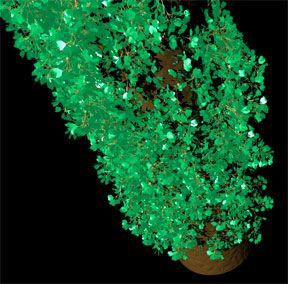
Check this out (apologies for the horrific texture):
I exported this from Bryce and converted with poseray.

Scene Statistics
  Finite objects:       145243
  Infinite objects:          0
  Light sources:             1
  Total:                145244
Possible Rendering Error: Maximum trace level reached! If your scene
contains black spots read more about the max_trace_level setting in the
documentation!

Render Statistics
Image Resolution 1280 x 1024

Pixels:          1312000   Samples:         2094440   Smpls/Pxl: 1.60
Rays:            2176126   Saved:                 0   Max Level: 5/5

Ray->Shape Intersection          Tests       Succeeded  Percentage

Cone/Cylinder               1088334589         1326340      0.12
CSG Union                   1087005314          669132      0.06
Mesh                          67373038         2668035      3.96
Sphere                      2167394361          366116      0.02
Bounding Box                 869147567       316790036     36.45
Light Buffer                 449711964       194011242     43.14
Vista Buffer                 465015215       340904239     73.31

Calls to Noise:                   0   Calls to DNoise:         1114198

Shadow Ray Tests:           1505186   Succeeded:                494705
Transmitted Rays:             81686
I-Stack overflows:            28578

Smallest Alloc:                  18 bytes
Largest  Alloc:             1161960 bytes
Peak memory used:         158859969 bytes
Total Scene Processing Times
  Parse Time:    0 hours 11 minutes 53 seconds (713 seconds)
  Photon Time:   0 hours  0 minutes  0 seconds (0 seconds)
  Cloth Time:    0 hours  0 minutes  0 seconds (0 seconds)
  Mechsim Time:  0 hours  0 minutes  0 seconds (0 seconds)
  Render Time:   0 hours  1 minutes 43 seconds (103 seconds)
  Postpr. Time:  0 hours  0 minutes  0 seconds (0 seconds)
  Total Time:    0 hours 13 minutes 36 seconds (816 seconds)
CPU time used: kernel 20.84 seconds, user 780.28 seconds, total 801.13
seconds
Render averaged 1636.10 PPS over 1310720 pixels

POV-Ray finished
Post a reply to this message
Attachments:
Download 'VineTest1_2_2.jpg' (33 KB)
Preview of image 'VineTest1_2_2.jpg'
|
|
| |
| |
|
|
|
|
| |
| |
|
|
"[GDS|Entropy]" <gds### [at] hotmailcom> wrote:

>
> Check this out (apologies for the horrific texture):
> I exported this from Bryce and converted with poseray.
>
I dunno, I kind of like this texture--looks like tiny crystals forming (or
whatever the word is) out of a liquid solution.

KW
Post a reply to this message
|
|
| |
| |
|
|
|
|
| |
| |
|
|
Well, to clairify, the only thing I exported from bryce was the plant, which
I then retextured in Poseray.

:)

ian

"Kenneth" <kdw### [at] earthlinknet> wrote in message
news:web.49b8176ad4fd5b28f50167bc0@news.povray.org...
> "[GDS|Entropy]" <gds### [at] hotmailcom> wrote:
>
>>
>> Check this out (apologies for the horrific texture):
>> I exported this from Bryce and converted with poseray.
>>
> I dunno, I kind of like this texture--looks like tiny crystals forming (or
> whatever the word is) out of a liquid solution.
>
> KW
>
>
>
Post a reply to this message
|
|
| |
| |
|
|
|
|
| |
| |
|
|
Ok, a little better here. Well...at least a bit closer to what I'm shooting
for. It is clear that I will need to add another inside() test for whatever
object is being grown upon, as you can see here some of these clumps are
partially within the column.

I think I need to add the capability to not create hidden objects. There are
two ways which come to mind, the first of which being to detect all vectors
on the target object which are hidden and exclude them from the generation
of random vectors in that macro. This seems like it might be the most
efficient way method. The second of which would be to perform the test
within the object placement macro.

I'm not sure which would give the best results, so I guess I'll need to
implement both and see what happens.

I think the macro that clipka posted in response to my hidden glow problem
will do the trick nicely.

Any thoughts?

ian
Post a reply to this message
Attachments:
Download 'VineTest1_2_3.jpg' (16 KB)
Preview of image 'VineTest1_2_3.jpg'
|
|
| |
| |
|
|
|
|
| |
| |
|
|
Here's my leaf macro as it stands:

http://www.infradead.org/~wmp/leaf.inc

It's more comprehensive than I remember - all the leaf types apart from stalks
and grassblades have uv vectors (u along the length of the leaf, v from the
centre to the edges), so uv_mapped textures will work with them. Also, the
macro only produces triangles - it has to be called from inside a mesh block -
this means you can have as many leaves as you want in a single mesh.

Enjoy!

Bill
Post a reply to this message
|
|
| |
| |
|
|
|
|
| |
| |
|
|
"[GDS|Entropy]" <gds### [at] hotmailcom> wrote:
>   Finite objects:      1013230
> Peak memory used:        1414575125 bytes

I reckon your memory issues are not *per se* due to using a bucketload of CSG
instead of a few meshes.

I just did a quick test with 10k spheres, with a color-mapped pigment; the
following might give you some hints how to improve performance:

- With all spheres being generated on-the-fly as scene-level objects, I get a
peak mem of ~8 MB.

- If I #declare the material first, and use that in my spheres "as is" (no
translations, rotations or any modifications), peak mem reduces to ~6.5 MB.

- If I place the spheres in a union and attach the material only to the union,
peak mem reduces to ~3.6 MB.

- If I #declare the sphere first, and use translated copies, peak mem goes *UP*
again to ~6.4 MB!

- Worst thing I got so far was #declare the sphere first with a material, and
use translated copies, giving me ~12 MB!


Another thing I found was that first generating an array with object locations,
and then creating the objects in a separate pass, is more costly than creating
an array of objects right away.


Still, here's the best advice:


- If instead of generating 10000 spheres I #declare a mesh of 100 triangles,
then generate a union of 100 translated copies of it, I get a peak mem of lousy
~360 kB, which is just ~170 kB over my "baseline" peak mem. Even with 1000
copies, I still need just ~1.4 MB peak.

Given that you'll possibly need only one triangle per leaf to replace a pair of
cones (unless you want to do extreme close-ups - note that you can still
simulate curvature using a smooth triangle), this should be a good enough model
to give you a rough estimate of how much memory you can save.
Post a reply to this message
|
|
| |
| |
|
|
|
|
| |
| |
|
|
"Bill Pragnell" <bil### [at] hotmailcom> wrote:
> The reason you're running out of memory is that every instance you use takes up
> the same memory as the original, so there's no advantage to instancing. Meshes,
> however, are stored just once. All mesh instances are actually just transforms,
> so they take up a minute amount of space.

To get a bit more into depth about what's going on:

There is a certain general per-object memory overhead that pertains to *all*
objects, whether it is a primitive, a CSG union, or even just a copy of a
#declared object.

With most primitives, this overhead greatly outweighs the actual memory
requirements for the pure geometry data; from the tests I did I'd expect
something like a 10:1 overhead for "bare metal" objects, i.e. with nothing but
the geometry data specified.

With meshes, this overhead can be arbitrarily low: If you have just a single
triangle, it will probably be in the 10:1 area, too. If you have ten triangles,
it will be more like 10:10. If you have 1k triangles, it will be something like
10:1k. And so on.

Now this alone wouldn't make meshes much of a memory-saver, as normally an
object will have to have many more triangles than a CSG representation of the
same shape.

However, as mentioned before, the overhead also pertains to copies of #declared
objects, while the geometry data of *some* primitives is *not* copied, and
instead just references the original's data, so costs *no* extra memory at all.
So e.g. 100 copies of a 1k-triangle mesh will have 100x the standard overhead,
but only 1x the triangle data costs.

The best known of these "bulk" objects is mesh (and its alter ego, mesh2).
Others are blob, height_field, lathe, polygon and prism.

The most important thing to know is that CSG unions (and merges and differences)
are *not* among these. If you copy a union comprised of 1000 primitives, you'll
not only pay the general object overhead, but also the costs for a copy of each
of the 1000 elements.
Post a reply to this message
|
|
| |
| |
|
|
|
|
| |
| |
|
|
"[GDS|Entropy]" <gds### [at] hotmailcom> wrote:
> Check this out (apologies for the horrific texture):
> I exported this from Bryce and converted with poseray.

>   Finite objects:       145243
> Peak memory used:         158859969 bytes

See? Roughly same number of primitives, yet they cover a much greater portion of
the object, and even cost less per object.
Post a reply to this message
|
|
| |
| |
|
|
|
|
| |
| |
|
|
"clipka" <nomail@nomail> wrote in message
news:web.49b84af5d4fd5b28801985dd0@news.povray.org...
> "[GDS|Entropy]" <gds### [at] hotmailcom> wrote:
>>   Finite objects:      1013230
>> Peak memory used:        1414575125 bytes
>
> I reckon your memory issues are not *per se* due to using a bucketload of
> CSG
> instead of a few meshes.
>
> I just did a quick test with 10k spheres, with a color-mapped pigment; the
> following might give you some hints how to improve performance:
>
> - With all spheres being generated on-the-fly as scene-level objects, I
> get a
> peak mem of ~8 MB.
>
> - If I #declare the material first, and use that in my spheres "as is" (no
> translations, rotations or any modifications), peak mem reduces to ~6.5
> MB.
>
> - If I place the spheres in a union and attach the material only to the
> union,
> peak mem reduces to ~3.6 MB.
>
> - If I #declare the sphere first, and use translated copies, peak mem goes
> *UP*
> again to ~6.4 MB!
>
> - Worst thing I got so far was #declare the sphere first with a material,
> and
> use translated copies, giving me ~12 MB!
>
>
> Another thing I found was that first generating an array with object
> locations,
> and then creating the objects in a separate pass, is more costly than
> creating
> an array of objects right away.
>
>
> Still, here's the best advice:
>
>
> - If instead of generating 10000 spheres I #declare a mesh of 100
> triangles,
> then generate a union of 100 translated copies of it, I get a peak mem of
> lousy
> ~360 kB, which is just ~170 kB over my "baseline" peak mem. Even with 1000
> copies, I still need just ~1.4 MB peak.
>
> Given that you'll possibly need only one triangle per leaf to replace a
> pair of
> cones (unless you want to do extreme close-ups - note that you can still
> simulate curvature using a smooth triangle), this should be a good enough
> model
> to give you a rough estimate of how much memory you can save.
>

Those are very interesting results, not all expected. Apparently, good
programming concepts are not always good POV concepts... Unfortunately there
appears to be a performance penalty for writing things extensibly using
certian methods. :-(

At least this gives a clearer picture of how in any given circumstance to
optimize for both reusability and efficient memory usage.

Do you (or anyone) have any ideas on how to perform an efficient inside()
test on not just a single point, but an entire object? You can see the issue
in my last image post, where even with an inside() test, the actual leaf
objects occur partially within the cyl at certian points, even when the
vector/normal reorient may not occur within the cyl.

At first glance it looks like a loop covering an array of vectors within
min/max extent of whatever object A you are trying to determine may or may
not occur within another object B is the only option (and then ditch
creating the object at the vector which would produce such a coincident
result), but that seems awfully crude. :-\

thanks!
ian
Post a reply to this message
|
|
| |
| |
|
|
|
|
| |
| |
|
|
"[GDS|Entropy]" <gds### [at] hotmailcom> wrote in message
> Do you (or anyone) have any ideas on how to perform an efficient inside()
> test on not just a single point, but an entire object?

Addendum: I have been using things of the format:
  #if (((vectorArray[i].x <= vectorB.x) & (vectorArray[i].x >= vectorA.x)) &
((vectorArray[i].y <= vectorB.y) & (vectorArray[i].y >= vectorA.y)) &
((vectorArray[i].z <= vectorB.z) & (vectorArray[i].z >= vectorA.z)))  etc...

Where vector A and B are min/max extents of object being tested
against...I'm just not sure that this is the best way...

ian
Post a reply to this message
|
|
| |
| |
|
|
|
|
| |
| |
|
|
"[GDS|Entropy]" <gds### [at] hotmailcom> wrote:
> Those are very interesting results, not all expected. Apparently, good
> programming concepts are not always good POV concepts... Unfortunately there
> appears to be a performance penalty for writing things extensibly using
> certian methods. :-(

As a matter of fact, I'd partially blame it on POV. With a few changes to
interior design, I guess it should be possible to copy CSG objects, too,
without copying each and every of its components.

At the moment however, it seems to me that the design of the bounding box
mechanism prohibits this (requiring a dedicated bounding box per primitive, and
each box in turn referencing a dedicated primitive object), so changes would
have to be made there.


> Do you (or anyone) have any ideas on how to perform an efficient inside()
> test on not just a single point, but an entire object? You can see the issue
> in my last image post, where even with an inside() test, the actual leaf
> objects occur partially within the cyl at certian points, even when the
> vector/normal reorient may not occur within the cyl.
>
> At first glance it looks like a loop covering an array of vectors within
> min/max extent of whatever object A you are trying to determine may or may
> not occur within another object B is the only option (and then ditch
> creating the object at the vector which would produce such a coincident
> result), but that seems awfully crude. :-\

If I understand you correctly, you'd loop in 3D.

Here's a way to reduce this to 2D at least:

Loop over (or pick random points on) a sphere surface big enough to contain all
of your object A. (make sure you get a roughly homogenous distribution, and
don't waste too much time near the poles)

trace() a ray from each point to the object's bounding box center.

If you get an intersection point, test whether it is inside the other object B.

Repeat until you're confident that you've covered enough of object A's surface.

Note that this way you may miss surface areas in hollows; however, if the other
object is "convex enough", this should not be a problem. It will be a real
issue only if both objects have significant hollows.


Another approach - which should be able to cope with arbitrary hollows - would
be to actually test whether intersection{A B} contains anything. Note however
that this will again create another object. (Mental note for myself: Test
whether #undef frees the memory occupied by the assigned object.)


If you want to place a bucketload of identical objects, you may want to use the
former approach, but shoot the rays at the "unplaced" object and store them in
an array. When you then try to place a copy, you loop through the array,
transform the points according to the intended placement, and do the inside
test for each transformed point. You'd then add the transformed object only if
you're confident that it doesn't intersect. This spares you both a lot of
trace() invocations and some unnecessary instantiating of objects that turn out
to intersect.
Post a reply to this message
|
|
| |
| |
|
|
|
|
| |
| |
|
|
"clipka" <nomail@nomail> wrote in message
news:web.49b92730d4fd5b28f708085d0@news.povray.org...
> As a matter of fact, I'd partially blame it on POV. With a few changes to
> interior design, I guess it should be possible to copy CSG objects, too,
> without copying each and every of its components.

Yup, and those interior design changes would be really nice. I haven't any
idea how difficult that would be to code, because I've never tried to write
a raytracer before, but I'm guessing that since no patches fix this, and
that this has persisted across pov versions...that it ain't so easy. ;-)

> At the moment however, it seems to me that the design of the bounding box
> mechanism prohibits this (requiring a dedicated bounding box per
> primitive, and
> each box in turn referencing a dedicated primitive object), so changes
> would
> have to be made there.

Maybe in POV 4 then. :-)

> If I understand you correctly, you'd loop in 3D.

That is what I was thinking.

> Here's a way to reduce this to 2D at least:
>
> Loop over (or pick random points on) a sphere surface big enough to
> contain all
> of your object A. (make sure you get a roughly homogenous distribution,
> and
> don't waste too much time near the poles)

Thats still 3d though right?

> trace() a ray from each point to the object's bounding box center.

Ok, so a macro fills an array once with random positions on a sphere, then
uses that array in a looped call to trace.
I thought trace() accepted only a point and an object? It can accept two
points?

> If you get an intersection point, test whether it is inside the other
> object B.

I'm a little fuzzy here...
Assuming I had you right in my sentence above, what result from that trace
would go within the #if block that would initiate the call to
inside(myPoint,objectB)?

> Repeat until you're confident that you've covered enough of object A's
> surface.
>
> Note that this way you may miss surface areas in hollows; however, if the
> other
> object is "convex enough", this should not be a problem. It will be a real
> issue only if both objects have significant hollows.

It is likely that in real world use hollows are to be expected. I'm trying
to write this macro suite for use in any scene.

> Another approach - which should be able to cope with arbitrary hollows -
> would
> be to actually test whether intersection{A B} contains anything. Note
> however
> that this will again create another object. (Mental note for myself: Test
> whether #undef frees the memory occupied by the assigned object.)

So I would take the sphere position trace data and test that against the
points in an intersection of every object A (the leaf for instance) with
object B (column)?
Oh man...this is starting to sound like people won't be able to use these
macros unless they have a spare Cray XT4 laying around... O_O

> If you want to place a bucketload of identical objects, you may want to
> use the
> former approach, but shoot the rays at the "unplaced" object and store
> them in
> an array. When you then try to place a copy, you loop through the array,
> transform the points according to the intended placement, and do the
> inside
> test for each transformed point. You'd then add the transformed object
> only if
> you're confident that it doesn't intersect. This spares you both a lot of
> trace() invocations and some unnecessary instantiating of objects that
> turn out
> to intersect.

A bucket load of objects is to be expected.
Ok, so I perform the spherical trace/intersection test once, then
reorient_trans() the object, test inside() against object B?

Gah! I hate word problems! ;-D

You watch...just as soon as I get all comfortable with SDL v3.7 (or v4) will
drop and I'll have to relearn everything. lol!

ian
Post a reply to this message
|
|
| |
| |
|
|
|
|
| |
| |
|
|
"[GDS|Entropy]" <gds### [at] hotmailcom> wrote:
> "clipka" <nomail@nomail> wrote in message
> > trace() a ray from each point to the object's bounding box center.
>
> Ok, so a macro fills an array once with random positions on a sphere, then
> uses that array in a looped call to trace.

Or you could just do it on the fly.

> I thought trace() accepted only a point and an object? It can accept two
> points?

Trace takes an object id, a start point, a direction, and (optionally) a
previously-#declared vector in which it stores the surface normal at the point
found.

> > If you get an intersection point, test whether it is inside the other
> > object B.
>
> I'm a little fuzzy here...
> Assuming I had you right in my sentence above, what result from that trace
> would go within the #if block that would initiate the call to
> inside(myPoint,objectB)?

The aforementioned normal vector is set to <0,0,0> if the trace fails to hit
anything. Test the length of this vector using vlength().

Bill
Post a reply to this message
|
|
| |
| |
|
|
|
|
| |
| |
|
|
"[GDS|Entropy]" <gds### [at] hotmailcom> wrote:
> > Here's a way to reduce this to 2D at least:
> >
> > Loop over (or pick random points on) a sphere surface big enough to
> > contain all
> > of your object A. (make sure you get a roughly homogenous distribution,
> > and
> > don't waste too much time near the poles)
>
> Thats still 3d though right?

Yeah, what I meant was that I only have to loop over 2 variables (latitude and
longitude instead of 3 (X, Y and Z).

> > trace() a ray from each point to the object's bounding box center.
>
> Ok, so a macro fills an array once with random positions on a sphere, then
> uses that array in a looped call to trace.
> I thought trace() accepted only a point and an object? It can accept two
> points?

Um... sorry if I confused you. To be precise, I should have written "trace() a
ray from each point in the direction of the center" - whatever direction that
is for the particular point. It's easy to compute that direction from the point
P and the center C as (C-P).


> > If you get an intersection point, test whether it is inside the other
> > object B.
>
> I'm a little fuzzy here...
> Assuming I had you right in my sentence above, what result from that trace
> would go within the #if block that would initiate the call to
> inside(myPoint,objectB)?

You mean how to test whether trace() did find an intersection at all? Pass an
(initialized!) normal vector variable to the macro, and afterwards check
whether it is non-zero (i.e. check for vlength(myNormal) > 0).

> > Repeat until you're confident that you've covered enough of object A's
> > surface.
> >
> > Note that this way you may miss surface areas in hollows; however, if the
> > other
> > object is "convex enough", this should not be a problem. It will be a real
> > issue only if both objects have significant hollows.
>
> It is likely that in real world use hollows are to be expected. I'm trying
> to write this macro suite for use in any scene.

Sure, it's a trade-off between speed and quality. But in situations like your
vine macro, chances are the "entangled" object's walls are much thicker than a
leaf's total size, so this should be a non-issue for most cases, and in any
case better than not testing at all (and faster than an exhaustive test).

> > Another approach - which should be able to cope with arbitrary hollows -
> > would
> > be to actually test whether intersection{A B} contains anything. Note
> > however
> > that this will again create another object. (Mental note for myself: Test
> > whether #undef frees the memory occupied by the assigned object.)
>
> So I would take the sphere position trace data and test that against the
> points in an intersection of every object A (the leaf for instance) with
> object B (column)?
> Oh man...this is starting to sound like people won't be able to use these
> macros unless they have a spare Cray XT4 laying around... O_O

For POV, generating an intersection object isn't really such a big deal. The
only *possible* issue is that it requires memory that *might* not be freed when
no longer needed - I didn't test yet.

After all, behind the scenes, POV just basically creates a CSG container object
with references to the elements, and only performs any calculations on it when
trace() is called (or the object is rendered on the screen). And as it happens,
for CSG intersections POV actually uses an algorithm very similar to the one I
outlined before: It simply computes the itersections of the ray with each
component object, tests which of these are inside all other components, and
ultimately picks the closest of all these.

In a way, POV never really creates the intersection object - it just performs a
smart combination of ray-intersection- and inside-tests for all the primitives
involved.

> Ok, so I perform the spherical trace/intersection test once, then
> reorient_trans() the object, test inside() against object B?

Well, almost but not quite, so let's try get this more precise:

- You perform the spherical trace/intersection test once for object A (the one
you intend to place copies of)
- For each candidate placement...
-- you compute the transform { reorient_trans(...) translate ... } you intend to
use for the placement
-- you inside()-test the respective vtransform() of the points against object B
(the one near to which you intend to place the object A copies)
-- if you find that none of them is inside, you do the actual placement using
the transform {...} of the object to be placed.

> You watch...just as soon as I get all comfortable with SDL v3.7 (or v4) will
> drop and I'll have to relearn everything. lol!

Hopefully that one will be easier then ;)
Post a reply to this message
|
|
| |
| |
|
|
|
|
| |
|
|