|
|
|
|
|
|
| |
| |
|
|
|
|
| |
| |
|
|
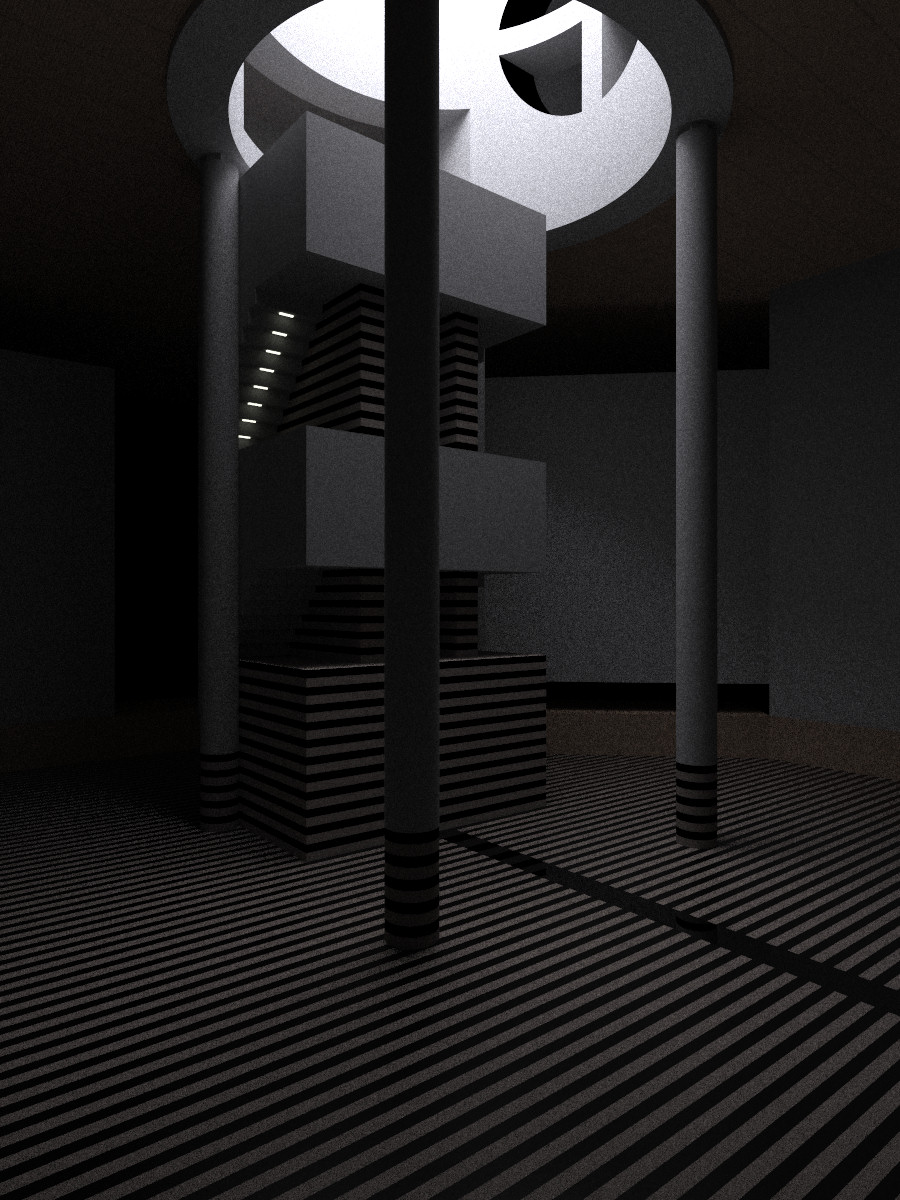
I am giving up on this one as it has been running now for over a day and a
half. Need to figure out how to optimize this scene perhaps. I recall making
this scene several years ago after someone posted an image done with another
program and asked if it could be done in pov-ray. The mcpov render is much
more accurate than the original (can't seem to find it though), but a bit
darker and quite grainy. Will post the source in reply to this message in
case anyone wants to play with it.
Post a reply to this message
Attachments:
Download 'radiosity_mcpov.prev.jpg' (288 KB)
Preview of image 'radiosity_mcpov.prev.jpg'
|
|
| |
| |
|
|
|
|
| |
| |
|
|
This is the file if anyone wants to take a crack at it

#include "colors.inc"

global_settings {
  assumed_gamma 1.0
  max_trace_level 10
  montecarlo
  {
    mc_rand_seed
    mc_max_diffuse_bounce 3
    mc_pixel_refresh_ratio 0.5
    mc_check_portal_overlap
  }
}

default { finish { diffuse .5 ambient 0 montecarlo { mc_diffuse { 1 3
2 } } } }

/*
camera {
up 1*y
right 350/700*x
location <-32, -5, -40> look_at <0, -5, 0> angle 50
}
*/

camera {

up 300
right 400*x//right 700/1400*x
//location <-32, -5, -40> look_at <0, -5, 0> angle 50
location 1*<-32, 0, -40> look_at <0, 0, 0> angle 60
}

light_source {<0, 50, 0> color rgb <.96, .96, 1> fade_distance 40
area_light <10, 0, 0>, <0, 0, 10>, 10, 10
jitter
}

//light_source {<-30, 28, 0> color White fade_distance 10}

//light_source {<30, 28, 0> color White fade_distance 10}

//sky

cylinder {<0, 60, 0>, <0, 65, 0>, 100
pigment {color rgb <.9,.9, 1>}
finish {ambient 15}
}

#declare Tile_floor1 =
pigment {
gradient z
color_map {
[0 .5 color DarkWood color DarkWood]
[.5 1 color LightWood color LightWood]
}
}

#declare Tile_floor2 =
pigment {
gradient x
color_map {
[0 .5 color DarkWood color DarkWood]
[.5 1 color LightWood color LightWood]
}
}

#declare black_and_brown =
texture {
pigment {
gradient y
color_map {
[0 .5 color rgb <.65, .54, .48> color rgb <.65, .54, .48>]
[.5 1 color Black color Black]
}
}
finish {diffuse .8}
}

#declare nice_wood =
pigment {
gradient x
turbulence .02
color_map {
[0 .3 color rgb <.8, .5, .3> color rgb <.8, .5, .3>]
[.5 .8 color rgb <1, .7, .5> color rgb <1, .7, .5>]
}
scale .05
}

#declare roof_texture =
texture {
pigment {
gradient z
pigment_map {
[0 nice_wood]
[.47 nice_wood]
[.5 color DarkWood]
[.53 nice_wood]
[1 nice_wood]
}
scale 4
}
finish {diffuse .8 ambient 0}
}

#declare roof = union {
difference {
box {<-80, 29.5, -80>, <80, 80, 80>
texture {roof_texture}
}
box {<-15, 31, 0>, <15, 45, 30>
pigment {color White}
finish {ambient 0 diffuse .7}
}
//widened hole in skylight
cylinder {<10, 45, 0>, <30, 45, 0>, 15
pigment {color White}
finish {ambient 0 diffuse .8}
}

}

difference {
cylinder {<0, 29, 0>, <0, 60, 0>, 17.5
pigment {color White}
finish {diffuse .9 ambient 0}
}

cylinder {<5, 45, 0>, <20, 45, 0>, 8
pigment {color White}
finish {ambient 0 diffuse 0} //hole in skylight
}
}

difference {
union { //supports in hole in skylight
box {<10, 37, -1>, <18, 53, 1>}
box {<10, 44, -10>, <18, 46, 10>}
}
cylinder {<0, 29, 0>, <0, 60, 0>, 18 inverse}
pigment {color White}
finish {ambient 0 diffuse .8}
}

}


difference {
object {roof}

cylinder {<0, 25, 0>, <0, 61, 0>, 14
pigment {color White}
finish {diffuse .8 ambient 0}
}

box {<-10, 31, 0>, <10, 40, 40>
pigment {color White}
finish {diffuse .8 ambient 0}
}

}


//light in hole
//light_source {<25, 40, 0> color 0.3*White fade_distance 5 fade_power 3}


//a light
//light_source {<0, 35, 40> color 0.3*White fade_distance 5 fade_power 3}

//stairs
union {

box {<-10, 20, 1>, <10, 28, 18>}

box {<-10, 2, 1>, <10, 10, 18>}

#declare change = 0;
#while (change < 11)
box {<-10, 19-change, 8+change>, <10, 20-change, 18>}
light_source {<-7.5, 18.9-change, 8.5+change> color <.22, .22, .2>
fade_distance 1 fade_power 3}
light_source {<7.5, 18.9-change, 8.5+change> color rgb <.22, .22, .2>
fade_distance 1 fade_power 3}
box {<-8, 18.9-change, 8.4+change>, <-7, 19.5-change, 8.6+change>
pigment {color rgb <1.2, 1.2, 1>} finish {ambient 1} no_shadow
}

box {<-10, 1-change, 8+change>, <10, 2-change, 18>}
light_source {<-7.5, .9-change, 8.5+change> color rgb <.22, .22, .2>
fade_distance 1 fade_power 3}
light_source {<-7.5, .9-change, 8.5+change> color rgb <.22, .22, .2>
fade_distance 1 fade_power 3}
#declare change = change +1;
#end

texture {
pigment {color White}
//finish {diffuse .9 ambient 0}
}

}


//dark striped
union {

box {<-10, -15, 1>, <10, -4, 12>}

box {<-5, -15, 3>, <-3, 25, 18>}
box {<3, -15, 3>, <5, 25, 18>}

texture {black_and_brown}
}


//floor
union {
box {<-40, -20, -40>, <-1, -15.01, 40>}
box {<1, -20, -40>, <40, -15.01, 40>}
pigment {
gradient z
color_map {
[0 .5 color rgb <.55, .46, .4> color rgb <.55, .46, .4>]
[.5 1 color Black color Black]
}
}
//finish {diffuse .6 reflection .1 ambient 0}
finish {reflection .1 montecarlo { mc_reflect { 1 3 1 100 } }}

}

box {<-.9999, -20, -40>, <.9999, -15.011, 40>
pigment {color Black}
//finish {diffuse .6 reflection .1 ambient 0}
finish {reflection .1}
}


//4 walls (and trim)

#declare New_wood =
texture {
pigment {
wood
turbulence .3
color_map {
[0 .3 color rgb <.8, .5, .3> color rgb <.8, .5, .3>]
[.5 .8 color rgb <1, .7, .5> color rgb <1, .7, .5>]
}
scale .2
}
//finish {phong .3 phong_size 34 ambient 0 diffuse .8}
}

#declare bright =
texture {
pigment {color White}
//finish {ambient 0 diffuse .8}
}

#declare dull =
texture {
pigment {color White}
//finish {ambient 0 diffuse .5}
}

union {
box {<40, -15, -40>, <42, 35, 0>
texture {
gradient y
texture_map {
[0 bright]
[.79 bright]
[.8 dull]
[.99 dull]
[1 bright]
}
scale .9
}
}
box {<39.5, -15, -41>, <42, -11, 0>
texture {New_wood rotate 40}
}

box {<-42, -15, -40>, <-40, 35, 40>}

//tilted wall
box {<-40, -8, 0>, <0, 22, 2>
rotate 45*y
translate <40, 0, 0>
}
box {<-40, -15, -.5>, <0, -11, 10>
texture {New_wood rotate 40}
rotate 45*y
translate <40, 0, 0>
}

difference {
box {<42, -15, 40>, <-42, 22, 42>}
box {<-10, -11.99, 30>, <10, 28, 50>}
}
box {<42, -15, 39.5>, <-42, -11, 50>
texture {New_wood}
}

box {<42, -15, -42>, <-42, 35, -40>}

pigment {color White}
//finish {diffuse .8 ambient 0}
}

//4 columns

#declare column = union {

cylinder {<0, -10, 0>, <0, 28.5, 0>, 1.25
pigment {color White}
//finish {diffuse .9 ambient 0}
}

box {<-1, 28, -.5>, <1, 31, .5>
pigment {color White}
//finish {diffuse .9 ambient 0}
}

cylinder {<0, -15, 0>, <0, -10.1, 0>, 1.25
pigment {
gradient y
color_map {
[0 .5 color rgb <.65, .54, .48> color rgb <.65, .54, .48>]
[.5 1 color Black color Black]
}
}
//finish {diffuse .8}
}
translate -15.75*z
rotate 45*y
}


object {column rotate 90*y}
object {column rotate 180*y}
object {column rotate 270*y}
object {column rotate 360*y}
Post a reply to this message
|
|
| |
| |
|
|
|
|
| |
| |
|
|
"Mike Hough" <nos### [at] nospam com> wrote:
How fast is your computer? Then I'll decide if I should run this scene... com> wrote:
How fast is your computer? Then I'll decide if I should run this scene...
Post a reply to this message
|
|
| |
| |
|
|
|
|
| |
| |
|
|
Athlon 3.21 ghz with 2gb ram. The geometry itself is pretty simple, so it
should render quickly without radiosity or with the mcpov features removed.
The challenge is lighting most of the scene using only the skylight.

"jhu" <nomail@nomail> wrote in message
news:web.499b9cfc3e4847218b562d820@news.povray.org...
> "Mike Hough" <nos### [at] nospamcom> wrote:
>
>
> How fast is your computer? Then I'll decide if I should run this scene...
>
Post a reply to this message
|
|
| |
| |
|
|
|
|
| |
| |
|
|
> Athlon 3.21 ghz with 2gb ram. The geometry itself is pretty simple, so it
> should render quickly without radiosity or with the mcpov features
> removed. The challenge is lighting most of the scene using only the
> skylight.

Ah the beauty of MCPov renders are that everyone can post their grainy
render and then you can combine them :-)

I'll run it overnight on my work machine (Intel E8500) and see what it's got
tomorrow morning.
Post a reply to this message
|
|
| |
| |
|
|
|
|
| |
| |
|
|
"scott" <sco### [at] scottcom> wrote:

> Ah the beauty of MCPov renders are that everyone can post their grainy
> render and then you can combine them :-)

Does everyone's separate images have random grain (truly random, and not
identical from machine to machine)?  That's interesting!

Ken W.
Post a reply to this message
|
|
| |
| |
|
|
|
|
| |
| |
|
|
> Does everyone's separate images have random grain (truly random, and not
> identical from machine to machine)?

It should do (AIUI the RNG is seeded from the system time).  Often people
render on multi-core machines by starting several instances of MCPOV and
then averaging later, so I think it works.

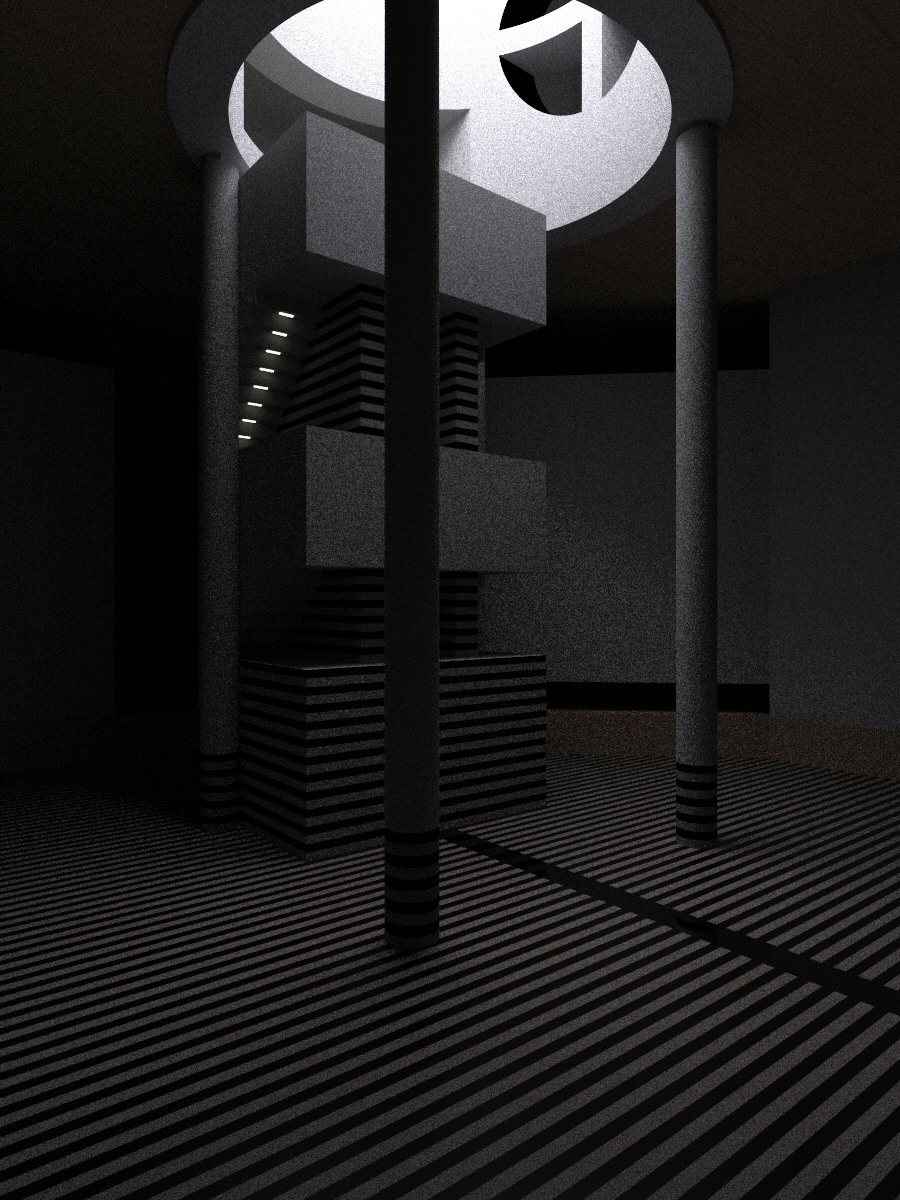
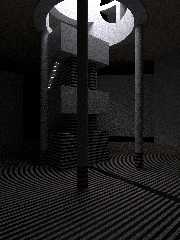
The problem I see is that posting JPEG versions here will lose some of the
detail, you really need to post PNG, but my file is 1.4 MB... Anyway, here
is a JPEG version with minimum compression after 14 hours, this scene really
is a tricky beast!
Post a reply to this message
Attachments:
Download 'image1.jpg' (600 KB)
Preview of image 'image1.jpg'
|
|
| |
| |
|
|
|
|
| |
| |
|
|
I have been running two more threads and just tried combining yours with my
other three images and it does yield a noticable improvement. Only catch is
that I have been running a new version of the scene to help increase the
brightness, so if anyone else wants to try this just use the scene below. I
need to get to work but will post an averaged version of these pics when I
get home tonight.

#include "colors.inc"

global_settings {
  assumed_gamma 1.0
  max_trace_level 10
  montecarlo
  {
    mc_rand_seed
    mc_max_diffuse_bounce 2
    //mc_pixel_refresh_ratio 0.5
    mc_colour_clip 1

  }
}


default { finish { diffuse 1 ambient 0 montecarlo { mc_diffuse { 1 4 3 }
mc_use_cosine_distrib
} } }

/*
camera {
up 1*y
right 350/700*x
location <-32, -5, -40> look_at <0, -5, 0> angle 50
}
*/

camera {

up 300
right 400*x//right 700/1400*x
//location <-32, -5, -40> look_at <0, -5, 0> angle 50
location 1*<-32, 0, -40> look_at <0, 0, 0> angle 60
}

light_source {<0, 50, 0> color rgb <.96, .96, 1> fade_distance 40
area_light <10, 0, 0>, <0, 0, 10>, 10, 10
jitter
}

//light_source {<-30, 28, 0> color White fade_distance 10}

//light_source {<30, 28, 0> color White fade_distance 10}

//sky

cylinder {<0, 60, 0>, <0, 65, 0>, 100
pigment {color rgb <.9,.9, 1>}
finish {ambient 2*15 }
montecarlo {
//mc_sky { 500 }
mc_portal { 2*24 2*8 4 4 }
//mc_portal { 4 2 1 1 }
}
}

#declare Tile_floor1 =
pigment {
gradient z
color_map {
[0 .5 color DarkWood color DarkWood]
[.5 1 color LightWood color LightWood]
}
}

#declare Tile_floor2 =
pigment {
gradient x
color_map {
[0 .5 color DarkWood color DarkWood]
[.5 1 color LightWood color LightWood]
}
}

#declare black_and_brown =
texture {
pigment {
gradient y
color_map {
[0 .5 color rgb <.65, .54, .48> color rgb <.65, .54, .48>]
[.5 1 color Black color Black]
}
}
finish {diffuse .8}
}

#declare nice_wood =
pigment {
gradient x
turbulence .02
color_map {
[0 .3 color rgb <.8, .5, .3> color rgb <.8, .5, .3>]
[.5 .8 color rgb <1, .7, .5> color rgb <1, .7, .5>]
}
scale .05
}

#declare roof_texture =
texture {
pigment {
gradient z
pigment_map {
[0 nice_wood]
[.47 nice_wood]
[.5 color DarkWood]
[.53 nice_wood]
[1 nice_wood]
}
scale 4
}
finish {diffuse .8 ambient 0}
}

#declare roof = union {
difference {
box {<-80, 29.5, -80>, <80, 80, 80>
texture {roof_texture}
}
box {<-15, 31, 0>, <15, 45, 30>
pigment {color White}
finish {ambient 0 diffuse .7}
}
//widened hole in skylight
cylinder {<10, 45, 0>, <30, 45, 0>, 15
pigment {color White}
finish {ambient 0 diffuse .8}
}

}

difference {
cylinder {<0, 29, 0>, <0, 60, 0>, 17.5
pigment {color White}
finish {diffuse .9 ambient 0}
}

cylinder {<5, 45, 0>, <20, 45, 0>, 8
pigment {color White}
finish {ambient 0 diffuse 0} //hole in skylight
}
}

difference {
union { //supports in hole in skylight
box {<10, 37, -1>, <18, 53, 1>}
box {<10, 44, -10>, <18, 46, 10>}
}
cylinder {<0, 29, 0>, <0, 60, 0>, 18 inverse}
pigment {color White}
finish {ambient 0 diffuse .8}
}

}


difference {
object {roof}

cylinder {<0, 25, 0>, <0, 61, 0>, 14
pigment {color White}
finish {diffuse .8 ambient 0}
}

box {<-10, 31, 0>, <10, 40, 40>
pigment {color White}
finish {diffuse .8 ambient 0}
}

}


//light in hole
//light_source {<25, 40, 0> color 0.3*White fade_distance 5 fade_power 3}


//a light
//light_source {<0, 35, 40> color 0.3*White fade_distance 5 fade_power 3}

//stairs
union {

box {<-10, 20, 1>, <10, 28, 18>}

box {<-10, 2, 1>, <10, 10, 18>}

#declare change = 0;
#while (change < 11)
box {<-10, 19-change, 8+change>, <10, 20-change, 18>}
light_source {<-7.5, 18.9-change, 8.5+change> color <.22, .22, .2>
fade_distance 1 fade_power 3}
light_source {<7.5, 18.9-change, 8.5+change> color rgb <.22, .22, .2>
fade_distance 1 fade_power 3}
box {<-8, 18.9-change, 8.4+change>, <-7, 19.5-change, 8.6+change>
pigment {color rgb <1.2, 1.2, 1>} finish {ambient 1} no_shadow
}

box {<-10, 1-change, 8+change>, <10, 2-change, 18>}
light_source {<-7.5, .9-change, 8.5+change> color rgb <.22, .22, .2>
fade_distance 1 fade_power 3}
light_source {<-7.5, .9-change, 8.5+change> color rgb <.22, .22, .2>
fade_distance 1 fade_power 3}
#declare change = change +1;
#end

texture {
pigment {color White}
//finish {diffuse .9 ambient 0}
}

}


//dark striped
union {

box {<-10, -15, 1>, <10, -4, 12>}

box {<-5, -15, 3>, <-3, 25, 18>}
box {<3, -15, 3>, <5, 25, 18>}

texture {black_and_brown}
}


//floor
union {
box {<-40, -20, -40>, <-1, -15.01, 40>}
box {<1, -20, -40>, <40, -15.01, 40>}
pigment {
gradient z
color_map {
[0 .5 color rgb <.55, .46, .4> color rgb <.55, .46, .4>]
[.5 1 color Black color Black]
}
}
//finish {diffuse .6 reflection .1 ambient 0}
finish {reflection .1 montecarlo { mc_reflect { 1 3 1 100 } }}

}

box {<-.9999, -20, -40>, <.9999, -15.011, 40>
pigment {color Black}
//finish {diffuse .6 reflection .1 ambient 0}
finish {reflection .1 montecarlo { mc_reflect { 1 3 1 100 } }}
}


//4 walls (and trim)

#declare New_wood =
texture {
pigment {
wood
turbulence .3
color_map {
[0 .3 color rgb <.8, .5, .3> color rgb <.8, .5, .3>]
[.5 .8 color rgb <1, .7, .5> color rgb <1, .7, .5>]
}
scale .2
}
//finish {phong .3 phong_size 34 ambient 0 diffuse .8}
}

#declare bright =
texture {
pigment {color White}
//finish {ambient 0 diffuse .8}
}

#declare dull =
texture {
pigment {color White}
//finish {ambient 0 diffuse .5}
}

union {
box {<40, -15, -40>, <42, 35, 0>
texture {
gradient y
texture_map {
[0 bright]
[.79 bright]
[.8 dull]
[.99 dull]
[1 bright]
}
scale .9
}
}
box {<39.5, -15, -41>, <42, -11, 0>
texture {New_wood rotate 40}
}

box {<-42, -15, -40>, <-40, 35, 40>}

//tilted wall
box {<-40, -8, 0>, <0, 22, 2>
rotate 45*y
translate <40, 0, 0>
}
box {<-40, -15, -.5>, <0, -11, 10>
texture {New_wood rotate 40}
rotate 45*y
translate <40, 0, 0>
}

difference {
box {<42, -15, 40>, <-42, 22, 42>}
box {<-10, -11.99, 30>, <10, 28, 50>}
}
box {<42, -15, 39.5>, <-42, -11, 50>
texture {New_wood}
}

box {<42, -15, -42>, <-42, 35, -40>}

pigment {color White}
//finish {diffuse .8 ambient 0}
}

//4 columns

#declare column = union {

cylinder {<0, -10, 0>, <0, 28.5, 0>, 1.25
pigment {color White}
//finish {diffuse .9 ambient 0}
}

box {<-1, 28, -.5>, <1, 31, .5>
pigment {color White}
//finish {diffuse .9 ambient 0}
}

cylinder {<0, -15, 0>, <0, -10.1, 0>, 1.25
pigment {
gradient y
color_map {
[0 .5 color rgb <.65, .54, .48> color rgb <.65, .54, .48>]
[.5 1 color Black color Black]
}
}
//finish {diffuse .8}
}
translate -15.75*z
rotate 45*y
}


object {column rotate 90*y}
object {column rotate 180*y}
object {column rotate 270*y}
object {column rotate 360*y}
Post a reply to this message
|
|
| |
| |
|
|
|
|
| |
| |
|
|
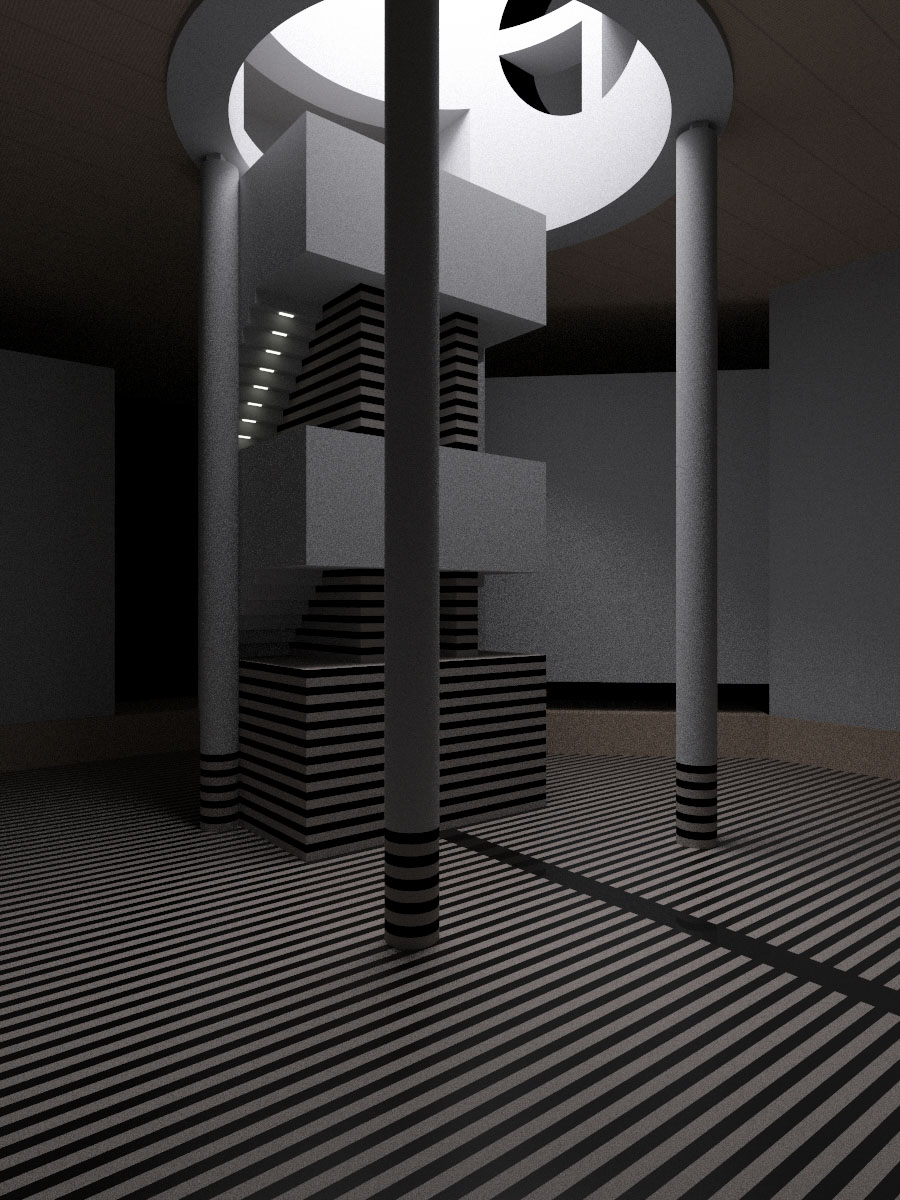
Hello,

Clearly a difficult scene.
A 14h hours rendering on 4 cores (Q6600 2.4 GHz).
I made some change to the settings to speed up the rendering.
The rendering was done with a modified version of mcpov 0.0.5 (the choise of the
pixel to shoot is different in order to reduce the noise were it is more
important).

Regrads,
Fidos.
Post a reply to this message
Attachments:
Download 'news.jpg' (382 KB)
Preview of image 'news.jpg'

|
|
| |
| |
|
|
|
|
| |
| |
|
|
"fidos" <fid### [at] wanadoofr> wrote:
> Hello,
>
> Clearly a difficult scene.
> A 14h hours rendering on 4 cores (Q6600 2.4 GHz).
> I made some change to the settings to speed up the rendering.
> The rendering was done with a modified version of mcpov 0.0.5 (the choise of the
> pixel to shoot is different in order to reduce the noise were it is more
> important).
>
> Regrads,
> Fidos.

Source of the scene
Post a reply to this message
Attachments:
Download 'test_news.pov.txt' (7 KB)
|
|
| |
| |
|
|
|
|
| |
| |
|
|
Impressive! Even by combining what is essentially 3 days worth of rendering
I can't get that degree of clarity. Will take a look at the source.

Mike


"fidos" <fid### [at] wanadoofr> wrote in message
news:web.499dafe53e484721c114ae9e0@news.povray.org...
> Hello,
>
> Clearly a difficult scene.
> A 14h hours rendering on 4 cores (Q6600 2.4 GHz).
> I made some change to the settings to speed up the rendering.
> The rendering was done with a modified version of mcpov 0.0.5 (the choise
> of the
> pixel to shoot is different in order to reduce the noise were it is more
> important).
>
> Regrads,
> Fidos.
>
Post a reply to this message
|
|
| |
| |
|
|
|
|
| |
| |
|
|
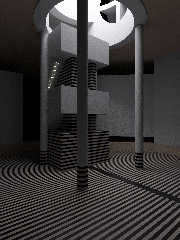
This is what I get if I combine your image with my previous post and two
other renders.  Looking better but I think fidos' render has it beat.


"scott" <sco### [at] scottcom> wrote in message news:499d0f7e@news.povray.org...
>> Does everyone's separate images have random grain (truly random, and not
>> identical from machine to machine)?
>
> It should do (AIUI the RNG is seeded from the system time).  Often people
> render on multi-core machines by starting several instances of MCPOV and
> then averaging later, so I think it works.
>
> The problem I see is that posting JPEG versions here will lose some of the
> detail, you really need to post PNG, but my file is 1.4 MB... Anyway, here
> is a JPEG version with minimum compression after 14 hours, this scene
> really
> is a tricky beast!
>
>
Post a reply to this message
Attachments:
Download 'radiosity_mcpov_combined.jpg' (258 KB)
Preview of image 'radiosity_mcpov_combined.jpg'
|
|
| |
| |
|
|
|
|
| |
| |
|
|
"fidos" <fid### [at] wanadoofr> wrote:
> Hello,
>
> Clearly a difficult scene.
> A 14h hours rendering on 4 cores (Q6600 2.4 GHz).

WOW! That's really impressive.

So as I understand it, the more random-grain individual images that are averaged
together (images from different users on different machines), the better and
more accurate the scene becomes? That's fascinating. Each of us could spend
maybe 2 hours of spare computer time, rendering our (grainy) versions, them
send them back to the original author for the final averaging step. That's
just--cool!

Ken W.
Post a reply to this message
|
|
| |
| |
|
|
|
|
| |
| |
|
|
Kenneth wrote:

> So as I understand it, the more random-grain individual images that are averaged
> together (images from different users on different machines), the better and
> more accurate the scene becomes? That's fascinating. Each of us could spend
> maybe 2 hours of spare computer time, rendering our (grainy) versions, them
> send them back to the original author for the final averaging step. That's
> just--cool!

But only if they all use a different random seed! Averaging the same
grainy image 10 times won't improve the results at all.

--
Severi Salminen
http://www.iki.fi/severi
Post a reply to this message
|
|
| |
| |
|
|
|
|
| |
| |
|
|
Among other things, Kenneth saw fit to write:

> So as I understand it, the more random-grain individual images that are
> averaged together (images from different users on different machines), the
> better and more accurate the scene becomes? That's fascinating.

That's how signal and noise in general work. The "real" image is the signal,
the grain is the noise. As you add samples (rendered images) the signal
intensity increases linearly with the number of samples N, while the noise
typically increases only with the square root of N (because its random
nature). So to reduce the relative intensity of the noise 10 times you'd
need 100 times more images.

--
light_source{9+9*x,1}camera{orthographic look_at(1-y)/4angle 30location
9/4-z*4}light_source{-9*z,1}union{box{.9-z.1+x clipped_by{plane{2+y-4*x
0}}}box{z-y-.1.1+z}box{-.1.1+x}box{.1z-.1}pigment{rgb<.8.2,1>}}//Jellby
Post a reply to this message
|
|
| |
| |
|
|
|
|
| |
| |
|
|
Severi Salminen <sev### [at] NOTTHISsaunalahtifiinvalid> wrote:
> Kenneth wrote:
>
> > So as I understand it, the more random-grain individual images that are averaged
> > together (images from different users on different machines), the better and
> > more accurate the scene becomes? That's fascinating. Each of us could spend
> > maybe 2 hours of spare computer time, rendering our (grainy) versions, them
> > send them back to the original author for the final averaging step. That's
> > just--cool!
>
> But only if they all use a different random seed! Averaging the same
> grainy image 10 times won't improve the results at all.
>

I was looking through MCPOV's online documentation, and it indicates that each
separate image render (as in, images to be averaged later) should use
"mc_rand_seed" to set a different rand sequence: "Initiates the random sequence
used by the montecarlo algorithm with the current date." By 'date,' I'm guessing
that it means not just the particular day, but down to the second or even finer
time resolution (based on the machine's system clock.) So, for example, if I
start a render at 2:30:37 PM on March 16, and someone else in my time zone
happens to start one at 2:30:38 PM on the same day, the two rendered images
will still be randomly different. Am I correct?

KW
Post a reply to this message
|
|
| |
| |
|
|
|
|
| |
| |
|
|
"Kenneth" <kdw### [at] earthlinknet> wrote:
> I was looking through MCPOV's online documentation, and it indicates that each
> separate image render (as in, images to be averaged later) should use
> "mc_rand_seed" to set a different rand sequence: "Initiates the random sequence
> used by the montecarlo algorithm with the current date." By 'date,' I'm guessing
> that it means not just the particular day, but down to the second or even finer
> time resolution (based on the machine's system clock.) So, for example, if I
> start a render at 2:30:37 PM on March 16, and someone else in my time zone
> happens to start one at 2:30:38 PM on the same day, the two rendered images
> will still be randomly different. Am I correct?
>
> KW

The seed is initialized with the C time(NULL) call that gives the current GMT
time in seconds from 1970. So I think you are correct.

Fidos
Post a reply to this message
|
|
| |
| |
|
|
|
|
| |
| |
|
|
Kenneth wrote:
> So as I understand it, the more random-grain individual images that are
> averaged together (images from different users on different machines), the
> better and more accurate the scene becomes? That's fascinating. Each of us
> could spend maybe 2 hours of spare computer time, rendering our (grainy)
> versions, them send them back to the original author for the final
> averaging step. That's just--cool!

If I had some time (hahahaha) I'd resurrect my renderfarm and put MCPov on
it. And you could join :)

But there's that time thing.
Post a reply to this message
|
|
| |
| |
|
|
|
|
| |
|
|