|
|
|
|
|
|
| |
| |
|
|
|
|
| |
| |
|
|
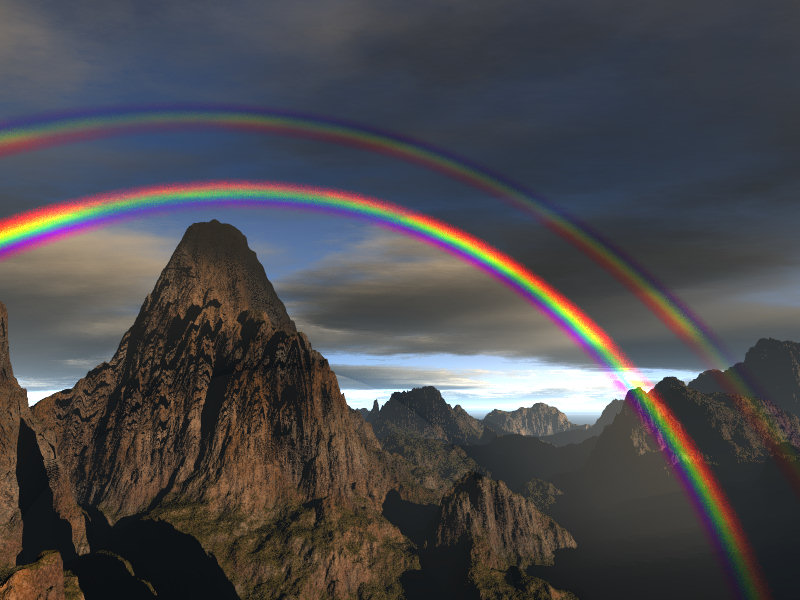
Put this together using Jaime's hf2iso.pov and a custom compile of pov in
which I altered the media code. Unfortunately the isosurface and media
didn't play well together, so I wound up killing the settings of the
isosurface in order to get it to render. Took 10 hours 30 minutes to render
this which is way too long.

Mike
Post a reply to this message
Attachments:
Download 'rainbowmedia.jpg' (103 KB)
Preview of image 'rainbowmedia.jpg'
|
|
| |
| |
|
|
|
|
| |
| |
|
|
Wasn't it Mike Hough who wrote:
>Put this together using Jaime's hf2iso.pov and a custom compile of pov in
>which I altered the media code. Unfortunately the isosurface and media
>didn't play well together, so I wound up killing the settings of the
>isosurface in order to get it to render. Took 10 hours 30 minutes to render
>this which is way too long.

I notice two tiny errors.

1: Because of the way that bows are created, they always appear
perfectly perpendicular to the line of sight, so you never get a
perspective effect like that.

2: The gap between the two bows is way too narrow.

On the up side, I see that you did include the Alexander's Band. Most
people who depict rainbows don't bother with that.

--
Mike Williams
Gentleman of Leisure
Post a reply to this message
|
|
| |
| |
|
|
|
|
| |
| |
|
|
The first error is probably due to the way I am calculating the angle
between the camera and the light directions. Will see if I can make it more
accurate
The second error is probably from reducing the angle for the second bow so
that it would fit in the view during testing.
thanks for the feedback,
Mike
"Mike Williams" <nos### [at] econym demoncouk> wrote in message
news:HME### [at] econymdemoncouk...
> Wasn't it Mike Hough who wrote:
>>Put this together using Jaime's hf2iso.pov and a custom compile of pov in
>>which I altered the media code. Unfortunately the isosurface and media
>>didn't play well together, so I wound up killing the settings of the
>>isosurface in order to get it to render. Took 10 hours 30 minutes to
>>render
>>this which is way too long.
>
> I notice two tiny errors.
>
> 1: Because of the way that bows are created, they always appear perfectly
> perpendicular to the line of sight, so you never get a perspective effect
> like that.
>
> 2: The gap between the two bows is way too narrow.
>
> On the up side, I see that you did include the Alexander's Band. Most
> people who depict rainbows don't bother with that.
>
> --
> Mike Williams
> Gentleman of Leisure demoncouk> wrote in message
news:HME### [at] econymdemoncouk...
> Wasn't it Mike Hough who wrote:
>>Put this together using Jaime's hf2iso.pov and a custom compile of pov in
>>which I altered the media code. Unfortunately the isosurface and media
>>didn't play well together, so I wound up killing the settings of the
>>isosurface in order to get it to render. Took 10 hours 30 minutes to
>>render
>>this which is way too long.
>
> I notice two tiny errors.
>
> 1: Because of the way that bows are created, they always appear perfectly
> perpendicular to the line of sight, so you never get a perspective effect
> like that.
>
> 2: The gap between the two bows is way too narrow.
>
> On the up side, I see that you did include the Alexander's Band. Most
> people who depict rainbows don't bother with that.
>
> --
> Mike Williams
> Gentleman of Leisure
Post a reply to this message
|
|
| |
| |
|
|
|
|
| |
| |
|
|
"Mike Hough" <nos### [at] nospamcom> wrote:
> Put this together using Jaime's hf2iso.pov and a custom compile of pov in
> which I altered the media code. Unfortunately the isosurface and media
> didn't play well together, so I wound up killing the settings of the
> isosurface in order to get it to render. Took 10 hours 30 minutes to render
> this which is way too long.
>
> Mike

You could try to use my rainbow include file. I wrote it some time ago, but
until now, nobody was really interested in it yet. This include file creates a
more physically correct rainbow with eiter POV-Ray's rainbow feature or the
media feature and renders acceptably fast, I guess. Here's the link:

http://news.povray.org/povray.binaries.scene-files/attachment/<web.438d9f95c0a56753b05a49370@news.povray.org>/rainbow.z
ip?ttop=287937&toff=150
Post a reply to this message
|
|
| |
| |
|
|
|
|
| |
| |
|
|
"Florian Siegmund" <flo### [at] gmxat> wrote in message
news:web.4945442b619c0ff365a1cfee0@news.povray.org...
> You could try to use my rainbow include file. I wrote it some time ago,
> but
> until now, nobody was really interested in it yet. This include file
> creates a
> more physically correct rainbow with eiter POV-Ray's rainbow feature or
> the
> media feature and renders acceptably fast, I guess. Here's the link:
>
>
http://news.povray.org/povray.binaries.scene-files/attachment/<web.438d9f95c0a56753b05a49370@news.povray.org>/rainbow.z
> ip?ttop=287937&toff=150
>

Your instructions don't seem to say how to get a rainbow to appear. They
just seem to describe the options for tailoring it once you get to see it.
Do you have a simple scene file to serve as an example for getting the
default one to appear?

The include file seems to add a couple of spheres to the scene, but I placed
a camera and a light source at the default location specified in the include
file and got a black screen. I changed the background to white and got a
white screen, so I guess it needs something specific in the scene file to
make the rainbow visible.

BTW. You shouldn't necessarily be discouraged by a lack of feedback. The
POV-Ray object collection has had over 20,000 downloads since it started a
year ago, but there's been very little feedback.

Regards,
Chris B.
Post a reply to this message
|
|
| |
| |
|
|
|
|
| |
| |
|
|
Was going to ask the same. If a scene file is provided I can test it out and
see how it compares speed-wise.

Mike


"Chris B" <nom### [at] nomailcom> wrote in message
news:49457d36$1@news.povray.org...
>
> "Florian Siegmund" <flo### [at] gmxat> wrote in message
> news:web.4945442b619c0ff365a1cfee0@news.povray.org...
>> You could try to use my rainbow include file. I wrote it some time ago,
>> but
>> until now, nobody was really interested in it yet. This include file
>> creates a
>> more physically correct rainbow with eiter POV-Ray's rainbow feature or
>> the
>> media feature and renders acceptably fast, I guess. Here's the link:
>>
>>
http://news.povray.org/povray.binaries.scene-files/attachment/<web.438d9f95c0a56753b05a49370@news.povray.org>/rainbow.z
>> ip?ttop=287937&toff=150
>>
>
> Your instructions don't seem to say how to get a rainbow to appear. They
> just seem to describe the options for tailoring it once you get to see it.
> Do you have a simple scene file to serve as an example for getting the
> default one to appear?
>
> The include file seems to add a couple of spheres to the scene, but I
> placed a camera and a light source at the default location specified in
> the include file and got a black screen. I changed the background to white
> and got a white screen, so I guess it needs something specific in the
> scene file to make the rainbow visible.
>
> BTW. You shouldn't necessarily be discouraged by a lack of feedback. The
> POV-Ray object collection has had over 20,000 downloads since it started a
> year ago, but there's been very little feedback.
>
> Regards,
> Chris B.
Post a reply to this message
|
|
| |
| |
|
|
|
|
| |
| |
|
|
"Chris B" <nom### [at] nomailcom> wrote:
> Your instructions don't seem to say how to get a rainbow to appear. They
> just seem to describe the options for tailoring it once you get to see it.
> Do you have a simple scene file to serve as an example for getting the
> default one to appear?
>
> The include file seems to add a couple of spheres to the scene, but I placed
> a camera and a light source at the default location specified in the include
> file and got a black screen. I changed the background to white and got a
> white screen, so I guess it needs something specific in the scene file to
> make the rainbow visible.
>
> BTW. You shouldn't necessarily be discouraged by a lack of feedback. The
> POV-Ray object collection has had over 20,000 downloads since it started a
> year ago, but there's been very little feedback.
>
> Regards,
> Chris B.

Sorry, that was my fault. Here's a simple scene file with nothing but a plane,
light and the rainbow. Don't bother when the scene takes some time to parse.
This is because the include file is nothing else than a 'rainbow raytracer'
which is calculating the reflection, rafraction and dispersion of light rays in
a water droplet. The couple of spheres you mentioned is just the container
object for the media. Don't bother your head about this :)

So here's a little bit of code for you:

// only the following two identifiers declared before including
// the "rainbow.inc" file are really necessary to see the rainbow
#declare camera_location = <0, 3, 0>;
#declare rb_light_location = <500, 50, -500>;

#declare rb_light_c = rgb <1, 1, 1>; // a color to be multiplied
// with the rainbow color bands
// (color of the virtual light source which is casting the rainbow)

camera {
    location camera_location  // this setting is obligatory for getting
    // a correct result
    look_at <0, 3, 1>
    angle 30
}

light_source {rb_light_location  color rb_light_c} // not really necessary,
// because the rainbow media is emitting, not scattering

plane {y, 0  pigment {color rgb 1}}

background {color rgb <0.01, 0.05, 0.15>}

// the following lines are just for playing around with and testing speed and
// quality of the resulting image
#declare secondary_rb = on;
#declare rb_distance = 40;
#declare rb_brightness = 0.75;
#declare rb_type = 2; // slower but more accurate than type 1
// (type 1 is very good for testing purposes, because it renders really fast!)
#declare rb_spectrum_samples = 50; // number of samples in the wave spectrum
#declare rb_intervals = 20; // number of color maps put together
// to create the rainbow
#declare rb_c_map_samples = 80; // samples in a single color map
#declare rb_area_light_angle = 0.15; // faking an area light source for
// obtaining a smooth rainbow
#declare rb_area_light_samples = 10;

#include "rainbow.inc"
Post a reply to this message
|
|
| |
| |
|
|
|
|
| |
| |
|
|
"Florian Siegmund" <flo### [at] gmxat> schreef in bericht
news:web.4945442b619c0ff365a1cfee0@news.povray.org...
> You could try to use my rainbow include file. I wrote it some time ago,
> but
> until now, nobody was really interested in it yet. This include file
> creates a
> more physically correct rainbow with eiter POV-Ray's rainbow feature or
> the
> media feature and renders acceptably fast, I guess. Here's the link:
>
>
http://news.povray.org/povray.binaries.scene-files/attachment/<web.438d9f95c0a56753b05a49370@news.povray.org>/rainbow.z
> ip?ttop=287937&toff=150
>

I have had it on my list for testing for a long time.... :-)

Thomas
Post a reply to this message
|
|
| |
| |
|
|
|
|
| |
| |
|
|
I have done a few test renders with your include file. Your model appears
more accurate than mine, as I just threw the colors in at regular intervals.
Rendering took about 10 times longer to render than my method using the
scene provided, which is probably because I made the changes internally
rather than in SDL. My changes were to scattering rather than emission
media, which increases the render times many times when there is complex
geometry in the scene due to shadow tests, but is relatively fast without
many objects in the scene.

Mike


"Florian Siegmund" <flo### [at] gmxat> wrote in message
news:web.49459cdf619c0ff365a1cfee0@news.povray.org...
> "Chris B" <nom### [at] nomailcom> wrote:
>> Your instructions don't seem to say how to get a rainbow to appear. They
>> just seem to describe the options for tailoring it once you get to see
>> it.
>> Do you have a simple scene file to serve as an example for getting the
>> default one to appear?
>>
>> The include file seems to add a couple of spheres to the scene, but I
>> placed
>> a camera and a light source at the default location specified in the
>> include
>> file and got a black screen. I changed the background to white and got a
>> white screen, so I guess it needs something specific in the scene file to
>> make the rainbow visible.
>>
>> BTW. You shouldn't necessarily be discouraged by a lack of feedback. The
>> POV-Ray object collection has had over 20,000 downloads since it started
>> a
>> year ago, but there's been very little feedback.
>>
>> Regards,
>> Chris B.
>
> Sorry, that was my fault. Here's a simple scene file with nothing but a
> plane,
> light and the rainbow. Don't bother when the scene takes some time to
> parse.
> This is because the include file is nothing else than a 'rainbow
> raytracer'
> which is calculating the reflection, rafraction and dispersion of light
> rays in
> a water droplet. The couple of spheres you mentioned is just the container
> object for the media. Don't bother your head about this :)
>
> So here's a little bit of code for you:
>
> // only the following two identifiers declared before including
> // the "rainbow.inc" file are really necessary to see the rainbow
> #declare camera_location = <0, 3, 0>;
> #declare rb_light_location = <500, 50, -500>;
>
> #declare rb_light_c = rgb <1, 1, 1>; // a color to be multiplied
> // with the rainbow color bands
> // (color of the virtual light source which is casting the rainbow)
>
> camera {
>    location camera_location  // this setting is obligatory for getting
>    // a correct result
>    look_at <0, 3, 1>
>    angle 30
> }
>
> light_source {rb_light_location  color rb_light_c} // not really
> necessary,
> // because the rainbow media is emitting, not scattering
>
> plane {y, 0  pigment {color rgb 1}}
>
> background {color rgb <0.01, 0.05, 0.15>}
>
> // the following lines are just for playing around with and testing speed
> and
> // quality of the resulting image
> #declare secondary_rb = on;
> #declare rb_distance = 40;
> #declare rb_brightness = 0.75;
> #declare rb_type = 2; // slower but more accurate than type 1
> // (type 1 is very good for testing purposes, because it renders really
> fast!)
> #declare rb_spectrum_samples = 50; // number of samples in the wave
> spectrum
> #declare rb_intervals = 20; // number of color maps put together
> // to create the rainbow
> #declare rb_c_map_samples = 80; // samples in a single color map
> #declare rb_area_light_angle = 0.15; // faking an area light source for
> // obtaining a smooth rainbow
> #declare rb_area_light_samples = 10;
>
> #include "rainbow.inc"
>
Post a reply to this message
|
|
| |
| |
|
|
|
|
| |
| |
|
|
> -----Original Message-----
> From: Mike Hough [mailto:nos### [at] nospamcom]
> Took 10 hours 30 minutes to render this which is way too long.

Kids!

I remember when you could render a few simple spheres, and use the
pixels appearing on screen as a rather accurate stopwatch!

And a render isn't slow unless it won't finish until after your next
birthday :)

(Hmm... I think I'll use that as my new sig!)

...Ben Chambers
www.pacificwebguy.com

A render isn't slow unless it won't finish until after your next
birthday.
Post a reply to this message
|
|
| |
| |
|
|
|
|
| |
| |
|
|
Chambers wrote:

> I remember when you could render a few simple spheres, and use the
> pixels appearing on screen as a rather accurate stopwatch!

 10:45:33 Rendering line 103 of 768, 1469 supersamples, 25893 rad. samples

Old scene, never before rendered for some mystical reason. And yes, that
is running on 2,3GHz A64 with enough RAM, so it's not exactly 286-time
any more...

> And a render isn't slow unless it won't finish until after your next
> birthday :)

Well, I have almost a year to cover that, so no problem!

> ...Ben Chambers
> www.pacificwebguy.com

-Aero
Post a reply to this message
|
|
| |
| |
|
|
|
|
| |
| |
|
|
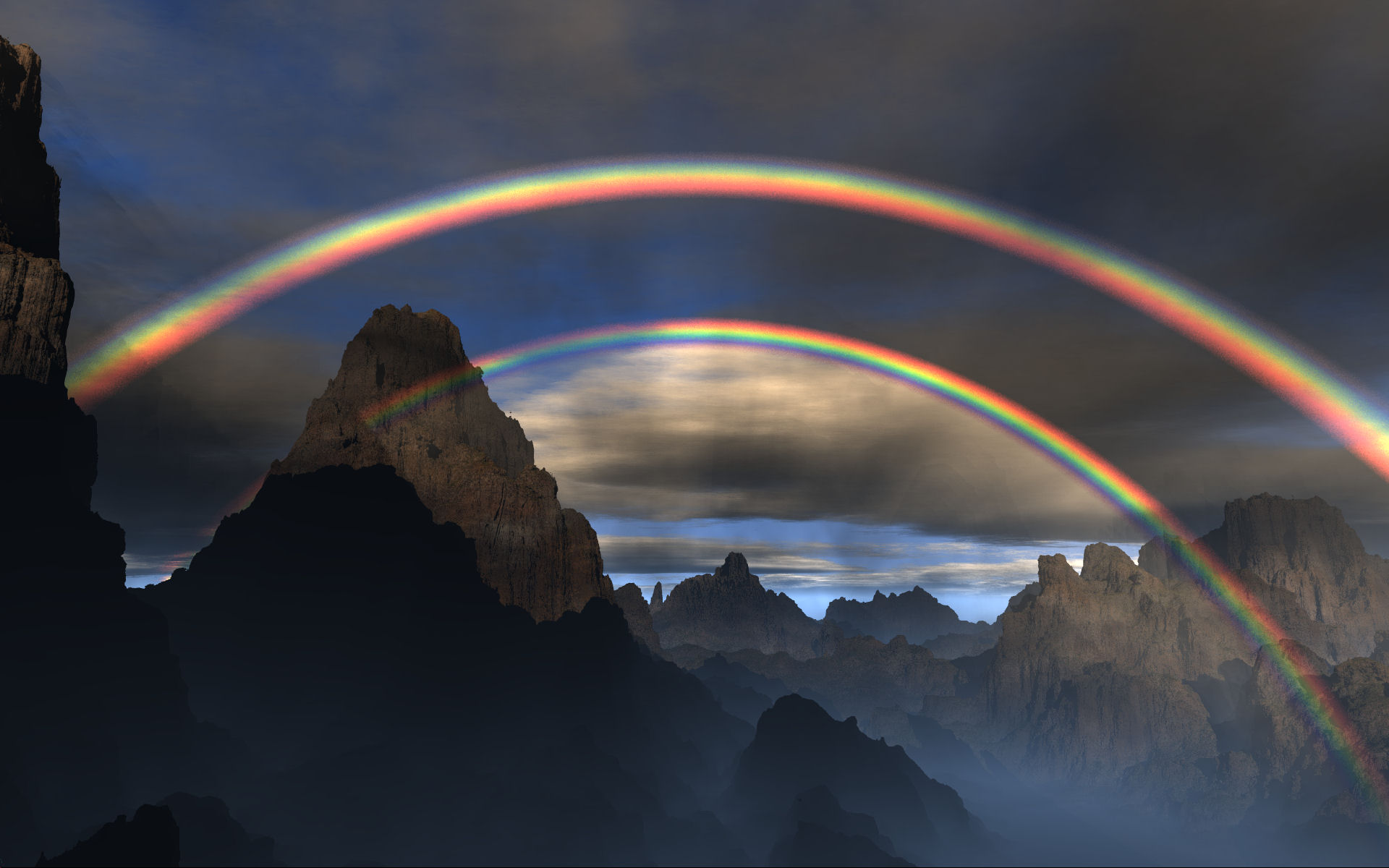
Well, I meant too long considering it was a test scene. I started out with
POV-Ray for DOS on a 166mhz system, so I appreciate the processing power
available these days.

I did this final render of this scene and wasn't going to post it because I
wasn't happy with it. It took 6d 9h 27m to render at 1920x1200.

-Mike

"Chambers" <ben### [at] pacificwebguycom> wrote in message
news:BCF7900EDDC2420A8E99F8E588279E1B@HomePC...
>> -----Original Message-----
>> From: Mike Hough [mailto:nos### [at] nospamcom]
>> Took 10 hours 30 minutes to render this which is way too long.
>
> Kids!
>
> I remember when you could render a few simple spheres, and use the
> pixels appearing on screen as a rather accurate stopwatch!
>
> And a render isn't slow unless it won't finish until after your next
> birthday :)
>
> (Hmm... I think I'll use that as my new sig!)
>
> ...Ben Chambers
> www.pacificwebguy.com
>
> A render isn't slow unless it won't finish until after your next
> birthday.
>
>
>
Post a reply to this message
Attachments:
Download 'rainbow2.jpg' (200 KB)
Preview of image 'rainbow2.jpg'
|
|
| |
| |
|
|
|
|
| |
| |
|
|
Mike Hough nous illumina en ce 2008-12-22 04:07 -->
> Well, I meant too long considering it was a test scene. I started out with
> POV-Ray for DOS on a 166mhz system, so I appreciate the processing power
> available these days.
>
> I did this final render of this scene and wasn't going to post it because I
> wasn't happy with it. It took 6d 9h 27m to render at 1920x1200.
>
> -Mike
>
> "Chambers" <ben### [at] pacificwebguycom> wrote in message
> news:BCF7900EDDC2420A8E99F8E588279E1B@HomePC...
>>> -----Original Message-----
>>> From: Mike Hough [mailto:nos### [at] nospamcom]
>>> Took 10 hours 30 minutes to render this which is way too long.
>> Kids!
>>
>> I remember when you could render a few simple spheres, and use the
>> pixels appearing on screen as a rather accurate stopwatch!
>>
>> And a render isn't slow unless it won't finish until after your next
>> birthday :)
>>
>> (Hmm... I think I'll use that as my new sig!)
>>
>> ...Ben Chambers
>> www.pacificwebguy.com
>>
>> A render isn't slow unless it won't finish until after your next
>> birthday.
>>
>>
>>
>
>
Still a problem: the two arches are NOT coventrical!
Apart from that, nice.

--
Alain
-------------------------------------------------
Database administrators do it with their relations
Post a reply to this message
|
|
| |
| |
|
|
|
|
| |
| |
|
|
On 22-Dec-08 10:07, Mike Hough wrote:
> Well, I meant too long considering it was a test scene. I started out with
> POV-Ray for DOS on a 166mhz system, so I appreciate the processing power
> available these days.
>
> I did this final render of this scene and wasn't going to post it because I
> wasn't happy with it. It took 6d 9h 27m to render at 1920x1200.


I think the inner should be brighter than the outer. Also I have this
feeling that the angles are not completely right nor does it match the
position of the sun. If you take a line from the sun through the eye of
the observer then the line from any point of a certain color on the
rainbow to the eye will make a constant (and universal) angle to that
sun-eye line. If this makes sense to you. ;) The same holds for the
secondary rainbow.
Post a reply to this message
|
|
| |
| |
|
|
|
|
| |
| |
|
|
Nice, but there seem to be shadowy *reflections* of mountains in the plane
of the rainbow. What are those?

Thomas
Post a reply to this message
|
|
| |
| |
|
|
|
|
| |
| |
|
|
They are the shadows of the mountains blocking the light from hitting the
media "clouds". I did not notice them until around day 3. Only solution
would be more samples.


"Thomas de Groot" <tDOTdegroot@interDOTnlANOTHERDOTnet> wrote in message
news:4951ee24$1@news.povray.org...
>
> Nice, but there seem to be shadowy *reflections* of mountains in the plane
> of the rainbow. What are those?
>
> Thomas
>
>
Post a reply to this message
|
|
| |
| |
|
|
|
|
| |
| |
|
|
Take a glance at this one...
The image was rendered within one week on a Pentium DualCore 3.6Ghz with 2GB
RAM; I don't know the exact time it took to render though, because I stopped
and continued tracing several times. For this image, I used Jaime Vives
Piqueres' 'Project Tierra' landscape include files and my own ones for the
rainbow, and I'm quite happy with the result. Still I'm using emitting media
rather than scattering one, because it renders faster and my include file
contains the possibility to 'project' a pattern onto the rainbow, e.g. clouds,
to get the illusion of a 'broken' rainbow (not used in this image, but
possible, if someone liked to use this feature).

Mike, your rainbow seems a little bit too 'perfect' to me, like it was an
illustration taken from a fairy tale book; most of all because of the powerful
colors. Maybe this is your aim, because the viewer still gets a very special
impression in this case, I don't know. If you wanted to achieve that, you are
going into the right direction (yes, I like the image; put a crystal dragon
into the scene and I would like it even more!) But for getting an image with a
more realistic look, you should work on the colors and angles of the rainbow
once more. One more thing to say, I wonder about your rendering times... what
is it that kills your processor speed, the rainbow media or the landscape
isosurface? By default, my rainbow media only takes 2 media intervals. There is
no need of taking more intervals in normal cases, beacause I tweaked the density
function in a way so that it renders nearly like the inbuilt 'fog' feature in
pov-ray (assuming that reflecting water droplets are distributed constantly
along the viewing ray). Hope this helps a little bit.
Post a reply to this message
Attachments:
Download 'tierra_ls_01.jpg' (379 KB)
Preview of image 'tierra_ls_01.jpg'

|
|
| |
| |
|
|
|
|
| |
| |
|
|
Another scene, another rainbow...
Post a reply to this message
Attachments:
Download 'ls_2-55-11_rb2.jpg' (686 KB)
Preview of image 'ls_2-55-11_rb2.jpg'

|
|
| |
| |
|
|
|
|
| |
| |
|
|
"Florian Siegmund" <flo### [at] gmxat> schreef in bericht
news:web.4952dba2619c0ff387129fc00@news.povray.org...
> Another scene, another rainbow...
>

Great ones, both of them!

One thing I wonder about is the difference of luminosity of the landscape
inside and outside of the rainbow. I am not sure if this is a RL feature.
Been a while since I last saw a perfect rainbow :-)  Maybe one should be
able to see the haze of the rain shower instead...

Thomas
Post a reply to this message
|
|
| |
| |
|
|
|
|
| |
| |
|
|
Wasn't it Thomas de Groot who wrote:

>One thing I wonder about is the difference of luminosity of the landscape
>inside and outside of the rainbow. I am not sure if this is a RL feature.

Yes. The lightness of the rainbow itself has to come from somewhere.
Some of the light that would have come from the dark "Alexander's band"
as you see the rainbow is deflected to make the bright coloured stripes
of rainbows that are seen by people standing beside you.

http://en.wikipedia.org/wiki/Alexander%27s_band

--
Mike Williams
Gentleman of Leisure
Post a reply to this message
|
|
| |
| |
|
|
|
|
| |
| |
|
|
Florian Siegmund escribió:
> The image was rendered within one week

   Wow! ...it's a shame I don't have the patience to use my own includes for
such long projects. ;)

   Very good work with the rainbows, both Mike and Florian. I've to agree
with Florian that his one looks even more realistic due to the softer colors.

   Regards,

--
Jaime
Post a reply to this message
|
|
| |
| |
|
|
|
|
| |
| |
|
|
Jaime Vives Piqueres <jai### [at] ignoranciaorg> wrote:
> Florian Siegmund escribió:
> > The image was rendered within one week
>
>    Wow! ...it's a shame I don't have the patience to use my own includes for
> such long projects. ;)
>
>    Very good work with the rainbows, both Mike and Florian. I've to agree
> with Florian that his one looks even more realistic due to the softer colors.

I have to admit that there's still a little problem with my rainbows. In nature
you hardly can see ones with such soft colors; They indeed are a bit brighter.
Especially the blue band appears too blurred to me. This is because I wrote
some functions by myself to approximate the CIE visible light spectrum. I've
also tried the original values without approximation, but there I did something
wrong, the rainbow showed up 'out of color'. Instead of white, it was ugly
yellowish :)
But one day I will sit down in front of my PC and will begin to write a
brandnew, much better code for the color spectrum.

Greetings, Flo
Post a reply to this message
|
|
| |
| |
|
|
|
|
| |
| |
|
|
You've provided some very nice examples of what your include file can do.  I
agree that my colors are too bright. I think the problem with the angle of
the 'bows' is how I am determining the viewing and lighting angles. The
project has been abandoned for now but if I do revisit this I may take a
closer look at your implementation. The colors I used were just some values
I hard coded into the source.

Regarding the render times, it was the isosurface that slowed things down
along with two media containers; the one that comes with hf2iso and a box in
front of the camera that I included to simulate scattered rain. The
combination of several densities, scattering media, and isosurfaces really
slows things down, especially since for each intersection with the media it
has to check if any part of the isosurface is blocking the light.

I think that if you implemented your method in the emitting media in the
source it would speed up render times several fold.

-Mike


"Florian Siegmund" <flo### [at] gmxat> wrote in message
news:web.4952d7fd619c0ff387129fc00@news.povray.org...
> Take a glance at this one...
> The image was rendered within one week on a Pentium DualCore 3.6Ghz with
> 2GB
> RAM; I don't know the exact time it took to render though, because I
> stopped
> and continued tracing several times. For this image, I used Jaime Vives
> Piqueres' 'Project Tierra' landscape include files and my own ones for the
> rainbow, and I'm quite happy with the result. Still I'm using emitting
> media
> rather than scattering one, because it renders faster and my include file
> contains the possibility to 'project' a pattern onto the rainbow, e.g.
> clouds,
> to get the illusion of a 'broken' rainbow (not used in this image, but
> possible, if someone liked to use this feature).
>
> Mike, your rainbow seems a little bit too 'perfect' to me, like it was an
> illustration taken from a fairy tale book; most of all because of the
> powerful
> colors. Maybe this is your aim, because the viewer still gets a very
> special
> impression in this case, I don't know. If you wanted to achieve that, you
> are
> going into the right direction (yes, I like the image; put a crystal
> dragon
> into the scene and I would like it even more!) But for getting an image
> with a
> more realistic look, you should work on the colors and angles of the
> rainbow
> once more. One more thing to say, I wonder about your rendering times...
> what
> is it that kills your processor speed, the rainbow media or the landscape
> isosurface? By default, my rainbow media only takes 2 media intervals.
> There is
> no need of taking more intervals in normal cases, beacause I tweaked the
> density
> function in a way so that it renders nearly like the inbuilt 'fog' feature
> in
> pov-ray (assuming that reflecting water droplets are distributed
> constantly
> along the viewing ray). Hope this helps a little bit.
>
Post a reply to this message
|
|
| |
| |
|
|
|
|
| |
| |
|
|
"Mike Williams" <nos### [at] econymdemoncouk> schreef in bericht
news:Qs8### [at] econymdemoncouk...
> Wasn't it Thomas de Groot who wrote:
>
>>One thing I wonder about is the difference of luminosity of the landscape
>>inside and outside of the rainbow. I am not sure if this is a RL feature.
>
> Yes. The lightness of the rainbow itself has to come from somewhere. Some
> of the light that would have come from the dark "Alexander's band" as you
> see the rainbow is deflected to make the bright coloured stripes of
> rainbows that are seen by people standing beside you.
>
> http://en.wikipedia.org/wiki/Alexander%27s_band
>
> --

Thank you indeed Mike, excellent explanation. I understand it now.

Happy Christmas.

Thomas
Post a reply to this message
|
|
| |
| |
|
|
|
|
| |
| |
|
|
Speaking of rainbows, I spotted this natural render yesterday.  Unfortunately,
my cheap digital camera wasn't up for the splendor. :P

My father told it was a sure bet to find a gold pot at its end, which looked to
be in reach for the people in those houses in the far right, a place
coincidentally named "Eldorado"... :D
Post a reply to this message
Attachments:
Download 'arco-iris.jpg' (555 KB)
Preview of image 'arco-iris.jpg'

|
|
| |
| |
|
|
|
|
| |
| |
|
|
Florian Siegmund wrote:

How do you make the "overall" (I don't see it in the sky) noise in both
of your pics? It makes them look like they were taken with a digital
camera in just a little bit too dark to be clean.

-Aero
Post a reply to this message
|
|
| |
| |
|
|
|
|
| |
| |
|
|
High!

Mike Hough schrieb:
> Well, I meant too long considering it was a test scene. I started out with
> POV-Ray for DOS on a 166mhz system, so I appreciate the processing power
> available these days.

I even started with Cyrix 80486 at 40 MHz... but back then, hardly any
CPU needed cooling fans, so the computer was quiet enough to sleep
beside it while rendering anything more complicated than a RSOCP (which,
by the way, I NEVER did during my early POV-Ray days in the 1990s!)!

> I did this final render of this scene and wasn't going to post it because I
> wasn't happy with it. It took 6d 9h 27m to render at 1920x1200.

Awesome! The mountains strongly remind me of the Hoggar mountains in
southern Algeria - where rainbows are extremely rare!

See you in Khyberspace!

Yadgar

Now playing: She Knew Better (Munich)
Post a reply to this message
|
|
| |
| |
|
|
|
|
| |
| |
|
|
"nemesis" <nam### [at] gmailcom> schreef in bericht
news:web.4953f734619c0ff3180057960@news.povray.org...
> Speaking of rainbows, I spotted this natural render yesterday.
> Unfortunately,
> my cheap digital camera wasn't up for the splendor. :P

And Natural POV renders so much faster :-)
This is a nice example by the way.

>
> My father told it was a sure bet to find a gold pot at its end, which
> looked to
> be in reach for the people in those houses in the far right, a place
> coincidentally named "Eldorado"... :D

Oooh, the lucky guys!


Thomas
Post a reply to this message
|
|
| |
| |
|
|
|
|
| |
| |
|
|
Among other things, Florian Siegmund saw fit to write:

> Another scene, another rainbow...

That's grat!

I seem to remember that, in addition to the two main full-spectrum bands,
there are some green-red stripes at one end... Do you simulate this too?

--
light_source{9+9*x,1}camera{orthographic look_at(1-y)/4angle 30location
9/4-z*4}light_source{-9*z,1}union{box{.9-z.1+x clipped_by{plane{2+y-4*x
0}}}box{z-y-.1.1+z}box{-.1.1+x}box{.1z-.1}pigment{rgb<.8.2,1>}}//Jellby
Post a reply to this message
|
|
| |
| |
|
|
|
|
| |
| |
|
|
I think what you are seeing is the noise component of the isosurface.


"Eero Ahonen" <aer### [at] removethiszbxtnetinvalid> wrote in message
news:49540108@news.povray.org...
> Florian Siegmund wrote:
>
> How do you make the "overall" (I don't see it in the sky) noise in both
> of your pics? It makes them look like they were taken with a digital
> camera in just a little bit too dark to be clean.
>
> -Aero
Post a reply to this message
|
|
| |
| |
|
|
|
|
| |
| |
|
|
"Thomas de Groot" <tDOTdegroot@interDOTnlANOTHERDOTnet> wrote:
> "nemesis" <nam### [at] gmailcom> schreef in bericht
> news:web.4953f734619c0ff3180057960@news.povray.org...
> > Speaking of rainbows, I spotted this natural render yesterday.
> > Unfortunately,
> > my cheap digital camera wasn't up for the splendor. :P
>
> And Natural POV renders so much faster :-)

No doubt!  It even handled all those different trees with no need for single
mesh instancing! :D

> This is a nice example by the way.

Perhaps, but doesn't really show what we witnessed here.  It was crisp bright
and colorful, but only faint at best in the photograph... quite a sighting!
Post a reply to this message
|
|
| |
| |
|
|
|
|
| |
| |
|
|
Jellby <me### [at] privacynet> wrote:
> That's grat!
>
> I seem to remember that, in addition to the two main full-spectrum bands,
> there are some green-red stripes at one end... Do you simulate this too?
>
> --

I found a photograph which I guess is spotting the additional color stripes (a
so called 'supernumerary rainbow') that you mentioned. And no, my include file
doesn't simulate those, beacause in this picture, the contrast was increased
artificially. So you will never see this phenomenon in nature with your own
eyes. That's the simply reason why I left them out :)
Post a reply to this message
Attachments:
Download 'rb_high_contrast.jpg' (88 KB)
Preview of image 'rb_high_contrast.jpg'

|
|
| |
| |
|
|
|
|
| |
| |
|
|
I have to correct myself... It's NOT impossible that you can see this in nature
with your own eyes, but you hardly will ;)
Post a reply to this message
|
|
| |
| |
|
|
|
|
| |
| |
|
|
"nemesis" <nam### [at] gmailcom> wrote:
> My father told it was a sure bet to find a gold pot at its end, which looked to
> be in reach for the people in those houses in the far right, a place
> coincidentally named "Eldorado"... :D

As my brother was giving me a ride last week, a brilliant rainbow appeared with
the end of the rainbow planted directly on our destination.  My brother said
that it was a sure bet to find a pot of gold at the OTHER end of the rainbow.
Those leprechauns are tricky guys.
Post a reply to this message
|
|
| |
| |
|
|
|
|
| |
| |
|
|
"Cousin Ricky" <ric### [at] yahoocom> wrote:
> As my brother was giving me a ride last week, a brilliant rainbow appeared with
> the end of the rainbow planted directly on our destination.  My brother said
> that it was a sure bet to find a pot of gold at the OTHER end of the rainbow.
> Those leprechauns are tricky guys.

Yeah, but at least it should prove easy to ride the rainbow back to the other
side. XD
Post a reply to this message
|
|
| |
| |
|
|
|
|
| |
| |
|
|
"nemesis" <nam### [at] gmailcom> schreef in bericht
news:web.4955b41a619c0ff3180057960@news.povray.org...
> "Cousin Ricky" <ric### [at] yahoocom> wrote:
>> As my brother was giving me a ride last week, a brilliant rainbow
>> appeared with
>> the end of the rainbow planted directly on our destination.  My brother
>> said
>> that it was a sure bet to find a pot of gold at the OTHER end of the
>> rainbow.
>> Those leprechauns are tricky guys.
>
> Yeah, but at least it should prove easy to ride the rainbow back to the
> other
> side. XD
>

Dangerous to do. What if the rainbow disappears once you are half way
through...?

Thomas
Post a reply to this message
|
|
| |
| |
|
|
|
|
| |
| |
|
|
Among other things, Florian Siegmund saw fit to write:

> I found a photograph which I guess is spotting the additional color
> stripes (a so called 'supernumerary rainbow') that you mentioned. And no,
> my include file doesn't simulate those, beacause in this picture, the
> contrast was increased artificially. So you will never see this phenomenon
> in nature with your own eyes. That's the simply reason why I left them out
> :)

Yes, I found that in Wikipedia shortly after posting ;)

However, it says that "the very existence of supernumerary rainbows was
historically a first indication of the wave nature of light, and the first
explanation was provided by Thomas Young in 1804." I doubt they had
contrast-enhanced photographs in 1804...

I have an article (in the Spanish version of Scientific American) about
theories of the rainbow, and it talks about the supernumerary rainbow as a
visible effect (though faint, rare, and more prominent at the top of the
arc, where the drops are smaller). It also mentions the failure of Newton's
theory to explain this supernumerary rainbow as a serious flaw.

P.S. The original article seems to be: "The Theory of the Rainbow", by H.
Moyses Nussenzweig (Scientific American, 236, 116-127, 1977).

--
light_source{9+9*x,1}camera{orthographic look_at(1-y)/4angle 30location
9/4-z*4}light_source{-9*z,1}union{box{.9-z.1+x clipped_by{plane{2+y-4*x
0}}}box{z-y-.1.1+z}box{-.1.1+x}box{.1z-.1}pigment{rgb<.8.2,1>}}//Jellby
Post a reply to this message
|
|
| |
| |
|
|
|
|
| |