|
|
|
|
|
|
| |
| |
|
|
|
|
| |
| |
|
|
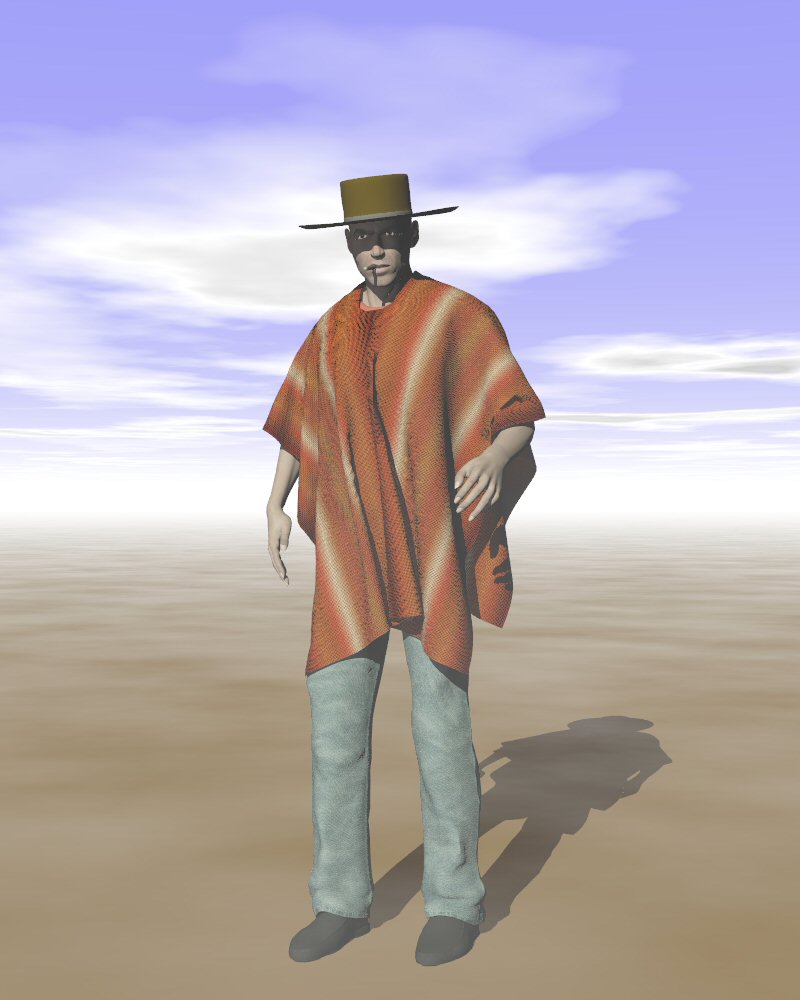
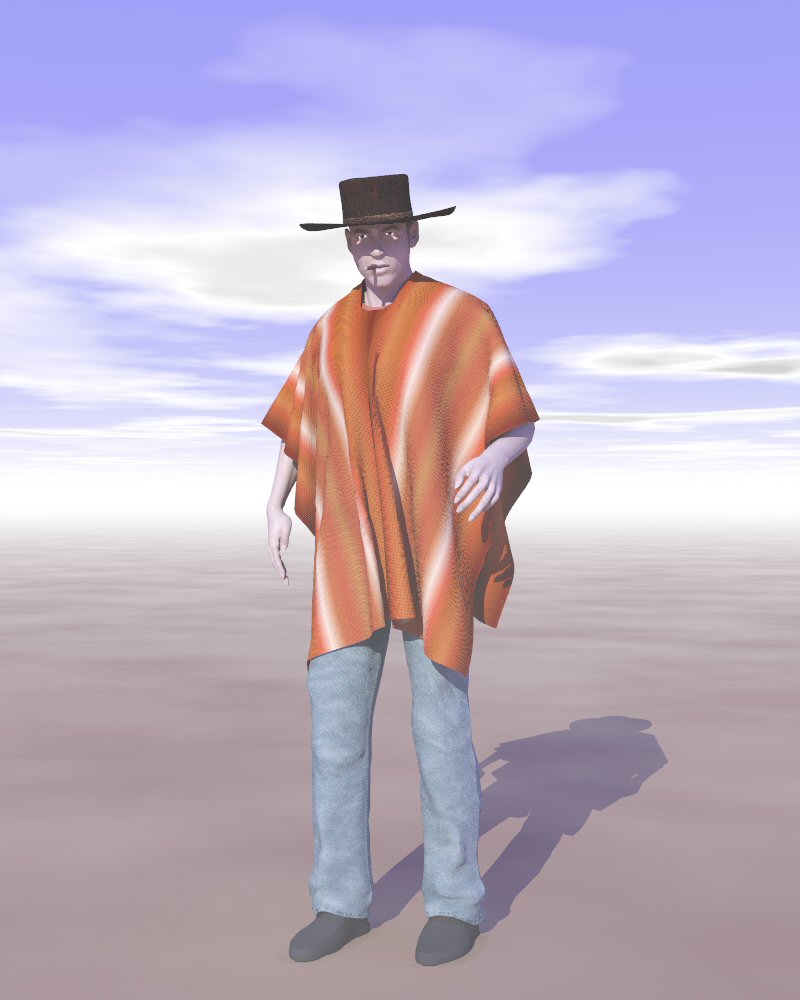
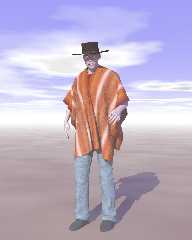
I continue to experiment with my dynamic poncho until I am sure I understand
the inner workings. So, I made a new poncho in Silo, a new texture in
Paintshop Pro, and I provided the figure with a hat. I addition, I provided
a slight breeze from the foreground left.

The result: Clive Westwood, in the movie "The tall, the tiny and the
average" (music by Elio Mascarpone).

I have number of things on my todo list:
- explore conforming clothes. I already experimented much earlier for a
Michael3 figure, but now I have a better understanding on how it works (I
think). And the hat here is already a kind of simple conforming prop.
- explore conforming to dynamic clothes.
- going deeper into dynamic clothes processes.

We'll see...

Thomas
Post a reply to this message
Attachments:
Download 'PoserFiguretest.jpg' (78 KB)
Preview of image 'PoserFiguretest.jpg'
|
|
| |
| |
|
|
|
|
| |
| |
|
|
"Thomas de Groot" <t.d### [at] inter nlDOTnet> wrote:
> I continue to experiment with my dynamic poncho until I am sure I understand
> the inner workings. So, I made a new poncho in Silo, a new texture in
> Paintshop Pro, and I provided the figure with a hat. I addition, I provided
> a slight breeze from the foreground left...
It all seems to be working pretty well, especially the poncho texture which
gives the impression of a particularly tactile fabric. (Definitely a REAL
poncho and not a SEARS poncho) The shadow cast on the face by the hat helps
to add drama to the character.
> The result: Clive Westwood, in the movie "The tall, the tiny and the
> average" (music by Elio Mascarpone)...
Wasn't he the same guy in "A Fist Full of Downloads"? :-)
Regards,
Mike C. nlDOTnet> wrote:
> I continue to experiment with my dynamic poncho until I am sure I understand
> the inner workings. So, I made a new poncho in Silo, a new texture in
> Paintshop Pro, and I provided the figure with a hat. I addition, I provided
> a slight breeze from the foreground left...
It all seems to be working pretty well, especially the poncho texture which
gives the impression of a particularly tactile fabric. (Definitely a REAL
poncho and not a SEARS poncho) The shadow cast on the face by the hat helps
to add drama to the character.
> The result: Clive Westwood, in the movie "The tall, the tiny and the
> average" (music by Elio Mascarpone)...
Wasn't he the same guy in "A Fist Full of Downloads"? :-)
Regards,
Mike C.
Post a reply to this message
|
|
| |
| |
|
|
|
|
| |
| |
|
|
"Mike the Elder" <zer### [at] wyanorg> schreef in bericht
news:web.4644678eebdace041a26e4e30@news.povray.org...
>
> It all seems to be working pretty well, especially the poncho texture
> which
> gives the impression of a particularly tactile fabric. (Definitely a REAL
> poncho and not a SEARS poncho) The shadow cast on the face by the hat
> helps
> to add drama to the character.

Yes, until now, not too difficult. A couple of puzzles I had to solve but
overall, pretty straightforward.
I like making textures. I looked up a couple of classic poncho ones and then
just experimented with PSP. I may finetune the weave texture and maybe
separate it from the main one in order to use it as a bump map or a
displacement map (hm... that last one would need a much finer mesh however
than the one used for the poncho already).

I am still puzzled by the "aspect" of the figure's skin which looks a bit
corpse-like, while it is fairly naturalistic. It is something with the
lighting in POV, or the export through Poseray, or something else
altogether... Also, this seems to be particularly visible in Poser 7 maps,
but much less in earlier versions.

And there is still the matter with the use of radiosity  :-(  In this
particular image, bright artefacts appear below the eyes, even with fairly
HQ radiosity settings. I don't like that!

>
>> The result: Clive Westwood, in the movie "The tall, the tiny and the
>> average" (music by Elio Mascarpone)...
>
> Wasn't he the same guy in "A Fist Full of Downloads"?  :-)
>

Yes indeed! As also in "For a Few Downloads More".

Thomas
Post a reply to this message
|
|
| |
| |
|
|
|
|
| |
| |
|
|
"Thomas de Groot" <t.d### [at] internlDOTnet> wrote:
> "Mike the Elder" <zer### [at] wyanorg> schreef in bericht
> news:web.4644678eebdace041a26e4e30@news.povray.org...
> >
> > It all seems to be working pretty well, especially the poncho texture
> > which
> > gives the impression of a particularly tactile fabric. (Definitely a REAL
> > poncho and not a SEARS poncho) The shadow cast on the face by the hat
> > helps
> > to add drama to the character.
>
> Yes, until now, not too difficult. A couple of puzzles I had to solve but
> overall, pretty straightforward.
> I like making textures. I looked up a couple of classic poncho ones and then
> just experimented with PSP. I may finetune the weave texture and maybe
> separate it from the main one in order to use it as a bump map or a
> displacement map (hm... that last one would need a much finer mesh however
> than the one used for the poncho already).
>
> I am still puzzled by the "aspect" of the figure's skin which looks a bit
> corpse-like, while it is fairly naturalistic. It is something with the
> lighting in POV, or the export through Poseray, or something else
> altogether... Also, this seems to be particularly visible in Poser 7 maps,
> but much less in earlier versions.
>
> And there is still the matter with the use of radiosity  :-(  In this
> particular image, bright artefacts appear below the eyes, even with fairly
> HQ radiosity settings. I don't like that!
>
> >
> >> The result: Clive Westwood, in the movie "The tall, the tiny and the
> >> average" (music by Elio Mascarpone)...
> >
> > Wasn't he the same guy in "A Fist Full of Downloads"?  :-)
> >
>
> Yes indeed! As also in "For a Few Downloads More".
>
> Thomas

Hey Thomas, your dynamic cloth poncho is looking good! I can never quite get
the hang of the Poser Cloth room, its not the easiest thing.
I'd use a bump map image. By the time the displacement map starts to look
good, you'd have a huge mesh that would take forever to load and I don't
think it would buy you much.
Out of curiosity, would you be willing to post the face skin material?

Janet
http://parrotdolphin.deviantart.com/
Post a reply to this message
|
|
| |
| |
|
|
|
|
| |
| |
|
|
Great stuff!
> I am still puzzled by the "aspect" of the figure's skin which looks a bit
> corpse-like, while it is fairly naturalistic. It is something with the
> lighting in POV, or the export through Poseray, or something else
> altogether... Also, this seems to be particularly visible in Poser 7 maps,
> but much less in earlier versions.
Real skin has quite a bit of subsurface light scattering.
You can get that by using media, but it's a bit slow.
Post a reply to this message
|
|
| |
| |
|
|
|
|
| |
| |
|
|
"Tim Attwood" <tim### [at] comcastnet> schreef in bericht
news:46452e21$1@news.povray.org...
> Great stuff!

Thanks, Tim!

>> I am still puzzled by the "aspect" of the figure's skin which looks a bit
>> corpse-like, while it is fairly naturalistic. It is something with the
>> lighting in POV, or the export through Poseray, or something else
>> altogether... Also, this seems to be particularly visible in Poser 7
>> maps, but much less in earlier versions.
> Real skin has quite a bit of subsurface light scattering.
> You can get that by using media, but it's a bit slow.
Yes, I know. As a sidetrack, I shall probably look also into that matter
some day.... Ah! Time!  :-)

Thomas
Post a reply to this message
|
|
| |
| |
|
|
From: Thomas de Groot
Subject: Re: Making clothes in Poser - Take 3b
Date: 12 May 2007 04:09:57
Message: <46457655@news.povray.org>
|
|
|
| |
| |
|
|
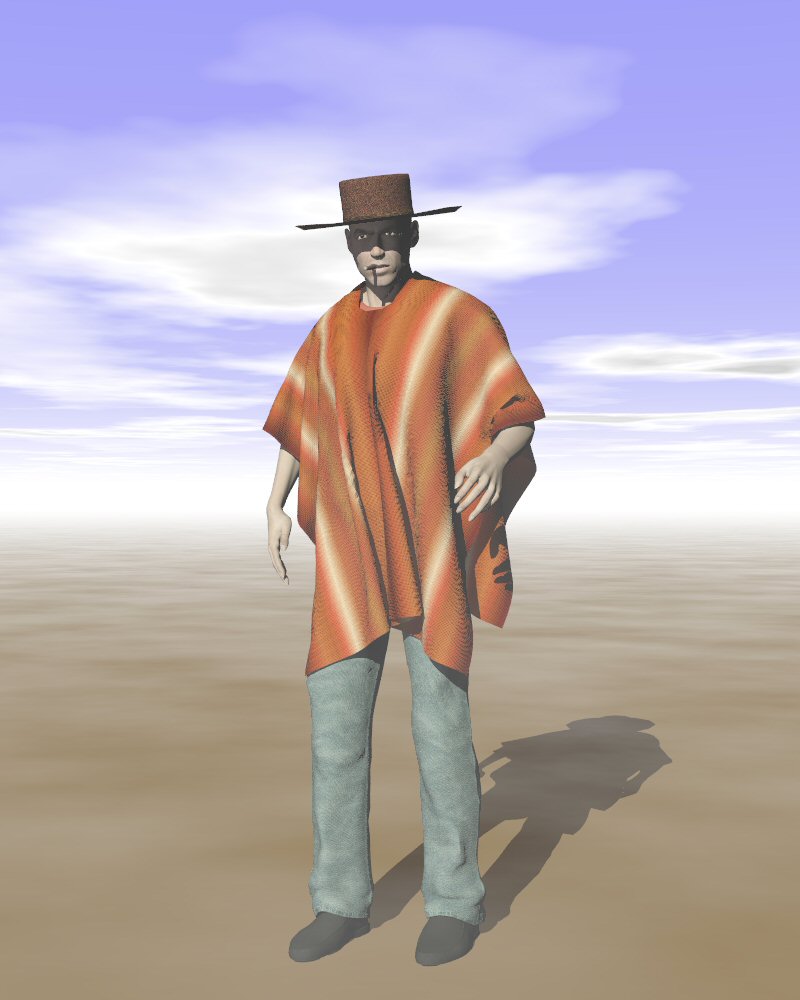
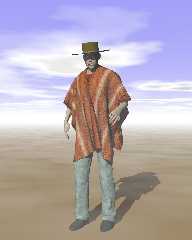
An improved version now:
- The poncho texture uses a bump map. Much subtler effect.
- The hat uses image maps now.

Thomas
Post a reply to this message
Attachments:
Download 'Poser_figuretest_02.jpg' (75 KB)
Preview of image 'Poser_figuretest_02.jpg'
|
|
| |
| |
|
|
From: Thomas de Groot
Subject: Re: Making clothes in Poser - Take 3
Date: 12 May 2007 04:21:08
Message: <464578f4@news.povray.org>
|
|
|
| |
| |
|
|
"Thomas de Groot" <t.d### [at] internlDOTnet> schreef in bericht
news:46448703$1@news.povray.org...

> I am still puzzled by the "aspect" of the figure's skin which looks a bit
> corpse-like, while it is fairly naturalistic. It is something with the
> lighting in POV, or the export through Poseray, or something else
> altogether... Also, this seems to be particularly visible in Poser 7 maps,
> but much less in earlier versions.
>

I have been looking at the different maps used by Poser 7 and Poser 6 for
figure skins, there seems to be a different approach towards the final goal.
I have to dig a bit further into this. In the end, it may be that it is just
a Poser 7 feature to control better.

I'll be back.

Thomas
Post a reply to this message
|
|
| |
| |
|
|
From: Thomas de Groot
Subject: Re: Making clothes in Poser - Take 3: skin test
Date: 12 May 2007 10:27:51
Message: <4645cee7@news.povray.org>
|
|
|
| |
| |
|
|
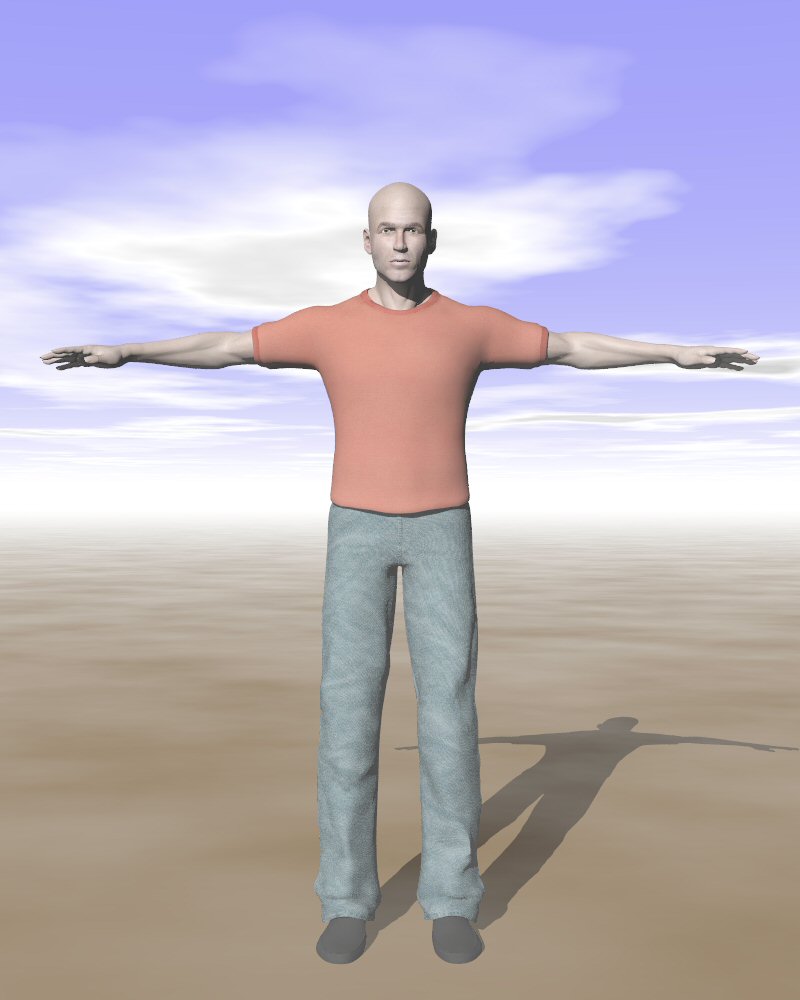
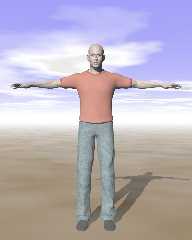
So I explored a bit the Material Room of Poser 7, specifically for skin. It
appears that - except for the basic figure, which only uses a very detailed
image map - elaborate shaders are used additionally to obtain realistic
effects, including subsurface scattering (through a smart kind of shader).

This is an example of the use of the advanced skin settings, to which I
added the fastscatter shader that mimics subsurface scattering in Poser 7.
Exported to .obj, and through Poseray exported to POV, this is the result.
IMO, it looks better than only the image map as used in the previous
figures.

Thomas
Post a reply to this message
Attachments:
Download 'PoserFiguretest.jpg' (64 KB)
Preview of image 'PoserFiguretest.jpg'
|
|
| |
| |
|
|
From: Thomas de Groot
Subject: Re: Making clothes in Poser - Take 3: skintest & radiosity
Date: 12 May 2007 11:00:34
Message: <4645d692@news.povray.org>
|
|
|
| |
| |
|
|
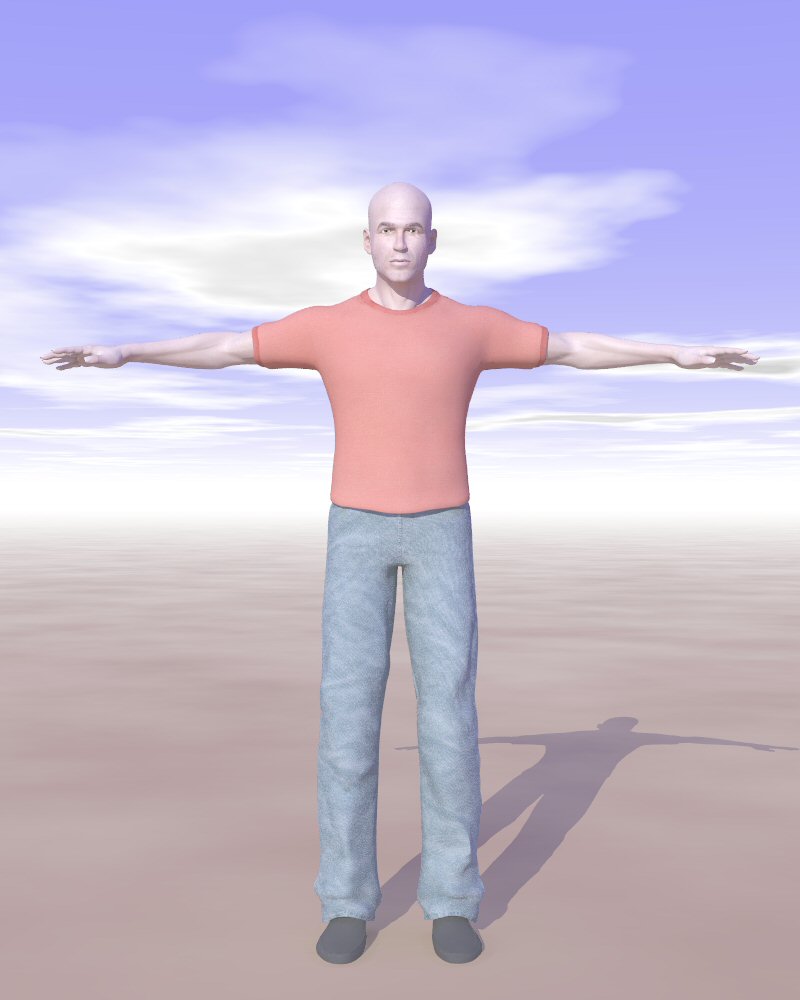
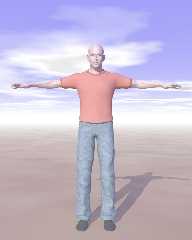
YES!!!

With radiosity (OudoorsHQ)  this is the result. I don't have the artifacts
under the eyes anymore!

Thomas
Post a reply to this message
Attachments:
Download 'PoserFiguretest.jpg' (60 KB)
Preview of image 'PoserFiguretest.jpg'
|
|
| |
| |
|
|
|
|
| |
| |
|
|
"Thomas de Groot" <t.d### [at] internlDOTnet> wrote:

> IMO, it looks better than only the image map as used in the previous
> figures.

Agreed. This technique produces a figure with much more potential for
"close-up" work in which one communicates through facial expression,
gesture and posture.  I really looking forward to seeing its use in one of
your "story" pics.

Regards,
Mike C.
Post a reply to this message
|
|
| |
| |
|
|
|
|
| |
| |
|
|
"Thomas de Groot" <t.d### [at] internlDOTnet> wrote:

> Thanks, Janet. I am quite satisfied too. There are still a number of things
> in the Cloth Room that I am puzzling over, but I intend to get a real
> understanding... with time. I probably shall be writing a small tutorial or
> HowTo when I am done. I often do that, if only for my own convenience.

If you do, I'd like to try it. I followed one tutorial to make a flag wave,
but it fell off the pole instead! :) Must try again.

>
> > Out of curiosity, would you be willing to post the face skin material?
>
> This is a scaled down version (10%). The original is over 5 mb!

Thanks Thomas, I think I should have been more specific. I was asking for
the POV-Ray material statement in the xxx_POV_mat.inc file. But, I see
further down this thread that you have been doing more experimenting, and
his face looks much better.

Janet
Post a reply to this message
|
|
| |
| |
|
|
|
|
| |
| |
|
|
"Thomas de Groot" <t.d### [at] internlDOTnet> wrote:
> So I explored a bit the Material Room of Poser 7, specifically for skin. It
> appears that - except for the basic figure, which only uses a very detailed
> image map - elaborate shaders are used additionally to obtain realistic
> effects, including subsurface scattering (through a smart kind of shader).
>
> This is an example of the use of the advanced skin settings, to which I
> added the fastscatter shader that mimics subsurface scattering in Poser 7.
> Exported to .obj, and through Poseray exported to POV, this is the result.
> IMO, it looks better than only the image map as used in the previous
> figures.
>
> Thomas

Okay, now I'm *really* curious to see your material{...} statement for his
face. :)

Janet
Post a reply to this message
|
|
| |
| |
|
|
|
|
| |
| |
|
|
"Janet" <par### [at] attnet> schreef in bericht
news:web.4645dbafebdace0483efd46b0@news.povray.org...
> Thanks Thomas, I think I should have been more specific. I was asking for
> the POV-Ray material statement in the xxx_POV_mat.inc file. But, I see
> further down this thread that you have been doing more experimenting, and
> his face looks much better.
>

Sorry Janet! My semantic fault :-)

Thomas
Post a reply to this message
|
|
| |
| |
|
|
From: Thomas de Groot
Subject: Re: Making clothes in Poser - Take 3: skin test
Date: 13 May 2007 03:12:47
Message: <4646ba6f@news.povray.org>
|
|
|
| |
| |
|
|
"Janet" <par### [at] attnet> schreef in bericht
news:web.4645dd3137a6b45183efd46b0@news.povray.org...
>
> Okay, now I'm *really* curious to see your material{...} statement for his
> face. :)
>

Easily done, Janet! Here is the material file corresponding to the image.
Please note two things: (1) I am not entirely sure how Poser builds the skin
image from the different shaders, nor how it exports that to the .mtl file
for that matter; (2) be aware that I am using a beta version of Poseray that
FlyerX has asked me to test. This material file might thus be a bit
different from what you are used to.

Thomas
Post a reply to this message
Attachments:
Download 'Simon_skintest_POV_mat.inc.txt' (13 KB)
|
|
| |
| |
|
|
From: Thomas de Groot
Subject: Re: Making clothes in Poser - Take 3c
Date: 13 May 2007 07:31:12
Message: <4646f700@news.povray.org>
|
|
|
| |
| |
|
|
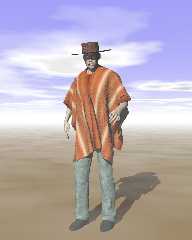
OK. Back to Clive Westwood.
I changed the hat (more irregular), and I changed the skin.
This is a radiosity (HQ) render. Note the two bright spots below the eyes,
only appearing with radiosity on. No holes in the hat. After some testing, I
conclude that they are caused by changes in the mesh following changes in
facial expression (here: slight squint of the eyes). They do not appear in
the basic mesh as you were able to see in the skin tests above.

Thomas
Post a reply to this message
Attachments:
Download 'Poser_figuretest_04.jpg' (71 KB)
Preview of image 'Poser_figuretest_04.jpg'
|
|
| |
| |
|
|
From: Thomas de Groot
Subject: Re: Making clothes in Poser - Take 3: skin test
Date: 13 May 2007 07:35:27
Message: <4646f7ff$1@news.povray.org>
|
|
|
| |
| |
|
|
"Mike the Elder" <zer### [at] wyanorg> schreef in bericht
news:web.4645d69b37a6b4516d4565230@news.povray.org...
>
> Agreed. This technique produces a figure with much more potential for
> "close-up" work in which one communicates through facial expression,
> gesture and posture.  I really looking forward to seeing its use in one of
> your "story" pics.
>

<grin> be patient. You will...

Thomas
Post a reply to this message
|
|
| |
| |
|
|
|
|
| |
| |
|
|
Thomas de Groot wrote:
> Note the two bright spots below the eyes,
> only appearing with radiosity on.

Eep! The spots make him look like a mime. :-P

Otherwise, I like how this is going. :-)

--
William Tracy
+-+-+-+-+-+-+-+-+-+-+-+-+-+-+-+-+-+-+-+-+-+
|a|f|i|s|h|i|o|n|a|d|o|@|g|m|a|i|l|.|c|o|m|
+-+-+-+-+-+-+-+-+-+-+-+-+-+-+-+-+-+-+-+-+-+
+-+-+-+-+-+-+-+-+-+-+-+-+-+-+-+-+-+-+
|w|t|r|a|c|y|@|c|a|l|p|o|l|y|.|e|d|u|
+-+-+-+-+-+-+-+-+-+-+-+-+-+-+-+-+-+-+
You know you've been raytracing too long when you keep a blacklist of
people who ask questions about 3DFX products.
Alex McLeod a.k.a. Giant Robot Messiah
Post a reply to this message
|
|
| |
| |
|
|
|
|
| |
| |
|
|
"Thomas de Groot" <t.d### [at] internlDOTnet> wrote:
> Easily done, Janet! Here is the material file corresponding to the image.
> Please note two things: (1) I am not entirely sure how Poser builds the skin
> image from the different shaders, nor how it exports that to the .mtl file
> for that matter; (2) be aware that I am using a beta version of Poseray that
> FlyerX has asked me to test. This material file might thus be a bit
> different from what you are used to.
>
> Thomas

Thanks Thomas. That was interesting. It is quite a bit different from what I
get in my mat.inc files, but I am using v3.10.3.412 of PoseRay and I have
Poser 6, not 7. But now you make me wonder where PoseRay gets its materials
from when you import a Poser scene. In this case, maybe he gets them from
the .PZ3 file, and not the .mtl file?? It would be a good question for
FlyerX anyway. If he does get them out of the pz3 file, then he has his
work cut out for him, I think. :)
Dang, those spots by his eyes come and go and come again with a vengence!!
Its a very strange thing. Did you ever try taking the normal statement out
of the Head__fullspec and Head__dull?

Janet
Post a reply to this message
|
|
| |
| |
|
|
From: Thomas de Groot
Subject: Re: Making clothes in Poser - Take 3: skin test
Date: 14 May 2007 03:46:21
Message: <464813cd$1@news.povray.org>
|
|
|
| |
| |
|
|
"Janet" <par### [at] attnet> schreef in bericht
news:web.4647dc8e37a6b451536c07050@news.povray.org...
>
> Thanks Thomas. That was interesting. It is quite a bit different from what
> I
> get in my mat.inc files, but I am using v3.10.3.412 of PoseRay and I have
> Poser 6, not 7. But now you make me wonder where PoseRay gets its
> materials
> from when you import a Poser scene. In this case, maybe he gets them from
> the .PZ3 file, and not the .mtl file?? It would be a good question for
> FlyerX anyway. If he does get them out of the pz3 file, then he has his
> work cut out for him, I think. :)

The mat file has been given a overhaul indeed, and you can now control the
diffuse value in the finish for the use with image maps before exporting to
POV. There are also all kind of improvements in the Materials and Group
tabs. Well, FlyerX will tell us all when the time comes. He is going to
launch the update pretty soon I believe, so stay tuned there. I am almost
certain that Poseray gets the info from the pzz or pz3 file, as this file is
used, along with the obj file, to build the model and translate the relevant
info for later export. And it does a very good job too! So once again, a
huge thanks to FlyerX for his excellent work! Version 3.11 will be even
better :-) I have been testing it more specifically for the use with Poser 7
as there are some differences with Poser 6, for instance in the way files
are addressed it seems. Nothing that you can see really, but fundamental for
Poseray.

> Dang, those spots by his eyes come and go and come again with a vengence!!
> Its a very strange thing. Did you ever try taking the normal statement out
> of the Head__fullspec and Head__dull?
>
 No, I didn't. Good suggestion. For an instant I thought it was a stray
reflection coming from the eyes, but no. It looks like it comes from the
mesh geometry, although I am at a loss to explain it. I'll try the normal.
Thanks for the suggestion, Janet.

Thomas
Post a reply to this message
|
|
| |
| |
|
|
|
|
| |
| |
|
|
"William Tracy" <wtr### [at] calpolyedu> schreef in bericht
news:464736b8$1@news.povray.org...
> Thomas de Groot wrote:
>> Note the two bright spots below the eyes, only appearing with radiosity
>> on.
>
> Eep! The spots make him look like a mime. :-P
>
> Otherwise, I like how this is going. :-)
>

Thanks, William. Yeah... those spots worry me. My latest hunch is that it
comes from the mesh geometry, after making facial changes, as the original
does not show them.... However, I cannot explain why  :-(

Thomas
Post a reply to this message
|
|
| |
| |
|
|
|
|
| |
| |
|
|
Thomas de Groot wrote:
> Thanks, William. Yeah... those spots worry me. My latest hunch is that it
> comes from the mesh geometry, after making facial changes, as the original
> does not show them.... However, I cannot explain why  :-(

My first thought, too, was that it might be reflections from the eyes.

I have no idea what's causing them. :-P The only things I could think of
to try that you haven't would be to render some close-ups of the face
and maybe placing some random objects to try casting shadows on the
highlights. If you can block the highlight maybe you could figure out
where the light is coming from?

(I'm up waaay later than I should be, so probably I'll get up tomorrow
and wonder what the heck I was thinking when I posted that.)

The posing of his hands is awkward, but that's easy to fix. :-) His
shoes look kind of bland, too. The shoes themselves are okay (though
cowboy boots would be better!) but the shadows and highlights seem to
blur together on them into a brown blob. It only gets worse with
radiosity on. :-(

Otherwise, all he needs is a six-shooter. ;-) Nice work!

--
William Tracy
+-+-+-+-+-+-+-+-+-+-+-+-+-+-+-+-+-+-+-+-+-+
|a|f|i|s|h|i|o|n|a|d|o|@|g|m|a|i|l|.|c|o|m|
+-+-+-+-+-+-+-+-+-+-+-+-+-+-+-+-+-+-+-+-+-+
+-+-+-+-+-+-+-+-+-+-+-+-+-+-+-+-+-+-+
|w|t|r|a|c|y|@|c|a|l|p|o|l|y|.|e|d|u|
+-+-+-+-+-+-+-+-+-+-+-+-+-+-+-+-+-+-+

You know you've been raytracing too long when you own (and USE) a
micrometer for scaling objects to raytrace.
Neil Clark
Post a reply to this message
|
|
| |
| |
|
|
From: Thomas de Groot
Subject: Re: Making clothes in Poser - Take 3: skin test
Date: 14 May 2007 05:18:08
Message: <46482950@news.povray.org>
|
|
|
| |
| |
|
|
"Janet" <par### [at] attnet> schreef in bericht
news:web.4647dc8e37a6b451536c07050@news.povray.org...
> Dang, those spots by his eyes come and go and come again with a vengence!!
> Its a very strange thing. Did you ever try taking the normal statement out
> of the Head__fullspec and Head__dull?
>

I hate this.
The spots are to stay whatever I do:
- Normal statement on/off: no difference
- Changing facial expression back to standard: no difference
- Hat on/off: no difference
- using a different head map: no difference

I leave this alone for the time being. Maybe something will show up later.

Thomas
Post a reply to this message
|
|
| |
| |
|
|
From: Thomas de Groot
Subject: Re: Making clothes in Poser - Take 3c
Date: 14 May 2007 05:30:26
Message: <46482c32@news.povray.org>
|
|
|
| |
| |
|
|
"William Tracy" <wtr### [at] calpolyedu> schreef in bericht
news:464819d5$1@news.povray.org...
>
> My first thought, too, was that it might be reflections from the eyes.
>
> I have no idea what's causing them. :-P The only things I could think of
> to try that you haven't would be to render some close-ups of the face and
> maybe placing some random objects to try casting shadows on the
> highlights. If you can block the highlight maybe you could figure out
> where the light is coming from?
>
Even changing the position of the (unique) light source doesn't change a
thing!! They remain as bright as ever :-(  and more conspicuous in shadow
than in light of course.

>
> The posing of his hands is awkward, but that's easy to fix. :-) His shoes
> look kind of bland, too. The shoes themselves are okay (though cowboy
> boots would be better!) but the shadows and highlights seem to blur
> together on them into a brown blob. It only gets worse with radiosity on.
> :-(

Remember, this is about making clothes. I did not pay much attention to the
basic figure specs (except for the skin now) or a correct pose. All that
remains irrelevant for the time being.

>
> Otherwise, all he needs is a six-shooter. ;-) Nice work!

...one day!

Thomas
Post a reply to this message
|
|
| |
| |
|
|
|
|
| |
| |
|
|
Thomas de Groot wrote:
> "Janet" <par### [at] attnet> schreef in bericht
> news:web.4647dc8e37a6b451536c07050@news.povray.org...
>> Dang, those spots by his eyes come and go and come again with a vengence!!
>> Its a very strange thing. Did you ever try taking the normal statement out
>> of the Head__fullspec and Head__dull?
>>
>
> I hate this.
> The spots are to stay whatever I do:
> - Normal statement on/off: no difference
> - Changing facial expression back to standard: no difference
> - Hat on/off: no difference
> - using a different head map: no difference
>
> I leave this alone for the time being. Maybe something will show up later.
>
> Thomas
>
>

I also get eye spots if I use radiosity and high-gloss materials. After
many tries with radiosity I just decided to use the PoseRay's light dome
with soft shadows instead for most of my scenes.

FlyerX
Post a reply to this message
|
|
| |
| |
|
|
|
|
| |
| |
|
|
Thomas de Groot wrote:
> Even changing the position of the (unique) light source doesn't change a
> thing!! They remain as bright as ever :-(  and more conspicuous in shadow
> than in light of course.

Oh, ew, ew, ew. That's not good.

> Remember, this is about making clothes.

And I was up late rambling incoherently. :-P

I don't remember anyone else commenting on it, but the texture on the
poncho is pretty good, too. It's just plain good. :-)

--
William Tracy
+-+-+-+-+-+-+-+-+-+-+-+-+-+-+-+-+-+-+-+-+-+
|a|f|i|s|h|i|o|n|a|d|o|@|g|m|a|i|l|.|c|o|m|
+-+-+-+-+-+-+-+-+-+-+-+-+-+-+-+-+-+-+-+-+-+
+-+-+-+-+-+-+-+-+-+-+-+-+-+-+-+-+-+-+
|w|t|r|a|c|y|@|c|a|l|p|o|l|y|.|e|d|u|
+-+-+-+-+-+-+-+-+-+-+-+-+-+-+-+-+-+-+

You know you've been raytracing too long when you have ever "Hard-Coded"
a bezier patch.
Stephan Ahonen
Post a reply to this message
|
|
| |
| |
|
|
From: Thomas de Groot
Subject: Re: Making clothes in Poser - Take 3: skin test
Date: 15 May 2007 03:41:27
Message: <46496427@news.povray.org>
|
|
|
| |
| |
|
|
"FlyerX" <fly### [at] yahoocom> schreef in bericht
news:46487c60$1@news.povray.org...

>
> I also get eye spots if I use radiosity and high-gloss materials. After
> many tries with radiosity I just decided to use the PoseRay's light dome
> with soft shadows instead for most of my scenes.
>

Thanks, FlyerX! That is something I shall have to try too some day.
The spots appear also with no gloss applied in fact.
Have you any idea what causes those spots? Has it to do with Poser? Or with
POV-Ray's approach to mesh, as Gilles Tran said a while ago?

Thomas
Post a reply to this message
|
|
| |
| |
|
|
|
|
| |
| |
|
|
"William Tracy" <wtr### [at] calpolyedu> schreef in bericht
news:4649122c$1@news.povray.org...
>
> I don't remember anyone else commenting on it, but the texture on the
> poncho is pretty good, too. It's just plain good. :-)
>

<grin> Thanks, William. Mike and Janet commented on the poncho. And yes, it
turned out pretty well. Just a simple image map and a bump map with a weave
texture, cooked in PSP. I think the real secret is in the fact that the maps
are large, in fact the size of the poncho, so no tiling is needed.

Thomas
Post a reply to this message
|
|
| |
| |
|
|
|
|
| |
| |
|
|
"Thomas de Groot" <t.d### [at] internlDOTnet> wrote:
> "Janet" <par### [at] attnet> schreef in bericht
> news:web.4647dc8e37a6b451536c07050@news.povray.org...
> > Dang, those spots by his eyes come and go and come again with a vengence!!
> > Its a very strange thing. Did you ever try taking the normal statement out
> > of the Head__fullspec and Head__dull?
> >
>
> I hate this.
> The spots are to stay whatever I do:
> - Normal statement on/off: no difference
> - Changing facial expression back to standard: no difference
> - Hat on/off: no difference
> - using a different head map: no difference
>
> I leave this alone for the time being. Maybe something will show up later.
>
> Thomas

Ah well, there are ways around it. The only other thing you might try is
lowering the gloss (which I think translates to specular?) on the eye
materials.

But what I really wanted to say is thanks for a little inspiration. :) I am
playing in the cloth room!! And getting much better results after going
through some tutorials. The cloth looks cool with a little transparency
added (oh, not cool for Clive, though, he's too manly! - lol) One thing I
have noticed is the resolution of the mesh can make a BIG difference in the
quality of the cloth simulation. Anyway, have fun and I look forward to
seeing what you do next.

Janet
Post a reply to this message
|
|
| |
| |
|
|
|
|
| |
| |
|
|
Hi Thomas, Here's another cool thing to try. Once you have the cloth the way
you want it in Poser, and everything is saved as objs you can take the
figure and the cloth into a modelling program (I use Blender) and make the
cloth look even better by subsurfing and/or smoothing.
Post a reply to this message
|
|
| |
| |
|
|
From: Thomas de Groot
Subject: Re: Making clothes in Poser - Take 3: skin test
Date: 16 May 2007 03:07:57
Message: <464aadcd$1@news.povray.org>
|
|
|
| |
| |
|
|
"Janet" <par### [at] attnet> schreef in bericht
news:web.464a921737a6b4512b0e7ce80@news.povray.org...
> Hi Thomas, Here's another cool thing to try. Once you have the cloth the
> way
> you want it in Poser, and everything is saved as objs you can take the
> figure and the cloth into a modelling program (I use Blender) and make the
> cloth look even better by subsurfing and/or smoothing.
>

Yes, that is nice little trick. Interestingly, I have been playing with that
idea a bit yesterday while thinking about the best way to make a kilt (my
next step) or a skirt. I have also been looking at the tutorial manual of
Poser which is very comprehensive.
Now, one question for you as you use Blender:  On this site
http://www.poserfashion.net/tutorials.htm there is a bit of explanation
about the type of mesh that would be ideal for making clothes. The essence
is that a mesh built up of triangles with different sizes is the best for
crease simulation (examples are given from Maya, Stitch or Clothreyes). What
about Blender? Meshes made in Wings or Silo are regular and creases may show
up strange, but I am not sure about how Blender does this.

Thomas
Post a reply to this message
|
|
| |
| |
|
|
From: Thomas de Groot
Subject: Re: Making clothes in Poser - Take 3: skin test
Date: 16 May 2007 03:15:49
Message: <464aafa5@news.povray.org>
|
|
|
| |
| |
|
|
"Janet" <par### [at] attnet> schreef in bericht
news:web.464a884c37a6b4512b0e7ce80@news.povray.org...
>
> Ah well, there are ways around it. The only other thing you might try is
> lowering the gloss (which I think translates to specular?) on the eye
> materials.

Yes, I am not too concerned about it presently. In the worst case I can
always do a bit of post processing.

>
> But what I really wanted to say is thanks for a little inspiration. :) I
> am
> playing in the cloth room!! And getting much better results after going
> through some tutorials. The cloth looks cool with a little transparency
> added (oh, not cool for Clive, though, he's too manly! - lol) One thing I
> have noticed is the resolution of the mesh can make a BIG difference in
> the
> quality of the cloth simulation. Anyway, have fun and I look forward to
> seeing what you do next.
>
Excellent, Janet! Glad to hear that!
Yes, the resolution of the mesh is really crucial, in particular for the
reason I state in my answer to your other mail.
I have a number of ideas I want to work on now. One of them being some
experiments with uv mapping. High time that I do that too. Otherwise,
constrains on the cloth are next.
You might say that all this is for the Black Robe entry, but no  :-)  I have
another thing in mind for that one (I won't tell).

Thomas
Post a reply to this message
|
|
| |
| |
|
|
|
|
| |
| |
|
|
"Thomas de Groot" <t.d### [at] internlDOTnet> wrote in message
news:4646f700@news.povray.org...

 They do not appear in
> the basic mesh as you were able to see in the skin tests above.

   Have you tried a cleanup in Wings Thomas?

     ~Steve~


> Thomas
>
>
>
Post a reply to this message
|
|
| |
| |
|
|
|
|
| |
| |
|
|
"St." <dot### [at] dotcom> schreef in bericht news:464ac2aa@news.povray.org...
>
> "Thomas de Groot" <t.d### [at] internlDOTnet> wrote in message
> news:4646f700@news.povray.org...
>
> They do not appear in
>> the basic mesh as you were able to see in the skin tests above.
>
>   Have you tried a cleanup in Wings Thomas?
>

Yes, in Silo, which does a better job than wings for these large meshes.
Everything is OK, including the normals.

Thomas
Post a reply to this message
|
|
| |
| |
|
|
|
|
| |
| |
|
|
"Thomas de Groot" <t.d### [at] internlDOTnet> wrote in message
news:464b1b67$1@news.povray.org...
>
> "St." <dot### [at] dotcom> schreef in bericht news:464ac2aa@news.povray.org...
>>
>> "Thomas de Groot" <t.d### [at] internlDOTnet> wrote in message
>> news:4646f700@news.povray.org...
>>
>> They do not appear in
>>> the basic mesh as you were able to see in the skin tests above.
>>
>>   Have you tried a cleanup in Wings Thomas?
>>
>
> Yes, in Silo, which does a better job than wings for these large meshes.
> Everything is OK, including the normals.

     Hmm, then that's very strange, I was thinking you might have a couple
of holes there. I guess you could try smoothing just the head to see what
happens? Or at least smooth the faces in those particular area's?

      ~Steve~


>
> Thomas
>
>
Post a reply to this message
|
|
| |
| |
|
|
|
|
| |
| |
|
|
"Thomas de Groot" <t.d### [at] internlDOTnet> wrote:
> Yes, that is nice little trick. Interestingly, I have been playing with that
> idea a bit yesterday while thinking about the best way to make a kilt (my
> next step) or a skirt. I have also been looking at the tutorial manual of
> Poser which is very comprehensive.
> Now, one question for you as you use Blender:  On this site
> http://www.poserfashion.net/tutorials.htm there is a bit of explanation
> about the type of mesh that would be ideal for making clothes. The essence
> is that a mesh built up of triangles with different sizes is the best for
> crease simulation (examples are given from Maya, Stitch or Clothreyes). What
> about Blender? Meshes made in Wings or Silo are regular and creases may show
> up strange, but I am not sure about how Blender does this.
>
> Thomas
Thanks, I'll have to check out the tutorial manual.
You can triangulate quads in Blender easily. There are also some things you
can do to get the triangles more irregular. There may even be a Python
script for this somewhere. If I ever find one, I will let you know. I tried
some stuff in Blender and this is what I could get so far. If you want more
explanation on anything, just let me know.
Janet
Post a reply to this message
Attachments:
Download 'clothmesh.gif' (102 KB)
Preview of image 'clothmesh.gif'

|
|
| |
| |
|
|
|
|
| |
| |
|
|
"Thomas de Groot" <t.d### [at] internlDOTnet> wrote:
> I have a number of ideas I want to work on now. One of them being some
> experiments with uv mapping. High time that I do that too. Otherwise,
> constrains on the cloth are next.
> You might say that all this is for the Black Robe entry, but no  :-)  I have
> another thing in mind for that one (I won't tell).
>
> Thomas
Good UV mapping is an art.
I keep thinking I should enter something for "The Black Robe". Ah, maybe. :)
I will look forward to what you come up with for it!
Post a reply to this message
|
|
| |
| |
|
|
From: Thomas de Groot
Subject: Re: Making clothes in Poser - Take 3: skin test
Date: 17 May 2007 03:08:21
Message: <464bff65@news.povray.org>
|
|
|
| |
| |
|
|
"Janet" <par### [at] attnet> schreef in bericht
news:web.464ba8e337a6b451a68ff9040@news.povray.org...
> Thanks, I'll have to check out the tutorial manual.
> You can triangulate quads in Blender easily. There are also some things
> you
> can do to get the triangles more irregular. There may even be a Python
> script for this somewhere. If I ever find one, I will let you know. I
> tried
> some stuff in Blender and this is what I could get so far. If you want
> more
> explanation on anything, just let me know.

Yes, this looks good, Janet, and shows the kind of irregular tesselation
that would work well with the Cloth Room. This prompted me to investigate
the possibilities in Silo, and I can indeed triangulate the quads but nor
really make them irregular like you can in Blender, as far as I can see now,
at least for a flat mesh. A 3D object is another matter. I have to dig a bit
more into this.
Well, one reason more to start on Blender some day :-)

Thomas
Post a reply to this message
|
|
| |
| |
|
|
|
|
| |
| |
|
|
"St." <dot### [at] dotcom> schreef in bericht news:464b1fff$1@news.povray.org...
>
>>>   Have you tried a cleanup in Wings Thomas?
>>>
>>
>> Yes, in Silo, which does a better job than wings for these large meshes.
>> Everything is OK, including the normals.
>
>     Hmm, then that's very strange, I was thinking you might have a couple
> of holes there. I guess you could try smoothing just the head to see what
> happens? Or at least smooth the faces in those particular area's?
>

Yes. There are a few tests I would like to do (on wishlist) but I have to
watch my priorities now   :-)

Thomas
Post a reply to this message
|
|
| |
| |
|
|
|
|
| |
| |
|
|
"Thomas de Groot" <t.d### [at] internlDOTnet> wrote:
> Yes, this looks good, Janet, and shows the kind of irregular tesselation
> that would work well with the Cloth Room. This prompted me to investigate
> the possibilities in Silo, and I can indeed triangulate the quads but nor
> really make them irregular like you can in Blender, as far as I can see now,
> at least for a flat mesh. A 3D object is another matter. I have to dig a bit
> more into this.
> Well, one reason more to start on Blender some day :-)
>
> Thomas

I subdivided this mesh that I posted and did a cloth simulation on it as a
long skirt. I also tried the same type of cloth simulation with another
mesh that was made of quads (rectangles). This mesh draped in a much more
interesting way than the quad mesh did. The quad mesh draped fine, but in a
very ordinary way. So, more experimenting... This is fun, now that I got the
"hang" of it.
Hmm, yeah, a flat mesh is good if it works for what you're doing. The flat
ones are so easy to UV map too. I don't think I could achieve the
irregularity on a 3D mesh in Blender, although someone else might know how
to.
Post a reply to this message
|
|
| |
| |
|
|
From: Thomas de Groot
Subject: Re: Making clothes in Poser - Take 3: skin test
Date: 18 May 2007 03:42:03
Message: <464d58cb$1@news.povray.org>
|
|
|
| |
| |
|
|
"Janet" <par### [at] attnet> schreef in bericht
news:web.464d04a837a6b451102f620@news.povray.org...
>
> I subdivided this mesh that I posted and did a cloth simulation on it as a
> long skirt. I also tried the same type of cloth simulation with another
> mesh that was made of quads (rectangles). This mesh draped in a much more
> interesting way than the quad mesh did. The quad mesh draped fine, but in
> a
> very ordinary way.
Yes, that is what I expected to happen indeed. Good to know!

> So, more experimenting... This is fun, now that I got the
> "hang" of it.
<grin> It is fun. I must say that it all seems easier than I thought at the
start. However,  there is the more challenging stuff still ahead, but I
expect that by taking one step at the time it will become comprehensive. It
is worth the effort and time too (Hear! Hear!) as it increases tremendously
the possibilities for all kinds of scenes, without being bound to the set of
clothes we are provided with by Poser, good for a start, no doubt, but still
limited.

> Hmm, yeah, a flat mesh is good if it works for what you're doing. The flat
> ones are so easy to UV map too. I don't think I could achieve the
> irregularity on a 3D mesh in Blender, although someone else might know how
> to.
Well, now that I have found out how Silo works with uv mapping, any object
becomes easy because you can cut it up in as many (flat) pieces as you want.
That does not solve the irregularity issue of the mesh of course. Hmm.. I
have to think further along this line too...
Interesting! I am now digging into Poser as well as Silo at the same time
:-)  And I shouldn't forget that Silo's topology brush is perfect for
designing clothes rapidly!

Thomas
Post a reply to this message
|
|
| |
| |
|
|
|
|
| |