|
|
|
|
|
|
| |
| |
|
|
|
|
| |
| |
|
|
The Ivy Generator has been updated. And there is a Mac version too. Go to:
http://graphics.uni-konstanz.de/~luft/ivy_generator/

Thomas
Post a reply to this message
|
|
| |
| |
|
|
|
|
| |
| |
|
|
"Thomas de Groot" <t.d### [at] inter nlDOTnet> wrote:
> The Ivy Generator has been updated. And there is a Mac version too. Go to:
> http://graphics.uni-konstanz.de/~luft/ivy_generator/
>
> Thomas
Thanks Thomas, I have not seen this before it looks excellent..
Sean nlDOTnet> wrote:
> The Ivy Generator has been updated. And there is a Mac version too. Go to:
> http://graphics.uni-konstanz.de/~luft/ivy_generator/
>
> Thomas
Thanks Thomas, I have not seen this before it looks excellent..
Sean
Post a reply to this message
|
|
| |
| |
|
|
|
|
| |
| |
|
|
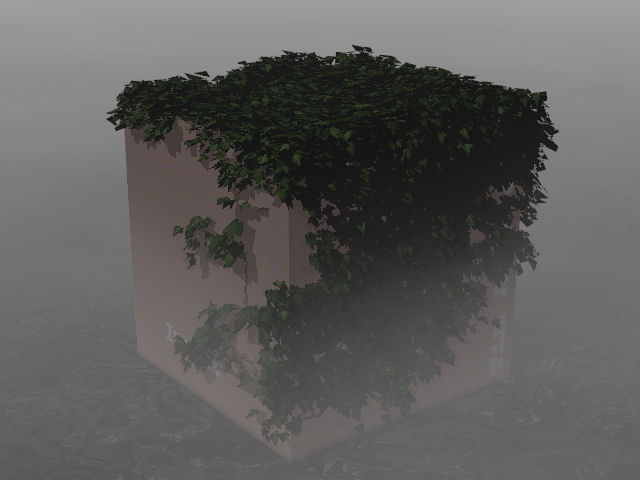
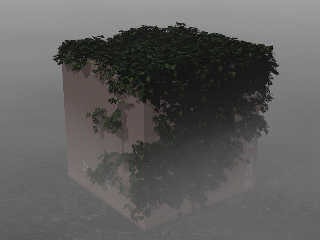
Seems to run a bit smoother, the planting point
shows up right...
Post a reply to this message
Attachments:
Download 'ivybox2.jpg' (38 KB)
Preview of image 'ivybox2.jpg'
|
|
| |
| |
|
|
|
|
| |
| |
|
|
"Tim Attwood" <tim### [at] comcastnet> schreef in bericht
news:4605f744@news.povray.org...
> Seems to run a bit smoother, the planting point
> shows up right...
>

Yes, at least the normals orientation seems to have been corrected. Now they
point outwards standard.

There are still a number of issues in my experience:
- the erroneous inversion of the probability sliders will be corrected in
the next version, Thomas Luft told me.
- the leaf image_maps should be mirrored in order to show up right (also in
this version)
- there is an issue about the orientation. The imported support is mirrored
along the x-axis (try with an asymmetric object), and the exported ivy is
mirrored too along the x-axis. This is no problem with a symmetrical
support, but not otherwise.

I have contacted Thomas Luft about this.

Also, watch out for I-stack overflow and max_trace_level in your render!!!

Thomas
Post a reply to this message
|
|
| |
| |
|
|
|
|
| |
| |
|
|
"s.day" <s.d### [at] uelacuk> schreef in bericht
news:web.4605bffcd01dc451675f1e2b0@news.povray.org...
> "Thomas de Groot" <t.d### [at] internlDOTnet> wrote:
>> The Ivy Generator has been updated. And there is a Mac version too. Go
>> to:
>> http://graphics.uni-konstanz.de/~luft/ivy_generator/
>>
>> Thomas
>
> Thanks Thomas, I have not seen this before it looks excellent..
>

Tim Riley should be thanked :-)  He made us aware earlier this month. See
above, on the 15th of March!!

Thomas
Post a reply to this message
|
|
| |
| |
|
|
|
|
| |
| |
|
|
"Tim Attwood" <tim### [at] comcastnet> wrote in message
news:4605f744@news.povray.org...
> Seems to run a bit smoother, the planting point
> shows up right...
>
>
nice!

How do you have to do the the texture mapping?
Is it possible to convert a pov scene to .obj ? via which tool?
Post a reply to this message
|
|
| |
| |
|
|
|
|
| |
| |
|
|
> How do you have to do the the texture mapping?

There are image maps in the texture directory...

After importing with PoseRay the materials of the leafs
need to be changed... remove the white background
layered texture, remove the transmit overloading and
mirror the image map in the z axis.

It's possible to create a black and white transparency
map for PoseRay, which renders OK as exported,
except it needs mirrored still... but the complex transparent
layered textures render at about half speed...

> Is it possible to convert a pov scene to .obj ? via which tool?

In general it's not really possible to export from pov
because pov supports more primitives than other formats,
and macros etc.

It's probably easier to create a "proxy object" with Wings3D
then use it as constraints for the ivy generator.
Post a reply to this message
|
|
| |
| |
|
|
|
|
| |
| |
|
|
I give up.  I made my object in Wings3D, imported into the Ivy Generator,
and went back through Wings again to export it to POV.  But of course, all
I get is a bunch of white triangles for leaves.  How do I get the leaf
texture properly applied to each individual leaf?
Post a reply to this message
|
|
| |
| |
|
|
|
|
| |
| |
|
|
"Kirk Andrews" <kir### [at] hotmailcom> schreef in bericht
news:web.4607628ad01dc4512577d2d70@news.povray.org...
>I give up.  I made my object in Wings3D, imported into the Ivy Generator,
> and went back through Wings again to export it to POV.  But of course, all
> I get is a bunch of white triangles for leaves.  How do I get the leaf
> texture properly applied to each individual leaf?
>

Use Poseray!!
Load the ivy object in Poseray, fix the image_maps in the Materials window,
and export to POV-Ray. That is all there is to it. And Poseray is free, so
nothing there to hold you back  :-)

Thomas
Post a reply to this message
|
|
| |
| |
|
|
|
|
| |
| |
|
|
"Tim Attwood" <tim### [at] comcastnet> schreef in bericht
news:46072b99@news.povray.org...
> After importing with PoseRay the materials of the leafs
> need to be changed... remove the white background
> layered texture, remove the transmit overloading and
> mirror the image map in the z axis.
>

Tim, what do you mean exactly by 'transmit overloading'? After editing, also
commenting out the pigment{Clear}, the texture should look like this',
shouldn't it?

#declare leaf_adult__opaque=
texture{pigment{uv_mapping p_map1}
        finish{specular 0.2980392 roughness 0.09632328 ambient rgb <0,0,0>
reflection{0 } conserve_energy}}
#declare leaf_adult_=
material{
texture{pigment_pattern{uv_mapping p_map2}
texture_map{//[0 pigment{Clear}]
            [1 leaf_adult__opaque]
           }}
}

Thomas
Post a reply to this message
|
|
| |
| |
|
|
|
|
| |
| |
|
|
> Tim, what do you mean exactly by 'transmit overloading'? After editing,
> also commenting out the pigment{Clear}, the texture should look like
> this', shouldn't it?

After converting with PoseRay the pigments look like this...

#declare p_map1=pigment {uv_mapping image_map{
 png "E:\graphics\ivy_gen\textures\efeu1.png"
 interpolate 2 transmit all 0 filter all 0} }

but they should look like this ... flipped over ... without
the transmit all...

#declare p_map1=pigment {uv_mapping image_map{
   png "E:\graphics\ivy_gen\textures\efeu1.png"
   }rotate<0,0,180>}

and the layered material looks like this ...

#declare leaf_adult_=
material{
texture{pigment {color rgb <1,1,1> transmit  0}
        finish{phong 0.2980392 phong_size 36.25229 diffuse 0.6*1
        ambient rgb <0,0,0> reflection{0 metallic}}}
texture{pigment{p_map1}
        finish{ phong 0.2980392 phong_size 36.25229 diffuse 0.6*1
        ambient rgb <0,0,0> reflection{0 metallic}}}
}

but can be simply

#declare leaf_adult_=  material{
texture{pigment{p_map1}
        finish{ phong 0.2980392 phong_size 36.25229 diffuse 0.6
        ambient rgb <0,0,0> reflection{0 metallic}}}
}

the transparency info is already in the PNG
Post a reply to this message
|
|
| |
| |
|
|
|
|
| |
| |
|
|
Ah yes, I see! That makes indeed a big difference. I never realized that
transmit all and/or filter all slowed down the render. The layered texture I
knew, but I had included a transparency map. However, that is not necessary
of course as the transparency is already in the png. I hadn't thought the
thing entirely through apparently  :-)
So, Poseray is doing a thorough job, but much overdone in this case!!

Thank you Tim! I again learned new stuff!

Thomas
Post a reply to this message
|
|
| |
| |
|
|
|
|
| |
| |
|
|
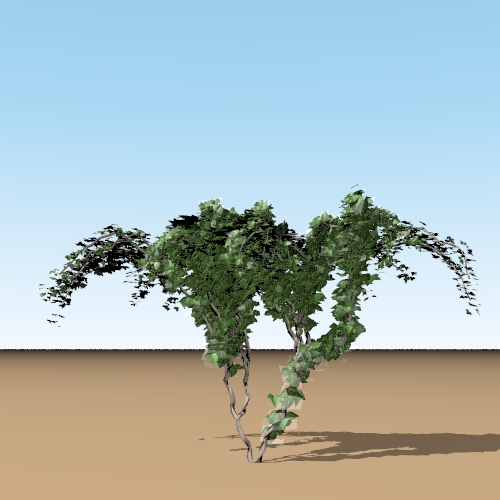
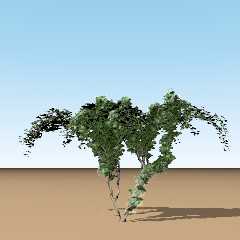
There still is a problem that under certain conditions, the transparent
support becomes visible...

Thomas
Post a reply to this message
Attachments:
Download 'GrowingIvyTest.jpg' (98 KB)
Preview of image 'GrowingIvyTest.jpg'
|
|
| |
| |
|
|
|
|
| |
| |
|
|
OK. Solution to that one: delete the finish{}, especially specular and/or
phong.

Thomas
Post a reply to this message
|
|
| |
| |
|
|
|
|
| |
| |
|
|
"Thomas de Groot" <t.d### [at] internlDOTnet> wrote in message
news:4609024e@news.povray.org...
> There still is a problem that under certain conditions, the transparent
> support becomes visible...

     Ah! I was getting this Thomas! I thought it was because I was using
media in the scene as when I turned media off, it worked fine. Hmm, strange.

      ~Steve~


>
> Thomas
>
>
>
Post a reply to this message
|
|
| |
| |
|
|
|
|
| |
| |
|
|
"St." <dot### [at] dotcom> schreef in bericht news:46090469@news.povray.org...
>

>     Ah! I was getting this Thomas! I thought it was because I was using
> media in the scene as when I turned media off, it worked fine. Hmm,
> strange.
>

The problem appears because the material is not a texture_map anymore. So
the transparent part normally invisble by the alpha channel of the image,
becomes visible because of the finish{} specular or phong. So the best thing
to do is comment out the finish{}.
However, I had the problem also with the texture_map in place....

Thomas
Post a reply to this message
|
|
| |
| |
|
|
|
|
| |
| |
|
|
Before I forget: because these are image_maps, it is still smart to use a
finish{diffuse 0.8} to brighten up the leaves. Is a good thing to do anyway
for all image_maps in general.

Thomas
Post a reply to this message
|
|
| |
| |
|
|
|
|
| |
| |
|
|
"Thomas de Groot" <t.d### [at] internlDOTnet> a écrit dans le message de
news: 46090ca3$1@news.povray.org...
> Before I forget: because these are image_maps, it is still smart to use a
> finish{diffuse 0.8} to brighten up the leaves. Is a good thing to do
> anyway for all image_maps in general.
>
> Thomas
>
>
Oh yes I forgot that even if I often use higher diffuse values with
image_maps.
Thank you again Thomas :-)

Marc
Post a reply to this message
|
|
| |
| |
|
|
|
|
| |
| |
|
|
"Marc" <jac### [at] wanadoofr> schreef in bericht
news:46090e1f@news.povray.org...
>
>>
> Oh yes I forgot that even if I often use higher diffuse values with
> image_maps.
> Thank you again Thomas :-)
>

<grin>
Especially as it was you that brought this to the community's attention,
years ago  :-)

Thomas
Post a reply to this message
|
|
| |
| |
|
|
|
|
| |
| |
|
|
"Thomas de Groot" <t.d### [at] internlDOTnet> a écrit dans le message de
news: 46092ae7@news.povray.org...
>
> <grin>
> Especially as it was you that brought this to the community's attention,
> years ago  :-)
>
> Thomas
>
Really?

Oh years ago, I had a good memory at this time  :-)
No seriousely, when I make my own image_map I  think of it but those were
ready made :-)

Marc
Post a reply to this message
|
|
| |
| |
|
|
|
|
| |