|
|
|
|
|
|
| |
| |
|
|
|
|
| |
| |
|
|
Over in off-topic, Mike was complaining of a lull in the community here, so
Ross suggested posting whatever you are doing now, whatever the state of it
is.

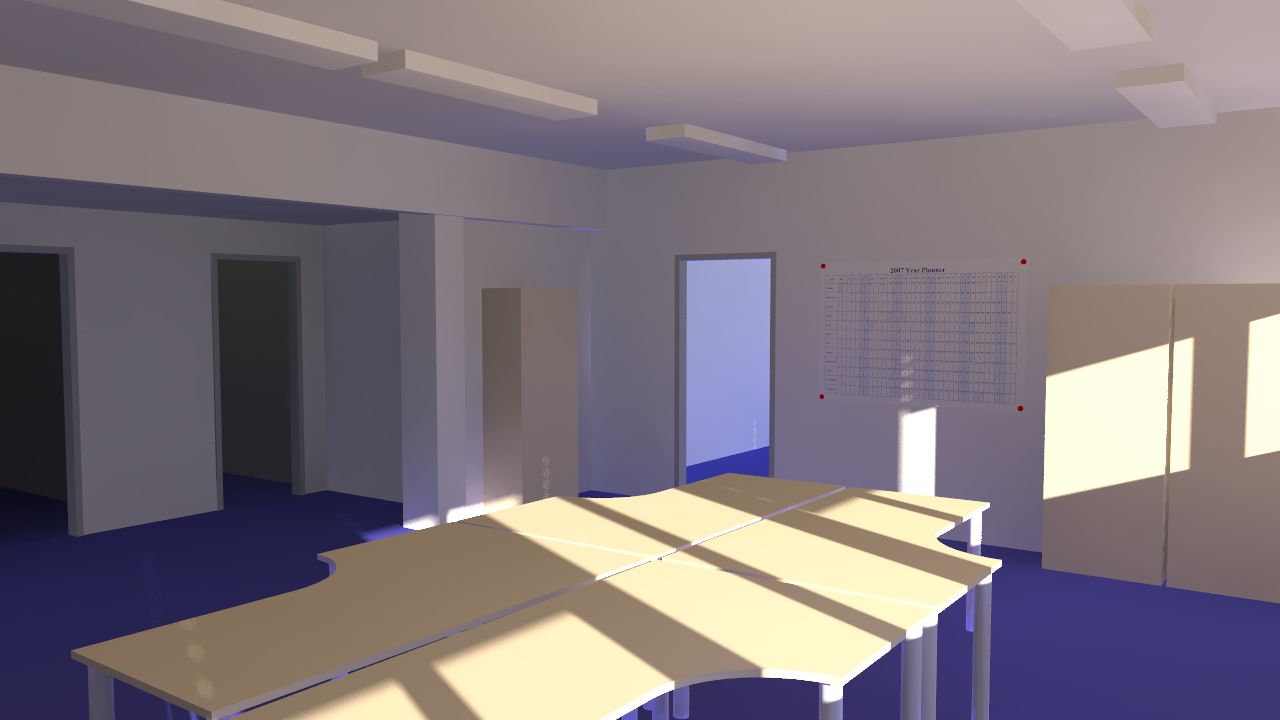
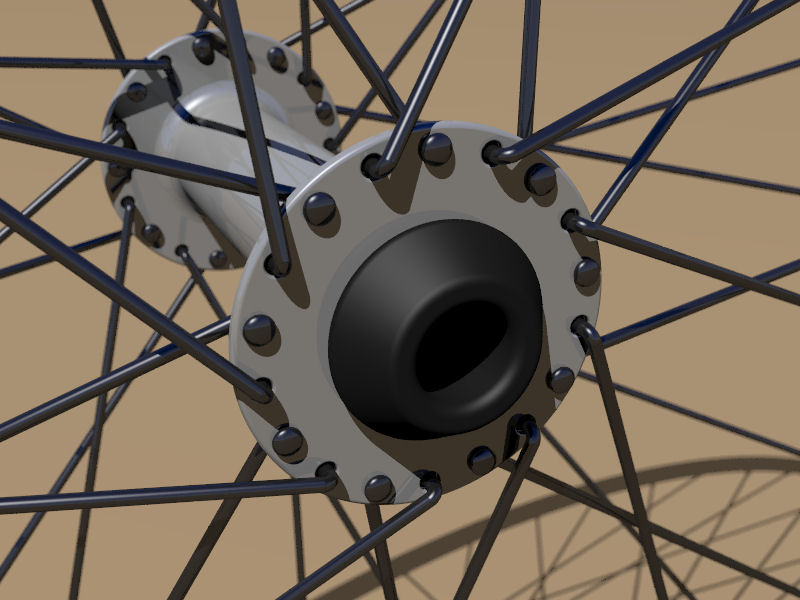
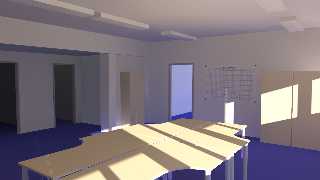
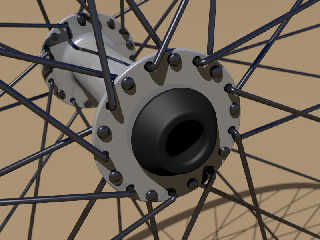
So, here are the two things I've been working on recently.  First is a basic
attempt to model my office, second is an attempt to model a bike wheel.
Post a reply to this message
Attachments:
Download 'room1.jpg' (53 KB)
Download 'closeup.jpg' (76 KB)
Preview of image 'room1.jpg'
Preview of image 'closeup.jpg'
|
|
| |
| |
|
|
|
|
| |
| |
|
|
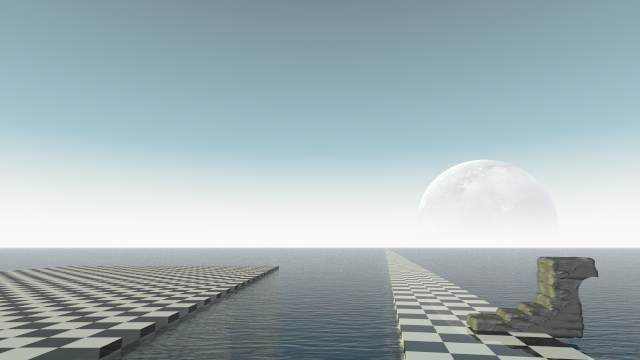
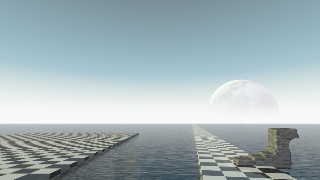
originally inspired by an image inspired by a sketch by dali. WIP. some
obvious places where i need to fix the geometry on the rocks.

anyway, enjoy.
Post a reply to this message
Attachments:
Download 'lull.jpg' (64 KB)
Preview of image 'lull.jpg'
|
|
| |
| |
|
|
|
|
| |
| |
|
|
"scott" <ask### [at] me com> wrote:
> Over in off-topic, Mike was complaining of a lull in the community here, so
> Ross suggested posting whatever you are doing now, whatever the state of it
> is.
>
> So, here are the two things I've been working on recently. First is a basic
> attempt to model my office, second is an attempt to model a bike wheel.
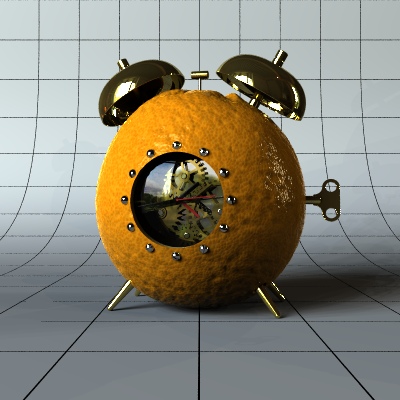
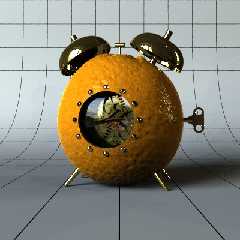
Been working on some CGSphere entries. Preview of #3 (a revision to my #2,
A Clockwork Orange). I have been having difficulties with the default
background grid disappearing without stupidly high AA settings. Any
suggestions? (Can't change the grid)
-tgq com> wrote:
> Over in off-topic, Mike was complaining of a lull in the community here, so
> Ross suggested posting whatever you are doing now, whatever the state of it
> is.
>
> So, here are the two things I've been working on recently. First is a basic
> attempt to model my office, second is an attempt to model a bike wheel.
Been working on some CGSphere entries. Preview of #3 (a revision to my #2,
A Clockwork Orange). I have been having difficulties with the default
background grid disappearing without stupidly high AA settings. Any
suggestions? (Can't change the grid)
-tgq
Post a reply to this message
Attachments:
Download 'cgsphere3.jpg' (64 KB)
Preview of image 'cgsphere3.jpg'
|
|
| |
| |
|
|
|
|
| |
| |
|
|
> Been working on some CGSphere entries.  Preview of #3 (a revision to my
> #2,
> A Clockwork Orange).  I have been having difficulties with the default
> background grid disappearing without stupidly high AA settings.  Any
> suggestions? (Can't change the grid)

Render at 2x or higher the resolution with more "normal" AA settings, then
rescale (using a decent method) in a paint program.
Post a reply to this message
|
|
| |
| |
|
|
|
|
| |
| |
|
|
"scott" <ask### [at] mecom> wrote in message news:458314dd@news.povray.org...
> > Been working on some CGSphere entries.  Preview of #3 (a revision to my
> > #2,
> > A Clockwork Orange).  I have been having difficulties with the default
> > background grid disappearing without stupidly high AA settings.  Any
> > suggestions? (Can't change the grid)
>
> Render at 2x or higher the resolution with more "normal" AA settings, then
> rescale (using a decent method) in a paint program.
>
>

or just use an insane AA, not sure what the guidelines for the CGSpheres
site is, but post-processing like that might not be appropriate.

my image above was rendered with +AM2 +A0.0 otherwise the checkered texture
looks horrible in the distance.
Post a reply to this message
|
|
| |
| |
|
|
|
|
| |
| |
|
|
"scott" <ask### [at] mecom> wrote:
> > Been working on some CGSphere entries.  Preview of #3 (a revision to my
> > #2,
> > A Clockwork Orange).  I have been having difficulties with the default
> > background grid disappearing without stupidly high AA settings.  Any
> > suggestions? (Can't change the grid)
>
> Render at 2x or higher the resolution with more "normal" AA settings, then
> rescale (using a decent method) in a paint program.

Thanks, I'll try that perhaps.

-tgq
Post a reply to this message
|
|
| |
| |
|
|
|
|
| |
| |
|
|
"Ross" <rli### [at] speakeasynet> wrote:
> "scott" <ask### [at] mecom> wrote in message news:458314dd@news.povray.org...
> > > Been working on some CGSphere entries.  Preview of #3 (a revision to my
> > > #2,
> > > A Clockwork Orange).  I have been having difficulties with the default
> > > background grid disappearing without stupidly high AA settings.  Any
> > > suggestions? (Can't change the grid)
> >
> > Render at 2x or higher the resolution with more "normal" AA settings, then
> > rescale (using a decent method) in a paint program.
> >
> >
>
> or just use an insane AA, not sure what the guidelines for the CGSpheres
> site is, but post-processing like that might not be appropriate.
>
> my image above was rendered with +AM2 +A0.0 otherwise the checkered texture
> looks horrible in the distance.

Yes, PP is allowed.  Insane doesn't work for me, I get unreal render times
(relating to the fact that I use 256 light sources as usual)

-tgq
Post a reply to this message
|
|
| |
| |
|
|
|
|
| |
| |
|
|
"Trevor G Quayle" <Tin### [at] hotmailcom> wrote in message
news:web.4583129c8f139dc5c150d4c10@news.povray.org...
> "scott" <ask### [at] mecom> wrote:
> > Over in off-topic, Mike was complaining of a lull in the community here,
so
> > Ross suggested posting whatever you are doing now, whatever the state of
it
> > is.
> >
> > So, here are the two things I've been working on recently.  First is a
basic
> > attempt to model my office, second is an attempt to model a bike wheel.
>
> Been working on some CGSphere entries.  Preview of #3 (a revision to my
#2,
> A Clockwork Orange).  I have been having difficulties with the default
> background grid disappearing without stupidly high AA settings.  Any
> suggestions? (Can't change the grid)
>
> -tgq
>

I like the concept, better than most at the CGSphere's site that I saw. I
think something like a metal ring around the face of the clock, sort of
plating the orange, would look nice.

pretty good orange texture too.
Post a reply to this message
|
|
| |
| |
|
|
|
|
| |
| |
|
|
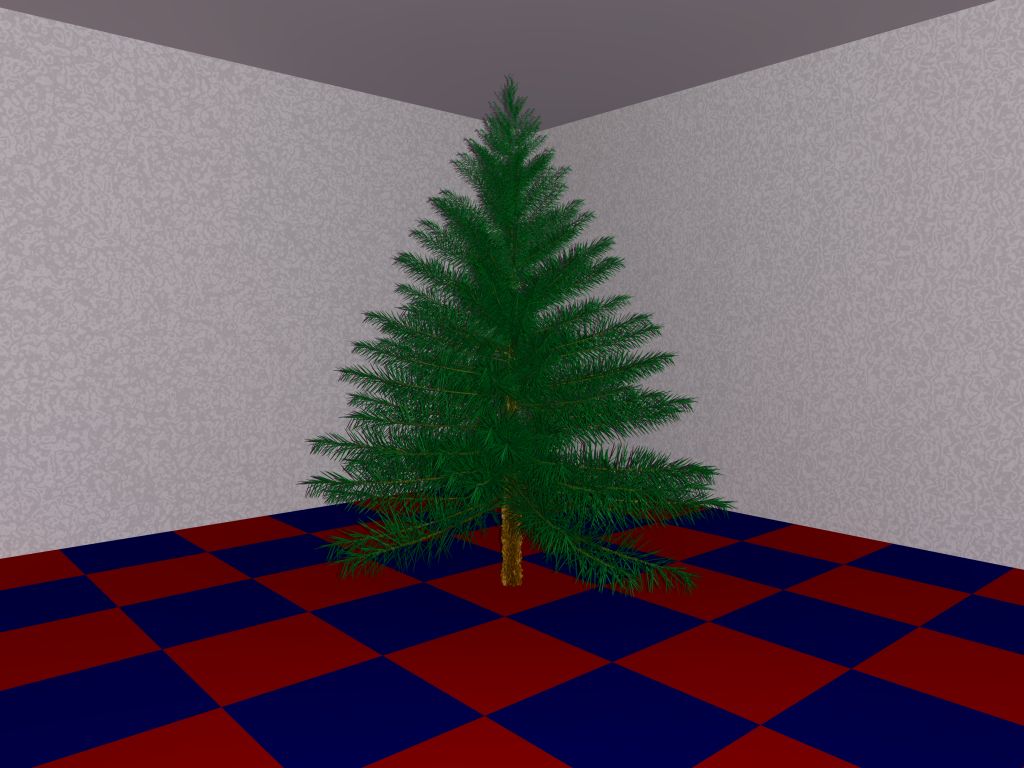
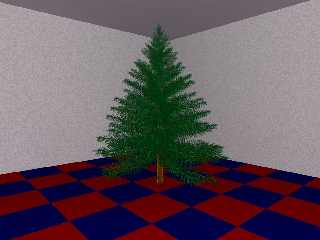
Here's mine. Bet you can't tell what it is. (Mainly due to the poor
quality of the rendering.)

Obviously, I am nowhere near 1337 enough to make this up all by myself.
It's actually done with POV-Tree and Tom Tree. It *still* doesn't look
right. (A damn site better than my own algorithm, but it still looks
wrong. In particular, the needles differ vastly in size.)

This is actually a scaled down version of an image rendered at about
2,000 pixels square. Took slightly less than 1 hour to render on an AMD
Athlon64 in 32-bit mode. It renders faster without radiosity - but then
the lighting looks *very* weird.

If I ever finish it, it's going to go on Zazzle. The plan is to add
*lots* of fairy lights. Because I think they're pretty. :-P

PS. The checkered floor is actually supposed to be carpet tiles. We
actually have these at work. Unfortunately, the image makes it look
nothing like carpet! (The wallpaper looks pretty similar to what we have
at work though. But without the peeling...)
Post a reply to this message
Attachments:
Download 'tree-09-final.jpg' (97 KB)
Preview of image 'tree-09-final.jpg'
|
|
| |
| |
|
|
|
|
| |
| |
|
|
"scott" <ask### [at] mecom> wrote:
> Render at 2x or higher the resolution with more "normal" AA settings, then
> rescale (using a decent method) in a paint program.

sounds just like the supersampling Antia-Aliasing method he's using.
Post a reply to this message
|
|
| |
| |
|
|
|
|
| |
| |
|
|
I use the resolution trick to effectively set a minimum AA depth to pick up
detail that is less than one pixel big.  I wasn't aware of any way to do
that in POV itself without forcing every single pixel to be sampled the
maximum number of times (which is slooow).
Post a reply to this message
|
|
| |
| |
|
|
|
|
| |
| |
|
|
"Trevor G Quayle" <Tin### [at] hotmailcom> wrote in message
news:web.4583129c8f139dc5c150d4c10@news.povray.org...
> "scott" <ask### [at] mecom> wrote:
>> Over in off-topic, Mike was complaining of a lull in the community here,
>> so
>> Ross suggested posting whatever you are doing now, whatever the state of
>> it
>> is.
>>
>> So, here are the two things I've been working on recently.  First is a
>> basic
>> attempt to model my office, second is an attempt to model a bike wheel.
>
> Been working on some CGSphere entries.  Preview of #3 (a revision to my
> #2,
> A Clockwork Orange).  I have been having difficulties with the default
> background grid disappearing without stupidly high AA settings.  Any
> suggestions? (Can't change the grid)

    Try using the FB option at the top of the file Trevor. I found it works
for me, but I know what you mean.  :/

    Nice idea!  (You'll see my next one soon).  :o)

      ~Steve~


>
> -tgq
>
Post a reply to this message
|
|
| |
| |
|
|
|
|
| |
| |
|
|
Well, here is my doodling from while I was waiting for Terragen2 to show up.
Playing with the idea of developing a series of renderings which illustrates
the progression of putting together a landscape without getting too fancy.
The images are 1)terrain geometry, camera position and basic light,
2)developed lighting, 3)texture and 4) atmosphere. Cute maybe, but I'm not
sure how useful.

Abe
Post a reply to this message
Attachments:
Download 'simpter.jpg' (169 KB)
Preview of image 'simpter.jpg'

|
|
| |
| |
|
|
|
|
| |
| |
|
|
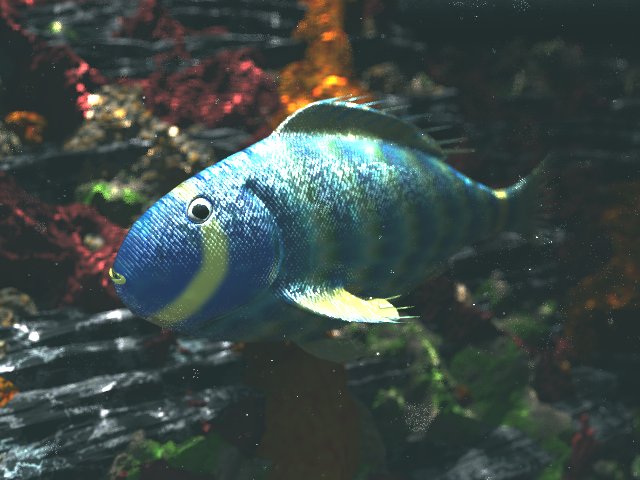
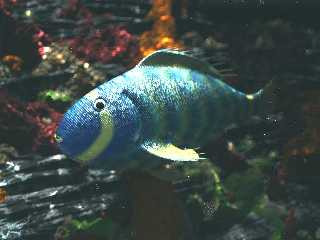
Some fish modeling with Wings... much more difficult than it looked at
first glance!

--
Jaime
Post a reply to this message
Attachments:
Download 'fish1-061125-5.jpg' (55 KB)
Preview of image 'fish1-061125-5.jpg'
|
|
| |
| |
|
|
|
|
| |
| |
|
|
"scott" <ask### [at] mecom> wrote:
> ... so Ross suggested posting whatever you are doing now, whatever the state
> of it is.

Good idea actually :)
It's not really POVRay related but for the last half year i was working on
and off on a high-poly version of the Hiigarian Transport 'Bishop' from the
computer game Homeworld. It's modelled in Wings3D and at the moment I'm
texturing it. The final mesh has over 200K triangles. Once it's done i can
hopefully do some nice images along with my Hiigarian Interceptor model :)

Regards Roman
Post a reply to this message
Attachments:
Download 'hiigarian_transport_bishop.jpg' (158 KB)
Preview of image 'hiigarian_transport_bishop.jpg'

|
|
| |
| |
|
|
|
|
| |
| |
|
|
Hey Jim, you've got a 'Startup.exe' attachment in your post too.

  Nice web.

   ~Steve~
Post a reply to this message
|
|
| |
| |
|
|
|
|
| |
| |
|
|
....and here's my latest work called 'Dangerous Encounter II' featuring my
Hiigarian Interceptor model and the fabulous Taidan Naar-Mah Lightcruiser
made by Krisztian Szijj.
Rendered in several layers in POVRay, composition and rather extensive
post-processing in Photoshop.

Hope you like it! (even you pov-purists :p)
Regards Roman
Post a reply to this message
Attachments:
Download 'dangerous_ecounter_ii.jpg' (325 KB)
Preview of image 'dangerous_ecounter_ii.jpg'

|
|
| |
| |
|
|
|
|
| |
| |
|
|
Like it?

I F***ing LOVE it!  Technically great, nice models and artistically
beautifully balanced.

I am a BIG fan of all the Homeworld/Homeworld2 spacecraft... I just wish I
could find the time to model the Hiigaran Battlecruiser!

Rarius

"Roman Reiner" <lim### [at] gmxde> wrote in message
news:web.4583dc048f139dc5c2715270@news.povray.org...
> ....and here's my latest work called 'Dangerous Encounter II' featuring my
> Hiigarian Interceptor model and the fabulous Taidan Naar-Mah Lightcruiser
> made by Krisztian Szijj.
> Rendered in several layers in POVRay, composition and rather extensive
> post-processing in Photoshop.
>
> Hope you like it! (even you pov-purists :p)
> Regards Roman
>
Post a reply to this message
|
|
| |
| |
|
|
|
|
| |
| |
|
|
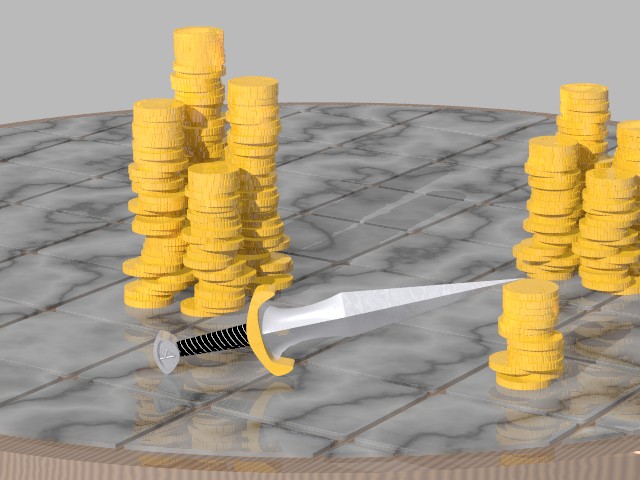
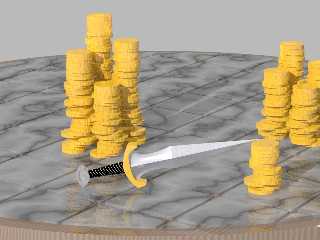
Thief's life, WIP.
The wood texture is placeholder while I figure out isowood. Any advice
on making the tiles look more different? As they are now, it looks like
the tiles were cut from a single large piece of stone, which doesn't
look like the cheap table I was going for.
Post a reply to this message
Attachments:
Download 'thiefs_life.jpg' (67 KB)
Preview of image 'thiefs_life.jpg'
|
|
| |
| |
|
|
|
|
| |
| |
|
|
Sabrina Kilian nous apporta ses lumieres en ce 16-12-2006 07:34:
> Thief's life, WIP.
> The wood texture is placeholder while I figure out isowood. Any advice
> on making the tiles look more different? As they are now, it looks like
> the tiles were cut from a single large piece of stone, which doesn't
> look like the cheap table I was going for.
>
>
> ------------------------------------------------------------------------
>
Add the texture to each tile individualy, with some random translate and rotation.
You can also use 2 repeat warp with some large offset and possibly some flip.
This way, you can use one texture for the whole table top.

--
Alain
-------------------------------------------------
Make yourself a better person and know who you are before you try and know
someone else and expect them to know you.
Post a reply to this message
|
|
| |
| |
|
|
|
|
| |
| |
|
|
Sabrina Kilian nous apporta ses lumieres en ce 16-12-2006 07:34:
> Thief's life, WIP.
> The wood texture is placeholder while I figure out isowood. Any advice
> on making the tiles look more different? As they are now, it looks like
> the tiles were cut from a single large piece of stone, which doesn't
> look like the cheap table I was going for.


> ------------------------------------------------------------------------

If it's suposed to be a cheap table, you should make it a blured reflection. As
it is now, it's a very highly polished, extremely smooth marble.
Maybe add some staining to the grout, wine and blood spils are common in those
low life areas...

--
Alain
-------------------------------------------------
EVERYTHING HAS A GENDER

You may not know this but many nonliving things have a gender...

A Subway is Male, because it uses the same old lines to pick people up.
Post a reply to this message
|
|
| |
| |
|
|
|
|
| |
| |
|
|
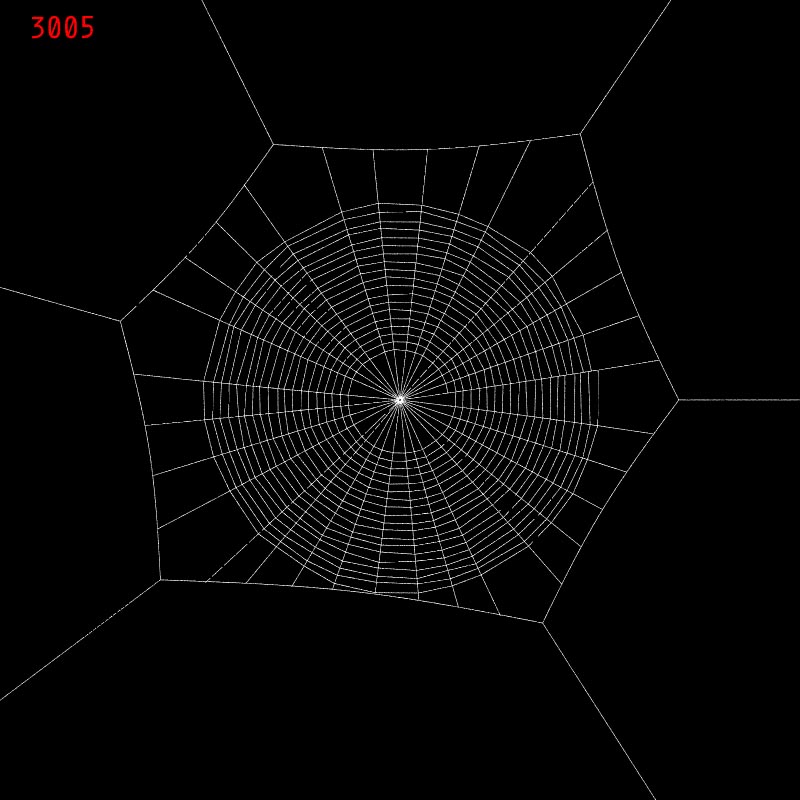
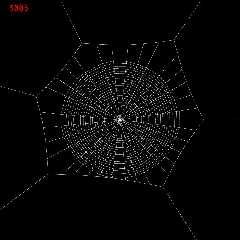
don't know how the added file got there.  in fact, "this morning", it's
actually pm, i was surprised to find i'd completed the post at all.  my
memory is that i'd fallen asleep sitting at the computer while in the
process of navigating to find the image while attaching it.
Post a reply to this message
Attachments:
Download '3005.jpg' (97 KB)
Preview of image '3005.jpg'
|
|
| |
| |
|
|
|
|
| |
| |
|
|
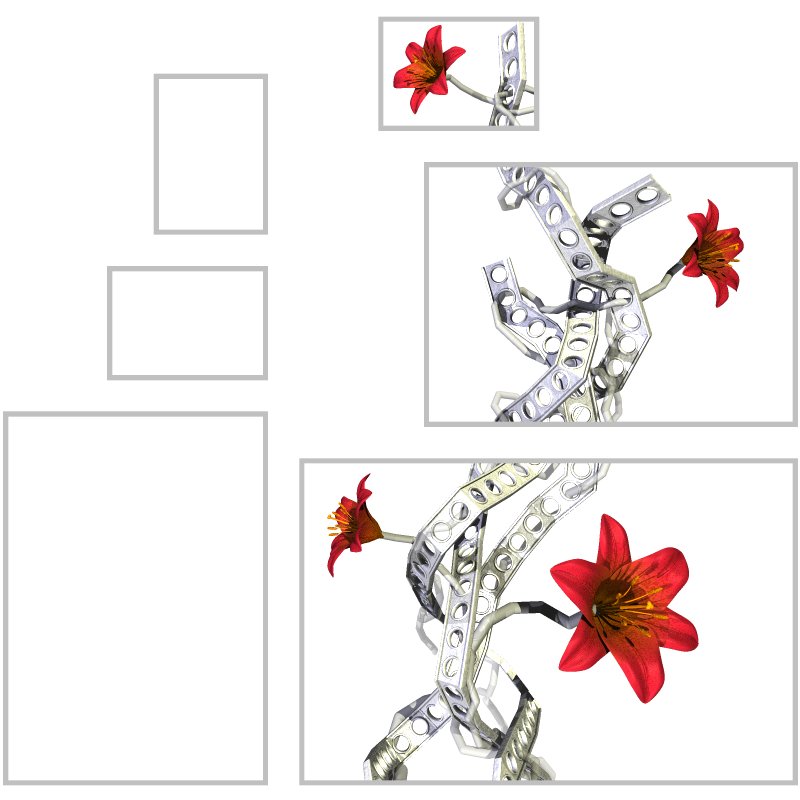
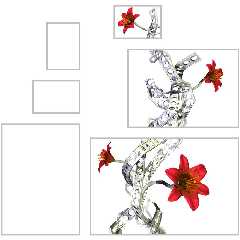
Not really something I'm working on right now, since I have several exams
that require my full attention, but I intent to take up this image again
when I have time.

It'll probably be named something like "Broken Canvas with Metal and
Flowers"

Rune
Post a reply to this message
Attachments:
Download 'metal_flowers.jpg' (65 KB)
Preview of image 'metal_flowers.jpg'
|
|
| |
| |
|
|
|
|
| |
| |
|
|
"scott" <ask### [at] mecom> wrote in message news:45830b48@news.povray.org...
> Over in off-topic, Mike was complaining of a lull in the community here,
so
> Ross suggested posting whatever you are doing now, whatever the state of
it
> is.

Good idea.

I've got three pieces half done. Just lacking the time and enthusiasm to
finish them.

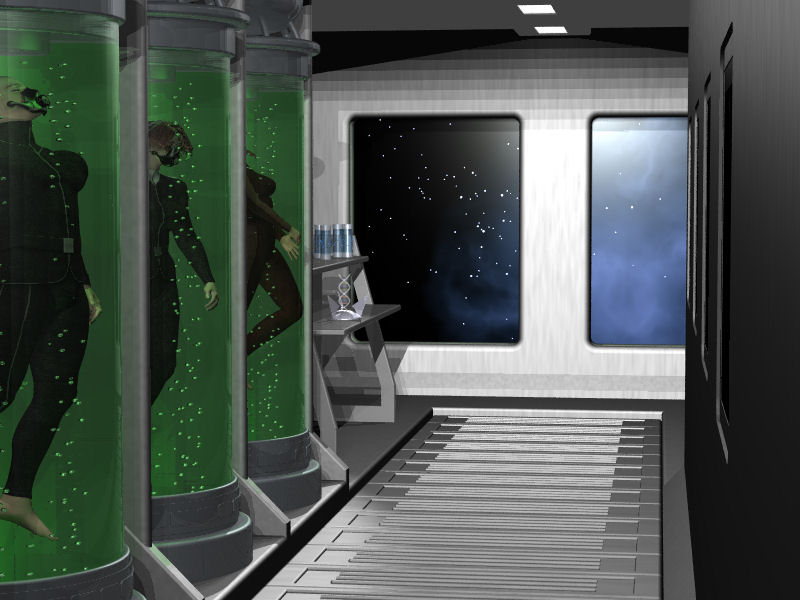
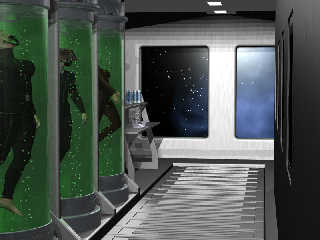
First off, something I ran up while in a sci-fi mood. Needs two more figures
added and some more work on the figures in the tanks.]
Post a reply to this message
Attachments:
Download 'Experiment.jpg' (74 KB)
Preview of image 'Experiment.jpg'
|
|
| |
| |
|
|
|
|
| |
| |
|
|
> "scott" <ask### [at] mecom> wrote in message news:45830b48@news.povray.org...
> > Over in off-topic, Mike was complaining of a lull in the community here,
> so
> > Ross suggested posting whatever you are doing now, whatever the state of
> it
> > is.
>

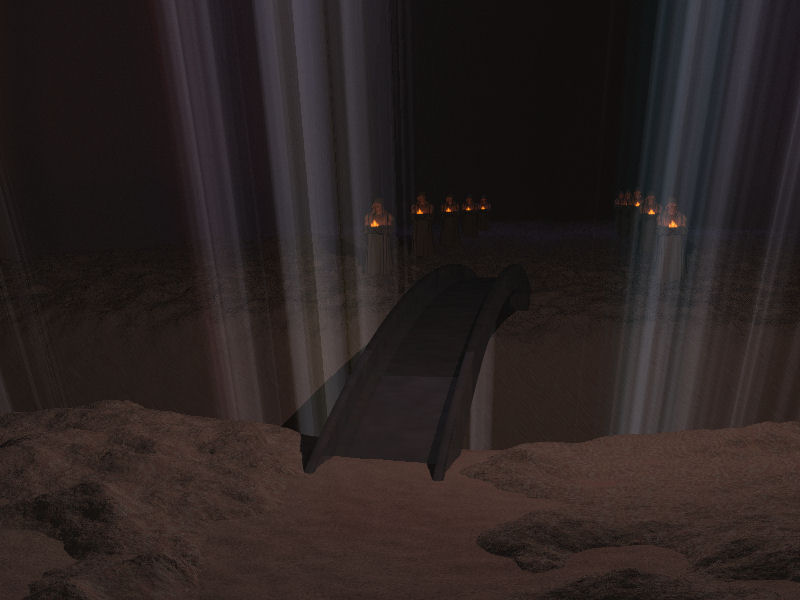
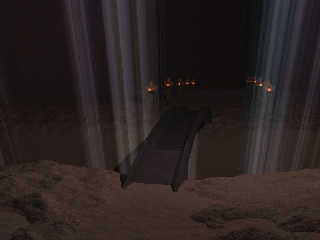
Second is something I've been playing with for months. Initial inspiration
came from the KotOR and KotOR 2 games (Korriban).
I've been fiddling with various options, trying to get something that will
work, and I think this will.

I'm going to put an alter of sorts at the end.
Post a reply to this message
Attachments:
Download 'Bridge.jpg' (45 KB)
Preview of image 'Bridge.jpg'
|
|
| |
| |
|
|
|
|
| |
| |
|
|
I just thought I'd let you know Jim, in case you'd missed it or something.

 Hopefully, you didn't dribble over your keyboard...  (been there, got the
T).   ;o)

   Later mate,

    ~Steve~
Post a reply to this message
|
|
| |
| |
|
|
|
|
| |
| |
|
|
"Gail Shaw" <initialsurname@sentech sa dot com> wrote in message
news:45843626@news.povray.org...

> First off, something I ran up while in a sci-fi mood. Needs two more
> figures
> added and some more work on the figures in the tanks.]

   I'm liking this Gail! I think the postures of the guys in the tanks are
fine, but go ahead and add more details.  :o)

   ~Steve~
Post a reply to this message
|
|
| |
| |
|
|
|
|
| |
| |
|
|
"scott" <ask### [at] mecom> wrote in message news:45830b48@news.povray.org...
> Over in off-topic, Mike was complaining of a lull in the community here,
so
> Ross suggested posting whatever you are doing now, whatever the state of
it
> is.
>

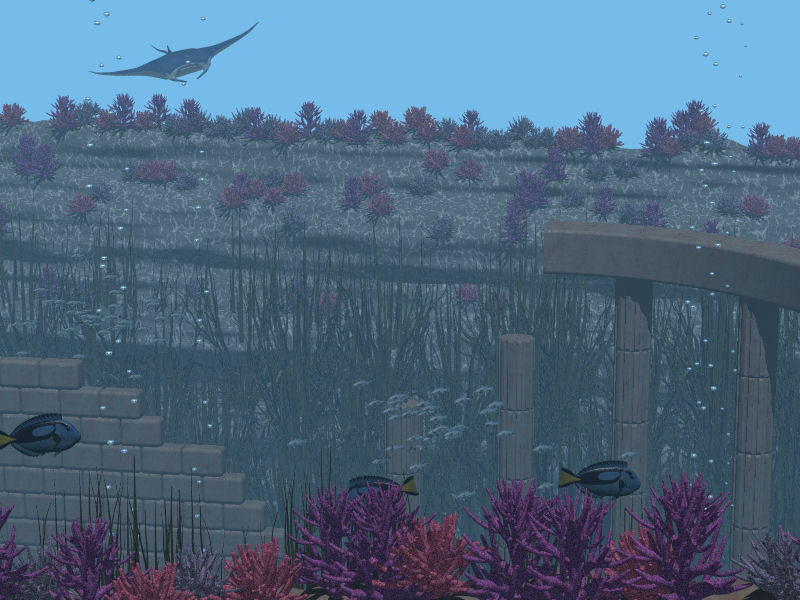
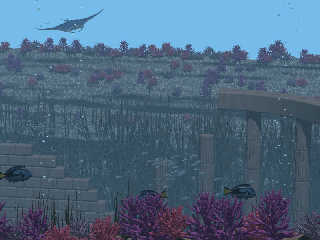
And lastly, my first attempt at an underwater scene.

Needs more fish.
Post a reply to this message
Attachments:
Download 'Ruins.JPG' (91 KB)
Preview of image 'Ruins.JPG'
|
|
| |
| |
|
|
|
|
| |
| |
|
|
"St." <dot### [at] dotcom> wrote in message news:45843b7a@news.povray.org...

>    I'm liking this Gail!

Thanks

> I think the postures of the guys in the tanks are
> fine, but go ahead and add more details.  :o)

The postures I'm happy with, the clothes and such I'm not completely. That
will involve work in paintshop pro and Rhino
Post a reply to this message
|
|
| |
| |
|
|
|
|
| |
| |
|
|
Uhh, I really like this one! And I really have to say that if I compare
some of your latest images to the earlier ones one can clearly see a lot
of progress in technique and artistic style. Although you always ranked
high in the former one and I'm definitely the wrong person to judge the
latter ;)

Keep this up, it looks like something I'd like to have on my wall as a
poster.


Regards,
Florian
Post a reply to this message
|
|
| |
| |
|
|
|
|
| |
| |
|
|
Florian Brucker wrote:
> Uhh, I really like this one! And I really have to say that if I
> compare some of your latest images to the earlier ones one can
> clearly see a lot of progress in technique and artistic style.

Thank you! :)

I'm curious which latest images you refer to. I haven't done a lot of 3D
images since 2001.

> Although you always ranked high in the former one and I'm definitely
> the wrong person to judge the latter ;)

My earlier images were not very focused on the artistic dimension. They were
merely technical and visual experiments and occasionally "eye candy" but
without much artistic thought involved. I feel this has changed, and while I
still feel very humble towards the great POV-Ray artists, at least I think
some of the stuff I do now can be considered art in the first place. :)

> Keep this up, it looks like something I'd like to have on my wall as a
> poster.

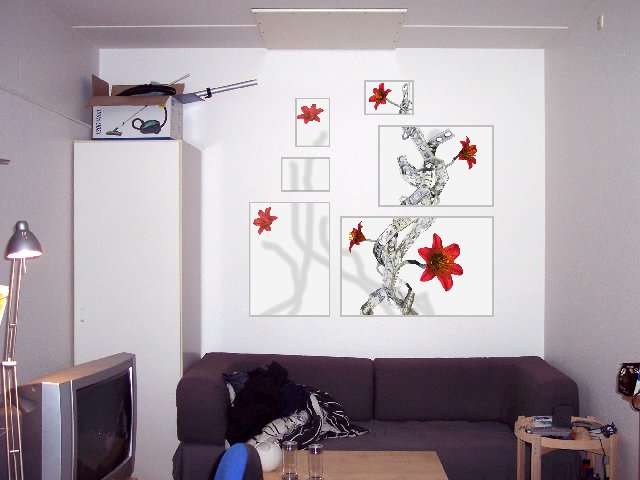
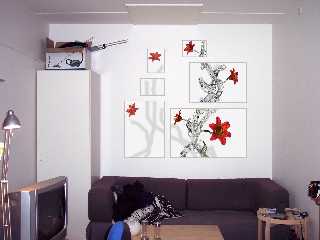
Wow, thanks for the compliment! Actually, the final product is supposed to
be several framed posters as visualized in the attached image, the idea
being that the physical form and arrangement of the individual images in
relation to each other is an integral element of the whole expression (thus
the "broken canvas").

Rune
--
http://runevision.com
Post a reply to this message
Attachments:
Download 'metal_flowers_posters.jpg' (49 KB)
Preview of image 'metal_flowers_posters.jpg'
|
|
| |
| |
|
|
|
|
| |
| |
|
|
I bought one of those lamps, (ok, VERY similar, but on mine, if you
placed something like a necklace (or any metal) *across the bars*, it would
short the lamp out).

      Just saying to be careful Rune, that's all.

      Excellent image.

      ~Steve~
Post a reply to this message
|
|
| |
| |
|
|
|
|
| |
| |
|
|
> I'm curious which latest images you refer to. I haven't done a lot of 3D
> images since 2001.

The one image which just keeps popping into my head when I read your
name is "A Glimpse of A Bigger World" (for the others:
http://runevision.com/show.asp?id=67). It may not be a 3D image, but
it's CG after all :)


Regards,
Florian
Post a reply to this message
|
|
| |
| |
|
|
|
|
| |
| |
|
|
well, I guess a sneak-preview won't hurt.

It's a walk through of our new house, modeled in Rhino3D, textures rendered
in povray (currently playing with radiosity), walk through using the
Blender game engine.

It's a stand alone windows EXE (sorry, no Linux version _yet_), and the
texture jpg's _must_ be located in C:woning or else it won't work.

http://jwstolk.xs4all.nl/i/woning5.zip  (3.5 mb)

Just unzip the file in C: and rename the directory from C:woning5 to
C:woning
Left mouse button to rotate, cursor keys to walk, space-bar = fly-mode.

Jaap.
Post a reply to this message
Attachments:
Download 'floor_2.jpg' (27 KB)
Preview of image 'floor_2.jpg'

|
|
| |
| |
|
|
|
|
| |
| |
|
|
now without messing up the back-slashes: (use two \\ to get one \ in this
newsgroup)

Just unzip the file in C\: and rename the directory from C:\woning5\ to
C:\woning\
Post a reply to this message
|
|
| |
| |
|
|
|
|
| |
| |
|
|
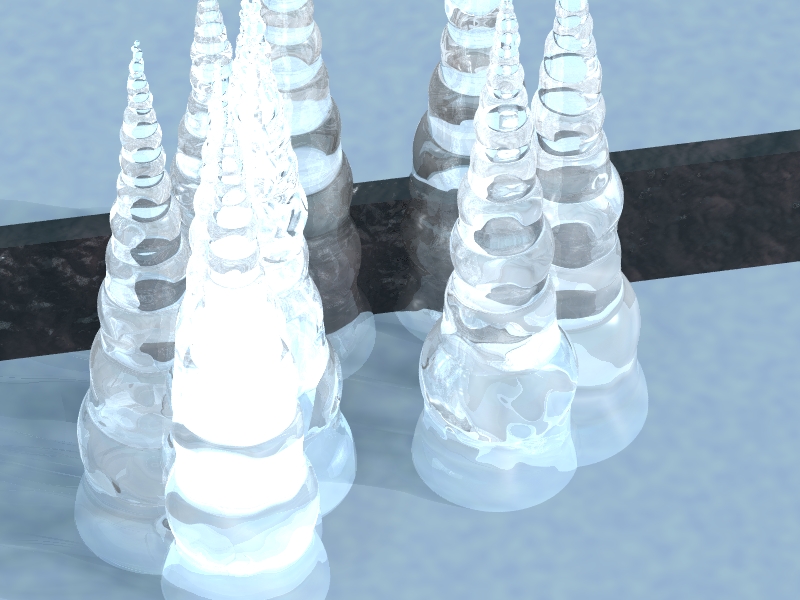
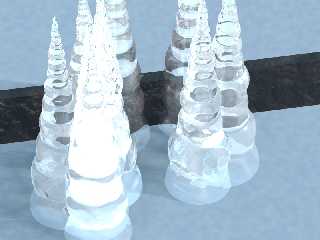
A try for a glass material I was working on lately. Still needs some
tweaking as it takes a long long time to render (not to mention that the
shapes are not realistic either)...
Post a reply to this message
Attachments:
Download 'ice.jpeg.jpg' (265 KB)
Preview of image 'ice.jpeg.jpg'
|
|
| |
| |
|
|
|
|
| |
| |
|
|
On Sat, 16 Dec 2006 20:41:12 -0000, "St." <dot### [at] dotcom> wrote:

>    I bought one of those lamps, (ok, VERY similar, but on mine, if you
>placed something like a necklace (or any metal) *across the bars*, it would
>short the lamp out).
>
>      Just saying to be careful Rune, that's all.
>
>      Excellent image.
>

I've got a bedside lamp like the one you bought. Yes the arms are live (12 v
IIRC) and I believe that it has an internal fuse that is not replaceable. When I
replaced the bulb, I put the front glass back the wrong way round. Every time it
was switched off it clicked so loud as it cooled down it that would wake me up.
Having said that Rune's lamp looks like an ordinary angle poise, mains voltage.

Rune, great idea for posters. How will you get them printed?

Regards
	Stephen
Post a reply to this message
|
|
| |
| |
|
|
|
|
| |
| |
|
|
Florian Brucker wrote:
>> I'm curious which latest images you refer to. I haven't done a lot
>> of 3D images since 2001.
>
> The one image which just keeps popping into my head when I read your
> name is "A Glimpse of A Bigger World" (for the others:
> http://runevision.com/show.asp?id=67 ). It may not be a 3D image, but
> it's CG after all :)

I'm very happy to be associated with that image in particular. It's the most
personal image I have yet created and I'm really happy that it has left an
impression. :)

Rune
--
http://runevision.com
Post a reply to this message
|
|
| |
| |
|
|
|
|
| |
| |
|
|
Stephen wrote:
> I've got a bedside lamp like the one you bought. Yes the arms are
> live (12 v IIRC) and I believe that it has an internal fuse that is
> not replaceable. When I replaced the bulb, I put the front glass back
> the wrong way round. Every time it was switched off it clicked so
> loud as it cooled down it that would wake me up. Having said that
> Rune's lamp looks like an ordinary angle poise, mains voltage.

I don't *think* the arms are live, but I'll keep in mind to be careful.

> Rune, great idea for posters. How will you get them printed?

I don't know yet. I have mostly considered local print shops since shipping
from USA (from eg. Zazzle) to Denmark is somewhat costly, but I'll have to
find out more about the pricing of various options.

Rune
--
http://runevision.com
Post a reply to this message
|
|
| |
| |
|
|
|
|
| |
| |
|
|
Jaime Vives Piqueres wrote:
> Some fish modeling with Wings... much more difficult than it looked at
> first glance!
>

Looks like it's smiling :).

--
Eero "Aero" Ahonen
   http://www.zbxt.net
      aer### [at] removethiszbxtnetinvalid
Post a reply to this message
|
|
| |
| |
|
|
|
|
| |
| |
|
|
> Here's mine. Bet you can't tell what it is. (Mainly due to the poor
> quality of the rendering.)
>
> Obviously, I am nowhere near 1337 enough to make this up all by myself.
> It's actually done with POV-Tree and Tom Tree. It *still* doesn't look
> right. (A damn site better than my own algorithm, but it still looks
> wrong. In particular, the needles differ vastly in size.)

The tree looks good, especially the bark texture.  Some colored reflective
spheres on the tree wouldn't go amiss :-)
Post a reply to this message
|
|
| |
| |
|
|
|
|
| |
| |
|
|
> Some fish modeling with Wings... much more difficult than it looked at
> first glance!

Wow that's great, how long did it take to render (ie any chance of an
animation)?
Post a reply to this message
|
|
| |
| |
|
|
|
|
| |
| |
|
|
scott wrote:
> Over in off-topic, Mike was complaining of a lull in the community here,
> so Ross suggested posting whatever you are doing now, whatever the state
> of it is.

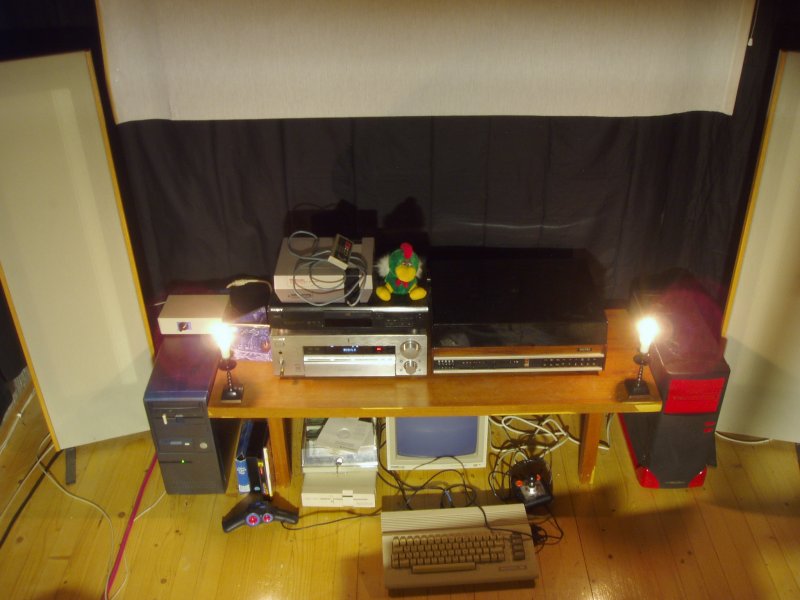
Yes, it's true. I actually don't have any ongoing POV-project I've
touched lately. Today I was repairing my car, yesterday and the day
before that I was sick. But on Wednesday I was doing at least
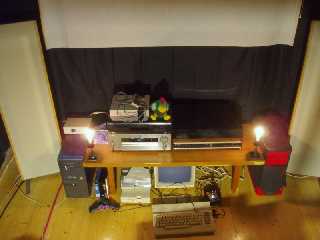
_something_ I do stand a chance to show - lately I've been enhancing my
entertainment battery. I mean, sorting it out, connecting devices,
making cables (I ran out of solder, argh) etc. So that I can enjoy lots
of stuff again. Excuse me for posting a crappy digiphoto (I might POV
this someday, but not yet;), but it's only in the name of the thread.

--
Eero "Aero" Ahonen
   http://www.zbxt.net
      aer### [at] removethiszbxtnetinvalid
Post a reply to this message
Attachments:
Download 'entarea_x.jpg' (75 KB)
Preview of image 'entarea_x.jpg'
|
|
| |
| |
|
|
|
|
| |
| |
|
|
Rune wrote:
>
> I don't *think* the arms are live, but I'll keep in mind to be careful.

If they are, you can modify the lamp to have a nice ladder-effect with
some extra-voltage. Just make sure to filter it out of A) electric
network and B) from the bulb.

;)

--
Eero "Aero" Ahonen
   http://www.zbxt.net
      aer### [at] removethiszbxtnetinvalid
Post a reply to this message
|
|
| |
| |
|
|
|
|
| |
| |
|
|
right now, i'm quite out of time.  But this was one of my last attempts with
povray.  The interesting part is that it uses a three-layered texture for
the pen.
Post a reply to this message
Attachments:
Download 'lapis.png' (83 KB)
Preview of image 'lapis.png'

|
|
| |
| |
|
|
|
|
| |
| |
|
|
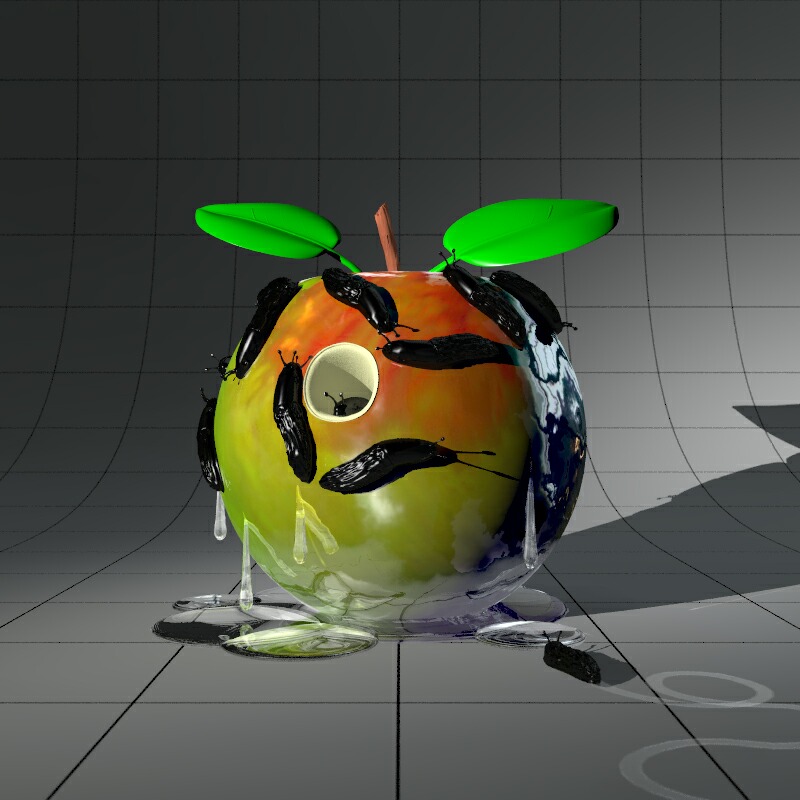
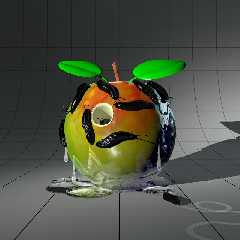
Ok, here's what I'm working on for CGSphere - 'SlugFest'. :o)

 I'm certainly not happy with the leaves and regard them as placeholders for
the moment.

 My soundbite for the image would be: "Slippery Slimy Slugs Slithering
Slightly/or/Slowly _ _ _ _ _ _"

  I'm lost for the last word or words - any idea's?

  ~Steve~
Post a reply to this message
Attachments:
Download 'SlugFest_LQuality.jpg' (100 KB)
Preview of image 'SlugFest_LQuality.jpg'
|
|
| |
| |
|
|
|
|
| |
| |
|
|
"Trevor G Quayle" <Tin### [at] hotmailcom> wrote:
> "scott" <ask### [at] mecom> wrote:
> > Over in off-topic, Mike was complaining of a lull in the community here, so
> > Ross suggested posting whatever you are doing now, whatever the state of it
> > is.
> >
> > So, here are the two things I've been working on recently.  First is a basic
> > attempt to model my office, second is an attempt to model a bike wheel.
>
> Been working on some CGSphere entries.  Preview of #3 (a revision to my #2,
> A Clockwork Orange).  I have been having difficulties with the default
> background grid disappearing without stupidly high AA settings.  Any
> suggestions? (Can't change the grid)
>
> -tgq

I didn't know about that CGSphere thing, thanks for bringing it to my
attention!

For your orange:
try making the hole in the centre a little more ragged around the edges
(maybe by differencing out an isosurface cylinder) and show a few
millimeters of white pithy rind in the cut, to give it more depth...
Post a reply to this message
|
|
| |
| |
|
|
|
|
| |
| |
|
|
"Mark Birch" <las### [at] hotmailcom> wrote:
> I didn't know about that CGSphere thing, thanks for bringing it to my
> attention!
>
> For your orange:
> try making the hole in the centre a little more ragged around the edges
> (maybe by differencing out an isosurface cylinder) and show a few
> millimeters of white pithy rind in the cut, to give it more depth...

Thanks, I may try that.  There should be some of the white pithy rind as I
did texture it that way, just not visible I guess.

BTW, I have my next one posted
http://www.cgsphere.com/gallery/details/?category=Show%20All&view=rating&artist=&main_app=&limit=30&fimit=60&submission
_id=1519
I got a better looking grid as I was able to use 0.0 AA settings on this one
without having to wait a week.

-tgq
Post a reply to this message
|
|
| |
| |
|
|
|
|
| |
| |
|
|
"scott" <ask### [at] mecom> schreef in bericht news:45830b48@news.povray.org...
> Over in off-topic, Mike was complaining of a lull in the community here,
> so
> Ross suggested posting whatever you are doing now, whatever the state of
> it
> is.
>

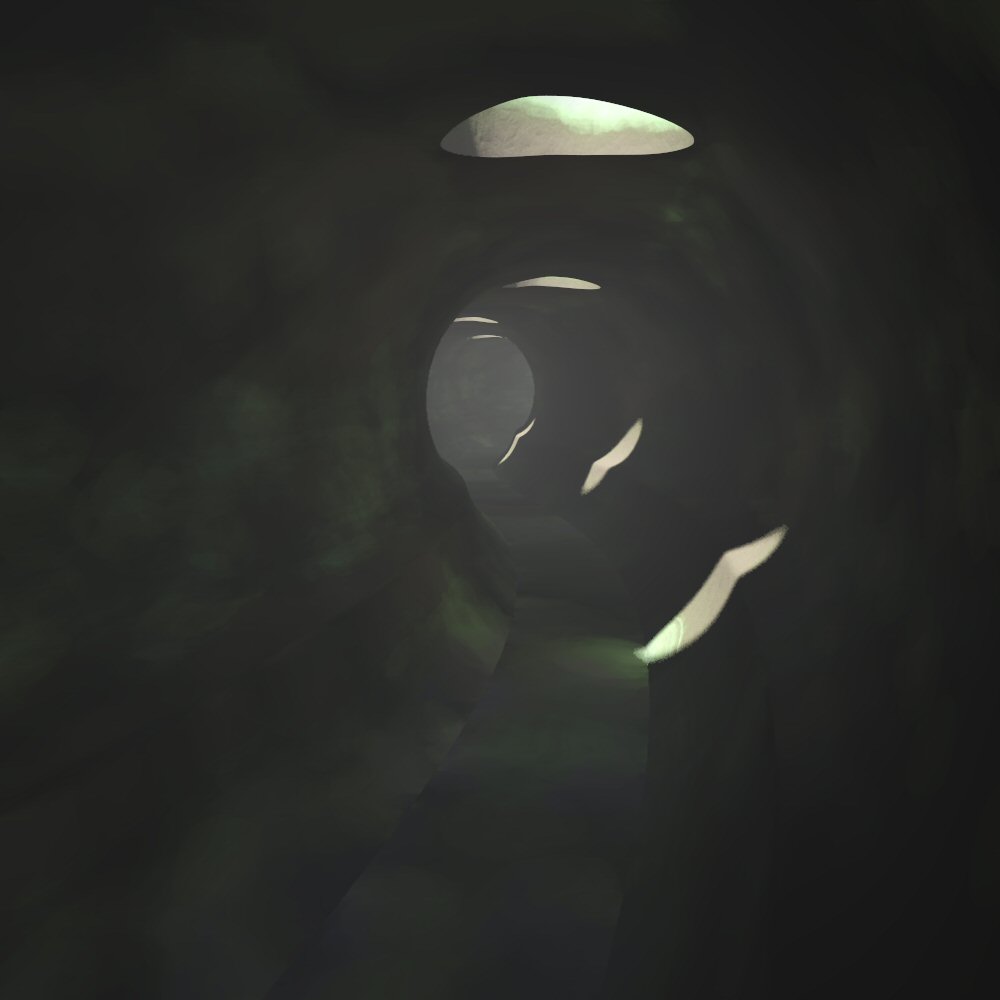
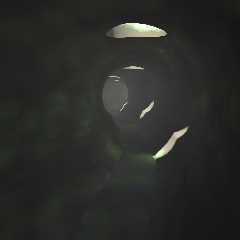
OK. Apart from Triton and Neptune, I am working on a scene for the Cathy's
World series. This one is based on a scene from the movie Stalker
(Tarkovski). Tunnel is built in Silo. The texture is using Rune's patina
macro. This is a somewhat older version. In the current version light shafts
are visible but the render time increases tremendously due to the scattering
effect, so I have no complete render available now. Working on the details.

Thomas
Post a reply to this message
Attachments:
Download 'Stalker_tunnel_02.jpg' (37 KB)
Preview of image 'Stalker_tunnel_02.jpg'
|
|
| |
| |
|
|
|
|
| |
| |
|
|
scott wrote:
> Wow that's great, how long did it take to render (ie any chance of an
> animation)?

   Thanks! It took about an hour thanks to the focal blur... otherwise
it renders fast, as the fish is a mesh and the background just some
height fields overlapping. The difficult part for an animation would be
that the fish model is rigid... but I've still to look into Chris
Colefax mesh macros, as I seem to remember these allow mesh bending.

--
Jaime
Post a reply to this message
|
|
| |
| |
|
|
|
|
| |