|
|
|
|
|
|
| |
| |
|
|
|
|
| |
| |
|
|
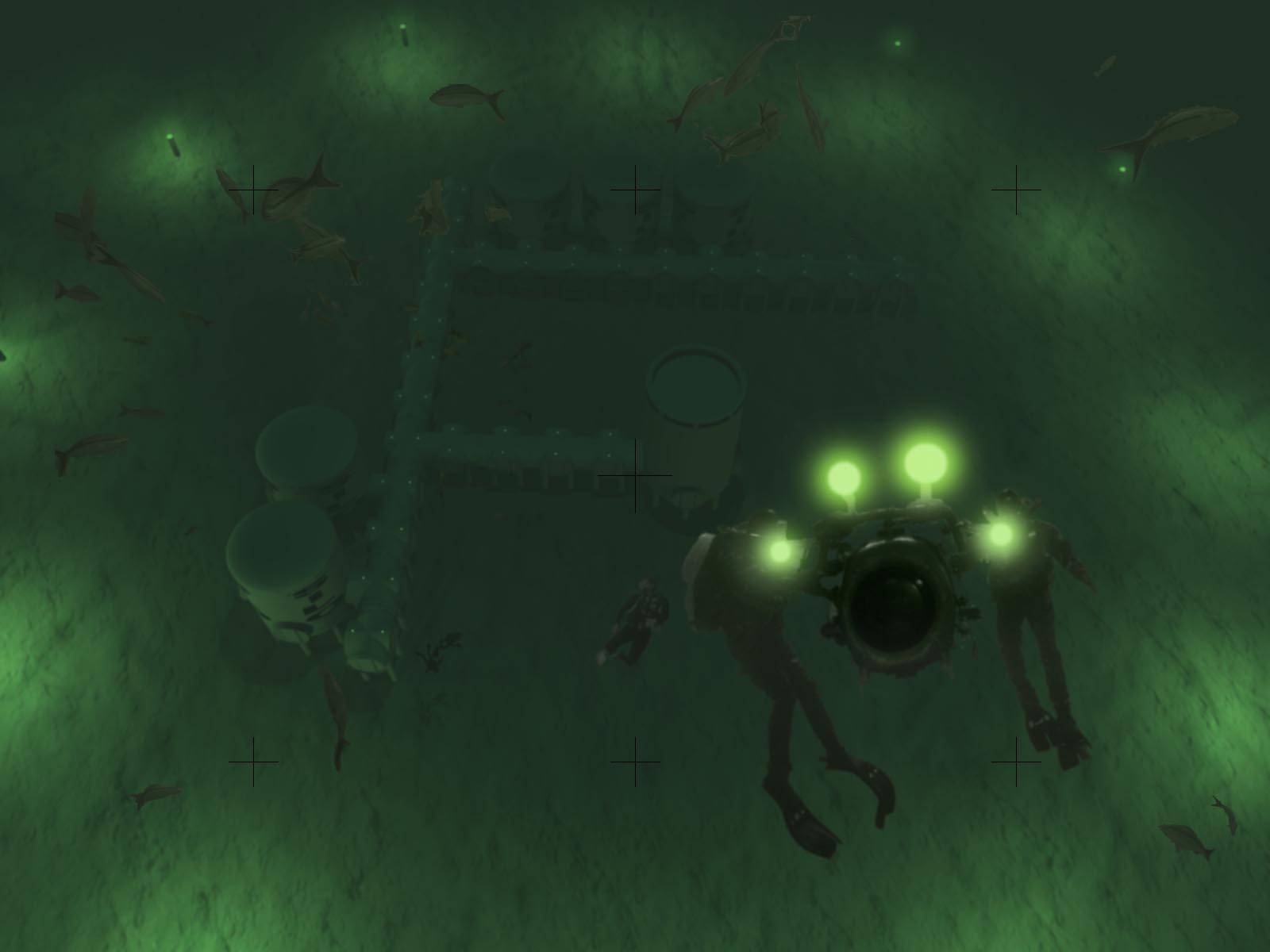
I am working on some underwater scenes. This here is not yet finished, but
shows the modular structure of that underwater base.

It is a base situated on the seabed, maybe around 100 meters deep. The
control tower is built already, as well as the so important tunnel system
which will connect all modules. There are also some storage silos. The
divers are preparing the installation of a power plant, of some farming
complexes, and of the personal accomodations.

Each module contains full interior design! It is possible to have animated
sequences through tunnels and modules.

Problems:

I am still working with FOG as water simulator, but that affects the
atmosphere inside the structures, as well. I urgently need to replace Fog
with somethjing better. Anyone having an idea?

Greetings,

Sven
Post a reply to this message
Attachments:
Download 'Deep Sea 01.jpg' (75 KB)
Preview of image 'Deep Sea 01.jpg'
|
|
| |
| |
|
|
|
|
| |
| |
|
|
I'm using an emitting and absorbing media, you can tweak the colours of the
two effects independently so you can get a much more realistic look. The
absorption affects the colour things fade when close to you, emission
controls the colour things fade in the distance (although it's multiplied by
the absorption colour)
My water's interior is this:
ior 1.33
media {
absorption rgb 1/<.1,1,.7>
emission rgb .1*<.0,.1,.2>
density {
rgb .2
}
}
I've written the absorption as 1/something so it's easier to see what colour
it will appear, though obviously that colour can't have any zeros because it
would get division by zero!
--
Tek
http://evilsuperbrain.com
"Sven Littkowski" <sve### [at] jamaica-focus com> wrote in message
news:4555c14e@news.povray.org...
>I am working on some underwater scenes. This here is not yet finished, but
>shows the modular structure of that underwater base.
>
> It is a base situated on the seabed, maybe around 100 meters deep. The
> control tower is built already, as well as the so important tunnel system
> which will connect all modules. There are also some storage silos. The
> divers are preparing the installation of a power plant, of some farming
> complexes, and of the personal accomodations.
>
> Each module contains full interior design! It is possible to have animated
> sequences through tunnels and modules.
>
> Problems:
>
> I am still working with FOG as water simulator, but that affects the
> atmosphere inside the structures, as well. I urgently need to replace Fog
> with somethjing better. Anyone having an idea?
>
> Greetings,
>
> Sven
>
>
>
> com> wrote in message
news:4555c14e@news.povray.org...
>I am working on some underwater scenes. This here is not yet finished, but
>shows the modular structure of that underwater base.
>
> It is a base situated on the seabed, maybe around 100 meters deep. The
> control tower is built already, as well as the so important tunnel system
> which will connect all modules. There are also some storage silos. The
> divers are preparing the installation of a power plant, of some farming
> complexes, and of the personal accomodations.
>
> Each module contains full interior design! It is possible to have animated
> sequences through tunnels and modules.
>
> Problems:
>
> I am still working with FOG as water simulator, but that affects the
> atmosphere inside the structures, as well. I urgently need to replace Fog
> with somethjing better. Anyone having an idea?
>
> Greetings,
>
> Sven
>
>
>
>
Post a reply to this message
|
|
| |
| |
|
|
|
|
| |
| |
|
|
Hi Tek,

thanks for your suggestion. I tried it, but don't come close to a result as
you see in my image.

Can you modify your suggestion in a way that the result is very close to a
fog?

I am adding the scene file, so you can test.

Thanks,

Sven


"Tek" <tek### [at] evilsuperbraincom> schrieb im Newsbeitrag
news:4555cc09@news.povray.org...
> I'm using an emitting and absorbing media, you can tweak the colours of
> the
> two effects independently so you can get a much more realistic look. The
> absorption affects the colour things fade when close to you, emission
> controls the colour things fade in the distance (although it's multiplied
> by
> the absorption colour)
>
> My water's interior is this:
>   ior 1.33
>   media {
>    absorption rgb 1/<.1,1,.7>
>    emission rgb .1*<.0,.1,.2>
>    density {
>     rgb .2
>    }
>   }
>
> I've written the absorption as 1/something so it's easier to see what
> colour
> it will appear, though obviously that colour can't have any zeros because
> it
> would get division by zero!
>
> --
> Tek
> http://evilsuperbrain.com
>
> "Sven Littkowski" <sve### [at] jamaica-focuscom> wrote in message
> news:4555c14e@news.povray.org...
>>I am working on some underwater scenes. This here is not yet finished, but
>>shows the modular structure of that underwater base.
>>
>> It is a base situated on the seabed, maybe around 100 meters deep. The
>> control tower is built already, as well as the so important tunnel system
>> which will connect all modules. There are also some storage silos. The
>> divers are preparing the installation of a power plant, of some farming
>> complexes, and of the personal accomodations.
>>
>> Each module contains full interior design! It is possible to have
>> animated
>> sequences through tunnels and modules.
>>
>> Problems:
>>
>> I am still working with FOG as water simulator, but that affects the
>> atmosphere inside the structures, as well. I urgently need to replace Fog
>> with somethjing better. Anyone having an idea?
>>
>> Greetings,
>>
>> Sven
>>
>>
>>
>>
>
>
Post a reply to this message
Attachments:
Download 'Tiefsee.pov.txt' (20 KB)
|
|
| |
| |
|
|
|
|
| |
| |
|
|
Okay there's a few problems with your media definition, try this instead:

box // instead of Fog
{
 < -1000.0, -1000.0, -1000.0 > < 1000.0, 1000.0, 1000.0 >
 hollow  //VERY IMPORTANT!
 pigment { rgbt 1 } //in case the camera is outside it or anything
 interior
 {
  //ior 1.33 not needed since both camera & subject are underwater
  media
  {
   absorption rgb 1/< 0.1, 1.0, 0.7>
   emission rgb 0.1 * < 0.0, 0.1, 0.2>
   density { rgb .02 } //needs to be quite low because you need to see
fairly far
  }
 }
}

That should give you a starting point so you can adjust the colours &
density to get the desired effect.

Incidentally, even with fog & media turned off your scene is mostly green, I
suggest you try lighting it & colouring it white and allow the media to do
all the colouring.

--
Tek
http://evilsuperbrain.com

"Sven Littkowski" <sve### [at] jamaica-focuscom> wrote in message
news:4556f804@news.povray.org...
> Hi Tek,
>
> thanks for your suggestion. I tried it, but don't come close to a result
> as you see in my image.
>
> Can you modify your suggestion in a way that the result is very close to a
> fog?
>
> I am adding the scene file, so you can test.
>
> Thanks,
>
> Sven
>
>
> "Tek" <tek### [at] evilsuperbraincom> schrieb im Newsbeitrag
> news:4555cc09@news.povray.org...
>> I'm using an emitting and absorbing media, you can tweak the colours of
>> the
>> two effects independently so you can get a much more realistic look. The
>> absorption affects the colour things fade when close to you, emission
>> controls the colour things fade in the distance (although it's multiplied
>> by
>> the absorption colour)
>>
>> My water's interior is this:
>>   ior 1.33
>>   media {
>>    absorption rgb 1/<.1,1,.7>
>>    emission rgb .1*<.0,.1,.2>
>>    density {
>>     rgb .2
>>    }
>>   }
>>
>> I've written the absorption as 1/something so it's easier to see what
>> colour
>> it will appear, though obviously that colour can't have any zeros because
>> it
>> would get division by zero!
>>
>> --
>> Tek
>> http://evilsuperbrain.com
>>
>> "Sven Littkowski" <sve### [at] jamaica-focuscom> wrote in message
>> news:4555c14e@news.povray.org...
>>>I am working on some underwater scenes. This here is not yet finished,
>>>but
>>>shows the modular structure of that underwater base.
>>>
>>> It is a base situated on the seabed, maybe around 100 meters deep. The
>>> control tower is built already, as well as the so important tunnel
>>> system
>>> which will connect all modules. There are also some storage silos. The
>>> divers are preparing the installation of a power plant, of some farming
>>> complexes, and of the personal accomodations.
>>>
>>> Each module contains full interior design! It is possible to have
>>> animated
>>> sequences through tunnels and modules.
>>>
>>> Problems:
>>>
>>> I am still working with FOG as water simulator, but that affects the
>>> atmosphere inside the structures, as well. I urgently need to replace
>>> Fog
>>> with somethjing better. Anyone having an idea?
>>>
>>> Greetings,
>>>
>>> Sven
>>>
>>>
>>>
>>>
>>
>>
>
>
>
Post a reply to this message
|
|
| |
| |
|
|
|
|
| |
| |
|
|
Freaking awesome! :-)
Post a reply to this message
|
|
| |
| |
|
|
|
|
| |
| |
|
|
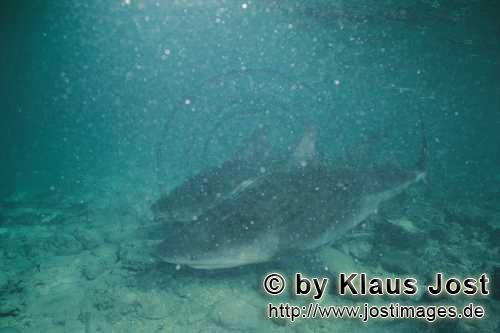
Hi Tek,

thanks a lot for your code! I tried out, and it is better than my own
attempts. Hmm, still, I am not entirely satisfied. Tek, let me show you with
a real photo what I have in mind: The photo shows many small parts in the
water. I think my scene could need some of those, as well. And the distance
is kinda unsharp (blurred). That would be fine, too. Finally, I wonder if I
should use a normal camera for the underwater scene, what do you think?

Thanks,

Sven
Post a reply to this message
Attachments:
Download 'Deep Sea Scene 01.jpg' (22 KB)
Preview of image 'Deep Sea Scene 01.jpg'
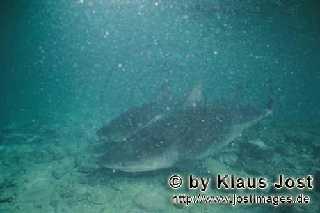
|
|
| |
| |
|
|
|
|
| |
| |
|
|
Well to get that blur you'd need to use focal blur, that will make it render
slower. For those glowing small particles I'd probably cheat and use small
discs or spheres placed randomly near the camera. Incidentally the reason
those particles are so visible is that the light in that photo is mounted
near the camera, meaning particles very close to the camera are very
brightly lit, and things in the distance are much darker than they would be
just from the fogging in the water, because of the falloff of the light away
from the camera.

--
Tek
http://evilsuperbrain.com

"Sven Littkowski" <sve### [at] jamaica-focuscom> wrote in message
news:4559f0d8@news.povray.org...
> Hi Tek,
>
> thanks a lot for your code! I tried out, and it is better than my own
> attempts. Hmm, still, I am not entirely satisfied. Tek, let me show you
> with a real photo what I have in mind: The photo shows many small parts in
> the water. I think my scene could need some of those, as well. And the
> distance is kinda unsharp (blurred). That would be fine, too. Finally, I
> wonder if I should use a normal camera for the underwater scene, what do
> you think?
>
> Thanks,
>
> Sven
>
>
>
>
>
Post a reply to this message
|
|
| |
| |
|
|
|
|
| |
| |
|
|
Sven Littkowski wrote:
> Hi Tek,
>
> thanks a lot for your code! I tried out, and it is better than my own
> attempts. Hmm, still, I am not entirely satisfied. Tek, let me show you with
> a real photo what I have in mind: The photo shows many small parts in the
> water. I think my scene could need some of those, as well. And the distance
> is kinda unsharp (blurred). That would be fine, too. Finally, I wonder if I
> should use a normal camera for the underwater scene, what do you think?
>
> Thanks,
>
> Sven
>
>
>
>
>
I have also tried for something like that a while back, see attached.

this is the code, you might try playing with it:

interior {
#local S_low = 60;
#local S_high = 100;
media {                 //pea
         scattering {
                 1,
                 1
                 extinction 1.0

         }
         density {
                 granite
                 turbulence 0
                 scale .03125
                 color_map {
                   [0.00 rgb 0]
                   [0.85 rgb 0]
                   [0.90 rgb <.004,.006,.002>*1.4]
                   [1.00 rgb <.004,.006,.002>*1.4]
                 }
         }
         samples S_low, S_high
}
media {                 //large pieces
         scattering {
                 1,
                 1
                 extinction 1.0

         }
         density {
                 granite
                 turbulence .1
                 scale 5.5
                 color_map {
                   [0.000 rgb <.025,.025,.022>*3]
                   [0.030 rgb <.025,.025,.022>*3]
                   [0.035 rgb 0]
                   [1.000 rgb 0]
                 }
         }
         samples S_low, S_high
}
}
Post a reply to this message
Attachments:
Download 'scene.jpg' (25 KB)
Preview of image 'scene.jpg'
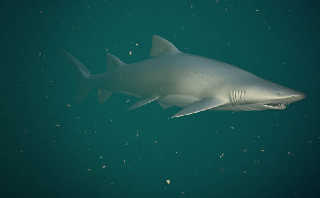
|
|
| |
| |
|
|
|
|
| |
| |
|
|
Not bad! I like it!

And yes, I will try out!

Sven


"Jim Charter" <jrc### [at] msncom> schrieb im Newsbeitrag
news:455aca5e@news.povray.org...
> Sven Littkowski wrote:
>> Hi Tek,
>>
>> thanks a lot for your code! I tried out, and it is better than my own
>> attempts. Hmm, still, I am not entirely satisfied. Tek, let me show you
>> with
>> a real photo what I have in mind: The photo shows many small parts in the
>> water. I think my scene could need some of those, as well. And the
>> distance
>> is kinda unsharp (blurred). That would be fine, too. Finally, I wonder if
>> I
>> should use a normal camera for the underwater scene, what do you think?
>>
>> Thanks,
>>
>> Sven
>>
>>
>>
>>
>>
> I have also tried for something like that a while back, see attached.
>
> this is the code, you might try playing with it:
>
> interior {
> #local S_low = 60;
> #local S_high = 100;
> media {                 //pea
>         scattering {
>                 1,
>                 1
>                 extinction 1.0
>
>         }
>         density {
>                 granite
>                 turbulence 0
>                 scale .03125
>                 color_map {
>                   [0.00 rgb 0]
>                   [0.85 rgb 0]
>                   [0.90 rgb <.004,.006,.002>*1.4]
>                   [1.00 rgb <.004,.006,.002>*1.4]
>                 }
>         }
>         samples S_low, S_high
> }
> media {                 //large pieces
>         scattering {
>                 1,
>                 1
>                 extinction 1.0
>
>         }
>         density {
>                 granite
>                 turbulence .1
>                 scale 5.5
>                 color_map {
>                   [0.000 rgb <.025,.025,.022>*3]
>                   [0.030 rgb <.025,.025,.022>*3]
>                   [0.035 rgb 0]
>                   [1.000 rgb 0]
>                 }
>         }
>         samples S_low, S_high
> }
> }
>
>
>
Post a reply to this message
|
|
| |
| |
|
|
|
|
| |
| |
|
|
Hi Jim,

I tried out your code. Hmm, I don't see yet any particles. I wonder if you
use a different scale for your scene? Or is it important where light and
camera are? In my scene, light comes from above, some lights are at the
bottom. The camera uses the bird's perspective and looks down (for test
purposes).

Any hints you can give me?

Thanks,

Sven
Post a reply to this message
|
|
| |
| |
|
|
|
|
| |
| |
|
|
Sven Littkowski wrote:
> Hi Jim,
>
> I tried out your code. Hmm, I don't see yet any particles. I wonder if you
> use a different scale for your scene? Or is it important where light and
> camera are? In my scene, light comes from above, some lights are at the
> bottom. The camera uses the bird's perspective and looks down (for test
> purposes).
>
> Any hints you can give me?
>
> Thanks,
>
> Sven
>
>
Yes you will have to play with it.  But I just wanted to give you some
concepts like a) media statements can be stacked b) a density pattern
using granite or similar with an appropriate map will give the particle
look you might be wanting.

I posted a more complete example of the code.  I haven't touched that
project for awhile now but I remember the look was a delicate balance
between the lights and the media parameters.  And the media effects
would be cumulative so if I took out one of the density patterns in the
stack I sould have to adjust parameters in the other patterns.  I had it
all in a "lightscamera.inc" file which I have posted for you on
p.b.scenefiles.  I threw in the necessary stuff so that the file can be
rendered alone to demo the media.  By boosting the light excessively you
can see the particular effect more clearly.  Back when I was doing it I
was trying to get the look of harsh but quickly fading underwater
halogen lights.  Some divers on the group here were giving me advice.
Maybe you'll be able to pick it up where I left off.

Luck be a lady.
Post a reply to this message
|
|
| |
| |
|
|
|
|
| |
| |
|
|
Hi Jim,

I tried out your posted sample code. Hmm, my result is a fascinating,
entirely black image, ha ha! I even added that "+B2" option to my ini file.

Any ideas what might have went wrong?

I still keep on trying different settings.

Sven


"Jim Charter" <jrc### [at] msncom> schrieb im Newsbeitrag
news:455ade37$1@news.povray.org...
> Sven Littkowski wrote:
>> Hi Jim,
>>
>> I tried out your code. Hmm, I don't see yet any particles. I wonder if
>> you use a different scale for your scene? Or is it important where light
>> and camera are? In my scene, light comes from above, some lights are at
>> the bottom. The camera uses the bird's perspective and looks down (for
>> test purposes).
>>
>> Any hints you can give me?
>>
>> Thanks,
>>
>> Sven
> Yes you will have to play with it.  But I just wanted to give you some
> concepts like a) media statements can be stacked b) a density pattern
> using granite or similar with an appropriate map will give the particle
> look you might be wanting.
>
> I posted a more complete example of the code.  I haven't touched that
> project for awhile now but I remember the look was a delicate balance
> between the lights and the media parameters.  And the media effects would
> be cumulative so if I took out one of the density patterns in the stack I
> sould have to adjust parameters in the other patterns.  I had it all in a
> "lightscamera.inc" file which I have posted for you on p.b.scenefiles.  I
> threw in the necessary stuff so that the file can be rendered alone to
> demo the media.  By boosting the light excessively you can see the
> particular effect more clearly.  Back when I was doing it I was trying to
> get the look of harsh but quickly fading underwater halogen lights.  Some
> divers on the group here were giving me advice. Maybe you'll be able to
> pick it up where I left off.
>
> Luck be a lady.
Post a reply to this message
|
|
| |
| |
|
|
|
|
| |
| |
|
|
Sven Littkowski wrote:
> Hi Jim,
>
> I tried out your posted sample code. Hmm, my result is a fascinating,
> entirely black image, ha ha!


I even added that "+B2" option to my ini file.

I don't know what you mean by this.


>
> Any ideas what might have went wrong?
>
> I still keep on trying different settings.
>
Not sure what the problem is.  Attached are tests I just ran using the
file that I posted.  I ran the file itself with no ini file or any other
settings

The first is the file as it is.  Notice that in that file, the camera
light has been boosted up to "rgb 3" for demo purposes.   Notice also
that there is a tiny sphere positioned at the camera location.  This is
a trick to boost the contrast of the scene.

When I saw the outcome I suspected that the media block labelled "large
pieces" was not making a contribution so I altered the color_map in that
block to this:
color_map {
   [0.000 rgb <.025,.025,.022>*3]
   [0.055 rgb <.025,.025,.022>*3]
   [0.060 rgb 0]
   [1.000 rgb 0]
}
And the result can be seen in the second image

The third image is the same thing except I  took away the
contrast-producing sphere

The final test shows what happens if the number of samples is reduced to
#local S_low = 10;
#local S_high = 20;

Changing the color and eccentricity values on the scattering keyword can
also have significant effects.
Post a reply to this message
Attachments:
Download '000.jpg' (18 KB)
Download '001.jpg' (21 KB)
Download '002.jpg' (19 KB)
Download '003.jpg' (20 KB)
Preview of image '000.jpg'

Preview of image '001.jpg'
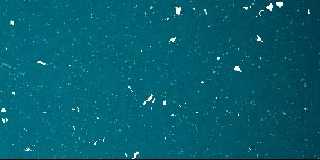
Preview of image '002.jpg'

Preview of image '003.jpg'
|
|
| |
| |
|
|
|
|
| |
| |
|
|
Hello Jim,

thanks for your response! And moreover, your three images are looking
exactly the way I want my image to look! Ah, forget the +BS parameter, my
fault. I added the scene file, maybe you can make a render and see, if you
get a different result than me. I am using the latest beta version of
POV-Ray.

I still don't get any particles. Hmm. And I really tried out many things,
such as light strength, various float changes, and so on and so on...

Please let me know if you succeed. Thanks a lot,

Sven
Post a reply to this message
Attachments:
Download 'Tiefsee.pov.txt' (25 KB)
|
|
| |
| |
|
|
|
|
| |
| |
|
|
Sven Littkowski wrote:
> Hello Jim,
>
> thanks for your response! And moreover, your three images are looking
> exactly the way I want my image to look! Ah, forget the +BS parameter, my
> fault. I added the scene file, maybe you can make a render and see, if you
> get a different result than me. I am using the latest beta version of
> POV-Ray.
>
> I still don't get any particles. Hmm. And I really tried out many things,
> such as light strength, various float changes, and so on and so on...
>
> Please let me know if you succeed. Thanks a lot,
>
> Sven
>
>
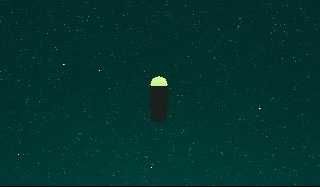
Well I made a very  quick test but I am not using the beta .  With
assumed_gamma 2.2 I got a dark result but definitely with the
"particles" showing.  With Assume_gamma 1 I got a very bright cyan color
water again with "particles"  I substitutied procedural textures for the
image maps and a plain box for the height_field.
Post a reply to this message
Attachments:
Download '005.jpg' (9 KB)
Download '006.jpg' (12 KB)
Preview of image '005.jpg'
Preview of image '006.jpg'

|
|
| |
| |
|
|
|
|
| |
| |
|
|
Hmm, that seems to be the answer: the current beta version of POV-Ray is not
performing well, if it comes to your particles. I am going to report it in
the BUGREPORTS section, let's see, what happens.

Jim, lots of thanks for your time, persistence and good will! I appreciate
it a lot.

Do you have the beta version? If you find a way to show the particles,
PLEASE let me know. I am sure, many others mmight also have an interest,
sooner or later.

Thanks a lot,

Sven
Post a reply to this message
|
|
| |
| |
|
|
|
|
| |
| |
|
|
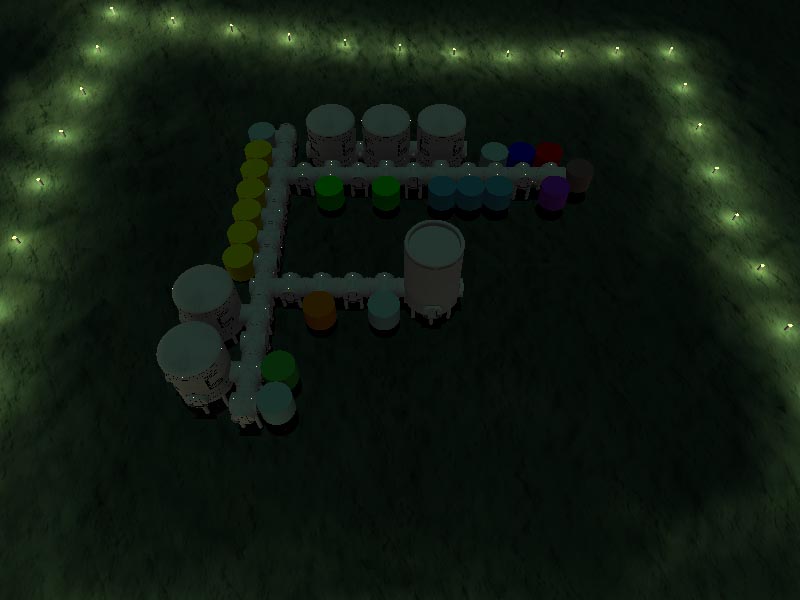
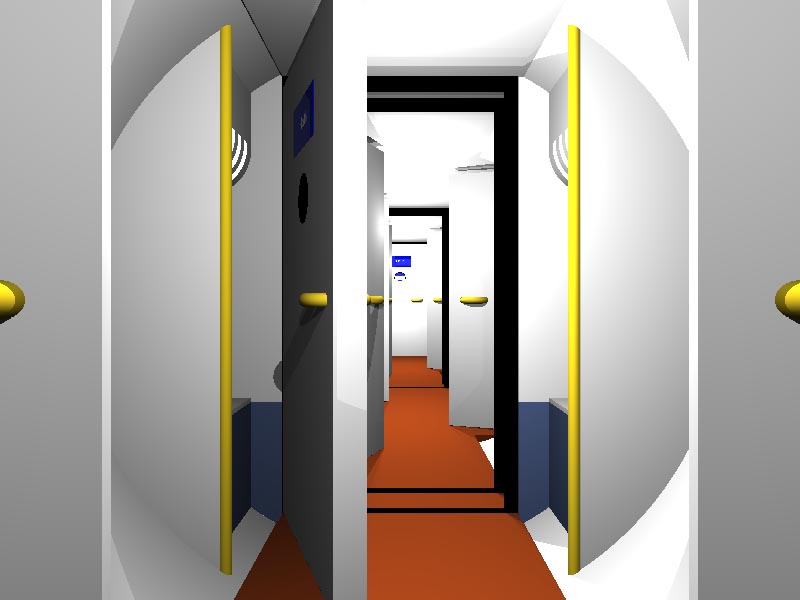
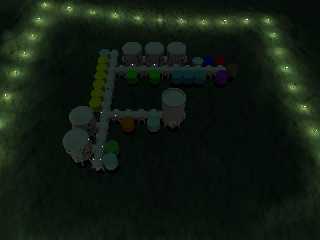
Here the latest developments, all rendered with the latest beta version.

The overview shows the current environment and an idea of the underwater
base layout. However, the beta version does not render the media the way it
should, as a result the water is missing some details. There are still many
placeholders for the moduls I have to develop (the small, multi-colored
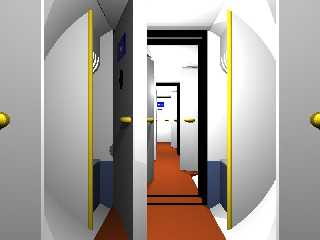
cylinders).

The other picture let's you have a look inside one of the tunnel sections.
Due the development as macro, it is easy to configure the individual tunnel
sections and even place different signs inside each tunnel section! Doors
can open and close!

On a later stage, each module will have a nicely and detailed developed
interior design. I am also adding scuba divers, equipment and staff members
to the scene. I am on a search for deep sea lifeforms I can include to this
POV-Ray scene.

Greetings,

Sven
Post a reply to this message
Attachments:
Download 'Deep Sea - Overview.jpg' (42 KB)
Download 'Deep Sea - Tunnel Inside.jpg' (45 KB)
Preview of image 'Deep Sea - Overview.jpg'
Preview of image 'Deep Sea - Tunnel Inside.jpg'
|
|
| |
| |
|
|
|
|
| |
| |
|
|
"Sven Littkowski" <sve### [at] jamaica-focuscom> wrote:
> Here the latest developments, all rendered with the latest beta version.
>
> The overview shows the current environment and an idea of the underwater
> base layout. However, the beta version does not render the media the way it
> should, as a result the water is missing some details. There are still many
> placeholders for the moduls I have to develop (the small, multi-colored
> cylinders).
>
> The other picture let's you have a look inside one of the tunnel sections.
> Due the development as macro, it is easy to configure the individual tunnel
> sections and even place different signs inside each tunnel section! Doors
> can open and close!
>
> On a later stage, each module will have a nicely and detailed developed
> interior design. I am also adding scuba divers, equipment and staff members
> to the scene. I am on a search for deep sea lifeforms I can include to this
> POV-Ray scene.
>
> Greetings,
>
> Sven

It looks good so far Sven. A couple of points for the interior. The doors
need latches, there should be some watertight doors that would not be flush
with the floor or the ceiling. These would have a facing that has a sealing
material visible and heavy duty latches. You will need AC supply and
extract ports along with PA system, Fire and Gas detectors and status
lights.

Stephen
Post a reply to this message
|
|
| |
| |
|
|
|
|
| |
| |
|
|
Stephen and everyone,

would you be interested to join the interior design development? I would
like to add some interior to the base which is not mine. Let me, for that
purpose, place my current scene code here. Please feel very free to join!

Your points are correct, and taken. Actually, I had those things in mind.
Have just not yet reached that stage. I also want various colored alarm
lights, a speaker system, telephones, and so on. This all will come.

I cannot post the heightfield and the heightfield texture file, because of
the size limitations for these newsgroups. On demand, I e-mail them!

Greetings,

Sven
Post a reply to this message
Attachments:
Download 'Deep Sea - Agro A.jpg' (15 KB)
Download 'Deep Sea - Agro B.jpg' (15 KB)
Download 'Deep Sea - Airlock.jpg' (15 KB)
Download 'Deep Sea - Command.jpg' (16 KB)
Download 'Deep Sea - Cylinder.jpg' (129 KB)
Download 'Deep Sea - Docking Area.jpg' (20 KB)
Download 'Deep Sea - East Command.jpg' (21 KB)
Download 'Deep Sea - East.jpg' (13 KB)
Download 'Deep Sea - Lab A.jpg' (14 KB)
Preview of image 'Deep Sea - Agro A.jpg'

Preview of image 'Deep Sea - Agro B.jpg'

Preview of image 'Deep Sea - Airlock.jpg'

Preview of image 'Deep Sea - Command.jpg'

Preview of image 'Deep Sea - Cylinder.jpg'

Preview of image 'Deep Sea - Docking Area.jpg'

Preview of image 'Deep Sea - East Command.jpg'

Preview of image 'Deep Sea - East.jpg'

Preview of image 'Deep Sea - Lab A.jpg'

|
|
| |
| |
|
|
|
|
| |
| |
|
|
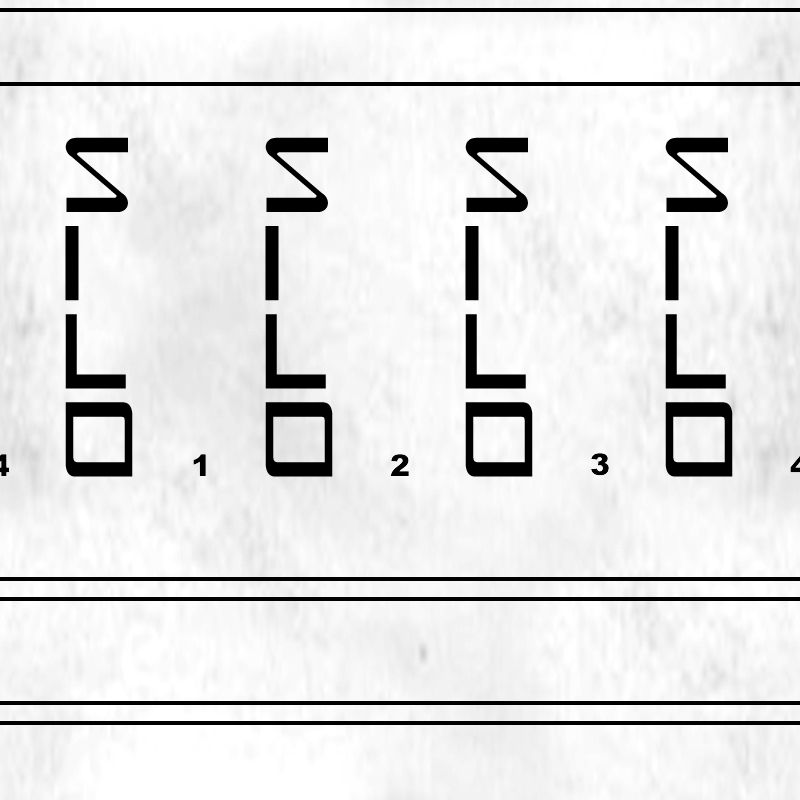
More textures...
Post a reply to this message
Attachments:
Download 'Deep Sea - Medical.jpg' (15 KB)
Download 'Deep Sea - North Command.jpg' (21 KB)
Download 'Deep Sea - North.jpg' (14 KB)
Download 'Deep Sea - Oxygen.jpg' (16 KB)
Download 'Deep Sea - Power.jpg' (14 KB)
Download 'Deep Sea - Relax.jpg' (14 KB)
Download 'Deep Sea - Silo A.jpg' (14 KB)
Download 'Deep Sea - Lab B.jpg' (14 KB)
Download 'Deep Sea - Lab C.jpg' (14 KB)
Preview of image 'Deep Sea - Medical.jpg'

Preview of image 'Deep Sea - North Command.jpg'

Preview of image 'Deep Sea - North.jpg'

Preview of image 'Deep Sea - Oxygen.jpg'

Preview of image 'Deep Sea - Power.jpg'

Preview of image 'Deep Sea - Relax.jpg'

Preview of image 'Deep Sea - Silo A.jpg'

Preview of image 'Deep Sea - Lab B.jpg'

Preview of image 'Deep Sea - Lab C.jpg'

|
|
| |
| |
|
|
|
|
| |
| |
|
|
Still more textures...
Post a reply to this message
Attachments:
Download 'Deep Sea - Silo B.jpg' (14 KB)
Download 'Deep Sea - Silo C.jpg' (14 KB)
Download 'Deep Sea - Silo D.jpg' (14 KB)
Download 'Deep Sea - Silo E.jpg' (14 KB)
Download 'Deep Sea - Silo.jpg' (161 KB)
Download 'Deep Sea - South Command.jpg' (22 KB)
Download 'Deep Sea - South.jpg' (14 KB)
Download 'Deep Sea - Staff A.jpg' (15 KB)
Download 'Deep Sea - Staff B.jpg' (15 KB)
Preview of image 'Deep Sea - Silo B.jpg'

Preview of image 'Deep Sea - Silo C.jpg'

Preview of image 'Deep Sea - Silo D.jpg'

Preview of image 'Deep Sea - Silo E.jpg'

Preview of image 'Deep Sea - Silo.jpg'
Preview of image 'Deep Sea - South Command.jpg'

Preview of image 'Deep Sea - South.jpg'

Preview of image 'Deep Sea - Staff A.jpg'

Preview of image 'Deep Sea - Staff B.jpg'

|
|
| |
| |
|
|
|
|
| |
| |
|
|
The remaining textures...
Post a reply to this message
Attachments:
Download 'Deep Sea - Staff C.jpg' (15 KB)
Download 'Deep Sea - Staff D.jpg' (15 KB)
Download 'Deep Sea - Staff E.jpg' (15 KB)
Download 'Deep Sea - Staff F.jpg' (14 KB)
Download 'Deep Sea - Vehicles.jpg' (16 KB)
Download 'Deep Sea - West Command.jpg' (21 KB)
Download 'Deep Sea - West.jpg' (14 KB)
Preview of image 'Deep Sea - Staff C.jpg'

Preview of image 'Deep Sea - Staff D.jpg'

Preview of image 'Deep Sea - Staff E.jpg'

Preview of image 'Deep Sea - Staff F.jpg'

Preview of image 'Deep Sea - Vehicles.jpg'

Preview of image 'Deep Sea - West Command.jpg'

Preview of image 'Deep Sea - West.jpg'

|
|
| |
| |
|
|
|
|
| |
| |
|
|
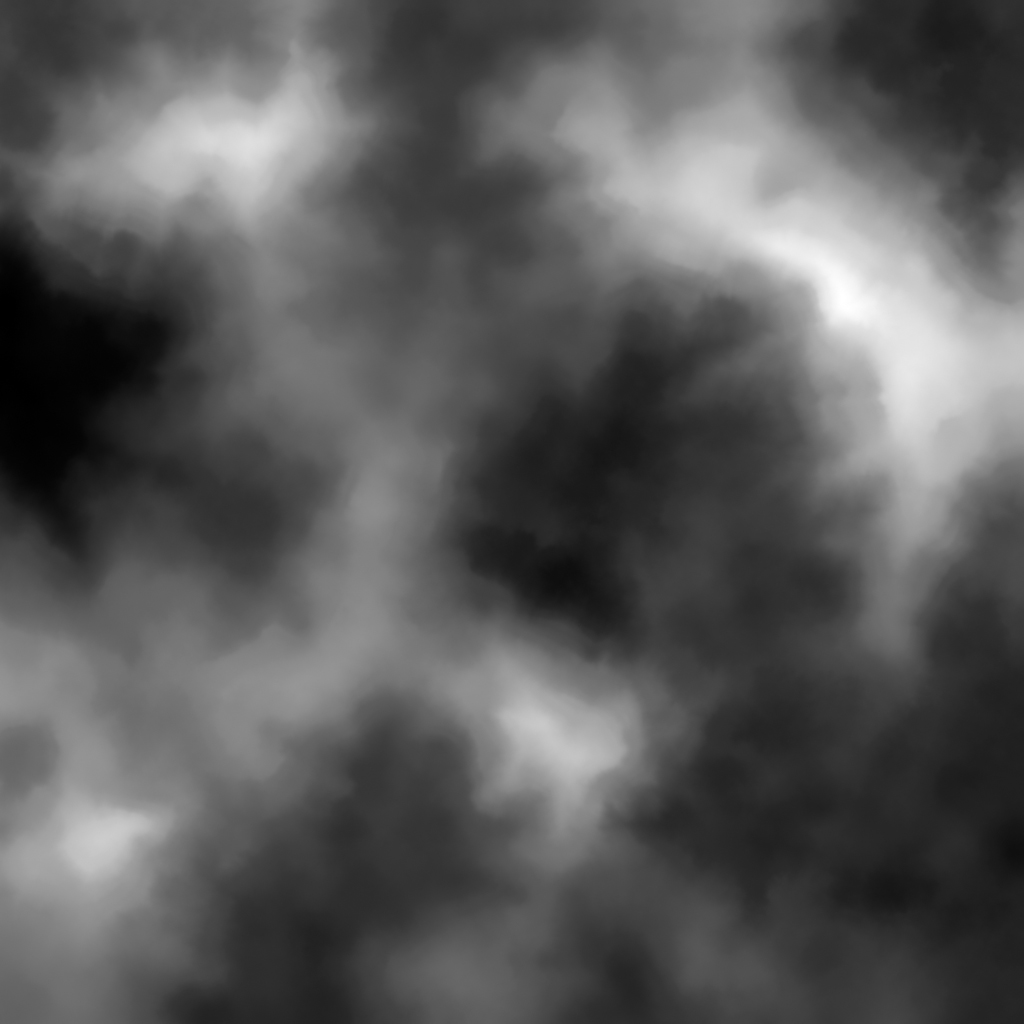
The landscape files...

That's it!

Sven
Post a reply to this message
Attachments:
Download 'Seabed 01.jpg' (295 KB)
Download 'Heightfield.jpg' (179 KB)
Preview of image 'Seabed 01.jpg'
Preview of image 'Heightfield.jpg'
|
|
| |
| |
|
|
|
|
| |
| |
|
|
And finally the current version of the scene file.

Sven
Post a reply to this message
Attachments:
Download 'Deep Sea.pov.txt' (36 KB)
|
|
| |
| |
|
|
|
|
| |
| |
|
|
"Sven Littkowski" <sve### [at] jamaica-focuscom> wrote in message
news:455decfd@news.povray.org...

> And finally the current version of the scene file.

   Hmm, that's a lot of code to get into for me Sven - well done for having
the patience. :)

   Can Wings models be intergrated into that code?

   I wouldn't mind helping a little if I can, but what are you trying to
achieve? Is it for a game?

    ~Steve~


>
> Sven
>
>
Post a reply to this message
|
|
| |
| |
|
|
|
|
| |
| |
|
|
Great! Sure, why not? As long as Wings exports into a mesh which POV-Ray can
accept. And I am thinking, it is that way. Just go on and create some nice,
wicked things.

What the scene urgently requires, are staff members, scuba divers, and deep
sea fishes and other life forms, also plants. Remember, that in deap sea the
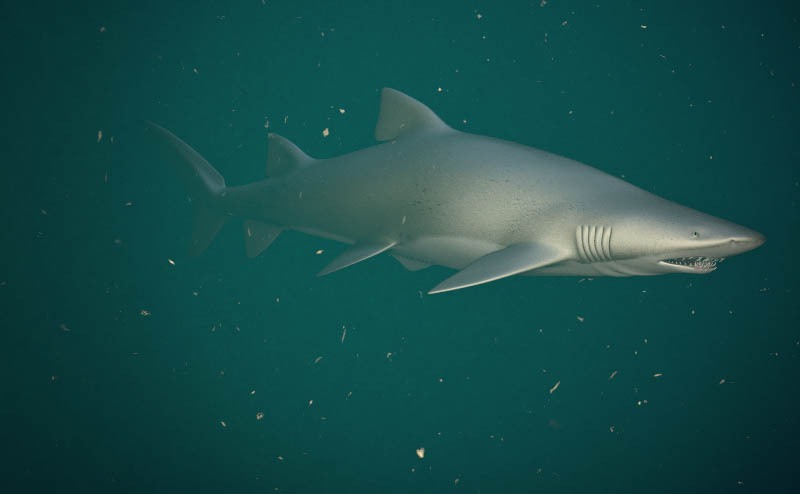
fishes have glowing organs. No fantasy, real life forms, please.

One POV-Ray unit equals to one meter.    :-)

Sven
Post a reply to this message
|
|
| |
| |
|
|
|
|
| |
| |
|
|
No, not a game. Just the source code which allows to create many beautiful,
or exciting, underwater scenes.

Maybe some animations, as well. Not sure.

Sven
Post a reply to this message
|
|
| |
| |
|
|
|
|
| |
| |
|
|
Among other things, Sven Littkowski saw fit to write:

> What the scene urgently requires, are staff members, scuba divers, and
> deep sea fishes and other life forms, also plants.

Plants???

I hope you mean nice indoor plants in pots... Or am I mistaken to assume
that plants need sunlight to survive (or, otherwise, they would be hardly
recognizable as "plants")?

--
light_source{9+9*x,1}camera{orthographic look_at(1-y)/4angle 30location
9/4-z*4}light_source{-9*z,1}union{box{.9-z.1+x clipped_by{plane{2+y-4*x
0}}}box{z-y-.1.1+z}box{-.1.1+x}box{.1z-.1}pigment{rgb<.8.2,1>}}//Jellby
Post a reply to this message
|
|
| |
| |
|
|
|
|
| |
| |
|
|
Old error to assume that plants need sunlight only. There is a documentation
about the oceans, called "Deep Blue", which shows that even in darkest
areas, plants and animals can life - based not on sunlight but on sulphuric
foundations.

But to be honest, look, my scene is in only 100 m depth. There is still some
decent, weak light from above. Here, some plants could still live. Moreover,
I also might "transport" the entire scene upwards, closer to some more
light, maybe to a depth of only 50 m or even only 20 m. I am experimenting
which which light conditions this scene will look best.

So, all kind of lifeforms are welcome. If you add, please state to which
depth that particular lifeform belongs.

Thanks, looking forward to see your creations,

Sven
Post a reply to this message
|
|
| |
| |
|
|
|
|
| |
|
|