|
|
|
|
|
|
| |
| |
|
|
|
|
| |
| |
|
|
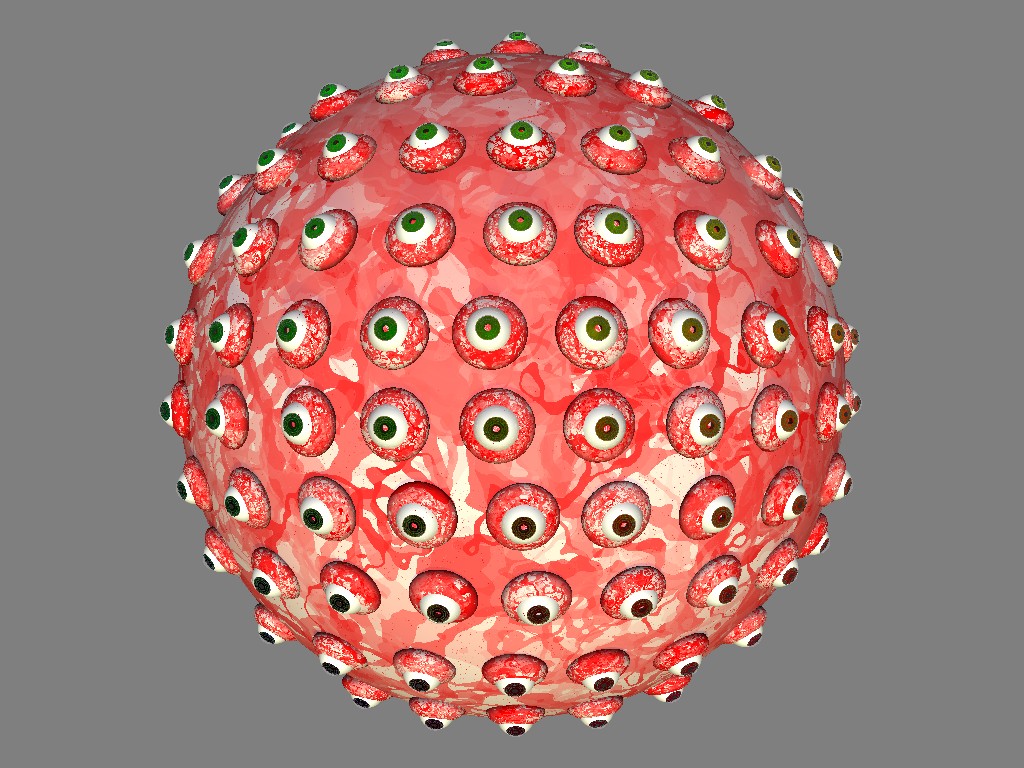
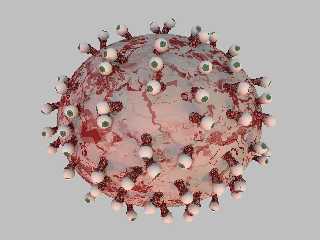
I must admit I've been playing with monsters lately, and it's been lots
of fun! Please note the scaled spheres under the eye balls and how they
are not rotated correctly to lay on the surface of the large sphere. I
haven't been able to figure out how to do this properly yet. Any
pointers or suggestions would be greatly appreciated!
Post a reply to this message
Attachments:
Download 'eyesphere.jpg' (218 KB)
Preview of image 'eyesphere.jpg'
|
|
| |
| |
|
|
|
|
| |
| |
|
|
Artemia Salina wrote:
>  Please note the scaled spheres under the eye balls and how they
> are not rotated correctly to lay on the surface of the large sphere. I
> haven't been able to figure out how to do this properly yet.

I should've mentioned that I placed the small spheres and eye balls on
the large shpere using the trace function. As I say I'm having a hard
time calculating the correct rotation angles to have the small spheres
lay flat on the large sphere (if they were cylinders they would radiate
outward from <0,0,0>)
Post a reply to this message
|
|
| |
| |
|
|
|
|
| |
| |
|
|
Hi,
rotate your objects by
rotate <degrees (atan2 (Norm.z,Norm.y)),0,-degrees (atan2 (Norm.x,Norm.y))>
..
IIRC you need #include "functions.inc" too.

Norbert Kern
Post a reply to this message
|
|
| |
| |
|
|
|
|
| |
| |
|
|
On Sun, 02 Jul 2006 01:56:04 -0400, Norbert Kern wrote:

> Hi,
> rotate your objects by
> rotate <degrees (atan2 (Norm.z,Norm.y)),0,-degrees (atan2 (Norm.x,Norm.y))>
> ..
> IIRC you need #include "functions.inc" too.


Thank you Norbert, I'll try that.


--
Today's Alliterative Monomania Headlines:
Ecliptic Easterling Earthworm Elegantly Enharbors Ecaudate Earthbank
Wallachian Wagnerian Whist Whizzingly Washes Welsbach Weismannism
Wide-angle Wallachian Waler Waitingly Whipsaws Wagnerian Wait-a-while
Post a reply to this message
|
|
| |
| |
|
|
|
|
| |
| |
|
|
Freaky little lady you!

Well done, but I wonder if you could add some muscles or venes to the
surface of the main sphere. An idea for that: using blobs or using
sphere_sweeps. And getting some more items onto the surface of the main
body, such as here and there along thin arm, some walking tentacles below,
some cruely singing mouths, and so. Maybe some nostrils or other items. Some
semi-transparent organic sackets filled with some yellow liquid at the
outside, uhh!

Put some irregularity to the eyes - some bigger, some smaller. And prevent
that they are arranged in such a sorted way - use irregularity again.

Best greetings,

Sven
Post a reply to this message
|
|
| |
| |
|
|
|
|
| |
| |
|
|
On Sun, 02 Jul 2006 13:23:35 +0200, Sven Littkowski wrote:

> Freaky little lady you!

I'm a guy :-)

(Don't feel bad, I get that all the time)

> Well done, but I wonder if you could add some muscles or venes to the
> surface of the main sphere.

Yes, this scene is far from being done. I mainly posted it to show the
problem I'm having rotating the pieces to sit on the sphere properly.

I'd eventually like to have optical cords dangling off of the backs of the
eyes that would attach to the main sphere like tree roots.

> An idea for that: using blobs or using sphere_sweeps. And getting some
> more items onto the surface of the main body, such as here and there
> along thin arm, some walking tentacles below, some cruely singing
> mouths, and so. Maybe some nostrils or other items.

You're reading my mind! :-)

> Some semi-transparent organic sackets filled with some yellow liquid at the
> outside, uhh!

I hadn't thought of that but it sounds gross! (which is GOOD!)

I tried Norbert's suggestion last night (see his article in this thread)
and it didn't work. I played with swapping the sign for the x and z axes
but still no luck.

You suggest using blobs or other odd shapes for the main body and doing so
will make it much more difficult to orient the smaller parts to it. I
thought perhaps that since the trace() function was already shooting rays
at the base object there would be some algorithmic way to use information
returned from trace() to orient the smaller objects on the base object.

I'd like to find an example scene that does that.


--
Today's Alliterative Monomania Headlines:
Knarred Knotted Koel Kneadingly Knits Kiby Kirk
Radio-active Retrousse Router Representatively Radiographs Retrousse Rancheria
Up-over Unpardonable Upsilon Unerringly Underruns Upright Urethane
Post a reply to this message
|
|
| |
| |
|
|
|
|
| |
| |
|
|
Artemia Salina <y2k### [at] sheayright com> wrote:
> I tried Norbert's suggestion last night (see his article in this thread)
> and it didn't work. I played with swapping the sign for the x and z axes
> but still no luck.
It should work, believe me!
Here a bit more code, which shows what I mean -
#declare Norm = <0,0,0>;
#declare loc = trace (M1, start, <0,0,0>, Norm);
#if (vlength(Norm) != 0)
object {
eye
rotate <degrees (atan2 (Norm.z,Norm.y)),0,-degrees (atan2
(Norm.x,Norm.y))>
translate loc
}
#end
If the difficulties persist, please post the relevant code part.
Norbert Kern com> wrote:
> I tried Norbert's suggestion last night (see his article in this thread)
> and it didn't work. I played with swapping the sign for the x and z axes
> but still no luck.
It should work, believe me!
Here a bit more code, which shows what I mean -
#declare Norm = <0,0,0>;
#declare loc = trace (M1, start, <0,0,0>, Norm);
#if (vlength(Norm) != 0)
object {
eye
rotate <degrees (atan2 (Norm.z,Norm.y)),0,-degrees (atan2
(Norm.x,Norm.y))>
translate loc
}
#end
If the difficulties persist, please post the relevant code part.
Norbert Kern
Post a reply to this message
|
|
| |
| |
|
|
|
|
| |
| |
|
|
On Sun, 02 Jul 2006 16:50:23 -0400, Norbert Kern wrote:

> Artemia Salina <y2k### [at] sheayrightcom> wrote:
>
>> I tried Norbert's suggestion last night (see his article in this thread)
>> and it didn't work. I played with swapping the sign for the x and z axes
>> but still no luck.
>
> It should work, believe me!
> Here a bit more code, which shows what I mean -
>
> #declare Norm = <0,0,0>;
> #declare loc = trace (M1, start, <0,0,0>, Norm);

Oh, I think I see what's going on. Instead of <0,0,0> for the direction
vector I'm using <0,0,-1>! I don't know how or why I did that. I'll retry
with your suggestion, Norbert.

Thanks again for the assistance!
Post a reply to this message
|
|
| |
| |
|
|
|
|
| |
| |
|
|
My fault, <0,0,0> doesn't work!
I don't know, how you come to your start coordinates for trace (start), but
if the base sphere is centered at <0,0,0>, the direction has to be -start.

Norbert Kern
Post a reply to this message
|
|
| |
| |
|
|
|
|
| |
| |
|
|
On Sun, 02 Jul 2006 17:32:01 -0400, Norbert Kern wrote:

> My fault, <0,0,0> doesn't work!
> I don't know, how you come to your start coordinates for trace (start), but
> if the base sphere is centered at <0,0,0>, the direction has to be -start.
>
> Norbert Kern

Here's a the code that I'm using (with most texturing removed for clarity). The
RRand() just provides some irregularity to the final positioning of the eyes
and makes the eyeballs look in different directions (rotating them in their
sockets).

So Start would be

<-90, -90 (plus some randomness), 0>

And it would end the scanning at

<90 (plus some randomness), 90 (plus some randomness), 0>

++++++++++++

#declare BSB = sphere{0, 11 scale <1, 0.85, 1>};
#declare Norm = <0,0,0>;
#declare CntX = -90;
#declare CntY = -90;
#declare ZZ = <0,0,-1>;
#declare N1 = seed(12345);

#while(CntY < 90)
        #while(CntX < 90)
                #declare POSB = trace(BSB, <CntX, CntY + RRand(-0.95, 0.95, N1), 0>,
ZZ, Norm);

                #if (!VZero(Norm))
                merge{
                        object {Eye(Green*0.5, .70)
                                // Make eyes look in different directions
                                rotate <POSB.y*RRand(4, 20, N1), -POSB.x*RRand(4, 20,
N1), 0>
                                pigment{rgbt 1}
                        }
                        sphere{<0,0,0.55>, 0.75
                                texture{pigment{rgb <1, .9, .9>}}
                                // Flatten the spheres a bit
                                scale <1.3, 1.3, 0.95>
                                // This rotation was what I was using and it was
close:
                                // rotate <POSB.y*8, -POSB.x*8, 0>
                                rotate <degrees (atan2 (Norm.z,Norm.y)),0,-degrees
(atan2(Norm.x,Norm.y))>
                        }
                        translate POSB
                }
                #end
                #declare CntX = CntX + 3 + RRand(-0.55, 0.55, N1);
        #end
        #declare CntX = -90;
        #declare CntY = CntY + 2;
#end

--
Today's Alliterative Monomania Headlines:
Laputan Laryngeal Law-fall Liquidly Litters Lachrymary Law-fall
Degloried Deflective Decession Disfavorably Disincorporates Dihedral Decahedron
Redivivus Rapid-fire Refait Retroactively Roentgenizes Retrousse Redif
Post a reply to this message
|
|
| |
| |
|
|
|
|
| |
| |
|
|
Hi,

I came up with this solution. Hope it helps.
Don't know, why my rotation tip failed - but Warp's hint works always albeit
being less flexible.

//______________________

#version 3.6;
#declare RAD = 2;
global_settings {
        assumed_gamma 2.2
        max_trace_level 16
        noise_generator 2
        radiosity {
                pretrace_start 0.08
                pretrace_end   0.04/RAD
                count 30*RAD
                nearest_count RAD
                error_bound 2/RAD
                low_error_factor 0.5
                recursion_limit 1
                gray_threshold 0
                minimum_reuse 0.015
                brightness 2.3
                adc_bailout 0.005
                normal on
                media off
        }
}
camera {
        location <0,6,-30>
        right x*image_width/image_height
        up y
        look_at 0
        angle 67
}
light_source {
        <80000,150000,-5000>,
        <2.42,2.23,1.87>
}
sky_sphere {
        pigment {
                gradient y
                color_map {
                        [0 color <212,221,239>/255]
                        [1 color < 79,103,170>/255]
                }
        }
}
plane {
        y,-50 hollow
        texture {
                pigment {color rgb <0.2,0.3,0.1>}
        }

}
//______________________________________________________________________________

#include "functions.inc"
#include "transforms.inc"

#declare eye = cylinder {0,y*2,0.4 pigment {color rgb 0.4} finish {ambient
0}}

#declare BSB = sphere {0, 11 scale <1, 0.85, 1>};
#declare Norm = <0,0,0>;
#declare CntX = -90;
#declare CntY = -90;
#declare ZZ = <0,0,-1>;
#declare N1 = seed(12345);

#macro RRand (a,b,c)
        rand (c)*(b-a)+a
#end

#while(CntY < 90)
        #while(CntX < 90)
                #declare POSB = trace(BSB, <CntX, CntY + RRand(-0.95, 0.95,
N1), 0>, ZZ, Norm);
                #if (vlength (Norm)!= 0)
                merge {
                        object {eye}
                        sphere{<0,0,0.55-0.55>, 0.75
                                texture{pigment{rgb <1, .9, .9>}}
                                scale <1.3, 1.3, 0.95>
                        }
                        rotate <RRand(-20, 20, N1), RRand(-20, 20, N1), 0>
                        Reorient_Trans (y,Norm)
                        translate POSB
                }
                #end
                #declare CntX = CntX + 3 + RRand(-0.55, 0.55, N1);
        #end
        #declare CntX = -90;
        #declare CntY = CntY + 2;
#end

object {BSB pigment {color rgb <1,0,0>} finish {ambient 0}}

//________________________________________________________________
Post a reply to this message
Attachments:
Download 'rotation_issue.jpg' (65 KB)
Preview of image 'rotation_issue.jpg'

|
|
| |
| |
|
|
|
|
| |
| |
|
|
Norbert Kern wrote:
> Hi,
>
> I came up with this solution. Hope it helps.
> Don't know, why my rotation tip failed - but Warp's hint works always albeit
> being less flexible.


>                         Reorient_Trans (y,Norm)


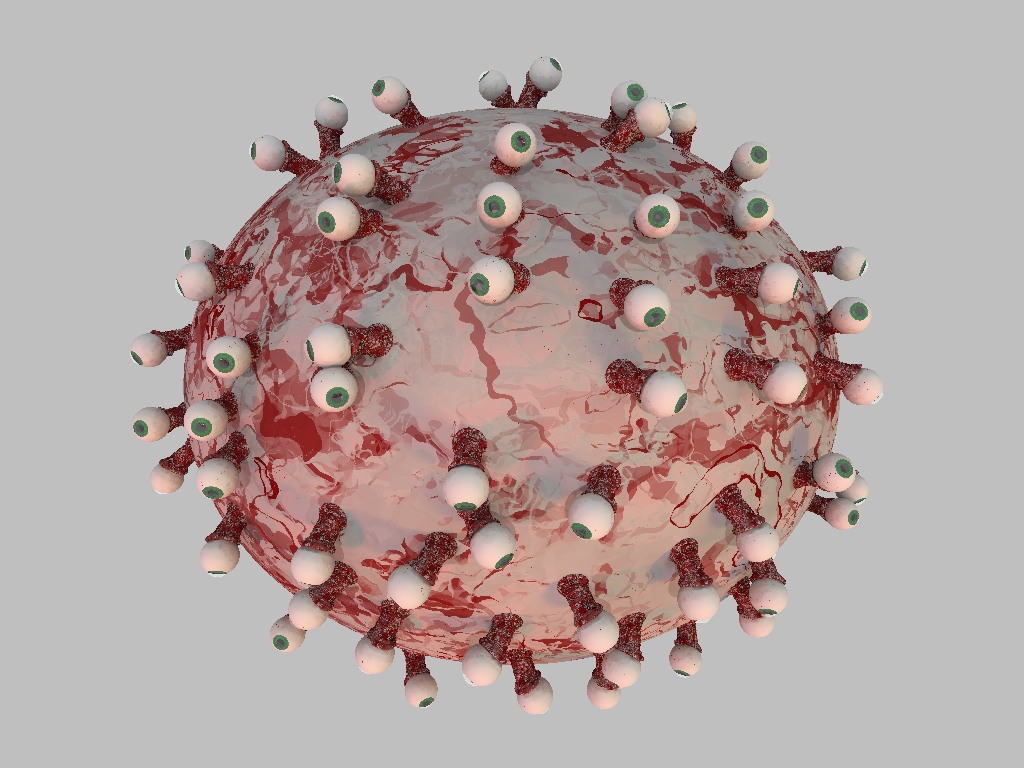
This method worked just fine, Norbert!

Thanks again for your help!
Post a reply to this message
Attachments:
Download 'eyesphere.jpg' (158 KB)
Preview of image 'eyesphere.jpg'
|
|
| |
| |
|
|
|
|
| |
| |
|
|
(oops, I hit the wrong button.)

Artemia Salina wrote:
> . . .  Please note the scaled spheres under the eye balls and how they
> are not rotated correctly to lay on the surface of the large sphere.
> I haven't been able to figure out how to do this properly yet. . . .

Can't see the discrepancy myself, but anyway .. I'd put the eye with its
mount at <R,0,0>

	#declare Eye = union {
		//the eyeball itself and
		sphere { 0,1 scale <1,2,2> translate R*x }
		}

and then rotate it into place.

For uniformly random placement this is the way to go:

	object { Eye
		rotate <0,
		 degrees(asin(1-2*rand(Seed))),
		 360*rand(Seed)>
		}

For a uniform quasi-grid placement:

	#declare H = 1/N;
	#declare Z = H-1;
	#declare Theta = 0;
	#declare Magic = 180*(3-sqrt(5));
	#while Z < 1
		object { Eye rotate <0, degrees(asin(Z)), Theta> }
		#declare Z = Z+2*H;
		#declare Theta = mod(Theta+Magic,360);
	#end//while

--
Anton Sherwood, http://www.ogre.nu/
"How'd ya like to climb this high *without* no mountain?" --Porky Pine
Post a reply to this message
|
|
| |
| |
|
|
|
|
| |
| |
|
|
Hallo, Artemia!
The texture of the monster is very interesting: how did you realized it?
Could be interesting with some normal, in order to obtain a vascular system
relief effect.
;-)
Paolo

> "Artemia Salina" wrote:
> Norbert Kern wrote:
> > Hi,
> >
> > I came up with this solution. Hope it helps.
> > Don't know, why my rotation tip failed - but Warp's hint works always
albeit
> > being less flexible.
>
>
> >                         Reorient_Trans (y,Norm)
>
>
> This method worked just fine, Norbert!
>
> Thanks again for your help!
>
Post a reply to this message
|
|
| |
| |
|
|
|
|
| |
| |
|
|
Paolo Gibellini wrote:
> Hallo, Artemia!
> The texture of the monster is very interesting: how did you realized it?

It's just a color map using a turbulated mandel pattern. I have it set
up as a macro using a color ("Red" from colors.inc) passed as a
parameter, and rbgt 1 to make it layerable. Depending on how it is
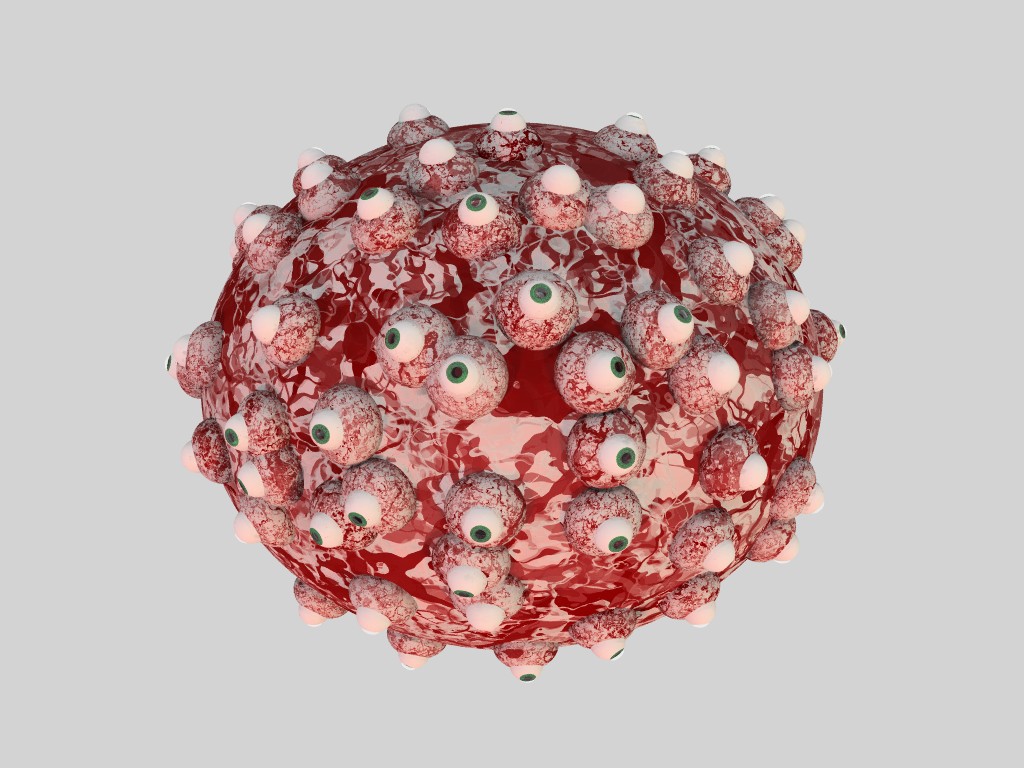
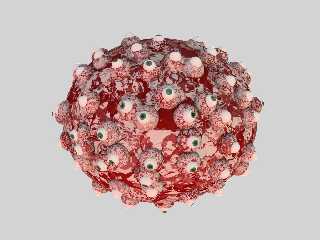
adjusted you can get some interesting textures. The image below shows a
convincing raw meat texture (I've forgotten the parameters to get that
texture) but it was several layers using Red and White.

#macro BloodShot(N, T, C, S)
texture{
         pigment {
                 mandel (5000  * RRand(1, 5, N)) / S
                 turbulence RRand(0.2, 10.9, N)
                 rotate <0, 0, RRand(0, 360, N)>
                 translate T
                 color_map {
                         [0.010  rgbt 1]
                         [0.010 C ]
                         [0.210 C ]
                         [0.210 rgbt 1]
                         [0.900 rgbt 1]
                         [0.900  C ]
                         [0.900  C ]
                         [0.990 rgbt 1]
                 }
         }
}
#end

> Could be interesting with some normal, in order to obtain a vascular system
> relief effect.

I'm thinking of adding actual veins to the monster's head and body. This
thing is far from being done :-)
Post a reply to this message
Attachments:
Download 'meatloaf.jpg' (156 KB)
Preview of image 'meatloaf.jpg'
|
|
| |
| |
|
|
|
|
| |
| |
|
|
Thank you, I'v never dared to use mandel in a texture, but the effect is
very interesting!
;-)
Paolo

> "Artemia Salina" <non### [at] nonenone> wrote:
>
> It's just a color map using a turbulated mandel pattern. I have it set
> up as a macro using a color ("Red" from colors.inc) passed as a
> parameter, and rbgt 1 to make it layerable. Depending on how it is
> adjusted you can get some interesting textures. The image below shows a
> convincing raw meat texture (I've forgotten the parameters to get that
> texture) but it was several layers using Red and White.
>
> #macro BloodShot(N, T, C, S)
> texture{
>          pigment {
>                  mandel (5000  * RRand(1, 5, N)) / S
>                  turbulence RRand(0.2, 10.9, N)
>                  rotate <0, 0, RRand(0, 360, N)>
>                  translate T
>                  color_map {
>                          [0.010  rgbt 1]
>                          [0.010 C ]
>                          [0.210 C ]
>                          [0.210 rgbt 1]
>                          [0.900 rgbt 1]
>                          [0.900  C ]
>                          [0.900  C ]
>                          [0.990 rgbt 1]
>                  }
>          }
> }
> #end
>
> > Could be interesting with some normal, in order to obtain a vascular
system
> > relief effect.
>
> I'm thinking of adding actual veins to the monster's head and body. This
> thing is far from being done :-)
>
Post a reply to this message
|
|
| |
| |
|
|
|
|
| |
|
|