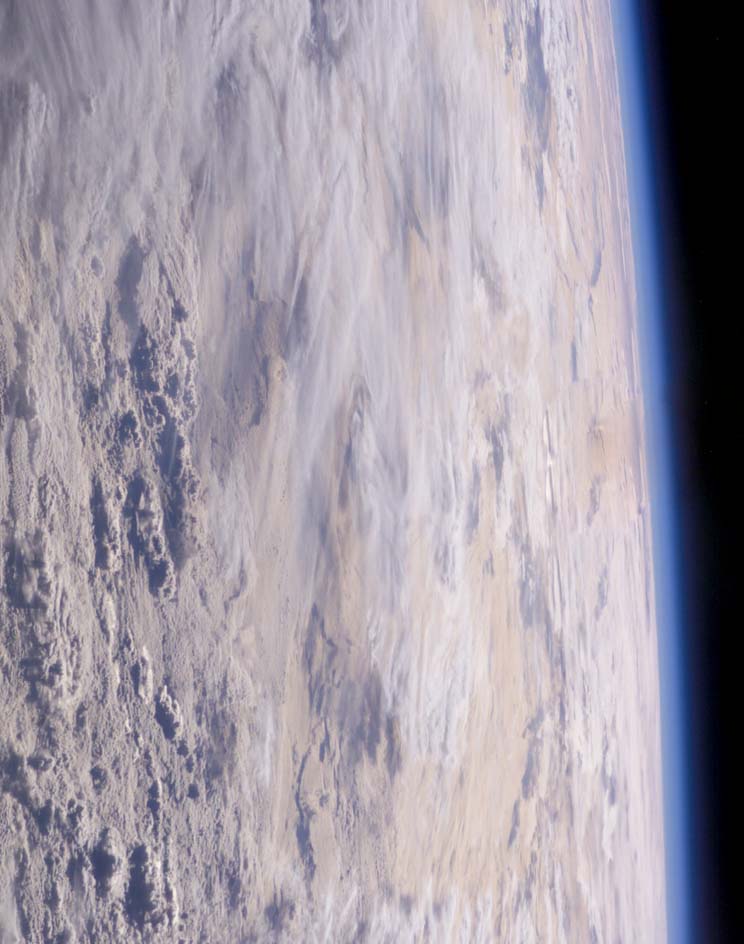
|
 |
Sven Littkowski wrote:
> Who can help?

God can (after all, He does raytracing in real time ;) ).

(Oh boy, now I *know* I've been reading these newsgroups too long).


Seriously, what you're asking is something that people have been trying
to accomplish for years.  Anyway, I'd suggest adding some noise to a
sphere function and using an isosurface for the planet itself, and
encase it in a media object for the atmosphere.  I couldn't say about
the specific settings, though.

...Chambers
Post a reply to this message
|
|
|
|
"Ben Chambers" <ben### [at] pacificwebguy com> schrieb im Newsbeitrag
news:4471f12c@news.povray.org...
> God can (after all, He does raytracing in real time ;) ).
> (Oh boy, now I *know* I've been reading these newsgroups too long).
Ehhh... Yes. You are right... Toooooo long... :-)
> Anyway, I'd suggest adding some noise to a sphere function and using an
> isosurface for the planet itself, and encase it in a media object for the
> atmosphere.
Yes, maybe. I just lack any experience with iso surfaces and media
objects...
Hmmm, since you talk about God... Do you think you want (surely not, but at
least I try) to try something like that?
(Oh boy, now I *know* I've been reading these newsgroups too long, as well).
Well-rendered greetings,
Sven com> schrieb im Newsbeitrag
news:4471f12c@news.povray.org...
> God can (after all, He does raytracing in real time ;) ).
> (Oh boy, now I *know* I've been reading these newsgroups too long).
Ehhh... Yes. You are right... Toooooo long... :-)
> Anyway, I'd suggest adding some noise to a sphere function and using an
> isosurface for the planet itself, and encase it in a media object for the
> atmosphere.
Yes, maybe. I just lack any experience with iso surfaces and media
objects...
Hmmm, since you talk about God... Do you think you want (surely not, but at
least I try) to try something like that?
(Oh boy, now I *know* I've been reading these newsgroups too long, as well).
Well-rendered greetings,
Sven
Post a reply to this message
|
|
|
|
A wah dat? Me and having ingenuity..?

Well, you believe things, I tell you... Ha ha! Well, I am not experienced at
all with how to make such an atmosphere. Ben Chambers (just above your reply
to my posting) mentioned a way, but I am not experienced with iso surfaces
nor with media. His idea sounds interesting, But I cannot work out such new
things...

I wished I could.

Sven
Post a reply to this message
|
|
|
|
Sven Littkowski wrote:
> "Ben Chambers" <ben### [at] pacificwebguycom> schrieb im Newsbeitrag
>>Anyway, I'd suggest adding some noise to a sphere function and using an
>>isosurface for the planet itself, and encase it in a media object for the
>>atmosphere.
>
>
> Yes, maybe. I just lack any experience with iso surfaces and media
> objects...

Here's a start.

The function:
#declare fn_planet = function {
	sqrt( pow(x, 2) + pow(y, 2) + pow(z, 2) )
	+ f_snoise3d(x/64, y/64, z/64)*4
	+ f_snoise3d(x/32, y/32, z/32)*2
	+ f_snoise3d(x/16, y/16, z/16)
	+ f_snoise3d(x/8,  y/8,  z/8)/2
	+ f_snoise3d(x/4,  y/4,  z/4)/4
	+ f_snoise3d(x/2,  y/2,  z/2)/8
	+ f_snoise3d(x,    y,    z)/16
	- 100
}

Note: for effect I increased the bump sizes.  For a realistic range of
heights, IIRC the largest should be *0.4 (not *4), and the scales would
decrease from there.

And the object itself:
isosurface {
	function { fn_planet(x,y,z) }
	threshold 0
	evaluate 1, 1.2, 0.8

	contained_by {sphere {0, 110} }

	pigment {color rgb <0.8,.75,.6>}
}

If you want oceans, then this is a crude beginning:
sphere {
	0, 99.75
	pigment {color rgb z}
}

Vary the radius of the sphere to raise or lower the oceans (do it in
very small increments, though).

I'm still trying out some different media settings...

...Chambers
Post a reply to this message
|
|