|
|
|
|
|
|
| |
| |
|
|
|
|
| |
| |
|
|
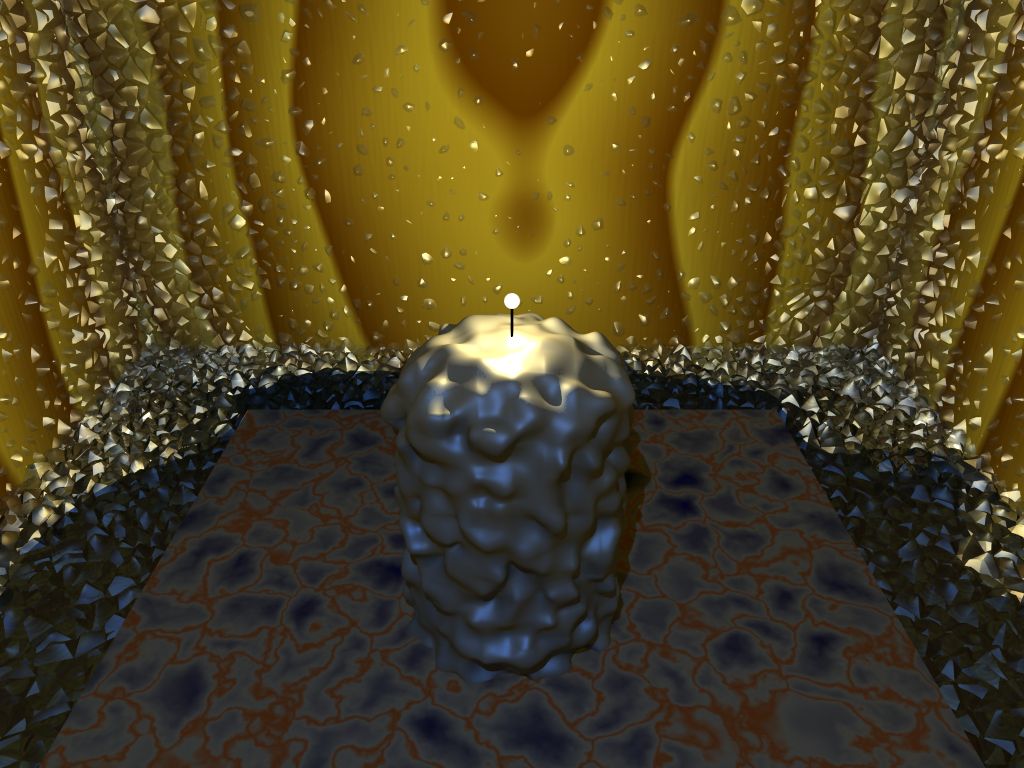
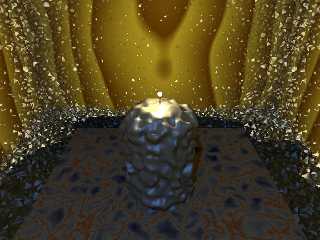
As suggested by a few, I have added a second blue lightsource. Nothing
else has changed - so far. As you can see, it does look quite a bit
better. (Unfortunately, it's still unspeakably suckful... but never mind.)
Post a reply to this message
Attachments:
Download 'candle10+rad.jpg' (121 KB)
Preview of image 'candle10+rad.jpg'
|
|
| |
| |
|
|
|
|
| |
| |
|
|
> As suggested by a few, I have added a second blue lightsource. Nothing
> else has changed - so far.

Having just said that... I did turn off area lights, and the daft "snow"
texture on the candle. Just to speed up the render.
Post a reply to this message
|
|
| |
| |
|
|
|
|
| |
| |
|
|
On Wed, 15 Feb 2006 20:59:12 +0000, Orchid XP v2 <voi### [at] dev null>
wrote:
> (Unfortunately, it's still unspeakably suckful... but never mind.)
This is not OT :-)
It is coming along a great improvement null>
wrote:
> (Unfortunately, it's still unspeakably suckful... but never mind.)
This is not OT :-)
It is coming along a great improvement
Post a reply to this message
|
|
| |
| |
|
|
|
|
| |
| |
|
|
Orchid XP v2 wrote:
> As suggested by a few, I have added a second blue lightsource. Nothing
> else has changed - so far. As you can see, it does look quite a bit
> better. (Unfortunately, it's still unspeakably suckful... but never mind.)
>
> ------------------------------------------------------------------------
>
What I feel now is that the candle is much too powerful for the effect I
guess you want to achieve...
If you want to restrict the light from the flame to the center of the
scene, you could use light fading. Maybe with more red for the light on
the flame as well, so as to gain contrast between your ice and the fire.

Keep working on that one, I think it has a great potential...

--
Vincent
Post a reply to this message
|
|
| |
| |
|
|
|
|
| |
| |
|
|
"Orchid XP v2" <voi### [at] devnull> a écrit dans le message de
news:43f3a427@news.povray.org...
> As suggested by a few, I have added a second blue lightsource. Nothing
> else has changed - so far. As you can see, it does look quite a bit
> better. (Unfortunately, it's still unspeakably suckful... but never mind.)
>

It's an improvement!
You could give the candle a patterned texture with a spherical pattern
centered on the flame with ambient to fake  subsurface scattering

texture
      {
         spherical
         texture_map
         {
            [0.0     pigment  { you_pigment    }
               finish{ ambient 0 }
            ]
            [1.0      pigment  { you_pigment    }
               finish{ambient 1  }
            ]
         }

      }
Post a reply to this message
|
|
| |
| |
|
|
|
|
| |
| |
|
|
Orchid XP v2 wrote:
> As suggested by a few, I have added a second blue lightsource. Nothing
> else has changed - so far. As you can see, it does look quite a bit
> better. (Unfortunately, it's still unspeakably suckful... but never mind.)
>
> ------------------------------------------------------------------------
>

Somehow I like it.
It looks like something is dissolving or growing
right under the "candle". If the transition from
"ground" to "snow" would be more smooth it
would make an interesting surreal image. Though
I'm not sure whether I can see fire an ice.
On the other hand fire dissolves/melts ice so
one could argue.

Sebastian
Post a reply to this message
|
|
| |
| |
|
|
|
|
| |
| |
|
|
Orchid XP v2 wrote:

> Having just said that... I did turn off area lights, and the daft "snow"
> texture on the candle. Just to speed up the render.

I was going to say - 'nice lump of poo' ;-)

But the snow texture will most likely make it look better :-)

Tom
Post a reply to this message
|
|
| |
| |
|
|
|
|
| |
| |
|
|
"Orchid XP v2" <voi### [at] devnull> wrote in message
news:43f3a427@news.povray.org...
> As suggested by a few, I have added a second blue lightsource. Nothing
> else has changed - so far. As you can see, it does look quite a bit
> better. (Unfortunately, it's still unspeakably suckful... but never mind.)
>

Is the background the wood texture? If so, scale it down a lot (0.05 or so)
Or just say it's a marble texture which is what it currently looks like.

A proper flame and a proper snow texture (slightly transparent?) and this
should look very nice.
Post a reply to this message
|
|
| |
| |
|
|
|
|
| |
| |
|
|
Tone down the brighness of the candle and drop the fade_distance down so
that the blue light shows. Also consider changing the ground texture from
stone to snow. The candle can then look like it's growing out of the
snow-covered ground.
Post a reply to this message
|
|
| |
| |
|
|
|
|
| |
| |
|
|
Orc,
The extra light helps hugely!

The candle will look more like a candle if you remove your placeholder "lamp
post" and put in a flame together with a melted down pool of wax. This will
also allow you to move the light source lower to light up the candle from
inside some more.

Wicks are white - until they have been charred in the flame zone.

DLM


"Orchid XP v2" <voi### [at] devnull> wrote in message
news:43f3a427@news.povray.org...
> As suggested by a few, I have added a second blue lightsource. Nothing
> else has changed - so far. As you can see, it does look quite a bit
> better. (Unfortunately, it's still unspeakably suckful... but never mind.)
>
Post a reply to this message
|
|
| |
| |
|
|
|
|
| |
| |
|
|
> Orc,
> The extra light helps hugely!

It does, doesn't it? :-)

> The candle will look more like a candle if you remove your placeholder "lamp
> post" and put in a flame together with a melted down pool of wax. This will
> also allow you to move the light source lower to light up the candle from
> inside some more.

Melted wax would be good... but rather difficult. (It took me ages to
get a cylinder with a "rounded" top. Not sure how to put a dent in it
that I can fill with wax. I suppose I could jsut CGS *cut* a hollow out,
but it wouldn't look very realistic...)

> Wicks are white - until they have been charred in the flame zone.

Thankyou for pointing that out... you're right of course.
Post a reply to this message
|
|
| |
| |
|
|
|
|
| |
| |
|
|
> It's an improvement!

Well that's *something*...

> You could give the candle a patterned texture with a spherical pattern
> centered on the flame with ambient to fake  subsurface scattering

What an interesting idea...

Of course, *real* wax is partially transparent. Especially so close to a
powerful light source. Hmm...
Post a reply to this message
|
|
| |
| |
|
|
|
|
| |
| |
|
|
> Is the background the wood texture?

You *know* your texturing is great when people can't even figure out
what it is... :-S

> If so, scale it down a lot (0.05 or so)
> Or just say it's a marble texture which is what it currently looks like.

Well, gotta do *something* to it anyway...

I did add a scaled normal map to try to give the impression of a grain,
but it doesn't really work very well.

> A proper flame and a proper snow texture (slightly transparent?) and this
> should look very nice.

I'm currently trying out the snow textures you gave me. They seem to
work much better than what I had. (Would be nice if I could figure out
how to add "sparkle" to it, but other than that...)
Post a reply to this message
|
|
| |
| |
|
|
|
|
| |
| |
|
|
> Tone down the brighness of the candle and drop the fade_distance down so
> that the blue light shows.

I'll give that a go... (It's difficult to get the right balance between
the fire and the ice. I guess I'll know it when I find it!)

> Also consider changing the ground texture from
> stone to snow. The candle can then look like it's growing out of the
> snow-covered ground.

Interesting idea...

The reason for the marble is that... well... marble is cold, isn't it?
Not that this comes across very much in my image. :-(
Post a reply to this message
|
|
| |
| |
|
|
|
|
| |
| |
|
|
-----BEGIN PGP SIGNED MESSAGE-----
Hash: SHA1

Orchid XP v2 wrote:
> Melted wax would be good... but rather difficult. (It took me ages to
> get a cylinder with a "rounded" top. Not sure how to put a dent in it
> that I can fill with wax. I suppose I could jsut CGS *cut* a hollow out,
> but it wouldn't look very realistic...)
>
	You could try with blobs. That's how I did this one:
http://jeberger.free.fr/povray/images/candle.jpg

	The source is available here if you want to take a look:
http://jeberger.free.fr/sources/jbmirror.zip

		Jerome
- --
******************************
*      Jerome M. Berger      *
*  mailto:jeb### [at] freefr   *
*  http://jeberger.free.fr/  *
******************************
-----BEGIN PGP SIGNATURE-----
Version: GnuPG v1.4.2 (GNU/Linux)

iD8DBQFD9PXpd0kWM4JG3k8RAgFQAJoC7iubuXc9oaBxr/aMkmKzB96s+QCgrxzM
UrccChBOXSmIM952S+vznrM=
=3Qs5
-----END PGP SIGNATURE-----
Post a reply to this message
|
|
| |
| |
|
|
|
|
| |
| |
|
|
"Orchid XP v2" <voi### [at] devnull> wrote in message
news:43f4ec9b$1@news.povray.org...
> > Is the background the wood texture?
>
> You *know* your texturing is great when people can't even figure out
> what it is... :-S

It's far too big right now, looks like I'm examining a tree trunk under
microscope

> I'm currently trying out the snow textures you gave me. They seem to
> work much better than what I had. (Would be nice if I could figure out
> how to add "sparkle" to it, but other than that...)

A subtle normal and high specular with low roughness. That said, I've never
got it working.
Ask s.day. He gotr nice sparkle in his Sunscape picture (4 below this one)

> The reason for the marble is that... well... marble is cold, isn't it?
> Not that this comes across very much in my image. :-(

Not when it's got dark red in it. If you want to keep the marble, try a nice
white and light blue
Post a reply to this message
|
|
| |
| |
|
|
|
|
| |
| |
|
|
Orchid XP v2 <voi### [at] devnull> wrote:
> As suggested by a few, I have added a second blue lightsource. Nothing
> else has changed - so far. As you can see, it does look quite a bit
> better. (Unfortunately, it's still unspeakably suckful... but never mind.)

Just a thought, could you make the snow into stylised snowflake crystals?

Stephen
Post a reply to this message
|
|
| |
| |
|
|
|
|
| |
| |
|
|
"Orchid XP v2" <voi### [at] devnull> wrote in message
news:43f4ebfa$1@news.povray.org...
>> It's an improvement!
>
> Well that's *something*...
>
>> You could give the candle a patterned texture with a spherical pattern
>> centered on the flame with ambient to fake  subsurface scattering
>
> What an interesting idea...
>
> Of course, *real* wax is partially transparent. Especially so close to a
> powerful light source. Hmm...

   Yeah, almost like our own skin. Ever held a torch under your hand in the
dark? If you want to see 'freaky', then try it.

   ~Steve~
Post a reply to this message
|
|
| |
| |
|
|
|
|
| |
| |
|
|
>> Of course, *real* wax is partially transparent. Especially so close to
>> a powerful light source. Hmm...
>
>
>   Yeah, almost like our own skin. Ever held a torch under your hand in
> the dark? If you want to see 'freaky', then try it.

Freaky indeed.

You can get a similar effect using a powerful light source (e.g., a
multi-billion-ton nuclear fision reactor like the Sun) through your own
eyelids.

Of course, for real freakyness, nothing quite beats when you have an eye
exam and they use the bright lighty shiny thing and you can see the
reflection of all the veins at the back of your own eye... *shudders*


Bringing this back on-topic... I presume this is the "subsurface
scattering" everybody keeps babbling about?
Post a reply to this message
|
|
| |
| |
|
|
|
|
| |
| |
|
|
"Orchid XP v2" <voi### [at] devnull> a écrit dans le message de
news:43f63a10$1@news.povray.org...
> Bringing this back on-topic... I presume this is the "subsurface
> scattering" everybody keeps babbling about?

Oh yes
On the joined image it was faked with the following ambient trick

#declare P_wax=pigment
               {
                  cylindrical
                  color_map
                  {
                     [ 0.25    rgb <1, 0, 0> ]
                     [ 0.5     rgb 1 ]
                     }
                  scale  0.2
               }
   #declare T_wax0=texture{
   pigment {P_wax}
   finish { ambient 0
            specular 1.0
            roughness 0.02
          }
   }
   #declare T_wax1=texture{
   pigment {P_wax}
   finish { ambient 1
            specular 1.0
            roughness 0.02
          }
   }

   #declare T_faked_sss =

   texture
      {
         spherical
         texture_map
         {
            [0.0 T_wax0 ]
            [1.0 T_wax1 ]
         }

      }
Post a reply to this message
Attachments:
Download 'Candle.jpg' (4 KB)
Preview of image 'Candle.jpg'

|
|
| |
| |
|
|
|
|
| |
| |
|
|
"Orchid XP v2" <voi### [at] devnull> wrote in message
news:43f63a10$1@news.povray.org...
>
> You can get a similar effect using a powerful light source (e.g., a
> multi-billion-ton nuclear fision reactor like the Sun) through your own
> eyelids.

The sun is a fusion reactor, not fission

> Bringing this back on-topic... I presume this is the "subsurface
> scattering" everybody keeps babbling about?

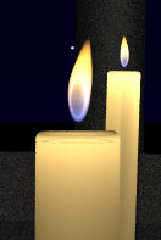
Yup. You can also fake it pretty well with media. Is what I do with candles
any time I use them. Give the candle a slightly transparent texture then
fill it with scattering media. Is not that slow (scattering {1 rgb 1})
Post a reply to this message
Attachments:
Download 'SmallCandles.jpg' (6 KB)
Preview of image 'SmallCandles.jpg'
|
|
| |
| |
|
|
|
|
| |
| |
|
|
"Gail Shaw" <gshaw AT sentechsa com> a écrit dans le message de
news:43f6d8d8@news.povray.org...
> Yup. You can also fake it pretty well with media. Is what I do with
candles
> any time I use them. Give the candle a slightly transparent texture then
> fill it with scattering media. Is not that slow (scattering {1 rgb 1})
>

Nice
and nice flame too
You don't need hi samples do you?

Marc
Post a reply to this message
|
|
| |
| |
|
|
|
|
| |
| |
|
|
"Marc Jacquier" <jac### [at] wanadoofr> wrote in message
news:43f6e4cc@news.povray.org...
>
> Nice
> and nice flame too
> You don't need hi samples do you?
>
I haven't found so. It's a constant media, no fancy densities or anything

interior{
 media {
  scattering {1 rgb 1} // if you wnat more scattering, up the rgb value.
I've used anything from 0.5 to 5
 }
}

I have found sometimes you can put this into the candle object, sometimes
you need a second, slightly scaled down (identical surface problem)
with rgbf 1 and the media inside while the normal candle is hollow but with
no media
Post a reply to this message
|
|
| |
| |
|
|
|
|
| |